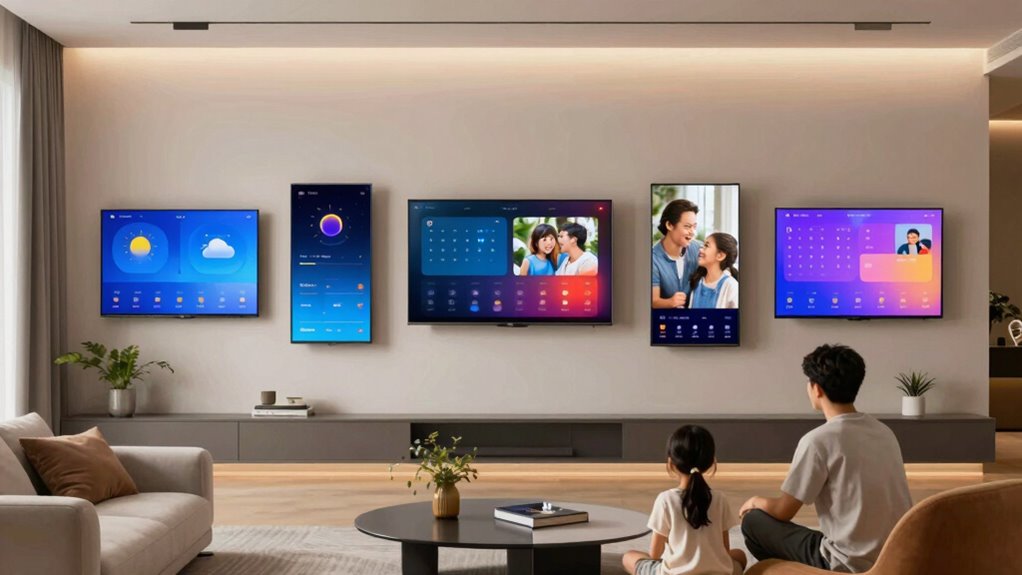

A smart display for family organization should do more than put a calendar on a wall: it should bring schedules and everyday household tasks into view for the people who need them. I rank the EVERBLOG HomeCal first for families who want a large, all-in-one hub, while the Skylight Calendar is a more focused pick for households that value familiar calendar integrations and chore tools. The Yemsd stands out when a photo frame and no-subscription setup matter as much as planning.

Get the latest gadgets delivered free with Prime
- Fast, free delivery on millions of items
- Prime Video, Amazon Music and more included
- Member-only deals all year
The central tradeoff is screen space versus footprint. Larger displays make lists and schedules easier to scan, but they need more wall or counter room. Other differences come down to whether you want an appliance-like calendar or a more customizable Android-style display, how much meal and chore planning you need, and whether you want to avoid subscription-dependent features. I weigh those family-use differences rather than treating screen size alone as a deciding factor.
Complete the kit



Key Takeaways
EVERBLOG HomeCal is the broadest household hub: its 21.5-inch screen and tools for groceries, fridge inventory, meals, chores, and calendars suit families coordinating many routines, provided they have room for it.
Skylight is the focused calendar-and-chore choice, with Google, iCloud, Outlook, Cozi, and Yahoo sync; some extra features require Calendar Plus.
Yemsd pairs organization with family photos and does not require a subscription, making it a strong fit for buyers who want both jobs handled by one display.
Apolosign offers a customizable middle ground: calendar and Android modes, widgets, and apps add flexibility, but setup and connected features depend on Wi-Fi and compatible services.
Dragon Touch covers everyday planning at 15.6 inches with color-coded events, chores, dinner planning, and groceries, though some advanced features require a paid plan.
| EVERBLOG HomeCal 21.5-Inch Digital Family Calendar |  | Best Overall — broadest family command center | Display: 21.5-inch FHD touchscreen | Calendar integrations: Google, Apple iCloud, Outlook, Yahoo, Cozi, TeamSnap, and more | Household tools: Calendar, chores, meal planning, grocery and custom lists, fridge inventory, reminders, and timers | VIEW ON AMAZON | See Our Full Breakdown |
| Skylight 15.4-Inch Touchscreen Digital Calendar and Chore Chart, White |  | Best for a focused calendar-and-chore system | Display: 15.4-inch Full HD touchscreen | Connectivity: Wi-Fi | Calendar sync: Google, iCloud, Outlook, Cozi, and Yahoo | VIEW ON AMAZON | See Our Full Breakdown |
| Yemsd 15.6-Inch Digital Calendar and Touchscreen Chore Chart with Photo Frame |  | Best Value — organization and photos without a subscription | Screen: 15.6-inch glare-free HD touchscreen | Calendar sync: Google, Outlook, iCloud, and other platforms | Storage: 32GB, expandable | VIEW ON AMAZON | See Our Full Breakdown |
| Apolosign 15.6-Inch Digital Calendar and Smart Wall Planner with Stand |  | Best for customization — calendar planning with Android flexibility | Display: 15.6-inch touchscreen | Modes: Calendar and Android | Calendar sync: Google Calendar, iCloud, Outlook, and more | VIEW ON AMAZON | See Our Full Breakdown |
| Dragon Touch 15.6-Inch Smart Family Calendar and Chore Chart |  | Best for straightforward daily planning | Screen: 15.6-inch 1080p Full HD touchscreen | Connectivity: Wi-Fi | Calendar: Combines family schedules from services such as iOS and Google calendars | VIEW ON AMAZON | See Our Full Breakdown |
| smart display for family organization | Placement | Display | Calendar sync | Subscription |
|---|---|---|---|---|
| EVERBLOG HomeCal 21.5-Inch Dig | Tabletop or wall mount; portrait or landscape | 21.5-inch FHD touchscreen | — | — |
| Skylight 15.4-Inch Touchscreen | Wall mount included; countertop use supported | 15.4-inch Full HD touchscreen | Google, iCloud, Outlook, Cozi, and Yahoo | Some extra features require Calendar Plus |
| Yemsd 15.6-Inch Digital Calend | Wall-mounted or desk use | — | Google, Outlook, iCloud, and other platforms | None required |
| Apolosign 15.6-Inch Digital Ca | Included stand | 15.6-inch touchscreen | Google Calendar, iCloud, Outlook, and more | — |
| Dragon Touch 15.6-Inch Smart F | Wall or desk mountable | — | — | Some advanced features require a paid plan |
More Details on Our Top Picks
EVERBLOG HomeCal 21.5-Inch Digital Family Calendar
The EVERBLOG HomeCal earns the lead by treating family organization as a set of connected routines rather than a calendar alone. Its 21.5-inch FHD touchscreen gives shared appointments, chores, grocery lists, reminders, and meal plans more room to be seen together. For a busy household, that larger canvas can make it easier to scan the day without crowding several small widgets onto a screen. It also goes further than the Skylight and Dragon Touch by including fridge inventory tools and recipe suggestions alongside its planning features.
Its broad calendar support includes Google, Apple iCloud, Outlook, Yahoo, Cozi, TeamSnap, and other services, and the mobile app allows remote updates. The no-monthly-subscription model is a meaningful contrast with products that reserve some extras for a paid plan. Photos and entertainment apps add general household use, although I would treat those as bonuses rather than the reason to buy a family planner. Four built-in speakers add another layer of utility, but connected features still depend on Wi-Fi.
The tradeoff is physical: 21.5 inches takes real space. This is the most capable choice for a family with a central wall or counter available, but it is less sensible in a compact kitchen or where a screen would dominate the room. Compared with the smaller Yemsd, it offers more planning breadth and visibility, while Yemsd brings photo storage and restoration features in a smaller footprint. I would choose HomeCal when shared household logistics are the main goal, not when the priority is a discreet display.
Pros:- 21.5-inch FHD display gives shared schedules and lists room to breathe.
- Combines calendar sync, chores, meal planning, grocery lists, and fridge inventory.
- Supports many popular calendar services and remote mobile-app updates.
- No monthly subscription is required for the described feature set.
Cons:- The large display needs more wall or counter space than the 15.4- and 15.6-inch options.
- Connected tools require Wi-Fi.
- Entertainment and photo features may be unnecessary for buyers seeking a dedicated planner.
Best for: Families with several calendars and recurring chores, meals, and grocery routines who have room for a large central display.
Not ideal for: Households with little wall or counter space, or buyers seeking a compact screen mainly for appointments and photos.
- Display:21.5-inch FHD touchscreen
- Calendar integrations:Google, Apple iCloud, Outlook, Yahoo, Cozi, TeamSnap, and more
- Household tools:Calendar, chores, meal planning, grocery and custom lists, fridge inventory, reminders, and timers
- Family members:Unlimited
- Photo and app features:Photo display and entertainment app access
- Audio:Four built-in speakers
- Placement:Tabletop or wall mount; portrait or landscape
- Connectivity and subscription:Wi-Fi; no monthly subscription required
Our verdict“I recommend HomeCal as the most complete family hub for households that can give its large screen a permanent, visible place.”
Skylight 15.4-Inch Touchscreen Digital Calendar and Chore Chart, White
The Skylight 15.4-inch Calendar is a strong fit for families who want a dedicated shared planner rather than a screen that also tries to be an entertainment hub. It syncs with Google, iCloud, Outlook, Cozi, and Yahoo, a useful spread for households whose members already keep calendars in different services. The combination of shared calendars, tasks, chore charts, and meal planning puts recurring household responsibilities beside appointments instead of leaving them scattered across separate apps.
Compared with Dragon Touch, Skylight has a smaller 15.4-inch screen and explicitly lists a wide set of calendar integrations, including Cozi and Yahoo. That focus may matter more to a household that wants calendars and chores to be the main event than a photo-centered display. It can be wall-mounted or placed on a countertop, and app access lets family members make updates away from home. That flexibility helps the schedule stay current without requiring everyone to walk over to the screen.
The main caveat is Calendar Plus for some extra features. Buyers should distinguish the core scheduling proposition from the features that may sit behind a subscription before choosing it over the subscription-free Yemsd or HomeCal. Its 15.4-inch format also gives less viewing area than the 15.6-inch rivals, though the difference is modest. I rank it highly for a straightforward family calendar experience, but not for buyers who want every listed enhancement included without ongoing fees.
Pros:- Syncs with Google, iCloud, Outlook, Cozi, and Yahoo.
- Combines shared schedules with tasks, chores, and meal planning.
- Includes app access for updates away from the display.
- Can be wall-mounted or used on a countertop.
Cons:- Some features require a Calendar Plus subscription.
- Its 15.4-inch screen is smaller than the other listed displays.
- Does not list fridge inventory tools like the larger HomeCal.
Best for: Families who already use several mainstream calendar services and want a dedicated shared calendar, chore chart, and meal planner.
Not ideal for: Buyers who want all extra features without a subscription, or who prefer a larger screen with broader grocery and inventory tools.
- Display:15.4-inch Full HD touchscreen
- Connectivity:Wi-Fi
- Calendar sync:Google, iCloud, Outlook, Cozi, and Yahoo
- Functions:Shared calendars, tasks, lists, chore charts, and meal planning
- Placement:Wall mount included; countertop use supported
- App access:Available
- Subscription:Some extra features require Calendar Plus
- Color and dimensions:White; 9.9 in W x 1.4 in H
Our verdict“I would choose Skylight for a family that wants a clear, dedicated planner and accepts that some extras may require Calendar Plus.”
Yemsd 15.6-Inch Digital Calendar and Touchscreen Chore Chart with Photo Frame
Yemsd stands out for combining a family planner with a substantial photo-frame role, without requiring a subscription. Its 15.6-inch glare-free HD touchscreen supports calendar syncing with Google, Outlook, iCloud, and other platforms, while meal planning and a chore-and-reward system give families practical ways to organize routines. The added 32GB expandable storage and AI photo restoration make it more compelling for households that want family pictures on display as well as appointments and chores.
Against Skylight, Yemsd offers a slightly larger screen and a clearer no-subscription proposition, but Skylight names more specific calendar services, including Cozi and Yahoo. Compared with HomeCal, Yemsd takes up less space and puts more emphasis on photo storage, while HomeCal offers a larger display and more explicit grocery and fridge-inventory functions. The choice depends on whether the screen should be a household command center or an organizational display that also presents a family photo collection.
Its chore chart includes reward points, which may suit households that want tasks to feel more interactive. Wall or desk placement gives buyers flexibility, and a two-year warranty is specified. One practical detail is that batteries are not included; buyers should check what the intended setup needs before installation. The product description also provides less detail about list and reminder tools than HomeCal, so I would not rank it first for families whose main need is a wide set of connected household lists.
Pros:- No subscription is required for the described feature set.
- Combines calendar sync, meal planning, and a chore chart with reward points.
- 32GB expandable storage supports its digital photo-frame use.
- Can be mounted on a wall or placed on a desk.
Cons:- Batteries are not included.
- Its listed calendar services are less specific than Skylight’s named integration list.
- The description offers less detail about inventory and shared-list features than HomeCal.
Best for: Families who want a no-subscription calendar and chore display that can also serve as a photo frame.
Not ideal for: Households that need a very large planning screen, fridge inventory, or an explicitly broad suite of grocery and custom-list tools.
- Screen:15.6-inch glare-free HD touchscreen
- Calendar sync:Google, Outlook, iCloud, and other platforms
- Storage:32GB, expandable
- Organization tools:Meal planning and interactive chore chart with reward points
- Photo features:Digital photo frame and AI photo restoration
- Placement:Wall-mounted or desk use
- Subscription:None required
- Warranty:Two years
Our verdict“Yemsd is my pick for households that want family organization and a photo frame in one subscription-free 15.6-inch display.”
Apolosign 15.6-Inch Digital Calendar and Smart Wall Planner with Stand
The Apolosign FA15 is for families who want more control over what appears on their planner. It combines calendar and Android modes, with customizable widgets and apps alongside schedules, chores, reminders, shopping lists, and meals. That makes it more flexible than a dedicated calendar appliance: a household can shape the screen around the information or apps it prefers rather than relying only on a fixed planner layout. It also supports photo and video slideshows, a useful secondary role when the screen is not being checked for appointments.
Compared with the Skylight, Apolosign puts more emphasis on customizable widgets and apps, while Skylight offers a named set of calendar integrations that includes Cozi and Yahoo. Its 15.6-inch screen matches the Yemsd and Dragon Touch on size, and it avoids a subscription requirement according to the product description. The included stand suits homes where a wall mount is not the right fit. Buyers who want the simplest possible family calendar may find its extra modes less valuable than Skylight’s focused approach.
The flexibility comes with setup and compatibility work. Apolosign requires Wi-Fi and initial configuration, and some features depend on compatible services or smart-home devices. That means the appeal of its Android mode depends partly on whether a household wants to configure a more general screen. It does not list the fridge inventory feature found on HomeCal, and it lacks Yemsd’s described expandable photo storage. I rank it as a useful middle ground for families who value customization over a single-purpose interface.
Pros:- Calendar and Android modes offer more dashboard flexibility.
- Supports schedules, chores, reminders, shopping lists, and meals.
- Includes customizable widgets, apps, and photo or video slideshows.
- No subscription is required according to the product description.
Cons:- Requires Wi-Fi and initial setup.
- Some functions depend on compatible services or smart-home devices.
- Does not specify the broad grocery inventory features offered by HomeCal.
Best for: Households that want a 15.6-inch family planner with customizable widgets, apps, and both calendar and Android modes.
Not ideal for: Buyers seeking a simple dedicated calendar, or anyone who wants connected features without Wi-Fi setup and service compatibility checks.
- Display:15.6-inch touchscreen
- Modes:Calendar and Android
- Calendar sync:Google Calendar, iCloud, Outlook, and more
- Planning tools:Schedules, chores, reminders, shopping lists, and meals
- Dashboard:Customizable widgets and apps
- Additional display use:Photo and video slideshows
- Placement:Included stand
- Subscription and connectivity:No subscription required; Wi-Fi needed
Our verdict“I recommend Apolosign to families who want a customizable smart display as well as a shared planner and are comfortable configuring it.”
Dragon Touch 15.6-Inch Smart Family Calendar and Chore Chart
The Dragon Touch TM15 brings common family planning needs into a 15.6-inch Full HD touchscreen: shared schedules, color-coded events, tasks, a chore chart, dinner planning, and a grocery list. The color coding can help household members tell their commitments apart at a glance, and a mobile app gives family members a way to manage the calendar away from the display. It also works as a digital photo frame, so the screen has a secondary household role when nobody is checking the day’s schedule.
Compared with Apolosign, Dragon Touch is described in more focused terms: it centers on family calendar and chore tools rather than offering calendar and Android modes with customizable apps. That focus may suit a buyer who wants a planner rather than a screen to configure. It has the same stated 15.6-inch size as Apolosign and Yemsd, but the provided description names fewer calendar services than Skylight or HomeCal. I would verify compatibility with a household’s existing calendars before choosing it.
Some advanced features require a paid plan, which makes it less appealing to buyers who want the no-subscription arrangement of Yemsd, Apolosign, or HomeCal. Wi-Fi and app setup are also part of the package, so it is not a completely standalone wall calendar. Its feature set covers regular schedules and household planning well, but it does not list fridge inventory, expandable photo storage, or the same breadth of named calendar integrations as the top-ranked choices. I place it fifth because its core tools are useful, yet the available details and paid-plan caveat make it harder to recommend ahead of the more clearly differentiated alternatives.
Pros:- Combines family schedules with color-coded events and tasks.
- Includes a chore chart, dinner planner, and grocery list.
- Mobile app supports calendar management away from the display.
- Can be wall-mounted or used on a desk and also displays photos.
Cons:- Some advanced features require a paid plan.
- Requires Wi-Fi and app setup.
- The listed calendar-service details are less specific than those for Skylight and HomeCal.
Best for: Families looking for a 15.6-inch calendar with color-coded events, chores, dinner planning, grocery lists, and mobile-app management.
Not ideal for: Buyers who want all advanced functions without a paid plan, or who need a broad, explicitly named set of calendar integrations and inventory tools.
- Screen:15.6-inch 1080p Full HD touchscreen
- Connectivity:Wi-Fi
- Calendar:Combines family schedules from services such as iOS and Google calendars
- Organization tools:Chore chart, dinner planner, and grocery list
- Event display:Color-coded events and tasks
- Photo feature:Digital photo frame
- Placement:Wall or desk mountable
- Subscription:Some advanced features require a paid plan
Our verdict“Dragon Touch suits families seeking familiar daily planning tools, but I would compare its paid-plan features and calendar compatibility before choosing it.”

How We Picked
I ranked these displays around the real work of family organization: making shared schedules visible, dividing household responsibilities, and keeping practical planning tools close at hand. A calendar that syncs with the services a household already uses can reduce duplicate entry; a chore chart, meal planner, or grocery list can make the screen useful between appointments. I gave more weight to features that support repeated family routines than to entertainment or photo functions on their own.
I also compared the products by space, flexibility, and ongoing requirements. A 21.5-inch screen has an obvious visibility advantage over 15.4- or 15.6-inch alternatives, but that advantage only helps if a household has a suitable wall or counter. No-subscription designs appeal to buyers who want predictable access to stated tools, while subscription-dependent features deserve a clear tradeoff. Finally, I considered whether a display is primarily a dedicated calendar or a more general-purpose screen. The ranking reflects how well each option balances those factors for a typical family, not a claim that one device suits every home.
| smart display for family organization | Placement | Calendar sync | Subscription |
|---|---|---|---|
| EVERBLOG HomeCal 21.5-Inch Dig | Tabletop or wall mount; portrait or landscape | — | — |
| Skylight 15.4-Inch Touchscreen | Wall mount included; countertop use supported | Google, iCloud, Outlook, Cozi, and Yahoo | Some extra features require Calendar Plus |
| Yemsd 15.6-Inch Digital Calend | Wall-mounted or desk use | Google, Outlook, iCloud, and other platforms | None required |
| Apolosign 15.6-Inch Digital Ca | Included stand | Google Calendar, iCloud, Outlook, and more | — |
| Dragon Touch 15.6-Inch Smart F | Wall or desk mountable | — | Some advanced features require a paid plan |
Factors to Consider When Choosing Smart Display For Family Organization
I would choose a family display by starting with the household problem it needs to solve. These products overlap on shared calendars and chores, but they differ in how much space they take, how much setup they invite, and whether their extra tools justify choosing them over a simpler planner.
Match screen size to where the family will see it
A display only helps if family members can spot it during everyday routines. HomeCal’s 21.5-inch screen offers the most room for appointments and lists, which is useful in a busy kitchen or shared family area. That larger canvas is also the clearest space tradeoff in this lineup. The Skylight is 15.4 inches, while Yemsd, Apolosign, and Dragon Touch are 15.6 inches, making those models easier to fit into more modest spaces. Before choosing, identify a real wall or counter location and think about viewing distance, not just the diagonal measurement.
Check calendar compatibility before comparing extras
Calendar sync is the foundation of a shared planner: if family members cannot bring existing appointments into one place, the display can create duplicate work. Skylight names Google, iCloud, Outlook, Cozi, and Yahoo; HomeCal lists those services along with TeamSnap and others. Yemsd, Apolosign, and Dragon Touch also describe calendar sync, but the named service details differ. I would check the services a household already uses and confirm the intended calendars are supported before valuing extras such as photo slideshows or app access.
Pick the household tools that will get used
Chore charts, meal planning, and shared lists help a display serve the household beyond checking dates. HomeCal has the broadest described set, including grocery and custom lists plus fridge inventory. Skylight combines chores and meal planning with tasks and lists. Yemsd adds reward points to its chore chart, while Dragon Touch calls out dinner planning and a grocery list. Apolosign includes chores, reminders, shopping lists, and meals with a customizable dashboard. I would favor the tools that fit existing routines rather than choosing by the longest feature list.
Understand subscriptions and setup demands
Subscription terms affect how much of a device’s feature set is available under the stated arrangement. Yemsd and Apolosign are described as requiring no subscription, and HomeCal has no monthly subscription requirement. Skylight notes that some features require Calendar Plus; Dragon Touch says some advanced features need a paid plan. Those caveats matter if a household expects to use extra features regularly. Setup also varies in practical importance: Apolosign explicitly needs Wi-Fi and initial setup, while Dragon Touch requires Wi-Fi and app setup. Connected planning tools depend on a working network, so choose a place with reliable Wi-Fi.
Decide whether it should be more than a planner
Several displays add a photo-frame role, but their extra uses are not identical. Yemsd combines its calendar with 32GB expandable storage and AI photo restoration, while HomeCal adds photo display and entertainment app access. Apolosign supports photo and video slideshows and a broader Android mode; Dragon Touch also lists a digital photo frame. Skylight’s strongest case is its dedicated calendar-and-chore approach. I would pay attention to the extra role only if it will matter in the chosen location; a multipurpose screen is less useful if the family primarily needs an uncluttered shared schedule.
Frequently Asked Questions
Which display is best for a large family command center?
I would start with the EVERBLOG HomeCal if a family has room for its 21.5-inch screen and wants calendars, chores, meal planning, groceries, and fridge inventory together. Its range of named calendar integrations and no-monthly-subscription setup make it the broadest household hub here. Families with limited wall or counter space may prefer one of the 15.4- or 15.6-inch alternatives instead.
Which option avoids a required subscription?
Yemsd, Apolosign, and HomeCal are described as requiring no subscription, though that does not mean every connected service or feature has identical terms. Skylight notes that some extras require Calendar Plus, and Dragon Touch says some advanced features require a paid plan. I would compare the specific tools a family expects to use rather than relying only on the basic calendar feature list.
Which display is best if I want a photo frame too?
Yemsd is a strong match if photos are a priority because it has 32GB of expandable storage and AI photo restoration as well as calendar and chore tools. HomeCal also includes photo display and entertainment app access, while Apolosign supports photo and video slideshows. I would choose Yemsd for the clearest photo-storage emphasis and HomeCal when broader household planning matters more.
Do these family displays need Wi-Fi?
Each product description ties its connected calendar or app features to network access, and several explicitly specify Wi-Fi. HomeCal says connected features require Wi-Fi; Apolosign and Dragon Touch also call out Wi-Fi needs, with Dragon Touch requiring app setup. Because calendar syncing and remote updates are central to these products, I would plan to place the display where its connection is reliable.
Should I choose a dedicated calendar or a customizable smart display?
I would choose Skylight if the main goal is a focused calendar, chore, and meal-planning screen with a broad named set of integrations. Apolosign is a better fit for families who want calendar and Android modes with customizable widgets and apps. The more configurable option can support extra uses, but setup and compatibility checks matter more than they do for a display chosen primarily as a shared planner.
Conclusion
For the broadest family organization hub, I recommend EVERBLOG HomeCal to households that can make space for a 21.5-inch display and will use its grocery and inventory tools. Choose Skylight if a dedicated, familiar calendar-and-chore setup matters most and you are comfortable with some extras requiring Calendar Plus. Yemsd is the better fit when a subscription-free planner should also store and display family photos. I would steer customization-minded families toward Apolosign, while Dragon Touch makes sense for buyers who want everyday calendar, chore, dinner, and grocery tools on a 15.6-inch screen. The best choice is the one that matches your calendar services, available space, and routines—not the one with the most features on paper.
Halloween Picks
halloween
As an affiliate, we earn on qualifying purchases.