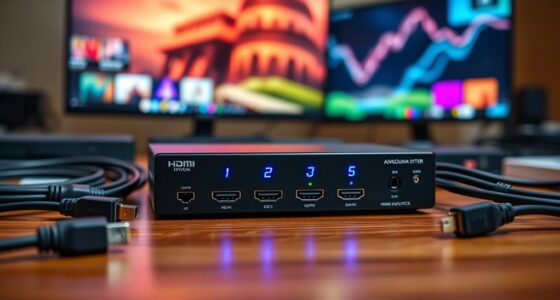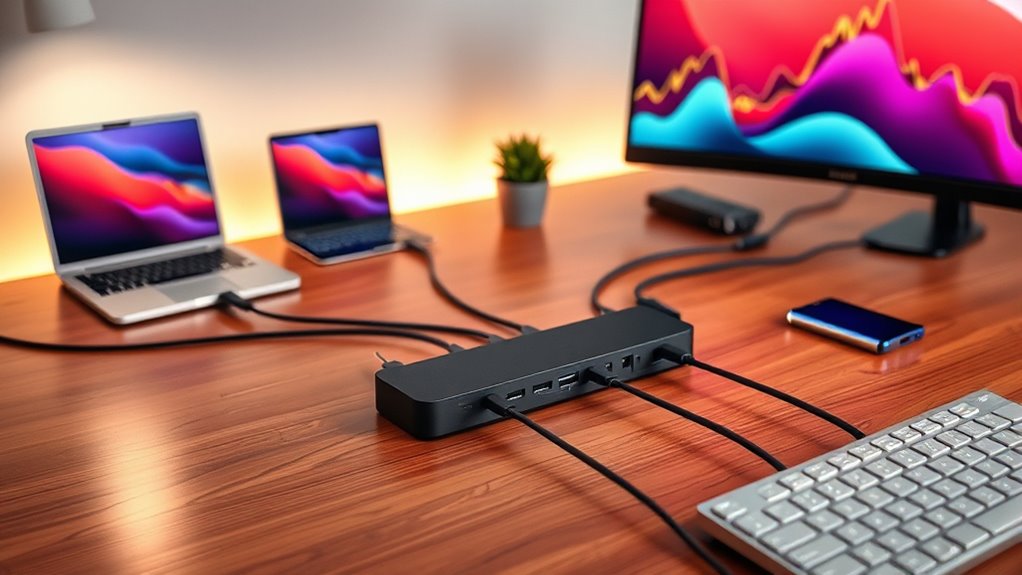

If you’re searching for a usb4 dock, you’re likely looking for a versatile, high-performance hub that can power multiple displays and connect various peripherals with minimal fuss. The best overall pick, the CalDigit E5 Thunderbolt 5 Element, offers cutting-edge speed, multiple ports, and robust power delivery, making it ideal for demanding workflows. The Ugreen Thunderbolt 4 Docking Station stands out for its extensive port selection and dual 4K support at a competitive price, perfect for multitasking setups. However, choosing the right dock involves balancing factors like port variety, power output, compatibility, and price. Continue reading for an in-depth look at these options and how to pick the best usb4 dock for your needs.

Get the latest gadgets delivered free with Prime
- Fast, free delivery on millions of items
- Prime Video, Amazon Music and more included
- Member-only deals all year
Complete the kit



Key Takeaways
- The top picks balance port variety, performance, and price, with premium models offering more features but at a higher cost.
- Thunderbolt 4 and USB4 compatibility are critical for ensuring broad device support and future-proofing.
- Power delivery capacity varies significantly, impacting whether a dock can charge your laptop and peripherals simultaneously.
- Display support, especially dual 4K or 8K, is a key differentiator for demanding creative or professional users.
- Build quality and brand reputation often correlate with reliability, especially for travel or daily professional use.
| Cable Matters 8-in-1 Portable 40Gbps Dual HDMI USB4 Hub |  | Best Portable USB4 Dock for On-the-Go Productivity | Number of HDMI ports: 2 (HDMI 2.1 & HDMI 2.0) | Maximum resolution: 8K 30Hz or dual 4K 60Hz | USB-C data transfer: 10Gbps | VIEW ON AMAZON | See Our Full Breakdown |
| UGREEN 13-in-1 Thunderbolt 4 Docking Station, Dual 4K@60Hz, 3xTBT4 |  | Best High-Capacity Thunderbolt 4 Dock for Multi-Device Workstations | Number of ports: 13 | Thunderbolt 4 ports: 3 | USB-A ports: 3 | VIEW ON AMAZON | See Our Full Breakdown |
| Anker Nano Laptop Docking Station, 13-in-1 Dock with Detachable 6-in-1 USB-C Hub |  | Best Versatile Dock with Detachable Hub for Travel and Desk Use | Number of ports: 13 | Detachable hub: Yes | Monitor support: Up to 3 monitors | VIEW ON AMAZON | See Our Full Breakdown |
| Lenovo ThinkPad USB4 Dock 5000 |  | Best Universal USB4 Dock for High-Resolution Displays | Bandwidth: 40 Gbps | Display support: One 8K 60Hz or two 4K 144Hz | Power Delivery: Up to 100W | VIEW ON AMAZON | See Our Full Breakdown |
| CalDigit E5 Thunderbolt 5 Element 5 Hub – 9 Ports, 4 Thunderbolt 5/USB4 v2, USB-A & USB-C, 90W Charging, 8K/6K Displays, 0.8m Cable, 180W PSU |  | Best Premium High-Performance Hub for Extensive Connectivity | Ports: 9 | Thunderbolt 5/USB4 v2 ports: 4 | USB-A ports: 3 | VIEW ON AMAZON | See Our Full Breakdown |
| Lenovo ThinkPad USB4 Smart Dock 5500 with 135W Adapter |  | Best Overall for High-Performance Business Use | Technology: USB4 40 Gbps | Display Support: 1x 8K 60Hz or 2x 4K 144Hz | Power Delivery: Up to 100W | VIEW ON AMAZON | See Our Full Breakdown |
| Plugable Thunderbolt 4 Dock, 100W Charging, Dual HDMI, 13 Ports for Windows and Mac |  | Best for Versatile Connectivity in Professional Environments | Power Delivery: 100W (96W certified) | Display Support: Dual 4K 60Hz or single 8K | Ports: HDMI x2, Thunderbolt 4 downstream, USB x4, SD, Ethernet, audio | VIEW ON AMAZON | See Our Full Breakdown |
| Sabrent USB4 Travel Hub with HDMI 2.1, 2.5GbE, 85W PD |  | Best Compact Travel Companion for Remote Workers | HDMI: HDMI 2.1 | Ethernet: 2.5GbE | Power Delivery: 85W | VIEW ON AMAZON | See Our Full Breakdown |
| Razer USB 4 Dock, 14 Ports, Windows & Mac Compatible, Black |  | Best for Creative Professionals and Heavy Multitaskers | Number of Ports: 14 | Display Output: Dual 4K 120Hz | Power Delivery: 100W | VIEW ON AMAZON | See Our Full Breakdown |
| UGREEN 8-in-1 Thunderbolt 4 Docking Station, Dual 4K@60Hz, 3xTBT4, 40Gbps |  | Best for Versatile, High-Speed Data and Display Support | Number of Thunderbolt 4 ports: 3 | USB-A ports: 3 | Maximum data transfer rate: 40Gbps | VIEW ON AMAZON | See Our Full Breakdown |
| Surface Dock Triple Displays 4K HDMI+DP+Thunderbolt 4, 12-in-1 Surface Docking Station with 120W Power Adapter |  | Best for Power Users with Multiple Monitors | Display Support: Triple 4K@60Hz monitors | Ports: HDMI, DisplayPort, Thunderbolt 4, USB-C, USB 3.0, SD/Micro SD card reader, Ethernet, 3.5mm audio/mic | Power Supply: 120W | VIEW ON AMAZON | See Our Full Breakdown |
| Microsoft Surface USB4 Dock – Gigabit Ethernet, USB-C to 2x USB-C, 1x USB-A, HDMI, 65W Power Delivery |  | Best for Compact, High-Speed Connectivity | Data Transfer Speed: up to 40Gbps | Monitor Support: Two 4K@60Hz or one 8K@30Hz | Power Delivery: 65W | VIEW ON AMAZON | See Our Full Breakdown |
| VisionTek VT4600DL Universal Dual Monitor Docking Station USB-C/USB-A |  | Best for Cross-Platform Dual 4K Productivity | Display Support: Dual 4K monitors | Connectivity: USB-C/USB-A, Ethernet | Power Delivery: 100W | VIEW ON AMAZON | See Our Full Breakdown |
| StarTech USB4 Driverless Dock with Dual 4K 144Hz Support |  | Best for High-Refresh Dual 4K Gaming and Professional Use | Display Support: Dual 4K at 144Hz or single 8K at 60Hz | Power Delivery: 100W | Ethernet: 2.5GbE | VIEW ON AMAZON | See Our Full Breakdown |
| Razer USB 4 Dock, 14 Ports, Windows & Mac Compatible, White |  | Best for Creative Professionals and Heavy Peripherals | Number of Ports: 14 | Display Output: Dual 4K at 120Hz | Power Delivery: 100W | VIEW ON AMAZON | See Our Full Breakdown |
| usb4 dock | Power Delivery | Display support | Compatibility |
|---|---|---|---|
| Cable Matters 8-in-1 Portable | 100W pass-through | — | — |
| UGREEN 13-in-1 Thunderbolt 4 D | Up to 96W PD | Dual 4K@60Hz or single 8K@30Hz | — |
| Anker Nano Laptop Docking Stat | 100W | — | — |
| Lenovo ThinkPad USB4 Dock 5000 | Up to 100W | One 8K 60Hz or two 4K 144Hz | Universal across OS |
| CalDigit E5 Thunderbolt 5 Elem | — | Up to 8K or dual 6K/8K | — |
| Lenovo ThinkPad USB4 Smart Doc | Up to 100W | 1x 8K 60Hz or 2x 4K 144Hz | Windows, macOS, Linux |
| Plugable Thunderbolt 4 Dock | 100W (96W certified) | Dual 4K 60Hz or single 8K | Windows 10+, macOS |
| Sabrent USB4 Travel Hub with H | 85W | — | — |
| Razer USB 4 Dock | 100W | — | Windows & Mac |
| UGREEN 8-in-1 Thunderbolt 4 Do | 85W | Dual 4K@60Hz or single 8K | — |
| Surface Dock Triple Displays 4 | — | Triple 4K@60Hz monitors | Surface Pro 11/10/9/8/X/7/6/5, Surface Laptop, Surface Book, Surface Go |
| Microsoft Surface USB4 Dock | 65W | — | — |
| VisionTek VT4600DL Universal D | 100W | Dual 4K monitors | Windows, macOS, ChromeOS |
| StarTech USB4 Driverless Dock | 100W | Dual 4K at 144Hz or single 8K at 60Hz | USB4, Thunderbolt 4/5 devices |
| Razer USB 4 Dock | 100W | — | Windows & Mac |
More Details on Our Top Picks
Cable Matters 8-in-1 Portable 40Gbps Dual HDMI USB4 Hub
This compact USB4 hub stands out for its impressive support for dual 4K@60Hz displays, making it ideal for mobile professionals needing a dual-monitor setup in a small footprint. Compared with the larger CalDigit E5, it offers fewer ports but excels in portability and simplicity. Its 10Gbps data transfer and 100W pass-through charging cover most everyday needs, though its macOS support limits extended display capabilities to a single monitor—an important tradeoff for Mac users. If portability and quick setup are priorities, this pick delivers a reliable, streamlined experience, but those needing high-end multitasking or multiple display support on macOS should look elsewhere.
Pros:- Supports dual 4K@60Hz displays for expanded workspace
- Compact, lightweight design perfect for portability
- Fast 10Gbps data transfer and 100W charging
Cons:- Limited macOS support restricts to one extended display
- Requires Thunderbolt 4 or USB4 port for full functionality
Best for: Travelers and remote workers who need a lightweight, dual HDMI solution with fast data and charging capabilities.
Not ideal for: Power users requiring extensive port options or full macOS multi-display support, as it’s limited primarily to Windows and some macOS configurations.
- Number of HDMI ports:2 (HDMI 2.1 & HDMI 2.0)
- Maximum resolution:8K 30Hz or dual 4K 60Hz
- USB-C data transfer:10Gbps
- USB-A ports:2 supporting 10Gbps
- USB 2.0 ports:1
- Ethernet:1Gbps
- Power Delivery:100W pass-through
- Dimensions:3.9 x 2.7 x 0.6 inches
- Weight:4 oz
Our verdict“This hub is best suited for mobile professionals needing dual 4K displays and fast data in a portable package.”
UGREEN 13-in-1 Thunderbolt 4 Docking Station, Dual 4K@60Hz, 3xTBT4
The UGREEN 13-in-1 Thunderbolt 4 Docking Station excels for multitaskers needing extensive connectivity, supporting dual 4K displays at 60Hz and up to 96W charging. Its trio of Thunderbolt 4 ports surpasses the Cable Matters hub’s data channels, making it better suited for users who rely heavily on multiple peripherals or high-speed data transfers. However, its passive cooling design can lead to heat buildup during prolonged heavy use, and the DisplayPort does not support DP++, requiring adapters for HDMI displays—an important consideration for seamless setup. Compared to the Lenovo ThinkPad Dock, it offers more ports but at a higher cost and with some limitations on display configurations.
Pros:- Supports dual 4K@60Hz displays for extensive multitasking
- Three Thunderbolt 4 ports for rapid data and device connections
- Powerful 96W charging capability for laptops
- Fanless design ensures silent operation
Cons:- DP port lacks DP++ support, requiring adapters for HDMI
- Passive cooling may cause heat buildup under heavy workloads
Best for: Power users and professionals who need multiple high-speed connections and dual 4K displays without noise from cooling fans.
Not ideal for: Casual users or those with limited desk space, due to its relatively large size and the need for multiple adapters for HDMI displays.
- Number of ports:13
- Thunderbolt 4 ports:3
- USB-A ports:3
- USB-C ports:2 (1 with 20W PD)
- SD/TF card reader:Dual 3.0, 200MB/s
- Ethernet:Gigabit
- Display support:Dual 4K@60Hz or single 8K@30Hz
- Power delivery:Up to 96W PD
- Material:Aluminum
Our verdict“Best for professionals needing maximum port density and silent operation for high-performance setups.”
Anker Nano Laptop Docking Station, 13-in-1 Dock with Detachable 6-in-1 USB-C Hub
The Anker Nano Docking Station offers a flexible setup with a detachable USB-C hub, appealing for both workspace and travel needs. It supports up to three monitors at 4K, with a maximum resolution of 4K@60Hz, and provides 100W power delivery—matching the capabilities of the Cable Matters hub but with added versatility thanks to its detachable design. Its broad port selection, including HDMI, DisplayPort, Ethernet, and SD slots, makes it a comprehensive choice. However, the need to connect the laptop to activate the ports, and the limited multi-monitor support on macOS (mirroring only), may reduce its appeal for some users. Its larger footprint also makes it less suitable for very small setups, unlike the ultra-portable Cable Matters hub.
Pros:- Detachable USB-C hub offers flexible connectivity options
- Supports triple 4K monitor setup
- Up to 100W power delivery for fast charging
- Wide range of ports including HDMI, DisplayPort, Ethernet, SD
Cons:- Requires laptop connection to activate ports and lights
- Limited to mirrored display mode on macOS
- Larger size may be bulky for very compact spaces
Best for: Remote workers and travelers seeking a flexible, multi-monitor dock that can adapt between desk and on-the-go use.
Not ideal for: Users with space constraints or macOS users who require extended multi-monitor configurations beyond mirroring.
- Number of ports:13
- Detachable hub:Yes
- Monitor support:Up to 3 monitors
- Maximum resolution:4K@60Hz
- Power Delivery:100W
- Included cables:USB-C, power adapter
Our verdict“Ideal for users who need a versatile, multi-monitor setup that moves easily between desk and travel environments.”
Lenovo ThinkPad USB4 Dock 5000
The Lenovo ThinkPad USB4 Dock 5000 excels with its robust 40Gbps bandwidth, supporting a single 8K 60Hz or dual 4K 144Hz monitors, making it a strong choice for high-end display needs. Its universal compatibility across operating systems makes it suitable for a wide range of users, unlike the more Windows-centric UGREEN or Cable Matters options. While its display support is somewhat limited to specific configurations, the 100W power delivery and high-speed data transfer make it reliable for professional tasks. However, it requires a compatible Lenovo or USB4 port, and its support for only certain display configurations may be limiting for users needing more flexible multi-display setups, especially on non-Lenovo hardware.
Pros:- Supports high-resolution 8K or dual 4K displays
- High-speed 40Gbps data transfer
- Up to 100W charging for laptops
- Universal compatibility across OS
Cons:- Requires specific hardware compatibility
- Limited to certain display configurations
Best for: Creative professionals or power users with compatible Lenovo laptops or USB4 ports seeking high-resolution display support.
Not ideal for: Users without compatible hardware or those needing extensive multi-display options beyond the specified configurations.
- Bandwidth:40 Gbps
- Display support:One 8K 60Hz or two 4K 144Hz
- Power Delivery:Up to 100W
- Compatibility:Universal across OS
Our verdict“Best suited for high-end users with compatible hardware needing reliable, high-resolution display support.”
CalDigit E5 Thunderbolt 5 Element 5 Hub – 9 Ports, 4 Thunderbolt 5/USB4 v2, USB-A & USB-C, 90W Charging, 8K/6K Displays, 0.8m Cable, 180W PSU
The CalDigit E5 Hub offers an impressive 80Gb/s bandwidth, supporting multiple high-resolution displays up to 8K or dual 6K/8K setups, surpassing the capabilities of the UGREEN or Lenovo docks. Its four Thunderbolt 5/USB4 v2 ports provide fast, flexible connectivity for demanding workflows, with 90W charging covering most laptop needs. The 0.8m cable and 180W PSU ensure a neat, powerful setup for professional environments. However, its high cost and reliance on Thunderbolt 5 or USB4 v2 compatibility limit its usability to specific devices, making it less suitable for casual users or those with older hardware. This pick makes the most sense for high-end workstations requiring maximum throughput and display options.
Pros:- Extremely high bandwidth for data and display
- Supports multiple high-resolution displays up to 8K
- Powerful 90W charging for connected devices
- Multiple Thunderbolt 5/USB4 v2 ports for extensive device connection
Cons:- Requires Thunderbolt 5 or USB4 v2 hardware for full features
- High price point and complexity for average users
Best for: Power users and creative professionals who need extensive high-speed connectivity and multi-display setups.
Not ideal for: Casual users or those with non-Thunderbolt 5/USB4 v2 devices, as full functionality demands newer hardware.
- Ports:9
- Thunderbolt 5/USB4 v2 ports:4
- USB-A ports:3
- USB-C ports:2
- Maximum Power Delivery:90W
- Display support:Up to 8K or dual 6K/8K
- Cable length:0.8m
- Power supply:180W
Our verdict“Best for demanding professionals needing maximum throughput, display flexibility, and extensive port options.”
Lenovo ThinkPad USB4 Smart Dock 5500 with 135W Adapter
The Lenovo ThinkPad USB4 Smart Dock 5500 stands out for delivering ultra-fast 40 Gbps bandwidth, making it ideal for professionals who need to run demanding applications on multiple 4K or 8K displays. Its support for a single 8K or dual 4K displays surpasses many competitors like the Ugreen 8-in-1 Thunderbolt 4 Dock, which offers dual 4K but with slightly lower display resolution options. The dock’s 100W power delivery ensures laptops recharge quickly, though full utilization depends on a compatible device; this is a tradeoff compared to the Razer USB 4 Dock, which offers similar charging but with fewer display options. Its support for various operating systems broadens its appeal, but some users might find the price steep and features limited if they aren’t within the Lenovo ecosystem.
Pros:- Ultra-fast 40 Gbps USB4 performance for demanding workflows
- Supports high-resolution displays up to 8K or dual 4K at high refresh rates
- Provides up to 100W power delivery for fast laptop charging
- Compatible across multiple operating systems
Cons:- Requires a compatible laptop to unlock full display and performance features
- Price point may be prohibitive for budget-conscious users
- Limited management features outside Lenovo ecosystem
Best for: IT professionals and enterprise users needing high-speed, multi-display setups with laptop charging capabilities
Not ideal for: Casual users or small home offices with limited budget, since it’s expensive and tied somewhat to Lenovo management features
- Technology:USB4 40 Gbps
- Display Support:1x 8K 60Hz or 2x 4K 144Hz
- Power Delivery:Up to 100W
- Adapter Power:135W
- Color:Eclipse Black
- Compatibility:Windows, macOS, Linux
Our verdict“This dock is best suited for enterprise users demanding top-tier performance and display support, willing to invest in a premium device.”
Plugable Thunderbolt 4 Dock, 100W Charging, Dual HDMI, 13 Ports for Windows and Mac
The Plugable Thunderbolt 4 Dock excels at combining extensive connectivity with high-performance display support, making it suitable for users who need a wide array of ports and dual 4K or single 8K display options. Its 13 ports, including HDMI, Ethernet, and SD card reader, offer comprehensive docking for complex work setups—more than the Razer USB 4 Dock, which emphasizes fewer, more specialized ports. The 40Gbps Thunderbolt 4 performance ensures rapid data transfer, yet its display support can vary depending on the Mac or Windows system, which can limit flexibility. The 100W power delivery is reliable, but some users may find the port layout crowded or the system requirements restrictive if using older hardware.
Pros:- Extensive 13-port connectivity for diverse device integration
- Supports dual 4K 60Hz or single 8K display output
- High-performance 40Gbps data transfer speeds
- Reliable 100W charging for connected laptops
Cons:- Display support may be limited or inconsistent on certain Mac models
- Requires Thunderbolt 4 or compatible USB4 system for full features
- Possibly complex setup for less technical users
Best for: Creative professionals and power users needing multiple peripherals and high-resolution displays
Not ideal for: Basic home users or those with older, less compatible computers, due to system requirements and potential display limitations
- Power Delivery:100W (96W certified)
- Display Support:Dual 4K 60Hz or single 8K
- Ports:HDMI x2, Thunderbolt 4 downstream, USB x4, SD, Ethernet, audio
- Performance:40Gbps
- Compatibility:Windows 10+, macOS
Our verdict“This dock is ideal for professionals requiring maximum port flexibility and high-quality display output across Windows and Mac platforms.”
Sabrent USB4 Travel Hub with HDMI 2.1, 2.5GbE, 85W PD
The Sabrent USB4 Travel Hub offers a sleek, portable design that packs high-end features into a small footprint, making it perfect for those who need reliable connectivity on the go. Supporting up to 8K display output via HDMI 2.1 and fast 2.5GbE Ethernet, it outperforms larger docks like the Ugreen 8-in-1 Thunderbolt 4 Dock in portability while maintaining high-resolution output. Its 85W power delivery covers most laptops’ charging needs during travel. However, its limited port options—only 2 USB-C and 1 USB-A—may constrain users with multiple peripherals, unlike the more expansive Razer USB 4 Dock. Compatibility is broad but may require registration for extended warranty, and it’s mainly focused on Windows and macOS systems.
Pros:- Compact, lightweight design ideal for travel
- Supports high-resolution 8K@60Hz output
- Fast 2.5GbE Ethernet for reliable wired networks
- Provides 85W charging for most laptops
Cons:- Limited number of ports may restrict device connections
- Compatibility registration could be inconvenient
- Not suitable for complex desktop setups
Best for: Travelers and remote workers needing lightweight, high-res display support and reliable network connectivity
Not ideal for: Users with extensive peripheral needs or desktop setups, as its port selection is limited
- HDMI:HDMI 2.1
- Ethernet:2.5GbE
- Power Delivery:85W
- USB Ports:2 USB-C, 1 USB-A
- Display Output:up to 8K@60Hz
- Material:Aluminum
Our verdict“This hub fits well for frequent travelers seeking reliable, high-resolution connectivity in a compact form factor.”
Razer USB 4 Dock, 14 Ports, Windows & Mac Compatible, Black
The Razer USB 4 Dock combines robust build quality with extensive port selection, making it a strong choice for users who need to connect multiple devices while supporting dual 4K displays at high refresh rates. Its 14 ports include USB-A, USB-C, HDMI, and Ethernet, providing a versatile setup for creative workflows or heavy multitasking. Its dual 4K 120Hz support surpasses many competitors like the Ugreen 8-in-1 Thunderbolt 4 Dock, which supports only 60Hz at 4K. The 100W charging capacity keeps laptops powered through long work sessions. A key tradeoff is its requirement for a bulky 180W power adapter, which may limit portability, and its exclusive USB-C connection may limit compatibility with older systems.
Pros:- Supports dual 4K 120Hz displays for smooth visuals
- 14 versatile ports for extensive device connectivity
- Provides 100W charging for laptops and peripherals
- All-metal durable design
Cons:- Requires a large 180W power brick, reducing portability
- Limited to USB-C connection, restricting older system compatibility
- Higher cost compared to simpler docks
Best for: Creative professionals, streamers, and gamers who need multiple high-speed ports and high-refresh-rate dual 4K support
Not ideal for: Casual users or those with older non-USB-C compatible laptops, due to limited connection options and power adapter size
- Number of Ports:14
- Display Output:Dual 4K 120Hz
- Power Delivery:100W
- Adapter Power:180W
- Material:All metal
- Compatibility:Windows & Mac
Our verdict“This dock is ideal for power users demanding maximum connectivity, performance, and high-refresh-rate dual displays, despite its size and cost.”
UGREEN 8-in-1 Thunderbolt 4 Docking Station, Dual 4K@60Hz, 3xTBT4, 40Gbps
The UGREEN 8-in-1 Thunderbolt 4 Docking Station offers a balanced mix of performance and flexibility, supporting dual 4K displays at 60Hz or a single 8K display, with three Thunderbolt 4 ports for fast data transfer. Its 40Gbps bandwidth rivals other high-end docks like the Plugable Thunderbolt 4 Dock, but it also emphasizes versatility with multiple USB-A ports and Ethernet. Its 85W power delivery covers most laptop charging needs, though some systems may require additional power to fully utilize high-resolution displays, especially on older Mac mini models. Its wide compatibility makes it suitable for a variety of setups, but full display support might be limited on some systems, requiring careful checking before purchase.
Pros:- Supports dual 4K@60Hz or 8K display output
- High-speed 40Gbps data transfer for large files
- Three Thunderbolt 4 ports for expansion
- Widespread compatibility across devices
Cons:- Full display support can be limited on some older systems
- Needs connection to a 140W power source for full functionality
- Complex setup if unfamiliar with Thunderbolt systems
Best for: Tech enthusiasts and professionals seeking flexible connectivity with reliable high-speed data transfer
Not ideal for: Users with older laptops or systems that don’t fully support Thunderbolt 4 or USB4 features, due to potential display limitations
- Number of Thunderbolt 4 ports:3
- USB-A ports:3
- Maximum data transfer rate:40Gbps
- Display support:Dual 4K@60Hz or single 8K
- Power delivery:85W
- Charger wattage:140W
Our verdict“This dock excels for users who need robust high-speed data and flexible display options within a versatile, multi-port station.”
Surface Dock Triple Displays 4K HDMI+DP+Thunderbolt 4, 12-in-1 Surface Docking Station with 120W Power Adapter
This Surface Dock excels at supporting triple 4K displays, making it ideal for professionals who need extensive multitasking. Compared to the Microsoft Surface USB4 Dock, it offers more display outputs and a dedicated power supply, but requires connection to power for full functionality. Its array of ports, including Thunderbolt 4 and Ethernet, ensures high-speed data and stable network connection. However, the multiple ports can be overwhelming to some users and the need to disable the Surface display on Windows 10 or below can be inconvenient. This dock is perfect for users who prioritize expandability and reliable performance over simplicity, though it’s less suitable for those seeking a minimalist setup.
Pros:- Supports triple 4K displays at 60Hz for advanced multitasking
- 120W power supply provides rapid charging for Surface devices
- Multiple high-speed data ports including Thunderbolt 4 and USB-C
- Gigabit Ethernet ensures stable network connections
Cons:- Requires connection to power supply for full operation
- Connecting three monitors might require disabling Surface display on Windows 10 or below
- The large port array can be confusing for casual users
Best for: Power users who run multiple high-resolution monitors and need fast, reliable connectivity for professional workloads
Not ideal for: Casual users with basic needs, as the extensive port options may be unnecessary and setup complexity could be off-putting
- Display Support:Triple 4K@60Hz monitors
- Ports:HDMI, DisplayPort, Thunderbolt 4, USB-C, USB 3.0, SD/Micro SD card reader, Ethernet, 3.5mm audio/mic
- Power Supply:120W
- Compatibility:Surface Pro 11/10/9/8/X/7/6/5, Surface Laptop, Surface Book, Surface Go
- Data Transfer Speed:Up to 5Gbps
- Ethernet Speed:Gigabit (1000Mbps)
Our verdict“This dock is best suited for professionals who need maximum display support and high-speed connectivity in a single setup.”
Microsoft Surface USB4 Dock – Gigabit Ethernet, USB-C to 2x USB-C, 1x USB-A, HDMI, 65W Power Delivery
This dock offers a sleek, compact design with impressive data transfer speeds up to 40Gbps, surpassing the StarTech USB4 Driverless Dock in raw bandwidth. Its support for dual 4K monitors or an 8K display makes it suitable for creative professionals or those working with high-resolution content. The 65W power delivery is adequate for most laptops, but less than the 120W offered by the Surface Dock, which could impact charging efficiency for power-hungry devices. Its limited port selection excludes audio and SD card slots, which might matter to some users. This option is ideal for those prioritizing speed and minimal desk clutter, but less so for users needing extensive port variety.
Pros:- Supports data transfer up to 40Gbps for quick file transfers
- Enables dual 4K displays at 60Hz or an 8K at 30Hz for high-resolution workflows
- Provides 65W charging for most laptops
- Sleek, space-saving design fits well in small workspaces
Cons:- Limited port options—no audio or SD card readers
- Power delivery of 65W may be insufficient for some high-demand laptops
- Designed primarily for Surface and compatible devices, limiting broader compatibility
Best for: Creators and professionals who need high-speed data transfer and a compact dock for dual 4K or 8K displays
Not ideal for: Users requiring audio, SD card slots, or extensive port options, as these are absent here
- Data Transfer Speed:up to 40Gbps
- Monitor Support:Two 4K@60Hz or one 8K@30Hz
- Power Delivery:65W
- Ports:2x USB-C, 1x USB-A, HDMI, Ethernet
Our verdict“This dock makes the most sense for users needing fast data throughput and high-res display support in a compact form factor.”
VisionTek VT4600DL Universal Dual Monitor Docking Station USB-C/USB-A
The VisionTek VT4600DL stands out for supporting dual 4K monitors across Windows, macOS, and ChromeOS, making it highly versatile. Compared to the Microsoft Surface USB4 Dock, it offers broader system compatibility and a single cable connection for dual displays. The 100W charging capacity ensures fast power-up for most laptops, but the reliance on DisplayLink technology introduces potential driver issues or support gaps on some systems. Its compatibility with various OSes makes it ideal for mixed-device environments, yet it requires installing DisplayLink drivers, which could be a hassle for some users. This dock is best for multi-OS users who need reliable dual 4K support but are comfortable managing driver installations.
Pros:- Supports dual 4K displays for detailed multitasking
- Single cable connection reduces desktop clutter
- Compatible with multiple operating systems including ChromeOS
- Provides 100W charging for laptops
Cons:- Requires DisplayLink driver installation, which may cause compatibility issues
- Potential support limitations on some older or unsupported systems
- Setup complexity compared to driverless docks
Best for: Hybrid workers and teams with Windows, Mac, and ChromeOS devices needing dual 4K display support
Not ideal for: Users who prefer driver-free, plug-and-play solutions or have systems with limited DisplayLink support
- Display Support:Dual 4K monitors
- Connectivity:USB-C/USB-A, Ethernet
- Power Delivery:100W
- Compatibility:Windows, macOS, ChromeOS
Our verdict“This dock is best suited for multi-platform environments where dual 4K displays are essential, and users are comfortable with driver management.”
StarTech USB4 Driverless Dock with Dual 4K 144Hz Support
The StarTech USB4 Driverless Dock impresses with its driverless setup and support for dual 4K 144Hz displays, making it stand out for gamers and high-refresh-rate professionals. Unlike the VisionTek VT4600DL, it supports high refresh rates, which is critical for gaming and fast-paced editing. The 100W charging and 2.5GbE Ethernet add to its appeal, but the dock’s mounting options are sold separately, and it’s limited to USB4 or Thunderbolt 4/5 host connections, restricting compatibility. Its plug-and-play nature simplifies deployment, but users with non-USB4 ports may find it less flexible. This dock makes the most sense for users seeking high-resolution, high-refresh dual displays in a streamlined, driverless package.
Pros:- Supports dual 4K displays at 144Hz for smooth visuals
- Driverless, plug-and-play setup across macOS and Windows
- Includes 100W charging and 2.5GbE Ethernet for fast connectivity
- Flexible mounting options for organized workspace
Cons:- Mounting accessories are sold separately
- Limited to USB4 and Thunderbolt 4/5 host connections
- May require specific hardware to achieve full high-refresh performance
Best for: Gamers, creative professionals, and IT teams needing high-refresh dual displays without driver hassle
Not ideal for: Users with older laptops lacking USB4 or Thunderbolt 4/5 ports, as compatibility is limited
- Display Support:Dual 4K at 144Hz or single 8K at 60Hz
- Power Delivery:100W
- Ethernet:2.5GbE
- Compatibility:USB4, Thunderbolt 4/5 devices
Our verdict“This dock is ideal for users prioritizing high-refresh-rate dual 4K displays with minimal setup fuss and driver-free operation.”
Razer USB 4 Dock, 14 Ports, Windows & Mac Compatible, White
The Razer USB 4 Dock combines a durable all-metal design with a generous 14-port array, making it suitable for users who need extensive peripheral connections. Its support for dual 4K 120Hz displays offers a good balance of high resolution and refresh rate, perfect for creative workflows or gaming. The 100W charging and 180W power adapter provide sufficient power for most laptops, but the dock’s reliance on a single USB-C connection can limit flexibility in complex setups. Additionally, the high port count comes at a higher price point, which might be a concern for budget-conscious users. This dock is best for power users with many peripherals who demand durability and performance, but it’s less suited for minimalists or those with limited space.
Pros:- Supports dual 4K monitors at 120Hz for smooth visuals
- 14 ports accommodate a wide range of peripherals
- Durable, lightweight metal casing for longevity
- Provides 100W charging for laptops
Cons:- Requires external power adapter, adding to desk clutter
- Limited to USB-C connection, reducing flexibility with older laptops
- Higher price compared to more minimal docks
Best for: Creative professionals, gamers, and users with multiple external devices needing reliable high-performance connectivity
Not ideal for: Users who prefer lightweight, portable docks or have limited budget, as this model is more expensive
- Number of Ports:14
- Display Output:Dual 4K at 120Hz
- Power Delivery:100W
- Adapter Power:180W
- Compatibility:Windows & Mac
Our verdict“This dock is best for users who need extensive, high-performance port options in a durable package, even at a higher cost.”

How We Picked
The selection process focused on evaluating each dock’s compatibility with USB4 and Thunderbolt 4 standards, ensuring maximum data transfer speeds and device compatibility. We prioritized docks with a good balance of port options, including HDMI, USB-A, USB-C, Ethernet, and charging capabilities, to suit diverse user needs. Build quality, brand reliability, and user reviews also played a role in ranking the products. Cost-effectiveness was considered, but higher-priced options were favored when they offered significant performance or feature advantages, reflecting the typical tradeoffs buyers face when choosing a high-performance usb4 dock.Factors to Consider When Choosing Usb4 Dock
Choosing the right usb4 dock involves considering several key factors that impact usability, performance, and value. Not all docks are created equal, and understanding these considerations can help prevent common pitfalls such as underpowered charging, limited display support, or compatibility issues. Here are the main points to keep in mind when selecting a usb4 dock that fits your specific setup and workflow.Port Selection and Compatibility
Evaluate the types and number of ports you need, including USB-A, USB-C, HDMI, DisplayPort, Ethernet, and SD card readers. Compatibility with your devices is essential; ensure the dock supports your laptop’s Thunderbolt 4 or USB4 version. Remember that more ports often mean higher cost, so prioritize those that match your most frequent tasks. Also, confirm that the dock works with your operating system to avoid driver or connection issues.
Power Delivery and Charging
Power delivery (PD) capacity varies widely among docks. If you want your dock to charge your laptop while connected, look for models offering at least 60W, with 90W or more being ideal for high-performance machines. Be cautious of docks with insufficient PD, as they might only power peripherals without charging your device. Balancing port count and PD capacity is key—more ports often mean lower power per port, so choose according to your charging needs.
Display Support
Consider whether you need to connect to multiple high-resolution monitors. Some docks support dual 4K displays at 60Hz, while others max out at lower resolutions or refresh rates. For multimedia professionals or gamers, supporting higher resolutions like 8K or 144Hz can be a game-changer. Check the dock’s specifications to ensure compatibility with your monitor’s resolution and refresh rate, avoiding bottlenecks or degraded display quality.
Performance and Data Transfer Speed
Data transfer rates are vital for tasks involving large files or external storage. USB4 and Thunderbolt 4 docks typically offer speeds up to 40Gbps, but actual performance depends on the quality of the ports and cables used. Cheaper or older docks may not fully support these speeds, leading to sluggish transfers. To future-proof your setup, prioritize docks with the latest standards and robust build quality.
Build Quality and Reliability
A well-built dock ensures longevity and consistent performance, especially if you plan to travel or use it daily. Look for sturdy materials, good heat dissipation, and reputable brands known for reliability. Although premium models tend to cost more, they often include better warranties and customer support, which can save money and hassle in the long run. Avoid very cheap options that might fail or degrade quickly.
Frequently Asked Questions
Can I connect multiple monitors with a usb4 dock?
Most usb4 docks that support Thunderbolt 4 or high-end USB4 standards can connect multiple monitors, often up to two 4K displays or one 8K display. Compatibility with your laptop and the dock’s specifications are crucial; not all docks support multi-display setups at the highest resolutions. Always check the maximum supported displays and resolutions before purchasing, especially if you need a high-refresh-rate or ultra-high-resolution setup.
Will a usb4 dock charge my laptop as well?
Many usb4 docks offer Power Delivery (PD), which can charge your laptop while connected. The charging power varies; some docks provide up to 65W, 90W, or even 100W, enough for most ultrabooks and even some gaming laptops. Be sure to verify the PD wattage matches your laptop’s requirements; otherwise, your device may not charge fully or at all during use. Docks with higher PD capacities tend to be more versatile and future-proof.
Are usb4 docks compatible with Windows and Mac?
Most usb4 docks are designed to work with both Windows and Mac systems, but compatibility can depend on driver support and specific hardware features. Thunderbolt 4 docks tend to have broader support, especially for Mac users, but always check the manufacturer’s specifications. Firmware updates and driver support are also important factors for ensuring seamless operation across different operating systems.
What’s the difference between a usb4 dock and a Thunderbolt 4 dock?
While both standards support high data transfer speeds and multiple displays, Thunderbolt 4 docks generally offer more robust performance guarantees, including higher power delivery and more reliable multi-display support. Usb4 docks may have more variability in features and performance, depending on the implementation. If you need maximum performance and future-proofing, a Thunderbolt 4 dock often makes a more consistent choice, though at a higher price.
Should I prioritize port quantity or port quality?
Deciding between quantity and quality depends on your workflow. If you need many peripherals, prioritize docks with a variety of ports and good power delivery. However, if your tasks require high data speeds or high-resolution display support, focus on docks with fewer but more capable ports. Striking a balance is key; avoid sacrificing performance or compatibility just to get more ports, especially if some features will rarely be used.
Conclusion
For most users seeking a reliable, high-performance setup, the CalDigit E5 Thunderbolt 5 Element offers the best overall experience thanks to its speed, port selection, and build quality. Budget-conscious buyers or those new to docks might prefer the Anker Nano Laptop Docking Station, which provides essential features at a lower price point. Creative professionals or power users who demand dual 4K or 8K display support should consider the UGREEN Thunderbolt 4 Docking Station or the StarTech USB4 Driverless Dock for their advanced display capabilities. Ultimately, your choice depends on your specific needs—whether that’s maximum performance, affordability, or simplicity—making it easier to find a usb4 dock that fits your setup perfectly.
As an affiliate, we earn on qualifying purchases.Halloween Picks

8.5 Foot Halloween Inflatable Haunted House Castle with Skeleton, Ghost & Skulls

Kalolary 12ft Halloween Witch Haunted House Inflatable Archway

12.5-Foot Lighted Halloween Inflatable Archway