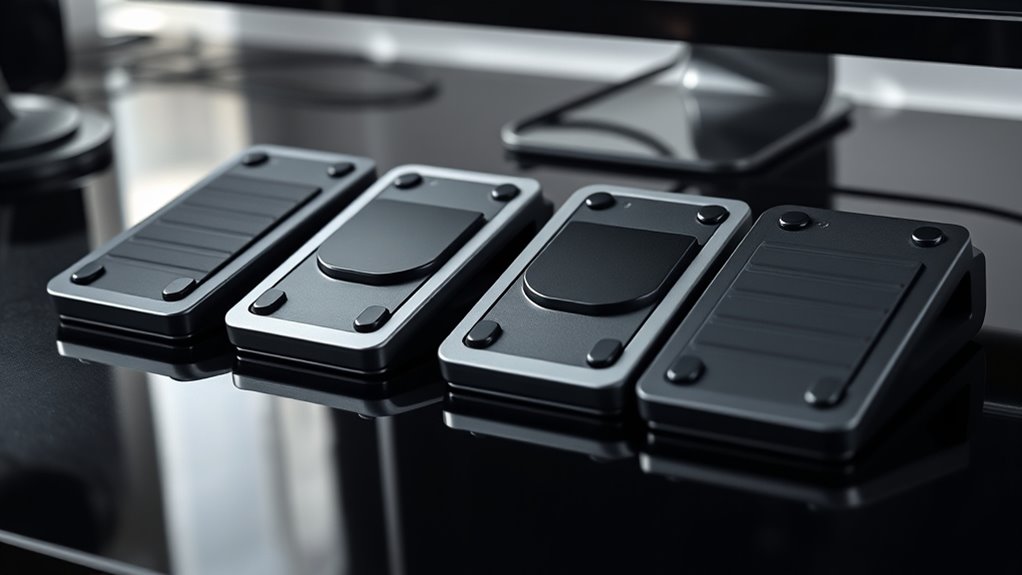

USB foot pedals let you trigger keyboard actions on a PC without taking your hands off the task, but the right choice depends on how many controls you need and how much setup you want. My best overall pick is the Elgato Stream Deck Pedal, which offers three customizable pedals for flexible PC workflows. The Infinity 3-Function USB Foot Pedal Control is a focused option for three-action control, while the single-pedal iKKEGOL Digital Optical USB Foot Pedal suits buyers who need one mapped command. The main tradeoffs are pedal count, programming flexibility, switch feel, and whether the control software fits your apps. Read on for the full comparison and advice on choosing a pedal that matches your PC setup.

Get the latest gadgets delivered free with Prime
- Fast, free delivery on millions of items
- Prime Video, Amazon Music and more included
- Member-only deals all year
Complete the kit



Key Takeaways
- Elgato Stream Deck Pedal leads for buyers who want three customizable controls and a more flexible PC workflow; its added software focus may be more than a simple transcription task requires.
- Three-pedal models dominate this lineup, but their value depends on having three distinct actions to assign; a single or double pedal can be easier to place and learn.
- The Infinity 3-Function and VEC Infinity 3 USB Digital Foot Control emphasize dedicated foot control, while programmable HID models offer a different route for assigning keyboard actions.
- Several entries are variations on iKKEGOL single, double, and triple-pedal designs, so buyers should compare control count and switch style instead of assuming the brand name alone signals a different capability.
- PC compatibility is only the first check: confirm that the pedal’s programming method can send the command your target app accepts, especially for shortcuts, media control, or transcription.
| Elgato Stream Deck Pedal with 3 Customizable Foot Pedals |  | Best Overall for PC App Control | Brand: Elgato | Model: 10GBF9901 | Pedals: 3 customizable foot pedals | VIEW ON AMAZON | See Our Full Breakdown |
| LYRIXEN USB Triple Foot Pedal for PC – Programmable Silent HID Keypad |  | Best for Cross-Platform Keyboard Inputs | Brand: LYRIXEN | Button quantity: 3 | Connectivity: USB-A | VIEW ON AMAZON | See Our Full Breakdown |
| Infinity 3-Function USB Foot Pedal Control |  | Best for Transcription Playback | Brand: Executive Communication Systems | Model: IN-USB-2 | Functions: Play, fast-forward, rewind | VIEW ON AMAZON | See Our Full Breakdown |
| iKKEGOL 2023 Digital Optical USB Foot Pedal – Single Programmable Switch for Gaming, Transcription & Media Control |  | Best Compact Single Pedal | Switch mode: Single USB foot switch | Dimensions: 3.9 x 2.5 x 1.5 in (100 x 62 x 38 mm) | Weight: 3.86 oz (109 g) | VIEW ON AMAZON | See Our Full Breakdown |
| iKKEGOL Programmable Triple USB Foot Pedal |  | Best Value for Multi-Input Control | Pedal count: 3 | Connectivity: USB-A | Cable length: 2 m (6.6 ft) | VIEW ON AMAZON | See Our Full Breakdown |
| PCsensor FS2020U1 3-Key Programmable USB Foot Pedal |  | Best for Quiet, Multi-Command Control | Model: FS2020U1 | Number of keys: 3 | Connectivity: USB-A | VIEW ON AMAZON | See Our Full Breakdown |
| iKKEGOL Upgraded USB Foot Switch Single Pedal Mechanical Control |  | Best Compact Single Pedal | Switch mode: Single pedal | Connectivity: USB | Operating systems: Windows, Mac, Linux, DOS | VIEW ON AMAZON | See Our Full Breakdown |
| iKKEGOL USB Single Foot Switch – Customizable Keyboard Action Pedal (HID) |  | Best for Space-Conscious Setups | Model: 10655 | Number of positions: 1 | Connector: USB | VIEW ON AMAZON | See Our Full Breakdown |
| iKKEGOL Triple USB Programmable Foot Pedal |  | Best for Three-Command PC Workflows | Pedal count: 3 | Connectivity: USB | Configuration software: ElfKey | VIEW ON AMAZON | See Our Full Breakdown |
| iKKEGOL USB Double Foot Switch Control Pedal |  | Best Durable Two-Pedal Pick | Brand: iKKEGOL | Interface: USB | Pedal count: 2 | VIEW ON AMAZON | See Our Full Breakdown |
| VEC Infinity 3 USB Digital Foot Control |  | Best for Dictation | Brand: VEC Electronics Corporation | Model: Infinity 3 USB (IN-USB3) | Connectivity: Wired USB | VIEW ON AMAZON | See Our Full Breakdown |
| iKKEGOL USB Triple Foot Pedal Switch |  | Best for Multi-Shortcut Flexibility | Connectivity: USB | Number of pedals: 3 | Switch type: Optical | VIEW ON AMAZON | See Our Full Breakdown |
| iKKEGOL Programmable USB Foot Pedal Switch with 2 m Cable |  | Best Compact Single-Pedal Pick | Brand: iKKEGOL | Model: 10731 | Connectivity: USB | VIEW ON AMAZON | See Our Full Breakdown |
| USB Triple Foot Switch Pedal – Programmable Computer Foot Pedal for Gaming, Office, and Multimedia |  | Best for Photoelectric Switches | Connection: Wired USB | Number of keys: 3 | Switch type: Photoelectric switch | VIEW ON AMAZON | See Our Full Breakdown |
| usb foot pedal | Dimensions | Weight | Connectivity |
|---|---|---|---|
| Elgato Stream Deck Pedal with | 244 x 175 x 49 mm (9.6 x 6.9 x 1.9 in) | 930 g (2.1 lbs) | — |
| LYRIXEN USB Triple Foot Pedal | 14.5 x 5.6 x 1.8 in | — | USB-A |
| Infinity 3-Function USB Foot P | 1.9 x 8 x 7.6 in | 2.5 lbs in product description; 2.1 pounds in item details | USB |
| iKKEGOL 2023 Digital Optical U | 3.9 x 2.5 x 1.5 in (100 x 62 x 38 mm) | 3.86 oz (109 g) | USB |
| iKKEGOL Programmable Triple US | 13 x 4.7 x 1.8 in (330 x 120 x 45 mm) | 12 oz (342 g) | USB-A |
| PCsensor FS2020U1 3-Key Progra | 14.45 × 5.63 × 1.77 in | — | USB-A |
| iKKEGOL Upgraded USB Foot Swit | 3.9 × 2.5 × 1.5 in | 3.86 oz (109 g) | USB |
| iKKEGOL USB Single Foot Switch | 5.55 × 1.38 × 5.15 in | 9.6 oz | — |
| iKKEGOL Triple USB Programmabl | 14.5 × 5.6 × 1.7 in | 14.8 oz (420 g) | USB |
| iKKEGOL USB Double Foot Switch | 13 × 7.1 × 2 in | 1.5 lb | — |
| VEC Infinity 3 USB Digital Foo | 9.6 × 7.8 × 1.97 inches | 2.1 lb | Wired USB |
| iKKEGOL USB Triple Foot Pedal | 14.5 × 5.6 × 1.7 inches | 14.8 oz (420 g) | USB |
| iKKEGOL Programmable USB Foot | 3.9 × 2.8 × 1.3 inches | — | USB |
| USB Triple Foot Switch Pedal | — | — | — |
More Details on Our Top Picks
Elgato Stream Deck Pedal with 3 Customizable Foot Pedals
For a PC user who wants one foot press to trigger an app action or a sequence of actions, the Elgato Stream Deck Pedal is the most flexible lead pick here. Its three pedals can be assigned through compatible software and plugins, while interchangeable springs let you tune the pressure to your preference. Compared with the transcription-focused Infinity 3-Function USB Foot Pedal, it is built for broader app control rather than fixed play, rewind, and fast-forward duties. That flexibility comes with a software dependency, and its 9.6-inch-wide chassis needs a settled spot under a desk. I’d choose it for customizable PC workflows; buyers who want straightforward keyboard inputs or a smaller single pedal may prefer the LYRIXEN or iKKEGOL options.
Pros:- Three pedals can trigger single or multiple actions
- Interchangeable springs provide four soft, four medium, and four hard springs, plus two stoppers
- Compatible with popular apps and plugins
- Supports macOS and 64-bit Windows 10
Cons:- Requires compatible software and a USB connection for its customizable workflow
- The wide chassis occupies substantial desk or floor space
Best for: PC streamers and app-heavy users who want three configurable pedals to trigger shortcuts or multi-step actions
Not ideal for: Transcription users who want dedicated playback controls, or desk setups with little floor space
- Brand:Elgato
- Model:10GBF9901
- Pedals:3 customizable foot pedals
- Interface:USB 2.0
- Dimensions:244 x 175 x 49 mm (9.6 x 6.9 x 1.9 in)
- Weight:930 g (2.1 lbs)
- Spring tension sets:4 soft, 4 medium, 4 hard, 2 stoppers
- System requirements:macOS 10.13 or newer; Windows 10 (64-bit)
- Warranty:2-year manufacturer warranty
Our verdict“Choose the Elgato for customizable three-pedal PC app control, provided you have room for its wide chassis and compatible software.”
LYRIXEN USB Triple Foot Pedal for PC – Programmable Silent HID Keypad
The LYRIXEN triple pedal suits buyers who want a quiet USB keyboard-style controller that can move between different computers. It offers five programming modes, including shortcuts, mouse clicks, multimedia controls, macros, and text strings up to 38 characters; onboard memory keeps saved mappings with the pedal. That makes it a more direct fit for repeatable transcription or mute and push-to-talk commands than the app-oriented Elgato Stream Deck Pedal. The tradeoff is that custom programming still needs ElfKey software on Windows or macOS, even though the configured pedal supports several other operating systems. Its 14.5-inch length also takes up more space than the compact single-pedal iKKEGOL. Choose it for silent, reusable inputs across platforms, not for a small footwell or long text macros.
Pros:- Silent optical switches suit shared workspaces
- Onboard memory retains saved mappings between computers
- Five modes cover keyboard, mouse, text, multimedia, and macros
- Supports Windows, macOS, Linux, Android, and ChromeOS
Cons:- Custom programming requires ElfKey on Windows or macOS
- Text strings are limited to 38 characters per entry
- Its 14.5-inch length needs considerable placement space
Best for: Transcriptionists and remote workers who need three quiet, reusable keyboard-style inputs across multiple operating systems
Not ideal for: Buyers who need long text entries, want to configure mappings on Linux, or have limited floor space
- Brand:LYRIXEN
- Button quantity:3
- Connectivity:USB-A
- Switch type:Optical
- Programming modes:Keyboard shortcuts, mouse clicks, text strings, multimedia controls, and macros
- Text limit:38 characters per entry
- Dimensions:14.5 x 5.6 x 1.8 in
- Compatible operating systems:Android, ChromeOS, HarmonyOS, Linux, macOS, Windows
- Warranty:1 year
Our verdict“Pick the LYRIXEN if you need quiet three-pedal inputs and saved mappings across platforms, and can configure them on Windows or macOS.”
Infinity 3-Function USB Foot Pedal Control
The Infinity 3-Function USB Foot Pedal is the specialized choice for transcriptionists who want playback controls underfoot: a central Play pedal plus fast-forward and rewind. Those dedicated functions make it simpler for that task than the programmable iKKEGOL Triple USB Foot Pedal, which can send many input types but needs software setup. The Infinity lists compatibility with Windows and Mac, and its heavy-duty switches and 2.5-pound description weight point to a stable controller for repeated foot movement. Its narrower purpose is also its limit: the data does not specify broader operating-system support or customizable shortcuts. Product details give two different weights, so the exact figure is unclear. I’d choose it for familiar playback control; PC users building varied app workflows have more flexibility with Elgato or LYRIXEN.
Pros:- Dedicated play, fast-forward, and rewind pedals fit transcription playback
- Wide, inclined center pedal supports foot movement
- Heavy-duty switches are designed for repeated use
- USB connectivity and stated Windows and Mac compatibility
Cons:- Functions are limited to playback controls in the supplied product data
- Compatibility beyond Windows and Mac is not specified
- Listed weight differs between product description and item details
Best for: Transcriptionists using Windows or Mac who want dedicated play, rewind, and fast-forward pedals
Not ideal for: PC users seeking configurable shortcuts, broad operating-system support, or controls beyond media playback
- Brand:Executive Communication Systems
- Model:IN-USB-2
- Functions:Play, fast-forward, rewind
- Connectivity:USB
- Compatibility:Windows and Mac
- Dimensions:1.9 x 8 x 7.6 in
- Weight:2.5 lbs in product description; 2.1 pounds in item details
- Materials:Plastic and metal
Our verdict“Choose the Infinity for dedicated transcription playback on Windows or Mac; choose a programmable alternative for broader PC shortcuts.”
iKKEGOL 2023 Digital Optical USB Foot Pedal – Single Programmable Switch for Gaming, Transcription & Media Control
When one hands-free command is enough, the iKKEGOL single optical pedal keeps the setup small: it measures 3.9 x 2.5 inches and weighs 3.86 ounces. Its quiet switch, rubber feet, and 6.2-foot USB cable make it a practical fit for a PC desk where the pedal needs to sit away from the tower without sliding on a hard floor. It can be configured for keyboard shortcuts, mouse actions, multimedia, and game controls, then used without ongoing software. Compared with the three-pedal iKKEGOL model, it saves floor space but gives you only one physical control; adding pedals means buying them separately. Initial software setup is also part of the process. Pick this for one dependable command, not workflows that need several controls at once.
Pros:- Compact, lightweight body fits tight footwells
- Quiet optical switch and rubber feet support discreet, stable use
- 6.2-foot cable gives flexible placement
- Can control keyboard, mouse, multimedia, and game inputs
Cons:- Only one pedal is included; extra pedals must be purchased separately
- Initial configuration requires supplied software
- The product data does not specify detailed operating-system versions
Best for: PC users who need one quiet foot-operated shortcut for push-to-talk, transcription, or a media command
Not ideal for: Buyers who need several simultaneous foot controls or want to avoid installing setup software
- Switch mode:Single USB foot switch
- Dimensions:3.9 x 2.5 x 1.5 in (100 x 62 x 38 mm)
- Weight:3.86 oz (109 g)
- USB cable length:1.9 m (6.2 ft)
- Connectivity:USB
- Programmable inputs:38 programmable inputs
- Compatible devices:PC, gaming consoles via controller, Mac, Linux
- Package quantity:1 foot pedal
Our verdict“Choose this iKKEGOL for one quiet, compact PC shortcut, but select a triple-pedal model if your workflow needs several controls.”
iKKEGOL Programmable Triple USB Foot Pedal
The iKKEGOL Programmable Triple offers three quiet pedals with a broad set of possible inputs, including keyboard, mouse, text, multimedia, and game controls. For PC buyers who want several programmable actions without a specialized app ecosystem, it covers more input types than the playback-focused Infinity 3-Function. Its optical switches and rubber feet also suit quieter rooms and hard floors, while the 6.6-foot cable allows some flexibility in placement. The tradeoff is setup: configuration software is required on Windows or Mac before the saved controls work plug and play across Windows, Mac, Linux, and DOS. At 13 inches wide, it takes more floor space than the single-pedal iKKEGOL. This is a capable multi-input choice when you need three controls and accept an initial configuration step.
Pros:- Three pedals support multiple kinds of programmable input
- Quiet optical switches reduce pedal noise
- Rubber feet help keep it stable on hard floors
- Configured controls work plug and play on Windows, Mac, Linux, and DOS
Cons:- Requires Windows or Mac software for initial configuration
- 13-inch width occupies more floor space than a single pedal
- The supplied compatibility details do not list Android or ChromeOS
Best for: PC users who need three quiet pedals for mixed keyboard, mouse, media, text, or game commands
Not ideal for: Buyers who want dedicated transcription playback controls, a compact single switch, or software-free configuration
- Pedal count:3
- Connectivity:USB-A
- Cable length:2 m (6.6 ft)
- Dimensions:13 x 4.7 x 1.8 in (330 x 120 x 45 mm)
- Weight:12 oz (342 g)
- Programmable inputs:Keyboard, mouse, text, multimedia, and game controls
- Setup software:Windows and Mac
- Supported systems after configuration:Windows, Mac, Linux, DOS
Our verdict“Choose this iKKEGOL if you want three quiet, configurable PC inputs and can complete setup on Windows or Mac.”
PCsensor FS2020U1 3-Key Programmable USB Foot Pedal
The PCsensor FS2020U1 suits PC users who want three separately programmable controls without a loud mechanical press. Its photoelectric design is described as quiet, which may be a better fit for shared offices or voice recording than the iKKEGOL Upgraded USB Foot Switch Single Pedal, whose mechanical switch can click when fully pressed. It can map keyboard, mouse, and media actions, so three pedals can cover a compact set of recurring commands instead of just one. The tradeoff is its 14.45-inch footprint: it takes more floor space than a single-pedal option, and setup requires software on Windows or Mac. Although it lists broad system compatibility, buyers using other systems should plan on configuring the mappings first. Its water-resistant plastic body adds some practical protection, but it is not a compact choice.
Pros:- Three independently programmable pedals support separate commands.
- Quiet photoelectric design may suit shared workspaces.
- Can be mapped to keyboard, mouse, and media functions.
- Lists compatibility with Windows, Mac, Linux, iOS, and Android after configuration.
Cons:- Its 14.45-inch length takes substantial floor space.
- Windows or Mac software configuration is required before use.
- Plastic construction may feel less substantial than the aluminum-base iKKEGOL Double Foot Switch.
Best for: PC users who need three quiet, independently assigned shortcuts for transcription, media control, or repetitive desk tasks.
Not ideal for: Users with limited floor space or buyers who want a pedal that works without initial software configuration.
- Model:FS2020U1
- Number of keys:3
- Connectivity:USB-A
- Compatible operating systems:Windows, MacOS, Linux, iOS, Android
- Dimensions:14.45 × 5.63 × 1.77 in
- Enclosure material:Plastic
- Water resistance:Water resistant
- Warranty:One year
Our verdict“Choose the PCsensor if your PC workflow benefits from three quiet controls and you have room for its wide base.”
iKKEGOL Upgraded USB Foot Switch Single Pedal Mechanical Control
For a PC user who needs one dependable hands-free command, this iKKEGOL is easier to place than the three-pedal PCsensor FS2020U1: it measures just 3.9 × 2.5 inches. Its rubber feet are meant to reduce sliding, while programmable keyboard, mouse, multimedia, and string inputs give one pedal more flexibility than a fixed-purpose switch. Once configured, it supports plug-and-play use across Windows, Mac, and Linux, though the setup software is available only for Windows and Mac. That matters if you plan to configure it on a Mac or PC and then use it elsewhere. The mechanical switch has a noticeable plastic-on-plastic click at full press, so it is less suited to quiet recording than the PCsensor’s photoelectric design. This is a practical one-command pick, not a substitute for a multi-pedal controller.
Pros:- Compact base is easier to fit under a desk than triple-pedal units.
- Rubber feet help keep the pedal in place.
- Supports keyboard, mouse, multimedia, and string inputs.
- Works with Windows, Mac, and Linux after configuration.
Cons:- Only one pedal is available for assigning commands.
- The switch can click audibly when fully pressed.
- Configuration software is limited to Windows and Mac.
Best for: PC users who want one small pedal for a frequently repeated shortcut, mouse action, or typed string.
Not ideal for: Buyers who need several foot commands at once or a particularly quiet switch for recording and shared spaces.
- Switch mode:Single pedal
- Connectivity:USB
- Operating systems:Windows, Mac, Linux, DOS
- Dimensions:3.9 × 2.5 × 1.5 in
- Weight:3.86 oz (109 g)
- Cable length:6.2 ft (1.9 m)
- Color:Black
Our verdict“Pick this iKKEGOL for a compact PC setup that needs one versatile command and can accommodate a mechanical click.”
iKKEGOL USB Single Foot Switch – Customizable Keyboard Action Pedal (HID)
This tabletop iKKEGOL makes sense for PC owners who want a single programmable action in a small work area. At 5.55 × 1.38 × 5.15 inches, it has a compact, shallow shape that is easier to accommodate than the long PCsensor FS2020U1 or iKKEGOL Triple USB Programmable Foot Pedal. The single switch can be mapped to keyboard shortcuts, mouse clicks, media controls, or game commands, giving it more range than its one-position design suggests. The listing says it works with PC and Android through configuration software; buyers on other systems should check compatibility before relying on it. That setup requirement also means it is not a ready-made, no-configuration control. With only one pedal, it is best for a repeated command rather than workflows that need separate actions for each foot press.
Pros:- Compact tabletop dimensions suit smaller work areas.
- Supports keyboard shortcuts, mouse clicks, and multimedia assignments.
- USB connection is listed for PC and Android use.
- ABS body keeps the listed weight to 9.6 ounces.
Cons:- Single switch limits the number of separate foot commands.
- Key mapping requires software installation.
- Compatibility details are narrower than those listed for the PCsensor FS2020U1.
Best for: PC users with limited floor space who need one configurable shortcut for a desk, sewing, or equipment workflow.
Not ideal for: Users who need multiple simultaneous commands or want to avoid installing mapping software.
- Model:10655
- Number of positions:1
- Connector:USB
- Compatible devices:PC
- Controller listing:Android
- Dimensions:5.55 × 1.38 × 5.15 in
- Weight:9.6 oz
- Material:ABS
Our verdict“Choose this model for one programmable PC action when saving space matters more than having multiple pedals.”
iKKEGOL Triple USB Programmable Foot Pedal
The iKKEGOL Triple is built for PC users whose hands are occupied and whose workflow calls for three separate commands. Its wide pedals can be assigned keyboard shortcuts, combinations, mouse clicks, or multimedia controls, making it more capable for transcription or gaming macros than the single-switch iKKEGOL Upgraded USB Foot Switch. Four TPU rubber feet are designed to help the unit stay put, and the listed six-foot cable gives some placement flexibility. The tradeoff is the same broad footprint found in other triple-pedal models: at 14.5 inches long, it needs dedicated floor space. Configuration uses ElfKey on Windows or macOS, even though the stated supported systems also include Linux, DOS, and Android. The product data also gives conflicting switch lifespan figures, so I would not use the lifespan claim as a deciding point.
Pros:- Three pedals can each control a separate command.
- Supports keyboard, mouse, and multimedia assignments.
- Four TPU feet are designed to reduce movement.
- Six-foot USB cable allows flexible placement.
Cons:- ElfKey configuration requires Windows or macOS.
- The 14.5-inch body takes considerable floor space.
- Product descriptions conflict on switch lifespan.
Best for: PC users who need three assignable foot commands for transcription, gaming, or media tasks and can configure them on Windows or macOS.
Not ideal for: Buyers with little floor space or users who need setup software on Linux or Android.
- Pedal count:3
- Connectivity:USB
- Configuration software:ElfKey
- Supported systems:Windows, macOS, Linux, DOS, Android
- Dimensions:14.5 × 5.6 × 1.7 in
- Weight:14.8 oz (420 g)
- USB cable length:6 ft (1.8 m)
- Non-slip feet:4 TPU rubber feet
Our verdict“Choose the Triple when your PC workflow needs three separate foot controls and you can configure them on Windows or macOS.”
iKKEGOL USB Double Foot Switch Control Pedal
The iKKEGOL Double offers a middle ground for PC users who need two commands but do not need the three controls on the PCsensor FS2020U1 or iKKEGOL Triple. Its aluminum alloy base plate is the main differentiator: it is listed as supporting more than 100 kg, giving it a sturdier feel on the floor than the plastic-bodied alternatives. HID compliance means it does not require a driver, though Mac and Linux users still need an initial configuration on a Windows machine. That setup wrinkle makes it less convenient for households without access to a Windows PC. At 1.5 pounds and 13 inches long, it is also a substantial unit, and two pedals may not cover complex macro workflows. For a PC station that benefits from a firm base and two mapped actions, its build is the stronger case.
Pros:- Aluminum alloy base is built for a sturdier floor feel.
- Two pedals support separate keyboard or media commands.
- HID compliant design requires no driver installation.
- Listed compatibility includes Windows, Mac, and Linux.
Cons:- Initial Mac or Linux configuration requires a Windows machine.
- Two pedals may be limiting for complex macro workflows.
- The 1.5-pound, 13-inch unit is relatively large and heavy.
Best for: PC users who want two hands-free commands on a sturdy base for sewing, gaming, or equipment control.
Not ideal for: Users who need three or more assigned actions, a lightweight pedal, or setup without access to a Windows computer.
- Brand:iKKEGOL
- Interface:USB
- Pedal count:2
- Material:Aluminum alloy
- Weight:1.5 lb
- Dimensions:13 × 7.1 × 2 in
- Compatibility:Windows, Mac, Linux
- Warranty:1 year
Our verdict“Choose the Double for a PC setup that needs two controls and prioritizes a sturdy aluminum base over extra pedals.”
VEC Infinity 3 USB Digital Foot Control
The VEC Infinity 3 is the most purpose-built pick here for PC users who want foot control during dictation or transcription. Its three switches and wide, low-profile base give each foot movement room, while the non-slip surface helps keep the unit steady through repeated use. Compared with the programmable iKKEGOL USB Triple Foot Pedal Switch, this model is presented around dictation rather than a broad mix of shortcuts, gaming, and media commands. That focused design may suit transcription workflows, but the supplied details do not specify programmable functions or operating-system support, so buyers should check software compatibility before choosing it. The wired USB connection also limits placement, and its 2.1-pound weight makes it less convenient to move than the lighter iKKEGOL triple pedal. A 90-day warranty is another limitation.
Pros:- Designed for hands-free dictation and transcription
- Three switches provide multiple foot controls
- Wide, low-profile base offers a stable operating surface
- Durable internal switches
Cons:- Wired USB connection restricts placement
- The supplied product details do not specify programmable functions or supported operating systems
- 90-day warranty is limited
Best for: PC users who want a stable, three-switch foot control for dictation or transcription and have confirmed compatibility with their software.
Not ideal for: Buyers who need wireless placement, clearly documented shortcut programming, or broad operating-system compatibility.
- Brand:VEC Electronics Corporation
- Model:Infinity 3 USB (IN-USB3)
- Connectivity:Wired USB
- Switches:3
- Dimensions:9.6 × 7.8 × 1.97 inches
- Weight:2.1 lb
- Color:Black
- Warranty:90 days
Our verdict“Choose the VEC Infinity 3 for a stable PC dictation setup when its software compatibility is confirmed and its wired placement works for you.”
iKKEGOL USB Triple Foot Pedal Switch
For PC buyers who want one foot pedal to trigger several kinds of commands, the iKKEGOL USB Triple Foot Pedal Switch offers the broadest stated control options in this group. Its three programmable pedals can be assigned keyboard shortcuts, mouse clicks, or multimedia actions, so it can adapt to transcription, office work, or gaming. The quiet optical switches suit shared rooms better than a noisy control might, and rubber pads help the comparatively light unit stay put. Unlike the VEC Infinity 3, which is described specifically for dictation and transcription, this model emphasizes flexible assignments across tasks. The tradeoff is setup: programming requires software on a Windows PC, even though the supplied details list macOS, Linux, and Android for supported use afterward. Compatibility information is also inconsistent, so buyers should confirm their device and workflow before relying on it.
Pros:- Three pedals can trigger keyboard, mouse, and multimedia actions
- Quiet optical switches suit shared workspaces
- Wide pedals are designed for comfortable foot placement
- Rubber pads help limit movement on the floor
Cons:- Configuration requires software on a Windows PC
- Product details give inconsistent compatibility information
- Wired USB connection and six-foot cable limit placement
Best for: PC users who want three quiet, assignable pedals for a mix of keyboard shortcuts, mouse actions, and media controls.
Not ideal for: Buyers who cannot access a Windows PC for setup or need unambiguous compatibility information before purchase.
- Connectivity:USB
- Number of pedals:3
- Switch type:Optical
- Listed compatibility:Windows, macOS, Linux, Android
- Configuration requirement:Configure using software on a Windows PC
- Dimensions:14.5 × 5.6 × 1.7 inches
- Weight:14.8 oz (420 g)
- USB cable length:6 ft (1.8 m)
Our verdict“Pick this iKKEGOL for PC-centered workflows that benefit from three quiet, customizable controls and allow Windows-based setup.”
iKKEGOL Programmable USB Foot Pedal Switch with 2 m Cable
This single-pedal iKKEGOL makes sense for PC users who need one repeatable action at their feet, such as a keyboard shortcut or mouse command, and want a smaller unit than the three-pedal options. Its 3.9 × 2.8-inch footprint is easier to fit under a desk than the broad iKKEGOL triple pedal, while the 2 m cable gives some room to position it. The wide pedal and rubber grips are intended to support comfortable use and reduce sliding on hard floors. Its limit is also its main distinction: the listing specifies a single function, so it cannot divide several shortcuts across multiple pedals like the triple models. Compatibility is listed for PC only, making it a narrow choice for anyone moving between operating systems or seeking a multi-command setup.
Pros:- Programmable for keyboard or mouse actions on a PC
- Compact dimensions fit more easily under a desk
- Two-meter cable allows some positioning flexibility
- Rubber grips help hold it in place on hard floors
Cons:- Single pedal and single-function control cannot handle several commands at once
- Compatible-device information lists PC only
- Wired connection still ties placement to the computer
Best for: PC users who need one programmable foot action for a specific shortcut in gaming, streaming, or transcription.
Not ideal for: Buyers who need multiple foot commands, use a non-PC system, or want a stated multi-function control setup.
- Brand:iKKEGOL
- Model:10731
- Connectivity:USB
- Cable length:2 m
- Operation:Manual
- Operating voltage:5 V
- Contact type:Normally open
- Function count:Single function
- Dimensions:3.9 × 2.8 × 1.3 inches
Our verdict“Choose this compact iKKEGOL when one PC shortcut at your foot is enough and a triple-pedal control would take up unnecessary space.”
USB Triple Foot Switch Pedal – Programmable Computer Foot Pedal for Gaming, Office, and Multimedia
This triple pedal suits PC buyers who want customizable foot controls for gaming, office work, or multimedia tasks and value the listed photoelectric switch design. Its three wide, ergonomic pedals offer room to assign separate actions, a more flexible setup than the single-function iKKEGOL Programmable USB Foot Pedal. The product description also names transcription and factory testing, suggesting a wider range of intended uses. Still, the available details are sparse: they do not state operating-system compatibility, cable length, dimensions, or how sensitive the switches feel. That makes it harder to judge fit and setup than the iKKEGOL USB Triple Foot Pedal Switch, which provides more configuration and physical specifications. The wired connection restricts placement, and three keys may not be enough for users who want a larger bank of foot commands.
Pros:- Three programmable keys support separate actions
- Photoelectric switch type is specified
- Wide ergonomic pedals are intended for extended use
- Described for gaming, transcription, office, multimedia, and factory testing
Cons:- Wired USB connection limits placement flexibility
- Limited to three programmable keys
- Product details provide little information about switch sensitivity or system compatibility
Best for: PC users seeking three customizable foot controls for gaming, office, or multimedia tasks who can verify software compatibility before buying.
Not ideal for: Buyers who need documented operating-system support, detailed switch sensitivity information, or more than three programmable controls.
- Connection:Wired USB
- Number of keys:3
- Switch type:Photoelectric switch
- Design:Ergonomic with wide pedals
- Programmability:Customizable
- Listed uses:Gaming, office, multimedia, transcription, factory testing
Our verdict“Consider this triple pedal for customizable PC foot controls when three keys meet your needs and you can confirm compatibility and feel from the seller.”

How We Picked
I ranked these USB foot pedals by how well their stated design serves common PC tasks: transcription, app shortcuts, media control, gaming, and hands-free office workflows. I gave weight to the number of independent controls, the clarity of the programming approach, and whether the model appears suited to a focused job or a broader set of actions. A flexible three-pedal option ranks ahead when its extra control and customization can support varied PC use; simpler single-pedal models make more sense when one reliable command is the goal.
I also considered practical tradeoffs: more pedals take desk and floor space and can require more setup, while fewer controls limit what can be triggered without reaching for the keyboard. Similar-looking models are differentiated by stated switch type, control layout, and intended use rather than repeated feature claims. Product descriptions do not establish real-world durability or universal app support, so buyers should check the exact software and command compatibility for their PC workflow before choosing.
Factors to Consider When Choosing Usb Foot Pedals
I would start with the action you want to trigger, then work backward to pedal count, programming, and placement. These choices shape whether a foot pedal saves effort or becomes another control to configure and accommodate.
Match the number of pedals to your workflow
Count the distinct actions you need to trigger without touching the keyboard. A single pedal suits one repeated command, such as play or pause, while a double model can separate two frequent actions. Three pedals make sense when your workflow has several stable shortcuts, such as play, pause, and rewind during transcription. More controls do not automatically make a pedal more useful; unused switches occupy space and may complicate setup. Before choosing a triple model, write down the commands you would assign and check that you will use each one regularly. If your needs change often, a programmable layout may be more useful than a fixed-purpose control.
Check how commands are programmed
USB connection alone does not tell you how a pedal’s actions are assigned. Some devices are presented as programmable HID keypads, while others rely on their own control software or a dedicated control workflow. Check whether you can assign the exact keyboard shortcut or media action your PC application recognizes. A pedal that only sends a basic key may not handle a multi-key shortcut the way you expect. Look for clear setup instructions and compatibility details for your operating system and target app before buying. If you need to move between computers, also check whether the assignments live on the pedal or need to be configured again in software.
Choose for the application, not just the platform
PC compatibility is a starting point, not proof that a pedal works with every program. Transcription software, video tools, games, and office apps can respond to different keys and shortcuts. Identify the command your application uses for each action, then confirm that the pedal can send it. For specialized software, check whether it supports configurable keyboard input or lists a compatible foot control. Buyers using several apps should favor a setup that can accommodate changing assignments. If you only need one action in one program, a simpler control may spare you unnecessary configuration.
Think through foot placement and switch feel
A pedal is useful only if you can operate it comfortably where your feet naturally rest. Measure the available space under your desk and account for chair movement, cables, and other floor controls. A triple layout can put several actions within reach, but it may be awkward in a tight workstation or for a task that uses only one foot position. Switch descriptions, such as mechanical or optical, can suggest a different control design, but they do not establish which will feel right to you. If a product listing does not explain actuation or adjustment, avoid assuming that its pedal feel is suitable for long sessions. Arrange the pedal so an accidental press is less likely during ordinary foot movement.
Decide when extra flexibility is worth the setup
Paying attention to flexibility matters most when the same PC pedal will serve multiple tasks. A customizable three-pedal control can cover more shortcuts than a basic single switch, and that range may justify learning its software. For a stable, one-command routine, extra controls and programming options can add friction without improving the work. Consider how often you will change assignments, whether you need profiles, and whether another person will use the same computer. Buyers new to foot controls often benefit from starting with a small number of clear actions. Expand to more controls when a real workflow calls for them.
Frequently Asked Questions
Will a USB foot pedal work with any PC program?
Not automatically. A pedal may connect as a USB device, but the program still needs to recognize the key or command it sends. Check the software’s shortcut settings and compare them with the pedal’s programming options. This matters most for transcription and specialist apps, where transport controls may differ from ordinary keyboard shortcuts. If the product page does not name your application, confirm compatibility with the maker before relying on it for a work-critical task.
Should I choose one pedal or three for PC transcription?
Choose one if your transcription workflow depends on a single repeated action and you want a straightforward floor control. Three pedals can make play, pause, and rewind available without moving your hands, which may suit a workflow with several frequent commands. The tradeoff is a larger footprint and more assignments to configure. Check which transport shortcuts your transcription program supports before deciding. If you rarely use the extra actions, a single pedal may be easier to position and operate consistently.
Can I use the same pedal for gaming and office shortcuts?
Possibly, if the pedal can send commands accepted by both the game and your office apps. A programmable HID model may offer useful flexibility, but individual games can restrict or interpret inputs differently. Check each application’s key-binding options and the pedal’s assignment method. Also consider whether switching between task profiles is supported or whether you would need to reprogram it. For mixed use, flexible mapping matters more than having the highest pedal count.
What should I verify before choosing an Infinity-style transcription pedal?
Confirm that the exact model works with your operating system and transcription software, and check which actions its pedals can control. The Infinity and VEC Infinity products in this roundup are distinct listings, so do not assume their configuration or compatibility is identical. Check whether the model uses dedicated software, sends keyboard commands, or expects a particular workflow. Also measure its footprint and review the switch layout for your desk position. These checks help distinguish a focused transcription control from a more general programmable pedal.
Is a premium multi-pedal model worth it if I only need one shortcut?
Usually, one shortcut does not call for a more involved three-pedal setup unless you expect your needs to grow. A single-switch model can take less space and keep operation simple. A more flexible option such as the Elgato Stream Deck Pedal makes more sense when several PC actions or changing workflows benefit from customization. Consider whether its control software supports the apps and assignments you use. Choose the simplest model that handles your actual commands, then favor flexibility when you can name a second or third action you will use.
Conclusion
For a broad PC workflow, I recommend the Elgato Stream Deck Pedal as best overall because its three customizable controls can cover multiple actions. For a dedicated three-action foot control, the Infinity 3-Function is a focused alternative; buyers comparing transcription-oriented options should also check the distinct VEC Infinity model against their software. The iKKEGOL single-pedal models are the better fit for beginners who want one command, while the double and triple iKKEGOL options suit buyers whose shortcuts justify more switches. My best value pick among these listings is a basic programmable model with only the number of controls you will use; extra pedals are only useful when they match real tasks. For customization across PC apps, choose the Stream Deck option and confirm that its setup supports your target programs before committing.”
Halloween Picks
halloween
As an affiliate, we earn on qualifying purchases.