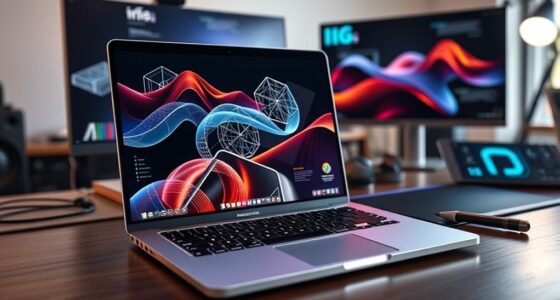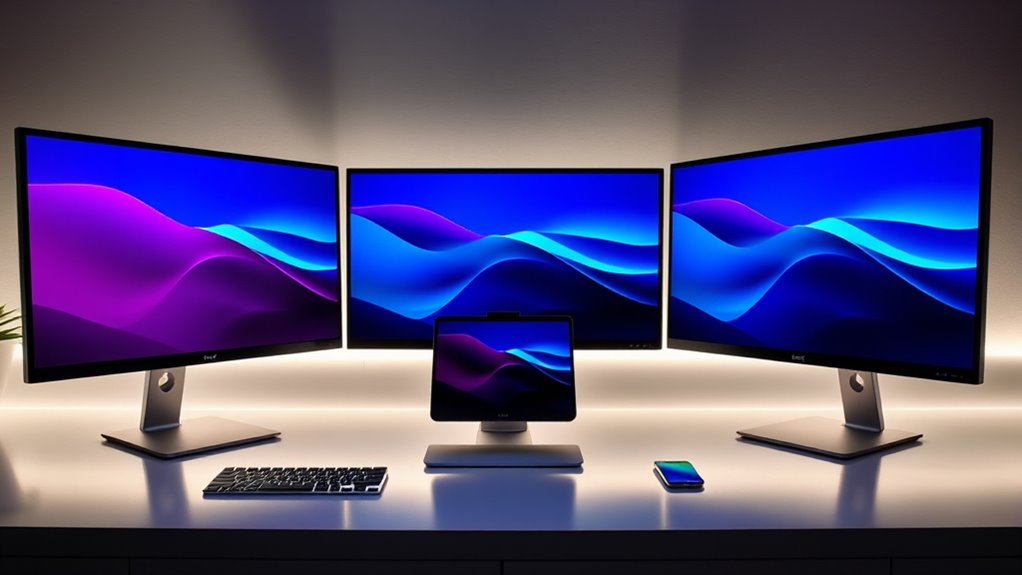

Finding the right USB C monitor for a MacBook can be challenging, as compatibility, display quality, and port options vary widely. The BenQ MA320UP stands out as the best overall choice, offering excellent 4K resolution and color accuracy tailored for Mac users. For those seeking affordability, the Gigastone 27-inch IPS Monitor provides a solid dual-monitor setup at a budget-friendly price, while the Samsung ViewFinity S65TC offers curved ultra-WQHD visuals for immersive work and entertainment. Buyers often face tradeoffs between resolution, refresh rate, size, and connectivity, making it important to prioritize what matters most for their workflow. Continue reading for a detailed breakdown of these options and how to pick the best monitor for your MacBook setup.

Get the latest gadgets delivered free with Prime
- Fast, free delivery on millions of items
- Prime Video, Amazon Music and more included
- Member-only deals all year
Complete the kit



Key Takeaways
- The top picks balance display quality, connectivity, and compatibility with MacBook’s Thunderbolt/USB C ports.
- Resolution and color accuracy are key for professional use, making 4K and sRGB coverage highly desirable.
- Size and ergonomics vary significantly — larger screens improve productivity but may require more space and higher budgets.
- Many monitors support multiple inputs or daisy-chaining, which is useful for multi-device setups.
- Price ranges from budget-friendly to premium, with tradeoffs usually involving features like refresh rate, build quality, or color precision.


| usb c monitors for macbook | Resolution | Connectivity | Refresh Rate |
|---|---|---|---|
| BenQ MA320UP 32” 4K Monitor fo | 3840×2160 (4K) | 2 HDMI, 2 USB-C | — |
| Gigastone 27-inch IPS Monitor | 1920 x 1080 | USB-C, HDMI, DisplayPort | 100Hz |
| Plugable USB C Laptop Docking | — | — | — |
| Dell 34 Monitor S3425DW | WQHD | USB-C (up to 65W), HDMI, DisplayPort | 120Hz |
| Samsung 34” ViewFinity S65TC U | Ultra-WQHD | Thunderbolt 4, HDMI, DisplayPort, USB3 Hub, LAN | 100Hz |
| Dell 27 Monitor S2725QS 4K UHD | 4K UHD | — | 120Hz |
| Dell 27 Plus QHD USB-C Monitor | 2560×1440 (QHD) | USB-C with 65W PD, HDMI, DisplayPort | 144Hz |
| Dell S2722DC Monitor | 2560×1440 (WQHD) | USB-C with 65W PD, HDMI | 75Hz |
| InnoView Portable Monitor | 1920x1080P | USB-C, HDMI | — |
| Dell 27 Monitor S2725QC 4K UHD | 4K UHD | HDMI, USB-C | 120Hz |
More Details on Our Top Picks
BenQ MA320UP 32” 4K Monitor for MacBook with USB-C, P3 Color Gamut, Adjustable Stand
The BenQ MA320UP stands out for its expansive 32-inch 4K display calibrated for MacBook users seeking vibrant P3 color accuracy, making it ideal for creative work. Compared with the Samsung ViewFinity S65TC, it offers a larger screen and superior color calibration, perfect for detailed editing. However, its high price and limited compatibility outside MacBooks may deter budget-conscious or multi-platform users. The dual USB-C ports with 90W power delivery streamline connections, while the adjustable stand enhances ergonomic comfort. Still, the absence of built-in speakers and potential cost may be drawbacks for some buyers.
Pros:- Vibrant P3 wide color gamut calibrated for MacBook
- Single USB-C port for display and power, reducing clutter
- Adjustable stand for ergonomic comfort
Cons:- Limited to MacBook compatibility for optimal color matching
- No built-in speakers included
- Potentially high price for casual users
Best for: Professional creators and designers who prioritize color accuracy and large display real estate
Not ideal for: Budget users or those seeking a monitor with built-in speakers and lower price point
- Screen Size:32 inches
- Resolution:3840×2160 (4K)
- Color Gamut:P3
- Connectivity:2 HDMI, 2 USB-C
- Power Delivery:90W
- Stand Adjustments:Height, tilt, swivel, pivot
Our verdict“This monitor is best suited for creative professionals who need true-to-life colors and a large display for detailed work.”
Gigastone 27-inch IPS Monitor 2-Pack, FHD 1920×1080, 100Hz, Built-in Speakers, VESA Mount, Adjustable Stand, USB-C/HDMI/DisplayPort, Type-C Charging for iPhone
The Gigastone 27-inch IPS monitors offer a cost-effective way to expand your workspace with two identical screens, making them an excellent choice for multitasking. While they lack 4K resolution compared to the BenQ MA320UP, their 1080p displays with 100Hz refresh rates deliver smooth visuals suitable for everyday tasks and light creative work. Their built-in speakers and VESA compatibility add convenience, but the lower resolution limits their appeal for high-resolution editing or detailed design. Compared to premium options, these monitors offer a balanced mix of features at a lower price point but sacrifice some clarity and high-end color accuracy.
Pros:- High-quality IPS display with wide viewing angles
- Multiple connectivity options including USB-C and HDMI
- Adjustable stand and VESA mount for ergonomic positioning
- Built-in speakers for convenience
Cons:- Limited to 1080p resolution, not suitable for high-res editing
- Speaker quality may be average and not studio-grade
Best for: Users who need a dual-monitor setup for general productivity or multi-tasking on a budget
Not ideal for: Creative professionals requiring 4K resolution or color calibration for professional editing
- Screen Size:27 inches
- Resolution:1920 x 1080
- Refresh Rate:100Hz
- Panel Technology:IPS
- Viewing Angle:178°
- Connectivity:USB-C, HDMI, DisplayPort
Our verdict“This pair of monitors provides a practical and affordable solution for multi-tasking without demanding high-end display features.”
Plugable USB C Laptop Docking Station, Dual 4K 60Hz Monitor Support for Mac & Windows, 14-in-1 with 100W Charging
The Plugable Docking Station is designed for users who want to connect multiple high-resolution displays along with a variety of peripherals, making it ideal for complex workflows. It supports dual 4K monitors at 60Hz, surpassing many single-display setups that limit you to 1080p or lower refresh rates, like the Gigastone. Compared to dedicated monitors, its strength lies in expanding connectivity—adding USB, Ethernet, SD card, and audio options—while supporting high-power delivery. The need for driver installation and occasional compatibility issues with HDCP can be inconveniences, but overall, it offers a comprehensive hub for productivity on MacBooks and Windows laptops alike.
Pros:- Supports dual 4K monitors at 60Hz for enhanced multitasking
- Multiple ports including USB, SD card readers, Ethernet, and audio
- Supports 100W charging for MacBook and other laptops
Cons:- Requires driver installation for full functionality
- HDCP support is limited, affecting content playback
Best for: Power users needing multi-monitor setups and extensive peripheral support
Not ideal for: Casual users or those seeking a simple display upgrade without additional connectivity features
- Monitor Support:2x 4K at 60Hz
- Ports:2x HDMI/DisplayPort, 3x USB 3.0, USB-C, SD/microSD, Ethernet
- Charging:100W
- Compatibility:macOS 11+, Windows 10+
- Technology:DisplayLink
Our verdict“This dock is well-suited for professionals who need a versatile hub to connect multiple high-res displays and peripherals simultaneously.”
Dell 34 Monitor S3425DW, WQHD VA, 120Hz, FreeSync Premium, Eye Comfort
The Dell S3425DW offers a wide 34-inch curved display with a 120Hz refresh rate, blending gaming-friendly performance with productivity features suited for long hours. Its WQHD VA panel provides rich contrast and vivid colors, with 99% sRGB and 95% DCI-P3 coverage, making it a versatile choice for creative tasks and entertainment. While it supports a single USB-C connection with 65W power delivery, its focus on refresh rate and eye comfort technology makes it more appealing for multimedia use than precise color work. Compared to the ViewFinity S65TC, this monitor emphasizes gaming performance, though it lacks adjustable ergonomics and advanced HDR support, which might be limitations for some users.
Pros:- Immersive 34-inch curved display with ultra-wide aspect ratio
- High 120Hz refresh rate for smooth gameplay and scrolling
- Vivid colors with wide coverage and HDR readiness
- Single USB-C connection with 65W charging
Cons:- Limited ergonomic adjustments and no height adjustment
- HDR support is basic compared to high-end HDR monitors
Best for: Gamers and multimedia enthusiasts who also want a big, curved display for work
Not ideal for: Professional color editors needing high color accuracy or ergonomic flexibility
- Screen Size:34 inches
- Resolution:WQHD
- Refresh Rate:120Hz
- Panel Type:VA
- Color Coverage:99% sRGB, 95% DCI-P3
- Connectivity:USB-C (up to 65W), HDMI, DisplayPort
Our verdict“This monitor is perfect for users seeking an immersive, high-refresh-rate display for gaming and general use, with decent productivity features.”
Samsung 34” ViewFinity S65TC Ultra-WQHD Curved Computer Monitor
The Samsung ViewFinity S65TC combines a 34-inch ultra-wide curved display with a 21:9 aspect ratio, delivering an immersive experience for both work and entertainment. Its high resolution and HDR10 support, along with 90W power delivery via Thunderbolt 4, make it a versatile choice for MacBook users looking for a single, sleek solution. Compared to the Dell S3425DW, it offers more ergonomic adjustments, a built-in KVM switch, and a comprehensive connectivity suite, including LAN port and Thunderbolt 4. The price and large size can be limiting factors, and its feature set might be more than some users need, but for those seeking a premium all-in-one monitor, it’s a compelling option.
Pros:- Immersive 34-inch ultra-wide curved display
- Versatile connectivity including Thunderbolt 4 and LAN port
- Ergonomic adjustments and KVM switch for seamless multi-device control
- Vibrant HDR10 support and eye-care technology
Cons:- Higher price point
- Large footprint requires ample desk space
- Feature set may be overly complex for simple use cases
Best for: Creative professionals and power users who want a large, curved, feature-rich display for multitasking and entertainment
Not ideal for: Budget-conscious buyers or those with limited desk space
- Display Size:34 inches
- Aspect Ratio:21:9
- Curvature:1000R
- Resolution:Ultra-WQHD
- Refresh Rate:100Hz
- Connectivity:Thunderbolt 4, HDMI, DisplayPort, USB3 Hub, LAN
Our verdict“This premium monitor offers a comprehensive package for creative professionals needing a large, versatile display for work and entertainment alike.”
Dell 27 Monitor S2725QS 4K UHD IPS with 120Hz Refresh Rate
The Dell S2725QS excels as the most well-rounded choice, offering vibrant 4K visuals with accurate colors thanks to 99% sRGB coverage. Its 120Hz refresh rate and AMD FreeSync make it suitable for both work and casual entertainment, especially compared to the Dell S2722DC, which is limited to 75Hz and WQHD resolution. The S2725QS’s sleek, ultra-thin bezel enhances its modern look, but its advanced features come at a higher price and with limited info on built-in speakers. This monitor is ideal for users who want a high-quality display capable of multitasking and media consumption without sacrificing color accuracy or smooth performance. Its main tradeoff is cost, which might be a concern for budget-minded buyers.
Pros:- Vivid 4K visuals with accurate color reproduction
- Smooth performance with 120Hz refresh rate and FreeSync
- Modern, ultra-thin bezel design
Cons:- Limited information on built-in speakers quality
- Potentially higher price due to advanced features
Best for: Creative professionals and multimedia enthusiasts seeking vivid 4K visuals with smooth performance.
Not ideal for: Budget-conscious users who prioritize affordability over advanced features or built-in audio.
- Size:27 inches
- Resolution:4K UHD
- Panel Type:IPS
- Refresh Rate:120Hz
- Response Time:5ms
- Color Coverage:99% sRGB
Our verdict“This is a solid pick for users who need high-resolution, color-accurate display with smooth visuals for work and entertainment.”
Dell 27 Plus QHD USB-C Monitor – S2725DC
The Dell S2725DC stands out for its fast 144Hz refresh rate and 1ms response time, making it a better choice for gamers or fast-paced tasks compared to the S2722DC with its 75Hz limit. Its integrated dual speakers add convenience, and TÜV-certified blue light reduction helps protect eyes during long sessions. While it lacks detailed info on adjustable stand features and doesn’t support 4K resolution, its versatile connectivity—including USB-C with 65W power delivery—makes it a practical option for MacBook users needing quick responsiveness and decent audio. The main tradeoff is that it’s not suitable for high-end gaming or tasks requiring higher resolutions.
Pros:- High refresh rate (144Hz) and 1ms response time for smooth visuals
- Built-in dual speakers for added convenience
- Blue light reduction for prolonged use
Cons:- Limited stand adjustability details
- No support for 4K resolution
Best for: Gamers or fast-paced content creators who need quick response times and eye comfort.
Not ideal for: Professionals requiring 4K resolution or extensive ergonomic adjustments.
- Display Size:27 inches
- Resolution:2560×1440 (QHD)
- Refresh Rate:144Hz
- Response Time:1ms
- Connectivity:USB-C with 65W PD, HDMI, DisplayPort
- Speakers:2 x 3W
Our verdict“Ideal for users prioritizing fast response and eye comfort over ultra-high resolution or extensive ergonomics.”
Dell S2722DC Monitor – 27-inch WQHD (2560×1440), 75Hz, 4ms, AMD FreeSync, Built-in Speakers, USB-C, Adjustable Stand
The Dell S2722DC offers a balanced mix of features, with a 75Hz refresh rate suitable for everyday use, and an adjustable stand that provides height, tilt, swivel, and pivot options—something the S2725DC lacks. Its WQHD resolution strikes a middle ground between Full HD and 4K, making it a good choice for those who want sharp visuals without the need for ultra-high resolution. While it’s not ideal for competitive gaming due to its 75Hz limit, its USB-C port supports 65W charging, simplifying cable management. Compared to 4K options, it trades resolution for better ergonomic flexibility, making it perfect for users who prioritize comfort. The main downside is its lower refresh rate for high-end gaming.
Pros:- Adjustable stand for ergonomic comfort
- USB-C with 65W charging simplifies connections
- Decent visual clarity at WQHD resolution
Cons:- Limited to 75Hz refresh rate, not ideal for gaming
- No 4K resolution support
Best for: Office workers and students seeking an ergonomic, versatile monitor for daily tasks.
Not ideal for: High-end gamers or media creators needing 4K resolution and ultra-smooth visuals.
- Size:27 inches
- Resolution:2560×1440 (WQHD)
- Refresh Rate:75Hz
- Response Time:4ms
- Connectivity:USB-C with 65W PD, HDMI
- Adjustability:Height, tilt, swivel, pivot
Our verdict“Best suited for users who want ergonomic flexibility and solid visuals for everyday work and media consumption.”
InnoView Portable Monitor, 15.6 Inch FHD 1080P HDMI USB-C External Display for Laptop, Gaming, and Travel
The InnoView portable monitor excels in portability, with a compact 15.6-inch FHD IPS display that delivers vivid colors and wide viewing angles, making it ideal for on-the-go work or gaming. It offers easy plug-and-play connectivity via USB-C and HDMI, matching the flexibility of larger monitors like the Dell S2725QS but in a portable form factor. While it’s compatible with various devices, optimal performance depends on device support for Thunderbolt 3.0/4.0 or USB 3.1 with DisplayPort Alt Mode, and external power is sometimes required. Its main limitation is that it’s not designed for stationary setups or high-performance tasks, but it provides a versatile, lightweight external display for MacBook users who travel frequently.
Pros:- Vivid IPS display with wide viewing angles
- Lightweight and portable for travel
- Plug-and-play connectivity with USB-C and HDMI
Cons:- Requires device support for optimal connection
- External power cable often needed
Best for: Travelers and remote workers needing a compact, easy-to-carry external display.
Not ideal for: Stationary workstation users or those requiring 4K resolution and high refresh rates.
- Size:15.6 inches
- Resolution:1920x1080P
- Display Type:IPS
- Viewing Angle:178°
- Connectivity:USB-C, HDMI
- Included:Protective cover/stand
Our verdict“Perfect for users needing a portable external display that balances quality with convenience while on the go.”
Dell 27 Monitor S2725QC 4K UHD IPS, 120Hz, sRGB 99%, FreeSync Premium
The Dell S2725QC is tailored for users who want stunning 4K visuals with broad sRGB coverage, making it an excellent choice for content creators and designers. Its 120Hz refresh rate and AMD FreeSync ensure smooth visuals, comparable to the S2725QS, but with a focus on color accuracy and HDR readiness. While it lacks detailed info on built-in speakers and stand adjustability, its USB-C compatibility with up to 65W power delivery simplifies MacBook connections. This model emphasizes vibrant, true-to-life colors and high refresh rates, making it a compelling option for media consumption and creative work. The main consideration is the absence of built-in audio features and potentially higher price.
Pros:- Vivid 4K visuals with 99% sRGB coverage
- High refresh rate (120Hz) for smooth display
- Low blue light technology for comfortable viewing
Cons:- No built-in speakers mentioned
- Limited stand adjustability details
Best for: Creative professionals who need accurate colors and smooth 4K visuals for editing and media viewing.
Not ideal for: Users seeking built-in speakers or extensive ergonomic adjustments.
- Size:27 inches
- Resolution:4K UHD
- Panel Type:IPS
- Refresh Rate:120Hz
- Color Gamut:99% sRGB
- Connectivity:HDMI, USB-C
Our verdict“Ideal for creative professionals prioritizing color accuracy and smooth, vibrant visuals for media editing and viewing.”

How We Picked
To evaluate the best USB C monitors for MacBook, I focused on key criteria that influence real-world usability and value. Performance factors included resolution, color accuracy, and refresh rate, which are vital for creative work and smooth visuals. Compatibility and connectivity options, especially Thunderbolt and USB C ports, were prioritized to ensure seamless integration with MacBook models. Build quality, ergonomic features, and overall design played a role in assessing durability and comfort. Price-to-value ratio helped determine which monitors offer the most features without unnecessary overspending. These considerations shaped the ranking, emphasizing versatility, quality, and user experience for MacBook users.Factors to Consider When Choosing Usb C Monitors For Macbook
Choosing the right USB C monitor for your MacBook involves several factors that extend beyond specs alone. Understanding these considerations can help you avoid common pitfalls and ensure your setup meets your needs, whether for professional work, entertainment, or casual use. Below are key factors to keep in mind when selecting a monitor that complements your MacBook and enhances your overall workflow.Display Resolution and Color Accuracy
For MacBook users, especially those involved in creative tasks like photo editing, high resolution and accurate colors are non-negotiable. Look for monitors with 4K resolution or higher and a wide color gamut like P3 or sRGB 99% coverage. These features ensure sharp images and true-to-life colors, which are crucial for professional editing. Cheaper options may offer lower resolutions or less accurate color profiles, leading to compromises in detail and color fidelity.
Connectivity and Compatibility
Ensuring your monitor supports Thunderbolt 3 or 4, or at least USB C with power delivery, simplifies your setup by reducing clutter and providing reliable data transfer and charging. Not all USB C ports are created equal; some lack power delivery or video output, which can limit functionality. Verify your MacBook’s model and choose a monitor that explicitly offers compatible ports and sufficient wattage to charge your device while working.
Size and Ergonomics
The physical size impacts both workspace and productivity. Larger screens, such as 32 inches or more, are better suited for multitasking and detailed work but require more desk space. Adjustable stands and VESA compatibility improve ergonomics, reducing strain during long hours. Keep in mind that larger monitors come at a higher cost and may demand higher GPU performance for optimal display output.
Refresh Rate and Response Time
While most productivity-focused monitors prioritize resolution and color, gamers or those editing high-motion videos benefit from higher refresh rates (120Hz or more). For typical MacBook workflows, 60Hz is usually sufficient, but if you plan to use your monitor for gaming or fast-paced video editing, choosing a higher refresh rate can make a noticeable difference. Be aware that higher refresh rates often come with increased price and power requirements.
Build Quality and Additional Features
Durability and design matter for a long-term investment. A sturdy stand, minimal bezels, and reliable VESA mounting options add flexibility and aesthetic appeal. Additional features like built-in speakers, USB hubs, or anti-glare coatings enhance usability but may increase cost. Consider which extras will genuinely improve your workflow to avoid overspending on unnecessary features.
Price and Value
High-end monitors deliver exceptional quality but come at a premium, often justified for professional use. Budget options may skimp on resolution or color accuracy but are suitable for casual or secondary setups. Balancing features against your budget helps determine the best value. For most MacBook users, investing in a slightly more expensive monitor with better display specs can provide significant long-term benefits.
Frequently Asked Questions
Can I connect multiple monitors to my MacBook using USB C?
Yes, many newer MacBook models support multiple external displays via USB C, especially with Thunderbolt 3 or 4 ports. When selecting monitors, check their maximum supported number of displays and ensure your MacBook’s specifications align. Using a docking station or a multi-port hub can simplify connections and provide additional ports for peripherals, making multi-monitor setups more manageable.
Is a 4K monitor necessary for MacBook use?
While 4K monitors provide sharper images and are beneficial for creative professionals, they are not a strict necessity for all users. For general productivity, a 1440p or 1080p monitor may suffice and be more affordable. However, if you work with high-resolution images, video editing, or require pixel-perfect detail, a 4K display offers significant advantages in clarity and accuracy.
Do all USB C monitors support charging my MacBook?
No, not all USB C monitors deliver power to charge your MacBook. Check the monitor’s specifications for wattage output—ideally, 60W or higher—to ensure your MacBook can charge while in use. Monitors with higher power delivery reduce the need for a separate charging cable, streamlining your workspace and keeping your setup clean.
Is curved display beneficial for MacBook workflows?
Curved monitors can improve immersion and reduce eye strain on larger screens, especially for multitasking. For MacBook users with ultrawide or large displays, a curved screen can enhance visual comfort by minimizing distortion at the edges. However, for standard-sized monitors, flat screens often provide more accurate color and easier calibration, making the choice dependent on your specific needs.
Should I prioritize refresh rate over resolution for MacBook use?
For most productivity tasks on a MacBook, resolution and color accuracy take precedence over refresh rate, which is more critical for gaming or high-motion content. A 60Hz refresh rate is typically sufficient for daily work, but if you engage in fast-paced gaming or video editing, opting for a higher refresh rate (120Hz or more) can deliver smoother visuals. Balance your choice based on your primary use case to avoid paying extra for unnecessary features.
Conclusion
For general professional use and creative work, the BenQ MA320UP stands out as the best overall option due to its 4K resolution and color accuracy. The Gigastone 27-inch IPS Monitor offers excellent value for users seeking a dual-monitor setup without breaking the bank. If budget is less of a concern and you prioritize premium features, the Samsung ViewFinity S65TC provides immersive curved visuals. Beginners or casual users might find the InnoView Portable Monitor perfect for portability and simple setups. Ultimately, your choice depends on your workflow, budget, and space constraints—prioritize what aligns best with your specific MacBook use case.
As an affiliate, we earn on qualifying purchases.Halloween Picks

ELAMAS 11ft Animatronic Flying Witch Halloween Decoration

Gemmy 5.4 ft The Nun Animatronic Halloween Decoration

Halloween Inflatable Haunted House Maze – 20×20 ft with Removable Roof and Blower