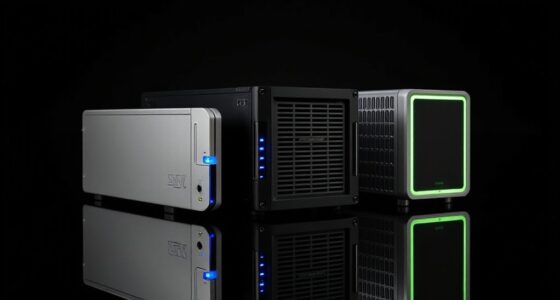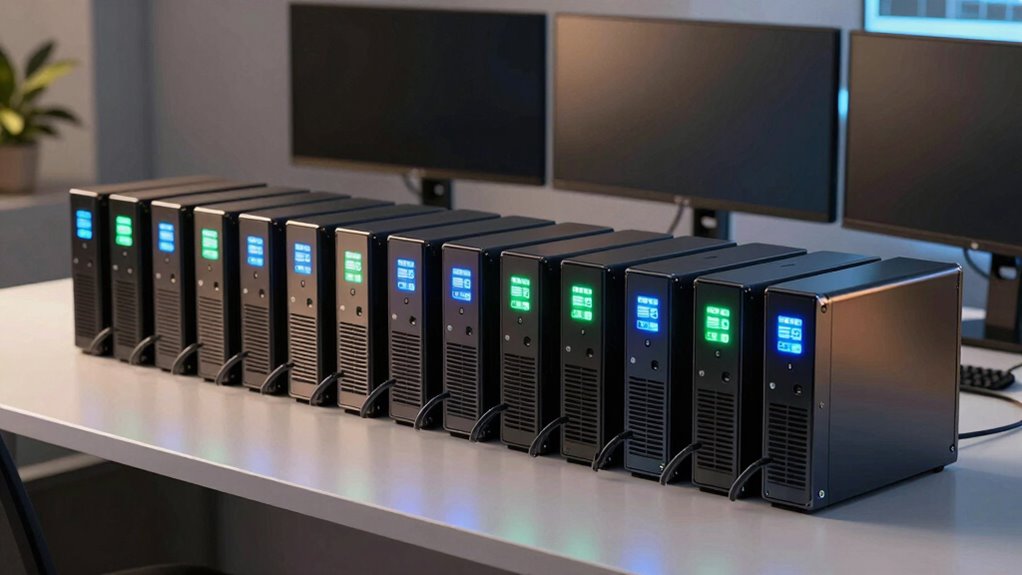

For most workstation buyers, I’d start with the CyberPower CP1500PFCLCD: its 1500VA capacity, 1000W output, and sine-wave power make it a balanced fit for a desktop and key peripherals. The APC Back-UPS Pro BR1500MS2 is a strong alternative for a high-load desk setup, while the CyberPower PR1500RTXL2U suits buyers who need rack mounting and room to expand runtime with an external battery module. The main tradeoffs are capacity, output waveform, physical size, and whether rack-ready features justify a larger unit. Smaller models can protect a basic workstation, but they offer less headroom for power-hungry computers and displays. Read on for how all 15 options compare and which one fits your equipment.

Get the latest gadgets delivered free with Prime
- Fast, free delivery on millions of items
- Prime Video, Amazon Music and more included
- Member-only deals all year
Complete the kit
![Lamicall 8 Pack Cord Organizer, [1s Lock] Cable Managemen...](https://m.media-amazon.com/images/I/71uQ8L3QzHL._AC_SL480_.jpg)
![Lamicall 6Pack Cord Organizer, [1s Lock] Spring Cable Hol...](https://m.media-amazon.com/images/I/71uBLICDwfL._AC_SL480_.jpg)

Key Takeaways
- Capacity alone does not tell the whole story: the CyberPower CP1500PFCLCD supplies 1000W, while several other 1500VA models in this lineup are rated for 900W.
- Sine-wave output is a useful differentiator for demanding workstation setups: several 1500VA CyberPower and APC picks offer it, while compact standby models serve simpler loads.
- Rack-mount models favor expandability and installation flexibility over a small footprint; the PR1500RTXL2U also supports an external battery module.
- Compact APC and CyberPower units are better suited to modest loads than a fully equipped workstation with a powerful computer, multiple displays, and accessories.
- Outlet count, load capacity, and installation style all affect fit: a desktop-oriented tower may be more convenient at a desk than a 2U rack/tower model, even when both offer workstation-ready protection.


| ups for workstation | Capacity | Outlets |
|---|---|---|
| CyberPower OR1500PFCRT2U PFC S | 1500VA | 8 NEMA 5-15R |
| APC Back-UPS Pro Gaming UPS 15 | 1500VA | 10 total: 6 battery backup and surge protection, 4 surge-only |
| CyberPower PR1500RTXL2U Smart | 1500VA / 1500W | 8 NEMA 5-15R |
| Eaton Tripp Lite SMX1500LCDT 2 | 1500VA | 8 x IEC C13 |
| APC BE425M UPS Battery Backup | 425VA / 255W | 6 total: 4 battery backup and surge protection, 2 surge-only |
| CyberPower ST425 Standby UPS B | — | — |
| CyberPower EC850LCD Ecologic U | — | — |
| CyberPower OR1500LCDRTXL2U Sma | — | — |
| APC Battery Backup 650VA/390W | — | — |
| CyberPower CP1500AVRLCD3 LCD U | — | — |
| CyberPower CP1500PFCLCD 1500VA | 1500VA/1000W | 12 total: 6 battery backup and surge protected, 6 surge-only |
| APC BX1500M 1500VA UPS Battery | 1500VA/900W | 10 total: 5 battery backup and surge protected, 5 surge-only |
| APC Back-UPS BE600M1 600VA Bat | 600VA/330W | 7 total: 5 battery backup and surge protected, 2 surge-only |
| CyberPower PR1000RT2U Smart Ap | 1000VA/1000W | 8 NEMA 5-15R, all battery backup and surge protected |
| APC Back-UPS Pro BR1500MS2 150 | 1500VA/900W | 10 total: 6 battery backup and surge protected, 4 surge-only |
More Details on Our Top Picks
CyberPower OR1500PFCRT2U PFC Sinewave UPS, 1500VA, Rack/Tower
I’d choose the OR1500PFCRT2U for a workstation that needs clean battery power in a rack-ready format, especially when the same setup includes network or telecom equipment. Its pure sine wave output suits Active PFC power supplies, while automatic voltage regulation can correct smaller fluctuations without relying on the batteries. The rotatable LCD makes load and runtime information easier to read whether the unit is mounted in a rack or used as a tower.
Compared with the CyberPower PR1500RTXL2U, this model has a lower stated power ceiling but includes phone, network, and coax protection. Its listed runtime is just seven minutes, so I’d treat that as a window to save work and shut down, not keep a demanding workstation running through a prolonged outage. At 50.6 pounds, installation also takes more planning than with a desktop UPS.
Pros:- Pure sine wave output supports Active PFC workstation power supplies.
- Rack/tower 2U format and rotatable LCD suit different installation setups.
- Automatic voltage regulation handles minor power fluctuations without switching to battery.
- Phone, network, and coax protection cover more than the workstation’s AC power connection.
Cons:- Listed runtime is seven minutes, limiting time for continued work during an outage.
- At 50.6 pounds, rack installation and repositioning are cumbersome.
- The stated maximum power is lower than the PR1500RTXL2U’s 1500-watt capacity.
Best for: Workstation owners with Active PFC power supplies who also need rack/tower flexibility and protection for connected network or telecom lines.
Not ideal for: Buyers seeking extended outage runtime, a lightweight desktop unit, or the higher 1500-watt output and optional external battery expansion of the CyberPower PR1500RTXL2U.
- Capacity:1500VA
- Maximum power:1050 watts
- Outlets:8 NEMA 5-15R
- Form factor:Rack/tower, 2U
- Battery:Four replaceable 12V/7Ah batteries
- Listed runtime:7 minutes
- Connectivity:HID USB and DB9 serial
- Dimensions and weight:15.32 x 17.01 x 3.5 inches; 50.6 pounds
Our verdict“Choose this rack/tower model for sine-wave workstation backup and broader line protection, provided its short listed runtime meets your shutdown needs.”
APC Back-UPS Pro Gaming UPS 1500VA/900W Pure Sine Wave UPS, BGM1500B-US
The APC BGM1500B-US suits a workstation that doubles as a gaming station, where the PC, display, and network gear need battery backup and the setup’s layout matters. It provides 900 watts of pure sine wave output, six battery-backed outlets, and four surge-only outlets. That split helps reserve battery capacity for the computer and other essential equipment instead of less critical peripherals. AVR handles voltage fluctuations, and the angled status display is designed to be readable from a seated position.
Compared with the rack-focused CyberPower OR1500PFCRT2U, this APC is a more desk-oriented fit, with ten outlets and USB charging, but it lacks that model’s rack/tower format and phone-line protection. RGB lighting and outlet illumination are setup-specific extras rather than workstation necessities. The listing promises only several minutes at full gaming load, so I’d plan on saving and shutting down rather than working through a long outage.
Pros:- 900-watt pure sine wave output is suited to Active PFC gaming and workstation PCs.
- Six battery-backed outlets plus four surge-only outlets let buyers prioritize essential gear.
- AVR corrects high and low voltage fluctuations without using battery power.
- Includes USB-A and USB-C charging and a tilted status display.
Cons:- Runtime at full PC load is described only as several minutes.
- Gaming-focused RGB and illuminated outlets may add little value to a conventional office workstation.
- Tower design is less suited to rack installations than the CyberPower OR1500PFCRT2U.
Best for: Gaming-workstation owners who want pure sine wave backup, a seated-view status display, and separate battery-backed outlets for core equipment.
Not ideal for: Rack-mounted workstation users, buyers who need longer runtime at full load, or anyone who prefers a plain, compact UPS without gaming-focused lighting.
- Capacity:1500VA
- Maximum power:900 watts
- Output:Pure sine wave
- Outlets:10 total: 6 battery backup and surge protection, 4 surge-only
- Input and output voltage:120 volts
- Dimensions:16.06 x 4.13 x 11.45 inches
- USB charging:2 USB-A and 1 USB-C; 5V/3A shared
- Warranty:3 years
Our verdict“Pick the APC for a desk-based gaming workstation that benefits from sine-wave backup and well-separated outlets, not for rack use or extended runtime.”
CyberPower PR1500RTXL2U Smart App Sinewave UPS System, 1500VA/1500W, 8 Outlets, 2U Rack/Tower, AVR, EBM Option
For a workstation that may grow into a server or shared production system, I’d favor the PR1500RTXL2U for its 1500-watt output and support for an optional external battery module. That expansion path is its clearest advantage over the OR1500PFCRT2U: rather than accepting a short fixed backup window, buyers can add compatible battery capacity for longer outages. Pure sine wave output supports Active PFC power supplies, while AVR limits unnecessary battery use during smaller voltage changes.
The tradeoff is a more involved rack/tower installation and an external battery module that is an additional component. Remote network monitoring also requires a separately sold management card; the included PowerPanel software provides a different management route. Compared with the desk-friendly APC BGM1500B-US, this CyberPower is less focused on gaming extras and more on rack integration, capacity, and system management. Its listed runtime is six minutes without an expanded-battery configuration, so buyers should match the setup to their actual load.
Pros:- 1500-watt output provides more stated capacity than the other 1500VA options here.
- Optional external battery module offers a route to longer runtime.
- Pure sine wave output and AVR suit sensitive Active PFC workstation equipment.
- Rotatable, tilting LCD and included management software support monitoring and configuration.
Cons:- Listed runtime is six minutes before adding external battery capacity.
- Remote SNMP/HTTP monitoring requires a separately sold management card.
- Rack/tower chassis and expansion options are more involved than a basic desktop UPS.
Best for: Workstation administrators and small-office operators who need 1500-watt capacity, rack/tower mounting, and a path to longer runtime with an optional battery module.
Not ideal for: Buyers seeking a simple desktop UPS, built-in network-card monitoring, or extended runtime without purchasing an external battery module.
- Capacity:1500VA / 1500W
- Outlets:8 NEMA 5-15R
- Form factor:Rack/tower, 2U
- Input voltage:120 volts
- Listed runtime:6 minutes
- Surge protection:2430 joules
- Battery charge time:3 hours
- Expansion and monitoring:Optional BP48VP2U02 external battery module; optional RMCARD205 management card
Our verdict“Choose this CyberPower when workstation capacity and expandable rack-based backup matter more than a simple setup or a long runtime from the base unit.”
Eaton Tripp Lite SMX1500LCDT 230V 1500VA UPS, 900W, 8 Outlets
The SMX1500LCDT is the specialist pick here: its stated 230V input makes it a better match for a workstation installation built around that supply than the 120V-focused CyberPower and APC models. It offers 900 watts, AVR, an LCD, and software for monitoring and safe shutdown. The listed ten-minute runtime applies at half load, giving buyers a useful reference point for a moderate workstation draw, though it does not describe full-load backup time.
Compared with the APC BGM1500B-US, this Tripp Lite trades gaming-oriented display and USB charging features for a more conventional monitoring-and-shutdown role. Its eight IEC C13 outlets may also call for compatible power cords, and two outlets are surge-only rather than battery-backed. The AC power cord is not included, so check the intended installation before buying; this is not the straightforward choice for a typical 120V North American desk setup.
Pros:- 230V input targets installations that the 120V models in this roundup do not match.
- AVR helps correct voltage variation without using battery power.
- LCD and PowerAlert software support status monitoring and safe shutdown.
- Ten-minute listed runtime at half load offers a reference for moderate equipment draw.
Cons:- AC power cord is not included.
- Two outlets provide surge protection only, not battery backup.
- 230V input makes it a poor fit for many standard 120V workstation setups.
Best for: Workstation operators with a compatible 230V input supply who want LCD monitoring, AVR, and software-assisted shutdown.
Not ideal for: Buyers with a standard 120V workstation supply, those who need every outlet battery-backed, or anyone who expects a power cord in the box.
- Capacity:1500VA
- Maximum power:900W
- Input voltage:230V
- Output voltage:120V AC
- Outlets:8 x IEC C13
- Runtime:10 minutes at half load
- Voltage regulation range:170–280V
- Dimensions and weight:10.51 x 19.21 x 3.5 inches; 24.7 pounds
Our verdict“Choose the SMX1500LCDT only when its 230V input and IEC outlets match your workstation installation and power-cord requirements.”
APC BE425M UPS Battery Backup and Surge Protector
The APC BE425M is not sized to keep a full workstation running; its 255-watt limit makes it a better fit for the router, modem, or other low-power equipment that keeps a remote worker connected. Four of its six outlets provide battery backup, and its compact, wall-mountable design is easier to place near network gear than the rack units in this group. At a stated 100-watt load, runtime is up to 15 minutes, which can provide a useful buffer for connectivity equipment.
Compared with the APC BGM1500B-US, this unit is far less capable for a PC and monitor but also avoids taking up the same space. The four battery-backed outlets and low wattage rule it out for a demanding workstation; even modestly higher loads shorten runtime. I’d treat it as a companion for networking essentials, not as the primary UPS for a desktop computer.
Pros:- Compact, wall-mountable design fits near routers and modems.
- Four battery-backed outlets can keep essential network devices powered through brief outages.
- Up to 15 minutes of runtime is listed at a 100-watt load.
- Three-year warranty is included.
Cons:- 255-watt capacity is not suitable for most desktop workstation loads.
- Only four of the six outlets provide battery backup.
- Runtime falls as connected equipment draws more power.
Best for: Remote workers who want a small UPS for a router, modem, or similarly low-power network device beside a separate workstation backup.
Not ideal for: Buyers who need to back up a desktop workstation, monitor, or several high-draw devices; its 255-watt capacity and four battery outlets are restrictive.
- Capacity:425VA / 255W
- Outlets:6 total: 4 battery backup and surge protection, 2 surge-only
- Input voltage:120 volts
- Runtime:Up to 15 minutes at 100W
- Battery charge time:8 hours
- Dimensions:4.13 x 9.98 x 5.52 inches
- Weight:5.7 pounds
- Warranty:3 years
Our verdict“Buy the BE425M to protect a router or modem, not as the main battery backup for a workstation PC.”
CyberPower ST425 Standby UPS Battery Backup and Surge Protector
I’d choose the ST425 for a modest workstation where the goal is brief backup and surge protection, not extended work during an outage. Its four battery-backed outlets can cover a computer and a couple of essential peripherals, while the other four add surge protection for equipment that does not need battery power. Compared with the CyberPower EC850LCD, it offers less capacity and no LCD, so it is a simpler fit for a lighter load rather than a multi-device desk setup. The main limitation is the listed one-minute runtime: treat this as a chance to save work and shut down, not to keep working through a blackout. Simulated sine wave output also makes it a less suitable choice for workstation power supplies that require pure sine wave compatibility.
Pros:- Four battery-backed outlets plus four surge-only outlets support a small desk setup.
- Compact design and a five-foot cord suit a home office with limited placement options.
- Three-year warranty includes the battery.
- UL certified.
Cons:- Listed runtime is only one minute, leaving little time beyond saving and shutting down.
- Only four of the eight outlets provide battery backup.
- 425 VA / 260 W capacity is restrictive for a workstation with a powerful PC and multiple peripherals.
Best for: A home-office user with a low-power computer and router who wants basic outage protection and several surge-only outlets.
Not ideal for: Workstation owners with a high-draw PC, several battery-dependent devices, or a need to keep working during an outage; its capacity is limited and listed runtime is brief.
Our verdict“Choose the ST425 for a basic, low-load workstation that needs a short shutdown window, not sustained backup.”
CyberPower EC850LCD Ecologic UPS Battery Backup and Surge Protector
The EC850LCD is a better match than the ST425 when a workstation has more accessories and the owner wants a clear view of UPS status. It provides 12 outlets, six with battery backup, and its LCD shows battery and power conditions at a glance. Three ECO-controlled outlets can cut power to selected peripherals when a connected computer is asleep or off, which may help avoid leaving accessories running unnecessarily. That makes it more useful for a busy desk than the smaller ST425, though its 850 VA / 510 W rating still suits a moderate load rather than a demanding workstation tower. The listed two-minute runtime is short, and simulated sine wave output is a compatibility tradeoff for some power supplies. I’d pick it for outlet flexibility and monitoring, not long outage operation.
Pros:- Six battery-backed outlets accommodate more essential equipment than the ST425.
- LCD panel makes battery and power conditions easier to check.
- Three ECO-controlled outlets can shut off selected peripherals when the computer is off or asleep.
- Three-year warranty includes battery coverage.
Cons:- Listed typical runtime is two minutes, so it is primarily for saving work and shutdown.
- Simulated sine wave output may not suit every workstation power supply.
- At 510 W, it has limited headroom for a powerful PC and several connected devices.
Best for: A home-office user with a moderate-load computer, router, and peripherals who wants an LCD status panel and controlled accessory outlets.
Not ideal for: Owners of high-powered workstations or anyone who needs substantial time to continue working during an outage; capacity and listed runtime are limited.
Our verdict“Choose the EC850LCD if outlet count, power-status visibility, and peripheral control matter more than extended runtime.”
CyberPower OR1500LCDRTXL2U Smart App LCD UPS Battery Backup
For a workstation built around a rack, server, or network cabinet, the OR1500LCDRTXL2U offers a more suitable form factor and much higher capacity than the EC850LCD or ST425. Its 2U rack/tower design and eight battery-backed outlets fit a more centralized setup, while the LCD reports runtime and power conditions. Automatic voltage regulation corrects minor fluctuations without switching to battery, helping reserve battery power for outages. The unit also supports optional external battery packs, a useful expansion path when the listed seven-minute runtime is not enough. There are tradeoffs: it weighs 59.5 pounds, simulated sine wave output excludes some active-PFC power supplies according to the product description, and remote management requires an optional card. This is a substantial rack-oriented choice, not a compact desk UPS.
Pros:- 1500 VA / 1125 W capacity is substantially higher than the EC850LCD and ST425.
- Rack/tower form factor suits server cabinets as well as standalone placement.
- AVR addresses minor voltage fluctuations without switching to battery.
- External battery packs can expand runtime, and the LCD displays runtime and power status.
Cons:- At 59.5 pounds, it is heavy and less convenient to position than the mini-tower CP1500AVRLCD3.
- Simulated sine wave output is not recommended by the product description for systems with active-PFC power supplies.
- Remote management requires a separately purchased card, and the listed runtime is seven minutes.
Best for: A small business or workstation owner with rack equipment, network devices, or a server that needs higher capacity and optional runtime expansion.
Not ideal for: A desk-only user seeking a light, quiet, uncomplicated UPS, or someone whose active-PFC equipment requires pure sine wave output.
Our verdict“Choose the OR1500LCDRTXL2U for rack-based workstation and network equipment when expansion and AVR matter more than low weight or pure sine wave output.”
APC Battery Backup 650VA/390W Uninterruptible Power Supply for PC, BE650G1
The APC BE650G1 suits a compact workstation built around a computer, router, and a few essential accessories. Its eight outlets divide evenly between four battery-backed connections and four surge-only connections, much like the CyberPower ST425, but the APC provides a higher stated capacity of 390 W. A user-replaceable battery gives owners a way to extend the unit’s service life, while audible alerts and LED indicators provide basic status information without an LCD. The description cites up to 22 minutes at a 100 W load, but the supplied spec data lists a three-minute runtime, so buyers should not assume the longer figure applies to their workstation load. With only four battery-backed outlets and simulated waveform details not specified in the supplied specs, it is best treated as basic outage protection rather than a solution for a demanding PC.
Pros:- Four battery-backed outlets and four surge-only outlets support a simple workstation layout.
- User-replaceable battery can extend the UPS’s usable service life.
- LED indicators and audible alerts provide basic power-status feedback.
- Compact design can be floor- or wall-mounted.
Cons:- Only four outlets provide battery backup.
- The supplied specs list a three-minute runtime, while the product description’s longer figure applies to a specific 100 W load.
- The 390 W capacity offers limited room for a powerful workstation and several peripherals.
Best for: A home-office user running a modest computer and router who values a replaceable battery and straightforward status indicators.
Not ideal for: A workstation owner with a high-power PC or many devices that must stay on battery; only four outlets provide backup, and runtime depends heavily on load.
Our verdict“Choose the BE650G1 for a modest PC-and-router setup if battery replacement and simple controls matter more than high capacity.”
CyberPower CP1500AVRLCD3 LCD UPS Battery Backup
Among these five, I’d make the CP1500AVRLCD3 my default pick for a conventional desktop workstation because it balances 1500 VA / 900 W capacity, outlet count, and useful monitoring in a desktop-sized unit. Six battery-backed outlets leave room for a computer, display, and key network gear, while six surge-only outlets can serve less critical accessories. Compared with the rack-focused OR1500LCDRTXL2U, this mini-tower is easier to place beside a desk and adds USB-A and USB-C charging ports; it also offers AVR and a color LCD. Its limits are real: the listed typical runtime is three minutes, and simulated sine wave output may not suit every power supply. I’d check power-supply compatibility and expected load before connecting a workstation near the unit’s capacity.
Pros:- 1500 VA / 900 W capacity offers substantially more headroom than the ST425, EC850LCD, and BE650G1.
- Six battery-backed outlets plus six surge-only outlets support a full desktop setup.
- AVR and a color LCD help monitor power conditions and reduce unnecessary battery use.
- Includes USB-A and USB-C charging ports and a three-year warranty covering the battery.
Cons:- Listed typical runtime is three minutes, which is mainly a short shutdown window.
- Simulated sine wave output may not be compatible with every workstation power supply.
- At 23.8 pounds and nearly 14 inches tall, it takes meaningful desk or floor space.
Best for: A desktop workstation owner who wants high outlet capacity, AVR, an informative display, and a conventional mini-tower rather than rack equipment.
Not ideal for: Users needing extended runtime or pure sine wave output, or anyone whose workstation load approaches or exceeds 900 W.
Our verdict“Choose the CP1500AVRLCD3 for a typical desktop workstation needing substantial capacity and clear power monitoring, provided its waveform suits your power supply.”
CyberPower CP1500PFCLCD 1500VA/1000W Sine Wave UPS Battery Backup and Surge Protector
I’d put the CP1500PFCLCD near the top for a workstation that needs reliable shutdown time and sine-wave output. Its 1500VA/1000W capacity and support for active PFC power supplies make it a stronger desktop fit than the APC BX1500M, which uses a stepped approximation to a sine wave and has a lower 900W ceiling. Automatic voltage regulation also handles modest power fluctuations without draining the batteries, while the tilting LCD makes load and battery status easier to check at a desk.
The tradeoff is outlet allocation: only six of 12 outlets have battery backup, so I’d reserve them for the workstation, monitor, and essential network gear. The other six provide surge protection only. At nearly 25 pounds, it’s not a compact desk accessory, and it requires two 12V batteries. For a rack-based setup, the PR1000RT2U is a better fit; for a typical tower workstation, this CyberPower offers a more useful balance.
Pros:- Sine-wave output supports workstations with active PFC power supplies.
- 1000W capacity exceeds the APC BX1500M’s 900W rating.
- AVR corrects minor voltage fluctuations without using battery power.
- 12 total outlets and USB-A and USB-C charging ports offer flexible connections.
Cons:- Only six outlets provide battery backup; the other six are surge-only.
- Its 24.9-pound weight and mini-tower footprint take up substantial desk or floor space.
- Requires two 12V batteries.
Best for: Desktop workstation owners with an active PFC power supply who want sine-wave backup, AVR, and enough outlets for several peripherals.
Not ideal for: Buyers who need battery backup on every connected device, want a lightweight compact unit, or need a rack-mount UPS.
- Capacity:1500VA/1000W
- Topology:Line interactive
- Output:Sine wave
- Outlets:12 total: 6 battery backup and surge protected, 6 surge-only
- USB ports:1 Type-A, 1 Type-C
- Voltage regulation:Automatic Voltage Regulation (AVR)
- Display:Tilting color LCD
- Dimensions and weight:14 x 3.9 x 11 inches; 24.9 pounds
- Warranty:3 years, including batteries
Our verdict“Choose this CyberPower for a PFC workstation that needs sine-wave output and 1000W capacity, provided six battery-backed outlets are enough.”
APC BX1500M 1500VA UPS Battery Backup and Surge Protector
The APC BX1500M suits a workstation buyer who wants a familiar, practical backup unit with a clear status display and AVR, rather than paying for sine-wave output. Its 1500VA/900W capacity and 10 outlets can support a desktop setup, while the LCD shows battery and operating information at a glance. Compared with the CyberPower CP1500PFCLCD, it has less wattage and a stepped-approximation waveform, but its user-replaceable battery makes ongoing ownership easier to plan.
I’d choose it for a conventional office PC and monitor, not for sensitive equipment that specifically calls for pure sine wave. Five outlets are battery-backed; the other five are surge-only, so peripherals need to be assigned thoughtfully. APC’s replacement battery is sold separately, and actual runtime changes with the connected load. Like other desktop UPS units here, it is not a solution for high-demand appliances or whole-home backup.
Pros:- 1500VA/900W capacity suits many standard desktop and monitor combinations.
- AVR corrects high and low voltage without switching to battery.
- LCD displays UPS status and battery information.
- User-replaceable battery supports long-term ownership.
Cons:- Stepped-approximation output may not suit equipment that requires sine-wave power.
- Only five of the 10 outlets provide battery backup.
- Replacement battery is sold separately, and runtime depends on load.
Best for: Home-office users with a conventional desktop workstation who want AVR, an LCD status readout, and a replaceable battery without requiring sine-wave output.
Not ideal for: Owners of workstations whose power supplies require pure sine wave, or users who need more than five battery-backed outlets.
- Capacity:1500VA/900W
- Input and output voltage:120V
- Output waveform:Stepped approximation to a sine wave
- Outlets:10 total: 5 battery backup and surge protected, 5 surge-only
- Voltage regulation:Automatic Voltage Regulation (AVR)
- Display:LCD status display
- Battery:User-replaceable; APC APCRBC124 sold separately
Our verdict“Pick the BX1500M for a standard office workstation that benefits from AVR and replaceable batteries but does not need sine-wave output.”
APC Back-UPS BE600M1 600VA Battery Backup and Surge Protector
When a workstation means a modest desktop, monitor, and router—not a power-hungry tower—the APC BE600M1 is the compact choice in this group. At 600VA/330W, it has far less capacity than the CP1500PFCLCD or APC BX1500M, so I wouldn’t use it for a demanding editing or gaming rig. Its smaller footprint and 7.5-pound weight make it easier to place beside a desk, and five battery-backed outlets give a small setup room for its core devices.
The listed runtime is 23 minutes at a 100W load, a useful reference for saving work and shutting down, but higher loads reduce available time. Two additional surge-only outlets and a USB-A charging port add convenience, though that USB port is not a substitute for workstation backup. The battery is replaceable, but sold separately. Choose a larger model if your system’s draw approaches the 330W limit or you need sine-wave output.
Pros:- Compact, 7.5-pound design is easier to place than the larger 1500VA models.
- Five battery-backed outlets support a small set of essential workstation devices.
- Listed runtime is 23 minutes at a 100W load.
- Replaceable battery and USB-A charging port add useful flexibility.
Cons:- 330W capacity is restrictive for powerful workstations.
- Replacement battery is sold separately.
- Runtime varies with connected load and falls as demand rises.
Best for: Users with a low-power office desktop, monitor, and router who need a compact UPS for brief outages and orderly shutdowns.
Not ideal for: Workstation owners running a high-draw tower, multiple demanding monitors, or equipment that needs sine-wave output.
- Capacity:600VA/330W
- Input and output voltage:120V
- Outlets:7 total: 5 battery backup and surge protected, 2 surge-only
- USB port:1.5A USB Type-A
- Runtime:23 minutes at 100W load
- Battery:User-replaceable; compatible with APCRBC154
- Dimensions:10.79 x 4.13 x 5.47 inches
- Weight:7.5 pounds
Our verdict“Choose the BE600M1 for a light, space-constrained workstation, but move to a 1500VA model for a higher-draw desktop.”
CyberPower PR1000RT2U Smart App Sinewave UPS System, 1000VA/1000W, 8 Outlets, 2U Rack/Tower, AVR
The PR1000RT2U is the specialist pick for a workstation that shares space with servers, telecom equipment, or network hardware. Its 2U rack/tower design fits installations where a mini-tower like the CP1500PFCLCD would be awkward, while sine-wave output supports active PFC and conventional power supplies. It delivers 1000W despite its 1000VA rating, and all eight outlets provide battery backup and surge protection—a different outlet arrangement from the desktop CyberPower, which splits its 12 outlets between backed-up and surge-only groups.
The rotating, tilting LCD reports detailed power and runtime information, and AVR handles minor voltage changes without using battery capacity. Remote management is available, but requires the optional RMCARD205. This is a heavier, installation-focused unit at 50.1 pounds, and its listed runtime is seven minutes; buyers needing longer backup should compare it with the PR1500RTXL2U, which supports an external battery module. For a single desk PC, this rack-oriented design may be more than needed.
Pros:- Sine-wave output supports active PFC and conventional power supplies.
- All eight outlets provide battery backup and surge protection.
- Rack/tower convertible 2U chassis suits server and network installations.
- Rotatable LCD shows detailed battery, load, and runtime information.
Cons:- At 50.1 pounds, it is heavy to install or move.
- Remote management requires the optional RMCARD205.
- Listed runtime is seven minutes, and longer runtime may call for a different system or added battery capacity.
Best for: IT teams and workstation owners integrating a sensitive desktop or server into a 2U rack, especially where all connected devices need battery backup.
Not ideal for: Buyers seeking a light desktop UPS, those who need extended runtime without additional equipment, or anyone expecting remote management without an optional card.
- Capacity:1000VA/1000W
- Topology and output:Line interactive; sine wave
- Outlets:8 NEMA 5-15R, all battery backup and surge protected
- Form factor:2U rack/tower convertible
- Input plug and cord:NEMA 5-15P right-angle, 45-degree offset plug; 10-foot cord
- Voltage regulation:Automatic Voltage Regulation (AVR)
- Display:Rotatable, tilting multifunction LCD
- Runtime:7 minutes listed
- Dimensions and weight:16.2 x 17.1 x 3.4 inches; 50.1 pounds
Our verdict“Choose the PR1000RT2U for a rack-based workstation or server that needs sine-wave output across all eight outlets, not for a simple desk setup.”
APC Back-UPS Pro BR1500MS2 1500VA/900W Pure Sine Wave UPS
The APC BR1500MS2 combines pure sine-wave output with workstation-friendly connections, making it a strong choice for a home office with sensitive electronics. Its 1500VA/900W rating is below the CP1500PFCLCD’s 1000W, but this APC adds USB-A and USB-C charging plus coax and Ethernet surge protection. Six of its 10 outlets provide battery backup, matching the CyberPower’s backed-up outlet count while leaving four more for surge-only devices.
APC lists up to 73 minutes at a 100W load, alongside a separate four-minute runtime figure, so I would treat runtime as load-dependent rather than expect the maximum with a full workstation attached. AVR reduces battery use during minor voltage swings, and the user-replaceable battery supports maintenance over time. Its 16-hour charge time and separately sold replacement battery are tradeoffs. Compared with the rack-focused PR1000RT2U, this tower model is easier to place in a home office.
Pros:- Pure sine-wave output suits sensitive electronics and compatible workstation power supplies.
- AVR corrects high and low voltage without switching to battery.
- USB-A and USB-C ports and coax and Ethernet surge protection support a connected home office.
- User-replaceable battery supports maintenance over the unit’s service life.
Cons:- Only six of the 10 outlets provide battery backup.
- Runtime figures vary by load, with both up to 73 minutes at 100W and four minutes listed.
- Battery charge time is 16 hours, and the replacement battery is sold separately.
Best for: Home-office workstation owners who want pure sine-wave backup, USB charging, and surge protection for network or coax connections in a tower unit.
Not ideal for: Users who need more than 900W, all outlets battery-backed, or a predictable long runtime at a heavy workstation load.
- Capacity:1500VA/900W
- Output:Pure sine wave
- Input and output voltage:120V
- Outlets:10 total: 6 battery backup and surge protected, 4 surge-only
- Runtime:Up to 73 minutes at 100W; 4 minutes also listed
- Battery:Lead acid, user-replaceable; APCRBC163
- Battery charge time:16 hours
- USB ports:USB-A and USB-C
- Form factor and warranty:Tower; 3 years
Our verdict“Pick the BR1500MS2 for a home-office workstation that benefits from sine-wave output and broad connection options, as long as 900W is sufficient.”

How We Picked
I compared these UPS systems by how well their stated capacity, wattage, output type, outlet configuration, and form factor match real workstation setups. I gave more weight to usable watt capacity and sine-wave output for higher-demand desktops, then considered whether a model offers useful additions such as AVR, an LCD, or external battery support. Compact standby models remain relevant for modest computers and networking gear, but they rank below higher-capacity options for a workstation that must stay powered long enough to save work and shut down.
The order reflects those differences rather than treating every 1500VA label as equivalent. Rack-mount systems rise for planned installations and expansion, while desk-friendly units place higher for straightforward office use. I also accounted for fit and limitations: a larger UPS can take up valuable space, and a lower-capacity unit can be overwhelmed by a workstation’s combined load. Model descriptions and listed specifications guide this comparison; I do not imply hands-on testing.
Factors to Consider When Choosing Ups For Workstation
Choosing a UPS for a workstation is a load-matching decision, not a contest to buy the largest VA number. I’d first decide which equipment must stay on battery, then match that load to the UPS’s watt rating, output type, and intended placement.
Match the Watt Rating to Your Actual Load
Add the watt draw of the computer and the devices you want powered during an outage, using equipment labels or a plug-in power meter where practical. Compare that total with the UPS’s watt capacity, not just its VA figure, because the two ratings describe different limits. Leave headroom for brief load changes and future components rather than planning to run at the maximum rating. A workstation with a discrete graphics card, several displays, and powered accessories can exceed what a compact backup handles comfortably. Common mistake: plugging every desk device into battery-backed outlets when only the computer, main display, and network connection need runtime.
Choose Output That Fits the Computer
Power supplies with active power-factor correction may work more predictably with a pure sine-wave UPS than with some simulated-wave units, particularly when the computer is under load. Check the computer’s power-supply requirements and the UPS specifications before choosing based on waveform alone. Sine-wave models in this lineup include several larger CyberPower and APC options, while simpler standby models target lighter equipment. Paying extra for a waveform your system does not need may be less useful than buying more watt capacity or better runtime. Avoid assuming that a 1500VA label means every model delivers the same output quality or wattage.
Set a Realistic Runtime Goal
A workstation UPS is usually there to bridge a short outage, ride through a brief power fluctuation, or give you time to save files and shut down. It is not automatically intended to keep a high-load desktop running through an extended outage. Runtime falls as the connected load rises, so manufacturer runtime charts are more helpful when they show estimates at several watt levels. If your priority is longer operation, reduce the battery-backed load or look for a system that supports an external battery module. Do not count a low-load runtime estimate as a promise for a fully equipped workstation.
Plan Where the UPS Will Sit
Measure the desk area, floor space, and rack before choosing a form factor. A tower unit is usually simpler for a home or office desk, while a 2U rack/tower model makes more sense in a server rack or a dedicated equipment area. Rack systems can offer expansion options, but they take planning for mounting, access, ventilation, and cable routing. Check the outlet arrangement as well: bulky power adapters can block neighboring sockets on some layouts. A larger chassis is not automatically a better workstation fit if it complicates placement or access.
Separate Battery-Backed Outlets From Surge-Only Needs
Many UPS units provide a mix of battery-backed and surge-protected outlets, so identify which devices need continuous power when choosing a model. Reserve battery capacity for the workstation, primary display, and networking equipment that supports saving or remote access. Speakers, chargers, printers, and other accessories may need surge protection but not battery runtime. This approach keeps the load manageable and avoids spending capacity on devices that do not help preserve work. Check the outlet count and layout against your plugs before purchase, not just the headline number.
Factor in Battery Care and Replacement
UPS batteries are consumable parts, so the purchase decision includes future maintenance as well as initial setup. Check whether the battery is replaceable, whether replacement parts are available for the exact model, and how the unit signals a battery fault. Heat and frequent deep discharges can shorten battery life, which makes placement in a cool, ventilated area useful. Buyers who need predictable protection for work should periodically check the UPS’s status and replace a worn battery rather than waiting for an outage. A compact unit may be easier to live with, but a serviceable battery can matter more over years of ownership.
Frequently Asked Questions
Is a 1500VA UPS enough for a workstation?
It can be, but the VA rating alone cannot answer that. Check the UPS’s watt limit against the combined load of the computer, display, and any other devices you plan to run on battery. This lineup includes 1500VA models with different watt ratings, so two units with the same VA figure may have different capacity for a demanding desktop. Leave spare capacity for load changes and keep nonessential accessories off battery outlets. If the load is close to the rated limit, choose a higher-capacity option or reduce what is connected.
Do I need a pure sine-wave UPS for my workstation?
It depends on the computer’s power supply and the equipment connected to the UPS. Pure sine-wave models are a sensible shortlist for modern, higher-demand workstations, especially when compatibility with an active-PFC power supply is a concern. They are not a substitute for checking the computer maker’s guidance or the UPS specifications. If the workstation is modest and its power supply is compatible with the chosen output, a simpler model may meet the need. Compare waveform, watt capacity, and runtime together rather than treating waveform as the only deciding factor.
Should I connect my monitors and networking gear to the UPS?
Connect the primary monitor if you need to see your work while saving files or shutting down. A router or modem can help maintain connectivity during a short interruption, but it adds to the UPS load and reduces available runtime for the computer. Secondary displays and accessories are often lower priorities when capacity is limited. Check which outlets provide battery backup and which provide surge protection only, since outlet groups vary by model. A planned list of essential devices helps prevent an overloaded UPS.
Is a rack-mount UPS worth choosing for a desk workstation?
A rack-mount unit makes sense if you already use a rack, want a tidy equipment installation, or need features such as external battery expansion on a compatible model. For a typical desk, a tower UPS is usually easier to place and access. Rack models can be heavier or more awkward to position, and their mounting needs add work that may bring no benefit to a single computer. Measure the available space and consider cable access before choosing one. Pick rack form only when the installation or expansion options solve a real problem.
How much runtime should I plan for during an outage?
For many workstation users, enough time to save work and shut down safely is a more practical target than hours of operation. Estimate runtime at your expected watt load, not at the light-load figure sometimes used for product comparisons. A computer running demanding applications with multiple displays can draw much more than an idle system. If outages are frequent or you need to keep working, consider reducing the battery-backed load or choosing a compatible expandable system. A UPS can provide a shutdown window, but it is not a replacement for a generator or long-duration backup plan.
Conclusion
For the strongest all-around desk choice, I recommend the CyberPower CP1500PFCLCD, which pairs 1500VA capacity with a 1000W rating and sine-wave output. My best value pick for a modest setup is the CyberPower EC850LCD, while the best premium and rack-ready option is the CyberPower PR1500RTXL2U for buyers who need expansion potential and rack/tower flexibility. Beginners with a light computer setup can start with the APC BE425M or CyberPower ST425, provided their load stays within capacity. For a desk-focused high-load alternative, consider the APC Back-UPS Pro BR1500MS2; for a compact rack installation, the CyberPower PR1000RT2U is a more focused fit. Match the watt rating and outlet plan to your actual equipment before choosing.
Halloween Picks
halloween
As an affiliate, we earn on qualifying purchases.