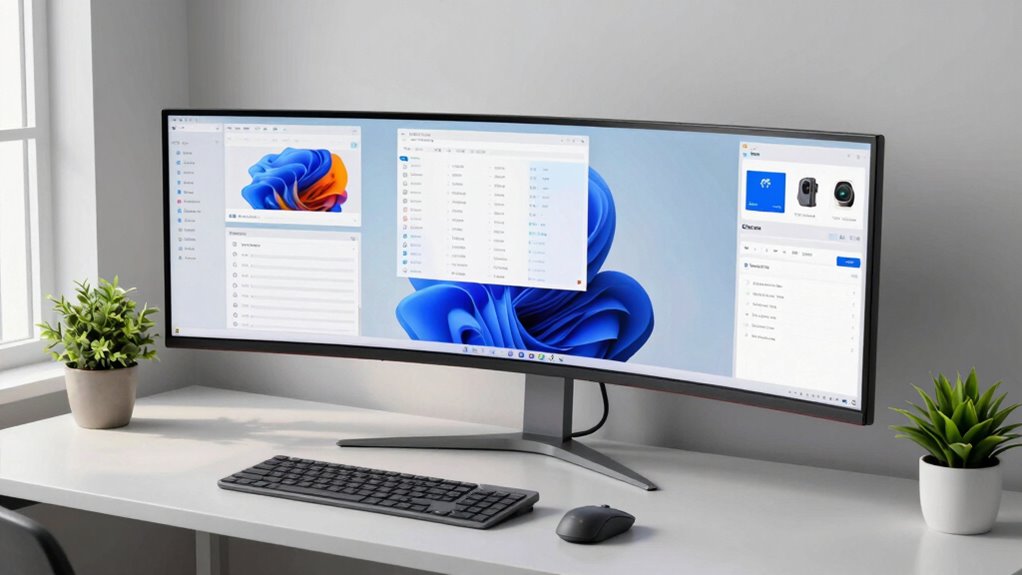

Choosing the right ultrawide monitor for productivity can transform your workflow by replacing dual-monitor setups with a single, seamless canvas. For most users, the Samsung ViewFinity S65UA stands out as the best overall pick due to its balanced combination of USB-C connectivity, color accuracy, and ergonomic design. If you need extreme screen real estate for data-heavy tasks, the Samsung 49-inch Odyssey G9 offers unmatched width, while the LG 34U530A-W serves budget-conscious buyers who prioritize USB-C convenience over high refresh rates. The main tradeoff in this category is between screen size, panel type, and connectivity; larger 49-inch models demand more desk space and powerful GPUs, while 34-inch models offer a more manageable footprint but less vertical space. Continue reading to see how these and other models stack up against each other to find the perfect fit for your specific workflow.

Get the latest gadgets delivered free with Prime
- Fast, free delivery on millions of items
- Prime Video, Amazon Music and more included
- Member-only deals all year
Complete the kit



Key Takeaways
- USB-C connectivity has shifted from a premium feature to a standard expectation for productivity monitors, with top picks like the Samsung ViewFinity and LG 34U530A-W offering single-cable docking solutions for laptops.
- 49-inch super-ultrawide monitors provide the equivalent of two 27-inch screens but require significant desk depth and GPU power, making them less suitable for standard office setups compared to 34-inch models.
- VA panels dominate the value segment in this roundup, offering deeper blacks than IPS but often sacrificing viewing angles and color consistency, which matters less for spreadsheets but more for creative work.
- Refresh rates above 60Hz, such as the 100Hz or 144Hz found in gaming-hybrid models, significantly improve window dragging and scrolling smoothness, even if you are not gaming.
- Curved screens are nearly universal in the 34-inch and 49-inch category to reduce eye strain and maintain consistent focus across the wide aspect ratio, with flat ultrawides becoming rare exceptions.
| Samsung 34-Inch Odyssey G5 Ultra-Wide Curved Gaming Monitor |  | Best for Fast-Paced Work and Play | Screen size: 34 inches | Resolution: 3440 × 1440 | Aspect ratio: 21:9 | VIEW ON AMAZON | See Our Full Breakdown |
| LG 34U530A-W 34-inch UltraWide WFHD IPS Monitor |  | Best for Laptop-Friendly Everyday Work | Screen size: 34 inches | Resolution: 2560 × 1080 | Aspect ratio: 21:9 | VIEW ON AMAZON | See Our Full Breakdown |
| Samsung 49-inch Odyssey G9 Curved Dual QHD Gaming Monitor |  | Best for Replacing a Dual-Monitor Setup | Screen size: 49 inches | Resolution: 5120 × 1440 | Aspect ratio: 32:9 | VIEW ON AMAZON | See Our Full Breakdown |
| Samsung ViewFinity S65UA 34-Inch Ultrawide QHD Curved Monitor |  | Best for USB-C Laptop Workstations | Screen size: 34 inches | Resolution: 3440 × 1440 | Aspect ratio: 21:9 | VIEW ON AMAZON | See Our Full Breakdown |
| Samsung 34-inch ViewFinity S50GC Series Ultra-WQHD Monitor |  | Best for Multi-Source Office Work | Screen size: 34 inches | Resolution: 3440 × 1440 | Aspect ratio: 21:9 | VIEW ON AMAZON | See Our Full Breakdown |
| LG 34U640B-B 34-Inch Curved UltraWide WQHD 144Hz Monitor |  | Best for Laptop-Based Multitasking | Screen size: 34 inches | Resolution: 3440 × 1440 (WQHD) | Aspect ratio: 21:9 | VIEW ON AMAZON | See Our Full Breakdown |
| LG 34-inch UltraWide WQHD IPS Curved Monitor, 100Hz |  | Best for USB-C Laptop Charging | Screen size: 34 inches | Resolution: 3440 × 1440 | Panel type: IPS | VIEW ON AMAZON | See Our Full Breakdown |
| Sceptre 34-Inch Curved Ultrawide WQHD Gaming Monitor (C345B-QUT168) |  | Best for High-Refresh-Rate Work and Play | Screen size: 34 inches | Resolution: 3440 × 1440 | Panel: VA | VIEW ON AMAZON | See Our Full Breakdown |
| Sceptre E345W 34-Inch Ultrawide Monitor, 3440 × 1440, 115Hz |  | Best for Multi-Device Connectivity | Screen size: 34 inches | Resolution: 3440 × 1440 | Aspect ratio: 21:9 | VIEW ON AMAZON | See Our Full Breakdown |
| Dell 34 Monitor S3425DW, WQHD VA, 120Hz, FreeSync Premium, Eye Comfort |  | Best for Eye Comfort and Rich Contrast | Screen size: 34 inches | Resolution: 3440 × 1440 | Aspect ratio: 21:9 | VIEW ON AMAZON | See Our Full Breakdown |
| LG 34WR55QK-B 34-Inch Curved UltraWide WQHD Monitor |  | Best Balanced Productivity Monitor | Screen Size: 34 inches | Resolution: 3440 x 1440 (WQHD) | Panel Type: VA LED | VIEW ON AMAZON | See Our Full Breakdown |
| LG UltraGear 34G600A-B 34-Inch Curved WQHD Gaming Monitor |  | Best Hybrid Work-and-Play Monitor | Screen Size: 34 inches | Resolution: 3440 x 1440 (WQHD) | Refresh Rate: 160Hz | VIEW ON AMAZON | See Our Full Breakdown |
| Samsung 49” Business Curved Ultrawide Dual QHD Computer Monitor |  | Best Premium Multitasking Powerhouse | Screen Size: 49 inches | Resolution: 5120 x 1440 (Dual QHD) | Aspect Ratio: 32:9 | VIEW ON AMAZON | See Our Full Breakdown |
| ultrawide monitor for productivity | Screen size | Resolution | Refresh rate | Aspect ratio |
|---|---|---|---|---|
| Samsung 34-Inch Odyssey G5 Ult | 34 inches | 3440 × 1440 | 165Hz | 21:9 |
| LG 34U530A-W 34-inch UltraWide | 34 inches | 2560 × 1080 | 100Hz | 21:9 |
| Samsung 49-inch Odyssey G9 Cur | 49 inches | 5120 × 1440 | 144Hz | 32:9 |
| Samsung ViewFinity S65UA 34-In | 34 inches | 3440 × 1440 | 100Hz | 21:9 |
| Samsung 34-inch ViewFinity S50 | 34 inches | 3440 × 1440 | 100Hz | 21:9 |
| LG 34U640B-B 34-Inch Curved Ul | 34 inches | 3440 × 1440 (WQHD) | 144Hz | 21:9 |
| LG 34-inch UltraWide WQHD IPS | 34 inches | 3440 × 1440 | 100Hz | 21:9 |
| Sceptre 34-Inch Curved Ultrawi | 34 inches | 3440 × 1440 | Up to 165Hz; listing also mentions 180Hz | — |
| Sceptre E345W 34-Inch Ultrawid | 34 inches | 3440 × 1440 | Up to 115Hz via DisplayPort; up to 100Hz via HDMI | 21:9 |
| Dell 34 Monitor S3425DW | 34 inches | 3440 × 1440 | Up to 120Hz | 21:9 |
| LG 34WR55QK-B 34-Inch Curved U | 34 inches | 3440 x 1440 (WQHD) | 100Hz | — |
| LG UltraGear 34G600A-B 34-Inch | 34 inches | 3440 x 1440 (WQHD) | 160Hz | — |
| Samsung 49” Business Curved Ul | 49 inches | 5120 x 1440 (Dual QHD) | 120Hz | 32:9 |
More Details on Our Top Picks
Samsung 34-Inch Odyssey G5 Ultra-Wide Curved Gaming Monitor
The Odyssey G5 suits productivity buyers who also want unusually fluid motion: its 165Hz refresh rate makes scrolling, animation, and gaming feel smoother than on the 100Hz ViewFinity S65UA. Its 3440 × 1440 resolution gives a 34-inch workspace room for side-by-side apps without dropping to the LG 34U530A-W’s 2560 × 1080 resolution. The pronounced 1000R curve can help keep the wide screen within a comfortable field of view, though it is a more gaming-oriented shape than some office users may prefer. The tradeoff is connectivity: the listed ports are DisplayPort, HDMI, and audio, with no USB-C laptop charging or Ethernet. Its 250 cd/m² brightness may also be limiting in a bright office, and HDR10 support alone does not make it the strongest choice for HDR work.
Pros:- 3440 × 1440 resolution provides detailed space for multiple work windows.
- 165Hz refresh rate supports fluid scrolling and fast-moving content.
- 1000R curve brings the wide screen toward the viewer.
- AMD FreeSync Premium helps reduce tearing and stutter.
Cons:- 250 cd/m² brightness may be insufficient for a bright workspace.
- No USB-C charging or Ethernet is listed.
- The strong curve and gaming-focused feature set may be unnecessary for office-only use.
Best for: People who divide their time between multitasking at a 34-inch desktop and high-refresh-rate gaming, and do not need USB-C laptop charging.
Not ideal for: Laptop-first workers who want one-cable charging, or anyone working in a bright room who needs higher listed brightness.
- Screen size:34 inches
- Resolution:3440 × 1440
- Aspect ratio:21:9
- Panel type:VA LCD
- Curvature:1000R
- Refresh rate:165Hz
- Brightness:250 cd/m²
- Connectivity:DisplayPort, HDMI, 3.5 mm audio
Our verdict“Choose the Odyssey G5 if smooth motion and QHD ultrawide workspace matter more than USB-C convenience or bright-room performance.”
LG 34U530A-W 34-inch UltraWide WFHD IPS Monitor
The LG 34U530A-W is the practical pick for people who value a flexible desk setup over maximum resolution. Its USB-C connection supports display output and data transfer, simplifying laptop connection, while the height-, tilt-, and swivel-adjustable stand makes it easier to set up a comfortable work position. The IPS panel and 178-degree viewing angle suit shared screens and varied seating positions. Compared with Samsung’s ViewFinity S65UA, this LG has a lower 2560 × 1080 resolution, so text and detailed spreadsheets have less pixel density on the same 34-inch screen. Its 100Hz refresh rate is still smooth for everyday work, but it cannot match the Odyssey G5’s 165Hz. Built-in speakers and the Switch app add convenience, though the app requires installation.
Pros:- USB-C supports display output and data transfer through one connection.
- IPS panel offers broad 178-degree viewing angles.
- Height, tilt, and swivel adjustments support a more adaptable setup.
- Built-in speakers and screen-layout software add everyday convenience.
Cons:- 2560 × 1080 resolution is less detailed than the 3440 × 1440 Samsung ViewFinity models.
- Listed response time is 5ms, slower than the gaming-focused Odyssey G5.
- Switch app features require software installation.
Best for: Laptop users who want an adjustable 34-inch ultrawide with USB-C connectivity for office tasks, calls, and everyday multitasking.
Not ideal for: People who work with fine text, dense spreadsheets, or high-resolution creative assets and want 3440 × 1440 detail.
- Screen size:34 inches
- Resolution:2560 × 1080
- Aspect ratio:21:9
- Panel type:IPS
- Refresh rate:100Hz
- Response time:5ms
- Brightness:400 cd/m²
- Connectivity:USB-C, DisplayPort, HDMI
Our verdict“Pick the LG 34U530A-W for a flexible USB-C work setup, but choose a 3440 × 1440 model if screen detail is a priority.”
Samsung 49-inch Odyssey G9 Curved Dual QHD Gaming Monitor
The 49-inch Odyssey G9 offers the most uninterrupted workspace in this group: its 32:9 Dual QHD screen provides the horizontal room of two QHD displays, while Picture-by-Picture can show two sources at once. That makes it a stronger fit for users who keep several dashboards, timelines, or documents visible than the 34-inch ViewFinity S50GC. The 1000R curve helps bring the very wide screen into view, and the adjustable stand supports positioning. Its 144Hz refresh rate and 1ms response time also make motion smoother than on office-oriented ultrawides. The cost in desk planning is substantial: at 45.18 inches wide and 34.4 pounds, it needs a large, sturdy setup. Listed brightness is 280 cd, and its gaming emphasis may be more screen than a typical office workflow needs.
Pros:- 5120 × 1440 resolution creates an expansive workspace for parallel tasks.
- Picture-by-Picture and Picture-in-Picture support multi-source work.
- 144Hz refresh rate and 1ms response time deliver smooth motion.
- DisplayHDR 600 and FreeSync Premium Pro add gaming and video capabilities.
Cons:- 45.18-inch width and 34.4-pound weight demand ample, sturdy desk space.
- Listed brightness of 280 cd may not suit bright rooms.
- Its size and gaming-focused performance can be excessive for basic office tasks.
Best for: Power users who regularly compare multiple sources or manage wide timelines and want one screen in place of two monitors.
Not ideal for: People with limited desk space, a lightweight monitor arm, or mostly single-window office workloads.
- Screen size:49 inches
- Resolution:5120 × 1440
- Aspect ratio:32:9
- Curvature:1000R
- Panel type:VA LCD
- Refresh rate:144Hz
- Brightness:280 cd
- Connectivity:DisplayPort, HDMI, USB
Our verdict“Choose the Odyssey G9 when your work benefits from an exceptionally wide, multi-source canvas and your desk can accommodate it.”
Samsung ViewFinity S65UA 34-Inch Ultrawide QHD Curved Monitor
For a laptop-centered desk, the ViewFinity S65UA pairs a useful 3440 × 1440 workspace with up to 90W USB-C charging, reducing cable clutter compared with the Samsung ViewFinity S50GC, whose listed connections do not include USB-C. Ethernet is also listed, a helpful addition for a stable wired network. The 100Hz refresh rate keeps cursor movement and scrolling feeling responsive without pushing this model into the high-refresh gaming category occupied by the Odyssey G5. Its height-adjustable stand and eye-care features suit long workdays, while the 1000R curve wraps the 34-inch screen around the viewing position. The curve will not suit every desk or user, and HDR10 support comes without specified peak HDR brightness or local dimming, so I would not choose it primarily for HDR content.
Pros:- USB-C provides up to 90W laptop charging.
- 3440 × 1440 resolution gives work apps room without sacrificing detail.
- Ethernet, HDMI, and DisplayPort broaden connection options.
- Height adjustment and eye-care features support daily office use.
Cons:- 1000R curve may not suit users who prefer a flat display.
- HDR10 is listed without peak HDR brightness or local-dimming details.
- 34-inch size requires a suitably deep and wide desk.
Best for: Laptop-based professionals who want a QHD ultrawide, single-cable charging, and wired Ethernet in an organized workstation.
Not ideal for: HDR-focused creators or users who prefer a flatter screen and need clearly specified HDR performance.
- Screen size:34 inches
- Resolution:3440 × 1440
- Aspect ratio:21:9
- Curvature:1000R
- Refresh rate:100Hz
- Brightness:350 cd/m²
- USB-C charging:Up to 90W
- Connectivity:DisplayPort, Ethernet, HDMI, USB-C
Our verdict“The ViewFinity S65UA is a strong fit for laptop workers who want QHD workspace and charging over one USB-C connection.”
Samsung 34-inch ViewFinity S50GC Series Ultra-WQHD Monitor
The ViewFinity S50GC gives office users a sharp 3440 × 1440 canvas without the gaming-first emphasis of the Odyssey G5. Its Picture-by-Picture and Picture-in-Picture modes let you view two inputs together, useful for checking a second computer or keeping a separate source visible; the 49-inch Odyssey G9 offers similar flexibility on a much larger scale. At 34 inches, this Samsung is easier to fit into a typical desk setup, and its 100Hz refresh rate makes everyday movement feel smooth. An ambient light sensor and eye-care modes are practical for long sessions. The tradeoff is laptop connectivity: the listed inputs are HDMI and DisplayPort, with no USB-C charging. Its 300 cd/m² brightness is also lower than the LG 34U530A-W’s listed 400 cd/m².
Pros:- 3440 × 1440 resolution supports detailed, side-by-side office work.
- Picture-by-Picture and Picture-in-Picture handle two input sources.
- 100Hz refresh rate and FreeSync support smoother motion.
- Ambient light adjustment, Eye Saver Mode, and Flicker Free support extended use.
Cons:- No USB-C connection or laptop charging is listed.
- 300 cd/m² brightness is lower than the LG 34U530A-W’s listed 400 cd/m².
- The 34-inch screen still needs meaningful desk width.
Best for: Office workers who switch between two computers or sources and want QHD ultrawide detail with built-in eye-care features.
Not ideal for: Laptop users seeking USB-C charging or people who need higher listed brightness for a sunlit workspace.
- Screen size:34 inches
- Resolution:3440 × 1440
- Aspect ratio:21:9
- Refresh rate:100Hz
- Response time:5ms
- Brightness:300 cd/m²
- Contrast ratio:3000:1
- Connectivity:HDMI, DisplayPort, headphone
Our verdict“Choose the ViewFinity S50GC for a QHD office display that can show two sources, provided USB-C charging is not a requirement.”
LG 34U640B-B 34-Inch Curved UltraWide WQHD 144Hz Monitor
The LG 34U640B-B suits a desk where a laptop needs to serve as the main work computer, with USB-C charging up to 65W and a 3440 × 1440 canvas for side-by-side documents and apps. Its 144Hz refresh rate also gives scrolling and pointer movement a smoother feel than the LG 34-inch UltraWide WQHD IPS 100Hz, though that alternative supplies more USB-C charging power and an IPS panel. KVM support is a useful distinction here: it lets compatible setups share a keyboard and mouse between two computers. The curved 1800R screen and height-adjustable stand help make a wide workspace easier to arrange, but the 34-inch panel needs substantial desk width. This is a strong productivity pick with gaming flexibility, not a compact or especially connection-specific choice: the listed information does not clarify HDMI and DisplayPort counts.
Pros:- 3440 × 1440 resolution provides room for multiple work windows.
- USB-C supports display, data, and up to 65W laptop charging.
- KVM features can share a keyboard and mouse between two PCs.
- 144Hz refresh rate and AMD FreeSync Premium also suit gaming.
Cons:- The 34-inch curved screen requires substantial desk space.
- The listed details do not specify the number or types of HDMI and DisplayPort connections.
- Its 65W USB-C charging is lower than the 96W offered by the LG 34-inch UltraWide WQHD IPS model.
Best for: Laptop users who want one ultrawide workspace, a single-cable USB-C connection, and the option to share peripherals with a second computer.
Not ideal for: People with shallow or narrow desks, or buyers who need clearly specified video-port counts before choosing a monitor.
- Screen size:34 inches
- Resolution:3440 × 1440 (WQHD)
- Aspect ratio:21:9
- Curvature:1800R
- Refresh rate:144Hz
- USB-C power delivery:Up to 65W
- Adaptive sync:AMD FreeSync Premium
- Stand adjustment:Tilt and height adjustable
Our verdict“Choose this LG if you want a wide laptop-centered workspace with KVM and smoother motion, and have room for a 34-inch curved screen.”
LG 34-inch UltraWide WQHD IPS Curved Monitor, 100Hz
For a laptop-heavy work setup, this LG’s strongest productivity advantage is USB-C charging up to 96W, more headroom than the 65W connection on the LG 34U640B-B and Dell S3425DW. Its 34-inch, 3440 × 1440 IPS panel gives office apps a broad workspace, while 178-degree viewing angles can help when the screen is viewed off-center. The adjustable stand adds tilt, swivel, and height changes, and built-in speakers cover calls or basic audio without a separate setup. At 100Hz, it is less focused on fast motion than the LG 34U640B-B or the gaming-oriented Sceptre C345B-QUT168, but that difference matters less for typical document and spreadsheet work. Check laptop compatibility for USB-C charging and refresh rates; Switch app functionality also requires software installation.
Pros:- USB-C provides up to 96W laptop charging alongside display and data.
- 3440 × 1440 IPS screen offers expansive workspace and wide viewing angles.
- Stand supports tilt, swivel, and height adjustment.
- Built-in speakers and Reader Mode add convenience for work sessions.
Cons:- Its 100Hz refresh rate is lower than the LG 34U640B-B and Sceptre C345B-QUT168.
- USB-C charging and refresh-rate support can depend on the connected device.
- Switch app functionality requires software installation.
Best for: Laptop professionals who need a wide IPS workspace, higher USB-C charging capacity, and a stand that adjusts for a shared or changing desk setup.
Not ideal for: Buyers prioritizing high-refresh-rate gaming, or anyone who wants monitor switching features to work without installing software.
- Screen size:34 inches
- Resolution:3440 × 1440
- Panel type:IPS
- Aspect ratio:21:9
- Curvature:3800R
- Refresh rate:100Hz
- USB-C charging:Up to 96W
- Stand adjustments:Tilt, swivel, and height
Our verdict“Pick this model if your laptop benefits from 96W USB-C charging and you value an adjustable IPS display more than gaming-level refresh rates.”
Sceptre 34-Inch Curved Ultrawide WQHD Gaming Monitor (C345B-QUT168)
The Sceptre C345B-QUT168 favors fast motion over work-focused extras: its listed refresh rate reaches 165Hz, paired with AMD FreeSync Premium and a 1ms MPRT response time. That can make rapid scrolling and gaming feel more fluid than on the 100Hz LG 34-inch UltraWide WQHD IPS, while the shared 3440 × 1440 resolution still provides room for parallel work windows. Its 1500R curve is tighter than the LG’s 3800R curve, bringing the edges more toward the viewer but asking for a more immersive viewing position. Unlike the LG options and Dell S3425DW, it has no listed USB-C laptop charging, so a laptop setup may need separate power and display cables. The brightness is listed at 280 cd/m², and the product information gives conflicting maximum refresh figures, so confirm the supported mode before buying.
Pros:- 3440 × 1440 ultrawide resolution supports side-by-side apps.
- Up to 165Hz refresh rate and 1ms MPRT favor smooth motion.
- AMD FreeSync Premium supports variable refresh gaming.
- Includes two HDMI ports, two DisplayPort inputs, and built-in speakers.
Cons:- No USB-C connection or laptop charging is listed.
- Brightness is specified as 280 cd/m².
- Product information lists the maximum refresh rate inconsistently as 165Hz and 180Hz.
Best for: People who split desk time between productivity and fast-paced gaming and prefer a high refresh rate over USB-C docking features.
Not ideal for: Laptop users seeking one-cable charging and display, or office buyers who prioritize higher specified brightness and dependable refresh-rate documentation.
- Screen size:34 inches
- Resolution:3440 × 1440
- Panel:VA
- Curvature:1500R
- Refresh rate:Up to 165Hz; listing also mentions 180Hz
- Response time:1ms MPRT
- Brightness:280 cd/m²
- Ports:2 × HDMI, 2 × DisplayPort, audio out
Our verdict“Choose the Sceptre if high refresh and gaming flexibility matter more than the USB-C charging and office convenience offered by the LG and Dell alternatives.”
Sceptre E345W 34-Inch Ultrawide Monitor, 3440 × 1440, 115Hz
The E345W is a practical fit for desks where several computers or sources need to connect: it has two HDMI ports and two DisplayPort inputs, more clearly specified video connections than the LG 34U640B-B. Its 3440 × 1440 VA screen gives spreadsheets and browser windows substantial horizontal room, while the matte finish and Blue-Light Shift feature suit everyday office use. DisplayPort supports up to 115Hz, but HDMI tops out at 100Hz, so the connection determines the maximum refresh rate. Compared with the Dell S3425DW, this Sceptre lacks USB-C charging and has a lower specified contrast ratio; compared with the gaming-focused Sceptre C345B-QUT168, its refresh ceiling is lower. Built-in speakers are handy for basic audio, though they are not a replacement for a dedicated sound setup.
Pros:- 3440 × 1440 resolution creates room for multiple work windows.
- Two HDMI ports and two DisplayPort inputs support several connected sources.
- Matte finish and Blue-Light Shift suit routine office viewing.
- Refresh rate reaches 115Hz through DisplayPort.
Cons:- HDMI refresh rate is limited to 100Hz.
- No USB-C laptop charging is listed, unlike the Dell S3425DW and LG options.
- Built-in speakers may not meet the needs of buyers who rely on clear, full-range audio.
Best for: Multi-device desk users who need several HDMI and DisplayPort connections, a wide WQHD workspace, and a matte screen for everyday tasks.
Not ideal for: Laptop users seeking USB-C charging, or buyers who want the highest refresh rate available in this group.
- Screen size:34 inches
- Resolution:3440 × 1440
- Aspect ratio:21:9
- Panel type:VA LED
- Refresh rate:Up to 115Hz via DisplayPort; up to 100Hz via HDMI
- Response time:5ms
- Video inputs:2 HDMI, 2 DisplayPort
- Screen finish:Matte
Our verdict“Choose the E345W if multiple video inputs and a matte WQHD workspace matter more than USB-C laptop docking or a top-tier refresh rate.”
Dell 34 Monitor S3425DW, WQHD VA, 120Hz, FreeSync Premium, Eye Comfort
The Dell S3425DW brings together productivity-friendly USB-C charging up to 65W, a 3440 × 1440 workspace, and ComfortView Plus for buyers spending long stretches at a desk. Its VA panel’s 3000:1 contrast ratio and listed 95% DCI-P3 coverage distinguish it from the LG 34U640B-B, whose stated color coverage is up to 99% sRGB; the Dell’s wider-gamut claim may appeal to people who also view media, while the LG offers a faster 144Hz refresh rate. At up to 120Hz, the Dell sits between that LG and the 100Hz LG IPS model for smoothness. Two HDMI ports and four USB ports add connection flexibility, and the two 10W speakers reduce reliance on separate audio for basic use. Its 65W USB-C output may be insufficient for some higher-power laptops, so check your computer’s charging needs.
Pros:- ComfortView Plus reduces blue-light emissions while retaining color accuracy, according to the product description.
- VA panel has a 3000:1 contrast ratio and listed 95% DCI-P3 coverage.
- USB-C supports up to 65W power delivery.
- 120Hz refresh rate, two HDMI ports, four USB ports, and 2 × 10W speakers support a versatile desk setup.
Cons:- USB-C power delivery is limited to 65W, below the LG 34-inch IPS model’s 96W.
- Refresh rate is lower than the 144Hz LG 34U640B-B and 165Hz-listed Sceptre C345B-QUT168.
- The 34-inch screen and 20.7-pound listed weight call for a stable, roomy desk.
Best for: Office users who want an ultrawide with eye-comfort features, high VA contrast, USB-C laptop charging, and built-in speakers.
Not ideal for: Owners of laptops that need more than 65W charging, or buyers who prioritize 144Hz-plus refresh rates over screen comfort and contrast.
- Screen size:34 inches
- Resolution:3440 × 1440
- Aspect ratio:21:9
- Panel type:VA
- Refresh rate:Up to 120Hz
- Contrast ratio:3000:1
- USB-C power delivery:Up to 65W
- Ports:2 HDMI, 4 USB
- Speakers:2 × 10W
Our verdict“Pick the Dell if eye-comfort features, contrast, and a broad set of desk connections matter more than maximum refresh rate or higher-wattage laptop charging.”
LG 34WR55QK-B 34-Inch Curved UltraWide WQHD Monitor
This model strikes a practical balance for professionals who need screen real estate without the bulk of larger displays. The 34-inch WQHD panel provides enough horizontal space for three standard document windows, making it superior to single-screen setups for spreadsheet-heavy work. USB-C connectivity with 65W power delivery is a major differentiator here, allowing a single cable to handle video, data, and charging for most laptops, which reduces desk clutter significantly. Compared to the LG UltraGear 34G600A-B, this monitor prioritizes office ergonomics over gaming speed, offering a 100Hz refresh rate that feels smooth enough for scrolling but lacks the 160Hz fluidity gamers crave. The VA panel technology delivers deep blacks and high contrast, beneficial for reading text in low-light environments, though it may exhibit slight motion blur compared to IPS alternatives. It is a focused tool for multitaskers who value cable management and consistent color accuracy over high-speed refresh rates.
Pros:- USB-C with 65W power delivery simplifies laptop connectivity
- 3440 x 1440 resolution offers sharp text and ample workspace
- Height and tilt-adjustable stand supports ergonomic positioning
Cons:- OnScreen Control requires external software installation
- VA panel may show minor motion blur during fast scrolling
Best for: Office professionals and students who use USB-C laptops and need a reliable, single-cable setup for document editing and web browsing.
Not ideal for: Competitive gamers or video editors who require high refresh rates above 120Hz or wide color gamuts beyond sRGB.
- Screen Size:34 inches
- Resolution:3440 x 1440 (WQHD)
- Panel Type:VA LED
- Refresh Rate:100Hz
- Connectivity:USB-C (65W PD), HDMI, DisplayPort
- Stand Adjustments:Height, Tilt
Our verdict“This is the sensible choice for productivity-focused users who want a clean desk setup with reliable USB-C integration.”
LG UltraGear 34G600A-B 34-Inch Curved WQHD Gaming Monitor
While marketed primarily as a gaming display, this monitor’s 160Hz refresh rate makes it exceptionally smooth for productivity tasks like scrolling through long codebases or timelines. The 1800R curvature wraps the display around your field of view, reducing eye strain during long sessions compared to the flatter profiles of some competitors. It shares the same 34-inch form factor as the LG 34WR55QK-B but adds significant speed, making it better suited for users who switch between work and gaming. However, the lack of USB-C power delivery is a notable drawback for office users, requiring separate chargers for laptops. The built-in speakers with Waves MaxxAudio are convenient for quick calls but lack the fidelity for serious audio work. This option appeals to those who refuse to compromise on motion clarity, even if it means sacrificing some connectivity convenience.
Pros:- 160Hz refresh rate ensures ultra-smooth scrolling and motion
- AMD FreeSync Premium reduces tearing during dynamic content
- 1800R curvature provides immersive peripheral view
Cons:- No USB-C power delivery for laptop charging
- Built-in speakers are basic and may need external audio
Best for: Users who split time between professional tasks and gaming and prioritize motion smoothness over cable management features.
Not ideal for: Business professionals who rely on USB-C docking stations for their laptops, as this model lacks power delivery.
- Screen Size:34 inches
- Resolution:3440 x 1440 (WQHD)
- Refresh Rate:160Hz
- Response Time:1ms MBR
- Panel Type:VA LED
- Audio:Built-in Stereo Speakers
Our verdict“Choose this if you want the smoothest possible experience for both fast-paced work and gaming, and don’t mind separate laptop power.”
Samsung 49” Business Curved Ultrawide Dual QHD Computer Monitor
This 49-inch giant effectively replaces a dual-monitor setup, offering a 32:9 aspect ratio that matches the human field of view more naturally than standard widescreens. The 5120 x 1440 resolution provides immense workspace, allowing you to keep email, spreadsheets, and reference materials open simultaneously without alt-tabbing. Compared to the 34-inch options like the LG 34WR55QK-B, this monitor demands significantly more desk depth and physical space, but rewards users with unmatched horizontal real estate. USB-C with 90W power delivery is robust enough to charge larger laptops, and the built-in KVM switch allows seamless control of two computers from one keyboard and mouse. The 1000R curvature is aggressive, which can be polarizing, but it minimizes distortion across the wide panel. It is a premium investment for those whose workflow truly requires the equivalent of two full-sized monitors.
Pros:- 49-inch Dual QHD display replaces two standard monitors
- USB-C with 90W power delivery supports high-performance laptops
- Built-in KVM switch controls two PCs with one keyboard/mouse
Cons:- Large footprint requires a spacious and sturdy desk
- 1000R curvature may cause distortion for users new to ultrawides
Best for: Data analysts, traders, and developers who need extreme horizontal space and manage multiple computers via a single KVM setup.
Not ideal for: Users with small desks or standard-sized workstations, as the 45-inch width and deep curvature require significant room.
- Screen Size:49 inches
- Resolution:5120 x 1440 (Dual QHD)
- Aspect Ratio:32:9
- Refresh Rate:120Hz
- Connectivity:USB-C (90W PD), HDMI, DisplayPort
- Features:KVM Switch, VESA DisplayHDR 400
Our verdict“This is the ultimate productivity tool for power users who need to eliminate bezels and maximize screen real estate.”

How We Picked
I evaluated these monitors based on their specific utility for professional workflows rather than pure gaming performance. The primary criteria included connectivity versatility (especially USB-C power delivery and KVM switches), ergonomic adjustability, and panel quality suited for text clarity and color accuracy. I prioritized models that offer seamless integration with modern laptops, as single-cable setups reduce desk clutter and improve workflow efficiency. Additionally, I weighed the practicality of screen size against typical desk dimensions, favoring 34-inch models for general users and reserving 49-inch recommendations for those with dedicated multi-monitor replacement needs.
Rankings were determined by balancing feature sets against real-world usability. A monitor with superior specs but poor stand stability or limited port options ranked lower than a slightly less powerful model with better ergonomics and connectivity. I also considered the long-term reliability of panel types, preferring models with established track records for uniformity and low flicker, which are critical for all-day productivity tasks.
Factors to Consider When Choosing Ultrawide Monitor For Productivity
Selecting an ultrawide monitor involves more than just picking the biggest screen. Here are the key factors to weigh before making your investment.Aspect Ratio and Screen Real Estate
The 21:9 aspect ratio is the standard for 34-inch ultrawides, offering a sweet spot between width and height. However, 32:9 models like the 49-inch options provide the equivalent of two side-by-side monitors. While 32:9 offers maximum horizontal space, it often suffers from low vertical resolution, making it less ideal for reading long documents or coding where vertical lines of code matter. Most productivity users find 34-inch 21:9 monitors more versatile because they balance horizontal workspace with adequate vertical height for standard applications.
Connectivity and Docking Capabilities
For laptop users, USB-C with Power Delivery (PD) is arguably the most important feature. It allows you to connect your laptop, charge it, and connect peripherals through a single cable. Monitors without USB-C require separate power bricks and HDMI/DisplayPort cables, creating desk clutter. Check the wattage of the USB-C port; 65W is standard for most ultrabooks, while 90W or 100W is needed for powerful workstations. A built-in KVM switch is another valuable feature if you switch between two computers, as it lets you control both with one keyboard and mouse.
Panel Type: IPS vs. VA
IPS panels generally offer better color accuracy and wider viewing angles, making them preferable for graphic design or video editing. VA panels, common in budget and gaming-oriented ultrawides, provide higher contrast ratios and deeper blacks but can suffer from ‘black crush’ (loss of detail in dark areas) and slower response times causing ghosting. For text-based productivity, the difference is minimal, so you can save money with a VA panel. However, if your work involves color-critical tasks, prioritize IPS models despite the higher cost.
Refresh Rate and Motion Clarity
While 60Hz has been the standard for office monitors, 100Hz or higher refresh rates are becoming common in ultrawides. A higher refresh rate makes window dragging, scrolling, and cursor movement feel smoother and more responsive. This isn’t just for gaming; it reduces eye strain during long hours of work. If your budget allows, opting for a 100Hz+ model provides a noticeable quality-of-life improvement, even if you never play games. Text rendering can also appear sharper at higher refresh rates due to reduced motion blur.
Desk Space and Ergonomic Fit
Ultrawide monitors, especially 49-inch models, require significant desk depth. A standard 24-inch desk is often too shallow, forcing you to sit too close to the screen or mount the monitor on a heavy-duty arm. Measure your available desk depth before purchasing. Additionally, check the stand’s adjustment range; height, tilt, swivel, and pivot capabilities are essential for maintaining proper posture over long workdays. If the included stand is limited, factor in the cost of a compatible VESA mount.
Frequently Asked Questions
Is a 49-inch ultrawide monitor better than two 27-inch monitors?
A 49-inch ultrawide offers a seamless, bezel-free experience that eliminates the gap between two screens, which is excellent for timelines, spreadsheets, and panoramic views. However, two 27-inch monitors often provide higher total vertical resolution and more flexibility in orientation (e.g., one portrait, one landscape). Choose the 49-inch ultrawide if you value a single, unified workspace and have the GPU power to drive it. Choose dual monitors if you need higher vertical space for coding or writing, or if you want the option to rotate one screen.
Do I need a powerful GPU for an ultrawide monitor?
For static productivity tasks like spreadsheets, browsing, and email, any modern integrated graphics or entry-level discrete GPU can handle ultrawide resolutions easily. However, if you engage in video editing, 3D rendering, or gaming, you will need a more powerful GPU to maintain smooth frame rates at 3440×1440 or 5120×1440 resolutions. Check your GPU’s VRAM and processing power against the monitor’s resolution before buying. Most modern laptops with dedicated graphics handle 34-inch ultrawides well for mixed productivity and light creative work.
Are curved monitors necessary for ultrawide displays?
Curvature is highly recommended for ultrawide monitors because it keeps the edges of the screen at a consistent distance from your eyes, reducing eye strain and distortion. On a flat 34-inch or 49-inch screen, you would need to turn your head significantly to see the edges, and the colors and contrast can shift at extreme angles. Curved monitors provide a more immersive and comfortable viewing experience for wide aspect ratios. Most productivity-focused ultrawides now come with 1000R or 1500R curvature, which is a good balance for office use.
Can I use an ultrawide monitor for gaming and work?
Yes, many ultrawide monitors in this roundup are hybrid models that excel at both. Look for features like high refresh rates (144Hz+), low response times, and Adaptive Sync (FreeSync or G-Sync) for gaming performance. These same features enhance productivity by making window movement and scrolling smoother. However, ensure the monitor also has good color accuracy and connectivity options like USB-C if you plan to use it for professional work. Gaming-focused monitors sometimes lack the color precision needed for creative tasks, so check reviews for color gamut coverage.
How important is USB-C Power Delivery for a productivity monitor?
USB-C Power Delivery is extremely important if you use a laptop as your primary computer. It allows you to charge your laptop, connect to the internet (if the monitor has Ethernet), and access USB peripherals through a single cable. This creates a clean, clutter-free desk setup that simplifies connecting and disconnecting your laptop. If you use a desktop PC, USB-C PD is less critical, but USB-C ports are still useful for connecting newer devices. Prioritize monitors with at least 65W PD if you want to replace your laptop’s power brick.
Conclusion
Choosing the best ultrawide monitor for productivity depends on your specific workflow, desk space, and budget. The Samsung ViewFinity S65UA is the best overall choice for most professionals, offering an ideal blend of USB-C connectivity, color accuracy, and ergonomic design. For those who need maximum screen real estate and have the space and hardware to support it, the Samsung 49-inch Odyssey G9 is the premium pick, effectively replacing a dual-monitor setup with a single, immersive display. Budget-conscious users will find the LG 34U530A-W to be the best value, providing essential productivity features like USB-C and a solid IPS panel at an accessible price point. If you are a beginner or have limited desk space, the LG 34-inch UltraWide WQHD IPS Curved Monitor offers a reliable, no-frills experience that gets the job done without overwhelming features. Ultimately, prioritize connectivity and ergonomics over raw specs for a sustainable and efficient work setup.
Fall Picks
fall essentials
As an affiliate, we earn on qualifying purchases.