
For those seeking an e ink tablet for notes, the main considerations are writing comfort, screen clarity, and device versatility. The reMarkable Paper Pro stands out as the best overall choice for its natural writing experience and durability. The BOOX Note Air 5 offers excellent color support for more visual notes, while the Huion Ink EB1011 provides a large screen at a more affordable price. However, tradeoffs include battery life, stylus responsiveness, and whether the device supports advanced features like color or voice notes. Continue reading to see how each option compares and which one fits your note-taking style best.
Complete the kit



Key Takeaways
- The best overall e ink tablet for notes combines natural writing feel, long battery life, and a user-friendly interface.
- Color e ink tablets add visual versatility but often come with higher prices and shorter battery life.
- Stylus responsiveness and pressure sensitivity vary significantly, impacting writing comfort.
- Size matters: larger screens benefit detailed notes but can reduce portability and increase cost.
- Features like adjustable front light and multi-language support enhance usability across different environments.
| Huion Ink EB1011 E Ink Tablet 10.3″ Digital Notebook with Dual Front Light |  | Best Overall for Versatile Digital Notes and Drawing | Display: 10.3-inch E-Ink | Resolution: 1404×1872 (227 PPI) | Stylus: Battery-free, 8192 pressure levels | VIEW ON AMAZON | See Our Full Breakdown |
| BOOX Tablet Go 10.3 Gen II Lumi ePaper E Ink Tablet Notebook |  | Best for Reading and Multitasking with Android Flexibility | Screen Size: 10.3 inches | Resolution: 2480×1860 (300 ppi) | Touch: BOOX InkSense Plus stylus and capacitive touch | VIEW ON AMAZON | See Our Full Breakdown |
| reMarkable Paper Pro with Marker Plus |  | Best for Natural Paper-Like Writing in Color | Display Size: 11.8 inches | Color: Color | Included Items: Marker Plus, 6 spare tips | VIEW ON AMAZON | See Our Full Breakdown |
| BOOX Note Air 5 C 10.3″ E Ink Tablet with Color ePaper, 6GB RAM, 64GB Storage, Android 15 |  | Best for Color Content and Android Power in a Note Device | Display: 10.3 inches Kaleido 3 color e-ink | Resolution: B/W: 2480 x 1860, Color: 1240 x 930 | Color Support: 4,096 colors | VIEW ON AMAZON | See Our Full Breakdown |
| reMarkable Paper Pro Move with Marker Plus |  | Best for Ultra-Portable, Distraction-Free Note-Taking | Display: 7.3-inch Canvas Color | Included Items: Marker Plus, 6 spare tips, USB-C cable | Features: Search, convert handwriting, cloud sync, tags | VIEW ON AMAZON | See Our Full Breakdown |
| VIWOODS Carta 1300 AI E Ink Tablet with Stylus Pro and Nibs, 10.65-inch, 128GB |  | Best Overall for Versatile Reading and Note-Taking | Display: 10.65 inches, 2560 x 1920 resolution | Weight: 370g | Storage: 128GB | VIEW ON AMAZON | See Our Full Breakdown |
| VIWOODS Upgraded Bundle with AiPaper Mini 8.2” AI E Ink Tablet with Adjustable Light, 292 PPI Electronic Notebook with Pen, 128GB Storage, Portable |  | Best for Portability and Comfortable Reading | Display Size: 8.2 inches | PPI: 292 | Weight: 230g | VIEW ON AMAZON | See Our Full Breakdown |
| Penstar eNote2 E-Ink Digital Notebook with Pen, 10.3” AI Note-Taking Paper Tablet, 128GB Storage, 6500mAh Battery, Leather Folio Cover Bundle |  | Best for High-Quality Paper-Like Writing and AI Features | Screen Size: 10.3 inches | Resolution: 2480×1860 (300 ppi) | Pressure Sensitivity: 8192 levels | VIEW ON AMAZON | See Our Full Breakdown |
| BOOX Tablet Go Color 7 Gen II E Ink Tablet 4G 64GB Support Active Stylus InkSense |  | Best for Color Reading and Light Multimedia | Display: 7-inch Kaleido 3, 4096 colors | Resolution: 1680 x 1264 | Front Light: Yes with CTM | VIEW ON AMAZON | See Our Full Breakdown |
| Penstar eNote Pro Color E-Ink Digital Notebook with Pen, 10.3” AI Note-Taking Paper Tablet, 128GB, 6500mAh Battery, Leather Folio Cover Bundle |  | Best for Vibrant Color and Advanced Productivity | Display: 10.3 inches, 2K color | Resolution: 2480×1860 | Color: Full-color Kaleido 3 | VIEW ON AMAZON | See Our Full Breakdown |
| Geniatech Kloudnote Slim 10.3″ Digital Notebook, E Ink Tablet and ePaper Notepad |  | Best Overall for Versatile Reading and Note-Taking | Screen Size: 10.3 inches | Resolution: 1404×1872 (227ppi) | Processor: 1.8GHz A55 quad-core | VIEW ON AMAZON | See Our Full Breakdown |
| iFLYTEK AINOTE Air 2 Bundle – 8.2″ E Ink AI Note-Taking Tablet with Stylus, 4096 Pressure Levels, Voice-to-Text Transcription, Multi-Language Support |  | Best for Multilingual Professionals and Accurate Handwriting | Screen Size: 8.2 inches | Pressure Levels: 4096 | Languages Supported: 16 for transcription, 85 for handwriting | VIEW ON AMAZON | See Our Full Breakdown |
| BOOX Tablet Go Color 7 Gen II E Ink Tablet Support Active Stylus InkSense (Black) |  | Best for Color Content and App Flexibility in a Compact Design | Display: 7-inch Kaleido 3 color E Ink | Resolution: 1680 x 1264 | Color Depth: 4096 colors | VIEW ON AMAZON | See Our Full Breakdown |
| e ink tablet for note | Storage | Resolution | Display |
|---|---|---|---|
| Huion Ink EB1011 E Ink Tablet | 64GB (expandable up to 2TB) | 1404×1872 (227 PPI) | 10.3-inch E-Ink |
| BOOX Tablet Go 10.3 Gen II Lum | 64GB | 2480×1860 (300 ppi) | — |
| reMarkable Paper Pro with Mark | — | — | — |
| BOOX Note Air 5 C 10.3" E Ink | 64GB | B/W: 2480 x 1860, Color: 1240 x 930 | 10.3 inches Kaleido 3 color e-ink |
| reMarkable Paper Pro Move with | — | — | 7.3-inch Canvas Color |
| VIWOODS Carta 1300 AI E Ink Ta | 128GB | — | 10.65 inches, 2560 x 1920 resolution |
| VIWOODS Upgraded Bundle with A | 128GB | — | — |
| Penstar eNote2 E-Ink Digital N | 128GB | 2480×1860 (300 ppi) | — |
| BOOX Tablet Go Color 7 Gen II | 64GB | 1680 x 1264 | 7-inch Kaleido 3, 4096 colors |
| Penstar eNote Pro Color E-Ink | 128GB | 2480×1860 | 10.3 inches, 2K color |
| Geniatech Kloudnote Slim 10.3" | 64GB | 1404×1872 (227ppi) | — |
| iFLYTEK AINOTE Air 2 Bundle | — | — | — |
| BOOX Tablet Go Color 7 Gen II | 64GB | 1680 x 1264 | 7-inch Kaleido 3 color E Ink |
More Details on Our Top Picks
Huion Ink EB1011 E Ink Tablet 10.3″ Digital Notebook with Dual Front Light
The Huion Ink EB1011 stands out for combining a high-resolution, eye-friendly E-Ink display with a versatile stylus that supports 8192 pressure levels, making it ideal for both note-taking and light sketching. Unlike the reMarkable Paper Pro, which emphasizes a natural writing feel, Huion’s device offers expandable storage up to 2TB and supports Android 11, opening possibilities for app integration and file management. The dual-color adjustable front light enhances reading comfort day or night, though its monochrome display limits color use, and full drawing capabilities require extra accessories. This model suits users seeking a multi-functional device that balances writing, reading, and occasional drawing, but those wanting a full-color or multimedia tablet might find it restrictive.
Pros:- High-resolution, eye-friendly E-Ink display for comfortable long-term reading and writing
- Stylus with 8192 pressure sensitivity that doesn’t require charging
- Long battery life up to 12 days and expandable storage up to 2TB
Cons:- Limited color options on the display, restricting visual creativity
- Requires additional accessories for advanced drawing or multimedia use
Best for: Professionals and students who want a portable, high-resolution e-ink device for notes, reading, and light sketching with extended storage.
Not ideal for: Artists or graphic designers requiring color drawing or advanced multimedia features, as this device is primarily designed for note and text use.
- Display:10.3-inch E-Ink
- Resolution:1404×1872 (227 PPI)
- Stylus:Battery-free, 8192 pressure levels
- Front Light:Dual-color adjustable
- Storage:64GB (expandable up to 2TB)
- Battery Life:Up to 12 days
- Weight:0.99 pounds
- Thickness:0.25 inches
- Operating System:Android 11
Our verdict“This pick makes the most sense for users seeking a durable, versatile e-ink device for notes, reading, and light creative work.”
BOOX Tablet Go 10.3 Gen II Lumi ePaper E Ink Tablet Notebook
The BOOX Tablet Go 10.3 Gen II offers a crisp, high-resolution 10.3-inch ePaper display with multiple refresh modes, making it well-suited for reading and light note-taking. Compared to the Huion Ink EB1011, this device runs on Android 15, enabling installation of third-party apps, which broadens its utility beyond simple note-taking. It supports various media formats, including images and audio, making it a flexible multimedia reader as well. However, its primarily monochrome ePaper screen limits color use, and battery life details are not explicitly provided, which could be a concern for heavy users. This device excels for users who want a lightweight, multitasking e-reader that doubles as a note device, though it’s less ideal for dynamic content or color work.
Pros:- High-resolution display with multiple refresh modes for optimized reading and annotation
- Runs on Android 15, supporting a range of third-party apps
- Supports various document, image, and audio formats
Cons:- Limited color support, primarily monochrome ePaper display
- Uncertain battery life for extended use
Best for: Students or professionals who need a portable device for reading, annotations, and light note-taking with app flexibility.
Not ideal for: Creative users or artists expecting rich color drawing or multimedia editing, as the ePaper technology is best suited for static content.
- Screen Size:10.3 inches
- Resolution:2480×1860 (300 ppi)
- Touch:BOOX InkSense Plus stylus and capacitive touch
- CPU:Octa-core
- RAM:4GB
- Storage:64GB
- Connectivity:Wi-Fi, Bluetooth 5.1
- Battery:3,700mAh
- Weight:364g
Our verdict“This device suits users seeking a versatile, lightweight e-reader with note capabilities and Android app access, but not for color or multimedia-intensive tasks.”
reMarkable Paper Pro with Marker Plus
The reMarkable Paper Pro emphasizes a natural, paper-like writing experience on its 11.8-inch color display, making it ideal for users who want vivid visual notes and sketches. Unlike the Huion or BOOX models, it focuses deeply on the writing and reading experience, with adjustable lighting for day or night use and organizational tools for notes. However, its smaller size and color display mean it’s less suited for multimedia or larger workspace needs, and it requires compatible accessories for full functionality. The higher price tag reflects its specialized focus, appealing most to artists, designers, or serious note-takers who prioritize color and a realistic writing feel over multimedia capabilities.
Pros:- Large 11.8-inch color display for versatile visual work
- Natural, paper-like writing experience with responsive pen
- Adjustable lighting for comfortable reading and writing in any environment
Cons:- Limited to note-taking and reading, not a full multimedia tablet
- Higher cost for a specialized device and need for accessories
Best for: Artists, designers, or professionals who value a natural writing feel with color and organizational tools for notes and sketches.
Not ideal for: Users seeking a multifunctional device for media consumption, gaming, or color-heavy multimedia editing, as it’s primarily a digital notebook.
- Display Size:11.8 inches
- Color:Color
- Included Items:Marker Plus, 6 spare tips
- Features:Adjustable reading light, low-glare display
Our verdict“This device is best for users wanting a natural, color-rich digital notebook with organizational tools, not for multimedia or gaming.”
BOOX Note Air 5 C 10.3″ E Ink Tablet with Color ePaper, 6GB RAM, 64GB Storage, Android 15
The BOOX Note Air 5 C combines a 10.3-inch Kaleido 3 color e-ink display with Android 15, making it a compelling choice for users who want color support alongside note-taking and reading. Its high resolution and 6GB RAM allow for multiple apps and multitasking, unlike the monochrome ePaper options. However, the color screen’s limitations in darker tones and slower refresh rates mean it’s less suited for fast-paced multimedia or animation. It’s primarily designed for static content, making it ideal for users who want color in their notes or annotations without sacrificing the e-ink benefits. Compared to the reMarkable Paper Pro, it adds Android flexibility but sacrifices some color depth and refresh speed.
Pros:- High-resolution color e-ink display with support for 4,096 colors
- Runs on Android 15 with 6GB RAM for multitasking and third-party app use
- Stylus with pressure sensitivity for detailed notes and sketches
Cons:- Color reproduction is limited, especially in darker tones
- Slower refresh rates make it less suitable for dynamic multimedia
Best for: Professionals or students who want a color e-ink device that supports third-party apps and detailed note-taking.
Not ideal for: Users expecting vibrant, animation-rich multimedia experiences or high-speed color editing, as e-ink technology is inherently slower and limited in color depth.
- Display:10.3 inches Kaleido 3 color e-ink
- Resolution:B/W: 2480 x 1860, Color: 1240 x 930
- Color Support:4,096 colors
- Processor:Octa-core
- RAM:6GB
- Storage:64GB
- Connectivity:Wi-Fi, Bluetooth 5.1
- Battery:3,700mAh
- Weight:Approx. 430 g
Our verdict“Ideal for users seeking a color e-ink device that supports app flexibility and detailed static content, but not for animation or fast-paced multimedia.”
reMarkable Paper Pro Move with Marker Plus
The reMarkable Paper Pro Move prioritizes simplicity and portability with its 7.3-inch Canvas Color display, making it an excellent choice for quick notes and sketches on the go. Its small size and lightweight build make it easy to carry in a pocket or small bag, ideal for users who want a distraction-free device. The ability to convert handwriting into text and organize notes with tags makes it highly functional for on-the-fly ideas. However, its limited screen size and smaller color palette restrict its use for detailed work or multimedia. Compared with larger devices like the Huion or BOOX options, it offers a more focused, ultra-portable experience, though at the expense of workspace and color fidelity.
Pros:- Distraction-free, paper-like writing experience in a compact size
- Lightweight and ultraportable, fitting in pockets or small bags
- Ability to convert handwriting to text and organize notes easily
Cons:- Limited to 7.3-inch display, smaller workspace for notes
- Full search and advanced features require a subscription
Best for: Busy professionals or students who need a compact, distraction-free device for quick notes, annotations, and organization on the move.
Not ideal for: Users seeking a larger screen or full-color multimedia capabilities, as its small size and limited color range may hinder detailed or multimedia work.
- Display:7.3-inch Canvas Color
- Included Items:Marker Plus, 6 spare tips, USB-C cable
- Features:Search, convert handwriting, cloud sync, tags
Our verdict“This device is perfect for those who need a portable, simple note-taking tool without extra distractions, but not for detailed or multimedia-heavy tasks.”
VIWOODS Carta 1300 AI E Ink Tablet with Stylus Pro and Nibs, 10.65-inch, 128GB
The VIWOODS Carta 1300 stands out for its high-resolution 10.65-inch display, which reduces glare and is gentle on the eyes during long reading or writing sessions. Its responsive stylus with 4096 pressure levels makes precise annotations and sketches feasible, rivaling the Penstar eNote2’s high-pressure sensitivity but with a larger screen. The AI-assisted tools for planning and translating add a productivity boost, although they require some familiarity to unlock their full potential. Compared to the smaller AiPaper Mini, this model offers more space for detailed notes and diagrams. A tradeoff lies in its slower refresh rate, which may cause noticeable lag during rapid writing or page turns—something less pronounced on the Penstar models. Overall, this tablet appeals to users seeking a high-res, expansive display with smart features, but it’s less ideal for those prioritizing ultra-light portability or quick response times.
Pros:- High-resolution 10.65-inch display with reduced glare
- Responsive stylus with 4096 pressure levels
- Includes AI-assisted tools for planning and translation
- Lightweight and ultra-thin for portability
Cons:- E Ink refresh latency may be noticeable during rapid writing
- Limited color options, monochrome display
Best for: Professionals and serious note-takers who need a large, high-res display with AI tools for organization.
Not ideal for: Casual users or students who prefer a lighter, more portable device for quick notes and quick page turns.
- Display:10.65 inches, 2560 x 1920 resolution
- Weight:370g
- Storage:128GB
- Pen:W2 Stylus Pro with 4096 pressure levels
- Thickness:4.5mm
- Color:Black
Our verdict“This tablet suits users who want a large, high-quality display for detailed note-taking and smart organization, accepting some lag in exchange.”
VIWOODS Upgraded Bundle with AiPaper Mini 8.2” AI E Ink Tablet with Adjustable Light, 292 PPI Electronic Notebook with Pen, 128GB Storage, Portable
The AiPaper Mini excels in portability, with its compact 8.2-inch display and weight of just 230g, making it perfect for commuters and students. Its adjustable warm light allows for comfortable reading in various lighting conditions, a feature less refined on the Penstar eNote2’s larger screen. The stylus offers good precision for notes and sketches, but the smaller screen may limit detailed diagram work compared to the VIWOODS Carta 1300. Unlike the Penstar models, it doesn’t have AI-powered organization tools but compensates with easy handling and a focus on reading and quick notes. Refresh latency is present, typical of E Ink devices, but it’s a fair trade for its ultra-light design. This pick makes the most sense for users prioritizing ease of carry and flexible lighting, rather than detailed, large-format note-taking.
Pros:- Compact, lightweight design for portability
- Adjustable warm light for comfortable reading
- Includes a precise stylus with multiple nibs
- Large 128GB storage for files
Cons:- Limited screen size for detailed sketches
- E Ink refresh latency can affect writing fluidity
Best for: Students or remote workers needing a highly portable device for quick notes and reading on the go.
Not ideal for: Power users who need a large writing surface or advanced AI note management features.
- Display Size:8.2 inches
- PPI:292
- Weight:230g
- Storage:128GB
- Light Adjustment:20 levels of warm light
- Included Accessories:Folio cover, stylus, 5 nibs, USB-C
Our verdict“Ideal for users who prioritize portability and comfortable reading over large-format note-taking or AI features.”
Penstar eNote2 E-Ink Digital Notebook with Pen, 10.3” AI Note-Taking Paper Tablet, 128GB Storage, 6500mAh Battery, Leather Folio Cover Bundle
The Penstar eNote2 offers a 10.3-inch high-resolution display with 300 ppi, providing a paper-like writing experience unmatched by smaller or lower-res devices. Its 8192 pressure levels make it highly responsive, rivaling the Penstar eNote Pro for precision. The AI-powered note management features, including voice-to-text and handwriting conversion, make it a versatile tool for organizing complex notes. Its long-lasting 6500mAh battery supports up to four weeks of use, a significant advantage over shorter-lived devices. However, its Android 14 OS can be intimidating for new users, and it’s more expensive, reflecting its premium feature set. Compared with the AI-powered Penstar eNote Pro, this model emphasizes writing quality and AI assistance over multimedia support. It’s best suited for focused note-takers who want a natural writing feel combined with AI productivity tools.
Pros:- Paper-like 10.3-inch high-res display
- 8192 pressure sensitivity levels
- AI tools for voice-to-text and handwriting conversion
- Long battery life up to 4 weeks
Cons:- Premium price point
- Requires familiarity with Android for full feature use
Best for: Professionals and students who need a high-quality, paper-like writing experience combined with AI note management.
Not ideal for: Users seeking multimedia features like video playback or those on a tight budget.
- Screen Size:10.3 inches
- Resolution:2480×1860 (300 ppi)
- Pressure Sensitivity:8192 levels
- Storage:128GB
- Battery Capacity:6500mAh
- OS:Android 14
Our verdict“This device suits serious note-takers who want a natural writing feel with advanced AI features, accepting a higher price and learning curve.”
BOOX Tablet Go Color 7 Gen II E Ink Tablet 4G 64GB Support Active Stylus InkSense
The BOOX Tablet Go Color 7 Gen II introduces a 7-inch Kaleido 3 color E Ink display with 4096 colors, making it the best pick for vibrant reading and light multimedia tasks. Its support for third-party Android apps via Android 13 opens up more versatility than single-purpose e-paper devices like the reMarkable. Its compact size and 4G connectivity make it ideal for quick access to online content, but the smaller screen limits detailed note-taking and sketching compared to larger models like the VIWOODS Carta 1300 or Penstar eNote2. The color display’s inherent darker tone and slower refresh rate are tradeoffs for vibrant visuals, which may not satisfy users seeking fast responsiveness or crisp black-and-white detail. This device is perfect for those who want color e-ink for reading comics, magazines, or light annotations, but not for extensive handwriting or professional note organization.
Pros:- Color E Ink display with 4096 colors
- Supports third-party Android apps
- Lightweight and portable design
- 4G connectivity for online access
Cons:- Stylus support limited to InkSense (not included)
- Color E Ink inherently has darker, grayer appearance
- Slower refresh rate for writing and scrolling
Best for: Readers and casual note-takers who value color visuals and portability for light use.
Not ideal for: Professional note-takers or artists requiring fast response and large writing areas.
- Display:7-inch Kaleido 3, 4096 colors
- Resolution:1680 x 1264
- Front Light:Yes with CTM
- Processor:Octa-core
- Storage:64GB
- Connectivity:Wi-Fi, Bluetooth, 4G
Our verdict“Ideal for users who want vibrant color e-paper and portability, accepting slower response times and limited stylus support.”
Penstar eNote Pro Color E-Ink Digital Notebook with Pen, 10.3” AI Note-Taking Paper Tablet, 128GB, 6500mAh Battery, Leather Folio Cover Bundle
The Penstar eNote Pro Color combines a 10.3-inch full-color Kaleido 3 display with a high-resolution 2K panel, offering a vivid reading and writing experience that surpasses monochrome e-paper. Its AI-powered tools, including voice-to-text and handwriting conversion, enhance productivity for users who need to organize extensive notes or create colorful diagrams. The stylus, with 8192 pressure sensitivity levels, provides precise control, making it suitable for detailed sketches and annotations. Its long-lasting 6500mAh battery supports up to three weeks of use, which is impressive given its feature set. The device’s Android 14 OS and support for various file formats make it flexible but also imply a learning curve and higher cost. It’s best suited for creative professionals or students who want vibrant visuals with AI-driven organization, though it’s less ideal for those who primarily need quick, monochrome note-taking.
Pros:- Vivid full-color Kaleido 3 display
- AI tools for voice-to-text and handwriting
- 8192 pressure levels stylus for detailed work
- Long battery life up to three weeks
Cons:- Premium pricing
- Requires Android knowledge for full feature access
Best for: Creative professionals and students seeking a vibrant color display with AI productivity tools.
Not ideal for: Users on a tight budget or those who prefer a simple, monochrome device for basic notes.
- Display:10.3 inches, 2K color
- Resolution:2480×1860
- Color:Full-color Kaleido 3
- Storage:128GB
- Battery:6500mAh, up to 3 weeks
- Operating System:Android 14
Our verdict“Best suited for users who need vibrant visuals combined with AI note management, accepting a higher cost and complexity.”
Geniatech Kloudnote Slim 10.3″ Digital Notebook, E Ink Tablet and ePaper Notepad
The Geniatech Kloudnote Slim stands out for combining a high-resolution e-ink display with a slim, stylish design that supports both reading and handwriting. Compared to the reMarkable Paper Pro, it offers a larger 10.3-inch screen, making it more comfortable for note-taking and reading, though it lacks the same level of advanced writing tools. Its 1404×1872 resolution ensures crisp text, reducing eye strain during extended use. The 3000mAh battery supports up to 40 hours, ideal for long sessions without frequent charging. While it excels in versatility, it falls short with limited app support outside the App Store and no audiobook support for PDFs. The device’s support for cloud storage enhances productivity for users who want seamless access to their files. This pick is perfect for users who want a multi-functional e-ink device that balances reading, note-taking, and portability but are willing to accept some software limitations.
Pros:- High-resolution 1404×1872 display reduces eye strain
- Long battery life supports extended sessions
- Supports multiple functions including reading, note-taking, and cloud storage
Cons:- PDF books are not supported for listening, limiting audiobook use
- Limited app availability outside the App Store
Best for: Professionals or students seeking a high-resolution, multi-purpose e-ink device for reading and note-taking on the go.
Not ideal for: Users who prioritize extensive app ecosystems or multimedia features, as the Kloudnote’s app support is limited and it doesn’t support audiobook playback for PDFs.
- Screen Size:10.3 inches
- Resolution:1404×1872 (227ppi)
- Processor:1.8GHz A55 quad-core
- RAM:2GB
- Storage:64GB
- Battery:3000mAh (up to 40 hours)
Our verdict“This device suits users who want a stylish, versatile e-ink tablet for reading and notes, willing to accept some app restrictions.”
iFLYTEK AINOTE Air 2 Bundle – 8.2″ E Ink AI Note-Taking Tablet with Stylus, 4096 Pressure Levels, Voice-to-Text Transcription, Multi-Language Support
The iFLYTEK AINOTE Air 2 excels for users who need precise handwriting with voice transcription, thanks to its 4096 pressure levels and multi-language support. Compared with the BOOX Go Color 7, the AINOTE offers a more natural paper-like writing experience with its high-pressure sensitivity, making it better suited for detailed notes and sketches. Its voice-to-text feature and multi-language transcription support up to 16 languages, which is ideal for international users or multilingual environments. The dual-color reading light adds comfort for prolonged reading sessions. However, the device’s E Ink display means it can’t handle multimedia or color-rich content, and voice and handwriting features cannot be used simultaneously—limiting workflow flexibility. For professionals or students who prioritize accurate, natural handwriting and voice transcription, this device offers a focused, high-quality experience, albeit with some operational constraints.
Pros:- 4096 pressure levels enable natural, detailed handwriting
- Supports 16 languages for transcription and 85 for handwriting conversion
- Eye-friendly dual-color reading light with adjustable brightness
Cons:- Voice transcription and handwriting conversion cannot be used at the same time
- Limited multimedia support due to E Ink display
Best for: Multilingual professionals or students needing precise handwriting and speech transcription for notes and meetings.
Not ideal for: Users who require multimedia capabilities or color display for reading or creative work, as the device is limited to monochrome E Ink and cannot run multimedia-heavy apps.
- Screen Size:8.2 inches
- Pressure Levels:4096
- Languages Supported:16 for transcription, 85 for handwriting
- Features:Voice-to-text, meeting summaries, schedule management
Our verdict“Ideal for users prioritizing accurate handwriting, voice transcription, and multi-language support, with some workflow limitations.”
BOOX Tablet Go Color 7 Gen II E Ink Tablet Support Active Stylus InkSense (Black)
The BOOX Tablet Go Color 7 Gen II offers a distinct advantage with its 7-inch Kaleido 3 color E Ink display, supporting 4096 colors for reading and basic visual tasks. It’s best compared with the iFLYTEK AINOTE for multimedia, as its color capabilities expand beyond monochrome, though the display’s inherent limitations mean darker or grayer visuals compared to LCDs. Running on Android 13 with 4GB RAM, it offers a wider app ecosystem, including e-reading, note-taking, and light browsing, making it more versatile for casual use. Its expandable storage via microSD and front warm/cold light add to its convenience. However, the color E Ink technology results in lower contrast and more muted visuals, and stylus support is basic without EMR capabilities—it’s not ideal for detailed sketches or handwriting. This device targets users who want a compact, color e-ink device with moderate app flexibility but are not seeking high-fidelity color or multimedia performance.
Pros:- Supports a wide range of document and image formats
- Color E Ink display with adjustable front light
- Expandable storage via microSD card slot and runs on Android 13
Cons:- Color E Ink display has inherent limitations in contrast and vibrancy
- Stylus support is basic and not EMR-compatible
Best for: Casual readers or note-takers who want color support and app flexibility in a small, lightweight device.
Not ideal for: Power users or artists demanding vibrant color displays or high-precision stylus input, as the display and stylus support are limited.
- Display:7-inch Kaleido 3 color E Ink
- Resolution:1680 x 1264
- Color Depth:4096 colors
- Processor:Octa-core
- RAM:4GB
- Storage:64GB
- Operating System:Android 13
Our verdict“Best suited for users who want a portable, color-capable e-ink device for reading and light note-taking, accepting display limitations.”
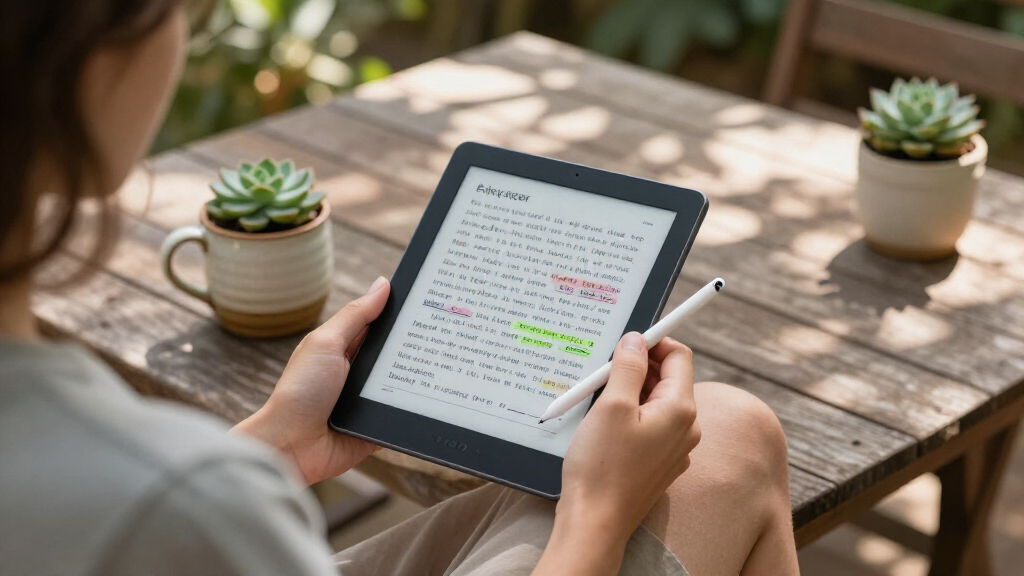
How We Picked
We evaluated these e ink tablets based on several key factors: writing experience, display quality, device durability, battery life, and overall value. Performance in real-world note-taking scenarios was prioritized, along with build quality and ease of use. Devices offering features like stylus responsiveness, screen size options, and additional functionalities such as color or voice transcription were given extra consideration. Our ranking reflects a balance between affordability and premium features, aiming to help a variety of users—from beginners to advanced note-takers—find the best fit for their needs.Factors to Consider When Choosing E Ink Tablet For Notes
Choosing the right e ink tablet for notes involves understanding several important factors. While features like screen size and stylus quality are obvious considerations, other aspects such as device ecosystem, expandability, and software support can significantly influence your experience. Avoid rushing into a purchase without considering these broader factors, as what works well for one user might be a poor fit for another. Balancing what you need now with potential future uses ensures you select a device that remains useful over time.Display Quality and Size
The clarity and size of the display directly impact your note-taking comfort. Larger screens, like 10.3 inches, provide more space for detailed notes but can be less portable. Higher resolution screens make writing more natural and reduce eye strain. When choosing, consider whether you prefer a compact device for portability or a larger screen for precision and ease of reading. Also, note that color options, while enhancing visual notes, typically come with tradeoffs like shorter battery life and higher cost.
Stylus and Writing Experience
The stylus is central to the note-taking experience. Look for pressure sensitivity (ideally 4096 levels), low latency, and good palm rejection. Stylus responsiveness varies across brands, affecting the natural feel of writing or sketching. Some devices come bundled with high-quality styluses, while others require separate purchases. Testing the stylus’s feel and accuracy before buying, if possible, can prevent disappointment later. Remember that a stylus with tilt or shading capabilities can be advantageous for artists or detailed diagrams.
Software Ecosystem and Compatibility
The operating system and app support influence how seamlessly your device integrates into your workflow. Android-based tablets often support a wider range of apps, including cloud storage and note management tools. Firmware updates and software stability also matter, as they affect longevity. For users who prioritize simplicity, a dedicated note app like reMarkable’s interface might be preferable. Compatibility with other devices and cloud services can help you stay organized and transfer notes effortlessly.
Battery Life and Portability
Long battery life extends your productivity sessions without frequent recharging. Devices with e ink screens typically consume less power, but features like front lights or color displays can drain batteries faster. Portability is also key; lighter, thinner models are easier to carry around, making them suitable for on-the-go note-taking. Consider your typical use case—if you plan to use the device in meetings or classrooms, portability should be a priority to avoid adding unnecessary weight to your bag.
Additional Features and Future-Proofing
Features like built-in voice-to-text, multi-language support, or adjustable front lights can enhance your experience. Some tablets include expandable storage, which is useful if you manage large note archives or multimedia files. Evaluate whether you need color support, which can be useful for visual learners or creative work, or if a simple black-and-white display suffices. Investing in a device with future software updates and a strong support ecosystem ensures your device remains useful over time.
Frequently Asked Questions
Can I use an e ink tablet for handwriting and drawing?
Yes, many e ink tablets support handwriting and basic drawing, especially those with pressure-sensitive styluses. Devices like the reMarkable series or BOOX Note Air 5 provide smooth writing experiences suitable for notes, sketches, and diagrams. However, the drawing experience may not match that of traditional tablets with LCD screens, as e ink screens typically have slower refresh rates. For casual sketching or detailed artwork, consider whether the stylus responsiveness and screen refresh rate meet your expectations.
Are color e ink tablets practical for note-taking?
Color e ink tablets add a layer of visual versatility, making them ideal for colorful diagrams or illustrations. However, they often come with shorter battery life and higher prices compared to black-and-white models. If your primary focus is efficient, distraction-free note-taking, a monochrome device may be more practical. Conversely, if you frequently incorporate visual elements or need to differentiate notes with color, investing in a color-capable tablet could be worthwhile despite some compromises.
How important is stylus quality in choosing an e ink tablet?
The stylus quality significantly influences your writing comfort and accuracy. A high-pressure sensitivity (4096 levels) and low latency make writing feel more natural, similar to paper. Some styluses support tilt and shading, which can be beneficial for artists or detailed annotations. Cheaper styluses often lack responsiveness, which can frustrate users who prefer a seamless writing experience. Matching the stylus quality to your specific needs can make a noticeable difference in satisfaction.
Can I use an e ink tablet for reading and annotating PDFs?
Absolutely. Most e ink tablets excel at reading and annotating PDFs and eBooks, thanks to their paper-like screens that reduce eye strain. Devices like the BOOX series or reMarkable support extensive annotation features, including highlighting, writing notes in margins, and bookmarking. These functions make them ideal for students, researchers, or professionals who review large documents. Consider the device’s PDF handling capabilities and whether its software makes annotation quick and intuitive.
Is it worth paying extra for a feature-rich e ink tablet?
It depends on your specific needs. If you require advanced features like color, voice transcription, or extensive storage, paying more can be justified. Premium models often offer better stylus responsiveness, larger screens, and longer battery life, which can improve your note-taking experience. However, if your use is basic—primarily black-and-white notes— a more affordable model might suffice. Balancing your feature requirements against your budget helps determine the best value for your purchase.
Conclusion
For most users, the reMarkable Paper Pro remains the top choice thanks to its natural writing feel and simplicity, making it ideal for serious note-takers. Budget-conscious shoppers should consider the Huion Ink EB1011, which offers a large screen at a lower price. Creative users or those wanting color support might find the BOOX Note Air 5 or Penstar eNote Pro Color worth the investment, despite higher costs. Beginners will appreciate devices with straightforward interfaces, while professionals needing advanced features should look toward premium options like the BOOX Note Air 5 or VIWOODS Carta 1300. Your ideal device depends on your priorities—portability, features, or simplicity—so weigh these factors carefully to find your best fit for notes in 2026.