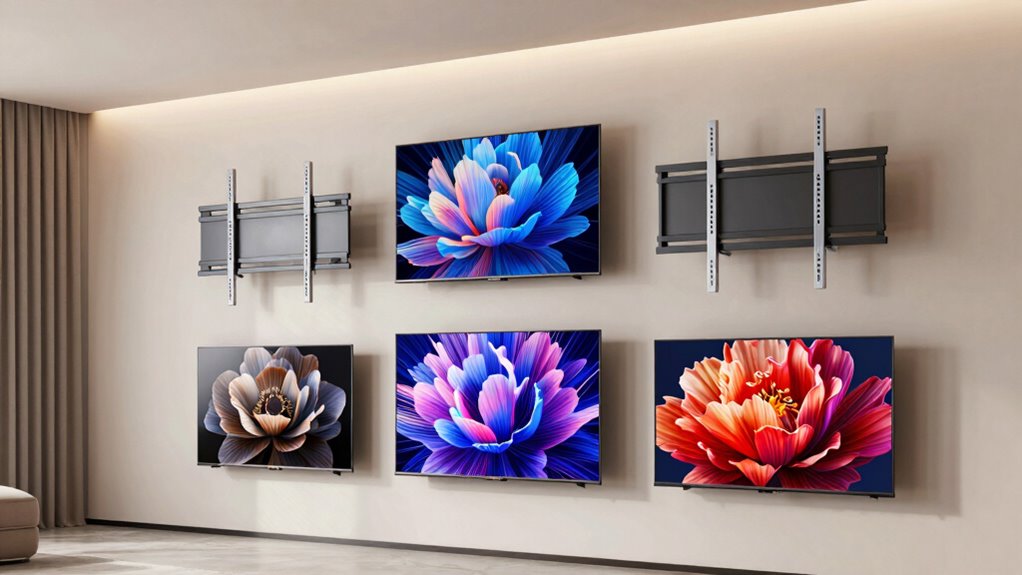
For a full-motion option that spans many screen sizes, I’d start with the Perlegear Full-Motion Mount for 42–97-Inch TVs; its broad fit range makes it the most versatile pick in this group. The monTEK Ultra Slim Mount stands out for buyers who want a closer-to-wall profile, while the USX MOUNT 32–70-Inch model may suit smaller OLED setups. Choosing among these mounts means weighing screen and VESA compatibility, viewing flexibility, wall clearance, and installation demands—not just the largest advertised size. Read on for the full comparison and guidance on matching a mount to your room and TV.

Get the latest gadgets delivered free with Prime
- Fast, free delivery on millions of items
- Prime Video, Amazon Music and more included
- Member-only deals all year
Complete the kit



Key Takeaways
- The Perlegear 42–97-Inch mount has the broadest stated screen-size range, giving it the widest fit potential in this lineup; check your OLED’s weight and VESA pattern before choosing it.
- The monTEK’s ultra-slim design serves a different priority from the full-motion picks: a low-profile look matters most when you do not need frequent angle changes.
- USX MOUNT’s three size ranges create more tailored choices: 32–70, 37–84, and 42–90 inches. A closer size match can help narrow selection, but does not replace checking the mount’s full specifications.
- The 42–90-inch Perlegear and USX MOUNT options overlap substantially, so buyers should compare compatibility details and articulation rather than deciding from screen range alone.
- No single mount is automatically safe for every OLED in its stated size range; TV weight, VESA pattern, wall construction, and installation hardware all affect fit.
| monTEK Ultra Slim Full Motion TV Wall Mount for 43–90-Inch TVs |  | Best Overall for a Slim, Flexible Setup | Compatible TV size: 43–90 inches | Weight capacity: 132 lbs | VESA compatibility: 100 × 200 mm to 600 × 400 mm | VIEW ON AMAZON | See Our Full Breakdown |
| USX MOUNT Full Motion TV Wall Mount for 32–70-Inch TVs |  | Best for Smaller OLEDs | Compatible TV size: 32–70 inches | Maximum TV weight: 99 lbs | VESA compatibility: 75 × 75 mm to 400 × 400 mm | VIEW ON AMAZON | See Our Full Breakdown |
| USX MOUNT Full Motion TV Wall Mount for 42–90-Inch TVs |  | Best for Large TVs and Leveling Adjustments | Listed compatible TV size: 42–90 inches; product information also lists an 84-inch maximum | Weight capacity: 132 lbs | VESA compatibility: 200 × 100 mm to 600 × 400 mm | VIEW ON AMAZON | See Our Full Breakdown |
| Perlegear Full-Motion TV Wall Mount for 42–97-Inch TVs |  | Best for Extra-Large OLEDs | Compatible TV size: 42–97 inches | Maximum load capacity: 132 lbs | VESA compatibility: 200 × 100 mm to 600 × 400 mm | VIEW ON AMAZON | See Our Full Breakdown |
| Perlegear Full Motion TV Wall Mount for 42–90-Inch TVs |  | Best for Flexible Stud Spacing | Compatible TV size: 42–90 inches | Weight capacity: 132 lbs | VESA compatibility: 200 × 100 mm to 600 × 400 mm | VIEW ON AMAZON | See Our Full Breakdown |
| USX MOUNT Full Motion TV Wall Mount for 37–84 Inch TVs |  | Best for Broad TV Compatibility | Compatible TV size: 37–84 inches | Maximum weight capacity: 120 lbs | VESA compatibility: 200×100 to 600×400 mm | VIEW ON AMAZON | See Our Full Breakdown |
| tv wall mounts for oled tv | VESA compatibility | Compatible TV size | Tilt and swivel | Weight capacity |
|---|---|---|---|---|
| monTEK Ultra Slim Full Motion | 100 × 200 mm to 600 × 400 mm | 43–90 inches | +3° / −12° tilt; ±60° swivel | 132 lbs |
| USX MOUNT Full Motion TV Wall | 75 × 75 mm to 400 × 400 mm | 32–70 inches | — | — |
| USX MOUNT Full Motion TV Wall | 200 × 100 mm to 600 × 400 mm | — | +5° / −15° tilt; ±45° swivel | 132 lbs |
| Perlegear Full-Motion TV Wall | 200 × 100 mm to 600 × 400 mm | 42–97 inches | +5° / −15° tilt; ±45° swivel | — |
| Perlegear Full Motion TV Wall | 200 × 100 mm to 600 × 400 mm | 42–90 inches | +5° / −15° tilt; ±50° swivel | 132 lbs |
| USX MOUNT Full Motion TV Wall | 200×100 to 600×400 mm | 37–84 inches | — | — |
More Details on Our Top Picks
monTEK Ultra Slim Full Motion TV Wall Mount for 43–90-Inch TVs
The monTEK is my strongest all-around fit for an OLED owner who wants a mount that can sit close to the wall yet still pull forward for angle changes. Its 1.1-inch retracted depth is slimmer than the USX MOUNT 42–90-inch model’s 2.40 inches, while its 16.5-inch extension gives plenty of reach for repositioning or accessing connections. Tilt, swivel, and post-install leveling also help fine-tune the screen after installation. The broad 43–90-inch range and 132-pound capacity cover many large OLED setups, but the listed swivel range can be limited by screen size. It also requires wood studs, concrete, or brick; drywall alone is not suitable. Choose it over the Perlegear 42–90-inch mount when a closer retracted profile matters most.
Pros:- Retracts to 1.1 inches from the wall for a closer-mounted look.
- Extends 16.5 inches with tilt and swivel adjustments for flexible viewing.
- Supports TVs up to 132 pounds and VESA patterns from 100 × 200 mm to 600 × 400 mm.
- Includes post-install leveling adjustment and cable management.
Cons:- Requires compatible wood studs, concrete, or brick; drywall alone is not supported.
- Maximum swivel depends on the TV’s screen size.
- The 43-inch minimum excludes some smaller OLED televisions.
Best for: OLED owners with a 43–90-inch screen who want full-motion adjustment and a particularly slim retracted profile.
Not ideal for: Renters or other buyers who can only attach a mount to drywall, and owners of TVs outside the supported VESA patterns or weight limit.
- Compatible TV size:43–90 inches
- Weight capacity:132 lbs
- VESA compatibility:100 × 200 mm to 600 × 400 mm
- Wall clearance:1.1 inches
- Maximum extension:16.5 inches
- Tilt and swivel:+3° / −12° tilt; ±60° swivel
- Compatible wall types:16-inch or 18-inch wood studs, concrete, or brick
- Warranty:10 years
Our verdict“Choose the monTEK if a slim wall profile and broad motion adjustment matter more to your OLED setup than drywall-only installation.”
USX MOUNT Full Motion TV Wall Mount for 32–70-Inch TVs
For a smaller OLED, the USX MOUNT XMM908 avoids the oversized reach and capacity of mounts aimed at screens approaching 90 inches. It fits 32–70-inch TVs and extends 13.89 inches, with tilt and swivel for adjusting a screen away from glare or toward a seating spot. Compared with the monTEK, it retracts less tightly at 2.59 inches and has a lower 99-pound capacity, but its smaller-screen fit makes it a more targeted choice for compact living rooms and bedrooms. Cold-rolled steel forms the mount, and the stated wall options include 12- or 16-inch wood studs, concrete, and brick. Buyers should verify the TV’s VESA pattern and weight before ordering; concrete anchors or other screws may need to be sourced separately.
Pros:- Fits smaller TVs from 32 to 70 inches, including compact OLED setups.
- Offers up to 13.89 inches of extension with tilt and swivel adjustments.
- Supports TVs weighing up to 99 pounds.
- Mounts to 12- or 16-inch wood studs, concrete, or brick.
Cons:- Lower weight capacity and smaller screen range than the monTEK and larger Perlegear options.
- Retracted depth of 2.59 inches is not as close to the wall as the monTEK’s 1.1 inches.
- Additional screws or concrete anchors may be needed.
Best for: Owners of 32–70-inch OLED TVs in bedrooms or compact rooms who want tilt, swivel, and extension without a mount sized for very large screens.
Not ideal for: Owners of OLED TVs larger than 70 inches, heavier than 99 pounds, or with VESA patterns outside 75 × 75 mm to 400 × 400 mm.
- Compatible TV size:32–70 inches
- Maximum TV weight:99 lbs
- VESA compatibility:75 × 75 mm to 400 × 400 mm
- Extension range:2.59–13.89 inches
- Tilt range:−12° to +5°
- Material:Cold-rolled steel
- Compatible walls:12- or 16-inch wood studs, concrete, or brick
Our verdict“Pick the XMM908 for a smaller OLED when its 70-inch limit and 99-pound capacity cover your TV and room.”
USX MOUNT Full Motion TV Wall Mount for 42–90-Inch TVs
The XML008-1K-01 is a capable match for a large OLED when post-install leveling and a long extension are priorities. It supports up to 132 pounds, extends 16.49 inches, and offers tilt and swivel; the ±3° leveling adjustment gives some room to straighten the screen after the bracket is mounted. Compared with the monTEK, it retracts farther from the wall at 2.40 inches, but its listed screen-size information is inconsistent: the compatibility field says 42–90 inches while another product field lists a maximum of 84 inches. I would resolve that discrepancy against the TV’s dimensions and VESA pattern before buying. It also differs from the Perlegear PGLF15 by including a bubble level and cable ties, while concrete anchors are not included.
Pros:- Supports TVs up to 132 pounds.
- Extends up to 16.49 inches and offers tilt and swivel movement.
- Provides ±3° post-installation leveling adjustment.
- Includes a bubble level, cable ties, and standard mounting hardware.
Cons:- Product data gives conflicting upper screen-size information: 90 inches in one field and 84 inches in another.
- Concrete anchors are not included.
- Swivel range can depend on the TV.
Best for: Owners of a larger OLED who want a 132-pound-capacity articulating mount with post-install leveling and can verify fit before purchase.
Not ideal for: Buyers who need a clearly stated maximum screen size or plan a concrete installation without sourcing anchors separately.
- Listed compatible TV size:42–90 inches; product information also lists an 84-inch maximum
- Weight capacity:132 lbs
- VESA compatibility:200 × 100 mm to 600 × 400 mm
- Extension and retracted depth:16.49 inches; 2.40 inches
- Tilt and swivel:+5° / −15° tilt; ±45° swivel
- Post-install leveling:±3°
- Maximum wood stud spacing:16 inches
- Included accessories:Bubble level, 3 cable ties, and standard mounting hardware; concrete anchors not included
Our verdict“Consider this USX MOUNT for a large OLED if its fit is confirmed and you value leveling adjustment more than a slim retracted profile.”
Perlegear Full-Motion TV Wall Mount for 42–97-Inch TVs
The PGLF15 is the broadest screen-size match here, with support listed for TVs from 42 to 97 inches and up to 132 pounds. That makes it a useful candidate for an extra-large OLED, where some competing mounts in this roundup stop at 90 inches. Its 16.3-inch extension and tilt and swivel controls give a large screen room to move for seating or access, though it retracts to 2.9 inches—farther out than the monTEK’s notably slim 1.1-inch profile. The mount is UL-listed and includes a drilling template, which can help with planning, but installation still calls for 12- or 16-inch studs, brick, or concrete. It is not for drywall alone, and stud spacing beyond 16 inches may call for an extension bracket.
Pros:- Supports a listed screen range up to 97 inches, the widest in this group.
- Handles TVs up to 132 pounds with tilt, swivel, and extension.
- UL-listed and supplied with installation instructions, hardware, and a drilling template.
- Offers up to 16.3 inches of extension.
Cons:- Cannot be mounted on drywall alone.
- Stud spacing beyond 16 inches may require an extension bracket.
- Its 2.9-inch retracted depth is less slim than the monTEK’s 1.1 inches.
Best for: Owners of extra-large OLED TVs, particularly screens from 91 to 97 inches, who have compatible studs, brick, or concrete.
Not ideal for: Buyers who need drywall-only mounting, have studs spaced more than 16 inches apart without an extension bracket, or prioritize the slimmest wall clearance.
- Compatible TV size:42–97 inches
- Maximum load capacity:132 lbs
- VESA compatibility:200 × 100 mm to 600 × 400 mm
- Extension range:2.9–16.3 inches
- Tilt and swivel:+5° / −15° tilt; ±45° swivel
- Wall plate size:17.1 × 10.6 inches
- Compatible mounting surfaces:12- or 16-inch wood studs, brick, or concrete
- Certification and warranty:UL-listed; 10-year warranty
Our verdict“Choose the PGLF15 when your OLED approaches 97 inches and your wall structure matches its installation requirements.”
Perlegear Full Motion TV Wall Mount for 42–90-Inch TVs
The PGLF8 earns its place for buyers whose framing does not match a standard 12- or 16-inch layout: it lists compatibility with 8-, 12-, or 16-inch stud spacing. For OLED owners who want to adjust the screen after installation, it also includes ±3° leveling, ±50° swivel, tilt, and 16.6 inches of extension. Compared with the PGLF15, it supports a smaller maximum screen size—90 rather than 97 inches—but adds the wider stated swivel and post-install leveling adjustment. Its 3-inch retracted depth is not as close to the wall as the monTEK, and the listed two-year warranty is shorter than the PGLF15’s ten years. Confirm the TV’s VESA pattern, weight, wall type, and stud spacing before choosing it; 24-inch stud spacing needs an extension bracket.
Pros:- Lists compatibility with 8-, 12-, and 16-inch stud spacing.
- Supports TVs up to 132 pounds and VESA patterns up to 600 × 400 mm.
- Combines ±50° swivel, tilt, and ±3° post-install leveling.
- Extends 16.6 inches for repositioning or access.
Cons:- Does not support 24-inch stud spacing without an extension bracket.
- Its 3-inch retracted depth is less slim than the monTEK’s 1.1 inches.
- The listed two-year warranty is shorter than the PGLF15’s ten-year warranty.
Best for: OLED owners with 8-, 12-, or 16-inch stud spacing who want an articulating mount with post-install leveling.
Not ideal for: Owners of TVs larger than 90 inches, buyers with 24-inch stud spacing who do not want an extension bracket, or shoppers seeking a longer listed warranty.
- Compatible TV size:42–90 inches
- Weight capacity:132 lbs
- VESA compatibility:200 × 100 mm to 600 × 400 mm
- Compatible stud spacing:8, 12, or 16 inches
- Extension and retracted depth:16.6 inches; 3 inches
- Tilt and swivel:+5° / −15° tilt; ±50° swivel
- Post-install leveling:±3°
- Certification and warranty:UL-listed; 2-year warranty
Our verdict“Pick the PGLF8 if its 8-, 12-, or 16-inch stud compatibility suits your wall and your OLED fits within its 90-inch limit.”
USX MOUNT Full Motion TV Wall Mount for 37–84 Inch TVs
I’d choose this USX MOUNT when a wide range of TV sizes and mounting patterns matters more than an especially slim profile. Its 37–84-inch fit and VESA support from 200×100 to 600×400 mm cover many OLED setups, while the dual arms provide tilt, swivel, and up to 15.16 inches of extension for adjusting the screen around seating or glare. Compared with the USX MOUNT Full Motion TV Wall Mount for 32–70-Inch TVs, this model accommodates larger screens; the larger 90-inch options in the roundup suit buyers whose OLED is beyond its stated size range. The tradeoff is that the maximum swivel depends on the TV, and concrete anchors are not included. Its ±4° post-install leveling can help correct a slightly crooked screen after mounting, but buyers still need to verify stud placement and TV compatibility.
Pros:- Fits TVs from 37 to 84 inches and supports VESA patterns from 200×100 to 600×400 mm.
- Dual articulating arms offer tilt, swivel, and extension for adjusting viewing position.
- Post-installation leveling allows up to ±4° correction.
- Includes mounting hardware, cable ties, and a bubble level.
Cons:- Maximum swivel angle varies with the TV’s dimensions.
- Concrete anchors are not included.
- Extends up to 15.16 inches from the wall, so it is not a slim-profile choice.
Best for: OLED owners with a 37–84-inch TV who want broad VESA compatibility and flexible viewing adjustments on 12–16-inch wood studs.
Not ideal for: Owners of TVs larger than 84 inches, shoppers mounting into concrete who need included anchors, or buyers seeking a fixed, low-profile mount.
- Compatible TV size:37–84 inches
- Maximum weight capacity:120 lbs
- VESA compatibility:200×100 to 600×400 mm
- Stud spacing:12–16 inches
- Tilt:+5° / −15°
- Swivel:Up to ±45°
- Extension range:2.74–15.16 inches
- Material:Alloy steel
Our verdict“Choose this mount for a broadly compatible 37–84-inch OLED setup with adjustable viewing, but look elsewhere if you need concrete anchors or support for a larger screen.”

How We Picked
I ranked these six mounts around the decisions OLED owners face: whether the mount’s stated screen range fits the TV, whether its design supports the desired viewing position, and how practical it seems for the room and installation. I gave particular weight to usable fit ranges, the difference between an ultra-slim design and a full-motion one, and the flexibility implied by each product’s stated size coverage. Since the supplied product information does not establish every model’s load limit, VESA range, extension, or included hardware, I do not treat those details as verified; buyers should confirm them against the TV and mount manuals.
The Perlegear 42–97-inch model ranks first for range and versatility. The monTEK follows for viewers prioritizing a slim profile, while the smaller USX MOUNT option has a clear role for compact screens. The remaining models offer overlapping size coverage, so they rank behind the picks with a more distinct fit or design advantage. Before purchase, compare full specifications and installation requirements; a broad screen-size claim alone is not a compatibility guarantee.
| tv wall mounts for oled tv | Tilt and swivel |
|---|---|
| monTEK Ultra Slim Full Motion | +3° / −12° tilt; ±60° swivel |
| USX MOUNT Full Motion TV Wall | — |
| USX MOUNT Full Motion TV Wall | +5° / −15° tilt; ±45° swivel |
| Perlegear Full-Motion TV Wall | +5° / −15° tilt; ±45° swivel |
| Perlegear Full Motion TV Wall | +5° / −15° tilt; ±50° swivel |
| USX MOUNT Full Motion TV Wall | — |
Factors to Consider When Choosing Tv Wall Mounts For Oled Tvs
A suitable OLED mount starts with matching the TV and the wall, not picking the mount with the widest screen range. I’d check the model-specific specifications first, then choose the movement and clearance that fit the room. These checks can prevent a mount that technically lists your screen size from being unsuitable for your particular set.
Match VESA Pattern, Weight, and Screen Range
Screen size is a useful first filter, but it does not confirm that the mounting holes line up or that the bracket supports the TV’s weight. Find the OLED’s VESA pattern and weight without its stand in the manufacturer’s specifications, then compare both with the mount’s stated limits. A mount advertised for a 65-inch TV may still be incompatible with a particular 65-inch model. Do not infer load capacity from a broad size range or the apparent heft of the bracket. If any specification is missing or unclear, check the manual or ask the manufacturer before ordering. This extra check matters especially for very large sets, where the cost of a mismatch is high.
Choose Motion for How You Watch
Full-motion mounts can help when seating is off-center, the screen needs to turn toward another area, or glare changes during the day. They also project farther from the wall and add moving joints that need adequate room around the TV. If the screen will face one seating position all the time, a low-profile mount may give a tidier result without paying for movement you rarely use. Before choosing, map the screen’s intended positions and check for nearby cabinets, windows, and doors. A mount that swivels on paper may not move freely once a large TV is close to an obstacle. Prioritize the range of movement you will actually use over the word “full-motion” alone.
Measure Wall Clearance and Cable Access
A slim profile can make an OLED sit close to the wall, but that may leave less room for cable plugs and access behind the set. Full-motion arms create more clearance when extended, yet can look bulky when folded back. Measure from the wall to the TV’s connection points, including the space needed to bend cables without putting strain on the ports. Check whether the TV’s ports face sideways, downward, or straight back, since that affects what clearance is practical. Plan cable routes before drilling; adding a new outlet or hiding cables can change the placement you want. The best fit balances appearance with service access and safe cable bends.
Check Wall Type and Stud Placement
The wall determines where a mount can be safely secured, so locate studs and identify the wall material before settling on a screen position. Stud spacing can limit how far the TV can shift left or right after installation, even when the mount offers lateral adjustment. Do not assume that drywall anchors supplied with a mount are suitable for a heavy OLED installation; follow the mount maker’s wall-specific instructions. Brick, concrete, and metal-stud walls may call for different fasteners or installation methods. If the wall structure is uncertain, get qualified help rather than improvising with hardware. Confirm stud positions alongside viewing height so the final placement works both structurally and ergonomically.
Plan the Installation Around the TV’s Size
Large OLEDs can be awkward to lift and align, even when the mount itself is straightforward. Check whether the installation instructions call for two people and whether the mounting plate can be attached to the TV before lifting it. Make a drilling template or carefully mark the wall only after confirming height, stud locations, and cable paths. Have the needed tools ready, and verify that the mount’s hardware suits both the TV and wall rather than assuming every fastener is interchangeable. After hanging the set, confirm it is secured and level before adjusting its position. For a first-time installer, clear instructions and a manageable TV size can matter more than extra articulation.
Pay for Features That Solve a Real Room Problem
A higher-complexity mount makes sense when it fixes a genuine constraint, such as seating spread across a room or a screen that must turn around a corner. If the TV stays in one place, added extension and swivel range can mean more parts and more setup without a meaningful viewing benefit. A broad screen-size range is helpful when it includes your set, but should not outweigh a missing weight or VESA match. Compare the complete specification sheets, included hardware, adjustment options, and installation instructions before deciding. For an OLED that will remain centered on one wall, simplicity and secure compatibility often matter more than maximum movement. Spend attention—and, where relevant, money—on the features your room will actually use.
Frequently Asked Questions
Can I choose an OLED wall mount using screen size alone?
No. Screen range is only an initial check: your TV’s VESA hole pattern and weight must also fall within the mount’s stated limits. Two OLEDs with the same diagonal measurement can have different mounting layouts and weights. Check the specifications for the exact TV model and the exact mount, not just the product family. If those details do not line up, select another mount even if the screen size is listed.
Is a full-motion mount a good choice for a large OLED?
It can be, if you need to angle the screen for multiple seating positions or to manage changing glare. The larger the TV, the more important it is to check the mount’s weight limit, fit details, and installation instructions rather than relying on its advertised screen range. An extended arm also needs clear space and can make the screen sit farther from the wall. If you rarely adjust the TV, a simpler low-profile option may better suit the room.
Will an ultra-slim mount leave enough space for my OLED’s cables?
That depends on where the TV’s ports sit and how its plugs bend. Measure the depth of connected cables and the clearance needed to avoid pushing them sharply against the wall. A close-to-wall setup can look neat but may make it harder to reach ports or swap devices. Check the mount’s profile and the TV’s connection layout together before choosing it. Right-angle adapters may help in some setups, but confirm that they fit the port and cable requirements.
Should I mount my OLED myself or hire an installer?
A DIY installation may suit someone comfortable locating studs, using the required tools, and lifting the TV safely with help. Large screens can be difficult to align and secure, so follow the manual’s guidance on the number of installers. Wall material, hidden wiring, or uncertain stud placement can make professional installation a safer choice. Do not substitute unapproved anchors or fasteners if the supplied instructions do not match your wall. A careful installation plan is more important than finishing quickly.
Which of these mounts should I choose if my OLED is near the top of its size range?
Do not choose based on diagonal size alone. Check the TV’s weight and VESA pattern against the mount’s exact limits, then confirm that the mount can be installed on your wall as intended. The Perlegear 42–97-inch model has the broadest stated size range in this group, but that does not establish compatibility with every large OLED. Compare full manuals for load limits, bracket fit, and hardware before buying. If any key specification is unavailable, ask the manufacturer or choose a model with clearly documented fit details.
Conclusion
Best overall: I’d choose the Perlegear Full-Motion Mount for 42–97-Inch TVs when broad screen-size coverage is the priority, subject to checking weight and VESA fit. Best value: the USX MOUNT 37–84-Inch model is a practical size-range choice for buyers whose OLED falls within that span and who confirm its full specifications. Best premium-style pick: the monTEK Ultra Slim Mount suits rooms where a close-to-wall appearance matters more than extensive repositioning. Best for beginners: I’d favor whichever of the three USX MOUNT size options matches the TV and has the clearest instructions for the wall and hardware at hand; none should be selected on size alone. For compact OLEDs, consider the USX MOUNT 32–70-Inch model; for a larger set, compare the two 42–90-inch choices and the broader Perlegear range by weight, VESA pattern, and movement needs. The right choice is the one that fits the exact TV and wall—not simply the one with the largest number on its box.
Halloween Picks
halloween
As an affiliate, we earn on qualifying purchases.