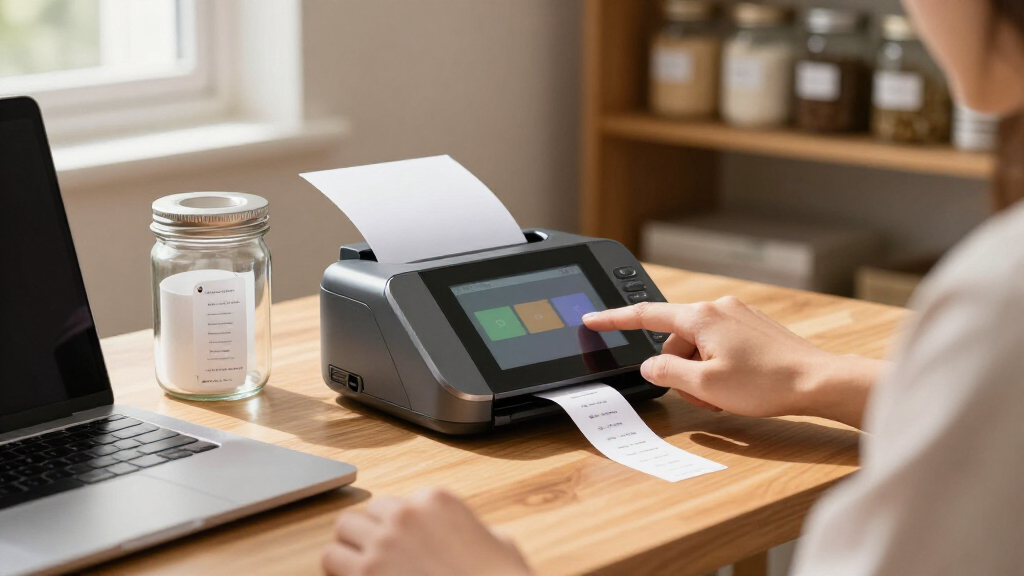
A touchscreen label printer can mean a handheld POS terminal or a desktop shipping printer with on-device controls, so the right choice depends on where labels are made and how much of the workflow should happen at the printer. I’d put the Honeywell PC45D first for buyers seeking a business-focused 4-inch printer with a touchscreen and 300 DPI resolution. The Phomemo 300DPI Wi-Fi is a stronger fit for desktop shipping workflows, while the Symcode Android handheld combines printing with scanning and mobile POS functions. The tradeoffs are portability versus desktop capacity, and dedicated controls versus broader handheld features. Read on for how the ten options compare and which type of buyer each suits.

Get the latest gadgets delivered free with Prime
- Fast, free delivery on millions of items
- Prime Video, Amazon Music and more included
- Member-only deals all year
Complete the kit



Key Takeaways
- The Honeywell PC45D stands apart as the clearly specified business desktop pick, with a 4-inch format, 300 DPI resolution, and touchscreen controls.
- The Phomemo 300DPI Wi-Fi model is the most directly aligned option for desktop 4×6 shipping labels, while the handheld POS devices target mobile checkout and scanning workflows.
- Several Phomemo models add scales or built-in label bins, which may simplify a shipping station, but buyers should distinguish those workflow accessories from print quality or touchscreen capability.
- The Symcode, Bisofice, and 3G handheld listings combine printing with Android, scanning, and mobile connectivity; those extras suit field or counter work but add complexity beyond a dedicated desktop printer.
- The product details vary in specificity: confirm label width, touchscreen functions, device compatibility, and what accessories are included before choosing among similarly named Phomemo models.
| Symcode Android 14 Handheld POS PDA Receipt/Label Printer with 2D Barcode Scanner, NFC Reader, WiFi/GPS/Bluetooth/5G, 6.5″ Touchscreen, 80mm/58mm Labels, 3GB+32GB |  | Best for Mobile Inventory Teams | Operating system: Android 14 | Processor: 8-core T606, 2.0 GHz | Memory and storage: 3 GB RAM, 32 GB internal storage | VIEW LATEST PRICE | See Our Full Breakdown |
| Phomemo Bluetooth Shipping Label Printer 4×6 with Scale |  | Best for Weigh-and-Ship Workflows | Label size: 4 × 6 inches | Scale capacity: 15 kg / 33 lb | Scale accuracy: ±0.1 oz | VIEW LATEST PRICE | See Our Full Breakdown |
| Phomemo Thermal Label Printer with Touchable Screen |  | Best Compact Touchscreen Desktop Pick | Printer type: Thermal, inkless | Print resolution: 203 DPI | Print speed: Up to 72 labels per minute | VIEW LATEST PRICE | See Our Full Breakdown |
| Handheld POS Receipt Printer and 3G PDA Terminal with 5″ Touchscreen, 58mm Thermal Label Printing, 1D/2D Barcode Scanner |  | Best for Basic Mobile POS Tasks | Operating system: Android 8.1 | Display: 5-inch IPS touchscreen | Printer media: 58 × 38mm thermal paper | VIEW LATEST PRICE | See Our Full Breakdown |
| Phomemo Shipping Label Printer with Touchable Screen & Built-in Label Bin |  | Best for Space-Conscious Shipping Desks | Printer type: Thermal, inkless | Display functions: Touchscreen status, reset, last-label reprint, help center | Print resolution: 203 DPI | VIEW LATEST PRICE | See Our Full Breakdown |
| Phomemo Bluetooth Shipping Label Printer with Scale & Built-in Label Bin |  | Best for Weigh-and-Ship Workflows | Scale capacity: Up to 15 kg / 33 lb | Scale accuracy: ±0.1 oz | Supported weight units: lb, oz, g, kg | VIEW LATEST PRICE | See Our Full Breakdown |
| Honeywell PC45D Direct Thermal Label Printer, 4-Inch, 300 DPI, Touchscreen |  | Best for Business Connectivity | Printer type: Direct thermal | Resolution: 300 DPI | Print width: 4 inches | VIEW LATEST PRICE | See Our Full Breakdown |
| Phomemo 300DPI 4″ Touchscreen Wi-Fi 4×6 Thermal Shipping Label Printer |  | Best Overall Touchscreen Label Printer | Resolution: 300 DPI | Print speed: 180 mm/s | Screen: 4-inch 1080P HD touchscreen with stylus | VIEW LATEST PRICE | See Our Full Breakdown |
| Bisofice 4G Handheld PDA POS with Android 13.0, Receipt Printer, 2GB+16GB, 5MP Camera, Barcode Scanner, 5″ Touchscreen, Thermal Label Printing |  | Best for Mobile Scanning and Printing | Operating system: Android 13 | Memory and storage: 2 GB RAM, 16 GB storage | Display: 5.5-inch HD+ touchscreen | VIEW LATEST PRICE | See Our Full Breakdown |
| Phomemo D422S Shipping Label Printer with Scale & Packs of 250pcs 4×6 Thermal Labels |  | Best Starter Bundle | Included labels: 250 4×6 thermal labels | Connectivity: Bluetooth 5.0, USB | Label width: 1 to 4.6 inches | VIEW LATEST PRICE | See Our Full Breakdown |
| touchscreen label printer | Connectivity | Dimensions |
|---|---|---|
| Symcode Android 14 Handheld PO | Dual-band Wi-Fi, Bluetooth, SIM cellular, GPS | 8.6 × 2.2 × 3.25 inches |
| Phomemo Bluetooth Shipping Lab | Bluetooth 5.0, USB | 10 × 8 × 6 inches |
| Phomemo Thermal Label Printer | Bluetooth 5.0, USB | 7.2 × 6.3 × 5.3 inches |
| Handheld POS Receipt Printer a | 3G, WCDMA, Bluetooth 4.0 | — |
| Phomemo Shipping Label Printer | Bluetooth 5.0, USB | 7.2 × 6.3 × 5.3 inches |
| Phomemo Bluetooth Shipping Lab | Bluetooth 5.0, USB | 10 x 8 x 6 inches |
| Honeywell PC45D Direct Thermal | USB, Ethernet, Wi-Fi, Bluetooth | — |
| Phomemo 300DPI 4" Touchscreen | Wi-Fi, AirPrint, Bluetooth, USB | — |
| Bisofice 4G Handheld PDA POS w | — | — |
| Phomemo D422S Shipping Label P | Bluetooth 5.0, USB | 10 x 8 x 6 inches |
More Details on Our Top Picks
Symcode Android 14 Handheld POS PDA Receipt/Label Printer with 2D Barcode Scanner, NFC Reader, WiFi/GPS/Bluetooth/5G, 6.5″ Touchscreen, 80mm/58mm Labels, 3GB+32GB
Touchscreen control, barcode scanning, and label printing come together in this handheld Android terminal, making it better suited to stockroom or retail workflows than a desk-bound printer such as the Phomemo D420D. Its 6.5-inch display and 1D/2D scanner let staff look up items and print labels at the point of work, while cellular, Wi-Fi, Bluetooth, and GPS support flexible deployment. The 58mm and 80mm media options also offer more width choice than the Phomemo desktop models. That mobility comes with a bulkier 8.6-inch body, and the supplied 900-pages-per-minute speed claim is not a dependable basis for planning output. I’d choose it when scanning and on-device operation matter more than a compact footprint or a simple shipping-label workflow.
Pros:- 6.5-inch Android touchscreen supports on-device workflow control
- Built-in scanner reads 1D and 2D barcodes
- Supports 58mm and 80mm media widths
- Wi-Fi, Bluetooth, cellular SIM, and GPS provide flexible connectivity
Cons:- Handheld body is relatively large at 8.6 inches long
- Android 14 terminal functions may add complexity for buyers who only need label printing
- The stated 900-pages-per-minute print speed is implausible for typical thermal printing
Best for: Retail and warehouse teams that need a touchscreen scanner and label printer together while moving between work areas
Not ideal for: Home shippers who mainly print 4×6 labels and want a compact desktop setup with straightforward computer or phone control
- Operating system:Android 14
- Processor:8-core T606, 2.0 GHz
- Memory and storage:3 GB RAM, 32 GB internal storage
- Display:6.5-inch HD+ IPS, 1600 × 720
- Media width:58mm and 80mm; adjustable 2–3 inches
- Scanner:1D and 2D barcode support
- Connectivity:Dual-band Wi-Fi, Bluetooth, SIM cellular, GPS
- Battery:6400 mAh rechargeable lithium
- Dimensions:8.6 × 2.2 × 3.25 inches
Our verdict“Choose the Symcode when a mobile team needs scanning and touchscreen control alongside printing; skip it for a simple shipping-label station.”
Phomemo Bluetooth Shipping Label Printer 4×6 with Scale
An integrated scale and printer make the Phomemo D422S a practical choice for sellers who weigh parcels at the same desk where they print labels. Its scale supports packages up to 33 pounds, and the listing says weight can sync to a phone or computer, reducing manual entry in shipping workflows. Compared with the Phomemo D420D, which emphasizes a touchscreen and built-in label bin, this model puts parcel weighing at the center of its design. It also offers Bluetooth and USB, plus a claimed offline mode for preset templates. The tradeoff is a narrower focus: the D422S is built around 4×6 shipping labels, while the D420D lists widths from 1 to 4.6 inches. Some app-linked functions may also take more setup than a basic printer.
Pros:- Built-in scale handles packages up to 33 pounds
- Bluetooth 5.0 and USB offer wireless and wired connections
- Preset templates are listed for offline printing
- Built-in label bin holds up to 250 4×6 rolls
Cons:- Designed primarily around 4×6 shipping labels
- Some shipping and scale features rely on app setup
- Scale and shipping workflow add functions that may be unnecessary for buyers who only print labels
Best for: Small online sellers who weigh parcels and print 4×6 carrier labels from one workstation
Not ideal for: Buyers who need a touchscreen on the printer itself or routinely print varied narrow label formats
- Label size:4 × 6 inches
- Scale capacity:15 kg / 33 lb
- Scale accuracy:±0.1 oz
- Connectivity:Bluetooth 5.0, USB
- Label bin capacity:Up to 250 4×6 rolls
- Dimensions:10 × 8 × 6 inches
Our verdict“Pick the D422S if parcel weighing and 4×6 label printing belong in one workflow; choose the D420D for its touchscreen-led controls and wider listed label range.”
Phomemo Thermal Label Printer with Touchable Screen
The D420D brings touch controls to a compact desktop printer, with status monitoring, a last-label reprint function, and a help center accessible from its screen. That makes it a more direct fit for the touchscreen label printer brief than the Phomemo D422S with Scale, whose listed controls center on weighing and shipping. Its built-in bin holds up to 250 4×6 rolls, while Bluetooth 5.0 and USB give buyers a choice of connection. The listed 203 DPI resolution and 72-labels-per-minute speed suit routine shipping and barcode tasks. The D420D also supports label widths from 1 to 4.6 inches, giving it more format flexibility than the scale model. Its compact dimensions save desk room, but this is still a computer- or phone-connected desktop workflow rather than a handheld terminal like the Symcode.
Pros:- Touchscreen provides status, reset, and last-label reprint functions
- Compact 7.2 × 6.3 × 5.3-inch body includes a label bin
- Bluetooth 5.0 and USB support wireless or wired printing
- Listed support for label widths from 1 to 4.6 inches
Cons:- Desktop format requires a phone or computer for connected printing
- 203 DPI is a modest resolution for buyers seeking especially fine print detail
- No integrated scale or barcode scanner is listed
Best for: Home businesses and small shipping desks that want on-printer touchscreen status and reprint controls in a compact footprint
Not ideal for: Mobile staff who need printing while scanning inventory away from a desk, or buyers who need a built-in parcel scale
- Printer type:Thermal, inkless
- Print resolution:203 DPI
- Print speed:Up to 72 labels per minute
- Supported label width:1 to 4.6 inches
- Label bin capacity:Up to 250 4×6 roll labels
- Connectivity:Bluetooth 5.0, USB
- Dimensions:7.2 × 6.3 × 5.3 inches
- Compatible systems:Windows, macOS, iOS, Android
Our verdict“Choose the D420D for compact desktop printing with useful touchscreen controls; choose the Symcode if scanning and mobility are central.”
Handheld POS Receipt Printer and 3G PDA Terminal with 5″ Touchscreen, 58mm Thermal Label Printing, 1D/2D Barcode Scanner
A 5-inch touchscreen, barcode scanning, and 58mm printing give this handheld terminal the essentials for simple mobile POS or stock tasks. Its smaller screen and older Android 8.1 system make it a more basic proposition than the Symcode Android 14 terminal, which lists a larger display, a newer operating system, and more connectivity options. The 2MP camera supports 1D/2D scanning, and Bluetooth plus 3G connectivity allow some flexibility away from a fixed workstation. At 58mm wide, its printing is aimed at narrow receipts or labels rather than the 4×6 shipping labels handled by the Phomemo D420D. Buyers should also account for the lack of listed Wi-Fi and the possibility that Android 8.1 may limit compatibility with newer apps. I’d reserve it for workflows that match its narrow media and simpler platform.
Pros:- Built-in 5-inch IPS touchscreen and barcode scanning
- Portable all-in-one terminal with rechargeable battery
- Supports 58mm thermal media without ink or ribbons
Cons:- Android 8.1 may not support some newer apps
- No Wi-Fi connection is listed
- 58mm print width does not suit standard 4×6 shipping labels
Best for: Small retailers or service teams needing a compact touchscreen terminal for basic scanning and narrow thermal receipts or labels
Not ideal for: Shipping sellers who need 4×6 labels, newer Android app support, or listed Wi-Fi connectivity
- Operating system:Android 8.1
- Display:5-inch IPS touchscreen
- Printer media:58 × 38mm thermal paper
- Print width:58mm
- Barcode scanning:1D and 2D
- Camera:2MP
- Connectivity:3G, WCDMA, Bluetooth 4.0
- Battery:2550 mAh rechargeable
Our verdict“Choose this terminal for basic mobile POS tasks using narrow media; the Symcode is the stronger fit for teams needing a newer platform and broader connectivity.”
Phomemo Shipping Label Printer with Touchable Screen & Built-in Label Bin
Touchscreen controls and an integrated label bin make this Phomemo a tidy choice for a crowded shipping desk. Its D420D feature set includes on-device status, last-label reprinting, and a help center, while the built-in bin stores up to 250 4×6 rolls. Compared with the Phomemo D422S with Scale, it gives up integrated parcel weighing in favor of a smaller listed 7.2 × 6.3 × 5.3-inch footprint and support for label widths from 1 to 4.6 inches. Bluetooth 5.0 and USB cover common desktop connections, and the listed 203 DPI resolution targets everyday shipping and barcode labels. This product overlaps heavily with the other Phomemo D420D listing in this batch, so I’d treat their stated capabilities as alike rather than choosing between them on features. It remains a desktop printer, not a mobile touchscreen terminal.
Pros:- Touchscreen includes status and last-label reprint functions
- Built-in bin holds up to 250 4×6 roll labels
- Small listed footprint suits crowded work surfaces
- Bluetooth 5.0 and USB provide connection options
Cons:- No integrated parcel scale is listed
- The touchscreen does not make this a handheld or mobile printer
- 203 DPI may not suit buyers who prioritize finer print detail
Best for: Small sellers with limited desk space who want touchscreen status and an enclosed roll supply for routine shipping
Not ideal for: Teams that need a built-in scale, handheld scanning, or a printer designed for mobile use
- Printer type:Thermal, inkless
- Display functions:Touchscreen status, reset, last-label reprint, help center
- Print resolution:203 DPI
- Print speed:Up to 72 labels per minute
- Supported label width:1 to 4.6 inches
- Label bin capacity:Up to 250 4×6 labels
- Connectivity:Bluetooth 5.0, USB
- Dimensions:7.2 × 6.3 × 5.3 inches
Our verdict“Pick this Phomemo for a compact, touchscreen-controlled shipping station; opt for the D422S if weighing parcels at the printer is more useful.”
Phomemo Bluetooth Shipping Label Printer with Scale & Built-in Label Bin
The D422S pairs a shipping scale with a thermal label printer, so a small seller can weigh a parcel and send its weight to a phone or computer without typing it in. That makes it a more shipping-focused pick than the touchscreen Phomemo PM643, which puts on-device previews and template editing first. Its built-in bin and offline logo templates also help keep a compact packing station tidy and usable when a phone is out of reach. The tradeoff is that its offline printing is limited to preset logos; it does not offer the PM643’s touchscreen editing or stored shipping-label templates. Buyers also need the Labelife app to access ShipCheer’s carrier comparison feature. I’d choose this model for streamlined parcel prep, rather than hands-on label design.
Pros:- Integrated scale supports tare and multiple weight units up to 33 lb
- Weight sync to a phone or computer reduces manual entry
- Built-in telescopic bin holds up to 250 4×6 labels
- Bluetooth and USB connectivity support mobile and computer setups
Cons:- Offline printing is limited to preset logo templates
- ShipCheer carrier comparisons require the Labelife app
- No touchscreen editing or on-screen label preview is listed
Best for: Small online sellers who weigh parcels at the packing desk and want weight transfer plus a built-in label bin.
Not ideal for: Buyers who want to preview or edit shipping labels directly on a touchscreen, or need standalone printing beyond preset logos.
- Scale capacity:Up to 15 kg / 33 lb
- Scale accuracy:±0.1 oz
- Supported weight units:lb, oz, g, kg
- Connectivity:Bluetooth 5.0, USB
- Label width:1 to 4.6 inches
- Built-in label bin:Holds up to 250 4×6 labels
- Dimensions:10 x 8 x 6 inches
Our verdict“Choose the D422S if weighing parcels and printing labels at one compact station matters more than touchscreen label editing.”
Honeywell PC45D Direct Thermal Label Printer, 4-Inch, 300 DPI, Touchscreen
The PC45D suits a business that needs a label printer to fit into an existing wired or wireless setup. Its USB, Ethernet, Wi-Fi, and Bluetooth options offer more deployment flexibility than the Phomemo D422S, which lists Bluetooth and USB. The 300 DPI output can help keep small text and barcodes legible, while the LCD and real-time clock support printer management and time-stamped labels. Its touchscreen credentials are less specific than the PM643’s: the supplied product details mention an LCD, but do not describe touchscreen controls or label editing on the device. Print speed and volume capacity are also not provided, so I’d be cautious about choosing it for a high-throughput operation without confirming those needs. It makes most sense where connectivity and clear output matter more than a documented standalone touchscreen workflow.
Pros:- 300 DPI resolution supports clear barcodes and detailed graphics
- USB, Ethernet, Wi-Fi, and Bluetooth offer flexible placement
- LCD provides a local printer management display
- Real-time clock supports time-stamped labels
Cons:- The listed LCD is not described as a touchscreen
- Print speed and volume capacity are not specified
- Multiple connection options may add setup complexity for less technical users
Best for: Retail, inventory, or logistics teams that need 4-inch direct thermal printing across several network connection types.
Not ideal for: Buyers who require confirmed touchscreen label editing, known print throughput, or a printer for a high-volume workflow.
- Printer type:Direct thermal
- Resolution:300 DPI
- Print width:4 inches
- Connectivity:USB, Ethernet, Wi-Fi, Bluetooth
- Display:LCD
- Timekeeping:Real-time clock (RTC)
Our verdict“Pick the PC45D when business connectivity and 300 DPI output lead your checklist, after confirming its controls and throughput fit your workflow.”
Phomemo 300DPI 4″ Touchscreen Wi-Fi 4×6 Thermal Shipping Label Printer
The PM643 is the clearest fit for a roundup centered on touchscreen label printers: its 4-inch screen and stylus support on-device preview, editing, and drawing, and it can save eight templates for offline use. Compared with the Phomemo D422S with scale, it gives up integrated parcel weighing but offers much more control over label content without returning to a phone or computer. A 300 DPI print head and 180 mm/s speed also suit sellers handling detailed barcodes and batches. AirPrint, Bluetooth, and USB broaden device support, while calibration aims to reduce alignment errors. The compromises are its app-dependent template uploads and a more feature-heavy setup than a basic shipping printer. I’d favor it when touchscreen control is the reason to buy; sellers who only need quick parcel labels may not use its extra tools.
Pros:- Touchscreen and stylus support label preview, editing, and drawing
- Stores up to eight templates for offline printing
- 300 DPI resolution and 180 mm/s speed support detailed, faster batch output
- AirPrint, Bluetooth, and USB work across a broad range of devices
Cons:- Template uploads require the Labelife app
- No integrated shipping scale is listed
- Touchscreen features may be unnecessary for buyers printing only standard labels
Best for: Online sellers who want to preview, edit, and reuse shipping or product-label templates directly from a touchscreen.
Not ideal for: Occasional shippers who want a simple printer with an integrated scale, or buyers who do not want to prepare templates through an app.
- Resolution:300 DPI
- Print speed:180 mm/s
- Screen:4-inch 1080P HD touchscreen with stylus
- Connectivity:Wi-Fi, AirPrint, Bluetooth, USB
- Label width:1 to 4.6 inches
- Flash reprint:Up to 255 copies
- Local template storage:Up to 8 templates
- Compatible devices:iPhone, iPad, Mac, Android, Windows, Chromebook, Linux
Our verdict“Choose the PM643 if direct touchscreen control and reusable offline templates matter more than integrated parcel weighing.”
Bisofice 4G Handheld PDA POS with Android 13.0, Receipt Printer, 2GB+16GB, 5MP Camera, Barcode Scanner, 5″ Touchscreen, Thermal Label Printing
The Bisofice H10S combines a touchscreen Android handheld, barcode scanner, camera, and 58 mm thermal printer in one portable device. That makes it a different kind of label option from the desktop Phomemo PM643: the PM643 is built around wide shipping labels and template control, while the H10S is aimed at scanning and printing during warehouse or field work. Its 4G, Wi-Fi, Bluetooth, and GPS support connected workflows away from a fixed desk. The tradeoff is a narrower 58 mm printer, which is not a substitute for a 4-inch shipping-label machine, and the listed 203 dpi resolution is lower than the PM643’s 300 dpi. Its 2 GB RAM and 16 GB storage also call for modest app expectations. I’d choose it for mobile operations where scanning comes first.
Pros:- Combines 1D and 2D barcode scanning with thermal printing
- 4G, Wi-Fi, Bluetooth, and GPS support mobile workflows
- Touchscreen Android device includes a 5MP autofocus camera
- Rechargeable 3000mAh battery supports portable use
Cons:- 58 mm print width is much narrower than desktop 4-inch shipping-label printers
- 203 dpi resolution is below the Phomemo PM643’s 300 dpi
- 2 GB RAM and 16 GB storage may constrain demanding apps or stored files
Best for: Warehouse and logistics workers who need to scan barcodes and print narrow labels or receipts while moving through a site.
Not ideal for: E-commerce sellers printing standard 4×6 parcel labels, or teams needing a dedicated desktop label printer with detailed template controls.
- Operating system:Android 13
- Memory and storage:2 GB RAM, 16 GB storage
- Display:5.5-inch HD+ touchscreen
- Barcode recognition:1D and 2D
- Network support:4G, 3G, 2G, Wi-Fi, Bluetooth, GPS
- Printer:Thermal, 58 mm width
- Print resolution:203 dpi
- Battery:3000 mAh rechargeable lithium
Our verdict“Choose the H10S for mobile barcode scanning and narrow-format printing, not for routine 4×6 shipping labels.”
Phomemo D422S Shipping Label Printer with Scale & Packs of 250pcs 4×6 Thermal Labels
This D422S bundle pairs the scale-equipped Phomemo printer with 250 4×6 thermal labels, giving a new shipping station labels to start with. Its appeal is practical: the built-in bin, offline preset logos, Bluetooth 5.0, and USB make it a compact desktop choice for small sellers. Compared with the touchscreen PM643, this version centers on weighing parcels and straightforward label output rather than on-screen preview or template editing. The supplied details do not list the scale’s capacity or accuracy for this bundle, so buyers should confirm those specifications before relying on it for precise postage workflows. The included labels are a useful convenience, though they do not change the printer’s limited offline template functions. I’d pick it when a ready-to-start label supply matters more than touchscreen controls.
Pros:- Includes 250 4×6 thermal labels to start printing
- Built-in telescopic bin holds up to 250 4×6 labels
- Offline preset logo printing works without a phone or computer
- Bluetooth 5.0 and USB offer wireless and wired setup options
Cons:- Scale capacity and accuracy are not specified in the supplied product details
- Offline printing is limited to preset logos
- Does not list the PM643’s touchscreen preview and editing features
Best for: New small sellers setting up a compact packing desk who want a D422S printer and a starter supply of 4×6 labels.
Not ideal for: Buyers who need confirmed scale performance, touchscreen label editing, or broad offline template storage.
- Included labels:250 4×6 thermal labels
- Connectivity:Bluetooth 5.0, USB
- Label width:1 to 4.6 inches
- Built-in label bin:Holds up to 250 4×6 labels
- Dimensions:10 x 8 x 6 inches
- Offline printing:Over 20 preset logo templates
Our verdict“Choose this bundle for a compact D422S setup with labels included, after confirming the scale specifications meet your shipping needs.”
How We Picked
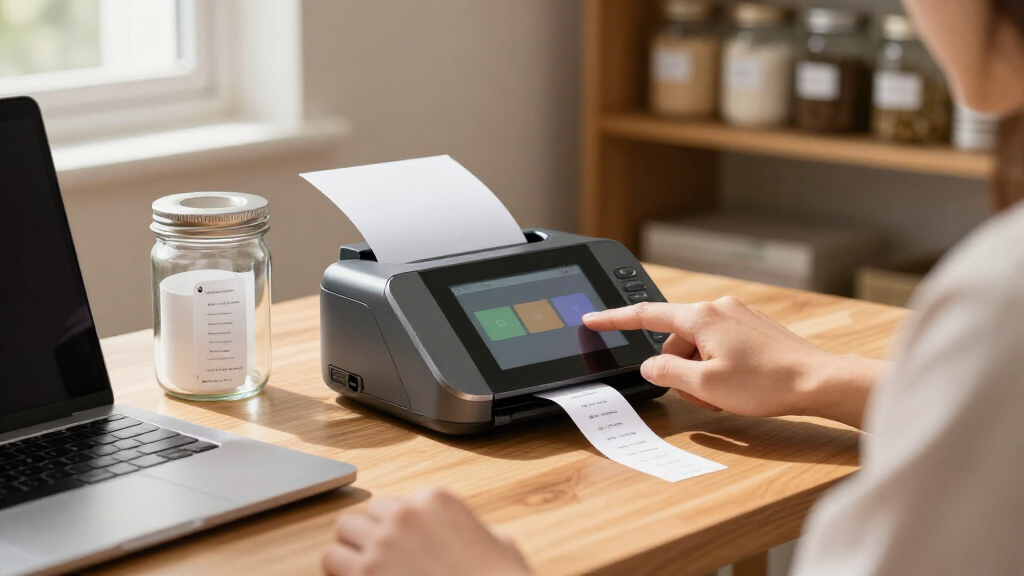
I ranked these options by how directly their described touchscreen setup supports a real labeling workflow. The main criteria were touchscreen presence and purpose, label size and resolution where specified, printing context, connectivity, and useful extras such as a scale, label bin, or barcode scanner. A clear match to the product promise counted more than a long feature list: a 4-inch desktop printer suited to shipping labels serves a different buyer than a handheld POS terminal that also prints receipts.
The Honeywell PC45D leads for its business-oriented desktop format and stated 300 DPI resolution. The Phomemo 300DPI Wi-Fi model follows for a focused 4×6 shipping setup, while handheld units rank according to how much their scanning and mobile functions matter to the target buyer. Scale and label-bin variants may be convenient, but I treated those as workflow benefits rather than proof of better printing. Where listings provide limited detail, I avoid assuming compatibility, speed, or touchscreen features beyond what is stated.
Factors to Consider When Choosing Touchscreen Label Printer
Before choosing a model, decide what the touchscreen needs to control and where printing happens. The label printer category here spans desktop shipping stations and handheld POS devices, and their specifications do not map neatly onto one another.
Choose the workflow before the device
Start by mapping the steps between creating a label and applying it. A desktop printer suits a fixed packing bench where labels are created on another device and printed in batches. A handheld POS unit makes more sense when staff need to scan items, take the printer to stock, or handle receipts at a counter. Avoid buying a handheld just because it has more features if labels will always be printed beside a computer. Likewise, a desktop model may slow a mobile operation that needs scanning and printing at the point of sale. The best fit is the one that removes steps from your actual routine.
Check what the touchscreen actually controls
A touchscreen can serve as a control panel, part of an Android handheld interface, or a way to operate a POS workflow; those roles are not interchangeable. Before buying, look for details on whether it can select label settings, manage jobs, or run the apps you need. Do not assume that a screen means labels can be designed directly on the printer. For handheld terminals, check the operating system and confirm the software you rely on supports it. For desktop printers, consider whether touch controls reduce setup friction or whether most work still happens in your shipping software. A clear description of screen functions is more useful than screen size alone.
Match label width and resolution to the job
Confirm the printer accepts the label dimensions your carrier, marketplace, or inventory system requires. A listing that mentions 58mm or 80mm media describes a different use case from a 4×6 shipping-label printer. Resolution matters when small text, dense barcodes, or fine graphics need to remain legible, but it should be considered alongside label size and software output. Buyers often focus on a high DPI figure and overlook whether the device handles their required width. Check supported media and print settings against a sample label from your workflow before committing. If the listing leaves a key dimension unclear, treat that as an open compatibility question.
Treat connectivity as a workflow requirement
Decide which device will send print jobs and how it will connect. Bluetooth can suit a nearby phone or tablet, while Wi-Fi may fit a shared shipping area with several connected devices. Handheld models list broader mobile connections, but the presence of Wi-Fi, cellular, or Bluetooth does not confirm support for a particular platform or app. Check the printer’s compatibility with your computer, phone, shipping service, and label software. A frequent mistake is to compare connection types without checking whether the full software path works. Prioritize a connection you can maintain reliably over a longer list of radios.
Weigh accessories against ongoing use
A built-in scale can keep weighing near the label-printing step, and a label bin can help organize media at a packing station. These additions may save handling time, but their value depends on how often you ship and whether you already own equivalent equipment. Verify the scale’s role in your workflow and whether the printer software can use its readings as needed. Check what labels or other supplies are included, since bundle contents can differ between models with similar names. Consider how media is loaded and stored, especially if the printer will sit in a busy workspace. Pay more for an accessory when it removes a repeated task, not simply because it appears in the product title.
Frequently Asked Questions
Do all touchscreen label printers let me create labels on the printer itself?
No. A touchscreen may provide device controls, support a handheld POS interface, or give access to software, depending on the model. The product descriptions do not establish that every printer can design labels without a phone or computer. Check whether the screen can create or edit a label, or only manage printer settings and jobs. If standalone label creation is a requirement, confirm it in the manufacturer documentation before buying.
Should I choose a handheld POS printer or a desktop shipping printer?
Choose based on where the work happens. A handheld POS device is a better match when staff need to scan items and print receipts or labels away from a fixed station. A desktop shipping printer is better suited to a dedicated packing area and routine 4×6 label jobs. Handheld systems bring more functions to manage, while desktops keep the setup focused on printing. Consider who will use the device and whether mobility removes a real step in the process.
Is 300 DPI necessary for 4×6 shipping labels?
Not for every shipping workflow, but higher resolution can help when a label contains small text or detailed graphics. The Honeywell PC45D and one Phomemo Wi-Fi model list 300 DPI, while the provided details do not give the same resolution for every option. Make sure label dimensions and software compatibility fit first; resolution cannot fix a mismatch in media size or print workflow. If your labels have dense barcodes, check sample output or manufacturer guidance for the scanning conditions you expect. Avoid paying for a specification without a clear need.
What should I verify before buying a printer with a built-in scale?
Check whether the scale is intended to measure the packages you ship and whether its readings can be used by your shipping software. Confirm how the scale connects to the printing workflow instead of assuming that an included scale automatically fills in postage details. Compare the bundle contents with your existing setup, including whether labels are included and how the bin holds media. A built-in scale is most useful when it reduces repeated weighing and data entry. If you rarely weigh parcels at the printer, a simpler model may be easier to fit into your station.
Can I use a printer listed for shipping labels for inventory or retail labels too?
Possibly, but confirm the supported media widths, label lengths, and software options before relying on it for another job. A 4×6 desktop printer and a handheld device listing 58mm or 80mm media point to different label formats. Barcode scanning on a handheld terminal may help with retail tasks, but it does not confirm that its printer supports every inventory label stock. Check the label templates and application compatibility for each use. If one device must cover several workflows, prioritize the least flexible requirement first.
Conclusion
For a fixed business labeling station, I’d choose the Honeywell PC45D as best overall based on its specified 4-inch, 300 DPI format and touchscreen. The Phomemo 300DPI Wi-Fi is my best value-style fit for buyers focused on desktop 4×6 shipping, while the Honeywell is the stronger premium-oriented choice for a more clearly specified business printer. For beginners setting up a shipping bench, a Phomemo model with a built-in label bin may make media handling simpler, provided its connectivity and label format match their setup. Choose the Symcode Android handheld for mobile POS and scanning needs; consider the scale-equipped Phomemo variants when weighing parcels is part of the same routine. Before ordering, verify software compatibility, supported label dimensions, screen functions, and included accessories for the exact model.
Fall Picks
fall essentials
As an affiliate, we earn on qualifying purchases.