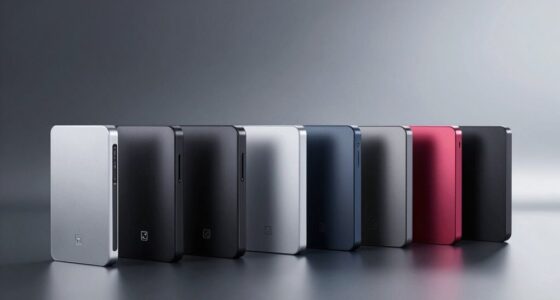
Phone cooling pads can help manage heat during long gaming or streaming sessions, but the right choice depends on how you attach and power the cooler. I rank the Black Shark Magnetic Phone Cooler 6 Pro as the best overall for buyers who want a magnetic design with a smart display, while the NEVEIKA Plug-In Phone Cooler stands out for dual semiconductor cooling and the Jremreo Clip-On Phone Cooler for adjustable fan speeds and a display. The main tradeoffs are magnetic fit versus clip-on flexibility, cooling hardware versus portability, and plug-in power versus a rechargeable battery. Some options use liquid cooling or a vapor chamber, while others rely on a fan or a reusable pad, so the category covers very different needs. Read on for the full breakdown and help matching a cooler to your phone and routine.

Get the latest gadgets delivered free with Prime
- Fast, free delivery on millions of items
- Prime Video, Amazon Music and more included
- Member-only deals all year
Complete the kit



Key Takeaways
The Black Shark Magnetic Phone Cooler 6 Pro leads this lineup for buyers who want magnetic attachment and a smart display in one gaming-focused device.
The NEVEIKA Plug-In Phone Cooler and the 50W Magnetic Liquid-Cooled Phone Cooler put more emphasis on powered cooling, with the tradeoff of needing a nearby power source.
The Jremreo Clip-On Phone Cooler suits phones or cases that may not work well with magnetic attachment, while its three-speed fan gives users a way to adjust airflow.
Rechargeable and USB-C models add flexibility for mobile sessions, but buyers should weigh that convenience against the need to recharge or remain tethered.
The Reusable Phone Cooling Pad and low-noise portable pad favor simple, passive use; they do not offer the active cooling controls or attachment style of the gaming coolers.
| Rechargeable Magnetic Phone Cooler with Battery and RGB Lighting |  | Best for Cordless Gaming | Battery capacity: 2500 mAh | Battery life: Up to 2 hours per charge | Cooling modes: AI, P1, P2, P3 | VIEW ON AMAZON | See Our Full Breakdown |
| 50W Magnetic Liquid-Cooled Phone Cooler for Gaming and Streaming |  | Best for High-Power Cooling | Wattage: 50 W | Cooling method: Liquid | Noise level: 31 dB | VIEW ON AMAZON | See Our Full Breakdown |
| Phone Cooler – Magnetic Cell Phone Cooler with RGB Light |  | Best for Simple USB-C Setup | Model: K51 | Cooling method: Air and TEC semiconductor active cooling | Wattage: 10 W | VIEW ON AMAZON | See Our Full Breakdown |
| Black Shark FunCooler 5 Magnetic Phone Cooler with RGB Light |  | Best for Quiet Magnetic Cooling | Model: BR50 | Wattage: 20 W | Cooling method: Air cooling with Peltier element | VIEW ON AMAZON | See Our Full Breakdown |
| Phone Cooling Pad with Vapor Chamber Technology |  | Best for a Slim Passive Pad | Model: VC01 | Manufacturer: MEMO | Cooling technology: Vapor chamber | VIEW ON AMAZON | See Our Full Breakdown |
| Reusable Phone Cooling Pad |  | Best Compact Cooling Pad | Cooling material: Phase-change material | Cooling time: 10 minutes | Reusable: Yes | VIEW ON AMAZON | See Our Full Breakdown |
| Cyberix Magnetic Phone Cooler with USB-C for Gaming and Streaming |  | Best for Quiet, Flexible Attachment | Brand and model: Cyberix F29 | Power connector: USB-C | Voltage: 5 V | VIEW ON AMAZON | See Our Full Breakdown |
| Jremreo Clip-On Phone Cooler with RGB Display and Three-Speed Fan |  | Best for Beginners | Brand and model: Jremreo SRQ-03 | Cooling modes: 3 fan speeds | Phone compatibility: Smartphones up to 3.54 inches wide | VIEW ON AMAZON | See Our Full Breakdown |
| Black Shark Magnetic Phone Cooler 6 Pro with Smart Display |  | Best Premium Feature Set | Cooling power: Up to 35 W | Cooling temperature: As low as -13°F (-25°C) | Cooling drop: Up to 122°F (50°C) | VIEW ON AMAZON | See Our Full Breakdown |
| Phone Cooler for Gaming, Magnetic Cell Phone Cooler for iPhone |  | Best for High-Power Cooling | Power: 50 W | Cooling method: Liquid cooling and fan | Compatible devices: Smartphone, Switch, tablet, iPad, iPhone | VIEW ON AMAZON | See Our Full Breakdown |
| CHONCHOW Magnetic Phone Cooler with RGB Lights and Digital Temperature Display |  | Best for Adjustable Cooling | Brand: CHONCHOW | Power connector: USB-C | Cooling method: Air, wired | VIEW ON AMAZON | See Our Full Breakdown |
| NEVEIKA Plug-In Phone Cooler with Dual Semiconductor Cooling |  | Best for Sustained Gaming Sessions | Brand: NEVEIKA | Model: AH-102 | Phone width compatibility: 6–7.5 cm | VIEW ON AMAZON | See Our Full Breakdown |
| Portable USB Phone Cooling Pad with Low-Noise Cooling and Non-Slip Surface |  | Best for Simple Desk Use | Brand: Fclvd | Model: Y02 | Cooling method: Air | VIEW ON AMAZON | See Our Full Breakdown |
| phone cooling pad | Cooling method | Noise level |
|---|---|---|
| Rechargeable Magnetic Phone Co | — | As low as 25 dB |
| 50W Magnetic Liquid-Cooled Pho | Liquid | 31 dB |
| Phone Cooler | Air and TEC semiconductor active cooling | 40 dB |
| Black Shark FunCooler 5 Magnet | Air cooling with Peltier element | 30 dB |
| Phone Cooling Pad with Vapor C | — | — |
| Reusable Phone Cooling Pad | — | — |
| Cyberix Magnetic Phone Cooler | Air | 25 dB |
| Jremreo Clip-On Phone Cooler w | Air | — |
| Black Shark Magnetic Phone Coo | — | — |
| Phone Cooler for Gaming | Liquid cooling and fan | 31 dB |
| CHONCHOW Magnetic Phone Cooler | Air, wired | — |
| NEVEIKA Plug-In Phone Cooler w | Semiconductor and air cooling | — |
| Portable USB Phone Cooling Pad | Air | ≤25 dB |
More Details on Our Top Picks
Rechargeable Magnetic Phone Cooler with Battery and RGB Lighting
The detachable 2500 mAh battery makes this the clearest choice for phone cooling away from a desk. You can move between gaming, video calls, and recording without keeping the cooler plugged in, while the digital display shows temperature and remaining battery. Its four modes, including AI temperature control, offer more adjustment than the simpler USB-powered K51. That flexibility comes with a runtime limit: the battery lasts up to two hours, so longer sessions call for a power source. Magnetic attachment suits MagSafe iPhones; other devices need the included ring and clip. I’d choose it for short, mobile sessions, but skip it if you need continuous cooling or want a setup with fewer attachment steps.
Pros:- Detachable battery enables cordless use
- Four cooling modes include AI temperature control
- Display shows mode, battery percentage, and temperature
- Works with MagSafe iPhones and other devices using the included accessories
Cons:- Battery lasts up to two hours per charge
- Non-magnetic phones need the included ring and clip
Best for: Phone gamers and streamers who need cooling during short sessions away from an outlet
Not ideal for: People who play for several hours at a time or want a cooler that stays powered without battery recharging
- Battery capacity:2500 mAh
- Battery life:Up to 2 hours per charge
- Cooling modes:AI, P1, P2, P3
- Noise level:As low as 25 dB
- Temperature control:AI temperature control
- Display:Digital display for mode, battery percentage, and temperature
- Compatibility:MagSafe iPhones; other phones and tablets with included magnetic ring and clip; Nintendo Switch and laptops
Our verdict“Choose this for short cordless gaming sessions; choose a continuously USB-powered cooler for longer play.”
50W Magnetic Liquid-Cooled Phone Cooler for Gaming and Streaming
With 50W liquid cooling and a maximum speed of 6000 rpm, this model is aimed at demanding gaming or recording sessions where rapid heat removal matters more than cordless use. Its 2.1-meter cable gives more room to position a phone while connected, and the listed 31 dB noise level keeps it relatively restrained for a powered cooler. Compared with the rechargeable Magnetic Phone Cooler, this one trades mobility for higher stated power and a longer cable; it has no built-in battery and needs an external power source. The product details give less information about long-term durability, and quick cooling may not mean sustained cooling in every setup. I’d pick it for a powered desk session, but its unusually tiny listed dimensions make fit worth checking before buying.
Pros:- 50W liquid cooling is aimed at rapid heat removal
- 2.1-meter cable allows flexible placement near a power source
- Listed noise level is 31 dB
- Compatible with smartphones, tablets, and iPads
Cons:- Requires an external power source
- Limited product information about durability and long-term performance
- Cooling coverage may not remain effective for every session
Best for: Mobile gamers and streamers who play near an outlet and prioritize high stated cooling power
Not ideal for: Travelers who need cordless operation or buyers who want clearly documented dimensions and durability details
- Wattage:50 W
- Cooling method:Liquid
- Noise level:31 dB
- Maximum rotational speed:6000 rpm
- Cable length:2.1 m
- Voltage:100 V
- Weight:68 g
- Compatible devices:Smartphones, iPads, and tablets
Our verdict“Pick this for high-power cooling at a powered gaming setup, and favor the rechargeable model if you need mobility.”
Phone Cooler – Magnetic Cell Phone Cooler with RGB Light
The K51 keeps its setup straightforward: connect its 10W TEC cooler to a 5V/3A USB-C charger, choose among three speed modes, and attach it to the phone. That battery-free design avoids the runtime limit of the rechargeable Magnetic Phone Cooler, though it ties play to a cable and nearby power. Its 2.4-inch cooling plate is compact, and the listed 40 dB noise level is higher than the Black Shark FunCooler 5’s 30 dB, a difference that may matter in a quiet room. Magnetic fit is intended for MagSafe iPhone 12–16 models; other phones need the clip accessory. I’d favor it for a simple powered setup, but its lower stated wattage and noise level make it less suited to buyers seeking stronger, quieter cooling.
Pros:- TEC semiconductor cooling actively lowers device temperature
- Three speed modes provide basic cooling adjustment
- USB-C power avoids battery runtime limits
- Compact 2.4-inch dimensions fit a small phone setup
Cons:- Requires a USB power source, limiting portability
- Listed noise level reaches 40 dB
- Other phones need the clip accessory for attachment
Best for: MagSafe iPhone owners who want a compact, battery-free cooler with straightforward USB-C power
Not ideal for: People seeking cordless use, very quiet operation, or a magnetic fit for a non-MagSafe phone without an accessory
- Model:K51
- Cooling method:Air and TEC semiconductor active cooling
- Wattage:10 W
- Voltage:5 V DC
- Power connector:Type-C cable
- Noise level:40 dB
- Maximum rotational speed:5700 rpm
- Dimensions:2.4 × 2.4 × 1.02 in
- Weight:2.56 oz
Our verdict“Choose the K51 for compact USB-C cooling on a MagSafe iPhone; the quieter FunCooler 5 suits noise-sensitive setups better.”
Black Shark FunCooler 5 Magnetic Phone Cooler with RGB Light
The FunCooler 5 pairs 20W Peltier cooling with a 12 N magnetic hold, giving it a stronger stated cooling setup than the 10W K51 and a secure attachment for compatible phones. Its listed 30 dB silent mode also makes it the more appealing option for play near other people or during voice chats. The tradeoff is a wired setup: it needs an external supply above 20W, and the cable is not included. The claim of lowering temperature by up to 95°F is product-supplied, so it should not be read as a guaranteed result across phones or conditions. Compared with the battery-equipped Magnetic Phone Cooler, this is better suited to a powered desk than gaming on the move. I’d choose it when magnetic hold and quieter operation matter most.
Pros:- 20W Peltier element provides higher stated power than the K51
- 12 N magnetic attachment is designed for a secure hold
- Silent mode is listed at 30 dB
- Compact 80 g design is easy to carry between powered setups
Cons:- Needs an external power supply above 20 W
- Cable is not included
- Not suited to on-the-go cooling without an available power source
Best for: MagSafe-compatible phone gamers who want a strong magnetic hold and quieter cooling at a desk
Not ideal for: People who need cordless cooling or want a complete setup with a power cable included
- Model:BR50
- Wattage:20 W
- Cooling method:Air cooling with Peltier element
- Magnetic force:12 N
- Noise level:30 dB
- Maximum rotational speed:6500 rpm
- Power connector:USB Type-C
- Voltage:5 V DC
- Weight:80 g
Our verdict“Choose the FunCooler 5 for quiet, magnetically attached cooling at a powered setup; choose the rechargeable model for cordless play.”
Phone Cooling Pad with Vapor Chamber Technology
This slim metal pad is the simplest fit for buyers who want a heat-spreading surface attached to the phone, rather than another powered fan. Its reusable nano-sticker is designed to attach without leaving traces, and the pad can pair with compatible cooler fans sold separately. That makes it a supporting part of a cooling setup, not a standalone active cooler: unlike the K51 or Black Shark FunCooler 5, it has no stated wattage, fan speed, or powered cooling method. Its metal construction also prevents MagSafe wireless charging, so leaving it attached may complicate charging habits. I’d consider it for someone assembling a modular cooler setup who values a slim pad, but skip it if you expect the pad alone to cool a phone during intensive gaming.
Pros:- Slim metal construction is designed to sit against a phone
- Reusable nano-sticker is designed to attach without leaving traces
- Can pair with compatible magnetic or back-clip radiator fans
Cons:- Cooler fan is not included, so the pad alone is not an active cooler
- Metal construction prevents MagSafe wireless charging
Best for: Phone gamers assembling a modular cooling setup who want a slim heat-spreading pad to pair with a compatible fan
Not ideal for: Buyers who want a complete active cooler or need to use MagSafe wireless charging with the pad attached
- Model:VC01
- Manufacturer:MEMO
- Cooling technology:Vapor chamber
- Included components:Cell phone cooler pad
- Unit count:1
- Attachment:Reusable nano-sticker
- Compatibility:Most phones; compatible with magnetic and back-clip radiators
- Wireless charging:MagSafe wireless charging unavailable while attached
Our verdict“Choose this as a slim add-on for a compatible fan setup, not as a standalone gaming cooler.”
Reusable Phone Cooling Pad
For cooling without a fan or power cable, this reusable pad is the simplest option in the group. Its phase-change material is intended to absorb phone heat for about 10 minutes, which suits a short gaming session or a warm commute better than extended streaming. At just 1.6 ounces, it is easier to carry than the Cyberix F29, though the Cyberix can keep actively moving air while connected to USB-C power. The soft surface is designed for comfortable handling, but the listing does not explain how the pad attaches to a phone or which devices it fits. That makes placement and results less predictable than with the Jremreo’s defined stretch clip. I would choose this for occasional, cable-free cooling, and skip it if I needed a secure fit or sustained fan cooling.
Pros:- Weighs 1.6 ounces and has slim package dimensions for easy carrying
- Reusable design supports repeated short cooling sessions
- Phase-change material works without a fan or cable
- Soft surface is intended to feel comfortable during handling
Cons:- Cooling time is listed as 10 minutes, limiting its fit for extended sessions
- No attachment method or phone compatibility details are provided
Best for: Commuters and travelers who want a lightweight, reusable pad for brief phone-cooling sessions without a powered fan
Not ideal for: Mobile gamers who need a secure attachment, defined phone fit, or active cooling for longer sessions
- Cooling material:Phase-change material
- Cooling time:10 minutes
- Reusable:Yes
- Package dimensions:3.35 x 2.76 x 0.59 inches
- Item weight:1.6 ounces
- Surface:Soft
Our verdict“Choose this pad for brief, portable cooling without cables; pick the Cyberix F29 or Jremreo if you need active fan cooling and a defined attachment.”
Cyberix Magnetic Phone Cooler with USB-C for Gaming and Streaming
The Cyberix F29 earns its place for buyers who want a powered fan cooler that can attach by magnet or clip. That flexibility is useful when switching between compatible magnetic phones and other smartphones or tablets; the Jremreo SRQ-03, by comparison, relies on a stretch clip and is listed for phones up to 3.54 inches wide. At 25 dB, the Cyberix is specified as a quiet option for gaming or streaming, and temperature-controlled fan speed can adjust airflow as conditions change. The tradeoff is power: it needs a USB-C source while in use, so it is less convenient away from a charger or power bank than the reusable phase-change pad. Its compatibility claim also stops at phones and tablets, while the Black Shark 6 Pro lists a broader device range.
Pros:- Includes both a magnetic strip and two clips for different attachment needs
- Temperature-controlled fan speed can adapt cooling airflow
- Specified 25 dB noise level suits quieter gaming and streaming setups
- USB-C connection avoids relying on an internal battery
Cons:- Requires a USB-C power source throughout use
- Compatibility is specified for smartphones and tablets only
Best for: Phone and tablet users who want a quiet, powered fan with both magnetic and clip-on mounting options
Not ideal for: Travelers seeking cable-free cooling or buyers who need a cooler explicitly listed for laptops or consoles
- Brand and model:Cyberix F29
- Power connector:USB-C
- Voltage:5 V
- Wattage:10 W
- Cooling method:Air
- Compatible devices:Smartphones and tablets
- Noise level:25 dB
- Maximum rotational speed:3800 rpm
- Item weight:2.4 ounces
Our verdict“Pick the Cyberix F29 for quiet USB-powered cooling with flexible mounting, but choose the reusable pad for cable-free portability.”
Jremreo Clip-On Phone Cooler with RGB Display and Three-Speed Fan
The Jremreo SRQ-03 is a straightforward pick for someone who wants to see phone temperature and adjust airflow without relying on magnetic mounting. Its stretch clip is specified for smartphones up to 3.54 inches wide, and the three fan speeds offer a simple way to trade stronger airflow for a quieter setup. Compared with the Cyberix F29, it provides a temperature display and a stated width limit, while the Cyberix offers magnetic mounting and a lower listed noise figure. That makes the Jremreo easier to evaluate for fit but less versatile across devices: it is listed for smartphones only, not tablets. The included one-meter USB-C cable also means it needs a power source during use. RGB lighting adds a gaming look, though buyers who prefer a discreet cooler may find it unnecessary.
Pros:- Stretch clip is specified for smartphones up to 3.54 inches wide
- Three fan speeds allow basic airflow adjustment
- Temperature display makes device readings visible during use
- One-meter USB Type-C cable is included
Cons:- Listed for smartphones only, excluding tablets and laptops
- Requires a connected USB-C power source while operating
- RGB lighting may not suit buyers who want a low-profile setup
Best for: First-time phone-cooler buyers who want a visible temperature readout, simple speed choices, and clip mounting
Not ideal for: Tablet users or owners of phones wider than 3.54 inches who need broader device compatibility
- Brand and model:Jremreo SRQ-03
- Cooling modes:3 fan speeds
- Phone compatibility:Smartphones up to 3.54 inches wide
- Power connection:USB Type-C
- Cable length:39.4 inches (1 meter)
- Cooling method:Air
- Enclosure material:Alloy steel and plastic
- Included items:Clip-on cooler, USB Type-C cable, user manual
Our verdict“Choose the Jremreo for clip-on smartphone cooling with a temperature display; select the Cyberix if magnetic mounting or tablet compatibility matters more.”
Black Shark Magnetic Phone Cooler 6 Pro with Smart Display
The Black Shark 6 Pro is aimed at buyers who want cooling controls and device information visible on the cooler itself. Its 0.71-inch color display reports power, cooling level, device temperature, and fan speed, while app controls and customizable display wallpaper add more adjustment than the Jremreo’s basic temperature display and three fixed fan speeds. A magnetic ring plate is included for non-magnetic devices, and the listed compatibility reaches phones, tablets, Switch, and laptops. The headline figures are substantial—up to 35 W of cooling power and a stated cooling temperature as low as -13°F—but the recommended 40 W or higher wall charger is not included. That makes the setup less complete out of the box than the Cyberix, which includes a USB-C cable and mounting accessories.
Pros:- Full-color display shows power, cooling level, device temperature, and fan speed
- Magnetic ring plate supports use with non-magnetic devices
- Listed compatibility includes phones, tablets, Switch, and laptops
- App controls and customizable display wallpaper add adjustment options
Cons:- Recommended 40 W or higher wall charger is not included
- Display, app controls, and RGB features may be unnecessary for buyers seeking basic cooling
Best for: Gaming and streaming users who want on-device cooling readouts, app controls, and compatibility across several device types
Not ideal for: Buyers who want a ready-to-power kit or a simple cooler without app controls, lighting, and a display
- Cooling power:Up to 35 W
- Cooling temperature:As low as -13°F (-25°C)
- Cooling drop:Up to 122°F (50°C)
- Display:0.71-inch full-color HD smart display
- Lighting:16 addressable RGB LEDs
- Compatibility:Android phones, iPhones, Switch, iPads, laptops, and more
- Included accessories:USB-C to USB-C cable, user manual, magnetic ring plate
Our verdict“Choose the Black Shark 6 Pro for broad device compatibility and detailed cooling controls, provided you already have a suitable charger.”
Phone Cooler for Gaming, Magnetic Cell Phone Cooler for iPhone
Among these five picks, this model has the highest stated power at 50 W, making it the choice for buyers prioritizing aggressive cooling during gaming, streaming, or vlogging. Its liquid-cooling and fan combination, adjustable modes, and listed 5200 rpm maximum speed set it apart from the air-cooled Cyberix F29 and Jremreo SRQ-03. The tradeoffs are practical: it requires 12 V power, and its magnetic attachment means device fit may depend on MagSafe or an added accessory. The 31 dB noise figure is specified, but this is not as quiet on paper as Cyberix’s 25 dB rating. The description also calls for careful handling around the liquid-cooling system and notes possible unusual noises if placement is poor. I would reserve it for users who can accommodate its power and mounting needs.
Pros:- Highest stated power in this batch at 50 W
- Combines liquid cooling with a fan and adjustable modes
- Magnetic compatibility is specified for MagSafe iPhones
- Listed 31 dB noise level and RGB lighting suit gaming setups
Cons:- Requires 12 V power, limiting use to setups with a compatible source
- Liquid-cooling system needs careful handling to avoid leakage or damage
- Magnetic mounting may require compatibility or additional accessories for some devices
Best for: MagSafe iPhone gamers and streamers seeking the highest stated power in this batch and willing to manage a powered liquid-cooling accessory
Not ideal for: Buyers who need cable-free use, quietest operation, or uncomplicated mounting across devices without magnetic support
- Power:50 W
- Cooling method:Liquid cooling and fan
- Compatible devices:Smartphone, Switch, tablet, iPad, iPhone
- Noise level:31 dB
- Maximum rotational speed:5200 rpm
- Dimensions:6.1 x 2.56 x 4.72 inches
- Material:Metal, plastic, semiconductor
- Voltage:12 V
Our verdict“Choose this model for high-power cooling with a compatible magnetic setup; the Cyberix is a quieter, simpler air-cooled option.”
CHONCHOW Magnetic Phone Cooler with RGB Lights and Digital Temperature Display
The CHONCHOW suits phone gamers who want to adjust cooling while keeping an eye on the displayed temperature. Its three cooling settings give more control than the simpler USB cooling pad from Fclvd, while the magnetic mount and back clip offer two ways to attach it. The roughly 4.65-square-inch cooling area is designed to cover both the CPU and battery, a broader footprint than the NEVEIKA cooler’s listed area. That makes CHONCHOW the more flexible pick for different phone setups, though the listed area alone does not establish how much cooler a phone will run.
Power is the main compromise: it needs a wired USB-C connection, and the adapter is not included. Peak performance calls for a 15W-or-higher adapter and a 3A-rated cable, so the included 2A cable may limit that use. Choose it for adjustable settings and mounting options; skip it if you want a self-powered cooler.
Pros:- Magnetic and back-clip attachment options suit different phone setups.
- Three cooling settings allow adjustment during gaming or streaming.
- Temperature display makes the cooler’s displayed reading easy to check.
- Listed cooling area is about 4.65 square inches.
Cons:- Requires a wired USB-C power connection and has no stated built-in battery.
- Power adapter is not included.
- Peak performance calls for a 15W-or-higher adapter and a 3A-rated cable; the included cable is rated 2A.
Best for: Mobile gamers who want adjustable cooling, a temperature display, and both magnetic and clip-on mounting options.
Not ideal for: Players who want to game away from a power source or do not have a suitable USB-C adapter and cable.
- Brand:CHONCHOW
- Power connector:USB-C
- Cooling method:Air, wired
- Cooling area:About 4.65 sq. in.
- Attachment:Magnetic or back clip
- Cooling settings:Three stages
- Included cable:USB-C, 2A
Our verdict“Pick CHONCHOW if you want adjustable cooling and flexible mounting and can supply the required USB-C power.”
NEVEIKA Plug-In Phone Cooler with Dual Semiconductor Cooling
The NEVEIKA is aimed at players and creators who can keep a power source nearby and want dual semiconductor cooling with two fans. Compared with Fclvd’s simpler air-cooling pad, that combination gives NEVEIKA a more involved cooling setup for gaming, livestreaming, and vlogging. Its adjustable clip fits phones 6–7.5 cm wide, which helps define whether it will work with a particular device before buying. The listed cooling area is about 2.82 by 1.29 inches, smaller than CHONCHOW’s stated area, so the two models differ in both cooling hardware and coverage.
The tradeoff is dependence on external power: there is no built-in battery, and phone-powered use only works when the phone supports reverse power. Removing a case is recommended for better cooling, adding a step before a session. This pick makes sense for a stationary setup; choose a less power-dependent option if portability matters more.
Pros:- Combines dual semiconductor chips with two fans.
- Adjustable clip fits phones 6–7.5 cm wide.
- Designed for gaming, livestreaming, and vlogging.
- Can run from an external power source for sustained operation.
Cons:- Has no built-in battery and requires external power.
- Phone-powered operation depends on reverse power support.
- Removing the phone case is recommended for better cooling.
Best for: Gamers, livestreamers, and vloggers with a compatible 6–7.5 cm-wide phone and a nearby external power source.
Not ideal for: People who need a battery-powered cooler, use a phone outside the listed width range, or do not want to remove a case.
- Brand:NEVEIKA
- Model:AH-102
- Phone width compatibility:6–7.5 cm
- Cooling method:Semiconductor and air cooling
- Fans:2
- Cooling area:Approximately 2.82 × 1.29 in
- Dimensions:2.97 × 1.44 × 0.78 in
- Power:External power required; some phones may power it with reverse power support
- Enclosure material:ABS and aluminum
Our verdict“Choose NEVEIKA for a powered gaming or creator setup if your phone fits its clip and you are comfortable removing its case.”
Portable USB Phone Cooling Pad with Low-Noise Cooling and Non-Slip Surface
Fclvd’s Y02 is the straightforward choice for someone who wants a slim, USB-powered pad for calls, streaming, navigation, or casual gaming. Its non-slip silicone surface helps keep a phone in place, while the included USB cable avoids a separate cable purchase. Compared with the CHONCHOW, it skips magnetic or clip mounting, multiple cooling settings, and a temperature display; the payoff is a simpler pad-style setup. Against the NEVEIKA, it also avoids a width-specific adjustable clip, though the supplied details do not give a phone size range for the pad.
This is an air-cooling option, so buyers seeking the dual semiconductor system listed for NEVEIKA should look elsewhere. The Y02 also needs an external USB power source, so its compact form does not make it cordless. It fits desk-based use best, where a USB port is already within reach.
Pros:- Slim design is suited to portable storage.
- Non-slip silicone surface helps hold the phone in place.
- USB cable is included.
- Listed as compatible with iPhone and Android smartphones.
Cons:- Requires an external USB power source.
- Uses air cooling rather than the semiconductor cooling listed for NEVEIKA.
- No clip, magnetic attachment, or adjustable cooling settings are listed.
Best for: Phone users who want a simple, non-slip cooling pad for desk-based calls, streaming, navigation, or casual gaming.
Not ideal for: Mobile gamers who need cordless operation, clip or magnetic attachment, or semiconductor cooling.
- Brand:Fclvd
- Model:Y02
- Cooling method:Air
- Noise level:≤25 dB
- Power source:USB
- Surface:Non-slip silicone
- Dimensions:3.17 × 2.05 × 1.57 in
- Compatibility:iPhone and Android smartphones
- Warranty:12-month limited warranty
Our verdict“Pick the Fclvd Y02 for simple, powered desk use if a non-slip pad matters more than advanced cooling hardware or mounting options.”

How We Picked
I compared these phone cooling pads by the factors that change day-to-day use: cooling approach, attachment, power source, controls, portability, and fit for gaming or streaming. Magnetic coolers rank well when their mounting style, powered features, and phone alignment make them practical for repeat sessions; clip-on designs earn their place for broader compatibility. I also considered whether displays, speed settings, lighting, or a rechargeable battery add useful control or mainly add complexity.
The ranking favors products with a clear role and a plausible advantage for their intended buyer, rather than treating every cooler as interchangeable. Active semiconductor, liquid, and vapor-chamber designs are separated from fan-based or reusable pads because they ask buyers to accept different power, noise, setup, and portability tradeoffs. Product names and listed features inform this comparison, but they do not establish independently measured cooling performance, so buyers should check device compatibility and manufacturer specifications before choosing.
Factors to Consider When Choosing Phone Cooling Pads
Before choosing a phone cooling pad, I would match its attachment and power needs to the way I use my phone. A feature-rich cooler can be awkward if it blocks a case or needs a cable during handheld play, while a simple pad may not suit long, demanding sessions.
Match the Cooling Method to the Session
Active coolers use powered components such as fans or semiconductor systems, while a reusable pad depends on passive contact. The distinction matters because a long gaming session creates a different use case from briefly cooling a phone between tasks. Avoid treating technology labels as proof of a particular temperature drop; product listings do not substitute for comparable measurements under the same conditions. Check whether the manufacturer explains how the cooler contacts the phone and what operating conditions it expects. If you need cooling while playing, consider how the device’s size, airflow, and placement will fit your grip. A passive option may be simpler to carry, but it offers fewer controls than an active unit.
Check Magnetic Fit, Clip Range, and Case Use
Magnetic attachment can make setup quick, but it depends on a compatible phone or magnetic case and proper alignment. A thick, textured, or nonmagnetic case can interfere with contact, so check the cooler’s stated compatibility before purchase. Clip-on models avoid relying on a magnetic ring, though their clamp range and pressure need to suit the phone’s dimensions. Pay attention to camera bumps and side buttons, which can make an otherwise compatible mount awkward. Do not assume that a cooler described as suitable for iPhone or gaming phones fits every model in those groups. If you switch phones often, broad adjustment may be more useful than a specialized magnetic mount.
Plan for Power and Cable Placement
A plug-in cooler can keep running without depending on an internal battery, but it ties your setup to an outlet or another power source. USB-C models offer familiar connections, yet buyers should confirm whether the cable and power adapter are included and what input the manufacturer requires. Rechargeable models remove a cable during use but add charging time and another battery to manage. Think about where the cable will sit while you hold the phone; a connection near your hands can snag or change your grip. For desk streaming, tethered power may be easy to accommodate. For portable gaming, battery operation can be convenient if its runtime meets the length of your sessions.
Weigh Noise, Controls, and Displays
More cooling control can help tailor a device to different situations, but extra settings are useful only if they are easy to reach. Multiple fan speeds let users adjust airflow, while a temperature display or smart display can show information at a glance. RGB lighting changes appearance rather than cooling capability, so give it less weight if function is your priority. Fan noise can matter during voice chat, streaming, or quiet rooms; look for a stated noise level if sound is a deciding factor. A display also adds another interface to manage and may increase visual distraction. Choose controls that solve a real problem in your routine instead of paying attention to a feature list alone.
Decide How Much Portability You Need
Compact, lightweight designs are easier to pack, but a smaller cooler may provide fewer controls or a different contact area. A larger powered unit may make more sense on a desk than in a travel bag. Consider whether you will move the cooler between phones, locations, or gaming setups, since repeated mounting and cable handling can become part of everyday use. Non-slip surfaces can help a pad stay put on a desk, while clip-on and magnetic models attach directly to the phone. Check dimensions and weight in the product specifications rather than relying on terms such as portable. The best fit depends on where cooling will happen most often, not simply on which model is easiest to carry.
Look Beyond Feature Count When Comparing Value
More features do not automatically mean a better fit: lighting, temperature readouts, and multiple mounting options each add complexity. Start by deciding whether you need active cooling, a particular attachment, or independent battery power, then compare models that meet that need. Check what is included, such as a cable, magnetic ring, or accessories for phone compatibility, because missing pieces can complicate setup. Confirm maintenance needs and any restrictions on use with cases from the product documentation. A basic pad may be a sensible choice for occasional use, while frequent players may value adjustable controls and a more secure mount. Prioritize the features you will use often over the longest specification list.
Frequently Asked Questions
Will a magnetic phone cooler attach if I use a regular case?
It depends on the case and the cooler’s mounting system. A nonmagnetic case may need a compatible magnetic ring, and a thick case can weaken attachment or separate the cooling surface from the phone. Check the product’s compatibility notes for your exact phone and case combination. Also check whether adding a ring would interfere with wireless charging or other accessories you use. If case compatibility is uncertain, a clip-on model may be easier to fit.
Should I choose a clip-on cooler or a magnetic one for gaming?
Choose based on how reliably the cooler fits your phone and how you hold it during play. Magnetic models can attach quickly when the phone or case supports the mounting system, while a clip-on design can work across more phones without magnetic alignment. A clamp can add bulk at the edges, and a magnetic cooler may require a compatible case or ring. Check whether either design blocks buttons, cameras, or your preferred grip. Your phone model and case matter more than the attachment style in isolation.
Is a plug-in cooler a better choice than a rechargeable one?
A plug-in model suits a desk setup where a cable is easy to manage and you want to avoid charging the cooler itself. A rechargeable design makes it easier to move around or play away from an outlet, but its battery runtime and recharge time become part of the decision. Compare the manufacturer’s power requirements and any stated operating time before buying. Also consider whether the cable could interfere with handheld play or streaming equipment. The better option is the one that fits where your longest sessions happen.
Do phone cooling pads work with phone cases on?
Some can, but compatibility varies by attachment and contact design. A case may prevent a magnetic mount from connecting securely or leave a gap between the cooler and the phone. A clip-on cooler may accommodate certain cases, though its clamp range still matters. Check the manufacturer’s case guidance and dimensions before relying on a case-free product description. If the maker does not state whether case use is supported, treat that as an unanswered compatibility question.
Is a display or multiple fan speeds worth choosing?
These controls can be useful if you want to see device information or adjust airflow for different settings. The Jremreo’s three-speed fan offers an adjustment option, while display-equipped models can make status information easier to see. Controls do not by themselves show how much cooling a device delivers, so compare the underlying cooling method and compatibility too. For casual use, a simpler cooler may be easier to set up and operate. For frequent gaming or streaming, adjustable settings may justify a more involved device if you will use them.
Conclusion
I would choose the Black Shark Magnetic Phone Cooler 6 Pro as the best overall for buyers who want a magnetic gaming cooler with a smart display. For a value-minded choice, the Reusable Phone Cooling Pad keeps the approach simple, while the 50W Magnetic Liquid-Cooled Phone Cooler is the premium-style pick for shoppers drawn to a more elaborate powered cooling design and willing to work around its power needs. Beginners may find the Portable USB Phone Cooling Pad easier to approach thanks to its low-noise positioning and non-slip surface. For case or mount flexibility, look at the Jremreo Clip-On Phone Cooler; for a plug-in setup, consider the NEVEIKA. Confirm fit, power, and case support for your phone before deciding.
Halloween Picks
halloween
As an affiliate, we earn on qualifying purchases.