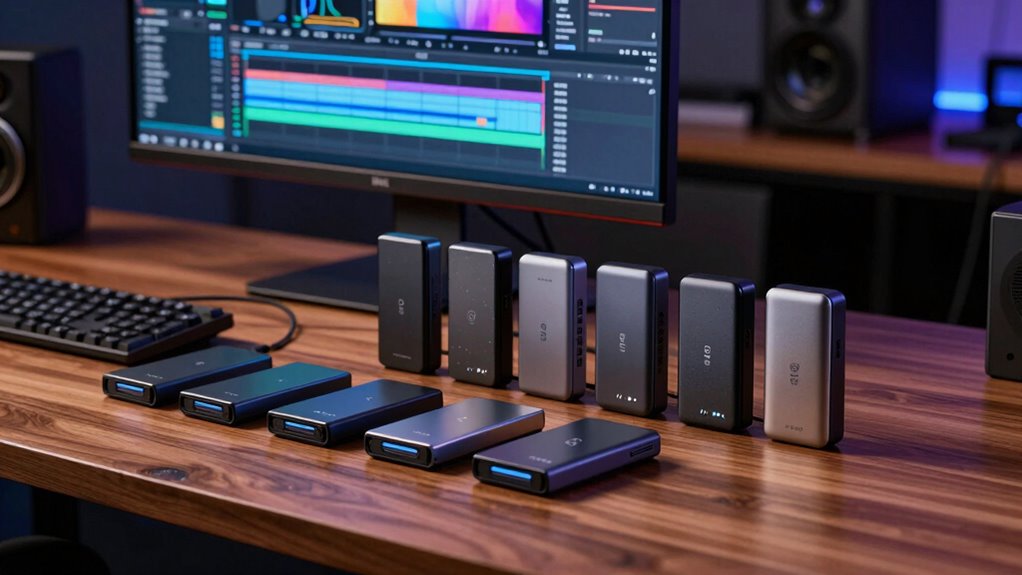

For video editors, fast data transfer is essential, and Thunderbolt drives are among the best options for handling large file sizes efficiently. The Samsung T9 Portable SSD stands out as the overall best due to its blazing speeds and portability, while the SanDisk Professional 4TB PRO-G40 SSD offers exceptional durability and capacity for demanding workflows. The main tradeoffs in this category often involve balancing speed, storage capacity, and price. Continue reading for a detailed breakdown of each drive’s strengths and limitations to find the perfect match for your editing setup.

Get the latest gadgets delivered free with Prime
- Fast, free delivery on millions of items
- Prime Video, Amazon Music and more included
- Member-only deals all year
Complete the kit



Key Takeaways
- The fastest Thunderbolt drives deliver read/write speeds above 2,800MB/s, significantly reducing render and transfer times.
- Durability features like IP68 water and dust resistance are crucial for on-location editing or rugged environments.
- Storage capacity varies widely; professionals often need 4TB or more to manage large 4K/8K projects without external drives.
- Pricing can be steep, but investing in higher-end models ensures better longevity and performance for demanding tasks.
- Portability is balanced with performance; smaller drives tend to offer less capacity but are easier to carry around.
| Samsung T9 Portable SSD 1TB USB 3.2 Gen 2×2 External SSD |  | Best Overall for Speed and Compatibility | Capacity: 1TB | Transfer Speed: up to 2,000MB/s | Interface: USB 3.2 Gen 2×2 | VIEW ON AMAZON | See Our Full Breakdown |
| SanDisk 2TB Extreme Portable SSD |  | Best for Rugged Portability and Durability | Capacity: 2TB | Read Speed: 1050MB/s | Write Speed: 1000MB/s | VIEW ON AMAZON | See Our Full Breakdown |
| SanDisk Professional 4TB PRO-G40 SSD – Thunderbolt 3 & USB-C |  | Best for Speed and Rugged Environments | Capacity: 4TB | Transfer Speeds: up to 3000MB/s | Interfaces: Thunderbolt 3, USB-C | VIEW ON AMAZON | See Our Full Breakdown |
| LaCie Rugged Thunderbolt USB-C 4TB External Hard Drive |  | Best for Budget-Conscious Durability | Storage Capacity: 4TB | Transfer Speed: 130MB/s | Connectivity: Thunderbolt, USB 3.0 | VIEW ON AMAZON | See Our Full Breakdown |
| Samsung T7 Portable SSD 1TB Titan Gray, USB 3.2 Gen 2, Up to 1,050MB/s |  | Best for Versatile High-Speed Performance | Capacity: 1TB | Max Speed: 1,050MB/s | Interface: USB 3.2 Gen 2 | VIEW ON AMAZON | See Our Full Breakdown |
| SanDisk Professional 4TB PRO-G40 SSD – Thunderbolt 3 & USB-C External Drive |  | Best for Rugged Durability and Ultra-Fast Transfers | Capacity: 4TB | Transfer Speed: up to 3000MB/s | Interface: Thunderbolt 3 (40Gbps), USB-C (10Gbps) | VIEW ON AMAZON | See Our Full Breakdown |
| thunderbolt drives for video editing | Capacity | Transfer Speed | Interface | Compatibility |
|---|---|---|---|---|
| Samsung T9 Portable SSD 1TB US | 1TB | up to 2,000MB/s | USB 3.2 Gen 2×2 | Desktops, laptops, smartphones, gaming consoles |
| SanDisk 2TB Extreme Portable S | 2TB | — | — | — |
| SanDisk Professional 4TB PRO-G | 4TB | — | — | Mac, reformatted for Windows |
| LaCie Rugged Thunderbolt USB-C | — | 130MB/s | — | — |
| Samsung T7 Portable SSD 1TB Ti | 1TB | — | USB 3.2 Gen 2 | PC, mobile phones, iPhone 15 Pro |
| SanDisk Professional 4TB PRO-G | 4TB | up to 3000MB/s | Thunderbolt 3 (40Gbps), USB-C (10Gbps) | — |
More Details on Our Top Picks
Samsung T9 Portable SSD 1TB USB 3.2 Gen 2×2 External SSD
The Samsung T9 Portable SSD stands out for delivering exceptional transfer speeds up to 2,000MB/s, making it ideal for handling large video files efficiently. Compared with the Samsung T7, it offers nearly double the speed, which is a game-changer for heavy editing workflows. Its robust thermal management prevents overheating during prolonged use, a critical factor when working on large projects. Compatibility spans desktops, laptops, smartphones, and even gaming consoles, broadening its versatility. However, its premium price and reliance on the included cable for optimal performance may be drawbacks for budget-conscious buyers. This drive makes the most sense for professional editors needing rapid data transfer without sacrificing device compatibility.
Pros:- Blazing fast transfer speeds up to 2,000MB/s
- Excellent thermal management to prevent overheating
- Wide compatibility across multiple device types
- Reliable performance with ongoing firmware updates
Cons:- Included cable recommended for optimal use
- Higher cost compared to similar SSDs with lower speeds
Best for: Video editors who require maximum speed and broad device compatibility
Not ideal for: Casual users or those on a tight budget, as it’s more expensive than lower-speed options
- Capacity:1TB
- Transfer Speed:up to 2,000MB/s
- Interface:USB 3.2 Gen 2×2
- Thermal Management:Advanced
- Compatibility:Desktops, laptops, smartphones, gaming consoles
- Encryption:Yes
Our verdict“This drive is perfect for professional editors who prioritize speed and device compatibility over cost.”
SanDisk 2TB Extreme Portable SSD
The SanDisk 2TB Extreme Portable SSD excels in rugged durability with IP65 water and dust resistance, making it ideal for on-the-go editing in unpredictable environments. Its read and write speeds of 1050MB/s and 1000MB/s, respectively, are ample for most video editing tasks, but fall short compared to the ultra-fast Samsung T9. Its shockproof design with drop protection up to 3 meters and hardware encryption add layers of security and resilience. Performance may vary depending on the host device, which makes it less predictable for some workflows. This drive is a strong choice for outdoor videographers or editors needing a durable, portable solution that balances speed and toughness.
Pros:- Rugged IP65 water and dust resistance
- Shockproof with drop protection up to 3 meters
- High-speed transfer up to 1050MB/s
- Secure with 256-bit AES hardware encryption
Cons:- Performance can vary depending on device
- Lacks the ultra-fast speeds of premium drives like the SanDisk PRO-G40
Best for: On-the-move video editors requiring rugged durability and security
Not ideal for: Stationary editing setups where maximum speed is critical, as it’s less fast than high-end SSDs like the T9
- Capacity:2TB
- Read Speed:1050MB/s
- Write Speed:1000MB/s
- Water/Dust Resistance:IP65
- Drop Protection:Up to 3 meters
- Encryption:256-bit AES
Our verdict“Best suited for mobile editors needing durable, portable storage with decent speed.”
SanDisk Professional 4TB PRO-G40 SSD – Thunderbolt 3 & USB-C
The SanDisk Professional 4TB PRO-G40 SSD offers outstanding transfer speeds up to 3000MB/s, making it a top choice for demanding video editing workflows. Its rugged design with IP68 dust and water resistance, crush resistance, and a 3-meter drop tolerance ensures it can withstand tough conditions on location. Compared to the LaCie Rugged, it provides faster speeds but is primarily optimized for Mac users, which could require reformatting for Windows. The high price point signals its professional-grade performance, but that may be a barrier for casual editors. For those working in challenging environments and needing rapid data throughput, this drive offers a compelling balance of speed and durability.
Pros:- Ultra-fast transfer speeds up to 3000MB/s
- Rugged IP68 dust/water and crush resistance
- Dual Thunderbolt 3 and USB-C interfaces
- Mac-ready with APFS formatting
Cons:- Premium pricing may be prohibitive
- Primarily designed for Mac, may require reformatting for Windows
Best for: Professional editors working in harsh environments who need the fastest possible transfer speeds
Not ideal for: Budget-conscious users or Windows-only workflows that might require reformatting or face compatibility issues
- Capacity:4TB
- Transfer Speeds:up to 3000MB/s
- Interfaces:Thunderbolt 3, USB-C
- Durability:IP68, crush, 3m drop
- Drive Format:Mac (APFS)
- Compatibility:Mac, reformatted for Windows
Our verdict“Ideal for demanding professional use where durability and maximum speed are paramount.”
LaCie Rugged Thunderbolt USB-C 4TB External Hard Drive
The LaCie Rugged Thunderbolt USB-C provides a practical balance of speed and toughness, with transfer rates of 130MB/s suitable for moderate video editing tasks. Its rugged design resists drops, dust, and water, making it a reliable companion for fieldwork, but it falls behind in speed compared to SSD options like the SanDisk PRO-G40. The included Adobe Creative Cloud subscription adds value for creative workflows, though its 4TB capacity might be limited for large projects. The drive’s performance hinges on the connection type, performing best with Thunderbolt or USB-C interfaces. It’s a solid choice for those needing durable storage that’s easy on the budget, especially when portability and resilience are priorities.
Pros:- Durable, resistant to drops, dust, and water
- Includes a free Adobe Creative Cloud subscription
- Reliable for moderate data transfer rates
- Affordable compared to high-end SSDs
Cons:- Limited transfer speed at 130MB/s
- Storage capacity may be insufficient for large projects
Best for: Budget-conscious field editors who need durable, portable storage with decent speed
Not ideal for: High-performance editing workflows or large file transfers where SSD speeds are necessary
- Storage Capacity:4TB
- Transfer Speed:130MB/s
- Connectivity:Thunderbolt, USB 3.0
- Durability Features:Drop, dust, water resistant
- Warranty:3 years
- Included Software:Adobe Creative Cloud
Our verdict“Best suited for budget-minded editors who need ruggedness over raw speed.”
Samsung T7 Portable SSD 1TB Titan Gray, USB 3.2 Gen 2, Up to 1,050MB/s
The Samsung T7 Portable SSD combines speed and portability with transfer rates up to 1,050MB/s, making it well-suited for quick transfers and high-res video recording. Its shock-resistant, sleek aluminum unibody design ensures durability on the move, comparable to the Samsung T9 but at a more accessible price point. While it doesn’t match the ultra-fast speeds of the T9, it covers most editing needs and supports a wide range of devices, including smartphones and cameras. The absence of detailed included accessories and limited capacity options (up to 4TB) are minor tradeoffs. This drive is a reliable, versatile choice for creators who want fast performance in a compact, durable package.
Pros:- Fast transfer speeds up to 1,050MB/s
- Durable, shock-resistant aluminum design
- Supports a variety of devices including smartphones
- Ideal for high-res 4K video recording
Cons:- Price not specified, which may be a concern for some
- Limited capacity options in the description
Best for: Creative professionals seeking portable, high-speed storage compatible with multiple devices
Not ideal for: Power users working exclusively with extremely large files or needing the fastest transfer speeds
- Capacity:1TB
- Max Speed:1,050MB/s
- Interface:USB 3.2 Gen 2
- Color:Titan Gray
- Compatibility:PC, mobile phones, iPhone 15 Pro
- Shock Resistance:Up to 6 feet
Our verdict“Suitable for creators needing a reliable, portable SSD with quick transfer speeds and device compatibility.”
SanDisk Professional 4TB PRO-G40 SSD – Thunderbolt 3 & USB-C External Drive
The SanDisk Professional 4TB PRO-G40 SSD stands out for its combination of blazing-fast transfer speeds—reaching up to 3000MB/s—and rugged durability, making it an ideal choice for on-location video editing or fieldwork. Unlike the SanDisk Extreme Portable SSD, which offers good speed but less ruggedness, the PRO-G40’s IP68 rating and crush resistance provide peace of mind in tough environments. However, its performance can fluctuate depending on the host device and ambient conditions, and its premium price may be a barrier for budget-conscious users. This drive is perfect for professionals who require reliable, high-speed storage in challenging conditions but are willing to invest in durability.
Pros:- Extremely fast data transfer speeds up to 3000MB/s
- Rugged design with IP68 dust and water resistance
- Crush resistance up to 4000 pounds and drop protection from 3 meters
- Dual compatibility with Thunderbolt 3 and USB-C
Cons:- Performance may vary based on the host device and environmental factors
- Premium price point may be prohibitive for some users
Best for: Video editors working in outdoor or demanding environments needing high transfer speeds and rugged protection
Not ideal for: Casual users or those primarily working indoors on less demanding projects, due to its high cost and over-spec rugged features
- Capacity:4TB
- Transfer Speed:up to 3000MB/s
- Interface:Thunderbolt 3 (40Gbps), USB-C (10Gbps)
- Water Resistance:IP68
- Drop Resistance:up to 3m
- Crush Resistance:4000lb
- Format:exFAT
Our verdict“This drive is best suited for professionals who need ultra-fast, durable storage in challenging conditions and are willing to pay a premium.”

How We Picked
Our selection process prioritized drives that are compatible with Thunderbolt 3 and 4 standards, ensuring maximum performance for video editing workflows. We evaluated each product based on sustained transfer speeds, build quality, reliability, and capacity options suitable for professional use. Price-to-performance ratio was also a key factor, helping identify drives that deliver high-end features without excessive cost. The ranking reflects a mix of raw speed, durability, and value, making sure different user needs are addressed—from casual editors to demanding professionals.| thunderbolt drives for video editing | Interface | Compatibility |
|---|---|---|
| Samsung T9 Portable SSD 1TB US | USB 3.2 Gen 2×2 | Desktops, laptops, smartphones, gaming consoles |
| SanDisk 2TB Extreme Portable S | — | — |
| SanDisk Professional 4TB PRO-G | — | Mac, reformatted for Windows |
| LaCie Rugged Thunderbolt USB-C | — | — |
| Samsung T7 Portable SSD 1TB Ti | USB 3.2 Gen 2 | PC, mobile phones, iPhone 15 Pro |
| SanDisk Professional 4TB PRO-G | Thunderbolt 3 (40Gbps), USB-C (10Gbps) | — |
Factors to Consider When Choosing Thunderbolt Drives For Video Editing
Choosing the right Thunderbolt drive for video editing involves understanding several key factors that influence performance, durability, and overall value. Beyond raw speed, considerations like build quality, capacity, and compatibility impact your workflow and investment longevity. Here are the main factors to keep in mind:Performance and Speed
High transfer speeds are vital for handling large video files efficiently. Look for drives with sustained read/write speeds of at least 2,000MB/s for 4K editing, and higher if you work with 8K or RAW footage. Keep in mind that real-world speeds often depend on your computer’s Thunderbolt port and other system factors—so check for consistent performance rather than peak specs alone. Faster drives reduce waiting times during editing, rendering, and exporting, making them a worthwhile investment for professional workflows.
Build Quality and Durability
Video editing often involves on-location work or frequent transport, so a rugged, dust- and water-resistant drive can prevent data loss and hardware damage. Drives with IP68 ratings or similar standards offer extra peace of mind, especially when working outdoors or in unpredictable environments. A sturdy enclosure also guards against shocks and drops, which are common in busy editing setups. Skimping on durability might save money upfront but can lead to costly data recovery or hardware replacements later.
Capacity and Scalability
Large video files quickly consume storage space, especially with 4K, 6K, or 8K footage. Opt for drives offering at least 2TB, with 4TB or more being ideal for extensive projects. Remember that capacity isn’t just about storage but also about future-proofing—more space reduces the need for multiple drives or constant data transfers. However, larger capacity drives tend to cost more, so balance your immediate needs with your budget and workflow scale.
Compatibility and Connectivity
While Thunderbolt 3 and 4 are backward compatible with USB-C, not all drives leverage the full potential of Thunderbolt interfaces. Confirm that your editing hardware supports the specific Thunderbolt version, as this affects speed and reliability. Some drives also offer dual connectivity options, providing flexibility across different systems. Ensuring compatibility prevents bottlenecks and maximizes your investment’s value.
Price and Long-Term Value
Premium Thunderbolt drives come with higher price tags but often deliver longer-lasting performance and better build quality. Consider your project scale and budget—spending more upfront can pay off through reduced transfer times and increased durability. Conversely, entry-level options may suffice for occasional editing or hobbyists but might struggle under heavy professional workloads. Evaluate whether the performance gains justify the price difference for your specific needs.
Frequently Asked Questions
Is Thunderbolt faster than USB-C for video editing?
Thunderbolt generally offers faster and more reliable data transfer speeds compared to standard USB-C connections, especially at higher data rates like Thunderbolt 3 and 4. This speed difference is particularly noticeable when working with large, high-resolution video files, reducing lag during editing and rendering. However, the actual performance gain depends on your computer’s Thunderbolt ports and the drive’s capabilities. For demanding workflows, Thunderbolt provides a noticeable advantage in throughput and stability over typical USB-C drives.
Can I use a Thunderbolt drive with my non-Thunderbolt computer?
Yes, many Thunderbolt drives are compatible with USB-C ports, allowing use with systems that support USB-C but not Thunderbolt. However, in such cases, the connection will revert to USB 3.2 or USB 3.1 speeds, which are slower than Thunderbolt’s maximum throughput. To fully leverage Thunderbolt’s performance, your computer needs a Thunderbolt 3 or 4 port. Check your device’s specifications before purchasing to ensure compatibility and avoid disappointment with lower transfer speeds.
Are rugged Thunderbolt drives reliable for professional video editing?
Rugged Thunderbolt drives with high durability ratings are well-suited for professional use, especially in environments where physical shocks, dust, or water exposure are risks. They often incorporate shock-absorbing enclosures and water-resistant seals to protect valuable data. While these drives tend to be more expensive, their resilience can prevent data loss during fieldwork or travel, making them a smart choice for professionals who need both performance and durability in demanding settings.
How much storage do I need for 4K video editing?
For 4K video editing, a minimum of 2TB is recommended to comfortably manage raw footage and intermediate files. If you work with multiple projects or higher resolutions, 4TB or more provides a buffer that reduces the frequency of external transfers. Larger drives also help avoid fragmentation and keep your workflow smooth, but they come at a higher cost. Evaluate your typical project size and future expansion plans to choose the right capacity.
Should I prioritize speed or capacity when selecting a Thunderbolt drive?
Both speed and capacity are important, but the right balance depends on your specific workflow. If you handle large files frequently and need rapid transfers, prioritizing speed makes sense—especially for editing high-resolution footage. If your projects are smaller or storage is a bottleneck, larger capacity might be more beneficial. Often, professional-grade drives offer a combination of both, but budget constraints may influence your choice. Consider your typical project size and growth expectations to make an informed decision.
Conclusion
For most professional video editors, the SanDisk Professional 4TB PRO-G40 SSD offers the best mix of speed, capacity, and durability, making it the ideal overall choice. Beginners or hobbyists working on lighter projects will find the Samsung T7 Portable SSD a reliable and more affordable option. Those with rugged workflows or on-location shoots should lean toward the LaCie Rugged Thunderbolt for its durability. For users needing maximum capacity without sacrificing speed, the SanDisk Professional 4TB PRO-G40 SSD provides a compelling premium solution. Consider your specific needs—workflow demands, budget, and environment—to select the best Thunderbolt drive for your video editing setup.
Halloween Picks

Halloween Inflatable Haunted House Maze – 20×20 ft with Removable Roof and Blower

Vexalify 11-Inch Halloween Pumpkin Fog Machine with 12-Color Lights

Pumpkin Halloween Fog Machine with 12-Color LED Lights, Bluetooth Speaker, and Remote
As an affiliate, we earn on qualifying purchases.