
If you’re looking to upgrade your setup, I recommend checking out the top Thunderbolt 4 docks for 2026. These docks offer blazing-fast data transfer, support for multiple 4K or even 8K displays, and powerful charging up to 100W. They’re compatible with most modern laptops and provide plenty of ports for peripherals. If you want a thorough look at the best options and how they can transform your workspace, keep exploring further.
Key Takeaways
- Supports multiple high-resolution displays, including dual 4K at 60Hz or 8K at 30Hz, enhancing visual productivity.
- Delivers fast 40 Gbps data transfer speeds for seamless media, file, and device connectivity.
- Offers versatile port options like HDMI 2.1, DisplayPort 1.4, USB-C, USB-A, and SD card readers for comprehensive connectivity.
- Provides reliable power delivery up to 100W, ensuring your laptop and peripherals stay charged during extended use.
- Built with durable materials and compact design, compatible with Windows, macOS, and Linux systems for versatile setups.
| Amazon Basics Thunderbolt4/USB4 Docking Station | 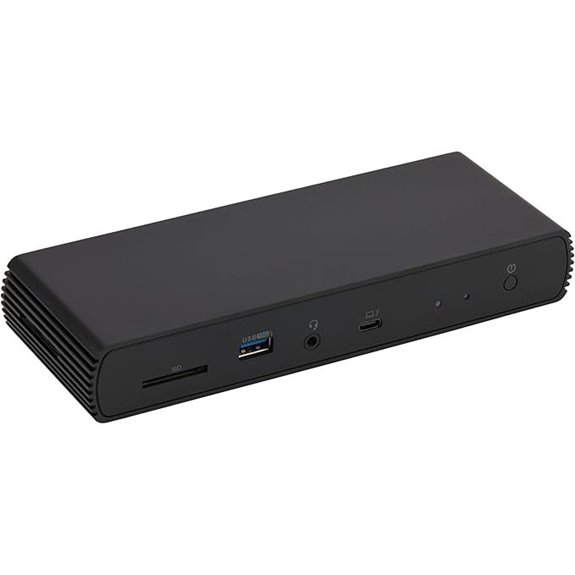 | Travel-Friendly Powerhouse | Number of Ports: 4 ports (Thunderbolt 4/USB4, HDMI, USB-A, Ethernet) | Video Output Support: Dual 4K@60Hz (Thunderbolt, HDMI) | Power Delivery (Wattage): Up to 96W (dynamic PD) | VIEW LATEST PRICE | See Our Full Breakdown |
| Plugable Thunderbolt 4 Dock with 100W Power |  | Versatile Performance | Number of Ports: 13 ports (HDMI, Thunderbolt, USB, Ethernet, SD, audio) | Video Output Support: Dual 4K@60Hz or 8K (HDMI, Thunderbolt) | Power Delivery (Wattage): 100W (certified) | VIEW LATEST PRICE | See Our Full Breakdown |
| Dell Thunderbolt 4 Dock SD25TB4 with 4K Displays | 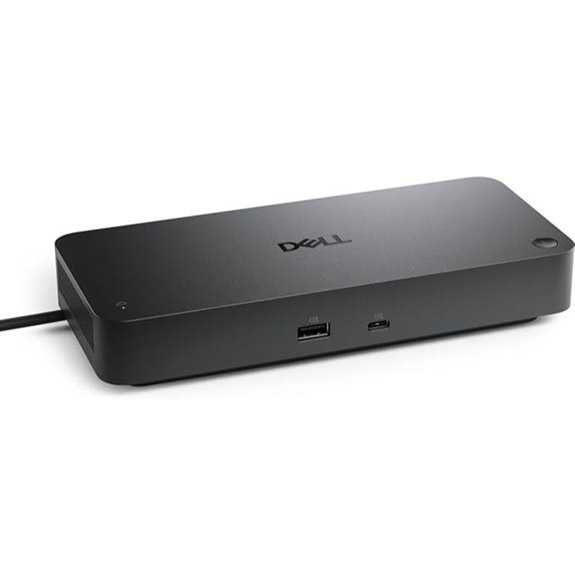 | Business-Class Connectivity | Number of Ports: 13 ports (Thunderbolt, HDMI, DisplayPort, USB, Ethernet) | Video Output Support: Up to 4x 4K@60Hz or 8K (HDMI, DisplayPort, Thunderbolt) | Power Delivery (Wattage): Up to 130W (96W for non-Dell) | VIEW LATEST PRICE | See Our Full Breakdown |
| Plugable Thunderbolt 4 Dock for MacBook Air & Pro | 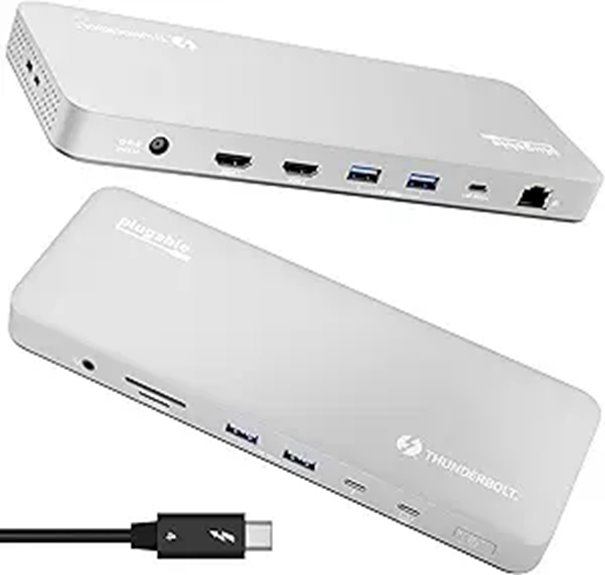 | MacBook Optimized | Number of Ports: 13 ports (Thunderbolt, USB, SD, Ethernet, audio) | Video Output Support: Dual 4K@60Hz (HDMI, Thunderbolt) | Power Delivery (Wattage): 100W (full charge) | VIEW LATEST PRICE | See Our Full Breakdown |
| Anker Prime TB5 14-in-1 Thunderbolt Docking Station | 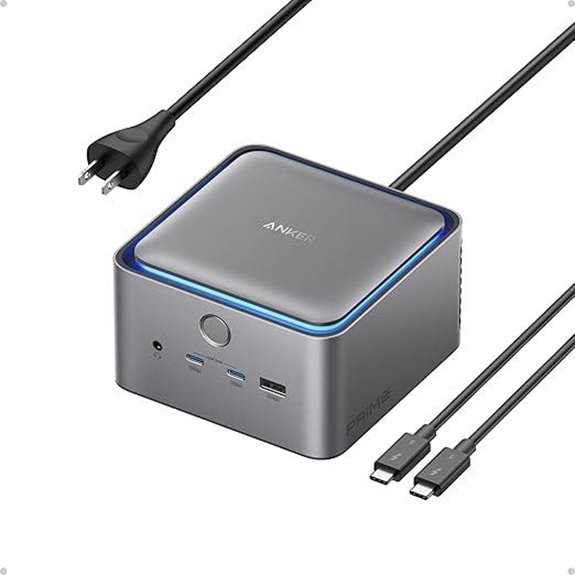 | Future-Proof Speed | Number of Ports: 14 ports (Thunderbolt 5, USB, HDMI, SD, Ethernet) | Video Output Support: Dual 8K@60Hz or 4x 4K@60Hz (HDMI, DisplayPort, Thunderbolt) | Power Delivery (Wattage): 140W (PD 3.1, 45W shared for USB-C) | VIEW LATEST PRICE | See Our Full Breakdown |
| UGREEN Thunderbolt 4 Dock 8-in-1 with 8K Display | 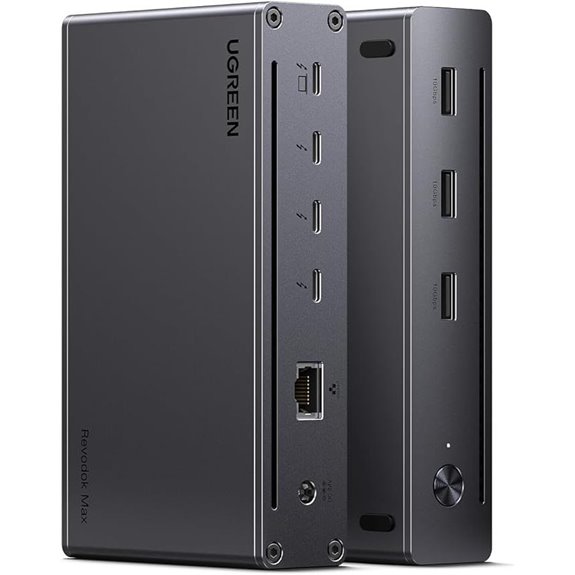 | High-Speed Expansion | Number of Ports: 8 ports (Thunderbolt, USB-A, Ethernet, Display) | Video Output Support: Dual 4K@60Hz or 8K (Thunderbolt, DisplayPort) | Power Delivery (Wattage): 140W (85W charging) | VIEW LATEST PRICE | See Our Full Breakdown |
| Dell ThunderBolt 4 Dock (WD22TB4) | 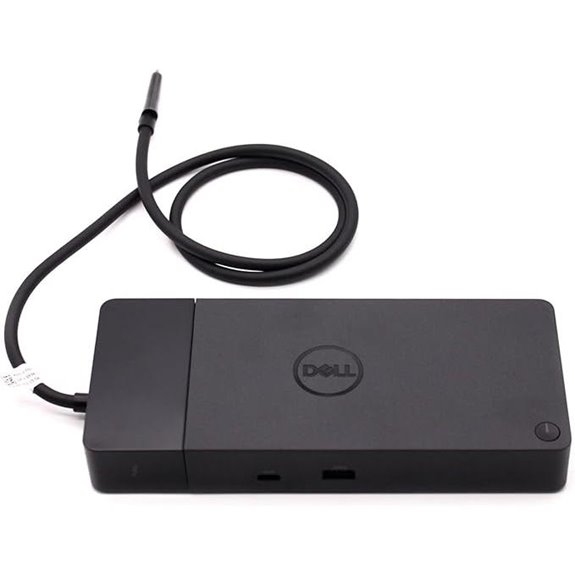 | Enterprise-Grade | Number of Ports: 11 ports (Thunderbolt, USB, HDMI, DisplayPort, Ethernet) | Video Output Support: Multiple 4K@60Hz, 8K support via DisplayPort/HDMI | Power Delivery (Wattage): 180W (power, supports 90W to laptops) | VIEW LATEST PRICE | See Our Full Breakdown |
| Anker Prime 14-Port Docking Station with Dual 4K Displays | 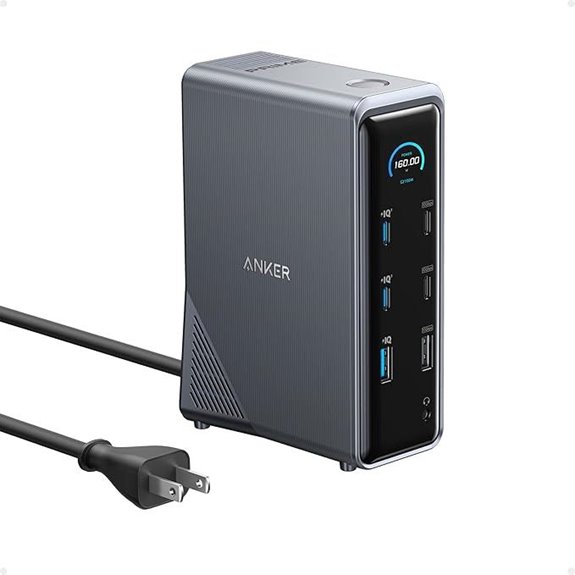 | Dual Display Support | Number of Ports: 14 ports (USB, HDMI, Ethernet, audio) | Video Output Support: Dual 4K@60Hz (HDMI, DisplayPort) | Power Delivery (Wattage): 160W (total output, 90W to laptop) | VIEW LATEST PRICE | See Our Full Breakdown |
| Microsoft Surface Thunderbolt 4 Dock with Dual 4K Support | 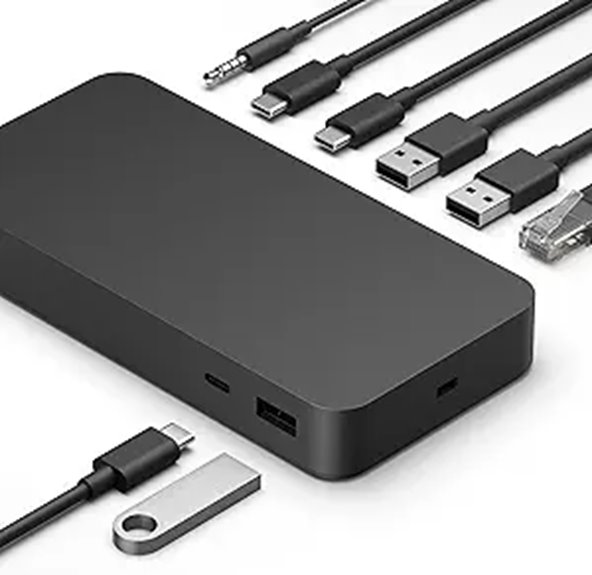 | Eco-Conscious Design | Number of Ports: 10 ports (Thunderbolt, USB, Ethernet, audio) | Video Output Support: Dual 4K@60Hz (Thunderbolt, HDMI) | Power Delivery (Wattage): 100W (full charging) | VIEW LATEST PRICE | See Our Full Breakdown |
| CalDigit TS4 Thunderbolt 4 Dock with 18 Ports | 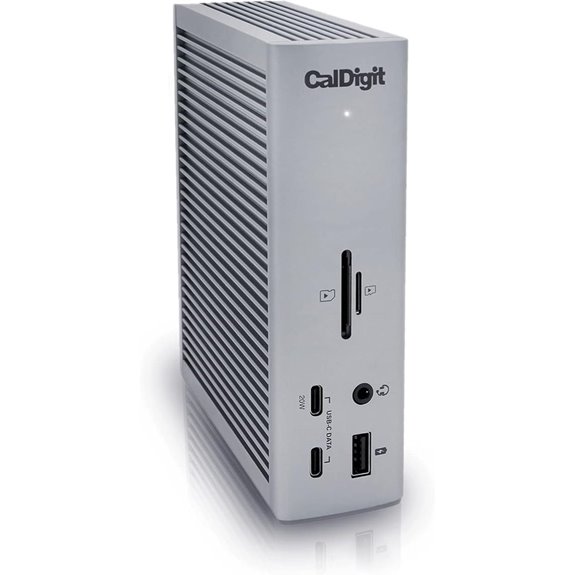 | Ultimate Connectivity | Number of Ports: 18 ports (Thunderbolt, USB, SD, Ethernet, audio) | Video Output Support: Up to 8K@30Hz or dual 4K@60Hz (HDMI, DisplayPort) | Power Delivery (Wattage): 98W (supports high wattage) | VIEW LATEST PRICE | See Our Full Breakdown |
| Amazon Basics Thunderbolt4/USB4 Docking Station | 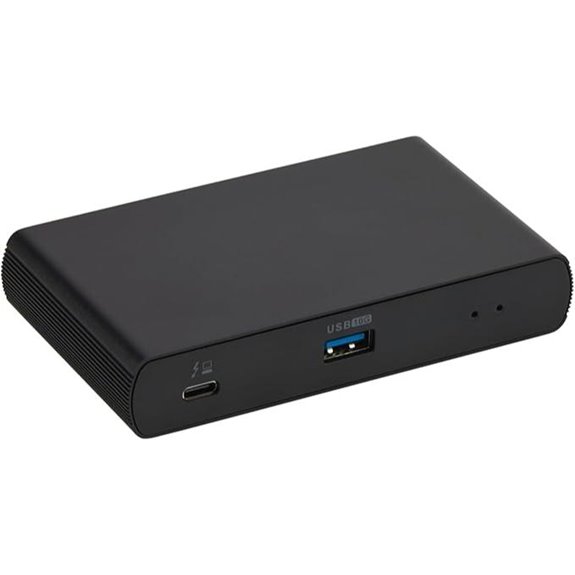 | Compact Efficiency | Number of Ports: 4 ports (Thunderbolt, USB, Ethernet, audio) | Video Output Support: Dual 4K@60Hz or 8K (Thunderbolt, HDMI) | Power Delivery (Wattage): 85W (via Thunderbolt) | VIEW LATEST PRICE | See Our Full Breakdown |
| Lenovo Thunderbolt 4 Dock with Power Charging | 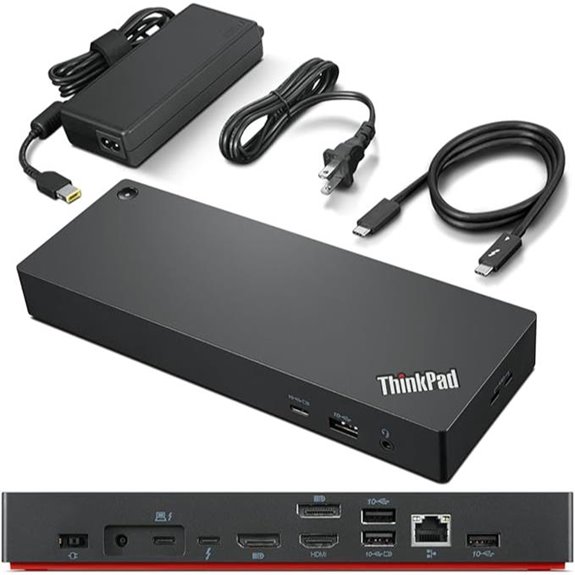 | Power & Portability | Number of Ports: 8 ports (Thunderbolt, USB, DisplayPort, Ethernet) | Video Output Support: Up to 8K@30Hz or dual 4K@60Hz (DisplayPort, HDMI) | Power Delivery (Wattage): 100W (up to 100W PD) | VIEW LATEST PRICE | See Our Full Breakdown |
| Plugable 16-in-1 Thunderbolt 4 Dock for Mac/Windows | 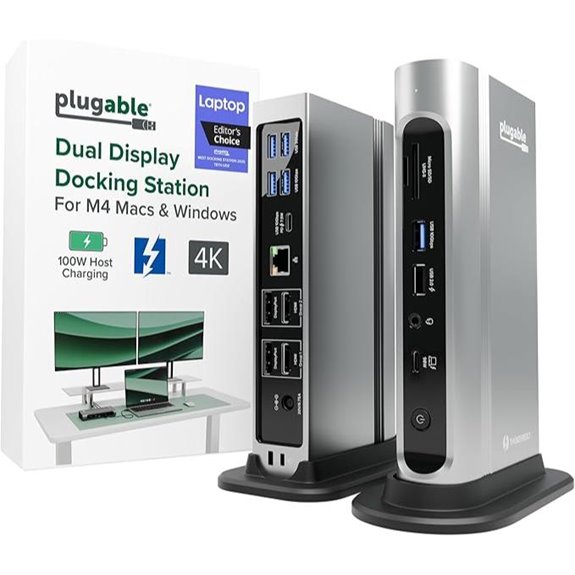 | Premium Versatility | Number of Ports: 7 ports (Thunderbolt, USB, SD, Ethernet, audio) | Video Output Support: Dual 4K@60Hz or 8K (HDMI, DisplayPort) | Power Delivery (Wattage): 100W (automatic adjustment) | VIEW LATEST PRICE | See Our Full Breakdown |
| Anker 778 Thunderbolt Docking Station (12-in-1) |  | All-in-One Power | Number of Ports: 12 ports (Thunderbolt, USB, HDMI, DisplayPort, Ethernet) | Video Output Support: 8K@30Hz or four 4K@60Hz (HDMI, DisplayPort) | Power Delivery (Wattage): 100W (Thunderbolt 4 upstream) | VIEW LATEST PRICE | See Our Full Breakdown |
| UGREEN Thunderbolt 4 Dock 13-in-1 with 8K Display | 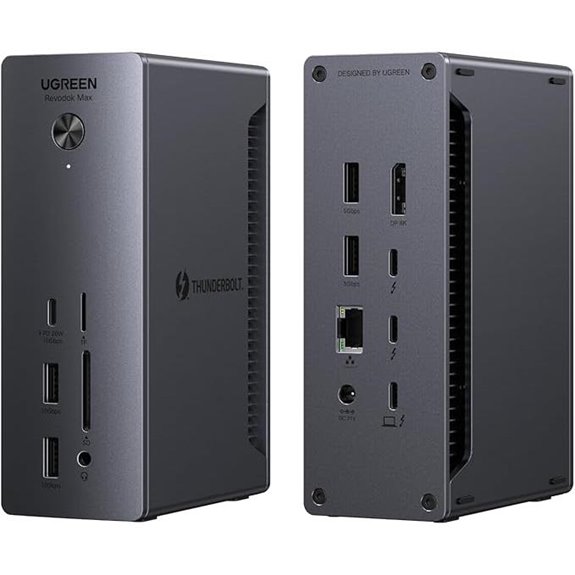 | High Performance | Number of Ports: 13 ports (Thunderbolt 4, USB, HDMI, DisplayPort, Ethernet) | Video Output Support: Dual 4K@60Hz or 8K (DisplayPort, HDMI) | Power Delivery (Wattage): 100W (via Thunderbolt 4) | VIEW LATEST PRICE | See Our Full Breakdown |
More Details on Our Top Picks
Amazon Basics Thunderbolt4/USB4 Docking Station
If you’re looking for a portable and versatile docking station that delivers reliable performance on the go, the Amazon Basics Thunderbolt4/USB4 Docking Station is a great choice. It features dual Thunderbolt 4/USB4 ports, HDMI 2.1, three USB-A 3.1 ports, and an RJ45 Ethernet port, all in a compact black design measuring just 7.86 x 2.95 x 1.23 inches. It supports dual 4K@60Hz displays and up to 96W Power Delivery for charging. Designed for Windows 10+ and compatible Macs, it’s perfect for expanding connectivity while traveling. Just remember to use high-quality cables and verify your device’s compatibility for superior performance.
- Number of Ports:4 ports (Thunderbolt 4/USB4, HDMI, USB-A, Ethernet)
- Video Output Support:Dual 4K@60Hz (Thunderbolt, HDMI)
- Power Delivery (Wattage):Up to 96W (dynamic PD)
- Compatibility Platforms:Windows 10+, MacBook (Big Sur+), no Linux/ChromeOS
- Dual Display Support:Dual 4K@60Hz
- Build/Sustainability:Compact, travel-friendly
- Additional Feature:Travel-friendly compact size
- Additional Feature:Supports dual 4K@60Hz displays
- Additional Feature:Includes Thunderbolt 4 cable
Plugable Thunderbolt 4 Dock with 100W Power
The Plugable Thunderbolt 4 Dock with 100W Power stands out as an ideal choice for professionals who need a reliable, high-performance docking station that can handle multiple displays and peripherals simultaneously. It’s Thunderbolt Certified and was named Best Thunderbolt Dock 2025 by Wirecutter, offering ultra-fast 40Gbps speeds. With 13 ports—including dual HDMI, USB, Ethernet, and SD card readers—it supports dual 4K displays or one 8K monitor. It delivers 100W power, ensuring your laptop stays charged, and works seamlessly with Windows and Mac systems. Its broad compatibility and robust design make it a versatile centerpiece for any modern workspace.
- Number of Ports:13 ports (HDMI, Thunderbolt, USB, Ethernet, SD, audio)
- Video Output Support:Dual 4K@60Hz or 8K (HDMI, Thunderbolt)
- Power Delivery (Wattage):100W (certified)
- Compatibility Platforms:Windows 10+, MacBook (M1-M3), USB4, Thunderbolt 4/5
- Dual Display Support:Dual 4K@60Hz / 8K
- Build/Sustainability:Robust, high-quality materials
- Additional Feature:Certified for Thunderbolt 4
- Additional Feature:Supports dual 4K or 8K display
- Additional Feature:13 ports total
Dell Thunderbolt 4 Dock SD25TB4 with 4K Displays
Creative professionals and power users will appreciate the Dell Thunderbolt 4 Dock SD25TB4 for its ability to support up to four 4K displays simultaneously. It offers versatile connectivity through HDMI 2.1, DisplayPort 1.4, USB-C, and Thunderbolt 4, making it perfect for multi-monitor setups. With dual Thunderbolt 4 ports and additional data channels, you can chain up to six devices easily. It provides up to 130W power delivery for Dell laptops and 96W for others, ensuring fast charging. Its high-speed data transfer, robust security features, and eco-friendly design make it a reliable, efficient hub for demanding workflows.
- Number of Ports:13 ports (Thunderbolt, HDMI, DisplayPort, USB, Ethernet)
- Video Output Support:Up to 4x 4K@60Hz or 8K (HDMI, DisplayPort, Thunderbolt)
- Power Delivery (Wattage):Up to 130W (96W for non-Dell)
- Compatibility Platforms:Windows, MacBook (M1-M3), Thunderbolt 4
- Dual Display Support:Up to 4x 4K@60Hz or 8K
- Build/Sustainability:Sustainable plastic, compact
- Additional Feature:Supports up to 4 4K monitors
- Additional Feature:130W power delivery
- Additional Feature:Business security features
Plugable Thunderbolt 4 Dock for MacBook Air & Pro
For Mac users seeking a streamlined, high-performance docking solution, the Plugable Thunderbolt 4 Dock stands out with its 13-in-1 versatility and sleek space gray aluminum design. It offers effortless, driverless plug-and-play operation, ensuring compatibility with both Mac and Windows systems. Supporting dual 4K 60Hz HDMI displays on M4/M5 Macs, Pro/Max, and M3 models—single display for M1/M2 Macs—it’s perfect for creative professionals and multitaskers. With 13 ports—including Thunderbolt 4, USB-C, multiple USB-A, SD card slots, Ethernet, audio, and 100W charging—it simplifies connectivity, boosts productivity, and keeps your workspace tidy.
- Number of Ports:13 ports (Thunderbolt, USB, SD, Ethernet, audio)
- Video Output Support:Dual 4K@60Hz (HDMI, Thunderbolt)
- Power Delivery (Wattage):100W (full charge)
- Compatibility Platforms:MacBook (M1-M3), Windows, Thunderbolt 4
- Dual Display Support:Dual 4K@60Hz
- Build/Sustainability:Sleek aluminum, durable
- Additional Feature:Driverless, plug-and-play
- Additional Feature:Supports dual 4K displays
- Additional Feature:Lifetime North American support
Anker Prime TB5 14-in-1 Thunderbolt Docking Station
If you’re looking for a top-tier Thunderbolt dock that combines extensive connectivity with high-performance capabilities, the Anker Prime TB5 14-in-1 Thunderbolt Docking Station stands out. It offers a versatile array of ports, including Thunderbolt 5, USB-C, USB-A, SD card readers, Ethernet, audio, and HDMI 2.1 or DisplayPort 2.1 outputs, supporting dual 8K displays. With lightning-fast transfer speeds of up to 120Gbps and a 140W power delivery, it handles demanding tasks effortlessly. An active cooling system guarantees ideal performance during heavy use. Perfect for professionals, it’s compatible with Thunderbolt 4, Thunderbolt 5, and recent MacBooks, making it a future-proof choice.
- Number of Ports:14 ports (Thunderbolt 5, USB, HDMI, SD, Ethernet)
- Video Output Support:Dual 8K@60Hz or 4x 4K@60Hz (HDMI, DisplayPort, Thunderbolt)
- Power Delivery (Wattage):140W (PD 3.1, 45W shared for USB-C)
- Compatibility Platforms:Windows, MacBook (M1-M3), Thunderbolt 5/4, USB4
- Dual Display Support:Dual 8K@60Hz or quad 4K
- Build/Sustainability:Premium materials, cooling system
- Additional Feature:8K@60Hz single display
- Additional Feature:Active cooling system
- Additional Feature:140W Thunderbolt 5 power
UGREEN Thunderbolt 4 Dock 8-in-1 with 8K Display
The UGREEN Thunderbolt 4 Dock 8-in-1 with 8K Display stands out as an ideal choice for professionals seeking a versatile and high-performance hub. It offers three Thunderbolt 4 ports, three USB-A 3.2 ports, gigabit Ethernet, and a 140W DC power port, supporting fast data transfer and multiple displays. It can extend up to two 4K@60Hz screens or a stunning 8K@30Hz display on Windows, and similar options for MacBooks. With 40Gbps transfer speeds and up to 85W charging, it enhances productivity while keeping your devices powered. Its broad compatibility makes it a reliable upgrade for any Thunderbolt 4 setup.
- Number of Ports:8 ports (Thunderbolt, USB-A, Ethernet, Display)
- Video Output Support:Dual 4K@60Hz or 8K (Thunderbolt, DisplayPort)
- Power Delivery (Wattage):140W (85W charging)
- Compatibility Platforms:Windows, MacBook (Pro/Max, Intel, M chips)
- Dual Display Support:Dual 4K@60Hz or 8K
- Build/Sustainability:Aluminum, durable
- Additional Feature:Supports 8K display
- Additional Feature:140W GaN charger
- Additional Feature:MacBook compatible display modes
Dell ThunderBolt 4 Dock (WD22TB4)
The Dell ThunderBolt 4 Dock (WD22TB4) stands out as an excellent choice for professionals seeking a versatile, modular docking solution. Its swappable modules make upgrades straightforward, ensuring longevity. Compatible with Windows 10 and 11, it offers robust connectivity, including two Thunderbolt 4 ports, USB-C, USB-A, DisplayPort 1.4, HDMI 2.0, and Gigabit Ethernet. It supports multiple 4K displays simultaneously, boosting productivity with a single cable setup. The dock features SuperBoost charging and a 180W power adapter for efficient device power. High-speed data transfer up to 40 GB/s makes peripheral performance seamless, making it a powerful addition to any workspace.
- Number of Ports:11 ports (Thunderbolt, USB, HDMI, DisplayPort, Ethernet)
- Video Output Support:Multiple 4K@60Hz, 8K support via DisplayPort/HDMI
- Power Delivery (Wattage):180W (power, supports 90W to laptops)
- Compatibility Platforms:Windows 10+, MacBook (M1-M3), Thunderbolt 4
- Dual Display Support:Dual 4K@60Hz, 8K possible
- Build/Sustainability:Modular, upgradeable
- Additional Feature:Swappable modular design
- Additional Feature:Supports multiple 4K displays
- Additional Feature:180W power adapter
Anker Prime 14-Port Docking Station with Dual 4K Displays
Looking for a versatile docking station that can handle multiple devices while supporting dual 4K displays? The Anker Prime 14-Port Docking Station is a solid choice. It offers 14 ports, including USB-C, USB-A, HDMI, Ethernet, and audio, with 11 supporting transfer speeds up to 10Gbps. Dual HDMI outputs deliver crisp 4K visuals at 60Hz, perfect for multitasking. With a total power output of 160W, it can charge four devices simultaneously, including laptops. Compatible with Windows, ChromeOS, and macOS (mirroring displays), it’s ideal for users needing fast data transfer, high-power charging, and reliable dual display support in a compact design.
- Number of Ports:14 ports (USB, HDMI, Ethernet, audio)
- Video Output Support:Dual 4K@60Hz (HDMI, DisplayPort)
- Power Delivery (Wattage):160W (total output, 90W to laptop)
- Compatibility Platforms:Windows, MacBook (M1-M3), USB-C
- Dual Display Support:Dual 4K@60Hz
- Build/Sustainability:Compact, sturdy
- Additional Feature:Dual 4K display support
- Additional Feature:160W total power
- Additional Feature:Smart device management
Microsoft Surface Thunderbolt 4 Dock with Dual 4K Support
If you need a reliable dock that seamlessly supports dual 4K displays, the Microsoft Surface Thunderbolt 4 Dock is an excellent choice. It offers Thunderbolt 4 ports for fast data transfer, media streaming, and device charging, along with three USB-C and three USB-A ports for versatile peripherals. The dock supports connecting up to two 4K monitors, delivering crisp visuals for work or entertainment. With rapid charging technology, your laptop can be fully powered in about 2.5 hours. Its design features raised tactile indicators for easy port identification, and it’s environmentally friendly, made with 20% recycled ocean-bound plastic.
- Number of Ports:10 ports (Thunderbolt, USB, Ethernet, audio)
- Video Output Support:Dual 4K@60Hz (Thunderbolt, HDMI)
- Power Delivery (Wattage):100W (full charging)
- Compatibility Platforms:Windows, MacBook (M1-M3), Thunderbolt 4
- Dual Display Support:Dual 4K@60Hz
- Build/Sustainability:Eco-friendly, ergonomic design
- Additional Feature:Eco-friendly ocean plastic
- Additional Feature:Supports dual 4K monitors
- Additional Feature:Rapid 2.5-hour charging
CalDigit TS4 Thunderbolt 4 Dock with 18 Ports
For professionals who need maximum connectivity and versatility, the CalDigit TS4 Thunderbolt 4 Dock with 18 ports stands out as an ideal choice. It offers an impressive array of ports, including 3 Thunderbolt 4, 8 USB-A, SD & microSD card readers, DisplayPort 1.4, audio jacks, Ethernet, and a security slot. This setup supports demanding workflows and multiple device connections simultaneously. With 98W power delivery, it charges laptops while connecting all peripherals through a single cable. Compatible with Thunderbolt 4, Thunderbolt 3, USB4, and USB-C devices, it’s perfect for streamlining your workspace and maximizing productivity.
- Number of Ports:18 ports (Thunderbolt, USB, SD, Ethernet, audio)
- Video Output Support:Up to 8K@30Hz or dual 4K@60Hz (HDMI, DisplayPort)
- Power Delivery (Wattage):98W (supports high wattage)
- Compatibility Platforms:Windows, MacBook (M1-M4), Thunderbolt 4/3, USB4
- Dual Display Support:Up to 8K or dual 4K
- Build/Sustainability:Durable, high-quality build
- Additional Feature:Supports single 8K display
- Additional Feature:98W charging power
- Additional Feature:Extensive port selection
Amazon Basics Thunderbolt4/USB4 Docking Station
The Amazon Basics Thunderbolt4/USB4 Docking Station stands out as an excellent choice for users seeking a compact, reliable hub to expand their laptop’s connectivity. Its small, black design (4.76 x 2.84 x 0.86 inches) makes it travel-friendly while offering versatile ports. Compatible with Windows 10 or later, non-M1/M2 Macs with macOS 11+, and Thunderbolt 3 laptops (with limited features), it supports dual 4K60Hz displays and delivers up to 85W Power Delivery. The included cable, power adapter, and quick setup guide make installation straightforward. Just guarantee your laptop supports the necessary features and your monitors support 4K@60Hz for ideal performance.
- Number of Ports:4 ports (Thunderbolt, USB, Ethernet, audio)
- Video Output Support:Dual 4K@60Hz or 8K (Thunderbolt, HDMI)
- Power Delivery (Wattage):85W (via Thunderbolt)
- Compatibility Platforms:Windows 10+, MacBook (M1-M3), Thunderbolt 4
- Dual Display Support:Dual 4K@60Hz or 8K
- Build/Sustainability:Small, lightweight
- Additional Feature:Compact travel size
- Additional Feature:Supports dual 4K60Hz displays
- Additional Feature:Includes power adapter
Lenovo Thunderbolt 4 Dock with Power Charging
Anyone seeking a versatile and powerful docking solution will appreciate the Lenovo Thunderbolt 4 Dock with Power Charging. It simplifies connectivity with a single Thunderbolt cable, supporting up to four 4K displays at 60 Hz or an 8K display at 30 Hz. With blazing-fast transfer speeds of 40 Gbps and vPro pass-through support, it boosts productivity. The dock offers dynamic power charging up to 100W, ensuring your device stays powered. Compatible with Thunderbolt 3, 4, USB 4, and USB-C systems, it also provides a variety of ports—video outputs, USB, Ethernet, and audio—making it an all-in-one hub for any setup.
- Number of Ports:8 ports (Thunderbolt, USB, DisplayPort, Ethernet)
- Video Output Support:Up to 8K@30Hz or dual 4K@60Hz (DisplayPort, HDMI)
- Power Delivery (Wattage):100W (up to 100W PD)
- Compatibility Platforms:Windows 10/11, Thunderbolt 4/3, USB-C
- Dual Display Support:Dual 6K/8K
- Build/Sustainability:Metal, environmentally conscious
- Additional Feature:Supports up to 4 4K displays
- Additional Feature:vPro pass-through support
- Additional Feature:135W power adapter
Plugable 16-in-1 Thunderbolt 4 Dock for Mac/Windows
If you need a versatile docking station that supports dual 4K displays and fast data transfer, the Plugable 16-in-1 Thunderbolt 4 Dock stands out as an excellent choice. It delivers premium dual 4K 60Hz monitor support via HDMI or DisplayPort without needing drivers, making setup seamless. With 7 USB ports, 2.5Gb Ethernet, SD/microSD card readers, and audio, it covers all your connectivity needs. The 100W Power Delivery ensures your laptop stays charged throughout the day. Compatible with Mac, Windows, USB4, and Thunderbolt 4/5 systems, it’s a reliable, award-winning solution that transforms your laptop into a powerful, professional workstation.
- Number of Ports:7 ports (Thunderbolt, USB, SD, Ethernet, audio)
- Video Output Support:Dual 4K@60Hz or 8K (HDMI, DisplayPort)
- Power Delivery (Wattage):100W (automatic adjustment)
- Compatibility Platforms:Windows, Mac, USB4, Thunderbolt 4/3
- Dual Display Support:Dual 4K@60Hz or 8K
- Build/Sustainability:Rugged, UL-tested
- Additional Feature:Recognized as Dock of the Year
- Additional Feature:Supports dual 4K displays
- Additional Feature:7 USB ports
Anker 778 Thunderbolt Docking Station (12-in-1)
For professionals who need a powerful and versatile docking solution, the Anker 778 Thunderbolt Docking Station stands out with its impressive 12-in-1 port array. It offers a wide range of connectivity, including Thunderbolt 4, USB-C, USB-A, Ethernet, and dual video outputs supporting 8K or four 4K displays. With 40 Gbps bandwidth, it guarantees fast data transfer and high-quality media output. It also delivers up to 100W power delivery, charging your laptop while connected. Compatible with Dell, HP, and other Thunderbolt 4 laptops, this dock combines performance and expandability in a sleek package, making it a top choice for demanding setups.
- Number of Ports:12 ports (Thunderbolt, USB, HDMI, DisplayPort, Ethernet)
- Video Output Support:8K@30Hz or four 4K@60Hz (HDMI, DisplayPort)
- Power Delivery (Wattage):100W (Thunderbolt 4 upstream)
- Compatibility Platforms:Windows, Mac, Thunderbolt 4
- Dual Display Support:Up to 8K or 4x 4K
- Build/Sustainability:Solid build, compact
- Additional Feature:Supports 8K@30Hz
- Additional Feature:100W laptop charging
- Additional Feature:Supports four 4K displays
UGREEN Thunderbolt 4 Dock 13-in-1 with 8K Display
The UGREEN Thunderbolt 4 Dock 13-in-1 with 8K Display stands out as an excellent choice for creative professionals and power users who need maximum connectivity and high-resolution display support. It offers 13 ports, including two Thunderbolt 4, an 8K display output, Ethernet, SD/TF card readers, multiple USB-A and USB-C ports, and an audio jack. It supports dual 4K@60Hz monitors or a single 8K@30Hz display on Windows, with Mac compatibility for dual 4K setups. Powered by a 180W GaN adapter, it delivers up to 90W charging, making it perfect for multitasking and multimedia workflows.
- Number of Ports:13 ports (Thunderbolt 4, USB, HDMI, DisplayPort, Ethernet)
- Video Output Support:Dual 4K@60Hz or 8K (DisplayPort, HDMI)
- Power Delivery (Wattage):100W (via Thunderbolt 4)
- Compatibility Platforms:Windows, Mac, USB4, Thunderbolt 4
- Dual Display Support:Dual 4K@60Hz / 8K
- Build/Sustainability:Sturdy aluminum, eco-conscious materials
- Additional Feature:Supports dual 4K@60Hz
- Additional Feature:180W power adapter
- Additional Feature:Compatible with Mac/Windows
Factors to Consider When Choosing a Thunderbolt 4 Dock
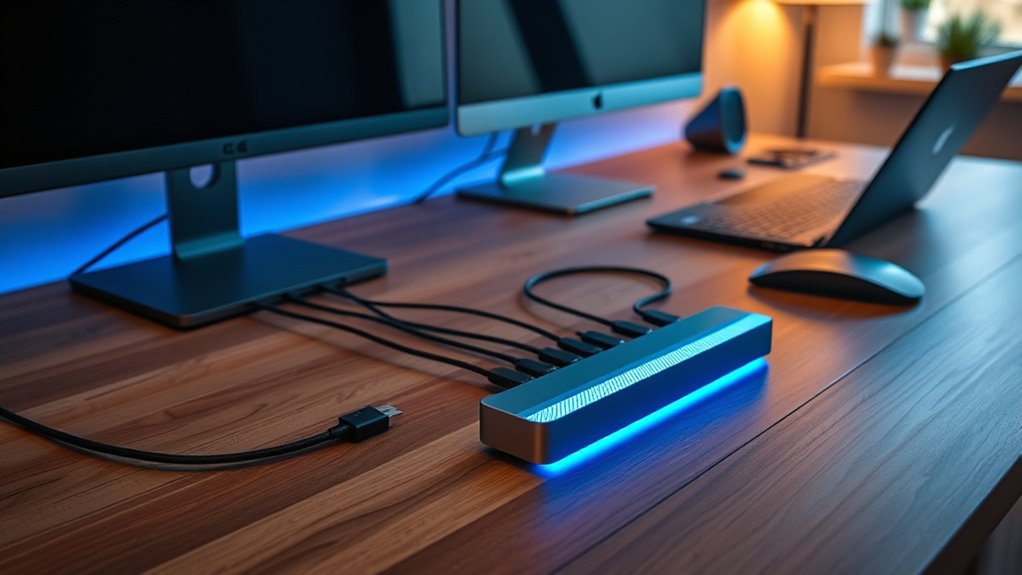
When choosing a Thunderbolt 4 dock, I focus on the port selection and types to guarantee I can connect all my devices. I also consider power delivery capabilities so my laptop stays charged, and check display support for the resolution I need. Finally, I look at compatibility, build quality, and design to make sure the dock fits my setup and lasts over time.
Port Selection and Types
Are you ensuring your Thunderbolt 4 dock offers the right mix of ports to meet your needs? A good dock should have a variety of port types like Thunderbolt 4, USB-C, and USB-A, allowing you to connect different devices easily. Check that it has enough video output ports, such as HDMI or DisplayPort, to support your display setup, whether it’s dual 4K or 8K monitors. Multiple high-speed data ports, like USB 3.2 or USB4, are essential for fast file transfers and peripherals. Additionally, make sure the dock includes dedicated SD/microSD card slots and Ethernet ports for expanded functionality. Ensuring these ports align with your workflow guarantees seamless connectivity and a more efficient setup.
Power Delivery Capabilities
Choosing a Thunderbolt 4 dock with adequate Power Delivery (PD) is essential to keep your devices charged and functioning smoothly. Make sure the dock supports the wattage your device requires, typically between 85W and 130W, to ensure fast, reliable charging. Check if the PD feature is dynamic, allowing it to automatically adapt based on your device’s requirements, which helps prevent over- or undercharging. Confirm that the dock’s PD port is compatible with your laptop’s charging port and wattage specifications to avoid potential damage. Additionally, consider whether the dock can supply enough power to multiple peripherals simultaneously without sacrificing charging performance. Be aware that some docks may activate overload protection if demand exceeds capacity, which could lead to disconnections or slower charging.
Display Support and Resolution
A key factor in selecting a Thunderbolt 4 dock is guaranteeing it supports the display resolutions you need for your workflow or entertainment setup. Most docks can handle dual 4K displays at 60Hz or a single 8K display at 30Hz, but this depends on the dock’s video output ports like HDMI 2.1, DisplayPort 1.4, or Thunderbolt 4/USB4. Keep in mind, the maximum supported resolution can vary based on your host device’s capabilities and graphics drivers. Some docks may require updates for full 4K or 8K support. Additionally, the number of external monitors and their resolutions are limited by your laptop’s hardware and Thunderbolt port specifications. Always verify that the dock matches your monitor’s resolution to guarantee optimal display performance.
Compatibility With Devices
When selecting a Thunderbolt 4 dock, ensuring that it’s compatible with your device’s operating system and hardware is essential. First, check if the dock supports your OS, like Windows 10+, macOS Big Sur or later, or specific Linux distributions. Next, verify that your device has a Thunderbolt 4 port; some docks also support USB-C or Thunderbolt 3, but with limited features. If you need multiple monitors, confirm your device can handle dual 4K@60Hz displays, as older models might only support one. Also, consider your power delivery needs—some high-power laptops require more than 96W. Finally, review compatibility with your device’s brand and model, since certain docks are optimized for specific systems like MacBooks or Dell laptops.
Build Quality and Design
Since your Thunderbolt 4 dock will see daily use, investing in a model with strong build quality is essential to guarantee durability. A sturdy design made from high-quality materials like aluminum or reinforced plastics ensures the dock can withstand frequent plugging, unplugging, and travel. Good heat dissipation, through vents or active cooling, prevents overheating during extended use. A compact, well-structured design makes the dock portable and keeps your workspace organized. The overall construction quality also affects stability; a solid build reduces wobbling or disconnection issues, maintaining a reliable connection. Prioritizing durability and thoughtful design means your dock will serve you well over time, resisting damage and ensuring consistent performance no matter how often you use it.
Frequently Asked Questions
Do Thunderbolt 4 Docks Support Daisy Chaining Multiple Devices?
Yes, Thunderbolt 4 docks support daisy chaining multiple devices. I’ve used mine to connect several peripherals directly through a single port, which simplifies my workspace and reduces clutter. Thunderbolt 4’s high bandwidth allows for smooth data transfer and power delivery across multiple devices. Just make sure the dock and connected devices support daisy chaining, and you’ll enjoy a streamlined setup with fewer cables and more efficiency.
Are Thunderbolt 4 Docks Compatible With Older USB Standards?
Yes, Thunderbolt 4 docks are compatible with older USB standards. I’ve found that they support USB 3.1, 3.0, and even USB 2.0 devices, thanks to their versatile ports. This means I can connect my legacy USB devices without any issues, while still enjoying the high-speed benefits of Thunderbolt 4 for newer peripherals. It’s a seamless experience that simplifies connecting multiple devices across different standards.
What Is the Average Lifespan of a Thunderbolt 4 Dock?
A Thunderbolt 4 dock typically lasts around 3 to 5 years, but its lifespan depends on usage and build quality. I’ve found that with proper care, like avoiding power surges and keeping it clean, it can serve well beyond that range. Regular firmware updates also help extend its life. If you care for it, your dock can stay reliable for quite a few years, making it a good investment.
Can Thunderbolt 4 Docks Improve Gaming Performance?
Absolutely, Thunderbolt 4 docks can boost gaming performance, but not in the way you might think. While they don’t directly increase frame rates, they free up your laptop’s resources by providing faster, reliable connections for external GPUs, monitors, and peripherals. This reduces lag and guarantees your gaming setup runs smoothly. So, if you’re aiming for a seamless gaming experience, a Thunderbolt 4 dock is definitely a smart upgrade.
Do All Thunderbolt 4 Docks Include Built-In Charging Features?
Not all Thunderbolt 4 docks include built-in charging features. Some are designed mainly for data transfer and connecting peripherals, while others offer power delivery to charge your laptop or devices. If charging is important to you, make sure to check the dock’s specifications for power delivery capabilities. I recommend choosing a dock with at least 60W of power output for ideal charging, especially if you use power-hungry devices.
Conclusion
Choosing the right Thunderbolt 4 dock is like picking the perfect compass for your tech journey—guiding you smoothly through your digital landscape. With the right dock, your setup becomes a sturdy vessel, ready to explore new horizons with confidence. So, consider your needs carefully, and let your chosen dock be the steady anchor in your ever-evolving tech adventure. Here’s to sailing smoothly into 2026 and beyond!