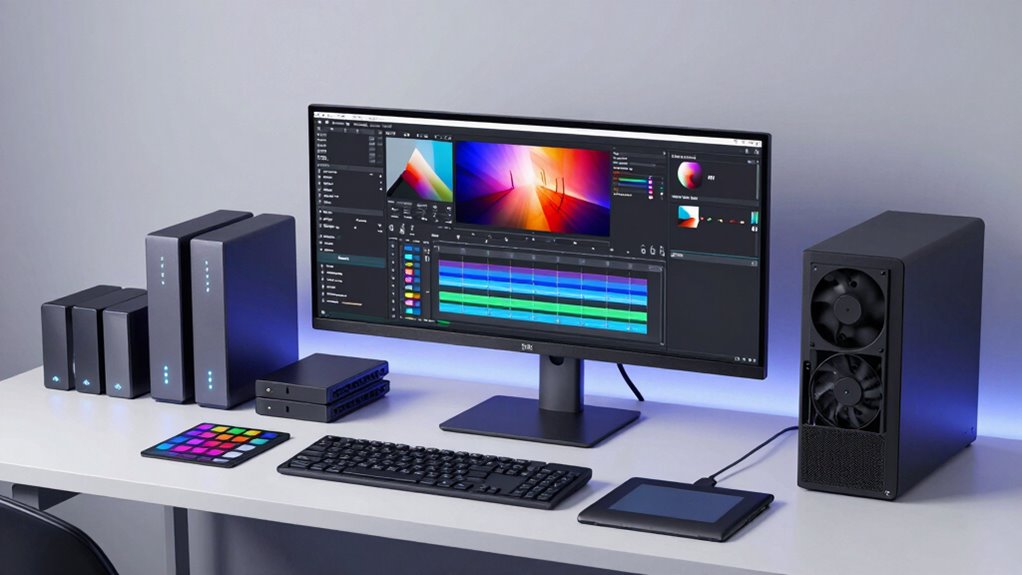

Choosing the right storage solution for video editing involves balancing speed, capacity, and durability. The Samsung T9 Portable SSD stands out for its fast transfer speeds and portability, making it ideal for on-the-go workflows. The Seagate LaCie 2big Dock offers massive capacity and Thunderbolt compatibility, perfect for professional studios, but comes with a higher price tag. Buyers often face tough tradeoffs between speed, storage size, and budget. Continue reading for a detailed breakdown of the best options to meet different editing needs.

Get the latest gadgets delivered free with Prime
- Fast, free delivery on millions of items
- Prime Video, Amazon Music and more included
- Member-only deals all year
Complete the kit



Key Takeaways
- Fast SSDs like Samsung T7 are best for editors who need quick access and frequent file transfers.
- High-capacity HDDs such as LaCie 2big Dock excel for large project archives but may lag in speed compared to SSDs.
- RAID and NAS options like Glyph StudioRAID and Synology DS1525+ provide scalable, redundant storage—ideal for collaborative workflows.
- Price and capacity often correlate; premium options deliver high performance but at a significant cost.
- Portability versus stationary setups drive the choice—portable SSDs suit on-the-move editing, while large RAID arrays serve studio environments.
| Samsung T9 Portable SSD 1TB USB 3.2 Gen 2×2 External SSD |  | Best for Ultra-Fast Creative Workflows | Capacity: 1TB | Transfer Speed: up to 2,000 MB/s | USB Version: USB 3.2 Gen 2×2 | VIEW ON AMAZON | See Our Full Breakdown |
| SanDisk 2TB Extreme Portable SSD |  | Best Rugged Performance for Mobile Editing | Capacity: 2TB | Read Speed: up to 1050MB/s | Write Speed: up to 1000MB/s | VIEW ON AMAZON | See Our Full Breakdown |
| WD 6TB Elements Portable External Hard Drive for Windows, USB 3.2 Gen 1/USB 3.0 |  | Best Large Capacity for Backup and Archiving | Capacity: 6 TB | Transfer Speed: up to 1050MB/s | Interface: USB 3.2 Gen 1 | VIEW ON AMAZON | See Our Full Breakdown |
| Seagate LaCie 2big Dock 20TB External HDD – Thunderbolt and USB4 Compatibility, Data Recovery |  | Best for Large-Scale Professional Workflows | Capacity: 20 TB | Transfer Speed: up to 550MB/s | Connectivity: Thunderbolt 3, USB4 | VIEW ON AMAZON | See Our Full Breakdown |
| LaCie 2big Dock RAID 16TB External HDD – Thunderbolt and USB4 Compatibility, Data Recovery | | Best for RAID Storage with High-Speed Data Access | Capacity: 16 TB | Transfer Speed: up to 550MB/s | Connectivity: Thunderbolt 4, USB4 | VIEW ON AMAZON | See Our Full Breakdown |
| Glyph Blackbox PRO RAID Thunderbolt 3 Desktop 24TB |  | Best Overall for Demanding Media Workflows | Storage Capacity: 24 TB | Hard Disk Interface: Thunderbolt | Connectivity Technology: USB | VIEW ON AMAZON | See Our Full Breakdown |
| Samsung T7 Portable SSD 1TB Titan Gray, USB 3.2 Gen 2, Up to 1,050MB/s |  | Best for High-Speed On-the-Go Editing | Capacity: 1TB | Read Speed: 1050 MB/s | Write Speed: 1000 MB/s | VIEW ON AMAZON | See Our Full Breakdown |
| Synology DS1525+ Video Editing & Production Server – 5-Bay NAS, 300TB Capacity, 10GbE Ready |  | Best for Scalable Multi-User Workflows | Storage Capacity: Start with 100TB, expandable to 300TB | Number of Bays: 5 | Network Speed: 10GbE Ready | VIEW ON AMAZON | See Our Full Breakdown |
| Glyph StudioRAID 2-Bay RAID Desktop External Hard Drive with USB 3.0 (16 TB) |  | Best for Flexibility and Reliability in Professional Workflows | Digital Storage Capacity: 16 TB | Hard Disk Interface: USB 3.0 | Connectivity Technology: FireWire, USB, eSATA | VIEW ON AMAZON | See Our Full Breakdown |
| LaCie d2 Professional 16TB USB 3.1 Type-C External Hard Drive |  | Best for Reliable Large-Scale Data Backup | Capacity: 16TB | Transfer Speed: up to 260MB/s | Interface: USB 3.1 Type-C | VIEW ON AMAZON | See Our Full Breakdown |
| LaCie d2 Professional 10TB External Hard Drive |  | Best Overall for Reliable Desktop Storage | Capacity: 10TB | Speed: up to 240MB/s | Connectivity: USB-C, Thunderbolt 3 | VIEW ON AMAZON | See Our Full Breakdown |
| SanDisk Professional 24TB G-RAID Project 2 External Hard Drive HDD with Thunderbolt 3 and USB |  | Best for High-Capacity, Demanding Multimedia Projects | Capacity: 24TB | Speed: up to 540MB/s | Connectivity: Thunderbolt | VIEW ON AMAZON | See Our Full Breakdown |
| Glyph BlackBox Pro 40TB RAID Desktop Drive Thunderbolt 3 |  | Best for Large, Fast, and Durable RAID Storage | Capacity: 40TB | Speed: up to 550MB/s | Connectivity: Thunderbolt 3 | VIEW ON AMAZON | See Our Full Breakdown |
| storage solutions for video editing | Capacity | Form Factor |
|---|---|---|
| Samsung T9 Portable SSD 1TB US | 1TB | — |
| SanDisk 2TB Extreme Portable S | 2TB | — |
| WD 6TB Elements Portable Exter | 6 TB | 2.5 inches |
| Seagate LaCie 2big Dock 20TB E | 20 TB | 3.5 inches |
| LaCie 2big Dock RAID 16TB Exte | 16 TB | 3.5 inches |
| Glyph Blackbox PRO RAID Thunde | — | External |
| Samsung T7 Portable SSD 1TB Ti | 1TB | — |
| Synology DS1525+ Video Editing | — | — |
| Glyph StudioRAID 2-Bay RAID De | — | 3.5 inches |
| LaCie d2 Professional 16TB USB | 16TB | — |
| LaCie d2 Professional 10TB Ext | 10TB | Desktop |
| SanDisk Professional 24TB G-RA | 24TB | 3.5-inch |
| Glyph BlackBox Pro 40TB RAID D | 40TB | 3.5-inch |
More Details on Our Top Picks
Samsung T9 Portable SSD 1TB USB 3.2 Gen 2×2 External SSD
The Samsung T9 Portable SSD stands out for its extraordinary transfer speeds of up to 2,000 MB/s, making it ideal for handling large video files and demanding editing projects. Unlike the SanDisk Extreme SSD, which offers rugged durability but slightly lower speeds, the T9 prioritizes raw performance—though this depends on host device support and cable quality. Its thermal management system helps prevent overheating during prolonged sessions, a feature that adds reliability during intensive workflows. However, its premium price and reliance on USB 3.2 Gen 2×2 compatibility mean it’s best suited for professionals with compatible hardware. If speed is your main concern and your setup supports it, this drive offers a compelling edge over alternatives like the SanDisk for high-end editing tasks.
Pros:- Extremely fast transfer speeds up to 2,000 MB/s for large file handling
- Effective thermal management to prevent overheating during heavy use
- Broad device compatibility including smartphones and gaming consoles
- Includes firmware and security software for data protection
Cons:- Maximum performance hinges on host device and cable support
- Higher price point compared to other 1TB SSDs with similar capacities
Best for: Video editors working on high-resolution projects who need the fastest possible transfer speeds on compatible hardware
Not ideal for: Casual users or those with older computers lacking USB 3.2 Gen 2×2 support, as they won’t reach full performance potential
- Capacity:1TB
- Transfer Speed:up to 2,000 MB/s
- USB Version:USB 3.2 Gen 2×2
- Compatibility:Desktop, camera, gaming console, iPhone
- Additional Features:Dynamic Thermal Guard, Magician Software
- Supports iPhone 15 Pro Res 4K at 60fps:Yes
Our verdict“This drive is best for professionals with high-end hardware who prioritize speed above all else.”
SanDisk 2TB Extreme Portable SSD
The SanDisk 2TB Extreme Portable SSD is designed for on-the-go editors who need fast data transfer combined with rugged durability. With read speeds up to 1050MB/s and 1000MB/s write speeds, it’s faster than many traditional external drives like the WD Elements 6TB, especially in mobile scenarios. Its IP65 rating and drop protection up to 3 meters make it suitable for outdoor shoots and rough environments, a clear advantage over less durable options. The inclusion of hardware encryption adds a layer of security, ideal for sensitive footage. However, performance can vary depending on the device and connection, and it’s less suited for stationary editing setups requiring sustained maximum throughput. If portability and ruggedness matter most, this SSD is a strong choice, though it doesn’t match the raw speed of the Samsung T9.
Pros:- Fast read/write speeds ideal for quick on-location data transfer
- Rugged construction with IP65 water/dust resistance and drop protection
- Includes a convenient carabiner loop for secure attachment
- Hardware encryption for privacy
Cons:- Performance may vary depending on device and connection
- Higher price relative to standard portable SSDs
Best for: Videographers and editors working outdoors or in unpredictable environments who need quick, reliable storage
Not ideal for: Studio-based editors with stationary setups who require the absolute fastest speeds, as internal drives or larger NAS solutions might serve better
- Capacity:2TB
- Read Speed:up to 1050MB/s
- Write Speed:up to 1000MB/s
- Drop Protection:up to 3 meters
- Water and Dust Resistance:IP65
- Encryption:256-bit AES hardware
Our verdict“This drive is perfect for mobile professionals needing durable, high-speed storage in challenging environments.”
WD 6TB Elements Portable External Hard Drive for Windows, USB 3.2 Gen 1/USB 3.0
The WD 6TB Elements Portable External Hard Drive offers generous storage capacity for archiving and backing up large video libraries. Its USB 3.2 Gen 1 interface provides transfer speeds up to 1050MB/s, comparable to the SanDisk Extreme but with more space for less cost. Compared to the SSD options like Samsung T9 or SanDisk Extreme, this HDD trades speed for capacity and affordability, making it suitable for long-term storage rather than active editing. Its plug-and-play setup simplifies connections with Windows and Mac systems, but the plastic enclosure and slower speeds limit its use for high-speed editing workflows. This drive makes the most sense for users prioritizing capacity and budget over raw performance.
Pros:- Massive 6TB capacity at an affordable price
- Fast transfer speeds up to 1050MB/s for backups
- Plug-and-play with Windows and Mac
- Compact and portable design
Cons:- Plastic enclosure may be less durable over time
- Not suitable for high-performance editing tasks
Best for: Content creators needing large, affordable storage for backups and long-term projects
Not ideal for: Editors working on high-resolution projects that require fast read/write speeds for active editing
- Capacity:6 TB
- Transfer Speed:up to 1050MB/s
- Interface:USB 3.2 Gen 1
- Form Factor:2.5 inches
- Compatibility:Windows, Mac
- Enclosure Material:Plastic
Our verdict“This drive is ideal for cost-conscious users needing large storage for archival rather than active editing.”
Seagate LaCie 2big Dock 20TB External HDD – Thunderbolt and USB4 Compatibility, Data Recovery
The Seagate LaCie 2big Dock offers massive storage with 20TB capacity and speeds up to 550MB/s, making it suitable for professional video editing environments that handle large projects. Its versatile connectivity options, including Thunderbolt 3 and USB4, make it compatible with high-end editing setups, outperforming simpler drives like the WD Elements for sustained data transfer. The hot-swappable IronWolf Pro drives ensure long-term reliability, a key advantage over non-redundant storage solutions. However, its bulk and weight—over 3.7 kg—limit portability, and the high cost makes it more appropriate for studio use rather than on-location editing. For those with compatible hardware and demanding large-scale workflows, this drive offers impressive capacity and speed.
Pros:- Massive 20TB storage capacity for large projects
- Fast transfer speeds up to 550MB/s
- Versatile Thunderbolt 3 and USB4 connectivity
- Hot-swappable enterprise-class drives for durability
Cons:- Heavy and bulky, not suited for portability
- High price point for casual users
Best for: Professional editors and studios managing extensive video libraries and requiring reliable, high-capacity external storage
Not ideal for: Mobile editors or those with limited space, as the drive is heavy and less portable
- Capacity:20 TB
- Transfer Speed:up to 550MB/s
- Connectivity:Thunderbolt 3, USB4
- Form Factor:3.5 inches
- Drive Speed:7200 rpm
- Additional:Hot-swappable IronWolf Pro drives
Our verdict“This drive is best suited for professional environments needing high capacity and reliable performance over portability.”
LaCie 2big Dock RAID 16TB External HDD – Thunderbolt and USB4 Compatibility, Data Recovery
The LaCie 2big Dock RAID 16TB delivers a robust RAID solution with speeds up to 550MB/s, making it suitable for demanding editing workflows that require both redundancy and swift data access. Its dual Thunderbolt 4 and USB4 ports provide flexible connectivity, comparable to the LaCie 2big Dock but with added RAID capabilities for enhanced data safety. The hot-swappable drives and enterprise-grade reliability make it ideal for ongoing projects, especially where data protection is critical. However, its weight nearly 4 kg and complex setup may deter mobile users or beginners. For professional studios seeking a balance of capacity, speed, and data security, this RAID array offers a compelling package.
Pros:- High-speed transfer up to 550MB/s
- Versatile Thunderbolt 4 and USB4 connectivity
- RAID configuration for redundancy and safety
- Enterprise-class hot-swappable drives
Cons:- Heavy, less portable for mobile workflows
- Setup complexity may challenge beginners
Best for: High-end video editing teams and studios needing RAID redundancy and large storage capacity
Not ideal for: Solo editors or those with limited space, as setup complexity and weight are significant factors
- Capacity:16 TB
- Transfer Speed:up to 550MB/s
- Connectivity:Thunderbolt 4, USB4
- Form Factor:3.5 inches
- Drive Speed:7200 rpm
- Additional:RAID support, hot-swappable
Our verdict“This RAID solution is best for studios that require high capacity, speed, and data security with a need for redundancy.”
Glyph Blackbox PRO RAID Thunderbolt 3 Desktop 24TB
The Glyph Blackbox PRO RAID stands out for its massive 24TB capacity combined with flexible RAID configurations, making it ideal for large-scale video editing projects. Unlike the Synology DS1525+, which offers scalability and enterprise features, this external RAID is optimized for direct, high-speed access, reducing complexity in fast-paced editing environments. Its aluminum enclosure and cooling fan promote stable operation during extended use, but its bulkier size and need for Thunderbolt or USB-C ports can be limiting for portable workflows. The high transfer speed of 550 MB/s supports 4K workflows efficiently, though the higher price tag reflects its professional-grade build and capacity.
Pros:- Massive 24TB storage capacity for demanding projects
- Fast transfer speeds up to 550 MB/s for quick workflow
- Configurable RAID modes for performance or data security
- Durable aluminum case with cooling fan for extended use
Cons:- Bulky size may hinder portability
- Requires Thunderbolt or USB-C, limiting device compatibility
Best for: Video editors working with multi-terabyte media libraries who need fast, reliable external storage.
Not ideal for: Casual creators with basic editing needs or those working on laptops without Thunderbolt or USB-C ports.
- Storage Capacity:24 TB
- Hard Disk Interface:Thunderbolt
- Connectivity Technology:USB
- Data Transfer Rate:550 MB/s
- Form Factor:External
- Color:Black
Our verdict“This drive makes the most sense for professionals needing high-capacity, high-speed external storage in a stationary setup.”
Samsung T7 Portable SSD 1TB Titan Gray, USB 3.2 Gen 2, Up to 1,050MB/s
The Samsung T7 Portable SSD offers impressive transfer speeds of up to 1,050 MB/s, making it a top choice for editors needing quick data movement between devices. Compared with the Glyph Blackbox PRO RAID, which is designed for large, stationary storage, the T7 emphasizes portability and versatility across multiple platforms, including PC, Mac, and Android. Its shock-resistant design with drop protection up to 6 feet enhances durability during travel. However, its 1TB capacity may be limiting for extensive projects unless paired with multiple drives, and performance can depend on the host device’s support for USB 3.2 Gen 2. Still, this makes a compelling option for editors who prioritize speed and mobility over massive capacity.
Pros:- Blazing fast transfer speeds up to 1,050 MB/s
- Highly durable with drop resistance up to 6 feet
- Compact, lightweight design ideal for travel
- Wide compatibility including PC, Mac, Android, and consoles
Cons:- Limited capacity for large projects
- Performance depends on host device support
Best for: Mobile editors or those frequently switching between locations who need fast, reliable external storage.
Not ideal for: Users with large media libraries requiring extensive storage on a single device, as capacity is limited to 1TB.
- Capacity:1TB
- Read Speed:1050 MB/s
- Write Speed:1000 MB/s
- Drop Resistance:Up to 6 feet
- Interface:USB 3.2 Gen 2
- Color:Titan Gray
Our verdict“This SSD is best suited for editors who need rapid data transfer and portability, not large-scale storage.”
Synology DS1525+ Video Editing & Production Server – 5-Bay NAS, 300TB Capacity, 10GbE Ready
The Synology DS1525+ is a robust NAS solution tailored for professional video teams handling large, collaborative projects. Its 5-bay design supports starting at 100TB and expanding to 300TB, offering significant flexibility for growing media libraries, unlike the LaCie d2 Professional, which is more suited for individual users. Its high-speed 10GbE networking supports quick data sharing among multiple editors, crucial in multi-user environments. Features like AI tagging and project version control boost productivity, though setup complexity and higher cost may deter hobbyists or small studios without dedicated IT resources. For teams seeking scalable, high-performance storage, this NAS provides extensive capacity and sophisticated management tools.
Pros:- Expandable storage up to 300TB for future growth
- Supports high-speed 10GbE networking for fast data sharing
- Features AI tagging and project versioning for media management
- Suitable for multi-user environments
Cons:- Complex setup process may challenge beginners
- Higher price point compared to direct-attached drives
Best for: Medium to large creative teams needing scalable, high-speed networked storage for collaborative editing.
Not ideal for: Solo editors or small projects with limited budgets, as enterprise features and setup complexity may be overkill.
- Storage Capacity:Start with 100TB, expandable to 300TB
- Number of Bays:5
- Network Speed:10GbE Ready
- Additional Features:Supports SSD caching, AI tagging, version control
- Warranty:3 Years
- Model Number:DS1525+
Our verdict“This NAS is ideal for professional teams needing scalable, high-speed network storage for collaborative workflows.”
Glyph StudioRAID 2-Bay RAID Desktop External Hard Drive with USB 3.0 (16 TB)
The Glyph StudioRAID offers a versatile 2-bay setup with multiple RAID options, making it suitable for a variety of editing workflows. Compared with the Glyph Blackbox PRO RAID, which provides larger capacity, the StudioRAID emphasizes portability and flexibility, supporting USB 3.0, FireWire 800, and eSATA connections. Its 16TB capacity balances performance and portability, with transfer speeds up to 360 MB/s supporting 4K editing tasks. While it offers reliable enterprise-class durability and RAID configurability, its smaller capacity and higher price per terabyte could be drawbacks for users with extensive storage needs. This product makes sense for professionals who prioritize flexible connectivity and dependability.
Pros:- Multiple RAID options for tailored data protection
- High transfer speeds up to 360 MB/s for editing workflows
- Broad connectivity including USB 3.0, FireWire, and eSATA
- Enterprise-class durability with aluminum enclosure
Cons:- Limited to 16TB capacity for large projects
- Cost per terabyte can be high compared to larger drives
Best for: Independent editors or small teams needing adaptable, reliable external RAID storage with multiple connection options.
Not ideal for: Large-scale projects requiring multiple terabytes of storage in a single device, due to its 16TB limit.
- Digital Storage Capacity:16 TB
- Hard Disk Interface:USB 3.0
- Connectivity Technology:FireWire, USB, eSATA
- Read Speed:360 MB/s
- Media Speed:360 MB/s
- Form Factor:3.5 inches
Our verdict“This drive suits professionals needing flexible, reliable external RAID storage for moderate workloads.”
LaCie d2 Professional 16TB USB 3.1 Type-C External Hard Drive
The LaCie d2 Professional provides 16TB of storage with solid transfer speeds of up to 260MB/s, supporting demanding workflows and large backup tasks. Its all-metal aluminum enclosure offers excellent heat dissipation, ensuring stability during lengthy sessions—similar to the Glyph StudioRAID, but more straightforward as a single-drive solution. While it excels in durability and consistent performance, its maximum speed of 260MB/s is lower than some portable SSDs, which may impact time-sensitive editing tasks. This drive is a practical choice for creators who need dependable, large-capacity storage for archival or ongoing projects, especially when network setup isn’t an option.
Pros:- Large 16TB capacity suitable for extensive archives
- Robust aluminum enclosure for heat management
- Reliable performance with 260MB/s speeds
- USB-C connectivity with broad device compatibility
Cons:- Moderate transfer speeds compared to SSDs
- Designed mainly for backup and storage, not high-speed editing
Best for: Professionals needing reliable, large-capacity external drives for backups and steady workflow support.
Not ideal for: Editors who require ultra-fast transfer speeds for real-time editing or portable editing on location.
- Capacity:16TB
- Transfer Speed:up to 260MB/s
- Interface:USB 3.1 Type-C
- Enclosure Material:Aluminum
- Rotation Speed:7200 rpm
- Pre-format:exFAT
Our verdict“This drive offers stable, large-capacity storage for long-term projects and backups, less suited for speed-critical workflows.”
LaCie d2 Professional 10TB External Hard Drive
The LaCie d2 Professional stands out for its combination of large capacity and durability, making it an excellent choice for professional editors who need a dependable desktop drive. Compared with the Glyph BlackBox Pro, it offers similar high capacity but with slightly lower transfer speeds—up to 240MB/s—yet it compensates with a more streamlined design suited for longer-term use. Its enterprise-class drives ensure durability, while the aluminum enclosure minimizes noise and vibration, critical for a stable editing environment. The main tradeoff is its requirement for an external power source and its desktop-only form factor, which limits portability. This drive is best suited for editors working primarily at a dedicated workstation rather than on-the-go professionals.
Pros:- Large 10TB storage capacity for extensive project archives
- High data transfer speeds up to 240MB/s
- Compatible with both USB-C and Thunderbolt 3 devices
- Durable aluminum design reduces noise and vibration
Cons:- Requires an external power supply, reducing portability
- Designed primarily for desktop use, limiting mobility
Best for: Video editors who prioritize large, reliable storage for stationary workflows and need a durable, noise-reducing enclosure.
Not ideal for: Mobile editors or those needing a compact, portable solution due to its size and external power requirement.
- Capacity:10TB
- Speed:up to 240MB/s
- Connectivity:USB-C, Thunderbolt 3
- Drive Type:Enterprise-class HDD
- Form Factor:Desktop
- Warranty:5 years
Our verdict“This drive is ideal for stationary workflows demanding high capacity and reliability, with less focus on portability.”
SanDisk Professional 24TB G-RAID Project 2 External Hard Drive HDD with Thunderbolt 3 and USB
The SanDisk G-RAID Project 2 offers a massive 24TB capacity, making it a compelling choice for editors handling large multimedia files or multi-project workflows. Its RAID 0 configuration maximizes speed, reaching up to 540MB/s, which surpasses many competitors like the LaCie d2 for raw throughput. The inclusion of an SSD Mag slot adds flexibility for even faster workflows, though this feature can complicate setup and maintenance. While its robust build and enterprise-grade drives ensure long-term reliability, the drive’s weight (6.8 pounds) and premium price may deter those seeking portable solutions or on a tighter budget. This system is better suited for large studios or professionals with demanding storage needs who can accommodate its weight and cost.
Pros:- Massive storage capacity up to 48TB for extensive projects
- Fast transfer speeds up to 540MB/s with Thunderbolt 3
- Enterprise-class drives ensure reliability and performance
- Includes SSD Mag slot for added speed and flexibility
Cons:- Heavy at 6.8 pounds, less portable for field use
- Premium price point may be prohibitive for some users
Best for: Large-scale video production environments requiring high-capacity, fast, and expandable storage for multiple concurrent projects.
Not ideal for: Travelers or solo editors working on a limited budget, as the high price and weight limit portability and affordability.
- Capacity:24TB
- Speed:up to 540MB/s
- Connectivity:Thunderbolt
- Additional Features:SSD Mag Slot
- Form Factor:3.5-inch
- Weight:6.8 pounds
Our verdict“This drive is best for professionals managing large, high-bandwidth projects in a fixed workspace, where capacity and speed outweigh portability concerns.”
Glyph BlackBox Pro 40TB RAID Desktop Drive Thunderbolt 3
The Glyph BlackBox Pro excels in delivering a substantial 40TB of storage with lightning-fast transfer speeds up to 550MB/s. Its RAID configuration offers flexibility for data redundancy or performance, making it well-suited for professionals who need both speed and security. The anti-shock, rugged build adds durability for use in varied environments, including on-location shoots or field editing. Compared to the SanDisk G-RAID Project 2, it provides similar high capacity but with a focus on robustness and shock resistance. Its main drawback lies in its weight and size, which can limit portability, and its reliance solely on Thunderbolt 3, which narrows compatibility. This model fits best into a stationary professional workflow where maximum capacity, speed, and durability are priorities.
Pros:- High storage capacity of 40TB suitable for large projects
- Fast transfer speeds up to 550MB/s
- Durable, anti-shock construction for rugged environments
- RAID flexibility for redundancy or performance
Cons:- Heavy and bulky, limiting portability
- Requires Thunderbolt 3 port, reducing compatibility
Best for: Pro video editors who require large, fast, and tough storage for demanding workflows and occasional field use.
Not ideal for: Editors seeking a lightweight, portable drive or those with limited Thunderbolt 3 ports, due to its size and connection requirement.
- Capacity:40TB
- Speed:up to 550MB/s
- Connectivity:Thunderbolt 3
- Additional Features:anti-shock, durable
- Form Factor:3.5-inch
Our verdict“This drive is ideal for professionals needing large, fast, and durable storage with a focus on reliability in demanding environments.”

How We Picked
The products included in this roundup were evaluated based on a combination of performance (transfer speeds, read/write capabilities), capacity options, build quality, connection versatility (USB, Thunderbolt, NAS), and value for different user needs. We prioritized solutions that balance reliability with ease of use and considered the typical workflows of video editors—from freelance creators to studio professionals. Products were ranked to highlight those that excel in specific categories like speed, capacity, or affordability, ensuring a diverse set of options for various budgets and use cases.Factors to Consider When Choosing Storage Solutions For Video Editing
When selecting storage for video editing, understanding your workflow and future needs is crucial. Different projects require different balances of speed, capacity, and connectivity. Over-investing in speed when you only need storage for backups can be wasteful, while underestimating capacity might hinder your progress. Here are key factors to consider beyond just specs, to help you make an informed choice.Performance and Speed
High transfer speeds, especially with SSDs and Thunderbolt connections, significantly reduce waiting times during editing and rendering. For those working with 4K or higher resolutions, SSDs with NVMe or USB 3.2 Gen 2×2 interfaces are preferable. However, if your workflow involves only occasional file transfers, a slower HDD might suffice, saving costs and space. Balancing speed with capacity needs is essential to avoid bottlenecks in your projects.
Capacity and Scalability
Video projects can quickly consume terabytes of storage, making capacity a top priority. Large external HDDs or NAS solutions offer scalable space, but often at higher costs. Consider your current needs versus future growth—buying slightly more than you need now can prevent costly upgrades later. Also, look for solutions that allow adding drives or expanding capacity without replacing entire systems.
Connectivity and Compatibility
Ensure your storage device connects seamlessly with your editing setup. Thunderbolt 3 and USB-C are common in professional environments, offering fast data rates and compatibility with most modern computers. NAS devices require network setup but provide shared access across multiple devices, ideal for teams. Be cautious with adapters or older ports, which can limit performance or introduce complications.
Reliability and Data Security
Data loss can be devastating, especially during critical projects. Look for drives with built-in redundancy options like RAID or data recovery features. External drives with sturdy enclosures and good heat dissipation tend to last longer under continuous use. For essential projects, consider cloud backups or hybrid setups to add an extra layer of security.
Budget and Long-Term Value
Premium options often deliver superior performance and durability but come at a higher price. Budget-friendly drives can work well for smaller projects or temporary storage, but may lack longevity or speed for intensive editing. Focus on the total cost of ownership, including potential upgrades or replacements, and choose a solution that offers the best balance of performance and affordability for your specific needs.
Frequently Asked Questions
Is SSD necessary for video editing, or can I rely on HDDs?
While HDDs are capable of storing large video files at a lower cost, SSDs provide faster read/write speeds that dramatically reduce lag during editing and rendering. For smooth workflow, especially with 4K or higher resolution projects, an SSD is highly recommended. However, for archival storage or backups, HDDs remain a cost-effective choice. Many editors opt for a combination—using SSDs for active projects and HDDs for long-term storage.
How important is Thunderbolt compatibility for video editing storage?
Thunderbolt interfaces offer significantly higher data transfer speeds compared to standard USB connections, making them especially beneficial for editing high-resolution video directly from external drives. If your setup supports Thunderbolt, choosing compatible storage can streamline your workflow. For casual or less demanding projects, USB 3.1 or 3.2 drives might suffice, but professional editors working with large files will benefit from Thunderbolt’s performance edge.
Should I prioritize capacity or speed when choosing storage for projects?
This depends on your workflow. If you handle large 4K or higher-resolution files regularly, speed can be a bottleneck, so high-performance SSDs or Thunderbolt drives are worth considering. Conversely, if your projects are smaller or involve mostly transferring finished files, greater capacity might be more important. A balanced setup often involves fast drives for active editing and larger HDDs or NAS for storage and backups.
Are NAS solutions worth it for freelance video editors?
NAS devices offer shared access across multiple devices and scalable storage, which can be a significant advantage if you work with a team or need regular backups. For solo freelancers with limited budgets, a high-capacity external drive might be more practical. However, for those planning long-term growth or collaborating with others, investing in a NAS can streamline workflows and enhance data security.
What should I look for in a durable external drive for mobile editing?
Durability features like shock resistance, sturdy enclosures, and heat dissipation are key for mobile editing setups. SSDs tend to be more rugged than HDDs, making them a better choice for on-the-go use. Also, look for models with encryption or password protection if data security is a concern. A compact, lightweight design combined with reliable build quality ensures your storage remains safe during transit.
Conclusion
For those who need the best overall performance, the Samsung T7 Portable SSD offers a perfect blend of speed, portability, and reliability. Editors working with massive data loads and collaborative environments will find the Glyph StudioRAID 2-Bay RAID or Synology DS1525+ to be excellent investments for scalability and redundancy. Beginners or budget-conscious creators should consider high-capacity external HDDs like the WD Elements 6TB, which provide ample space at a lower cost. Professionals requiring maximum capacity and speed might lean towards premium options like the Glyph BlackBox Pro 40TB. Ultimately, your choice depends on your workflow, budget, and future needs—there’s a solution tailored for every video editor in 2026.
Halloween Picks
halloween
As an affiliate, we earn on qualifying purchases.