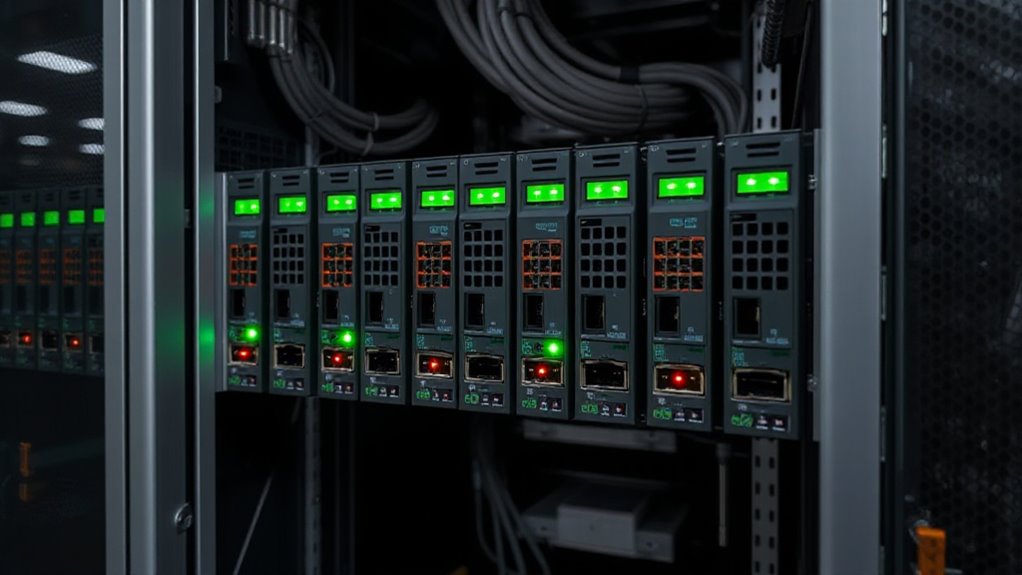

For those seeking reliable remote monitoring of UPS systems, a SNMP UPS monitoring card is essential. The APC by Schneider Electric AP9640 stands out as the best overall choice, offering robust management features and seamless integration. The APC AP9631 Network Management Card 2 is a strong contender for environmental monitoring, while the CyberPower RCCARD100 excels in cloud connectivity. Buyers often face tradeoffs between advanced features and ease of setup, or between cost and expandability. Continue reading to explore these options in detail and find the perfect fit for your needs.

Get the latest gadgets delivered free with Prime
- Fast, free delivery on millions of items
- Prime Video, Amazon Music and more included
- Member-only deals all year
Complete the kit



Key Takeaways
- The highest-rated cards combine robust SNMP support with straightforward setup, making management easier for most users.
- Top picks like APC models excel in environmental and network monitoring, but often come at a higher price point.
- Affordable options such as CyberPower’s cards offer good value but may lack some advanced features of premium models.
- Compatibility with specific UPS brands and models significantly impacts the usability of each card.
- Ease of deployment and ongoing maintenance are key factors that differentiate premium options from budget choices.
| APC by Schneider Electric AP9640 UPS Management Adapter |  | Best for Secure Remote Management of APC UPS Units | Compatibility: APC UPS units | Connection: Micro-USB, Ethernet | Management Protocols: Telnet, SSH | VIEW ON AMAZON | See Our Full Breakdown |
| OPTI-UPS SNMP Card for Network Remote Monitoring for DS-E Online UPS Series |  | Best for Easy, Plug-and-Play Network Monitoring | Compatibility: DS1000E, DS2000E, DS3000E | Connection: RJ45 10/100 Base-T | Installation: Plug and Play, hot-swappable | VIEW ON AMAZON | See Our Full Breakdown |
| UPSA6-SNMP-USB External Web/SNMP Card for UPSA6-850 |  | Best for Multi-Language, Detailed Monitoring & Logging | Support: UPS MIB, RFC1628, PPC MIB | Features: Real-time monitoring, event notifications, scheduled self-tests | Languages: Multiple | VIEW ON AMAZON | See Our Full Breakdown |
| APC AP9631 UPS Network Management Card 2 with Environmental Monitoring |  | Best for Multi-User Access & Environmental Oversight | Supports multiple users: up to 8 web browser users, 3 CLI users | Compatibility: APC Smart-UPS (SMX, SMT, SRT) | Features: SNMP, environmental monitoring, firmware updates | VIEW ON AMAZON | See Our Full Breakdown |
| CyberPower RMCARD400 Remote Management Card for UPS Systems & ATS PDUs |  | Best for Full-featured, High-Speed Network Management | Management Type: Remote network management | Connectivity: Gigabit Ethernet | Compatibility: CyberPower UPS & ATS PDU | VIEW ON AMAZON | See Our Full Breakdown |
| CyberPower RMCARD205 Remote Management Card for UPS Systems & ATS PDUs |  | Best for Flexible Environmental Monitoring and Customizable Alerts | Event Action Settings: Customizable UPS responses | Automatic Event Notifications: Email, SMS, SNMP Traps, Syslog | Automatic Shutdown: Yes, with PowerPanel Business Edition | VIEW ON AMAZON | See Our Full Breakdown |
| CyberPower RCCARD100 Cloud Monitoring Card |  | Best for Cloud-Based Remote UPS Monitoring via Mobile App | Connectivity: Cloud-based via PowerPanel Cloud | Setup: QR code for quick setup | Subscription: Free for one device, paid for additional units | VIEW ON AMAZON | See Our Full Breakdown |
| Tripp Lite WEBCARDLXE Network Management Card for UPS and PDU Systems |  | Best for Protocol-Rich, Multi-Device Network Management | Compatibility: Eaton Tripp Lite Series UPS with network card | Protocols Supported: IPv4, IPv6, HTTP, HTTPS, SMTP, SNMPv1, SNMPv2c, SNMPv3, Telnet, SSH, FTP, DHCP | Network Speed: 10/100 Mbps | VIEW ON AMAZON | See Our Full Breakdown |
| snmp ups monitoring card | Compatibility |
|---|---|
| APC by Schneider Electric AP96 | APC UPS units |
| OPTI-UPS SNMP Card for Network | DS1000E, DS2000E, DS3000E |
| UPSA6-SNMP-USB External Web/SN | UPS A6-850 |
| APC AP9631 UPS Network Managem | APC Smart-UPS (SMX, SMT, SRT) |
| CyberPower RMCARD400 Remote Ma | CyberPower UPS & ATS PDU |
| CyberPower RMCARD205 Remote Ma | — |
| CyberPower RCCARD100 Cloud Mon | — |
| Tripp Lite WEBCARDLXE Network | Eaton Tripp Lite Series UPS with network card |
More Details on Our Top Picks
APC by Schneider Electric AP9640 UPS Management Adapter
This adapter is ideal for users who need reliable remote access to their APC UPS units, supporting secure protocols like Telnet and SSH. Unlike the APC AP9640, which focuses on local configuration via micro-USB, it emphasizes remote control, making it perfect for networked environments. The main tradeoff is that it only works with compatible APC models, so compatibility limits its scope. Its security features—password protection and protocol disablement—make it suitable for sensitive environments. However, setup requires a network connection, which might be a barrier for less experienced users. This pick makes sense for IT teams prioritizing secure remote access and centralized UPS management.
Pros:- Supports secure remote management via Telnet and SSH
- Easy local configuration through micro-USB console
- Enables remote monitoring and control of APC UPS units
Cons:- Limited to compatible APC models
- Requires network setup, which could be complex for some users
Best for: IT professionals managing multiple APC UPS units in a networked environment who prioritize security.
Not ideal for: Home users with a single UPS or those using non-APC models, as compatibility is limited and setup complexity may be unnecessary.
- Compatibility:APC UPS units
- Connection:Micro-USB, Ethernet
- Management Protocols:Telnet, SSH
- Security:Password protection, automatic protocol disablement
Our verdict“This adapter is best suited for security-conscious IT departments needing remote management of APC UPS systems.”
OPTI-UPS SNMP Card for Network Remote Monitoring for DS-E Online UPS Series
This SNMP card is perfect for users who want straightforward network access without complex setup, especially compared to the APC AP9631, which offers more detailed environmental monitoring and user management. The OPTI-UPS is designed for quick, hot-swappable installation, making it suitable for environments where uptime is critical. However, it’s an optional accessory, so it isn’t included with UPS purchases, adding an extra step for deployment. Its compatibility with multiple DS series models broadens its appeal, but network setup remains a necessary step. This makes it a solid choice for facilities needing easy remote access without extensive configuration.
Pros:- Plug-and-play, hot-swappable installation
- Enables remote LAN/WAN access via IP
- Compatible with multiple DS series UPS models
Cons:- Optional accessory not included with UPS
- Requires network configuration for remote access
Best for: Facilities or data centers seeking hassle-free remote monitoring with minimal setup effort.
Not ideal for: Users who need advanced environmental monitoring or detailed user access controls, as it lacks these features.
- Compatibility:DS1000E, DS2000E, DS3000E
- Connection:RJ45 10/100 Base-T
- Installation:Plug and Play, hot-swappable
- Function:Remote network access and monitoring
Our verdict“This SNMP card is ideal for users who prioritize simple, reliable remote monitoring without needing advanced features.”
UPSA6-SNMP-USB External Web/SNMP Card for UPSA6-850
This SNMP card is tailored for users who need detailed logs, event notifications, and multi-language support, making it suitable for global operations. Compared with the AP9631, it offers more comprehensive event logging and scheduled self-tests, though it requires some technical skill to set up properly. It’s limited to UPSA6-850 models, which could restrict its use in mixed environments. Wireless connectivity isn’t mentioned, so wired setup is assumed. This option makes the most sense for technical teams seeking real-time data and detailed historical logs for power management.
Pros:- Supports real-time monitoring and detailed logs
- Multi-language interface for international use
- Includes scheduled self-tests and event notifications
Cons:- Requires technical knowledge to configure
- Limited to specific UPS models without wireless options
Best for: Global organizations or technical teams requiring detailed logs, multilingual support, and scheduled self-tests for UPS systems.
Not ideal for: Small offices or less technical users who prefer plug-and-play solutions with minimal setup complexity.
- Support:UPS MIB, RFC1628, PPC MIB
- Features:Real-time monitoring, event notifications, scheduled self-tests
- Languages:Multiple
- Compatibility:UPS A6-850
Our verdict“This SNMP card is best suited for organizations needing thorough monitoring and detailed record keeping in multiple languages.”
APC AP9631 UPS Network Management Card 2 with Environmental Monitoring
The AP9631 stands out for its ability to support multiple users—up to eight—via web browser, SNMP, Telnet, or SSH, which surpasses the single-user limitations of the OPTI-UPS SNMP card. It also provides detailed environmental monitoring, making it ideal for data centers where airflow, temperature, and humidity are critical. The need for network setup and firmware management might be a hurdle for smaller organizations or less tech-savvy users. Its focus on multi-user access and environmental data makes it better suited for larger, multi-operator environments that demand comprehensive oversight.
Pros:- Supports multiple simultaneous users
- Provides detailed environmental monitoring
- Allows remote firmware updates
Cons:- Limited to compatible APC Smart-UPS models
- Requires network configuration
Best for: Large-scale IT operations or data centers managing multiple users and environmental parameters.
Not ideal for: Small offices or single-user setups where extensive multi-user support and environment monitoring are unnecessary.
- Supports multiple users:up to 8 web browser users, 3 CLI users
- Compatibility:APC Smart-UPS (SMX, SMT, SRT)
- Features:SNMP, environmental monitoring, firmware updates
- Management:Web, SNMP, Telnet, SSH
Our verdict“This management card is best for environments that need multi-user access and detailed environmental oversight for APC UPS systems.”
CyberPower RMCARD400 Remote Management Card for UPS Systems & ATS PDUs
The RMCARD400 is designed for users who want comprehensive remote management of CyberPower UPS systems and PDUs over Gigabit Ethernet. Compared to the AP9631, it offers faster data transfer speeds, support for environmental sensors, and automatic shutdowns, making it ideal for large data centers and enterprise environments. However, it depends on compatible CyberPower hardware, limiting its universality. Installation is straightforward, but some features like environmental monitoring require optional sensors. This makes it the right choice for organizations needing fast, high-capacity remote control and environmental data.
Pros:- Gigabit Ethernet support for high-speed management
- Supports automatic shutdown for server protection
- Optional environmental sensors add flexibility
Cons:- Requires compatible CyberPower hardware
- Some features depend on additional sensors
Best for: Enterprises or data centers requiring fast, reliable management for CyberPower UPS and PDU hardware with optional environmental monitoring.
Not ideal for: Small businesses or users with non-CyberPower equipment, as the system’s compatibility is restricted.
- Management Type:Remote network management
- Connectivity:Gigabit Ethernet
- Compatibility:CyberPower UPS & ATS PDU
- Features:Event notifications, automatic shutdown, environmental monitoring (optional)
Our verdict“This management card is perfect for organizations needing fast, scalable remote control with optional environmental oversight on CyberPower equipment.”
CyberPower RMCARD205 Remote Management Card for UPS Systems & ATS PDUs
The CyberPower RMCARD205 stands out for its customizable event responses and support for environmental sensors, making it ideal for those who want detailed control over their UPS management. Compared to the Tripp Lite WEBCARDLXE, it offers more tailored event actions and environmental monitoring options, though it requires the PowerPanel Business Edition for automatic shutdown, adding a layer of dependency. The easy-to-install, hot-swappable design minimizes downtime during upgrades. However, the need for additional cost for environmental sensors and the reliance on specific software for shutdown functions could be drawbacks for budget-conscious users. This card suits users needing flexible, customizable remote management with environmental oversight, especially in data centers or server rooms.Pros:- Customizable event responses and notification options
- Supports environmental monitoring with optional sensors
- Easy to install with hot-swappable design
Cons:- Requires PowerPanel Business Edition for automatic shutdown
- Environmental sensors incur extra cost
Best for: IT managers or data center operators seeking customizable alerts and environmental monitoring capabilities.
Not ideal for: Small office setups or users who prefer plug-and-play simplicity without additional software dependencies.
- Event Action Settings:Customizable UPS responses
- Automatic Event Notifications:Email, SMS, SNMP Traps, Syslog
- Automatic Shutdown:Yes, with PowerPanel Business Edition
- Envirosensor Compatibility:Yes, monitors temperature and humidity
- Ethernet Port:10/100 Mbps
- Hot Swappable:Yes
Our verdict“This is best suited for users who need detailed control and environmental awareness, accepting some setup complexity and additional costs.”
CyberPower RCCARD100 Cloud Monitoring Card
The CyberPower RCCARD100 makes remote UPS management straightforward through its cloud platform, ideal for users who prioritize mobility and quick setup. Unlike the more feature-rich RMCARD205, it specializes in cloud connectivity, allowing monitoring via a mobile app with just a QR code. Its plug-and-play, hot-swappable design ensures minimal downtime, but the free monitoring is limited to a single device, with additional units requiring a subscription, which could increase costs over time. The need for a reliable internet connection is a key consideration, making it less ideal for environments with poor connectivity. This card is perfect for small to medium setups that want hassle-free remote access without complex networking configurations.Pros:- Easy setup with QR code
- Remote monitoring via mobile app
- Hot-swappable for quick installation
Cons:- Additional units require paid subscription
- Limited to one free device
- Dependent on internet connectivity
Best for: Small business owners or remote site managers looking for simple, mobile-friendly UPS monitoring.
Not ideal for: Large enterprise data centers needing comprehensive on-premises management or environmental sensors.
- Connectivity:Cloud-based via PowerPanel Cloud
- Setup:QR code for quick setup
- Subscription:Free for one device, paid for additional units
- Design:Hot-swappable, plug and play
- Firmware:Upgradeable firmware
Our verdict“This card is ideal for users seeking simple, cloud-based mobility, though it involves ongoing subscription costs for multiple devices.”
Tripp Lite WEBCARDLXE Network Management Card for UPS and PDU Systems
The Tripp Lite WEBCARDLXE offers extensive protocol support and management features, making it suitable for complex network environments. Its ability to manage a range of protocols like SNMPv1, v2c, v3, SSH, and HTTP/HTTPS, surpasses the more basic cloud or local options, providing flexibility for integration with existing systems. This makes it better suited for network administrators needing detailed control over multiple devices. However, it requires compatible Eaton or Tripp Lite hardware, and setup can be complex for those unfamiliar with network configurations. Its focus on advanced protocols and remote reboot functions makes it less ideal for small setups or less technical users who prefer straightforward solutions.Pros:- Supports multiple protocols for flexible integration
- Remote reboot capabilities without power disruption
- Configurable user permissions and real-time alerts
Cons:- Requires compatible Eaton or Tripp Lite hardware
- Setup can be complex for non-technical users
Best for: Network administrators managing multiple UPS or PDU systems in enterprise environments requiring protocol diversity.
Not ideal for: Small offices or users without existing Eaton or Tripp Lite hardware needing simple remote monitoring.
- Compatibility:Eaton Tripp Lite Series UPS with network card
- Protocols Supported:IPv4, IPv6, HTTP, HTTPS, SMTP, SNMPv1, SNMPv2c, SNMPv3, Telnet, SSH, FTP, DHCP
- Network Speed:10/100 Mbps
- Power Supply:Supports DHCP/Manual configuration
- Real-Time Clock:Supported with NTP
- Warranty:2 Years Limited
Our verdict“This card suits technical users managing multiple network devices who need protocol flexibility and remote control, with some complexity in setup.”

How We Picked
The products were evaluated based on their compatibility with a wide range of UPS systems, ease of installation, and the depth of monitoring features. We prioritized models with strong SNMP support, reliable remote access, and the ability to integrate with existing management tools. Value for money was also a key factor, alongside build quality and vendor support. The ranking reflects a balance between feature set, user-friendliness, and cost, aiming to recommend options suitable for different user needs and technical expertise.| snmp ups monitoring card | Compatibility |
|---|---|
| APC by Schneider Electric AP96 | APC UPS units |
| OPTI-UPS SNMP Card for Network | DS1000E, DS2000E, DS3000E |
| UPSA6-SNMP-USB External Web/SN | UPS A6-850 |
| APC AP9631 UPS Network Managem | APC Smart-UPS (SMX, SMT, SRT) |
| CyberPower RMCARD400 Remote Ma | CyberPower UPS & ATS PDU |
| CyberPower RMCARD205 Remote Ma | — |
| CyberPower RCCARD100 Cloud Mon | — |
| Tripp Lite WEBCARDLXE Network | Eaton Tripp Lite Series UPS with network card |
Factors to Consider When Choosing Snmp Ups Monitoring Card
Choosing the right SNMP UPS monitoring card involves several considerations that go beyond basic features. First, ensure compatibility with your existing UPS hardware—some cards are designed for specific brands or models, which can limit your options. Next, evaluate the level of monitoring and management features you need; advanced environmental sensors or multi-device support may be crucial for data centers, whereas smaller setups might prioritize simple remote access. Cost is always a factor, but investing in a slightly more expensive model can provide better scalability and reliability. Ease of setup and ongoing maintenance should also influence your choice, especially if your team has limited technical experience. Last, consider vendor support and firmware updates, as these ensure your system remains secure and functional over time.Compatibility and Integration
The first step is verifying that the monitoring card supports your specific UPS model and brand. Some cards are designed exclusively for certain series, which can limit their functionality or even prevent installation. Compatibility extends beyond physical fit; check if the card can integrate with your network management system or existing monitoring software. For enterprise environments, a card with broad compatibility reduces the risk of future upgrades being hindered by hardware limitations. Misjudging compatibility can lead to costly replacements or complex workarounds, so invest time in confirming this aspect before purchase.Features and Monitoring Capabilities
Not all SNMP cards are created equal when it comes to features. Some focus solely on basic power status, while others offer environmental sensors, remote shutdown, or detailed logging. Evaluate what metrics are vital for your operation—if environmental monitoring is critical, select a card with temperature, humidity, and airflow sensors. Likewise, consider whether you need multi-device support or just a single unit. Over-specifying features can increase costs unnecessarily, but under-specifying might leave you without crucial data or control options. Balance your current needs with future expandability to avoid costly upgrades later.Ease of Installation and Use
A monitoring card that’s complicated to install or configure can cause delays and frustration. Look for models with clear documentation, straightforward setup procedures, and user-friendly interfaces. Some cards offer web-based management consoles, which simplify ongoing maintenance and troubleshooting. For teams with limited technical expertise, a plug-and-play solution might be preferable, even if it offers fewer features. Conversely, advanced users may prioritize customizable configurations and detailed logs, which might require more complex setup. Weigh your team’s skill level against the complexity of the card to select one that provides a smooth experience.Cost and Total Ownership Value
Pricing varies widely among SNMP UPS monitoring cards. Budget options can be tempting, but they often lack advanced features or robust support, potentially leading to higher maintenance costs or limited scalability. Premium models, while more expensive upfront, tend to offer better durability, more comprehensive management features, and longer support lifecycles. Consider the total cost of ownership, including potential upgrade paths, support contracts, and the value of features included. In some cases, paying more initially can reduce costs later by minimizing downtime and simplifying management tasks.Vendor Support and Firmware Updates
Reliable vendor support and ongoing firmware updates are vital for maintaining system security and performance. Check whether the manufacturer offers responsive technical support, regular firmware releases, and compatibility with your network infrastructure. A well-supported product reduces the risk of vulnerabilities and ensures your monitoring system remains functional as your network evolves. Avoid models with limited support or outdated firmware, as these can become security liabilities or lead to operational issues over time. Prioritize brands with a proven track record of ongoing development and customer service.Frequently Asked Questions
Can I use a SNMP UPS monitoring card with any UPS system?
While many SNMP cards are designed for specific brands or models, compatibility varies across different products. It’s essential to verify that the card supports your UPS system before purchasing. Some cards are universal or have adapters, but in many cases, the manufacturer specifies supported models. Using an incompatible card can lead to installation issues or limited functionality, so checking compatibility lists and consulting vendor documentation is recommended. If your UPS isn’t listed, contacting the manufacturer for guidance or considering a different model is a wise step.What features should I prioritize in a SNMP UPS monitoring card?
The key features depend on your operational needs, but generally, reliable SNMP support, environmental monitoring, and remote management capabilities are essential. For data centers or critical infrastructure, environmental sensors like temperature and humidity often justify the extra investment. If remote control and event logging are priorities, look for cards that support detailed SNMP traps and notifications. Balancing feature set with cost is important; over-specifying can inflate your budget, while under-specifying might compromise system reliability. Focus on what will provide the most value for your specific environment.Is it worth paying more for a SNMP UPS monitoring card?
Investing in a higher-priced card often delivers improved build quality, more advanced features, and longer support cycles, which can translate into lower maintenance costs and better reliability. For large or critical systems, the extra expense can be justified by enhanced security, comprehensive environmental sensors, and seamless integration with existing management tools. However, for smaller setups or less critical applications, a budget-friendly option may suffice, provided it meets your basic monitoring needs. Weigh the potential downtime costs against the upfront investment to determine the best value for your operation.How difficult is it to set up and configure a SNMP UPS monitoring card?
Setup difficulty varies depending on the model and your technical expertise. Many modern cards feature web-based interfaces that streamline configuration, making them accessible even to users with limited networking experience. However, some enterprise-grade models may require more advanced network knowledge, including SNMP configuration and environmental sensor calibration. Reading the manufacturer’s documentation carefully and following step-by-step instructions can significantly reduce setup time. If ongoing management is a concern, choose a card known for simplicity and strong vendor support to ensure smooth operation.Can a SNMP UPS monitoring card improve my data center’s reliability?
Absolutely, a well-chosen SNMP UPS monitoring card enhances visibility into power conditions, environmental factors, and system health, allowing for proactive maintenance and faster response to issues. By receiving real-time alerts and detailed logs, your team can address potential failures before they cause outages. This increased oversight reduces downtime, prolongs equipment lifespan, and improves overall system resilience. When selecting a card, ensure it offers comprehensive monitoring and reliable notification features tailored to your infrastructure’s complexity and criticality.Conclusion
For most users, the APC by Schneider Electric AP9640 offers a strong balance of features, ease of use, and reliability, making it the best overall choice. Those prioritizing cost-effectiveness and basic monitoring functions may find the CyberPower RCCARD100 sufficient. For environments requiring advanced environmental tracking and multi-device support, the APC AP9631 Network Management Card 2 stands out. Beginners or smaller setups should consider models with straightforward installation, while large data centers benefit from premium options with extensive features. Ultimately, matching the card to your environment and management needs will ensure reliable power oversight for years to come.Halloween Picks
halloween
As an affiliate, we earn on qualifying purchases.