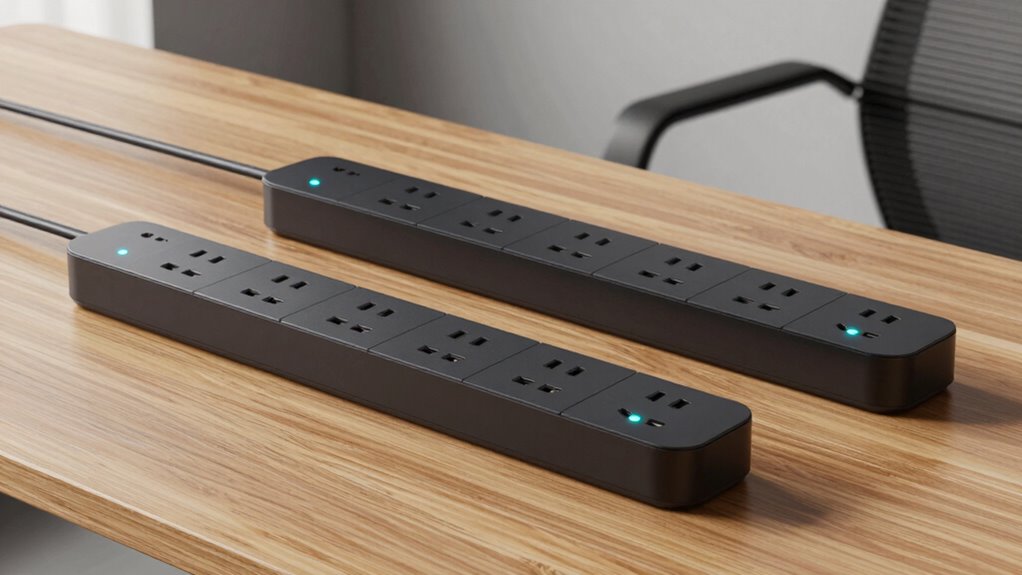

The Kasa Smart Plug Power Strip HS300 is my best overall smart power strip pick for its six individually controlled outlets, three USB ports, and energy monitoring. For Matter-focused homes, the Tapo P316M stands out for platform flexibility, while the Kasa KP303 suits buyers who need a smaller, simpler setup. The main tradeoffs are how many devices you can control separately, which smart-home systems are supported, and whether you need USB charging or energy data. More outlets do not always mean better control, and a strip with extra ports may take up more desk or floor space. Read on for the full comparison and advice on choosing the right fit.

Get the latest gadgets delivered free with Prime
- Fast, free delivery on millions of items
- Prime Video, Amazon Music and more included
- Member-only deals all year
Complete the kit



Key Takeaways
- The HS300 leads on all-around control: six individually managed outlets, three USB ports, and energy monitoring make it the most versatile option in this lineup.
- Matter support sets the Tapo P316M apart: it is the clearest choice here for buyers prioritizing cross-platform smart-home compatibility and energy monitoring.
- Outlet count and outlet control are different: some six- or eight-outlet models offer a high connection count, but buyers should check whether each AC outlet is independently controlled.
- The KP303 trades capacity for a simpler footprint: its three smart outlets make more sense for a compact desk or entertainment setup than a crowded equipment center.
- USB ports vary in practical value: several picks add USB-A charging, while the four-port Yozisital and USB-C-equipped Matter strip may suit buyers with more charging devices or newer accessories.
| Kasa Smart Plug Power Strip HS300 with 6 Individually Controlled Outlets and 3 USB Ports |  | Best Overall for Energy Monitoring | Model: HS300 | Smart outlets: 6, individually controlled | USB ports: 3; 5V/2.4A per port, 2.4A total | VIEW ON AMAZON | See Our Full Breakdown |
| Geeni Smart Surge Protector Power Strip with 6 Wi-Fi Outlets |  | Best for Per-Outlet Energy Tracking | Outlets: 6, individually controlled | Ports: USB-A and USB-C | Surge protection: 300 joules | VIEW ON AMAZON | See Our Full Breakdown |
| Tapo P316M Matter Smart Wi-Fi Power Strip with Energy Monitoring |  | Best for Matter Smart Homes | Model: P316M | AC outlets: 6, individually controlled | USB ports: 3 always-on, 5V 2.4A | VIEW ON AMAZON | See Our Full Breakdown |
| Geeni Smart Power Strip with Surge Protection, 6 Smart Outlets, 2 USB Ports, 6 ft Cord |  | Best for Extra Always-On Outlets | Model: GN-SW009-101 | AC outlets: 8 total: 6 smart and 2 always-on | USB ports: 2: USB-A and USB-C | VIEW ON AMAZON | See Our Full Breakdown |
| Geeni Surge Ultra Smart 8-Outlet Surge Protector, No Hub, 6 ft. Cord, Black |  | Best for USB Charging and Flexible Placement | AC outlets: 8 total: 6 smart and 2 always-on | USB ports: 3 | Surge protection: 1200 joules | VIEW ON AMAZON | See Our Full Breakdown |
| Matter Smart Power Strip with 4 Individually Controlled Outlets, USB-A and USB-C Ports |  | Best for Matter Smart Homes | AC outlets: 4, individually controlled | USB ports: 2 USB-A | USB-C ports: 2 | VIEW ON AMAZON | See Our Full Breakdown |
| Kasa Smart Wi-Fi Power Strip KP303 with 3 Smart Outlets and 2 USB Ports |  | Best for Straightforward App Control | Model: KP303 | Smart outlets: 3, individually controlled | USB ports: 2 | VIEW ON AMAZON | See Our Full Breakdown |
| LINKVOLT Smart WiFi Power Strip with 3 AC Outlets |  | Best for Basic Scheduled Control | AC outlets: 3, individually controlled | Wi-Fi: 2.4 GHz | Maximum current: 15 A | VIEW ON AMAZON | See Our Full Breakdown |
| Yozisital Smart Power Strip with 6 Controlled Outlets, 4 USB Ports, and 5 ft Flat Plug Cord |  | Best for High Device Count | AC outlets: 8 total: 6 individually controlled smart outlets and 2 regular outlets | USB ports: 4: 2 USB-A and 2 USB-C | Cord length: 5 ft | VIEW ON AMAZON | See Our Full Breakdown |
| Amazon Basics Smart Power Strip with 6 Controlled Outlets and 3 USB Ports |  | Best for Alexa-Only Setups | AC outlets: 6, individually controlled | USB ports: 3: 2 USB-A and 1 USB-C | Voltage: 120 V | VIEW ON AMAZON | See Our Full Breakdown |
| smart power strip | USB ports | AC outlets | Cord length | Surge protection |
|---|---|---|---|---|
| Kasa Smart Plug Power Strip HS | 3; 5V/2.4A per port, 2.4A total | — | — | ETL-certified |
| Geeni Smart Surge Protector Po | — | — | 3 ft | 300 joules |
| Tapo P316M Matter Smart Wi-Fi | 3 always-on, 5V 2.4A | 6, individually controlled | 37 in | — |
| Geeni Smart Power Strip with S | 2: USB-A and USB-C | 8 total: 6 smart and 2 always-on | 6 ft | 1200 joules |
| Geeni Surge Ultra Smart 8-Outl | 3 | 8 total: 6 smart and 2 always-on | 6 ft | 1200 joules |
| Matter Smart Power Strip with | 2 USB-A | 4, individually controlled | — | — |
| Kasa Smart Wi-Fi Power Strip K | 2 | — | — | — |
| LINKVOLT Smart WiFi Power Stri | — | 3, individually controlled | 6 ft | 1080 joules |
| Yozisital Smart Power Strip wi | 4: 2 USB-A and 2 USB-C | 8 total: 6 individually controlled smart outlets and 2 regular outlets | 5 ft | — |
| Amazon Basics Smart Power Stri | 3: 2 USB-A and 1 USB-C | 6, individually controlled | — | — |
More Details on Our Top Picks
Kasa Smart Plug Power Strip HS300 with 6 Individually Controlled Outlets and 3 USB Ports
The Kasa HS300 is a strong fit when outlet-by-outlet control and tracking electricity use matter as much as adding sockets. Its six individually controlled outlets let you schedule or switch separate devices, while energy monitoring helps identify which connected equipment draws power. Three USB ports add charging without using an AC outlet, though their 2.4A shared total can limit simultaneous charging. Compared with the Tapo P316M, the HS300 offers the familiar Kasa app and voice control but does not list Matter support; the Tapo may suit a mixed-platform smart home better. This strip also has an aluminum enclosure and ETL-certified surge protection. Its long, broad 14.17-inch body needs room, and app control requires a compatible phone.
Pros:- Six AC outlets can be controlled independently
- Energy monitoring helps track connected devices’ power use
- Three USB ports and ETL-certified surge protection
- Works with Alexa, Google Assistant, and Microsoft Cortana
Cons:- USB ports share a 2.4A total output
- The 14.17-inch body may be awkward in tight spaces
- Kasa app use requires a compatible iOS or Android device
Best for: Smart-home owners who want individual outlet control, energy tracking, and USB charging in one strip.
Not ideal for: Buyers prioritizing Matter compatibility, a compact strip, or fast charging across several USB devices.
- Model:HS300
- Smart outlets:6, individually controlled
- USB ports:3; 5V/2.4A per port, 2.4A total
- Input:100–125V, 60Hz, 15A
- Maximum load:1875W
- Surge protection:ETL-certified
- Compatibility:Alexa, Google Assistant, Microsoft Cortana
- Dimensions and weight:14.17 × 2.49 in; 702 g
Our verdict“Choose the HS300 for broad outlet control and energy tracking, but pick the Tapo P316M if Matter support matters more.”
Geeni Smart Surge Protector Power Strip with 6 Wi-Fi Outlets
The Geeni Smart Surge Protector earns its place for buyers who want to see energy use at the individual-outlet level, rather than only switch connected gear on and off. Six Wi-Fi outlets can be controlled separately through the app or by Alexa and Google Assistant, and the USB-A and USB-C ports offer mixed-device charging. Compared with the Kasa HS300, this Geeni model is shorter at 11.02 inches and adds USB-C, but its stated 300-joule surge rating is a clear limitation for anyone seeking more surge capacity. Its three-foot cord also gives less placement flexibility than the six-foot cords on the Geeni GN-SW009-101 and Surge Ultra. I’d choose it for outlet-level monitoring in a close-to-wall setup, not for demanding surge protection or distant outlets.
Pros:- Six outlets offer individual app and voice control
- Energy use can be tracked per outlet
- Includes USB-A and USB-C charging ports
- Compact 11.02-inch length compared with the Kasa HS300
Cons:- Surge protection is rated at 300 joules
- Three-foot cord limits placement flexibility
- Plastic enclosure may be less appealing to buyers seeking a metal-bodied strip
Best for: Buyers who want to monitor and control six separate devices and have a nearby outlet.
Not ideal for: People seeking a higher stated surge rating, a long reach, or a strip with extra always-on outlets.
- Outlets:6, individually controlled
- Ports:USB-A and USB-C
- Surge protection:300 joules
- Cord length:3 ft
- Connectivity:Wi-Fi and app control
- Voice assistants:Amazon Alexa and Google Assistant
- Dimensions and weight:11.02 × 2.44 in; 0.54 kg
Our verdict“Pick this Geeni model for per-outlet energy tracking and USB-C in a shorter strip, but skip it if surge capacity is a priority.”
Tapo P316M Matter Smart Wi-Fi Power Strip with Energy Monitoring
The Tapo P316M is the clearest choice here for someone building around Matter: it pairs six independently controlled AC outlets with energy monitoring, scheduling, and local or remote control. Matter support gives it an advantage over the Kasa HS300 for households mixing smart-home platforms, while its three USB ports provide a useful extra without taking AC sockets. The compromise is that those USB ports are always on, so they cannot be scheduled or switched individually like the smart AC outlets. Its 37-inch cord is shorter than the six-foot leads on the Geeni GN-SW009-101 and Surge Ultra, and it needs 2.4 GHz Wi-Fi. Choose it for platform flexibility and per-outlet tracking, not if you need longer cable reach or switched USB charging.
Pros:- Matter certification supports major smart-home platforms
- Energy monitoring is available for each AC outlet
- Six individually controlled outlets with schedules and voice control
- Three always-on USB ports add charging capacity
Cons:- USB ports cannot be individually switched
- Requires 2.4 GHz Wi-Fi
- 37-inch cord is shorter than the six-foot Geeni alternatives
Best for: Matter-enabled smart-home owners who want energy monitoring and individual control of six AC outlets.
Not ideal for: Buyers who need individually switched USB ports, a longer cord, or connectivity beyond 2.4 GHz Wi-Fi.
- Model:P316M
- AC outlets:6, individually controlled
- USB ports:3 always-on, 5V 2.4A
- Connectivity:2.4 GHz Wi-Fi, Matter
- Cord length:37 in
- Dimensions and weight:16.2 × 4.8 × 1.9 in; 1.4 lb
- Plug type:Type B, 3-pin
Our verdict“Choose the P316M for Matter compatibility and outlet-level energy data; choose a six-foot Geeni model if reach is the bigger need.”
Geeni Smart Power Strip with Surge Protection, 6 Smart Outlets, 2 USB Ports, 6 ft Cord
The Geeni GN-SW009-101 makes a practical distinction that many smart strips overlook: it has six controllable outlets plus two always-on outlets. That layout lets you automate lamps or accessories without cutting power to equipment that should remain on. Its 1200-joule surge protection and six-foot cord also give it an advantage over the three-foot Geeni Smart Surge Protector, especially when the strip must sit farther from a wall outlet. The tradeoff is that only six of the eight AC outlets are smart, and the two USB ports are not described as individually controlled. Like the Kasa HS300, it requires Wi-Fi for app-based control, but it has fewer USB ports and no listed energy monitoring. This is a fit-first pick for mixed always-on and scheduled devices.
Pros:- Eight AC outlets, including two always-on sockets
- Six smart outlets support individual control and schedules
- 1200-joule surge protection
- Six-foot cord and USB-A/USB-C ports
Cons:- Two of the eight AC outlets are not smart
- USB ports are not listed as individually controlled
- Wi-Fi is required for smart features
Best for: People setting up a desk or entertainment area with several scheduled devices and two devices that must stay powered.
Not ideal for: Buyers who need energy monitoring, more USB charging, or smart control of every AC outlet.
- Model:GN-SW009-101
- AC outlets:8 total: 6 smart and 2 always-on
- USB ports:2: USB-A and USB-C
- Surge protection:1200 joules
- Cord length:6 ft
- Connectivity:Wi-Fi; no hub required
- Dimensions and weight:10 × 7.15 in; 1.7 lb
Our verdict“Choose this Geeni strip when two always-on sockets and a six-foot cord are more useful than energy monitoring or all-smart outlets.”
Geeni Surge Ultra Smart 8-Outlet Surge Protector, No Hub, 6 ft. Cord, Black
The Geeni Surge Ultra combines eight AC sockets, three USB ports, and a six-foot cord, making it a useful option when a setup needs both device capacity and placement flexibility. Six outlets are individually controllable through Wi-Fi, Alexa, or Google Assistant, while two remain always on—much like the Geeni GN-SW009-101. The Surge Ultra’s main advantage over that model is the extra USB port; the supplied data does not list USB-A versus USB-C, so buyers who need a specific connector should check before choosing. Both Geeni strips list 1200-joule surge protection and a 15A limit. That rating also makes this a poor match for high-draw appliances, and the always-on outlets cannot be automated. I’d favor it when charging capacity matters more than per-outlet energy monitoring.
Pros:- Eight AC outlets with six individually controllable smart sockets
- Three USB ports, one more than the Geeni GN-SW009-101
- 1200-joule surge protection
- Six-foot cord and hub-free Wi-Fi control
Cons:- Two AC outlets are always on rather than smart
- USB connector types are not specified in the provided product data
- 15A maximum may limit use with high-draw equipment
Best for: Households or home-office users who need six smart outlets, two always-on sockets, several USB connections, and a longer cord.
Not ideal for: Buyers who want energy monitoring, smart control of all eight outlets, or to power high-draw appliances.
- AC outlets:8 total: 6 smart and 2 always-on
- USB ports:3
- Surge protection:1200 joules
- Amperage:15A
- Cord length:6 ft
- Connectivity:Wi-Fi; no hub required
- Voice assistants:Amazon Alexa and Google Assistant
- Plug type and color:Type B, 3-pin; black
Our verdict“Choose the Surge Ultra for extra USB capacity and flexible placement, but select the GN-SW009-101 if USB-A/USB-C details matter more.”
Matter Smart Power Strip with 4 Individually Controlled Outlets, USB-A and USB-C Ports
Matter compatibility is the main reason to choose this strip: it can join Apple Home, Alexa, or Google Home setups, while the Kasa KP303 relies on its own app and supported voice assistants. Its four individually controlled AC outlets let you schedule separate devices, and the mix of USB-A and USB-C ports adds charging without using an AC socket. That makes it a flexible choice for a desk or shared charging area. The tradeoff is that the USB ports operate as one group, not as independently switched outlets, and the app’s outlet order may not match the strip’s layout. Its 3500 W maximum is a peak rating, not a target for continuous use, so I would not choose it to run a sustained high-load setup.
Pros:- Matter support spans Apple Home, Alexa, Google Home, and Siri
- Four AC outlets can be controlled individually
- Includes both USB-A and USB-C ports
- Offers remote control, schedules, and timers
Cons:- USB-A and USB-C ports are controlled together
- App outlet order may differ from the physical arrangement
- The 3500 W maximum is not intended for continuous operation
Best for: Households using Matter-compatible Apple Home, Alexa, or Google Home who want separately scheduled AC devices and built-in USB-C charging.
Not ideal for: Buyers who need individual control of USB charging or a clear one-to-one match between app outlet labels and the physical layout.
- AC outlets:4, individually controlled
- USB ports:2 USB-A
- USB-C ports:2
- Maximum current:16 A
- Maximum power:3500 W
- Voltage:110 V
- Smart home compatibility:Matter, Apple Home, Amazon Alexa, Google Home, Siri
- Dimensions:7.87 × 3.93 in
Our verdict“Choose this strip if Matter interoperability and individual AC outlet control matter more than independent USB switching.”
Kasa Smart Wi-Fi Power Strip KP303 with 3 Smart Outlets and 2 USB Ports
The Kasa KP303 keeps the smart setup simple: its three AC outlets are individually controllable through the Kasa app, and no hub is needed. It also supports Alexa, Google Assistant, and Cortana, giving it broader assistant options than the Alexa-only Amazon Basics Smart Power Strip. Two USB ports add convenient charging, though they are not smart-controlled outlets. ETL-certified surge protection is a useful extra for desk electronics, but this model has fewer controllable AC sockets than the six-outlet Amazon Basics and Yozisital strips. That makes it better suited to a small group of devices than a crowded entertainment center or workstation. The app also has minimum iOS and Android requirements, so buyers with older phones should check compatibility before choosing it.
Pros:- Three AC outlets can be controlled individually
- Works with Alexa, Google Assistant, and Cortana
- ETL-certified surge protection
- Two USB ports provide extra charging
Cons:- Only three AC outlets are smart-controlled
- USB ports do not add smart-controlled AC capacity
- The app requires iOS 10 or Android 5.0 or later
Best for: Kasa app users who need smart control for a few desk or bedside devices, plus surge protection and USB charging.
Not ideal for: People with many devices to automate or buyers who want all charging ports and sockets to be smart-controlled.
- Model:KP303
- Smart outlets:3, individually controlled
- USB ports:2
- Voltage:125 V
- Maximum current:15 A
- Compatibility:Alexa, Google Assistant, Microsoft Cortana
- Dimensions:10.24 × 2.5 in
- Warranty:2 years
Our verdict“Pick the KP303 for a modest device setup where accessible app control and surge protection matter more than outlet count.”
LINKVOLT Smart WiFi Power Strip with 3 AC Outlets
LINKVOLT is a focused option for buyers who want three independently controlled AC outlets and straightforward schedules without paying for a large bank of sockets or extra USB ports. Its Smart Life app adds timers and Away Mode, while a 6-foot cord gives more placement flexibility than the shorter 5-foot Yozisital strip. Surge protection is rated at 1080 joules, and overload protection adds a layer of electrical safety. The tradeoff is a lean feature set: unlike the Yozisital and Amazon Basics models, it has no USB charging ports, and three outlets may not be enough for a busy desk. It also requires 2.4 GHz Wi-Fi, so it is not a fit for a network configured only for 5 GHz.
Pros:- Three AC outlets are independently controlled
- Supports schedules, timers, and Away Mode
- Six-foot extension cord allows flexible placement
- Includes 1080-joule surge and overload protection
Cons:- Only three AC outlets are included
- No USB-A or USB-C charging ports
- Requires a 2.4 GHz Wi-Fi network
Best for: Buyers automating a small set of lamps or electronics who want individual schedules, a longer cord, and basic surge protection.
Not ideal for: People needing USB charging, more than three controlled devices, or Wi-Fi limited to 5 GHz.
- AC outlets:3, individually controlled
- Wi-Fi:2.4 GHz
- Maximum current:15 A
- Maximum power:1875 W
- Surge protection:1080 joules
- Cord length:6 ft
- App:Smart Life
- Safety features:Overload protection; fire-resistant PC shell
Our verdict“Choose LINKVOLT for scheduled control of a few AC devices when cord reach matters more than USB ports or extra outlets.”
Yozisital Smart Power Strip with 6 Controlled Outlets, 4 USB Ports, and 5 ft Flat Plug Cord
With six individually controlled AC outlets, two regular AC outlets, and four USB ports, Yozisital is the lineup’s capacity pick. It suits a workstation or media area where several devices need separate schedules, while its USB-A and USB-C ports reduce the need to occupy AC sockets with chargers. Compared with the Amazon Basics Smart Power Strip, it offers one extra USB port and works with both Alexa and Google Home rather than Alexa alone. The tradeoff is a narrower network fit: it uses 2.4 GHz Wi-Fi and does not support encrypted Wi-Fi networks or open public networks, which may rule it out in some homes or workplaces. Its one-year warranty is also shorter than the Kasa KP303’s stated two-year coverage.
Pros:- Six AC outlets support individual smart control
- Two additional regular AC outlets increase physical capacity
- Four USB ports include both USB-A and USB-C
- Compatible with Alexa and Google Home
Cons:- Supports 2.4 GHz Wi-Fi only
- Does not support encrypted Wi-Fi networks or open public networks
- One-year warranty is shorter than the Kasa KP303’s stated coverage
Best for: Workstation and media-center owners who need many separately scheduled AC devices, multiple chargers, and Alexa or Google Home support.
Not ideal for: Buyers on encrypted or public Wi-Fi networks, or anyone who needs 5 GHz connectivity or a longer warranty.
- AC outlets:8 total: 6 individually controlled smart outlets and 2 regular outlets
- USB ports:4: 2 USB-A and 2 USB-C
- Cord length:5 ft
- Wi-Fi:2.4 GHz only
- Voltage:125 V
- Maximum current:15 A
- Compatibility:Alexa, Google Home
- Warranty:1 year
Our verdict“Choose Yozisital when outlet and USB capacity are the priority and its Wi-Fi restrictions fit your network.”
Amazon Basics Smart Power Strip with 6 Controlled Outlets and 3 USB Ports
This Amazon Basics strip makes sense for an Alexa-centered home that needs six separately controlled AC outlets without adding a hub. The Alexa app handles remote control, voice commands, schedules, and routines, while two USB-A ports and one USB-C port keep everyday charging close by. Against Yozisital, it gives up one USB port and Google Home compatibility, but offers a direct fit for buyers who already manage routines in Alexa. Its main limitation is platform lock-in: unlike the Matter Smart Power Strip, it does not offer broader smart-home compatibility. It also needs a 2.4 GHz Wi-Fi connection. I would shortlist it for Alexa users, but skip it if the household mixes assistants or may switch platforms.
Pros:- Six AC outlets can be controlled individually or grouped
- Alexa supports voice commands, schedules, and routines
- Includes two USB-A ports and one USB-C port
- No hub is required
Cons:- Works with Alexa only
- Requires a 2.4 GHz Wi-Fi connection
- Has one fewer USB port than the Yozisital strip
Best for: Alexa users who want six separately scheduled AC devices, built-in USB charging, and app control without a hub.
Not ideal for: Households using Google Home, Apple Home, or mixed assistants, and buyers without 2.4 GHz Wi-Fi.
- AC outlets:6, individually controlled
- USB ports:3: 2 USB-A and 1 USB-C
- Voltage:120 V
- Maximum current:15 A
- Compatibility:Alexa only
- Wi-Fi frequency:2.4 GHz
- Plug type:Type B, 3-pin
- Enclosure material:Polycarbonate
Our verdict“Pick this model if Alexa is your established smart-home platform and six individually controlled outlets fit your setup.”

How We Picked
I ranked these smart power strips by how well their features solve everyday problems: independently switching devices, fitting a mix of plugs and USB-powered gear, and working with a buyer’s preferred smart-home setup. I gave more weight to clear, useful distinctions such as energy monitoring, Matter compatibility, and outlet-level control than to a high outlet count alone. Cord length, plug shape, and the likely space a strip occupies also matter, since a feature-rich model is less useful if it does not fit the intended location.
The order reflects the balance of control, connectivity, and versatility rather than a single specification. The HS300 ranks first for its broad feature set; the Tapo P316M earns a strong place for Matter and monitoring; and the KP303 fills a more compact, lower-complexity role. The remaining options are positioned by the details supplied: outlet and USB counts, cord length, and whether the listing identifies independent control or a particular smart-home standard. Where compatibility or electrical protection details are not specified, buyers should verify them before purchase.
Factors to Consider When Choosing Smart Power Strip
Choosing a smart power strip is less about finding the most sockets and more about matching control, compatibility, and placement to the devices you plan to connect. These checks can prevent common mismatches, such as buying a strip that groups outlets together when you need separate schedules.
Check Whether Each Outlet Is Independently Controlled
Separate outlet control lets you schedule or switch one device without interrupting the others. That can matter when a lamp, display, and speaker share a strip but follow different routines. A product’s total outlet count does not tell you whether every socket has its own control. Look for explicit wording such as “individually controlled” and check whether USB ports are controlled separately or simply provide power. If your devices all turn on and off together, grouped control may be enough; for mixed-use setups, individual control is usually more useful.
Match Smart-Home Support to Your Existing Setup
Before buying, confirm that the strip works with the app, voice assistant, and smart-home platform you already use. Matter support can be useful for households that want to connect devices across compatible platforms, but it does not automatically guarantee that every feature is available in every app. Some strips rely on a manufacturer’s app or Wi-Fi setup, so check whether you need an account, a particular network band, or a hub. Avoid choosing solely by a familiar brand name if the specific model’s platform support is unclear. Compatibility details are best checked for the exact model, not inferred from another product in the same range.
Decide Whether Energy Monitoring Will Change Your Routine
Energy monitoring is most useful when you plan to check which connected devices draw power or compare usage over time. It can add insight to a home office or entertainment setup, but it may be unnecessary for a strip that only switches lamps or chargers. Check whether the monitoring applies to each outlet or to the strip as a whole, and whether the app presents data in a form you will use. Do not assume that monitoring alone reduces energy use; savings depend on acting on what the data shows. If you mainly need scheduled on-and-off control, an option without monitoring may be simpler.
Plan for Plug Size, Cord Reach, and Furniture Placement
Count the devices you need to connect, then account for bulky adapters that can cover neighboring sockets. A strip with more outlets may still be awkward if plugs crowd one another or its body does not fit behind a desk. Measure the distance from the wall socket to the planned location and choose a cord long enough to reach without stretching. A flat plug can help in tight spaces, while a longer cord can make placement easier but may add clutter. Also check whether the strip’s shape and orientation suit the furniture or equipment around it.
Treat Surge Protection as a Separate Specification
Smart switching and surge protection solve different problems, so do not assume one feature implies the other. If protection for electronics is a priority, verify that the exact model lists surge protection and review its electrical ratings and warranty terms. Consider what you plan to plug in, since sensitive equipment and high-draw appliances call for different decisions. A smart strip is not a substitute for checking device power requirements or following the manufacturer’s instructions. When protection details are vague, compare the product documentation before connecting valuable equipment.
Choose USB Ports for the Devices You Actually Charge
USB ports can free AC outlets, but their number and type matter more than the headline count. Check whether you need USB-A, USB-C, or both, and review the charging output if you expect to power newer phones or tablets. A strip with several USB ports may be convenient for a shared charging area, while one or two may be enough beside a desk. Do not assume a USB port supports fast charging unless the product specifications say so. If charging speed matters, compare the stated output with the requirements of your devices.
Frequently Asked Questions
Should I choose Matter support or a strip that works with my current app?
Choose Matter support if cross-platform compatibility is a priority and your smart-home system supports the features you want to use. A strip that already works reliably with your current app may be the simpler choice if you do not plan to change platforms. Check the exact model’s compatibility details, since app features can differ from platform to platform. Also confirm whether setup requires a hub or a specific network configuration. The Tapo P316M is the standout Matter option in this roundup, while several other picks are framed around Wi-Fi control.
Is energy monitoring worth prioritizing for a power strip?
It is useful if you want to track connected equipment’s power use and expect to act on that information. Monitoring can help identify which devices are worth scheduling or switching off, but it does not reduce consumption by itself. Check whether the product reports usage per outlet or only for the whole strip, because that changes how specific the information is. If you only need remote switching, monitoring may add complexity without helping your routine. In this roundup, the HS300 and Tapo P316M are the clearest monitoring-oriented choices.
Can I use a smart power strip with a printer, heater, or other high-power device?
Do not assume every connected appliance is suitable for a smart strip. Check the strip’s rated load and the appliance’s power requirements, then follow both manufacturers’ instructions. Some high-draw or heat-producing devices may be unsuitable for remote switching or for a particular strip’s rating. Surge protection does not raise the strip’s power capacity. If the product documentation does not clearly support your intended device, use a properly rated alternative rather than guessing.
How many individually controlled outlets do I need?
Start with the number of devices that need different schedules or remote switching, not the number of plugs in the room. A router and a lamp, for example, may need different routines, while several chargers may not need separate control. Also count bulky adapters and leave room for plugs that could block neighboring sockets. The HS300 offers six individually controlled outlets for a larger setup, while the KP303’s three smart outlets suit a smaller one. If you only need shared on-and-off control, a model with fewer independent outlets may be sufficient.
What should I check if I want a smart strip for a cramped desk?
Measure the available space, the route from the wall outlet, and the clearance behind the desk before choosing a model. Check the plug shape, cord length, and body dimensions rather than relying on outlet count alone. Bulky adapters can make a long strip harder to use if sockets sit close together. A flat plug or shorter, slimmer design may fit better, but confirm that its outlet and USB layout still suits your equipment. For compact setups, the KP303’s three smart outlets may be more practical than a larger strip built for many devices.
Conclusion
For most buyers, I recommend the Kasa HS300 as the best overall: its six individually controlled outlets, USB ports, and energy monitoring cover a wide range of setups. The best premium-style feature set is the Tapo P316M for shoppers who prioritize Matter compatibility and monitoring. For best value in a smaller setup, the Kasa KP303 is a sensible pick when three smart outlets are enough; it is also my best choice for beginners who want a straightforward, less crowded strip. Choose the Yozisital if multiple USB ports and a flat plug suit your space, or a Geeni or Amazon Basics model if its stated outlet layout and compatibility match your needs. Before ordering any option, confirm platform support, outlet-level control, and electrical protection details for the exact model.