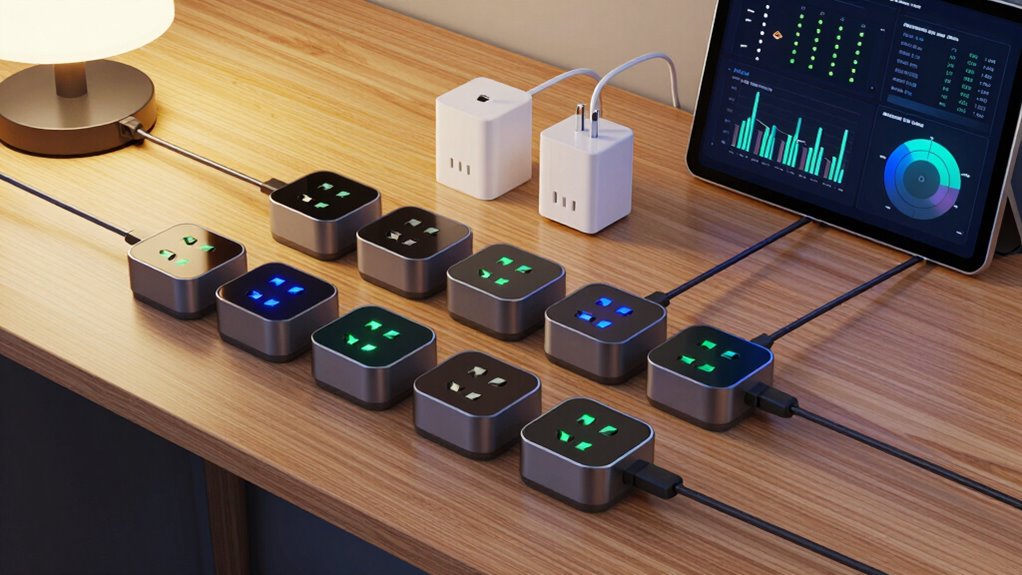

Smart plugs for energy monitoring let you track the electricity use of individual appliances and switch them remotely. I’d put the Kasa KP115 forward as the best overall choice for a straightforward, single-plug setup, while the Tapo P115 multipacks stand out for outfitting several outlets and the Kasa Matter KP125MP4 for buyers prioritizing Matter compatibility. The main tradeoffs are whether you need a particular smart-home ecosystem, how many plugs you need, and whether the app’s usage data suits the way you want to track energy. A multipack can simplify wider coverage, but a single plug may be a better way to start or monitor one appliance. Read on for the full comparison, selection criteria, and advice on choosing the right setup.

Get the latest gadgets delivered free with Prime
- Fast, free delivery on millions of items
- Prime Video, Amazon Music and more included
- Member-only deals all year
Complete the kit



Key Takeaways
- The Kasa KP115 is the most balanced single-plug pick: it pairs energy monitoring with a compact, familiar Wi-Fi plug format, while the multipacks make more sense when several appliances need tracking.
- Tapo P115 offers the clearest multipack choice: the listed two- and four-pack options provide flexibility for expanding monitoring, but check that the chosen pack size matches the outlets you actually plan to use.
- Matter models suit ecosystem-minded buyers: the Kasa KP125MP4 and Tapo P110M are worth comparing if cross-platform smart-home compatibility matters as much as energy data.
- Not all four-packs are interchangeable: Govee adds Wi-Fi and Bluetooth, Emporia centers on energy monitoring, and AiSeek provides a 15A multipack option; app experience and platform fit should guide the choice.
- Monitoring is most useful when it changes a decision: prioritize plugs for appliances whose consumption you want to compare or control, rather than buying a large pack before deciding what to measure.


| smart plugs for energy monitoring | Connectivity | Model | Pack size | Operating voltage |
|---|---|---|---|---|
| Tapo P115 Smart Wi-Fi Plug wit | 2.4 GHz Wi-Fi | P115 | 4 plugs | 110 V AC |
| Kasa Smart Plug Mini with Ener | 2.4 GHz Wi-Fi | KP115 | — | 120 V AC |
| Govee Smart Plug with Energy M | Wi-Fi and Bluetooth | H5086 | 4 plugs | 120 V |
| Kasa Matter Smart Plug with En | — | KP125MP4 | 4 plugs | 120 V |
| Tapo P115 Smart Wi-Fi Plug wit | 2.4 GHz Wi-Fi | Tapo P115 | 2 plugs | — |
| Kasa Matter Smart Plug with En | Matter, Wi-Fi, SmartThings | KP125MP2 | 2 plugs | 120 V |
| AiSeek Smart Plugs with Energy | 2.4 GHz Wi-Fi | — | 4 plugs | 120 V |
| Emporia Energy Monitoring Smar | 2.4 GHz Wi-Fi | EMSO1-4 | — | 120 V |
| Tapo P110M Matter Smart Plug w | Matter, Wi-Fi | — | 4 plugs | — |
More Details on Our Top Picks
Tapo P115 Smart Wi-Fi Plug with Energy Monitoring, 4-Pack, 15A
The Tapo P115 four-pack is my strongest all-around fit for tracking several appliances without adding a hub. Its app provides energy statistics, while schedules, remote control, and automatic shutoff make the readings useful for managing devices day to day. It also supports Alexa, Google Assistant, and SmartThings, giving it broader stated control options than the Govee four-pack, which lists Alexa and Google Assistant. The compact design is intended to leave neighboring outlets accessible, a practical advantage when plugs share a power strip or wall plate. The tradeoff is that it only connects to 2.4 GHz Wi-Fi; buyers with a 5 GHz-only network should skip it. Compared with the Tapo P115 two-pack, this version suits monitoring more rooms, though it is less suited to a smaller setup.
Pros:- Energy statistics and charts help compare connected devices’ consumption.
- Supports app, remote, and voice control, including SmartThings.
- Scheduling and automatic shutoff add practical control beyond monitoring.
- Compact design is intended to avoid blocking neighboring outlets.
Cons:- Requires a 2.4 GHz Wi-Fi network.
- A four-plug bundle may be more than needed for a small monitoring setup.
Best for: Households that want to track and schedule several appliances across different rooms, especially users of Alexa, Google Assistant, or SmartThings.
Not ideal for: Buyers with a 5 GHz-only Wi-Fi network or people who need just one or two monitored outlets.
- Model:P115
- Pack size:4 plugs
- Operating voltage:110 V AC
- Maximum wattage:1800 W
- Connectivity:2.4 GHz Wi-Fi
- Control:Tapo app, Alexa, Google Assistant, SmartThings
- Certifications:ETL, FCC, RoHS
Our verdict“Choose this four-pack for flexible energy tracking across several rooms, provided your Wi-Fi supports 2.4 GHz.”
Kasa Smart Plug Mini with Energy Monitoring (KP115)
The Kasa KP115 keeps energy monitoring straightforward: check usage in the Kasa app, set schedules, and control appliances remotely or by voice without a hub. Its listed UL certification, overheating protection, and fireproof shell make safety features a more explicit part of its pitch than on the Govee H5086, whose supplied details emphasize energy readings and group control. The KP115 is a sensible choice for someone who wants a single-brand app and Alexa or Google Assistant control rather than a broader smart-home protocol approach like the Kasa Matter four-pack. Its limits are clear: it works on 2.4 GHz Wi-Fi only, and its stated voice-assistant support is narrower than Tapo P115’s inclusion of SmartThings. The dimensions are provided, but the listing does not specifically claim that it avoids blocking adjacent outlets.
Pros:- Energy monitoring and scheduling are available through the Kasa app.
- No hub is required for setup over 2.4 GHz Wi-Fi.
- Supports Alexa and Google Assistant voice control.
- Lists overheating protection, a fireproof shell, and UL certification.
Cons:- Requires 2.4 GHz Wi-Fi.
- Does not list Matter or SmartThings compatibility.
- The supplied information does not establish that its size leaves neighboring outlets clear.
Best for: Buyers who want a hub-free plug for app-based energy checks and scheduled control, with Alexa or Google Assistant voice support.
Not ideal for: Smart-home users seeking Matter integration, SmartThings voice-assistant support, or compatibility with a 5 GHz-only network.
- Model:KP115
- Operating voltage:120 V AC
- Maximum wattage:1800 W
- Connectivity:2.4 GHz Wi-Fi
- Voice assistants:Amazon Alexa, Google Assistant
- Safety features:Overheating protection, fireproof shell, sliding safety cover
- Certification:UL
- Dimensions:2.62 × 1.57 × 1.5 inches
- Warranty:2 years
Our verdict“Pick the KP115 for uncomplicated Kasa-app monitoring and basic voice control, not for cross-platform smart-home flexibility.”
Govee Smart Plug with Energy Monitoring, Wi-Fi and Bluetooth, 4-Pack
The Govee H5086 is the clearest pick here for buyers who want more than a general energy-use summary: its app tracks power, current, and voltage. That gives it a more measurement-focused role than the Kasa KP115, whose listed details confirm energy monitoring but do not specify those individual electrical readings. Bluetooth joins Wi-Fi, and group control makes it easier to operate several plugs together; that combination is useful for users already managing devices in Govee Home. The four-pack also supports scheduling and Alexa or Google Assistant. The tradeoffs are app dependence for app-based control and the lack of 5 GHz Wi-Fi support. Its listed dimensions are also worth checking against tight outlet spacing rather than assuming it will clear neighboring plugs as readily as the compact Tapo P115 is intended to.
Pros:- Tracks power, current, and voltage in the Govee Home app.
- Includes both Wi-Fi and Bluetooth connectivity.
- Group control and scheduling help manage multiple connected appliances.
- Supports Alexa and Google Assistant and lists ETL and FCC certification.
Cons:- Does not support 5 GHz Wi-Fi.
- App-based control requires the Govee Home app.
- The listed dimensions may be a concern where outlet spacing is limited.
Best for: Govee Home users and detail-oriented households that want power, current, and voltage readings across several appliances.
Not ideal for: Buyers who require 5 GHz Wi-Fi, prefer a different app ecosystem, or need confirmed clearance around tightly spaced outlets.
- Model:H5086
- Pack size:4 plugs
- Connectivity:Wi-Fi and Bluetooth
- Wi-Fi limitation:Does not support 5 GHz Wi-Fi
- Operating voltage:120 V
- Maximum wattage:1800 W
- Control:Govee Home app, touch, voice
- Voice assistants:Amazon Alexa, Google Assistant
- Certifications:ETL, FCC
Our verdict“Choose the Govee four-pack if detailed electrical readings and group control matter more than app choice or 5 GHz support.”
Kasa Matter Smart Plug with Energy Monitoring, KP125MP4, 15A/1800W Max
The Kasa KP125MP4 earns its place by pairing energy monitoring with Matter compatibility, making it the lineup’s clearest fit for households that use more than one smart-home platform. It works with Apple Home, Alexa, Google Home, and SmartThings, while local LAN operation can preserve control when the internet is unavailable. That is a meaningful distinction from the Kasa KP115, which offers app and voice control but does not list Matter. The four-pack also provides monitoring points for several appliances, and its UL-certified flame-retardant design adds a stated safety feature. The compromises are a 2.4 GHz Wi-Fi requirement and North American 120 V operation, so it is not a universal-voltage choice. Buyers who only need straightforward monitoring may find the Tapo P115 less focused on platform integration and a better match for a simpler setup.
Pros:- Matter support connects with several major smart-home platforms.
- Energy monitoring provides usage information for connected devices.
- Local LAN operation can maintain control without internet access.
- Four plugs and a UL-certified flame-retardant design support multi-device use.
Cons:- Requires a 2.4 GHz Wi-Fi network and does not support 5 GHz-only routers.
- Rated for North American 120 V operation rather than multiple regional voltages.
- Matter and platform integration may be unnecessary complexity for basic app monitoring.
Best for: Households combining Apple Home, Alexa, Google Home, or SmartThings that want per-device energy monitoring and local-network control.
Not ideal for: Buyers with 5 GHz-only Wi-Fi, users outside North America who need other voltage support, or people who do not need Matter integration.
- Model:KP125MP4
- Pack size:4 plugs
- Operating voltage:120 V
- Maximum wattage:1800 W
- Connectivity protocol:Matter, SmartThings, Wi-Fi
- Compatible platforms:Apple Home, Amazon Alexa, Google Home, Samsung SmartThings
- Control:Voice and on/off state control
- Safety design:UL-certified flame-retardant design
- Warranty:2-year limited
Our verdict“Choose this Kasa four-pack when cross-platform Matter support and local control matter as much as energy monitoring.”
Tapo P115 Smart Wi-Fi Plug with Energy Monitoring, 2-Pack, 15A
The Tapo P115 two-pack makes sense for buyers who want energy tracking on a couple of appliances without committing to a four-plug bundle. The Tapo app provides consumption statistics and charts and can estimate electricity costs, giving it a useful budgeting angle that is not specified for the Govee H5086. Scheduling, remote operation, Alexa and Google Assistant support, and compatibility with SmartThings add control options beyond the monitoring screen. Like the Tapo P115 four-pack, it lists automatic shutoff and a compact design intended to leave adjacent outlets usable. The main limitation is the same: it requires 2.4 GHz Wi-Fi. Compared with the four-pack, this version is the more measured choice for a small setup, but it offers fewer monitoring points if you plan to track appliances throughout the home.
Pros:- App statistics and charts make device energy use easier to review.
- Electricity-cost estimates add a budgeting reference.
- Supports schedules, remote control, Alexa, Google Assistant, and SmartThings.
- Compact design is intended to avoid blocking neighboring outlets.
Cons:- Requires 2.4 GHz Wi-Fi.
- Two plugs provide fewer monitoring points than the Tapo P115 four-pack.
- The supplied specifications do not state an exact operating voltage.
Best for: Renters, apartment dwellers, or first-time energy-monitoring users who want to track a few appliances and see estimated electricity costs.
Not ideal for: Households monitoring many devices at once or buyers whose Wi-Fi network only supports 5 GHz.
- Model:Tapo P115
- Pack size:2 plugs
- Maximum wattage:1800 W
- Connectivity:2.4 GHz Wi-Fi
- Control:Tapo app, remote, and voice
- Voice assistants:Alexa and Google Assistant
- Compatible platforms:Samsung SmartThings
- Material:Polycarbonate
- Certifications:ETL, FCC, RoHS
Our verdict“Pick the Tapo two-pack for a small, cost-aware monitoring setup; choose its four-pack counterpart if you need more outlets covered.”
Kasa Matter Smart Plug with Energy Monitoring, 15A/1800W, 2-Pack
The Kasa Matter Smart Plug 2-Pack suits buyers who want energy tracking without tying control to a single smart-home ecosystem. Matter support spans Apple Home, Alexa, Google Home, and SmartThings, while local network control can keep commands working during an internet outage. That gives it a broader platform advantage over the Wi-Fi-only AiSeek Smart Plugs, which rely on SmartLife setup and Alexa or Google Assistant. Its 15A/1800W rating also matches the higher-capacity options in this lineup, and the compact body is less likely to block an adjacent outlet. The tradeoff is quantity: two plugs cover fewer appliances than the four-packs from AiSeek or Tapo. It also needs 2.4 GHz Wi-Fi, so it is not a fit for buyers whose network setup excludes that band.
Pros:- Matter support works with Apple Home, Alexa, Google Home, and SmartThings.
- Local network control can continue when the internet is offline.
- Tracks connected-device energy use.
- Compact design helps preserve access to nearby outlets.
Cons:- Two plugs cover fewer devices than the AiSeek and Tapo four-packs.
- Requires a 2.4 GHz Wi-Fi network.
- The 15A/1800W maximum rules out loads above its rating.
Best for: Households using more than one major smart-home platform that want Matter control and energy monitoring for a couple of appliances.
Not ideal for: Buyers who want to monitor several rooms at once or use a Wi-Fi network without 2.4 GHz support.
- Model:KP125MP2
- Pack size:2 plugs
- Maximum load:15 A / 1800 W
- Operating voltage:120 V
- Connectivity:Matter, Wi-Fi, SmartThings
- Wi-Fi band:2.4 GHz
- Compatible platforms:Apple Home, Amazon Alexa, Google Home, Samsung SmartThings
- Safety and warranty:UL-certified flame-retardant design; 2-year limited warranty
Our verdict“Choose this two-pack if Matter compatibility and local control matter more than monitoring a large number of devices at once.”
AiSeek Smart Plugs with Energy Monitoring, 15 A, 4-Pack
The AiSeek four-pack is a practical way to add energy monitoring across several rooms without needing Matter. It reports real-time power and energy use, and the SmartLife app adds schedules, timers, and group control—useful when you want several lamps or appliances to follow the same routine. Compared with the Kasa Matter Smart Plug 2-Pack, AiSeek gives you twice as many outlets in the box, but it has narrower platform flexibility: Alexa and Google Assistant work after linking through SmartLife, rather than offering the broader Matter compatibility of Kasa or Tapo P110M. Its 15A/1800W maximum is a strong match for typical household plug-in loads, with overload and short-circuit protection listed. The drawbacks are the required 2.4 GHz connection and the extra app-linking step for voice control.
Pros:- Four plugs allow monitoring across multiple rooms.
- Tracks real-time power and energy use.
- Schedules, timers, and group control are available in SmartLife.
- Overload and short-circuit protection are listed.
Cons:- Requires a 2.4 GHz Wi-Fi connection.
- Alexa and Google Assistant require linking through the SmartLife app.
- Does not list Matter compatibility.
Best for: Households that want energy readings and scheduled control for several ordinary appliances through Alexa or Google Assistant.
Not ideal for: Matter-focused smart-home owners or buyers who want voice assistant setup without first linking a separate app.
- Pack size:4 plugs
- Maximum load:15 A / 1800 W
- Operating voltage:120 V
- Connectivity:2.4 GHz Wi-Fi
- App:SmartLife
- Voice assistants:Amazon Alexa, Google Assistant
- Dimensions:1.4 x 2.8 x 2 inches
- Protection and warranty:Overload and short-circuit protection; 2-year warranty
Our verdict“Pick AiSeek for broad four-device coverage and app-based routines if Matter support is not a requirement.”
Emporia Energy Monitoring Smart Plugs, Wi-Fi, Alexa and Google Home Compatible, 4-Pack
The Emporia four-pack fits buyers who want device-level energy readings and app or voice control for lower-load equipment. It supports remote operation and scheduling, with app, touch, voice, and push-button controls, giving more ways to switch a connected device than the SmartLife-based AiSeek plugs list. The key distinction is its 10A continuous-load limit: while the plug allows a 15A peak for up to one hour per day, its stated wattage is 1200W. That makes it a less flexible choice for heavier loads than the 15A/1800W Kasa and Tapo Matter options. For lamps and other suitable devices, the four-plug bundle can spread monitoring across a home. The tradeoffs are its lower continuous capacity, 2.4 GHz Wi-Fi requirement, and one-year warranty.
Pros:- Monitors energy use for connected devices.
- Four plugs provide coverage for multiple appliances.
- Offers app, remote, touch, voice, and push-button control.
- Supports schedules and Alexa or Google Assistant.
Cons:- Continuous load is limited to 10A, with 15A allowed only for up to one hour per day.
- The listed wattage is 1200W, below the 1800W Kasa and Tapo Matter plugs.
- Requires 2.4 GHz Wi-Fi and has a 1-year warranty.
Best for: Buyers monitoring lamps and other lower-load 120V devices who value several control methods and a four-plug set.
Not ideal for: People planning to monitor appliances that need more than 10A continuously or who want Matter-based platform compatibility.
- Model:EMSO1-4
- Quantity:4 plugs
- Operating voltage:120 V
- Continuous and peak load:10 A continuous; 15 A peak for up to 1 hour per day
- Wattage:1200 W
- Connectivity:2.4 GHz Wi-Fi
- Compatible assistants:Amazon Alexa, Google Assistant
- Certifications and warranty:ETL, FCC; 1-year warranty
Our verdict“Choose Emporia for four-device monitoring of lower-load equipment, but pick a 15A/1800W model for higher continuous loads.”
Tapo P110M Matter Smart Plug with Energy Monitoring, 4-Pack, 15A
The Tapo P110M four-pack combines energy monitoring with Matter support for buyers who need coverage across several rooms. Like the Kasa Matter Smart Plug 2-Pack, it works across Apple Home, Alexa, Google Home, and SmartThings; the difference is that Tapo includes four plugs, making it better suited to monitoring more devices at once. Its usage statistics, scheduling, and power thresholds can help owners track consumption and set behavior around connected equipment. The 15A/1800W rating also matches the higher-capacity plugs in this group. One limitation is that estimated energy bills depend on billing-system integration, so the readings may not translate directly into a useful cost estimate for every household. It also requires 2.4 GHz Wi-Fi, and its listed control features do not include the local offline-control detail specified for Kasa.
Pros:- Four plugs provide more monitoring coverage than the Kasa Matter two-pack.
- Matter compatibility spans Apple Home, Alexa, Google Home, and SmartThings.
- Energy statistics, remote control, and programmable schedules are supported.
- Power thresholds add another way to manage connected devices.
Cons:- Requires a 2.4 GHz Wi-Fi network.
- Energy bill estimates depend on billing-system integration.
- Local control during an internet outage is not specified in the provided product data.
Best for: Matter users who want energy statistics and scheduling for several 15A-rated devices across the home.
Not ideal for: Buyers who need energy-cost estimates independent of billing-system integration or want explicitly specified local control during an internet outage.
- Pack size:4 plugs
- Maximum wattage:1800 W
- Connectivity:Matter, Wi-Fi
- Wi-Fi band:2.4 GHz
- Compatible platforms:Amazon Alexa, Apple HomeKit, Google Home, Samsung SmartThings
- Control methods:App, voice, scheduling
- Energy features:Usage statistics and power thresholds
- Color and mounting:White; tabletop
Our verdict“Choose Tapo P110M if you want Matter and energy monitoring across four devices, and can work within its Wi-Fi and billing-integration limits.”

How We Picked
I compared the nine listed options on the details that shape day-to-day energy monitoring: whether the plug reports energy use, its stated 15A capacity where specified, its connection and smart-home compatibility, and the practical difference between single, two-, and four-plug configurations. I also weighed setup simplicity, the likely value of managing several monitored appliances, and whether a model’s listed features fit a buyer’s existing ecosystem. Product names and pack sizes matter here: several entries are different quantities or versions of the same family, not wholly distinct kinds of monitor.
The ranking favors a useful balance of monitoring, ease of choosing, and broad household fit rather than the largest pack or longest feature list. The Kasa KP115 leads as a straightforward standalone option; Tapo P115 multipacks rank highly for adding coverage, and Matter-enabled models earn attention from buyers building around compatible platforms. Govee’s Wi-Fi and Bluetooth combination, Emporia’s monitoring focus, and AiSeek’s four-pack each serve narrower priorities. I avoid treating unlisted measurement precision, app features, or compatibility as established facts; buyers should confirm those details for their appliances and smart-home setup.
Factors to Consider When Choosing Smart Plugs For Energy Monitoring
Choosing a plug for energy monitoring is less about collecting the most readings and more about getting useful information from the right appliances. I’d settle the practical questions below before choosing a pack or ecosystem.
Choose Appliances That Make Monitoring Useful
Start with the appliance, not the number of plugs in the box. Monitoring makes more sense for devices with meaningful or uncertain consumption than for equipment that draws very little power or is rarely used. A plug can show usage, but the reading only helps if you can compare it over time or use it to change a habit. Think about whether you want to check a device’s daily pattern, compare two similar appliances, or identify standby use. Avoid treating a single reading as a complete picture of your household electricity use. If you are unsure what you want to learn, begin with one plug before outfitting several rooms.
Check Electrical Ratings Against the Appliance
A stated 15A rating is not a universal green light for every device. Check the appliance label and the plug’s own specifications, and pay attention to any manufacturer limits for particular loads. High-draw or heat-producing appliances deserve extra care; a smart plug is not a substitute for an appropriately rated control or direct wiring where those are required. Also check the outlet arrangement, since a bulky adapter can block a neighboring socket even when the plug itself fits. Never exceed the listed load capacity. If the appliance’s requirements are unclear, verify them before connecting it.
Match Matter and Wireless Features to Your Setup
Matter can be useful when you want a device to fit a compatible smart-home platform, but the plug’s specific functions still depend on supported hardware, software, and setup. Confirm that energy monitoring—not only on-and-off control—is available in the platform and app combination you plan to use. Wi-Fi and Bluetooth listings, such as Govee’s, describe connection options, but do not by themselves guarantee broader platform support or a better monitoring experience. Check whether a hub, account, or particular network setup is needed. If you already rely on one ecosystem, compatibility with that system may matter more than a feature you will not use.
Pick a Pack Size That Fits Your Monitoring Plan
Multipacks can make it easier to track several appliances, but unused plugs do not add value. List the outlets you want to monitor and check whether they are accessible, correctly rated, and suitable for plug-in control. Two- and four-pack versions of similar models give you a way to scale, while the Kasa and Tapo listings also let you compare families and Matter variants. Do not assume that every pack shares identical features just because the product names are similar. If you have one clear monitoring goal, a single plug is a lower-commitment starting point; if you have several planned targets, a pack may suit the job better.
Look at the Data and App Workflow, Not Just the Plug
Energy monitoring is only practical if the information is easy to find and interpret. Before buying, check what the companion app says it displays, whether it retains history, and whether the data is accessible from the smart-home interface you use. These details can differ between a brand app and a Matter-connected platform, so confirm the exact combination rather than relying on the plug’s compatibility label alone. Also think about who will manage the devices and whether multiple accounts or rooms will complicate access. An inexpensive setup that makes the data hard to use may be less helpful than a simpler system you will check regularly.
Treat Plug Readings as a Guide, Not a Utility Bill
Plug-level readings can help compare appliance use, but they do not automatically account for every cost or charge on an electricity bill. Billing periods, time-based rates, and utility fees may affect what a kilowatt-hour costs in your area. If the app offers estimated costs, check whether its rate assumptions can be adjusted before relying on the totals. Use monitoring to spot patterns or compare devices, then verify major savings decisions against your actual bill. This distinction prevents a useful appliance-level estimate from being mistaken for a complete household energy audit.
Frequently Asked Questions
Can I see energy monitoring when a Matter smart plug is connected to my smart-home platform?
Not every platform exposes every function of a Matter device, so compatibility with Matter alone does not guarantee that energy readings will appear where you expect. Check the plug maker’s current compatibility notes for the exact platform and confirm that energy data is supported there, not just remote switching. You may need to use the manufacturer’s app for some monitoring features. Also verify whether the platform requires a compatible hub or controller. If energy history is your main goal, choose based on the data interface you plan to use, not only the Matter label.
Should I buy a four-pack if I only want to monitor one appliance?
Usually, a single-plug option is the simpler fit when you have one defined appliance to track. A four-pack makes more sense if you already have several suitable outlets and a plan to compare or manage multiple devices. Buying extra plugs before identifying their use can leave you with equipment that adds no monitoring value. The Tapo P115 appears in both two- and four-pack listings, which makes it easier to match quantity to a specific plan. Start with the smallest setup that answers your question, then expand if the readings prove useful.
Are smart plugs a good choice for monitoring a refrigerator or other high-draw appliance?
Check the appliance’s electrical requirements and the plug’s complete load specifications before using any smart plug with a high-draw device. A 15A label does not override other manufacturer limits or make every appliance suitable. For a refrigerator, also consider whether remote switching could interrupt food storage if someone turns it off accidentally. Monitoring should not compromise the appliance’s normal operation or safety. If the rating or use case is uncertain, consult the appliance and plug documentation or choose a monitoring method designed for that load.
Will a smart plug tell me exactly how much money an appliance costs to run?
A plug may report energy use and an estimated cost, but the estimate depends on what information the app collects and how your electricity rate is represented. Your bill may include time-based rates, fees, or other charges that a plug-level calculation does not capture. Check whether the app lets you set your rate and whether it shows energy history in a useful format. Treat its cost figure as a comparison aid, especially when looking at two appliances under similar conditions. Use your utility bill for a fuller view of actual charges.
What should I check before choosing between Kasa, Tapo, Govee, Emporia, and AiSeek?
First match the plug to the smart-home app or platform you already use, then check whether energy readings are available through that setup. Next compare the number of plugs you need and the rated load against your appliances. The listings distinguish several priorities: Kasa and Tapo include Matter options, Govee lists Wi-Fi and Bluetooth, Emporia is presented around energy monitoring, and AiSeek offers a 15A four-pack. Those descriptions do not establish identical app features or data history across brands. Review each model’s current specifications and app requirements before deciding.
Conclusion
For most buyers seeking one capable plug to start monitoring, I recommend the Kasa KP115 as the best overall. Choose the Tapo P115 two- or four-pack as the best value-oriented route to monitoring multiple appliances, with the pack size matched to your actual plan. For smart-home users who specifically want Matter, compare the Kasa KP125MP4 and Tapo P110M as the best premium-style ecosystem picks, while confirming that your platform exposes energy data. The Kasa KP115 is also my best pick for beginners who want to start with one appliance rather than manage a multipack. For specific needs, consider Govee if its Wi-Fi and Bluetooth options suit your setup, Emporia if its monitoring-focused package fits your preferences, or AiSeek if you want a 15A four-pack. Whichever you choose, verify load limits and app compatibility before plugging in.
Halloween Picks

8.5 Foot Halloween Inflatable Haunted House Castle with Skeleton, Ghost & Skulls

Vexalify 11-Inch Halloween Pumpkin Fog Machine with 12-Color Lights

ELAMAS 11ft Animatronic Flying Witch Halloween Decoration
As an affiliate, we earn on qualifying purchases.