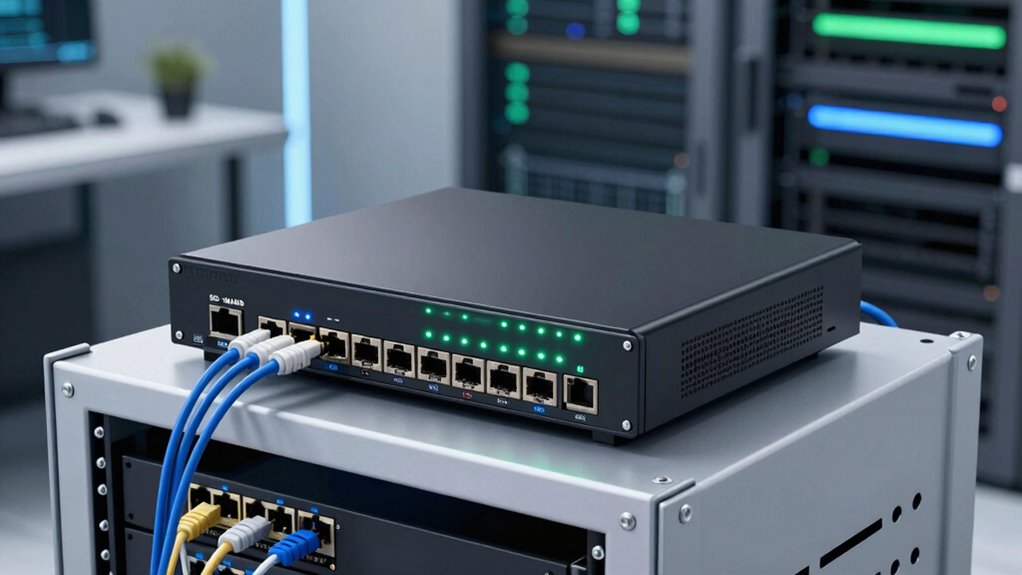
An SD-WAN router appliance can steer traffic across multiple connections, but the right choice depends on how much security, centralized management, and ongoing support your network needs. I’d put the FortiGate 60F first for a capable security-led setup, while the Cisco Meraki MX75 stands out for cloud-managed operations and the Cudy R700 for straightforward multi-WAN routing. These options differ in management model, security subscriptions, and the expertise needed to run them. Lower-cost wired routers such as the TP-Link ER605 V2 can suit simpler networks, though they do not offer the same security appliance scope. Read on for the full comparison, buying advice, and picks by network need.

Get the latest gadgets delivered free — and shop member deals
- Fast, free delivery on millions of items
- Access to Prime Big Deal Days deals on October 6–7
- Prime Video, Amazon Music and more included
Complete the kit



Key Takeaways
- FortiGate 60F is the broadest security-focused choice in this group; its feature depth also means more setup and ongoing administration than a basic multi-WAN router.
- Meraki MX75 and MX67-HW put cloud management at the center, which can help teams overseeing remote sites but ties day-to-day operations to Meraki’s management model.
- SonicWall TZ370 and its TotalSecure bundle share a platform, so the meaningful distinction is the included security and support coverage rather than a different class of appliance.
- The two FortiGate-30G bundles likewise call for a subscription comparison: the included FortiGuard and FortiCare terms affect protection and support over time.
- Cudy R700 and TP-Link ER605 V2 are the simpler routing-oriented options; buyers needing integrated threat defense or centrally managed branch policies should compare them carefully with the firewall appliances.
| Cudy Gigabit Multi-WAN VPN Router R700 |  | Best Value for Multi-WAN | WAN-capable ports: 1 Gigabit WAN + 3 Gigabit WAN/LAN | LAN ports: 1 Gigabit LAN | VPN support: PPTP, L2TP, OpenVPN, WireGuard, IPsec | VIEW ON AMAZON | See Our Full Breakdown |
| SonicWall TZ280 Next-Generation Firewall Appliance |  | Best for Branch Firewall Throughput | Firewall inspection throughput: Up to 2.5 Gbps | Threat prevention throughput: Up to 1 Gbps | IPsec VPN throughput: Up to 1.2 Gbps | VIEW ON AMAZON | See Our Full Breakdown |
| Cisco Meraki MX75 Cloud-Managed Security Appliance |  | Best for Cloud-Managed Branches | Firewall throughput: Up to 1 Gbps | VPN throughput: Up to 500 Mbps | Supported users: Up to 200 | VIEW ON AMAZON | See Our Full Breakdown |
| FortiGate 60F Firewall Appliance, 10 Gigabit Ethernet Ports |  | Best for Port-Rich Security | Model: FG-60F | Ethernet ports: 10 GE RJ45 | WAN ports: 2 | VIEW ON AMAZON | See Our Full Breakdown |
| SonicWall TZ370 Gen7 Firewall |  | Best for Growing SMBs | Interfaces: Multi-Gigabit (2.5/5 G) | Deployment: Zero-Touch, SonicExpress onboarding, centralized management | Concurrent connections: 900,000 to 1,000,000 | VIEW ON AMAZON | See Our Full Breakdown |
| SonicWall TZ370 TotalSecure 1YR Essential Edition Firewall with SD-WAN and Threat Defense | | Best for Layered SMB Security | Model: TZ370 Gen7 | Protection service: Essential Edition, 1 year | SD-WAN: Included | VIEW ON AMAZON | See Our Full Breakdown |
| Meraki MX67-HW Cloud Managed Security & SD-WAN Appliance with 3-Year ACE Warranty |  | Best for Centralized Cloud Management | Model: MX67-HW | Throughput: 450 Mbps | Ports: 5x Gigabit Ethernet | VIEW ON AMAZON | See Our Full Breakdown |
| FortiGate-30G Network Security Appliance with 3-Year FortiGuard and FortiCare |  | Best Compact Pick with Three-Year Coverage | Firewall throughput: 800 Mbps IPS | Threat protection: 500 Mbps | Ports: 4 GE RJ45: 1 WAN, 3 internal | VIEW ON AMAZON | See Our Full Breakdown |
| FortiGate-30G Network Security Appliance with 1 Year FortiGuard Enterprise Protection and FortiCare Premium | | Best for Small Sites Needing Enterprise Protection | Firewall throughput: 800 Mbps IPS | Threat protection: 500 Mbps | Ports: 4 GE RJ45: 1 WAN, 3 internal | VIEW ON AMAZON | See Our Full Breakdown |
| TP-Link ER605 V2 Wired Gigabit VPN Router |  | Best for Multi-WAN Basics | Gigabit ports: 5 | WAN ports: 3 | USB WAN: Yes | VIEW ON AMAZON | See Our Full Breakdown |
More Details on Our Top Picks
Cudy Gigabit Multi-WAN VPN Router R700
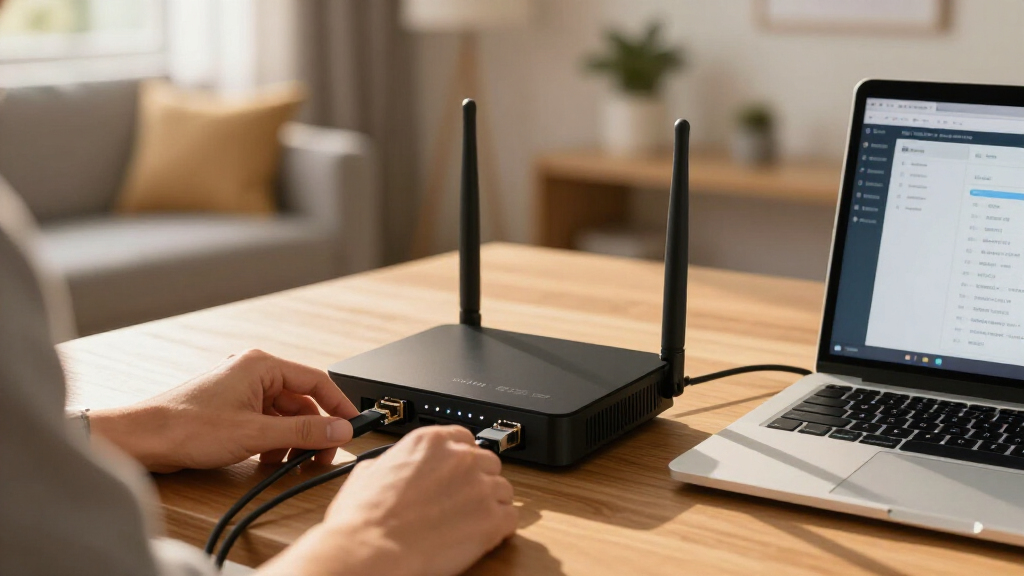
The Cudy R700 is the most direct fit here for a small office that wants multiple internet connections and VPN options without moving to a larger security platform. Its four WAN-capable ports support load balancing, which can spread traffic across connections and help keep access available when one link falters. It also supports OpenVPN, WireGuard, and IPsec, giving administrators flexibility for remote access and site connections. Compared with the FortiGate 60F, the R700 is a simpler, compact router rather than a higher-throughput security appliance with SSL inspection and dedicated threat-protection figures. That keeps its role focused, but also limits its appeal for businesses needing advanced security controls or enterprise-scale capacity. Setup may take networking knowledge, and the product data positions it for small businesses rather than large deployments.
Pros:- Four WAN-capable ports support load balancing across internet connections.
- OpenVPN, WireGuard, and IPsec provide several VPN options.
- Metal desktop casing and lightning protection suit office installation.
- Compact design fits small business network setups.
Cons:- Setup can require networking expertise.
- Does not list the advanced threat inspection capabilities specified for the FortiGate 60F.
- Not intended for large enterprise networks.
Best for: Small offices that need load balancing across multiple internet links and several VPN protocol choices in a compact router.
Not ideal for: Growing or enterprise networks that need advanced threat inspection, centralized security services, or capacity beyond a small-business deployment.
- WAN-capable ports:1 Gigabit WAN + 3 Gigabit WAN/LAN
- LAN ports:1 Gigabit LAN
- VPN support:PPTP, L2TP, OpenVPN, WireGuard, IPsec
- Load balancing:Yes
- Design:Desktop, metal casing
- Lightning protection:Yes
Our verdict“Choose the Cudy R700 for a compact small-office router centered on multi-WAN balancing and flexible VPN support.”
SonicWall TZ280 Next-Generation Firewall Appliance
The SonicWall TZ280 suits a small business or branch that wants measured firewall and VPN capacity alongside secure SD-WAN. Its listed throughput reaches 2.5 Gbps for firewall inspection, with up to 1 Gbps threat prevention and 1.2 Gbps IPsec VPN throughput. Eight Ethernet ports plus two SFP ports also give it more wired connection options than the two-GbE-WAN layout listed for the Meraki MX75. That makes the TZ280 a stronger fit when port flexibility and throughput figures matter more than an explicitly stated user limit. The tradeoff is substantial: the hardware listing excludes security services, firmware updates, and support, while threat prevention requires an active subscription. Buyers need to account for that service dependency when comparing it with the MX75’s cloud-managed package, which also requires a license.
Pros:- Firewall inspection throughput is specified up to 2.5 Gbps.
- Eight 1GbE ports and two 1G SFP ports offer flexible connectivity.
- IPsec VPN throughput is specified up to 1.2 Gbps.
- Supports zero-touch deployment and on-box or cloud management.
Cons:- Security services, firmware updates, and support are sold separately.
- Threat prevention requires an active service subscription.
- Its service costs and management needs may exceed what a small office wants to handle.
Best for: Small-business IT teams and branch offices that need multiple wired ports, IPsec VPN, and specified firewall throughput.
Not ideal for: Organizations seeking a ready-to-manage appliance with security services, firmware updates, and support included in the purchase.
- Firewall inspection throughput:Up to 2.5 Gbps
- Threat prevention throughput:Up to 1 Gbps
- IPsec VPN throughput:Up to 1.2 Gbps
- Ports:8 x 1GbE, 2 x 1G SFP
- Operating system:SonicOS 8
- Management:On-box or cloud; zero-touch deployment
- Included services:Hardware only; security services, firmware updates, and support sold separately
Our verdict“Pick the TZ280 if your branch needs its port selection and throughput figures and you can provide the required service subscription.”
Cisco Meraki MX75 Cloud-Managed Security Appliance
The Meraki MX75 puts cloud administration at the center of its SD-WAN proposition. Zero-touch provisioning and a cloud dashboard can simplify rollout across small branches, while application-aware traffic shaping helps teams prioritize business traffic. Its stated ceiling of up to 200 users, 1 Gbps firewall throughput, and 500 Mbps VPN throughput gives buyers a clearer deployment boundary than the SonicWall TZ370, whose supplied data emphasizes concurrent connections and multi-gigabit interfaces instead. The MX75 also bundles features such as intrusion prevention, malware protection, and content filtering into its listed capabilities. The main qualification is licensing: no license is included, so access to the cloud-managed security experience depends on a separate license. Its throughput and user ceiling may also be restrictive for a larger or faster-growing branch.
Pros:- Cloud management and zero-touch provisioning simplify branch deployment.
- SD-WAN includes automatic failover and site-to-site VPN.
- Integrated intrusion prevention, malware protection, and content filtering are listed.
- Application-aware traffic shaping helps prioritize network use.
Cons:- No license is included.
- VPN throughput is listed up to 500 Mbps.
- The stated deployment limit is up to 200 users.
Best for: IT teams managing several small branches that value cloud administration, zero-touch rollout, and application-aware traffic shaping.
Not ideal for: Businesses that need a licensed appliance in the box, exceed 200 users, or require more than the listed VPN throughput.
- Firewall throughput:Up to 1 Gbps
- VPN throughput:Up to 500 Mbps
- Supported users:Up to 200
- WAN interfaces:3 (1 SFP, 2 GbE)
- Management:Cloud-managed
- Features:SD-WAN, VPN, intrusion prevention, malware protection, content filtering, application-aware traffic shaping
- License:Not included
Our verdict“Choose the MX75 for cloud-managed branch networking if its 200-user scope fits and you are prepared to obtain a license.”
FortiGate 60F Firewall Appliance, 10 Gigabit Ethernet Ports
The FortiGate 60F is the port-rich security pick for offices that need more than basic multi-WAN routing. It provides ten GE RJ45 ports, including two WAN ports, and lists IPS throughput up to 1.4 Gbps alongside 700 Mbps threat protection. Hardware acceleration supports those security workloads, while SSL inspection and SD-WAN make the appliance relevant to teams balancing inspection with branch connectivity. Compared with the Cudy R700, which emphasizes load balancing and VPN protocol choice, the FortiGate’s appeal is its broader security feature set and network integration. The tradeoff is that its subscription is not included, so FortiGuard threat intelligence and related services may require additional provisioning. Buyers who primarily want a small, straightforward router may find its security-oriented feature set more than they need.
Pros:- Ten GE RJ45 ports provide flexible LAN and network connections.
- IPS throughput is listed up to 1.4 Gbps.
- Supports SSL inspection and SD-WAN.
- Integrates with Fortinet Security Fabric and network automation.
Cons:- Subscription is not included.
- Threat intelligence services may require additional provisioning.
- Its security feature set may be unnecessary for buyers who only need basic routing and VPN.
Best for: Small and midsize offices that need many wired connections, SD-WAN, and security inspection in one appliance.
Not ideal for: Buyers seeking an inexpensive, straightforward multi-WAN router or a security appliance with subscription services already included.
- Model:FG-60F
- Ethernet ports:10 GE RJ45
- WAN ports:2
- DMZ ports:1
- Internal ports:7
- IPS throughput:Up to 1.4 Gbps
- Threat protection throughput:Up to 700 Mbps
- Subscription:Not included
Our verdict“Choose the FortiGate 60F when port capacity and integrated security inspection matter more than a simple router setup.”
SonicWall TZ370 Gen7 Firewall
The SonicWall TZ370 targets growing small and midsize businesses that need room for more connections and multi-gigabit interfaces. Its listed 900,000 to 1,000,000 concurrent connections and 2.5/5 G interfaces speak to a different need than the compact Cudy R700, which is centered on load balancing and common VPN protocols. On the TZ370, the case for choosing it is the combination of SD-WAN with DPI-SSL inspection, intrusion prevention, anti-malware, and Capture ATP sandboxing. Those capabilities can help a business inspect encrypted traffic and identify threats, but the supplied data does not give numeric throughput figures for them. Services are not included, and setup may call for technical expertise. Compared with the cloud-managed Meraki MX75, this is the more security-feature-focused SMB choice, with less emphasis in the supplied details on a cloud-first workflow.
Pros:- Multi-gigabit 2.5/5 G interfaces support faster network links.
- High listed concurrent connection capacity suits growing networks.
- DPI-SSL, IPS, anti-malware, and Capture ATP add multiple security layers.
- Zero-touch onboarding and centralized management support deployment.
Cons:- No service subscription is included.
- Setup may require technical expertise.
- The supplied specs do not state numeric firewall or threat-protection throughput.
Best for: Growing SMBs with a capable IT administrator that need multi-gigabit interfaces, high connection capacity, and layered threat controls.
Not ideal for: Small offices seeking a simple router, included security services, or cloud management as the primary feature.
- Interfaces:Multi-Gigabit (2.5/5 G)
- Deployment:Zero-Touch, SonicExpress onboarding, centralized management
- Concurrent connections:900,000 to 1,000,000
- Features:SD-WAN, DPI-SSL inspection, IPS, anti-malware, Capture ATP sandboxing
- Service subscription:Not included
Our verdict“Pick the TZ370 for a growing SMB that can manage subscriptions and wants multi-gigabit connectivity with layered security features.”
SonicWall TZ370 TotalSecure 1YR Essential Edition Firewall with SD-WAN and Threat Defense
The SonicWall TZ370 TotalSecure pairs SD-WAN with a one-year Essential Edition security bundle, making it a stronger fit for businesses that want threat inspection alongside WAN management. Its DPI-SSL inspection, intrusion prevention, anti-malware, and sandboxing can help teams apply several layers of defense at the network edge. Compared with the FortiGate-30G models, this TZ370 is described for growing SMBs and includes 24/7 support, while the FortiGates emphasize a compact, fanless footprint for smaller sites. That added security scope brings a configuration burden: less experienced administrators may need help setting it up, and the protection subscription lasts one year. For an SMB that can manage the appliance and values bundled threat services, the TZ370 offers a more security-focused package than the basic multi-WAN TP-Link ER605 V2.
Pros:- Combines SD-WAN with DPI-SSL inspection and intrusion prevention
- Includes anti-malware and sandboxing in the Essential Edition bundle
- Designed for growing SMB networks with multi-gigabit firewall performance
- Includes 24/7 support and firmware updates
Cons:- Configuration can be demanding for beginners
- The listed protection service covers one year, requiring a renewal decision
- Its security bundle may be more than a small office needs
Best for: Growing small and mid-sized businesses that need SD-WAN plus layered network threat protection and support.
Not ideal for: Very small offices with tight budgets or no administrator available to configure and maintain security policies.
- Model:TZ370 Gen7
- Protection service:Essential Edition, 1 year
- SD-WAN:Included
- Inspection and defense:DPI-SSL inspection, IPS, anti-malware, sandboxing
- Target audience:Small and mid-sized businesses
- Support:24/7 support and firmware updates
Our verdict“Choose the TZ370 TotalSecure if your growing SMB needs bundled threat defense and can support a more involved firewall setup.”
Meraki MX67-HW Cloud Managed Security & SD-WAN Appliance with 3-Year ACE Warranty
The Meraki MX67-HW is aimed at teams that want to manage a small site through a cloud dashboard instead of relying on local device administration. Its listed 450 Mbps throughput and five Gigabit Ethernet ports suit modest branch traffic, while content filtering, intrusion detection, and malware protection add security functions alongside SD-WAN. Compared with the SonicWall TZ370 TotalSecure, the MX67 emphasizes remote management simplicity; the SonicWall listing specifies a broader set of inspection services and 24/7 support. The key tradeoff is licensing: no Meraki license is included, and one is required for full functionality. That recurring requirement matters more than the included three-year ACE warranty for buyers planning ongoing use. I’d pick it for a distributed small business that values centralized visibility, but not for a higher-throughput site or a team avoiding license commitments.
Pros:- Cloud dashboard supports centralized management from different locations
- Includes SD-WAN, content filtering, intrusion detection, and malware protection
- Five Gigabit Ethernet ports provide wired connectivity for a small site
- Includes a 3-year ACE all-in-one warranty
Cons:- Meraki license is not included and is required for full functionality
- 450 Mbps throughput may constrain busier networks
- Cloud-managed operation may not suit teams seeking local-only administration
Best for: Small businesses with a few remote sites that want centralized cloud administration and can budget for the required Meraki license.
Not ideal for: Organizations seeking high throughput or a complete out-of-box package without a separate Meraki license.
- Model:MX67-HW
- Throughput:450 Mbps
- Ports:5x Gigabit Ethernet
- Management:Cloud-managed dashboard
- Security features:Content filtering, intrusion detection, malware protection
- Warranty:ACE 3-Year All-in-One Warranty
- License:Not included
Our verdict“Choose the MX67-HW for modest branch networks where centralized cloud management matters more than throughput and the separate license is acceptable.”
FortiGate-30G Network Security Appliance with 3-Year FortiGuard and FortiCare
For a small office that needs security and SD-WAN in a quiet, space-conscious appliance, the FortiGate-30G combines firewall, SD-WAN, and Wi-Fi controller functions in a fanless compact design. The listed 800 Mbps IPS and 500 Mbps threat protection figures give buyers concrete reference points for a small-site deployment, though actual performance can vary with network load. Compared with the Meraki MX67-HW, this FortiGate lists higher security throughput figures and three-year FortiGuard and FortiCare coverage, while Meraki provides a cloud dashboard and five Gigabit ports. The FortiGate has only four GE RJ45 ports, including one WAN and three internal, so it leaves less room for wired expansion. Its zero-touch deployment can ease initial rollout, but a busy branch or enterprise edge should look at larger appliances such as the FortiGate 60F.
Pros:- Fanless, compact design fits quiet small-site deployments
- Integrates firewall, SD-WAN, and Wi-Fi controller functions
- Lists 800 Mbps IPS and 500 Mbps threat protection
- Includes three-year FortiGuard and FortiCare coverage
Cons:- Four GE RJ45 ports limit wired expansion
- Positioned for small-scale environments rather than enterprise traffic
- Performance may vary with network load
Best for: Small offices or retail sites that need a quiet, compact SD-WAN security appliance with three-year FortiGuard and FortiCare coverage.
Not ideal for: Larger or high-traffic branches that need more wired ports or headroom than this small-scale appliance provides.
- Firewall throughput:800 Mbps IPS
- Threat protection:500 Mbps
- Ports:4 GE RJ45: 1 WAN, 3 internal
- Design:Fanless, compact
- Integrated functions:Firewall, SD-WAN, Wi-Fi controller
- Deployment:Zero-touch
- Service coverage:3-year FortiGuard and FortiCare
Our verdict“Choose this FortiGate-30G if a small site needs quiet integrated security and SD-WAN with three-year service coverage.”
FortiGate-30G Network Security Appliance with 1 Year FortiGuard Enterprise Protection and FortiCare Premium
This FortiGate-30G keeps the compact, fanless design and core SD-WAN functions of its three-year counterpart, but pairs them with one year of FortiGuard Enterprise Protection and FortiCare Premium. It suits a small site that wants a defined first-year service package and zero-touch deployment. The listed 800 Mbps IPS and 500 Mbps threat protection are the same figures provided for the other FortiGate-30G, so the choice between these two listings comes down to service term and support tier rather than appliance capacity. Against the SonicWall TZ370 TotalSecure, this model is described with fewer ports and a more compact small-site focus; the SonicWall listing emphasizes DPI-SSL inspection and a broader set of security services for growing SMBs. Four ports also limit expansion, so sites expecting more wired devices may prefer a larger appliance.
Pros:- Includes one year of FortiGuard Enterprise Protection and FortiCare Premium
- Combines firewall, SD-WAN, and Wi-Fi controller functions
- Lists 800 Mbps IPS and 500 Mbps threat protection
- Fanless design and zero-touch deployment suit small installations
Cons:- Only four GE RJ45 ports, including one WAN, limit expansion
- One-year service term is shorter than the three-year FortiGate-30G listing
- Small-scale positioning may not fit high-traffic enterprise environments
Best for: Small offices that want a compact FortiGate appliance with one year of Enterprise Protection and Premium support.
Not ideal for: Growing branches that need extensive wired connectivity, sustained high traffic, or a longer included service term.
- Firewall throughput:800 Mbps IPS
- Threat protection:500 Mbps
- Ports:4 GE RJ45: 1 WAN, 3 internal
- Design:Fanless, compact
- Deployment:Zero-touch
- Integrated functions:Firewall, SD-WAN, Wi-Fi controller
- Protection and support:1-year FortiGuard Enterprise Protection and FortiCare Premium
Our verdict“Choose this listing when a compact small-site FortiGate with Enterprise Protection and Premium support for the first year fits your deployment.”
TP-Link ER605 V2 Wired Gigabit VPN Router
The TP-Link ER605 V2 takes a simpler route to WAN resilience: three WAN ports, load balancing, and a USB WAN option let a small business spread traffic or keep a backup connection available. It also supports VPN protocols and basic protections such as SPI firewall, DoS defense, and IP/MAC/URL filtering. Compared with the SonicWall TZ370 TotalSecure, the ER605 focuses on wired routing, VPN access, and multi-WAN flexibility rather than a bundled advanced threat defense suite. That makes its feature set easier to match to straightforward SMB needs, but buyers should not expect the listed DPI-SSL inspection, sandboxing, or threat protection performance figures found in the security-focused appliances. Setup may require networking knowledge, and the product is positioned for SMB use rather than large enterprise networks. It is a practical fit where WAN failover is the main requirement.
Pros:- Three WAN ports support multi-WAN routing and load balancing
- USB WAN port provides a mobile broadband backup option
- Supports VPN protocols for secure remote access
- Includes SPI firewall, DoS defense, and IP/MAC/URL filtering
Cons:- Setup may require networking expertise
- Listed features focus on routing and basic security rather than advanced threat defense
- SMB positioning makes it a poor fit for large enterprise networks
Best for: Small businesses with technical support that need multiple WAN connections, VPN access, and a USB mobile broadband backup option.
Not ideal for: Organizations needing advanced threat inspection, managed SD-WAN security services, or capacity for a large enterprise network.
- Gigabit ports:5
- WAN ports:3
- USB WAN:Yes
- VPN support:Yes
- Security features:SPI Firewall, DoS Defense, IP/MAC/URL filtering
- Standards and protocols:IEEE 802.3, 802.3u, 802.3ab, 802.3x, 802.1q
Our verdict“Choose the ER605 V2 when a small business mainly needs multi-WAN resilience and VPN routing without a bundled advanced threat defense suite.”
How We Picked
I ranked these appliances by how well their stated capabilities align with common SD-WAN buying needs: multi-connection routing, security scope, management approach, support coverage, and fit for small or distributed networks. A device’s role matters as much as its feature list. A cloud-managed appliance can reduce work across branches, while a security-led firewall may suit teams that want routing and threat controls on one platform.
The ordering favors appliances with a stronger combination of routing, security, and operational capability, while recognizing that added features can bring subscription requirements and administration overhead. Bundled editions are judged by what their included service terms add; they are not treated as different hardware platforms. Simpler wired routers remain relevant for buyers prioritizing basic network functions, but rank lower for security-led SD-WAN deployments. Buyers should confirm current vendor specifications, licensing, and service eligibility for their region before choosing.
Factors to Consider When Choosing Sd Wan Router Appliance
Before choosing an SD-WAN appliance, map the network problem you need it to solve. The key tradeoffs often involve management workload, security ownership, service terms, and growth plans—factors that can matter more than a headline throughput figure.
Decide Who Will Manage the Network
Start with the person who will change policies, investigate outages, and maintain the device after installation. A cloud console can make it easier to oversee several sites from one place, but it also makes the organization dependent on that vendor’s account, workflows, and service model. A locally managed appliance may give an in-house administrator more direct control, though routine work can become harder as branches multiply. Count the time required for setup and ongoing changes, not just initial installation. If no one on staff owns network operations, include a managed service provider in the decision. Avoid choosing a platform solely because its interface looks simple in a product listing.
Map Security Needs Separately From Routing
SD-WAN describes how traffic is steered across links; it does not by itself tell you what security inspection is included. List the controls your policies require, such as intrusion prevention, web filtering, or VPN access, and verify which are available on the specific model and service tier. Bundled protection can simplify procurement, but only if the included services match the policies you intend to enforce. A routing-focused appliance may be enough behind a separate security gateway, while combining functions can reduce the number of devices to maintain. That consolidation can also create a larger impact if one appliance fails. Compare the whole network design rather than assuming that every device labeled a firewall provides the same protection.
Compare Service Terms Over the Full Ownership Period
Hardware specifications do not tell the whole story when security updates, cloud management, or vendor assistance depend on a subscription. Check exactly what a term includes, when it starts, how renewal works, and what the appliance can do if coverage lapses. Support duration and security coverage are distinct: a warranty does not necessarily provide threat updates, and threat protection does not necessarily include rapid technical assistance. Shorter bundles can suit a trial or a planned refresh, while longer coverage can reduce administrative renewal work. Record renewal dates alongside other network contracts so protection does not lapse unnoticed. Verify that the license tier supports the features your design depends on.
Size for Real Traffic and Link Behavior
Estimate traffic under the conditions the appliance will actually handle, including encrypted connections and enabled security inspection. Vendors may publish several performance figures, and a maximum routing rate may not represent throughput with threat controls turned on. Count current users, tunnels, voice and video traffic, and expected site growth. Also check the number and type of interfaces against your ISP handoffs, switches, and any cellular backup plan. A device with spare capacity can avoid an early replacement, but unused headroom is less valuable than an architecture the team can operate. Ask vendors or resellers which figures apply to your intended feature set.
Plan for Outages and Recovery
Multiple WAN links help only when failover behavior fits the applications people use. Find out how quickly the appliance detects a failed path, whether sessions reconnect, and how policy handles latency or packet loss. A secondary connection may keep basic access alive without preserving every call or remote session. Consider power backup, configuration backups, and a documented replacement process alongside link redundancy. For a branch with no local IT staff, remote recovery and support access can matter more than advanced traffic rules. Test the failure scenarios that would disrupt work before rolling the design out to every site.
Check Compatibility and Exit Costs
Look beyond the appliance to existing switches, access points, identity systems, VPN peers, and monitoring tools. A platform can offer a polished management experience while requiring changes to workflows or equipment already in place. Ask how configurations can be exported and what data remains accessible if you move to another vendor. Proprietary management and long service commitments may be reasonable when their operational benefits are clear, but they should be a deliberate choice. Confirm regional availability and support for any cellular, fiber, or cable interfaces in your design. A short pilot at one representative site can reveal integration and training needs before a wider deployment.
Frequently Asked Questions
Do I need an SD-WAN appliance if I only have one internet connection?
With a single connection, the main value of SD-WAN traffic steering may be limited because there is no second path to select. You may still need an appliance for security, VPNs, or centralized policy, but compare those needs directly with the device’s capabilities. If a backup link is planned, confirm that the appliance supports the link type and the failover behavior your applications need. Avoid paying for multi-link functions that your network will not use. Revisit the decision when a second connection or additional site becomes part of the plan.
Should I buy the security bundle or add protection later?
Choose a bundle when its included services, coverage period, and support terms match your security plan and procurement timeline. Buying protection later can preserve flexibility, but it may require separate purchasing steps and careful tracking of activation dates. Compare the exact service names and feature eligibility rather than relying on a bundle label. Check whether the appliance remains manageable and receives the updates you need if a subscription ends. If the network carries sensitive business traffic, align the purchase with the organization’s security requirements before deployment.
Is cloud management worth it for a small business?
Cloud management can be worthwhile even for a small business when one person needs to administer multiple locations or make changes remotely. For a single site with a capable local administrator, the convenience may be less valuable than direct control or an existing management workflow. Check internet and account dependencies, access controls, and how configuration changes are audited. Also include any ongoing management service requirements in the decision. The best fit depends on whether centralized visibility removes enough operational work to justify committing to that platform.
Can a multi-WAN router replace a business firewall?
Not by default. Multi-WAN routing can balance or fail over traffic, while a business firewall may add inspection and policy controls that a routing-focused device does not provide. Compare the specific security functions and licensing for the exact model, and identify which device will enforce each rule in your network. If a separate firewall remains in place, account for the extra configuration and troubleshooting across two devices. A combined appliance can simplify the design, but it also concentrates more network functions in one point of failure.
How much performance headroom should I plan for?
Base sizing on expected busy-hour traffic with the features you intend to enable, not only on a maximum routing specification. Encryption, VPN tunnels, and threat inspection can affect the throughput available for real workloads. Include likely growth in users, branches, and cloud applications, then check interface counts and link speeds for bottlenecks. Ask the vendor to clarify which performance figures apply to your configuration. A pilot or measured traffic estimate can help avoid both undersizing and purchasing capacity the network is unlikely to use.
Conclusion
For a security-led small business network, I’d start with the FortiGate 60F as the best overall fit in this lineup, subject to confirming current service coverage and sizing. The Cudy R700 is my value-oriented pick for buyers who chiefly need multi-WAN routing, while Meraki MX75 is the premium choice for teams that value cloud-managed branch operations. Beginners should shortlist the Meraki MX67-HW if centralized management suits their setup, or the TP-Link ER605 V2 for a simpler routing role with more limited appliance scope. For buyers focused on bundled security terms, compare the SonicWall TZ370 TotalSecure and the two FortiGate-30G bundles against the separate-service versions and required protection. Pick the device whose management model, security coverage, and link capacity match the people and policies behind your network.
Fall Picks
fall essentials
As an affiliate, we earn on qualifying purchases.