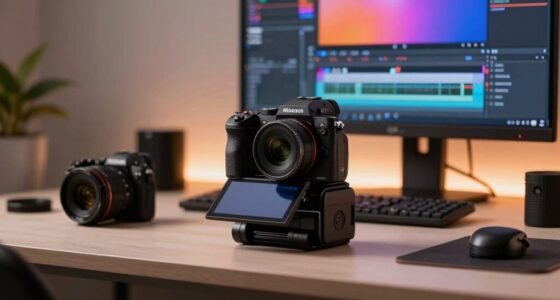
The best premium productivity tech gifts make work easier without asking the recipient to rebuild their routine. I’d put the Plaud Note Pro first for people who want meetings turned into transcripts and summaries, while the Rocketbook Core suits handwritten note-takers and the BUSY Bar offers a visible nudge to stay focused. The key tradeoff is whether the recipient needs help capturing information, organizing tasks, or protecting focus. AI recorders can save time but depend on digital workflows, while notebooks and timers are simpler and more hands-on. Read on for how the ten picks differ and which one best fits the person you’re buying for.

Get the latest gadgets delivered free with Prime
- Fast, free delivery on millions of items
- Prime Video, Amazon Music and more included
- Member-only deals all year
Complete the kit



Key Takeaways
- The Plaud Note Pro is the strongest all-around pick for meeting-heavy work because it combines voice capture with transcription and summaries; buyers should still check that its AI workflow suits the recipient.
- The Rocketbook Core and Fusion solve different paper problems: Core favors reusable note-taking, while Fusion adds planner structure for someone who wants task pages and notes together.
- AI recorders are not interchangeable. Wearability, pen-style capture, automatic document creation, and a standalone recorder each suit different habits, so convenience matters as much as transcription.
- The BUSY Bar and Exlliy timer support focus in different ways: one makes availability visible, while the other gives work sessions a tactile, preset-based structure.
- The Novium Hoverpen is the most desk-oriented gift in this lineup; its distinctive design may delight a pen enthusiast, but it offers less workflow automation than the recorder and notebook options.
| BUSY Bar Productivity Device with LED Display |  | Best for a Connected Desk | Manufacturer: Flipper Devices Inc | Model: BB-1-W-R04 | Weight: 15.8 ounces | VIEW ON AMAZON | See Our Full Breakdown |
| Rocketbook Core Reusable Smart Notebook, Letter Size, Gray |  | Best for Reusable Everyday Notes | Size: Letter, 8.5 x 11 inches | Pages: 32 | Weight: 8.8 ounces | VIEW ON AMAZON | See Our Full Breakdown |
| Plaud NotePin S Wearable AI Voice Recorder |  | Best for Hands-Free Meeting Capture | Languages: 112 | Weight: 0.61 oz (17.28 g) | Continuous recording time: 20 hours | VIEW ON AMAZON | See Our Full Breakdown |
| Rocketbook Fusion Reusable Undated Productivity Planner, Letter Size, Gray |  | Best for Flexible Planning | Size: Letter, 8.5 x 11 inches | Color: Gray | Page templates: 7, including monthly and weekly calendars, to-do list, goal tracker, idea list, and lined and dotted notes | VIEW ON AMAZON | See Our Full Breakdown |
| Exlliy Rotating Productivity Cube Timer with Customizable Presets |  | Best Compact Focus Timer | Model: YS-1008 | Preset times: 5, 25, 10, and 50 minutes | Customizable time range: 1 second to 99 minutes 59 seconds | VIEW ON AMAZON | See Our Full Breakdown |
| Plaud Note Pro AI Voice Recorder with Transcription and Summaries |  | Best for Multilingual Meeting Workflows | Transcription languages: 112 | Microphones: 4 MEMS microphones and 1 VPU microphone | Recording time: Up to 30 hours in Enhance Mode; up to 50 hours in Endurance Mode | VIEW ON AMAZON | See Our Full Breakdown |
| Flowtica AI Voice Recorder and Note-Taking Pen with Transcription |  | Best for Pen-First Note Takers | Storage: 32 GB | Digital recording time: Up to 100 hours | Standby time: 233 days | VIEW ON AMAZON | See Our Full Breakdown |
| Comu Action Pro AI Voice Recorder with Automatic AI Documents |  | Best for Turning Meetings into Documents | Microphones: Six: four omnidirectional, one directional, and one bone-conduction | Transcription and translation: 113 languages | Battery life: Up to 70 hours | VIEW ON AMAZON | See Our Full Breakdown |
| Novium Hoverpen Interstellar Ballpoint Pen, Space Black |  | Best Executive Desk Gift | Color: Space Black | Materials: Aircraft-grade aluminum and zinc alloy | Hover angle: 23.5 degrees | VIEW ON AMAZON | See Our Full Breakdown |
| Pocket AI Voice Recorder with Transcription, 64 GB, Space Grey |  | Best for Phone-Centered Capture | Model: PKT 01 | Storage capacity: 64 GB | Battery life: Up to 4 days | VIEW ON AMAZON | See Our Full Breakdown |
| premium productivity tech gift | Weight |
|---|---|
| BUSY Bar Productivity Device w | 15.8 ounces |
| Rocketbook Core Reusable Smart | 8.8 ounces |
| Plaud NotePin S Wearable AI Vo | 0.61 oz (17.28 g) |
| Rocketbook Fusion Reusable Und | — |
| Exlliy Rotating Productivity C | 1.6 ounces |
| Plaud Note Pro AI Voice Record | 1.06 oz |
| Flowtica AI Voice Recorder and | — |
| Comu Action Pro AI Voice Recor | 52 g |
| Novium Hoverpen Interstellar B | — |
| Pocket AI Voice Recorder with | — |
More Details on Our Top Picks
BUSY Bar Productivity Device with LED Display
The BUSY Bar is the most integrated desk tool in this group: it combines a focus timer, an availability display, and distraction blocking, with Matter, Apple Home, and Google Home support. That makes it a more capable gift for someone shaping a connected workspace than the Exlliy Rotating Productivity Cube Timer, which focuses on simple timed sessions. Offline controls, a large button, and scroll wheel also make everyday use less dependent on an app, while the HTTP API, MQTT, and open-source tools give technically minded recipients room to customize it. The tradeoff is that automatic activation is described for specific call and streaming modes, so buyers should not assume every status change will happen automatically. It also takes up more desk space than the cube timer and suits a recipient who wants to configure a workspace, not just start a countdown.
Pros:- Combines a focus timer, status display, and distraction blocking in one device
- Works with Matter, Apple Home, and Google Home
- HTTP API, MQTT, and open-source tools enable custom integrations
- Offline controls are available through the large button and scroll wheel
Cons:- Automatic activation is limited to specific call and streaming modes
- More involved than a basic timer such as the Exlliy Rotating Productivity Cube Timer
- Its desk presence may not suit compact workspaces
Best for: Smart-home enthusiasts who want a desk-level focus and availability signal they can customize around work routines
Not ideal for: People who only need a simple countdown timer or prefer a small, self-contained desk accessory without smart-home setup
- Manufacturer:Flipper Devices Inc
- Model:BB-1-W-R04
- Weight:15.8 ounces
- Package dimensions:7.24 x 2.72 x 2.64 inches
- Connectivity and integrations:Matter, Apple Home, Google Home, HTTP API, MQTT
- Controls:Large button and scroll wheel
- Battery:1 included lithium-ion battery required
- Warranty:1 year
Our verdict“Choose the BUSY Bar for a connected, customizable desk setup; pick the Exlliy cube instead for straightforward timed focus sessions.”
Rocketbook Core Reusable Smart Notebook, Letter Size, Gray
The Rocketbook Core is the simpler of the two reusable Rocketbook gifts here: its 32 lined pages suit meeting notes, class notes, and everyday lists, while the Rocketbook Fusion adds dedicated calendars, goal tracking, and to-do templates. Write with the included Pilot FriXion pen, scan pages through the app, and wipe them clean with a damp cloth when you want a fresh start. That cycle can reduce paper clutter while keeping handwriting at the center of the workflow. The letter-size spiral format gives notes room to breathe, but it is less portable than a pocket notebook, and erasing is a manual step rather than an instant digital reset. Buyers also need to be comfortable using the Rocketbook app for cloud organization; anyone who wants a planner structure should choose Fusion instead.
Pros:- Reusable pages can be wiped clean and used again
- Rocketbook app scans notes to cloud services
- Includes a Pilot FriXion pen and cleaning towel
- Letter-size lined pages and spiral binding provide a familiar writing layout
Cons:- Pages require a damp cloth to erase
- Cloud scanning and digital organization depend on the Rocketbook app
- Lacks the planning templates found in the Rocketbook Fusion
Best for: Students and meeting-heavy professionals who prefer handwritten notes but want to scan, file, and reuse pages
Not ideal for: People who need a compact notebook, planner templates, or paper notes they can erase without a damp cloth
- Size:Letter, 8.5 x 11 inches
- Pages:32
- Weight:8.8 ounces
- Color:Gray
- Ruling:Lined
- Binding:Spiral-bound
- Special feature:Reusable pages; soft cover
- Included items:Pilot FriXion pen and towel
Our verdict“Choose Core for reusable lined notes, or Rocketbook Fusion if calendars and task-planning templates matter more.”
Plaud NotePin S Wearable AI Voice Recorder
The Plaud NotePin S is the strongest fit here for someone who wants to capture spoken ideas without holding a recorder: at 0.61 ounces, it can be worn as a pin, clip, wristband, or necklace. Its 112-language transcription and summaries can turn recorded discussions into usable notes, while 64 GB of local storage and up to 20 hours of continuous recording support sessions away from a charging point. Compared with the Plaud Note Pro, this model’s standout distinction is its wearable format, rather than a conventional recorder-first approach. That flexibility comes with a service dependency: transcription and summaries run through the app or web service, and the starter plan has a monthly transcription limit. Buyers should also weigh consent and privacy before recording other people.
Pros:- Transcribes and summarizes in 112 languages
- Four wearing options support different work settings
- 64 GB of local storage supports recording without an active connection
- Up to 20 hours of continuous recording
Cons:- Transcription plans have monthly or daily usage limits
- Transcription and summaries require the Plaud app or web service
- Recording conversations calls for attention to consent and privacy
Best for: Mobile professionals, researchers, and multilingual teams who need hands-free conversation capture and searchable summaries
Not ideal for: People who want unlimited transcription without plan limits, avoid app-based processing, or need a device intended only for private voice memos
- Languages:112
- Weight:0.61 oz (17.28 g)
- Continuous recording time:20 hours
- Standby time:40 days
- Storage capacity:64 GB
- Audio format:MP3
- Bluetooth:Bluetooth 5
- Starter Plan:300 transcription minutes per month
Our verdict“Pick the NotePin S for hands-free, wearable meeting capture, but compare it with the Plaud Note Pro if a recorder-first form suits the recipient better.”
Rocketbook Fusion Reusable Undated Productivity Planner, Letter Size, Gray
The Rocketbook Fusion earns its place as the planning-focused alternative to the Rocketbook Core. Its seven reusable templates cover weekly and monthly calendars, task lists, goals, ideas, and lined or dotted notes, so one notebook can support more than a single kind of work session. Scanning pages to cloud services adds a digital record, while the waterproof cover and lay-flat spiral format make it practical for regular desk use. Unlike the Core’s straightforward lined pages, Fusion gives structure to recipients who need help turning plans into tracked tasks. The tradeoff is a more prescribed page layout: someone who wants an open notebook may prefer the Core. Both models require a Pilot FriXion pen and damp-cloth cleanup, so this is not a paperlike planner that can be refreshed with a quick swipe in an app.
Pros:- Seven templates support calendars, tasks, goals, ideas, and notes
- Scanned pages can be uploaded to cloud services through the app
- Waterproof cover and spiral binding support regular use
- Reusable format cuts down on disposable planning pages
Cons:- Requires a Pilot FriXion pen for writing
- Pages need damp-cloth cleaning before reuse
- Structured templates offer less open writing space than the Rocketbook Core
Best for: Project managers, students, and goal-oriented planners who want calendar and task templates alongside reusable notes
Not ideal for: Freeform note-takers who want mostly blank or lined pages, or anyone unwilling to clean pages with a damp cloth
- Size:Letter, 8.5 x 11 inches
- Color:Gray
- Page templates:7, including monthly and weekly calendars, to-do list, goal tracker, idea list, and lined and dotted notes
- Binding:Spiral
- Cover:Waterproof
- Reuse method:Wipe clean with a damp cloth
- Compatible pen:Pilot FriXion
- App features:Scan and upload notes to cloud services
Our verdict“Choose Fusion for reusable planning pages and structured tracking; choose Rocketbook Core for simpler lined note-taking.”
Exlliy Rotating Productivity Cube Timer with Customizable Presets
The Exlliy cube is the most direct productivity gift in this lineup: turn it to activate a 5-, 10-, 25-, or 50-minute preset, or set a custom interval from 1 second to 99 minutes 59 seconds. Its gravity-sensing controls remove menu navigation from a simple focus session, while the illuminated display and mute function make it workable in shared offices or quiet study areas. It is far smaller and lighter than the BUSY Bar, but it cannot display availability, block distractions, or integrate with smart-home platforms. USB-C recharging also avoids disposable batteries. One useful caveat: custom presets reset to their initial settings after the timer is turned off, which can interrupt a personalized routine. This is a focused timer, not a broader desk-management system.
Pros:- Four quick presets include common focus intervals
- Custom timing ranges from 1 second to 99 minutes 59 seconds
- Rechargeable battery charges via USB-C
- Compact design, illuminated display, and mute function suit shared spaces
Cons:- Custom presets reset to their initial settings after the timer is turned off
- Does not offer the BUSY Bar’s status display, distraction blocking, or smart-home integration
- Gravity-based operation may be less suitable for people who prefer conventional buttons
Best for: Students and desk workers who want a small, quiet timer for focused work blocks, study periods, or classroom routines
Not ideal for: People who want a visible availability signal, smart-home connections, or custom timer settings that persist after power-off
- Model:YS-1008
- Preset times:5, 25, 10, and 50 minutes
- Customizable time range:1 second to 99 minutes 59 seconds
- Controls:Gravity sensor
- Features:Mute function, illuminated display
- Charging:USB-C
- Dimensions:1.45 × 2 × 2 inches
- Weight:1.6 ounces
- Warranty:2-year limited warranty
Our verdict“Choose the Exlliy cube for a compact, no-fuss focus timer, or the BUSY Bar for a more connected workspace tool.”
Plaud Note Pro AI Voice Recorder with Transcription and Summaries
For buyers who want recordings turned into usable work, the Plaud Note Pro combines capture with several ways to organize what was said: transcripts, summaries, mind maps, and task lists. Its four MEMS microphones and VPU microphone, plus an enhanced-mode range of up to 16.4 feet, suit meetings where the recorder cannot sit right beside every speaker. It also handles typed notes and images, giving it a broader input mix than the Novium Hoverpen Interstellar, which is a polished desk accessory rather than a digital workflow tool.
The tradeoffs are ongoing workflow limits: the included plan covers 300 transcription minutes per month, and recording conversations calls for attention to consent and local privacy rules. Its slim 0.12-inch body and up to 50 hours of recording make it easier to carry through a busy workweek, but buyers who only need occasional notes may find this feature set excessive.
Pros:- Transcribes speech in 112 languages and provides automatic speaker labels.
- Turns recordings into summaries, mind maps, and task lists.
- Offers up to 50 hours of recording in Endurance Mode.
- Slim design includes an AMOLED status display and cross-device app access.
Cons:- Included transcription is capped at 300 minutes per month.
- Recording calls for informing participants and following local privacy laws.
Best for: Consultants, managers, and multilingual teams who regularly record meetings and want transcripts plus structured follow-up notes.
Not ideal for: People who record only occasionally, need unlimited included transcription, or cannot obtain consent to record their meetings.
- Transcription languages:112
- Microphones:4 MEMS microphones and 1 VPU microphone
- Recording time:Up to 30 hours in Enhance Mode; up to 50 hours in Endurance Mode
- Enhanced Mode range:Up to 16.4 ft (5 m)
- Thickness:0.12 inches
- Weight:1.06 oz
- Display:AMOLED
- Included transcription:300 minutes per month
- Compatibility:Plaud Desktop, Web, and mobile app; Apple Find My
Our verdict“Choose the Plaud Note Pro for frequent, multilingual meetings where turning audio into organized follow-up is worth managing a monthly transcription allowance.”
Flowtica AI Voice Recorder and Note-Taking Pen with Transcription
The Flowtica AI Voice Recorder and Note-Taking Pen suits people who want meeting capture in a familiar writing tool rather than another phone attachment. It records audio, captures photos, and pairs app-based transcription and summaries with a highlighting feature and recognition for up to 15 voices. That makes it a more natural fit for someone who marks up notes as a conversation unfolds; the Plaud Note Pro, by comparison, puts more emphasis on a slim dedicated recorder, multilingual transcription, and generated mind maps and task lists.
Its 32 GB storage and stated 100 hours of digital recording time give it room for long-term capture, though individual sessions top out at five hours. The important catch is the subscription: premium features are included for three months, then require a paid plan. Real-time syncing also depends on keeping the app active, so this is less appealing to people who want a fully hands-off recording workflow.
Pros:- Combines a note-taking pen with audio capture, transcription, and meeting summaries.
- Highlights key moments and recognizes up to 15 voices.
- Provides 32 GB of storage and up to 100 hours of digital recording time.
- Includes three months of premium credit.
Cons:- Premium features require a subscription after the included three months.
- Real-time syncing requires the companion app to remain active.
- Maximum session length is five hours.
Best for: Students, interviewers, and meeting-heavy professionals who prefer writing with a pen while capturing audio and marking key moments.
Not ideal for: People who want premium transcription without a subscription, need sessions longer than five hours, or expect syncing while the app is closed.
- Storage:32 GB
- Digital recording time:Up to 100 hours
- Standby time:233 days
- Battery charging time:3 hours
- Maximum session length:5 hours
- Microphone:Built-in stereo MEMS microphones
- Voice recognition:Up to 15 voices
- Dimensions:1.56 x 1.17 x 6.65 inches
- Included subscription:3 months of premium credit
Our verdict“Pick Flowtica if pen-based note taking and in-meeting highlights matter more than a subscription-free, standalone recorder workflow.”
Comu Action Pro AI Voice Recorder with Automatic AI Documents
The Comu Action Pro is aimed at buyers whose next step after a meeting is producing a shareable document. Its companion app can turn recordings into editable documents and action items, while transcription and translation cover 113 languages. The six-microphone array includes both directional and bone-conduction microphones, giving it a more varied capture setup than the Pocket AI Voice Recorder, which focuses on compact phone attachment and question-answering about recordings.
Up to 70 hours of battery life and Bluetooth, Wi-Fi, and USB-C connectivity support regular use, while its 52 g magnetic design keeps it portable. But the AI-generated material lives in the companion app or website, so this is not the pick for someone who wants to review transcripts directly on the recorder. It also lacks a headphone jack, which limits wired listening options.
Pros:- Transcribes and translates in 113 languages.
- Generates editable documents and action items from recordings.
- Offers up to 70 hours of battery life.
- Compact magnetic design supports Bluetooth, Wi-Fi, and USB-C.
Cons:- AI-generated content requires the companion app or website.
- No headphone jack for wired listening.
Best for: Project leads, consultants, and international teams who need meeting recordings converted into editable notes and action lists.
Not ideal for: Buyers who want on-device access to AI output, prefer wired headphone monitoring, or do not want an app or website in their workflow.
- Microphones:Six: four omnidirectional, one directional, and one bone-conduction
- Transcription and translation:113 languages
- Battery life:Up to 70 hours
- Storage capacity:16 GB
- Weight:52 g
- Screen size:0.95 inches
- Connectivity:Bluetooth, Wi-Fi, USB-C
- Audio format:MP3
- Warranty:12-month limited warranty
Our verdict“Choose the Comu Action Pro when editable meeting documents and broad language support outweigh the need for standalone playback or wired headphones.”
Novium Hoverpen Interstellar Ballpoint Pen, Space Black
The Novium Hoverpen Interstellar is the desk-focused gift in this group: its magnetic pedestal holds the pen at a 23.5-degree angle and lets it spin, adding a distinctive focal point to a workspace. Aircraft-grade aluminum and zinc alloy give it a more substantial presence than the practical note-taking role of the Flowtica AI Voice Recorder and Note-Taking Pen. The Schmidt ballpoint cartridge keeps it useful beyond display, so the design does not replace the basic job of a pen.
Its place in a productivity gift roundup is about making a desk feel more considered, not automating work. It cannot capture conversations, create summaries, or sync notes like the Plaud Note Pro. The pedestal is also required for the hovering display, so buyers who want a simple pen to carry between meetings may find the presentation-oriented design less useful than a conventional writing tool.
Pros:- Magnetic pedestal displays the pen at a distinctive 23.5-degree angle.
- Pen can spin on its pedestal as a desk feature.
- Uses Schmidt ballpoint cartridges.
- Made from aircraft-grade aluminum and zinc alloy.
Cons:- The hovering display requires the pedestal.
- Offers no recording, transcription, or digital note organization.
Best for: Executives, designers, and stationery fans who want a distinctive desk display that remains a functional ballpoint pen.
Not ideal for: People shopping for digital productivity features, a pocket-first pen, or a tool that captures and organizes meeting notes.
- Color:Space Black
- Materials:Aircraft-grade aluminum and zinc alloy
- Hover angle:23.5 degrees
- Cartridge type:Schmidt ballpoint
Our verdict“Give the Hoverpen to a desk-focused recipient who values considered design and everyday writing more than digital productivity functions.”
Pocket AI Voice Recorder with Transcription, 64 GB, Space Grey
The Pocket AI Voice Recorder makes the most sense for buyers who want to capture conversations alongside a smartphone workflow. Its MagSafe-compatible attachment supports hands-free placement, while its AI can produce key points and action items or answer questions about recordings. That question-and-answer feature gives it a different emphasis from the Comu Action Pro, which focuses on turning audio into editable documents. With 64 GB of storage and up to four days of battery life, it is built for frequent capture without needing a charge after every meeting.
The phone-friendly design comes with some dependency: advanced features require an optional subscription, and its Bluetooth interface and built-in microphone make it less like a fully independent recording setup than the Plaud Note Pro. The supplied product data also lists RealAudio as its recording format, which may matter to buyers who need a specific audio-file workflow. It supports both iOS and Android, but attachment compatibility is specifically tied to MagSafe-compatible devices.
Pros:- Creates AI-generated key points and action items from recordings.
- Can answer questions about recorded conversations.
- MagSafe-compatible attachment supports hands-free placement.
- Offers 64 GB of storage and up to four days of battery life.
Cons:- Some advanced features require an optional subscription.
- MagSafe attachment compatibility is limited to compatible devices.
- Recording format is listed as RealAudio, which may not suit every workflow.
Best for: Phone-centered professionals who want a magnetic recorder for meetings, calls, and quick follow-up questions about what was said.
Not ideal for: Buyers who need subscription-free advanced AI, a specified microphone array, or an audio format tailored to a particular production workflow.
- Model:PKT 01
- Storage capacity:64 GB
- Battery life:Up to 4 days
- Compatible devices:Smartphones
- Hardware interface:Bluetooth
- Recording format:RealAudio
- Dimensions (D × W × H):1.77 × 3.2 × 7.4 in
- Compatibility:iOS and Android; MagSafe compatible
- Color:Space Grey
Our verdict“Choose Pocket for phone-centered recording and searchable conversation follow-up, provided its subscription-based features and listed audio format fit your workflow.”

How We Picked
I ranked these gifts by how directly they help with a real productivity task: capturing ideas, organizing work, managing attention, or communicating availability. I also weighed ease of adoption, versatility, and the recipient’s likely routine. A capable tool can make a poor gift if it requires a new habit the recipient will not keep, so practical fit mattered alongside feature breadth.
The ranking favors products with a clear role and meaningful utility beyond novelty. That puts the Plaud Note Pro at the top for its meeting-focused capture and summary workflow, while the Rocketbook Core earns a strong place for people who prefer handwriting. The other AI recorders rank according to their distinct form factors and output styles; the BUSY Bar and Exlliy timer serve narrower focus needs, and the Hoverpen is a design-led desk gift rather than a broad productivity system. I also considered tradeoffs such as dependence on AI services, task specialization, and whether a product’s value relies on the recipient’s existing habits.
Factors to Consider When Choosing Premium Productivity Tech Gifts
For a gift, the best device is often the one that fits how someone already works, not the one with the longest feature list. I’d start with the recipient’s daily friction, then check setup, privacy, and ongoing workflow demands before choosing a more advanced tool.
Match the gift to a repeated work problem
Start by identifying what regularly slows the recipient down: lost meeting details, scattered handwritten notes, missed breaks, or interruptions from colleagues. A recorder will not solve calendar overload, and a timer will not organize project files. Ask what they already do when that problem appears, since an upgrade to a familiar habit is easier to adopt than a new system. Avoid choosing by gadget appeal alone; a device that sits unused is a poor productivity gift regardless of its capabilities. If you are unsure, favor tools with a clear, low-effort job, such as reusable pages or a visible focus signal. More specialized automation makes sense when you know the recipient has that specific need.
Check AI workflow and privacy expectations
AI recording tools can reduce the effort of turning conversations into notes, but their usefulness depends on what happens after capture. Find out whether the recipient needs searchable transcripts, short summaries, or documents ready to share; those outputs are not the same. Check what app, account, connectivity, and service access the workflow may require, and read current privacy and data-handling details before gifting a recorder for workplace conversations. Recording rules and consent expectations vary by location and organization, so the device should never be treated as permission to record. Someone who prefers local, private, or entirely manual notes may be better served by a reusable notebook. The most advanced recorder is not automatically the best choice if its software habits feel intrusive.
Choose a form factor the recipient will carry
A recorder that stays on a desk can miss the spontaneous ideas or conversations it was meant to capture. Wearable, pen-style, and pocket-sized designs each make different compromises around visibility, convenience, and when the tool feels appropriate to use. Think about whether the recipient works mostly at a desk, moves between meetings, or takes notes while walking. A device that looks discreet may suit some routines but feel awkward or inappropriate in others. For a gift, familiar objects can lower the learning curve, though a familiar shape does not guarantee compatibility with the recipient’s workflow. When uncertain, prioritize where and when the person would realistically use it.
Decide whether paper or digital structure will stick
Reusable notebooks appeal to people who think best by writing, but their pages only help if the recipient likes digitizing, erasing, and reusing them. A planner layout can add useful structure for someone who plans on paper, while a less prescriptive notebook gives more freedom for sketches and free-form notes. Consider whether the recipient already relies on a digital calendar or task manager; a second planning system can create duplicate work. The common mistake is buying a planner because it looks organized, without checking whether the person enjoys filling out structured pages. Paper-based gifts work best when they reinforce an existing ritual rather than demand a new one.
Pay for durable utility, not novelty alone
A premium gift should earn its place through repeated use, comfortable handling, dependable build, or saved effort—not just a striking appearance. Design-led desk objects can feel special, but compare their daily function with tools that automate or structure work. For items with moving parts, reusable surfaces, or companion software, consider how they will hold up to routine use and what upkeep they ask of the owner. A simpler timer or notebook may deliver more lasting value to someone who dislikes app setup. Pay more for capability the recipient will use often, rather than features that sound impressive in isolation. If the gift is meant to mark a milestone, a distinctive design can still matter, provided its practical role is clear.
Think through setup, compatibility, and gifting context
Before choosing connected tech, check whether the recipient’s phone, computer, workplace policies, and preferred apps fit the product’s requirements. A tool that depends on a specific service or account can create friction if the recipient does not want another subscription or platform. Consider whether they will welcome a device that needs configuration, charging, or regular syncing, especially if they prefer simple desk tools. Workplace gifts also call for discretion: recording equipment may raise questions even when used appropriately. If you cannot confirm compatibility, choose an option with a more self-contained purpose, such as a notebook or focus timer. A little practical checking can prevent an expensive gift from becoming a return or drawer item.
Frequently Asked Questions
Which gift is the safest choice if I don’t know the recipient’s exact workflow?
I’d favor the Rocketbook Core if you know the person takes handwritten notes, since it supports a familiar habit without centering the gift on AI. If you are unsure whether they write by hand, the BUSY Bar is a more visible, single-purpose focus aid, though it suits a desk-based routine. The Plaud Note Pro has broader meeting utility but asks the recipient to use an AI capture and summary workflow. Think about the recipient’s work setting before gifting any recorder. When the routine is unknown, pick the tool that asks for the fewest new habits.
Should I choose an AI voice recorder or a reusable notebook?
Choose an AI recorder when the recipient regularly attends spoken meetings and would benefit from transcripts, summaries, or other digital outputs. A reusable notebook is a better fit for someone who remembers ideas by writing or drawing and wants a paper-like process. Voice tools can save manual note-taking, but they bring questions about consent, data handling, and software setup. A notebook avoids many of those digital dependencies, though it still requires the owner to sort or digitize useful pages. The decision turns on whether the recipient captures information more naturally by listening or writing.
Are AI recorder gifts appropriate for someone’s workplace?
They can be useful, but I would check workplace rules and the recipient’s comfort with recording before gifting one. Policies may restrict recording, transcription, or sending meeting content to outside services, even when the recipient has good intentions. Local consent laws can also apply, so a recorder should never be treated as a permission slip. Review the product’s data and account requirements and consider whether the recipient can control storage and sharing. If those details are uncertain, a notebook, timer, or availability display avoids many recording-related concerns.
When does a planner make more sense than a general reusable notebook?
A planner is a stronger fit when the recipient likes working from dated or structured prompts and wants tasks, schedules, and notes in one paper-based routine. A general notebook leaves more room for free-form thinking, sketches, and meeting notes without imposing a layout. Neither format automatically replaces a digital calendar or team task system, so check whether the recipient would end up maintaining two versions of the same plan. People who resist filling in templates may use a flexible notebook more often. The best choice reflects how they organize work now, not how you hope they will organize it.
What should I check before buying a recorder as a premium gift?
Check the capture style first: a pocket device, wearable recorder, and note-taking pen fit different situations and comfort levels. Then look at the software workflow, including how recordings become transcripts or summaries and whether an account or service is needed. Review current privacy details, supported devices, and workplace restrictions before making the purchase. Consider whether the recipient wants to manage files and follow up on AI-generated notes; automation does not remove the need to review important details. If you cannot confirm these points, a less software-dependent gift may be a safer match.
Conclusion
For the broadest meeting-focused productivity gift, I’d choose the Plaud Note Pro as best overall, provided the recipient is comfortable with AI recording and its digital workflow. The Rocketbook Core is my best value-style pick for a handwriting-first note-taker, while the Plaud NotePin S is the best premium option for someone who wants a wearable way to capture ideas. For beginners, the Exlliy rotating timer offers a simple entry point into structured focus sessions without asking them to adopt a note system. Choose the BUSY Bar for visible availability, the Rocketbook Fusion for paper planning, the Flowtica for pen-style voice capture, the Comu Action Pro for automatic document creation, the Pocket AI recorder for a pocket-sized capture tool, or the Novium Hoverpen for a design-forward desk gift. My final rule: match the gift to a routine the recipient already has, then pay for extra capability only when it solves a real work problem.