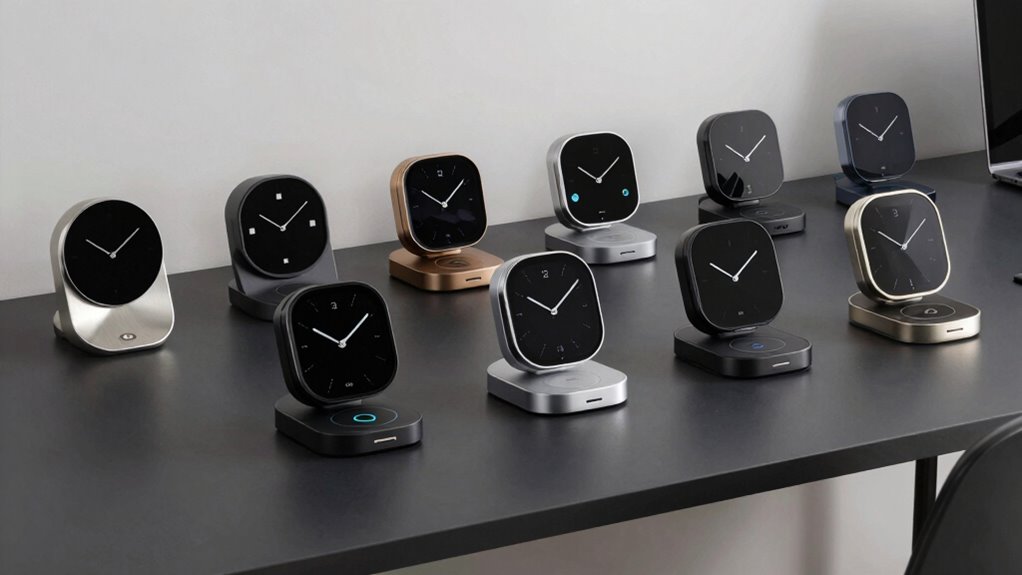

For a premium desk clock with charging, I’d start with the Brandstand CubieTrio for its magnetic wireless charging setup, then compare it with the Soundfreaq Charge Rise+ for dual alarms and ambient light or the Ken-Tech clock radio for 15W wireless charging. These models serve different priorities: easy device placement, richer alarm features, or a faster-charging specification. Wooden designs can blend into a workspace, while the IHAO lamp combines timekeeping with task lighting but takes up a different kind of desk space. The main tradeoffs are charging format, clock usability, and whether added features earn their footprint. Read on for the full comparison and guidance on choosing the right fit.

Get the latest gadgets delivered free with Prime
- Fast, free delivery on millions of items
- Prime Video, Amazon Music and more included
- Member-only deals all year
Complete the kit



Key Takeaways
- The Brandstand CubieTrio stands apart for magnetic wireless charging, a useful distinction for buyers who want guided phone placement rather than a basic flat charging pad.
- The Ken-Tech is the charging-focused alternative, with a stated 15W wireless charging specification; check that your phone supports compatible charging speeds before making that feature decisive.
- The Soundfreaq Charge Rise+ makes a stronger case on bedside-style clock functions, pairing dual alarms with ambient light instead of relying on charging alone to justify its place.
- The IHAO combines a desk lamp, clock, alarm, temperature display, and Qi charging, so it suits buyers seeking one multifunctional unit more than those wanting a compact clock.
- Wood finishes are the main style pattern across the lineup, but several versions differ in charging ports and appearance; compare the exact connection options rather than choosing by wood styling alone.
| Wooden Digital Alarm Clock with Wireless Charging and Dual USB Ports |  | Best Overall for Multi-Device Charging | Display: Digital LED | Material: Wood frame | Charging: Wireless charging pad and two USB ports | VIEW ON AMAZON | See Our Full Breakdown |
| Bamboo Wooden Digital Alarm Clock with Wireless Charging |  | Best Compact Pick | Display: Digital; time and indoor temperature | Material: Wood | Dimensions: 3 in W × 4 in H | VIEW ON AMAZON | See Our Full Breakdown |
| Soundfreaq Charge Rise+ Digital Alarm Clock with Dual Alarms, Ambient Light, and Wireless Charging |  | Best for Faster Specified Wireless Charging | Brand and model: Soundfreaq SFQ-22 | Display: Digital LED | Wireless charging: Qi-compatible, up to 15W | VIEW ON AMAZON | See Our Full Breakdown |
| White Wooden Digital Alarm Clock with Wireless Charging |  | Best for At-a-Glance Information | Display: 6-inch digital LED | Material: Wood veneer | Display information: Time, date, weekday, and indoor temperature | VIEW ON AMAZON | See Our Full Breakdown |
| IHAO Multifunctional LED Desk Lamp with Qi Wireless Charger, Digital Clock, Alarm, Temperature Display, and Ambient Light |  | Best Desk-Lamp Alternative | Wireless charging: Qi-enabled, up to 10W | Light source: LED | Color temperatures: 3000K, 4500K, and 6000K | VIEW ON AMAZON | See Our Full Breakdown |
| Ken-Tech Digital Alarm Clock Radio with 15W Wireless Charging |  | Best for Multi-Device Charging | Wireless charging: 15W | Charging ports: 2 USB-A and 2 USB-C | Connectivity: Bluetooth, USB-A, USB-C, and Aux | VIEW ON AMAZON | See Our Full Breakdown |
| DreamSky Wooden Digital Alarm Clock with Wireless Charging |  | Best for Readable, Adjustable Display | Display: Digital, with 1.8-inch digits | Material: Wood | Wireless charging: 10W | VIEW ON AMAZON | See Our Full Breakdown |
| Wooden Digital Alarm Clock with Dual USB Charging Ports |  | Best for Dual Alarms and Desk Readouts | Display: Time, date, day of the week, and temperature | Material: Wood frame | Charging ports: 2 USB ports | VIEW ON AMAZON | See Our Full Breakdown |
| Brandstand CubieTrio Magnetic Wireless Charging Alarm Clock |  | Best for a Compact Charging Station | Display: LED with adjustable brightness | Wireless charging: Magnetic wireless charging; output not specified | USB charging: 2 USB-C ports | VIEW ON AMAZON | See Our Full Breakdown |
| premium desk clocks with charging | Display | Dimensions | Material | Alarms |
|---|---|---|---|---|
| Wooden Digital Alarm Clock wit | Digital LED | 6 in W × 3 in H | Wood frame | Dual alarms with snooze |
| Bamboo Wooden Digital Alarm Cl | Digital; time and indoor temperature | 3 in W × 4 in H | Wood | Dual alarms with snooze |
| Soundfreaq Charge Rise+ Digita | Digital LED | 8.85 in W × 2.05 in H | — | Dual alarms |
| White Wooden Digital Alarm Clo | 6-inch digital LED | — | Wood veneer | Dual alarms with snooze |
| IHAO Multifunctional LED Desk | Time, date, weekday, and indoor temperature | — | — | Dual alarms with snooze |
| Ken-Tech Digital Alarm Clock R | LED | 7.75 in W × 2.75 in H | — | — |
| DreamSky Wooden Digital Alarm | Digital, with 1.8-inch digits | 6.1 in W × 2.8 in H | Wood | — |
| Wooden Digital Alarm Clock wit | Time, date, day of the week, and temperature | 6 in W × 3 in H | Wood frame | Dual alarms with snooze |
| Brandstand CubieTrio Magnetic | LED with adjustable brightness | 5.85 in W × 2 in H | Plastic | — |
More Details on Our Top Picks
Wooden Digital Alarm Clock with Wireless Charging and Dual USB Ports
I’d put this model first for a nightstand or desk where one clock needs to serve several devices. Its wireless pad and two USB ports offer more charging options than the Qi-only Bamboo Wooden Digital Alarm Clock, while dual alarms, snooze, adjustable volume, and a fully dimmable display make it a capable alarm clock rather than just a charging stand. The wood frame also gives it a more furniture-like look than the task-focused IHAO lamp. The tradeoff is uncertainty: the listing gives no wireless charging speed or compatibility details, so I can’t recommend it on charging performance alone. Its CR2 backup battery preserves time memory only, not normal operation, and the clock still needs USB-C power. I’d choose it for flexible bedside charging, not as a cordless clock.
Pros:- Combines a wireless charging pad with two USB ports for more device-charging options.
- Dual alarms with snooze support separate wake-up schedules.
- Display brightness and alarm volume are adjustable.
- Wood frame gives the clock a decorative tabletop appearance.
Cons:- The listing does not specify wireless charging compatibility or speed.
- CR2 backup battery preserves time memory only, rather than powering the clock.
- Requires USB-C power for operation.
Best for: People who want a wood-finish alarm clock with wireless charging plus two wired charging connections for bedside devices.
Not ideal for: Buyers who need confirmed wireless charging speed or a clock that keeps operating during a power interruption; the listing specifies time-memory backup only.
- Display:Digital LED
- Material:Wood frame
- Charging:Wireless charging pad and two USB ports
- Alarms:Dual alarms with snooze
- Display brightness:Adjustable, 0–100% dimmable
- Power:USB Type-C
- Backup:Included CR2 battery for time memory
- Dimensions:6 in W × 3 in H
Our verdict“Choose this if you want a wood-look alarm clock with both wireless and USB charging, but skip it if verified charging performance or outage operation matters most.”
Bamboo Wooden Digital Alarm Clock with Wireless Charging
The Bamboo Wooden Digital Alarm Clock is the lineup’s small-footprint choice: at 3 inches wide, it takes less desk or bedside space than the 6-inch wood-frame models. It still covers the essentials with dual alarms, snooze, a dimmable display, and a Qi charging pad; the added indoor temperature readout gives it a useful glanceable detail that the first Wooden Digital Alarm Clock does not list. That compact size comes with a compromise: charging is wireless only, without the two USB output ports offered by the wider models. The listing also gives a 5-inch screen size alongside its compact dimensions, so buyers should check how the display is laid out if exact proportions matter. I’d pick it for a tidy surface, not a multi-device charging hub.
Pros:- Compact 3-inch width suits crowded desks and nightstands.
- Qi wireless charging is built into the clock.
- Displays indoor temperature as well as time.
- Dual alarms, snooze, and adjustable brightness and volume support flexible daily use.
Cons:- Wireless charging requires a compatible phone.
- No USB output ports are listed for charging additional devices.
- Requires a USB-C cable for power.
Best for: People with a crowded nightstand or small desk who want a compact Qi clock with dual alarms and an indoor temperature readout.
Not ideal for: Anyone charging several devices at the clock or seeking detailed confirmation of its physical display layout; it has no listed USB output ports.
- Display:Digital; time and indoor temperature
- Material:Wood
- Dimensions:3 in W × 4 in H
- Screen size:5 in
- Charging:Qi wireless charging
- Alarms:Dual alarms with snooze
- Power:USB-C cable
- Backup:One included lithium metal battery for memory backup
Our verdict“Choose this compact bamboo option for a small surface and Qi charging, but pick a wider multi-port clock if you need to charge more than one device.”
Soundfreaq Charge Rise+ Digital Alarm Clock with Dual Alarms, Ambient Light, and Wireless Charging
I’d choose the Soundfreaq Charge Rise+ when charging specifications matter more than extra ports. Its Qi dock is rated up to 15W, giving buyers a clearer performance reference than the Wooden Digital Alarm Clock with Wireless Charging and Dual USB Ports, whose listing doesn’t state a speed. A large dimmable LED display, two alarms, and soft ambient light make this a more feature-focused bedside clock than the compact Bamboo model. Its four brightness settings are straightforward, though less finely adjustable than stepless dimming on the white wooden clock. It also lacks listed USB output ports and depends on corded power. The included adapter and six-foot cable help with setup, but this remains a plugged-in charging station, not a backup-powered clock. I’d favor it for a prominent display and specified Qi output.
Pros:- Qi charging is specified at up to 15W.
- Large LED display has four brightness settings, including off.
- Dual alarms and a five-minute snooze support shared wake-up routines.
- Soft ambient light adds nighttime illumination.
Cons:- Requires corded electric power.
- No USB output charging ports are listed.
- Brightness adjustment is limited to four levels rather than stepless control.
Best for: Buyers who want a large, easy-to-read bedside display, ambient light, and a stated Qi charging rate up to 15W.
Not ideal for: People who need USB output ports, fine-grained display dimming, or clock operation from a backup battery during power loss.
- Brand and model:Soundfreaq SFQ-22
- Display:Digital LED
- Wireless charging:Qi-compatible, up to 15W
- Alarms:Dual alarms
- Snooze:5 minutes
- Display brightness:Four levels: maximum, medium, minimum, and off
- Power:Corded electric; 20W adapter and 6 ft cable included
- Dimensions:8.85 in W × 2.05 in H
Our verdict“Choose the Charge Rise+ for a large display and clearly stated Qi output, but look elsewhere if you need extra wired charging ports or more precise dimming.”
White Wooden Digital Alarm Clock with Wireless Charging
This white wood-veneer clock makes the most sense for buyers who want their charging station to double as a compact information display. Along with time, it shows the date, weekday, and indoor temperature—more at-a-glance detail than the Soundfreaq Charge Rise+ listing specifies. It pairs Qi charging with two USB-A outputs, so it is more versatile for wired devices than the Bamboo Wooden Digital Alarm Clock. Brightness adjusts steplessly, a useful advantage for tuning the display to a dim bedroom rather than choosing among fixed levels. The tradeoffs are familiar: Qi charging only works with compatible phones, and the clock needs USB-C power. Its included C battery is described as time-memory backup, not a way to keep the display running during an outage.
Pros:- Displays time, date, weekday, and indoor temperature.
- Qi pad and two USB-A ports serve wireless and wired charging needs.
- Stepless brightness adjustment allows finer display tuning.
- Dual alarms include snooze and adjustable volume.
Cons:- Qi charging requires a compatible phone.
- USB Type-C power is required for operation.
- Included C battery provides time-memory backup only.
Best for: People who want date, weekday, and temperature at a glance, plus Qi and USB-A charging on a wood-veneer clock.
Not ideal for: Buyers seeking an independently operating clock during power cuts or a charging pad with compatibility beyond Qi-enabled phones.
- Display:6-inch digital LED
- Material:Wood veneer
- Display information:Time, date, weekday, and indoor temperature
- Charging:Qi wireless pad and two USB-A output ports
- Alarms:Dual alarms with snooze
- Brightness:Stepless adjustment
- Power:USB Type-C input
- Dimensions and weight:6 in W × 3 in H; 11.2 oz
Our verdict“Pick this model if calendar details and several charging options matter more than backup operation during a power outage.”
IHAO Multifunctional LED Desk Lamp with Qi Wireless Charger, Digital Clock, Alarm, Temperature Display, and Ambient Light
The IHAO is the lineup’s clearest departure from a conventional desk clock: it puts a Qi charger and clock inside an adjustable task lamp. For a work surface, that can replace separate lighting and timekeeping while adding dual alarms, indoor temperature, and a seven-color ambient base. Compared with the Soundfreaq Charge Rise+, its stepless lamp dimming and three color temperatures offer more control over work lighting, but its Qi charging is rated up to 10W rather than Soundfreaq’s 15W. The articulated head, arm, and base help direct light where needed; the plastic construction with a faux-leather texture is less furniture-like than the wood clocks. Its 14.1-inch length also asks for more desk room. I’d buy it as a lamp that happens to charge and tell time, not as a premium clock-first centerpiece.
Pros:- Combines task lighting, Qi charging, clock, dual alarms, and temperature display.
- Three color temperatures and stepless dimming support different desk tasks.
- Adjustable lamp head, arm, and base help direct the light.
- Seven-color ambient base adds a separate low-level lighting option.
Cons:- Qi charging requires a compatible device and is rated up to 10W, below the Soundfreaq’s stated 15W.
- Plastic construction with a faux-leather texture is less like the wood-finish clock options.
- The 14.1-inch length takes more desk space than the compact Bamboo clock.
Best for: Desk users who need adjustable task lighting and want Qi charging, alarms, and temperature information integrated into the same unit.
Not ideal for: Shoppers seeking a compact, clock-first design or a wood-bodied accent; this lamp occupies more space and uses plastic construction.
- Wireless charging:Qi-enabled, up to 10W
- Light source:LED
- Color temperatures:3000K, 4500K, and 6000K
- Dimming:Stepless, 10% to 100%
- Display:Time, date, weekday, and indoor temperature
- Alarms:Dual alarms with snooze
- Ambient lighting:7-color RGB base
- Adjustability:180° lamp head rotation, 210° arm adjustment, and 90° base swivel
- Dimensions and materials:14.1 × 2.9 × 4.8 in; plastic with faux-leather texture finish
Our verdict“Choose the IHAO if you need a capable adjustable lamp with built-in clock and charging features, rather than a compact premium clock for its own sake.”
Ken-Tech Digital Alarm Clock Radio with 15W Wireless Charging
The Ken-Tech makes the most sense for a desk or nightstand that has to power several devices at once. Its 15W wireless pad is paired with two USB-A and two USB-C ports, giving it more wired charging connections than the DreamSky Wooden Digital Alarm Clock with Wireless Charging, which has one extra USB port. Bluetooth streaming, AM/FM radio, and a choice of buzzer or radio alarm also make this more of an all-in-one bedside hub than a simple clock. The tradeoff is its plastic construction and wider feature set, which may feel less décor-focused than the wooden clocks in this roundup. Its battery backup preserves time and alarm settings, but the display goes dark during an outage, and the required 9V battery is not included.
Pros:- 15W wireless charging plus four USB charging ports supports several devices at once
- Bluetooth, AM/FM radio, and Aux connectivity provide multiple audio options
- Choose a buzzer or radio alarm
- Battery backup preserves time and alarm settings during power outages
Cons:- Plastic frame is less suited to buyers seeking a natural wood look
- Display turns off on backup power, so the time is not visible during an outage
- Required 9V backup battery is not included
Best for: People who want one bedside clock to wirelessly charge a phone, connect several USB devices, and play Bluetooth audio or radio.
Not ideal for: Buyers who prioritize a wood finish, a minimal clock face, or a visible time display during a power outage.
- Wireless charging:15W
- Charging ports:2 USB-A and 2 USB-C
- Connectivity:Bluetooth, USB-A, USB-C, and Aux
- Radio:AM/FM
- Display:LED
- Alarm options:Buzzer or radio
- Battery backup:Requires 1 9V battery, not included
- Dimensions:7.75 in W × 2.75 in H
Our verdict“Choose the Ken-Tech if charging several devices and having radio or Bluetooth audio matter more than a wood finish or outage-time visibility.”
DreamSky Wooden Digital Alarm Clock with Wireless Charging
For buyers who want a clock that stays easy to read without lighting up the whole room, DreamSky offers 1.8-inch digits and five brightness levels, including an off setting. That control gives it an advantage over the Brandstand CubieTrio, whose listed feature set mentions adjustable brightness but not the same range of display settings. DreamSky also combines 10W wireless charging with a USB port, so it can handle a phone and one wired device without the larger charging array of the Ken-Tech. Its wood construction gives the bedside setup a warmer look, though charging capacity is more modest than the Ken-Tech’s four ports. The AC adapter is required for normal operation; backup batteries can preserve settings and trigger the alarm during an outage, but they do not keep the display illuminated and are not included.
Pros:- Large 1.8-inch digits are easy to read from across a bedroom
- Five brightness levels include a display-off setting
- 10W wireless charging and an additional USB port support two charging devices
- Backup batteries can preserve settings and trigger the alarm during an outage
Cons:- Requires the included AC adapter for normal power
- Backup batteries are not included and do not illuminate the display
- Charging connections are less extensive than the Ken-Tech’s four USB ports
Best for: Light-sensitive sleepers and bedside readers who want large time digits, adjustable alarm volume, and wireless phone charging in a wood-finish clock.
Not ideal for: People who need to charge several wired devices from the clock or want the time display to remain lit during a power outage.
- Display:Digital, with 1.8-inch digits
- Material:Wood
- Wireless charging:10W
- Additional charging:1 USB port
- Display brightness:5 levels plus off
- Alarm volume:Adjustable, 5 levels
- Power:AC adapter, 5V/2.1A
- Backup:Batteries preserve settings and trigger alarm; batteries not included
- Dimensions:6.1 in W × 2.8 in H
Our verdict“Pick DreamSky if readable digits and control over nighttime brightness matter more than a large number of wired charging ports.”
Wooden Digital Alarm Clock with Dual USB Charging Ports
This wood-frame clock suits buyers who want useful desk information and two separate wake-up schedules more than wireless phone charging. Its display shows time, date, weekday, and temperature, while dual alarms and snooze help couples or households with different routines. Unlike the DreamSky Wooden Digital Alarm Clock with Wireless Charging, this model has no wireless pad; its two USB ports are for wired device charging. That makes it a practical choice for people who already charge by cable and want more than a time-only display. Brightness and alarm volume are adjustable, and the daylight-saving switch is manual. The backup C battery only retains time memory, so it does not provide the outage alarm support offered by DreamSky, and the clock still needs USB-C power for normal operation.
Pros:- Displays time, date, weekday, and temperature
- Two USB charging ports can serve wired devices at the same time
- Dual alarms with snooze support different schedules
- Adjustable brightness and alarm volume allow control over the display and wake-up sound
Cons:- No wireless charging, unlike the DreamSky and Ken-Tech models
- Backup C battery retains time memory only
- Requires a USB Type-C power connection for normal operation
Best for: People who use separate weekday and weekend alarms, prefer a wood-grain desk clock, and want date, weekday, and temperature on the display.
Not ideal for: Buyers who want wireless phone charging or need the alarm and illuminated display to keep working through a power outage.
- Display:Time, date, day of the week, and temperature
- Material:Wood frame
- Charging ports:2 USB ports
- Alarms:Dual alarms with snooze
- Brightness:Adjustable, 0–100%
- Power:USB Type-C, 5V
- Backup battery:1 C battery included for time memory
- Dimensions:6 in W × 3 in H
- Weight:10.24 oz
Our verdict“Choose this clock if dual alarms and a multi-information display matter more than wireless charging or full power-outage backup.”
Brandstand CubieTrio Magnetic Wireless Charging Alarm Clock
The Brandstand CubieTrio is the most outlet-oriented option here: it combines magnetic wireless charging with two tamper-resistant power outlets and two USB-C ports in a body just 5.85 inches wide. That mix makes it a stronger fit for a crowded nightstand than the wider Ken-Tech, especially when a lamp or another plug-in device needs its own outlet. Magnetic alignment can help keep a compatible phone positioned on the charger, while adjustable display brightness and daylight-saving adjustment cover basic clock needs. The tradeoff is that its charging details are less fully specified than the Ken-Tech’s, and it requires AC power. Its plastic body and champagne finish may also appeal less to buyers seeking wood. The stated 32-inch screen-size figure appears inconsistent with the tabletop design, so I would not use it to judge legibility.
Pros:- Magnetic wireless charging helps align a compatible phone
- Two USB-C ports and two tamper-resistant 110V outlets expand bedside charging options
- Compact 5.85-inch width fits smaller surfaces
- Adjustable LED brightness and daylight-saving adjustment support everyday clock use
Cons:- Requires AC power and does not list battery backup
- Wireless charging output is not specified in the provided product data
- Listed 32-inch screen-size figure appears inconsistent with a tabletop clock
Best for: People with limited nightstand space who need wireless phone charging, USB-C ports, and outlets for other bedside electronics.
Not ideal for: Buyers who want a wood finish, detailed alarm options, or clearly specified wireless charging output and display dimensions.
- Display:LED with adjustable brightness
- Wireless charging:Magnetic wireless charging; output not specified
- USB charging:2 USB-C ports
- Power outlets:2 tamper-resistant 110V outlets
- Power source:AC
- Dimensions:5.85 in W × 2 in H
- Weight:2 lbs
- Material:Plastic
- Warranty:1-year replacement warranty
Our verdict“Choose the CubieTrio if compact size, magnetic charging, and extra AC outlets matter more than a wood finish or clearly documented charging specifications.”

How We Picked
I ranked these clocks by how well they combine reliable-looking timekeeping, practical charging, and desk-friendly design. I gave weight to the charging method and stated capabilities, including magnetic placement, Qi wireless charging, charging speed claims, and USB ports. I also considered clock features such as dual alarms, ambient lighting, radio functions, and whether extra functions add genuine utility or simply make the unit larger.
The order reflects how clearly each product serves a distinct buyer need, not a claim that every phone or setup will perform identically. The CubieTrio leads for its differentiated magnetic charging approach, while the Soundfreaq and Ken-Tech offer stronger alternatives for alarm features and charging specifications. Wooden models rank as simpler style-led options, with their position depending on the listed port setup and feature set; the IHAO is reserved for shoppers who actively want a lamp-clock combination. I also factored in tradeoffs such as desk footprint, compatibility, and the limits of judging build quality from product details alone.
| premium desk clocks with charging | Material | Alarms | Power |
|---|---|---|---|
| Wooden Digital Alarm Clock wit | Wood frame | Dual alarms with snooze | USB Type-C |
| Bamboo Wooden Digital Alarm Cl | Wood | Dual alarms with snooze | USB-C cable |
| Soundfreaq Charge Rise+ Digita | — | Dual alarms | Corded electric; 20W adapter and 6 ft cable included |
| White Wooden Digital Alarm Clo | Wood veneer | Dual alarms with snooze | USB Type-C input |
| IHAO Multifunctional LED Desk | — | Dual alarms with snooze | — |
| Ken-Tech Digital Alarm Clock R | — | — | — |
| DreamSky Wooden Digital Alarm | Wood | — | AC adapter, 5V/2.1A |
| Wooden Digital Alarm Clock wit | Wood frame | Dual alarms with snooze | USB Type-C, 5V |
| Brandstand CubieTrio Magnetic | Plastic | — | — |
Factors to Consider When Choosing Premium Desk Clocks With Charging
A clock with charging can make a desk tidier, but a feature list does not tell the whole story. I’d choose around the phone and workspace first, then decide which clock functions merit the extra space and complexity.
Match the charging method to your phone and case
Wireless charging is convenient only when your phone can sit in the right position and charge through its case. Magnetic alignment can make placement easier, but compatibility depends on the phone and magnetic system, so confirm support rather than assuming any handset will attach securely. A flat Qi pad offers broader familiarity but can be more sensitive to placement. If you rely on a thick case, camera bump, or unusual phone size, check the charging surface and product compatibility details before buying. Treat a stated wattage as a capability claim, not a promise that every phone will charge at that speed. A USB connection may be the safer backup for devices that do not work well on the wireless pad.
Count ports by what you actually charge
Extra USB ports can be more useful than a faster wireless pad if your desk regularly hosts earbuds, a watch, or a second phone. Check whether the product specifies the port type and output needed by those devices; the presence of a port alone does not establish fast charging. Also decide whether the clock will replace a charger you already own or simply add another one. A built-in port can reduce cable clutter, but it may leave fewer outlets or desk positions free if the clock’s own power adapter is bulky. Avoid paying for multiple connection options unless they match your daily devices. For a single phone, a straightforward wireless setup may be simpler.
Prioritize readable time over a crowded feature list
A desk clock should be easy to read from your normal working position, not only from directly in front of it. Think about display size, brightness adjustment, and whether the screen could distract you in a dim room. Extra functions such as temperature readouts, ambient lighting, and radio can be helpful, but each adds controls and information to manage. If you mainly need a quick time check, a simpler wooden clock may be easier to live with than a lamp-clock unit. If the clock will also serve as an alarm, check whether the controls make alarm setup and silencing straightforward. Choose functions you will use regularly, not features that only look impressive on a specification list.
Measure the desk footprint and cable path
Charging clocks need room for the clock itself, the phone, and a power cable that can reach an outlet without crossing your main work area. A lamp-clock combination can replace separate objects, yet its base and light position may take more space than a compact clock. Wooden models can suit a neat desktop, but their visual simplicity does not guarantee a smaller footprint. Before ordering, compare the listed dimensions with the available space and consider whether the phone will block the display while charging. Check where the charging area sits relative to the clock face and controls. A small layout sketch can prevent a convenient charger from becoming an awkward desk obstacle.
Pay for useful differentiation, not just a premium look
A wood finish or polished design can help a clock fit a workspace, but the stronger reason to pay more is a feature that changes daily use. Magnetic positioning, useful alarm controls, added USB ports, or a genuinely functional lamp may justify choosing a more elaborate model. On the other hand, if you already have a desk lamp and only charge one phone, a multifunction unit may add cost and complexity without solving a real problem. Compare the charging details and alarm functions before focusing on appearance. Also check the power requirements and included accessories, since a clock may need a separate cable or adapter. The best premium choice is the one whose build and features suit your routine, not the one with the longest feature list.
Frequently Asked Questions
Will a magnetic wireless charging clock work with any smartphone?
No. Magnetic attachment and wireless power compatibility are separate questions: a phone may charge wirelessly without attaching magnetically, or may need a compatible case or accessory for magnetic alignment. Check the clock’s supported charging standard and the phone maker’s compatibility information. If you use a thick or metal case, confirm that it will not interfere. When compatibility is uncertain, a model with a wired USB option gives you another way to charge.
Is a 15W wireless charging claim a reason to choose the Ken-Tech?
It can be a deciding factor if your phone supports the relevant charging standard and you want a faster wireless option. The maximum stated wattage does not mean every device will receive 15W; phone compatibility, case thickness, temperature, and positioning can affect charging. Compare the clock’s charging claim with your phone’s supported rates before treating it as a meaningful advantage. If your phone charges more slowly by design, alarm features or desk fit may matter more.
Should I choose a clock with USB ports or one with wireless charging?
Choose based on the devices you charge and how much cable clutter you want to manage. Wireless charging suits compatible phones and keeps a charging cable off the desktop, while USB ports can support accessories that lack wireless charging. Some listed options combine both approaches, but the number and type of ports vary. Check the output details and your device requirements rather than assuming every USB port can fast-charge. If you charge several devices at once, count their needs before deciding.
Is a lamp-and-clock model a good choice for a small desk?
It may reduce the number of separate items, but a combined unit can still occupy more surface area than a compact clock. The IHAO adds a lamp, clock, alarm, temperature display, ambient light, and Qi charging, which makes sense when those functions replace equipment you already need. Measure the base and think about where the light will fall before choosing it. If you only need time and phone charging, a simpler clock may leave more usable desk space. Compare the full footprint, not just the number of functions.
Which features should I prioritize if I mainly want a clock for work?
Start with a display that is readable from your seated position and controls that are easy to operate without interrupting your work. Then decide whether phone charging, an extra USB port, or an alarm is part of your routine. The Soundfreaq’s dual alarms and ambient light may suit someone who also uses the clock outside work hours, while a simpler wooden model can keep the desk visually quiet. A lamp-clock combination makes more sense if lighting is also a need. Prioritize the features you will use each day over occasional extras.
Conclusion
For the best overall pick, I’d choose the Brandstand CubieTrio if magnetic phone placement is a priority and your device is compatible. The best value-style choice is one of the simpler wooden clocks with wireless charging, especially the DreamSky or bamboo model if its listed features match your needs; compare the exact port setup before choosing. For a feature-rich alarm clock, the Soundfreaq Charge Rise+ suits buyers who want dual alarms and ambient light, while the Ken-Tech is the better fit for shoppers focused on a stated 15W charging capability. The best option for beginners is a straightforward wireless-charging wooden clock with only the controls and functions you expect to use. For a specific need, choose the IHAO when you want a lamp and clock in one, or the CubieTrio when magnetic alignment is the priority; skip the larger multifunction route if desk space is tight.