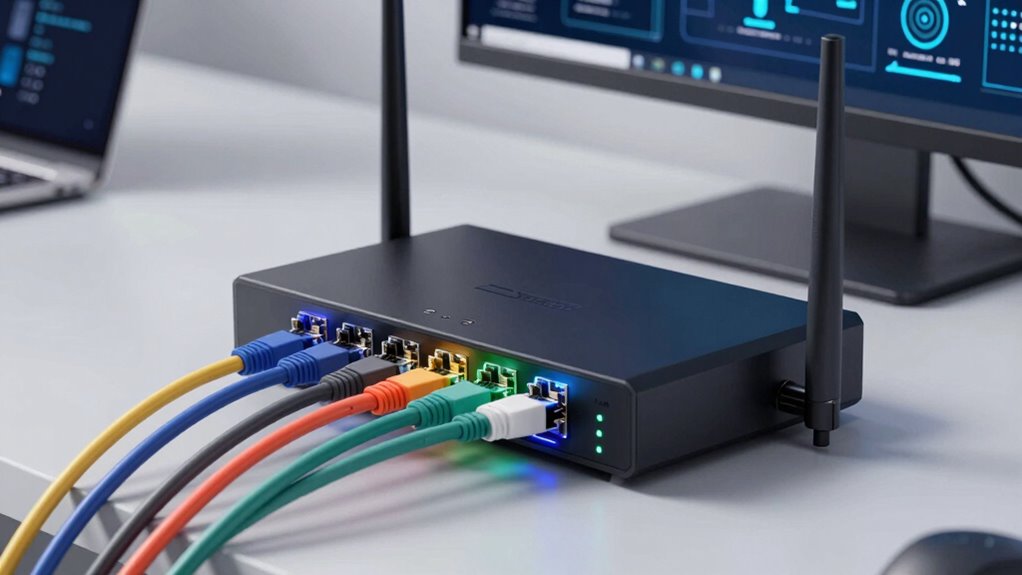

A multi-WAN load-balancing router can distribute traffic across internet connections or switch to a backup when a connection fails. I rank the TP-Link Omada ER707-M2 as the best overall pick for its multi-gigabit focus and Omada management, while the TP-Link ER605 stands out as a simpler value-oriented wired choice and the NETGEAR PR60X suits networks that need 10G-class connectivity. The main tradeoffs are port speed, management complexity, Wi-Fi inclusion, and the difference between load balancing and failover. Some options are compact gateways, while others are better suited to managed business networks or faster LANs. Read on for how the 13 models differ and which type of setup each one fits.

Get the latest gadgets delivered free with Prime
- Fast, free delivery on millions of items
- Prime Video, Amazon Music and more included
- Member-only deals all year
Complete the kit



Key Takeaways
- Multi-gig ports create the clearest performance divide: models such as the Alta Labs Route10, TP-Link Omada ER707-M2, and NETGEAR PR60X target faster WAN or LAN links than the gigabit-focused ER605 and Cudy R700.
- Wi-Fi built into the router changes the setup tradeoff: the Omada ER706W and Festa FR365 combine routing with Wi-Fi 6, while the wired models leave wireless access to separate access points.
- Load balancing and failover solve different problems: spreading sessions across connections does not necessarily combine their speeds for one download, and backup behavior depends on routing features and configuration.
- Management approach separates the lineup: Omada and Festa options suit buyers who want an ecosystem-based approach, while compact standalone routers may fit smaller networks with fewer management demands.
- The best fit depends on the whole network, not WAN count alone: VPN needs, port speeds, Wi-Fi plans, and how much configuration a buyer can maintain all affect whether a basic gigabit gateway or a multi-gig platform makes more sense.
| Cudy R700 Gigabit Multi-WAN Router |  | Best for Flexible ISP Failover | Model: R700 | Ports: 5 × RJ45 Gigabit Ethernet | WAN connections: Up to 5 ISPs | VIEW ON AMAZON | See Our Full Breakdown |
| TP-Link ER7206 Multi-WAN Gigabit VPN Router |  | Best for Omada-Centered Offices | WAN ports: 1 Gigabit SFP WAN, 1 Gigabit WAN, 2 Gigabit WAN/LAN | Dedicated LAN ports: 1 Gigabit LAN | Maximum clients: Up to 700 | VIEW ON AMAZON | See Our Full Breakdown |
| Alta Labs Route10 10 Gig Multi-WAN Wired Router |  | Best for High-Speed Wired Networks | Processor: Quad-core Qualcomm | Ports: 2 × 10 Gbps SFP+ and 4 × 2.5 Gbps | Data transfer rate: 10 Gbps | VIEW ON AMAZON | See Our Full Breakdown |
| TP-Link Omada ER706W Gigabit AX3000 Wi-Fi 6 VPN Router | 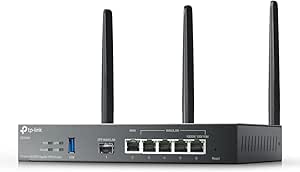 | Best All-in-One Wi-Fi Pick | Wi-Fi generation: Wi-Fi 6 (802.11ax) | Wireless speed: AX3000; up to 2402 Mbps on 5 GHz and 574 Mbps on 2.4 GHz | Ports: 1 Gigabit SFP, 5 Gigabit RJ45, 1 USB 3.0 | VIEW ON AMAZON | See Our Full Breakdown |
| TP-Link Festa FR307-M2 Multi-Gigabit VPN Wired Router |  | Best for Multiple WAN Links and Multi-Gigabit Ports | Model: FR307-M2 | Ports: 2 × 2.5 Gigabit ports and 5 × Gigabit ports | WAN load balancing: Up to 6 WAN ports | VIEW ON AMAZON | See Our Full Breakdown |
| Omada Fusion 2.5G Multi-WAN Wired VPN Router |  | Best for On-Device Monitoring | Ports: 5 | Port bandwidth: 2.5 Gbps | Multi-WAN: Up to 4 WAN connections with load balancing and automatic failover | VIEW ON AMAZON | See Our Full Breakdown |
| TP-Link Festa FR365 AX3000 Wi-Fi 6 VPN Router |  | Best for Built-In Wi-Fi and Cellular Backup | Wi-Fi: Dual-band Wi-Fi 6 (802.11ax) | Maximum stated wireless bandwidth: 2976 Mbps | Ethernet ports: 1 Gigabit WAN, 4 Gigabit WAN/LAN, and 1 SFP | VIEW ON AMAZON | See Our Full Breakdown |
| TP-Link Omada ER707-M2 Multi-Gigabit VPN Router |  | Best for Flexible Omada Deployments | Ports: 1 × 2.5 Gigabit WAN, 1 × 2.5 Gigabit WAN/LAN, 4 × Gigabit WAN/LAN, 1 × Gigabit SFP WAN/LAN, and 1 × USB 2.0 | Maximum concurrent sessions: 500,000 | Maximum clients: 1,000+ | VIEW ON AMAZON | See Our Full Breakdown |
| TP-Link ER605 Wired Gigabit VPN Router |  | Best Value Omada Entry Point | Ports: 5 Gigabit Ethernet: 1 WAN, 2 WAN/LAN, and 2 LAN | WAN connections: Up to 3 Ethernet WAN ports | USB WAN: Compatible 4G/3G modem support for WAN backup | VIEW ON AMAZON | See Our Full Breakdown |
| ASUS ExpertWiFi EBG15 Gigabit VPN Wired Router | 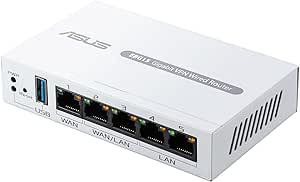 | Best for Mobile-Hotspot Backup | WAN ports: 1 Gigabit WAN and 2 Gigabit WAN/LAN | Data transfer rate: 1,000 Mbps | Backup WAN: USB connection to a mobile phone hotspot | VIEW ON AMAZON | See Our Full Breakdown |
| D-Link DSR-250V2 Gigabit VPN Router with Dual WAN Failover |  | Best for Small Offices That Need VPN Flexibility | WAN ports: 1 × 1 Gbps WAN | LAN ports: 3 × 1 Gbps LAN | Configurable port: 1 × 1 Gbps LAN/WAN | VIEW ON AMAZON | See Our Full Breakdown |
| TP-Link Omada ER7412-M2 Multi-Gigabit VPN Router |  | Best for Many WAN Connections | Total ports: 13 | 2.5G ports: 2 × RJ45 WAN/LAN | Gigabit ports: 10 WAN/LAN: 2 SFP and 8 RJ45 | VIEW ON AMAZON | See Our Full Breakdown |
| NETGEAR PR60X 10G/Multi-Gigabit Dual WAN Cloud-Managed Pro Router |  | Best for 10G Business Networks | Connectivity: Wired Ethernet | Configurable port: 1 × 10G/Multi-Gig LAN/WAN | WAN port: 1 × 2.5G WAN | VIEW ON AMAZON | See Our Full Breakdown |
| multi wan load balancing router | Management | Ports |
|---|---|---|
| Cudy R700 Gigabit Multi-WAN Ro | Web GUI, Cudy App, TR-069 | 5 × RJ45 Gigabit Ethernet |
| TP-Link ER7206 Multi-WAN Gigab | Omada SDN, cloud access, and app control | — |
| Alta Labs Route10 10 Gig Multi | — | 2 × 10 Gbps SFP+ and 4 × 2.5 Gbps |
| TP-Link Omada ER706W Gigabit A | — | 1 Gigabit SFP, 5 Gigabit RJ45, 1 USB 3.0 |
| TP-Link Festa FR307-M2 Multi-G | Festa app or web-based cloud management | 2 × 2.5 Gigabit ports and 5 × Gigabit ports |
| Omada Fusion 2.5G Multi-WAN Wi | — | 5 |
| TP-Link Festa FR365 AX3000 Wi- | Festa Cloud and Festa app; standalone mode not supported | — |
| TP-Link Omada ER707-M2 Multi-G | Omada SDN cloud management and app access | 1 × 2.5 Gigabit WAN, 1 × 2.5 Gigabit WAN/LAN, 4 × Gigabit WAN/LAN, 1 × Gigabit SFP WAN/LAN, and 1 × USB 2.0 |
| TP-Link ER605 Wired Gigabit VP | Omada SDN | 5 Gigabit Ethernet: 1 WAN, 2 WAN/LAN, and 2 LAN |
| ASUS ExpertWiFi EBG15 Gigabit | ASUS ExpertWiFi app or web browser | — |
| D-Link DSR-250V2 Gigabit VPN R | — | — |
| TP-Link Omada ER7412-M2 Multi- | Omada SDN and app | — |
| NETGEAR PR60X 10G/Multi-Gigabi | NETGEAR Insight remote cloud management; one-year subscription included | — |
More Details on Our Top Picks
Cudy R700 Gigabit Multi-WAN Router
The Cudy R700 is a compact choice for buyers who want to connect several internet providers without stepping up to a multi-gigabit platform. Its five Gigabit Ethernet ports can support up to five ISPs, with load balancing and automatic failover to keep connections available when a line drops. Compared with the four-WAN TP-Link ER7206, the R700 offers another potential WAN connection and OpenWRT support for users who want hands-on configuration. It also combines VLAN, QoS, firewall controls, and several VPN protocols in a small enclosure. The tradeoff is that advanced OpenWRT configuration may take networking experience, while the plastic case feels less suited to demanding installations than the metal Festa FR307-M2. Choose it for flexible Gigabit WAN routing, not wireless coverage or high-speed multi-gigabit links.
Pros:- Supports load balancing and automatic failover across up to five ISP connections.
- OpenWRT support offers room for advanced network configuration.
- Includes VLAN, QoS, firewall, and multiple VPN protocol features.
- Compact footprint with five Gigabit Ethernet ports.
Cons:- Advanced OpenWRT features may be difficult for buyers without networking experience.
- Plastic case is less robust than the metal case on the Festa FR307-M2.
- Gigabit ports do not suit multi-gigabit WAN or LAN requirements.
Best for: Small offices or technically confident home network owners combining several Gigabit ISP lines and wanting OpenWRT configuration options.
Not ideal for: Buyers who need built-in Wi-Fi, multi-gigabit ports, or a particularly sturdy metal enclosure.
- Model:R700
- Ports:5 × RJ45 Gigabit Ethernet
- WAN connections:Up to 5 ISPs
- VPN protocols:WireGuard, OpenVPN, IPsec, PPTP, L2TP
- Network features:Load balancing, automatic failover, VLAN, QoS, SPI firewall, DoS prevention
- Management:Web GUI, Cudy App, TR-069
- Dimensions:4.68 × 3.34 × 1.1 in
- Case material:Plastic
Our verdict“Choose the R700 if you want compact, configurable failover across as many as five Gigabit ISP links and can manage its advanced settings.”
TP-Link ER7206 Multi-WAN Gigabit VPN Router
The TP-Link ER7206 makes the most sense for a wired office that wants multi-WAN routing alongside centralized administration. It offers four configurable WAN ports, including an SFP WAN connection, and ties into Omada SDN for management across compatible network devices. That platform approach is its main distinction from the Cudy R700, which offers OpenWRT flexibility but not the same Omada-centered management path. The ER7206 also supports several VPN types and lists capacity for up to 700 clients, making it a stronger fit for a growing office than a small, basic failover setup. Its stated transfer rate is 1 Gbps, though, and only one port is dedicated LAN in the supplied specifications. Buyers should also check the controller and cloud-management requirements before choosing it; those features bring ecosystem dependence rather than a standalone-first experience.
Pros:- Four configurable WAN connections include a Gigabit SFP WAN port.
- Omada SDN and cloud access support centralized network management.
- Supports multiple VPN types and lists capacity for up to 700 clients.
- Advanced firewall features suit office network administration.
Cons:- Omada SDN features depend on compatible devices and controller arrangements.
- Cloud controller plan details may require clarification with TP-Link.
- The supplied specifications list a 1 Gbps transfer rate and one dedicated Gigabit LAN port.
Best for: Small and midsize offices already using, or planning to use, compatible Omada devices and centralized network management.
Not ideal for: Home users wanting built-in Wi-Fi, buyers seeking more than four WAN connections, or networks that need multiple dedicated LAN ports without additional switching.
- WAN ports:1 Gigabit SFP WAN, 1 Gigabit WAN, 2 Gigabit WAN/LAN
- Dedicated LAN ports:1 Gigabit LAN
- Maximum clients:Up to 700
- VPN capacity:Up to 100 IPsec, 50 OpenVPN, 50 L2TP, and 50 PPTP connections
- Data transfer rate:1 Gbps
- RAM:512 MB
- Management:Omada SDN, cloud access, and app control
Our verdict“Pick the ER7206 if centralized Omada management matters more than a higher WAN count or built-in wireless.”
Alta Labs Route10 10 Gig Multi-WAN Wired Router
The Alta Labs Route10 is the performance-focused pick here: its two 10 Gbps SFP+ ports and four 2.5 Gbps ports are aimed at networks where Gigabit hardware would become a bottleneck. Hardware-accelerated routing supports multi-WAN load balancing and failover, while real-time monitoring helps administrators track network activity. Compared with the Gigabit-only Cudy R700, the Route10 has far more port bandwidth, but it does not offer the R700’s OpenWRT support or its listed range of VPN protocols; this model lists IPsec and WireGuard. Its 40 W PoE+ output can also power compatible devices, reducing the need for a separate power source. The key compromise is that it is a wired router with a proprietary operating system: wireless coverage requires separate access points, and buyers should confirm the OS and management features suit their network before committing.
Pros:- Two 10 Gbps SFP+ and four 2.5 Gbps ports support faster wired networks than Gigabit-only options.
- Hardware-accelerated routing supports multi-WAN load balancing and failover.
- Real-time network monitoring provides visibility into traffic and connections.
- 40 W PoE+ output can power compatible network devices.
Cons:- Does not provide Wi-Fi, so wireless access points are needed for wireless coverage.
- The supplied specifications list only IPsec and WireGuard VPN protocols.
- Proprietary operating system may not suit buyers seeking OpenWRT-style flexibility.
Best for: Small businesses, studios, or technically managed home networks with multi-gigabit internet and wired devices that can use SFP+ or 2.5GbE.
Not ideal for: Buyers who need an all-in-one Wi-Fi router, extensive listed VPN protocol options, or straightforward consumer-style setup.
- Processor:Quad-core Qualcomm
- Ports:2 × 10 Gbps SFP+ and 4 × 2.5 Gbps
- Data transfer rate:10 Gbps
- Routing:Hardware-accelerated routing with multi-WAN failover and load balancing
- PoE+ output:40 W
- VPN protocols:IPsec and WireGuard
- Operating system:Proprietary OS
Our verdict“Choose the Route10 when multi-WAN routing must keep pace with multi-gigabit wired links and you are prepared to add Wi-Fi access points.”
TP-Link Omada ER706W Gigabit AX3000 Wi-Fi 6 VPN Router
The TP-Link Omada ER706W is the clearest choice in this group for buyers who want multi-WAN routing and Wi-Fi in one device. It supports up to five WAN ports and adds dual-band Wi-Fi 6, with listed wireless rates of up to 2402 Mbps on 5 GHz and 574 Mbps on 2.4 GHz. That makes it more self-contained than the wired ER7206 or Alta Labs Route10, both of which need separate equipment for wireless coverage. Omada Mesh and centralized SDN management add room to expand, while the USB 3.0 port can support storage sharing or LTE backup with a compatible dongle. The tradeoff is that those USB uses require setup and LTE backup requires extra hardware. Its Gigabit ports also make it less suited to multi-gigabit wired networks than the Route10 or Festa FR307-M2.
Pros:- Combines multi-WAN load balancing for up to five WAN ports with built-in Wi-Fi 6.
- Omada Mesh and centralized SDN management support network expansion.
- Broad VPN protocol support includes WireGuard, OpenVPN, IPsec, and SSL.
- USB 3.0 supports storage sharing and compatible LTE backup.
Cons:- USB-based LTE backup requires a compatible dongle and setup.
- Gigabit Ethernet ports cannot match the multi-gigabit wired capacity of the Route10.
- Advanced management and USB features may take configuration.
Best for: Homes or small offices seeking one device for multi-WAN balancing, Wi-Fi 6, VPN features, and possible Omada expansion.
Not ideal for: Buyers whose wired network needs multi-gigabit ports or who want LTE backup without sourcing and configuring a compatible USB dongle.
- Wi-Fi generation:Wi-Fi 6 (802.11ax)
- Wireless speed:AX3000; up to 2402 Mbps on 5 GHz and 574 Mbps on 2.4 GHz
- Ports:1 Gigabit SFP, 5 Gigabit RJ45, 1 USB 3.0
- WAN load balancing:Supports up to 5 WAN ports
- VPN protocols:SSL, IPsec, GRE, WireGuard, PPTP, L2TP, OpenVPN
- RAM:512 MB
- Antennas:3 fixed antennas
- Warranty:5 years
Our verdict“Pick the ER706W if built-in Wi-Fi 6 matters as much as multi-WAN routing and your wired links can remain Gigabit.”
TP-Link Festa FR307-M2 Multi-Gigabit VPN Wired Router
The TP-Link Festa FR307-M2 pairs a high WAN count with a mix of multi-gigabit and Gigabit ports. It can balance up to six WAN links, more than the five-ISP Cudy R700 or the five-WAN ER706W, and its two 2.5 Gigabit ports give compatible devices more headroom than standard Gigabit routing. A USB 2.0 port can support a compatible 4G/3G modem for backup, while the fanless metal case can sit on a desk or mount on a wall. The distinction from the Omada ER7206 is the Festa management route: this model uses Festa app or web-based cloud management and is not compatible with Omada Controllers. It also does not support standalone mode, so buyers who want local, ecosystem-independent administration should look elsewhere. There is no built-in Wi-Fi.
Pros:- Supports load balancing across up to six WAN ports.
- Two 2.5 Gigabit ports supplement five Gigabit ports for faster wired connections.
- USB 2.0 can support a compatible 4G/3G modem for backup connectivity.
- Fanless metal case supports desktop or wall mounting.
Cons:- Requires Festa Cloud management and does not support standalone mode.
- Not compatible with TP-Link Omada Controllers.
- Does not provide built-in Wi-Fi.
Best for: Small offices with several ISP connections, 2.5GbE devices, and a preference for fanless hardware managed through the Festa platform.
Not ideal for: Buyers who require standalone management, Omada Controller compatibility, built-in Wi-Fi, or a router that avoids cloud-dependent administration.
- Model:FR307-M2
- Ports:2 × 2.5 Gigabit ports and 5 × Gigabit ports
- WAN load balancing:Up to 6 WAN ports
- Backup WAN:USB 2.0 supports compatible 4G/3G modems
- VPN protocols:IPsec, OpenVPN, L2TP, PPTP
- Maximum VPN connections:100 IPsec, 66 OpenVPN, 60 L2TP, and 60 PPTP
- Management:Festa app or web-based cloud management
- Case and mounting:Fanless metal; desktop or wall mounting
Our verdict“Choose the FR307-M2 if six WAN links and 2.5GbE ports are priorities and Festa cloud management fits your workflow.”
Omada Fusion 2.5G Multi-WAN Wired VPN Router
For a wired multi-WAN setup that needs faster-than-gigabit links and visible status at the router itself, this model makes a strong case. Its five 2.5G ports and support for up to four WAN connections give it more multi-gig flexibility than the Gigabit TP-Link ER605, while automatic failover can keep traffic moving when an uplink drops. The touchscreen adds a handy local way to check status, alerts, and speed tests without opening a management app. Built-in Omada control and license-free cloud management also suit teams already using that ecosystem. The tradeoff is a fully wired design, and buyers choosing among Omada routers should weigh it against the ER707-M2, which offers a wider mix of port types and USB backup support.
Pros:- Five 2.5G ports provide multi-gig capacity across WAN and LAN connections.
- Supports up to four WAN connections with load balancing and automatic failover.
- Built-in Omada controller offers license-free cloud management.
- Touchscreen displays network status, alerts, and speed tests at the device.
Cons:- Wired-only design means a separate wireless access point is needed for Wi-Fi.
- Bluetooth is listed for setup connectivity, which may complicate expectations about how the router is configured.
Best for: Small offices already using Omada that need several multi-gig WAN links and quick on-device network checks.
Not ideal for: Homes or small teams that need built-in Wi-Fi, or Omada users who need USB-based LTE backup and a broader mix of port types.
- Ports:5
- Port bandwidth:2.5 Gbps
- Multi-WAN:Up to 4 WAN connections with load balancing and automatic failover
- Processor:Quad-core CPU
- Display:2.51-inch touchscreen
- Security and management:Advanced firewall, IPS/IDS, QoS, ACL, built-in Omada controller, and remote access
- Data transfer rate:2.1 Gbps
- Warranty:5 years
Our verdict“Choose this Omada model for multi-gig WAN flexibility and at-a-glance local monitoring, but look to the ER707-M2 if USB backup matters more.”
TP-Link Festa FR365 AX3000 Wi-Fi 6 VPN Router
The Festa FR365 is the clearest choice here for buyers who want multi-WAN routing and Wi-Fi 6 in one device. Its USB 3.0 WAN port can take a compatible 4G/3G modem for backup, while the Ethernet ports support multi-WAN load balancing; that gives it a different role from wired-only models such as the Omada ER707-M2. The stated AX3000-class wireless bandwidth and mesh roaming with compatible Festa access points can also suit a small location that wants room to extend coverage. The catch is its management boundary: it requires Festa Cloud, does not support standalone mode, and cannot join Omada controllers. Buyers who already manage an Omada network may find the ER707-M2 a more natural fit, though it does not include Wi-Fi.
Pros:- Combines dual-band Wi-Fi 6 with multi-WAN load balancing.
- USB 3.0 WAN supports compatible 4G/3G modem backup.
- Supports several VPN protocols and substantial stated connection capacities.
- Mesh roaming works with compatible Festa access points.
Cons:- Festa Cloud management is required; standalone mode is not supported.
- Cannot be managed through TP-Link Omada controllers.
- Cellular backup requires a separate compatible modem.
Best for: Small businesses or home offices that want one managed device for Wi-Fi, multi-WAN Ethernet, and compatible cellular-modem backup.
Not ideal for: Omada users or buyers who need local standalone management, since the router requires Festa Cloud and is not Omada-compatible.
- Wi-Fi:Dual-band Wi-Fi 6 (802.11ax)
- Maximum stated wireless bandwidth:2976 Mbps
- Ethernet ports:1 Gigabit WAN, 4 Gigabit WAN/LAN, and 1 SFP
- USB:USB 3.0 WAN for compatible 4G/3G modem backup
- VPN capacity:Up to 100 IPsec, 55 OpenVPN, 50 L2TP, and 50 PPTP connections
- Management:Festa Cloud and Festa app; standalone mode not supported
- Controller compatibility:Not compatible with TP-Link Omada controllers
- Warranty:3 years
Our verdict“Pick the FR365 when built-in Wi-Fi and Festa-managed cellular backup matter more than Omada compatibility or standalone control.”
TP-Link Omada ER707-M2 Multi-Gigabit VPN Router
The ER707-M2 suits buyers who want to build a wired multi-WAN network around Omada SDN and need more port choices than a basic gigabit router provides. It combines two 2.5-gigabit connections with several Gigabit WAN/LAN ports and an SFP WAN/LAN port, so administrators can assign links to fit their internet and local network hardware. That makes it more flexible across connection types than the ER605, whose ports are all Gigabit Ethernet. The stated capacity of 500,000 concurrent sessions and support for multiple VPN protocols also point toward busier small-business networks. Unlike the Omada Fusion router, it lacks a touchscreen, and LTE backup requires a separate dongle. It is also wired-only, so Wi-Fi access points remain a separate purchase.
Pros:- Two 2.5 Gigabit ports plus Gigabit WAN/LAN and SFP WAN/LAN options.
- Supports up to 500,000 concurrent sessions and more than 1,000 clients, as stated.
- Omada SDN provides cloud management and app access.
- USB supports storage or LTE backup with a separate compatible dongle.
Cons:- Wired-only router; Wi-Fi requires separate access points.
- LTE backup depends on a separately purchased dongle.
- No built-in touchscreen for local status checks.
Best for: Small-business network administrators using Omada who need multi-WAN port flexibility, VPN options, and room for many concurrent sessions.
Not ideal for: Buyers who want built-in Wi-Fi, touchscreen status checks, or cellular backup without sourcing a separate LTE dongle.
- Ports:1 × 2.5 Gigabit WAN, 1 × 2.5 Gigabit WAN/LAN, 4 × Gigabit WAN/LAN, 1 × Gigabit SFP WAN/LAN, and 1 × USB 2.0
- Maximum concurrent sessions:500,000
- Maximum clients:1,000+
- VPN capacity:Up to 100 IPsec, 66 OpenVPN, 60 L2TP, and 60 PPTP connections
- Maximum upstream data transfer rate:5,000 Mbps
- Management:Omada SDN cloud management and app access
- USB:USB 2.0 for storage or LTE backup
- Warranty:5 years
Our verdict“Choose the ER707-M2 for a flexible, Omada-managed wired multi-WAN network, but select the Omada Fusion if its touchscreen and four-WAN support better match your needs.”
TP-Link ER605 Wired Gigabit VPN Router
For a modest Omada network, the ER605 covers the main multi-WAN job without the multi-gig ports or higher session capacity of the ER707-M2. It supports up to three Ethernet WAN connections across its five Gigabit ports, with USB WAN available for a compatible 4G/3G modem. That makes it a practical fit for combining ordinary broadband connections and adding a mobile backup path, while Omada SDN gives administrators a route to centralized management. Its smaller, simple port layout is easier to place than the larger ER707-M2, but it also sets a lower ceiling: the listed VPN connection counts are more modest, and there is no Wi-Fi. I would choose it for a straightforward gigabit site, not for a growing network that needs 2.5G links or higher stated client capacity.
Pros:- Supports up to three Ethernet WAN connections for load balancing.
- USB WAN supports compatible 4G/3G modem backup.
- Omada SDN integration supports centralized network management.
- Includes SPI firewall, DoS defense, and IP/MAC/URL filtering.
Cons:- Gigabit-only ports limit throughput for multi-gig internet plans.
- USB backup depends on a compatible external mobile broadband modem.
- Wired-only design requires separate Wi-Fi access points.
Best for: Small offices or Omada users who need gigabit multi-WAN failover and VPN functions without multi-gig port requirements.
Not ideal for: Businesses with multi-gig internet, heavy VPN demands, or a requirement for built-in Wi-Fi.
- Ports:5 Gigabit Ethernet: 1 WAN, 2 WAN/LAN, and 2 LAN
- WAN connections:Up to 3 Ethernet WAN ports
- USB WAN:Compatible 4G/3G modem support for WAN backup
- VPN capacity:Up to 20 IPsec, 16 OpenVPN, 16 L2TP, and 16 PPTP connections
- Security:SPI firewall, DoS defense, and IP/MAC/URL filtering
- Management:Omada SDN
- Dimensions:6.22 × 3.98 × 0.98 in
- Warranty:5 years
Our verdict“Choose the ER605 for an entry-level Omada gigabit site with multiple WAN links, but move up to the ER707-M2 if multi-gig ports or greater stated capacity are needed.”
ASUS ExpertWiFi EBG15 Gigabit VPN Wired Router
The EBG15 is a straightforward pick for a small business that wants load balancing across multiple gigabit WAN links and a simple backup route through a phone hotspot. Its USB-based mobile backup differs from the ER605 and ER707-M2, which describe backup through compatible 4G/3G dongles; using a hotspot may suit teams that already keep a phone available for emergencies. VLAN support, VPN features, intrusion prevention, and app or browser management round out a business-oriented toolset. The limit is the modest WAN layout: it has one dedicated Gigabit WAN port and two Gigabit WAN/LAN ports, with no multi-gig capacity listed. Unlike the Wi-Fi-equipped Festa FR365, it has no stated wireless service, so wireless coverage needs separate equipment.
Pros:- Two WAN/LAN ports can support multi-WAN load balancing alongside the dedicated WAN port.
- USB connection can provide backup internet through a mobile phone hotspot.
- Includes VLAN, VPN, intrusion prevention, firewall, and DNS-over-TLS features.
- Can be managed through the ASUS ExpertWiFi app or a web browser.
Cons:- Gigabit port speeds offer no listed support for multi-gig WAN links.
- No Wi-Fi capability is stated, so wireless coverage requires additional devices.
- The product data does not specify the number of supported VPN connections.
Best for: Small offices with gigabit broadband links that want mobile-hotspot backup, VLAN controls, and app-based router management.
Not ideal for: Businesses with multi-gig internet, built-in Wi-Fi needs, or a preference for Omada SDN management.
- WAN ports:1 Gigabit WAN and 2 Gigabit WAN/LAN
- Data transfer rate:1,000 Mbps
- Backup WAN:USB connection to a mobile phone hotspot
- Security:AiProtection Pro, intrusion prevention, firewall, VPN, and DNS-over-TLS
- Management:ASUS ExpertWiFi app or web browser
- Network type:Wired
- LAN port bandwidth:1 Gbps
- Network standards:IEEE 802.1p, 802.1q, 802.3ab, 802.3i, 802.3u, 802.3x, IPv4, and IPv6
Our verdict“Pick the EBG15 if phone-hotspot backup and ASUS app management suit a gigabit office, but choose the Festa FR365 for built-in Wi-Fi or an Omada model for that ecosystem.”
D-Link DSR-250V2 Gigabit VPN Router with Dual WAN Failover
The DSR-250V2 suits a small office that needs dual-WAN balancing and backup alongside remote-access VPN, without moving to a multi-gigabit platform. Its configurable WAN/LAN port lets the network use a second internet connection, while USB mobile-broadband support offers another possible backup path. Compared with the TP-Link Omada ER7412-M2, it has far fewer WAN-capable ports and less scope for distributing traffic across many providers, but its 75 VPN tunnels and range of protocols make it a practical fit for a modest hybrid team. The tradeoff is that its gigabit-only wired design will not serve as a Wi-Fi access point, and its VPN, VLAN, and routing options call for someone comfortable with network setup. I’d choose it for a smaller deployment, not a growing site that needs extensive multi-WAN capacity.
Pros:- Supports dual-WAN failover and load balancing through a configurable WAN/LAN port.
- Offers several VPN protocols and supports up to 75 VPN tunnels.
- USB support can accommodate a mobile-broadband modem for another connectivity option.
- Web-based and SNMP management suit small-business administration.
Cons:- Gigabit-only ports provide less headroom than the multi-gigabit TP-Link Omada ER7412-M2 and NETGEAR PR60X.
- No built-in wireless connectivity is specified, so Wi-Fi requires separate access points.
- VPN, VLAN, and routing features may require experienced configuration.
Best for: Small businesses and remote offices that need dual-WAN resilience, multiple VPN options, and mobile-broadband support in a wired router.
Not ideal for: Teams seeking Wi-Fi in the router, multi-gigabit WAN capacity, or numerous simultaneous internet connections; the port layout and setup complexity may also challenge nontechnical users.
- WAN ports:1 × 1 Gbps WAN
- LAN ports:3 × 1 Gbps LAN
- Configurable port:1 × 1 Gbps LAN/WAN
- VPN capacity:Up to 75 VPN tunnels; up to 50 IPsec tunnels
- Firewall throughput:950 Mbps
- Maximum sessions:50,000
- VPN and security protocols:IPSec, PPTP, L2TP, OpenVPN, SSL; DES, 3DES, AES
- VLANs and routing:16 VLANs; RIPv1/v2 and OSPF
- USB support:Mobile-broadband modem support
Our verdict“Choose the DSR-250V2 for a small wired office prioritizing VPN flexibility and dual-WAN backup over multi-gigabit speeds or a large number of WAN links.”
TP-Link Omada ER7412-M2 Multi-Gigabit VPN Router
For a business that actually plans to use several internet services, the ER7412-M2 is the most purpose-built multi-WAN option in this group: it supports load balancing across up to 11 WAN connections. Its ten gigabit WAN/LAN ports and two 2.5G ports give an integrator room to assign connections and wired devices without immediately adding a separate port-expansion device. That makes it a more natural choice than the D-Link DSR-250V2, whose dual-WAN design targets a smaller setup. The tradeoff is that the ER7412-M2 is still a wired-only router, and a high port count can add configuration work rather than simplify a basic office network. Omada SDN and app management help when the site already uses that ecosystem, but buyers wanting a straightforward two-line backup router may not need this much capacity.
Pros:- Supports load balancing across up to 11 WAN connections.
- Combines two 2.5G RJ45 ports with ten gigabit WAN/LAN ports, including SFP options.
- Omada SDN and app management support centralized administration.
- Broad VPN protocol support, including WireGuard, OpenVPN, IPSec, and SSL.
Cons:- No built-in Wi-Fi; wireless coverage requires separate access points.
- The large number of configurable ports may be unnecessary and more involved to manage in a simple dual-WAN setup.
Best for: Businesses, integrators, and multi-site teams that need to balance traffic across several ISP links and centrally manage Omada networking equipment.
Not ideal for: Home offices or small teams with only one backup connection, users who need built-in Wi-Fi, or businesses that do not want to manage an Omada network.
- Total ports:13
- 2.5G ports:2 × RJ45 WAN/LAN
- Gigabit ports:10 WAN/LAN: 2 SFP and 8 RJ45
- WAN load balancing:Up to 11 WAN connections
- Data transfer rate:2500 Mbps
- VPN protocols:SSL, IPSec, GRE, WireGuard, PPTP, L2TP, OpenVPN
- USB:USB 3.0
- Management:Omada SDN and app
- Warranty:5 years
Our verdict“Pick the ER7412-M2 when you need to spread traffic across numerous WAN links and want multi-gigabit ports within an Omada-managed wired network.”
NETGEAR PR60X 10G/Multi-Gigabit Dual WAN Cloud-Managed Pro Router
The PR60X is a strong fit when the goal is not to connect a long list of ISP lines, but to give a dual-WAN business network 10G and 2.5G capacity. Its configurable 10G LAN/WAN port, dedicated 2.5G WAN, and 10G SFP+ connection suit offices with fast broadband, a high-speed switch, or fiber equipment. Compared with the TP-Link Omada ER7412-M2, it supports fewer WAN connections, but prioritizes faster interfaces and NETGEAR Insight remote management instead of a large bank of WAN/LAN ports. Its dual-WAN failover and load balancing cover the core resilience use case; the tradeoff is that cloud-management features depend on Insight, with one year included, and it has no Wi-Fi. I’d favor it for a fast, compact business backbone, not for a site balancing traffic across many providers.
Pros:- Combines dual-WAN failover and load balancing with 10G and 2.5G interfaces.
- 10G SFP+ supports fiber or compatible high-speed network connections.
- Supports IPSec, OpenVPN, and WireGuard, with up to 100 client-device connections.
- NETGEAR Insight enables remote cloud management, with a one-year subscription included.
Cons:- Dual-WAN capacity is less suited to numerous ISP connections than the TP-Link Omada ER7412-M2.
- Some management features depend on the Insight subscription after the included year.
- No built-in Wi-Fi is specified, so wireless access requires separate equipment.
Best for: Businesses with multi-gigabit internet or 10G switching that need dual-WAN resilience, VPN connectivity, and remote cloud management.
Not ideal for: Organizations needing to balance traffic across many ISP links, buyers who require built-in Wi-Fi, or teams that want all remote-management features without a subscription dependency.
- Connectivity:Wired Ethernet
- Configurable port:1 × 10G/Multi-Gig LAN/WAN
- WAN port:1 × 2.5G WAN
- LAN ports:3 × 2.5G LAN
- SFP+ port:1 × 10G SFP+
- WAN features:Dual-WAN failover and load balancing
- VLAN support:Up to 32 VLANs
- VPN support:IPSec site-to-site and client-to-site, OpenVPN, WireGuard; up to 100 client-device connections and 30 VPN tunnels
- Management:NETGEAR Insight remote cloud management; one-year subscription included
Our verdict“Choose the PR60X for a wired business network that needs dual-WAN resilience and 10G connectivity rather than a high count of WAN links.”

How We Picked
I compared these routers by the practical demands of multi-WAN operation: available WAN and LAN interfaces, stated port speeds, support positioning for VPN and network management, and whether the unit includes Wi-Fi or is designed as a wired gateway. I also weighed how well each model’s feature mix suits a home, small office, or more demanding business network. A router with faster ports does not automatically rank higher if its added capacity is unnecessary for the buyer’s internet plans or harder to manage.
The order reflects the balance of capability, flexibility, and likely fit, rather than a single maximum specification. Multi-gig and 10G models rise for networks that can use those speeds; accessible gigabit options remain relevant for simpler setups. Models with Wi-Fi fill a different role from wired gateways, and the D-Link dual-WAN failover model is included for buyers who prioritize backup connectivity over a broad multi-WAN feature set. Since exact performance depends on firmware, configuration, and service-provider connections, I focus on product positioning and buyer tradeoffs rather than claiming measured throughput.
Factors to Consider When Choosing Multi Wan Load Balancing Router
Before choosing a multi-WAN router, match its routing role to how your connections and local network actually work. The following factors help avoid paying for unused port capacity or expecting a backup feature to behave like bandwidth aggregation.
Separate Load Balancing From Failover
Load balancing distributes sessions or traffic among multiple internet connections, while failover moves traffic to another connection after a link becomes unavailable. Neither feature usually merges two ISP connections into one faster pipe for a single transfer; that typically needs support from an application, remote service, or specialized bonding setup. Ask whether you need better distribution across many users, continued service during an outage, or both. Also check how the router detects a failed connection, since a physical link can remain up while the ISP’s upstream service is down. If uninterrupted calls or remote access matter, consider how long detection and recovery may take and whether sessions will need to reconnect.
Match Port Speeds to Both ISPs and Your LAN
WAN speed is only one part of the path: traffic also passes through the router’s processing capacity and LAN interfaces. A multi-gig WAN port offers little benefit if your switch, access point, or server connects through a gigabit bottleneck. Check which ports can serve as WAN inputs, whether roles are configurable, and the speed of the ports you will use for internal devices. For two gigabit ISP links, a gigabit-only design may be adequate for many homes, but aggregate traffic can expose limits sooner in a busy office. Avoid buying a 10G model solely because the number is larger; first identify the actual link speeds and devices that can use it.
Decide Whether Wi-Fi Belongs in the Router
Integrated Wi-Fi can reduce equipment and simplify a small setup, especially when the router sits near the area that needs coverage. A wired router paired with separate access points gives more freedom to place wireless coverage where it works best and can make upgrades less disruptive. Built-in Wi-Fi does not guarantee strong coverage through walls or across multiple floors, so think about the building layout before treating it as a complete wireless solution. In managed networks, separate access points can also make it easier to expand or replace wireless hardware without changing the gateway. The common mistake is choosing an all-in-one unit for convenience, then discovering the router must live in a poor location for Wi-Fi.
Choose a Management Style You Can Maintain
Management features have a day-to-day cost: setup, monitoring, updates, and troubleshooting all take time. A centrally managed ecosystem can help when several network devices or sites need consistent settings, but it may add steps for a buyer who only needs a basic home gateway. Standalone administration can be easier for a small network, though it may offer fewer centralized tools as the network grows. Before buying, check whether remote administration, cloud access, or an account is required for the features you plan to use. Favor the simplest management model that still covers your needs, because an advanced feature that never gets configured contributes little value.
Plan VPN and Security Needs Separately
VPN support varies in purpose and impact: a router may support secure remote access, site-to-site links, or encrypted client traffic, and those uses are not interchangeable. Encryption can reduce available throughput, so a router’s port speed alone does not tell you how quickly it will handle VPN traffic. List who needs access, from where, and to which network resources before comparing protocols and configuration options. Small businesses should also account for update practices, access controls, and the skill needed to maintain secure settings. Do not assume that a router described as a VPN model supplies every VPN mode or makes security automatic.
Budget for the Full Network, Not Just the Gateway
The router is one part of a multi-WAN setup; you also need active ISP connections, suitable modems or ONTs, and enough switching or wireless capacity downstream. A second connection only improves resilience if it does not share the same vulnerable path, such as the same local cable route or power source. Check whether both providers can be used at the same location and whether their equipment can connect to the router’s available WAN interfaces. Include setup time and any management requirements in your decision, not just the hardware specification. Paying for extra interfaces makes sense when they support a defined expansion plan; otherwise, a simpler gateway can leave more room for useful access points or backup connectivity.
Frequently Asked Questions
Will a multi-WAN router combine two internet plans into one faster connection?
Usually, not for a single download or stream. Most routers distribute separate sessions across available WAN links, so different users or connections can benefit from both ISPs at once. A single application generally remains on one path unless it supports a bonding method that combines connections at another endpoint. If one fast connection is your priority, compare the fastest available ISP plan and the router’s WAN capacity rather than assuming two plans add together. Multi-WAN is often more useful for spreading demand and improving continuity than for doubling one device’s speed.
Do I need two different internet providers for WAN failover to help?
Two providers are not mandatory, but using genuinely separate services can reduce the chance that one outage affects both links. Two connections from the same provider may still share local infrastructure, so a neighborhood fault could interrupt both. A fixed broadband connection paired with cellular or another independent service can provide a more diverse backup, provided the router supports the required connection type or works with an external modem. Consider the backup link’s data limits and expected speeds as well as its availability. The point of failover is keeping essential services reachable, not necessarily maintaining full primary-link performance.
How many WAN ports do I need if I want a backup connection?
Two usable WAN connections are enough for one primary link and one backup, provided the router lets you assign the ports and configure failover. More WAN-capable interfaces matter if you plan to distribute traffic among several providers or add another connection later. Count the ports that remain available for LAN devices, too; using a LAN port as a WAN input can reduce the number of direct connections for switches or other equipment. Check whether the router supports the failover behavior you need rather than relying only on the number of physical ports. For a straightforward backup arrangement, extra WAN capacity may be less useful than clear monitoring and reliable link detection.
Should I choose a Wi-Fi router or a wired multi-WAN gateway?
Choose built-in Wi-Fi for a compact, simple network when the router’s location also works for wireless coverage. A wired gateway is a better fit when you already use access points, need several coverage zones, or want to place the router near the ISP equipment without compromising Wi-Fi placement. Separate access points can also be upgraded independently from the routing hardware. Remember that the Wi-Fi label does not describe multi-WAN capacity, so compare routing and wireless requirements separately. If coverage is uncertain, plan for an access point rather than expecting a router alone to cover every room.
When is a multi-gig or 10G multi-WAN router worth choosing over a gigabit model?
Pay for multi-gig or 10G ports when your connections or local traffic can use them, such as multi-gig ISP service, fast network storage, or several busy users sharing high-capacity links. The whole route must support that speed: compatible modems, switches, client devices, and cabling all matter. If your WAN services are gigabit or slower and your local network has no faster links, a high-speed router may offer little day-to-day benefit. Also check the router’s capacity for your intended features, especially VPN use, rather than judging by interface speed alone. A gigabit model can be the more sensible choice when it covers current needs and the network has no clear multi-gig upgrade path.
Conclusion
For most buyers seeking a capable wired gateway with room for faster links, I recommend the TP-Link Omada ER707-M2 as best overall. The TP-Link ER605 is my best value-style fit for a straightforward gigabit network, while the NETGEAR PR60X is the best premium direction for buyers who can use 10G or multi-gig connectivity. Beginners who want a simpler wired starting point should compare the ER605 and Cudy R700, then choose based on their management and port needs; buyers who want Wi-Fi in the router can look to the Omada ER706W or Festa FR365. For compact multi-gig networking, consider the Alta Labs Route10 or Festa FR307-M2; for a network built around Omada management, compare the ER706W, ER707-M2, and ER7412-M2. Choose the model that matches your actual WAN speeds, backup plan, and capacity to manage it—not simply the one with the largest number of ports.
Halloween Picks
halloween
As an affiliate, we earn on qualifying purchases.