For a fast portable SSD, I’d start with the Samsung T9 as the best overall fit for buyers whose computers support USB 3.2 Gen 2×2, while the SanDisk Extreme PRO and WD P40 Game Drive offer up to 2,000 MB/s for different kinds of work. The main tradeoff is that headline speeds depend on the drive, cable, port, and workload all lining up. A more modest drive such as the Crucial X9 may be a better match when broad everyday use matters more than peak transfer rates. I’ll compare all 12 options by speed, capacity, durability, and intended use. Read on for the picks, the compatibility checks that matter, and a guide to choosing the right drive.

Get the latest gadgets delivered free with Prime
- Fast, free delivery on millions of items
- Prime Video, Amazon Music and more included
- Member-only deals all year
Complete the kit



Key Takeaways
- Peak speed depends on the host port: The T9, Extreme PRO, Creator Pro, and P40 advertise up to 2,000 MB/s, but a compatible USB 3.2 Gen 2×2 connection is needed to approach that class of performance.
- The lineup splits by use, not just speed: The P40 adds gaming focused RGB styling, while the SanDisk Extreme PRO and Creator Pro emphasize IP65 water and dust resistance.
- Capacity changes the value of a speed upgrade: A 2TB Extreme gives room for larger libraries, while the 128GB SSK is better suited to smaller transfers than sustained project storage.
- Midrange drives can be the sensible choice: The Crucial X9 and standard SanDisk Portable SSD trade lower advertised throughput for straightforward everyday storage.
- Several models overlap closely: The 1TB and 2TB Extreme, the two SSK capacities, and Samsung’s T7 and T9 call for choosing by capacity, port support, and intended workload rather than name alone.
| SanDisk 1TB Portable SSD, Up to 800MB/s Read Speed, Black |  | Best for Everyday Backups | Storage capacity: 1 TB | Read speed: Up to 800 MB/s | Interface: USB 3.2 Gen 2 | VIEW ON AMAZON | See Our Full Breakdown |
| SanDisk 1TB Extreme Portable SSD – Up to 1050 MB/s Read Speed (Old Model) |  | Best Rugged 1TB Speed Pick | Capacity: 1 TB | Read speed: Up to 1,050 MB/s | Write speed: Up to 1,000 MB/s | VIEW ON AMAZON | See Our Full Breakdown |
| SanDisk 2TB Extreme Portable SSD |  | Best for Rugged High-Capacity Transfers | Storage capacity: 2 TB | Read speed: Up to 1,050 MB/s | Write speed: Up to 1,000 MB/s | VIEW ON AMAZON | See Our Full Breakdown |
| Samsung T7 Portable SSD, 1TB, Titan Gray, USB 3.2 Gen 2 |  | Best for Cross-Device Workflows | Capacity: 1 TB | Interface: USB 3.2 Gen 2 | Read speed: Up to 1,050 MB/s | VIEW ON AMAZON | See Our Full Breakdown |
| SSK 128GB External SSD Portable Drive USB 3.2 Gen2 |  | Best Compact Starter Drive | Capacity: 128 GB | Maximum speed: Up to 550 MB/s | Interface: USB 3.2 Gen 2 | VIEW ON AMAZON | See Our Full Breakdown |
| Crucial X9 1TB Portable SSD |  | Best for Rugged Everyday Speed | Capacity: 1TB | Maximum speed: Up to 1,050MB/s | Connectivity: USB 3.2, USB-C, USB-A | VIEW ON AMAZON | See Our Full Breakdown |
| SanDisk 1TB Extreme PRO Portable SSD – Up to 2000MB/s, USB-C, IP65 Water & Dust Resistance | 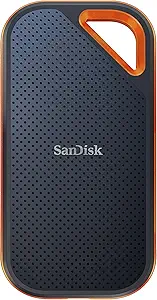 | Best for High-Speed Field Work | Capacity: 1TB | Read/write speeds: Up to 2,000MB/s | Connectivity: USB-C, USB 3.2 Gen 2×2 | VIEW ON AMAZON | See Our Full Breakdown |
| Western Digital 1TB P40 Game Drive SSD – Up to 2,000MB/s, RGB Lighting, Portable External Solid State Drive |  | Best for RGB Gaming Setups | Capacity: 1TB | Maximum speed: Up to 2,000MB/s | Interface: USB 3.2 Gen 2×2 | VIEW ON AMAZON | See Our Full Breakdown |
| SSK Portable 250GB External SSD, USB-C, Up to 1050MB/s |  | Best Compact Carryaround | Capacity: 250GB | Read speed: Up to 1,050MB/s | Write speed: Up to 1,000MB/s | VIEW ON AMAZON | See Our Full Breakdown |
| Samsung T9 Portable SSD, 1TB, USB 3.2 Gen 2×2, Up to 2,000 MB/s |  | Best for Sustained Performance | Capacity: 1TB | Interface: USB 3.2 Gen 2×2 | Read speed: Up to 2,000MB/s | VIEW ON AMAZON | See Our Full Breakdown |
| Western Digital 1TB My Passport SSD Portable External Solid State Drive |  | Best for Secure Everyday Transfers | Capacity: 1TB | Read speed: Up to 1,050MB/s | Write speed: Up to 1,000MB/s | VIEW ON AMAZON | See Our Full Breakdown |
| SanDisk 1TB Creator Pro Portable SSD |  | Best for Fast, Rugged Creator Workflows | Capacity: 1TB | Maximum read speed: Up to 2,000MB/s | Connectivity: USB-C, USB 3.2 Gen 2×2 | VIEW ON AMAZON | See Our Full Breakdown |
| portable ssd drives for speed | Capacity | Read speed | Interface | Connectivity |
|---|---|---|---|---|
| SanDisk 1TB Portable SSD | — | Up to 800 MB/s | USB 3.2 Gen 2 | USB Type-C |
| SanDisk 1TB Extreme Portable S | 1 TB | Up to 1,050 MB/s | USB 3.0 Type-C | — |
| SanDisk 2TB Extreme Portable S | — | Up to 1,050 MB/s | — | USB-C, USB 3.2 Gen 2 |
| Samsung T7 Portable SSD | 1 TB | Up to 1,050 MB/s | USB 3.2 Gen 2 | — |
| SSK 128GB External SSD Portabl | 128 GB | — | USB 3.2 Gen 2 | USB-C and USB-A |
| Crucial X9 1TB Portable SSD | 1TB | — | — | USB 3.2, USB-C, USB-A |
| SanDisk 1TB Extreme PRO Portab | 1TB | — | — | USB-C, USB 3.2 Gen 2×2 |
| Western Digital 1TB P40 Game D | 1TB | — | USB 3.2 Gen 2×2 | — |
| SSK Portable 250GB External SS | 250GB | Up to 1,050MB/s | USB 3.2 Gen 2 | — |
| Samsung T9 Portable SSD | 1TB | Up to 2,000MB/s | USB 3.2 Gen 2×2 | — |
| Western Digital 1TB My Passpor | 1TB | Up to 1,050MB/s | — | USB 3.2 Gen 2, USB-C, USB-A |
| SanDisk 1TB Creator Pro Portab | 1TB | — | — | USB-C, USB 3.2 Gen 2×2 |
More Details on Our Top Picks
SanDisk 1TB Portable SSD, Up to 800MB/s Read Speed, Black
Up to 800 MB/s reads make this a practical step up from a hard drive for carrying documents, photos, and regular backups. It is slower on paper than the Samsung T7 and SanDisk Extreme models, which list read speeds up to 1,050 MB/s, so I’d choose one of those for frequent large video transfers. The tradeoff is a simple, travel-friendly design: 2-meter drop protection and a rubber attachment hook help keep the drive close at hand. Its USB 3.2 Gen 2 connection supports brisk transfers on compatible devices, though actual results vary by host and workload. This pick suits routine mobile storage better than a speed-focused production drive.
Pros:- Up to 800 MB/s read speed for faster file access than a hard drive
- Up to 2-meter drop protection for travel use
- Rubber hook makes it easy to attach to a bag or belt loop
- USB Type-C connection with USB 3.2 Gen 2 interface
Cons:- Lower listed read speed than the Samsung T7 and SanDisk Extreme models in this lineup
- Write speeds are lower than read speeds
- Actual performance depends on the host device and usage conditions
Best for: Travelers who want a compact 1TB drive for documents, photos, and regular backups, with added drop protection.
Not ideal for: Video editors or photographers who routinely move large project files and want the faster listed read and write speeds of the Samsung T7 or SanDisk Extreme.
- Storage capacity:1 TB
- Read speed:Up to 800 MB/s
- Interface:USB 3.2 Gen 2
- Connectivity:USB Type-C
- Drop protection:Up to 2 meters
- Enclosure material:Rubber
- Color:Black
Our verdict“Choose this SanDisk for everyday 1TB backups and portable convenience; pick a faster-listed model for repeated large transfers.”
SanDisk 1TB Extreme Portable SSD – Up to 1050 MB/s Read Speed (Old Model)
This older SanDisk Extreme pairs listed read and write speeds of 1,050 MB/s and 1,000 MB/s with IP65 water and dust resistance. Against the basic SanDisk 1TB Portable SSD, it offers higher listed transfer speeds and stronger environmental protection, making it a better match for photographers moving files outdoors. The 3-meter drop protection, carabiner loop, and hardware encryption add useful travel safeguards. The tradeoff is age: newer versions may bring design updates, and the maximum speeds depend on a compatible USB-C host. Compared with the 2TB SanDisk Extreme, this version gives up capacity while keeping the same listed speed tier, which suits smaller libraries and lighter kits.
Pros:- Listed read and write speeds of up to 1,050 MB/s and 1,000 MB/s
- IP65 water and dust resistance
- Up to 3-meter drop protection and a carabiner loop
- 256-bit AES hardware encryption with password protection
Cons:- Older model may lack improvements in newer versions
- Maximum performance requires compatible USB-C host support
- Provides 1TB rather than the 2TB capacity of the SanDisk Extreme 2TB
Best for: Photographers who carry a 1TB drive outdoors and want fast listed transfers, IP65 protection, and hardware encryption.
Not ideal for: Buyers seeking the newest Extreme generation or 2TB capacity; the newer 2TB SanDisk Extreme offers more room at the same listed speed tier.
- Capacity:1 TB
- Read speed:Up to 1,050 MB/s
- Write speed:Up to 1,000 MB/s
- Interface:USB 3.0 Type-C
- Water and dust resistance:IP65
- Drop protection:Up to 3 meters
- Encryption:256-bit AES hardware encryption
- Weight:1.76 ounces
Our verdict“Pick this older Extreme when rugged 1TB storage and fast listed transfers matter more than getting the newest version.”
SanDisk 2TB Extreme Portable SSD
The 2TB capacity gives this SanDisk Extreme an edge for field work that generates large photo and video libraries, while its listed 1,050 MB/s read and 1,000 MB/s write speeds match the 1TB Extreme. Compared with the older 1TB Extreme, it doubles storage without stepping down the stated speed tier; the Samsung T7 offers similar listed speeds but only 1TB in this group. IP65 resistance and 3-meter drop protection suit travel beyond a desk, and hardware encryption adds protection for sensitive files. The tradeoff is host dependence: real transfer rates vary, and Mac users need a software download for password protection. I’d favor this over the smaller models when capacity and ruggedness matter as much as speed.
Pros:- 2TB capacity for larger project libraries
- Listed read and write speeds up to 1,050 MB/s and 1,000 MB/s
- IP65 water and dust resistance with up to 3-meter drop protection
- 256-bit AES hardware encryption and a carabiner loop
Cons:- Actual performance varies with the host device and other conditions
- Mac password protection requires a software download
- Larger capacity may be unnecessary for buyers with small backup needs
Best for: Field photographers and video creators who need room for large projects on a drive with water, dust, and drop protection.
Not ideal for: Buyers with modest storage needs or Mac users who want hardware password protection without downloading additional software.
- Storage capacity:2 TB
- Read speed:Up to 1,050 MB/s
- Write speed:Up to 1,000 MB/s
- Connectivity:USB-C, USB 3.2 Gen 2
- Water and dust resistance:IP65
- Drop protection:Up to 3 meters
- Encryption:256-bit AES hardware encryption
- Color:Black
Our verdict“Choose this model for rugged 2TB storage at the same listed speed tier as the 1TB Extreme.”
Samsung T7 Portable SSD, 1TB, Titan Gray, USB 3.2 Gen 2
The Samsung T7 combines listed read and write speeds of 1,050 MB/s and 1,000 MB/s with a compact aluminum body and cables for both USB-C and USB-A connections. That makes it a flexible fit for moving files among computers and other supported devices, while the SSK 128GB drive offers broader named device compatibility but much less storage and lower listed speed. Compared with the SanDisk Extreme models, the T7 has 6-foot drop protection rather than a 3-meter rating and no stated IP65 resistance. Its strength is a clean, versatile setup for a desk or camera bag, backed by hardware encryption. Maximum speed needs a compatible USB 3.2 Gen 2 connection and UASP support.
Pros:- Listed read and write speeds up to 1,050 MB/s and 1,000 MB/s
- Includes USB Type-C to Type-C and Type-C to Type-A cables
- Aluminum body with shock resistance and up to 6-foot drop protection
- 256-bit AES hardware encryption
Cons:- Maximum speeds require a compatible USB 3.2 Gen 2 connection and UASP support
- Device and operating system compatibility can vary
- No IP65 water and dust resistance is listed, unlike the SanDisk Extreme models
Best for: Creators who move 1TB of footage or project files among PCs, Macs, Android devices, cameras, and consoles.
Not ideal for: People who regularly work in wet or dusty outdoor settings and want the stated IP65 resistance of the SanDisk Extreme drives.
- Capacity:1 TB
- Interface:USB 3.2 Gen 2
- Read speed:Up to 1,050 MB/s
- Write speed:Up to 1,000 MB/s
- Encryption:256-bit AES hardware encryption
- Drop protection:Up to 6 feet
- Color:Titan Gray
- Included cables:USB Type-C to Type-C and USB Type-C to Type-A
Our verdict“Choose the T7 for fast listed transfers and included cable flexibility across a varied device setup.”
SSK 128GB External SSD Portable Drive USB 3.2 Gen2
At 128GB, this SSK is the smallest-capacity option in the batch, but its listed 550 MB/s speed can still suit quick transfers of a focused set of files. USB-C and USB-A cables make it easier to connect across different ports, and the product data names support for iPhone 15 models, Windows, Mac, and Android. The tradeoff against the Samsung T7 or SanDisk Extreme is clear: those drives list nearly twice the speed and offer far more storage for large media projects. SMART monitoring and TRIM add useful drive-management features, while the LED shows activity. I’d treat it as a compact handoff or travel drive, not the main home for an expanding photo archive.
Pros:- Listed transfer speeds up to 550 MB/s
- Includes both USB-C and USB-A cables
- Compatibility information names iPhone 15, Windows, Mac, and Android
- SMART monitoring, TRIM, and an LED activity indicator
Cons:- 128GB capacity is limited for large photo, video, or game libraries
- Listed speed is lower than the Samsung T7 and SanDisk Extreme
- Speed depends on the connected device and operating system
Best for: Phone and laptop owners who need a small drive for transferring a limited set of files and value included USB-C and USB-A cables.
Not ideal for: Photographers, videographers, or gamers who need space for large libraries or the higher listed speeds of the Samsung T7 and SanDisk Extreme.
- Capacity:128 GB
- Maximum speed:Up to 550 MB/s
- Interface:USB 3.2 Gen 2
- Connectivity:USB-C and USB-A
- Compatibility:iPhone 15/Pro, Windows, Mac, Android
- Drive features:S.M.A.R.T. monitoring and TRIM
- Activity indicator:LED
Our verdict“Pick this SSK for compact file transfers and broad cable options when 128GB is enough.”
Crucial X9 1TB Portable SSD
The Crucial X9 pairs speeds up to 1,050MB/s with IP55 water and dust resistance and drop protection up to 7.5 feet, making it a sensible choice for fast transfers on the move. Compared with the SanDisk Extreme PRO and Samsung T9, it has a lower stated speed ceiling, but its protection and broad device compatibility suit everyday backups and media work without making top-tier throughput the main priority. USB-C and USB-A connectivity help it fit into mixed device setups. The tradeoff is its 1TB capacity and speeds that depend on the host connection; buyers regularly moving very large files may prefer a 2,000MB/s model with a compatible host.
Pros:- Up to 1,050MB/s transfer speed for brisk everyday file moves
- IP55 water and dust resistance
- Drop protection rated up to 7.5 feet
- USB-C and USB-A connectivity supports a range of devices
Cons:- Lower maximum speed than the SanDisk Extreme PRO and Samsung T9
- Only 1TB of storage
- Actual speeds depend on the connected device and conditions
Best for: Mobile creators and commuters who want a 1TB drive with solid water, dust, and drop protection for frequent transfers.
Not ideal for: Video editors moving very large projects who need the highest listed speeds, or buyers who need more than 1TB.
- Capacity:1TB
- Maximum speed:Up to 1,050MB/s
- Connectivity:USB 3.2, USB-C, USB-A
- Water and dust resistance:IP55
- Drop resistance:Up to 7.5 feet
- Compatible devices:Windows, Mac, Android, gaming consoles
Our verdict“Choose the Crucial X9 if durable everyday portability matters more to you than reaching the roundup’s highest speed ceiling.”
SanDisk 1TB Extreme PRO Portable SSD – Up to 2000MB/s, USB-C, IP65 Water & Dust Resistance
The SanDisk Extreme PRO targets buyers who can use its stated speeds of up to 2,000MB/s and want a drive built for travel. Its aluminum chassis doubles as a heatsink, while IP65 protection and drop protection up to 3 meters add reassurance when files move between locations. Compared with the Crucial X9, it offers a higher speed ceiling and stronger listed water and dust resistance; compared with the Samsung T9, it has similar peak speed but a lower stated drop height. Those gains depend on a compatible USB 3.2 Gen 2×2 host, so older connections can limit performance. File management also requires a downloaded app, an extra step for buyers who want a simple plug-in drive.
Pros:- Up to 2,000MB/s read and write speeds
- Aluminum chassis helps manage heat
- IP65 water and dust resistance
- Drop protection rated up to 3 meters
Cons:- Maximum performance depends on host device and conditions
- File management requires downloading an app
- Lower stated drop protection than the Samsung T9
Best for: Photographers and video professionals with a USB 3.2 Gen 2×2 computer who move large files between shoots and workstations.
Not ideal for: Buyers using older USB hosts who cannot take advantage of its speed ceiling, or anyone seeking the simplest setup without an app.
- Capacity:1TB
- Read/write speeds:Up to 2,000MB/s
- Connectivity:USB-C, USB 3.2 Gen 2×2
- Water and dust resistance:IP65
- Drop protection:Up to 3 meters
- Encryption:256-bit AES hardware encryption
- Chassis:Aluminum, designed to act as a heatsink
Our verdict“Pick the SanDisk Extreme PRO if your host supports Gen 2×2 and you want fast transfers with substantial environmental protection.”
Western Digital 1TB P40 Game Drive SSD – Up to 2,000MB/s, RGB Lighting, Portable External Solid State Drive
The WD_BLACK P40 Game Drive combines a stated maximum speed of 2,000MB/s with customizable RGB lighting, giving gaming setups a more personalized portable drive. It supports PlayStation, Xbox, PC, and Mac, and its shock-resistant design is rated for drops up to 2 meters. Compared with the Samsung T9, the P40 makes visual customization part of the package, while the T9 emphasizes thermal management and hardware encryption. The P40’s headline speed also depends on a suitable host, so console compatibility alone does not guarantee maximum throughput. RGB customization is limited to Windows, which narrows its appeal for Mac users, and its 1TB capacity may fill quickly for buyers keeping a large game library together.
Pros:- Up to 2,000MB/s maximum speed
- Customizable RGB lighting
- Compatible with PlayStation, Xbox, PC, and Mac
- Shock-resistant design with drop protection up to 2 meters
Cons:- RGB customization is available only on Windows
- Actual speed depends on the host device and conditions
- 1TB may be limited for large game libraries
Best for: Gamers who want a portable 1TB library drive with RGB lighting and switch between supported consoles and computers.
Not ideal for: Mac users who want to customize the lighting, or players who need more than 1TB for a large game collection.
- Capacity:1TB
- Maximum speed:Up to 2,000MB/s
- Interface:USB 3.2 Gen 2×2
- Lighting:Customizable RGB
- Drop resistance:Up to 2 meters
- Compatible devices:PlayStation, Xbox, PC, Mac
Our verdict“Choose the WD_BLACK P40 if RGB customization matters to your gaming setup and your host can make use of its speed.”
SSK Portable 250GB External SSD, USB-C, Up to 1050MB/s
The SSK 250GB SSD puts a 1,050MB/s read-speed claim into a particularly light 36.6g package, with included USB-C and USB-A cables for connecting to different devices. Its aluminum enclosure and support for SMART diagnostics and TRIM add useful details for computer users; the listed iPhone ProRes capture compatibility also makes it a possible option for mobile video workflows. Compared with the Crucial X9, it is much smaller in capacity and lacks a stated water and dust rating, but its tiny footprint suits carrying a working set of files. Its 250GB capacity is the main constraint, and the SLC cache is limited to 25% of currently available capacity, which may affect longer write sessions.
Pros:- Up to 1,050MB/s read and 1,000MB/s write speeds
- Lightweight 36.6g aluminum enclosure
- Includes USB-C and USB-A cables
- SMART diagnostics, TRIM support, and SLC caching
Cons:- 250GB capacity is small beside the 1TB options
- SLC cache is limited to 25% of currently available capacity
- No water or dust resistance rating is listed
Best for: Mobile creators and students who need a very light drive for a modest set of active files and value both USB-C and USB-A cables.
Not ideal for: Editors storing extensive video libraries or anyone who needs sustained large writes, rugged weather protection, or more than 250GB.
- Capacity:250GB
- Read speed:Up to 1,050MB/s
- Write speed:Up to 1,000MB/s
- Interface:USB 3.2 Gen 2
- Included cables:USB-C and USB-A
- Enclosure:Aluminum alloy
- Weight:36.6g
- Dimensions:2.6 × 1.5 × 0.5 inches
- Features:LED activity light, SMART diagnostics, TRIM support, SLC caching
Our verdict“The SSK is a fit for buyers who prioritize a light everyday carry drive and can work within 250GB.”
Samsung T9 Portable SSD, 1TB, USB 3.2 Gen 2×2, Up to 2,000 MB/s
The Samsung T9 combines a 2,000MB/s maximum read and write speed with Dynamic Thermal Guard, which is designed to manage heat during demanding transfers. AES 256-bit hardware encryption adds a privacy feature, and its stated drop durability reaches 9.8 feet. Compared with the SanDisk Extreme PRO, the T9 lists greater drop protection and thermal management; compared with the WD_BLACK P40, it puts its emphasis on protection and data security rather than customizable lighting. The main speed caveat is compatibility: reaching the listed maximum requires a USB 3.2 Gen 2×2 host and cable. On slower hosts it can still connect, but buyers should not expect the headline throughput. Its 1TB capacity may also be tight for large media archives.
Pros:- Up to 2,000MB/s read and write speeds
- Dynamic Thermal Guard for thermal management
- AES 256-bit hardware encryption
- Drop durability rated up to 9.8 feet
Cons:- Maximum speed requires a compatible USB 3.2 Gen 2×2 host and cable
- Compatibility and performance vary by host device
- 1TB capacity may be restrictive for large archives
Best for: Video editors and professionals who move large files on a compatible Gen 2×2 system and want hardware encryption and drop protection.
Not ideal for: Buyers with older USB hosts who expect the maximum speed, or those needing more than 1TB for long-term storage.
- Capacity:1TB
- Interface:USB 3.2 Gen 2×2
- Read speed:Up to 2,000MB/s
- Write speed:Up to 2,000MB/s
- Thermal management:Dynamic Thermal Guard
- Hardware encryption:AES 256-bit
- Drop durability:Up to 9.8 feet
- Compatible devices:Mac, PC, tablet, iPhone 15/16, Xbox Series S/X, PlayStation 4/5
Our verdict“Choose the Samsung T9 if you have a Gen 2×2 host and want high transfer speeds paired with thermal management and hardware encryption.”
Western Digital 1TB My Passport SSD Portable External Solid State Drive
The My Passport SSD pairs read speeds up to 1,050MB/s with hardware encryption, giving work files and personal backups a layer of protection without dropping to a slower drive. Compared with the SanDisk 1TB Portable SSD, rated for up to 800MB/s reads, it has more headroom for large transfers. It falls well short of the SanDisk Creator Pro and Samsung T9, both listed at up to 2,000MB/s, so buyers moving huge video projects may prefer those faster options, provided their host supports the needed connection speeds. Its 6.5-foot drop resistance suits a drive that travels in a bag, while USB-C and USB-A connectivity makes it easier to connect across devices. Performance can vary by device, and this model is a weaker fit when maximum transfer speed matters more than encryption.
Pros:- Up to 1,050MB/s read and 1,000MB/s write speeds
- 256-bit AES hardware encryption for protecting stored files
- Drop resistance rated up to 6.5 feet
- USB-C and USB-A connectivity
Cons:- Slower listed read speed than the SanDisk Creator Pro and Samsung T9
- Actual performance depends on the connected device
- A less compelling fit if encryption and protection matter less than transfer speed
Best for: People carrying sensitive work files who want faster transfers than an entry-level portable SSD and broad USB connectivity.
Not ideal for: Video professionals moving large projects who need the roundup’s highest listed speeds; the SanDisk Creator Pro and Samsung T9 offer up to 2,000MB/s.
- Capacity:1TB
- Read speed:Up to 1,050MB/s
- Write speed:Up to 1,000MB/s
- Encryption:256-bit AES hardware encryption
- Drop resistance:Up to 6.5 feet (1.98m)
- Connectivity:USB 3.2 Gen 2, USB-C, USB-A
Our verdict“Choose the My Passport SSD for encrypted everyday file transfers; pick the SanDisk Creator Pro or Samsung T9 when higher listed speeds are the priority.”
SanDisk 1TB Creator Pro Portable SSD
The SanDisk Creator Pro is built for creators who want high listed transfer speeds alongside protection for travel: it reaches up to 2,000MB/s read and carries an IP65 water and dust resistance rating, with drop protection up to 3 meters. That puts it in the same speed tier as the Samsung T9 and SanDisk Extreme PRO, rather than the Western Digital My Passport SSD, whose listed read speed is 1,050MB/s. The difference matters when moving large media files, though reaching the maximum depends on a compatible USB 3.2 Gen 2×2 host. Its USB-C connection and included one-month Adobe Creative Cloud subscription suit a mobile editing setup, but that short subscription does not change the drive’s long-term value. The fixed 1TB capacity may also fill quickly with high-resolution footage.
Pros:- Up to 2,000MB/s read speed
- IP65 water and dust resistance
- Drop protection rated up to 3 meters
- Includes a one-month Adobe Creative Cloud subscription
Cons:- Reaching the listed speed requires a compatible USB 3.2 Gen 2×2 host
- 1TB capacity can be limiting for large media libraries
- The included Creative Cloud subscription lasts only one month
Best for: Traveling photographers and video creators with a USB 3.2 Gen 2×2 device who move large files and need water and dust resistance.
Not ideal for: Buyers with older USB ports who cannot make use of its top listed speed, or creators who need more than 1TB of working storage.
- Capacity:1TB
- Maximum read speed:Up to 2,000MB/s
- Connectivity:USB-C, USB 3.2 Gen 2×2
- Water and dust resistance:IP65
- Drop protection:Up to 3 meters
- Included software:One-month Adobe Creative Cloud subscription
Our verdict“Choose the Creator Pro for fast transfers and rugged protection on compatible creator setups; skip it if your device cannot use Gen 2×2 or you need more capacity.”
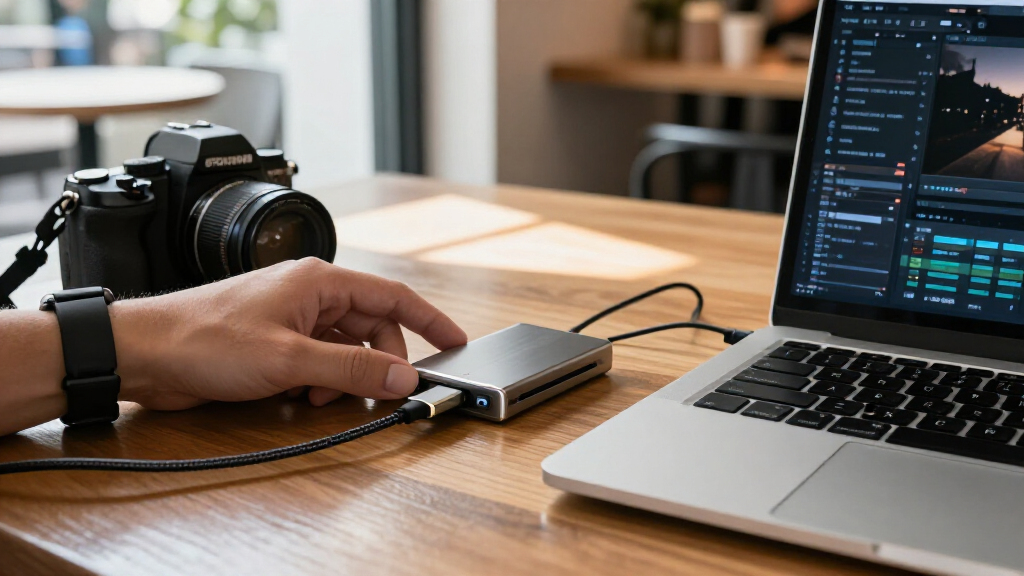
How We Picked
I ranked these drives around the promise of speed, giving weight to the advertised transfer ceiling while accounting for the connection needed to reach it. A drive rated for up to 2,000 MB/s can be a poor speed purchase if the buyer’s computer lacks USB 3.2 Gen 2×2; compatibility and likely real-world benefit matter as much as the headline figure. I also compared capacity, stated durability features, and the product’s fit for work, gaming, or routine file transfers.
The order favors drives that pair high potential throughput with useful capacity and a clear role, then moves to options that make more sense for a narrower need or a more modest speed target. Where products share a family or advertised speed, I distinguish them by capacity, connection, durability, and intended audience. These listed specifications do not establish independent benchmark results, so I treat maximum speeds as manufacturer claims rather than guaranteed transfer rates.
| portable ssd drives for speed | Read speed | Interface | Connectivity | Drop protection |
|---|---|---|---|---|
| SanDisk 1TB Portable SSD | Up to 800 MB/s | USB 3.2 Gen 2 | USB Type-C | Up to 2 meters |
| SanDisk 1TB Extreme Portable S | Up to 1,050 MB/s | USB 3.0 Type-C | — | Up to 3 meters |
| SanDisk 2TB Extreme Portable S | Up to 1,050 MB/s | — | USB-C, USB 3.2 Gen 2 | Up to 3 meters |
| Samsung T7 Portable SSD | Up to 1,050 MB/s | USB 3.2 Gen 2 | — | Up to 6 feet |
| SSK 128GB External SSD Portabl | — | USB 3.2 Gen 2 | USB-C and USB-A | — |
| Crucial X9 1TB Portable SSD | — | — | USB 3.2, USB-C, USB-A | — |
| SanDisk 1TB Extreme PRO Portab | — | — | USB-C, USB 3.2 Gen 2×2 | Up to 3 meters |
| Western Digital 1TB P40 Game D | — | USB 3.2 Gen 2×2 | — | — |
| SSK Portable 250GB External SS | Up to 1,050MB/s | USB 3.2 Gen 2 | — | — |
| Samsung T9 Portable SSD | Up to 2,000MB/s | USB 3.2 Gen 2×2 | — | — |
| Western Digital 1TB My Passpor | Up to 1,050MB/s | — | USB 3.2 Gen 2, USB-C, USB-A | — |
| SanDisk 1TB Creator Pro Portab | — | — | USB-C, USB 3.2 Gen 2×2 | Up to 3 meters |
Factors to Consider When Choosing Portable Ssd Drives For Speed
Choosing a fast portable SSD starts with the path between the drive and the device, then moves to the size and type of files you plan to carry. I’d check those practical limits before paying for a higher speed tier.
Check the Port Before Paying for Peak Speed
A drive’s advertised maximum is only useful if the host device can support its connection standard. For a 2,000 MB/s class drive, check the computer’s specifications for USB 3.2 Gen 2×2 specifically; a USB-C shaped port does not by itself confirm that capability. A fast drive connected to a slower port will still work, but transfers will be limited by that connection. Check the cable too, since an unsuitable cable can become the bottleneck. If you move files between several devices, the slowest device in that rotation may set the pace. I’d pay for a faster tier only when the computer and the workload can take advantage of it.
Match Sustained Work to Your File Sizes
Moving one large video file puts different demands on a drive than copying thousands of small documents. Advertised maximum speeds describe a best case and do not promise the same rate through a long transfer or a mixed workload. Large project folders can also involve indexing, lots of file operations, and the limits of the source drive. If your routine is occasional backups, a lower advertised ceiling may make little practical difference. For repeated movement of large media files, prioritize a compatible fast connection and look for performance details tied to sustained transfers. Think about your typical transfer, rather than choosing by the biggest number on the package.
Choose Capacity for the Work You Actually Carry
Capacity affects how often you need to pause and move files elsewhere, which can matter more to a workflow than a small difference in peak speed. A compact drive such as the 128GB SSK can suit documents or a transfer kit, but large video projects and game libraries can fill it quickly. The 2TB SanDisk Extreme gives more room for active files than its 1TB sibling. Keep space for working copies and future files rather than planning to use every listed gigabyte. Also check the devices and applications you use: some work requires local free space for caches, previews, or temporary files. I’d estimate a typical project or library first, then choose a capacity that leaves room to work.
Treat Durability as a Match for Your Environment
Water and dust resistance can be useful when a drive travels to outdoor shoots or job sites, but a rating does not make it suitable for every accident. The Extreme PRO and Creator Pro list IP65 water and dust resistance, a feature that may matter more to a mobile creator than decorative lighting or a small speed difference. Check what the rating covers and follow the maker’s care instructions, especially around connectors and covers. For a desk based setup, a compact drive without that protection may be easier to justify. A separate backup still matters because a rugged enclosure cannot prevent loss, theft, or electronic failure. Choose protection around the conditions the drive will face.
Separate Gaming Features From Transfer Performance
A portable SSD can store games and move files, but a fast external drive does not guarantee shorter load times on every system. Game performance also depends on the console or computer, the game, and whether that device supports running software from external storage. The WD P40’s RGB lighting gives a gaming setup a distinctive look, while the Samsung T9 focuses on high listed transfer speed in a more general portable drive. Check your platform’s external storage rules before buying for a console. If you mainly want more room for backups or media, gaming styling should not outweigh capacity and compatibility. I’d treat lighting as a preference and platform support as a requirement.
Decide When a Premium Speed Tier Earns Its Place
A higher speed tier earns its place when fast transfers happen often and the rest of your setup can support them. If you routinely move large video files between compatible devices, the faster Samsung or SanDisk options may save time across repeated sessions. For occasional documents, photos, and backups, the Crucial X9, standard SanDisk Portable SSD, or Samsung T7 may better match the job. The T7 is listed with USB 3.2 Gen 2, while the T9 is listed with Gen 2×2, so the difference in connection support should factor into the choice. Count the full workflow: source drive speed, destination device, cable, and port all affect transfer time. Paying for a specification you rarely use adds little to everyday convenience.
Frequently Asked Questions
Will a 2,000 MB/s portable SSD reach that speed on my laptop?
Only if the laptop, cable, and drive support a connection that can carry that throughput. The Samsung T9, SanDisk Extreme PRO, SanDisk Creator Pro, and WD P40 list speeds up to 2,000 MB/s, but the host port must support USB 3.2 Gen 2×2 to approach that class of performance. USB-C describes the connector shape, not the speed standard. Check the laptop’s technical specifications for the port standard and confirm the included or replacement cable is suitable. If the laptop tops out at a slower connection, a less expensive speed tier may serve just as well.
Should I choose the Samsung T9 or T7 for everyday transfers?
I’d choose based on port support and how often large transfers are part of your routine. The T9 lists USB 3.2 Gen 2×2 and up to 2,000 MB/s, while the T7 lists USB 3.2 Gen 2, so the T9 has a higher stated ceiling. That advantage matters most with a compatible Gen 2×2 host and frequent large file moves. For everyday documents, photos, and backups, the T7’s listed connection may be fast enough. Check your computer before treating the T9’s higher maximum as a practical upgrade.
Is a 128GB portable SSD enough for video or game storage?
It can work for short transfers, a small set of files, or a limited collection, but 128GB leaves little room for large libraries or ongoing video projects. Project files, exports, and temporary working space can add up beyond the footage you intend to keep. The 1TB and 2TB options in this roundup offer a more practical starting point for larger collections. Before choosing, estimate the size of a typical project or game library and leave space for new files. A small drive is most useful when portability and a narrow task matter more than keeping everything together.
Does an IP65 rating mean I can use the drive in any wet or dusty conditions?
No. The SanDisk Extreme PRO and Creator Pro list IP65 water and dust resistance, which can add reassurance in demanding settings, but it is not a promise that the drive can withstand every exposure or accident. Check the manufacturer’s guidance for what the rating covers and how the connector should be protected. A damaged enclosure or exposed port can change the level of protection. Keep a separate backup for files that matter, since environmental resistance does not prevent loss or electronic failure. For everyday desk use, you may get more practical benefit from choosing the right capacity and connection.
Should I choose the WD P40 for gaming or a faster general-purpose SSD?
The P40 may suit a gaming setup where its RGB lighting and up to 2,000 MB/s claim fit your priorities, but its usefulness depends on the device and game. Confirm that your platform supports running games from external storage, since support varies. For general file transfers, compare its connection needs with the Samsung T9 and the SanDisk fast models before deciding. If your computer lacks the matching high speed port, the P40’s speed ceiling may not translate into faster transfers. Choose it for the gaming focused presentation only when the platform and connection fit too.
Conclusion
For my best overall recommendation, I’d pick the Samsung T9 when the computer supports USB 3.2 Gen 2×2, since it pairs a high listed speed ceiling with a general purpose role. The Crucial X9 is my best value fit for routine portable storage when peak speed is not the main need, and the Samsung T7 is a straightforward choice for beginners who want a familiar everyday drive with a lower stated speed tier than the T9. For a premium, rugged option, I’d look at the SanDisk Extreme PRO; creators who want the same stated speed class with IP65 protection can also compare the Creator Pro. The 2TB SanDisk Extreme suits buyers who need more room, while the WD P40 fits gaming setups that can use its connection and styling. Match the drive to your port first, then choose the capacity and durability features your work calls for.
Halloween Picks
halloween
As an affiliate, we earn on qualifying purchases.