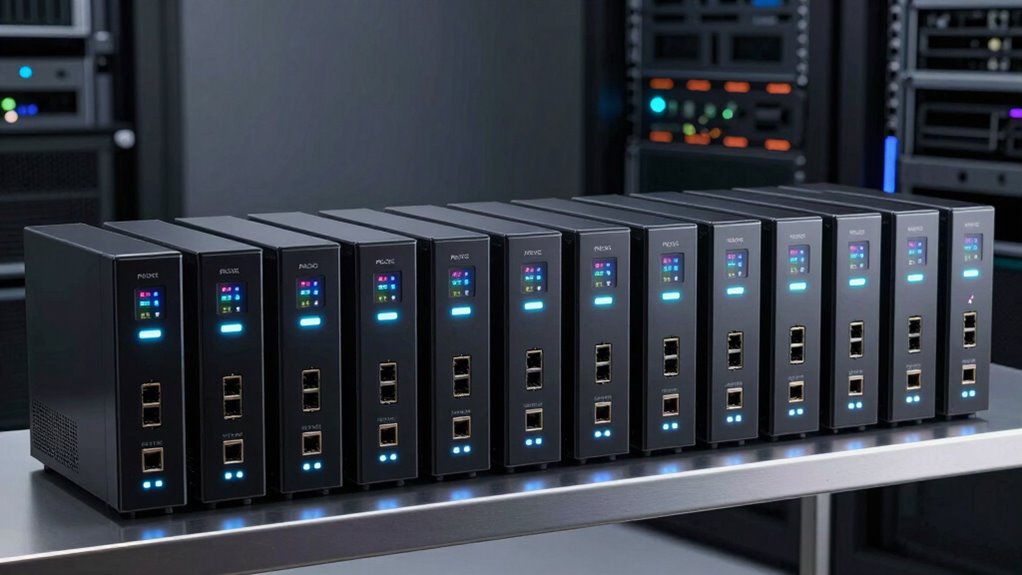

A pfSense router appliance can be a purpose-built gateway or a compact PC that you configure yourself. My best overall pick is the MOGINSOK N100, whose four 2.5GbE ports and newer processor make it a flexible fit for many home and small-office networks. The Netgate 4200 MAX stands out for buyers who prefer a dedicated pfSense+ gateway, while the J6412 six-port appliance suits networks that need more wired connections. The main tradeoffs are port speed and count, performance headroom, hardware support, and how much setup and maintenance you want to handle. Read on for the full breakdown, including where older and smaller appliances still make sense.

Get the latest gadgets delivered free with Prime
- Fast, free delivery on millions of items
- Prime Video, Amazon Music and more included
- Member-only deals all year
Complete the kit



Key Takeaways
- The MOGINSOK N100 is the strongest all-round hardware balance here: four 2.5GbE ports and a newer CPU suit users who want room for faster internet and multiple network segments.
- Netgate and DIY-style mini PCs serve different priorities: the 4200 MAX and 1100 are dedicated pfSense+ gateways, while the mini PCs offer more choice in hardware and installation.
- Six ports are useful only when the network needs them: the J6412 and Glovary N150 can simplify wired layouts, but port count alone does not guarantee better routing performance.
- Older four-port models are more compelling for modest networks: J3160, J3710, J4105, J1900, and N2840 appliances may fit basic routing, but their age and port capabilities call for closer scrutiny.
- Compatibility and support separate a safer purchase from a spec-sheet gamble: check pfSense hardware support, network controller details, BIOS access, and vendor help before choosing an unfamiliar appliance.
| MOGINSOK Fanless Firewall Mini PC with Intel N100 and Four 2.5GbE Ports |  | Best Overall for a Flexible Home pfSense Build | Processor: Intel Alder Lake-N100, 4 cores/4 threads, up to 3.4 GHz | Memory: 8GB DDR5 listed; one slot supports up to 32GB DDR5-4800 | Storage: 128GB M.2 PCIe 3.0 SSD listed; barebone configuration also described | VIEW ON AMAZON | See Our Full Breakdown |
| Firewall Mini PC Router with Intel J6412, 6× 2.5GbE Ports, 8GB RAM, 128GB SSD |  | Best for Multi-WAN and VLAN Setups | Processor: Intel J6412, up to 3.0 GHz | Network: 6 × Intel i226-V 2.5GbE ports | Installed memory: 8GB SO-DIMM DDR4-3200 | VIEW ON AMAZON | See Our Full Breakdown |
| Netgate 4200 MAX pfSense+ Security Gateway |  | Best Turnkey pfSense Gateway | Processor: 4-core Intel Atom C1110, 2.1 GHz | Memory: 4GB LPDDR5 RAM | Ports: 4 configurable, unswitched 2.5Gbps ports | VIEW ON AMAZON | See Our Full Breakdown |
| Protectli Vault FW4B 4-Port Fanless Firewall Mini PC, Intel Celeron J3160, 8GB RAM, 120GB mSATA SSD |  | Best for Basic Gigabit pfSense Networks | Processor: Intel Celeron J3160 quad-core, up to 2.24 GHz | Memory: 8GB DDR3L RAM | Storage: 120GB mSATA SSD | VIEW ON AMAZON | See Our Full Breakdown |
| Protectli Vault FW4C 4-Port Firewall Mini PC, Intel J3710, 8GB RAM, 120GB SSD |  | Best Compact 2.5GbE Protectli Option | Processor: Intel Celeron J3710 quad-core, 1.6 GHz base and up to 2.6 GHz burst | Memory: 8GB DDR3 RAM | Storage: 120GB SSD | VIEW ON AMAZON | See Our Full Breakdown |
| Protectli Vault FW2B Mini PC – 2‑Port Firewall Appliance with Intel Dual‑Core, AES‑NI, 4 GB RAM, 32 GB mSATA SSD |  | Best Compact pfSense Starter | Processor: Intel Celeron J3060, dual-core, 1.6GHz up to 2.48GHz | Memory: 4GB DDR3L | Storage: 32GB mSATA SSD | VIEW ON AMAZON | See Our Full Breakdown |
| Fanless Firewall Mini PC with Intel J3710, 4 Intel I226 LAN Ports, 8GB RAM and 64GB SSD |  | Best Value for Four-Port Gigabit Routing | Processor: Intel J3710, 4 cores / 4 threads, up to 2.64GHz | Memory: 8GB DDR3, maximum 8GB | Storage: 64GB mSATA SSD; supports up to 512GB; HDD not supported | VIEW ON AMAZON | See Our Full Breakdown |
| Sharevdi Fanless Firewall Mini PC with Intel J4105, 4× 2.5GbE LAN, 8GB RAM, 240GB mSATA SSD |  | Best for 2.5GbE on a Compact Firewall | Processor: Intel J4105, 4 cores / 4 threads, up to 2.5GHz | Memory: 8GB DDR4; supports up to 16GB | Storage: 240GB mSATA SSD; supports up to 512GB; HDD not supported | VIEW ON AMAZON | See Our Full Breakdown |
| Glovary N150 Fanless Mini PC Firewall, 6-Port 2.5GbE, 8GB DDR5 RAM, 128GB NVMe SSD |  | Best for Multi-Segment 2.5GbE Networks | Processor: 12th Gen Intel N150, 4 cores / 4 threads, up to 3.6GHz | Memory: 8GB DDR5 4800MHz SO-DIMM; supports up to 32GB | Storage: 128GB NVMe SSD; 2 × M.2 2280 NVMe slots and 1 × 2.5-inch SATA 3.0 bay | VIEW ON AMAZON | See Our Full Breakdown |
| Fanless Firewall Mini PC with Intel Celeron J1900 and 4-Port i210 Ethernet |  | Best for a Ready-to-Configure pfSense Setup | Processor: Intel Celeron J1900, quad-core, up to 2.0GHz | Memory: 4GB DDR3L | Storage: 64GB mSATA SSD | VIEW ON AMAZON | See Our Full Breakdown |
| Netgate 1100 pfSense+ Security Gateway |  | Best for a Turnkey pfSense Setup | Processor: Dual-core ARM Cortex-A53, 1.2 GHz | Ethernet: 3 switched 1 GbE ports | Firewall throughput: Over 650 Mbps | VIEW ON AMAZON | See Our Full Breakdown |
| Protectli Vault V1410 Fanless Mini PC with Intel Celeron N5105 and 4 2.5GbE Ports |  | Best for Multi-Gig pfSense Builds | Processor: Intel Celeron N5105, quad-core, 2.0 GHz up to 2.9 GHz | Network: 4 × Intel I226-V 2.5GbE ports | Memory: 8GB LPDDR4, soldered and not upgradable | VIEW ON AMAZON | See Our Full Breakdown |
| VNOPN Fanless Micro Firewall Appliance, Intel J3710/N3700, 4 LAN Ports, 8GB DDR3 RAM, 128GB mSATA SSD |  | Best for Low-Power, Quiet Setups | Processor: Intel N3700 or J3710, quad-core, up to 2.64 GHz | Memory: 8GB DDR3 RAM | Storage: 128GB mSATA SSD; supports up to 500GB | VIEW ON AMAZON | See Our Full Breakdown |
| VNOPN Fanless Firewall Appliance with Intel Pentium J3710, 4 x 2.5GbE LAN, 8GB RAM, 128GB SSD |  | Best for an Included-Storage Multi-Gig Build | Processor: Intel Pentium J3710, 4 cores/4 threads, up to 2.64 GHz | Memory: 8GB DDR3 RAM | Storage: 128GB mSATA SSD; supports up to 512GB | VIEW ON AMAZON | See Our Full Breakdown |
| Fanless Mini PC Firewall Appliance with Intel Celeron N2840, 4GB RAM, and 64GB mSATA SSD |  | Best for a Basic Two-Port Firewall | Processor: Intel Celeron N2840, 2 cores/2 threads, up to 2.58 GHz | Memory: 4GB DDR3L 1600 MHz; maximum 8GB | Storage: 64GB mSATA SSD | VIEW ON AMAZON | See Our Full Breakdown |
| pfsense router appliance | Processor | Memory | Storage | Cooling |
|---|---|---|---|---|
| MOGINSOK Fanless Firewall Mini | Intel Alder Lake-N100, 4 cores/4 threads, up to 3.4 GHz | 8GB DDR5 listed; one slot supports up to 32GB DDR5-4800 | 128GB M.2 PCIe 3.0 SSD listed; barebone configuration also described | Fanless |
| Firewall Mini PC Router with I | Intel J6412, up to 3.0 GHz | — | 128GB SSD | Fanless aluminum alloy chassis |
| Netgate 4200 MAX pfSense+ Secu | 4-core Intel Atom C1110, 2.1 GHz | 4GB LPDDR5 RAM | — | Passive |
| Protectli Vault FW4B 4-Port Fa | Intel Celeron J3160 quad-core, up to 2.24 GHz | 8GB DDR3L RAM | 120GB mSATA SSD | Fanless convection |
| Protectli Vault FW4C 4-Port Fi | Intel Celeron J3710 quad-core, 1.6 GHz base and up to 2.6 GHz burst | 8GB DDR3 RAM | 120GB SSD | Passive, fanless |
| Protectli Vault FW2B Mini PC | Intel Celeron J3060, dual-core, 1.6GHz up to 2.48GHz | 4GB DDR3L | 32GB mSATA SSD | Fanless passive cooling |
| Fanless Firewall Mini PC with | Intel J3710, 4 cores / 4 threads, up to 2.64GHz | 8GB DDR3, maximum 8GB | 64GB mSATA SSD; supports up to 512GB; HDD not supported | Fanless aluminum alloy case |
| Sharevdi Fanless Firewall Mini | Intel J4105, 4 cores / 4 threads, up to 2.5GHz | 8GB DDR4; supports up to 16GB | 240GB mSATA SSD; supports up to 512GB; HDD not supported | Fanless passive cooling with aluminum alloy case |
| Glovary N150 Fanless Mini PC F | 12th Gen Intel N150, 4 cores / 4 threads, up to 3.6GHz | 8GB DDR5 4800MHz SO-DIMM; supports up to 32GB | 128GB NVMe SSD; 2 × M.2 2280 NVMe slots and 1 × 2.5-inch SATA 3.0 bay | Fanless aluminum alloy body; supports optional 80 × 10mm fan |
| Fanless Firewall Mini PC with | Intel Celeron J1900, quad-core, up to 2.0GHz | 4GB DDR3L | 64GB mSATA SSD | — |
| Netgate 1100 pfSense+ Security | Dual-core ARM Cortex-A53, 1.2 GHz | 1 GB RAM | — | — |
| Protectli Vault V1410 Fanless | Intel Celeron N5105, quad-core, 2.0 GHz up to 2.9 GHz | 8GB LPDDR4, soldered and not upgradable | 32GB eMMC; no NVMe storage preinstalled | Fanless heat-sink design |
| VNOPN Fanless Micro Firewall A | Intel N3700 or J3710, quad-core, up to 2.64 GHz | 8GB DDR3 RAM | 128GB mSATA SSD; supports up to 500GB | Fanless aluminum case |
| VNOPN Fanless Firewall Applian | Intel Pentium J3710, 4 cores/4 threads, up to 2.64 GHz | 8GB DDR3 RAM | 128GB mSATA SSD; supports up to 512GB | Fanless passive cooling |
| Fanless Mini PC Firewall Appli | Intel Celeron N2840, 2 cores/2 threads, up to 2.58 GHz | 4GB DDR3L 1600 MHz; maximum 8GB | 64GB mSATA SSD | — |
More Details on Our Top Picks
MOGINSOK Fanless Firewall Mini PC with Intel N100 and Four 2.5GbE Ports
The MOGINSOK makes a strong all-around pfSense appliance when you want four 2.5GbE ports without giving up a newer processor. Its Intel N100 and listed 8GB of DDR5 suit a home or small-office firewall with room for VLANs and multi-gigabit links, while the fanless chassis keeps it quiet near living or work spaces. Compared with the Netgate 4200 MAX, it offers a more general-purpose mini-PC platform and dual display outputs, but lacks Netgate’s preinstalled pfSense+ software and included support. I would rank it ahead of the older Protectli Vault FW4B for buyers who need faster network ports, not just basic Gigabit routing. The main caution is the listing’s conflicting RAM and SSD details: confirm the exact configuration before buying. Driver compatibility can also vary by operating system.
Pros:- Four Intel I226 2.5GbE ports suit multi-gigabit WAN, LAN, and VLAN layouts.
- Fanless cooling avoids added noise in a home or office.
- N100 platform supports pfSense, OPNsense, and other listed operating systems.
- HDMI and DisplayPort support dual 4K displays for setup or general mini-PC use.
Cons:- The listing conflicts on whether RAM and the SSD are included.
- Some operating systems may not have compatible network drivers.
- Unlike the Netgate 4200 MAX, it does not list included pfSense support.
Best for: Home-lab and small-office users who want four multi-gigabit ports, quiet operation, and the option to run pfSense or another platform.
Not ideal for: Buyers who want a turnkey pfSense gateway or cannot verify whether their unit includes RAM and storage.
- Processor:Intel Alder Lake-N100, 4 cores/4 threads, up to 3.4 GHz
- Memory:8GB DDR5 listed; one slot supports up to 32GB DDR5-4800
- Storage:128GB M.2 PCIe 3.0 SSD listed; barebone configuration also described
- Network:4 × Intel I226 2.5GbE ports
- Cooling:Fanless
- Operating systems:pfSense, OPNsense, OpenWrt, Linux, and Windows
- Video outputs:HDMI 2.1 and DisplayPort 1.4; dual 4K at 60Hz
- Dimensions:5.74 × 5.73 × 2.11 inches
Our verdict“Choose the MOGINSOK for a quiet, versatile four-port 2.5GbE pfSense build, provided you confirm the memory and storage configuration first.”
Firewall Mini PC Router with Intel J6412, 6× 2.5GbE Ports, 8GB RAM, 128GB SSD
Six 2.5GbE ports are the reason to pick this J6412 appliance: they give a pfSense setup more room for separate WAN connections, LAN segments, and lab networks than the four-port MOGINSOK or Netgate 4200 MAX. The listed 8GB RAM and 128GB SSD mean it arrives with a basic hardware configuration, and RAM and storage can be expanded later. Its fanless aluminum chassis is a practical fit for a network closet where noise and moving parts are unwelcome. The tradeoff is less certainty around the software setup: pfSense is described as preinstalled but still needs configuration, while the listed operating system is RouterOS. I would favor the Netgate for a more directly supported pfSense experience; this model suits buyers who value port count and are comfortable checking the OS and configuring their firewall.
Pros:- Six Intel i226-V 2.5GbE ports allow more physical network segments than four-port options.
- Fanless aluminum chassis runs without a cooling fan.
- Memory can be expanded to 32GB.
- M-SATA and SATA 3.0 slots provide storage expansion options.
Cons:- The listing names RouterOS as the operating system while also describing pfSense compatibility.
- Preinstalled pfSense still requires user configuration.
- The J6412 is an older platform than the N100 in the MOGINSOK.
Best for: Network hobbyists and small offices that need six physical interfaces for multi-WAN, VLAN separation, or a dedicated lab segment.
Not ideal for: First-time firewall buyers seeking a clearly defined, ready-to-use pfSense setup or a vendor-supported gateway experience.
- Processor:Intel J6412, up to 3.0 GHz
- Network:6 × Intel i226-V 2.5GbE ports
- Installed memory:8GB SO-DIMM DDR4-3200
- Maximum memory:32GB
- Storage:128GB SSD
- Storage expansion:1 × M-SATA slot and 1 × SATA 3.0 slot
- Cooling:Fanless aluminum alloy chassis
- Power consumption:10W
Our verdict“Pick this appliance when six physical 2.5GbE ports matter more than a clearly specified, supported pfSense software setup.”
Netgate 4200 MAX pfSense+ Security Gateway
The Netgate 4200 MAX is the clearest choice here for buyers who want an appliance built around pfSense+ itself, rather than a mini PC that happens to support it. The software is preinstalled, and the package includes lifetime pfSense+ updates and TAC Lite support—advantages the MOGINSOK and Protectli models do not list. Four configurable 2.5Gbps ports cover common multi-WAN and segmented-network layouts, while listed IPsec, OpenVPN, and WireGuard support gives VPN users a defined platform. Its 4GB of RAM is less than the 8GB configurations in several other picks, and the Netgate is a wired gateway rather than a general-purpose mini PC. That makes it a more focused appliance, not a better fit for everyone. I would choose it over the six-port J6412 when vendor-supported pfSense matters more than extra interfaces.
Pros:- pfSense+ comes preinstalled for a focused firewall setup.
- Lifetime pfSense+ software updates and TAC Lite support are included.
- Four configurable 2.5Gbps ports support multi-WAN and segmented networks.
- IPsec, OpenVPN, and WireGuard are listed VPN options.
Cons:- Four ports provide fewer physical interfaces than the six-port J6412 appliance.
- The 4GB of RAM is less than the 8GB supplied with several mini-PC alternatives.
- No wireless connectivity is specified.
Best for: Home and small-business administrators who want pfSense+ preinstalled, ongoing software updates, and included technical support.
Not ideal for: Buyers who need more than four network ports, wireless connectivity, or a general-purpose machine for other software.
- Processor:4-core Intel Atom C1110, 2.1 GHz
- Memory:4GB LPDDR5 RAM
- Ports:4 configurable, unswitched 2.5Gbps ports
- Routing throughput:9.28 Gbps for IMIX traffic
- Firewall throughput:8.61 Gbps
- VPN protocols:IPsec, OpenVPN, and WireGuard
- Cooling:Passive
- Support and warranty:TAC Lite support and 1-year hardware warranty
Our verdict“Choose the Netgate 4200 MAX if you want a dedicated pfSense+ gateway with included software updates and support rather than a configurable mini PC.”
Protectli Vault FW4B 4-Port Fanless Firewall Mini PC, Intel Celeron J3160, 8GB RAM, 120GB mSATA SSD
The Vault FW4B is a straightforward option for a pfSense network that does not need multi-gigabit ports. Its four Intel Gigabit Ethernet ports, 8GB RAM, and 120GB mSATA SSD provide a defined starting configuration, unlike the MOGINSOK listing, which is inconsistent about included memory and storage. AES-NI support is listed, and the fanless case suits a quiet desktop or network cabinet. The main compromise is speed: compared with the 2.5GbE Protectli FW4C or MOGINSOK, this model is aimed at conventional Gigabit connections rather than faster WAN or LAN upgrades. It also ships without an operating system, so installation and initial setup are up to the buyer. I would choose it for a modest, stable firewall build, but skip it if multi-gigabit throughput is part of the plan.
Pros:- Four Intel Gigabit Ethernet ports support common WAN and LAN arrangements.
- 8GB RAM and a 120GB mSATA SSD are listed as included.
- Fanless convection cooling keeps operation quiet.
- AES-NI support and compatibility with pfSense and OPNsense are listed.
Cons:- Gigabit ports are slower than the 2.5GbE interfaces on the FW4C and MOGINSOK.
- No operating system is preinstalled.
- Coreboot BIOS is optional and must be installed by the user.
Best for: Buyers building a quiet, basic pfSense router for a Gigabit internet connection who want RAM and an SSD included.
Not ideal for: Users planning 2.5GbE WAN or LAN links, or anyone who wants pfSense installed and configured out of the box.
- Processor:Intel Celeron J3160 quad-core, up to 2.24 GHz
- Memory:8GB DDR3L RAM
- Storage:120GB mSATA SSD
- Ethernet:4 Intel Gigabit Ethernet ports
- Additional ports:2 USB 3.0, 2 HDMI, and 1 RJ-45 COM
- Operating system:None preinstalled; OS agnostic
- Cooling:Fanless convection
- Dimensions:4.5 × 4.3 × 1.5 inches
Our verdict“Choose the FW4B for a quiet, ready-to-provision Gigabit firewall, but not for a network that needs 2.5GbE ports.”
Protectli Vault FW4C 4-Port Firewall Mini PC, Intel J3710, 8GB RAM, 120GB SSD
The Protectli Vault FW4C brings four 2.5GbE ports into the same compact, fanless 4.5 × 4.3-inch footprint as the FW4B, making it the better fit when faster links matter but a dedicated pfSense gateway is not required. Its listed 8GB RAM and 120GB SSD give the buyer a known starting configuration; like the FW4B, though, it arrives without an operating system. Compared with the FW4B’s Gigabit ports, the FW4C leaves more headroom for multi-gigabit WAN and LAN connections. The tradeoff is its older J3710 processor and lack of a stated support package or preinstalled pfSense. I would favor the N100 MOGINSOK for a newer processor, but the FW4C suits buyers who prioritize a compact Protectli chassis and four faster Ethernet ports.
Pros:- Four 2.5GbE ports offer faster links than the FW4B’s Gigabit interfaces.
- Fanless passive cooling avoids fan noise.
- 8GB RAM and a 120GB SSD are listed as included.
- Compact 4.5 × 4.3 × 1.5-inch enclosure fits small network spaces.
Cons:- No operating system is preinstalled, so pfSense installation is the buyer’s responsibility.
- The J3710 is an older processor than the Intel N100 in the MOGINSOK.
- The listing does not specify included software support.
Best for: Home-lab users who want a compact Protectli appliance with four 2.5GbE ports and are comfortable installing pfSense themselves.
Not ideal for: Buyers seeking a current-generation processor, a preinstalled pfSense system, or vendor support bundled with the appliance.
- Processor:Intel Celeron J3710 quad-core, 1.6 GHz base and up to 2.6 GHz burst
- Memory:8GB DDR3 RAM
- Storage:120GB SSD
- Ethernet:4 × 2.5 Gigabit Ethernet ports
- Additional ports:2 USB 3.0, 2 HDMI, and 1 RJ45 COM
- Operating system:None preinstalled; OS agnostic
- Cooling:Passive, fanless
- Power consumption:20 watts
Our verdict“Pick the FW4C for a small, silent Protectli appliance with four 2.5GbE ports, provided you are prepared to install and configure pfSense.”
Protectli Vault FW2B Mini PC – 2‑Port Firewall Appliance with Intel Dual‑Core, AES‑NI, 4 GB RAM, 32 GB mSATA SSD
The Protectli Vault FW2B is the smallest, simplest fit here for a basic pfSense gateway, especially where silent operation and a small footprint matter more than extra network segments. Its two Intel Gigabit Ethernet ports can handle a straightforward WAN-and-LAN setup, while AES-NI helps with encryption workloads such as VPN connections. Compared with the four-port EGSMTPC J1900 appliance, the FW2B offers less physical network separation and less storage, but its stated dual-core processor and compact chassis suit a modest home setup. The tradeoff is clear: 4GB RAM and a 32GB SSD leave little room for heavier services or extensive logs, and no operating system is pre-installed. I’d choose it for a lean firewall build, not a multi-network lab.
Pros:- Fanless design supports silent operation in a living space or office.
- AES-NI hardware support can accelerate VPN encryption tasks.
- Two Intel i211 Gigabit Ethernet ports suit a simple WAN-and-LAN layout.
- Compact 4.25 × 4.56 × 1.69-inch chassis fits tight spaces.
Cons:- Two Ethernet ports limit physical network segmentation compared with four-port appliances.
- The 32GB SSD and 4GB RAM constrain storage and workloads for add-on services.
- No firewall operating system is pre-installed, so setup requires an installation step.
Best for: Home users building a quiet, basic pfSense gateway with one WAN connection and one LAN segment.
Not ideal for: Buyers who need four or more physical network interfaces, pre-installed pfSense, or room for extensive logging and add-on services.
- Processor:Intel Celeron J3060, dual-core, 1.6GHz up to 2.48GHz
- Memory:4GB DDR3L
- Storage:32GB mSATA SSD
- Ethernet:2 × Intel i211 Gigabit Ethernet
- USB:4 × USB 2.0, 2 × USB 3.0
- Video:2 × HDMI
- Cooling:Fanless passive cooling
- Operating system:OS agnostic; no OS pre-installed
Our verdict“Choose the FW2B for a small, silent pfSense gateway with a basic two-interface layout, but skip it if you need more ports or headroom.”
Fanless Firewall Mini PC with Intel J3710, 4 Intel I226 LAN Ports, 8GB RAM and 64GB SSD
This J3710 appliance is a practical middle ground for buyers who want four interfaces without moving up to 2.5GbE hardware. Its four Intel I226 LAN ports allow separate WAN, LAN, and other network segments, while the 8GB of RAM gives it more room than the Protectli Vault FW2B for firewall services. The quad-core J3710 and 64GB SSD are suited to a compact, low-power installation, and fanless cooling avoids adding noise to a desk or network cupboard. Compared with the Sharevdi J4105, however, its Ethernet ports are Gigabit rather than 2.5GbE, and its memory cannot exceed 8GB. Buyers also need to install their preferred OS themselves. I’d favor it for ordinary broadband and segmented home networks, not a faster-than-gigabit connection or a growing virtualized lab.
Pros:- Four Intel I226 Ethernet ports make separate firewall interfaces possible.
- 8GB RAM is double the FW2B’s listed memory.
- Fanless aluminum chassis supports quiet, continuous operation.
- VESA mounting and compact dimensions offer flexible placement.
Cons:- Gigabit ports have less bandwidth headroom than the Sharevdi J4105’s 2.5GbE ports.
- Memory is limited to 8GB, with no stated upgrade path beyond that ceiling.
- HDD storage is not supported, limiting internal storage choices.
Best for: Home-network tinkerers and small-office owners who want four interfaces for VLANs or separate network zones on Gigabit links.
Not ideal for: Buyers with multi-gigabit internet, plans for memory-intensive services, or a requirement for storage beyond the listed SSD support.
- Processor:Intel J3710, 4 cores / 4 threads, up to 2.64GHz
- Memory:8GB DDR3, maximum 8GB
- Storage:64GB mSATA SSD; supports up to 512GB; HDD not supported
- Ethernet:4 × Intel I226 LAN ports
- Other ports:2 × USB 3.0, 1 × RS-232, 2 × HDMI
- Power consumption:6.5W
- Cooling:Fanless aluminum alloy case
- Mounting:VESA mount
Our verdict“Pick this model for quiet four-port pfSense routing on Gigabit networks, but look to a 2.5GbE appliance if your links exceed 1Gbps.”
The Sharevdi combines four 2.5GbE ports with a 240GB SSD, making it a stronger match than the J3710 appliance for networks where Gigabit interfaces would constrain throughput or where more local storage is useful. Its quad-core J4105 and 8GB DDR4 RAM form a reasonable base for pfSense, and the memory can be expanded to 16GB. Passive cooling keeps the unit quiet, while the included VESA mount helps with discreet installation. The tradeoffs are worth weighing: the Glovary N150 offers six 2.5GbE ports and more storage expansion options, while this Sharevdi stops at four interfaces and does not support an HDD. Product details also give conflicting dimensions and weights, making fit harder to confirm before purchase. I’d choose it for a compact, four-zone multi-gigabit firewall, not for a setup that needs six ports or certain sizing information.
Pros:- Four Intel I226-V 2.5GbE ports support multi-gigabit network links.
- 240GB mSATA SSD provides more included storage than the other four-port options here.
- Memory supports expansion from 8GB to 16GB.
- Fanless cooling and included VESA mount suit quiet, tucked-away installations.
Cons:- Four ports provide fewer physical interfaces than the Glovary N150’s six.
- HDD storage is not supported.
- Published dimensions and weight conflict, so installation fit is harder to verify.
Best for: Home-lab and small-office users who need four 2.5GbE firewall interfaces and more SSD space than entry-level appliances provide.
Not ideal for: Buyers who need six or more Ethernet ports, HDD storage, or dependable published chassis measurements for a tight installation.
- Processor:Intel J4105, 4 cores / 4 threads, up to 2.5GHz
- Memory:8GB DDR4; supports up to 16GB
- Storage:240GB mSATA SSD; supports up to 512GB; HDD not supported
- Ethernet:4 × Intel I226-V 2.5GbE LAN
- Ports:2 × USB 3.0, HDMI, VGA, DC power
- Power consumption:10W
- Cooling:Fanless passive cooling with aluminum alloy case
- Mounting:VESA mount included
Our verdict“Choose the Sharevdi for four-port 2.5GbE routing with generous included SSD storage, but prefer the Glovary if you need more interfaces.”
Glovary N150 Fanless Mini PC Firewall, 6-Port 2.5GbE, 8GB DDR5 RAM, 128GB NVMe SSD
For a pfSense build that needs several physical network zones, the Glovary stands out with six 2.5GbE Intel i226-V ports. That gives it more interface flexibility than the four-port Sharevdi, useful for separating WAN, trusted devices, guest access, and lab networks without relying entirely on VLANs. Its newer N150 processor, DDR5 memory, and NVMe plus SATA expansion options also make it the most adaptable platform in this batch for services beyond basic routing. There is a tradeoff: only 8GB RAM is included, so a buyer planning virtualization or memory-heavy packages should budget for an upgrade, which the stated 32GB limit permits. It supports OPNsense, Linux, and OpenWrt, but pfSense is not named in the listed compatibility. I’d verify OS support before choosing it specifically for pfSense.
Pros:- Six Intel i226-V 2.5GbE ports provide the most physical interfaces in this batch.
- Memory can be upgraded from 8GB to 32GB.
- Two M.2 NVMe slots and a 2.5-inch SATA bay offer several storage expansion routes.
- Fanless aluminum body supports quiet operation.
Cons:- pfSense is not named in the listed OS compatibility, unlike the Sharevdi and EGSMTPC models.
- The included 8GB RAM may constrain virtualization or memory-heavy services until upgraded.
- Listed wireless support is limited to 802.11n.
Best for: Experienced home-lab builders who need six 2.5GbE interfaces, multiple network zones, and flexible internal storage.
Not ideal for: Buyers who need a clearly specified pfSense compatibility claim, want substantial RAM out of the box, or need built-in modern Wi-Fi.
- Processor:12th Gen Intel N150, 4 cores / 4 threads, up to 3.6GHz
- Memory:8GB DDR5 4800MHz SO-DIMM; supports up to 32GB
- Storage:128GB NVMe SSD; 2 × M.2 2280 NVMe slots and 1 × 2.5-inch SATA 3.0 bay
- Ethernet:6 × Intel i226-V 2.5GbE
- Video:2 × HDMI and 1 × USB-C; up to 4K at 60Hz
- Other ports:1 × USB 3.2, 4 × USB 2.0, 1 × TF card slot
- Operating system compatibility:OPNsense, Linux, OpenWrt, PVE, and ESXi
- Cooling:Fanless aluminum alloy body; supports optional 80 × 10mm fan
Our verdict“Choose the Glovary for a six-interface, multi-gigabit lab firewall, but confirm pfSense compatibility and plan for a RAM upgrade if workloads grow.”
Fanless Firewall Mini PC with Intel Celeron J1900 and 4-Port i210 Ethernet
The EGSMTPC’s main advantage for a pfSense buyer is straightforward: pfSense comes pre-installed, so the initial task is configuration rather than OS installation. Four Intel i210 Gigabit ports provide the interface count missing from the Protectli Vault FW2B, making it easier to assign separate physical networks. Its quad-core J1900 and 64GB mSATA SSD are aimed at home or small-office routing, with fanless construction for quiet placement. Compared with the four-port J3710 appliance, this model trades newer listed hardware and 8GB RAM for the convenience of a pre-installed firewall OS. Its 4GB RAM and Gigabit-only ports are limiting if you plan to run many add-ons or use multi-gigabit service. Configuration is still required, so it is not a plug-and-play network service.
Pros:- pfSense is pre-installed, reducing the initial OS installation work.
- Four Intel i210 Gigabit ports support multiple physical network segments.
- Fanless design avoids a cooling fan in a quiet home or office.
- 64GB mSATA SSD offers twice the listed storage of the Protectli Vault FW2B.
Cons:- 4GB RAM is limited for add-ons or workloads beyond basic firewall duties.
- Gigabit Ethernet ports offer less bandwidth than the Sharevdi and Glovary 2.5GbE models.
- Users must still complete firewall configuration after setup.
Best for: Home users or small offices that want four Gigabit interfaces and a pfSense installation already on the appliance.
Not ideal for: Buyers with multi-gigabit connections, plans for memory-intensive services, or a preference to select and install the operating system themselves.
- Processor:Intel Celeron J1900, quad-core, up to 2.0GHz
- Memory:4GB DDR3L
- Storage:64GB mSATA SSD
- Ethernet:4 × Intel i210 Gigabit Ethernet
- Maximum data transfer rate:1000Mbps
- Operating system:pfSense pre-installed
- Compatible systems:Windows 10, Linux, pfSense, OPNsense, VyOS
- Design:Fanless
Our verdict“Pick the EGSMTPC if you want four Gigabit ports and pfSense pre-installed, but choose a 2.5GbE model for faster links.”
Netgate 1100 pfSense+ Security Gateway
For someone who wants pfSense+ ready to configure rather than assembling a firewall PC, the Netgate 1100 is the most direct fit here. Its preinstalled software, lifetime software updates, and TAC Lite support make setup and ongoing maintenance more straightforward than on the Protectli Vault V1410, which ships without an operating system. The 1100’s three switched Gigabit Ethernet ports also allow flexible WAN and LAN arrangements in a small wired network. Its tradeoff is capacity: the listed firewall throughput is over 650 Mbps, not full gigabit, and the ARM platform is less suited to demanding add-ons than newer x86 mini PCs. I’d choose it for a modest connection and a managed, appliance-style experience, not for multi-gig networking or wireless access.
Pros:- pfSense+ comes preinstalled with lifetime software updates
- TAC Lite technical support is included
- Compact, silent, low-power appliance design
- Three switched 1 GbE ports support flexible network layouts
Cons:- Firewall throughput is rated above 650 Mbps, below gigabit
- Wired-only design has no built-in wireless connectivity
- ARM hardware offers less flexibility for demanding add-ons than the x86 mini PCs in this roundup
Best for: Home users or small offices who want pfSense+ preinstalled, vendor support, and a compact wired gateway for a connection below gigabit firewall throughput.
Not ideal for: Users with multi-gig internet, heavy VPN or filtering workloads, or a need for built-in Wi-Fi; its rated firewall throughput is below gigabit and it is wired-only.
- Processor:Dual-core ARM Cortex-A53, 1.2 GHz
- Ethernet:3 switched 1 GbE ports
- Firewall throughput:Over 650 Mbps
- Memory:1 GB RAM
- Operating system:FreeBSD with pfSense+
- Connectivity:Ethernet, Micro USB, USB
- Warranty:1 year hardware warranty
Our verdict“Choose the Netgate 1100 if you want a supported pfSense+ appliance for a modest wired network and can work within its sub-gigabit firewall rating.”
Protectli Vault V1410 Fanless Mini PC with Intel Celeron N5105 and 4 2.5GbE Ports
The Vault V1410 is the strongest fit in this group for a buyer building around four 2.5GbE ports. That gives a pfSense setup more room for multi-gig WAN, LAN segmentation, and fast links to a switch than the Netgate 1100’s three Gigabit ports. Its quad-core N5105, AES-NI support, and fanless cooling suit a quiet home lab or small office where hardware choice matters. The main catch is that this is a bare-bones appliance: no operating system or NVMe storage is preinstalled, so installation and storage planning fall to the buyer. The 8GB of soldered memory also cannot be expanded. Compared with the preconfigured Netgate, it offers faster interfaces and more build flexibility, but less out-of-box convenience.
Pros:- Four Intel I226-V 2.5GbE ports support multi-gig network layouts
- Quad-core Intel N5105 with AES-NI hardware acceleration
- Fanless cooling keeps operation quiet
- Four USB 3.0 ports plus a USB-C console port
Cons:- No operating system is preinstalled
- 8GB RAM is soldered and cannot be upgraded
- Includes 32GB eMMC rather than preinstalled NVMe storage
Best for: Technically comfortable home-lab builders and small offices that need four multi-gig Ethernet interfaces and are prepared to install and configure pfSense themselves.
Not ideal for: Buyers seeking a ready-to-configure pfSense appliance or planning memory upgrades; it ships without an operating system and its RAM is soldered.
- Processor:Intel Celeron N5105, quad-core, 2.0 GHz up to 2.9 GHz
- Network:4 × Intel I226-V 2.5GbE ports
- Memory:8GB LPDDR4, soldered and not upgradable
- Storage:32GB eMMC; no NVMe storage preinstalled
- USB:4 × USB 3.0 Type-A, 1 × USB Type-C console
- Cooling:Fanless heat-sink design
- Dimensions:4.5 × 4.5 × 2 inches
- Operating system:None preinstalled
Our verdict“Pick the V1410 for a quiet, multi-gig pfSense build if you’re comfortable installing the operating system and accepting fixed 8GB memory.”
VNOPN Fanless Micro Firewall Appliance, Intel J3710/N3700, 4 LAN Ports, 8GB DDR3 RAM, 128GB mSATA SSD
This VNOPN is aimed at buyers who value a silent, low-power appliance more than the newest processor platform. Its stated 6W design and fanless aluminum case make it a sensible candidate for a router that stays on around the clock, while four Intel LAN ports give pfSense separate interfaces for WAN, LAN, and additional network segments. Unlike the Protectli Vault V1410, it includes a 128GB mSATA SSD, so storage is ready for an operating-system install. The tradeoff is older N3700/J3710-class hardware and a 1GbE port description, which makes it a less compelling choice for multi-gig links than the V1410 or the other 2.5GbE VNOPN model. I’d favor it for a basic wired firewall, not a high-throughput upgrade path.
Pros:- Four Intel LAN ports provide room for segmented network layouts
- Fanless aluminum case supports silent operation
- Listed 6W power consumption suits continuous use
- 128GB mSATA SSD is included and VESA mounting is supported
Cons:- Older Intel N3700/J3710 processor options offer less headroom than the N5105 in the Protectli V1410
- Network ports are not specified as 2.5GbE
- Memory is limited to 8GB and HDD storage is unsupported
Best for: Home users or small offices seeking a quiet, low-power pfSense appliance with four Ethernet interfaces and included SSD storage.
Not ideal for: Buyers planning multi-gig WAN or heavy firewall workloads; its listed network ports are not specified as 2.5GbE and its processor generation is older.
- Processor:Intel N3700 or J3710, quad-core, up to 2.64 GHz
- Memory:8GB DDR3 RAM
- Storage:128GB mSATA SSD; supports up to 500GB
- Network ports:4 Intel I226/I225 LAN ports
- Operating systems:Supports pfSense, OPNsense, Ubuntu, and other open-source operating systems
- Cooling:Fanless aluminum case
- Power consumption:6W
- Dimensions:5.39 × 5 × 1.46 inches
Our verdict“Choose this VNOPN for a quiet, low-power four-port pfSense box with included SSD storage, but skip it if multi-gig ports are a priority.”
VNOPN Fanless Firewall Appliance with Intel Pentium J3710, 4 x 2.5GbE LAN, 8GB RAM, 128GB SSD
This J3710 VNOPN combines two practical advantages for a pfSense build: four 2.5GbE ports and a 128GB SSD already installed. That makes it easier to put into service than the bare-bones Protectli Vault V1410, which has a newer N5105 and faster processor headroom but arrives without an operating system or NVMe storage. The VNOPN’s passive cooling and listed 6W design suit a quiet home network or small office, and compatibility testing includes pfSense alongside other systems. Its older J3710 processor and fixed 8GB RAM are the limits: multi-gig interfaces do not automatically mean ample capacity for every VPN, inspection, or virtualization workload. I’d pick it for convenient multi-gig routing, not for an upgrade-heavy lab.
Pros:- Four Intel I226-V 2.5GbE ports support multi-gig routing
- Includes 8GB RAM and a 128GB mSATA SSD
- Fanless passive cooling and listed 6W power draw suit quiet continuous operation
- Tested with pfSense, OPNsense, Ubuntu, and Proxmox VE
Cons:- 8GB RAM is a limiting ceiling for larger workloads
- Older J3710 processor has less headroom than the N5105 in the Protectli Vault V1410
- Does not support HDD storage
Best for: Home-lab owners and small-office administrators who want four 2.5GbE interfaces, included SSD storage, and a fanless chassis for pfSense.
Not ideal for: Users who need expandable memory or substantial virtualization and processing headroom; the 8GB RAM limit and older J3710 are restrictive.
- Processor:Intel Pentium J3710, 4 cores/4 threads, up to 2.64 GHz
- Memory:8GB DDR3 RAM
- Storage:128GB mSATA SSD; supports up to 512GB
- Networking:4 × Intel I226-V 2.5GbE LAN ports
- Ports:2 × USB 3.0, HDMI, VGA
- Power consumption:6W
- Cooling:Fanless passive cooling
- Operating system compatibility:Tested with pfSense, OPNsense, Ubuntu, and Proxmox VE
- Warranty and support:12-month hardware warranty; lifetime technical support
Our verdict“Choose this VNOPN when you want four 2.5GbE ports and included SSD storage in a quiet pfSense appliance, rather than a newer processor platform.”
Fanless Mini PC Firewall Appliance with Intel Celeron N2840, 4GB RAM, and 64GB mSATA SSD
This appliance is the simplest fit for a basic two-port routing setup, such as a modest connection where WAN and LAN are the only interfaces needed. It comes with a 64GB mSATA SSD and supports firewall-oriented systems including OPNsense and OpenWrt, but the supplied operating system is Windows rather than pfSense. Compared with the Netgate 1100, it offers familiar x86 hardware and display outputs, yet lacks that appliance’s preinstalled pfSense+ and vendor-specific support. It also falls well behind both VNOPN models and the Protectli Vault V1410 on Ethernet count and port speed. The older dual-core N2840 and 4GB of RAM make this a constrained choice for extra services or heavier VPN use. I’d keep it for uncomplicated routing, not a growing network.
Pros:- Two Gigabit Ethernet ports cover a basic WAN-to-LAN layout
- Fanless design avoids fan noise
- Includes a 64GB mSATA SSD
- Supports OPNsense, Linux, Windows, ESXi, and OpenWrt
Cons:- Ships with Windows rather than pfSense
- Older dual-core Celeron N2840 and 4GB RAM limit workload headroom
- Only two Realtek Gigabit Ethernet ports, fewer and slower than the four-port VNOPN models
Best for: Users building a basic two-interface firewall for a modest home connection who can install and configure their preferred firewall operating system.
Not ideal for: Buyers needing pfSense preinstalled, more than two Ethernet ports, multi-gig connectivity, or headroom for demanding VPN and filtering workloads.
- Processor:Intel Celeron N2840, 2 cores/2 threads, up to 2.58 GHz
- Memory:4GB DDR3L 1600 MHz; maximum 8GB
- Storage:64GB mSATA SSD
- Storage expansion:1 mSATA slot and 1 2.5-inch SATA slot
- Networking:2 × Gigabit Ethernet, Realtek RTL8111H
- USB:2 × USB 3.0 and 4 × USB 2.0
- Video outputs:HDMI and VGA
- Operating system:Windows included; supports OPNsense, Linux, ESXi, and OpenWrt
- Warranty:1 year
Our verdict“Pick this mini PC only for straightforward two-port routing if you’re comfortable installing your firewall software and do not need multi-gig capacity.”

How We Picked
I ranked these appliances by how well their stated hardware fits real pfSense jobs: routing and firewall headroom, Ethernet speed and port count, memory and storage, cooling approach, and likely ease of setup and upkeep. Newer processors and 2.5GbE ports generally earn higher placement because they leave more room for faster broadband, VLANs, and added services. I also weighed the difference between a dedicated Netgate gateway and third-party mini PCs, where the buyer may need to verify compatibility and handle more of the installation process.
The ranking favors balanced, versatile choices rather than the largest port count or lowest hardware specification alone. A device can be a sensible pick for basic routing without being a good fit for heavy VPN use or multiple demanding services. Product descriptions do not establish throughput under every configuration, so I avoid treating CPU names or port labels as performance guarantees. Older models rank lower where their dated platforms or limited connections make them harder to recommend for a new, expandable network.
Factors to Consider When Choosing Pfsense Router Appliance
Before choosing a pfSense appliance, I would start with the network it needs to serve—not the longest specification list. These broader checks help reveal where extra hardware matters, where it does not, and which compromises could become frustrating later.
Match Ethernet ports to your network plan
Count the physical connections you expect to use on the firewall itself: typically WAN, LAN, and any separate guest, IoT, or lab networks. A managed switch can add many wired ports, so buying a six-port appliance is not automatically better than a four-port model. Direct connections can simplify a small setup, but each interface still needs a clear role in your firewall configuration. Check whether the listed ports are actually the speed and controller type you need; similar-looking product titles can describe different hardware. If you expect several VLANs, a VLAN-capable switch may offer more flexibility than dedicating one firewall port to each network. Choose port count around your layout, not as a proxy for raw performance.
Treat 2.5GbE and processor headroom as a matched decision
Faster Ethernet ports matter only when the rest of the path can use them: the modem or ONT, switch, client devices, and service plan all play a part. A 2.5GbE label does not guarantee that every firewall workload will pass traffic at that rate, especially with VPN encryption, traffic shaping, or extra packages in use. A newer processor can provide more room for those jobs, but the exact result depends on configuration and workload. Buyers with basic broadband and simple rules may gain little from paying for headroom they will not use. For multi-gig service or a growing lab, it is safer to leave capacity than to size the appliance right at the network’s current limit. Avoid comparing CPUs by model name alone without checking pfSense compatibility and workload needs.
Check hardware compatibility before buying a third-party mini PC
Many mini PCs are sold as firewall appliances but are not dedicated pfSense products. Before choosing one, verify that the exact network controllers, storage device, and boot method work with the pfSense version you plan to install. Ask whether the appliance supports BIOS access, USB installation, and recovery if an update or configuration change goes wrong. A product listing may not answer those questions, so vendor documentation or a clear return policy can matter more than a small specification advantage. Hardware revisions can also differ under a similar product name. If you do not want to troubleshoot drivers or firmware, a supported dedicated gateway may be a better fit than a generic mini PC.
Plan for updates, recovery, and ongoing support
A firewall is part of the network’s foundation, so consider how you will restore service after a failed update, configuration error, or hardware fault. Save configuration backups somewhere other than the appliance and learn the recovery steps before making major changes. Vendor support and product documentation can reduce setup friction, while a generic appliance may leave more troubleshooting to you. Think about replacement availability too: an uncommon device can be harder to match if it fails. For a household lab, self-support may be an acceptable tradeoff; for a small business, downtime and recovery time can outweigh modest hardware savings. A simple support plan is useful even when the chosen hardware is fanless and has no moving parts.
Choose memory and storage for the services you will run
Memory and storage needs rise when you add packages, logging, VPN use, or other services beyond basic routing and firewall rules. A larger SSD can provide more room for logs and future use, but storage capacity does not make a weak processor faster. Similarly, more memory can help with a heavier configuration without fixing incompatible network hardware. Decide which services are genuinely part of the plan, then leave sensible room for growth rather than buying the largest figures by default. Check whether storage is replaceable and whether the appliance uses an accessible form factor. With some low-cost units, ease of replacement may be more useful over time than a higher starting capacity.
Account for noise, placement, and the cost of DIY ownership
Fanless designs appeal when a firewall needs to sit near a desk, television, or living space, but passive cooling still depends on good airflow and sensible placement. Avoid putting a unit in a sealed cabinet or stacking it beneath heat-producing equipment. A compact appliance may be easy to place yet harder to service if ports, storage, or reset controls are crowded. DIY hardware can offer a flexible platform, but the owner takes on more compatibility checks, installation work, and support research. A dedicated gateway may reduce that work even if it offers less freedom to choose components. Include your own time and tolerance for troubleshooting when deciding which approach represents better value.
Frequently Asked Questions
Should I choose a Netgate gateway or a third-party mini PC for pfSense?
I would favor a Netgate appliance if a dedicated pfSense+ product, clearer vendor support, and a more straightforward setup matter most. A third-party mini PC can offer a different mix of ports or hardware, but you may need to confirm controller support, install the software yourself, and troubleshoot issues with less product-specific guidance. Neither route is automatically better for every network. Compare the support and maintenance you want against the flexibility you need. If the firewall supports a business-critical connection, the value of a clearer support path may outweigh extra ports.
Are four 2.5GbE ports enough for a home network?
For many homes, four ports can cover WAN, a main LAN, and one or two separate wired networks, especially when a managed switch handles the clients. The right count depends on whether you want separate physical interfaces for guest, IoT, or lab traffic, or plan to use VLANs over a trunk connection. Check that the switch and other network equipment support the speeds and VLAN features you need. A six-port firewall may reduce reliance on a switch, but it does not replace the flexibility of a well-planned network. Draw the intended connections before choosing by port count.
Will an appliance with 2.5GbE ports deliver 2.5Gbps with pfSense?
Not by port label alone. Throughput depends on the CPU, network controller, pfSense configuration, and whether features such as VPN encryption or traffic shaping are active. The modem or ONT, switch, and client connection must also support the same speed. Product specifications are a starting point, not a guarantee for a particular workload. If multi-gig performance matters, look for reliable testing of the exact hardware and configuration you plan to use, rather than relying only on a processor name or port description.
Is a used or older J1900, N2840, or J3710 appliance still a sensible buy?
It can be suitable for basic routing on a modest connection if the appliance is compatible, in good condition, and meets your interface needs. Older platforms are a less appealing choice for a new installation that needs multi-gig networking, demanding VPN work, or room for more services. Age also makes support, firmware history, and replacement parts worth checking closely. Confirm the exact Ethernet controllers rather than assuming every model with the same CPU has the same ports. If you want a firewall to grow with a network, a newer platform is generally the safer direction.
Should I run pfSense on the firewall appliance or in a virtual machine?
A dedicated appliance keeps the firewall separate from the workloads it protects, which can simplify recovery and avoid dependence on a host computer staying available. Virtualization can make sense in a lab where the owner understands virtual networking, backups, and how to restore service if the host fails. It also asks more of the host’s network configuration, since interfaces must be assigned and isolated correctly. For a household or small office that needs dependable internet, a dedicated appliance is usually easier to manage. For experimentation, virtualization can be useful when it is not the only path to the network.
Conclusion
For most buyers in this group, I would start with the MOGINSOK N100 as the best overall: its newer platform and four 2.5GbE ports offer a balanced base for a capable home or small-office firewall. The J6412 six-port appliance is my best value for a port-heavy layout if you have verified its hardware support and want several direct connections. For a best premium, support-led choice, consider the Netgate 4200 MAX; its dedicated pfSense+ role suits buyers who put product-specific support ahead of DIY flexibility. Beginners should look first at the Netgate 1100 for a dedicated gateway, while accepting its more modest hardware role. For a compact, basic network with limited demands, an older Protectli or J1900-class unit may do the job, but I would favor newer hardware for multi-gig service, VPN workloads, or future expansion.
Fall Picks
fall essentials
As an affiliate, we earn on qualifying purchases.