
For most students, the Apple 2026 MacBook Air 13-inch with M5 is my best overall pick because its 16GB of memory, 512GB SSD, compact design, and capable processor offer the strongest balance for several years of study. The Lenovo 15.6-inch Essential Everyday Laptop is the better value choice for students who need Windows, 8GB of memory, and a larger screen without paying for premium hardware. For buyers who want more display space and have room in the budget, the 15-inch M5 MacBook Air is the premium standout. The main tradeoffs among these laptops are operating-system compatibility, memory limits, storage type, portability, and whether an Office subscription adds enough value to offset weaker hardware. Continue reading for my full breakdown of which laptops for students fit different courses, budgets, and daily workloads.

Get the latest gadgets delivered free — and shop member deals
- Fast, free delivery on millions of items
- Access to Prime Big Deal Days deals on October 6–7
- Prime Video, Amazon Music and more included
Complete the kit



Key Takeaways
- The 13-inch M5 MacBook Air ranks first because 16GB of memory and a 512GB SSD give it broader academic usefulness than the budget models and better portability than the 15-inch Air.
- Eight gigabytes of RAM is the budget dividing line: the Lenovo Essential, HP N150, and HP Stream provide more multitasking room than the several 4GB HP and Chromebook configurations.
- The 15-inch M5 MacBook Air earns the premium role through screen size, but it does not provide better value than the 13-inch version for students who carry a laptop every day.
- The two HP N4120 Chromebooks are close substitutes, so the listed battery claim, port selection, warranty, and final checkout price matter more than their nearly matching core specifications.
- Office bundles do not automatically make a laptop a better buy; several HP models pair Microsoft 365 with limited processors, 4GB of memory, or small eMMC storage.
| HP Essential Laptop 2026 |  | Best Budget All-Rounder | Processor: Intel N150, up to 3.6 GHz | RAM: 4GB LPDDR5 | Storage: 128GB UFS | VIEW LATEST PRICE | See Our Full Breakdown |
| HP 14-inch Laptop 2026 Edition |  | Best for Basic Coursework | Processor: Intel Processor N150 | RAM: 4GB DDR4 | Storage: 128GB UFS | VIEW LATEST PRICE | See Our Full Breakdown |
| Apple 2026 MacBook Air 15-inch with M5 |  | Best Premium Pick | Processor: Apple M5 chip | Memory: 16GB unified memory | Storage: 512GB SSD | VIEW LATEST PRICE | See Our Full Breakdown |
| HP 14-inch Ultra-Light Laptop for Students & Home |  | Best Battery Budget Pick | Processor: Intel Celeron N4500 | RAM: 4GB DDR4 | Storage: 64GB eMMC plus 64GB SD card | VIEW LATEST PRICE | See Our Full Breakdown |
| HP 14-inch Laptop for Students and Business |  | Best Storage Bundle | Processor: 13th Gen Intel N150 quad-core | RAM: 4GB DDR5 | Storage: 128GB UFS SSD plus 500GB external drive | VIEW LATEST PRICE | See Our Full Breakdown |
| HP Laptop 2026 Student Business with Copilot AI and Office 365 |  | Best for Basic Coursework | Processor: Intel N150, 4 cores, up to 3.6GHz | Memory: 4GB LPDDR5-4800 | Storage: 128GB UFS | VIEW LATEST PRICE | See Our Full Breakdown |
| Apple 2026 MacBook Neo 13-inch Laptop with A18 Pro Chip |  | Best Compact Mac | Processor: Apple A18 Pro chip | Memory: 8GB unified memory | Storage: 512GB SSD | VIEW LATEST PRICE | See Our Full Breakdown |
| Apple 2026 MacBook Air 13-inch Laptop with M5 Chip |  | Best Overall | Processor: Apple M5 chip | Memory: 16GB unified memory | Storage: 512GB SSD | VIEW LATEST PRICE | See Our Full Breakdown |
| 15.6-Inch AI Laptop with Office 365, 12GB RAM, 256GB SSD, Windows 11 |  | Best Large-Screen Budget Option | Processor: Intel Celeron J4105 | Memory: 12GB DDR4 | Storage: 256GB SSD, expandable up to 2TB | VIEW LATEST PRICE | See Our Full Breakdown |
| HP 14-Inch Laptop with Intel N150 Processor, 8GB RAM, 128GB UFS Storage |  | Best Budget Windows Pick | Processor: Intel N150, 4 cores, up to 3.6GHz | Memory: 8GB DDR4 | Storage: 128GB UFS | VIEW LATEST PRICE | See Our Full Breakdown |
| Apple 2026 MacBook Neo 13-inch Laptop with A18 Pro Chip – Blush | | Best Compact Mac for Students | Display: 13-inch Liquid Retina | Processor: A18 Pro chip | Memory: 8GB unified memory | VIEW LATEST PRICE | See Our Full Breakdown |
| HP 14″ HD Chromebook Laptop for Students |  | Best Budget Chromebook for Connectivity | Processor: Intel Celeron N4120 | Display: 14-inch HD (1366 x 768), anti-glare | Memory: 4GB LPDDR4x | VIEW LATEST PRICE | See Our Full Breakdown |
| HP Chromebook 14 Laptop |  | Best Grab-and-Go Chromebook | Processor: Intel Celeron N4120 | Memory: 4GB RAM | Storage: 64GB eMMC | VIEW LATEST PRICE | See Our Full Breakdown |
| HP Stream 14 Inch Laptop for Students with Microsoft 365 |  | Best Windows Productivity Bundle | Display: 14-inch HD (1366 x 768) | Processor: Intel Celeron N4020 | Memory: 8GB RAM | VIEW LATEST PRICE | See Our Full Breakdown |
| Lenovo 15.6″ Essential Everyday Laptop, 2026 Edition |  | Best Large-Screen Budget Laptop | Display: 15.6-inch Full HD, anti-glare | Processor: Intel N150 quad-core | Memory: 8GB DDR5-4800 | VIEW LATEST PRICE | See Our Full Breakdown |
| laptops for student | Processor | Storage | Display | Memory |
|---|---|---|---|---|
| HP Essential Laptop 2026 | Intel N150, up to 3.6 GHz | 128GB UFS | 14-inch HD (1366 x 768), anti-glare | — |
| HP 14-inch Laptop 2026 Edition | Intel Processor N150 | 128GB UFS | 14-inch HD (1366 x 768), anti-glare | — |
| Apple 2026 MacBook Air 15-inch | Apple M5 chip | 512GB SSD | 15.3-inch Liquid Retina | 16GB unified memory |
| HP 14-inch Ultra-Light Laptop | Intel Celeron N4500 | 64GB eMMC plus 64GB SD card | 14-inch micro-edge, anti-glare, 62.5% sRGB | — |
| HP 14-inch Laptop for Students | 13th Gen Intel N150 quad-core | 128GB UFS SSD plus 500GB external drive | 14-inch HD anti-glare | — |
| HP Laptop 2026 Student Busines | Intel N150, 4 cores, up to 3.6GHz | 128GB UFS | 14-inch HD anti-glare | 4GB LPDDR5-4800 |
| Apple 2026 MacBook Neo 13-inch | Apple A18 Pro chip | 512GB SSD | 13-inch Liquid Retina | 8GB unified memory |
| Apple 2026 MacBook Air 13-inch | Apple M5 chip | 512GB SSD | 13.6-inch Liquid Retina | 16GB unified memory |
| 15.6-Inch AI Laptop with Offic | Intel Celeron J4105 | 256GB SSD, expandable up to 2TB | 15.6-inch Full HD IPS | 12GB DDR4 |
| HP 14-Inch Laptop with Intel N | Intel N150, 4 cores, up to 3.6GHz | 128GB UFS | 14-inch HD micro-edge, 1366 x 768 | 8GB DDR4 |
| Apple 2026 MacBook Neo 13-inch | A18 Pro chip | 256GB SSD | 13-inch Liquid Retina | 8GB unified memory |
| HP 14" HD Chromebook Laptop fo | Intel Celeron N4120 | 64GB eMMC | 14-inch HD (1366 x 768), anti-glare | 4GB LPDDR4x |
| HP Chromebook 14 Laptop | Intel Celeron N4120 | 64GB eMMC | 14-inch HD (1366 x 768), anti-glare | 4GB RAM |
| HP Stream 14 Inch Laptop for S | Intel Celeron N4020 | 128GB UFS | 14-inch HD (1366 x 768) | 8GB RAM |
| Lenovo 15.6" Essential Everyda | Intel N150 quad-core | 128GB SSD | 15.6-inch Full HD, anti-glare | 8GB DDR5-4800 |
More Details on Our Top Picks
HP Essential Laptop 2026
I rank the HP Essential Laptop 2026 as the Best Budget All-Rounder because it covers common coursework without adding much weight to a backpack. Compared with the HP 14-inch Laptop 2026 Edition, its LPDDR5 memory and Bluetooth 5.4 are modest technical advantages, while the stated 11-hour video playback makes long campus days more manageable. The 14-inch anti-glare display suits bright classrooms, and Microsoft 365 Personal adds useful software for papers and presentations. The compromises are substantial: 4GB RAM limits multitasking, 128GB fills quickly, and the 1366 x 768 screen leaves little room for side-by-side windows. I would choose this for routine assignments over the similar green HP model, but demanding majors should move toward the MacBook Air or an 8GB Windows option.
Pros:- LPDDR5 memory is newer than the DDR4 used by the similar HP 14-inch Laptop 2026 Edition
- Up to 11 hours of video playback supports a full day away from an outlet
- Broad port selection includes USB-C, USB-A, HDMI, and an SD card reader
- Microsoft 365 Personal adds immediate value for coursework
Cons:- 4GB RAM can cause slowdowns with many browser tabs or applications open
- 128GB of storage leaves limited space for media and large course files
- 1366 x 768 resolution provides less workspace than a Full HD display
Best for: Budget-conscious students who mainly write papers, attend online classes, browse research sites, and carry their laptop around campus
Not ideal for: Engineering, media, or computer-science students who need demanding applications, heavy multitasking, or ample local storage
- Processor:Intel N150, up to 3.6 GHz
- RAM:4GB LPDDR5
- Storage:128GB UFS
- Display:14-inch HD (1366 x 768), anti-glare
- Battery Life:Up to 11 hours of video playback
- Weight:3.24 lbs
- Wireless:Wi-Fi 6 and Bluetooth 5.4
- Ports:USB-C, USB-A, HDMI, and SD card reader
- Operating System:Windows 11 Home
Our verdict“I recommend this as a practical low-cost campus laptop for light coursework, provided 4GB RAM and the basic display match the student’s workload.”
HP 14-inch Laptop 2026 Edition
I see the HP 14-inch Laptop 2026 Edition as the Best for Basic Coursework, especially for students whose routine centers on documents, web research, email, and streaming. It shares its Intel N150 processor, 4GB memory, and 128GB UFS storage with the HP Essential Laptop 2026, so the green finish is its clearest point of distinction. Its DDR4 RAM and Bluetooth 5.0 place it slightly behind that model technically, and the supplied data makes no specific battery-life claim. The anti-glare HD screen is suitable for classroom notes but lacks the space and sharpness of the MacBook Air 15-inch display. A Microsoft Office 365 Personal subscription improves the package for assignments. I would pick this when its styling or price beats the HP Essential, not because it offers stronger performance.
Pros:- Intel N150 processor is adequate for everyday academic tasks
- Anti-glare coating helps reduce reflections in bright study spaces
- USB-C, USB 3.2, and HDMI support common classroom accessories
- Microsoft Office 365 Personal subscription is included
Cons:- 4GB DDR4 RAM sharply limits multitasking headroom
- 128GB UFS storage may require cloud or external storage
- HD resolution is basic for a current 14-inch laptop
Best for: Students with light workloads who want a distinctive green Windows laptop for writing, browsing, streaming, and video calls
Not ideal for: Students who routinely keep many tabs open or need sharp visuals for design, photo editing, or detailed spreadsheets
- Processor:Intel Processor N150
- RAM:4GB DDR4
- Storage:128GB UFS
- Display:14-inch HD (1366 x 768), anti-glare
- Graphics:Intel UHD Graphics
- Wireless:Wi-Fi 6 and Bluetooth 5.0
- Ports:USB-C, USB 3.2, HDMI, and 3.5mm audio
- Operating System:Windows 11 Home
Our verdict“I would choose this for basic schoolwork when its price or green design appeals more than the nearly identical HP Essential Laptop 2026.”
Apple 2026 MacBook Air 15-inch with M5
I rank the Apple 2026 MacBook Air 15-inch as the Best Premium Pick because its M5 chip, 16GB unified memory, and 512GB SSD leave far more room for demanding degree programs than any 4GB HP in this batch. The 15.3-inch Liquid Retina display also gives students a better canvas for research, coding, creative work, and split-screen reading. Compared with the Apple 2026 MacBook Air 13-inch, this version favors workspace over compactness; commuters may prefer the smaller model. Its claimed 18-hour battery life is another major campus advantage. The price will exclude many buyers, while two Thunderbolt 4 ports may mean carrying adapters for USB-A or HDMI equipment. Support for only two external displays also limits elaborate desk setups. I would reserve this for students who can use its added speed, screen area, and longevity.
Pros:- M5 chip and 16GB unified memory provide ample performance headroom
- Large Liquid Retina display supports detailed work and side-by-side windows
- Up to 18 hours of battery life is well suited to long campus days
- 512GB SSD offers four times the internal capacity of the 128GB HP models
Cons:- Premium pricing is difficult to justify for basic writing and browsing
- Larger 15.3-inch footprint is less convenient for cramped desks and small bags
- Two Thunderbolt 4 ports may require adapters, and external-display support stops at two
Best for: University students in coding, design, research, or other demanding programs who want a large display and long battery life
Not ideal for: Price-sensitive students or frequent commuters who would be better served by a cheaper Windows model or the smaller 13-inch MacBook Air
- Processor:Apple M5 chip
- Memory:16GB unified memory
- Storage:512GB SSD
- Display:15.3-inch Liquid Retina
- Battery Life:Up to 18 hours
- Camera:12MP Center Stage
- Wireless:Wi-Fi 7 and Bluetooth 6
- Ports:Two Thunderbolt 4, MagSafe, and headphone jack
Our verdict“I recommend this to students who will benefit from premium performance and a spacious screen, not those shopping for a basic assignment machine.”
HP 14-inch Ultra-Light Laptop for Students & Home
I give the HP 14-inch Ultra-Light Laptop the Best Battery Budget Pick role because its claimed 12-hour runtime edges past the HP Essential Laptop 2026 and suits students who spend long days moving between classrooms. Wi-Fi 6E, Bluetooth 5.4, HDMI, USB-C, and an SD reader form a stronger connectivity package than many entry-level machines. The included one-year Microsoft 365 subscription also covers core assignment tools. Yet this is the weakest performer among these five: the Celeron N4500 and 4GB RAM are meant for light browser and document use, not heavy multitasking. Its 64GB eMMC storage is cramped, and the bundled 64GB SD card is slower and less convenient than built-in capacity. Windows 11 S mode restricts software installation unless the student switches out of it.
Pros:- Up to 12 hours of battery life is the strongest stated figure among the budget HP models here
- Fast charging helps during short breaks between classes
- Wi-Fi 6E and Bluetooth 5.4 provide current wireless connectivity
- USB-C, USB-A, HDMI, and an SD reader reduce reliance on adapters
Cons:- Celeron N4500 processor and 4GB RAM restrict performance to light tasks
- Only 64GB of internal eMMC storage is available
- Windows 11 S mode limits installation to approved applications until disabled
Best for: Students who prioritize battery life and portability for web assignments, note-taking, and Microsoft 365 work
Not ideal for: Students who need specialist Windows applications, fast local storage, or enough processing power for coding and media projects
- Processor:Intel Celeron N4500
- RAM:4GB DDR4
- Storage:64GB eMMC plus 64GB SD card
- Display:14-inch micro-edge, anti-glare, 62.5% sRGB
- Battery Life:Up to 12 hours
- Wireless:Wi-Fi 6E and Bluetooth 5.4
- Ports:USB-C 3.2 Gen 1, USB-A 3.2 Gen 1, HDMI 1.4b, and SD card reader
- Operating System:Windows 11 Home in S mode
Our verdict“I would buy this for unplugged access to basic coursework, while students with heavier workloads should choose an N150 model with more internal storage.”
HP 14-inch Laptop for Students and Business
I assign the HP 14-inch Laptop for Students and Business the Best Storage Bundle role because its 128GB internal drive and included 500GB external drive provide much more total file capacity than the HP Essential Laptop 2026. That setup suits students storing large reading libraries, recorded lectures, or project archives, while Windows 11 Pro and lifetime MS Office broaden its appeal beyond a single school year. The Intel N150 is appropriate for routine academic work, but 4GB DDR5 RAM remains the performance bottleneck; storage capacity does not make this a strong multitasker. The external drive also occupies a port and becomes another item to carry, connect, and protect. Compared with the MacBook Air 15-inch, its HD display and integrated graphics are far less suited to creative coursework. I favor it for bundled utility rather than raw capability.
Pros:- 628GB combined storage is the largest supplied capacity in this five-product group
- Intel N150 processor supports routine school and office tasks
- Windows 11 Pro and lifetime MS Office add long-term software value
- Anti-glare display is easier to view in bright rooms
Cons:- 4GB RAM remains restrictive despite the large storage bundle
- Most of the advertised capacity depends on carrying and connecting an external drive
- HD display and lack of dedicated graphics limit creative and technical workloads
Best for: Students who keep large document archives and want Windows 11 Pro, office software, and external storage in one package
Not ideal for: Creative, engineering, or computing students who need more than 4GB RAM, sharper visuals, or dedicated graphics
- Processor:13th Gen Intel N150 quad-core
- RAM:4GB DDR5
- Storage:128GB UFS SSD plus 500GB external drive
- Display:14-inch HD anti-glare
- Wireless:Wi-Fi 6
- Camera:HP True Vision 720p HD
- Operating System:Windows 11 Pro
Our verdict“I recommend this bundle to students who value file capacity and included software more than multitasking speed or display quality.”
HP Laptop 2026 Student Business with Copilot AI and Office 365
I rank the HP Laptop 2026 Student Business as the coursework-first option for students who mainly write papers, research online, and attend virtual classes. Its 3.24-pound weight and 11-hour battery rating suit days split between lectures and the library, while the included Office 365 subscription adds immediate value. Compared with the HP 14-Inch Laptop with 8GB RAM, however, this model’s 4GB memory creates a tighter performance ceiling; numerous browser tabs or simultaneous apps may cause slowdowns. The 128GB UFS storage also leaves little room for large media collections. I would choose it over the larger 15.6-inch AI Laptop when portability matters more than screen space, but its low-resolution display is less comfortable for detailed visual work. This is a focused, lightweight machine rather than an all-purpose college computer.
Pros:- Lightweight 3.24-pound design is easy to carry around campus
- Up to 11 hours of video playback supports long study days
- Office 365 Personal subscription reduces the initial software cost
- Anti-glare screen can reduce distracting reflections
Cons:- 4GB RAM may struggle with busy browser sessions and multiple open apps
- 128GB UFS storage provides limited space for projects and media
- 1366 x 768 display offers less workspace and detail than Full HD panels
Best for: Students who primarily use Office, web research, email, and video calls while carrying their laptop between classes
Not ideal for: Engineering, media, or computer-science students who need strong multitasking performance, a sharp display, or ample local storage
- Processor:Intel N150, 4 cores, up to 3.6GHz
- Memory:4GB LPDDR5-4800
- Storage:128GB UFS
- Display:14-inch HD anti-glare
- Resolution:1366 x 768
- Graphics:Intel UHD Graphics
- Battery Life:Up to 11 hours of video playback
- Weight:3.24 lbs
Our verdict“I recommend this HP for lightweight Office-based coursework, provided limited memory and storage will not restrict the student’s program.”
Apple 2026 MacBook Neo 13-inch Laptop with A18 Pro Chip
The Apple MacBook Neo 13-inch earns its place as my compact Mac choice, pairing a small aluminum body with a vivid Liquid Retina display and a useful 512GB SSD. Its 16-hour battery rating gives commuters plenty of freedom from outlets, while iPhone integration and Touch ID make everyday academic routines more convenient. Against the MacBook Air 13-inch with M5, though, the Neo has only 8GB of unified memory rather than 16GB and two fewer claimed battery hours. That makes the Air better for sustained multitasking, coding, and creative projects. The Neo instead fits students who favor portability, macOS, and a sharp screen over maximum headroom. I would not select it for graphics-heavy courses because no dedicated GPU is listed, and the undisclosed price makes its value harder to judge against the stronger Air.
Pros:- Compact recycled-aluminum construction balances portability and durability
- Liquid Retina display supports one billion colors
- Up to 16 hours of battery life suits extended campus days
- 512GB SSD offers practical room for coursework and personal files
Cons:- 8GB unified memory gives demanding workloads limited room to grow
- No dedicated GPU is listed for graphics-intensive applications
- Missing price information makes comparison shopping difficult
Best for: Mac-focused students who commute frequently and need a compact laptop for writing, presentations, streaming, and light creative work
Not ideal for: Students running memory-heavy development tools, complex creative software, or intensive graphics workloads
- Processor:Apple A18 Pro chip
- Memory:8GB unified memory
- Storage:512GB SSD
- Display:13-inch Liquid Retina
- Color Support:1 billion colors
- Camera:1080p FaceTime HD
- Battery Life:Up to 16 hours
- Material:Recycled aluminum
Our verdict“I would pick the MacBook Neo for a portable macOS study setup, while power users should move up to the 16GB MacBook Air.”
Apple 2026 MacBook Air 13-inch Laptop with M5 Chip
I place the Apple MacBook Air 13-inch with M5 first for students who want one machine to carry from introductory classes through demanding upper-level work. Its 16GB unified memory and M5 chip provide far more multitasking headroom than the 8GB MacBook Neo, while the 512GB SSD is roomy enough for substantial course files without immediate external storage. A claimed 18-hour battery life and compact 13.6-inch display also make it better suited to long campus days than the bulkier 15.6-inch AI Laptop. The tradeoff is cost: this is positioned as a premium choice when an HP N150 model can handle basic documents for less. Two Thunderbolt 4 ports may also mean carrying an adapter, and there is no dedicated GPU option for specialized 3D workloads. Still, its balance of longevity, portability, and performance is the strongest here.
Pros:- M5 chip and 16GB unified memory provide strong performance headroom
- Up to 18 hours of battery life reduces dependence on campus outlets
- 13.6-inch Liquid Retina display combines detail with portability
- Wi-Fi 7, MagSafe, and Thunderbolt 4 provide modern connectivity
Cons:- Premium positioning may put it beyond a typical student budget
- Two Thunderbolt 4 ports can require adapters for classroom accessories
- No dedicated GPU option for demanding 3D or graphics workflows
Best for: College students seeking a long-lasting primary laptop for research, coding, multitasking, and moderate creative coursework
Not ideal for: Budget-limited students or 3D and engineering majors whose required software needs Windows or dedicated graphics
- Processor:Apple M5 chip
- Memory:16GB unified memory
- Storage:512GB SSD
- Display:13.6-inch Liquid Retina
- Camera:12MP Center Stage
- Battery Life:Up to 18 hours
- Ports:Two Thunderbolt 4, MagSafe, headphone jack
- Wireless:Wi-Fi 7 and Bluetooth 6
Our verdict“I rank this MacBook Air highest for students who can pay more now for a portable laptop with room to handle increasingly demanding coursework.”
15.6-Inch AI Laptop with Office 365, 12GB RAM, 256GB SSD, Windows 11
This 15.6-inch AI Laptop takes the large-screen role because its Full HD IPS panel gives students more usable workspace than either 14-inch HP model’s 1366 x 768 display. The 12GB RAM and expandable SSD are also unusually practical for keeping research tabs, documents, and communication apps open together. I rank it below the MacBook Air M5 for demanding courses, since the older Celeron J4105 processor can become the bottleneck even when plenty of memory is available. It also lacks the established build details supplied for Apple’s aluminum laptops, leaving durability harder to gauge. Still, the port selection and 180-degree hinge suit presentations, shared study sessions, and dorm-desk use. Compared with the HP Laptop 2026 Student Business, this model sacrifices compact portability but delivers a sharper screen, more memory, and easier storage expansion.
Pros:- 15.6-inch Full HD IPS panel provides generous, sharp workspace
- 12GB RAM supports heavier everyday multitasking than the 4GB HP model
- Storage can be expanded up to 2TB
- Wide port selection and 180-degree hinge aid classroom presentations
Cons:- Celeron J4105 processor can limit performance in demanding applications
- Only 256GB of storage is included before expansion
- Unspecified construction and durability make long-term reliability harder to judge
Best for: Students who study mainly at a desk and want a spacious Full HD screen for research, documents, and remote classes
Not ideal for: Frequent campus commuters or students running processor-intensive editing, simulation, or development software
- Processor:Intel Celeron J4105
- Memory:12GB DDR4
- Storage:256GB SSD, expandable up to 2TB
- Display:15.6-inch Full HD IPS
- Battery:7000mAh
- Operating System:Windows 11
- Connectivity:USB 3.2, USB-C, Mini HDMI, 5G Wi-Fi, Bluetooth 4.2
- Hinge:180-degree lay-flat
Our verdict“I favor this model for screen-focused students who need affordable multitasking capacity more than strong processing power or proven build quality.”
HP 14-Inch Laptop with Intel N150 Processor, 8GB RAM, 128GB UFS Storage
I see the HP 14-Inch Laptop with 8GB RAM as the better budget Windows choice for students who need reliable everyday multitasking without moving to MacBook pricing. It shares the Intel N150 processor, 3.24-pound weight, and 11-hour battery rating of the HP Laptop 2026 Student Business, but doubles the memory from 4GB to 8GB. That difference should make browser-heavy research and switching between Office apps less restrictive. Wi-Fi 6, three USB ports, HDMI, and a webcam privacy shutter add useful campus flexibility. Its weaknesses are the same ones common to entry-level student systems: the 1366 x 768 screen lacks the clarity of the 15.6-inch AI Laptop’s Full HD panel, and 128GB UFS storage fills quickly. Windows 11 S mode also limits software installation unless the user switches out of it. I rank it as the sensible middle ground.
Pros:- 8GB RAM is better suited to everyday multitasking than 4GB alternatives
- 3.24-pound weight and 11-hour battery rating support campus mobility
- Wi-Fi 6 and a useful mix of USB-C, USB-A, and HDMI connections
- One-year Microsoft 365 subscription adds practical student software
Cons:- 1366 x 768 display is less sharp than Full HD competitors
- 128GB UFS storage leaves limited room for large local files
- Windows 11 S mode restricts apps to Microsoft-approved sources until disabled
Best for: Budget-conscious Windows students who juggle Office apps, research tabs, video calls, and web-based learning platforms
Not ideal for: Media students needing a high-resolution screen and large drive, or users who want unrestricted software installation immediately
- Processor:Intel N150, 4 cores, up to 3.6GHz
- Memory:8GB DDR4
- Storage:128GB UFS
- Display:14-inch HD micro-edge, 1366 x 768
- Operating System:Windows 11 Home in S mode
- Battery Life:Up to 11 hours
- Weight:3.24 lbs
- Wireless:Wi-Fi 6 and Bluetooth 5.4
- Ports:One USB-C 3.0, two USB-A 3.0, HDMI 1.4
Our verdict“I recommend this HP as the balanced low-cost Windows pick for general coursework, especially when 4GB models feel too restrictive.”
Apple 2026 MacBook Neo 13-inch Laptop with A18 Pro Chip – Blush
I rank the Apple MacBook Neo 13-inch as the strongest compact choice for students already tied to an iPhone. Its 16-hour battery rating suits full lecture days, while the aluminum body and 13-inch Liquid Retina display balance portability with a sharp workspace. Compared with the Apple MacBook Air 13-inch with M5, this model has less memory and storage, so it makes more sense for essays, research, video calls, and everyday creative work than demanding media projects. It is also less flexible than the 512GB MacBook Neo in the wider lineup because the 256GB SSD can fill quickly. I still place it ahead of the HP Chromebooks for buyers who want richer apps, stronger phone integration, and a more polished display, but 8GB of unified memory limits its long-term headroom.
Pros:- Up to 16 hours of battery life supports long campus days
- Lightweight recycled-aluminum construction
- Liquid Retina display provides a vivid, sharp workspace
- Close integration with iPhone and macOS applications
Cons:- 256GB SSD leaves limited room for large project libraries
- 8GB unified memory offers modest headroom for heavy multitasking
- No dedicated graphics for demanding 3D or gaming workloads
Best for: I recommend it to iPhone-owning students who prioritize portability, battery life, and macOS for writing, research, and everyday creative assignments.
Not ideal for: I would skip it for film, engineering, or game-development students who need abundant storage, more memory, or dedicated graphics.
- Display:13-inch Liquid Retina
- Processor:A18 Pro chip
- Memory:8GB unified memory
- Storage:256GB SSD
- Battery Life:Up to 16 hours
- Camera:1080p FaceTime HD
- Material:Recycled aluminum
- Color:Blush
Our verdict“I would choose this for a mobile, iPhone-centered study setup, provided 256GB of storage and 8GB of memory are enough.”
HP 14″ HD Chromebook Laptop for Students
I give this HP 14-inch Chromebook the connectivity-focused slot because its two USB-A ports, USB-C connection, HDMI output, and headphone jack accommodate classroom accessories without a pile of adapters. That makes it more practical at a desk than the similarly equipped HP Chromebook 14 in Ash Gray, whose listed strengths lean toward fast charging and wireless access. The 14-hour battery rating and 3.35-pound weight also fit a full school day. Performance is the dividing line: the Celeron N4120, 4GB of RAM, and 64GB eMMC storage suit browser research, Google Workspace, and streamed lessons, but not serious editing or crowded multitasking. Compared with the Lenovo 15.6-inch Essential Everyday Laptop, its 1366 x 768 display is less detailed and Chrome OS offers narrower software compatibility.
Pros:- Broad port selection includes USB-C, dual USB-A, and HDMI
- Up to 14 hours of battery life
- Anti-glare screen reduces reflections in bright classrooms
- 3.35-pound body remains manageable for daily travel
Cons:- 1366 x 768 resolution provides limited detail and workspace
- 4GB RAM and the Celeron N4120 restrict multitasking
- 64GB eMMC storage is small and slower than a typical SSD
Best for: I recommend it to younger students and Chromebook-based schools that need long battery life plus HDMI and USB connections for classroom equipment.
Not ideal for: I would skip it for college programs that require Windows applications, high-resolution visual work, or heavy multitasking.
- Processor:Intel Celeron N4120
- Display:14-inch HD (1366 x 768), anti-glare
- Memory:4GB LPDDR4x
- Storage:64GB eMMC
- Graphics:Intel UHD Graphics 600
- Ports:2 USB-A, 1 USB-C, HDMI, headphone jack
- Battery Life:Up to 14 hours
- Weight:3.35 pounds
- Operating System:Chrome OS
Our verdict“I would pick this for browser-based schoolwork when wired connectivity matters more than processing power or display sharpness.”
HP Chromebook 14 Laptop
The HP Chromebook 14 earns my grab-and-go role through a useful combination of up to 14 hours of battery life, lightweight construction, and HP Fast Charge. It targets students who move between lessons and may only get a short window near an outlet. Its Celeron N4120, 4GB RAM, and 64GB eMMC configuration closely matches the HP 14-inch Chromebook B0C8171GTK, so I would choose this version for its charging convenience and listed one-year warranty, not for extra speed. Chrome OS keeps routine browsing, documents, and Android apps straightforward, but the limited local storage encourages cloud-based habits. The 1366 x 768 anti-glare panel is serviceable for coursework yet falls well behind the Lenovo 15.6-inch Essential Everyday Laptop for detail. Intensive software and multitasking remain outside its comfort zone.
Pros:- Up to 14 hours of rated battery life
- HP Fast Charge helps during short breaks
- Anti-glare display is easier to view under classroom lighting
- One-year limited hardware warranty is specified
Cons:- 4GB RAM restricts smooth multitasking
- 64GB eMMC offers little local file capacity
- HD panel lacks the clarity of Full HD alternatives
Best for: I recommend it to students who work mainly in Chrome and Google Workspace and need quick charging between classes.
Not ideal for: I would steer media students and Windows-dependent courses away because the low-resolution screen, modest hardware, and Chrome OS narrow its workload range.
- Processor:Intel Celeron N4120
- Memory:4GB RAM
- Storage:64GB eMMC
- Display:14-inch HD (1366 x 768), anti-glare
- Graphics:Intel UHD Graphics 600
- Battery Life:Up to 14 hours
- Connectivity:Wi-Fi 802.11a/b/g/n/ac and Bluetooth
- Operating System:Chrome OS
- Warranty:1-year limited hardware warranty
Our verdict“I would choose this for cloud-centered students who value fast charging and mobility over screen quality and demanding software support.”
HP Stream 14 Inch Laptop for Students with Microsoft 365
I assign the HP Stream 14 the Windows productivity role because its Microsoft 365 bundle, 8GB of RAM, and 128GB UFS storage give students more room for documents and multitasking than either 4GB HP Chromebook here. Windows 11 S also suits courses built around Microsoft applications, though its default app restrictions may frustrate students who need specialist software. The N4020 processor is older and weaker than the Lenovo 15.6-inch Essential Everyday Laptop’s N150, so this is a coursework machine rather than a performance pick. Its 3.24-pound body, Wi-Fi 6, HDMI, microSD reader, and USB-C connection make it flexible around campus. The compromises are substantial: the 1366 x 768 screen lacks fine detail, the 720p webcam is basic, and 128GB storage remains tight for media-heavy classes.
Pros:- 8GB RAM is better suited to everyday multitasking than 4GB rivals
- Microsoft 365 supports common school productivity work
- Wi-Fi 6 and a varied port selection suit campus use
- 3.24-pound design is easy to carry
Cons:- Intel Celeron N4020 is weak for demanding applications
- 1366 x 768 display limits sharpness and working space
- Windows 11 S restricts software installation by default
Best for: I recommend it to students who need a light Windows laptop for Office documents, web research, presentations, and video classes.
Not ideal for: I would skip it for coding environments, creative suites, or technical courses that demand stronger processing and unrestricted desktop software.
- Display:14-inch HD (1366 x 768)
- Processor:Intel Celeron N4020
- Memory:8GB RAM
- Storage:128GB UFS
- Operating System:Windows 11 S
- Weight:3.24 pounds
- Webcam:720p
- Wireless:Wi-Fi 6 and Bluetooth
- Ports:USB-C, 2 USB-A, HDMI 1.4, microSD reader
Our verdict“I would buy this for lightweight Microsoft-based coursework, but not for a degree that relies on demanding or specialized software.”
Lenovo 15.6″ Essential Everyday Laptop, 2026 Edition
I rank the Lenovo 15.6-inch Essential Everyday Laptop highest among these budget Windows options for students who want more screen space. Its Full HD anti-glare panel provides a sharper, roomier canvas than the 1366 x 768 displays on the HP Stream 14 and both HP Chromebooks. The Intel N150 and 8GB DDR5 also form a better foundation for everyday multitasking than the Stream’s Celeron N4020. A 128GB SSD remains modest, but it should feel more responsive than eMMC-based alternatives. The tradeoff for the larger display is a wider footprint, even though the 3.42-pound weight is still reasonable. I also value the privacy shutter and broad port selection for shared campus spaces. Its biggest uncertainty is unspecified battery life, while integrated graphics rule out serious gaming, 3D modeling, and advanced visual work.
Pros:- 15.6-inch Full HD anti-glare display offers more workspace
- Intel N150 and 8GB DDR5 suit routine multitasking
- USB-C Power Delivery, HDMI, USB-A, and SD connectivity
- Privacy shutter and MIL-STD-810H durability suit campus use
Cons:- 128GB SSD can fill quickly with applications and course files
- Battery-life figure is not specified
- Integrated graphics are unsuitable for demanding visual workloads
Best for: I recommend it to students who study mainly at a desk and want a sharper large display, Windows flexibility, and practical ports on a modest configuration.
Not ideal for: I would skip it for students who need verified all-day battery endurance, large local storage, or graphics power for technical and creative workloads.
- Display:15.6-inch Full HD, anti-glare
- Processor:Intel N150 quad-core
- Memory:8GB DDR5-4800
- Storage:128GB SSD
- Operating System:Windows 11 Home
- Weight:3.42 pounds
- Thickness:0.70 inches
- Wireless:Wi-Fi 6 and Bluetooth 5.2
- Ports:USB-C with Power Delivery, 2 USB-A, HDMI, SD reader, audio jack
Our verdict“I would choose this for a desk-oriented student who values screen clarity and Windows versatility more than compact dimensions or proven battery endurance.”
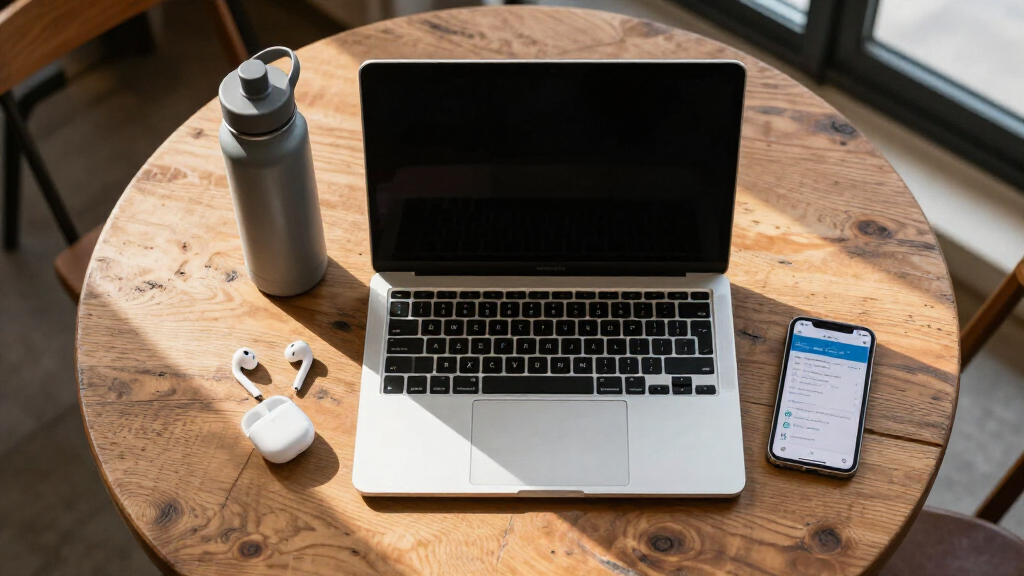
How We Picked
I ranked these laptops around the needs that shape student life: reliable everyday performance, enough memory for browser-heavy research, practical storage, battery potential, portability, and compatibility with common academic software. I gave extra weight to 16GB and 8GB configurations because they leave more room for video calls, documents, research tabs, and background apps than 4GB systems. I also separated true SSD storage from slower eMMC or UFS options, since storage type affects responsiveness as well as capacity. Display size and weight influenced placement because a laptop that stays in a dorm has a different job from one carried between classes.
My order favors models that can serve the widest range of students before moving into narrower budget and specialist roles. The 13-inch M5 MacBook Air leads on balance, while the 15-inch version ranks as the premium large-screen alternative and the Lenovo takes the value position. The HP N150 model sits above weaker 4GB Windows options because 8GB of RAM offers more usable headroom, while the HP Chromebooks make more sense for beginners whose coursework stays in a browser. I ranked configurations with unspecified processors or vague AI branding more cautiously because clear specifications make value easier to judge. Office access helped break close ties, but it could not compensate for limited memory, small local storage, or software restrictions.
| laptops for student | Battery Life | Operating System |
|---|---|---|
| HP Essential Laptop 2026 | Up to 11 hours of video playback | Windows 11 Home |
| HP 14-inch Laptop 2026 Edition | — | Windows 11 Home |
| Apple 2026 MacBook Air 15-inch | Up to 18 hours | — |
| HP 14-inch Ultra-Light Laptop | Up to 12 hours | Windows 11 Home in S mode |
| HP 14-inch Laptop for Students | — | Windows 11 Pro |
| HP Laptop 2026 Student Busines | Up to 11 hours of video playback | — |
| Apple 2026 MacBook Neo 13-inch | Up to 16 hours | — |
| Apple 2026 MacBook Air 13-inch | Up to 18 hours | — |
| 15.6-Inch AI Laptop with Offic | — | Windows 11 |
| HP 14-Inch Laptop with Intel N | Up to 11 hours | Windows 11 Home in S mode |
| Apple 2026 MacBook Neo 13-inch | Up to 16 hours | — |
| HP 14" HD Chromebook Laptop fo | Up to 14 hours | Chrome OS |
| HP Chromebook 14 Laptop | Up to 14 hours | Chrome OS |
| HP Stream 14 Inch Laptop for S | — | Windows 11 S |
| Lenovo 15.6" Essential Everyda | — | Windows 11 Home |
Factors to Consider When Choosing Laptops For Students
The best student laptop depends less on the most eye-catching specification and more on how the machine fits a course, commute, and expected ownership period. I would settle software compatibility before comparing price, then set minimums for memory and storage. After that, screen size, battery claims, build, and included subscriptions can separate otherwise similar options.
Match the Operating System to the Course
I would start by checking which applications, exam platforms, and file formats a department requires. Windows offers the broadest compatibility across business, engineering, and institution-specific software, though Windows 11 in S mode may restrict app installation until the mode is disabled. macOS suits writing, coding, media work, and general study, but some specialist Windows programs may need a remote lab or an approved alternative. Chrome OS works well for web research, Google Workspace, streaming lectures, and cloud-based assignments. A Chromebook becomes a poor bargain if the student later needs full desktop software or substantial offline access. The common mistake is choosing by brand familiarity before confirming course-specific software support.
Set a Realistic Memory and Storage Floor
Four gigabytes of RAM is a basic-use configuration, suitable for a few browser tabs, light documents, and simple video calls rather than demanding multitasking. Eight gigabytes gives budget buyers more breathing room, while 16GB is the safer long-term target for coding tools, creative applications, large spreadsheets, and years of software updates. Storage labels also deserve attention: eMMC and UFS can be adequate for inexpensive systems, but an SSD usually delivers faster file access and app loading. A 64GB drive can fill quickly after system files and updates, even when an added SD card expands document storage. A 128GB drive is workable with disciplined cloud use, while 256GB or 512GB reduces routine cleanup. I would pay for more memory before decorative extras because RAM has a greater effect on daily usability.
Balance Screen Space Against Daily Portability
A 15-inch display gives research papers, spreadsheets, and split-screen work more room, but the larger chassis occupies more desk and bag space. Thirteen- and 14-inch laptops travel more easily, which matters when a student walks across campus several times a day. Display resolution and brightness matter alongside size because a large low-resolution panel may show less detail than expected. Battery claims are useful for comparison, but video calls, high brightness, and many open tabs can shorten real runtime. I would also check charger size, since a compact laptop paired with a bulky power brick loses part of its portability advantage. The right choice depends on whether mobility or workspace carries more weight, not whether a bigger screen appears better on a product page.
Buy Performance for the Hardest Regular Assignment
I would size performance around the most demanding task a student expects every week, rather than an occasional hypothetical project. Basic Intel Celeron and N-series processors can handle notes, web portals, and word processing, but they leave less room for heavier multitasking. More capable Apple silicon is better matched to sustained coding, photo editing, music projects, and large research workloads. Memory cannot fully rescue a slow processor, just as a fast processor paired with 4GB of RAM can still feel constrained. Labels such as AI laptop or Copilot say little by themselves unless the processor, memory, and storage are clearly listed. Students in demanding majors should favor transparent hardware specifications over bundled software or marketing features.
Judge Bundles by Their Total Ownership Value
An included Microsoft 365 plan can reduce first-year costs, but buyers should check whether it is a trial, a one-year subscription, or a lasting license. A software bundle has temporary value, while added RAM or a larger SSD benefits the laptop throughout its usable life. Warranty length, repair access, charger replacement cost, and battery service can also change the real price of ownership. Paying more makes sense when the upgrade improves several school years through stronger hardware, better construction, or lower replacement risk. It makes less sense when the premium mainly buys a color, an unclear AI label, or software the school already provides. I would compare the full configuration and support terms, then treat the bundle as a tie-breaker rather than the reason to buy.
Frequently Asked Questions
Is 4GB of RAM Enough for a Student Laptop in 2026?
Four gigabytes can cover email, one document, and a modest number of browser tabs, but it leaves little multitasking headroom. Video meetings, web apps, and background updates can quickly compete for that limited memory. I would reserve a 4GB model for elementary tasks, highly controlled Chromebook use, or a very tight budget. Most high school and college buyers should target at least 8GB of RAM, while 16GB is a better fit for coding, media work, or longer ownership. The low purchase price loses its appeal if memory pressure makes the laptop frustrating or prompts an early replacement.
Should a Student Buy a Chromebook or a Windows Laptop?
A Chromebook makes sense when assignments run through a browser, Google Workspace, and school-managed web services. It is often simpler for a beginner and can deliver good battery life at a low price. A Windows laptop is the safer choice when the course requires desktop Office features, specialist applications, external hardware utilities, or less predictable software. I would confirm requirements with the department before choosing Chrome OS because software compatibility can outweigh the initial savings. If both platforms meet the course requirements, compare memory, storage, ports, support, and final price.
Is 128GB of Storage Enough for College?
A 128GB drive can work for essays, presentations, web apps, and cloud-managed files, but system files reduce the space available to the student. Large videos, creative projects, games, and offline course materials can fill it quickly. I would treat 128GB as a practical minimum for budget Windows laptops rather than a generous capacity. A 256GB or 512GB SSD is more comfortable for multi-year ownership and students who keep files locally. An SD card can hold documents and media, but it does not give a small eMMC system the same speed or flexibility as a larger internal SSD.
Is the MacBook Air Worth Paying More for as a Student?
The MacBook Air premium makes sense for students who value long service life, strong performance, portability, and a high-quality display. The 13-inch M5 configuration in this roundup also includes 16GB of memory and a 512GB SSD, avoiding the tight limits found in many budget options. It is harder to justify for a student whose work stays in basic browser and document apps or whose required software runs only on Windows. The 15-inch model adds workspace but also raises cost and takes more bag space. I would choose the 13-inch Air for balance and pay for the 15-inch version only when the larger display will be used often.
Does an Included Microsoft 365 Subscription Make a Budget Laptop a Better Deal?
It can, but only when the student actually needs the subscription and the included period is clearly stated. Many schools already provide Microsoft 365, which can make a bundled personal plan redundant. I would not accept 4GB of RAM or very small storage merely to gain software that expires after a year. Compare the subscription’s normal price with the hardware upgrade available for the same money. In this lineup, Office is best treated as a bonus, while processor capability, memory, storage, and operating-system freedom determine the stronger long-term purchase.
What are the best best laptops for students?
The best laptops for students are models that balance portability, dependable performance, battery life, and comfort for everyday coursework. Start by matching the operating system and software support to your classes, then consider screen size, keyboard quality, storage, and available ports. The picks above cover different study needs, from writing papers and attending online lectures to coding, creative projects, and multitasking. Before choosing, check your school’s technical requirements and think about how often you will carry the laptop. A durable, easy-to-use option with enough performance for your workload is usually the smartest long-term choice.
Conclusion
For the broadest mix of portability, performance, and longevity, my best overall recommendation is the Apple 2026 MacBook Air 13-inch with M5. The Lenovo 15.6-inch Essential Everyday Laptop is my best value pick for buyers who want Windows, 8GB of memory, and a larger screen at a more accessible level. Students willing to pay for extra display space should choose the 15-inch M5 MacBook Air as the premium option. For beginners working mainly in a browser, the HP 14-inch HD Chromebook with the listed 14-hour battery and broad port selection is the simplest fit, while the similar HP Chromebook 14 is worth choosing if its price is lower. The HP 14-inch N150 model is my budget Windows choice for Office work, and the 15.6-inch AI Laptop suits students who want 12GB of memory and 256GB of storage but should verify its processor before buying. I would skip the 4GB Windows models for heavier college workloads and choose them only when price outweighs multitasking and long-term flexibility.
Fall Picks
fall essentials
As an affiliate, we earn on qualifying purchases.