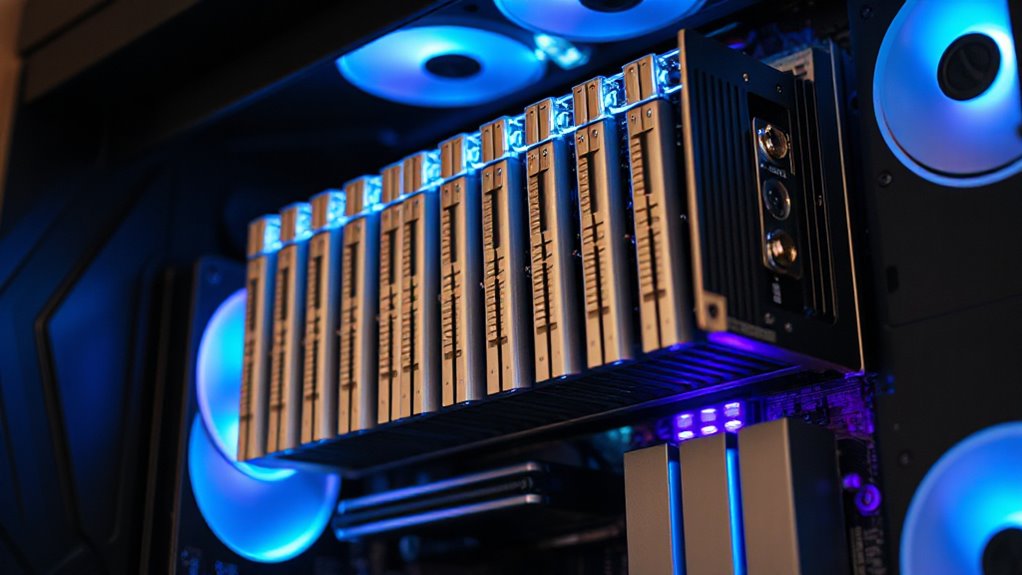

For anyone looking to expand or optimize their PCIe slots, a PCIe bifurcation riser offers a flexible way to split a single PCIe x16 slot into multiple smaller slots. The best overall pick is the JMT PCIe 4.0 x16 to 2 x8 Expansion Card, thanks to its robust build and reliable performance. The SinLoon PCIe 5.0 X16 Expansion Card stands out for future-proofing with the latest PCIe 5.0 support, while the JMT PCIe 4.0 x16 to x8/x8 Adapter offers excellent bifurcation with a straightforward design. Tradeoffs typically involve balancing bandwidth, compatibility, and ease of installation. Keep reading for a detailed breakdown of each option to find the best fit for your needs.
Complete the kit



Key Takeaways
- The top picks balance bandwidth, compatibility, and ease of installation, with PCIe 4.0 options dominating current builds.
- Higher-tier risers like PCIe 5.0 future-proof your system but come at a premium and with limited compatibility for older motherboards.
- Many options include power delivery features, which are critical for high-performance or multi-GPU setups.
- Design differences, such as the presence of power cables or specific slot configurations, influence installation complexity and stability.
- Price varies significantly; the best value often comes from PCIe 4.0 models that deliver solid performance without the premium cost of PCIe 5.0.
| JMT PCIe 4.0 x16 to 2 x8 Expansion Card with CPU Power Port |  | Best Overall for High-Speed Bifurcation | Interface: PCIe 4.0 x16 | Bifurcation: x8x8 | Slots: 2 x8 | VIEW ON AMAZON | See Our Full Breakdown |
| JMT PCIe 3.0 x16 1 to 4 Split Card |  | Best for Multi-Device Expansion at PCIe 3.0 Speeds | Number of PCIe Slots: 4 | Supported PCIe Version: 3.0 | Maximum Performance: X4 | VIEW ON AMAZON | See Our Full Breakdown |
| JMT PCIe 4.0 x16 to x8x8 Expansion Card with CPU4P Power Port |  | Best for Versatile PCIe 4.0 Bifurcation Support | Interface: PCIe 4.0 x16 | Bifurcation: x8x8 | Slots: 2 | VIEW ON AMAZON | See Our Full Breakdown |
| SinLoon PCIe 5.0 X16 Expansion Card, Splits X16 Slot into X8+X4+X4 |  | Best for Cutting-Edge PCIe 5.0 Configurations | Function: Divides PCIe x16 into x8 + x4 + x4 | Compatibility: PCIe 5.0, backward compatible | Supported Device Lengths: 2230, 2242, 2260, 2280, 22110 | VIEW ON AMAZON | See Our Full Breakdown |
| PCIe x16 Expansion Card with M.2 NVMe Support, PCIe 4.0 Compatible |  | Best for Storage Expansion with PCIe 4.0 Support | Compatibility: PCIe 4.0 and 3.0 | Ports: 6 | Material: PCB | VIEW ON AMAZON | See Our Full Breakdown |
| Sintech PCIe 4.0 16X to 2 Ports PCIe 8X/16X Expansion Card with SlimSAS 8I Cable |  | Best Overall for Versatile Bifurcation Setup | Compatibility: Most PCIe x1, x4, x8, x16 cards; Motherboards supporting PCIe x16 bifurcation | Interface: PCIe 4.0/3.0 x16 | Number of Ports: 2 | VIEW ON AMAZON | See Our Full Breakdown |
| Sintech PCIe 4.0 16X to 2 Ports PCIe 8X/16X Expansion Card |  | Best for High-Performance Bifurcation with Compatibility Focus | Compatibility: Most PCIe X1, X4, X8, X16 cards; Motherboards supporting PCIe x16 bifurcation | Supported Slots: PCIe 4.0/3.0 x16 | Supported Bifurcation: Yes | VIEW ON AMAZON | See Our Full Breakdown |
| JMT PCIe 4.0 x16 to x8/x8 Bifurcation Adapter Riser Card with Power Cable (50cm) |  | Best for High-Speed Data Transfer and Flexibility | Speed Bandwidth: PCIe 4.0 x16, 256 Gbps | Backward Compatibility: Gen3, Gen2 | Bifurcation Support: Yes | VIEW ON AMAZON | See Our Full Breakdown |
| JMT PCIe 4.0 x16 to 2 x8 Expansion Card with CPU4P Power Supply Port |  | Best for Stable Power and PCIe 4.0 Performance | PCIe Version: 4.0 | Slot Configuration: x16 to two x8 | Slot Spacing: 20mm | VIEW ON AMAZON | See Our Full Breakdown |
| JMT PCIe 4.0 x16 to x8/x8 Bifurcation Adapter Riser Card with Power Cable | | Best for Extended Length and Flexible Configurations | Speed Bandwidth: PCIe 4.0 x16, 256 Gbps | Backward Compatibility: Gen3, Gen2 | Bifurcation Support: Yes | VIEW ON AMAZON | See Our Full Breakdown |
| pcie bifurcation riser | Compatibility |
|---|---|
| JMT PCIe 4.0 x16 to 2 x8 Expan | Supports GEN3 and GEN4 (motherboard support required) |
| JMT PCIe 3.0 x16 1 to 4 Split | Requires BIOS support |
| JMT PCIe 4.0 x16 to x8x8 Expan | — |
| SinLoon PCIe 5.0 X16 Expansion | PCIe 5.0, backward compatible |
| PCIe x16 Expansion Card with M | PCIe 4.0 and 3.0 |
| Sintech PCIe 4.0 16X to 2 Port | Most PCIe x1, x4, x8, x16 cards; Motherboards supporting PCIe x16 bifurcation |
| Sintech PCIe 4.0 16X to 2 Port | Most PCIe X1, X4, X8, X16 cards; Motherboards supporting PCIe x16 bifurcation |
| JMT PCIe 4.0 x16 to x8/x8 Bifu | — |
| JMT PCIe 4.0 x16 to 2 x8 Expan | — |
| JMT PCIe 4.0 x16 to x8/x8 Bifu | — |
More Details on Our Top Picks
JMT PCIe 4.0 x16 to 2 x8 Expansion Card with CPU Power Port
This PCIe 4.0 x16 bifurcation card stands out for supporting full bandwidth on both x8 slots, making it ideal for high-performance setups requiring maximum data transfer. Compared with the JMT PCIe 4.0 x16 to x8x8 with Power Port, it offers similar bifurcation but emphasizes a complete GEN4 experience with a dedicated CPU power port for stability. The need for BIOS configuration and motherboard support are potential hurdles, especially for less experienced builders. The inclusion of a dust plug, clock splitting IC, and power LED enhances usability, but setup complexity might deter beginners. This pick suits users with compatible high-end motherboards who prioritize raw PCIe performance.
Pros:- Supports PCIe 4.0 bandwidth for maximum data transfer rates
- Bifurcation into two x8 slots offers flexible expansion
- Includes auxiliary CPU power port for enhanced stability
- Features dust plug and LED indicators for easy installation and troubleshooting
Cons:- Requires BIOS configuration and compatible motherboard support
- Complex installation process may challenge beginners
- GEN4 support depends on motherboard capabilities
Best for: Enthusiasts building high-bandwidth systems requiring dual x8 PCIe slots with full GEN4 support
Not ideal for: Users with older motherboards lacking BIOS support for bifurcation or those seeking simple plug-and-play solutions
- Interface:PCIe 4.0 x16
- Bifurcation:x8x8
- Slots:2 x8
- Compatibility:Supports GEN3 and GEN4 (motherboard support required)
- Power:CPU4P auxiliary power port
- Slot Spacing:20mm
Our verdict“This card is best suited for users with high-end motherboards who need full PCIe 4.0 bifurcation for demanding workloads.”
JMT PCIe 3.0 x16 1 to 4 Split Card
This PCIe 3.0 split card enables installing up to four PCIe devices, making it suitable for expanding storage or adding network cards. Its support for X4 performance limits its use for high-bandwidth tasks, but it excels in creating multiple device connections with stability. Compared to the JMT PCIe 4.0 x16 to x8x8 Expansion Card, it offers more ports but at a lower PCIe standard. The need for BIOS configuration and motherboard compatibility are important considerations. The gold-plated connectors and LED indicators add durability and monitoring features, but performance ceiling at X4 may frustrate power users. This option best serves users needing multiple PCIe slots within a budget, especially on older systems.
Pros:- Supports up to four PCIe devices simultaneously
- High-quality gold-plated connectors enhance durability
- Includes SATA power port and LED indicators for easy status tracking
- Compatible with PCIe 3.0 motherboards
Cons:- Limited to PCIe 3.0 X4 performance
- Requires BIOS support for PCIe mode configuration
- Not suitable for demanding high-bandwidth applications
Best for: Budget-conscious users wanting multiple PCIe device support on PCIe 3.0 motherboards
Not ideal for: High-performance setups requiring PCIe 4.0 speeds or bandwidth-intensive applications
- Number of PCIe Slots:4
- Supported PCIe Version:3.0
- Maximum Performance:X4
- SATA Power Supply Port:Yes
- Gold Plating:5U thickness
- Compatibility:Requires BIOS support
Our verdict“This split card is ideal for expanding multiple PCIe devices on older or budget systems where PCIe 4.0 speeds are unnecessary.”
JMT PCIe 4.0 x16 to x8x8 Expansion Card with CPU4P Power Port
This PCIe 4.0 x16 bifurcation card offers similar features to the first pick but emphasizes enhanced gold-plated contacts and a straightforward design. It supports bifurcation into two x8 slots compatible with PCIe 3.0 and 4.0, depending on motherboard support, much like the JMT PCIe 4.0 x16 to 2 x8 with Power Port. Its durability and power features make it suitable for demanding systems, but it shares the same BIOS configuration needs and compatibility constraints. The additional gold sinking improves connection longevity, but operating at PCIe 4.0 still hinges on motherboard BIOS settings. This card is ideal for users seeking robust bifurcation with added durability features.
Pros:- Supports PCIe 4.0 for high bandwidth performance
- Enhanced gold-plated contacts improve longevity and connectivity
- Includes power indicator and auxiliary power port for stability
- Durable gold finger sinking design
Cons:- Requires BIOS support for full PCIe 4.0 operation
- Similar setup complexity as the first model
- Limited to motherboards supporting bifurcation
Best for: Power users needing reliable PCIe 4.0 bifurcation with durable connectors and straightforward setup
Not ideal for: Beginners or those with incompatible motherboard BIOS configurations who seek simple plug-and-play options
- Interface:PCIe 4.0 x16
- Bifurcation:x8x8
- Slots:2
- Slot Spacing:20mm
- Power Supply Port:CPU4P
- Additional Features:Gold sinking, dust plug, power LED
Our verdict“This card suits experienced builders who want a durable, high-performance PCIe 4.0 bifurcation solution.”
SinLoon PCIe 5.0 X16 Expansion Card, Splits X16 Slot into X8+X4+X4
This PCIe 5.0 expansion card introduces a versatile bifurcation into one x8 and two x4 slots, supporting the latest high-speed devices. Compared to the PCIe 4.0 options, it offers greater flexibility with PCIe 5.0’s increased bandwidth for demanding tasks like high-speed NVMe SSDs and GPU setups. It also supports backward compatibility with PCIe 4.0 and 3.0 systems, making it suitable for future-proof builds. Installation requires motherboard BIOS support for bifurcation, and the need for a low-profile bracket could complicate some chassis setups. The inclusion of mounting tools and standoffs simplifies assembly, but beginners may find installation intricate. This card excels for high-end, future-ready configurations where maximum bifurcation flexibility matters.
Pros:- Supports PCIe 5.0 for unmatched data transfer speeds
- Flexible bifurcation into x8 + x4 + x4 for multiple device types
- Backward compatible with PCIe 4.0/3.0
- Includes mounting tools and supports various device lengths
Cons:- Requires motherboard BIOS support for bifurcation
- Installation may be complex for less experienced users
- Requires low-profile bracket for certain cases
Best for: Advanced builders seeking PCIe 5.0 bifurcation for high-performance multi-device setups
Not ideal for: Users with older motherboards lacking BIOS support or those building for basic PCIe needs
- Function:Divides PCIe x16 into x8 + x4 + x4
- Compatibility:PCIe 5.0, backward compatible
- Supported Device Lengths:2230, 2242, 2260, 2280, 22110
- Includes:Expansion card, standoffs, screws, screwdriver
- Height Design:Standard full-height/low-profile
Our verdict“This card is ideal for cutting-edge systems that need PCIe 5.0 bifurcation with maximum flexibility and speed.”
PCIe x16 Expansion Card with M.2 NVMe Support, PCIe 4.0 Compatible
This PCIe x16 expansion card focuses on storage, supporting multiple NVMe SSDs with dual-sided design. Unlike the bifurcation-focused options, it targets expanding storage capacity with stable PCIe 4.0 performance. Its durability and support for PCIe 3.0 add versatility, but it isn’t designed for high-bandwidth GPU or device bifurcation tasks. Compared to the bifurcation cards like the JMT PCIe 4.0 x16 to 2 x8, this model emphasizes storage expansion over device splitting. Installation can be complex due to the dual-sided PCB and multiple connection points, especially for beginners. This pick suits users wanting to increase storage within existing PCIe slots without the need for bifurcation features.
Pros:- Supports PCIe 4.0 for high-speed SSD performance
- Dual-sided PCB allows connecting multiple NVMe drives
- Durable PCB construction resistant to damage
- Easy plug-and-play installation for storage expansion
Cons:- Limited to storage applications; not suitable for GPU bifurcation
- Complex installation due to dual-sided design
- Lacks support for device bifurcation beyond storage
Best for: Users expanding high-speed storage with NVMe SSDs on PCIe 4.0 or 3.0 motherboards
Not ideal for: Those needing PCIe bifurcation for multiple GPUs or devices, since it is storage-focused
- Compatibility:PCIe 4.0 and 3.0
- Ports:6
- Material:PCB
- Design:Dual-sided NVMe support
- Supported Devices:Multiple NVMe SSDs
Our verdict“This card is tailored for users looking to expand storage capacity with high-speed NVMe SSDs on PCIe 4.0 systems.”
Sintech PCIe 4.0 16X to 2 Ports PCIe 8X/16X Expansion Card with SlimSAS 8I Cable
This model stands out for supporting dual PCIe card expansion via bifurcation on a PCIe 4.0/3.0 x16 slot, making it ideal for users needing multiple high-speed PCIe connections. Its high-quality 4-layer PCB ensures durability and consistent performance, comparable to the JMT PCIe 4.0 x16 to x8/x8 Bifurcation Adapter, but with the added benefit of a flexible SlimSAS cable. However, it does not support hardware RAID, limiting configurations to software solutions, and requires BIOS support for bifurcation, which might restrict use on some motherboards. Compared to simpler single-port options, this card offers expanded connectivity with reliable build quality, making it suitable for demanding setups. Its main tradeoff is the need for compatible motherboard BIOS settings and channel availability.
Pros:- Supports dual PCIe card expansion via bifurcation
- Durable 4-layer PCB ensures long-term performance
- Flexible 60cm SlimSAS cable for versatile installation
Cons:- No hardware RAID support, only soft RAID
- Requires BIOS support for bifurcation activation
- Limited to motherboards with available PCIe lanes
Best for: Enthusiasts and professionals building multi-GPU or multi-card systems requiring reliable bifurcation support.
Not ideal for: Casual users or those with limited BIOS control, as it requires specific motherboard support and setup expertise.
- Compatibility:Most PCIe x1, x4, x8, x16 cards; Motherboards supporting PCIe x16 bifurcation
- Interface:PCIe 4.0/3.0 x16
- Number of Ports:2
- Cable:SlimSAS 8I, 60cm
- PCB Layers:4
- Gold Sinking Thickness:5U
Our verdict“This card offers robust bifurcation capabilities for users with compatible motherboards seeking reliable dual PCIe expansion.”
Sintech PCIe 4.0 16X to 2 Ports PCIe 8X/16X Expansion Card
Compared with the B0FDG7K728 model, this card emphasizes straightforward PCIe x16 bifurcation support, making it a solid choice for users who prioritize high bandwidth and broad motherboard compatibility. It supports adding two PCIe 8X/16X cards through a PCIe 4.0/3.0 x16 slot, with a durable 4-layer PCB that ensures performance stability. Its requirement for BIOS configuration (‘PCI-e x8x8’) makes it slightly less user-friendly than models with more automated setup options. For those who already have a compatible motherboard and need a reliable bifurcation solution, this card delivers high performance. Its main drawback is that it does not support hardware RAID, limiting some advanced storage configurations.
Pros:- Supports PCIe 4.0 high bandwidth
- Compatible with most PCIe x16 bifurcation-supporting motherboards
- Durable PCB with high-quality design
Cons:- Requires BIOS configuration for bifurcation
- No hardware RAID support
- Limited to users with specific motherboard BIOS support
Best for: Power users with compatible motherboards who need high-speed bifurcation for graphics or data cards.
Not ideal for: Beginners or users with BIOS restrictions, since setup may require BIOS adjustments and specific support.
- Compatibility:Most PCIe X1, X4, X8, X16 cards; Motherboards supporting PCIe x16 bifurcation
- Supported Slots:PCIe 4.0/3.0 x16
- Supported Bifurcation:Yes
- PCB Material:4-layer PCB
- Gold Sinking Thickness:5U
- Motherboard BIOS Requirement:‘PCI-e x8x8’
Our verdict“Ideal for experienced builders who need dependable high-bandwidth bifurcation with broad motherboard compatibility.”
JMT PCIe 4.0 x16 to x8/x8 Bifurcation Adapter Riser Card with Power Cable (50cm)
This riser emphasizes high-speed data transfer up to 256 Gbps, making it suitable for demanding applications like GPU clustering or high-performance storage. Its bifurcation support and gold-plated connectors improve conductivity and longevity, outpacing some lower-quality options like the B0CRR77TB2. However, its installation complexity may challenge less experienced users, and motherboard support remains a limiting factor. Compared to other models, the longer 50cm cable offers more flexibility in tight or complex setups. This pick makes the most sense for users who need maximum data throughput and are comfortable with detailed installation procedures.
Pros:- Supports PCIe 4.0 x16 with 256 Gbps bandwidth
- Flexible bifurcation options for various configurations
- Gold-plated connectors enhance conductivity and durability
Cons:- Requires motherboard support for bifurcation
- Installation may be complex for newcomers
- Long cable length may cause clutter or difficulty in tight spaces
Best for: Tech-savvy builders focused on high-speed data workloads requiring flexible, high-bandwidth bifurcation adapters.
Not ideal for: Beginners or those with limited BIOS control, as installation and configuration can be intricate.
- Speed Bandwidth:PCIe 4.0 x16, 256 Gbps
- Backward Compatibility:Gen3, Gen2
- Bifurcation Support:Yes
- Cable Length:50cm
- Connector Material:Gold-plated
Our verdict“Best suited for advanced users needing maximum bandwidth and flexible configuration options, despite installation complexity.”
JMT PCIe 4.0 x16 to 2 x8 Expansion Card with CPU4P Power Supply Port
This card emphasizes stable power delivery with its CPU4P auxiliary port, supporting full PCIe 4.0 bandwidth and making it suitable for high-performance graphics or compute cards. Its inclusion of features like a dust plug and clock splitting IC indicates a focus on reliability, similar to the B0DZCVF46J but with added power stability. Setup requires specific BIOS settings and compatibility checks, similar to other high-end bifurcation cards. For users who prioritize power stability in demanding configurations, this card provides a dependable solution. Its main limitation is the potential need for BIOS adjustments and the dependency on motherboard support for bifurcation.
Pros:- Supports PCIe 4.0 for maximum bandwidth
- Includes CPU4P power port for stable operation
- Compatible with PCIe 3.0 and 4.0 motherboards under certain conditions
Cons:- Requires BIOS support for bifurcation
- Compatibility depends heavily on motherboard BIOS settings
- Setup may be complex for some users
Best for: Power users expanding high-performance GPU or storage setups who need reliable power delivery and PCIe 4.0 bandwidth.
Not ideal for: Casual users or those with incompatible BIOS settings, as it demands specific configuration and support.
- PCIe Version:4.0
- Slot Configuration:x16 to two x8
- Slot Spacing:20mm
- Supports PCIe Extension Cable:Yes
- Power Supply Port:CPU4P
- Gold Plating Thickness:5U
Our verdict“Designed for high-performance, power-stable bifurcation needs, best for experienced builders with compatible BIOS configurations.”
JMT PCIe 4.0 x16 to x8/x8 Bifurcation Adapter Riser Card with Power Cable
This bifurcation adapter excels in offering extended reach with a 100cm cable, making it suitable for complex or spacious setups. Its high-speed PCIe 4.0 x16 bandwidth and gold-plated contacts ensure high performance, comparable to the B0DZG8JVG2 but with a focus on longer cable length. The longer cable may introduce signal degradation or clutter, and installation can be more challenging for beginners. Compared with shorter cables, this model offers greater flexibility for custom builds, albeit with some potential tradeoffs in cable management. It’s best for users who need to extend PCIe connections over longer distances and can handle more complex installation.
Pros:- Supports PCIe 4.0 with 256 Gbps bandwidth
- Long 100cm cable for flexible placement
- Gold-plated contacts for durability and conductivity
Cons:- Installation may be complex, especially with long cable
- Potential for signal degradation over extended length
- Requires motherboard support for bifurcation
Best for: Advanced builders requiring long-distance PCIe bifurcation solutions for high-speed devices.
Not ideal for: Beginners or compact system builders, due to installation complexity and cable management challenges.
- Speed Bandwidth:PCIe 4.0 x16, 256 Gbps
- Backward Compatibility:Gen3, Gen2
- Bifurcation Support:Yes
- Cable Length:100cm
- Gold Plating:10µ”
Our verdict“Best for experienced users needing long-distance PCIe bifurcation with high data transfer rates and willing to manage complex installation.”

How We Picked
Products were evaluated based on performance, build quality, compatibility, and ease of installation. Priority was given to models supporting PCIe 4.0 and above for future-proofing, while also considering affordability and user reviews. We examined the variety of bifurcation configurations, power delivery options, and the physical design to ensure compatibility with different setups. Our ranking favors options that offer a clear balance between reliability and value, highlighting those that excel in real-world scenarios while noting any significant drawbacks like limited bandwidth or complex installation requirements.| pcie bifurcation riser | Compatibility |
|---|---|
| JMT PCIe 4.0 x16 to 2 x8 Expan | Supports GEN3 and GEN4 (motherboard support required) |
| JMT PCIe 3.0 x16 1 to 4 Split | Requires BIOS support |
| JMT PCIe 4.0 x16 to x8x8 Expan | — |
| SinLoon PCIe 5.0 X16 Expansion | PCIe 5.0, backward compatible |
| PCIe x16 Expansion Card with M | PCIe 4.0 and 3.0 |
| Sintech PCIe 4.0 16X to 2 Port | Most PCIe x1, x4, x8, x16 cards; Motherboards supporting PCIe x16 bifurcation |
| Sintech PCIe 4.0 16X to 2 Port | Most PCIe X1, X4, X8, X16 cards; Motherboards supporting PCIe x16 bifurcation |
| JMT PCIe 4.0 x16 to x8/x8 Bifu | — |
| JMT PCIe 4.0 x16 to 2 x8 Expan | — |
| JMT PCIe 4.0 x16 to x8/x8 Bifu | — |
Factors to Consider When Choosing Pcie Bifurcation Riser
Choosing the right PCIe bifurcation riser depends on several key factors. Beyond just split configurations, you need to consider compatibility with your motherboard, power requirements, and future upgrade plans. Understanding these aspects can prevent costly mistakes and ensure your system remains stable and efficient.Compatibility with Motherboard and BIOS
Not all motherboards support PCIe bifurcation natively, especially older or budget models. Confirm that your motherboard BIOS allows bifurcation settings, as some require manual configuration or BIOS updates. Compatibility issues can lead to non-recognition of split slots, resulting in wasted investment or unstable operation.Bandwidth and PCIe Version
The PCIe version (3.0, 4.0, 5.0) impacts data transfer speeds significantly. While PCIe 4.0 offers ample performance for most applications, PCIe 5.0 provides future-proofing at a higher price point. Remember, splitting a PCIe x16 into multiple x8 slots can bottleneck high-speed GPUs or NVMe drives if bandwidth is not managed carefully.Power Delivery and Stability
High-performance setups often demand additional power, making integrated power connectors or cables essential. Insufficient power can cause system instability or component failure. Always verify that the riser supports your power supply configuration and consider models with dedicated power ports for demanding builds.Physical Design and Installation
Some bifurcation risers include external cables and brackets, which can complicate installation but offer more flexibility, while compact models provide simplicity at the cost of limited cable management options. Ensure your case has enough space and that the riser’s form factor aligns with your setup for a clean, stable build.Cost vs. Future-Proofing
High-end PCIe 5.0 options come with a premium price, but may be unnecessary if your current components do not support PCIe 5.0. Conversely, investing in PCIe 4.0 or higher can extend the lifespan of your build, but at a higher initial cost. Balance your immediate needs with potential future upgrades to avoid overspending.Frequently Asked Questions
Will a PCIe bifurcation riser work with my existing motherboard?
Compatibility depends heavily on your motherboard’s BIOS support and physical PCIe slot layout. Many modern motherboards support bifurcation but verifying this in the motherboard manual or BIOS settings is crucial. If your BIOS does not support bifurcation, the riser may not function correctly, regardless of its quality.Can I use a PCIe bifurcation riser for multiple GPUs?
Yes, bifurcation risers are often used to connect multiple GPUs from a single PCIe x16 slot, especially in mining or multi-GPU gaming setups. However, ensure the riser supports the necessary bandwidth and power delivery for your GPU models. Insufficient power or bandwidth can limit performance or cause instability.Is PCIe 5.0 bifurcation riser worth the extra cost?
PCIe 5.0 risers provide higher bandwidth suitable for cutting-edge GPUs and NVMe drives, making them more future-proof. However, unless your motherboard and components support PCIe 5.0, the benefits are limited today. For most users, PCIe 4.0 offers excellent performance at a better price point, with PCIe 5.0 becoming more relevant as newer hardware becomes mainstream.What are common installation challenges with bifurcation risers?
Many users encounter issues with fitting the riser securely or with power connections, especially in compact cases. Incorrect BIOS settings can also prevent proper recognition of split slots. Carefully matching the riser’s physical design to your case and verifying BIOS support can help avoid these problems.Should I prioritize build quality over price when choosing a bifurcation riser?
Absolutely. A well-made riser reduces the risk of signal degradation, overheating, and connection issues. While cheaper options might save money upfront, investing in a reputable model ensures stability and longevity, especially in high-performance or multi-GPU setups where reliability is critical.Conclusion
For general users and those new to PC building, the JMT PCIe 4.0 x16 to 2 x8 Expansion Card offers a reliable, straightforward solution. Enthusiasts aiming for future-proofing should consider the SinLoon PCIe 5.0 X16 Expansion Card, despite its higher cost. Power users with multi-GPU setups or demanding workloads will benefit most from models with dedicated power support, like the JMT PCIe 4.0 x16 to x8/x8 Adapter. Budget-conscious builders should focus on PCIe 4.0 options that deliver solid performance without overspending. Ultimately, choosing the right riser depends on your specific needs, motherboard capabilities, and future upgrade plans — matching the product to your intended use ensures the best results.