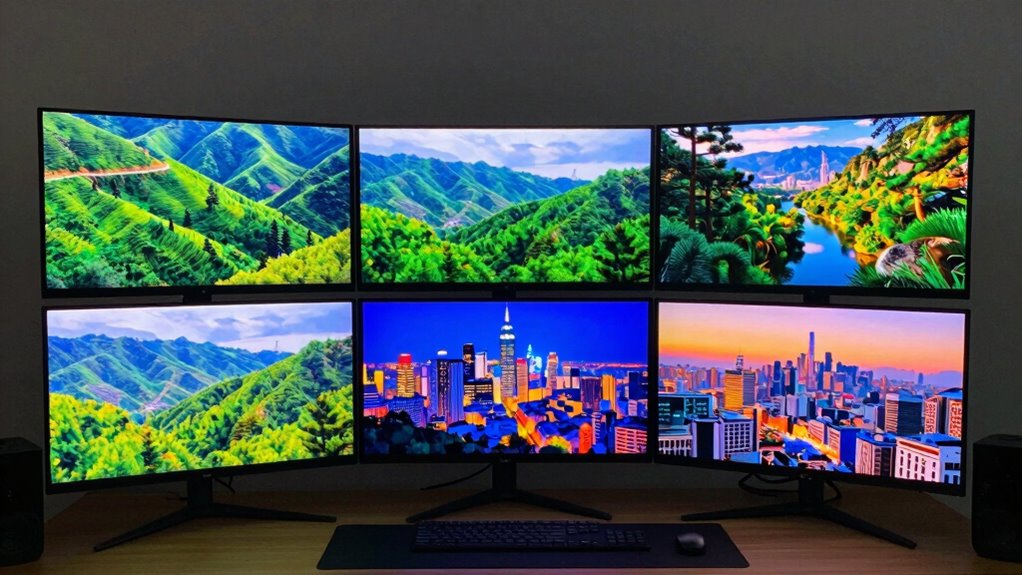

If you’re searching for an HDR1000 monitor, you’re likely after vibrant colors, deep contrast, and sharp detail for gaming, content creation, or professional work. The best overall choice is the AOC 27 Inch Gaming Monitor QHD 180Hz Mini-LED HDR1000 thanks to its balance of performance and affordability. The AOC 32-Inch 4K Mini-LED Gaming Monitor with G-SYNC stands out for high resolution and smooth gameplay, while the Innocn 27-Inch 1440P 320Hz Monitor appeals to competitive gamers with ultra-fast refresh rates. These options highlight the main tradeoff in this category: higher specs often come with increased cost and complexity. Continue reading for a detailed breakdown of each model and which one best fits your needs.

Get the latest gadgets delivered free with Prime
- Fast, free delivery on millions of items
- Prime Video, Amazon Music and more included
- Member-only deals all year
Complete the kit



Key Takeaways
- Higher refresh rates, like 240Hz or 320Hz, benefit competitive gamers but may increase cost and power consumption.
- Mini-LED technology consistently offers better contrast and color depth compared to standard LED panels at similar price points.
- Resolution varies from QHD to 4K; 4K delivers sharper detail but demands more powerful hardware and may impact refresh rate options.
- G-SYNC and FreeSync support are key for smooth gaming experiences, especially on higher refresh rate monitors.
- Build quality and additional features like ergonomic stands and color calibration can influence long-term satisfaction and usability.
| AOC 27 Inch Gaming Monitor QHD 180Hz Mini-LED HDR1000 |  | Best Overall for Immersive Gaming | Screen Size: 27 inches | Resolution: 2560×1440 (QHD) | Refresh Rate: 180Hz (overclocked) | VIEW ON AMAZON | See Our Full Breakdown |
| AOC 32-Inch 4K Mini-LED Gaming Monitor with G-SYNC and HDR1000 |  | Best for Vivid 4K Gaming and Deep Contrast | Display Size: 31.5 inches | Resolution: 3840×2160 4K | Panel Type: VA | VIEW ON AMAZON | See Our Full Breakdown |
| Acer Nitro 27-inch QHD IPS MiniLED Gaming Monitor XV275U F3 |  | Best for Fast-Paced Gaming and Color Accuracy | Size: 27 inches | Resolution: 2560×1440 (QHD) | Display Technology: IPS MiniLED | VIEW ON AMAZON | See Our Full Breakdown |
| AOC 27-Inch Gaming Monitor QHD 320Hz Mini-LED HDR1000, White, Q27G4SLM/WS |  | Best for Versatile High-Performance Gaming and Comfort | Display Size: 27 inches | Resolution: 2560×1440 (QHD) | Panel Type: Mini-LED IPS | VIEW ON AMAZON | See Our Full Breakdown |
| AOC 27 Inch Gaming Monitor QHD 240Hz Mini-LED HDR1000, Q27G4ZMN |  | Best for Balanced Gaming and Media Creation | Display Size: 27 inches | Resolution: 2560×1440 (QHD) | Display Technology: Mini-LED | VIEW ON AMAZON | See Our Full Breakdown |
| INNOCN 27-Inch 2K 1440P 320Hz Mini LED Gaming Monitor, HDR1000, 1ms, GA27T1M |  | Best for High-Refresh-Rate Gaming and Vivid Visuals | Size: 27 inches | Resolution: 2560x1440p (QHD) | Refresh Rate: 320Hz (supports up to 330Hz) | VIEW ON AMAZON | See Our Full Breakdown |
| KOORUI 27 inch Mini-LED IPS Gaming Monitor, 200Hz, 1ms, QHD 1440P HDR1000 |  | Best for Color Accuracy and Ergonomic Comfort | Size: 27 inches | Resolution: 2560×1440 (QHD) | Refresh Rate: 200Hz | VIEW ON AMAZON | See Our Full Breakdown |
| hdr1000 monitor | Resolution | Refresh Rate | Response Time | HDR |
|---|---|---|---|---|
| AOC 27 Inch Gaming Monitor QHD | 2560×1440 (QHD) | 180Hz (overclocked) | 1ms GtG | VESA DisplayHDR 1000 |
| AOC 32-Inch 4K Mini-LED Gaming | 3840×2160 4K | 240Hz | — | — |
| Acer Nitro 27-inch QHD IPS Min | 2560×1440 (QHD) | 320Hz | 0.5ms GTG | VESA DisplayHDR 1000 |
| AOC 27-Inch Gaming Monitor QHD | 2560×1440 (QHD) | 320Hz | 1ms GtG | DisplayHDR 1000 |
| AOC 27 Inch Gaming Monitor QHD | 2560×1440 (QHD) | 240Hz | 1ms GtG | DisplayHDR 1000 |
| INNOCN 27-Inch 2K 1440P 320Hz | 2560x1440p (QHD) | 320Hz (supports up to 330Hz) | 0.5ms (GtG) | — |
| KOORUI 27 inch Mini-LED IPS Ga | 2560×1440 (QHD) | 200Hz | 1ms (GtG) | — |
More Details on Our Top Picks
AOC 27 Inch Gaming Monitor QHD 180Hz Mini-LED HDR1000
This model stands out for combining a compact 27-inch size with Mini-LED and HDR1000 technology, delivering vivid visuals and true blacks that rival larger displays like the 32-inch AOC 4K. Its 180Hz refresh rate and 1ms response time make it a top choice for gamers seeking smooth, responsive gameplay. While the advanced backlighting ensures impressive contrast, the higher price point might deter budget-conscious buyers. Its frameless design enhances immersion but limits versatility for non-gaming tasks. Compared to larger monitors, it offers a more focused gaming experience without sacrificing image quality.
Pros:- Vivid, true-to-life image quality with Mini-LED and HDR1000
- Fast 180Hz refresh rate and 1ms response time ideal for gaming
- Frameless design enhances immersive experience
Cons:- Potentially high cost due to advanced technology
- Limited to 27 inches, which may not suit those wanting larger screens
Best for: Gamers who want a high-performance, immersive display without sacrificing desk space
Not ideal for: Users seeking a larger, 4K workspace for productivity or media editing
- Screen Size:27 inches
- Resolution:2560×1440 (QHD)
- Refresh Rate:180Hz (overclocked)
- Response Time:1ms GtG
- Backlight Technology:Mini-LED
- HDR:VESA DisplayHDR 1000
Our verdict“This monitor is perfect for gamers prioritizing high-quality visuals and fast response times in a compact form.”
AOC 32-Inch 4K Mini-LED Gaming Monitor with G-SYNC and HDR1000
This 32-inch model offers a larger canvas with a 4K resolution and peak brightness up to 1200 nits, making it ideal for users who want stunning visual detail, especially in media editing or cinematic gaming. Its 240Hz refresh rate and 1ms response time rival smaller, high-refresh-rate options like the Acer XV275U, but with the added advantage of a bigger display. The extensive Local Dimming Zones (1152) enhance contrast, yet its larger size may not fit in tighter setups and commands a premium price. Support for G-SYNC adds tear-free gaming, but the high cost and size could be barriers for some.
Pros:- Large 32-inch 4K display with exceptional contrast from Mini-LED backlighting
- High 240Hz refresh rate and 1ms response time for smooth gameplay
- Supports HDR1000 with peak brightness up to 1200 nits for vivid visuals
- G-SYNC compatibility ensures seamless gaming
Cons:- Premium price point limits accessibility
- Size may be unwieldy for smaller desks or multi-monitor setups
Best for: Gamers and creative professionals seeking a large, high-brightness HDR display with 4K clarity
Not ideal for: Desk setups with limited space or budget-sensitive users who prefer smaller screens
- Display Size:31.5 inches
- Resolution:3840×2160 4K
- Panel Type:VA
- Backlighting:Mini-LED
- Local Dimming Zones:1152
- Refresh Rate:240Hz
Our verdict“Ideal for users demanding a large, vibrant HDR experience in both gaming and creative work, despite the higher price and size considerations.”
Acer Nitro 27-inch QHD IPS MiniLED Gaming Monitor XV275U F3
Compared with the other options, the Acer Nitro XV275U F3 provides an ultra-fast 320Hz refresh rate and 0.5ms GTG response time, making it a standout for competitive gaming. Its IPS MiniLED technology ensures vibrant colors and wide viewing angles, rivaling the color consistency of the Q27G4ZMN but with superior speed. The 1152 local dimming zones deliver excellent contrast, yet the premium price might be a barrier for casual gamers. The monitor also supports AMD FreeSync Premium, reducing tearing during fast action. Its 27-inch size strikes a balance between immersion and desk space, but the high refresh rate demands powerful hardware for full benefit.
Pros:- Exceptional 320Hz refresh rate and 0.5ms response time for ultra-smooth gaming
- IPS MiniLED panel offers vibrant colors and wide viewing angles
- Supports AMD FreeSync Premium for tear-free gameplay
- Strong contrast with 1152 local dimming zones
Cons:- Higher price point compared to less advanced gaming monitors
- Requires powerful GPU to fully leverage high refresh rate
Best for: Enthusiasts and competitive gamers seeking the fastest response and best color fidelity
Not ideal for: Casual users or those on tighter budgets, as features come at a higher cost
- Size:27 inches
- Resolution:2560×1440 (QHD)
- Display Technology:IPS MiniLED
- Refresh Rate:320Hz
- Response Time:0.5ms GTG
- HDR:VESA DisplayHDR 1000
Our verdict“Best suited for competitive gamers who need speed, color accuracy, and contrast in a 27-inch size, accepting the premium cost.”
AOC 27-Inch Gaming Monitor QHD 320Hz Mini-LED HDR1000, White, Q27G4SLM/WS
This 27-inch monitor combines a high refresh rate of 320Hz with HDR1000 certification, making it an excellent choice for gamers seeking both speed and visual impact. Its Mini-LED IPS panel provides deep contrast and vibrant colors, comparable to the more expensive XV275U but in a more stylish white design. The ergonomic stand with height adjustment, tilt, swivel, and pivot makes long gaming sessions more comfortable. While the premium price might deter casual users, this model excels in fast-paced gaming environments and multimedia tasks, but it’s less suited to general productivity or office work due to its gaming-focused features.
Pros:- Vivid HDR visuals with high brightness and contrast
- Fully adjustable ergonomic stand for personalized comfort
- Fast 320Hz refresh rate and 1ms GtG response for competitive gaming
- Stylish white design adds aesthetic appeal
Cons:- Higher price point may be a barrier for some
- Limited to gaming and high-performance use, not ideal for productivity tasks
Best for: Gamers who value customization, high refresh rates, and vibrant visuals in a stylish design
Not ideal for: Office users or those with limited desk space who don’t prioritize gaming features
- Display Size:27 inches
- Resolution:2560×1440 (QHD)
- Panel Type:Mini-LED IPS
- Refresh Rate:320Hz
- Response Time:1ms GtG
- HDR:DisplayHDR 1000
Our verdict“This monitor offers a compelling blend of speed, visual quality, and ergonomic flexibility for dedicated gamers seeking style and performance.”
AOC 27 Inch Gaming Monitor QHD 240Hz Mini-LED HDR1000, Q27G4ZMN
This 27-inch model strikes a balance between high refresh rate and vibrant visuals, featuring a QHD resolution and Mini-LED backlighting with 1152 zones. Its 240Hz refresh rate and 1ms response time provide smooth gameplay, while the HDR1000 certification ensures lively, contrast-rich images. Built-in features like Shadow Control and Game Mode presets cater to gamers wanting quick adjustments, though it doesn’t reach the ultra-high speeds of the XV275U. Its focus on both gaming and media creation makes it versatile, but high pricing may limit options for budget-conscious buyers. The absence of detailed connectivity info can also be a drawback for some.
Pros:- High contrast and deep blacks with Mini-LED technology
- Fast 240Hz refresh rate and 1ms GtG response for gaming
- HDR1000 support for vibrant visuals
- Built-in gaming features for quick adjustments
Cons:- Higher price compared to standard monitors
- Limited connectivity details provided
Best for: Gamers and media creators needing a versatile monitor with strong contrast and smooth performance
Not ideal for: Users who need a large display or are on a tight budget
- Display Size:27 inches
- Resolution:2560×1440 (QHD)
- Display Technology:Mini-LED
- Refresh Rate:240Hz
- Response Time:1ms GtG
- HDR:DisplayHDR 1000
Our verdict“A versatile choice for gamers and creators seeking high contrast, fast response, and vibrant HDR visuals in a 27-inch form factor.”
INNOCN 27-Inch 2K 1440P 320Hz Mini LED Gaming Monitor, HDR1000, 1ms, GA27T1M
This INNOCN monitor stands out for its exceptionally high 320Hz refresh rate, which surpasses the 200Hz of the KOORUI model, making it ideal for fast-paced competitive gaming where every millisecond counts. Its Mini-LED backlighting delivers stunning brightness at 1000 nits and a broad color spectrum, resulting in vivid, lifelike images that elevate visual immersion. The 0.5ms response time and G-SYNC support minimize motion blur and tearing, providing smooth gameplay. Compared to the KOORUI, this monitor’s higher refresh rate and more vibrant brightness make it more suited to competitive gamers seeking performance, though it may come with a higher price tag and is limited to a 27-inch size. Its stylish design with RGB accents adds aesthetic appeal, but users need a capable graphics card to access all features fully.
Pros:- Exceptional 320Hz refresh rate for ultra-smooth gameplay
- Bright 1000 nits peak brightness with full sRGB color coverage
- Fast 0.5ms response time and G-SYNC compatibility ensure minimal motion artifacts
- Stylish ultra-narrow bezel design with RGB lighting
Cons:- Higher cost compared to standard 144Hz or 200Hz monitors
- Limited to 27 inches, lacking larger display options
- Requires a high-end graphics card to fully utilize features
Best for: Serious gamers who prioritize ultra-smooth motion and vibrant visuals in fast-paced titles
Not ideal for: Casual users or those with budget constraints, as this model tends to be more expensive and specialized
- Size:27 inches
- Resolution:2560x1440p (QHD)
- Refresh Rate:320Hz (supports up to 330Hz)
- Response Time:0.5ms (GtG)
- Backlight Technology:Mini-LED
- Peak Brightness:1000 nits
Our verdict“This monitor is best suited for competitive gamers demanding the highest refresh rates and vibrant visuals, despite its premium price and size constraints.”
KOORUI 27 inch Mini-LED IPS Gaming Monitor, 200Hz, 1ms, QHD 1440P HDR1000
The KOORUI 27-inch monitor is designed for users who value color fidelity and ergonomic flexibility. Its 200Hz refresh rate and 1ms response time provide smooth gameplay, though not as fluid as the INNOCN’s 320Hz. With a high 97% DCI-P3 and 99% Adobe RGB coverage, it offers vibrant, accurate colors ideal for creative work and immersive gaming alike. The contrast ratio of 300000:1 and HDR1000 support ensure high dynamic range visuals, comparable to the INNOCN, yet with a focus on color precision. The adjustable stand allows height, tilt, swivel, and rotation, making it comfortable for extended use. Compared to the INNOCN, this model prioritizes ergonomic and color performance over raw refresh rate, which may appeal to creative professionals and casual gamers seeking versatility without the highest framerates. Its higher price reflects its premium features, and it requires a capable graphics card to unlock G-SYNC and FreeSync capabilities.
Pros:- Excellent color accuracy with 97% DCI-P3 and 99% Adobe RGB coverage
- Adjustable ergonomic stand for personalized comfort
- High contrast ratio and HDR1000 support for vivid, dynamic images
- Modern, sleek edge-less design suitable for any workspace
Cons:- Limited to 200Hz, which may be less appealing for ultra-competitive gaming
- Higher price point due to premium color and ergonomic features
- Requires compatible graphics card for G-SYNC and FreeSync
Best for: Creative professionals and gamers who need accurate colors and ergonomic adjustments in a versatile display
Not ideal for: Competitive gamers seeking the absolute highest refresh rates, as 200Hz may feel less responsive than 320Hz models
- Size:27 inches
- Resolution:2560×1440 (QHD)
- Refresh Rate:200Hz
- Response Time:1ms (GtG)
- Color Gamut:97% DCI-P3, 99% Adobe RGB
- Contrast Ratio:300000:1
Our verdict“This monitor offers a compelling mix of color accuracy, ergonomic flexibility, and solid gaming performance, making it ideal for creative users and casual gamers willing to invest more.”

How We Picked
These monitors were selected based on a combination of performance, display quality, and value, specifically within the HDR1000 category. We prioritized models with high contrast ratios, accurate color reproduction, and reliable HDR implementation. Refresh rates, response times, and adaptive sync support were key criteria, especially for gaming-focused options. Durability, build quality, and additional features like ergonomic adjustments also played a role. The ranking reflects how well each monitor balances these factors for different user needs, from casual viewers to professional gamers.
| hdr1000 monitor | HDR |
|---|---|
| AOC 27 Inch Gaming Monitor QHD | VESA DisplayHDR 1000 |
| AOC 32-Inch 4K Mini-LED Gaming | — |
| Acer Nitro 27-inch QHD IPS Min | VESA DisplayHDR 1000 |
| AOC 27-Inch Gaming Monitor QHD | DisplayHDR 1000 |
| AOC 27 Inch Gaming Monitor QHD | DisplayHDR 1000 |
| INNOCN 27-Inch 2K 1440P 320Hz | — |
| KOORUI 27 inch Mini-LED IPS Ga | — |
Factors to Consider When Choosing Hdr1000 Monitor
Choosing the right HDR1000 monitor involves more than just looking at specs. To get the most from HDR10 content, consider how display technology, resolution, refresh rates, and additional features align with your specific uses, whether gaming, content creation, or professional work. Avoid common pitfalls like undervaluing contrast or ignoring color accuracy, which can diminish HDR benefits. The following factors will help you make an informed decision.Display Technology and Contrast
Mini-LED and OLED panels generally provide better contrast and deeper blacks compared to standard LED screens, especially at HDR1000 levels. This technology enhances the dynamic range, making dark scenes more detailed and bright scenes more vivid. When evaluating monitors, look for local dimming features and contrast ratios that support true HDR performance. Skipping this can result in a dull or washed-out HDR experience, even if the monitor claims HDR1000.
Resolution and Size
The choice between QHD and 4K impacts clarity and hardware requirements. 4K monitors deliver sharper images, especially on larger screens, but demand more powerful graphics cards to maintain high refresh rates. Conversely, QHD offers a good balance of detail and performance at a more affordable price. Consider your primary use—gaming, editing, or general viewing—and match the resolution to your hardware and workspace constraints to avoid compromises in performance or usability.
Refresh Rate and Response Time
High refresh rates, such as 240Hz or 320Hz, provide smoother motion ideal for competitive gaming, but often come at a higher cost and may feature tradeoffs in color accuracy or HDR performance. Response time is equally important for reducing motion blur. Be wary of monitors that have high refresh rates but poor response times or limited HDR capabilities, as this can diminish the overall experience. The right balance depends on whether your focus is gaming, creative work, or general use.
Adaptive Sync Support
Supporting technologies like G-SYNC or FreeSync can significantly improve gameplay by reducing screen tearing and input lag. For monitors with high refresh rates, these features are almost essential if you want a fluid experience, especially in fast-paced games. Ensure your graphics hardware is compatible with the adaptive sync technology supported by the monitor to maximize the benefits and avoid mismatched performance or stuttering.
Additional Features and Build Quality
Adjustable stands, ergonomic design, and build durability influence ease of use and comfort during long sessions. Color calibration, factory accuracy, and additional ports can add value, especially for content creators or professionals. Be cautious of budget models that cut corners on these features, which can lead to frustration or reduced lifespan over time. Prioritize monitors with proven build quality and useful extras aligned with your specific needs.
Frequently Asked Questions
Does HDR1000 guarantee better picture quality?
HDR1000 indicates a high level of peak brightness, which can significantly improve contrast and highlight detail in supported content. However, actual picture quality also depends on factors like local dimming, color accuracy, and panel technology. A monitor with HDR1000 but poor contrast or color reproduction may not deliver the expected visual benefits. Therefore, it’s essential to consider the overall display technology alongside HDR certification for the best results.
Is a higher refresh rate always better for HDR monitors?
Higher refresh rates, such as 240Hz or 320Hz, provide smoother motion, which is especially advantageous for fast-paced gaming. However, they often come with increased cost and may limit HDR performance or resolution options. If your primary use is gaming, a high refresh rate can enhance the experience; for content creation or casual use, a standard 60Hz or 144Hz may suffice. Balancing refresh rate with other features is key to choosing the right monitor for your needs.
Can I use these monitors for professional color work?
Many HDR1000 monitors, especially those with mini-LED technology, offer good color accuracy and contrast, making them suitable for creative tasks. However, professional color work demands factory calibration, wide color gamuts, and consistent performance. Always check for color accuracy certifications and calibration options if your work requires precise color matching. Not all HDR1000 monitors are designed for high-end color grading, so verify specifications before committing.
Is G-SYNC support necessary for gaming monitors?
G-SYNC support can greatly improve gaming smoothness by reducing tearing and input lag, especially at high refresh rates. If you use an NVIDIA graphics card, choosing a G-SYNC compatible monitor ensures optimal compatibility and performance. However, many AMD-based systems benefit from FreeSync, which is often more affordable. The key is matching the adaptive sync technology with your GPU to avoid issues like flickering or stuttering.
What should I consider if I want a future-proof monitor?
To future-proof, focus on a monitor with high resolution options like 4K, high refresh rates (240Hz or more), and support for the latest HDR standards. Connectivity options, such as USB-C, HDMI 2.1, or DisplayHDR certification, also matter for compatibility with upcoming devices. Additionally, choose a model with good build quality and adjustable ergonomics to ensure comfortable long-term use. Keep in mind that technology evolves quickly, so investing in a slightly higher-end model can provide longer relevance.
Conclusion
For general users and gamers seeking a balanced mix of performance and value, the AOC 27 Inch Gaming Monitor QHD 180Hz Mini-LED HDR1000 stands out as the best overall pick. Those prioritizing resolution and smooth gameplay will find the AOC 32-Inch 4K Mini-LED Gaming Monitor with G-SYNC a worthy upgrade. Creative professionals should consider monitors with excellent color calibration, while budget-conscious buyers might prefer entry-level models with solid HDR performance. For competitive gamers, ultra-fast refresh rates like 320Hz make a noticeable difference. Ultimately, your choice should align with your primary use and hardware compatibility, ensuring you get the most out of your HDR1000 investment.
Halloween Picks

Pumpkin Halloween Fog Machine with 12-Color LED Lights, Bluetooth Speaker, and Remote

Vexalify 11-Inch Halloween Pumpkin Fog Machine with 12-Color Lights

11.2-Foot Halloween Inflatable Pumpkin with LED Lights
As an affiliate, we earn on qualifying purchases.