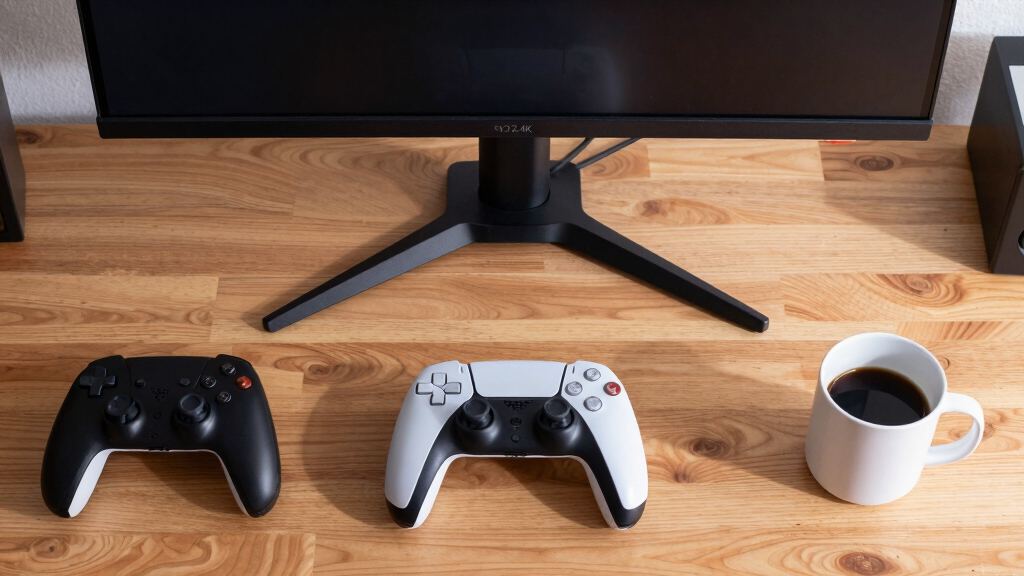

The LG 27G810A-B is my best overall choice among these 4K gaming monitors because its 4K 180Hz mode, FHD 360Hz mode, HDMI 2.1 support, and variable-refresh compatibility cover both cinematic and competitive games. The ASUS ROG Swift PG32UCDMR is the premium alternative for buyers who prioritize OLED contrast, while the SANSUI dual-mode 27-inch model offers an appealing feature set for a tighter budget. The main choice is between sharper 4K play, faster lower-resolution modes, stronger HDR, and the added cost of premium panel technology. Screen size, GPU capability, ports, and burn-in risk also separate models that may appear similar on a specification sheet. Continue reading for my full breakdown of which monitor fits each type of player.

Get the latest gadgets delivered free with Prime
- Fast, free delivery on millions of items
- Prime Video, Amazon Music and more included
- Member-only deals all year
Complete the kit



Key Takeaways
- The LG 27G810A-B leads the ranking because its 4K 180Hz and FHD 360Hz modes provide the strongest balance between image detail and competitive speed in this lineup.
- The ASUS ROG Swift PG32UCDMR is the premium display pick, but its OLED panel makes the most sense for buyers willing to pay more and manage static desktop elements carefully.
- Dual-mode operation is the clearest dividing feature: the LG reaches FHD 360Hz, the SANSUI reaches FHD 320Hz, and the ASUS TUF VG27UQEL5A reaches FHD 310Hz but drops to 4K 80Hz.
- The Samsung G51F and 32-inch LG UltraGear are QHD monitors, so I would not rank either as a true answer to a search for 4K gaming monitors despite their gaming-focused refresh rates.
- The Dell S2725QS is the approachable all-rounder for mixed work and gaming, while the 37-inch Samsung Odyssey G7 targets buyers who want a much larger curved 4K screen and stronger HDR credentials.
| CRUA 27-inch 4K UHD 144Hz IPS Vertical Gaming Monitor |  | Best for Work-and-Play Setups | Display size: 27 inches | Resolution: 3840 x 2160 | Refresh rate: 144Hz | VIEW LATEST PRICE | See Our Full Breakdown |
| LG UltraGear 27G810A-B 27-inch 4K Dual-Mode Gaming Monitor |  | Best Competitive Hybrid | Screen size: 27 inches | Resolution: 3840 x 2160 | Refresh modes: 180Hz at 4K; 360Hz at FHD | VIEW LATEST PRICE | See Our Full Breakdown |
| ASUS ROG Swift PG32UCDMR 32-inch 4K OLED Gaming Monitor |  | Best Premium OLED | Display size: 32 inches | Resolution: 3840 x 2160 | Panel type: QD-OLED | VIEW LATEST PRICE | See Our Full Breakdown |
| SANSUI 27-inch 4K 160Hz Dual-Mode Gaming Monitor |  | Best Port-Rich Dual-Mode Pick | Screen size: 27 inches | Resolution modes: 3840 x 2160 and 1920 x 1080 | Refresh modes: 160Hz at 4K; 320Hz at FHD | VIEW LATEST PRICE | See Our Full Breakdown |
| ASUS TUF Gaming VG27UQEL5A 27-inch 4K Dual-Mode Monitor |  | Best for Esports-First Switching | Display size: 27 inches | Resolution: 3840 x 2160 | Refresh modes: 80Hz at 4K; 310Hz at FHD | VIEW LATEST PRICE | See Our Full Breakdown |
| Samsung 27-inch Odyssey G5 (G51F) |  | Best High-Refresh QHD Alternative | Screen Size: 27 inches | Resolution: 2560 x 1440 (QHD) | Refresh Rate: 180Hz | VIEW LATEST PRICE | See Our Full Breakdown |
| ASUS TUF Gaming 27-inch 4K HDR Monitor (VG27UQ1A) |  | Best Balanced 27-Inch 4K Pick | Screen Size: 27 inches | Resolution: 3840 x 2160 (4K) | Refresh Rate: 160Hz | VIEW LATEST PRICE | See Our Full Breakdown |
| Samsung 37-inch Odyssey G7 (G75F) |  | Best Large-Screen Immersion | Display Size: 37 inches | Resolution: 3840 x 2160 (4K UHD) | Refresh Rate: 165Hz | VIEW LATEST PRICE | See Our Full Breakdown |
| LG UltraGear 32-inch Curved QHD Gaming Monitor |  | Best Curved QHD Pick | Screen Size: 32 inches | Resolution: 2560 x 1440 (QHD) | Refresh Rate: 180Hz | VIEW LATEST PRICE | See Our Full Breakdown |
| ASUS ROG Strix 27-inch 4K HDR USB-C Gaming Monitor (XG27UCG) |  | Best Hybrid 4K and Esports Pick | Screen Size: 27 inches | Native Resolution: 3840 x 2160 (4K) | Dual-Mode Refresh Rate: 160Hz at 4K / 320Hz at FHD | VIEW LATEST PRICE | See Our Full Breakdown |
| Dell 27 Plus 4K Monitor S2725QS |  | Best for Work and Gaming | Display size: 27 inches | Resolution: 3840 x 2160 (4K) | Panel type: IPS | VIEW LATEST PRICE | See Our Full Breakdown |
| Acer Nitro VG270K 27-inch 4K UHD Gaming Monitor |  | Best High-Refresh Value | Screen size: 27 inches | Resolution: 3840 x 2160 UHD | Panel type: IPS | VIEW LATEST PRICE | See Our Full Breakdown |
| CRUA 32-inch Curved 4K UHD Gaming Monitor |  | Best Immersive Curved Pick | Screen size: 32 inches | Resolution: 3840 x 2160 (4K UHD) | Panel type: VA | VIEW LATEST PRICE | See Our Full Breakdown |
| Acer Nitro VG270K 27-inch 4K UHD 72Hz Gaming Monitor |  | Best for Casual 4K Gaming | Screen size: 27 inches | Resolution: 3840 x 2160 UHD | Panel type: IPS | VIEW LATEST PRICE | See Our Full Breakdown |
| 4K gaming monitor | Resolution | Response time | Screen size | Refresh rate |
|---|---|---|---|---|
| CRUA 27-inch 4K UHD 144Hz IPS | 3840 x 2160 | — | — | 144Hz |
| LG UltraGear 27G810A-B 27-inch | 3840 x 2160 | 1ms GtG | 27 inches | — |
| ASUS ROG Swift PG32UCDMR 32-in | 3840 x 2160 | 0.03ms | — | 240Hz |
| SANSUI 27-inch 4K 160Hz Dual-M | — | 1ms OD | 27 inches | — |
| ASUS TUF Gaming VG27UQEL5A 27- | 3840 x 2160 | 0.3ms | — | — |
| Samsung 27-inch Odyssey G5 | 2560 x 1440 (QHD) | 1ms | 27 inches | 180Hz |
| ASUS TUF Gaming 27-inch 4K HDR | 3840 x 2160 (4K) | 1ms | 27 inches | 160Hz |
| Samsung 37-inch Odyssey G7 | 3840 x 2160 (4K UHD) | 1ms GtG | — | 165Hz |
| LG UltraGear 32-inch Curved QH | 2560 x 1440 (QHD) | 1ms | 32 inches | 180Hz |
| ASUS ROG Strix 27-inch 4K HDR | — | 1ms | 27 inches | — |
| Dell 27 Plus 4K Monitor S2725Q | 3840 x 2160 (4K) | 0.03ms | — | 120Hz |
| Acer Nitro VG270K 27-inch 4K U | 3840 x 2160 UHD | 0.5ms GTG | 27 inches | — |
| CRUA 32-inch Curved 4K UHD Gam | 3840 x 2160 (4K UHD) | — | 32 inches | 144Hz / 160Hz |
| Acer Nitro VG270K 27-inch 4K U | 3840 x 2160 UHD | Up to 0.5ms | 27 inches | — |
More Details on Our Top Picks
CRUA 27-inch 4K UHD 144Hz IPS Vertical Gaming Monitor
I rank the CRUA 27-inch 4K 144Hz as the most practical crossover pick here because it combines sharp gaming performance with full ergonomic adjustment and a wide 120% sRGB gamut. Its 144Hz ceiling trails the LG 27G810A-B’s 180Hz 4K mode, but it remains fast enough for most single-player and multiplayer games while placing less strain on the graphics card. Pivot support also makes it better suited to coding, editing, or a vertical secondary-screen layout. HDMI 2.1 and DisplayPort 1.4 accommodate modern PCs and consoles, while the white finish suits lighter desk setups. The tradeoff is a modest 350-nit IPS panel with 1000:1 contrast, so buyers seeking dramatic HDR should favor the ASUS ROG Swift OLED. There is also no listed USB hub.
Pros:- 144Hz delivers fluid 4K gaming without demanding the extreme frame rates of faster models
- Height, pivot, tilt, and rotation adjustments support varied work and gaming layouts
- 120% sRGB coverage benefits colorful games and creative projects
- HDMI 2.1 and DisplayPort 1.4 support current gaming sources
Cons:- 350-nit brightness and 1000:1 contrast limit high-impact HDR presentation
- No USB hub or USB-C connection is listed
- Slower than the 160Hz and 180Hz 4K alternatives in this group
Best for: PC and console players who want one color-rich 4K screen for gaming, creative work, and vertical productivity use
Not ideal for: HDR-focused players and laptop owners who need deep blacks, USB-C charging, or an integrated USB hub
- Display size:27 inches
- Resolution:3840 x 2160
- Refresh rate:144Hz
- Panel type:IPS
- Color gamut:120% sRGB
- Brightness:350 cd/m²
- Contrast ratio:1000:1
- Connectivity:HDMI 2.1 and DisplayPort 1.4
- Stand adjustments:Height, pivot, tilt, and rotation
Our verdict“This is my pick for buyers who want balanced 4K gaming and strong desk ergonomics without paying for esports-grade speed.”
LG UltraGear 27G810A-B 27-inch 4K Dual-Mode Gaming Monitor
I place the LG UltraGear 27G810A-B ahead of the other IPS choices for players who split their time between visually rich games and competitive shooters. Its 4K 180Hz and FHD 360Hz dual modes both exceed the SANSUI model’s respective 160Hz and 320Hz limits, giving high-end PC owners more performance headroom. A 1ms response time plus G-Sync and FreeSync Premium support helps control blur and tearing as frame rates fluctuate. The 95% DCI-P3 gamut also makes 4K games look richer than a basic sRGB display. That versatility demands a powerful GPU, and dropping to FHD sacrifices much of the 27-inch panel’s sharpness. DisplayHDR 400 adds basic HDR compatibility, but it cannot deliver the black depth of the ASUS ROG Swift QD-OLED. I see this as a speed-first premium IPS choice, not the strongest cinematic display.
Pros:- Class-leading dual mode offers 4K at 180Hz and FHD at 360Hz
- G-Sync and FreeSync Premium support smooth variable-frame-rate play
- 1ms GtG response is suited to quick competitive action
- Fully adjustable stand supports height, tilt, swivel, and pivot changes
Cons:- Driving 4K at 180Hz requires expensive graphics hardware
- FHD mode looks less sharp when stretched across 27 inches
- DisplayHDR 400 provides limited HDR range compared with OLED displays
Best for: Competitive PC players with powerful graphics hardware who want 4K detail for campaign games and 360Hz FHD speed for esports
Not ideal for: Buyers with midrange GPUs or movie-focused players who expect OLED-level blacks and high-impact HDR
- Screen size:27 inches
- Resolution:3840 x 2160
- Refresh modes:180Hz at 4K; 360Hz at FHD
- Response time:1ms GtG
- Color coverage:95% DCI-P3
- HDR:DisplayHDR 400
- Adaptive sync:NVIDIA G-Sync and AMD FreeSync Premium
- Connectivity:HDMI 2.1
- Stand adjustments:Height, tilt, swivel, and pivot
Our verdict“I recommend this to serious multiplayer gamers who will use both display modes and have the hardware to exploit its high ceilings.”
ASUS ROG Swift PG32UCDMR 32-inch 4K OLED Gaming Monitor
The ASUS ROG Swift PG32UCDMR earns my premium slot because its 32-inch QD-OLED panel changes more than the refresh-rate number. Compared with the LG 27G810A-B, its 240Hz 4K refresh rate is faster without dropping to FHD, while the 0.03ms response time gives motion greater immediacy. Perfect OLED blacks, DisplayHDR 400 True Black, true 10-bit color, and 99% DCI-P3 coverage make it the strongest choice here for atmospheric games and HDR detail. DisplayPort 2.1 and USB-C with 90W charging also suit an advanced desktop or gaming-laptop setup. I rank it below reach for value-minded buyers, though: premium pricing and demanding GPU requirements accompany that performance. OLED care features and a three-year warranty reduce anxiety, but burn-in remains a usage consideration for anyone displaying static interfaces for long periods.
Pros:- QD-OLED panel delivers deep blacks, rich color, and exceptionally fast pixel response
- 240Hz refresh rate preserves full 4K resolution
- DisplayPort 2.1, HDMI 2.1, and 90W USB-C cover high-end desktop and laptop setups
- OLED care features and a three-year warranty provide added ownership support
Cons:- Premium pricing places it beyond many gaming budgets
- OLED panels retain a burn-in risk under prolonged static content
- Reaching high frame rates at 4K requires flagship-class graphics hardware
Best for: Enthusiasts with flagship GPUs who want elite 4K motion, deep HDR blacks, and a spacious screen for cinematic and competitive games
Not ideal for: Budget-focused buyers and users who leave static desktop elements or game interfaces visible for many hours each day
- Display size:32 inches
- Resolution:3840 x 2160
- Panel type:QD-OLED
- Refresh rate:240Hz
- Response time:0.03ms
- HDR:DisplayHDR 400 True Black
- Color:99% DCI-P3, true 10-bit
- Connectivity:DisplayPort 2.1, HDMI 2.1, and USB-C with 90W charging
- Warranty:3 years
Our verdict“This is my choice for buyers willing to pay more for the strongest blend of 4K clarity, OLED contrast, and high-refresh performance.”
SANSUI 27-inch 4K 160Hz Dual-Mode Gaming Monitor
I give the SANSUI 27-inch dual-mode monitor the connectivity role because two HDMI 2.1 ports and two DisplayPort 1.4 inputs make multi-system setups much easier to manage. Its 4K 160Hz and FHD 320Hz modes sit just behind the LG 27G810A-B’s 180Hz and 360Hz figures, yet they still cover sharp single-player gaming and fast esports play. The Fast IPS panel, 400-nit brightness, HDR400 support, and broad color coverage make it a more rounded display than a speed-only model. Built-in speakers and extensive stand adjustment add everyday convenience, although the speakers are unlikely to replace a dedicated audio setup. I would also treat the 1ms figure as its overdrive rating rather than a guarantee across every setting. FHD mode loses visible sharpness, while HDR400 has limited contrast impact beside the ASUS ROG Swift OLED.
Pros:- Four video inputs accommodate multi-PC and multi-console gaming stations
- 160Hz 4K and 320Hz FHD modes cover both detailed and competitive play
- Fast IPS panel offers wide color coverage and 400-nit brightness
- Built-in speakers and broad stand adjustment reduce the need for extra desk hardware
Cons:- Refresh rates trail the comparable LG dual-mode monitor
- FHD mode gives up much of the panel’s native 4K clarity
- HDR400 cannot match the contrast or black level of an OLED panel
Best for: Players connecting several PCs or consoles who want dual-mode speed, four video inputs, speakers, and a fully adjustable stand
Not ideal for: Buyers seeking OLED-grade HDR or players who want the fastest dual-mode refresh rates available in this lineup
- Screen size:27 inches
- Resolution modes:3840 x 2160 and 1920 x 1080
- Refresh modes:160Hz at 4K; 320Hz at FHD
- Panel type:Fast IPS
- Response time:1ms OD
- Brightness and HDR:400 nits; HDR400
- Color coverage:93% DCI-P3 and 126% sRGB
- Inputs:2 HDMI 2.1, 2 DisplayPort 1.4, and 3.5mm audio
- Stand adjustments:Pivot, swivel, 130mm height, and -5° to 20° tilt
Our verdict“I would choose this for a multi-system desk where flexible inputs and strong dual-mode performance matter more than having the fastest panel.”
ASUS TUF Gaming VG27UQEL5A 27-inch 4K Dual-Mode Monitor
I reserve the ASUS TUF Gaming VG27UQEL5A for players who prioritize esports but still want 4K for slower games, media, and desktop work. Its 310Hz FHD mode and 0.3ms response rating target rapid competitive play, backed by G-Sync compatibility, FreeSync, and low-motion-blur technology. Yet its 4K mode stops at 80Hz, far below the CRUA’s 144Hz and the SANSUI’s 160Hz. That makes the ranking straightforward: this ASUS is a specialist switcher, not my choice for consistently fast 4K gaming. The 120% sRGB gamut and 400-nit DisplayHDR 400 specification add color and brightness, while built-in speakers and DisplayWidget Center improve daily usability. Buyers must accept reduced sharpness in FHD mode and a restrained 4K refresh ceiling. Its three-year warranty is a meaningful advantage for longer-term ownership.
Pros:- 310Hz FHD mode is well suited to high-frame-rate esports
- 0.3ms response rating and low-motion-blur support target clearer fast action
- G-Sync compatibility, FreeSync, and VESA AdaptiveSync support varied graphics hardware
- Three-year warranty offers longer ownership coverage
Cons:- 80Hz 4K mode is much slower than the other gaming-focused 4K monitors here
- Switching to FHD reduces image sharpness on the 27-inch panel
- DisplayHDR 400 lacks the black depth and dynamic range of premium OLED HDR
Best for: Esports-focused players who mainly compete at FHD but want native 4K available for strategy games, media, and everyday desktop use
Not ideal for: Players seeking high-refresh 4K as their primary mode, since the native-resolution setting is limited to 80Hz
- Display size:27 inches
- Resolution:3840 x 2160
- Refresh modes:80Hz at 4K; 310Hz at FHD
- Response time:0.3ms
- Panel type:Fast IPS
- Color gamut:120% sRGB
- Brightness and HDR:400 cd/m²; DisplayHDR 400
- Adaptive sync:G-Sync Compatible, AMD FreeSync, and VESA AdaptiveSync
- Warranty:3 years
Our verdict“I recommend this only when 310Hz FHD competition matters more than sustaining triple-digit refresh rates at 4K.”
Samsung 27-inch Odyssey G5 (G51F)
I rank the Samsung Odyssey G5 G51F as the QHD alternative for players who favor frame rate over 4K detail. Its 180Hz refresh rate and 1ms response time give competitive games more fluid motion than the 160Hz ASUS TUF VG27UQ1A, while 2560-by-1440 resolution places a lighter load on the graphics card. That makes high refresh rates more attainable with midrange hardware. The tradeoff is direct: this is not a 4K monitor, so it cannot match the ASUS models for fine textures, desktop clarity, or close-up image detail. HDR10 and Black Equalizer add flexibility in dark scenes, but neither offsets the resolution gap. I would choose this model for fast QHD gaming, while buyers specifically building a 4K setup should skip it.
Pros:- 180Hz refresh rate supports fluid competitive gameplay
- QHD resolution is easier for midrange GPUs to drive than 4K
- Height, tilt, and pivot adjustments improve desk ergonomics
- Black Equalizer can reveal opponents in darker areas
Cons:- QHD resolution falls outside the roundup’s native 4K focus
- HDR10 support does not indicate a high-brightness HDR tier
- FreeSync benefits depend on compatible graphics hardware
Best for: Competitive PC players with midrange graphics cards who want 180Hz performance at a desk-friendly 27-inch size
Not ideal for: Buyers seeking native 4K detail for cinematic games, high-resolution media, or productivity
- Screen Size:27 inches
- Resolution:2560 x 1440 (QHD)
- Refresh Rate:180Hz
- Response Time:1ms
- Adaptive Sync:AMD FreeSync
- HDR:HDR10
- Stand Adjustments:Height, tilt, and pivot
Our verdict“I recommend it to frame-rate-focused QHD players, but not to anyone treating native 4K as a firm requirement.”
ASUS TUF Gaming 27-inch 4K HDR Monitor (VG27UQ1A)
I place the ASUS TUF Gaming VG27UQ1A ahead of the QHD models because it combines native 4K sharpness with a genuinely gaming-focused 160Hz refresh rate. Support for both G-SYNC Compatibility and FreeSync Premium also makes it less restrictive than the FreeSync-only Samsung Odyssey G5 G51F. Its 95% DCI-P3 coverage should give colorful games and media broader color range, while the 1ms response specification targets clean motion. Compared with the ASUS ROG Strix XG27UCG, however, the TUF lacks the ROG model’s 320Hz FHD dual mode, so it offers less flexibility for serious esports play. I see this as the more focused choice for buyers who expect to remain at 4K, though driving 160Hz at that resolution still calls for a powerful graphics card.
Pros:- Native 4K resolution paired with a fast 160Hz refresh rate
- Supports both G-SYNC Compatibility and FreeSync Premium
- 95% DCI-P3 coverage supports rich game color
- 1ms response specification suits fast-moving games
Cons:- No 320Hz FHD dual mode like the ROG Strix XG27UCG
- Reaching high frame rates at 4K requires powerful hardware
- HDR support is listed without a defined brightness certification
Best for: PC and console players seeking a sharp 27-inch 4K display with fast refresh and support for either major adaptive-sync ecosystem
Not ideal for: Competitive players who want a very-high-refresh FHD mode or buyers whose GPU cannot sustain demanding 4K frame rates
- Screen Size:27 inches
- Resolution:3840 x 2160 (4K)
- Refresh Rate:160Hz
- Response Time:1ms
- HDR:Supported
- Color Gamut:95% DCI-P3
- NVIDIA Adaptive Sync:G-SYNC Compatible
- AMD Adaptive Sync:FreeSync Premium
Our verdict“I would pick this for balanced 27-inch 4K gaming when dual-mode esports speed is not worth paying extra for.”
Samsung 37-inch Odyssey G7 (G75F)
The Samsung Odyssey G7 G75F earns my large-screen role by stretching native 4K across a curved 37-inch panel without giving up a fast 165Hz refresh rate. Compared with the 27-inch ASUS TUF VG27UQ1A, it creates a more enveloping view and provides deeper blacks through its VA panel and 3000:1 contrast ratio. VESA DisplayHDR 600 also gives it a clearer HDR advantage than models listing basic HDR10 alone. Size is both the attraction and the compromise: the 32.1-inch width and 24.7-pound weight demand a substantial desk, while 4K appears less densely detailed here than on a 27-inch screen. I also expect the tightly focused curved format to be less appealing for shared viewing. This is the cinematic pick, not the most space-efficient or pixel-dense choice.
Pros:- Large curved 37-inch screen creates an immersive gaming view
- 165Hz refresh rate and 1ms GtG response target smooth motion
- DisplayHDR 600 offers stronger HDR credentials than basic HDR10 models
- VA panel delivers a 3000:1 contrast ratio
Cons:- Large footprint and 24.7-pound weight require substantial desk space
- Lower pixel density than 27-inch 4K alternatives
- Curved VA presentation is less suited to shared viewing than a flat IPS screen
Best for: Single-player and simulation fans with a deep, sturdy desk who want a large curved 4K image and stronger HDR capability
Not ideal for: Small-desk users, shared-screen setups, or buyers who prefer the higher pixel density of a 27-inch 4K display
- Display Size:37 inches
- Resolution:3840 x 2160 (4K UHD)
- Refresh Rate:165Hz
- Response Time:1ms GtG
- Panel Technology:VA
- Contrast Ratio:3000:1
- HDR:VESA DisplayHDR 600
- Adaptive Sync:AMD FreeSync Premium Pro
- Dimensions:12 x 32.1 x 26.6 inches
Our verdict“I favor this model for immersive big-screen 4K gaming when desk space matters less than scale, contrast, and HDR impact.”
LG UltraGear 32-inch Curved QHD Gaming Monitor
I assign the LG UltraGear 32-inch a specialist role rather than treating it as a direct 4K contender. Its 180Hz QHD panel and 1000R curve suit fast, immersive play while demanding fewer GPU resources than the 4K Samsung Odyssey G7 G75F. Black Stabilizer and Dynamic Action Sync also target competitive visibility and input response. Yet the larger 32-inch screen spreads 2560-by-1440 pixels over more area, producing visibly lower pixel density than either the 27-inch Samsung Odyssey G5 or any native 4K option here. The tilt-only stand is less adaptable than the G5’s height, tilt, and pivot design, and there are no built-in speakers. I would select it for curve-first gaming with attainable frame rates, but buyers prioritizing fine 4K detail should move to the Odyssey G7 or ASUS TUF.
Pros:- 180Hz refresh rate and 1ms response specification support fast gameplay
- 1000R curvature creates a more enveloping single-player view
- QHD is easier to run at high frame rates than 4K
- Black Stabilizer and Dynamic Action Sync target gaming visibility and response
Cons:- QHD resolution does not meet a native 4K requirement
- Pixel density is modest for a 32-inch screen
- Stand offers tilt adjustment only and the monitor lacks speakers
Best for: Players with midrange PCs who want a strongly curved 32-inch display and attainable 180Hz QHD gaming
Not ideal for: Buyers seeking crisp native 4K detail, a fully adjustable stand, or integrated speakers
- Screen Size:32 inches
- Resolution:2560 x 1440 (QHD)
- Refresh Rate:180Hz
- Response Time:1ms
- Curvature:1000R
- Color Gamut:99% sRGB
- HDR:HDR10
- Connectivity:Two HDMI ports and DisplayPort
- Stand Adjustment:Tilt
Our verdict“I recommend it for buyers who value curve, size, and attainable speed above native 4K sharpness.”
ASUS ROG Strix 27-inch 4K HDR USB-C Gaming Monitor (XG27UCG)
I give the ASUS ROG Strix XG27UCG the hybrid role because its dual-mode design handles two very different priorities: 4K at 160Hz or FHD at 320Hz. The ASUS TUF VG27UQ1A matches its 4K refresh rate, but the ROG can switch to much faster output for competitive shooters. ELMB Sync and G-SYNC Compatibility further target motion clarity, while the Fast IPS panel and 95% DCI-P3 coverage preserve wide color for cinematic games. The compromise is that FHD looks softer across a 27-inch panel, so the 320Hz setting trades visible detail for speed. Its premium positioning may also be hard to justify for players who rarely use the secondary mode, and the supplied HDR description lacks a stated certification tier. I would pay more for its flexibility, not for 4K performance alone.
Pros:- Dual mode supports 4K at 160Hz and FHD at 320Hz
- Fast IPS panel combines gaming speed with broad 95% DCI-P3 color
- ELMB Sync targets clearer motion during fast gameplay
- G-SYNC Compatibility helps reduce tearing with supported NVIDIA hardware
Cons:- FHD mode sacrifices sharpness on the 27-inch screen
- Premium price is harder to justify for buyers who stay at 4K
- HDR support lacks a stated certification tier in the supplied data
Best for: Players who alternate between graphically rich 4K games and competitive shooters that benefit from a 320Hz FHD mode
Not ideal for: 4K-only players who would never use the lower-resolution 320Hz mode and can get similar 4K speed from the ASUS TUF VG27UQ1A
- Screen Size:27 inches
- Native Resolution:3840 x 2160 (4K)
- Dual-Mode Refresh Rate:160Hz at 4K / 320Hz at FHD
- Response Time:1ms
- Panel Technology:Fast IPS
- Color Gamut:95% DCI-P3
- Adaptive Sync:G-SYNC Compatible
- Motion Technology:ELMB Sync
- HDR:Supported
Our verdict“I would choose it for a mixed 4K and esports setup, while 4K-only players can save by choosing a simpler 160Hz model.”
Dell 27 Plus 4K Monitor S2725QS
I rank the Dell S2725QS as the strongest crossover choice for buyers splitting one monitor between productivity and gaming. Its 120Hz 4K IPS panel is much smoother than the 72Hz Acer Nitro VG270K, while 99% sRGB coverage favors natural desktop and web color. Compared with the 160Hz Acer Nitro VG270K, the Dell gives up some speed but adds integrated speakers, reduced blue-light output, and an ash-white design that fits a home office more gracefully. FreeSync Premium helps control tearing when frame rates fluctuate. The reported 0.03ms response time also sounds appealing, though response measurements can vary by mode. Its main compromises are less competitive headroom than 160Hz models, unspecified stand adjustment, and speakers unlikely to replace a dedicated audio setup.
Pros:- I like the 120Hz refresh rate as a practical balance between desktop smoothness and 4K GPU demands.
- The IPS panel and 99% sRGB coverage suit gaming, web content, and everyday creative work.
- FreeSync Premium reduces visible tearing during variable-frame-rate gameplay.
- Integrated speakers and reduced blue-light output make it convenient for mixed daily use.
Cons:- The 120Hz ceiling trails the Acer Nitro 160Hz model and other competition-oriented displays.
- The supplied data does not confirm height, swivel, or pivot adjustment.
- Built-in speakers are unlikely to satisfy buyers who want powerful or detailed game audio.
Best for: I recommend it to hybrid PC users who want crisp 4K workspace detail and smooth single-player or casual gaming from the same 27-inch display.
Not ideal for: I would skip it for esports-focused buyers chasing 160Hz or faster 4K play, especially if they also need a clearly documented height-adjustable stand.
- Display size:27 inches
- Resolution:3840 x 2160 (4K)
- Panel type:IPS
- Refresh rate:120Hz
- Response time:0.03ms
- Adaptive sync:AMD FreeSync Premium
- Color coverage:99% sRGB
- Contrast ratio:1500:1
- Audio:Integrated speakers
Our verdict“I would choose the Dell S2725QS for balanced work-and-play use, but competitive players should spend their budget on a faster 4K model.”
Acer Nitro VG270K 27-inch 4K UHD Gaming Monitor
I place the Acer Nitro VG270K 160Hz above the other conventional IPS choices here for buyers who prioritize speed. It can run at 160Hz in 4K or 320Hz in Full HD, letting players favor sharpness in cinematic games and frame rate in competitive titles. That flexibility is far greater than the 72Hz Acer Nitro VG270K, and HDMI 2.1 makes this version better matched to modern consoles and gaming PCs. Its 0.5ms GTG rating and FreeSync Premium support strengthen that performance-led role. The tradeoff is a more basic ownership package: there are no speakers, adjustment is limited to tilt, and HDR10 does not promise strong HDR brightness. Its 90% DCI-P3 coverage also trails the 95% figure listed for the slower Acer sibling, making speed the real reason I would buy it.
Pros:- The 160Hz 4K mode provides smoother motion than the Dell S2725QS and the 72Hz Acer alternative.
- A 320Hz Full HD mode gives competitive players a useful speed-focused setting.
- Two HDMI 2.1 ports and DisplayPort 1.4 support current gaming hardware.
- FreeSync Premium and a 0.5ms GTG rating target responsive, tear-controlled play.
Cons:- HDR10 support alone does not establish high brightness or convincing local contrast.
- The stand offers tilt adjustment but no listed height, swivel, or pivot control.
- There are no built-in speakers, and the 90% DCI-P3 gamut is narrower than the slower Acer version’s listed coverage.
Best for: I recommend it to PC and console players who switch between detailed 4K adventures and lower-resolution competitive games.
Not ideal for: I would steer color-focused creators and buyers wanting strong HDR impact, built-in audio, or full ergonomic adjustment toward another display.
- Screen size:27 inches
- Resolution:3840 x 2160 UHD
- Panel type:IPS
- Refresh modes:160Hz at 4K; 320Hz at Full HD
- Response time:0.5ms GTG
- Color gamut:90% DCI-P3
- HDR format:HDR10
- Ports:1 x DisplayPort 1.4; 2 x HDMI 2.1
- Mounting and tilt:100 x 100mm VESA; -5° to 25° tilt
Our verdict“I would pick this Acer for its rare combination of 160Hz 4K and 320Hz Full HD modes, provided basic ergonomics and audio are acceptable.”
CRUA 32-inch Curved 4K UHD Gaming Monitor
I give the CRUA 32-inch Curved 4K model the immersion role because its 1500R screen fills more of the field of view than either 27-inch Acer Nitro. The 3000:1 VA contrast ratio should also produce deeper dark scenes than typical IPS alternatives, making it appealing for atmospheric games and films. Up to 160Hz, FreeSync, HDMI 2.1, and DisplayPort 1.4 keep the gaming foundation competitive, while speakers and RGB lighting reduce the need for extra desk accessories. It is still a more specialized choice than the Dell S2725QS: the larger curved panel occupies more space, and the listed stand information does not confirm height or tilt adjustment. VA technology can also show more dark-pixel smearing than fast IPS panels. I see its size and contrast as the buying case, not ergonomic flexibility or tournament-grade motion clarity.
Pros:- The 32-inch 1500R curved screen creates a more enveloping view than the 27-inch options.
- A 3000:1 contrast ratio supports richer blacks and more defined dark scenes.
- Refresh rates up to 160Hz and FreeSync suit smooth 4K gameplay.
- HDMI 2.1, DisplayPort 1.4, speakers, and RGB lighting provide a broad gaming feature set.
Cons:- No height or tilt range is stated, which creates uncertainty around desk ergonomics.
- A 32-inch curved screen requires more desk depth and is less convenient for off-center viewing.
- The VA panel may exhibit more dark-level smearing than fast IPS alternatives.
Best for: I recommend it to single-player and simulation fans who have a deep desk and want a large, curved 4K image with strong native contrast.
Not ideal for: I would skip it for compact desks, shared-screen viewing, or players who favor the clearest dark-scene motion and extensive stand adjustment.
- Screen size:32 inches
- Resolution:3840 x 2160 (4K UHD)
- Panel type:VA
- Curvature:1500R
- Refresh rate:144Hz / 160Hz
- Color gamut:120% sRGB
- Contrast ratio:3000:1
- Connectivity:HDMI 2.1 and DisplayPort 1.4
- Extras:Built-in speakers and RGB lighting
Our verdict“I would buy the CRUA for large-screen 4K immersion and contrast, while motion purists and small-desk users should choose a 27-inch IPS model.”
Acer Nitro VG270K 27-inch 4K UHD 72Hz Gaming Monitor
I reserve the Acer Nitro VG270K 72Hz for buyers who care more about a sharp 4K image and broad color than very high frame rates. Its 95% DCI-P3 IPS panel has wider listed coverage than the 160Hz Acer Nitro VG270K, which can benefit colorful games, streaming, and light creative work. The zero-frame design and VESA support also make multi-monitor mounting straightforward. Yet the lower ceiling defines its place in this ranking: 72Hz at 4K is only a modest step above 60Hz, while dropping to Full HD raises the rate to 144Hz but sacrifices much of the screen’s sharpness. Compared with the Dell S2725QS, it also lacks speakers and uses HDMI 2.0 rather than HDMI 2.1. I would view the 0.5ms rating and FreeSync as supporting features, not substitutes for a genuinely high-refresh 4K mode.
Pros:- The 4K IPS panel delivers high pixel density on a manageable 27-inch screen.
- Its listed 95% DCI-P3 gamut exceeds the coverage stated for the faster Acer sibling.
- The 144Hz Full HD mode offers a faster option for less demanding games.
- FreeSync, HDR10, slim bezels, and VESA mounting add useful versatility.
Cons:- The 72Hz limit at 4K falls well behind the Dell’s 120Hz and the other Acer’s 160Hz.
- HDMI 2.0 does not provide the same high-bandwidth console flexibility as HDMI 2.1.
- There are no built-in speakers, and the stand is limited to listed tilt adjustment.
Best for: I recommend it to casual players and media-focused PC users who want 4K IPS clarity, broad color coverage, and occasional 144Hz Full HD gaming.
Not ideal for: I would avoid it for competitive 4K players or current-console owners seeking 120Hz 4K support through HDMI 2.1.
- Screen size:27 inches
- Resolution:3840 x 2160 UHD
- Panel type:IPS
- Refresh modes:Up to 72Hz at 4K; 144Hz at 1080p
- Response time:Up to 0.5ms
- Color gamut:95% DCI-P3
- HDR format:HDR10
- Ports:1 x DisplayPort 1.4; 2 x HDMI 2.0
- Mounting and tilt:100 x 100mm VESA; -5° to 25° tilt
Our verdict“I would choose this Acer for affordable-looking 4K clarity and color, but not when high-refresh 4K gaming is the main goal.”
How We Picked
I ranked these monitors around the experience they can deliver specifically at 3840 × 2160, giving the most weight to native-resolution refresh rate, adaptive sync, response-time claims, HDMI 2.1 availability, panel type, and HDR capability. I also compared dual-mode flexibility, since a useful lower-resolution high-refresh mode can let one display serve demanding single-player games and competitive shooters. Size, stand adjustment, speakers, USB-C, warranty coverage, and likely desk fit helped separate models with otherwise similar headline specifications.
My ordering rewards products that offer a balanced 4K gaming package before models built around one narrow strength. I treated OLED contrast and HDR as premium advantages, but I also accounted for price expectations and burn-in management. Models capped at 72Hz or 80Hz in 4K rank lower for fast gaming, even when their reduced-resolution modes are quick. I flagged the two QHD listings as category mismatches rather than allowing high refresh rates to disguise the absence of native 4K resolution. Because the supplied information consists of manufacturer-listed specifications, I would verify current pricing, port bandwidth, warranty terms, and independent motion-performance measurements before buying.
| 4K gaming monitor | Panel type | HDR |
|---|---|---|
| CRUA 27-inch 4K UHD 144Hz IPS | IPS | — |
| LG UltraGear 27G810A-B 27-inch | — | DisplayHDR 400 |
| ASUS ROG Swift PG32UCDMR 32-in | QD-OLED | DisplayHDR 400 True Black |
| SANSUI 27-inch 4K 160Hz Dual-M | Fast IPS | — |
| ASUS TUF Gaming VG27UQEL5A 27- | Fast IPS | — |
| Samsung 27-inch Odyssey G5 | — | HDR10 |
| ASUS TUF Gaming 27-inch 4K HDR | — | Supported |
| Samsung 37-inch Odyssey G7 | — | VESA DisplayHDR 600 |
| LG UltraGear 32-inch Curved QH | — | HDR10 |
| ASUS ROG Strix 27-inch 4K HDR | — | Supported |
| Dell 27 Plus 4K Monitor S2725Q | IPS | — |
| Acer Nitro VG270K 27-inch 4K U | IPS | — |
| CRUA 32-inch Curved 4K UHD Gam | VA | — |
| Acer Nitro VG270K 27-inch 4K U | IPS | — |
Factors to Consider When Choosing 4K Gaming Monitors
I would choose a 4K gaming monitor by matching its native refresh rate, panel behavior, ports, and physical size to the games and hardware that will drive it. The largest number on the box is rarely enough: a 360Hz mode may operate only at 1080p, and an HDR label may describe format support rather than convincing HDR output. The following factors explain where paying more changes the experience and where a less expensive model can be the smarter fit.
Match Native 4K Refresh Rate to Your Games
A monitor advertised at 310Hz, 320Hz, or 360Hz may reach that speed only after switching from 4K to FHD. I would check the refresh rate available at native 4K resolution before comparing any dual-mode claims. For story-driven games, 120Hz to 180Hz at 4K provides smooth motion while preserving fine detail, assuming the GPU can supply enough frames. Competitive players may benefit from a high-refresh FHD mode, although the softer image can be conspicuous on a 27-inch screen. A 72Hz or 80Hz 4K model can suit slower games and mixed office use, but it leaves less headroom for fast action. I would also verify whether adaptive sync works across both modes, since that feature can make fluctuating frame rates appear steadier.
Choose OLED, Fast IPS, and HDR for the Right Reasons
OLED panels deliver very dark blacks, rapid pixel response, and strong scene contrast, making them attractive for atmospheric games. Their higher cost and exposure to uneven pixel wear make them less comfortable for buyers who leave static interfaces visible for long periods. Fast IPS is usually the easier everyday choice because it combines sharp text, broad viewing angles, and fewer ownership concerns. HDR400 support alone does not promise dramatic HDR because brightness, black level, local dimming, and color range all shape the result. A monitor carrying DisplayHDR 600 has more brightness potential, yet panel contrast still affects how highlights appear beside dark areas. I would pay extra for premium HDR only when cinematic games and media are major parts of the intended use.
Check Whether Your GPU and Ports Can Feed the Display
High-refresh 4K gaming places a heavy load on the graphics card, so buying a 160Hz or 180Hz display does not mean every game will run near that rate. I would compare expected performance in the games I play and account for upscaling or frame-generation features where available. HDMI 2.1 is especially useful for current consoles and can support 4K at 120Hz when the monitor exposes the required bandwidth. DisplayPort may be the better PC connection, though compression and graphics-card support can affect the highest available setting. USB-C connectivity adds value for a laptop setup, but charging wattage and video support need separate verification. A common buying mistake is paying for an extreme refresh ceiling while using a device or cable that cannot send the matching signal.
Pick Screen Size and Curvature Around Viewing Distance
A 27-inch 4K screen produces dense detail and works well on a conventional desk, but interface scaling may be needed for comfortable text. Moving to 32 inches makes 4K detail easier to appreciate while demanding more desk depth and eye movement. A 37-inch curved display can feel immersive in driving games and broad adventure scenes, yet it may dominate a shallow workspace. Curvature has more value on a large screen because the outer edges otherwise sit farther from the viewer. I would favor a flat 27-inch model for mixed productivity, portrait rotation, or multi-monitor arrangements. Stand height, tilt, pivot support, and VESA mounting can matter more than a small response-time difference when the supplied stand cannot place the panel comfortably.
Judge Value by the Whole Ownership Package
The least expensive high-refresh listing is not automatically the strongest value if it gives up stand adjustment, dependable support, or the ports a setup requires. I would compare warranty length, dead-pixel terms, return options, and brand support alongside refresh rate. Built-in speakers can simplify a console or small-desk setup, though they rarely replace dedicated audio for buyers who care about bass and clarity. OLED ownership may involve pixel-care routines, while glossy surfaces can require more frequent cleaning and tighter control of room lighting. An adjustable stand can save the separate cost of a monitor arm, and USB-C can remove a dock from a laptop workspace. The best value comes from paying for features that will be used regularly, rather than collecting the largest group of specifications.
Frequently Asked Questions
Do I Need a Graphics Card That Can Reach 144 FPS at 4K?
No, a 144Hz or faster monitor still benefits games that run below its maximum refresh rate. I would pair it with adaptive sync so the display can follow changing frame output and reduce tearing or uneven motion. Upscaling can also raise performance without dropping all the way to native 1080p. Buyers expecting 4K at very high frame rates in demanding new games will need a powerful GPU and may still adjust visual settings. A 120Hz-class monitor may offer better value when the system rarely exceeds that range.
Is a Dual-Mode 4K Monitor Better Than a Standard 4K 160Hz Model?
A dual-mode monitor is better when the same setup serves both detailed single-player games and frame-rate-focused shooters. It can provide sharp 4K presentation for one genre and a much faster FHD mode for another. The compromise is that 1080p looks softer on a native 4K panel, and switching modes may add menu steps or change scaling behavior. A standard 4K 160Hz model is simpler and may already be fast enough for most players. I would choose dual mode for genuine competitive use, not merely because its larger refresh number looks better in a listing.
Is OLED Worth Paying More for on a 4K Gaming Monitor?
OLED is worth the premium when deep blacks, fast pixel response, and high scene contrast are central to the purchase. Dark games and cinematic content can look more convincing on OLED than conventional IPS. I would hesitate if the monitor will show static work applications for many hours each day or sit in a very bright room. Pixel-care systems reduce risk but do not remove the need for sensible use, and warranty coverage varies. A Fast IPS monitor remains the lower-maintenance choice for mixed gaming and productivity.
Should I Buy a 27-Inch, 32-Inch, or 37-Inch 4K Monitor?
I would choose 27 inches for a standard desk, close viewing distance, and crisp pixel density. A 32-inch 4K display gives games more physical presence while remaining manageable in many home offices. The 37-inch Samsung option suits a deeper desk or cockpit-style setup where curvature and immersion matter more than compactness. Larger screens expose low-resolution modes more clearly, which matters if dual-mode FHD play is part of the plan. Before buying, I would compare the display width and stand depth with the available space rather than relying only on the diagonal measurement.
Are the Two QHD Samsung and LG Models Good Alternatives to These 4K Picks?
They can be good gaming monitors, but they do not satisfy a request for native 4K resolution. The Samsung Odyssey G51F and 32-inch curved LG UltraGear both use 2560 × 1440 panels, which demand less from a GPU and can make 180Hz gaming easier to achieve. They sacrifice the finer detail that distinguishes the true 4K products in this roundup. I would choose either only when frame rate, lower hardware demand, or price matters more than pixel density. Buyers specifically seeking 3840 × 2160 output should remove both from the shortlist.
Conclusion
For the strongest all-around balance, I recommend the LG 27G810A-B as the best overall because its 4K 180Hz and FHD 360Hz modes cover the widest range of gaming styles. The SANSUI 27-inch dual-mode monitor is my value pick for buyers who want high refresh rates, speakers, and an adjustable design without moving directly into premium OLED territory, subject to current price and warranty comparisons. Beginners and mixed-use buyers should start with the Dell S2725QS, whose 4K 120Hz IPS panel, speakers, and restrained design provide an approachable package. For buyers seeking the richest image quality, the ASUS ROG Swift PG32UCDMR is the premium choice, while the 37-inch Samsung Odyssey G7 is better suited to a large curved setup. The ASUS ROG Strix XG27UCG fits a gaming-and-laptop desk that needs USB-C, and the ASUS TUF VG27UQEL5A targets competitive players willing to exchange 4K speed for its FHD 310Hz mode. I would skip the Samsung G51F and 32-inch LG UltraGear when native 4K is a firm requirement, since both are QHD models.
Halloween Picks
halloween
As an affiliate, we earn on qualifying purchases.