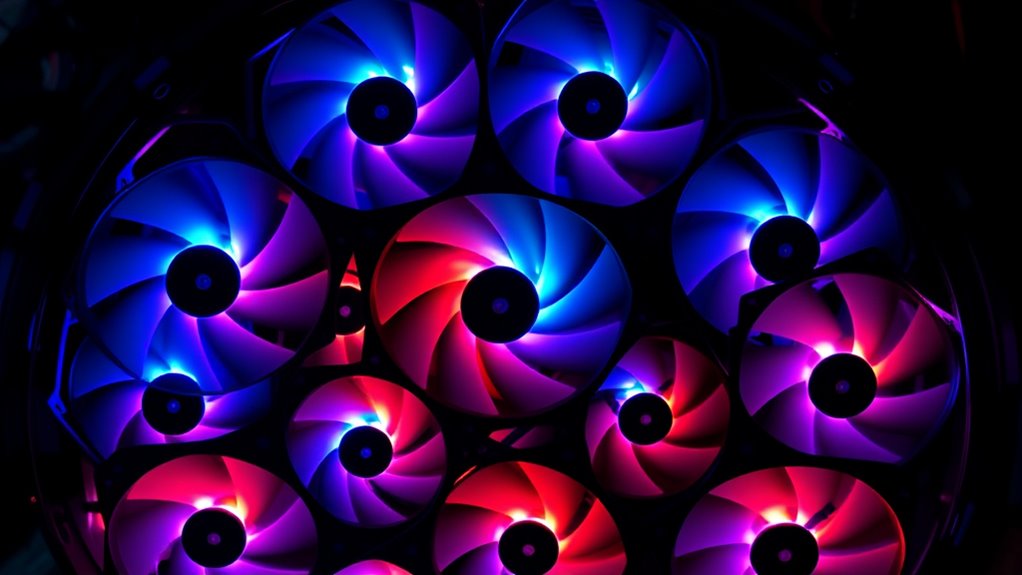

For most builds, I’d start with the ARCTIC P12 5-Pack: its pressure-focused design and five-fan bundle make it a practical choice for filling several mounts. The Noctua NF-P12 redux-1700 PWM is a stronger fit if quiet operation and a well-established fan design matter more than lighting, while the CORSAIR RS120 ARGB Triple Pack suits builds that need coordinated illumination. The key tradeoffs are airflow versus noise, plain cooling versus ARGB, and buying a single fan versus a multi-pack. Check your case mounts, radiator needs, and motherboard or hub connections before choosing. Read on for how the 15 options compare and which type of builder each one suits.

Get the latest gadgets delivered free with Prime
- Fast, free delivery on millions of items
- Prime Video, Amazon Music and more included
- Member-only deals all year
Complete the kit



Key Takeaways
- The ARCTIC P12 5-Pack is the broadest practical pick: five pressure-optimised fans suit builds with several available mounts, though buyers needing ARGB should look elsewhere.
- Noctua and NZXT take different approaches to quieter builds: the NF-P12 redux-1700 PWM offers adjustable speed control, while the F120Q is positioned around quiet airflow.
- Thermalright dominates the multi-pack ARGB choices: several listings offer similar TL-C12C-S configurations, so compare pack contents and exact model details before ordering.
- CORSAIR RS120 bundles add a distinct ecosystem and lighting choice: standard PWM versions keep the focus on cooling, while ARGB versions add illumination and extra connection planning.
- Pack size changes the value calculation: three- and five-fan bundles can simplify a multi-mount build, but are wasteful if the case only has one open position.
| be quiet! Pure Wings 3 120mm PWM Computer Case Fan |  | Best for Quiet Single-Fan Builds | Fan size: 120 mm | Connector: 4-pin PWM | Maximum speed: 1600 RPM | VIEW ON AMAZON | See Our Full Breakdown |
| CORSAIR RS120 ARGB 120mm PWM Fans – Triple Pack, White |  | Best High-Output ARGB Triple Pack | Fan size: 120 mm | Quantity: 3 fans | Maximum speed: 2100 RPM | VIEW ON AMAZON | See Our Full Breakdown |
| Thermalright TL-C12C-S X3 120mm ARGB Case Fan (3-Pack) |  | Best Balanced ARGB Value Set | Fan dimensions: 120 x 120 x 25 mm | Quantity: 3 fans | Maximum speed: 1550 RPM ±10% | VIEW ON AMAZON | See Our Full Breakdown |
| Noctua NF-P12 redux-1700 PWM 120mm Quiet Fan |  | Best Long-Life Cooler and Radiator Fan | Dimensions: 120 × 120 × 25 mm | Connector: 4-pin PWM | Maximum speed: 1700 RPM | VIEW ON AMAZON | See Our Full Breakdown |
| DARKROCK 3-Pack 120mm Black Computer Case Fans |  | Best Basic Three-Fan Replacement Set | Fan size: 120 mm | Quantity: 3 fans | Maximum speed: 1200 RPM | VIEW ON AMAZON | See Our Full Breakdown |
| NZXT F120Q 120mm Quiet Airflow PC Case Fan, Black |  | Best for Quiet Single-Fan Cooling | Fan size: 120 mm | Connector: 4-pin | Speed control: PWM | VIEW ON AMAZON | See Our Full Breakdown |
| Thermaltake CT120 EX ARGB Sync 120 mm Case and Radiator Fans, 3-Pack |  | Best for Magnetic ARGB Daisy-Chaining | Pack quantity: 3 fans | Dimensions: 120 × 120 × 25 mm | Speed: 500–2000 RPM (PWM) | VIEW ON AMAZON | See Our Full Breakdown |
| Thermalright TL-C12C-S 120mm ARGB PWM Case Fans, 5-Pack |  | Best for Five-Fan ARGB Coverage | Quantity: 5 fans | Dimensions: 120 × 120 × 25 mm | Maximum speed: 1550 RPM ±10% | VIEW ON AMAZON | See Our Full Breakdown |
| ARCTIC P12 5-Pack 120mm PC Case Fan, Pressure-Optimised, 1800 RPM – Black |  | Best for Radiators on a Five-Fan Budget | Quantity: 5 fans | Fan size: 120 mm | Fan speed: 1800 RPM | VIEW ON AMAZON | See Our Full Breakdown |
| Corsair RS120 120mm PWM Fans, Triple Pack, Black |  | Best for High-Output Radiator Cooling | Pack quantity: 3 fans | Connector: 4-pin PWM | Maximum speed: 2100 RPM | VIEW ON AMAZON | See Our Full Breakdown |
| Thermalright TL-C12C X3 120mm PWM Case Fans, 3-Pack | | Best Value for a Non-RGB Build | Quantity: 3 fans | Dimensions: 120 × 120 × 25 mm | Connector: 4-pin PWM | VIEW ON AMAZON | See Our Full Breakdown |
| Thermalright TL-C12C-S X3 120mm ARGB PWM Case Fans, 3-Pack |  | Best for Simple ARGB Builds | Quantity: 3 fans | Dimensions: 120 × 120 × 25 mm | Connector: 4-pin PWM | VIEW ON AMAZON | See Our Full Breakdown |
| Cooler Master MF120 Lite ARGB 120mm Case Fans, 3-Pack |  | Best for Wider Speed Adjustment | Fan size: 120 mm | Pack quantity: 3 | Fan speed: 650–1750 RPM | VIEW ON AMAZON | See Our Full Breakdown |
| CORSAIR RS120 ARGB 120mm PWM Fans – Triple Pack, Black |  | Best for Radiators and Higher Airflow | Fan size: 120 mm | Quantity: 3-pack | Maximum speed: 2100 RPM | VIEW ON AMAZON | See Our Full Breakdown |
| Thermalright TL-C12C-S X3 120mm ARGB Case Cooler Fan (3-Pack) |  | Best for a Quiet, Synchronized Setup | Quantity: 3 fans | Fan size: 120 × 120 × 25 mm | Maximum speed: 1550 RPM ±10% | VIEW ON AMAZON | See Our Full Breakdown |
| pc case fans120mm | Maximum speed | Airflow | Bearing | Connector |
|---|---|---|---|---|
| be quiet! Pure Wings 3 120mm P | 1600 RPM | 49.9 CFM | Rifle bearing | 4-pin PWM |
| CORSAIR RS120 ARGB 120mm PWM F | 2100 RPM | 72.8 CFM | Magnetic Dome | — |
| Thermalright TL-C12C-S X3 120m | 1550 RPM ±10% | 66.17 CFM per fan | S-FDB | 4-pin PWM |
| Noctua NF-P12 redux-1700 PWM 1 | 1700 RPM | 120.2 m³/h | — | 4-pin PWM |
| DARKROCK 3-Pack 120mm Black Co | 1200 RPM | 47.8 CFM | Hydraulic | 3-pin |
| NZXT F120Q 120mm Quiet Airflow | 1700 RPM | — | Fluid dynamic | 4-pin |
| Thermaltake CT120 EX ARGB Sync | — | — | Hydraulic | — |
| Thermalright TL-C12C-S 120mm A | 1550 RPM ±10% | 66.17 CFM | S-FDB | 4-pin PWM |
| ARCTIC P12 5-Pack 120mm PC Cas | — | 56.3 CFM | Fluid Dynamic Bearing | 3-pin |
| Corsair RS120 120mm PWM Fans | 2100 RPM | 72.8 CFM | Magnetic Dome | 4-pin PWM |
| Thermalright TL-C12C X3 120mm | 1550 RPM | 66.17 CFM | S-FDB | 4-pin PWM |
| Thermalright TL-C12C-S X3 120m | 1550 RPM ±10% | 66.17 CFM | S-FDB | 4-pin PWM |
| Cooler Master MF120 Lite ARGB | — | — | — | — |
| CORSAIR RS120 ARGB 120mm PWM F | 2100 RPM | 72.8 CFM | Magnetic Dome | — |
| Thermalright TL-C12C-S X3 120m | 1550 RPM ±10% | 66.17 CFM | — | 4-pin PWM |
More Details on Our Top Picks
be quiet! Pure Wings 3 120mm PWM Computer Case Fan
The Pure Wings 3 suits a build that needs one understated 120 mm fan with PWM speed control, rather than a lit multi-fan set. Its low minimum speed supports quieter operation during lighter workloads, while the radiator-oriented frame gives it more flexibility than a basic case-only fan. The 49.9 CFM airflow and 1600 RPM ceiling favor measured cooling over the higher peak output of the CORSAIR RS120 ARGB, which reaches 72.8 CFM. That lower ceiling can be an advantage for noise-conscious systems, but it leaves less headroom for heat-heavy builds. The rifle bearing is rated for 80,000 hours, though Noctua’s NF-P12 redux lists a longer MTTF and warranty. I’d choose this for a simple, quiet setup; buyers needing several fans or stronger peak airflow should compare those alternatives.
Pros:- Low minimum RPM supports quieter operation at light loads
- Radiator-oriented frame adds flexibility for cooler placement
- PWM connector allows motherboard speed adjustment
- Rifle bearing is rated for 80,000 hours
Cons:- 1600 RPM maximum is below the CORSAIR RS120 ARGB’s 2100 RPM ceiling
- Single fan is less suited to builds needing several replacements
- No lighting feature for builds seeking an illuminated look
Best for: Builders replacing one case or radiator fan who want PWM control and a low-speed quiet option without RGB lighting.
Not ideal for: High-heat gaming or workstation builds that need higher peak airflow, or buyers filling several fan mounts at once.
- Fan size:120 mm
- Connector:4-pin PWM
- Maximum speed:1600 RPM
- Airflow:49.9 CFM
- Noise level:25.5 dB
- Bearing:Rifle bearing
- Power:2.4 W
Our verdict“Choose the Pure Wings 3 for a quiet, PWM-controlled single-fan upgrade; choose the CORSAIR RS120 ARGB when higher peak airflow or lighting matters more.”
CORSAIR RS120 ARGB 120mm PWM Fans – Triple Pack, White
For a white build that needs both radiator capability and visible lighting, the CORSAIR RS120 ARGB combines three fans with strong airflow and pressure figures. Each reaches 72.8 CFM and 2.8 mm-H2O, making this set better equipped for radiators and heatsinks than the lower-pressure Thermalright TL-C12C-S X3. Its 2100 RPM ceiling also gives it more peak cooling headroom than the quieter, slower options in this batch. Daisy-chain connections reduce the number of separate leads to route, while eight addressable LEDs per fan support synchronized effects. The tradeoff is control compatibility: full ARGB use needs a suitable 5V motherboard header. These are also a less restrained choice for a system where low noise and minimal lighting matter more than peak airflow.
Pros:- Three fans combine up to 72.8 CFM airflow with 2.8 mm-H2O pressure
- Daisy-chain design simplifies fan and lighting cable routing
- Eight addressable LEDs per fan support motherboard-controlled effects
- Magnetic Dome bearing
Cons:- ARGB control requires a compatible motherboard header
- 2100 RPM maximum may be more speed than quiet-focused builds need
- White finish may not suit dark, understated interiors
Best for: Builders with a white case or radiator who want three high-airflow PWM fans, synchronized ARGB, and fewer cables to route.
Not ideal for: Users without a compatible 5V ARGB header, or noise-sensitive builds that do not need the higher speed ceiling.
- Fan size:120 mm
- Quantity:3 fans
- Maximum speed:2100 RPM
- Airflow:72.8 CFM
- Static pressure:2.8 mm-H2O
- Bearing:Magnetic Dome
- Lighting:8 ARGB LEDs per fan
- Connectors:4-pin PWM and +5V ARGB, daisy-chain
Our verdict“Pick this set for a white radiator build needing strong airflow and ARGB; choose the Thermalright TL-C12C-S X3 for a slower, lower-pressure alternative.”
Thermalright TL-C12C-S X3 120mm ARGB Case Fan (3-Pack)
The TL-C12C-S X3 gives builders three PWM-controlled fans with ARGB lighting and a moderate speed ceiling, making it a balanced choice for a case refresh. At 66.17 CFM per fan, it moves more stated airflow than the be quiet! Pure Wings 3, while its 1550 RPM maximum sits well below the CORSAIR RS120 ARGB’s 2100 RPM. That combination suits everyday case cooling without chasing the highest speed in this group. S-FDB bearings and a stated noise level of 25.6 dBA give it a clear quiet-operation angle, and up to 17 lighting effects allow some personalization. Static pressure is 1.53 mm H2O, however, so the Corsair’s stronger radiator figures make it the better fit for restrictive cooling setups. Full lighting control also depends on an ARGB-capable header.
Pros:- Three 120 mm fans make it practical to populate multiple case mounts
- PWM control supports automatic motherboard speed adjustment
- S-FDB bearings and stated noise up to 25.6 dBA suit quieter builds
- Frosted ARGB blades support up to 17 lighting effects
Cons:- 1550 RPM maximum offers less peak headroom than the CORSAIR RS120 ARGB
- 1.53 mm H2O pressure is lower than the Corsair’s radiator-focused specification
- Full lighting control requires an ARGB-capable motherboard header
Best for: Builders fitting three case positions who want PWM speed control, ARGB effects, and airflow without a high maximum speed.
Not ideal for: Radiator users prioritizing high static pressure, or buyers whose motherboard lacks an ARGB header for lighting control.
- Fan dimensions:120 x 120 x 25 mm
- Quantity:3 fans
- Maximum speed:1550 RPM ±10%
- Airflow:66.17 CFM per fan
- Air pressure:1.53 mm H2O
- Noise level:≤25.6 dBA
- Connector:4-pin PWM
- Bearing:S-FDB
Our verdict“Choose the TL-C12C-S X3 for a three-fan case setup balancing PWM, ARGB, and moderate speed; choose Corsair for higher radiator pressure.”
Noctua NF-P12 redux-1700 PWM 120mm Quiet Fan
The NF-P12 redux-1700 PWM is the pick for buyers who value documented longevity and a pressure-focused design over a multi-pack or lighting. Noctua lists an MTTF above 150,000 hours and a six-year warranty, which gives it a stronger stated long-term support case than the Pure Wings 3’s 80,000-hour rating and two-year warranty. Its 1700 RPM ceiling and 25.1 dB(A) maximum noise rating suit CPU coolers, radiators, and general case ventilation. The listed airflow is 120.2 m³/h, expressed in a different unit from the CFM figures of the other products, so I would not treat it as a direct numerical comparison without conversion. It is a single fan, and full-speed operation may be audible; buyers needing several fans or ARGB should look to the Thermalright or Corsair sets.
Pros:- High static-pressure design suits coolers and radiators
- PWM speed control supports automatic motherboard adjustment
- MTTF is listed as greater than 150,000 hours
- Six-year manufacturer warranty
Cons:- Single-fan format does not cover a multi-fan refresh
- Maximum speed of 1700 RPM may be audible
- No ARGB lighting feature
Best for: Builders replacing one CPU cooler, radiator, or case fan who prioritize PWM control, a long stated MTTF, and a six-year warranty.
Not ideal for: Buyers populating several mounts at once, seeking ARGB, or wanting silent operation at the fan’s maximum speed.
- Dimensions:120 × 120 × 25 mm
- Connector:4-pin PWM
- Maximum speed:1700 RPM
- Maximum noise:25.1 dB(A)
- Airflow:120.2 m³/h
- Power:1.08 W
- Material:Fibre-glass reinforced PBT
- MTTF:>150,000 hours
- Warranty:6 years
Our verdict“Choose the Noctua for a single cooler or radiator position where long stated life and warranty matter more than a multi-pack or lighting.”
DARKROCK 3-Pack 120mm Black Computer Case Fans
The DARKROCK BK3 is a straightforward set for replacing several case fans when PWM tuning and lighting are not priorities. Its three-fan format is more practical for a multi-mount refresh than the single-fan Pure Wings 3 or Noctua NF-P12 redux. Each fan tops out at 1200 RPM and 47.8 CFM, so this set favors modest case ventilation over the higher airflow and speed available from the CORSAIR RS120 ARGB. The 3-pin connector keeps the setup simple, but it does not provide the 4-pin PWM speed control found on the other picks here; motherboard-based control options may be more limited. Hydraulic bearings are rated for up to 30,000 hours, and silicone cushions address vibration, though the listed maximum noise is 32.1 dBA. I’d reserve these for less demanding builds where basic airflow across multiple positions is the goal.
Pros:- Three-fan set covers multiple case positions
- Nine-blade design is specified for up to 47.8 CFM airflow
- Silicone cushions help limit vibration
- Hydraulic bearings are rated for up to 30,000 hours
Cons:- 1200 RPM maximum offers less cooling headroom than the CORSAIR RS120 ARGB
- 3-pin connector does not support 4-pin PWM control
- 32.1 dBA listed maximum noise is higher than the quiet-focused options here
Best for: Builders replacing three standard case fans in a modest-heat system who prefer a simple 3-pin setup over PWM or lighting.
Not ideal for: High-heat systems needing greater airflow, or users who want 4-pin PWM control to tune fan speeds against temperature.
- Fan size:120 mm
- Quantity:3 fans
- Maximum speed:1200 RPM
- Airflow:47.8 CFM
- Noise level:32.1 dBA
- Connector:3-pin
- Bearing:Hydraulic
- Warranty:5 years after-sales service
Our verdict“Choose the DARKROCK BK3 for basic, three-position case ventilation; choose a PWM set such as the Thermalright TL-C12C-S X3 for more speed control.”
NZXT F120Q 120mm Quiet Airflow PC Case Fan, Black
The NZXT F120Q suits a build that needs one controllable intake or exhaust fan without lighting or multi-fan wiring. Its PWM control lets the motherboard adjust cooling with system temperatures, while the fluid dynamic bearing and stated 25.1 dB noise level favor quieter everyday operation. Compared with the three-fan ARCTIC P12 5-Pack, this is easier to choose when you only need one matching fan, but it lacks that pack’s pressure-focused specification and longer six-year warranty. The NZXT’s 1700 RPM ceiling also makes it a less compelling pick for buyers chasing maximum airflow under heavy thermal load. I’d choose it for a restrained, black build where adjustable, quiet case airflow matters more than high speed or RGB.
Pros:- PWM speed control can match fan speed to system temperatures
- Supports either intake or exhaust placement
- Fluid dynamic bearing is designed for quiet, stable operation
Cons:- Maximum speed of 1700 RPM may limit cooling headroom
- Single fan offers less coverage than the multi-fan packs
- No ARGB lighting
Best for: Builders adding one black PWM intake or exhaust fan to a quiet, understated PC
Not ideal for: Radiator-focused builders who need a pressure-oriented fan or buyers who want several fans in one pack
- Fan size:120 mm
- Connector:4-pin
- Speed control:PWM
- Maximum speed:1700 RPM
- Noise level:25.1 dB
- Bearing:Fluid dynamic
- Stated lifespan:60,000 hours
- Warranty:2 years
Our verdict“Choose the NZXT F120Q for a quiet, controllable single-fan addition; pick the ARCTIC P12 pack for pressure-focused multi-fan cooling.”
Thermaltake CT120 EX ARGB Sync 120 mm Case and Radiator Fans, 3-Pack
The Thermaltake CT120 EX 3-pack is aimed at builders who want synchronized lighting and simpler connections across three fans. Its MagForce 2.0 magnetic links support daisy-chaining, which can reduce cable clutter, and the fans combine PWM speed control with a 500–2000 RPM range. The stated 68 CFM airflow and 2.95 mm-H₂O pressure give this set more specified cooling headroom than the Thermalright TL-C12C-S 5-Pack, though the Thermalright supplies two more fans and lists lower maximum noise. Thermaltake’s 5V ARGB lighting requires a compatible motherboard header, so it is a poor match for systems without one. I’d favor it when lighting integration and a tidy three-fan installation matter more than pack size or quieter listed operation.
Pros:- MagForce 2.0 magnetic connections simplify daisy-chaining
- PWM speed range spans 500–2000 RPM
- Motherboard-synchronized ARGB lighting with nine LEDs per fan
- Product data lists airflow up to 68 CFM and pressure up to 2.95 mm-H₂O
Cons:- ARGB control requires a compatible 5V motherboard header
- Listed noise reaches 28.5 dBA
- Three fans provide less case coverage than the Thermalright five-pack
Best for: RGB-focused builders with a 5V ARGB motherboard header who want three linked PWM fans
Not ideal for: Buyers without a compatible 5V ARGB header or those prioritizing a larger fan bundle
- Pack quantity:3 fans
- Dimensions:120 × 120 × 25 mm
- Speed:500–2000 RPM (PWM)
- Maximum airflow:68 CFM
- Maximum air pressure:2.95 mm-H₂O
- Noise level:28.5 dBA
- Lighting:9 addressable LEDs per fan; 5V ARGB motherboard sync
- Bearing:Hydraulic
- Warranty:2 years
Our verdict“Choose the CT120 EX if you have a 5V ARGB header and want linked lighting across three fans with substantial stated airflow and pressure.”
Thermalright TL-C12C-S 120mm ARGB PWM Case Fans, 5-Pack
For a case that needs several matching fans, the Thermalright TL-C12C-S five-pack puts five 120 mm units in one bundle and adds PWM control and ARGB effects. Its listed 66.17 CFM airflow and 1550 RPM maximum suit general case cooling, while S-FDB bearings are designed to reduce noise and vibration. Compared with the Thermaltake CT120 EX 3-pack, Thermalright supplies two additional fans and lists a lower noise ceiling, but Thermaltake specifies greater maximum speed and static pressure. That makes the CT120 EX the more suitable of the two for buyers prioritizing higher stated pressure, while this set favors broad case coverage. ARGB synchronization depends on compatible motherboard connections, and the listed noise reaches 25.6 dBA.
Pros:- Five fans can cover several case mounts
- PWM speed control adjusts to motherboard temperature settings
- S-FDB bearings are designed to limit noise and vibration
- Supports ARGB lighting with up to 17 modes
Cons:- ARGB synchronization requires a compatible motherboard connection
- Maximum speed is 1550 RPM
- Listed maximum air pressure is 1.53 mm-H₂O
Best for: Builders populating multiple 120 mm case mounts who want PWM fans and motherboard-synchronized ARGB
Not ideal for: Radiator users prioritizing high static pressure or builders without compatible ARGB connections
- Quantity:5 fans
- Dimensions:120 × 120 × 25 mm
- Maximum speed:1550 RPM ±10%
- Airflow:66.17 CFM
- Air pressure:1.53 mm H₂O
- Noise level:≤25.6 dBA
- Bearing:S-FDB
- Lighting:ARGB, up to 17 modes
- Connector:4-pin PWM
Our verdict“Choose this five-pack for broad, coordinated case airflow; choose the Thermaltake CT120 EX if higher stated pressure matters more than having five fans.”
ARCTIC P12 5-Pack 120mm PC Case Fan, Pressure-Optimised, 1800 RPM – Black
The ARCTIC P12 five-pack prioritizes pressure-focused cooling over lighting and speed automation. Its stated 2.2 mm-H₂O static pressure is aimed at pushing air through radiators and heatsinks, making it a more targeted match for restrictive cooling surfaces than the general-case emphasis of the NZXT F120Q. Five fans also make it practical to populate multiple mounts with the same model, and the fluid dynamic bearing is designed for quiet operation. The tradeoff is its 3-pin connector: unlike the PWM Thermalright and NZXT options, it does not offer PWM speed control, and its fixed 1800 RPM may be more than an open intake needs. I’d pick it for a radiator-heavy build that values pressure and a longer stated warranty over lighting or fine fan-speed control.
Pros:- Pressure-optimized design is suited to radiators and heatsinks
- Five fans support multi-mount builds
- Fluid dynamic bearing is designed for quiet operation
- Six-year warranty
Cons:- 3-pin connector lacks PWM speed control
- Fixed 1800 RPM may be faster than needed for open intakes
- No ARGB lighting
Best for: Builders cooling radiators or heatsinks who need five pressure-oriented black fans and can use 3-pin control
Not ideal for: Users who need PWM speed adjustment, ARGB lighting, or a slower fixed speed for open case intakes
- Quantity:5 fans
- Fan size:120 mm
- Fan speed:1800 RPM
- Airflow:56.3 CFM
- Static pressure:2.2 mm-H₂O
- Noise level:0.3 Sone
- Connector:3-pin
- Bearing:Fluid Dynamic Bearing
- Warranty:6 years
Our verdict“Choose the ARCTIC P12 pack for pressure-oriented radiator or heatsink cooling when PWM control and lighting are secondary.”
Corsair RS120 120mm PWM Fans, Triple Pack, Black
The Corsair RS120 triple pack is the high-output choice here for builders who want radiator-capable fans with PWM control. Its stated 4.15 mm-H₂O static pressure and 72.8 CFM airflow exceed the listed pressure and airflow figures for the ARCTIC P12 five-pack, while AirGuide vanes direct air toward components. A single 4-pin PWM connection supports daisy-chaining, and Zero RPM mode can stop the fans at low loads for silence. The tradeoff is a 36 dB listed maximum noise level, plus only three fans in the pack. Compared with the quieter, larger ARCTIC bundle, this Corsair set makes more sense when cooling headroom and cable simplicity take priority over low-noise operation and coverage.
Pros:- High stated static pressure suits radiator cooling
- Daisy-chaining uses a single 4-pin PWM connector
- AirGuide vanes direct airflow toward components
- Zero RPM mode supports silent operation at low loads
Cons:- Maximum noise level is listed at 36 dB
- Three-fan pack offers less coverage than the ARCTIC five-pack
- Maximum speed reaches 2100 RPM, which may be unnecessary for light case airflow
Best for: Radiator builders seeking high stated pressure, PWM daisy-chaining, and low-load fan stop
Not ideal for: Quiet-build owners who run fans hard or builders needing five fans to populate a larger case
- Pack quantity:3 fans
- Connector:4-pin PWM
- Maximum speed:2100 RPM
- Airflow:72.8 CFM
- Static pressure:4.15 mm-H₂O
- Noise level:36 dB
- Bearing:Magnetic Dome
- Zero RPM mode:Supported
- Warranty:5 years
Our verdict“Choose the Corsair RS120 pack for radiator-focused cooling headroom and convenient PWM chaining if maximum-speed noise is acceptable.”
Thermalright TL-C12C X3 120mm PWM Case Fans, 3-Pack
The TL-C12C X3 suits a build that needs three straightforward 120 mm fans with automatic speed control, without adding lighting hardware or software. Its 66.17 CFM airflow and 1.53 mm H₂O pressure cover general case ventilation and provide some flexibility for radiators or CPU coolers. Compared with the ARGB-equipped Thermalright TL-C12C-S X3, this version keeps the setup simpler, but gives up illuminated effects. The 1550 RPM ceiling also favors everyday cooling over higher-speed options such as the CORSAIR RS120 ARGB, which reaches 2100 RPM and lists greater airflow and static pressure. S-FDB bearings and silicone corner pads are intended to reduce bearing noise and vibration; still, buyers prioritizing maximum cooling headroom should look at a faster fan.
Pros:- Three fans provide airflow across multiple case positions
- PWM control adjusts speed according to motherboard settings
- S-FDB bearings and silicone corner pads are designed to limit noise and vibration
- Can be used in cases, radiators, and CPU coolers
Cons:- 1550 RPM maximum is below faster options such as the CORSAIR RS120 ARGB
- No ARGB lighting for a build where fan illumination is part of the design
Best for: Builders who need three PWM-controlled case or cooler fans for a non-RGB desktop.
Not ideal for: Buyers seeking synchronized lighting or higher fan speeds for a demanding radiator setup.
- Quantity:3 fans
- Dimensions:120 × 120 × 25 mm
- Connector:4-pin PWM
- Maximum speed:1550 RPM
- Airflow:66.17 CFM
- Air pressure:1.53 mm H₂O
- Noise level:25.6 dBA
- Bearing:S-FDB
Our verdict“Choose this three-pack for practical PWM cooling without ARGB, and skip it if you need more speed or lighting.”
Thermalright TL-C12C-S X3 120mm ARGB PWM Case Fans, 3-Pack
The TL-C12C-S X3 adds addressable lighting to the same general-purpose cooling profile as Thermalright’s non-ARGB TL-C12C X3. Three fans run at up to 1550 RPM, with 66.17 CFM airflow and 1.53 mm H₂O pressure listed for case, radiator, and cooler use. Up to 17 lighting effects and motherboard synchronization give builders room to coordinate the fans with other components, provided the system has a compatible ARGB connection. Compared with the CORSAIR RS120 ARGB, this Thermalright set runs at a lower listed maximum speed and pressure, but offers a more modest cooling profile for a general-purpose build. S-FDB bearings are designed for quiet operation; the tradeoff is that these fans are a better match for moderate cooling needs than a setup built around high airflow at speed.
Pros:- Three fans combine PWM control with ARGB effects
- Motherboard synchronization supports coordinated lighting
- Listed airflow is 66.17 CFM per product specification
- S-FDB bearings are designed for quiet operation and durability
Cons:- Maximum speed is 1550 RPM ±10%, below the CORSAIR RS120 ARGB’s 2100 RPM
- Lighting synchronization requires a compatible ARGB connection
Best for: PC builders who want three PWM fans with addressable lighting and motherboard synchronization.
Not ideal for: Radiator-focused builders seeking higher maximum speed and static pressure, or anyone without a compatible ARGB header.
- Quantity:3 fans
- Dimensions:120 × 120 × 25 mm
- Connector:4-pin PWM
- Maximum speed:1550 RPM ±10%
- Airflow:66.17 CFM
- Air pressure:1.53 mm H₂O
- Lighting:ARGB, up to 17 effects; motherboard synchronization
- Bearing:S-FDB
Our verdict“Pick this set for synchronized ARGB and moderate cooling, but choose a faster, higher-pressure set for demanding radiator use.”
Cooler Master MF120 Lite ARGB 120mm Case Fans, 3-Pack
With a stated range of 650–1750 RPM, the MF120 Lite ARGB gives builders more room to tune fan speed than the Thermalright TL-C12C-S X3, whose maximum is 1550 RPM and whose minimum is not provided here. That range can help match everyday airflow to a quieter or more demanding cooling setup, though the listed 30 dB noise level makes it harder to position as the quiet-first choice. Frosted ARGB blades provide a different visual style from the Thermalright fans, while the reinforced PBT frame and curved blades are designed for airflow. A splitter cable supports daisy-chain ARGB connections, which can simplify lighting hookups. The product data does not give airflow or static-pressure figures, so buyers comparing radiator performance with the CORSAIR RS120 ARGB have less cooling detail to work with.
Pros:- 650–1750 RPM range gives a stated span for fan-speed adjustment
- Frosted ARGB blades offer a distinct lighting appearance
- Reinforced PBT frame and curved blades are designed for airflow
- Included splitter cable supports daisy-chain ARGB connections
Cons:- Listed noise level is 30 dB
- Requires a compatible ARGB connection for lighting
- Product data does not specify airflow or static pressure
Best for: Builders who want frosted ARGB fans and a stated speed range for adjusting cooling to their system.
Not ideal for: Quiet-focused buyers or radiator shoppers who need published airflow and static-pressure figures for comparison.
- Fan size:120 mm
- Pack quantity:3
- Fan speed:650–1750 RPM
- Power connector:4-pin
- Noise level:30 dB
- Frame material:PBT plastic
- Power:2.76 W
- Warranty:2 years
Our verdict“Choose the MF120 Lite for its broader stated speed range and frosted lighting, but compare another model if low noise or radiator data is a priority.”
CORSAIR RS120 ARGB 120mm PWM Fans – Triple Pack, Black
The CORSAIR RS120 ARGB stands apart from the Thermalright TL-C12C-S X3 with a higher listed maximum speed, airflow, and static pressure: 2100 RPM, 72.8 CFM, and 2.8 mm H₂O. That combination makes this set the more clearly specified choice for builders who want to push air through a radiator as well as across a case. AirGuide vanes direct airflow toward components, and magnetic-dome bearings round out a feature set aimed at performance-focused builds. The wiring also has a useful distinction: the three fans daisy-chain to share one PWM and one 5V ARGB connector, reducing motherboard connection clutter. PWM and ARGB still use separate cables, and lighting control depends on compatible motherboard software. Compared with the quieter-spec Thermalright set, this CORSAIR option offers more stated cooling headroom but may not suit a build tuned for lower fan speeds.
Pros:- Listed 72.8 CFM airflow and 2.8 mm H₂O pressure suit radiator use
- Daisy-chain connectivity lets three fans share one PWM and one ARGB connector
- AirGuide vanes direct airflow toward components
- Each fan includes eight addressable RGB LEDs
Cons:- PWM and ARGB still require separate cable connections
- ARGB control requires compatible motherboard support
- 2100 RPM maximum may be more speed than a quiet-focused build needs
Best for: Builders cooling a radiator who want three ARGB fans with higher listed airflow and static pressure.
Not ideal for: Quiet-first builders or buyers whose motherboard lacks a compatible 5V ARGB connection.
- Fan size:120 mm
- Quantity:3-pack
- Maximum speed:2100 RPM
- Airflow:72.8 CFM
- Static pressure:2.8 mm H₂O
- Bearing:Magnetic Dome
- Lighting:8 ARGB LEDs per fan
- Connectivity:Daisy-chain, 4-pin PWM + 5V ARGB
Our verdict“Choose the RS120 ARGB when radiator pressure, airflow, and simpler fan cabling matter more than quiet-first operation.”
Thermalright TL-C12C-S X3 120mm ARGB Case Cooler Fan (3-Pack)
This TL-C12C-S X3 listing emphasizes a quiet operating profile alongside ARGB: it specifies noise up to 25.6 dBA, 66.17 CFM airflow, and S-FDB bearings for the three-fan set. PWM control tops out at 1550 RPM ±10%, which is a better fit for general case ventilation than for buyers seeking the higher speed and pressure listed for the CORSAIR RS120 ARGB. Its motherboard-synchronized lighting offers a visual upgrade over the non-RGB Thermalright TL-C12C X3, while keeping the same stated airflow and pressure. The 55 cm cable length may make routing harder in a larger case, and buyers should check that their motherboard can handle the ARGB connection. The specifications list up to 17 lighting modes in the product description, though the spec table does not repeat that detail.
Pros:- Three fans provide 66.17 CFM listed airflow
- S-FDB bearings and noise level of up to 25.6 dBA suit quieter builds
- PWM control adjusts speed based on system temperature
- ARGB lighting can synchronize with a compatible motherboard
Cons:- 1550 RPM ±10% maximum is lower than the CORSAIR RS120 ARGB’s 2100 RPM
- 55 cm cable length may complicate routing in larger cases
- ARGB synchronization requires a compatible motherboard connection
Best for: Builders seeking three PWM-controlled ARGB fans with a stated low noise ceiling for a standard desktop case.
Not ideal for: Large-case builders concerned about 55 cm cable reach, or users seeking faster fans for a restrictive radiator.
- Quantity:3 fans
- Fan size:120 × 120 × 25 mm
- Maximum speed:1550 RPM ±10%
- Noise level:≤25.6 dBA
- Airflow:66.17 CFM
- Air pressure:1.53 mm H₂O
- Connector:4-pin PWM
- Cable length:55 cm
Our verdict“Pick this Thermalright set for quiet-leaning case airflow with synchronized ARGB, and look to a faster model for radiator headroom.”

How We Picked
I ranked these fans by the decisions that matter in a 120mm case-fan purchase: airflow and pressure suitability, speed control, noise positioning, build and installation practicality, lighting, and how useful each listed pack is for common builds. Pressure-oriented models can make more sense behind a restrictive grille or on a radiator, while general airflow options suit less obstructed case mounts. Pack count also matters: a bundle is useful when it matches the number of open mounts, but extra fans add little if the case cannot use them.
The order favors versatility and clear buyer fit over feature count alone. The ARCTIC five-pack leads for multi-fan cooling utility; quieter-focused options follow for noise-sensitive builds; and ARGB bundles rank well when lighting is part of the goal. Similar Thermalright listings are differentiated cautiously because their names and pack configurations overlap, so I would verify the exact model and included accessories. Product descriptions alone do not establish comparative measured performance, so I avoid claiming test results or precise noise advantages.
| pc case fans120mm | Bearing |
|---|---|
| be quiet! Pure Wings 3 120mm P | Rifle bearing |
| CORSAIR RS120 ARGB 120mm PWM F | Magnetic Dome |
| Thermalright TL-C12C-S X3 120m | S-FDB |
| Noctua NF-P12 redux-1700 PWM 1 | — |
| DARKROCK 3-Pack 120mm Black Co | Hydraulic |
| NZXT F120Q 120mm Quiet Airflow | Fluid dynamic |
| Thermaltake CT120 EX ARGB Sync | Hydraulic |
| Thermalright TL-C12C-S 120mm A | S-FDB |
| ARCTIC P12 5-Pack 120mm PC Cas | Fluid Dynamic Bearing |
| Corsair RS120 120mm PWM Fans | Magnetic Dome |
| Thermalright TL-C12C X3 120mm | S-FDB |
| Thermalright TL-C12C-S X3 120m | S-FDB |
| Cooler Master MF120 Lite ARGB | — |
| CORSAIR RS120 ARGB 120mm PWM F | Magnetic Dome |
| Thermalright TL-C12C-S X3 120m | — |
Factors to Consider When Choosing Pc Case Fans120mm
I’d settle the fit and wiring questions before choosing a fan by brand or lighting style. These checks help avoid buying a bundle that cannot connect cleanly or a fan type that does not suit the mount.
Match the fan to the mount
A 120mm label describes the fan size, but it does not guarantee every case or cooler can accept it. Check the case manual for supported positions, screw spacing, radiator compatibility, and clearance around tall memory or cables. A front intake behind a tight filter has different airflow demands from an open rear exhaust. Pressure-focused models can be a sensible starting point for restrictive mounts, though the best choice still depends on the full cooling setup. For radiators, check the radiator maker’s guidance rather than assuming any case fan will perform equally well there. Count usable mounts before buying a multi-pack.
Plan airflow as a system
More fans do not automatically mean lower temperatures or less noise. Decide which positions will draw air in and which will exhaust it, then keep the layout consistent with the case’s filters and vents. A common mistake is adding exhaust fans while leaving intake restricted, which can pull dust through unfiltered gaps. You can often begin with front intake and rear exhaust, then add top exhaust if the build needs it. Compare the number of intake and exhaust fans, but treat the case layout and fan speed as part of the same decision. Leave unused mounts empty if extra airflow is unlikely to help.
Check connectors and control before buying
PWM fans typically use a four-pin motherboard header for speed control, while ARGB lighting has its own connection requirements. These are separate jobs: a fan can spin correctly while its LEDs remain unconnected. Check your motherboard manual for available fan headers and compatible addressable RGB headers, including their voltage and pin layout. Never assume a lighting plug fits a standard RGB header just because both use several pins. Multi-packs may include a hub or splitter, but the listing details determine what is in the box. If headers are limited, account for the cost and space of a compatible hub before settling on a bundle.
Choose lighting with the whole build in mind
ARGB can coordinate fans with other components, but it adds wiring and configuration work. If the case hides the fans or the system prioritizes low visual clutter, a non-illuminated option keeps the build simpler. Mixing lighting brands may mean managing more than one control app, and motherboard-based synchronization can depend on supported software. White and black versions can also change how visible dust and cables appear behind a mesh panel. Avoid paying for effects you will not see once the system is assembled. Decide whether the lighting is a priority before comparing bundles that otherwise serve similar cooling roles.
Balance noise goals against cooling headroom
Fan noise depends on speed, the case panel, nearby components, and the curve that controls the fan. A quiet-focused model may suit an office or bedroom PC, while a system with heat-heavy hardware may need more airflow under load. Rather than choosing only by maximum RPM, plan a fan curve that keeps speeds low during light use and increases them when temperatures rise. Check whether the motherboard can control the fan type you choose, especially if you are reusing older hardware. A quiet fan running too slowly may not cool a restrictive mount well. Aim for a setup that has enough headroom without running every fan at full speed.
Buy the right number of fans
Multi-packs can simplify a build and provide matching fans, but pack count should follow the case layout. One or two additional fans may be enough when the case already includes intake fans. A five-pack makes more sense when several mounts are empty or when you want matching replacements on hand. Extra fans also mean more cables, headers, and potential noise sources. Check whether your case includes fans before ordering, since those may already cover the basic intake and exhaust positions. Compare the bundle contents and exact model suffixes carefully when several listings use similar product names.
Frequently Asked Questions
Should I choose the ARCTIC P12 five-pack or a three-pack?
I’d choose the five-pack if your case has several open 120mm mounts and you want matching fans across the build. A three-pack is easier to justify when you need a front intake group or a few replacements, rather than a full case refresh. First count the usable mounts and check how many fans are already included with the case. Also confirm that your motherboard or hub can power and control the number you plan to install. Filling every mount is not a goal by itself; the airflow layout matters more than the total count.
Do I need ARGB fans, or should I choose standard PWM fans?
Choose ARGB if visible lighting is part of the build and you have a compatible addressable RGB connection or controller. Standard PWM fans are a cleaner choice when cooling control matters more than visual effects, and they reduce the number of lighting cables to manage. Check the motherboard manual before purchasing ARGB because lighting connectors are not interchangeable with every RGB header. Think about where the fans sit: illumination can be hard to see through a closed panel or dense radiator. For a straightforward first build, standard PWM can make setup easier.
Can I use these 120mm case fans on a radiator?
Some 120mm fans can be mounted to radiators, but the size alone does not tell you how they will perform there. Radiator fins restrict airflow, so pressure-oriented models are a reasonable place to start. Confirm that the fan thickness, screw length, and mounting pattern match your radiator and case. A fan marketed for case airflow may still work, but the product description does not prove it is the best match for a dense radiator. Check the cooler or radiator maker’s recommendations and plan speed control for the expected heat load.
Will adding more case fans make my PC quieter?
Not automatically. More fans can move the same amount of air at lower individual speeds, but they also add motor and airflow noise if run too fast. A balanced intake and exhaust layout with a sensible fan curve often matters more than filling every mount. Start with the fans already in your case, monitor temperatures under your normal workload, and add another only if cooling needs call for it. If noise is the priority, look at quieter-focused options such as the Noctua NF-P12 redux or NZXT F120Q, then tune their speeds to your system.
What should I check before buying a multi-pack for my first build?
Check the case’s supported fan positions, the number of included fans, and the available motherboard headers first. For ARGB bundles, separately verify the lighting header or controller; PWM control does not connect the LEDs. Confirm whether a listed pack includes a hub or splitter instead of assuming it does. A three-pack is often easier to place sensibly than a larger bundle when you are still learning how your case handles airflow. Pick a simple intake and exhaust arrangement, then add fans later if temperatures show a need.
Conclusion
For an all-around multi-mount build, I’d choose the ARCTIC P12 5-Pack as the best overall option because it combines pressure-focused design with a useful five-fan configuration. The Thermalright TL-C12C-S bundles are my best value direction for buyers who want several ARGB fans, though I’d confirm the exact pack and included connections. For a more premium-leaning quiet build, I’d look first at the Noctua NF-P12 redux-1700 PWM; its non-ARGB design suits buyers who put speed control and noise positioning ahead of lighting. Beginners who want an uncomplicated setup can start with the standard CORSAIR RS120 PWM Triple Pack, provided the case and headers match. If lighting is the specific goal, choose a CORSAIR or Thermalright ARGB pack based on connector compatibility; if subdued operation matters most, compare the Noctua and NZXT quiet-focused models. The best fit comes down to your open mounts, airflow restrictions, and wiring—not simply the biggest bundle.
Halloween Picks
halloween
As an affiliate, we earn on qualifying purchases.