
Optical disc burners that support Blu-ray vary less by their basic job than by how they connect and what they add around the drive. My best overall pick is the Wbacon External Blu-ray Drive with 100GB Disc Support and 7-in-1 Connectivity, which pairs broad connectivity with stated support for high-capacity discs. The GOOBOX 6X BD-RE Burner stands out for its stated rewrite capability and USB-C connection, while the Mthstec drive with hard drive enclosure and USB hub is aimed at buyers who want storage features alongside disc burning. The main tradeoff is between a straightforward drive and a bulkier hub-equipped unit; compatibility, supported disc formats, and the software needed to burn or play discs matter just as much as the port count. Read on for the full comparison and guidance on matching a drive to your computer and discs.

Get the latest gadgets delivered free with Prime
- Fast, free delivery on millions of items
- Prime Video, Amazon Music and more included
- Member-only deals all year
Complete the kit



Key Takeaways
- Wbacon leads this lineup for versatility because its stated 100GB disc support and 7-in-1 connectivity address both high-capacity media and port expansion.
- GOOBOX is the clearest fit for rewritable Blu-ray tasks among these listings, with 6X BD-RE called out in its product name; buyers should still confirm format compatibility for their discs.
- Hub features are the main point of separation. Several models add card readers or multiple ports, while the USB-A/USB-C drives favor a simpler connection setup.
- Mthstec serves a distinct storage-minded use case with its hard drive enclosure and USB hub, but its extra hardware may be unnecessary for someone who only needs disc burning.
- Similar USB 3.0 and USB-C naming does not establish equal performance. Confirm actual disc formats, host-system support, and included software rather than choosing by connector labels alone.
| External Blu-ray DVD Drive with 8-in-1 USB Hub |  | Best for Laptop Port Expansion | Disc formats: BD-ROM, BD-R/RE, BD-R DL, BD-XL read-only, DVD±R/RW, CD-R/RW, M-Disc | Blu-ray read speed: 6x | Blu-ray burn speed: 6x | VIEW ON AMAZON | See Our Full Breakdown |
| Mthstec External Blu-ray Drive with Hard Drive Enclosure and USB Hub |  | Best for a Disc-and-Drive Desktop Setup | Blu-ray read speed: Up to 16x | DVD read speed: Up to 16x | CD read speed: Up to 40x | VIEW ON AMAZON | See Our Full Breakdown |
| Wbacon External Blu-ray Drive with 100GB Disc Support and 7-in-1 Connectivity |  | Best for High-Capacity Blu-ray Archiving | Disc capacity: Up to 100 GB | Blu-ray read/write speed: Up to 6x | DVD read/write speed: Up to 8x | VIEW ON AMAZON | See Our Full Breakdown |
| External Blu-ray Drive with USB 3.0 and USB-C |  | Best for Buyers Who Want a Simple Connection Setup | Disc compatibility: Blu-ray, CD, DVD | Interfaces: USB 3.0 and USB-C | USB 3.0 bandwidth: 5 Gbps | VIEW ON AMAZON | See Our Full Breakdown |
| GOOBOX External Blu-ray Drive, 6X BD-RE Burner with USB-C and USB 3.0 |  | Best Straightforward Blu-ray Burner | Supported formats: BD-ROM, BD-R/RE, DVD±R/RW, DVD-RAM, CD-R/RW | Blu-ray read/write speed: 6x | DVD read/write speed: 8x | VIEW ON AMAZON | See Our Full Breakdown |
| 8-in-1 External Blu-ray Drive with USB-C Hub and Card Reader |  | Best for Travel and File Transfers | Disc formats: BD, DVD±R/RW, CD-R/RW, M-Disc | Maximum Blu-ray write capacity: 50GB, dual-layer | Blu-ray read speed: 6x | VIEW ON AMAZON | See Our Full Breakdown |
| BUNUD External Blu-ray, DVD and CD Drive with USB 3.0 and USB-C |  | Best for Plug-and-Play Connectivity | Hardware interface: USB 3.0 and USB-C | Blu-ray read speed: 2x for video; up to 6x | DVD write speed: Up to 8x | VIEW ON AMAZON | See Our Full Breakdown |
| Wintale External Blu-ray Burner, USB 3.0 & Type-C |  | Best for Linux Compatibility | Interface: USB 3.0 and Type-C | Data transfer rate: 5 Gbps | Blu-ray read speed: 6x | VIEW ON AMAZON | See Our Full Breakdown |
| Yaeonku External Blu-ray Drive with USB 3.0 and USB-C |  | Best for 3D Blu-ray Playback | Interfaces: USB 3.0 and USB Type-C | Supported media: Blu-ray playback; CD and DVD burning | Listed read speed: 24x | VIEW ON AMAZON | See Our Full Breakdown |
| External USB 3.0 Blu-ray Drive with USB-C | 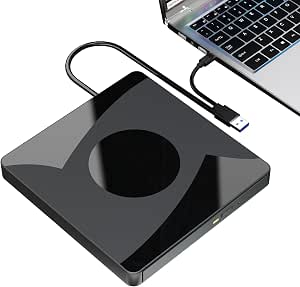 | Best for 50GB Blu-ray Backups | Interfaces: USB 3.0 and USB Type-C | Maximum listed speeds: 6x BD, 8x DVD, 24x CD | Supported Blu-ray capacity: 50GB | VIEW ON AMAZON | See Our Full Breakdown |
| USB 3.0 Type-C External Blu-ray Burner with 7-in-1 Hub |  | Best for 100GB Disc Capacity | Disc formats: CD, DVD, Blu-ray | Maximum write speeds: CD 24x, DVD 8x, Blu-ray 6x | Maximum Blu-ray capacity: Up to 100GB | VIEW ON AMAZON | See Our Full Breakdown |
| Dainty 7-in-1 External Blu-ray Drive with USB 3.0 and USB-C |  | Best for M-DISC and Broad Media Support | Connections: USB 3.0 and USB-C | Optical read speeds: Blu-ray up to 6x, DVD up to 8x, CD up to 24x | Optical write speeds: BD-R up to 6x, DVD-R/DVD+R up to 8x, CD-R up to 24x | VIEW ON AMAZON | See Our Full Breakdown |
| External Blu-ray Drive and Burner with USB-A and USB-C |  | Best for Straightforward Dual-Connector Use | Connectivity: USB 3.0 and USB-C | Maximum transfer rate: Up to 5Gbps | Optical speeds: Blu-ray up to 6x, DVD up to 8x, CD up to 24x | VIEW ON AMAZON | See Our Full Breakdown |
More Details on Our Top Picks
External Blu-ray DVD Drive with 8-in-1 USB Hub
The main reason I’d choose this model over the GOOBOX External Blu-ray Drive is its built-in connectivity: alongside disc burning, it adds USB ports and a TF/SD reader. That can reduce dongle juggling on a laptop with few connections, while the 300 g body, carrying case, and disc sleeves suit occasional use away from a desk. It reads and writes Blu-ray, DVD, and CD media, but its Blu-ray recording tops out at 50 GB; BD-XL discs are read-only, unlike the Wbacon drive’s stated 100 GB disc support. The tradeoff is clear: this is a practical hub-and-burner combination, not a high-capacity archive drive. It also lacks 4K Blu-ray playback, and playback software may be needed separately.
Pros:- Reads and writes Blu-ray, DVD, and CD formats
- Adds USB-A, USB-C, USB 3.0, and USB 2.0 ports plus a TF/SD card slot
- Slim, lightweight design includes a carrying case and four disc sleeves
- Supports M-Disc and reads BD-XL media
Cons:- BD-XL discs are read-only, with Blu-ray recording limited to 50 GB
- Does not support 4K Blu-ray playback
- TF and SD cards cannot be used simultaneously
Best for: Laptop owners who want one portable device for Blu-ray burning, basic USB expansion, and transferring files from an SD or TF card.
Not ideal for: Archivists who need to write 100 GB BD-XL discs, or buyers seeking 4K Blu-ray playback or a drive for a TV, tablet, phone, or car system.
- Disc formats:BD-ROM, BD-R/RE, BD-R DL, BD-XL read-only, DVD±R/RW, CD-R/RW, M-Disc
- Blu-ray read speed:6x
- Blu-ray burn speed:6x
- DVD read/burn speed:8x
- CD read/burn speed:24x
- USB hub:2 USB-C, 1 USB 3.0, 1 USB 2.0
- Card slot:TF/SD; one card at a time
- Dimensions and weight:5.5 × 5.5 × 0.35 inches; 300 g
- Compatibility:Windows 11/10/8.1/7/XP/ME/2000 and macOS 10.6 or later
Our verdict“Choose this if laptop connectivity and portable disc burning matter more than writing 100 GB Blu-ray discs.”
Mthstec External Blu-ray Drive with Hard Drive Enclosure and USB Hub
I’d rank the Mthstec for buyers who want an external Blu-ray burner to do more than handle discs. Its standout addition is an enclosure for 2.5-inch or 3.5-inch SATA drives, plus two USB 3.0 ports, so a desk setup can pair optical media with extra storage. The stated 16x Blu-ray read speed is also higher than the 6x read speed listed for the GOOBOX and the Wbacon, though actual performance can vary with the disc and files. That reading figure should not be mistaken for writing speed: the supplied specs do not state a Blu-ray burn rate. I’d favor it over the simpler GOOBOX when the SATA enclosure is useful, but its larger all-in-one purpose is less compelling for someone who only needs a slim burner. Playback still depends on suitable software and computer hardware.
Pros:- Reads and writes Blu-ray, DVD, and CD media
- SATA enclosure accommodates 2.5-inch and 3.5-inch drives
- Two USB 3.0 ports provide added connectivity
- Listed Blu-ray read speed reaches 16x
Cons:- Blu-ray writing speed is not specified in the supplied product data
- Blu-ray and 3D playback require compatible software and computer hardware
- Disc speeds can vary by file type and media
Best for: Desktop users who want Blu-ray, DVD, and CD burning alongside an enclosure for a spare 2.5-inch or 3.5-inch SATA drive.
Not ideal for: Travel-focused buyers seeking a slim, lightweight burner, or anyone who needs a confirmed Blu-ray writing speed before choosing.
- Blu-ray read speed:Up to 16x
- DVD read speed:Up to 16x
- CD read speed:Up to 40x
- CD-RW write speed:Up to 24x
- DVD±R write speed:Up to 16x
- DVD±RW write speed:Up to 6x
- Hard drive compatibility:2.5-inch and 3.5-inch SATA I/II/III
- USB hub and transfer rate:2 USB 3.0 ports; up to 5 Gbps
- Compatibility:Windows XP/7/8/10/11 and macOS
Our verdict“Pick the Mthstec if its SATA drive enclosure is as useful to you as its optical burner; otherwise, a simpler portable drive is a better fit.”
Wbacon External Blu-ray Drive with 100GB Disc Support and 7-in-1 Connectivity
Among these five drives, the Wbacon has the clearest case for buyers who need 100 GB disc support. That capacity separates it from the External Blu-ray DVD Drive with 8-in-1 USB Hub, whose Blu-ray recording is limited to 50 GB and whose BD-XL support is read-only. The Wbacon also adds USB ports and separate SD and TF slots, giving it a broader file-transfer role than the straightforward GOOBOX burner. Its stated Blu-ray read and write speeds are 6x, with DVD at 8x and CD at 24x. The tradeoffs are that SD and TF cards cannot run at the same time, and the listed operating-system range is dated, including macOS 10 or earlier. Buyers should also plan on separate software for Blu-ray playback.
Pros:- Supports Blu-ray discs with capacities up to 100 GB
- Reads and writes Blu-ray, DVD, and CD media
- Includes USB-A and USB-C connectivity, two USB ports, and SD and TF slots
- Portable design with a stated 5 Gbps data transfer rate
Cons:- SD and TF cards cannot be used simultaneously
- Listed macOS compatibility only extends to macOS 10 or earlier
- Blu-ray playback requires separate software
Best for: Home archivists who need to write 100 GB Blu-ray discs and want card-reader and USB connections in the same portable unit.
Not ideal for: Buyers using newer macOS versions who need clearly stated support, or anyone who expects simultaneous SD and TF card access or playback without separate software.
- Disc capacity:Up to 100 GB
- Blu-ray read/write speed:Up to 6x
- DVD read/write speed:Up to 8x
- CD read/write speed:Up to 24x
- Connectivity:USB 3.0 and USB-C
- Ports and slots:2 USB ports, 1 SD card slot, 1 TF card slot
- Data transfer rate:5 Gbps
- Compatible operating systems:Windows 7/8/10/Vista/ME/SE/XP/2000, Linux, macOS 10 or earlier
Our verdict“Choose the Wbacon when 100 GB disc writing is the priority and its stated operating-system support matches your computer.”
External Blu-ray Drive with USB 3.0 and USB-C
This model makes more sense as a basic external optical drive than as a fully specified Blu-ray burner. It offers USB 3.0 and USB-C, plus an additional power cable that may help when a computer port cannot supply stable power. Compared with the GOOBOX, however, the listing is less clear about Blu-ray recording: it says Blu-ray discs are compatible and that writing requires software, but gives no burn speeds or supported Blu-ray recording formats. The GOOBOX explicitly lists BD-R/RE and a 6x Blu-ray write speed, so I’d choose that instead when confirmed Blu-ray burning capability is the priority. This drive may suit users who want broad operating-system support and a compact CD/DVD reader-writer with Blu-ray support, but the missing technical detail makes it a less certain choice for disc-authoring plans.
Pros:- USB 3.0 and USB-C interfaces suit a range of computers
- Includes an additional USB power cable
- Supports Blu-ray, CD, and DVD discs
- Lists compatibility with Windows, macOS, and Linux
Cons:- Blu-ray playback and writing software is not included
- Blu-ray write formats and speeds are not specified
- Not compatible with TVs, tablets, Chromebooks, or game consoles
Best for: Buyers seeking a compact USB-A/USB-C optical drive for CD and DVD writing, with Blu-ray support and an extra power cable.
Not ideal for: Blu-ray archivists who need documented write formats and speeds, or anyone unwilling to source playback and burning software separately.
- Disc compatibility:Blu-ray, CD, DVD
- Interfaces:USB 3.0 and USB-C
- USB 3.0 bandwidth:5 Gbps
- Supported operating systems:Windows, macOS, Linux
- Additional power:USB power cable included
- Playback software:Required; not included
- Color:Black
Our verdict“Consider this for basic optical-drive use if the connection options matter more than clearly documented Blu-ray burning specifications.”
GOOBOX External Blu-ray Drive, 6X BD-RE Burner with USB-C and USB 3.0
For buyers who want a clearly specified burner without a built-in hub or storage enclosure, the GOOBOX is the most direct fit here. It lists 6x Blu-ray, 8x DVD, and 24x CD read and write speeds, making its recording capabilities easier to evaluate than the USB 3.0/USB-C model, which does not state Blu-ray write speeds. Its dual USB connection options and compatibility with Windows, macOS, and Linux also make it more versatile across computer setups than the Wbacon’s stated support for macOS 10 or earlier. The tradeoff is that the GOOBOX offers no card reader or extra hub ports, and the product data does not list 100 GB disc support. Blu-ray playback requires third-party software, while lower-power devices may need the included external power cable.
Pros:- Lists read and write speeds for Blu-ray, DVD, and CD
- USB 3.0 and USB-C connections support different computer ports
- Compatible with Windows, macOS, and Linux
- Compact body includes a built-in cable storage slot
Cons:- Blu-ray playback requires compatible third-party software
- May need the external power cable on low-power devices
- Not compatible with Chromebooks, TVs, tablets, iPads, or car systems
Best for: Computer owners who want a portable Blu-ray/DVD/CD burner with stated write speeds and USB-A/USB-C connectivity across Windows, macOS, or Linux.
Not ideal for: Buyers who need 100 GB Blu-ray recording, built-in card slots, extra hub ports, or a drive that works with Chromebooks, TVs, tablets, or car systems.
- Supported formats:BD-ROM, BD-R/RE, DVD±R/RW, DVD-RAM, CD-R/RW
- Blu-ray read/write speed:6x
- DVD read/write speed:8x
- CD read/write speed:24x
- Interfaces:USB 3.0 and USB-C
- Data transfer rate:5 Gbps (stated for USB connection)
- Compatible operating systems:Windows 11/10/8.1/7, macOS, Linux
- Dimensions:5.74 × 5.63 × 0.51 inches
- Color:Black
Our verdict“Choose the GOOBOX for a straightforward, speed-specified Blu-ray burner, but look to the Wbacon if 100 GB disc support is essential.”
8-in-1 External Blu-ray Drive with USB-C Hub and Card Reader
The built-in hub and card reader make this a practical choice for a laptop user who needs more than an optical burner on the go. It reads and writes Blu-ray, DVD, and CD media, with 50GB dual-layer Blu-ray support for larger backups. Compared with the BUNUD External Blu-ray, DVD and CD Drive, this model spells out its Blu-ray read speed and includes a carrying case and disc sleeves, while both combine disc access with card slots and extra ports.
The tradeoff is that Blu-ray playback needs third-party software, and this drive does not support 4K discs. Its SD and TF slots also cannot transfer from both card types at once. I’d choose it for a compact all-in-one setup, not for uninterrupted multi-card workflows.
Pros:- Reads and burns Blu-ray, DVD, and CD formats, including 50GB dual-layer Blu-ray discs
- Combines USB-C and USB-A ports with an SD/TF card reader
- Compact body includes built-in cable storage, a carrying case, and four disc sleeves
- Lists compatibility with Windows and macOS versions dating back to older releases
Cons:- Blu-ray playback requires separate third-party software
- Does not support 4K Blu-ray playback
- SD and TF cards cannot be read at the same time
Best for: Laptop owners who travel with Blu-ray backups and regularly transfer files from SD or TF cards
Not ideal for: Buyers who need 4K Blu-ray playback, included playback software, or simultaneous SD and TF card access
- Disc formats:BD, DVD±R/RW, CD-R/RW, M-Disc
- Maximum Blu-ray write capacity:50GB, dual-layer
- Blu-ray read speed:6x
- DVD read/write speed:8x
- CD read/write speed:24x
- Ports:2 USB-C, 1 USB 3.0, 1 USB 2.0
- Card reader:SD/TF; cannot read both simultaneously
- Weight and dimensions:300 g; 5.5 x 5.5 x 0.35 inches
- Compatibility and warranty:Windows 11/10/8.1/7/XP/ME/2000; macOS 10.6 and later; 1 year
Our verdict“Choose this if you want a portable Blu-ray burner that also serves as a hub and card reader, and can accept separate playback software.”
BUNUD External Blu-ray, DVD and CD Drive with USB 3.0 and USB-C
USB 3.0 and USB-C connections, plus a stated plug-and-play setup, make the BUNUD a straightforward pick for a compatible Windows or Mac computer. It handles Blu-ray, DVD, and CD reading and writing, and its two USB ports and SD/TF slots add useful file-transfer options. Against the 8-in-1 External Blu-ray Drive with USB-C Hub and Card Reader, BUNUD offers a similarly travel-friendly mix but provides less detailed disc-capacity information and specifies a slower 2x Blu-ray read speed for video.
The slim enclosure and embedded cable help keep a portable kit tidy. The bigger limitation is device compatibility: it is not for Chrome OS, tablets, TVs, phones, or projectors, and it does not support 4K Ultra HD discs. Buyers should also plan on a compatible computer rather than treating it as a general-purpose media player.
Pros:- Reads and writes Blu-ray, DVD, and CD media
- Offers USB 3.0 and USB-C connections with a stated plug-and-play setup
- Adds two USB ports and SD/TF card slots for file transfers
- Slim design has an embedded cable for easier packing
Cons:- Does not support 4K Ultra HD disc playback
- Not compatible with Chrome OS, tablets, TVs, projectors, or smartphones
- Blu-ray video read speed is specified at 2x, below its up-to-6x data read speed
Best for: Windows or Mac laptop owners who want a slim burner with both USB connector types and basic card-transfer capability
Not ideal for: Chrome OS users, tablet owners, and anyone seeking 4K disc playback or a drive for TVs and projectors
- Hardware interface:USB 3.0 and USB-C
- Blu-ray read speed:2x for video; up to 6x
- DVD write speed:Up to 8x
- CD write speeds:24x CD-R; 16x CD-RW
- Data transfer rate:5 Gbps
- Additional connections:Two USB ports and SD/TF card slots
- Compatible systems:Windows 11/10/8.1/8/7/2000/XP and Mac OS
- Form factor and color:Slim, portable; grey
- Warranty:1 year
Our verdict“Pick BUNUD for a simple USB-A/USB-C computer drive with extra ports, but skip it if 4K playback or broad device support matters.”
Wintale External Blu-ray Burner, USB 3.0 & Type-C
Linux support alongside Windows and macOS gives the Wintale a distinct place among these portable burners. Its USB 3.0/Type-C interface and stated 6x Blu-ray read speed suit laptop or desktop users who want one drive for mixed disc formats and more than one operating system. Compared with the Yaeonku External Blu-ray Drive, Wintale lists Blu-ray, DVD, and CD reading and writing, while Yaeonku’s supplied details focus on Blu-ray playback and CD/DVD burning.
The compact dimensions make it easy to carry between a home workstation and office, but playback and burning software are not included, so the hardware alone may not provide a ready-to-use setup. The speed details also list 8x writing for BD/DVD/CD without breaking those figures out by format. I’d favor it for flexible computer compatibility over a drive with hub or card-reader extras.
Pros:- Supports Blu-ray, DVD, and CD reading and writing
- Lists compatibility with Windows, macOS, and Linux
- USB 3.0 and Type-C interface supports connection to a range of computers
- Compact 14 x 15 x 2 cm body is suited to travel or office use
Cons:- Playback and burning software must be sourced separately
- No USB hub or card reader is listed
- Write-speed details are not separated clearly by disc format
Best for: Linux laptop and desktop owners who need a compact external burner for Blu-ray, DVD, and CD media
Not ideal for: Buyers who want included burning or playback software, card-reader functions, or clearly itemized write speeds by disc format
- Interface:USB 3.0 and Type-C
- Data transfer rate:5 Gbps
- Blu-ray read speed:6x
- DVD read speed:8x
- CD read speed:24x
- Listed write speed:8x for BD/DVD/CD
- Dimensions:14 x 15 x 2 cm
- Compatible operating systems:Windows XP/7/8/10/11, macOS, Linux
- Supported devices:Laptops, desktops, MacBook
Our verdict“Choose Wintale if cross-platform Linux support and a compact multi-format burner matter more than bundled software or hub features.”
Yaeonku External Blu-ray Drive with USB 3.0 and USB-C
3D Blu-ray playback support is the defining reason to look at Yaeonku, setting it apart from the Wintale External Blu-ray Burner, which emphasizes multi-format reading and writing without listing 3D playback. The dual USB 3.0 and USB-C interfaces and broad stated Windows, Linux, and Mac OS compatibility also make it a flexible choice for computer-based disc playback. Its portable body includes cable storage and a slip-proof pad, though the supplied contents list only the drive and manual.
This is a more playback-focused option than the 8-in-1 External Blu-ray Drive with USB-C Hub and Card Reader: Yaeonku calls out 3D support, while the 8-in-1 adds a card reader and extra ports. The tradeoff is limited burning detail: the specifications list CD and DVD burning, not Blu-ray burning. There is no 4K support, and playback software is not included.
Pros:- Supports 3D Blu-ray playback
- Provides both USB 3.0 and USB Type-C interfaces
- Lists compatibility with Windows, Linux, and Mac OS
- Portable design includes built-in cable storage and a slip-proof pad
Cons:- Specifications list CD and DVD burning but do not establish Blu-ray burning support
- Does not play 4K Ultra HD discs
- Playback software is not included and the drive is not intended for tablets, TVs, or phones
Best for: Computer users with a compatible 3D Blu-ray setup who want a portable drive for disc playback and CD/DVD burning
Not ideal for: Buyers who need Blu-ray disc burning, 4K playback, bundled software, or compatibility with tablets and TVs
- Interfaces:USB 3.0 and USB Type-C
- Supported media:Blu-ray playback; CD and DVD burning
- Listed read speed:24x
- Listed write speed:24x
- Cache memory:2 MB
- Data transfer rate:36 megabits per second
- Compatible operating systems:Windows XP/2003/Vista/7/8/10/11, Linux, Mac OS
- 4K Ultra HD playback:Not supported
- Included items:Blu-ray drive and user manual
Our verdict“Choose Yaeonku for 3D Blu-ray playback on a compatible computer, not as a clearly specified Blu-ray burner or 4K player.”
External USB 3.0 Blu-ray Drive with USB-C
50GB Blu-ray support makes this a clear fit for buyers who want to store larger backups on dual-layer media, and its listed 6x BD, 8x DVD, and 24x CD speeds cover common disc tasks. It also supports 3D Blu-ray playback and works with Windows, macOS, and Linux. Compared with the Yaeonku External Blu-ray Drive, this model explicitly lists Blu-ray reading and writing rather than limiting its stated burning support to CD and DVD.
The slim plastic enclosure and USB-A/USB-C connectivity keep it straightforward to pair with compatible computers. The main catch is setup: playback and burning software are not included. It also cannot play 4K Ultra HD discs and is not listed for Chromebooks, tablets, phones, TVs, or car players. I’d choose it for Blu-ray capacity and format coverage, not as an all-purpose media device.
Pros:- Reads and writes Blu-ray, DVD, and CD discs
- Supports 50GB Blu-ray media and 3D Blu-ray playback
- Includes both USB 3.0 and USB Type-C connectivity
- Lists Windows, macOS, and Linux compatibility
Cons:- Playback and burning software are not included
- Does not support 4K Ultra HD Blu-ray discs
- Not listed as compatible with Chromebooks, phones, tablets, TVs, or car players
Best for: Computer owners making large Blu-ray backups who need a drive with explicit 50GB disc support and 3D playback
Not ideal for: People seeking 4K Ultra HD playback, bundled disc software, or a burner for Chrome OS and non-computer devices
- Interfaces:USB 3.0 and USB Type-C
- Maximum listed speeds:6x BD, 8x DVD, 24x CD
- Supported Blu-ray capacity:50GB
- Data transfer rate:5 Gbps
- Supported operating systems:Windows 11/10/8/7/XP/Vista, macOS, Linux
- Dimensions:5.7 x 5.49 x 0.67 inches
- Enclosure material:Plastic
- Form factor:External, slim, lightweight
- 4K Ultra HD playback:Not supported
Our verdict“Pick this for large 50GB Blu-ray backups and broad computer OS support if you are prepared to supply your own disc software.”
USB 3.0 Type-C External Blu-ray Burner with 7-in-1 Hub
I’d choose this model when large-capacity Blu-ray writing and extra laptop connections matter more than 4K playback. It supports discs up to 100GB, giving it more stated capacity than the External Blu-ray Drive and Burner with USB-A and USB-C, which supports up to 50GB. Its hub adds USB ports plus SD and TF readers, while USB 3.0 and two Type-C ports help accommodate newer and older devices. The tradeoff is that the SD and TF slots cannot operate together, and Blu-ray playback software is not included. It also cannot play 4K Ultra HD discs, so I’d steer buyers seeking a complete playback setup toward a different kind of device. This is a practical fit for data backup, not an all-in-one cinema solution.
Pros:- Supports Blu-ray discs up to 100GB, exceeding the 50GB capacity listed for the External Blu-ray Drive and Burner with USB-A and USB-C.
- Combines USB ports with SD and TF card readers.
- Works with Windows, macOS, and Linux.
- Includes an extension cable and an additional power port.
Cons:- Does not support 4K Ultra HD Blu-ray discs.
- Blu-ray playback software is not included.
- SD and TF cards cannot be used at the same time.
Best for: Laptop owners who write or archive large Blu-ray data sets and want USB ports and card readers in the same portable accessory.
Not ideal for: Buyers who want 4K Ultra HD playback, included Blu-ray playback software, or simultaneous access to SD and TF cards.
- Disc formats:CD, DVD, Blu-ray
- Maximum write speeds:CD 24x, DVD 8x, Blu-ray 6x
- Maximum Blu-ray capacity:Up to 100GB
- Connectivity:USB 3.0, USB 2.0, two Type-C ports
- Card readers:SD and TF; cannot be used simultaneously
- Maximum data transfer rate:Up to 5Gbps
- Cable length:31.5in (0.8m)
- Compatibility:Windows 11/10/8/7, macOS, Linux
Our verdict“Pick this burner for 100GB Blu-ray data discs and built-in connectivity, but not for 4K viewing or software-included playback.”
Dainty 7-in-1 External Blu-ray Drive with USB 3.0 and USB-C
The Dainty stands out for format variety: its listed support includes M-DISC and select BD-XL media as well as common Blu-ray, DVD, and CD formats. That makes it a more specific match for archival-minded buyers than the External Blu-ray Drive and Burner with USB-A and USB-C, whose supplied details list capacity up to 50GB but no M-DISC support. Six expansion ports also combine peripheral connections and SD/TF access in a slim unit weighing about 400 g. I’d still check the exact disc format before buying, since BD-XL support is described as selective rather than universal. USB power keeps setup simple, but the included extra power cable may be needed if the host port supplies too little. This is the strongest fit here for varied media, not a guaranteed plug-in-and-forget burner for every setup.
Pros:- Lists support for M-DISC and select BD-XL formats alongside common Blu-ray, DVD, and CD media.
- Offers both USB 3.0 and USB-C connections.
- Six expansion ports add USB-device and SD/TF card-reader functions.
- Slim form factor weighs about 400 g and includes cable storage.
Cons:- May require the additional power cable if USB power is insufficient.
- BD-XL support is limited to select formats.
- Maximum write speeds vary by disc format.
Best for: People archiving files to M-DISC or using supported BD-XL media who also want a portable burner with USB-C and card-reader functions.
Not ideal for: Buyers who need guaranteed compatibility with every BD-XL disc or whose computer USB ports cannot provide reliable power.
- Connections:USB 3.0 and USB-C
- Optical read speeds:Blu-ray up to 6x, DVD up to 8x, CD up to 24x
- Optical write speeds:BD-R up to 6x, DVD-R/DVD+R up to 8x, CD-R up to 24x
- Supported media:BD-XL, BD-R/RE, DVD-R/RW, DVD+R/RW, DVD-RAM, CD-R/RW, M-DISC
- Expansion ports:Six; supports USB devices and SD/TF cards
- Compatibility:Windows 7–11, Mac OS, PC, and laptop
- Power:USB-powered; additional USB power cable included
- Weight and design:About 400 g; slim external design with cable storage
Our verdict“Choose the Dainty for its stated M-DISC and select BD-XL support, provided you can confirm your media format and supply extra power if needed.”
External Blu-ray Drive and Burner with USB-A and USB-C
This burner is the simplest choice here for buyers who want USB-A and USB-C connectivity without adding a hub. It reads and burns Blu-ray, DVD, and CD media, and its stated 3D playback reaches near-1080p resolution. Compared with the USB 3.0 Type-C External Blu-ray Burner with 7-in-1 Hub, it gives up the hub and 100GB disc capacity, supporting Blu-ray discs up to 50GB instead. In return, its slim, portable design and plug-and-play setup keep the accessory focused on disc tasks. That simplicity does not remove the software requirement: playback and burning need separate software, and 4K Ultra HD discs are unsupported. I’d also rule it out for Chromebook, phone, tablet, TV, or car use, since those devices are explicitly excluded.
Pros:- Reads and burns Blu-ray, DVD, and CD discs.
- USB-A and USB-C connectivity suits a range of compatible computers.
- Slim, portable design with plug-and-play setup.
- Supports 3D playback up to near-1080p resolution.
Cons:- Supports Blu-ray discs only up to 50GB, below the 100GB capacity of the USB 3.0 Type-C External Blu-ray Burner with 7-in-1 Hub.
- Separate software is required for Blu-ray playback and burning.
- Does not support 4K Ultra HD discs or Chromebooks, smartphones, and tablets.
Best for: Windows, macOS, or Linux computer owners who need a portable Blu-ray burner with both USB-A and USB-C and do not need a built-in hub.
Not ideal for: People burning 100GB discs, seeking 4K Ultra HD playback, or planning to use a Chromebook, smartphone, tablet, TV, or car.
- Connectivity:USB 3.0 and USB-C
- Maximum transfer rate:Up to 5Gbps
- Optical speeds:Blu-ray up to 6x, DVD up to 8x, CD up to 24x
- Maximum disc capacity:Up to 50GB
- Playback:3D, near-1080p
- Compatible operating systems:Windows 11/10/8/7/XP, macOS, Vista, Linux
- Playback software:Not included
- Unsupported devices and formats:4K Ultra HD discs, Chromebooks, smartphones, tablets, TVs, and cars
Our verdict“Choose this focused, dual-connector burner for compatible computers and discs up to 50GB, but budget for separate software and skip it if you need 4K or broader device support.”

How We Picked
I ranked these 13 external Blu-ray burners by how clearly their listed features help a buyer complete real tasks: burning or rewriting discs, connecting to current and older computers, and handling different disc capacities. I gave more weight to specific claims such as 100GB disc support or 6X BD-RE than to broad labels like USB 3.0 and USB-C, which do not by themselves establish write speed or format coverage. Hub-equipped models received credit when their added ports, card readers, or storage features serve a clear purpose, but not merely for having more accessories.
The order favors the strongest balance of stated disc capability and practical connectivity, then separates specialized choices from simpler drives. Because the supplied product details do not establish verified operating-system compatibility, software bundles, or tested write speeds for every model, I treat those as points buyers should confirm before purchase rather than assume. Build, usability, versatility, and feature clarity shape the ranking; a model with a focused feature set can suit its audience better than a more elaborate unit.
Factors to Consider When Choosing Optical Disc Burners Bluray
Choosing a Blu-ray burner involves more than matching a USB plug. I would start with the discs you plan to write, then check the computer, software, and workspace the drive must fit. These checks help distinguish useful extras from features that add bulk without improving your particular workflow.
Match the burner to the exact disc format
“Blu-ray burner” is not a complete format specification. Standard BD-R, rewritable BD-RE, and higher-capacity BDXL media are different needs, so check the drive’s supported formats against the discs already in your collection. A listing that names 100GB support offers a useful clue for high-capacity media, but buyers should verify which BDXL variants and write modes are supported. If you mainly burn DVDs or CDs, check those formats too instead of assuming Blu-ray support covers every disc type. Buying a drive based only on the word Blu-ray can leave you with hardware that cannot write the media you intended to use.
Treat connection type and power as separate questions
USB-A and USB-C describe connector shapes, while USB 3.0 describes a connection generation; none alone guarantees a particular disc-writing speed. A dual-connector drive can save adapter hassle when moving between older and newer computers, but check whether both cables or an adapter are actually supplied. Also confirm the drive’s power requirements and whether your computer can provide enough power over its port, particularly when using a hub or a long cable. A direct connection is often simpler for troubleshooting than plugging the burner into another unpowered hub. Prefer the least complicated connection that fits your devices.
Decide whether a built-in hub earns its space
Hub-equipped burners can be handy when a laptop has few ports, and card readers may reduce the need for separate accessories. Yet every added function can make the unit larger and give you more connections to manage. Ask whether the ports support the devices you actually plan to attach; a port count does not tell you its data rate or power output. If the computer already has enough ports, a simpler burner may be easier to pack and set up. Choose a hub model for a specific workspace problem, not just because its feature list is longer.
Plan for burning software and playback separately
A physical burner does not automatically include software for authoring discs, verifying data, or playing commercial Blu-ray movies. Check whether compatible software is included, sold separately, or left to you to source, and confirm it supports your operating system. Data burning and movie playback are different jobs: playback can involve licensing and format support that a basic disc-writing app does not provide. If the discs hold important files, look for software that can verify written data and consider keeping another backup. Confirming the software path before buying can prevent a working drive from becoming a frustrating setup.
Set expectations for speed and portability
Maximum write speed depends on the drive, disc type, media quality, and software settings, so a speed figure is meaningful only when tied to a format. Faster writing may save time on large projects, but careful verification and reliable media matter more when the disc is an archive. External drives are convenient to move, though a hub, enclosure, or extra cable can make a model less compact than a basic burner. Consider where the drive will sit while writing; stable placement and an undisturbed connection help avoid interruptions. For occasional use, a simple portable unit may be the better fit than a feature-heavy desktop accessory.
Frequently Asked Questions
Can any Blu-ray burner write 100GB discs?
No. Support for 100GB media depends on the drive’s format compatibility, often identified through BDXL support, and should be confirmed in the product specifications. The Wbacon listing explicitly names 100GB disc support, which makes it a more direct candidate for that use than models whose names only mention Blu-ray. Check the exact disc type and supported write modes before buying media in bulk. Also confirm your burning software recognizes the format.
Do I need BD-RE support if I only want to archive files?
Not necessarily. BD-RE is rewritable, so it suits projects where you expect to erase and reuse the disc; write-once BD-R media is often a better match for a fixed archive. Rewritable discs can be convenient for temporary transfers, but repeated reuse is not a substitute for maintaining separate backups. If rewriting is part of your workflow, the GOOBOX listing specifically identifies BD-RE capability. In either case, verify the supported disc formats and use software that can check the written data.
Will a USB-C Blu-ray burner work with every USB-C laptop?
No connector guarantees universal compatibility. The laptop’s operating system, available port power, USB implementation, and the drive’s own requirements can all affect setup. Check the manufacturer’s compatibility information and confirm whether the drive needs a direct connection or an additional power source. A drive that also supports USB-A can be more flexible across older computers, but confirm which cables are supplied. Playback software may require separate compatibility checks from the drive itself.
Should I choose a burner with a hub or a simpler external drive?
Choose a hub-equipped model when you regularly need its card reader, extra ports, or other listed functions at the same desk. Those additions can reduce cable clutter, but they may increase the unit’s footprint and add another point to troubleshoot. If your computer already has enough ports or you mainly burn discs while traveling, a simpler USB-A/USB-C burner may be easier to carry and connect. Check the hub’s individual port specifications rather than relying on the total number of connections. The best choice depends on your workspace, not the largest feature count.
Can I play Blu-ray movies with a burner that can write Blu-ray discs?
Not automatically. The drive may read the disc, but movie playback also depends on compatible playback software, operating-system support, and any required licensing. Check those requirements separately from the burner’s write-format list before buying. If your main goal is movie viewing, compare playback support and included software as closely as write capability. For data discs, focus instead on the formats and authoring tools you need.
Conclusion
For the broadest mix of stated disc capacity and connections, I would choose the Wbacon External Blu-ray Drive as best overall. The GOOBOX 6X BD-RE Burner is my pick for buyers who specifically need rewritable Blu-ray support, while the Mthstec drive is the premium-style choice for someone who will use its hard drive enclosure and hub rather than only the burner. Beginners who want a straightforward connection should start with a basic USB-A/USB-C model, such as the External Blu-ray Drive with USB 3.0 and USB-C, after checking software and system compatibility. For laptop users short on ports, compare the 8-in-1 and 7-in-1 hub models; for high-capacity discs, favor a listing that explicitly states 100GB support. Match the disc format and software first, then choose the extras that solve a real need.
Halloween Picks

Star Wars Yoda and R2-D2 Inflatable Halloween Decor, 6 ft with LEDs, Indoor/Outdoor

15-Foot Halloween Pumpkin Inflatable with LED Lights and Air Blower

Halloween Inflatable Haunted House Maze – 20×20 ft with Removable Roof and Blower
As an affiliate, we earn on qualifying purchases.