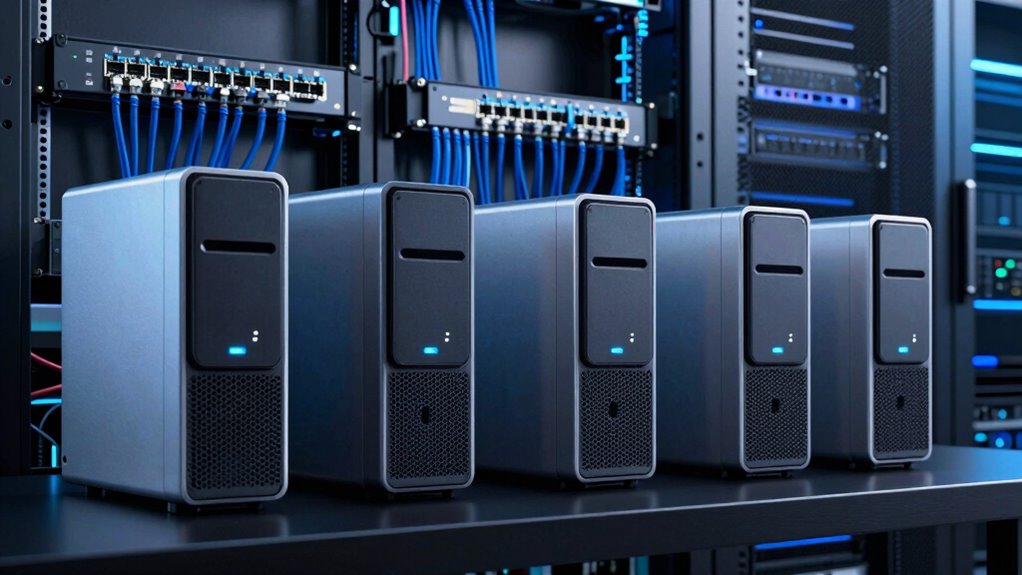

When searching for a NAS with 10GbE support, you’re likely aiming for faster data transfer speeds and smoother workflows. The best options balance performance, expandability, and ease of use, but tradeoffs include cost and complexity. High-end models like the Synology DS925+ excel in software features, while others like the UGREEN DXP4800 Plus focus on affordability for smaller teams. Premium setups, such as the AOOSTAR WTR MAX series, offer extensive bays and upgrade paths but come with higher price tags. Continue reading for a detailed breakdown of these models and how they compare.

Get the latest gadgets delivered free with Prime
- Fast, free delivery on millions of items
- Prime Video, Amazon Music and more included
- Member-only deals all year
Complete the kit



Key Takeaways
- Performance varies significantly based on CPU and network port configurations, impacting workflows for different user needs.
- Expandability and support for multiple drive bays can influence long-term storage scalability.
- Software ecosystem and ease of setup differ between brands like Synology and TerraMaster, affecting user experience.
- Cost often correlates with features: premium models have more bays and faster CPUs, but may not be necessary for casual users.
- Additional network upgrades, like the Synology E10G22 module, can extend the lifespan of existing hardware investments.
| TERRAMASTER F8 SSD Plus NAS 8Bay Intel Core i3 8-Core, 16GB DDR5 (Diskless) |  | Best for Compact High-Performance Home/Small Business | Processor: Intel Core i3-N305 8-core | Memory: 16GB DDR5 | Network: 10Gbps Ethernet | VIEW ON AMAZON | See Our Full Breakdown |
| Synology 4-Bay DiskStation DS925+ (Diskless) |  | Best for Reliable, Expandable NAS with Strong Software Ecosystem | Drive Bays: 4 | Network: 2x 2.5GbE | Max Speed: 522 MB/s read/write | VIEW ON AMAZON | See Our Full Breakdown |
| MINISFORUM N5 Pro 5-Bay NAS Desktop, AMD Ryzen AI 9 HX PRO 370 (12C/24T), 128GB SSD, 10GbE + 5GbE, 2x USB4 (8K), up to 188TB |  | Best for High-End Media & AI Processing with Massive Storage | Processor: AMD Ryzen AI 9 HX PRO 370 | Storage Bays: 5 | Max Storage Capacity: 188TB | VIEW ON AMAZON | See Our Full Breakdown |
| AOOSTAR WTR MAX 6+5 Bays Desktop NAS Barebone, AMD R7 8845HS CPU, 2 * 10GB SFP+ 2.5GB LAN Ports,USB4&Oculink Port,Support ECC RAM, 2*DDR5 5600Mhz Slots,5* M.2 NVME Slots |  | Best for High-Performance Small Business & Advanced Home Labs | Drive Bays: 6+5 | Max Storage: Up to 88TB | Network: 2x 10Gb SFP+, 2.5Gb Ethernet | VIEW ON AMAZON | See Our Full Breakdown |
| AOOSTAR WTR MAX 11 Bays NAS Mini PC, AMD R7 PRO 8845HS NO RAM NO SSD Mini Computers, 6 * 2.5/3.5 Inch SATA HDD+5*M.2 2280 SSD, 2 * 10GbE, 2 * 2.5GbE, OCuLink, 4K HDMI |  | Best for Versatile High-Capacity Small Business & Customizable Home Storage | Drive Bays: 6 SATA + 5 M.2 | Max Storage: Up to 88TB | Network: 2x 10GbE, 2.5GbE | VIEW ON AMAZON | See Our Full Breakdown |
| NICGIGA 6-Port Unmanaged Ethernet Switch (2x 10Gb RJ45 + 4x 2.5Gb Base-T) |  | Best Value for Simple 10GbE Expansion | Total Ports: 6 (2 x 10Gb RJ45, 4 x 2.5Gb Base-T) | Switching Capacity: 60Gbps | Port Speeds: Ports 1-4: 2.5G/1G/100Mbps; Ports 5-6: 10G/5G/2.5G/1G/100Mbps | VIEW ON AMAZON | See Our Full Breakdown |
| Synology RackStation RS422+ 4-Bay Rackmount NAS (Diskless), Black |  | Best for Enterprise-Grade Performance with Future 10GbE Upgrade | Bays: 4 | Form Factor: Rackmount | Sequential Read: 601 MB/s | VIEW ON AMAZON | See Our Full Breakdown |
| UGREEN DXP4800 Plus 4-Bay NAS for Families, Creators & Small Teams |  | Best for Versatile Home and Small Office Use with 10GbE Options | VIEW ON AMAZON | See Our Full Breakdown | |||
| Synology E10G22-T1-Mini Network Upgrade Module – 10GbE RJ-45 |  | Best for High-Performance Synology System Expansion | Ports: 1 x 10GbE RJ-45 | Supported Speeds: 10/5/2.5/1GbE | Warranty: 5 years | VIEW ON AMAZON | See Our Full Breakdown |
| nas with 10gbe support | Network |
|---|---|
| TERRAMASTER F8 SSD Plus NAS 8B | 10Gbps Ethernet |
| Synology 4-Bay DiskStation DS9 | 2x 2.5GbE |
| MINISFORUM N5 Pro 5-Bay NAS De | 10GbE + 5GbE |
| AOOSTAR WTR MAX 6+5 Bays Deskt | 2x 10Gb SFP+, 2.5Gb Ethernet |
| AOOSTAR WTR MAX 11 Bays NAS Mi | 2x 10GbE, 2.5GbE |
| NICGIGA 6-Port Unmanaged Ether | — |
| Synology RackStation RS422+ 4- | — |
| UGREEN DXP4800 Plus 4-Bay NAS | — |
| Synology E10G22-T1-Mini Networ | — |
More Details on Our Top Picks
TERRAMASTER F8 SSD Plus NAS 8Bay Intel Core i3 8-Core, 16GB DDR5 (Diskless)
The TERRAMASTER F8 SSD Plus stands out for offering a compact, all-SSD NAS with a powerful Intel Core i3-N305 8-core processor and a blazing 10Gbps Ethernet port. Compared to the Synology DS925+, it provides superior raw throughput thanks to its all-SSD configuration, making it ideal for virtualization and multimedia tasks. Its small footprint and near-silent operation are perfect for quiet home environments. However, the lack of included drives means additional investment, and its focus on SSDs might limit storage capacity for users seeking larger HDD-based setups. This model makes the most sense for small offices or tech-savvy home users who prioritize speed and quiet operation in limited space.
Pros:- Compact, lightweight design fits easily in small spaces
- High-speed 10Gbps Ethernet port supports rapid data transfer
- All SSD configuration ensures quiet, near-silent operation
- Supports up to 8 NVMe SSDs for high-performance storage
Cons:- Requires purchasing multiple SSDs separately, increasing setup cost
- Limited storage capacity compared to HDD-based NAS systems
Best for: Tech-savvy home users or small businesses needing high-speed, compact SSD storage with 10GbE support.
Not ideal for: Users seeking large-scale HDD storage or out-of-the-box ready solutions with included drives.
- Processor:Intel Core i3-N305 8-core
- Memory:16GB DDR5
- Network:10Gbps Ethernet
- Drive Bays:8x M.2 NVMe SSDs
- Size:2.4″ x 5.5″ x 6.9″
- Weight:0.6 kg
Our verdict“This NAS is best for users who need a high-performance, space-efficient SSD solution with fast networking, and are comfortable with DIY drive setup.”
Synology 4-Bay DiskStation DS925+ (Diskless)
The Synology DS925+ is a versatile, 4-bay NAS that excels in data management, backup, and virtualization, supported by Synology’s robust DSM software. Its dual 2.5GbE ports provide reliable network speeds and redundancy, making it a step below the Terramaster F8 SSD Plus in raw throughput, but ideal for users prioritizing stability and comprehensive software features. Unlike the MINISFORUM N5 Pro, it is easier to set up and manage, especially for less technical users. Its main tradeoff is fewer drive bays, limiting maximum storage capacity unless expanded via external solutions. This NAS makes the most sense for small offices or tech users who prefer proven software and reliable performance over maximum throughput.
Pros:- Supports multiple RAID configurations for data security
- Excellent software ecosystem with DSM for ease of management
- Dual 2.5GbE ports enable fast and redundant network connections
- Supports up to 64TB total storage with 4 bays
Cons:- Limited to 4 drive bays, restricting maximum capacity
- No included drives, adding to initial cost
Best for: Small business owners or home users seeking a reliable, software-rich NAS with hardware redundancy and moderate speed.
Not ideal for: Power users needing maximum throughput or large-scale storage without additional expansion.
- Drive Bays:4
- Network:2x 2.5GbE
- Max Speed:522 MB/s read/write
- Warranty:3 years
- Supports:RAID 0/1/5/6/10
- Form Factor:Diskless
Our verdict“This NAS is well-suited for users who prioritize system stability and software features over maximum throughput or capacity.”
MINISFORUM N5 Pro 5-Bay NAS Desktop, AMD Ryzen AI 9 HX PRO 370 (12C/24T), 128GB SSD, 10GbE + 5GbE, 2x USB4 (8K), up to 188TB
The MINISFORUM N5 Pro delivers impressive power with a AMD Ryzen AI 9 HX Pro 370 processor and support for up to 188TB of storage across 5 bays. Its high-speed 10GbE and 5GbE ports enable rapid data transfer, making it ideal for media professionals and AI workloads. Compared to the AOOSTAR WTR MAX, it offers more flexible expansion options and a more user-friendly upgrade path due to its modular design. Its main tradeoff is that the system disk, a 128GB SSD, occupies a drive bay, reducing maximum storage capacity when in use. Additionally, this NAS is more complex to set up and maintain, suited for advanced users or small businesses with demanding workflows.
Pros:- Powerful AMD Ryzen AI 9 processor handles demanding multitasking
- Supports up to 188TB total storage with 5 bays
- High-speed 10GbE and 5GbE ports support link aggregation
- Modular design for easy upgrades
Cons:- System SSD occupies one bay, limiting total storage
- Complex setup and maintenance for less experienced users
Best for: Power users or media professionals seeking high performance, extensive storage, and advanced AI capabilities.
Not ideal for: Casual users or those seeking a simple, out-of-the-box NAS solution with minimal setup.
- Processor:AMD Ryzen AI 9 HX PRO 370
- Storage Bays:5
- Max Storage Capacity:188TB
- Network:10GbE + 5GbE
- Ports:USB4, HDMI
- Cooling:Triple-fan
Our verdict“This NAS is ideal for advanced users needing high processing power, large capacity, and flexible expansion for intensive tasks.”
AOOSTAR WTR MAX 6+5 Bays Desktop NAS Barebone, AMD R7 8845HS CPU, 2 * 10GB SFP+ 2.5GB LAN Ports,USB4&Oculink Port,Support ECC RAM, 2*DDR5 5600Mhz Slots,5* M.2 NVME Slots
The AOOSTAR WTR MAX offers a potent combination of AMD R7 8845HS processor and extensive connectivity, including dual 10GbE SFP+ ports and support for ECC RAM. Its modular design with 6+5 drive bays makes it perfect for small businesses or advanced home labs needing high-speed networking and flexible storage options. When compared to the MINISFORUM N5 Pro, it provides superior network expansion capabilities and enterprise-grade data protection features like RAID and ZFS. The main tradeoffs include the need for users to supply their own RAM and drives, which adds setup complexity, and the compact chassis might generate more heat with densely packed drives. This makes it suitable for frequent upgraders and demanding workloads.
Pros:- Dual 10GbE SFP+ ports for ultra-fast networking
- Supports ECC RAM and up to 128GB for stability and performance
- Flexible storage with 11 bays and support for hot/cold data tiering
- Enterprise-grade RAID and ZFS pool support
Cons:- Requires purchasing and installing own RAM and drives
- More complex setup process than pre-built NAS
Best for: Small business IT environments, digital labs, or tech-savvy users requiring high-performance networking and flexible storage.
Not ideal for: Users looking for an all-in-one, ready-to-use NAS or those with limited technical skills for DIY setup.
- Drive Bays:6+5
- Max Storage:Up to 88TB
- Network:2x 10Gb SFP+, 2.5Gb Ethernet
- Processor:AMD R7 8845HS
- ECC Support:Yes
- Cooling:Multi-fan thermal design
Our verdict“This NAS is designed for tech-savvy users and small businesses needing high-speed, flexible, and enterprise-grade storage solutions.”
AOOSTAR WTR MAX 11 Bays NAS Mini PC, AMD R7 PRO 8845HS NO RAM NO SSD Mini Computers, 6 * 2.5/3.5 Inch SATA HDD+5*M.2 2280 SSD, 2 * 10GbE, 2 * 2.5GbE, OCuLink, 4K HDMI
The AOOSTAR WTR MAX 11 Bays Mini PC combines extensive storage capacity with high-speed networking, supporting up to 88TB with 6 SATA bays and 5 M.2 slots. Its AMD R7 PRO 8845HS processor and dual 10GbE ports make it suitable for demanding applications like media editing, small business data servers, and AI workloads. Compared to the MINISFORUM N5 Pro, it offers more storage flexibility and supports real-time data monitoring, thanks to its unique NAS control software. Its main tradeoff is that it’s a barebone system, requiring users to install their own RAM and drives, which adds complexity but offers maximum customization. This makes it ideal for advanced users who want a customizable, high-throughput NAS mini PC.
Pros:- Supports up to 88TB with multiple drive types
- Dual 10GbE ports for high-speed network connectivity
- Real-time CPU/GPU monitoring via custom software
- Supports RAID 0/1/5/6/10 for data protection
Cons:- System requires manual installation of RAM and drives
- More complex setup process than typical NAS units
Best for: Small businesses, AI developers, or tech enthusiasts seeking customizable, high-capacity NAS with advanced monitoring features.
Not ideal for: Beginners or users preferring pre-configured, plug-and-play NAS solutions.
- Drive Bays:6 SATA + 5 M.2
- Max Storage:Up to 88TB
- Network:2x 10GbE, 2.5GbE
- Processor:AMD R7 PRO 8845HS
- Monitoring Software:Yes
- Form Factor:Barebone
Our verdict“This NAS mini PC is perfect for experienced users wanting maximum storage flexibility and advanced monitoring capabilities.”
NICGIGA 6-Port Unmanaged Ethernet Switch (2x 10Gb RJ45 + 4x 2.5Gb Base-T)
This unmanaged NICGIGA switch stands out for providing affordable high-speed connectivity with 2 x 10Gb RJ45 ports, making it a solid choice for expanding NAS or router connections without added complexity. Compared to the Synology E10G22-T1-Mini, it offers more ports and greater flexibility at a lower price, though it sacrifices management features and VLAN support. Its fanless, durable metal case and lightning protection suit environments where silent operation is valued, and the plug-and-play setup appeals to users seeking straightforward deployment. However, with only two 10Gb ports, it limits high-bandwidth device connections, and the unmanaged design means no advanced network controls. This switch makes the most sense for small offices or home labs needing quick, reliable 10GbE access without fuss.
Pros:- Affordable 10GbE connectivity for demanding devices
- Plug-and-play setup with no configuration needed
- Fanless, silent operation with durable metal case
- Supports mounting on desk or wall for flexible placement
Cons:- Limited to only two 10Gb ports, restricting high-bandwidth device connections
- Unmanaged switch offers no VLAN, QoS, or network management options
Best for: Small offices or tech-savvy home users looking for easy 10GbE expansion without configuration complexity.
Not ideal for: Organizations requiring managed switches with VLAN, QoS, or advanced monitoring features.
- Total Ports:6 (2 x 10Gb RJ45, 4 x 2.5Gb Base-T)
- Switching Capacity:60Gbps
- Port Speeds:Ports 1-4: 2.5G/1G/100Mbps; Ports 5-6: 10G/5G/2.5G/1G/100Mbps
- Management:Unmanaged, plug and play
- Mounting:Desktop or wall mount
- Operating Temperature:-10 to 50°C
Our verdict“This switch suits users who need a cost-effective, simple solution for adding 10GbE ports without complexity.”
Synology RackStation RS422+ 4-Bay Rackmount NAS (Diskless), Black
The Synology RS422+ is geared toward professionals needing reliable, high-throughput storage with a compact rackmount design. Its impressive over 600 MB/s sequential read/write speeds outperform many home NAS options, making it suitable for data-intensive tasks. While it comes with dual 1GbE ports, the real advantage is its easy upgrade path via plug-and-play 10GbE modules, including Synology’s E10G22-T1-Mini. Unlike the NICGIGA switch, it provides managed networking capabilities and supports VLANs, but at a higher cost and complexity. Its diskless setup offers flexibility but requires separate drive purchase. This model suits small businesses or media professionals who need a scalable, high-performance NAS with future-proof network upgrades.
Pros:- Exceptional sequential read/write performance over 600 MB/s
- Compact rackmount form factor for space efficiency
- Dual 1GbE ports support failover and load balancing
- Easy to upgrade with plug-and-play 10GbE modules
Cons:- Requires separate purchase of drives, increasing overall cost
- Built-in network is limited to 1GbE, needing extra modules for 10GbE
- Higher price point compared to unmanaged switches
Best for: Enterprise users or media professionals planning to expand to 10GbE in the future and needing fast, reliable storage.
Not ideal for: Home users or small teams needing an all-in-one solution with integrated 10GbE ports and simplified management.
- Bays:4
- Form Factor:Rackmount
- Sequential Read:601 MB/s
- Sequential Write:516 MB/s
- Network Ports:Dual 1GbE
- Depth:327.5 mm
Our verdict“This NAS suits demanding professionals seeking high throughput and scalable 10GbE upgrades for critical data tasks.”
UGREEN DXP4800 Plus 4-Bay NAS for Families, Creators & Small Teams
The UGREEN DXP4800 Plus offers high performance and versatility for small teams and creative users, supporting seamless collaboration across devices with advanced features like Docker and virtual machines. Its core strength lies in its ability to deliver fast transfers—up to 10Gbps via Ethernet or USB—making it suitable for large media files or backups. Compared to simpler NAS units, it provides more storage capacity up to 144TB, along with encryption and AI-powered photo organization. However, unlike dedicated enterprise NAS solutions, it requires separate hard drives and relies on wired Ethernet, with no Wi-Fi support. This model makes the most sense for users needing robust features in a flexible, high-speed setup for demanding media workflows.
Pros:- Supports up to 144TB capacity for extensive storage needs
- Fast transfer speeds with 10GbE and USB ports
- Advanced features like Docker, virtual machines, and AI photo organization
- Flexible permissions and data encryption for privacy
Cons:- Requires separate hard drives, adding to setup cost
- Supports only wired Ethernet, no Wi-Fi connectivity
- More complex setup compared to basic NAS appliances
Best for: Small teams, creators, or power users who want high-speed data transfer and advanced features without enterprise-level complexity.
Not ideal for: Users seeking a plug-and-play, all-in-one NAS with integrated 10GbE ports and minimal setup.
Our verdict“This NAS is ideal for creators and small teams needing high-speed, feature-rich storage with future scalability.”
Synology E10G22-T1-Mini Network Upgrade Module – 10GbE RJ-45
The Synology E10G22-T1-Mini is designed for users who already own Synology NAS systems and want to add reliable 10GbE connectivity. Its single-port design offers maximum performance for demanding workflows like high-resolution video editing or large data backups. Compared to the NICGIGA switch, it provides a seamless upgrade path for Synology users, backed by a 5-year warranty and trusted Synology reliability. However, it’s limited to specific models and only features one port, making it less suitable for users needing multiple high-speed connections. This module makes sense for those already invested in Synology’s ecosystem who want to enhance their network speeds without replacing existing hardware.
Pros:- Adds high-speed 10GbE port to compatible Synology NAS
- Backward compatible with 1GbE, 2.5GbE, and 5GbE speeds
- Designed specifically for Synology systems with long warranty
- Simple installation with plug-and-play operation
Cons:- Compatible only with select Synology models
- Single port limits expansion options
- Additional cost for upgrade compared to unmanaged switches
Best for: Existing Synology NAS owners seeking a dependable, straightforward way to upgrade to 10GbE.
Not ideal for: Users with non-Synology systems or requiring multi-port 10GbE expansion.
- Ports:1 x 10GbE RJ-45
- Supported Speeds:10/5/2.5/1GbE
- Warranty:5 years
Our verdict“This module is perfect for Synology users wanting a reliable, straightforward 10GbE upgrade for specific models.”
How We Picked
These NAS options were evaluated primarily on their support for 10GbE networking, performance capabilities, build quality, and expandability. We considered whether they are diskless or come pre-populated, as this affects initial cost and setup complexity. Ease of use, software features, and brand reputation also played roles, helping to rank models that balance high performance with user-friendly interfaces. Cost-to-value ratios and the potential for future upgrades were key factors, ensuring that each pick serves different user priorities from entry-level to enterprise-grade needs. This approach aims to match each product to specific workflows and budgets, rather than simply listing the most powerful hardware.
Factors to Consider When Choosing Nas With 10gbe Support
Choosing the right NAS with 10GbE support involves considering several key factors beyond raw speed. The ideal setup depends on your specific workload, future growth plans, and technical comfort level. Understanding these considerations helps prevent overspending on unnecessary features or missing out on essential capabilities.Performance and Processor Power
Look for a NAS with a capable CPU, especially if you plan to run multiple services or handle large data transfers simultaneously. An Intel Core i3 or AMD Ryzen processor offers a good balance for most users, but enterprise setups may require more robust options. Remember that higher processing power generally comes with increased cost and power consumption, so prioritize based on your workload.
Network Interface Options
Check whether the NAS supports multiple 10GbE ports and if it allows link aggregation for even faster throughput. Some models include built-in 10GbE, while others require an expansion card like the Synology E10G22. Consider your current network infrastructure—adding 10GbE switches or compatible cabling may be necessary to fully leverage these speeds.
Drive Bays and Scalability
Assess how many drives you need now versus in the future. Larger bays and modular designs support expanding storage without replacing the entire device. However, more bays often mean higher initial costs and larger physical size, so balance your storage needs with your available space and budget.
Ease of Use and Software Ecosystem
Brands like Synology offer mature, user-friendly software that simplifies setup and management, which can be a decisive factor for less technical users. Enterprise-grade models may come with more complex interfaces but provide advanced features like virtualization or extensive backup options. Consider your comfort level with network management and whether you prefer out-of-the-box solutions or more customizable setups.
Budget and Total Cost of Ownership
High-performance NAS devices with 10GbE support often carry a premium price tag, including potential costs for additional network cards or switches. Think about the total investment, including ongoing maintenance, power consumption, and future expansion. Sometimes, investing in a slightly less powerful model now can save money if your workload doesn’t demand top-tier hardware.
Frequently Asked Questions
Is 10GbE support necessary for small home or office use?
For most home or small office setups, 10GbE support may be overkill unless you frequently transfer large files or run multiple heavy services. Standard gigabit Ethernet often suffices, but if you plan to upgrade your network or handle large multimedia files regularly, investing in 10GbE can significantly reduce transfer times and improve overall productivity.
Can I upgrade my existing NAS for 10GbE support later?
Many NAS devices support expansion via PCIe or have dedicated slots for 10GbE cards, but compatibility varies. Upgrading may require buying a new NAS if your current device doesn’t support 10GbE expansion. It’s wise to check the specifications before purchase to ensure future upgrades won’t require replacing the entire unit.
What should I consider instead of just raw speed when choosing a NAS?
Beyond speed, factors like software ecosystem, ease of setup, drive bay count, and scalability are critical. A well-supported platform can save time and frustration, especially if you need features like remote access, backup, or virtualization. Also, consider power consumption and physical size to ensure it fits your environment.
Are enterprise-grade NAS units worth the higher price for small teams?
Enterprise-grade NAS devices often provide better build quality, more features, and stronger support options, which can benefit small teams with growing needs. However, they come with a higher cost, and many small users won’t fully utilize their advanced features. For most small teams, mid-range options with good software support strike a better balance of cost and performance.
How important is hardware quality and brand reputation in choosing a NAS?
Brand reputation and hardware quality directly influence reliability, warranty support, and long-term performance. Well-known brands like Synology and QNAP generally offer more polished software and better customer service, which can reduce downtime and maintenance headaches. Opting for reputable brands often translates into a more secure investment, especially for critical data storage.
Conclusion
For those seeking the best overall performance, the Synology DS925+ stands out thanks to its robust software ecosystem and balanced hardware. Budget-conscious buyers aiming for solid 10GbE support should consider the UGREEN DXP4800 Plus for its affordability and ease of setup. Enterprises or power users focused on expandability and high throughput may prefer the AOOSTAR WTR MAX series with its extensive bays and upgrade options. Beginners or small teams will benefit from simple, reliable options like the Synology RackStation RS422+. Matching your specific needs and budget will help you pick the perfect NAS with 10GbE support for 2026.
Halloween Picks

ELAMAS 11ft Animatronic Flying Witch Halloween Decoration

Pumpkin Halloween Fog Machine with 12-Color LED Lights, Bluetooth Speaker, and Remote

6-Foot Jason Voorhees Animatronic Halloween Decoration
As an affiliate, we earn on qualifying purchases.