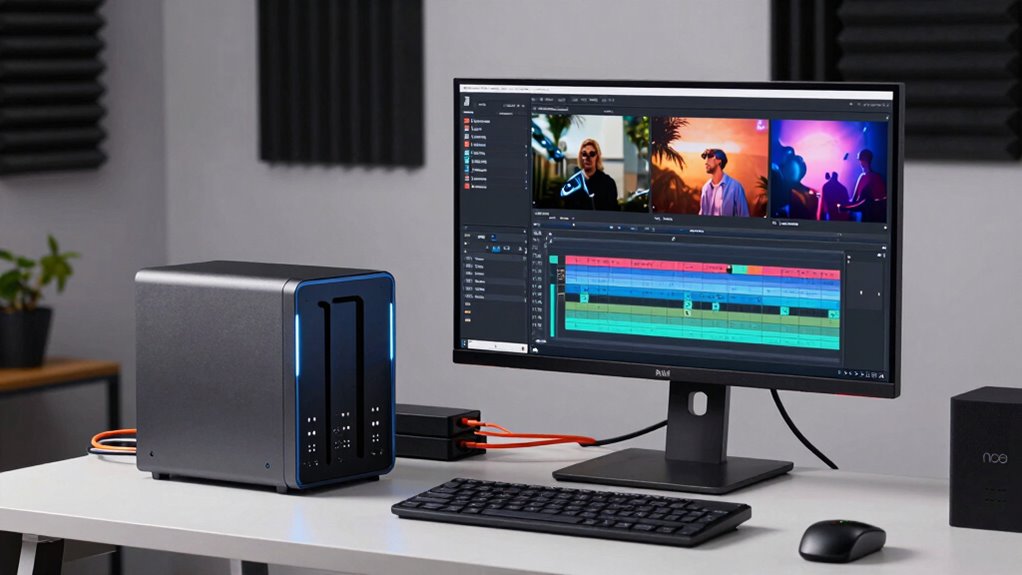

When selecting a NAS for video editing, performance, scalability, and connectivity are key. The Asustor Lockerstor 4 Gen2+ stands out as the best overall thanks to its robust hardware and versatile features. For those prioritizing speed, the UGREEN NAS DXP4800 GT offers dual 10GbE ports and powerful AMD processing. Meanwhile, budget-conscious creators may lean toward the BUFFALO LinkStation 210 for simple backups and media storage. Choosing the right NAS involves balancing speed, capacity, expandability, and ease of use. Continue reading for a detailed comparison to find the best fit for your video editing needs.
Complete the kit



Key Takeaways
- High-speed networking, especially 10GbE, significantly reduces transfer times for large video files.
- Hardware transcoding capabilities can streamline editing workflows by offloading processing from your workstation.
- Scalability through additional drive bays or expansion options is vital for growing editing projects.
- Build quality and reliability are essential for protecting valuable media assets over time.
- Balancing upfront cost with future-proof features ensures long-term value in a NAS for video editing.





More Details on Our Top Picks
Asustor Lockerstor 4 Gen2+ AS6704T v2 4-Bay NAS, Intel Quad-Core, Dual 5GbE, 4GB DDR4, M.2 SSD Slots, HDMI, Plex Media Server
The Asustor Lockerstor 4 Gen2+ stands out for combining high-speed networking, media capabilities, and expandability in a single package. Its dual 5GbE ports and M.2 NVMe SSD slots deliver fast caching and data transfer, making it well-suited for multi-tasking video editing workflows at home or small offices. Compared with the Synology DS1525+ or UGREEN DXP4800, it offers easier setup with HDMI output for media playback, but it requires users to add drives separately, which can be a hurdle for beginners. Its quad-core Intel CPU and expandable memory support demanding tasks, yet the complexity of configuration may discourage less tech-savvy users. Overall, this NAS provides a balanced mix of performance and multimedia features for users comfortable with hardware tuning.
Pros:- High-speed dual 5GbE network ports for rapid data transfer
- Supports multiple M.2 NVMe SSDs for caching and performance boost
- 4K media transcoding with HDMI output for instant media playback
Cons:- Diskless design adds initial setup complexity
- Requires technical knowledge to configure RAID and storage expansion
Best for: Power users needing a flexible, media-capable NAS for moderate video editing and home entertainment
Not ideal for: Beginners seeking a plug-and-play setup or those preferring pre-installed drives
- Processor:Intel Celeron N5105 quad-core
- Memory:4GB DDR4 (expandable up to 16GB)
- Storage Bays:4
- Network Ports:Dual 5GbE
- SSD Slots:4 M.2 NVMe
- Video Output:HDMI
- Supported RAID:0/1/5/6/JBOD
Our verdict“This NAS is best suited for experienced users who want a versatile, multimedia-capable device with scalable performance.”
Synology DS1525+ 5-Bay Diskless NAS Server for Video Editing and Production
The Synology DS1525+ excels in environments demanding high throughput and extensive storage. Its scalable architecture supports up to 300TB with additional DX525 units, making it ideal for large-scale video editing and media libraries. Compared to the UGREEN DXP4800, which emphasizes multimedia features for small offices, the DS1525+ focuses on enterprise-grade performance with over 1,180 MB/s transfer speeds, supporting multiple editors simultaneously. Setup complexity and the need for additional units for full capacity are tradeoffs, and its premium price reflects its target audience. This NAS is tailored for professional studios or teams that require robust, high-speed access to massive media assets.
Pros:- Exceptional transfer speeds over 1,180 MB/s for smooth editing
- Expandable storage up to 300TB with DX525 units
- Designed for multi-user, concurrent editing workflows
Cons:- Requires additional DX525 units for maximum capacity
- Higher cost and complexity for initial setup
Best for: Large media teams and professional editing workflows needing high capacity and speed
Not ideal for: Small-scale users or hobbyists who don’t require extensive storage or multi-user access
- Storage Capacity:Starting at 100TB, expandable to 300TB
- Number of Bays:5
- Network:10GbE Ready
- Use Case:Video editing, media library, multi-user workflows
- Warranty:3 years
Our verdict“This NAS is perfect for professional environments where high throughput and large storage capacity are essential.”
UGREEN NAS DXP4800 Plus 4-Bay NAS with Intel Pentium Gold 8505, 8GB DDR5 RAM, Built-in 128GB SSD, 10GbE, HDMI, Diskless
The UGREEN DXP4800 Plus offers a compelling mix of high-performance hardware and flexible features for small professional setups. Its 8GB DDR5 RAM and built-in 128GB SSD provide fast responsiveness for editing workflows, while 10GbE and HDMI facilitate quick data transfers and media playback. Unlike the Synology DS1525+ or Asustor Lockerstor, it emphasizes virtual machines and Docker support, making it suitable for content creators who need more than simple storage. However, the lack of included drives and reliance on wired Ethernet can limit ease of use for less technical users. This model suits those who want a powerful, adaptable NAS with multimedia capabilities for small-scale editing and content management.
Pros:- Powerful hardware with 8GB DDR5 RAM for smooth multitasking
- Supports Docker and virtual machines for versatile workflows
- Fast 10GbE network and 4K HDMI output for media tasks
Cons:- Hard drives are not included, increasing initial costs
- Limited to wired Ethernet, no Wi-Fi support
Best for: Small creative studios or advanced hobbyists wanting high-performance computing and media features
Not ideal for: Users needing plug-and-play solutions or wireless connectivity
- Processor:Intel Pentium Gold 8505 5-Core
- RAM:8GB DDR5
- Built-in SSD:128GB
- Network Ports:1x 10GbE, 1x 2.5GbE
- Hard Drive Interface:SATA
- Video Output:4K HDMI
Our verdict“This NAS fits well for tech-savvy creators who need performance and flexibility in a small workspace.”
UGREEN NAS DH4300 Plus 4-Bay Network Attached Storage (Diskless)
The UGREEN DH4300 Plus is a straightforward, user-friendly NAS designed for home users and small backups. Its 8GB LPDDR4X RAM and 2.5GbE network make it easy to set up and operate, especially for those new to NAS systems. It supports 128TB capacity with third-party drives and offers essential multimedia features like 4K HDMI output and remote access. Compared to the Synology DS223, which focuses on simple backup, this model provides more flexibility for media sharing and virtual machine support, though it lacks Wi-Fi and complex enterprise features. This device makes a practical choice for users wanting reliable storage and media access without complex configurations.
Pros:- Simple, quick setup with user-friendly app
- Supports remote access and automatic backups
- Compatible with multiple devices and platforms
Cons:- No Wi-Fi support, limited to wired Ethernet
- No support for virtual machines or advanced networking
Best for: Home users needing easy setup for media sharing and basic backups
Not ideal for: Power users or those requiring Wi-Fi support or advanced virtualization
- Support Capacity:up to 128TB
- RAM:8GB LPDDR4X
- Network:2.5GbE
- Video Output:4K HDMI
- Compatibility:Windows, macOS, Android, iOS
Our verdict“This NAS is ideal for beginners seeking reliable, easy-to-manage storage and media sharing at home.”
Synology DS223 Home & Office Backup Hub – Centralize Files, Protect Data & Monitor Property (2-Bay Diskless NAS)
The Synology DS223 offers a streamlined solution for consolidating files and automating backups across multiple devices. Its two bays and simple interface make it an accessible option for personal or small office use, especially when combined with Synology’s robust software ecosystem. Unlike the other models focused on high-speed editing or multimedia, this device prioritizes data protection, version control, and remote monitoring, including DIY surveillance. While it lacks the extensive capacity or high transfer speeds of larger NAS units like the DS1525+, its ease of use and reliable backup features make it a smart choice for safeguarding essential video and document files for small teams or individuals.
Pros:- Simplified, user-friendly setup and management
- Automated backups for multiple devices
- Includes surveillance system features for property monitoring
Cons:- Limited to 2 bays, less suitable for large media libraries
- Not designed for high-speed editing workflows
Best for: Small teams or individuals needing dependable backup and file management
Not ideal for: Heavy video editing or large media libraries due to limited capacity and speed
Our verdict“This NAS is a solid choice for focused backup, file sharing, and surveillance needs in small setups.”
TERRAMASTER F6-425 Pro NAS Server – Intel Core i3-1315U, 8GB DDR5, 10GbE LAN x 2, USB 4.0, AI-Native OS TOS 7, Diskless
The TERRAMASTER F6-425 Pro stands out for its high-speed dual 10GbE ports and AI-native TOS 7 OS, making it ideal for demanding media workflows. Compared to the Synology DS1825+ with its enterprise-grade 25GbE, the F6-425 offers a more accessible setup with powerful virtualization and media streaming capabilities. Its diskless design, however, means users must purchase drives separately, which can delay immediate use. This NAS is perfect for content creators or small teams needing fast data transfer and advanced file management, but it might be overkill for casual users who only need simple backups.
Pros:- Dual 10GbE ports for ultra-fast data transfer
- AI-native TOS 7 OS supports automation and virtualization
- Supports multiple RAID configurations for data protection
Cons:- Diskless setup requires purchasing drives separately
- Setup complexity may be challenging for beginners
- Premium features might be unnecessary for simple storage needs
Best for: Small creative teams or media professionals seeking fast, flexible storage with virtualization capabilities.
Not ideal for: Home users with basic backup needs or budget-conscious buyers who prefer ready-to-use solutions without additional drive costs.
- Processor:Intel Core i3-1315U
- RAM:8GB DDR5
- Network Ports:2 x 10GbE LAN
- USB Ports:2 x USB 4.0
- Drive Bays:6
- Supported RAID:TRAID/TRAID+
- Operating System:TOS 7
- Form Factor:Diskless
Our verdict“This NAS is best suited for tech-savvy users who need high performance and advanced media management.”
UGREEN NAS DXP2800 2-Bay Network Attached Storage for Content Creators
The UGREEN NAS DXP2800 is tailored for creators who need straightforward, large-capacity storage with AI-enhanced features. Its dual M.2 NVMe slots and up to 80TB capacity make it a cost-effective alternative to the Synology DS225+ for those wanting more storage without complex setup. While the 2.5GbE network port offers decent speed, it falls short compared to higher-end models like the Synology DS1825+ with 25GbE, limiting transfer rates for heavy editing workflows. Its focus on ease of use and AI photo organization makes it ideal for media storage and management but less suitable for professional editing environments requiring high-speed networking.
Pros:- Large storage capacity up to 80TB
- Easy setup and multi-device access
- AI-powered photo organization simplifies media management
Cons:- Requires separate purchase of drives
- Limited to 2 drive bays, reducing expandability
- Network speed may bottleneck 4K editing needs
Best for: Content creators seeking a large, easy-to-manage storage system with AI-powered organization.
Not ideal for: Professional video editors needing ultra-fast transfer speeds or expandability beyond 80TB.
- Processor:Intel N100 Quad-Core CPU
- RAM:8GB DDR5
- Network Speed:2.5GbE
- Drive Bays:2X M.2 NVMe
- Maximum Storage Capacity:80TB
- Connectivity:4K HDMI
Our verdict“This NAS makes sense for creators prioritizing simple storage solutions with smart organization over raw transfer speeds.”
BUFFALO LinkStation 210 2TB 1-Bay NAS Network Attached Storage with HDD Included
The BUFFALO LinkStation 210 offers a simple, plug-and-play solution for home users who need reliable backup and shared storage. Its included 2TB HDD makes it ready to go right out of the box, unlike diskless options like the Synology DS225+ which require drives. While it supports multiple devices and provides secure sharing, its single bay limits scalability, and it’s less suitable for large media libraries or professional editing workflows. This model excels at basic data protection but doesn’t offer advanced features needed for intensive video editing or large media archives.
Pros:- Includes pre-installed HDD for immediate use
- Simple setup and secure sharing features
- No monthly fees for personal cloud use
Cons:- Limited to 1 drive bay, reducing storage expansion
- Basic features compared to higher-end models
- Supports only up to macOS 15 (Sequoia)
Best for: Home users who want an easy, maintenance-free solution for backups and shared files without extra setup hassles.
Not ideal for: Professional video editors or media producers requiring high-capacity, scalable, or high-speed network solutions.
- Capacity:2TB
- Drive Bays:1
- Included HDD:Yes
- Compatibility:Windows, macOS
- Encryption:SSL
- Warranty:2 years
Our verdict“Ideal for home users needing straightforward backup and sharing, but not suited for heavy media workflows.”
Synology DS1825+ Enterprise NAS – 8-Bay Diskless Storage, 360TB Capacity, 25GbE Speed, Enterprise Reliability
The Synology DS1825+ is designed for demanding enterprise video workflows, supporting up to 360TB with extensive expansion options. Its 25GbE networking and support for over 50 concurrent users make it ideal for large-scale editing teams or media archives. Compared with the UGREEN DXP2800, it offers far superior networking speeds and scalability, but at a significantly higher cost and complexity. This NAS is best for organizations needing robust data protection, high availability, and the ability to handle multi-user, multi-project environments with ease.
Pros:- Supports over 50 concurrent users for multi-user editing
- Expandable storage up to 360TB
- High-speed 25GbE networking for rapid data transfer
- Enterprise-grade data protection and failover support
Cons:- Requires additional drives, increasing initial investment
- Complex setup suitable for IT professionals
- Higher cost compared to smaller NAS solutions
Best for: Large creative teams or media organizations requiring high-capacity, high-speed, and highly reliable storage infrastructure.
Not ideal for: Solo creators or small shops with limited budgets or simpler storage needs, due to its complexity and cost.
- Storage Capacity:up to 360TB
- Number of Bays:8
- Network Speed:25GbE
- Warranty:3 years
Our verdict“This NAS is best for large-scale media teams needing maximum capacity and speed with enterprise reliability.”
Synology DS225+ Private Cloud Media Server – 2-Bay Diskless NAS with Intel CPU for Hardware Transcoding
The Synology DS225+ offers a balanced solution for personal or small business use, supporting 4K media streaming and hardware transcoding thanks to its Intel CPU. Its two bays require users to purchase drives separately, similar to the UGREEN DXP2800, but it adds the advantage of built-in surveillance support and RAID redundancy. Compared to the UGREEN NAS, it provides more robust media features and native transcoding, making it a better choice for those who prioritize media playback quality. However, its limited storage capacity and complexity might deter users with larger media libraries or those unfamiliar with NAS setup.
Pros:- Supports 4K media streaming and hardware transcoding
- Built-in surveillance support with AI detection
- Robust data protection features including RAID
Cons:- Requires additional disks for storage
- Setup can be complex for beginners
- No included drives, additional cost for storage
Best for: Small-scale media enthusiasts or small offices needing reliable private cloud with media transcoding capabilities.
Not ideal for: Large media archives or users requiring extensive storage and high-speed networking for editing workflows.
- Model:DS225+
- Processor:Intel CPU
- Max Transfer Speed:282 MB/s
- Surveillance Support:Up to 30 IP cameras
- Warranty:3 Years
Our verdict“This NAS is well-suited for small-scale media streaming and private cloud setups with decent processing power.”
Synology 4-Bay DiskStation DS925+ (Diskless)
The Synology DS925+ stands out for its high-speed data transfer capabilities with dual 2.5GbE ports, making it ideal for editing workflows that demand quick access to large video files. Compared to the Ugreen NAS DXP4800 GT, it offers a more user-friendly interface and robust data protection features, though it requires buyers to purchase drives separately, which adds to the initial cost. Its hardware reliability paired with a 3-year warranty makes it suitable for professional environments, but its setup can be complex for beginners unfamiliar with Synology’s ecosystem. This NAS is best suited for editors who prioritize dependable, high-speed access and are comfortable with initial configuration. It’s less ideal for those seeking an all-in-one, ready-to-go media server without additional drive purchases.
Pros:- High-speed data transfer with dual 2.5GbE ports
- Supports comprehensive data management and security features
- Reliable hardware backed by a 3-year warranty
Cons:- Requires purchasing drives separately, increasing initial cost
- Setup can be complex for those unfamiliar with NAS configuration
Best for: Professional video editors or small studios needing reliable, high-speed storage and data management
Not ideal for: Beginners or users looking for an all-in-one, plug-and-play solution with included drives
- Drive Bays:4
- Network Ports:Dual 2.5GbE
- Sequential Read/Write Throughput:522/565 MB/s
- Warranty:3 years
Our verdict“This NAS is a solid choice for professionals who need dependable, fast storage with advanced management features.”
UGREEN NAS DXP4800 GT 4-Bay Desktop NAS with AMD R2514 CPU, 8GB DDR4 RAM, Dual 10GbE, M.2 NVMe Slots, 4K HDMI, Diskless
The UGREEN NAS DXP4800 GT is designed for demanding video editing workflows thanks to its AMD Ryzen R2514 processor and dual 10GbE ports, which enable ultra-fast data transfer—ideal for editing directly from the NAS. Unlike the Synology DS925+, it supports extensive expandability with up to 144TB of storage and RAM upgradable to 64GB, making it suitable for complex projects or multi-user environments. Its built-in surveillance features add security flexibility, but the system’s setup can be daunting for those unfamiliar with advanced NAS configurations, especially since drives are not included. This pick makes the most sense for power users or small teams who need raw speed, large storage, and flexibility, though it may be overkill for casual editors or those new to NAS systems.
Pros:- Powerful AMD Ryzen processor with multitasking capabilities
- Dual 10GbE ports for ultra-fast data transfer
- Expandable RAM and large storage capacity up to 144TB
Cons:- Drives are not included, requiring additional purchase
- Complex setup especially for non-technical users
Best for: Advanced video editors or media teams requiring high throughput, large storage, and system expandability
Not ideal for: Beginners or users seeking an all-in-one, ready-to-use media server with minimal setup
- Processor:AMD Ryzen Embedded R2514
- Cores:4 cores
- Max GHz:3.70GHz
- Drive Bays:4 SATA, 2 U.2 NVMe, 2 M.2 SSD
- Network Ports:2x 10GbE
- Maximum Storage:144TB
Our verdict“This NAS is best for tech-savvy users who need top-tier performance, expandability, and large capacity for intensive video editing tasks.”
ACEMAGIC NAS N3A 4-Bay Desktop Network Attached Storage Home & Office Backup Hub, Up to 136TB, Dual 2.5G+1G LAN, 8GB DDR4, 128GB PCIe3.0 SSD, Diskless
The ACEMAGIC NAS N3A offers a versatile solution for small offices or home setups needing reliable storage for video files, with support for up to 136TB of capacity. Its dual LAN ports support link aggregation for faster data transfers, making it suitable for streaming and backup tasks. Unlike the Synology DS425+, which emphasizes user-friendly management, the N3A provides extensive connectivity options like HDMI, USB-C, and multiple OS support, appealing to those who want customization. Its requirement for buyers to supply drives and the technical knowledge needed for setup can be a hurdle for less experienced users. This NAS is well-suited for users comfortable with configuration who need flexible, high-capacity storage for media backup and sharing.
Pros:- Supports large storage capacity up to 136TB
- Dual LAN ports with link aggregation for faster transfers
- Extensive connectivity including HDMI and USB-C
Cons:- Drives are not included, adding to overall cost
- Setup can be complex for inexperienced users
Best for: Small business owners or tech-savvy home users needing large, flexible storage with multimedia connectivity
Not ideal for: Beginners or users seeking an all-in-one, plug-and-play media server with included drives
- Maximum Storage:136TB
- HDD Bays:4
- LAN Ports:Dual 2.5G + 1G
- Connectivity:HDMI 2.0, DP 1.4, USB-A, USB3.2, 3.5mm audio
- RAM:8GB DDR4
Our verdict“Ideal for users comfortable with technical setup who need large, flexible storage and multimedia connectivity in a small office or home environment.”
MINISFORUM N5 Pro 5-Bay Desktop AI NAS with AMD Ryzen AI 9 HX PRO 370, 128GB SSD, 10GbE, 8K HDMI, Diskless
The MINISFORUM N5 Pro introduces a unique edge with its AMD Ryzen AI 9 HX PRO processor and AI acceleration, making it suitable for advanced video editing that leverages AI-based workflows. Its 5-bay design supports up to 188TB of storage, with PCIe slots and 8K HDMI output, catering to high-end multimedia tasks and multi-user environments. Compared to the Synology DS425+, it offers greater system expandability and AI capabilities, but requires a higher level of technical skill to navigate system setup and upgrades. Its modular architecture allows for future-proof upgrades, though it lacks hot-swapping for some components. This NAS is best for power users or creative professionals integrating AI tools into their editing pipeline, but not for casual users or those seeking plug-and-play simplicity.
Pros:- High-performance AMD Ryzen AI 9 processor with AI acceleration
- Supports up to 188TB storage and multiple RAID modes
- Modular design with PCIe expansion and 8K video output
Cons:- Requires technical expertise for setup and upgrades
- System disk reduces available storage and no hot-swapping support
Best for: Tech-savvy creatives and professionals integrating AI into their video workflows or requiring extensive storage and modular upgrades
Not ideal for: Novice users or those who prefer straightforward, out-of-the-box solutions without system tinkering
- Processor:AMD Ryzen AI 9 HX PRO 370
- Storage Bays:5 SATA, 3 M.2 NVMe, 2 U.2 NVMe
- Maximum Storage Capacity:188TB
- Network Ports:1x 10GbE, 1x 5GbE
- Video Outputs:8K HDMI, USB4
- Additional Features:PCIe expansion, AI acceleration
Our verdict“This NAS excels for advanced users needing AI integration, extensive storage, and upgrade flexibility in demanding video editing workflows.”
Synology DS425+ 4-Bay Diskless NAS Private Cloud Media Server
The Synology DS425+ offers a balanced approach for small businesses needing reliable, fast storage with media sharing capabilities. Its transfer speed of up to 278 MB/s and support for multiple users make it suitable for collaborative editing or media streaming. Unlike the UGREEN NAS DXP4800 GT, which emphasizes hardware expandability, the DS425+ focuses on ease of use, data security, and surveillance integration. Its higher price reflects its business-oriented features, but setup complexity might be a barrier for those unfamiliar with Synology’s DSM interface. This device fits best for small teams that require secure, shared storage and media server functions without extensive configuration, though it’s less flexible for advanced AI or enterprise needs.
Pros:- Fast data transfer speeds suitable for media sharing
- Supports multiple users simultaneously
- Enhanced data protection with RAID and snapshots
Cons:- Requires additional disks to operate
- Setup can be complex for beginners
Best for: Small business teams needing secure, fast, shared storage and media server capabilities
Not ideal for: Casual users or those seeking extensive AI or enterprise-grade features in a NAS
- Storage Bays:4
- Maximum Speed:278 MB/s
- User Support:10+
- Surveillance Support:30 IP cameras
- Warranty:3 years
Our verdict“This NAS is ideal for small businesses seeking reliable, fast shared storage with media and surveillance features, but not for casual or highly advanced users.”

How We Picked
I evaluated these NAS options based on performance benchmarks relevant to video editing, such as data transfer speeds, CPU and GPU capabilities, and hardware transcoding support. Usability factors like interface design, setup complexity, and software ecosystem were also considered, as they impact workflow efficiency. Build quality, expandability, and network connectivity options played a crucial role, especially with features like 10GbE and M.2 SSD slots. Cost versus value was a key consideration, ensuring the picks provide a balance of high performance while remaining accessible for various budgets. The ranking reflects a combination of raw power, versatility, and user-friendliness tailored specifically to content creators and video editors.Factors to Consider When Choosing Nas For Video Editing
Choosing the right NAS for video editing involves more than just raw specs. It’s essential to consider how well the device integrates into your existing workflow, future expansion plans, and specific performance needs. Here are key factors to guide your decision, each adding value beyond the product features to help you avoid common pitfalls and maximize investment.Performance and Speed
For video editing, data transfer rates are critical. Look for NAS units with 10GbE or higher network interfaces to handle large files efficiently. Consider CPUs with hardware transcoding support, which can significantly reduce rendering times and improve real-time playback of high-resolution footage. Avoid models with underpowered processors if your workflow demands heavy multitasking or 4K/8K editing, as this can lead to bottlenecks.
Scalability and Expandability
Planning for future growth is essential. Choose NAS with additional drive bays or expansion options like PCIe slots or external drives. This allows you to increase storage or upgrade components without replacing the entire system. Overlooking this can lead to costly migrations later, especially for large ongoing projects.
Connectivity and Network Options
Fast, reliable network connections are the backbone of an efficient editing setup. Prioritize models with 10GbE ports, or at least dual Ethernet ports for link aggregation. Wireless options are generally insufficient for professional video workflows, so wired connections ensure stability. Also, check for compatibility with your existing network infrastructure to avoid costly upgrades.
Ease of Use and Software Ecosystem
An intuitive interface and good software support can save hours of setup and troubleshooting. Look for NAS with user-friendly management interfaces, integrated media servers like Plex, and good mobile or remote access options. Be wary of overly complex systems that require extensive technical knowledge, which could slow down your editing process.
Price and Long-term Value
Balance initial investment with future needs. Cheaper models may lack essential features like high-speed ports or sufficient CPU power, leading to upgrades or replacements sooner. Conversely, premium options with extensive features might be unnecessary if your needs are modest. Consider a system that offers room for growth without paying for excess capacity or features you won’t use.
Frequently Asked Questions
Do I need 10GbE ports on my NAS for video editing?
Yes, 10GbE ports can drastically reduce file transfer times, especially when working with large 4K or 8K footage. If your workflow involves frequent large file transfers or real-time editing from the NAS, investing in a model with 10GbE is beneficial. However, ensure your network infrastructure and workstation support 10GbE to realize these speed gains effectively.
Is hardware transcoding necessary in a NAS for video editing?
Hardware transcoding can significantly improve playback and editing performance by offloading intensive video processing tasks from your workstation. It allows for smoother previewing of high-resolution footage directly from the NAS. If you work with formats requiring frequent transcoding or use software that benefits from GPU acceleration, choosing a NAS with this feature adds value.
How many drive bays should I look for in a NAS for video editing?
The number of bays depends on your storage needs and plans for expansion. A 4- or 5-bay NAS is usually sufficient for most small to medium projects, with RAID configurations providing redundancy. Larger projects or studios may require 8 or more bays for higher capacity and better redundancy. Remember, more bays mean more upfront cost but better scalability.
Can I use a standard home NAS for professional video editing?
While some home NAS devices can handle basic editing workflows, professional video editing demands higher performance, faster network speeds, and reliable hardware. Devices designed for enterprise or creative workflows typically offer these features. Relying solely on a basic home model may lead to delays or data loss during intensive editing sessions.
What is the most cost-effective way to upgrade my current setup for video editing?
Upgrading your network to support 10GbE and investing in a NAS with hardware transcoding are cost-effective steps that can enhance your workflow without replacing your entire system. Additionally, adding SSD cache drives can improve performance for active projects. Focus on balancing these upgrades with your existing hardware to maximize value without overspending.
Conclusion
For most creative professionals, the Asustor Lockerstor 4 Gen2+ emerges as the best overall choice, offering a solid balance of speed, expandability, and ease of use. Budget-conscious editors will find the BUFFALO LinkStation 210 a practical entry point, while those with demanding workflows should consider the UGREEN NAS DXP4800 GT for its high-speed ports and powerful CPU. Beginners should prioritize models with user-friendly interfaces, like the Synology DS223, to simplify setup. Larger studios or enterprise users will benefit from the scalability and enterprise features of options like the Synology DS1825+ or DS425+. Tailor your pick based on your project size, budget, and future growth plans to get the most out of your investment.