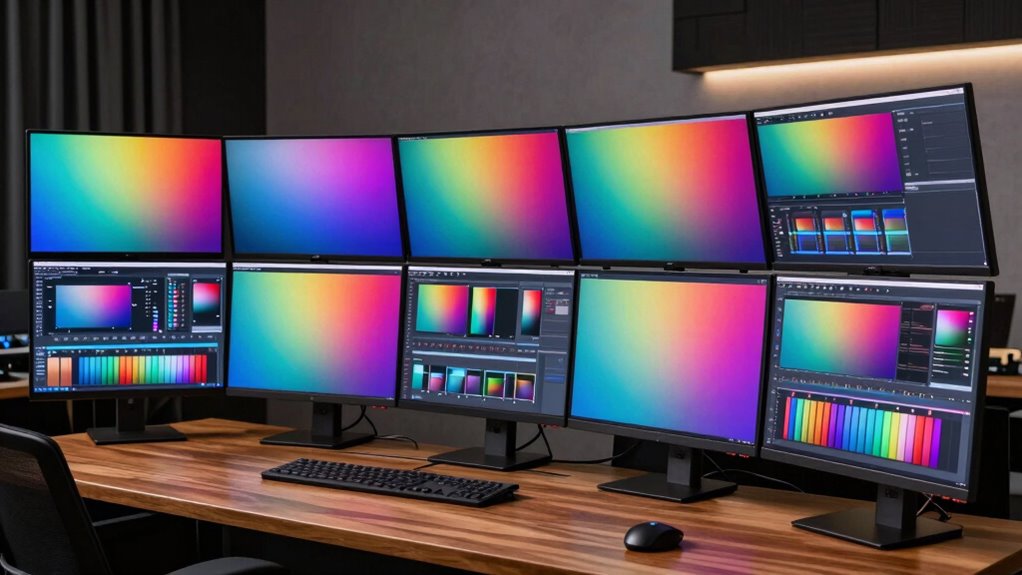

If you’re looking for the best monitors for color grading in 2026, I recommend models like the BenQ SW271 and LG 32U990A-S, which offer superb color accuracy, wide gamuts like Adobe RGB and DCI-P3, and advanced calibration options. The ASUS ProArt series also provides excellent choices with high resolutions and wide color coverage. These monitors are designed for professionals seeking precise hues and vibrant imagery. Keep exploring further, and you’ll discover even more ideal options tailored for your workflow.
Key Takeaways
- Select monitors with high color gamut coverage like 99% Adobe RGB or DCI-P3 for accurate color reproduction.
- Prioritize models with hardware calibration and low Delta E (<2) for precise color accuracy out of the box.
- Look for screens with high brightness (600+ cd/㎡) and contrast ratios (1000:1 or higher) for HDR content.
- Choose monitors with versatile connectivity options like USB-C, Thunderbolt, and multiple ports for workflow flexibility.
- Consider ergonomic features such as height, tilt, and swivel adjustments to ensure comfort during long color grading sessions.
| ASUS ProArt 34” Ultrawide HDR Curved Monitor | 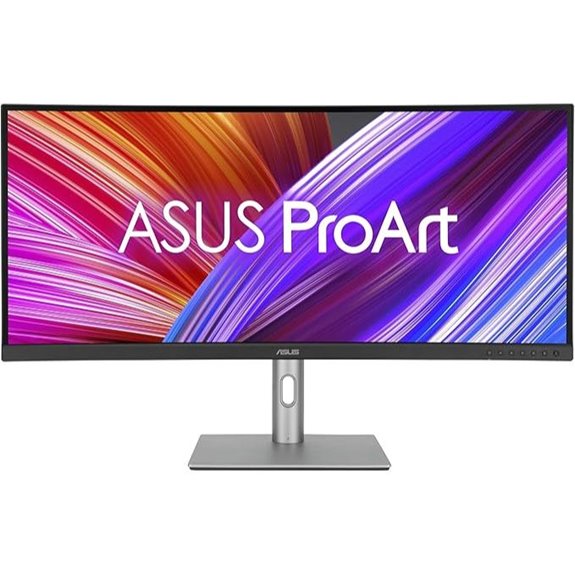 | Immersive Color Precision | Screen Size: 34.1-inch | Resolution: 3440 x 1440 | Color Gamut / Coverage: 100% sRGB, Rec. 709 | VIEW LATEST PRICE | See Our Full Breakdown |
| ASUS ProArt 32” 4K UHD IPS Monitor |  | High-Resolution Clarity | Screen Size: 31.5-inch | Resolution: 3840 x 2160 (4K UHD) | Color Gamut / Coverage: 98% DCI-P3 | VIEW LATEST PRICE | See Our Full Breakdown |
| BenQ PD2705UA 27″ 4K Monitor with Ergonomic Arm | 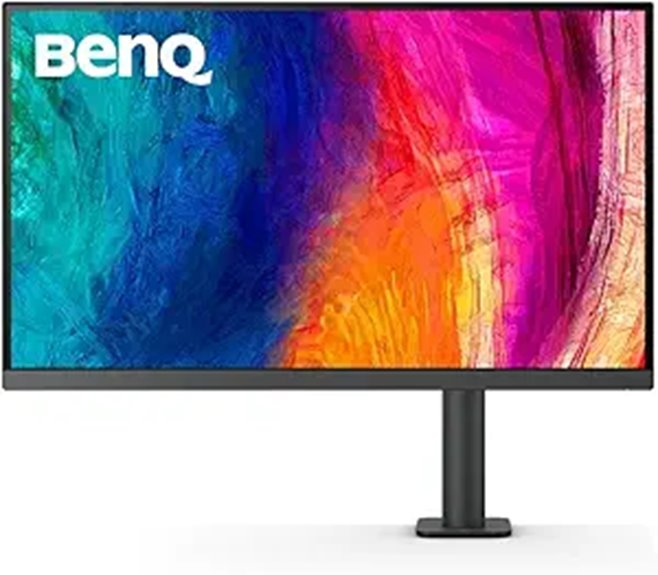 | Professional Ergonomics | Screen Size: 27-inch | Resolution: 3840 x 2160 (4K UHD) | Color Gamut / Coverage: 99% Rec. 709, sRGB | VIEW LATEST PRICE | See Our Full Breakdown |
| ASUS ProArt 27” WQHD Monitor with Calibration |  | Creative Workflow Ready | Screen Size: 27-inch | Resolution: 2560 x 1440 (WQHD) | Color Gamut / Coverage: 100% sRGB, Rec. 709 | VIEW LATEST PRICE | See Our Full Breakdown |
| ASUS ProArt 14″ Portable Touchscreen Monitor |  | Portable Creativity | Screen Size: 14-inch | Resolution: 1920 x 1080 (Full HD) | Color Gamut / Coverage: 100% sRGB, Rec. 709 | VIEW LATEST PRICE | See Our Full Breakdown |
| ASUS ProArt 32” 4K HDR Monitor with USB-C |  | Studio-Grade Flexibility | Screen Size: 32-inch | Resolution: 3840 x 2160 (4K UHD) | Color Gamut / Coverage: 100% sRGB, Rec. 709 | VIEW LATEST PRICE | See Our Full Breakdown |
| BenQ PD2725U 27″ 4K UHD Monitor with USB-C | 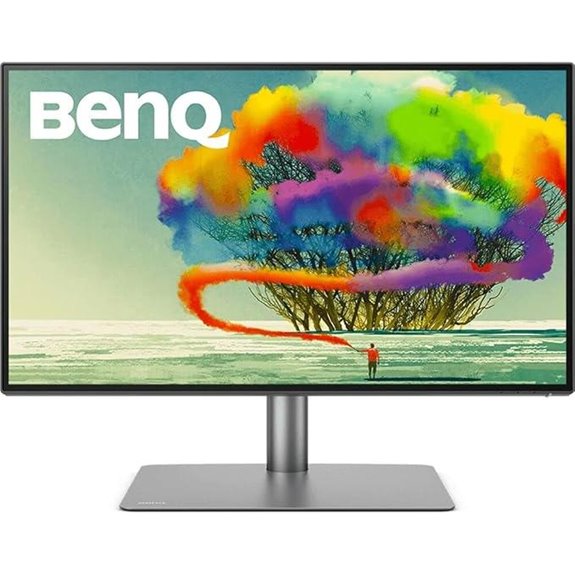 | Designer’s Companion | Screen Size: 27-inch | Resolution: 3840 x 2160 (4K UHD) | Color Gamut / Coverage: 95% P3, 100% sRGB | VIEW LATEST PRICE | See Our Full Breakdown |
| ViewSonic VP2468A 24-Inch Dual Monitor with USB-C | 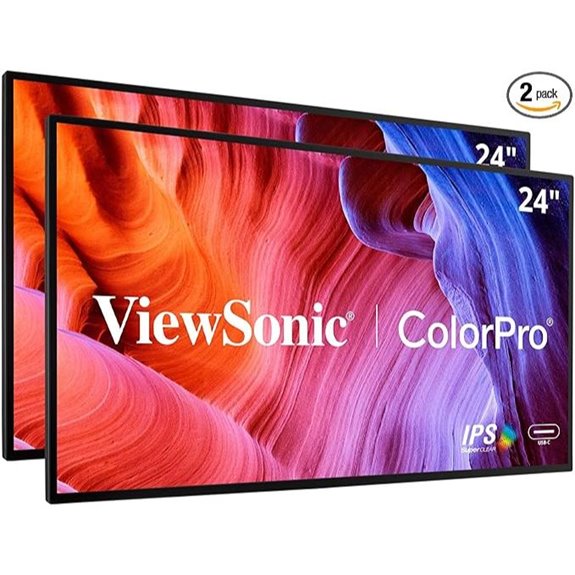 | Color Accuracy Leader | Screen Size: 24-inch | Resolution: 1920 x 1080 (Full HD) | Color Gamut / Coverage: 100% sRGB, DICOM-SIM | VIEW LATEST PRICE | See Our Full Breakdown |
| ViewSonic VP2786-4K 27-Inch IPS Monitor with USB-C | 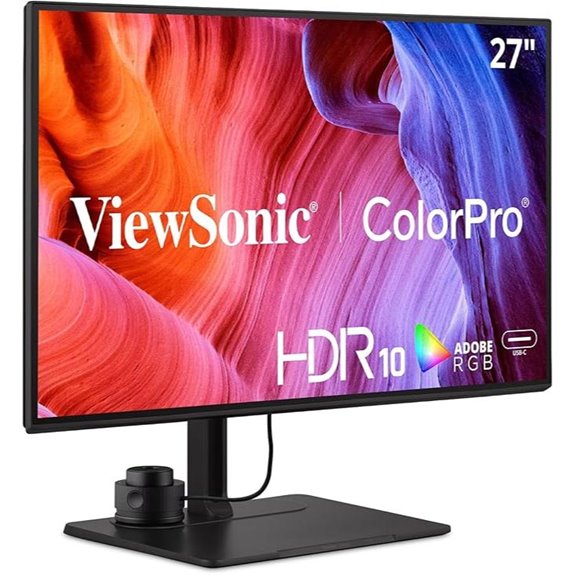 | Precision Editing | Screen Size: 27-inch | Resolution: 3840 x 2160 (4K UHD) | Color Gamut / Coverage: 100% Adobe RGB, 98% DCI-P3 | VIEW LATEST PRICE | See Our Full Breakdown |
| ASUS ProArt 27” 4K HDR Monitor with USB-C | 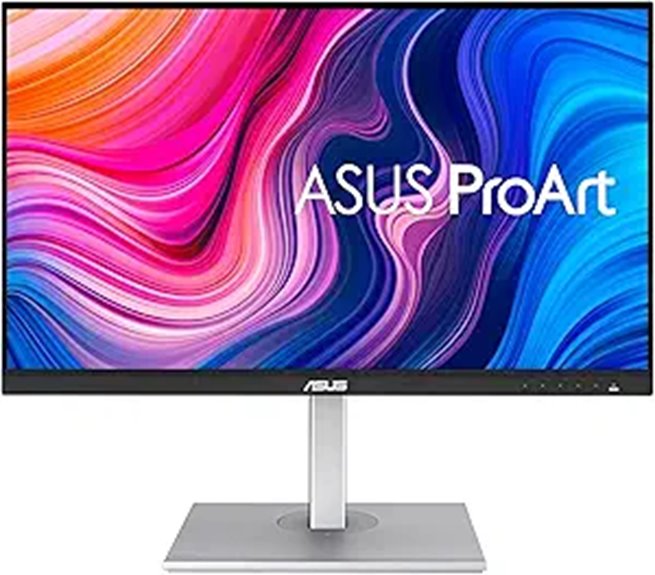 | Color-Centric Performance | Screen Size: 27-inch | Resolution: 3840 x 2160 (4K UHD) | Color Gamut / Coverage: 100% sRGB, Rec. 709 | VIEW LATEST PRICE | See Our Full Breakdown |
| ASUS ProArt 27” 5K HDR Professional Monitor | 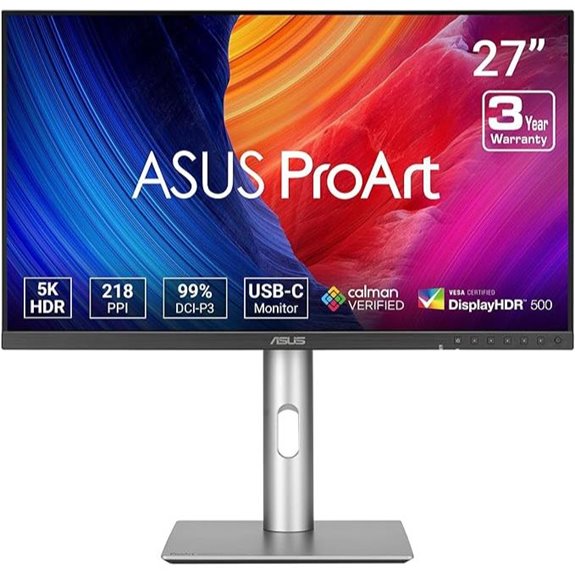 | Ultimate Color Fidelity | Screen Size: 27-inch | Resolution: 5120 x 2880 (5K) | Color Gamut / Coverage: 99% DCI-P3, 100% sRGB | VIEW LATEST PRICE | See Our Full Breakdown |
| LG 32U990A-S 32-Inch 6K Nano IPS Monitor | 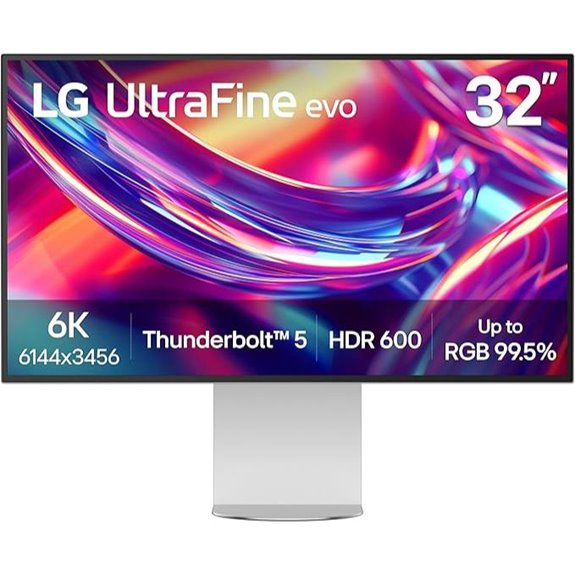 | Ultra-High-Res Master | Screen Size: 32-inch | Resolution: 6144 x 3456 (6K) | Color Gamut / Coverage: 99.5% Adobe RGB, 98% DCI-P3 | VIEW LATEST PRICE | See Our Full Breakdown |
More Details on Our Top Picks
ASUS ProArt 34” Ultrawide HDR Curved Monitor
If you’re serious about color grading, the ASUS ProArt 34” Ultrawide HDR Curved Monitor is a top choice thanks to its precise color accuracy and expansive display. Its 34.1-inch IPS panel with a 3800R curvature provides an immersive experience, perfect for detailed work. With 100% sRGB and Rec. 709 coverage, factory calibration, and Delta E < 2, it guarantees accurate colors right out of the box. The frameless design enhances immersion, while versatile connectivity options like USB-C with 96W Power Delivery enable seamless workflow. Plus, ergonomic adjustments and a three-year warranty make it a reliable, user-friendly monitor for professional color grading.
- Screen Size:34.1-inch
- Resolution:3440 x 1440
- Color Gamut / Coverage:100% sRGB, Rec. 709
- Connectivity Ports:USB-C, HDMI, DisplayPort, USB hub
- Calibration / Color Accuracy:Factory calibrated, Calman verified, Delta E < 2
- Special Features:HDR, extensive connectivity, ergonomic stand
- Additional Feature:3-year warranty included
- Additional Feature:96W Power Delivery via USB-C
- Additional Feature:Frameless immersive design
ASUS ProArt 32” 4K UHD IPS Monitor
The ASUS ProArt 32” 4K UHD IPS Monitor stands out as an ideal choice for professional colorists and content creators who demand precise color accuracy. Its 31.5-inch 4K UHD display with an IPS panel provides 178° wide viewing angles, ensuring consistent color from any position. With VESA DisplayHDR400 support, it delivers vibrant HDR visuals. Factory calibrated and Calman verified, it guarantees a color accuracy of ΔE < 2, covering 98% DCI-P3. The monitor offers extensive connectivity, including USB-C with 96W Power Delivery, HDMI, and DisplayPort, plus daisy-chaining capabilities. Plus, a 3-month Adobe Creative Cloud subscription is included.
- Screen Size:31.5-inch
- Resolution:3840 x 2160 (4K UHD)
- Color Gamut / Coverage:98% DCI-P3
- Connectivity Ports:USB-C, HDMI, DisplayPort, MST
- Calibration / Color Accuracy:Factory calibrated, Calman verified, Delta E < 2
- Special Features:HDR400, daisy-chain, extensive ports
- Additional Feature:HDR support (VESA DisplayHDR400)
- Additional Feature:Daisy-chaining support
- Additional Feature:Factory calibrated with Calman
BenQ PD2705UA 27″ 4K Monitor with Ergonomic Arm
For professional colorists seeking a reliable and precise monitor, the BenQ PD2705UA 27″ 4K model stands out thanks to its exceptional color accuracy and versatile ergonomic design. Its 27-inch 4K UHD IPS panel covers 99% of Rec. 709 and sRGB, with Delta E ≤ 3, ensuring accurate color reproduction. The monitor is Pantone and Calman Verified, complemented by AQCOLOR technology for consistent calibration. Its ergonomic arm allows full adjustments—swivel, height, pivot, tilt—and includes cable management for a tidy workspace. Features like a hotkey Puck, USB-C with 90W power delivery, and a KVM switch make it ideal for professional workflows demanding precision and flexibility.
- Screen Size:27-inch
- Resolution:3840 x 2160 (4K UHD)
- Color Gamut / Coverage:99% Rec. 709, sRGB
- Connectivity Ports:USB-C, DisplayPort, HDMI
- Calibration / Color Accuracy:Factory calibrated, Calman verified, Delta E ≤ 3
- Special Features:Ergonomic Ergo arm, KVM switch, calibration tools
- Additional Feature:Fully adjustable Ergo Arm
- Additional Feature:KVM switch functionality
- Additional Feature:Built-in calibration report
ASUS ProArt 27” WQHD Monitor with Calibration
Creative professionals seeking precise color accuracy will find the ASUS ProArt 27” WQHD Monitor with Calibration an ideal choice. Its 27-inch WQHD IPS display offers vibrant, consistent colors with 100% sRGB and Rec. 709 coverage, ensuring accurate image rendering. Factory-calibrated and Calman Verified, it maintains a Delta E below 2, guaranteeing color precision. The monitor’s adjustable ergonomics and anti-glare coating enhance comfort during long editing sessions. With extensive connectivity options, including HDMI, DisplayPort, USB ports, and audio jacks, it supports seamless workflow integration. Plus, the included 3-month Adobe Creative Cloud subscription adds extra value for creative professionals.
- Screen Size:27-inch
- Resolution:2560 x 1440 (WQHD)
- Color Gamut / Coverage:100% sRGB, Rec. 709
- Connectivity Ports:Mini DisplayPort, HDMI, USB-C, USB 3.0
- Calibration / Color Accuracy:Factory calibrated, Calman verified, Delta E < 2
- Special Features:Anti-glare, ergonomic stand, color presets
- Additional Feature:Anti-glare coating
- Additional Feature:ASUS-exclusive Preset/Pallet
- Additional Feature:4 USB 3.0 ports
ASUS ProArt 14″ Portable Touchscreen Monitor
If you need a portable monitor that combines professional-grade color accuracy with versatile connectivity, the ASUS ProArt 14″ Portable Touchscreen Monitor is an excellent choice. Its 14-inch Full HD IPS panel offers vivid, detailed visuals with 100% sRGB and Rec. 709 coverage, factory calibration, and Delta E < 2 for precise color reproduction. The touchscreen with 10-point multitouch adds interactivity, while the dual USB-C ports and Micro HDMI ensure broad device compatibility. Lightweight and portable, it features an anti-glare surface, eye care tech, and an intuitive ASUS Dial for easy adjustments. Perfect for on-the-go editing or color grading, it balances portability with professional quality.
- Screen Size:14-inch
- Resolution:1920 x 1080 (Full HD)
- Color Gamut / Coverage:100% sRGB, Rec. 709
- Connectivity Ports:USB-C, Micro HDMI, USB 3.0
- Calibration / Color Accuracy:Factory calibrated, Calman verified, Delta E < 2
- Special Features:Touchscreen, portable, eye care tech
- Additional Feature:Portable lightweight design
- Additional Feature:ASUS Dial control
- Additional Feature:TÜV Rheinland Flicker-Free
ASUS ProArt 32” 4K HDR Monitor with USB-C
The ASUS ProArt 32” 4K HDR Monitor with USB-C stands out as an excellent choice for professional creators who demand precise color accuracy. Its 32-inch 4K UHD IPS display offers wide 178° viewing angles and a brightness of 400 cd/㎡, ensuring vibrant visuals. Factory calibrated with Calman verification, it covers 100% sRGB and Rec. 709 color spaces, with a Delta E < 2 for true color fidelity. Connectivity is flexible, featuring USB-C with Power Delivery, DisplayPort, HDMI, and a built-in USB 3.1 hub. The adjustable stand enhances ergonomics, making it ideal for color-critical workflows in professional environments.
- Screen Size:32-inch
- Resolution:3840 x 2160 (4K UHD)
- Color Gamut / Coverage:100% sRGB, Rec. 709
- Connectivity Ports:USB-C, HDMI, DisplayPort, USB hub
- Calibration / Color Accuracy:Factory calibrated, Calman verified, Delta E < 2
- Special Features:HDR600, adjustable stand, professional calibration
- Additional Feature:400 cd/㎡ brightness
- Additional Feature:C-clamp stand option
- Additional Feature:Factory calibrated with Calman
BenQ PD2725U 27″ 4K UHD Monitor with USB-C
For professionals who demand precise color accuracy, the BenQ PD2725U 27″ 4K UHD monitor stands out as an excellent choice. Its IPS panel offers wide viewing angles, while 95% P3 and 100% sRGB coverage ensure vibrant, true-to-life colors. With a Delta E ≤ 3, color reproduction remains highly accurate, and the Pantone Validation plus Calman verification confirm its professional-grade performance. Built-in calibration reports and ICC Sync support make maintaining consistent color effortless. Designed for creative workflows, it features Thunderbolt 3, USB-C, and daisy-chain connectivity, along with 65W power delivery—perfect for Mac users and multi-monitor setups.
- Screen Size:27-inch
- Resolution:3840 x 2160 (4K UHD)
- Color Gamut / Coverage:95% P3, 100% sRGB
- Connectivity Ports:USB-C, HDMI, Thunderbolt 3, DisplayPort
- Calibration / Color Accuracy:Factory calibrated, Calman verified, Delta E ≤ 3
- Special Features:USB-C with 65W, ICCsync, Mac mode
- Additional Feature:Thunderbolt 3 port
- Additional Feature:M-Book Mac mode
- Additional Feature:ICC Sync technology
ViewSonic VP2468A 24-Inch Dual Monitor with USB-C
Designed for professional color work, the ViewSonic VP2468A 24-Inch Dual Monitor with USB-C offers exceptional color accuracy thanks to its 100% sRGB coverage and Pantone validation. Its IPS panel delivers sharp visuals with a 1920×1080 resolution and thin bezels, making it ideal for multi-monitor setups. The monitor supports various connectivity options, including USB-C with 65W charging, ensuring fast data transfer and device power. Its ergonomic stand allows for extensive adjustments, while features like Flicker-Free technology and Blue Light Filter reduce eye strain during long sessions. This monitor combines precise color reproduction with practical design for demanding color grading tasks.
- Screen Size:24-inch
- Resolution:1920 x 1080 (Full HD)
- Color Gamut / Coverage:100% sRGB, DICOM-SIM
- Connectivity Ports:USB-C, HDMI, DP, RJ45
- Calibration / Color Accuracy:Pantone validated, calibration report
- Special Features:Ultrawide, adjustable stand, Pantone certified
- Additional Feature:PANTONE validated
- Additional Feature:Ultra-thin bezels
- Additional Feature:100% sRGB coverage
ViewSonic VP2786-4K 27-Inch IPS Monitor with USB-C
If you’re seeking a monitor that delivers exceptional color accuracy and professional-grade calibration tools, the ViewSonic VP2786-4K 27-Inch IPS Monitor with USB-C is an ideal choice. It features a sharp 27-inch 4K UHD display with thin bezels, HDR10 support, and a 60Hz refresh rate. The magnetic hood minimizes reflections and glare, boosting color fidelity. With 100% Adobe RGB, 98% DCI-P3, and Rec. 709 coverage, plus a Delta E<2, it guarantees precise color reproduction. The integrated ColorPro Wheel and magnetic hood allow for fine calibration adjustments. Versatile connectivity, including USB-C with 90W charging, makes it perfect for professional workflows.
- Screen Size:27-inch
- Resolution:3840 x 2160 (4K UHD)
- Color Gamut / Coverage:100% Adobe RGB, 98% DCI-P3
- Connectivity Ports:USB-C, HDMI, USB, DisplayPort, micro DisplayPort
- Calibration / Color Accuracy:Calman verified, Delta E < 2, ICC profile
- Special Features:Magnetic hood, color wheel, calibration tools
- Additional Feature:Magnetic detachable hood
- Additional Feature:ColorPro Wheel included
- Additional Feature:Supports HDR10
ASUS ProArt 27” 4K HDR Monitor with USB-C
The ASUS ProArt 27” 4K HDR Monitor with USB-C stands out as an ideal choice for creative professionals seeking precise color accuracy and versatile connectivity. Its 27-inch 4K UHD display with an IPS panel ensures wide viewing angles and consistent image quality. Factory calibrated and Calman Verified, it offers exceptional color precision with Delta E under 2, supporting 100% sRGB and Rec. 709 standards. The monitor’s USB-C port delivers 65W Power Delivery, making it easy to connect laptops or Macs, complemented by HDMI and USB 3.1 ports. Plus, it includes a 3-month Adobe Creative Cloud subscription, making it perfect for demanding color-sensitive work.
- Screen Size:27-inch
- Resolution:3840 x 2160 (4K UHD)
- Color Gamut / Coverage:100% sRGB, Rec. 709
- Connectivity Ports:USB-C, HDMI, DisplayPort
- Calibration / Color Accuracy:Factory calibrated, Calman verified, Delta E < 2
- Special Features:USB-C with 65W, professional calibration
- Additional Feature:65W Power Delivery
- Additional Feature:Wide color standards
- Additional Feature:3-month Creative Cloud
ASUS ProArt 27” 5K HDR Professional Monitor
For color grading professionals seeking top-tier accuracy, the ASUS ProArt 27” 5K HDR Professional Monitor stands out with its stunning 5120 x 2880 resolution and wide color gamut coverage. Its IPS panel offers 178° viewing angles, ensuring consistent colors from any position. With HDR support, high brightness, and contrast, it delivers vibrant, lifelike images. Factory pre-calibrated with Delta E < 2 and Calman Verified, it guarantees precise color fidelity right out of the box. The monitor’s USB-C port provides 96W power delivery, simplifying connectivity. Designed for professionals, it also features LuxPixel technology and adaptive brightness sensors, making it an excellent choice for demanding color grading workflows.
- Screen Size:27-inch
- Resolution:5120 x 2880 (5K)
- Color Gamut / Coverage:99% DCI-P3, 100% sRGB
- Connectivity Ports:USB-C, HDMI, USB, DisplayPort
- Calibration / Color Accuracy:Factory calibrated, Calman verified, Delta E < 2
- Special Features:5K resolution, high color fidelity, HDR
- Additional Feature:LuxPixel technology
- Additional Feature:High brightness/contrast
- Additional Feature:3-year warranty
LG 32U990A-S 32-Inch 6K Nano IPS Monitor
Creative professionals seeking unparalleled color accuracy and sharpness will find the LG 32U990A-S 32-Inch 6K Nano IPS Monitor to be a standout choice. Its 32-inch Nano IPS Black panel delivers stunning 6K resolution (6144 x 3456) with over 21 million pixels, ensuring ultra-sharp clarity. With 99.5% Adobe RGB and 98% DCI-P3 coverage, it provides professional-grade color precision, enhanced by VESA DisplayHDR 600 for vibrant highlights and deep blacks. Connectivity options like Thunderbolt 5, HDMI 2.1, and USB-C make it versatile for demanding workflows. Designed for extended use, its ergonomic stand and sleek appearance make it perfect for detailed color grading tasks.
- Screen Size:32-inch
- Resolution:6144 x 3456 (6K)
- Color Gamut / Coverage:99.5% Adobe RGB, 98% DCI-P3
- Connectivity Ports:Thunderbolt 5, HDMI 2.1, DisplayPort 2.1, USB-C
- Calibration / Color Accuracy:Factory calibrated, high color fidelity, Delta E < 2
- Special Features:6K resolution, Thunderbolt 5, professional-grade color
- Additional Feature:Thunderbolt 5 port
- Additional Feature:6K resolution (6144×3456)
- Additional Feature:2000:1 contrast ratio
Factors to Consider When Choosing Monitors for Color Grading
When selecting a monitor for color grading, I focus on key factors like color gamut coverage, calibration accuracy, and brightness levels to guarantee true-to-life visuals. Connectivity options and ergonomic adjustments also matter to create a comfortable and efficient workflow. Understanding these elements helps me choose a display that meets professional standards and personal needs.
Color Gamut Coverage
A monitor’s color gamut coverage is a crucial factor in achieving accurate color grading, as it determines the range of colors the display can reproduce. A wider gamut, such as 99% Adobe RGB or DCI-P3, allows me to see more vibrant and saturated colors, essential for professional work. Monitors supporting 100% sRGB and Rec. 709 are suitable for standard workflows, ensuring consistent colors across devices. Covering high-end color spaces like P3 and Adobe RGB helps achieve precise, rich color correction. It’s important that my monitor’s color gamut is calibrated and validated, so I can trust its accuracy throughout the editing process. Understanding my workflow’s specific color needs guides me in selecting a monitor that can accurately represent the full spectrum of colors I require.
Calibration Accuracy Standards
Ensuring calibration accuracy is crucial for reliable color grading, as even minor deviations can substantially impact the final result. Monitors with calibration standards like Delta E < 2 guarantee that colors are reproduced precisely, minimizing perceptible differences. Factory calibration verified by professional tools such as Calman or Pantone guarantees consistent performance right out of the box. Supporting high color gamut coverage—like 99% Adobe RGB or DCI-P3—is essential for accurate color representation across a broad spectrum. Compliance with international standards like sRGB and Rec. 709 guarantees compatibility and consistency across various media. Advanced features, including built-in colorimeters or calibration reports, help maintain ongoing accuracy and stability over time. Choosing a monitor with these calibration standards is fundamental for achieving professional-grade color grading results.
Brightness and Contrast
Brightness and contrast are key factors to contemplate when selecting a monitor for color grading, as they directly impact how accurately you can perceive details in your footage. Higher brightness levels, like 600 cd/㎡ or more, are vital for properly viewing HDR content, ensuring vibrant highlights and subtle details are visible. A contrast ratio of at least 1000:1 helps distinguish nuanced differences between light and dark areas, creating depth and realism. Monitors with adjustable contrast settings allow precise calibration to match your workflow needs. Consistent brightness and contrast across the entire screen are essential for uniformity, preventing color inconsistencies during grading. Ultimately, these features enable more accurate, reliable color adjustments, helping you achieve professional-quality results.
Connectivity Options
Choosing the right monitor for color grading means paying close attention to connectivity options, as they directly impact your workflow flexibility. I look for models with multiple ports like HDMI, DisplayPort, USB-C, and Thunderbolt to guarantee compatibility with various devices and setups. USB-C and Thunderbolt ports are especially useful—they simplify cable management and can deliver power to laptops and peripherals, reducing clutter. I also check if the monitor supports daisy-chaining, which allows me to connect multiple displays through a single port, expanding my workspace. A built-in USB hub is another valuable feature, making it easy to connect multiple peripherals without mess. Ultimately, I verify compatibility with professional interfaces like MST or other standards specific to my color grading needs to ensure seamless integration.
Ergonomic Adjustability
When selecting a monitor for color grading, ergonomic adjustability features are essential because they directly influence your comfort and accuracy during long editing sessions. Features like tilt, swivel, pivot, and height adjustment help enhance your viewing angles, reducing eye strain and fatigue. An adjustable stand allows me to customize the screen position for better comfort and more precise color assessment, which is vital for detailed work. Proper ergonomic setup prevents neck and back pain, enabling me to focus longer without discomfort. Monitors with these capabilities also promote a natural posture, improving accuracy and reducing fatigue over time. In collaborative environments, adjustable monitors allow multiple users to find the best viewing position, ensuring consistent color judgment for everyone involved.
Hardware Compatibility
Ensuring your monitor is compatible with your existing hardware is a key step in achieving accurate color grading. First, check if the monitor offers hardware calibration capabilities or supports external calibration tools—this guarantees precise color accuracy over time. Confirm that the monitor’s color space coverage, like 99% Adobe RGB or DCI-P3, aligns with your project needs. Compatibility with your computer’s ports, such as USB-C, HDMI, or DisplayPort, is essential for high-quality data transfer. Additionally, select a monitor with a hardware color management system or built-in calibration reports to maintain consistent performance. Finally, verify that the monitor’s firmware and software support seamless calibration and profile adjustments, ensuring your workflow remains smooth and your colors stay accurate throughout your editing process.
Frequently Asked Questions
How Do Calibration Needs Vary Between Different Monitor Models?
Calibration needs vary greatly between monitor models because each has different display technologies, color gamuts, and hardware color profiles. I find that high-end models often require more precise calibration to reveal their full potential, while budget options may need less frequent adjustments. Regular calibration guarantees consistent color accuracy, especially for professional work. So, I recommend checking each monitor’s specifications and using tools like a colorimeter for ideal results.
What Is the Impact of Screen Size on Color Grading Accuracy?
The screen size can considerably impact color grading accuracy because larger monitors provide a broader view, making it easier to spot color inconsistencies and fine details. I prefer bigger screens because they allow for better precision and a more immersive editing experience. However, larger screens also require more space and may demand higher resolution to maintain sharpness. Ultimately, I balance size with resolution to achieve ideal color accuracy.
Which Connectivity Options Are Essential for Professional Workflows?
Ever wondered what truly keeps your workflow seamless? I believe having versatile connectivity options is vital. You’ll want HDMI and DisplayPort for high-quality video signals, USB-C for fast data transfer and charging, and perhaps Thunderbolt for expanded bandwidth. These options guarantee compatibility with various devices, minimize clutter, and boost efficiency. Ultimately, choosing a monitor with extensive connectivity helps you focus on your craft without interruptions or limitations.
How Important Is HDR Support for Color Grading in 2026?
HDR support is incredibly important for color grading in 2026 because it guarantees I can accurately see the full range of brightness and color in my footage. It helps me spot details in highlights and shadows, making my work more precise and realistic. Without good HDR support, my grading could look flat or overly exaggerated. So, I always prioritize monitors with robust HDR capabilities to deliver top-quality results.
Can Portable Monitors Meet High-End Color Grading Standards?
They say, “A picture is worth a thousand words,” and I believe portable monitors can meet high-end color grading standards if you choose wisely. Today’s top portable screens offer excellent color accuracy, wide gamuts, and decent HDR support. While they might not fully match high-end desktop monitors, they’re perfect for on-the-go work, quick edits, and client reviews—making them a valuable tool for mobile professionals like us.
Conclusion
Choosing the right monitor is vital for excellent color grading, and with over 65% of professionals rating display accuracy as essential, investing in quality really pays off. Whether you prefer ultrawide, 4K, or portable options, understanding your needs helps you find the perfect fit. Remember, a great monitor won’t just show colors accurately — it can boost your workflow and creativity. So, pick wisely and bring your visuals to life with vibrant, true-to-life colors.