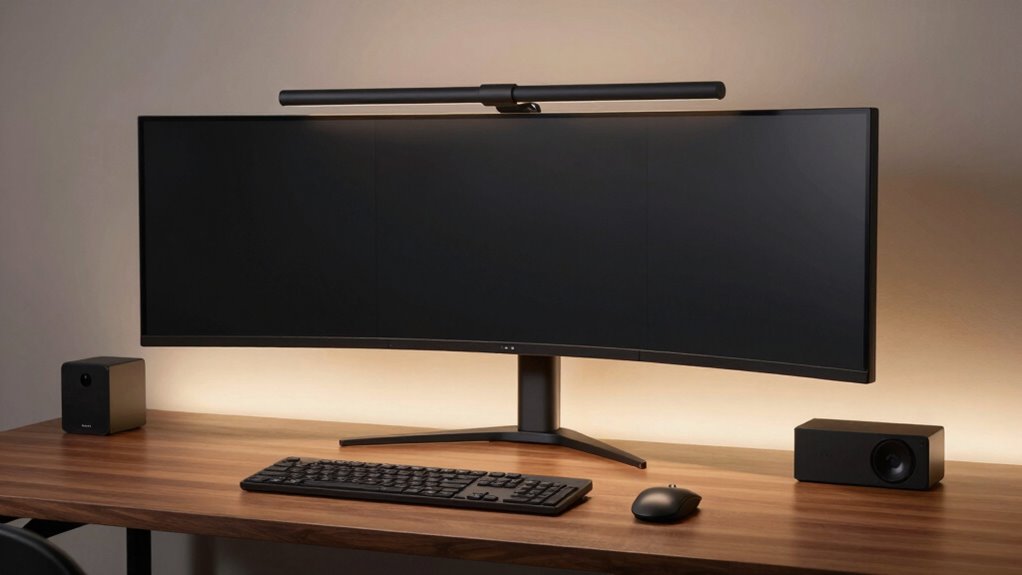

For most desk setups, I’d start with the Quntis Monitor Light Bar with Backlight and Remote: it pairs front task lighting with rear glow and lets you adjust settings without reaching for the bar. The Quntis Auto-Dimming Monitor Lamp is a standout for hands-off brightness changes, while the Quntis Curved Monitor Light Bar is aimed at larger curved screens. The main tradeoffs are screen compatibility, control style, and whether RGB backlighting is worth prioritizing over straightforward task lighting. Some models add convenience features, while simpler options may be a better fit for a basic desk. Read on for the full breakdown and guidance on matching a light bar to your monitor and work habits.

Get the latest gadgets delivered free with Prime
- Fast, free delivery on millions of items
- Prime Video, Amazon Music and more included
- Member-only deals all year
Complete the kit



Key Takeaways
- The roundup’s strongest all-round fit is the Quntis Monitor Light Bar with Backlight and Remote: its remote and rear glow suit buyers who want more control than a basic touch-operated bar provides.
- Screen shape can matter more than extra lighting modes: the curved Quntis model is the most purpose-built option for large curved displays, while standard bars may be a less certain fit.
- Automatic adjustment is a distinct convenience, not a must-have: the Quntis auto-dimming model suits changing room light, but buyers who prefer fixed settings may have little use for it.
- RGB backlighting is common across several contenders: Quntis offers multiple RGB-equipped models, and SAMPHON adds a dual-light design; compare how you’ll use the rear glow before choosing on that feature alone.
- Simple controls and broad adjustability serve different routines: touch and stepless dimming appear on options such as Yeelight and Colorpanda, while remote control may be easier when the bar is mounted out of reach.
| Quntis Monitor Light Bar with Backlight and Remote | 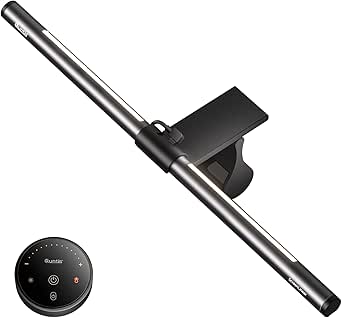 | Best for Simple Front-and-Back Lighting | Length: 16.1 inches (41 cm) | Light source: LED | Number of LEDs: 84 | VIEW ON AMAZON | See Our Full Breakdown |
| SAMPHON RGB Dual-Light Monitor Light Bar, 15.75-Inch |  | Best for Separate Front and RGB Controls | Dimensions: 15.75 × 0.78 × 3.15 inches | Power source: Corded electric, USB-C | Voltage: 5 volts | VIEW ON AMAZON | See Our Full Breakdown |
| Quntis Monitor Light Bar with Remote Control |  | Best for Broad Monitor Compatibility | Length: 20.1 inches | Monitor compatibility: 17–32 inches; 0.12–3.94 inches thick | Color temperature: 3000K–6500K | VIEW ON AMAZON | See Our Full Breakdown |
| Quntis Curved Monitor Light Bar with RGB Backlight for 34-Inch and Larger Screens |  | Best for Large Curved Monitors | Screen compatibility: Curved monitors over 34 inches (800R–3000R) and large flat screens | Light bar length: Up to 26 inches | Maximum monitor thickness: 3.35 inches | VIEW ON AMAZON | See Our Full Breakdown |
| Quntis 15.7-Inch Monitor Light Bar with RGB Backlight |  | Best for Touch-Controlled RGB Options | Length: 15.7 inches (40 cm) | Front-light brightness: Up to 900 lux | Brightness levels: 5 preset levels | VIEW ON AMAZON | See Our Full Breakdown |
| Colorpanda 16.14-Inch USB Monitor Light Bar with Touch Control |  | Best for a Metal Build on Thicker Monitors | Length: 16.14 inches | Brightness: 250 lumens | Color temperatures: 2700K, 4000K, 6500K | VIEW ON AMAZON | See Our Full Breakdown |
| Monitor Light Bar, Eye-Care USB Reading Mnitor lamp, 11.8” LED Computer Lights with Ultrawide Lighting, 3 Color Temperature Dimmable Desk Light for Home Office Gaming |  | Best Compact Pick for Small Desks | Length: 11.8 inches | Central illumination: Up to 800 lux | Coverage area: 30 × 20 inches | VIEW ON AMAZON | See Our Full Breakdown |
| Quntis Computer Monitor Lamp, Screen Monitor Light Bar for Eye Caring, USB Reading LED Task Lamp with Auto-Dimming, Dimmable Light Bar, Touch Control, No Glare Space Saving Home Office Desk Lamps |  | Best for Automatic Brightness Adjustment | Light source: LED | LED count: 78 beads stated in product description | Color temperature range: 3000K–6500K | VIEW ON AMAZON | See Our Full Breakdown |
| Monitor Light Bar, Eye-Care USB Computer Monitor Lamp for Home Office Gaming, 15.7” Ultrawide LED Light, 3 Color Temperatures Stepless Dimming Screen Bar |  | Best for Wide Screens and Desk Coverage | Length: 15.75 inches | Central illumination: Up to 900 lux | Coverage area: 35 × 25 inches | VIEW ON AMAZON | See Our Full Breakdown |
| Yeelight Monitor Light Bar with Touch Control and Stepless Dimming |  | Best Premium Build | Brightness: 250 lumens | Color temperature: 2700K–6500K | Color rendering index: Ra95 | VIEW ON AMAZON | See Our Full Breakdown |
| monitor light bars for desk setup | Length | Color rendering index | Power | Wattage |
|---|---|---|---|---|
| Quntis Monitor Light Bar with | 16.1 inches (41 cm) | Ra95 | — | 7.5 watts |
| SAMPHON RGB Dual-Light Monitor | — | — | — | 5 watts |
| Quntis Monitor Light Bar with | 20.1 inches | CRI 95 | USB, corded electric | — |
| Quntis Curved Monitor Light Ba | — | Ra98 | — | — |
| Quntis 15.7-Inch Monitor Light | 15.7 inches (40 cm) | Ra95 | — | — |
| Colorpanda 16.14-Inch USB Moni | 16.14 inches | — | USB, corded electric | — |
| Monitor Light Bar | 11.8 inches | — | USB, 5 volts | — |
| Quntis Computer Monitor Lamp | — | Ra98 | USB, corded electric, 5 volts | 5 watts |
| Monitor Light Bar | 15.75 inches | — | USB, 5 volts | 5 watts |
| Yeelight Monitor Light Bar wit | — | Ra95 | USB, 5 V DC | 5 watts |
More Details on Our Top Picks
Quntis Monitor Light Bar with Backlight and Remote
The Quntis pairs glare-conscious desk lighting with a backlight, giving you a way to illuminate both your work surface and the wall behind the monitor without adding a separate lamp. Its three modes make it more adaptable than the front-light-only options in this roundup, while the remote and memory function make everyday adjustments and returning to familiar settings straightforward. The weighted sliding clip is designed for curved and thin-bezel screens, a useful fit advantage over the SAMPHON’s padded retractable clip for buyers whose monitor shape makes mounting tricky. The tradeoff is that the backlight color temperature is fixed, even though its brightness can be adjusted. It also needs a corded power connection, so it is not a cable-free desk upgrade.
Pros:- Provides front and back lighting with three modes
- Remote control, dimming, and adjustable front-light color temperature
- Weighted sliding clip is designed for curved and thin-bezel monitors
- Memory function restores previous brightness and color temperature
Cons:- Backlight brightness adjusts, but its color temperature does not
- Requires a corded power connection
Best for: Desk users who want both task lighting and a restrained monitor backlight, especially those with curved or thin-bezel screens.
Not ideal for: Buyers who want to tune the backlight’s color temperature or avoid another power cable.
- Length:16.1 inches (41 cm)
- Light source:LED
- Number of LEDs:84
- Wattage:7.5 watts
- Voltage:5 volts
- Control:Remote control
- Lighting modes:Work, Immersive, Design
- Color rendering index:Ra95
Our verdict“Choose this Quntis if you want remote-controlled front and back lighting with a monitor-friendly sliding clip, and can accept a fixed backlight color temperature.”
SAMPHON RGB Dual-Light Monitor Light Bar, 15.75-Inch
SAMPHON gives the front task light and RGB backlight separate controls, which suits desks where work lighting and gaming ambience need different settings. The front light offers three color temperatures and dimming, while the backlight has nine modes; memory recalls the last settings. That control split is a clearer fit for users who want to change ambient effects without reworking the light on the desk. Compared with the Quntis Monitor Light Bar with Backlight and Remote, SAMPHON specifies USB-C power and a 45-degree beam angle, but its listed maximum output is 150 lumens rather than an illuminance figure in lux. Its padded retractable clip is designed for flat and curved monitors, though the plastic construction is a less substantial choice than the aluminum body of Quntis’s large-screen model.
Pros:- Separate controls for front light and RGB backlight
- Three front-light color temperatures with dimming
- Nine RGB backlight modes and settings memory
- Padded retractable clip is designed for flat and curved screens
Cons:- Plastic construction rather than an aluminum body
- Requires a USB-C power source
Best for: Gaming and home-office users who want independently controlled front lighting and RGB effects on a flat or curved monitor.
Not ideal for: Buyers seeking an aluminum-bodied bar, a measured desk illuminance figure, or a setup without USB-C power.
- Dimensions:15.75 × 0.78 × 3.15 inches
- Power source:Corded electric, USB-C
- Voltage:5 volts
- Maximum light output:150 lumens
- Beam angle:45 degrees
- Wattage:5 watts
- Lighting modes:9 RGB backlight modes; 3 front-light color temperatures
- Material:Plastic
Our verdict“Pick SAMPHON if independent task-light and RGB controls matter more to you than a metal build or detailed lux output.”
Quntis Monitor Light Bar with Remote Control
This 20.1-inch Quntis is the lineup’s practical pick for buyers who need a bar designed around a wider range of screen shapes and sizes. Its stated fit covers 17–32-inch flat, curved, and irregular monitors, and the angled light design aims to keep illumination on the desk rather than reflecting back from the display. The remote provides stepless brightness and color-temperature control, plus auto-dimming and a two-hour shutoff timer. Compared with the shorter Quntis Monitor Light Bar with Backlight and Remote, this model prioritizes screen coverage and adjustment over rear ambience; it has no listed RGB or backlight mode. It also requires USB power, and the hinge may need tightening with the included hex key, adding a small setup task that the simpler clip-on Quntis 15.7-Inch does not call out.
Pros:- Designed for a broad range of 17–32-inch flat, curved, and irregular monitors
- Remote offers stepless brightness and color-temperature adjustment
- Auto-dimming and a two-hour auto-off timer
- Angled lighting is designed to reduce screen glare
Cons:- Requires a USB power connection
- Hinge may need tightening with the included hex key
Best for: People with 17–32-inch flat, curved, or irregular monitors who want a remote-controlled task light without a backlight.
Not ideal for: Buyers with screens outside the stated size range or those who want RGB ambience, built-in backlighting, or wireless power.
- Length:20.1 inches
- Monitor compatibility:17–32 inches; 0.12–3.94 inches thick
- Color temperature:3000K–6500K
- Color rendering index:CRI 95
- Illumination:≥1200 lux
- Power:USB, corded electric
- Wattage and voltage:5 watts; 5 volts
- Adjustable pivot:15°
Our verdict“Choose this longer Quntis for varied monitor shapes and remote-controlled task lighting, but skip it if backlighting is a priority.”
Quntis Curved Monitor Light Bar with RGB Backlight for 34-Inch and Larger Screens
Built for curved monitors over 34 inches and large flat screens, this Quntis addresses the coverage problem that shorter bars such as the 15.7-inch Quntis RGB model may leave on an ultrawide desk. Its foldable design extends up to 26 inches, and the adjustable clamp accommodates screens up to 3.35 inches thick. Front lighting offers a 3000K–6500K range, while 15 RGB backlight modes add ambient color; an automatic brightness sensor can reduce the need for manual tweaks. The aluminum construction also sets it apart from the plastic SAMPHON. The tradeoff is specialization: its fit is aimed at very large curved screens, so it is a poor match for a typical smaller monitor. It uses USB-C power and is not waterproof, though the latter is unlikely to matter for most desk setups.
Pros:- Extends up to 26 inches for large-screen coverage
- Adjustable clamp fits monitors up to 3.35 inches thick
- 15 RGB backlight modes and adjustable front-light color temperature
- Aluminum construction with automatic brightness adjustment
Cons:- Designed primarily for monitors over 34 inches
- Requires USB-C power
Best for: Owners of 34-inch-and-larger curved monitors or large flat displays who want wider task-light coverage and RGB backlighting.
Not ideal for: Users with standard-size monitors who do not need an extended bar, or anyone seeking a non-USB-C-powered option.
- Screen compatibility:Curved monitors over 34 inches (800R–3000R) and large flat screens
- Light bar length:Up to 26 inches
- Maximum monitor thickness:3.35 inches
- Brightness:Up to 1400 lux at center; 500 lux across a wider area
- Color temperature:3000K–6500K
- Color rendering index:Ra98
- RGB backlight modes:15
- Power and connectivity:Corded electric; USB-C; 5 volts
Our verdict“Choose this Quntis when a large curved or flat display needs a longer light bar; for smaller monitors, a compact model will fit more naturally.”
Quntis 15.7-Inch Monitor Light Bar with RGB Backlight
This 15.7-inch Quntis balances desk-focused task lighting with a large selection of ambient effects: its front light reaches up to 900 lux, and the backlight has 24 modes spanning static and dynamic options. Touch controls adjust brightness and color temperature, while power-off memory brings back the previous settings. The webcam-friendly clip is useful when a bar must sit above a display without taking over the camera position. Compared with the Quntis Monitor Light Bar with Backlight and Remote, this model offers more RGB modes and touch control, but it gives up the remote and the longer 16.1-inch bar. Its stated monitor thickness range is also narrower than the larger-screen Quntis’s clamp fit. USB power is required, and the design is not waterproof.
Pros:- Front light reaches up to 900 lux with adjustable color temperature
- 24 RGB modes, including static and dynamic options
- Webcam-friendly clip-on mount
- Power-off memory restores previous settings
Cons:- Requires USB power
- Not waterproof
Best for: Desk users who want touch-controlled task lighting, many RGB backlight modes, and a clip designed to leave a webcam unobstructed.
Not ideal for: Buyers who prefer remote operation, need a bar for a very large display, or want to avoid USB power.
- Length:15.7 inches (40 cm)
- Front-light brightness:Up to 900 lux
- Brightness levels:5 preset levels
- Color temperature:3000K–6500K
- Color rendering index:Ra95
- RGB backlight modes:24 (9 static and 15 dynamic)
- Monitor thickness compatibility:0.16–2.36 inches
- Power and controls:USB, corded electric; touch control
Our verdict“Pick this Quntis for touch controls and a broad RGB selection on a standard monitor, but choose a remote model if you want to adjust settings from farther away.”
Colorpanda 16.14-Inch USB Monitor Light Bar with Touch Control
The Colorpanda pairs a longer-than-compact 16.14-inch bar with an aluminum body, making it a sensible pick for a desk where a plastic housing feels out of place. Its asymmetric, flicker-free lighting aims down at the work surface to limit screen reflections, while three color temperatures and dimming let you shift from focused work to warmer reading light. The memory function also saves the last setting, so you do not need to reset it each time.
Compared with the shorter SAMPHON 11.8-inch light bar, this model spans more of the desk; the SAMPHON, however, lists a higher central illumination figure. Colorpanda’s stated 0.12–2.2-inch monitor fit is broad, but buyers still need to check their screen thickness, and the USB cable means it needs a nearby powered port or adapter.
Pros:- Asymmetric lighting is designed to reduce screen glare
- Three color temperatures and adjustable brightness support different desk tasks
- Aluminum body and 16.14-inch length suit a more substantial monitor setup
- Memory function recalls the previous lighting setting
Cons:- Requires a USB power connection
- Monitor compatibility is limited to the stated 0.12–2.2-inch thickness range
Best for: Home-office users who want an aluminum light bar, touch controls, and compatibility with monitors up to 2.2 inches thick.
Not ideal for: People who need a battery-powered light or whose monitor is thinner than 0.12 inches or thicker than 2.2 inches.
- Length:16.14 inches
- Brightness:250 lumens
- Color temperatures:2700K, 4000K, 6500K
- Controls:Touch buttons
- Power:USB, corded electric
- Mount:Clip-on monitor mount
- Monitor thickness fit:0.12–2.2 inches
- Body material:Aluminum
- Warranty:1 year
Our verdict“Choose Colorpanda if you want a longer aluminum bar with a wide stated monitor-fit range, and skip it if your setup needs cordless lighting.”
Monitor Light Bar, Eye-Care USB Reading Mnitor lamp, 11.8” LED Computer Lights with Ultrawide Lighting, 3 Color Temperature Dimmable Desk Light for Home Office Gaming
The SAMPHON 11.8-inch bar is the compact choice here: its short span can suit a small monitor or a crowded desk where a longer light bar feels oversized. Its product description claims up to 800 lux centrally across a 30-by-20-inch area, with a 45-degree beam intended to light the desk without shining into the user’s eyes. Three color temperatures, stepless dimming, and a memory function give it more adjustment than its small footprint suggests.
Compared with the 15.7-inch SAMPHON SC04, this model takes up less horizontal space, while the SC04 is the more natural fit for a wide screen and desk. The compact bar’s plastic construction and mechanical side switch are simpler than the touch-controlled Quntis ScreenLinear; its claimed broad monitor compatibility is not paired with a specific thickness range in the supplied details, so check fit before buying.
Pros:- Compact 11.8-inch length fits smaller monitor setups
- Stepless brightness adjustment and three color temperatures
- Memory function recalls the previous setting
- USB power can come from a computer, adapter, or power bank
Cons:- Plastic body is less substantial than the aluminum Colorpanda and Yeelight bars
- No specific compatible monitor-thickness range is provided in the supplied product details
- Mechanical side switch may be less convenient than touch controls
Best for: Users with compact desks or smaller monitors who want adjustable desk lighting without a long bar across the screen.
Not ideal for: Owners of wide monitors who want illumination spread across a broad keyboard and desk area, or buyers who require a specified monitor-thickness range.
- Length:11.8 inches
- Central illumination:Up to 800 lux
- Coverage area:30 × 20 inches
- Color temperatures:3000K, 4000K, 6500K
- Beam angle:45 degrees
- Controls:Mechanical side switch
- Power:USB, 5 volts
- Material:Plastic
- Warranty:1 year
Our verdict“Pick this SAMPHON for a space-constrained desk and compact screen, but choose the longer SC04 if broad coverage matters more.”
Quntis Computer Monitor Lamp, Screen Monitor Light Bar for Eye Caring, USB Reading LED Task Lamp with Auto-Dimming, Dimmable Light Bar, Touch Control, No Glare Space Saving Home Office Desk Lamps
The Quntis ScreenLinear earns its place through a feature the simpler Colorpanda does not list: an ambient-light sensor that adjusts output to match the room. It also allows manual brightness and color-temperature changes, so automatic control is not the only option. The asymmetric optical design directs light toward the desk, and the product lists Ra98 color rendering, a useful specification for people who want desk objects and printed materials to look more color-true.
Compared with the Yeelight Monitor Light Bar, Quntis adds auto-dimming and a stated sensor target of 900 lux, while Yeelight supplies a clearer monitor-thickness range and an aluminum body. The Quntis details describe 78 LED beads but also list 42 pieces, leaving the component count unclear. It is USB-powered and clip-mounted, so buyers should check port access and mounting fit before choosing it.
Pros:- Ambient-light sensor automatically adjusts illumination
- Manual brightness and color-temperature controls remain available
- Asymmetric optics are designed to limit screen reflections
- Ra98 color-rendering specification suits color-conscious desk work
Cons:- USB corded power is required
- Supplied product details give conflicting LED quantity information
- No compatible monitor-thickness range is provided in the supplied specifications
Best for: People whose room lighting changes during the day and who want a sensor to adjust their monitor-bar brightness automatically.
Not ideal for: Buyers who prioritize a confirmed metal body or a clearly documented monitor-thickness fit over auto-dimming and color rendering.
- Light source:LED
- LED count:78 beads stated in product description
- Color temperature range:3000K–6500K
- Color rendering index:Ra98
- Auto-dimming:Ambient-light sensor; adjusts toward 900 lux
- Power:USB, corded electric, 5 volts
- Wattage:5 watts
- Mount:Clip-on
- Controls:Touch
Our verdict“Choose the Quntis if room-aware auto-dimming and high stated color rendering matter more than a clearly specified fit range.”
Monitor Light Bar, Eye-Care USB Computer Monitor Lamp for Home Office Gaming, 15.7” Ultrawide LED Light, 3 Color Temperatures Stepless Dimming Screen Bar
The SAMPHON SC04 is the coverage-minded option in this group. Its 15.7-inch span and claimed 900-lux central brightness across a 35-by-25-inch area make it better suited to a wide monitor and broad work surface than the compact SAMPHON 11.8-inch model. A 45-degree asymmetric beam is designed to keep light on the desk rather than in the user’s eyes or reflected on the screen; brightness is stepless, and the bar remembers the last setting.
Compared with the aluminum Colorpanda, the SC04 emphasizes a wider stated coverage area and a higher central illumination figure, but its listed body material is plastic. Its mechanical side switch also trades the touch controls found on Colorpanda and Yeelight for a straightforward press-and-hold adjustment method. The product description says the counterweight clip fits most flat and curved monitors, but provides no measured thickness range.
Pros:- 15.7-inch bar is suited to wider screens than the 11.8-inch SAMPHON
- Product description claims 900 lux centrally over a 35-by-25-inch area
- Stepless dimming and three color temperatures support varied tasks
- Memory function and USB power simplify everyday use
Cons:- Plastic construction is less substantial than the aluminum Colorpanda and Yeelight
- Mechanical side switch uses press-and-hold brightness adjustment
- No exact compatible monitor-thickness range is provided
Best for: Ultrawide-monitor users and people working across a broad desk who want a longer bar and stepless brightness control.
Not ideal for: Buyers seeking an aluminum housing, touch controls, or a precise monitor-thickness compatibility specification.
- Length:15.75 inches
- Central illumination:Up to 900 lux
- Coverage area:35 × 25 inches
- Color temperatures:3000K–6500K
- Beam angle:45 degrees
- Brightness control:Stepless dimming
- Power:USB, 5 volts
- Wattage:5 watts
- Material:Plastic
Our verdict“Choose the SC04 when wide desk coverage is your priority, and favor Colorpanda or Yeelight if a metal body matters more.”
Yeelight Monitor Light Bar with Touch Control and Stepless Dimming
The Yeelight Monitor Light Bar is the most polished fit for buyers who value a metal body and finer light adjustment over automatic control. Its aluminum construction, stepless dimming, and 2700K–6500K temperature range let you tune the desk light gradually, while the low-profile clip is designed to avoid blocking a webcam. The stated Ra95 rendering and 78 LEDs add useful detail for people who work with color or printed materials.
Unlike the Quntis ScreenLinear, Yeelight does not list an ambient-light sensor, so brightness changes are manual. It also has a narrower stated monitor fit—0.3 to 1.1 inches—than the Colorpanda’s 0.12-to-2.2-inch range. In exchange, Yeelight specifies compatibility with flat and curved screens and offers a compact, low-glare design. USB power is required, and buyers should measure the display’s upper edge before ordering.
Pros:- Aluminum body gives the bar a more substantial build than the plastic SAMPHON models
- Stepless brightness and 2700K–6500K color-temperature adjustment
- Low-profile design is intended to avoid webcam obstruction
- Ra95 rendering and flicker-free, low-glare lighting
Cons:- Monitor fit is limited to 0.3–1.1 inches thick
- Requires a USB power source
- No auto-dimming sensor is listed, unlike the Quntis ScreenLinear
Best for: Desk users who want a low-profile aluminum light bar, fine manual adjustments, and a specified fit for thinner flat or curved monitors.
Not ideal for: Owners of unusually thick or very thin monitors outside the 0.3–1.1-inch range, or buyers who want automatic brightness sensing.
- Brightness:250 lumens
- Color temperature:2700K–6500K
- Color rendering index:Ra95
- LED count:78
- Power:USB, 5 V DC
- Wattage:5 watts
- Dimming and control:Stepless dimming; touch control
- Monitor thickness fit:0.3–1.1 inches
- Body material:Aluminum
Our verdict“Pick Yeelight for a compact metal bar with precise manual tuning, provided your monitor falls within its narrow thickness range.”
How We Picked
I compared the ten listed monitor light bars by how well their stated features address desk-use needs: compatibility with screen shape and size, control convenience, brightness adjustment, color-temperature options, glare-conscious task lighting, and any added backlighting. I also weighed setup practicality, including USB-powered operation and whether a model’s design suggests a more specialized fit than a general-purpose screen bar.
The ranking gives priority to useful control and adaptable lighting for everyday work, then separates out models with a clear advantage for a particular setup. The Quntis bar with backlight and remote leads as the most balanced feature set in this group; auto-dimming and curved-screen options follow for buyers with those specific needs. Simpler touch-controlled or standard bars remain relevant when their narrower feature set matches the desk, but I place less weight on RGB alone because it does not replace front-facing task light or confirm monitor fit.
| monitor light bars for desk setup | Color rendering index | Power |
|---|---|---|
| Quntis Monitor Light Bar with | Ra95 | — |
| SAMPHON RGB Dual-Light Monitor | — | — |
| Quntis Monitor Light Bar with | CRI 95 | USB, corded electric |
| Quntis Curved Monitor Light Ba | Ra98 | — |
| Quntis 15.7-Inch Monitor Light | Ra95 | — |
| Colorpanda 16.14-Inch USB Moni | — | USB, corded electric |
| Monitor Light Bar | — | USB, 5 volts |
| Quntis Computer Monitor Lamp | Ra98 | USB, corded electric, 5 volts |
| Monitor Light Bar | — | USB, 5 volts |
| Yeelight Monitor Light Bar wit | Ra95 | USB, 5 V DC |
Factors to Consider When Choosing Monitor Light Bars For Desk Setups
Choosing a screen light is less about collecting the most features and more about avoiding a mismatch between the bar, monitor, and daily routine. I’d check fit and light direction first, then decide whether automation, remote control, or colored backlight solves a real problem at your desk.
Match the Mount to Your Monitor
Monitor light bars sit on the upper edge of a display, so screen thickness, curvature, and the shape of the rear housing can affect whether the mount sits securely. Check the product’s stated screen compatibility rather than assuming that a bar marketed as universal fits every panel. A curved-screen model may be the safer starting point for a large curved display, but the specific curve and monitor frame still matter. If your monitor has an unusually thin bezel, a deep rear housing, or a webcam near the top, check how the bar and clip are meant to sit before buying. A poor fit can make an otherwise capable light awkward to position. Prioritize a secure, stable mount over extra modes you may rarely use.
Choose Lighting for the Work, Not the Feature List
Front-facing task light and rear ambient light serve different purposes. The first lights the desk area; the second adds a glow behind the monitor and may change how the setup feels in a dim room. RGB effects can be appealing for gaming or a coordinated desk, but they are not a substitute for useful, adjustable work lighting. If your main goal is reading notes or seeing a keyboard, focus on brightness control, color-temperature choices, and how the light is directed. A model with more lighting effects is not automatically a better task lamp. Decide which lighting job matters most before comparing feature counts.
Pick Controls That Fit Your Reach and Routine
Touch controls keep settings on the bar itself, which can suit a compact desk where the light is easy to reach. A remote can be more convenient when the monitor sits farther back or the bar is mounted above eye level. Auto-dimming may help in a room where daylight changes throughout the day, but it adds little if you prefer to set brightness once and leave it alone. Stepless dimming can offer finer adjustment than a few fixed levels, though the control needs to feel simple enough for frequent changes. Before paying extra for automation, ask whether you actually adjust your desk lighting often. The best control scheme is the one you will use without disrupting your work.
Think About Glare Alongside Brightness
A bright bar is not useful if it reflects in the display or shines into your eyes. Placement and light direction matter, so check whether the design is intended to illuminate the desk while limiting spill onto the screen. Your monitor’s coating, angle, and position relative to windows can also affect reflections. A small adjustment to the display or bar may help, but a light bar cannot solve every source of screen glare. If you work with glossy displays, be especially cautious about assuming that any bar will be reflection-free. Give glare management at least as much attention as maximum brightness.
Decide Whether Backlighting Earns Its Place
Rear glow can make a desk feel less stark when the room is dim, and several options in this roundup combine it with front light. It also adds another feature to control and may be unnecessary if you already use room lighting or a separate bias light. Buyers who want a restrained work setup may prefer to focus on task lighting and dimming rather than RGB. If you do want colored effects, consider whether you need a dual-light arrangement or simply a subtle rear glow. Avoid choosing a model solely because it has RGB; the monitor fit and front-light behavior still determine whether it works as a desk lamp. The extra lighting is most useful when it supports a specific setup preference.
Check Power and Desk Layout Before Buying
Many light bars in this group use USB power, which can simplify a desk with an available port or adapter. Still, check the intended power connection and cable route so the lead does not cross a workspace or pull against the mounted bar. USB availability does not by itself tell you how bright a light will be or whether it suits your screen. Look at the placement of webcams, monitor arms, and shelves too, since each can compete for space along the top or rear of the display. A compact setup may benefit more from a simple bar than from a model with extra controls and lighting zones. Planning the cable and mount position can prevent a convenient upgrade from becoming desk clutter.
Frequently Asked Questions
Will a monitor light bar fit a curved or ultrawide monitor?
It depends on the mount design and the shape of your particular display, not only on whether the monitor is curved or ultrawide. The dedicated Quntis curved model is the clearest match in this lineup for large curved screens, but I would still check its stated size range and mounting requirements against your monitor. Also check for a webcam, deep rear casing, or unusually narrow top edge that could interfere with the clip. A standard bar may fit some curved monitors, but its fit should not be assumed. When compatibility information is unclear, choose a model whose specifications address your screen type.
Is a remote control more useful than touch controls?
A remote is most useful when the light bar is hard to reach or you expect to change brightness and color temperature often. Touch controls keep everything on the fixture, which can be simpler if you can comfortably reach the top of your monitor. The Quntis remote models suit buyers who want adjustment from the desk, while options such as Yeelight and Colorpanda emphasize touch control. Neither style improves the light itself; the difference is how easily you can operate it. Choose based on where the monitor sits and how often you adjust the settings.
Should I choose an auto-dimming light bar?
Auto-dimming is most relevant if your work area gets noticeably brighter or darker as daylight changes. The Quntis auto-dimming model offers that convenience, while a manually adjusted bar may be enough for a room with stable lighting. Automatic changes can feel less useful if you prefer consistent brightness or regularly fine-tune lighting for different tasks. Check whether the model also gives you manual control, since that gives you a way to set your preferred level. Treat auto-dimming as a routine-specific feature rather than a requirement for every desk.
Does RGB backlighting improve the light for reading or computer work?
RGB backlighting is rear-facing ambiance, so it does not automatically improve the task light falling on your desk. It may appeal if you want a colored glow behind your monitor, especially in a gaming setup, but reading and keyboard visibility depend more on the forward light and its adjustment range. Several Quntis options and the SAMPHON dual-light model offer added backlighting, so compare the lighting layout rather than the RGB label alone. If you will keep the rear effect switched off, a simpler feature set may suit you just as well. Choose RGB for the visual effect, not as a stand-in for task lighting.
Can a monitor light bar replace a desk lamp?
It can cover focused light near the monitor, keyboard, and work surface, which may be enough for a compact desk. It is less likely to serve as the only light source for a whole room or for tasks spread far from the screen. The bar’s mounting position also ties its light to the monitor, unlike a desk lamp that can be moved around. If you read paper documents or work across a wide area, consider whether a separate lamp would offer more flexible coverage. A screen bar is best treated as task lighting for the desk zone, with room lighting handled separately when needed.
Conclusion
For the best overall balance in this lineup, I’d choose the Quntis Monitor Light Bar with Backlight and Remote, especially if you want both front task light and rear glow with convenient adjustment. The best value is the Quntis Monitor Light Bar with Remote Control for buyers who want remote operation without prioritizing RGB backlighting. For a best premium-style feature set, consider the Quntis Auto-Dimming Monitor Lamp if changing room light makes automatic adjustment useful. Beginners who want a straightforward control approach can start with the Colorpanda Touch-Control Bar or Yeelight, checking the fit and lighting controls that matter for their display. For a specific need, choose the curved Quntis for a compatible large curved screen or the SAMPHON dual-light model if a dual-light RGB setup is the draw. My final check would be monitor compatibility: the right feature set matters only if the bar mounts securely and suits the way you work.
Halloween Picks
halloween
As an affiliate, we earn on qualifying purchases.