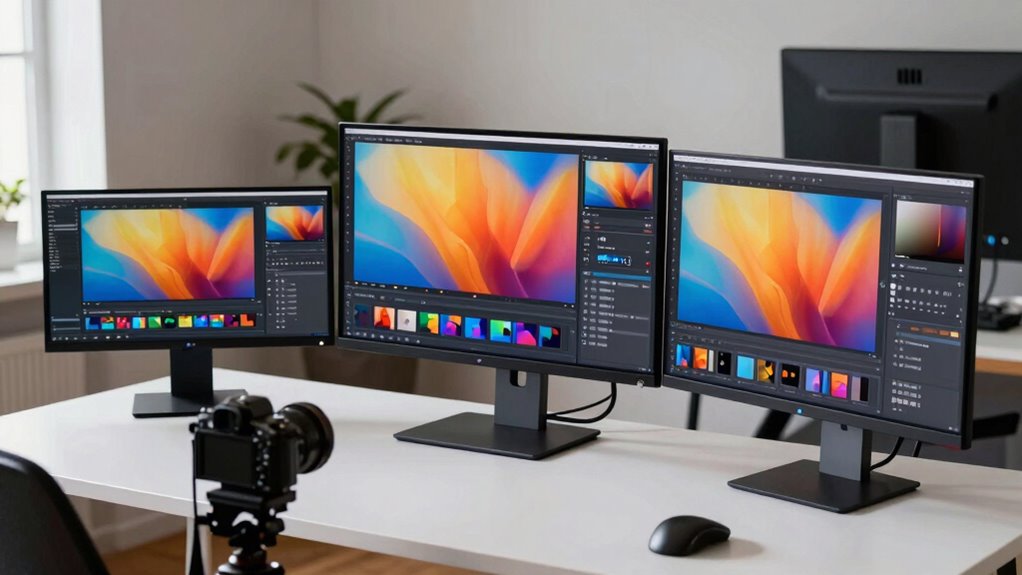

Finding the right monitor for photo editing involves balancing color accuracy, resolution, and budget. The BenQ PV3200U stands out as the best overall choice for its impressive 4K UHD display and professional features. The ASUS ProArt PA279CV offers excellent value with accurate colors and USB-C connectivity, making it ideal for creative workflows. Meanwhile, the ViewSonic VP2766-2K strikes a balance between quality and affordability with its high color fidelity and refresh rate. Choosing the ideal monitor means understanding how display calibration, resolution, and connectivity influence your editing precision. The main tradeoffs often involve cost versus color accuracy or screen size versus pixel density. Keep reading for a detailed breakdown of these options to help you make an informed decision.
Complete the kit



Key Takeaways
- High-resolution 4K displays generally provide better detail for photo editing, but require more powerful hardware.
- Color accuracy, measured through coverage of Adobe RGB and DCI-P3, is critical for professional photo work.
- USB-C connectivity adds convenience, especially for those with modern laptops and workspace setups.
- Calibration features and factory accuracy can significantly reduce setup time and ensure consistent colors.
- Size and ergonomic adjustments matter for comfortable, long editing sessions, but larger screens come at a higher cost.
| BenQ PV3200U 32” 4K UHD Monitor for Video Editing |  | Best Overall for Color Precision and Flexibility | Display Size: 32 inches | Resolution: 4K UHD | Color Coverage: 95% DCI-P3, 100% sRGB, 100% Rec. 709 | VIEW ON AMAZON | See Our Full Breakdown |
| ASUS ProArt PA279CV 27 Inch 4K UHD USB-C Professional Monitor |  | Best for Versatile Connectivity and Long-Term Reliability | Display Size: 27 inches | Resolution: 4K UHD (3840 x 2160) | Panel Type: IPS | VIEW ON AMAZON | See Our Full Breakdown |
| ASUS 27″ ProArt Display Monitor, WQHD (2560 x 1440), 100% sRGB/Rec. 709, Calman Verified, ΔE<2 |  | Best for Detailed WQHD Clarity and Ergonomic Use | Display Size: 27 inches | Resolution: 2560 x 1440 (WQHD) | Panel Type: IPS | VIEW ON AMAZON | See Our Full Breakdown |
| ASUS ProArt PA248QV 24 Inch WUXGA Professional Monitor |  | Best for Budget-Conscious Professionals with Ergonomics | Display Size: 24 inches | Resolution: 1920 x 1200 (WUXGA) | Color Coverage: 100% sRGB, Rec. 709 | VIEW ON AMAZON | See Our Full Breakdown |
| ViewSonic VP3256A 32-Inch 4K ColorPro Monitor with USB-C and Pantone Validation |  | Best for Large Screen Color Accuracy & Pantone Validation | Size: 32 inches | Resolution: 4K UHD | Color Coverage: 100% sRGB, Rec. 709 | VIEW ON AMAZON | See Our Full Breakdown |
| ASUS ProArt PA278QV 27 Inch 1440p QHD Professional Monitor |  | Best Overall for Accurate Color and Ergonomics | Display Size: 27 inches | Resolution: 2560 x 1440 (QHD) | Color Gamut: 100% sRGB & 100% Rec. 709 | VIEW ON AMAZON | See Our Full Breakdown |
| BenQ SW272Q 27-inch 2K USB-C Photographer Monitor, 99% Adobe RGB, 98% DCI-P3, Nano Matte Panel, HDR |  | Best for Color Coverage and Reflection Reduction | Screen Size: 27 inches | Resolution: 2K QHD | Color Gamut: 99% Adobe RGB, 98% DCI-P3 | VIEW ON AMAZON | See Our Full Breakdown |
| LG 27UP650K-W 27-inch 4K UHD IPS Computer Monitor |  | Best for Vibrant 4K and Versatile Use | Display Size: 27 inches | Resolution: 3840 x 2160 (4K UHD) | Panel Type: IPS | VIEW ON AMAZON | See Our Full Breakdown |
| Dell 32 Monitor S3225QS 4K UHD VA, 120Hz, FreeSync Premium, Eye Comfort |  | Best for Large Screen and Smooth Performance | Screen Size: 32 inches | Resolution: 4K UHD | Panel Type: VA | VIEW ON AMAZON | See Our Full Breakdown |
| ViewSonic VP2766-2K 27 Inch ColorPro QHD IPS Monitor with USB-C and 120Hz |  | Best for Professional Precision and Versatile Connectivity | Size: 27 inches | Resolution: 2560 x 1440 (QHD) | Color Coverage: 100% sRGB | VIEW ON AMAZON | See Our Full Breakdown |
| LG 27US500-W Ultrafine 27-Inch 4K UHD HDR10 IPS Monitor |  | Best Overall for Vivid Visuals and Flexibility | Screen Size: 27 inches | Resolution: 3840×2160 (4K UHD) | Contrast Ratio: 1000:1 | VIEW ON AMAZON | See Our Full Breakdown |
| ASUS ProArt PA279CRV 27-Inch 4K UHD HDR Professional Monitor for Mac |  | Best for Professional Color Accuracy and Extended Use | Display Size: 27 inches | Resolution: 3840×2160 (4K UHD) | Color Coverage: 99% DCI-P3, 99% Adobe RGB | VIEW ON AMAZON | See Our Full Breakdown |
| LG 27US550-W 27-inch 4K UHD IPS Computer Monitor with Adjustable Stand |  | Best Budget-Friendly 4K IPS for Photo Editing | Screen Size: 27 inches | Resolution: 3840×2160 (4K UHD) | Contrast Ratio: 1000:1 | VIEW ON AMAZON | See Our Full Breakdown |
| monitor for photo editing | Resolution | Display Size |
|---|---|---|
| BenQ PV3200U 32” 4K UHD Monito | 4K UHD | 32 inches |
| ASUS ProArt PA279CV 27 Inch 4K | 4K UHD (3840 x 2160) | 27 inches |
| ASUS 27" ProArt Display Monito | 2560 x 1440 (WQHD) | 27 inches |
| ASUS ProArt PA248QV 24 Inch WU | 1920 x 1200 (WUXGA) | 24 inches |
| ViewSonic VP3256A 32-Inch 4K C | 4K UHD | — |
| ASUS ProArt PA278QV 27 Inch 14 | 2560 x 1440 (QHD) | 27 inches |
| BenQ SW272Q 27-inch 2K USB-C P | 2K QHD | — |
| LG 27UP650K-W 27-inch 4K UHD I | 3840 x 2160 (4K UHD) | 27 inches |
| Dell 32 Monitor S3225QS 4K UHD | 4K UHD | — |
| ViewSonic VP2766-2K 27 Inch Co | 2560 x 1440 (QHD) | — |
| LG 27US500-W Ultrafine 27-Inch | 3840×2160 (4K UHD) | — |
| ASUS ProArt PA279CRV 27-Inch 4 | 3840×2160 (4K UHD) | 27 inches |
| LG 27US550-W 27-inch 4K UHD IP | 3840×2160 (4K UHD) | — |
More Details on Our Top Picks
BenQ PV3200U 32” 4K UHD Monitor for Video Editing
The BenQ PV3200U stands out for its exceptional color accuracy, covering 95% DCI-P3 and 100% sRGB, making it ideal for detailed color work. Compared with the ViewSonic VP3256A, it offers a slightly more user-friendly ergonomic stand but lacks the Pantone validation that the ViewSonic provides. Its single USB-C cable simplifies a cluttered workspace, and the factory calibration ensures reliable color out of the box. However, the premium price tag may be prohibitive for casual users, and the absence of touchscreen capabilities limits interactive workflows. This monitor makes the most sense for professionals who prioritize true color fidelity combined with ergonomic comfort, especially in video editing workflows requiring precise color matching. It offers a large 32-inch 4K display with built-in speakers and versatile stand adjustments, but at a cost.
Pros:- Excellent color accuracy with wide color space coverage
- Single-cable USB-C connection simplifies setup
- Ergonomic stand with tilt, swivel, pivot, and height adjustments
- Built-in studio-quality speakers
Cons:- Premium price may be high for casual users
- Limited connectivity options beyond USB-C and basic ports
- No touchscreen capabilities for interactive workflows
Best for: Professional video editors and colorists needing true color accuracy and ergonomic flexibility
Not ideal for: Casual hobbyists or users on a budget who don’t require precise color calibration
- Display Size:32 inches
- Resolution:4K UHD
- Color Coverage:95% DCI-P3, 100% sRGB, 100% Rec. 709
- Calibration:Factory calibrated
- Power:65W USB-C
- Stand Adjustments:Tilt, swivel, pivot, height
Our verdict“This monitor is best suited for professionals who need precise color reproduction and flexible ergonomics in video editing.”
ASUS ProArt PA279CV 27 Inch 4K UHD USB-C Professional Monitor
The ASUS ProArt PA279CV excels in offering broad connectivity options, including USB-C with Power Delivery, HDMI, and DisplayPort, making it a flexible choice for professional workflows. Its 27-inch 4K IPS panel provides accurate color with factory calibration, comparable to the BenQ PV3200U, but in a slightly smaller size—ideal for those with limited desk space. The 5-year warranty and included Adobe Creative Cloud subscription add long-term value, though the official specifications list a 23.8-inch display size, which could cause confusion. It lacks built-in speakers and ergonomic adjustments, making it less ideal for prolonged editing sessions without external accessories. This monitor suits creative professionals who prioritize connectivity and durability over large screen real estate. Its high price reflects its professional-grade features, but it might be overkill for casual users.
Pros:- High color accuracy with factory calibration and Delta E<2
- Versatile connectivity including USB-C with Power Delivery
- Extended 5-year warranty and included Adobe subscription
- Compact size suitable for smaller desks
Cons:- Display size listed as 23.8 inches in specifications, which may be confusing
- No built-in speakers or ergonomic adjustments
- Price may be high compared to consumer-grade monitors
Best for: Creative professionals needing versatile connections and reliable long-term support
Not ideal for: Users seeking a larger display or built-in speakers for casual editing or general use
- Display Size:27 inches
- Resolution:4K UHD (3840 x 2160)
- Panel Type:IPS
- Color Gamut:100% sRGB, 100% Rec. 709
- Calibration:Calman verified, Delta E<2
- Connectivity:USB-C with Power Delivery, HDMI, DisplayPort
Our verdict“This monitor is ideal for professionals seeking durable, versatile connectivity in a compact 27-inch form factor.”
ASUS 27″ ProArt Display Monitor, WQHD (2560 x 1440), 100% sRGB/Rec. 709, Calman Verified, ΔE<2
The ASUS ProArt WQHD offers a sharp 2560 x 1440 resolution with 100% sRGB and Rec. 709 coverage, making it a solid choice for those who prefer more screen real estate than 4K but still need professional-grade accuracy. Its IPS panel provides wide viewing angles and consistent color, similar to the BenQ PV3200U, but in a more manageable size. Calman verification and Delta E<2 ensure precise color reproduction, while extensive connectivity options including DisplayPort, HDMI, DVI, and USB hub make it adaptable. The ergonomic stand with tilt, swivel, pivot, and height adjustments enhances long-term comfort. However, its premium price and limited suitability outside professional editing restrict its appeal for casual users. This monitor suits dedicated photo and video editors who want a balance of sharp detail and accurate color without going full 4K.
Pros:- High color accuracy with factory calibration and Calman verification
- Wide viewing angles and sharp detail in WQHD resolution
- Extensive connectivity including USB hub
- Ergonomic stand for long editing sessions
Cons:- Higher price point limits accessibility for casual users
- Limited to professional and creative workflows
- Requires sufficient desk space for ergonomic adjustments
Best for: Photographers and video editors seeking detailed, color-accurate WQHD display with ergonomic flexibility
Not ideal for: Users who prefer larger screens or need touchscreen features for interactive editing
- Display Size:27 inches
- Resolution:2560 x 1440 (WQHD)
- Panel Type:IPS
- Color Accuracy:100% sRGB, Rec. 709, ΔE<2
- Connectivity:DisplayPort, HDMI, DVI, USB hub
- Adjustments:Tilt, swivel, pivot, height
Our verdict“This monitor is perfect for professionals who want detailed, accurate color in a compact, ergonomic package.”
ASUS ProArt PA248QV 24 Inch WUXGA Professional Monitor
The ASUS ProArt PA248QV provides accurate color reproduction in a compact 24-inch WUXGA format, making it a practical choice for those needing high-quality visuals without the expense of larger 4K displays. Its 100% sRGB and Rec. 709 coverage, combined with professional calibration, ensure reliable color for editing. The anti-glare screen and ergonomic stand with tilt, pivot, swivel, and height adjustments support extended work sessions comfortably. While it lacks built-in speakers and USB-C connectivity, its versatility and 5-year warranty make it appealing for budget-minded professionals who still prioritize accurate color. Compared to larger or more advanced models like the BenQ PV3200U, it sacrifices size and some connectivity features but remains a solid, cost-effective option for focused editing tasks.
Pros:- Accurate and vibrant color with professional calibration
- Multiple ergonomic adjustments for comfort
- Solid connectivity options including DisplayPort and HDMI
- Five-year warranty for peace of mind
Cons:- No built-in speakers or USB-C port
- Higher price for its size compared to consumer monitors
- Limited screen size for multitasking or complex layouts
Best for: Budget-conscious professionals and students needing accurate color in a smaller workspace
Not ideal for: Users requiring large screen real estate or integrated speakers for multimedia workflows
- Display Size:24 inches
- Resolution:1920 x 1200 (WUXGA)
- Color Coverage:100% sRGB, Rec. 709
- Calibration:Factory calibrated
- Warranty:5 years
- Features:Anti-glare, ergonomic stand
Our verdict“This monitor provides reliable color accuracy in a compact form factor at a reasonable price for professionals on a budget.”
ViewSonic VP3256A 32-Inch 4K ColorPro Monitor with USB-C and Pantone Validation
The ViewSonic VP3256A offers a large 32-inch 4K display with outstanding color fidelity, validated by Pantone, making it a top choice for professional content creators. Compared to the BenQ PV3200U, it emphasizes Pantone validation, which is advantageous for print and branding work that demands precise color matching. Its factory calibration and Delta E<2> guarantee professional-grade accuracy right out of the box. The USB-C port with 100W power delivery simplifies setup, and the ergonomic stand promotes comfortable long hours of editing. The main tradeoff involves its premium price, which may be steep for casual or amateur users. This monitor is ideal for those who need large, color-accurate visuals with comprehensive calibration and matching capabilities, especially in branding or print workflows.
Pros:- High color accuracy with Pantone validation
- Large 32-inch 4K display for detailed editing
- Single-cable USB-C with 100W power delivery
- Ergonomic stand with extensive adjustments
Cons:- Premium price point limits accessibility
- Requires compatible devices for full USB-C functionality
- No mention of built-in speakers or additional features
Best for: Professional content creators requiring large, color-accurate displays with Pantone validation
Not ideal for: Casual users or those with limited budgets needing smaller or simpler monitors
- Size:32 inches
- Resolution:4K UHD
- Color Coverage:100% sRGB, Rec. 709
- Calibration:Factory calibrated
- Power Delivery:100W via USB-C
- Features:Pantone Validated, ergonomic stand
Our verdict“This monitor is best suited for professionals who need a large, color-accurate display with Pantone certification for precise editing workflows.”
ASUS ProArt PA278QV 27 Inch 1440p QHD Professional Monitor
The ASUS ProArt PA278QV stands out for its exceptional color accuracy, calibrated with Calman verification and a Delta E < 2 rating, making it ideal for professional photo editing. Compared with the BenQ SW272Q, it offers a more comprehensive ergonomic stand and a longer 5-year warranty, but at a higher price point. Its versatile connectivity—USB hub, DisplayPort, HDMI—supports complex workflows, while the flicker-free, blue light filter technology ensures comfort during extended editing sessions. The extended warranty adds peace of mind, yet the premium cost may deter casual users. Overall, this monitor makes the most sense for dedicated professionals who need reliable color fidelity and ergonomic flexibility.
Pros:- Exceptional color calibration with Calman verification and Delta E < 2
- Ergonomic stand with tilt, pivot, swivel, and height adjustments
- Versatile connectivity including USB hub and multiple video inputs
- Extended 5-year warranty for long-term peace of mind
Cons:- Premium price may be prohibitive for casual or beginner users
- Requires registration to activate extended warranty
Best for: Professional photographers, video editors, and creative professionals needing precise color accuracy and ergonomic adjustments
Not ideal for: Casual hobbyists or users on a tight budget, as its premium price may not justify less demanding use
- Display Size:27 inches
- Resolution:2560 x 1440 (QHD)
- Color Gamut:100% sRGB & 100% Rec. 709
- Calibration:Calman Verified, Delta E < 2
- Connectivity:DisplayPort, HDMI, DVI-D, Mini DP, USB hub
- Warranty:5 years (3 years standard + 2 years extension)
- Stand Adjustments:Tilt, pivot, swivel, height
- Eye Care Technology:Flicker-free, blue light filter
Our verdict“This monitor delivers precise color and ergonomic comfort, making it ideal for dedicated professionals willing to invest in top-tier performance.”
BenQ SW272Q 27-inch 2K USB-C Photographer Monitor, 99% Adobe RGB, 98% DCI-P3, Nano Matte Panel, HDR
The BenQ SW272Q is tailored for photographers and creative professionals seeking extensive color accuracy, with 99% Adobe RGB and 98% DCI-P3 coverage. Its Nano Matte panel minimizes reflections, offering clearer images in bright environments—an advantage over glossy screens like the LG 27UP650K-W. Hardware calibration via Palette Master Ultimate ensures consistent colors, essential for printing and print matching workflows. While it offers HDR support, the high-end price might be a barrier for casual users, and its size and weight could be cumbersome for smaller workspaces. Overall, this monitor excels at delivering vibrant, accurate visuals for critical editing, but it’s best suited for dedicated professionals with ample space and a need for precise color management.
Pros:- Wide color coverage with 99% Adobe RGB and 98% DCI-P3
- Nano Matte panel reduces reflections for clearer viewing
- Hardware calibration ensures color consistency over time
- Supports HDR for enhanced visual detail
Cons:- High cost makes it less accessible for casual users
- Relatively large and heavy, requiring ample workspace
Best for: Photographers and photo editors requiring superior color accuracy and anti-reflective surfaces
Not ideal for: Casual users or those with limited desk space, given its size and premium price
- Screen Size:27 inches
- Resolution:2K QHD
- Color Gamut:99% Adobe RGB, 98% DCI-P3
- Panel Type:Nano Matte
- HDR:Supported
- Calibration Software:Palette Master Ultimate
Our verdict“This monitor offers exceptional color fidelity and reflection management, perfect for professionals who need vibrant, accurate displays for detailed editing tasks.”
LG 27UP650K-W 27-inch 4K UHD IPS Computer Monitor
The LG 27UP650K-W delivers a vibrant 4K UHD IPS display with 95% DCI-P3 coverage, offering bright, sharp images suitable for editing and multimedia consumption. Its high resolution surpasses the QHD options like the ViewSonic VP2766-2K, making it a versatile choice for those who want crisp detail in their photos. The adjustable stand and support for HDR 400 improve usability and visual quality, but the 60Hz refresh rate limits its appeal for high-end gaming or fast-paced editing work. Moreover, the absence of built-in speakers or USB-C charging reduces convenience. Overall, this monitor strikes a good balance of vivid visuals and flexibility, ideal for users who need sharp images for editing and multitasking without the highest color accuracy demands.
Pros:- Vivid 4K UHD resolution with wide DCI-P3 coverage
- Ergonomic stand with height, tilt, and pivot adjustments
- HDR 400 support enhances dynamic range for multimedia tasks
- Affordable price point for a 4K IPS monitor
Cons:- Limited to 60Hz refresh rate, not ideal for fast editing or gaming
- Lacks built-in USB-C or speakers for added convenience
Best for: Photo editors and creative professionals seeking a high-resolution, versatile display for detailed work and general multimedia
Not ideal for: High-end video editors or color-critical workflows requiring near-perfect color management
- Display Size:27 inches
- Resolution:3840 x 2160 (4K UHD)
- Panel Type:IPS
- Color Gamut:95% DCI-P3
- HDR:DisplayHDR 400
- Stand Adjustments:Height, Tilt, Pivot
Our verdict“This monitor offers bright, detailed images with flexible ergonomics, well-suited for users who prioritize resolution and multitasking over precise color calibration.”
Dell 32 Monitor S3225QS 4K UHD VA, 120Hz, FreeSync Premium, Eye Comfort
The Dell S3225QS offers a sizable 32-inch 4K UHD VA panel with 120Hz refresh rate and FreeSync Premium, making it an attractive option for multimedia and casual editing. Its VA panel provides higher contrast ratios than IPS, resulting in richer blacks and more vivid images—beneficial for general photo work. However, for color-critical editing, its color coverage of 99% sRGB and 95% DCI-P3 is slightly less precise than the BenQ SW272Q. The eye comfort technology reduces blue light, supporting long editing sessions, but the limited sound system and higher price point may limit appeal for some. Its larger size makes it ideal for immersive workflows, but it may be overkill for smaller desks. Overall, it’s a good choice for those who want a large display with smooth performance, not precise color matching.
Pros:- Large 32-inch display with 4K UHD resolution for immersive editing
- High contrast VA panel offers rich blacks and vibrant images
- 120Hz refresh rate with FreeSync Premium provides smooth visuals
- Blue light reduction supports long editing sessions
Cons:- Color coverage slightly less precise than professional-grade monitors
- Larger size may be unsuitable for smaller desks or setups
Best for: Photographers and hobbyists who prefer a larger screen with high contrast and smooth performance for general editing
Not ideal for: Color professionals needing exact color accuracy or compact workspaces
- Screen Size:32 inches
- Resolution:4K UHD
- Panel Type:VA
- Refresh Rate:120Hz
- HDR:Supported
- Contrast Ratio:1500:1
Our verdict“This monitor excels in providing a large, contrast-rich display for general editing and multimedia, but less so for precise color-critical tasks.”
ViewSonic VP2766-2K 27 Inch ColorPro QHD IPS Monitor with USB-C and 120Hz
The ViewSonic VP2766-2K is tailored for professionals who require accurate color and flexible connectivity, featuring factory calibration and Pantone validation. Its 27-inch IPS panel with 2560 x 1440 resolution balances detail and workspace efficiency, making it a strong contender against the ASUS ProArt PA278QV. Supporting 120Hz refresh rate, it offers smooth performance for video editing and interactive workflows. The inclusion of USB-C with 90W power delivery simplifies cable management, appealing for users with modern laptops. Its ergonomic stand with multiple adjustments enhances comfort during long editing sessions. While it’s priced higher than basic monitors, it provides highly reliable color fidelity. The main tradeoff is that it’s less suited for fast-paced gaming, and its premium features might be unnecessary for casual users.
Pros:- Factory calibrated and Pantone validated for color accuracy
- USB-C with 90W power delivery for simplified setup
- 120Hz refresh rate for smooth editing and interaction
- Adjustable ergonomic stand for comfort
Cons:- Premium price may be high for casual or budget-conscious users
- Limited to 120Hz, not ideal for high-end gaming
Best for: Professional video editors, designers, and photographers needing accurate colors and flexible connectivity
Not ideal for: Casual users or gamers who prioritize high refresh rates and low latency for fast-paced gameplay
- Size:27 inches
- Resolution:2560 x 1440 (QHD)
- Color Coverage:100% sRGB
- Calibration:Factory calibrated, Pantone Validated
- USB-C Power Delivery:90W
- Refresh Rate:120Hz
Our verdict“This monitor offers professional-grade color accuracy combined with versatile connectivity, ideal for dedicated creative workflows requiring precision and flexibility.”
LG 27US500-W Ultrafine 27-Inch 4K UHD HDR10 IPS Monitor
The LG 27US500-W stands out for delivering a vibrant 4K UHD experience with its wide color gamut and HDR10 support, making it perfect for detailed photo editing. Its IPS panel provides wide viewing angles, ensuring color consistency from different positions—an advantage over the more color-accurate ASUS ProArt models that focus on calibration. The ergonomic stand offers flexibility, but the monitor lacks built-in speakers and has limited connectivity options, which could be a drawback for users seeking a more integrated setup. Compared to the ASUS ProArt PA279CRV, it offers a more affordable entry point but sacrifices some professional-grade calibration features. This monitor makes the most sense for creative professionals who prioritize vivid visuals and flexible positioning over top-tier factory calibration or extensive connectivity.
Pros:- Vivid 4K UHD display with high contrast and color depth
- IPS panel delivers wide viewing angles and consistent color
- Ergonomic stand for height, tilt, swivel adjustments
- HDR10 support enhances visual quality for creative previews
Cons:- No built-in speakers, requiring external audio setup
- Limited connectivity options may restrict workflow flexibility
Best for: Photographers and designers who need vibrant colors and flexible ergonomics without requiring extensive calibration features
Not ideal for: Color-critical professionals requiring the most accurate factory calibration and professional color standards, or those needing extensive connectivity options
- Screen Size:27 inches
- Resolution:3840×2160 (4K UHD)
- Contrast Ratio:1000:1
- Color Gamut:90% DCI-P3
- HDR:HDR10
- Panel Type:IPS
Our verdict“This monitor suits creative users who prioritize vibrant visuals and ergonomic flexibility over strict professional calibration.”
ASUS ProArt PA279CRV 27-Inch 4K UHD HDR Professional Monitor for Mac
The ASUS ProArt PA279CRV is tailored for professionals demanding precise color reproduction, offering 99% coverage of DCI-P3 and Adobe RGB, along with factory calibration. Its high-resolution 4K display ensures detailed editing, and the numerous ergonomic adjustments—tilt, swivel, pivot, height—make it ideal for long hours of creative work. Compared to the LG 27US500-W, it sacrifices some vibrancy for more accurate colors and professional standards, but its premium price reflects these advanced features. The inclusion of USB-C with Power Delivery makes it versatile for modern workflows, especially on Mac systems. This monitor is best suited for photographers, retouchers, and designers who require the most accurate color fidelity and extensive connectivity options, despite its higher cost.
Pros:- Factory calibrated with Delta E < 2 for precise color accuracy
- Extensive color coverage (99% DCI-P3, 99% Adobe RGB)
- Versatile connectivity including USB-C with 96W Power Delivery
- Ergonomic adjustments for long-term comfort
Cons:- Premium price may be prohibitive for some users
- Requires compatible Mac or PC to maximize features
Best for: Color-critical professionals requiring near-perfect color accuracy and extensive ergonomic and connectivity options
Not ideal for: Budget-conscious users or casual photo editors who won’t utilize the advanced calibration and color standards
- Display Size:27 inches
- Resolution:3840×2160 (4K UHD)
- Color Coverage:99% DCI-P3, 99% Adobe RGB
- Color Accuracy:Delta E < 2
- Connectivity:DisplayPort, HDMI, USB-C (96W)
- Warranty:5 years
Our verdict“This monitor is an excellent choice for professionals needing accurate colors and flexible ergonomics, despite its higher cost.”
LG 27US550-W 27-inch 4K UHD IPS Computer Monitor with Adjustable Stand
The LG 27US550-W offers a compelling balance between affordability and performance for photo editing, featuring a 27-inch 4K UHD IPS panel with HDR10 support. Its wide color gamut and high contrast deliver vibrant visuals suitable for detailed editing, comparable to the LG 27US500-W but with added stand adjustability—tilt, height, swivel, and pivot. This makes it a practical choice for users who need ergonomic flexibility without the premium price of the higher-end LG model or the professional calibration features of the ASUS ProArt. However, the 60Hz refresh rate limits its appeal for fast-paced workflows or gaming. Additionally, it lacks built-in speakers, which is common at this price point. Overall, this model makes sense for enthusiasts who want a reliable, adjustable 4K monitor on a budget.
Pros:- Vivid 4K UHD display with high contrast and color accuracy
- Fully adjustable stand for ergonomic comfort
- Supports HDR10 for enhanced visual detail
- Affordable price point with good performance
Cons:- Limited to 60Hz refresh rate, not suitable for fast motion editing
- No built-in speakers or extensive connectivity options
Best for: Amateur photographers and hobbyists seeking an affordable, adjustable 4K IPS display for editing and multimedia
Not ideal for: Professionals needing the highest color accuracy or users prioritizing high refresh rates for video editing or gaming
- Screen Size:27 inches
- Resolution:3840×2160 (4K UHD)
- Contrast Ratio:1000:1
- Color Gamut:90% DCI-P3
- HDR:HDR10
- Refresh Rate:60Hz
Our verdict“This monitor provides a solid, adjustable 4K experience ideal for enthusiasts and hobbyists on a budget.”

How We Picked
This selection process focused on key factors that impact photo editing performance. We prioritized monitors with high color accuracy, covering wide gamuts like Adobe RGB and DCI-P3, and included only models with proven factory calibration or calibration potential. Resolution was another critical criterion, with 4K being the standard for detailed editing, though some 1440p options still offer strong value. Connectivity options, especially USB-C, were evaluated for convenience and future-proofing. Build quality, ergonomic features, and overall value also played a role, ensuring each monitor offers a balanced mix of performance and usability. Our rankings reflect the best combination of these factors for different types of photo editors, from professionals to hobbyists.Factors to Consider When Choosing Monitor For Photo Editing
Choosing a monitor for photo editing involves several considerations beyond just resolution and size. The right display can streamline your workflow, improve color accuracy, and reduce eye strain. Here are the key factors to consider when selecting a monitor for your photo editing needs.Color Accuracy and Gamut Coverage
For photo editing, accurate color reproduction is essential. Look for monitors that cover at least 99% of Adobe RGB and DCI-P3 color spaces, which are standard for professional workflows. Factory calibration and calibration tools support consistent color performance, saving you time and effort. Beware of screens with limited color coverage or poor calibration, as they can distort your images and lead to inaccurate edits.
Resolution and Screen Size
While 4K resolution is becoming the standard, larger screens at this resolution offer more workspace and finer detail, especially important for detailed retouching. However, higher resolution demands more powerful hardware and can be more expensive. Smaller monitors or lower resolutions like 1440p can still serve well for casual editing but may limit precision for professional work. Consider your hardware capabilities and workspace when choosing size and resolution.
Connectivity and Compatibility
USB-C has become a popular feature, allowing for single-cable connections that power and transmit data to modern laptops, reducing clutter. Ensure your chosen monitor supports the connections you need, whether HDMI, DisplayPort, or USB-C, for seamless integration with your devices. Compatibility with your existing setup can prevent frustrations and additional costs later on.
Ergonomics and Setup Flexibility
Comfort during long editing sessions depends heavily on ergonomic adjustments like height, tilt, swivel, and pivot. Monitors with VESA compatibility also allow for more flexible mounting options. A larger, adjustable screen can reduce neck and eye strain, but consider the overall desk space available. Investing in a monitor with good ergonomics enhances productivity and reduces fatigue over time.
Additional Features and Build Quality
Features like anti-glare panels, matte coatings, and flicker-free technology improve viewing comfort. Build quality matters for durability and stability, especially if you move your setup frequently. While premium features add cost, they can improve your editing experience and longevity of the monitor. Balance these extras against your budget to find the best fit.
Frequently Asked Questions
Is 4K resolution necessary for photo editing?
While 1080p or 1440p monitors can suffice for casual editing, 4K resolution provides finer detail and more workspace, which is especially beneficial for professional work. Higher resolution displays allow for more precise retouching and better previewing of your images at actual size. However, they also require more powerful hardware and can come at a higher price, so consider your workflow needs and budget before choosing 4K.
How important is color gamut coverage for my monitor?
Color gamut coverage directly impacts how accurately your monitor can reproduce colors. For professional photo editing, aim for at least 99% Adobe RGB or DCI-P3 coverage. This ensures your edits will look consistent across different devices and print. Monitors with limited coverage can result in colors that look vibrant on-screen but are dull or inaccurate elsewhere, so prioritizing wide gamuts is crucial for serious work.
Should I prioritize a larger screen or higher resolution?
Both size and resolution matter, but their importance depends on your workflow. Larger screens at 4K resolution provide more workspace and detail, making editing more comfortable and precise. However, if your hardware can’t support 4K smoothly, a smaller, high-quality 1440p monitor might be a better choice. Consider your desk space, hardware capabilities, and whether you prefer more screen real estate or sharper detail when making your decision.
Is USB-C connectivity worth paying extra for?
USB-C offers a cleaner setup by transmitting power, video, and data through a single cable, which is especially useful for laptops or minimalist workspaces. If your device supports USB-C, investing in a monitor with this feature can simplify your workflow and reduce clutter. However, if your existing hardware relies on HDMI or DisplayPort, and you don’t plan to upgrade soon, it may not justify the extra cost. Weigh your current setup against future needs to decide.
How much should I spend on a monitor for professional photo editing?
Professional-grade monitors with high color accuracy, wide gamuts, and calibration features typically start around $600 and can go beyond $2000. For hobbyists or casual editors, models in the $300–$600 range can still deliver decent quality but may lack some professional features. The key is balancing your budget with the need for color fidelity and resolution. Investing more generally results in better accuracy, longer lifespan, and a more reliable editing experience.