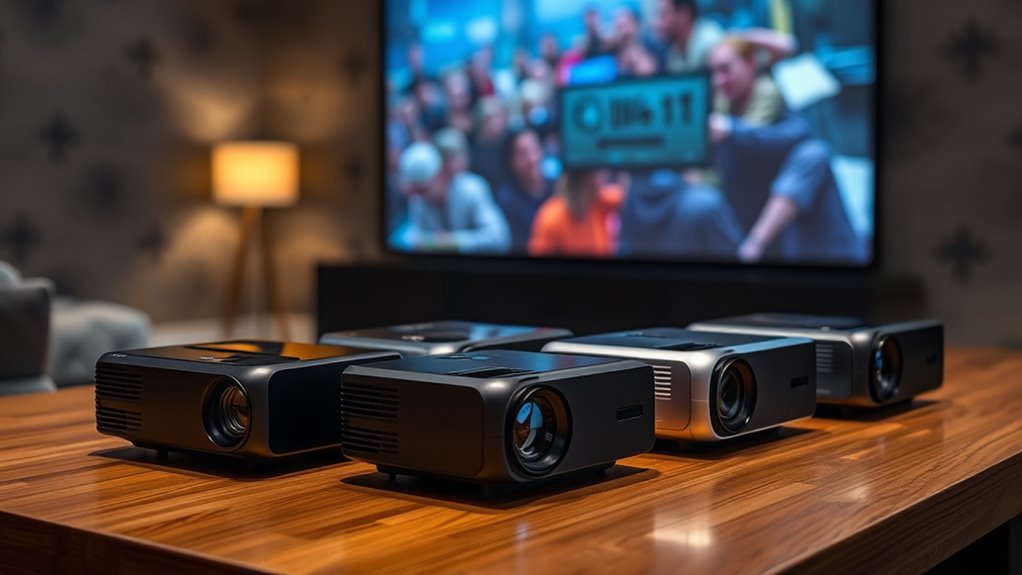

For most iPhone owners, the Aurzen Roku TV E1R is my best overall pick because Roku gives you a straightforward route to streaming without making the phone do all the work. The HAPPRUN Roku Smart Mini Projector is another strong choice for app-based viewing, while the WISHOLY stands out if flexible placement matters more than a familiar TV interface. The biggest tradeoff is between built-in streaming convenience and a direct iPhone connection, which may require a compatible adapter or wireless setup. Specs such as 4K support do not mean native 4K projection, so I weigh practical connection and setup details alongside resolution claims. Continue reading for the full breakdown, buying advice, and picks for different iPhone viewing habits.

Get the latest gadgets delivered free with Prime
- Fast, free delivery on millions of items
- Prime Video, Amazon Music and more included
- Member-only deals all year
Complete the kit



Key Takeaways
- Roku models lead for app-first viewing: The Aurzen E1R and HAPPRUN Roku make streaming less dependent on iPhone mirroring.
- Rotation helps with awkward placement: WISHOLY and Antmap offer rotating designs, which can make bedroom or wall projection easier to position.
- Wireless features do not guarantee iPhone mirroring: Wi-Fi and Bluetooth specs describe connectivity, but buyers should confirm the specific iOS casting method they need.
- “4K support” is not native 4K: Several listings advertise 4K support, while their titles do not establish native 4K resolution.
- Model names alone do not settle image quality: The HAPPRUN Roku and HAPPRUN H1 target different priorities: streaming convenience versus native 1080p resolution.
| Aurzen Roku TV E1R Smart Portable Mini Projector |  | Best for iPhone Streaming | Streaming platform: Roku TV | iPhone connectivity: Apple AirPlay | Wireless connectivity: Dual-band Wi-Fi; Bluetooth 5.2 | VIEW ON AMAZON | See Our Full Breakdown |
| Portable Mini Projector with Wi-Fi and Bluetooth |  | Best for Flexible Connections | Resolution support: 1080p Full HD input | Wireless connectivity: Wi-Fi screen mirroring; Bluetooth 5.2 | Ports: Type-C, USB, HDMI, audio | VIEW ON AMAZON | See Our Full Breakdown |
| Portable Mini Projector with 1080p Support |  | Best Starter Kit | Native resolution: 1280 × 720 | Maximum supported resolution: 1080p | Brightness: 15,000 lm (listed) | VIEW ON AMAZON | See Our Full Breakdown |
| HOMPOW Mini Portable Projector with Bluetooth 5.1 |  | Best for Close-Range Viewing | Native resolution: 1280 × 720 | Supported resolution: 1080p Full HD input | Brightness: 200 lm | VIEW ON AMAZON | See Our Full Breakdown |
| WISHOLY Portable Mini Projector with Wi-Fi, Bluetooth, and 180° Rotation |  | Best for Native Full HD | Native resolution: 1920 × 1080 | Display type: LCD | Wireless connectivity: 2.4 GHz and 5 GHz Wi-Fi; Bluetooth 5.2 audio | VIEW ON AMAZON | See Our Full Breakdown |
| Antmap Portable Mini Projector with WiFi 6, Bluetooth 5.4, and 240° Rotation |  | Best for Ceiling Projection | Resolution support: 1080P | Wireless: WiFi 6 | Bluetooth: 5.4 | VIEW ON AMAZON | See Our Full Breakdown |
| Mini Portable Smart Projector with 4K Support, Wi-Fi 6, Bluetooth 5.0, and Built-In Apps |  | Best for Built-In Netflix | Operating system: Android 11.0 | Built-in app: Netflix | Wireless connectivity: Wi-Fi 6 | VIEW ON AMAZON | See Our Full Breakdown |
| Q100 Portable Mini Projector with 1080p Support |  | Best for Wired iPhone Setups | Maximum display resolution: 1980 × 1080 pixels | Display type: LCD | Brightness: 1500 lumens | VIEW ON AMAZON | See Our Full Breakdown |
| YGSKK Mini Projector with Wi-Fi 6, Bluetooth 5.3, and Built-in Apps |  | Best for On-Device Streaming | Resolution: Native 1080p; 4K compatible | Brightness: 300 ANSI lumens | Wireless connectivity: Wi-Fi 6; 5 GHz and 2.4 GHz | VIEW ON AMAZON | See Our Full Breakdown |
| AKIYO Mini Projector with Wi-Fi, Bluetooth, and 1080p Support |  | Best Compact Pick | Resolution support: Full HD 1080p input | Brightness: 200 ANSI lumens | Wireless: 5 GHz and 2.4 GHz Wi-Fi; Bluetooth 5.2 | VIEW ON AMAZON | See Our Full Breakdown |
| Magcubic Mini Projector with WiFi 6 & Bluetooth 5.4, 4K Support, 5W Soundbase Speaker, 180° Rotatable Auto Keystone |  | Best for Lightweight Portability | Native resolution: 1280 × 720 (720p) | Maximum supported resolution: 4096 × 2160 (4K) | Brightness: 200 ANSI lumens | VIEW ON AMAZON | See Our Full Breakdown |
| Philoent Mini Projector with Wi-Fi 6, Bluetooth 5.4, and Built-In Apps |  | Best for Quick Setup in Small Rooms | Native resolution: 1280 × 720 | Maximum display resolution: 1920 × 1080 | 4K content support: Yes | VIEW ON AMAZON | See Our Full Breakdown |
| HAPPRUN Roku Smart Mini Projector with Wi-Fi and Bluetooth |  | Best for Roku Streaming | Display type: LCD | Maximum resolution: HD (specific resolution not stated) | Maximum image size: 120 inches | VIEW ON AMAZON | See Our Full Breakdown |
| Portable Mini Projector with Built-In Streaming Apps, Wi-Fi, and Bluetooth |  | Best for Native Full HD | Native resolution: 1920 × 1080 | Maximum supported resolution: 4096 × 2160 | Brightness: 160 ANSI lumens in specifications; 200 ANSI lumens in description | VIEW ON AMAZON | See Our Full Breakdown |
| HAPPRUN H1 Native 1080p Portable Bluetooth Projector |  | Best for Native 1080p and External Audio | Native resolution: 1920 × 1080 | Brightness: 300 ANSI lumens | Image size: 40–200 inches | VIEW ON AMAZON | See Our Full Breakdown |
| mini projectors for iphone | Brightness | Connectivity |
|---|---|---|
| Aurzen Roku TV E1R Smart Porta | — | — |
| Portable Mini Projector with W | — | — |
| Portable Mini Projector with 1 | 15,000 lm (listed) | — |
| HOMPOW Mini Portable Projector | 200 lm | HDMI 2.0, USB 2.0, Bluetooth 5.1, 3.5 mm jack |
| WISHOLY Portable Mini Projecto | — | HDMI, USB, 3.5 mm audio |
| Antmap Portable Mini Projector | — | — |
| Mini Portable Smart Projector | — | — |
| Q100 Portable Mini Projector w | 1500 lumens | HDMI, USB, 3.5 mm AUX |
| YGSKK Mini Projector with Wi-F | 300 ANSI lumens | — |
| AKIYO Mini Projector with Wi-F | 200 ANSI lumens | — |
| Magcubic Mini Projector with W | 200 ANSI lumens | Wi-Fi 6, Bluetooth 5.4, HDMI, USB |
| Philoent Mini Projector with W | 200 ANSI lumens | Wi-Fi 6, Bluetooth 5.4, HDMI, USB |
| HAPPRUN Roku Smart Mini Projec | — | Dual-band Wi-Fi, Bluetooth 5.2, AirPlay, HDMI with ARC, USB 2.0, 3.5 mm audio |
| Portable Mini Projector with B | 160 ANSI lumens in specifications; 200 ANSI lumens in description | Wi-Fi, Bluetooth, HDMI, USB |
| HAPPRUN H1 Native 1080p Portab | 300 ANSI lumens | HDMI, USB, 3.5 mm audio, Bluetooth, IR |
More Details on Our Top Picks
Aurzen Roku TV E1R Smart Portable Mini Projector
The Aurzen Roku TV E1R is the clearest fit for iPhone owners who want to move from mirroring a phone to watching through a streaming interface. Its built-in Roku TV and Apple AirPlay give it a more direct route to shows than the Portable Mini Projector with Wi-Fi and Bluetooth, which may need an added TV Stick for some apps. AirPlay also lets an iPhone send compatible content without a cable, while the Roku interface provides another way to access streaming services.
At under a pound, with a 180° rotating stand and automatic vertical keystone correction, it is easy to reposition for a wall or ceiling. The tradeoff is that first-time activation requires internet and a Roku account, and ceiling placement can make power-cable routing awkward. Choose it for convenient iPhone-friendly streaming; skip it if you want a projector that works independently of an internet connection.
Pros:- Apple AirPlay offers a straightforward wireless path from compatible iPhones
- Built-in Roku TV avoids needing a separate streaming stick for its interface
- Under-one-pound weight and rotating stand suit moving between rooms
- Two-way Bluetooth supports audio connections in either direction
Cons:- Roku account and internet connection are required for activation
- Ceiling projection takes care to position the power cable
- Wi-Fi-dependent streaming is less suitable for locations without reliable internet
Best for: iPhone owners who want AirPlay plus built-in Roku streaming for casual shows at home or while traveling
Not ideal for: Buyers who need offline playback or want to project toward the ceiling without planning around a power cable
- Streaming platform:Roku TV
- iPhone connectivity:Apple AirPlay
- Wireless connectivity:Dual-band Wi-Fi; Bluetooth 5.2
- Projection size:20–120 inches
- Throw ratio:1.12:1
- Stand:Built-in, rotates 180°
- Image correction:Automatic vertical keystone correction
- Weight:Under 1 lb
Our verdict“Choose the Aurzen if you want an especially convenient mix of iPhone AirPlay and built-in Roku streaming in a lightweight projector.”
Portable Mini Projector with Wi-Fi and Bluetooth
If your iPhone viewing setup includes adapters or other devices, this Portable Mini Projector with Wi-Fi and Bluetooth offers more connection choices than the Aurzen Roku TV E1R. It supports Wi-Fi screen mirroring alongside Type-C, USB, HDMI, and audio ports, so you can choose a wireless route or connect compatible hardware. The wide 3.3–16-foot projection range also gives you more placement flexibility than the HOMPOW Mini Portable Projector, whose listed throw distance tops out at 7.26 feet.
Its compact, under-one-pound body and listed fan noise below 30 dB suit relaxed home viewing. The catch for iPhone buyers is that the product data does not specify AirPlay, and some streaming apps require a separate TV Stick or similar device. A tripod is also sold separately. This is a practical pick for people who value connection options, but less appealing if they want a complete built-in streaming experience.
Pros:- Offers Wi-Fi screen mirroring as well as multiple wired ports
- Under-one-pound weight makes it easy to carry
- Wide 3.3–16-foot projection distance suits varied room layouts
- Fan noise is listed below 30 dB
Cons:- Some streaming apps require an external TV Stick or similar device
- Tripod is sold separately
- Not recommended for business presentations
Best for: iPhone users comfortable with screen mirroring or compatible adapters who want several wired connection options in a portable unit
Not ideal for: Buyers who expect built-in streaming apps, a confirmed AirPlay connection, or an included tripod
- Resolution support:1080p Full HD input
- Wireless connectivity:Wi-Fi screen mirroring; Bluetooth 5.2
- Ports:Type-C, USB, HDMI, audio
- Projection distance:3.3–16 ft
- Supported image size:22–170 inches
- Recommended distance:6.5–9.8 ft
- Dimensions:5.63 × 3.79 × 2.28 inches
- Weight:Under 1 lb
Our verdict“Pick this model if flexible wired and wireless connections matter more to you than built-in streaming or a confirmed AirPlay feature.”
Portable Mini Projector with 1080p Support
The Portable Mini Projector with 1080p Support is a straightforward starter option for iPhone owners who already have, or are willing to buy, the right HDMI adapter. Its included adjustable tripod makes it easier to get a usable angle out of the box than the Wi-Fi and Bluetooth model, which sells its tripod separately. HDMI, USB, AV, and TF card ports also give you ways to connect more than a phone.
There is an important resolution distinction: it accepts 1080p input but displays at a native 1280 × 720. That is a step down from the WISHOLY projector’s listed 1920 × 1080 native resolution, so text and fine detail will look less defined. iPhone connection requires a separate adapter, and streaming services need another connected device. Its 0.9-pound weight helps for travel, though the listed 30–200-inch image range does not promise equal clarity at every size.
Pros:- Adjustable tripod is included
- Compact 0.9-pound design suits travel
- HDMI, USB, AV, and TF card ports support several source devices
- Built-in speaker provides basic audio without an extra connection
Cons:- Native resolution is 1280 × 720 despite 1080p input support
- iPhone HDMI adapter is not included
- Streaming services require a TV Stick or another connected device
Best for: First-time projector buyers who want an included tripod and plan to connect an iPhone with a separate HDMI adapter
Not ideal for: Viewers who prioritize native 1080p detail or want direct wireless iPhone mirroring and built-in streaming
- Native resolution:1280 × 720
- Maximum supported resolution:1080p
- Brightness:15,000 lm (listed)
- Contrast ratio:1000:1
- Image size:30–200 inches
- Ports:HDMI, USB, AV, TF card, earphone
- Dimensions:5.4 × 4.2 × 2.4 inches
- Weight:0.9 lb
Our verdict“Choose this as a starter setup if an included tripod and broad ports matter more than native 1080p or adapter-free iPhone use.”
HOMPOW Mini Portable Projector with Bluetooth 5.1
The HOMPOW Mini Portable Projector suits iPhone owners who will connect through a separate adapter and mostly watch in a small, controlled space. Its listed throw distance of 3.49–7.26 feet makes it easier to plan around a nearby wall than the Portable Mini Projector with Wi-Fi and Bluetooth, which has a much longer maximum distance. That shorter range can be useful in a bedroom or compact living room, where you may not have space to move the projector far back.
Bluetooth 5.1 is two-way, and the built-in 5W speaker covers basic listening without another device. Still, the native resolution is 720p, and the listed brightness of 200 lm points toward dim-room use. Compared with the WISHOLY, it offers a more modest image size and resolution. Phone adapters and a TV stick are sold separately, so this is best for simple movie nights, not an all-in-one iPhone streaming setup.
Pros:- Short throw distance fits compact rooms
- Two-way Bluetooth can connect speakers or receive phone audio
- Built-in 5W speakers provide audio without an immediate accessory
- Zoom adjustment supports image sizing within its placement range
Cons:- Native resolution is 1280 × 720
- Listed brightness of 200 lm limits bright-room use
- Phone adapter and TV stick are sold separately
Best for: iPhone viewers with a separate adapter who watch in a small, dim room and need a short projection distance
Not ideal for: People who want native Full HD, bright-room viewing, or a ready-to-stream iPhone setup without extra devices
- Native resolution:1280 × 720
- Supported resolution:1080p Full HD input
- Brightness:200 lm
- Image size:40–120 inches
- Throw distance:3.49–7.26 ft
- Connectivity:HDMI 2.0, USB 2.0, Bluetooth 5.1, 3.5 mm jack
- Built-in speakers:5W
- Weight:0.7 kg
Our verdict“Choose the HOMPOW for close-range, dim-room viewing if you accept 720p and already have a way to connect your iPhone.”
WISHOLY Portable Mini Projector with Wi-Fi, Bluetooth, and 180° Rotation
For iPhone buyers who put image detail first, the WISHOLY Portable Mini Projector has the strongest resolution claim among these five: its listed native resolution is 1920 × 1080. That gives it an advantage over the Aurzen Roku TV E1R and HOMPOW, whose supplied data does not list native Full HD. The 40–200-inch image range and 180° adjustable stand also give it placement flexibility, while automatic vertical keystone correction can help square the picture when the projector sits off-center.
Its dual-band Wi-Fi supports screen mirroring, but the listing does not specify Apple AirPlay, so iPhone compatibility may depend on the mirroring method or a wired connection. Bluetooth is for audio devices, not phone screen mirroring, and a TV stick is not included. At 2.3 pounds, it is also heavier than the sub-one-pound Aurzen and Wi-Fi/Bluetooth models. Pick it for detail and flexible positioning, with extra setup steps in mind.
Pros:- Listed native 1920 × 1080 resolution offers more detail than the 720p models
- Dual-band Wi-Fi supports screen mirroring
- 180° stand and automatic vertical keystone correction simplify flexible placement
- HDMI and USB allow connections to additional source devices
Cons:- Bluetooth is for audio and cannot mirror an iPhone screen
- TV stick is not included for streaming apps
- At 2.3 lb, it is heavier than the other listed sub-one-pound options
Best for: iPhone viewers who prioritize native Full HD and flexible placement, and are comfortable checking mirroring compatibility or using a cable
Not ideal for: Travelers seeking an under-one-pound projector or buyers who require confirmed AirPlay and built-in streaming apps
- Native resolution:1920 × 1080
- Display type:LCD
- Wireless connectivity:2.4 GHz and 5 GHz Wi-Fi; Bluetooth 5.2 audio
- Image size:40–200 inches
- Stand:180° adjustable
- Image correction:Automatic vertical keystone correction
- Connectivity:HDMI, USB, 3.5 mm audio
- Weight:2.3 lb
Our verdict“Choose the WISHOLY if native Full HD and flexible positioning outweigh its heavier build and the need to confirm your preferred iPhone mirroring method.”
Antmap Portable Mini Projector with WiFi 6, Bluetooth 5.4, and 240° Rotation
The Antmap is the most flexible pick here for iPhone owners who want to project onto a bedroom ceiling. Its 240° rotation and built-in stand make it easier to aim than the AKIYO’s 360° rotating stand may suggest on paper, while electric focus and ±45° keystone correction simplify image setup after repositioning. WiFi 6 and Type-C join HDMI and USB, giving it several ways to connect compatible devices. For iPhone streaming, though, the listing does not explain the exact wireless casting steps or whether a particular adapter is needed for a wired connection. It also lists 1080P support without specifying native resolution, so I would not choose it on sharpness claims alone. Compared with the app-equipped YGSKK, Antmap puts more emphasis on flexible placement than built-in streaming.
Pros:- 240° rotation and built-in adjustable stand support wall or ceiling projection.
- Electric focus and ±45° keystone correction make image setup easier.
- WiFi 6 and Bluetooth 5.4 provide modern wireless connectivity.
- HDMI, USB, and Type-C offer multiple connection options.
Cons:- Native resolution is not specified; 1080P is listed as supported.
- The exact iPhone mirroring method is not explained.
- A TV stick is not included for streaming through an external device.
Best for: iPhone owners who want to aim a portable projector at a bedroom ceiling and value remote image adjustments.
Not ideal for: Buyers who want clearly stated native resolution or a confirmed, straightforward iPhone casting method.
- Resolution support:1080P
- Wireless:WiFi 6
- Bluetooth:5.4
- Rotation:240°
- Keystone correction:±45°
- Focus:Electric
- Ports:HDMI, USB, Type-C
- Compatible devices:iOS, Android, PC, TV sticks, PS5, Xbox
Our verdict“Choose the Antmap for flexible ceiling projection and easy image adjustment, provided its unspecified native resolution and iPhone connection details fit your needs.”
Mini Portable Smart Projector with 4K Support, Wi-Fi 6, Bluetooth 5.0, and Built-In Apps
If I wanted Netflix available on the projector itself, this model has a clearer case than the Antmap, which focuses on connectivity and adjustable projection. Its Android 11.0 system includes a Netflix app, and the listing says it can project wirelessly from an iPhone or Android phone. That combination can reduce reliance on a separate streaming device, though the listing does not explain which protected content works through phone mirroring. Automatic keystone correction and 180° rotation make placement more forgiving, especially when the projector cannot sit squarely in front of a wall. The title claims 4K support, but no native resolution or brightness figure is given, so buyers cannot judge image detail or room-light needs from the supplied specs. Compared with the YGSKK, it offers a named Netflix app but less documented picture information.
Pros:- Android 11.0 and a built-in Netflix app provide on-device streaming.
- Wireless screen projection is listed for iPhone and Android.
- Automatic keystone correction helps square the image after angled placement.
- 180° rotation supports flexible projection angles.
Cons:- Native resolution and brightness are not provided.
- The title says Bluetooth 5.4 while the description lists Bluetooth 5.0.
- The meaning of 4K support is unclear without native resolution details.
Best for: iPhone viewers who want a portable projector with a listed Netflix app and automatic image correction.
Not ideal for: Buyers who need confirmed native resolution, brightness information, or clearly specified Bluetooth details.
- Operating system:Android 11.0
- Built-in app:Netflix
- Wireless connectivity:Wi-Fi 6
- Bluetooth:5.0 in description; title states 5.4
- Rotation:180°
- Keystone correction:Automatic
- Device compatibility:iPhone and Android
- Resolution support:4K, as stated in title
Our verdict“Pick this model if built-in Netflix matters more than having well-documented image specifications.”
Q100 Portable Mini Projector with 1080p Support
The Q100 suits iPhone owners who are comfortable with a wired connection and want more concrete picture specifications than the Antmap provides. Its data lists a 1980 × 1080 maximum display resolution, 1,500 lumens, and a screen-size range from 30 to 200 inches. Those figures give buyers more to work with, though they do not establish how bright the image will look in a lit room. The 270° stand rotation, electric focus, and keystone correction support flexible placement; by comparison, the YGSKK offers built-in apps and wireless phone mirroring. The Q100 has no Bluetooth or built-in apps, and phone mirroring requires a wired USB connection, making it less convenient for quick wireless viewing. Its built-in speaker is handy for casual use, but the listing itself notes that external speakers may sound richer.
Pros:- Lists a maximum display resolution of 1980 × 1080.
- 270° rotating stand and electric image adjustments allow adaptable placement.
- Supports image sizes from 30 to 200 inches.
- HDMI, USB, AUX, and a built-in speaker cover basic viewing needs.
Cons:- Phone mirroring requires a wired USB connection.
- No Bluetooth or built-in apps are provided.
- The built-in speaker may not satisfy buyers who want fuller sound.
Best for: iPhone users who prefer a wired setup and want listed resolution, image-size, and throw-distance figures.
Not ideal for: Buyers who expect wireless iPhone mirroring, built-in streaming apps, or Bluetooth audio.
- Maximum display resolution:1980 × 1080 pixels
- Display type:LCD
- Brightness:1500 lumens
- Maximum image size:200 inches
- Throw distance:2.5–16.5 feet
- Connectivity:HDMI, USB, 3.5 mm AUX
- Stand rotation:270°
- Light source life:50,000 hours
Our verdict“Choose the Q100 if you are happy to connect your iPhone by wire and want a projector with more listed image specifications.”
YGSKK Mini Projector with Wi-Fi 6, Bluetooth 5.3, and Built-in Apps
The YGSKK is the most complete streaming pick in this group for someone who wants to cast from an iPhone or use apps on the projector. It lists Prime Video, YouTube, Hulu, and an app store, alongside native 1080p resolution—more specific picture information than the 4K-support claim on the Android 11 model. Wi-Fi 6 supports wireless connections, while the projector’s Bluetooth 5.3 is for audio devices, not smartphones; that distinction matters if you expect Bluetooth to handle phone pairing. Electric focus and 210° rotation make adjustment easier, and the 50–200-inch range gives flexibility in room size. Its main constraint is 300 ANSI lumens, which favors darker viewing spaces. Compared with the brighter-listed Q100, YGSKK adds apps and wireless mirroring but gives a lower brightness figure.
Pros:- Native 1080p resolution is specified.
- Built-in Prime Video, YouTube, Hulu, and app store reduce dependence on a separate streamer.
- Wireless phone screen mirroring is supported.
- Electric focus and 210° rotation simplify placement and adjustment.
Cons:- 300 ANSI lumens is better suited to dark viewing conditions.
- Bluetooth supports audio devices, not smartphones.
- 4K playback requires an HDMI-connected device.
Best for: iPhone viewers who want wireless screen mirroring or built-in streaming apps in a dim room.
Not ideal for: People who watch with room lights on or expect Bluetooth to connect directly to their iPhone.
- Resolution:Native 1080p; 4K compatible
- Brightness:300 ANSI lumens
- Wireless connectivity:Wi-Fi 6; 5 GHz and 2.4 GHz
- Bluetooth:5.3; supports audio devices, not smartphones
- Built-in apps:Prime Video, YouTube, Hulu, and app store
- Screen size:50–200 inches
- Focus and rotation:Electric focus; 210° rotation
- Ports:HDMI, USB, audio
Our verdict“Choose the YGSKK for built-in streaming and wireless iPhone mirroring if you can use it in a dark room.”
AKIYO Mini Projector with Wi-Fi, Bluetooth, and 1080p Support
For iPhone owners who want to carry a projector between rooms or pack it for a trip, the AKIYO has the clearest portability case here: it weighs 360 g and measures 4.8 × 3.7 × 3.3 inches. Direct phone screen casting and dual-band Wi-Fi make wireless setup possible, while its 360° rotating stand and automatic vertical keystone correction help adapt to awkward placement. The tradeoff is its 200 ANSI lumens, which makes a dark room a better setting than a bright living room. Compared with the YGSKK, AKIYO is smaller and lighter but has no listed built-in apps and a lower stated brightness. Some protected streaming videos may also need a TV stick instead of phone mirroring, so it is a better fit for personal clips and compatible content than app-heavy viewing.
Pros:- Compact 4.8 × 3.7 × 3.3-inch body weighs 360 g.
- Direct phone screen casting and dual-band Wi-Fi support wireless use.
- 360° rotating stand and automatic vertical keystone correction help with placement.
- HDMI, USB, and 3.5 mm audio output provide wired connection options.
Cons:- 200 ANSI lumens makes dark viewing environments the better fit.
- Bluetooth does not support smartphone connections.
- Some copyright-protected streaming content may require a TV stick.
Best for: Travelers and students who want a lightweight projector for iPhone casting in a dark bedroom or temporary setup.
Not ideal for: Viewers who need bright-room projection or expect every protected streaming service to work through phone mirroring.
- Resolution support:Full HD 1080p input
- Brightness:200 ANSI lumens
- Wireless:5 GHz and 2.4 GHz Wi-Fi; Bluetooth 5.2
- Stand:360° rotating
- Keystone correction:Automatic vertical
- Zoom:Up to 50%
- Connections:HDMI, USB, 3.5 mm audio output
- Dimensions and weight:4.8 × 3.7 × 3.3 in; 360 g
Our verdict“Choose the AKIYO if portability and flexible placement matter more than bright-room viewing or dependable streaming through iPhone mirroring.”
Magcubic Mini Projector with WiFi 6 & Bluetooth 5.4, 4K Support, 5W Soundbase Speaker, 180° Rotatable Auto Keystone
At 0.88 lb, the Magcubic is easy to move between rooms or pack for a trip, and its 180° rotation helps aim the picture at a wall or ceiling. For iPhone owners, wireless networking and built-in apps can simplify casual streaming, though the listing does not specify AirPlay or direct iPhone screen mirroring; check compatibility before buying if that is your main use. Its native 720p resolution is a clear step below the HAPPRUN H1’s native 1080p, so fine text and detailed video will look less crisp. The 5W speaker and voice remote reduce the gear needed for a quick viewing setup, but 200 ANSI lumens favors a dim room. I’d choose it for lightweight, flexible placement, not bright-room viewing or a sharp home theater image.
Pros:- Light 0.88 lb body is easy to carry between rooms
- 180° rotation and auto vertical keystone allow flexible placement
- Built-in apps, 5W speaker, and voice remote reduce setup gear
- Wi-Fi 6 and Bluetooth 5.4 provide current wireless connections
Cons:- Native 720p resolution is less detailed than the HAPPRUN H1’s native 1080p
- 200 ANSI lumens is best for darkened rooms
- No iPhone screen-mirroring support is specified
Best for: iPhone owners seeking a very light projector for casual streaming in a dark bedroom, dorm, or travel setting
Not ideal for: Buyers who need confirmed iPhone mirroring, native Full HD detail, or a picture that holds up in a bright room
- Native resolution:1280 × 720 (720p)
- Maximum supported resolution:4096 × 2160 (4K)
- Brightness:200 ANSI lumens
- Speaker:5W Soundbase
- Connectivity:Wi-Fi 6, Bluetooth 5.4, HDMI, USB
- Weight:0.88 lb
- Image size:80–130 inches
- Rotation:180° with auto vertical keystone
Our verdict“Choose the Magcubic for a lightweight, self-contained casual setup if portability matters more than brightness or native Full HD.”
Philoent Mini Projector with Wi-Fi 6, Bluetooth 5.4, and Built-In Apps
The Philoent pairs a 0.8:1 throw ratio with autofocus and automatic vertical keystone correction, a useful combination when a small bedroom or apartment gives you little room to position a projector. Its 0.85 lb weight and 180° rotation also make it easy to move or aim overhead. Like the Magcubic, it has native 720p resolution and 200 ANSI lumens, so its 1080p output and 4K content support should not be mistaken for a native 4K image or bright-room performance. Built-in apps and Wi-Fi 6 may reduce extra streaming hardware, but iPhone mirroring support is not specified, so buyers should verify their intended connection method. Compared with the HAPPRUN H1, Philoent prioritizes setup convenience and short-room placement over Full HD detail.
Pros:- 0.8:1 throw ratio suits rooms with limited projection distance
- Autofocus and automatic vertical keystone simplify setup
- Light 0.85 lb design rotates up to 180°
- Built-in apps with Wi-Fi 6 and Bluetooth 5.4
Cons:- Native resolution is 1280 × 720 despite 1080p output and 4K content support
- 200 ANSI lumens is limiting outside dim rooms
- iPhone screen-mirroring support is not specified
Best for: iPhone users in compact bedrooms or apartments who want autofocus and a short-throw setup for casual viewing
Not ideal for: Buyers who require native 1080p, strong brightness, or confirmed direct iPhone casting
- Native resolution:1280 × 720
- Maximum display resolution:1920 × 1080
- 4K content support:Yes
- Brightness:200 ANSI lumens
- Throw ratio:0.8:1
- Minimum throw distance:0.6 m
- Connectivity:Wi-Fi 6, Bluetooth 5.4, HDMI, USB
- Weight:0.85 lb (387 g)
- Warranty:2 years
Our verdict“Pick the Philoent for hands-off setup in a small, dim room, provided its iPhone connection options meet your needs.”
HAPPRUN Roku Smart Mini Projector with Wi-Fi and Bluetooth
The HAPPRUN Roku model suits iPhone households that already rely on streaming apps and want Roku built in, plus AirPlay support listed among its connections. That makes it a more directly iPhone-oriented streaming option than the Magcubic or Philoent, whose supplied details do not specify AirPlay. The 270° rotatable stand gives it a wider range of aiming angles than their 180° designs, while dual stereo speakers with Dolby Audio provide more built-in audio hardware than a single 5W speaker. The tradeoff is that its maximum resolution is listed only as HD, without a specific pixel count, and the image tops out at 120 inches. I’d favor it for Roku access and placement flexibility, but buyers wanting a clearly stated native 1080p panel should look to the HAPPRUN H1 instead.
Pros:- Roku streaming platform is built in
- AirPlay is listed for Apple device connectivity
- 270° rotatable stand offers flexible aiming
- Dual stereo speakers with Dolby Audio are built in
Cons:- Resolution is described only as HD, with no specific pixel count
- Maximum image size is 120 inches
- Bluetooth version 5.2 is older than the Bluetooth 5.4 listed on the Magcubic and Philoent
Best for: iPhone households that want Roku streaming, listed AirPlay support, and flexible wall or ceiling placement
Not ideal for: Buyers who need a clearly specified native 1080p resolution or an image larger than 120 inches
- Display type:LCD
- Maximum resolution:HD (specific resolution not stated)
- Maximum image size:120 inches
- Connectivity:Dual-band Wi-Fi, Bluetooth 5.2, AirPlay, HDMI with ARC, USB 2.0, 3.5 mm audio
- Stand:270° rotatable
- Contrast ratio:1800:1
- Minimum throw distance:3.28 feet
- Warranty:24 months
Our verdict“Choose this HAPPRUN if Roku and listed AirPlay support matter more than a precisely specified Full HD image.”
Portable Mini Projector with Built-In Streaming Apps, Wi-Fi, and Bluetooth
For iPhone buyers who care more about image detail than the lightest possible body, this projector’s native 1920 × 1080 resolution is a meaningful advantage over the Magcubic and Philoent, both of which use native 720p panels. Built-in streaming apps, Wi-Fi, and Bluetooth add flexible playback options, while the 210° rotation helps with less conventional placements. Its 5W speaker can handle simple viewing, though external audio may suit a group better. The supplied specifications conflict: brightness is listed as 160 ANSI lumens in one place and 200 in another, and maximum image size appears as both 130 and 200 inches. I’d treat those claims cautiously when planning a setup. iPhone mirroring is not explicitly listed, so check the connection method before relying on wireless casting.
Pros:- Native 1920 × 1080 resolution gives more detail than the 720p Magcubic and Philoent
- Built-in streaming apps reduce reliance on a separate streaming device
- 210° rotation and auto keystone support flexible setup
- Bluetooth and HDMI provide additional connection options
Cons:- Brightness is inconsistently listed as 160 or 200 ANSI lumens
- Maximum image size is inconsistently listed as 130 or 200 inches
- iPhone screen-mirroring support is not specified
Best for: iPhone viewers who prioritize native Full HD detail and flexible placement for dark-room movies
Not ideal for: Buyers who need reliable brightness and image-size figures or confirmed iPhone screen mirroring before purchase
- Native resolution:1920 × 1080
- Maximum supported resolution:4096 × 2160
- Brightness:160 ANSI lumens in specifications; 200 ANSI lumens in description
- Image size:30–200 inches in description; up to 130 inches in specifications
- Throw ratio:0.9:1
- Connectivity:Wi-Fi, Bluetooth, HDMI, USB
- Audio:Built-in 5W speaker
- Rotation:210°
- Warranty:12-month repair protection; lifetime technical support
Our verdict“Choose it for native Full HD and flexible placement if you can confirm the conflicting specs and your preferred iPhone connection.”
HAPPRUN H1 Native 1080p Portable Bluetooth Projector
The HAPPRUN H1 is the clearest pick here for buyers who want native 1080p and do not mind bringing their own playback device. Unlike the Magcubic and Philoent, which advertise built-in apps but use native 720p panels, the H1 puts a specifically stated Full HD image first. Its Bluetooth 5.3 audio can send sound to headphones or a speaker, but Bluetooth does not cast iPhone video; the product description says a phone-to-HDMI adapter is sold separately. That makes it less self-contained than the Roku HAPPRUN for iPhone streaming, even as its resolution and stated 200-inch maximum image offer more room for a large-screen setup. The 300 ANSI lumens figure still points to dim-room use, and no built-in streaming apps are listed.
Pros:- Native 1920 × 1080 resolution is explicitly specified
- Bluetooth 5.3 supports audio output to speakers or headphones
- Supports image sizes from 40 to 200 inches
- Desktop, tripod, and ceiling mounting options
Cons:- Phone-to-HDMI adapter and streaming stick are sold separately
- Bluetooth carries audio, not iPhone video
- 300 ANSI lumens is suited to dim viewing conditions
Best for: iPhone owners who already have a compatible HDMI adapter or streaming device and want native Full HD with Bluetooth audio
Not ideal for: Buyers seeking direct wireless iPhone casting or an all-in-one projector with built-in streaming apps
- Native resolution:1920 × 1080
- Brightness:300 ANSI lumens
- Image size:40–200 inches
- Connectivity:HDMI, USB, 3.5 mm audio, Bluetooth, IR
- Bluetooth version:5.3
- Contrast ratio:10000:1
- Throw distance:1.2–7 m
- Light source operating life:100,000 hours
- Installation options:Desktop, tripod, or ceiling mount
Our verdict“Choose the H1 for native Full HD and external audio flexibility if you are prepared to provide the iPhone adapter or streaming source.”

How We Picked
I ranked these projectors around the task implied by mini projectors for iPhone: getting from an iPhone to a watchable image with as little friction as possible. I gave weight to the stated streaming options, Wi-Fi and Bluetooth connectivity, resolution information, and setup features such as rotation and auto keystone. A projector with built-in apps can be more convenient for streaming than one that depends on mirroring, while native resolution claims matter more for buyers prioritizing image detail. I also considered whether the product details make its role clear enough for a buyer to choose confidently.
That logic puts the Aurzen Roku TV E1R first for its app-centered approach, with the HAPPRUN Roku close behind for similar reasons. Rotating designs rank well for flexible placement, while models with fewer distinguishing details sit lower because the available product information gives less basis to prefer them. I treat “4K support” separately from native resolution and do not assume that Wi-Fi or Bluetooth alone confirms seamless iPhone screen mirroring. Each pick has a tradeoff: buyers should check the exact iOS connection path and the projector’s native resolution before choosing.
Factors to Consider When Choosing Mini Projectors For Iphone
Choosing a projector for an iPhone starts with how you plan to watch: through projector apps, by mirroring the phone, or by connecting a cable. Those routes have different compatibility and convenience tradeoffs. I would settle the connection method first, then compare image expectations, placement, and sound.
Choose Your iPhone Connection Before You Buy
“Works with iPhone” can mean several things: an app on the projector, wireless screen mirroring, or a wired connection through an adapter. These paths are not interchangeable, and some streaming services restrict what can be mirrored from a phone. Check whether the projector names AirPlay, a supported casting app, or a specific wired input rather than assuming that Wi-Fi means iPhone mirroring. If you plan to connect by cable, confirm the iPhone port and the adapter required for your model. App-based Roku projectors can reduce the need to cast, while a simpler projector may be a better fit if you already own the right adapter. Pick the route that matches what you actually watch, not the connection label that sounds most versatile.
Separate Native Resolution From Supported Formats
A source format and a projector’s native resolution describe different things. A listing that says “4K support” may mean the projector accepts a 4K input and scales it down, so it does not promise a 4K image on the wall. Native resolution gives a more useful baseline for detail, especially for subtitles, menus, and text. If a product title only says 1080p support, look for a separate native-resolution specification before comparing it with a native 1080p model. Buyers who mainly watch casual video in a dark room may accept less detail than people projecting presentations or reading small text. I would treat unclear resolution wording as a reason to verify the specifications, not as evidence of higher picture quality.
Match Screen Size to Room Light
A larger projected image spreads the available light over more area, so a dim room usually supports a more satisfying picture than a bright living room. This is why a claimed maximum screen size does not tell you whether the image will look usable at that size. Consider when and where you will watch before prioritizing a big picture. A bedroom or travel setup with controlled light suits many compact projectors better than daytime viewing near uncovered windows. Closing curtains can help, but it cannot turn a small projector into a bright television replacement. If you need daytime viewing, put brightness evidence ahead of a long feature list.
Plan the Placement and Power Setup
Projection needs a clear path from lens to wall or screen, along with a stable place for the projector. Rotation can help when a bedside table or shelf is at an awkward angle, but it does not remove the need to check focus, keystone correction, and available throw distance. Before ordering, measure the intended surface and the distance available in the room. Also check how the projector receives power; “portable” does not necessarily mean it runs on an internal battery. A compact design may be easier to move but still need a nearby outlet and a suitable stand. Planning the setup first helps avoid buying around a screen size your room cannot support.
Decide Whether Built-In Apps or Phone Control Matter More
Built-in streaming apps can let you start a show without keeping your iPhone connected, which is useful for longer viewing sessions. Phone mirroring can be more convenient for personal clips or content already on the device, but it may add setup steps and compatibility limits. Bluetooth is often useful for pairing audio gear; it does not by itself establish that video casting works. Think about whether you want the phone to act as the source, the remote, or both. App-centered models such as the Roku picks suit viewers who mostly open streaming services, while a direct connection may better fit someone showing personal media. Confirm app availability and connection support for the services and iPhone you use.
Set Expectations for Projector Sound
Small speakers can be convenient for a quick watch, but room size, viewing distance, and background noise all affect whether built-in sound is enough. A speaker feature in a product title does not tell you how full or loud it will sound in your space. Bluetooth gives you another route to compatible audio equipment, though it adds a device and a pairing step. For quiet solo viewing, integrated sound may keep the setup simple. For a group or a larger room, plan for an external speaker and check whether the connection path will work alongside your iPhone video setup. This matters especially if a wireless connection could introduce audio delay.
Frequently Asked Questions
Can I stream iPhone video to a mini projector without an adapter?
Sometimes, but it depends on both the projector’s casting support and the app playing the video. Wi-Fi by itself does not confirm AirPlay or compatible screen mirroring. Built-in streaming apps can avoid the phone-to-projector video link for supported services, which is why the Roku models may suit app-first viewing. For content stored on your phone, check the projector’s named iOS casting method before buying. If you need a dependable wired fallback, verify the adapter and input required by your iPhone.
Will a projector with built-in apps show everything on my iPhone?
No; built-in apps run on the projector and do not automatically mirror the iPhone screen. That can be convenient for watching services the projector supports, but it may not display phone photos, apps, or notifications. App availability can also differ from the apps installed on your phone. If showing personal content is central to your use, confirm a separate casting or wired option. Choose an app-based projector for standalone streaming, and verify mirroring support for phone-specific content.
Does “4K support” mean the projector is native 4K?
Not necessarily. The phrase can refer to accepting a 4K video input while projecting at a lower native resolution. Native resolution is the specification that tells you more directly how much detail the projector can display. Check the manufacturer’s detailed specifications rather than relying on a product title alone. If the native resolution is not stated clearly, do not assume that “4K support” gives the same detail as a native 4K projector.
Is a rotating projector worth choosing for an iPhone bedroom setup?
Rotation can help aim the image when your available surface or projector stand is in an inconvenient position. It does not guarantee that the image will be square, focused, or the right size; you still need to check correction features and placement distance. WISHOLY and Antmap advertise rotating designs, and Magcubic lists rotation with auto keystone. If your projector will sit in one fixed spot facing a clear wall, a rotating body may add little value. Give it priority when flexible positioning solves a real layout problem.
Should I choose a Roku projector or connect an iPhone directly?
Choose Roku if you mainly want to open supported streaming apps on the projector and keep your phone free. A direct iPhone connection makes more sense if you regularly show personal videos, photos, or phone content that is not available in projector apps. The Roku interface does not by itself confirm that your iPhone can mirror to the device. Check the exact casting and wired input details before choosing either route. Some buyers may prefer the app convenience and still keep a compatible cable or adapter as a fallback.
Conclusion
For the best overall, I’d start with the Aurzen Roku TV E1R for app-centered viewing; the best beginner pick is the HAPPRUN Roku for a similarly familiar streaming approach. The best value direction is a basic 1080p-support model such as the Q100 or AKIYO, provided its connection details meet your needs. For flexible placement, compare WISHOLY, Antmap, and Magcubic’s rotating designs, while buyers seeking a stated native 1080p option should examine the HAPPRUN H1 specifications. A clear best premium pick is hard to establish from the supplied product details alone, so I would not pay extra based only on 4K-support wording or newer wireless-version numbers. My final choice would come down to the iPhone connection method, confirmed native resolution, and the room where you plan to watch.
Fall Picks
fall essentials
As an affiliate, we earn on qualifying purchases.