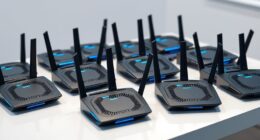
A meeting room bundle camera mic speaker combines video and room audio, but the right setup depends on room size, seating, and how much control you need. My best overall pick is the 4K AI-Powered Conference Webcam for its practical all-in-one design, while the Insta360 WaveLink stands out for 4K video and speakerphone integration, and the Tenveo 4K PTZ with 12× optical zoom suits larger rooms that need camera reach. The main tradeoff is between a simple integrated device and a more capable system with separate components, extra setup, or more specialized room coverage. I compare all 13 options by fit, flexibility, and likely setup demands below. Read on for the full breakdown and help choosing the right bundle for your room.

Get the latest gadgets delivered free with Prime
- Fast, free delivery on millions of items
- Prime Video, Amazon Music and more included
- Member-only deals all year
Complete the kit


Key Takeaways
- Room coverage separates the main contenders: integrated webcams suit smaller groups, while 12× and 20× PTZ systems are aimed at rooms where camera placement and participant distance matter.
- Optical zoom is a different tool from a wide field of view: the Tenveo and TONGVEO PTZ options prioritize framing people farther away; 360° models prioritize seeing participants around the table.
- All-in-one convenience has limits: compact choices such as the Nuroum C10, EMEET C980 Pro, and Logitech BCC950 simplify setup but offer less room to grow than camera-and-speakerphone systems.
- AI framing is not the same as 360° coverage: AI-tracking models can follow active speakers, while the PANOCORE360 and COOLPO AI Huddle Pana focus on capturing activity around the room.
- Premium capability adds operational demands: PTZ systems bring reach and control, but buyers should plan for placement, connection compatibility, and a more involved setup than a desktop conferencing device requires.
| Nuroum C10 1080p Conference Webcam with Microphone and Speaker |  | Best Compact Bundle | Video resolution: 1080p at 30 fps | Image sensor: 2 MP CMOS | Field of view: 90° | VIEW ON AMAZON | See Our Full Breakdown |
| EMEET C980 Pro 3-in-1 1080p Webcam with Mic, Speakers, 60°‑98° FOV |  | Best Value for Flexible Framing | Video resolution: 1080p | Field of view: Adjustable 60°–98°; listed viewing angle 90° | Microphones: 4 omnidirectional microphones | VIEW ON AMAZON | See Our Full Breakdown |
| 4K AI-Powered Conference Webcam with Microphone and Speaker, Zoom Certified |  | Best for Wide-Room Framing | Video resolution: UHD 4K | Field of view: 120° | Sensor: 1/2.7-inch CMOS | VIEW ON AMAZON | See Our Full Breakdown |
| Insta360 WaveLink 4K Conference Speakerphone and Camera |  | Best for Smart Meeting Audio | Video resolution: 4K UHD with HDR | Sensor: 1/2-inch CMOS | Microphones: 8-microphone array | VIEW ON AMAZON | See Our Full Breakdown |
| Tenveo 4K PTZ Conference Camera System with Bluetooth Speakerphone and 12× Optical Zoom |  | Best for Larger Rooms and Manual Camera Control | Camera resolution: 4K UHD | Optical zoom: 12× | Camera controls: IR remote; pan and tilt; 10 preset positions | VIEW ON AMAZON | See Our Full Breakdown |
| Yealink 4K Video Conference Camera System for PC |  | Best for Wide-View Hybrid Meetings | Resolution: 4K Ultra HD | Camera sensor: 8MP, 1/2.8-inch CMOS | Field of view: 120° | VIEW ON AMAZON | See Our Full Breakdown |
| TONGVEO 12x Optical Zoom PTZ Conference Camera and Bluetooth Speakerphone System |  | Best for Flexible Room Installation | Camera resolution: 1920 × 1080 | Video frame rate: 60 fps | Optical zoom: 12x | VIEW ON AMAZON | See Our Full Breakdown |
| PANOCORE360 360° All-in-One Meeting Camera |  | Best Compact 360° All-in-One | Camera capture: 360° | Output resolution: 1080p | Video processing: Full 4K capture merged into 1080p output | VIEW ON AMAZON | See Our Full Breakdown |
| Logitech BCC950 Desktop Video Conferencing Webcam and Speakerphone |  | Best for Simple Small-Room Meetings | Video resolution: 1080p HD | Frame rate: 30 fps | Lens: Carl Zeiss | VIEW ON AMAZON | See Our Full Breakdown |
| Tenveo 4K PTZ Conference Camera System with AI Tracking and Speakerphone |  | Best for Larger Rooms and Presenter Tracking | Resolution: 4K | Optical zoom: 12x | Viewing angle: 78° | VIEW ON AMAZON | See Our Full Breakdown |
| COOLPO AI Huddle Pana 360° Conference Camera with Microphones |  | Best for 360° Room Coverage | Resolution: UHD 4K | Viewing angle: 360 degrees | Microphones: 8 | VIEW ON AMAZON | See Our Full Breakdown |
| TONGVEO 20x Zoom PTZ Conference Camera and Speakerphone System |  | Best for Large Rooms and Distant Speakers | Camera resolution: Full HD 1920 × 1080 at 60 fps | Camera sensor: 1/2.8-inch CMOS, 2.38 MP | Optical zoom: 20x | VIEW ON AMAZON | See Our Full Breakdown |
| TONGVEO Conference Camera System with AI Auto-Tracking and Bluetooth Speakerphone |  | Best for AI Tracking in Small and Medium Rooms | Video resolution: 1920 × 1080 | Frame rate: 60 fps | Optical zoom: 3× | VIEW ON AMAZON | See Our Full Breakdown |
| meeting room bundle camera mic speaker | Microphones | Connectivity | Compatibility |
|---|---|---|---|
| Nuroum C10 1080p Conference We | 4 omnidirectional MEMS microphones | USB-C; USB-A adapter included | Windows, macOS, Linux |
| EMEET C980 Pro 3-in-1 1080p We | 4 omnidirectional microphones | USB | Windows 7/10/11; macOS 10.10 or later |
| 4K AI-Powered Conference Webca | Dual AI noise-cancelling microphones | USB | macOS 10.10 or later; Windows 10/11 |
| Insta360 WaveLink 4K Conferenc | 8-microphone array | USB, Bluetooth, dongle | Windows 10 or later; macOS 12 or later |
| Tenveo 4K PTZ Conference Camer | — | — | — |
| Yealink 4K Video Conference Ca | 8-microphone array | — | Windows, macOS, Microsoft Teams, Zoom, and other leading conferencing platforms |
| TONGVEO 12x Optical Zoom PTZ C | — | Bluetooth 5.0, USB, wireless dongle | Windows 7–11 and macOS 10.10 or higher |
| PANOCORE360 360° All-in-One Me | Omnidirectional 3-mic array | — | — |
| Logitech BCC950 Desktop Video | — | USB | Windows and macOS |
| Tenveo 4K PTZ Conference Camer | — | — | — |
| COOLPO AI Huddle Pana 360° Con | 8 | USB | — |
| TONGVEO 20x Zoom PTZ Conferenc | — | — | — |
| TONGVEO Conference Camera Syst | — | — | — |
More Details on Our Top Picks
Nuroum C10 1080p Conference Webcam with Microphone and Speaker
The Nuroum C10 is the simplest fit here for a home office or small meeting table: one compact USB-C device combines a 1080p camera, speaker, and four-microphone array. Its 90° view and pickup range of up to 10 feet suit a presenter or a few people seated nearby, rather than a long conference table. Compared with the EMEET C980 Pro, the C10 offers a similar all-in-one approach but lists Linux compatibility, while the EMEET adds an adjustable field of view and two speakers. Noise reduction and full-duplex audio help conversation feel less stop-and-start, and touch controls keep basic adjustments close at hand. The tradeoffs are a fixed-focus camera, a relatively narrow room fit, and a short 2.2-foot cable that can limit placement.
Pros:- Combines a 1080p camera, speaker, and four microphones in one compact unit
- Noise reduction and full-duplex audio support natural conversation
- USB-C plug-and-play setup requires no separate power adapter
- Compatible with Windows, macOS, and Linux
Cons:- 90° field of view is better suited to individuals and small groups than larger rooms
- The included 2.2-foot cable can restrict placement
- Fixed focus offers less flexibility than autofocus models
Best for: Home-office workers and small teams who want a compact camera, speaker, and mic in one plug-and-play device, including Linux users.
Not ideal for: Teams seated across a larger room or anyone who needs flexible camera placement; the 90° view and short cable constrain coverage.
- Video resolution:1080p at 30 fps
- Image sensor:2 MP CMOS
- Field of view:90°
- Microphones:4 omnidirectional MEMS microphones
- Voice pickup range:Up to 10 ft (3 m)
- Connectivity:USB-C; USB-A adapter included
- Weight:384 g
- Compatibility:Windows, macOS, Linux
Our verdict“Choose the C10 for a tidy small-room setup, but pick a wider-view model if your meeting group sits farther apart.”
EMEET C980 Pro 3-in-1 1080p Webcam with Mic, Speakers, 60°‑98° FOV
The EMEET C980 Pro earns its place for teams that want an all-in-one meeting device but need more control over framing than the fixed 90° view on the Nuroum C10. Its adjustable 60°–98° field of view lets a user narrow the shot for a solo call or widen it for a small group, while low-light correction can help when desk lighting is uneven. Four microphones with noise and echo reduction pair with two built-in speakers, avoiding a separate desktop audio setup. This is a practical plug-and-play choice for Windows and macOS users, though the fixed-focus lens makes it less adaptable when people move closer to or farther from the camera. Its listed viewing-angle specification also says 90°, so buyers should verify which field-of-view controls apply to their setup.
Pros:- Adjustable 60°–98° field of view adapts to solo calls and small groups
- Four microphones use active noise cancelling and echo cancellation
- Two built-in speakers provide a self-contained audio setup
- Low-light correction can improve video in dim or unevenly lit rooms
Cons:- Fixed focus is less forgiving when participants move nearer to or farther from the camera
- Compatibility is listed for Windows and macOS, not Linux
- The product data lists both an adjustable 60°–98° range and a 90° viewing angle, which may need clarification
Best for: Small-room users on Windows or macOS who want adjustable framing, built-in speakers, and noise-reduced audio without separate meeting hardware.
Not ideal for: Linux users or teams needing autofocus for frequent movement and changes in subject distance.
- Video resolution:1080p
- Field of view:Adjustable 60°–98°; listed viewing angle 90°
- Microphones:4 omnidirectional microphones
- Speakers:2 built-in speakers
- Audio processing:Active noise cancelling and auto echo cancellation
- Connectivity:USB
- Focus type:Fixed focus
- Compatibility:Windows 7/10/11; macOS 10.10 or later
Our verdict“Pick the C980 Pro if adjustable framing matters more than autofocus or Linux support.”
4K AI-Powered Conference Webcam with Microphone and Speaker, Zoom Certified
The WYRESTORM Focus-210 is the camera-first choice for small rooms where participants move or sit spread across the table. Its 120° lens captures more of the room than the 90° Nuroum C10, while 4K resolution and autofocus offer sharper, more adaptable video than the 1080p EMEET C980 Pro. AI auto framing and presenter tracking can keep a speaker in view without someone operating the camera, and backlight compensation helps when a bright window is behind the group. Dual AI noise-cancelling microphones provide onboard audio, but the supplied description does not establish a speakerphone, so buyers seeking a true camera-mic-speaker bundle should check audio playback needs or add a speaker. It also remains a wired USB device and has no battery for portable meetings.
Pros:- 4K UHD video provides more image detail than the 1080p C10 and C980 Pro
- 120° lens captures a broad view of small meeting rooms
- AI auto framing and presenter tracking reduce manual camera adjustments
- Autofocus and backlight compensation adapt to changing subjects and lighting
Cons:- The supplied description specifies microphones but does not confirm a built-in speaker
- Requires a wired USB connection and has no battery
- A wide 120° view may include more background than a focused desk call needs
Best for: Small meeting rooms that need wide 4K coverage, autofocus, and automatic framing for participants who shift seats or take turns presenting.
Not ideal for: Buyers who require a clearly specified built-in speakerphone or a portable, battery-powered bundle.
- Video resolution:UHD 4K
- Field of view:120°
- Sensor:1/2.7-inch CMOS
- Microphones:Dual AI noise-cancelling microphones
- Focus type:Autofocus
- Features:AI auto framing, presenter tracking, AI backlight compensation
- Connectivity:USB
- Compatibility:macOS 10.10 or later; Windows 10/11
Our verdict“Choose the Focus-210 for broad, automated 4K room coverage, but confirm your speaker needs before treating it as a complete bundle.”
Insta360 WaveLink 4K Conference Speakerphone and Camera
The Insta360 WaveLink suits teams that want room-filling voice pickup alongside a capable camera, rather than the compact desk-call setup of the Nuroum C10. Its eight-microphone array is specified for pickup up to 16 feet, giving it a longer stated reach than the C10’s 10 feet, and speaker tracking helps keep the active participant in the shot. The 4K HDR camera adds detail and highlight handling, while USB, Bluetooth, and dongle connectivity offer more ways to link the device than the USB-only EMEET C980 Pro. AI audio processing, recording, transcription, and meeting summaries make this the most meeting-workflow-focused pick in this group. That added scope brings software and compatibility dependencies: it requires Windows 10 or later or macOS 12 or later, and the listing describes fixed focus as well as autofocus.
Pros:- Eight microphones are specified for voice pickup up to 16 feet
- 4K UHD with HDR and speaker tracking supports detailed, responsive room video
- USB, Bluetooth, and dongle connectivity provide multiple connection options
- AI audio processing, recording, transcription, and meeting summaries add meeting-workflow tools
Cons:- Requires Windows 10 or later or macOS 12 or later
- The product data lists both fixed focus and autofocus, leaving focus behavior unclear
- Not water resistant, limiting use to indoor meeting environments
Best for: Teams that want long-range voice pickup, speaker tracking, and integrated recording or transcription features in a modern computer-based meeting setup.
Not ideal for: Users on older operating systems or buyers who only need a basic, inexpensive-to-deploy 1080p desk camera and speaker.
- Video resolution:4K UHD with HDR
- Sensor:1/2-inch CMOS
- Microphones:8-microphone array
- Voice pickup range:Up to 16 ft
- Connectivity:USB, Bluetooth, dongle
- Focus:Listed as fixed focus and autofocus
- Meeting platform support:Zoom, Microsoft Teams, Google Meet
- Compatibility:Windows 10 or later; macOS 12 or later
Our verdict“Choose WaveLink when longer pickup and meeting-processing tools matter more than a simple plug-and-play desk bundle.”
Tenveo 4K PTZ Conference Camera System with Bluetooth Speakerphone and 12× Optical Zoom
The Tenveo 4K PTZ system is the most room-scalable option in this set for buyers who need to frame a distant speaker, not simply capture everyone around a desk. Its 12× optical zoom, remote pan and tilt, and ten presets provide camera control absent from the fixed-view Nuroum C10 and EMEET C980 Pro. The bundle also includes a Bluetooth speakerphone and hub, with noise reduction and echo cancellation supporting two-way meeting audio. That flexibility comes with a larger footprint and a more involved setup: the camera and speakerphone connect through the hub, and the complete system weighs 2.5 kg. Unlike the Insta360 WaveLink, which emphasizes AI tracking and meeting features, this Tenveo configuration relies on remote control and presets. Expansion microphones are not included, limiting its out-of-box reach for larger groups.
Pros:- 12× optical zoom and 4K UHD camera support framing across larger rooms
- IR remote offers pan, tilt, and ten preset positions
- Bluetooth speakerphone includes noise reduction and echo cancellation
- Hub-based system supports multiple conferencing platforms and connection types
Cons:- Expansion microphones are not included in this configuration
- Camera and speakerphone must connect through the hub
- At 2.5 kg and 11 × 9 × 8.2 inches, it is less suited to compact desks
Best for: Conference rooms that need optical zoom, remote pan-and-tilt control, preset camera positions, and a bundled Bluetooth speakerphone.
Not ideal for: Small desk setups or large-room teams that need expansion microphones included; this system is heavier and depends on a hub.
- Camera resolution:4K UHD
- Optical zoom:12×
- Camera controls:IR remote; pan and tilt; 10 preset positions
- Speakerphone connectivity:Bluetooth
- Microphone pickup:Omnidirectional
- Interfaces:HDMI, RS485, RS232
- Computer connectivity:USB through included hub
- Weight:2.5 kg
- Included components:Camera, Bluetooth speakerphone, hub, remote control, wall mount, cables, power adapter, manual
Our verdict“Choose this Tenveo system for controlled camera coverage in a conference room, and skip it if you need a compact bundle or included mic expansion.”
Yealink 4K Video Conference Camera System for PC
The Yealink suits rooms where a fixed camera needs to capture several people without losing clear detail. Its 4K image and 120° field of view give it a wider, sharper view than the Logitech BCC950, whose 1080p camera and shorter microphone reach fit small groups better. Yealink also adds AI auto framing and speaker tracking, so the view can follow discussion rather than stay locked on one part of the table.
The eight-microphone array is specified for pickup up to five meters, making this a stronger camera-and-mic centerpiece for a larger table than the BCC950. The tradeoff is that the supplied USB cable runs seven meters and ends in USB-B to USB-A, so buyers should check their computer’s ports and room routing. There is no separate speakerphone listed, making this a camera-and-microphone bundle rather than a full camera, mic, and speaker package.
Pros:- 4K Ultra HD video with a wide 120° field of view
- Eight microphones with stated pickup up to five meters
- AI auto framing and speaker tracking adjust the view around meeting activity
- Automatic privacy shutter and a seven-meter USB cable
Cons:- No speaker or speakerphone is listed, so it does not complete the camera-mic-speaker setup by itself
- USB-B to USB-A connection may require an adapter for computers without USB-A
- Fixed wide-angle design offers no stated optical zoom or PTZ movement
Best for: Teams needing a wide 4K view and built-in microphones for a meeting table, with a separate room speaker already available.
Not ideal for: Buyers seeking a complete camera, microphone, and speaker system in one box, or those whose room setup depends on USB-C without an adapter.
- Resolution:4K Ultra HD
- Camera sensor:8MP, 1/2.8-inch CMOS
- Field of view:120°
- Microphones:8-microphone array
- Voice pickup range:5 meters (16.4 feet)
- Cable:7-meter USB-B to USB-A
- Features:Automatic privacy shutter, AI auto framing, speaker tracking, AI face enhancement
- Compatibility:Windows, macOS, Microsoft Teams, Zoom, and other leading conferencing platforms
Our verdict“Choose Yealink for a wide, detailed meeting-room camera with generous mic pickup, provided you already have a speaker solution.”
TONGVEO 12x Optical Zoom PTZ Conference Camera and Bluetooth Speakerphone System
The TONGVEO is the most adaptable pick here for rooms where the camera needs to sit away from the meeting table. Its 12x optical zoom, 350° pan, and 180° tilt let an operator frame a presenter or group from a desk, wall, tripod, or ceiling mount. That makes it more suited to a changing room layout than the Logitech BCC950, whose simpler desktop setup is aimed at small groups.
The bundle pairs the camera with a Bluetooth speakerphone, including echo cancellation and full-duplex microphones. HDMI and USB 3.0 outputs allow the camera to feed video through both connections at once, while the speakerphone can connect by USB, Bluetooth, or dongle. The tradeoff is a split setup: the camera is wired, but the speakerphone is wireless, and its stated 6–8-hour battery life means it may need charging during extended use. Its 1080p image also gives up the detail offered by the 4K Yealink.
Pros:- 12x optical zoom with broad pan and tilt movement
- 1080p video at up to 60 fps
- Bluetooth speakerphone offers USB, Bluetooth, and wireless dongle connections
- Camera supports desk, wall, tripod, and ceiling installation
Cons:- Camera is wired while the speakerphone operates wirelessly, adding setup complexity
- Speakerphone battery life is specified at 6–8 hours
- 1080p resolution falls short of the Yealink and Tenveo 4K systems
Best for: Meeting-room managers who need a movable, zoom-capable camera and a separate wireless speakerphone for medium or large rooms.
Not ideal for: Buyers who want a single compact tabletop unit, 4K video, or a speakerphone that can run through long sessions without charging.
- Camera resolution:1920 × 1080
- Video frame rate:60 fps
- Optical zoom:12x
- Camera movement:350° pan, 180° tilt
- Camera outputs:HDMI and USB 3.0
- Speakerphone pickup distance:5 meters (16.4 feet)
- Speakerphone battery:2400 mAh; 6–8 hours stated battery life
- Connectivity:Bluetooth 5.0, USB, wireless dongle
- Compatibility:Windows 7–11 and macOS 10.10 or higher
Our verdict“Pick TONGVEO when camera placement and optical zoom matter more than 4K detail or an all-in-one form.”
PANOCORE360 360° All-in-One Meeting Camera
PANOCORE360 takes a different approach from the PTZ bundles: rather than aiming one camera at the table, it combines four cameras to capture the room in 360°. Its compact body also houses a speaker and three-microphone array, keeping the setup simpler than the separated camera and speakerphone in the TONGVEO system. For small and medium rooms, speaker-focused and dual 180° viewing modes give teams options for showing the active speaker or both sides of a table.
The system captures in 4K internally but outputs 1080p video, so it is not the pick for buyers prioritizing 4K meeting output like the Yealink. Its 10-foot audio pickup range and stated room size of up to 12 participants set a clear scale limit. Local recording to MicroSD can be useful when a meeting needs a file without relying on a cloud recording workflow, but a card is required and is not listed as included.
Pros:- Combines 360° video capture, a speaker, and three microphones in one device
- Speaker-focused and dual 180° viewing modes suit different table layouts
- Local video and audio recording to MicroSD
- USB-C or USB-A connection and compatibility with major meeting platforms
Cons:- 1080p output, despite full 4K capture and processing
- Audio pickup is specified only up to 10 feet, with a recommended maximum of 12 participants
- MicroSD card is required for local recording and is not listed as included
Best for: Small-team facilitators who want a compact 360° camera, speaker, and microphone array with plug-and-play support for common meeting platforms.
Not ideal for: Larger-room teams needing long-range audio pickup, 4K output, or a bundle with PTZ zoom and remote camera placement.
- Camera capture:360°
- Output resolution:1080p
- Video processing:Full 4K capture merged into 1080p output
- Microphones:Omnidirectional 3-mic array
- Audio pickup range:Up to 10 feet (3 meters)
- Speaker:1
- Recording:Local video and audio recording to MicroSD (TF) card
- Connectivity and power:USB-C or USB-A; 5V / 1.67A USB
- Recommended room size:Small to medium rooms, up to 12 participants
Our verdict“Choose PANOCORE360 for a tidy 360° setup in a small or medium room, not for large spaces or 4K output.”
Logitech BCC950 Desktop Video Conferencing Webcam and Speakerphone
The Logitech BCC950 is the straightforward choice for a small room where a single USB connection and simple controls matter more than room-wide coverage. It combines a 1080p webcam with a full-duplex speakerphone, noise-canceling microphone, and echo cancellation; the included remote and base controls make camera movement, muting, volume, and calls accessible without relying only on software. Compared with the PANOCORE360, it is not designed to show a full 360° view, but its integrated speakerphone makes the camera-mic-speaker bundle requirement more explicit.
The main constraint is scale. Microphone pickup is specified at up to eight feet, well short of the five-meter reach listed for the Yealink and TONGVEO systems. Video also tops out at 1080p and 30 fps, so this is better for a compact huddle than a room needing detailed views of distant participants. Its listed software compatibility includes several established platforms, but the description does not name newer Teams or Google Meet support.
Pros:- Combines webcam, speakerphone, and noise-canceling microphone in one system
- Full-duplex audio with echo cancellation
- Remote and base controls cover camera movement, volume, muting, and calls
- USB connection works with Windows and macOS
Cons:- Microphone pickup range is limited to up to eight feet
- 1080p at 30 fps is less capable than the 4K Yealink and Tenveo systems
- Designed for small rooms, with older software platforms specifically listed
Best for: Small teams seeking a simple USB camera-and-speakerphone setup with physical controls for calls, mute, and volume.
Not ideal for: Larger meeting rooms, groups spread around a long table, or buyers who need 4K video, 360° capture, or broader stated platform compatibility.
- Video resolution:1080p HD
- Frame rate:30 fps
- Lens:Carl Zeiss
- Microphone pickup range:Up to 8 feet
- Frequency response:200 Hz–8 kHz
- Connectivity:USB
- Compatibility:Windows and macOS
- Compatible software:Microsoft Lync 2013, Skype for Business, Cisco Jabber, WebEx
- Weight and dimensions:2.3 pounds; 6.97 × 6.81 × 4.88 inches
Our verdict“Choose the BCC950 for a compact, control-friendly huddle setup, and skip it if your room needs longer microphone reach.”
Tenveo 4K PTZ Conference Camera System with AI Tracking and Speakerphone
For larger rooms, the Tenveo offers the strongest stated audio reach in this group: its speakerphone system is rated for 33 feet, and the package includes two expansion microphones. That gives it a clearer large-room role than the Logitech BCC950, whose pickup range is eight feet, and more audio reach than the TONGVEO 12x system’s five meters. The camera adds 4K video and 12x optical zoom, while AI modes can track faces or people and frame a presenter.
Its 350° pan, 180° tilt, and ten preset positions help cover a room without manually repositioning the camera for every meeting. The cost of that reach is a more involved installation: camera and speakerphone connect through the included hub, and the listed interfaces are HDMI, RS485, and RS232, even though USB connectivity appears in the title. I would verify the intended computer connection before choosing it. Compared with Yealink, Tenveo adds PTZ movement and expansion mics, while Yealink offers a simpler USB setup and wider 120° fixed view.
Pros:- 4K video with 12x optical zoom
- AI face and person tracking with presenter and auto-framing modes
- 33-foot stated voice pickup range and two expansion microphones
- Pan, tilt, and ten preset positions support flexible room framing
Cons:- Camera and speakerphone must connect through the included hub
- USB appears in the title, while the listed interfaces are HDMI, RS485, and RS232
- Larger-room capabilities may be unnecessary for compact meeting spaces
Best for: Organizations equipping a medium-to-large conference room that need presenter tracking, optical zoom, and extended microphone pickup.
Not ideal for: Small huddle rooms or buyers who need a clearly documented direct USB connection and a minimal setup without an included hub.
- Resolution:4K
- Optical zoom:12x
- Viewing angle:78°
- Pan and tilt:350° pan, 180° tilt
- Preset positions:10
- Voice pickup range:33 feet (10 meters)
- Recommended room size:40–100 sqm
- Included microphones:2 expansion microphones
- Interfaces and warranty:HDMI, RS485, RS232; 3-year warranty
Our verdict“Choose Tenveo for a larger room that needs long-range pickup and tracked 4K PTZ video, after confirming the hub’s connection path suits your setup.”
COOLPO AI Huddle Pana 360° Conference Camera with Microphones
The COOLPO AI Huddle Pana is the clearest fit when people sit around a table and you want one device to capture the whole group. Its 360° UHD 4K view avoids the need to aim a conventional camera, while AI speaker tracking reframes the active speaker. Eight microphones with pickup up to 15 feet add room audio without a separate speakerphone listed in the bundle. Compared with the TONGVEO 20x Zoom PTZ, this setup favors shared-table coverage over close views of distant participants: the TONGVEO has a dedicated wireless speakerphone and long-range optical zoom, while COOLPO keeps the system simpler and processes AI functions on-device. The tradeoff is that its microphone range is shorter than the TONGVEO’s stated 20 feet, and USB connection with a five-foot cable can constrain placement. Choose it for compact, discussion-led rooms, not large rooms where camera reach and a separate speakerphone matter.
Pros:- 360° UHD 4K coverage captures participants around the device without manual camera aiming.
- AI speaker tracking can shift framing toward the person speaking.
- Eight microphones are specified for voice pickup up to 15 feet.
- USB plug-and-play setup and on-device processing support a straightforward, privacy-focused setup.
Cons:- The stated microphone pickup range is shorter than the TONGVEO 20x Zoom system’s 20-foot range.
- A five-foot USB cable can limit where the camera sits relative to the meeting computer.
- The listed bundle does not specify a separate speakerphone.
Best for: Small and medium teams seated around one table who want 360° video, built-in microphones, and a simple USB connection.
Not ideal for: Large rooms or presentations where participants sit far from the camera, or buyers who specifically need a separate wireless speakerphone.
- Resolution:UHD 4K
- Viewing angle:360 degrees
- Microphones:8
- Microphone range:Up to 15 feet
- Connectivity:USB
- Digital zoom:3x
- Cable length:5 feet
- Dimensions:11.42 x 4.33 x 11.42 inches
Our verdict“Pick the COOLPO for a table-centered room that benefits most from 360° coverage and a compact all-in-one setup.”
TONGVEO 20x Zoom PTZ Conference Camera and Speakerphone System
For a room where people sit well beyond the camera, the TONGVEO 20x Zoom PTZ prioritizes reach over an all-in-one camera design. Its 20x optical zoom can frame distant speakers without relying on digital enlargement, and the camera can output video over USB 3.0 and HDMI at once. A separate wireless speakerphone supplies 360° pickup, with a stated range up to 20 feet and battery life up to 17 hours. That makes this bundle a better match for larger meeting spaces than the COOLPO AI Huddle Pana, whose 360° view is more suited to a group gathered around the device. The tradeoff is a two-part setup: the camera remains wired even though the speakerphone is wireless. It also delivers Full HD rather than the COOLPO’s UHD 4K, so buyers should favor framing flexibility and room audio over higher stated resolution.
Pros:- 20x optical zoom helps frame people seated far from the camera.
- Full HD video supports up to 60 fps.
- Speakerphone provides 360° voice pickup with a stated range up to 20 feet.
- Speakerphone battery is rated for up to 17 hours, with USB, Bluetooth 5.0, and dongle connectivity.
Cons:- The camera is wired, so only the speakerphone is wireless.
- Full HD resolution is lower than the COOLPO AI Huddle Pana’s UHD 4K.
- The camera and speakerphone are separate components to place and connect.
Best for: Teams meeting in medium or large rooms who need optical zoom for distant speakers and a wireless speakerphone with long stated battery life.
Not ideal for: Small huddle rooms seeking one compact device, or buyers who prioritize UHD 4K resolution and a fully wireless camera setup.
- Camera resolution:Full HD 1920 × 1080 at 60 fps
- Camera sensor:1/2.8-inch CMOS, 2.38 MP
- Optical zoom:20x
- Camera rotation:350° horizontal, 180° vertical
- Video outputs:USB 3.0 and HDMI
- Microphone pickup range:Up to 20 ft
- Speakerphone connectivity:USB, Bluetooth 5.0, dongle
- Speakerphone battery:8000 mAh; up to 17 hours
Our verdict“Choose this bundle when optical reach and long-lasting wireless speakerphone audio matter more than a compact layout or 4K video.”
TONGVEO Conference Camera System with AI Auto-Tracking and Bluetooth Speakerphone
This TONGVEO AI tracking system combines a 1080p PTZ camera and Bluetooth speakerphone for teams that want automated framing without moving up to a long-zoom setup. Face and human recognition guide the camera toward active participants, while 3x optical zoom and 60 fps video suit a room where people are not seated far apart. Its speakerphone supports full-duplex audio and echo cancellation, with a stated pickup range of 16.4 feet. Compared with the TONGVEO 20x Zoom PTZ, this model is better aligned with small and medium rooms: it trades substantial optical reach and longer speakerphone battery life for AI tracking and a more modest setup. The speakerphone is wireless, but the camera is wired, and its stated six-to-eight-hour continuous battery life may not cover longer meeting days. The 40-square-meter recommended room size and pickup range make larger spaces a less convincing fit.
Pros:- AI tracking uses face and human recognition to follow participants.
- 1080p video at 60 fps is available over USB 3.0 or HDMI.
- Speakerphone supports full-duplex audio with echo cancellation.
- The system is specified for rooms up to 40 square meters and offers a 16.4-foot microphone pickup range.
Cons:- The 3x optical zoom offers much less reach than the TONGVEO 20x Zoom PTZ.
- The camera is wired; only the speakerphone is wireless.
- Speakerphone battery life is stated as six to eight hours of continuous use.
Best for: Small and medium meeting teams that want AI speaker tracking, echo-canceling full-duplex audio, and USB or HDMI video connections.
Not ideal for: Large-room users who need strong optical reach, or teams that need a speakerphone to run longer than its stated six-to-eight-hour continuous battery life.
- Video resolution:1920 × 1080
- Frame rate:60 fps
- Optical zoom:3×
- Camera sensor:1/2.8-inch CMOS, 2.38 MP
- Camera rotation:350° horizontal, 180° vertical
- Field of view:114°
- Connections:USB 3.0, HDMI 2.0, Bluetooth 5.0, wireless dongle
- Microphone pickup range:16.4 ft (5 m)
- Speakerphone battery:2400 mAh; 6–8 hours of continuous use
Our verdict“Choose this model for AI-driven framing and clear two-way audio in a small or medium room, but not for distant seating or all-day wireless speakerphone use.”

How We Picked
I judged each meeting room camera, mic, and speaker bundle by how well its design suits real room needs: camera coverage, audio integration, likely seating distance, setup complexity, and room to adapt as meeting formats change. I separated compact all-in-one devices from 360° cameras and PTZ systems rather than treating their different coverage styles as interchangeable. I also weighed whether a product’s standout feature solves a common problem—such as seeing a whole table or framing people at the far end—without making basic use needlessly complicated.
The ranking favors balanced, broadly useful systems first, then options whose strengths are more specialized. The 4K AI-powered all-in-one leads for its blend of camera, mic, and speaker functions; the Insta360 and 12× Tenveo offer distinct alternatives for integrated 4K conferencing and larger-room reach. 360° models, desktop bundles, and higher-zoom PTZ systems rank according to how well their specific approach fits a defined room, not by feature count alone. Buyers should confirm current connection requirements and room compatibility before choosing.
| meeting room bundle camera mic speaker | Connectivity |
|---|---|
| Nuroum C10 1080p Conference We | USB-C; USB-A adapter included |
| EMEET C980 Pro 3-in-1 1080p We | USB |
| 4K AI-Powered Conference Webca | USB |
| Insta360 WaveLink 4K Conferenc | USB, Bluetooth, dongle |
| Tenveo 4K PTZ Conference Camer | — |
| Yealink 4K Video Conference Ca | — |
| TONGVEO 12x Optical Zoom PTZ C | Bluetooth 5.0, USB, wireless dongle |
| PANOCORE360 360° All-in-One Me | — |
| Logitech BCC950 Desktop Video | USB |
| Tenveo 4K PTZ Conference Camer | — |
| COOLPO AI Huddle Pana 360° Con | USB |
| TONGVEO 20x Zoom PTZ Conferenc | — |
| TONGVEO Conference Camera Syst | — |
Factors to Consider When Choosing Meeting Room Bundle Camera Mic Speaker
Before choosing a bundle, I would start with the room and meeting habits rather than the biggest camera specification. The same device can feel effortless in a small huddle room and inadequate in a long conference room. These factors help distinguish a useful upgrade from features your team may rarely use.
Match the Camera View to the Room Layout
Start by mapping where people sit, how far they are from the display, and whether participants move around while speaking. A wide-angle camera can include a table in a compact room, but it may make distant faces look small in a larger space. A 360° camera changes the problem by capturing activity around the device, which can suit central table placement but may not provide the same close framing as a PTZ camera. Optical zoom is useful when the camera must stay near the front while people sit farther back. A frequent mistake is choosing by resolution alone; a sharp image cannot fix a view that misses participants or frames them too small. Sketching the seating layout before comparing models often narrows the choice quickly.
Treat Microphone Coverage as a Room-Size Question
A built-in microphone is convenient, but its presence does not tell you how well it will capture a full room. Think about table length, background noise, ceiling height, and whether people tend to speak from fixed seats or move around. A compact integrated device may suit a small group close to the camera, while a larger space can call for a speakerphone arrangement designed around more participants. Ask whether the bundle supports expansion or additional audio devices if your meeting needs change. Do not assume a camera’s wide view means its microphones cover the same area. When possible, compare the manufacturer’s stated pickup coverage with your actual seating distances rather than relying on the word “conference.”
Choose Between Automatic Framing and Manual Camera Control
AI tracking and auto-framing can reduce the need for someone to operate the camera during a call. They are most useful when speakers move, the meeting has one active presenter, or staff want a more hands-off setup. PTZ controls offer a different advantage: someone can deliberately pan, tilt, or zoom to frame a participant or presentation area. That control can be valuable in formal meetings, but it adds operating steps and may require a person to manage the camera. Automatic systems can also make framing choices that do not suit every agenda, especially when several people speak at once. Pick the control style that matches how your meetings run, not simply the one with the most automation.
Check Connections and the Full Setup Path
Before buying, verify how the camera and audio connect to the room computer, display, and conferencing platform. A bundle can contain all three core functions and still require separate power, mounting, adapters, or software setup. Desktop all-in-one designs generally keep the physical arrangement simple, while PTZ systems may need careful placement and more configuration. Confirm whether your team can connect the device through its existing workflow and whether IT policies permit the required drivers or applications. A common buying error is checking only that a product connects to a computer, without checking how it will be mounted and powered in the room. Make a short list of available ports, cable routes, and control needs before comparing models.
Pay for Flexibility Only When the Room Uses It
Higher zoom, AI tracking, 360° coverage, and separate speakerphone systems solve different problems, so extra capabilities are valuable only when they fit the room. A small team that meets around a desk may get more value from easy setup than from long-range camera control. A training space or larger boardroom may justify PTZ reach if people sit far from the camera or presenters move between areas. Consider whether your layout is stable or likely to change; adaptable systems can reduce the need to replace equipment after a room redesign. Also account for the time required to train staff and maintain a more involved setup. The sensible choice is the least complex bundle that covers your recurring meetings well, with enough flexibility for foreseeable changes.
Frequently Asked Questions
Is a 360° meeting camera better than a PTZ camera for a conference table?
Neither approach is better for every table. A 360° camera is suited to capturing people seated around a central device, while a PTZ camera can frame a chosen section of the room and zoom toward people farther away. If participants sit at varying distances or need close views, PTZ control may be more useful. If the goal is to include everyone around a compact table with minimal camera operation, 360° coverage may fit better. Check how the camera handles screen placement and speaker framing in your room layout before choosing.
Can one all-in-one camera, microphone, and speaker serve a large meeting room?
It can, but the room’s dimensions and seating pattern matter more than the all-in-one label. A device designed for desktop or huddle-room use may not capture voices clearly across a long table or frame distant participants well. Compare the stated audio pickup and camera coverage with the farthest seat, then allow for background noise and room acoustics. For larger spaces, a PTZ camera or a system built around a separate speakerphone may offer more useful placement options. If you cannot confirm coverage for the whole room, plan for a test or an upgrade path before committing.
Should I prioritize 4K resolution or optical zoom?
Choose based on what the camera needs to show. 4K resolution can support a detailed wide view, while optical zoom helps frame people or areas at a distance without relying only on a broad shot. A compact room with everyone close to the camera may benefit more from a high-resolution all-in-one. A long room may gain more from optical zoom, even if the camera’s maximum resolution is not the deciding factor. Neither feature improves microphone pickup, so evaluate audio coverage separately.
Do AI tracking and auto-framing work well when several people speak?
They can help reduce manual camera work, but their usefulness depends on whether the meeting has a clear active speaker or frequent movement. In a discussion with several people speaking in turn, the camera may need to change framing repeatedly, which can distract some viewers. A fixed wide shot or a manually controlled PTZ camera can feel steadier for meetings where the whole group should stay visible. Consider whether your sessions are mostly presentations, open discussion, or a mix. If you choose AI features, check that the system gives users a way to adjust or disable automatic behavior when it does not fit.
What should I verify before replacing an existing room camera with a bundle?
Check the current room computer, conferencing software, available ports, power access, mounting position, and cable routes before selecting a replacement. Confirm whether the new bundle’s camera and audio work together through the connection method your organization permits. Measure the distance from the device to the farthest participant and note any display or whiteboard areas that must remain in view. Also check who will manage setup and whether staff need physical controls or a simple plug-in workflow. These checks can prevent a bundle with appealing features from creating installation work or leaving an important part of the room uncovered.
Conclusion
For most teams seeking one integrated starting point, I recommend the 4K AI-Powered Conference Webcam as the best overall pick. The Nuroum C10 is the better value-oriented choice for buyers who want a straightforward camera, mic, and speaker in one device, while the Logitech BCC950 is a sensible beginner option for a simple desktop-style meeting setup. For premium reach in a larger room, compare the Tenveo 4K PTZ with 12× optical zoom and the TONGVEO 20× PTZ, choosing zoom and control needs that match your seating distance. For a table where participants sit around the camera, look at the PANOCORE360 or COOLPO AI Huddle Pana; for automated speaker framing, consider the AI-tracking TONGVEO or Tenveo systems. I would make the final choice by matching coverage and setup demands to the room, rather than paying for capabilities your meetings will not use.