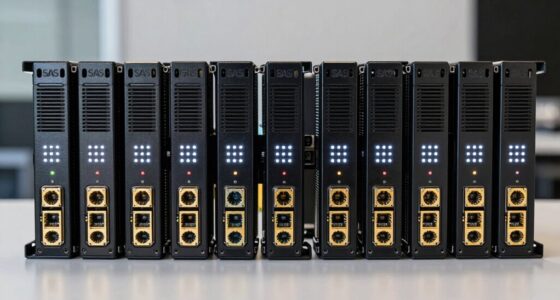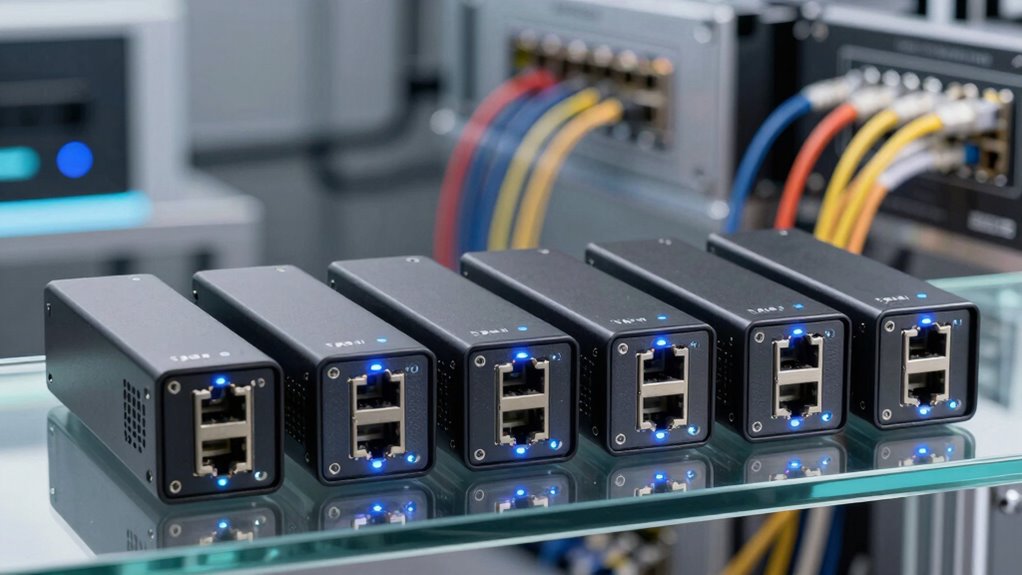

A managed media converter links different network media while adding some ability to monitor or control the connection, but the right choice depends on speed, fiber type, and management needs. My best overall pick is the CTCUnion FRM220-2000MS for buyers seeking a purpose-built managed gigabit fiber link. For 10G networks, the Mxtgifar AI-Managed 10G RJ45-to-SFP+ offers a more specialized option, while the TP-Link Omada MC220L is a straightforward gigabit choice for simpler deployments. The main tradeoff is between management depth and setup simplicity, with PoE and 10G support adding further compatibility questions. Read on for how these six options differ and which type of network each one suits.

Get the latest gadgets delivered free with Prime
- Fast, free delivery on millions of items
- Prime Video, Amazon Music and more included
- Member-only deals all year
Complete the kit



Key Takeaways
- The CTCUnion FRM220-2000MS leads for managed gigabit fiber links; it is a more targeted choice than the simpler TP-Link MC220L, which is presented as an SFP-to-RJ45 converter.
- The two 10G Mxtgifar models serve different jobs: one combines AI management with PoE++, while the other focuses on an RJ45-to-SFP+ connection.
- PoE++ is a defining requirement, not a bonus: buyers powering a remote device should compare the two PoE-oriented options and confirm power and compatibility needs before choosing.
- The Omada MC220L and MC420L are differentiated by link speed, making the gigabit MC220L a simpler fit and the 10G MC420L the relevant Omada option for faster links.
- Management claims alone do not settle the ranking: buyers should verify which controls, monitoring functions, optics, and network integrations are supported for their exact deployment.
| CTCUnion FRM220-2000MS Gigabit Ethernet Fiber Media Converter |  | Best for Managed Gigabit Links | Copper interface: RJ-45, 10/100/1000 Mbps | Fiber interface: Single 100/1000 Mbps SFP slot | Management: Web-based, with its own IP address | VIEW ON AMAZON | See Our Full Breakdown |
| Mxtgifar AI-Managed 10G PoE++ Fiber Media Converter |  | Best for 10G PoE++ Endpoints | Interface: 10G RJ45 to SFP+ | PoE output: Up to 90W or 95W, listed inconsistently | Supply voltage: 44–58V DC | VIEW ON AMAZON | See Our Full Breakdown |
| Gigabit PoE++ Media Converter with AI Management and LED Display | 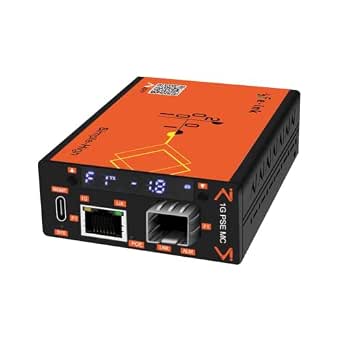 | Best for On-Device Status Checks | Interface: Described as Gigabit RJ45-to-SFP+; listed interface: optical | Channels: 1 | PoE output: Up to 95W | VIEW ON AMAZON | See Our Full Breakdown |
| TP-Link Omada MC220L Gigabit SFP to RJ45 Media Converter |  | Best Plug-and-Play Gigabit Pick | Model: MC220L | Data transfer rate: 1000 Mbps | Ethernet compatibility: 10/100/1000Base-T | VIEW ON AMAZON | See Our Full Breakdown |
| Mxtgifar AI-Managed 10G RJ45-to-SFP+ Fiber Media Converter |  | Best for Multi-Speed 10G Management | Ethernet speeds: 10G, 5G, 2.5G, 1G, 100M | Fiber interface: 10GBASE-X SFP+ | Supply voltage: 5–58V DC | VIEW ON AMAZON | See Our Full Breakdown |
| Omada MC420L 10G SFP+ to RJ45 Media Converter |  | Best for Multi-Gigabit Copper Upgrades | RJ45 port speed: 1G/2.5G/5G/10Gbps | Fiber standards: 10GBASE-SR/LR and 10GBASE-LRM | Copper standard: 10GBASE-T | VIEW ON AMAZON | See Our Full Breakdown |
| managed media converter | Management | Operating temperature | Supply voltage | Diagnostics |
|---|---|---|---|---|
| CTCUnion FRM220-2000MS Gigabit | Web-based, with its own IP address | 0–50°C | — | — |
| Mxtgifar AI-Managed 10G PoE++ | Mobile app and web platform | -20°C to 70°C | 44–58V DC | SFP DDM monitoring with optical alarms |
| Gigabit PoE++ Media Converter | App and web interfaces | -20°C to 70°C | 5–58V DC | Display and SFP DDM diagnostics |
| TP-Link Omada MC220L Gigabit S | — | — | — | — |
| Mxtgifar AI-Managed 10G RJ45-t | Mobile app and web platform | -20°C to 70°C | 5–58V DC | SFP DDM monitoring and optical alarms |
| Omada MC420L 10G SFP+ to RJ45 | — | — | — | — |
More Details on Our Top Picks
CTCUnion FRM220-2000MS Gigabit Ethernet Fiber Media Converter
The FRM220-2000MS is the clearest fit here when management matters more than 10-gigabit speed or PoE. Its web interface provides bandwidth limiting, link-loss forwarding, remote monitoring, and loopback testing, giving network operators tools to spot or isolate common link problems. The RJ-45 port handles 10/100/1000 Mbps, while its SFP slot accepts 100 or 1000 Mbps modules, making it more flexible on the fiber side than the plug-and-play TP-Link Omada MC220L.
The tradeoff is speed and setup: this is a managed gigabit device, not a 10G converter like the Mxtgifar options, and the fiber transceiver is not stated as included. Its standalone or FRM220 chassis use adds deployment flexibility, but the 0–50°C operating range is narrower than the Mxtgifar models’ stated range.
Pros:- Web management includes bandwidth limiting, remote monitoring, link-loss forwarding, and loopback testing.
- RJ-45 supports 10/100/1000 Mbps Ethernet.
- SFP slot accepts either 100 Mbps or 1000 Mbps transceivers.
- Can operate standalone or in a compatible FRM220 chassis.
Cons:- Fiber transceiver is not stated as included.
- Its gigabit ceiling is below the 10G capacity of the Mxtgifar 10G models.
- Operating temperature is limited to 0–50°C.
Best for: Network administrators who need managed gigabit links, remote checks, and fault-isolation features in a standalone unit or compatible FRM220 chassis.
Not ideal for: Buyers building 10G links or powering cameras and access points over PoE; this model is gigabit-only and has no stated PoE output.
- Copper interface:RJ-45, 10/100/1000 Mbps
- Fiber interface:Single 100/1000 Mbps SFP slot
- Management:Web-based, with its own IP address
- Management port:USB-C
- Power:External 90–260V AC adapter; 12V DC at 1A
- Power consumption:Less than 4W
- Operating temperature:0–50°C
- Dimensions:85.6 × 122.6 × 20 mm
Our verdict“Choose the FRM220-2000MS for managed gigabit links and built-in troubleshooting, not for 10G throughput or PoE.”
Mxtgifar AI-Managed 10G PoE++ Fiber Media Converter
This Mxtgifar model combines a 10G RJ45-to-SFP+ link with PoE++ output, a pairing that makes it more suited to powered network endpoints than the non-PoE Mxtgifar LNK-AI3011M-SFP. App and web management provide real-time status, while SFP DDM monitoring and optical alarms help track fiber conditions without relying only on a local inspection. Scheduled reboots can also help manage remotely installed cameras or access points.
The main compromise is specification clarity: the listing gives the PoE ceiling as both 90W and 95W, so I would not plan a deployment around the higher figure without confirming it. Fiber connectivity also depends on a compatible SFP+ module, which is not stated as included. Its -20°C to 70°C range is broader than the CTCUnion FRM220-2000MS’s range, but this unit adds PoE capability rather than the CTCUnion’s detailed link-management functions.
Pros:- Combines 10G RJ45-to-SFP+ connectivity with PoE++ output.
- App and web platforms provide remote status monitoring.
- SFP DDM monitoring and optical alarms support fiber troubleshooting.
- Supports desktop use or installation in a 14-slot rack chassis.
Cons:- PoE output is listed inconsistently as 90W and 95W.
- A compatible SFP+ module is required, with inclusion not stated.
- Its feature set prioritizes PoE and remote status over the CTCUnion’s stated bandwidth limiting and loopback testing.
Best for: Installers connecting a 10G network link to a PoE++ camera or access point who want app or web status checks and remote reboot control.
Not ideal for: Buyers who need a confirmed PoE power budget or want fiber components included; the stated output conflicts between 90W and 95W, and no SFP+ module is listed.
- Interface:10G RJ45 to SFP+
- PoE output:Up to 90W or 95W, listed inconsistently
- Supply voltage:44–58V DC
- Management:Mobile app and web platform
- Diagnostics:SFP DDM monitoring with optical alarms
- Operating temperature:-20°C to 70°C
- Mounting:Desktop or 14-slot rack chassis
- Warranty:2 years
Our verdict“Pick this model for a managed 10G fiber link that also needs PoE++, after confirming the supported power output and SFP+ requirements.”
Gigabit PoE++ Media Converter with AI Management and LED Display
This Mxtgifar converter suits installations where someone may need to check link and power conditions at the unit, rather than relying only on a phone or browser. Its live display reports power, temperature, optical status, and link information, alongside app and web management and SFP diagnostics. That local readout distinguishes it from the Mxtgifar AI-Managed 10G PoE++ Fiber Media Converter, whose description emphasizes remote monitoring and alarms instead.
It also supplies up to 95W PoE++, useful for a demanding powered endpoint, and supports desktop or 14-slot rack installation. The tradeoff is a single channel and a less clearly described interface: the data identifies the product as Gigabit RJ45-to-SFP+ but lists the interface as optical. Compared with the non-PoE LNK-AI3011M-SFP, this adds power delivery and a display, but it is not the multi-speed 10G option.
Pros:- Local display shows power, temperature, optical status, and link information.
- App and web interfaces support remote monitoring.
- Provides up to 95W PoE++ output.
- Can be used on a desktop or in a 14-slot rack.
Cons:- Supports only one channel.
- The listing’s interface description is ambiguous, despite describing Gigabit RJ45-to-SFP+ conversion.
- The product data does not provide the multi-speed range stated for the LNK-AI3011M-SFP.
Best for: Installers who want to check optical, link, temperature, and PoE status at the converter while powering one PoE++ device.
Not ideal for: Buyers needing multiple channels or clearly specified multi-gigabit Ethernet rates; this listing describes one channel and does not provide a full speed range.
- Interface:Described as Gigabit RJ45-to-SFP+; listed interface: optical
- Channels:1
- PoE output:Up to 95W
- Supply voltage:5–58V DC
- Management:App and web interfaces
- Diagnostics:Display and SFP DDM diagnostics
- Operating temperature:-20°C to 70°C
- Mounting:Desktop or 14-slot rack
Our verdict“Choose this single-channel model when a local status display and up to 95W PoE++ matter more than a clearly specified multi-speed 10G connection.”
TP-Link Omada MC220L Gigabit SFP to RJ45 Media Converter
The TP-Link Omada MC220L is the straightforward choice for a basic gigabit fiber-to-copper link, but it is not a managed converter in the same sense as the CTCUnion or Mxtgifar options. Its appeal is plug-and-play operation: auto-negotiation and auto-MDI/MDIX reduce manual setup when connecting compatible fiber and Ethernet equipment. It supports single-mode and multi-mode fiber, with listed distances up to 10 km and 0.55 km respectively.
That simplicity is also its limit. There is no stated web or app management, remote monitoring, or troubleshooting suite, so I would choose the CTCUnion FRM220-2000MS instead when link controls and diagnostics are part of the job. The MC220L converts in either direction and includes a power adapter, but an SFP module may be needed for fiber. It is a practical fit for uncomplicated gigabit links, not active oversight or 10G networking.
Pros:- Plug-and-play setup with auto-negotiation and auto-MDI/MDIX.
- Converts fiber and copper Ethernet in either direction.
- Supports both single-mode and multi-mode fiber.
- Includes a power adapter and supports standalone use without a chassis.
Cons:- No management interface or remote monitoring is stated.
- An SFP module may be needed for fiber connections.
- Limited to 1000 Mbps, below the Mxtgifar 10G models.
Best for: Home and small-office network owners who need a simple 1000 Mbps fiber-to-copper connection and do not require remote management.
Not ideal for: Network teams that need web management, remote diagnostics, PoE, or 10G throughput; those needs point to the CTCUnion or Mxtgifar managed models.
- Model:MC220L
- Data transfer rate:1000 Mbps
- Ethernet compatibility:10/100/1000Base-T
- Fiber compatibility:Single-mode and multi-mode
- Maximum distance:10 km single-mode; 0.55 km multi-mode
- Conversion direction:Fiber to Ethernet or Ethernet to fiber
- Warranty:2 years
- Included items:Media converter, power adapter, installation guide
Our verdict“Choose the MC220L for a basic, unmanaged gigabit conversion where easy setup matters more than monitoring or advanced control.”
Mxtgifar AI-Managed 10G RJ45-to-SFP+ Fiber Media Converter
For managed media conversion without a PoE requirement, the LNK-AI3011M-SFP offers the broadest stated copper speed range in this group: 10G, 5G, 2.5G, 1G, and 100M. That makes it a more adaptable match for mixed-speed equipment than the TP-Link Omada MC220L, which tops out at 1000 Mbps, and it avoids the PoE-output ambiguity of the Mxtgifar 10G PoE++ model. App and web management, real-time status, and SFP DDM monitoring with optical alarms give operators remote visibility into the fiber side.
Its tradeoff is that it cannot power an endpoint, unlike the two PoE++ Mxtgifar options. The compatible SFP+ module is also not stated as included, so the converter alone may not complete a fiber link. Desktop and 14-slot rack use provide installation flexibility, while the aluminum housing and -20°C to 70°C range suit a wider range of environments than the CTCUnion’s stated temperature limits.
Pros:- Supports RJ45 speeds of 10G, 5G, 2.5G, 1G, and 100M.
- App and web management provide real-time status monitoring.
- SFP DDM monitoring and optical alarms support fiber troubleshooting.
- Aluminum housing supports desktop or 14-slot rack-chassis installation.
Cons:- A compatible SFP+ module is required, and inclusion is not stated.
- No PoE output is listed, unlike the two Mxtgifar PoE++ options.
- Requires a 5–58V DC supply; the product data does not state that a power adapter is included.
Best for: Network administrators connecting mixed-speed Ethernet devices to 10G fiber who want remote status and optical diagnostics but do not need PoE.
Not ideal for: Installers powering cameras or access points from the converter, or buyers expecting an SFP+ module in the box; PoE is not listed and module inclusion is unspecified.
- Ethernet speeds:10G, 5G, 2.5G, 1G, 100M
- Fiber interface:10GBASE-X SFP+
- Supply voltage:5–58V DC
- Management:Mobile app and web platform
- Diagnostics:SFP DDM monitoring and optical alarms
- Operating temperature:-20°C to 70°C
- Housing:Aluminum
- Mounting:Desktop or 14-slot rack chassis
Our verdict“Choose this model for remotely managed, multi-speed copper-to-10G fiber conversion when PoE is unnecessary and you can supply the required SFP+ module.”
Omada MC420L 10G SFP+ to RJ45 Media Converter
I’d choose the Omada MC420L when a managed network needs a flexible link between 10G fiber and multi-gigabit copper. Its RJ45 port supports 1, 2.5, 5, and 10 Gbps with auto-negotiation, which helps connect equipment at different speeds without limiting the setup to a single copper rate. Compared with the TP-Link Omada MC220L, this model reaches 10G and adds intermediate multi-gigabit speeds; the MC220L is the simpler fit for gigabit links. The MC420L can sit on a desktop or in a compatible chassis, while front-panel LEDs make link status easy to check. The tradeoff is that fiber reach depends on the SFP module, and the listing does not specify that a module is included. I’d skip it for buyers who only need basic gigabit conversion.
Pros:- RJ45 supports 1, 2.5, 5, and 10 Gbps for mixed-speed copper links.
- Converts between 10G fiber and 10GBASE-T copper Ethernet.
- Supports standalone desktop use or installation in a compatible chassis.
- Front-panel LEDs provide a quick view of network status.
Cons:- Fiber distance depends on the SFP module selected.
- The product data does not specify that an SFP module is included.
- Its 10G capability may be unnecessary for buyers whose links are limited to gigabit speeds.
Best for: Network operators connecting 10G fiber to switches, servers, or other copper devices that may negotiate at 1, 2.5, 5, or 10 Gbps.
Not ideal for: Small networks that only need gigabit fiber-to-copper conversion, or buyers who need a specified fiber module and reach included.
- RJ45 port speed:1G/2.5G/5G/10Gbps
- Fiber standards:10GBASE-SR/LR and 10GBASE-LRM
- Copper standard:10GBASE-T
- RJ45 features:Auto-negotiation and Auto-MDI/MDIX
- SFP slot:Hot-swappable
- Installation:Standalone desktop or compatible chassis
- Dimensions:3.7 x 2.9 x 1.1 inches
- Weight:8.5 ounces
Our verdict“Choose the MC420L for flexible 10G fiber-to-multi-gigabit copper conversion, but look at the MC220L if gigabit speed is all your network needs.”

How We Picked
I ranked these converters around the decisions that affect a real network build: link speed, port and fiber compatibility, management capabilities, and PoE support. I also considered how clearly each product fits a distinct job, since a basic SFP-to-RJ45 converter should not be treated as interchangeable with a managed 10G or PoE++ device.
The CTCUnion FRM220-2000MS takes the overall position because its gigabit fiber-conversion role is explicitly paired with management. The Mxtgifar models stand out for specialized 10G and PoE++ needs, while the Omada models offer more direct choices for buyers prioritizing a familiar gigabit or 10G conversion format. Product names and headline features do not establish detailed management protocols, included optics, or interoperability, so I treat those as items buyers should verify rather than assume.
| managed media converter | Management | Diagnostics | Mounting |
|---|---|---|---|
| CTCUnion FRM220-2000MS Gigabit | Web-based, with its own IP address | — | — |
| Mxtgifar AI-Managed 10G PoE++ | Mobile app and web platform | SFP DDM monitoring with optical alarms | Desktop or 14-slot rack chassis |
| Gigabit PoE++ Media Converter | App and web interfaces | Display and SFP DDM diagnostics | Desktop or 14-slot rack |
| TP-Link Omada MC220L Gigabit S | — | — | — |
| Mxtgifar AI-Managed 10G RJ45-t | Mobile app and web platform | SFP DDM monitoring and optical alarms | Desktop or 14-slot rack chassis |
| Omada MC420L 10G SFP+ to RJ45 | — | — | — |
Factors to Consider When Choosing Managed Media Converter
Before selecting a managed media converter, start with the network endpoints and the job the device must perform. Speed, fiber compatibility, power delivery, and management integration can each rule out an otherwise appealing option; a mismatch may leave you with a link that negotiates at the wrong rate or cannot be monitored as expected.
Match the converter to the actual link speed
Choose gigabit hardware for a link whose endpoints and traffic needs are gigabit, and consider 10G when both sides can use it. A 10G converter cannot make a slower switch port or network interface run faster, so check the full path rather than only the converter’s headline specification. Mixed-speed setups also need explicit compatibility confirmation; do not assume a 10G device will automatically negotiate every lower rate. For this lineup, the MC220L and FRM220-2000MS are gigabit options, while the MC420L and Mxtgifar 10G models target faster links. Paying for 10G makes more sense when the connected equipment and expected traffic can use it.
Confirm fiber type, wavelength, and reach
“Fiber compatible” is not specific enough to choose optics. Check whether the link uses single-mode or multimode fiber, the required wavelength, connector type, and distance between endpoints. If the converter accepts an SFP or SFP+, confirm which transceiver modules it supports and whether the module is included or purchased separately. A mismatch in optics can prevent the link from coming up even when the converter’s Ethernet side is correct. Verify both ends of the fiber path together, including any existing switch transceivers, before ordering.
Decide what managed needs to mean for your network
Management can refer to different levels of control, from link status and alerts to configuration and remote monitoring. Identify the tasks you expect to perform, then confirm the product supports them and fits your network-management approach. A device described as AI-managed should not be assumed to integrate with a particular controller or provide a specific set of diagnostics without checking its documentation. Buyers who only need a media conversion may find added management unnecessary, while distributed sites can benefit from visibility that helps pinpoint a failed link. Choose capabilities you can actually use, not a label alone.
Treat PoE++ as a power-budget and compatibility decision
For a remote camera, access point, or other powered endpoint, confirm the converter’s PoE standard, available output, and total power budget. The powered device must accept the supplied standard, and the upstream network connection still needs to provide power to the converter if its design requires it. Factor in cable length and the demands of connected equipment rather than relying on “PoE++” wording alone. If the endpoint has its own power supply, a non-PoE converter may be a simpler match. PoE capability is useful only when the entire power path is compatible.
Plan for installation, environment, and maintenance
A converter’s fit depends on where it will live: rack, wiring cabinet, equipment room, or a remote enclosure. Check mounting options, power supply requirements, ventilation, and the operating conditions specified by the manufacturer. For managed deployments, decide who will monitor the device and how they will respond to link or power faults; a management feature has limited value if it is not part of a maintenance routine. Keep spare optics or power components in mind for sites where a failed connection would be difficult to reach. Installation and support demands can outweigh a small feature difference.
Compare total deployment requirements, not just the converter
The converter is only one part of the bill of materials and compatibility plan. Account for transceivers, fiber patch leads, Ethernet cabling, power supplies, mounting accessories, and any management system the device requires. Also check whether the converter needs a matching unit at the far end or can connect directly to existing switch hardware. A low-complexity gigabit link may call for a basic format, while an enterprise or high-throughput link may justify a managed 10G device and its associated optics. Write down every endpoint and component before comparing models to avoid buying a converter that fits only part of the path.
Frequently Asked Questions
Do I need a managed converter if my switch already supports management?
Not always. A managed switch can monitor its own port, but that does not automatically give it control over every feature inside a media converter. Check whether the converter provides useful diagnostics or controls beyond the switch’s link status, and confirm how those features are accessed. If your requirement is only to bridge copper Ethernet to fiber, a simpler converter may be enough. Choose a managed model when its added visibility or control addresses a specific maintenance need.
Can I use a 10G converter on a gigabit network?
Do not assume it will work at gigabit just because it is rated for 10G. The supported Ethernet rates, negotiation behavior, and transceiver compatibility depend on the specific model and modules used. Check the documentation for both the converter and the equipment at the other end, then confirm the intended speed at every point in the link. If the entire connection is gigabit, a gigabit converter such as the MC220L or FRM220-2000MS may be the more direct fit. A 10G model is most useful when the connected hardware can take advantage of it.
What should I verify before buying a converter with SFP or SFP+ ports?
Match the module to the fiber type, wavelength, connector, and required reach, and check that the converter supports that module. Also confirm whether the transceiver is supplied or needs to be sourced separately. SFP and SFP+ are not interchangeable assumptions: port format and supported link rates matter, as does compatibility with the switch or router at the far end. When connecting to existing fiber infrastructure, record the specifications of the modules already in use. This can prevent a link failure caused by optics rather than the converter itself.
When is a PoE++ media converter worth choosing over a standard model?
It makes sense when the converter is part of a connection that must deliver power to a compatible endpoint, such as a device located where a separate power outlet is inconvenient. Before choosing one, verify the PoE standard, available power, endpoint requirements, and how the converter itself receives power. If the endpoint is powered independently, PoE++ may add complexity without solving a real problem. The Mxtgifar AI-Managed 10G PoE++ and the Gigabit PoE++ model are the lineup’s relevant options, but their detailed power limits should be checked against the device you plan to connect.
Should I choose the CTCUnion FRM220-2000MS or the TP-Link Omada MC220L for a gigabit fiber link?
Start with whether you need management or simply a gigabit SFP-to-RJ45 conversion. The FRM220-2000MS is the more fitting candidate when managed operation is a priority, while the MC220L is a simpler option for a basic conversion role. Confirm each unit’s fiber and transceiver compatibility, as well as how it will be powered and installed. Do not select on brand or product name alone: the right choice depends on whether its supported functions match your network plan. If you need a managed feature, verify its exact scope before deciding.
Conclusion
For a balanced managed gigabit fiber deployment, I recommend the CTCUnion FRM220-2000MS as best overall. The TP-Link Omada MC220L is the best value-style choice for buyers who need a straightforward gigabit SFP-to-RJ45 conversion and do not require extensive converter-side management. For beginners, the MC220L is also the clearest starting point when the link is gigabit and the optics are confirmed. For premium or higher-throughput needs, compare the Omada MC420L with the Mxtgifar 10G models, choosing the PoE++ version only when power delivery is part of the job. For specific needs, the Mxtgifar AI-Managed 10G PoE++ suits a 10G link that must also power an endpoint, while its RJ45-to-SFP+ counterpart fits buyers focused on that 10G media conversion. Match the model to your speed, fiber, power, and management requirements before placing an order.