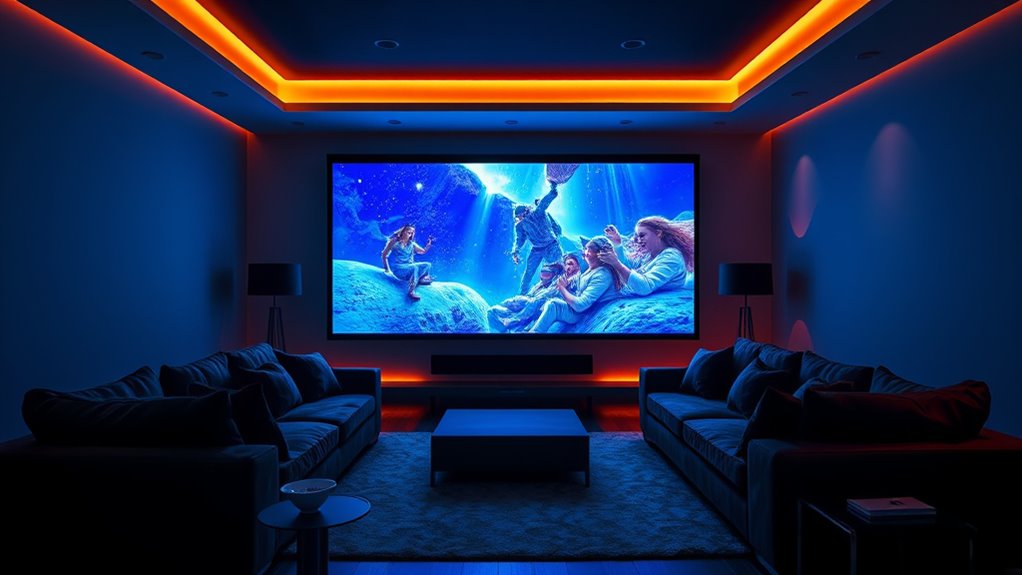

For most dedicated home theaters, I’d start with the BenQ TK710: its 4K HDR picture and laser light source make it a balanced fit for movie nights and mixed use. The AWOL VISION LTV-3000 Pro stands out if you want an ultra short throw setup, while the Dangbei DBOX02 pairs 4K with built-in Google TV and officially licensed Netflix. The choice comes down to room layout, screen placement, brightness needs, and whether you value gaming or built-in streaming as much as film viewing. Read on for how all nine compare and which tradeoffs matter most.

Get the latest gadgets delivered free with Prime
- Fast, free delivery on millions of items
- Prime Video, Amazon Music and more included
- Member-only deals all year
Complete the kit



Key Takeaways
- The BenQ TK710 is the most balanced traditional setup: it brings 4K HDR and laser illumination without requiring an ultra short throw layout.
- The AWOL VISION LTV-3000 Pro changes the room plan: its ultra short throw design can sit near the screen, but it calls for a compatible screen and careful placement.
- Built-in streaming is a real point of separation: the Dangbei DBOX02 includes Google TV and officially licensed Netflix, while some buyers may prefer a separate streaming device.
- 4K is not the only path to a useful theater: the Epson Pro EX11000 and ViewSonic LS740HD offer 1080p, which may suit buyers prioritizing a simpler image setup over 4K detail.
- Triple laser models target buyers with specific priorities: the XGIMI Horizon 20 and Valerion StreamMaster Plus2 offer a different feature mix from the more conventional ViewSonic LS901-4K and Optoma UHZ36.




More Details on Our Top Picks
Epson Pro EX11000 3LCD Full HD 1080p Wireless Laser Projector
The Epson Pro EX11000 is the lineup’s practical pick for a living room where lights stay on. Its 4,600 lumens and 3-chip 3LCD design favor a bright, color-consistent picture, while the laser light source avoids routine lamp changes. That makes it better suited to casual TV and sports viewing than a dark-room-first setup. Compared with the BenQ TK710, Epson offers more stated brightness but stops at 1080p, so fine detail on a large screen is less defined. Its 300-inch maximum image and 1.6x optical zoom offer placement flexibility, though the screen size alone does not guarantee a theater-like image. Wireless mirroring and the built-in speaker simplify occasional use, but serious movie setups will benefit from external audio, and streaming depends on a stable network.
Pros:- High 4,600-lumen brightness suits rooms that are not fully dark.
- 3-chip 3LCD produces color without rainbowing effects.
- Laser light source is rated for up to 20,000 hours.
- Two HDMI ports, Wi-Fi, Miracast, and USB support varied sources.
Cons:- Full HD resolution shows less fine detail than the 4K BenQ TK710.
- The 16W speaker is a basic option for movie audio.
- Wireless features depend on a stable network connection.
Best for: Viewers setting up a large screen in a multipurpose room with ambient light who value brightness and simple wireless sharing over 4K detail.
Not ideal for: Dedicated home theater viewers prioritizing 4K movie detail or immersive built-in sound.
Our verdict“Choose the Epson if your main challenge is ambient light and you can accept 1080p resolution.”
XGIMI Horizon 20 4K RGB Triple Laser Home Projector
The XGIMI Horizon 20 makes the strongest case for a mixed-use theater that also serves as a gaming and streaming hub. Its 4K RGB triple laser image is paired with Google TV and Harman Kardon speakers, reducing the need to add separate streaming hardware or start with external audio. For fast play, 240Hz, 1ms response, VRR, and ALLM give it a more gaming-focused feature set than the BenQ TK710’s listed 4ms mode at 1080p/240Hz. XGIMI also lists lens shift and optical zoom, which can help fit an image into a room with less placement freedom. Its 3,200 ISO lumens trail the Epson Pro EX11000’s stated 4,600 lumens, though the Epson is only 1080p. The tradeoff is a feature-rich setup that still needs substantial space for its largest image.
Pros:- 4K resolution with an RGB triple laser light source.
- Google TV and Harman Kardon speakers are built in.
- Gaming features include 240Hz, 1ms response, VRR, and ALLM.
- Lens shift and optical zoom support flexible installation.
Cons:- Its 3,200 ISO lumens are below the Epson Pro EX11000’s stated brightness.
- A 300-inch image requires substantial projection space.
- The provided data does not specify an optical zoom range.
Best for: Households that want one projector for 4K streaming, gaming, and movie nights, with flexible placement and built-in smart TV features.
Not ideal for: Buyers who need the highest stated brightness for a well-lit room or have little space for a large projection.
Our verdict“Pick the XGIMI for a feature-packed 4K room that splits time between gaming and streaming.”
ViewSonic LS901-4K 4K UHD Laser Projector
With 5,500 ANSI lumens, the ViewSonic LS901-4K has the highest stated brightness among these five, making it the clearest fit for a large room where some ambient light is hard to avoid. It combines 4K UHD with a 1.7x optical zoom and 360-degree projection, giving installers more freedom than a fixed-placement setup. Compared with the XGIMI Horizon 20, ViewSonic puts more emphasis on light output and installation flexibility; XGIMI counters with built-in Google TV and listed Harman Kardon audio. The LS901-4K also lists 240Hz refresh and 4.2ms input lag, but its 150-inch maximum screen is smaller than the XGIMI’s stated 300-inch ceiling. Golf Mode is a niche extra, while ceiling installation may call for specific mounting hardware.
Pros:- 5,500 ANSI lumens suit large rooms with ambient light.
- 4K UHD resolution with HDR and HLG support.
- 1.7x optical zoom and 360-degree projection aid installation.
- 240Hz refresh rate and 4.2ms input lag support gaming.
Cons:- Maximum listed screen size is 150 inches, smaller than the XGIMI Horizon 20’s stated maximum.
- Ceiling installation may require specific mounting hardware.
- Golf Mode is of limited use to movie-focused buyers.
Best for: Owners of bright or spacious media rooms who want a high-output 4K projector and have room to plan a flexible installation.
Not ideal for: Buyers seeking an all-in-one smart projector with included streaming apps and prominent built-in audio details.
Our verdict“Choose the ViewSonic when room brightness and installation options matter more than built-in streaming conveniences.”
BenQ TK710 4K HDR Laser Projector
The BenQ TK710 is a focused choice for a theater that doubles as a gaming display. It delivers 4K UHD, HDR10, and a stated 4ms input lag at 1080p/240Hz, with a 20,000-hour laser light source for long-term use. Its 3,200 ANSI lumens make it more suitable for rooms with some light than a low-brightness dark-room projector, though it falls short of the ViewSonic LS901-4K at 5,500 ANSI lumens. BenQ’s 1.3x zoom, lens shift, and auto focus help with setup, but digital keystone correction is limited and careful placement still matters. The supplied data lists 16ms input lag at 4K/60Hz, so buyers should match their preferred resolution and refresh rate to the games they play.
Pros:- 4K UHD resolution with HDR10 and HLG support.
- 3,200 ANSI lumens support viewing with some room light.
- Listed 4ms input lag at 1080p/240Hz.
- Laser light source is rated for up to 20,000 hours.
Cons:- Brightness is below the ViewSonic LS901-4K’s stated 5,500 ANSI lumens.
- Limited vertical keystone correction makes precise placement more important.
- Maximum listed image size is 144 inches.
Best for: Console and PC players who want 4K movie playback, a bright image, and a low-latency high-refresh gaming mode.
Not ideal for: People who need a very large screen, maximum light output, or forgiving placement in a difficult room.
Our verdict“Choose the BenQ if gaming response and 4K playback matter more than maximum brightness or screen size.”
Dangbei DBOX02 Laser Projector 4K GTV
The Dangbei DBOX02 suits buyers who want a self-contained movie setup without assembling a separate streaming and audio system first. Its 4K resolution, licensed Netflix access through Google TV, dual 12W speakers, and automatic focus and keystone tools make setup and everyday viewing straightforward. It also supports Blu-ray 3D, a feature not listed for the BenQ TK710, while BenQ offers a more explicitly gaming-focused low-latency mode. Dangbei’s 2,450 ISO lumens are below the XGIMI Horizon 20’s 3,200 ISO lumens, so a darkened room is the safer match despite the product description’s daylight claim. A 200-inch maximum image gives it room to scale up, but its 5,000:1 contrast specification is modest beside the XGIMI’s listed 100,000:1.
Pros:- 4K resolution with ALPD laser technology.
- Google TV includes licensed Netflix and Chromecast support.
- Autofocus, auto keystone, screen fit, and obstacle avoidance simplify setup.
- Dual 12W speakers, Dolby Audio, DTS:X, and Blu-ray 3D support.
Cons:- 2,450 ISO lumens are below the XGIMI Horizon 20’s stated 3,200 ISO lumens.
- Listed contrast ratio is lower than the XGIMI’s stated 100,000:1.
- The product data does not specify gaming refresh rate or input lag.
Best for: Movie watchers who want built-in Google TV, licensed Netflix, automatic setup tools, and onboard sound in a compact room.
Not ideal for: Viewers with bright rooms, highly demanding contrast expectations, or a priority on high-refresh gaming performance.
Our verdict“Choose the Dangbei for convenient streaming and guided setup in a room you can dim for movies.”
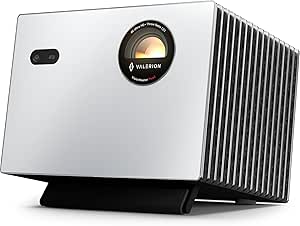
Valerion StreamMaster Plus2 4K Triple Laser Projector
The StreamMaster Plus2 pairs 4K resolution and a wide color gamut with Google TV, so it suits a theater setup where streaming and gaming share the screen. Its stated 4 ms input lag and 240 Hz refresh rate distinguish it from the Optoma UHZ36, whose supplied details focus on HDR and Filmmaker Mode rather than gaming response. Dolby Vision and HDR10 add format flexibility for movies, while automatic focus and keystone correction can simplify placement.
The tradeoff is brightness: 2,000 ISO lumens calls for a room where light can be controlled, especially on a large screen. It is also a stationary projector that needs a considered mounting or shelf position. The listed minimum image size is inconsistent, so I would verify placement needs before planning around a very small picture.
Pros:- 4K resolution with Dolby Vision and HDR10 support
- Low stated 4 ms input lag and 240 Hz refresh rate
- Google TV and wireless casting are built in
- Automatic focus, alignment, obstacle avoidance, and keystone correction
Cons:- 2,000 ISO lumens may be limiting in rooms with substantial ambient light
- Stationary form factor requires suitable placement or mounting
- Product details conflict on the minimum image size
Best for: Movie and console gaming households that want built-in Google TV, 4K playback, and low stated input lag in a light-controlled room.
Not ideal for: Buyers who need a bright daytime image or a portable projector they can move between rooms.
- Native resolution:3840 × 2160
- Display type:RGB triple laser
- Brightness:2,000 ISO lumens
- Contrast ratio:10,000:1 with Enhanced Black Level
- Input lag:4 ms
- Refresh rate:240 Hz
- Screen size:50–300 inches
- Operating system:Google TV
- Color gamut:110% Rec. 2020
Our verdict“Choose the StreamMaster Plus2 if gaming response and built-in streaming matter as much as 4K movies, and your room can control ambient light.”
AWOL VISION LTV-3000 Pro 4K 3D Ultra Short Throw Triple Laser Projector
The LTV-3000 Pro is for buyers who want a large image without hanging a projector across the room. Its 0.25:1 fixed throw ratio places it close to the screen, while the built-in center-channel speaker mapping is designed to make dialogue sound as if it comes from the image. That home theater focus sets it apart from the Valerion StreamMaster Plus2, which offers Google TV and gaming specifications but no comparable short-throw or center-channel feature in the supplied details.
AWOL lists Dolby Vision, HDR10+, and 3D, along with broad color coverage. Placement still needs careful measurement: the fixed throw ratio leaves little flexibility if the cabinet depth or screen position is wrong. The product description also says it works best in a dark room, with an ALR screen suggested for brighter spaces. No brightness figure is provided here, making room-light comparisons harder.
Pros:- Ultra short throw design can create a large image from close to the screen
- Built-in center-channel speaker mapping targets clear dialogue
- Supports Dolby Vision, HDR10+, and 3D playback
- PJ Link IP control supports home automation integration
Cons:- Fixed throw ratio makes cabinet and screen measurements important
- Description says best results are in darker rooms or with an ALR screen
- Brightness and other core performance specifications are not supplied
Best for: Home theater buyers with a low cabinet close to the screen who want a big image, built-in dialogue-focused audio, and 3D support.
Not ideal for: People with limited cabinet depth, frequent projector repositioning needs, or a bright room without a suitable ALR screen.
- Resolution:4K UHD
- Display type:Triple laser
- Throw ratio:0.25:1
- Approximate distance for 100-inch image:8.54 inches
- Approximate distance for 150-inch image:12.84 inches
- HDR formats:Dolby Vision and HDR10+
- 3D support:Yes; active shutter glasses and a 3D-capable source required
- Color coverage:107% BT.2020 and 147% DCI-P3
- Home automation:PJ Link IP control
Our verdict“Pick the LTV-3000 Pro for a close-placement, large-screen theater with dialogue-focused sound, provided your cabinet geometry is a match.”
ViewSonic LS740HD 1080P Laser Projector
The LS740HD takes a different route from the 4K-focused Valerion StreamMaster Plus2: it prioritizes 5,500 ANSI lumens and flexible installation over UHD detail. That brightness can be more useful for a large image in a room that is not fully dark, though this is still a 1080p projector and will not resolve fine detail like the Valerion’s 4K image. Its 1.3x optical zoom and horizontal and vertical keystone correction give installers more room to fit the picture to a space.
For movie-first buyers, native Full HD is the main compromise, particularly at screen sizes approaching the 300-inch maximum. The laser phosphor light source and instant power on/off make it practical for frequent use, while portrait and 360-degree projection speak more to installation flexibility than living-room cinema. Golf simulation mode is a specialized extra rather than a reason most theater buyers should choose it.
Pros:- 5,500 ANSI lumens suit brighter spaces better than lower-brightness options
- Laser phosphor light source avoids lamp replacement
- 1.3x optical zoom and horizontal and vertical keystone correction ease setup
- Supports 360-degree projection and portrait orientation
Cons:- Native 1080p resolution lacks the fine detail of the 4K Valerion StreamMaster Plus2
- Supplied details do not list HDR support
- Golf simulation mode is of limited value for movie-only setups
Best for: Buyers setting up a large-screen movie space that gets some ambient light and value installation flexibility over 4K resolution.
Not ideal for: Dedicated dark-room cinema viewers who prioritize 4K detail, HDR format support, or movie-specific image features.
- Resolution:1080p Full HD (1920 × 1080)
- Brightness:5,500 ANSI lumens
- Light source:Laser phosphor
- Throw ratio:1.1–1.5
- Optical zoom:1.3x
- Maximum screen size:300 inches
- Keystone correction:Horizontal and vertical
- Installation modes:360-degree and portrait projection
- Special features:Golf Simulation Mode and instant power on/off
Our verdict“Choose the LS740HD when room brightness and installation flexibility matter more than 4K movie detail.”
Optoma UHZ36 4K UHD Laser HDR Home Theater Projector
The Optoma UHZ36 is the most explicitly film-oriented pick here: its listed Filmmaker Mode is meant to preserve the director’s intended color and motion presentation, and HDR support adds high-dynamic-range playback. That makes it a more direct fit for movie purists than the ViewSonic LS740HD, whose supplied specifications emphasize brightness and installation modes rather than film presentation. It also claims 4K UHD resolution, matching the Valerion StreamMaster Plus2 on headline resolution while keeping the feature set centered on cinema.
The limitation is how little product data is available. There is no stated brightness, contrast ratio, or connectivity detail in the supplied information, so it is difficult to judge room suitability or system integration. Buyers comparing projectors for a defined setup have more concrete placement and gaming data for the Valerion. I would shortlist the Optoma when its film modes appeal, then confirm the missing fit details before choosing it.
Pros:- 4K UHD resolution is suited to detailed large-screen viewing
- Filmmaker Mode targets faithful movie presentation
- HDR support for compatible content
- Laser light source
Cons:- No brightness or contrast ratio is provided in the supplied product data
- Connectivity options are not specified
- No throw ratio or screen-size range is supplied for installation planning
Best for: Movie-focused buyers who value a dedicated Filmmaker Mode and can confirm the projector’s brightness and connectivity for their setup.
Not ideal for: Shoppers who need published brightness, contrast, or connection details to plan a specific room and AV system.
- Resolution:4K UHD
- Light source:Laser
- HDR:Supported
- Picture mode:Filmmaker Mode
- Color:Black
- Brightness:Not specified in supplied product data
Our verdict“Consider the UHZ36 for film-focused 4K viewing if its missing brightness, contrast, and installation details fit your room and system.”

How We Picked
I compared these projectors around the decisions that shape a home theater: resolution and HDR support, light output claims, placement flexibility, available entertainment features, and the likely complexity of building a screen setup. I gave more weight to a balanced movie-watching fit than to a long feature list, while recognizing that built-in streaming, gaming-oriented use, or ultra short throw placement can matter more for some homes.
The order reflects how broadly each model fits a typical home theater and how clearly its features serve that use. The BenQ TK710 leads as a balanced 4K laser option; models with specialized placement, streaming, or triple laser designs follow for buyers who value those traits. The 1080p picks rank lower for a theater focused on fine 4K detail, though they may still make sense when that resolution is sufficient for the room and viewing distance. Published specifications do not settle questions such as screen compatibility or real room performance, so I treat them as selection cues rather than a guarantee of results.
Factors to Consider When Choosing Laser Projectors For Home Theater
Before choosing a model, I’d plan the room and screen first. That makes it easier to judge whether a projector’s resolution, light output, and placement features will help in your setup or add complexity without improving movie nights.
Match Resolution to Screen Size and Viewing Distance
A 4K label matters most when a large image and close seating make fine detail visible. In a smaller room, or from farther back, the difference from a capable 1080p projector may be less noticeable than contrast, source quality, and setup. Don’t choose resolution in isolation: check whether your streaming and disc sources actually provide 4K content. A larger screen can make both detail and image flaws easier to see, so low-quality sources may look less forgiving. Models such as the Epson Pro EX11000 and ViewSonic LS740HD trade 4K resolution for a 1080p image, which can be a sensible fit when room conditions and viewing habits matter more than maximum pixel detail. Choose 4K when your screen, seating, and sources let you benefit from it.
Plan Placement Before You Pick a Projector
Throw distance determines where a standard projector can sit to fill your screen, so measure the room before ordering. Ceiling mounts can keep equipment out of the way, but they add installation work and may constrain lens alignment. An ultra short throw projector sits close to the wall, which can free up ceiling space and reduce shadows from people crossing the beam. It also needs a suitable surface and precise positioning; a standard wall may reveal unevenness that is less visible with a regular projector. Don’t assume digital keystone correction can fix every placement problem without affecting the image. Treat the LTV-3000 Pro’s UST format as a room design choice, not just another projector feature.
Choose Brightness for Your Viewing Conditions
Brightness needs depend on screen size, screen material, and how much light enters the room. A projector that works well in a dark theater may feel washed out in a bright living room, while a smaller image can look more vivid than a very large one. Manufacturer brightness figures use stated measurement standards and do not directly predict how every image will look in your room. If you watch mostly at night, prioritize picture quality and screen fit over a brightness number alone. For daytime or lights-on viewing, consider window coverings and an ambient light rejecting screen as part of the total setup. A screen that is too large for your conditions can be a more frustrating compromise than choosing a smaller image.
Decide Whether Built-In Streaming Is Worth It
Integrated platforms can reduce box clutter and make it easier to start a movie, but the interface and app support may not match a dedicated streaming device. The Dangbei DBOX02 pairs Google TV with officially licensed Netflix, a useful distinction for buyers who want those services on the projector itself. Other models may suit a buyer who already has a preferred streamer or AV receiver. Check the apps and playback formats you use before treating a smart platform as a deciding feature. A separate streaming device is also easier to replace if its software support changes. Factor in remote control and audio connections too, since a convenient projector interface does not automatically simplify the rest of the theater.
Set Priorities Across Movies, Gaming, and Shared Use
Home theater can mean film viewing, sports, console games, or a mix, and those uses place different demands on a projector. Movie viewers may care most about resolution, HDR handling, and quiet operation, while gaming buyers should check the specific input and refresh features they need. A versatile model can work across uses, but a feature that helps gaming does not automatically improve movie image quality. RGB triple laser designs, as seen in the XGIMI Horizon 20 and Valerion StreamMaster Plus2, may appeal to buyers focused on color and a feature-rich setup, but compare their full specification and placement needs with conventional models. If several people will use the room, prioritize straightforward controls and reliable connections alongside picture features. Pick around your most frequent use instead of trying to maximize every spec at once.
Budget for the Screen and Installation
The projector is only one part of the final image. Screen material, mounting hardware, cable routing, and room darkening can change both setup effort and viewing results. A fixed frame screen creates a consistent surface but needs a dedicated wall, while a retractable option can preserve a multipurpose room. UST models often benefit from a screen designed for their projection geometry, so include that in the system plan. Ceiling mounting a conventional projector can call for longer cables and careful alignment. Decide on the complete room arrangement before comparing feature lists; the best fit may be the model that works cleanly with the screen and installation you can actually accommodate.
Frequently Asked Questions
Should I choose a 4K projector or a 1080p laser projector for my theater?
Choose 4K if you plan a large screen, sit close enough to see extra detail, and regularly watch 4K sources. A 1080p model can still be a reasonable choice for a more modest image or a room where you sit farther back. Compare the whole setup, since screen size, lighting, and source quality affect what you see. In this roundup, the Epson Pro EX11000 and ViewSonic LS740HD are the 1080p options, while the other listed models include 4K output. I’d avoid paying for resolution your seating distance and viewing habits won’t reveal.
Will an ultra short throw projector work on my existing wall?
It can project onto a wall, but the wall needs to be flat and evenly finished for the image to look consistent. Ultra short throw projection makes small surface flaws and alignment errors more apparent than many buyers expect. A compatible UST screen can improve the viewing setup, especially if the room has ambient light, but it adds cost and takes planning. Measure the gap between the projector and wall and confirm the intended image size before choosing a unit such as the AWOL VISION LTV-3000 Pro. If you can’t control the surface or placement, a standard throw projector may be easier to live with.
Do I need a dark room to use a laser projector for movies?
A dark room gives a projected image better perceived contrast, but the amount of light your setup can handle depends on screen size, screen type, and the projector’s output. Some buyers watch with controlled ambient light, while daytime viewing through uncovered windows can flatten the image. Blackout curtains or a screen suited to the room may help more than moving to a higher brightness specification alone. Consider how often you watch with lights on before choosing a large screen. If evening movie viewing is your main use, room darkening can make the overall setup feel more theater-like.
Is built-in streaming enough, or should I use a separate streaming device?
Built-in streaming can simplify the setup, especially if the projector includes the apps and service support you use. The Dangbei DBOX02’s Google TV platform and officially licensed Netflix make those services a clear part of its appeal. A separate device may offer an interface or app selection you prefer and can be replaced independently from the projector. Also check how the projector connects to your audio system, since streaming convenience does not resolve every sound or control issue. If you already own a streamer you like, built-in apps may matter less than picture and placement.
What should I prioritize if I’ll use the projector for both movies and gaming?
Start with the gaming features your console or PC requires, such as supported resolution, refresh behavior, and input responsiveness, then confirm that the projector fits your movie setup. A 4K label by itself does not tell you how well a projector handles fast games. Room placement and screen size affect both activities, so plan those before deciding between a standard throw and an ultra short throw model. Models such as the BenQ TK710 may interest buyers seeking a 4K laser option for mixed use, but check its current specifications against your equipment. If film viewing dominates, don’t sacrifice the screen and room fit for a gaming feature you rarely use.
Conclusion
I’d choose the BenQ TK710 as the best overall for a balanced 4K laser home theater, and the ViewSonic LS740HD as the value-minded 1080p choice when 4K is not a priority. For a premium, room-transforming setup, the AWOL VISION LTV-3000 Pro is the pick for buyers ready to plan around ultra short throw placement. The Dangbei DBOX02 is the easiest fit for beginners who want streaming built in, while the Epson Pro EX11000 suits buyers who specifically want 1080p and wireless capability. For triple laser designs, compare the XGIMI Horizon 20 and Valerion StreamMaster Plus2 against your feature priorities; the ViewSonic LS901-4K and Optoma UHZ36 round out the conventional 4K options. Match the shortlist to your room measurements, screen, and sources before choosing.
Halloween Picks
halloween
As an affiliate, we earn on qualifying purchases.