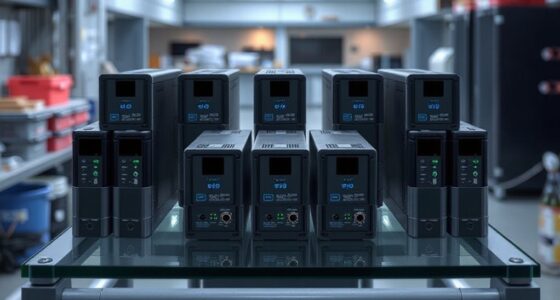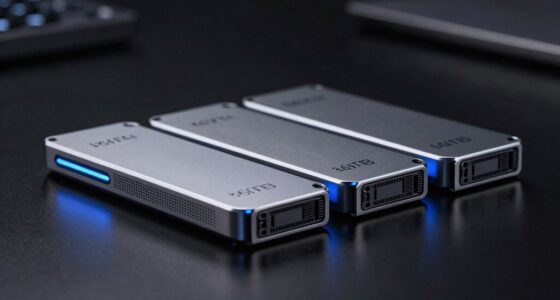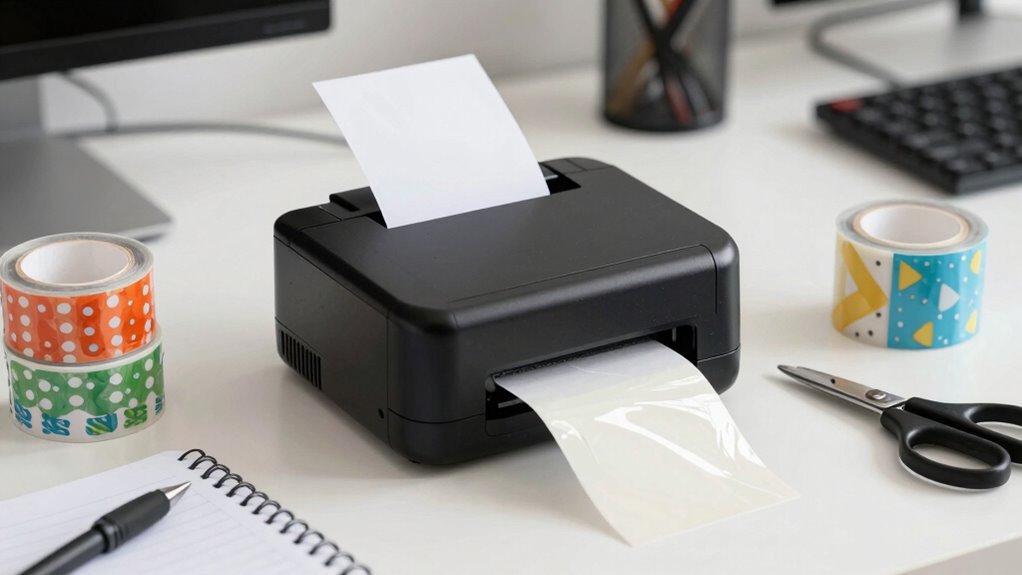

For a small business, the right label printer supplies depend on whether you mainly ship orders or label products, shelves, and files. My best overall pick is the JADENS Bluetooth Thermal Shipping Label Printer for its focused 4×6 shipping-label format, while the NIIMBOT B1 stands out for compact everyday labels and the SUPVAN T50M Pro for a broader label-making role. The main tradeoff is between dedicated shipping printers, which suit frequent parcel dispatch, and smaller label makers, which handle varied organization and product-label tasks. You’ll also want to check device compatibility, label dimensions, and the cost and availability of compatible rolls before choosing. Continue reading for the full breakdown and guidance on matching a printer to your workflow.

Get the latest gadgets delivered free with Prime
- Fast, free delivery on millions of items
- Prime Video, Amazon Music and more included
- Member-only deals all year
Complete the kit



Key Takeaways
- Shipping volume points toward 4×6 models: JADENS, Labeer Y43BT, both Rongta options, and KNAON are shipping-focused picks, unlike the smaller-format NIIMBOT and SUPVAN label makers.
- Label format matters more than Bluetooth alone: A 4×6 printer fits common parcel-label workflows, while compact tape and roll systems make more sense for product details, bins, and office organization.
- The NIIMBOT B1 with three rolls is the clearest starter bundle: Its included supplies can help a new seller begin labeling without immediately sourcing additional rolls.
- Portable options trade workspace convenience for workflow checks: KNAON emphasizes portability and multiple platform compatibility, but buyers should confirm their exact devices and shipping software are supported.
- There is no single format for every small business: A shop shipping parcels and labeling products may need two complementary printers rather than asking one device to do both jobs.
| JADENS Bluetooth Thermal Shipping Label Printer, Wireless 4×6 Label Printer |  | Best Overall for Flexible Shipping Workflows | Printer type: Thermal | Resolution: 203 × 203 DPI | Connectivity: Bluetooth, USB | VIEW ON AMAZON | See Our Full Breakdown |
| Labeer Y43BT Bluetooth Thermal Shipping Label Printer, 4×6, White |  | Best for Cross-Platform Compatibility | Printer type: Direct thermal | Resolution: 203 × 203 DPI | Connectivity: Bluetooth, USB | VIEW ON AMAZON | See Our Full Breakdown |
| NIIMBOT B1 Bluetooth Label Maker with 3 White Label Rolls, Blue |  | Best Starter Kit for Product Labels | Printer type: Thermal | Resolution: 203 × 203 DPI | Connectivity: Bluetooth, USB | VIEW ON AMAZON | See Our Full Breakdown |
| Rongta 4×6 Bluetooth Thermal Label Printer – Pink |  | Best for Larger Label Runs | Printer type: Thermal | Resolution: 203 × 203 DPI | Connectivity: Bluetooth, USB | VIEW ON AMAZON | See Our Full Breakdown |
| NIIMBOT B1 Label Maker Machine with Tape, 2-Inch Thermal Label Printer, Blue |  | Best Portable Label Maker for Custom Organization | Printer type: Thermal | Maximum print width: 2 inches (50 mm) | Resolution: 203 DPI | VIEW ON AMAZON | See Our Full Breakdown |
| SUPVAN T50M Pro Bluetooth Label Maker |  | Best for Custom Small-Business Labels | Printer type: Thermal | Connectivity: Bluetooth, USB Type-C | Supported label width: 3/4–2 inches | VIEW ON AMAZON | See Our Full Breakdown |
| Rongta RP425 Bluetooth Thermal Shipping Label Printer |  | Best for Cross-Platform Shipping Workflows | Brand and model: Rongta RP425 | Printer type: Thermal | Connectivity: Bluetooth | VIEW ON AMAZON | See Our Full Breakdown |
| KNAON Bluetooth Thermal Shipping Label Printer – 4×6 Portable for Small Business |  | Best for Template-Led Shipping Labels | Printer type: Thermal | Connectivity: Bluetooth, USB 2.0 | Supported media width: 1.5–4.2 inches | VIEW ON AMAZON | See Our Full Breakdown |
| label printer supplies for small business | Printer type | Connectivity | Resolution | Dimensions |
|---|---|---|---|---|
| JADENS Bluetooth Thermal Shipp | Thermal | Bluetooth, USB | 203 × 203 DPI | 5.91 × 9.06 × 5.91 inches |
| Labeer Y43BT Bluetooth Thermal | Direct thermal | Bluetooth, USB | 203 × 203 DPI | 7.2 × 2.64 × 3.15 inches |
| NIIMBOT B1 Bluetooth Label Mak | Thermal | Bluetooth, USB | 203 × 203 DPI | 2.4 × 3.6 × 5.2 inches |
| Rongta 4×6 Bluetooth Thermal L | Thermal | Bluetooth, USB | 203 × 203 DPI | — |
| NIIMBOT B1 Label Maker Machine | Thermal | Bluetooth, USB-C | 203 DPI | 2.4 × 3.6 × 5.2 inches |
| SUPVAN T50M Pro Bluetooth Labe | Thermal | Bluetooth, USB Type-C | 203 dpi | 5.9 × 2.6 × 4.3 inches |
| Rongta RP425 Bluetooth Thermal | Thermal | Bluetooth | — | 10.2 × 7.4 × 5.3 inches |
| KNAON Bluetooth Thermal Shippi | Thermal | Bluetooth, USB 2.0 | 200 × 200 dpi | — |
More Details on Our Top Picks
JADENS Bluetooth Thermal Shipping Label Printer, Wireless 4×6 Label Printer
For a small business shipping a mix of parcel sizes, the JADENS is a versatile pick: it accepts fanfold or roll labels from 1.57 to 4.1 inches wide and connects by Bluetooth or USB. Its 203 DPI thermal printing avoids ink and toner purchases, while support for Windows, Mac, Android, and iOS gives a small team several ways to print. Compared with the Labeer Y43BT, JADENS lists a slightly narrower maximum label width, but offers a stated setup tutorial and support for both label formats. The tradeoff is a bit more media handling: label size must be recalibrated when you switch formats, and mobile printing requires the Jadens app rather than direct Bluetooth printing. Its 4 × 6-inch ceiling also rules out wider labels.
Pros:- Bluetooth and USB connections give a small team flexible printing options.
- Supports both fanfold and roll labels across a useful range of widths.
- Thermal printing avoids ink and toner supplies.
- Works with Windows, Mac, Android, and iOS through the app.
Cons:- Changing label media requires recalibrating the printer.
- Android and iOS printing requires the Jadens app.
- Maximum media size is limited to 4 × 6 inches.
Best for: Small online sellers who print shipping labels from a mix of computers and phones and want both roll and fanfold media support.
Not ideal for: Businesses that frequently change label sizes, need labels wider than 4 inches, or expect phones to print without a companion app.
- Printer type:Thermal
- Resolution:203 × 203 DPI
- Connectivity:Bluetooth, USB
- Supported label widths:1.57–4.1 inches
- Maximum media size:4 × 6 inches
- Print speed:6.57 pages per minute
- Supported operating systems:Windows 8+, Mac OS 10.9+, Android, iOS via app
- Dimensions:5.91 × 9.06 × 5.91 inches
- Warranty:Limited, 1 year
Our verdict“Choose JADENS for a small shipping operation that needs flexible media and device support, but skip it if frequent label changes or app-free mobile printing matter more.”
Labeer Y43BT Bluetooth Thermal Shipping Label Printer, 4×6, White
The Labeer Y43BT suits a business where staff print from a varied mix of devices: its listed compatibility spans Windows, macOS, ChromeOS, Linux, iOS, and Android. Bluetooth and USB cover mobile and computer workflows, while support for labels from 1.57 to 4.41 inches wide gives it a little more width flexibility than the JADENS. Like that model, it uses direct thermal printing, so labels—not ink or toner—are the recurring supply. Its compact 450 g body is easier to place on a crowded packing bench than a larger desktop setup. The tradeoff is that it prints only monochrome and requires thermal media. The stated 100-page-per-minute speed is unusual for a label printer, so I would not use that figure alone to plan shipping throughput.
Pros:- Broad listed compatibility includes ChromeOS and Linux as well as mobile systems.
- Bluetooth and USB support phone, tablet, and computer workflows.
- Accepts label widths up to 4.41 inches.
- Compact 450 g design fits smaller packing areas.
Cons:- Monochrome output cannot produce color-coded labels.
- Requires thermal labels, limiting media choices.
- The listed 100-page-per-minute speed is not a clear measure of label throughput.
Best for: Small businesses with a mixed-device team, especially shops using ChromeOS or Linux alongside phones and Windows or Mac computers.
Not ideal for: Sellers who need color output, nonthermal label compatibility, or a dependable production estimate based on clearly specified label speed.
- Printer type:Direct thermal
- Resolution:203 × 203 DPI
- Connectivity:Bluetooth, USB
- Supported label widths:1.57–4.41 inches
- Maximum media size:4 × 6 inches
- Compatible operating systems:Windows, macOS, ChromeOS, Linux, iOS, Android
- Weight:450 g
- Dimensions:7.2 × 2.64 × 3.15 inches
- Warranty:1 year manufacturer warranty
Our verdict“Pick the Labeer Y43BT when operating-system flexibility matters most, but look elsewhere if you need color or a clear speed benchmark.”
NIIMBOT B1 Bluetooth Label Maker with 3 White Label Rolls, Blue
The NIIMBOT B1 with three label rolls is aimed at businesses that need product, storage, or organization labels more than standard parcel labels. The included rolls—50 × 30 mm, 50 × 80 mm, and 50 mm round—let a new seller start with several formats, and the app’s automatic label-size detection can reduce setup friction. That makes it a more ready-to-label choice than the JADENS, which is built around shipping media and requires recalibration when label sizes change. The distinction matters: the B1’s maximum media size is only 50 × 80 mm, so it is not a substitute for a 4 × 6 shipping printer. It also lacks iPad compatibility, and PC printing requires a driver download.
Pros:- Includes three rolls in different sizes and shapes.
- App offers fonts, borders, symbols, and automatic size detection.
- Bluetooth printing works with iOS and Android phones.
- USB connection supports PC printing after driver installation.
Cons:- Maximum label size of 50 × 80 mm is too small for standard 4 × 6 shipping labels.
- Not compatible with iPad.
- PC setup requires downloading a driver from the manufacturer.
Best for: New makers and small retailers who need compact product, bin, or packaging labels and want a few label formats included to get started.
Not ideal for: Online sellers printing 4 × 6 parcel labels, iPad-based teams, or businesses that need a broad choice of third-party media.
- Printer type:Thermal
- Resolution:203 × 203 DPI
- Connectivity:Bluetooth, USB
- Included labels:Three rolls: 50 × 30 mm, 50 × 80 mm, and 50 mm round
- Maximum media size:50 × 80 mm
- Compatible devices:iOS and Android smartphones, PC
- Weight:10.4 ounces
- Dimensions:2.4 × 3.6 × 5.2 inches
- Warranty:2 years
Our verdict“Choose this NIIMBOT starter kit for small-format product and organization labels, not as your primary parcel-shipping printer.”
Rongta 4×6 Bluetooth Thermal Label Printer – Pink
The Rongta RP425-PK stands out for its stated 500-label capacity, which can mean fewer interruptions during a busy packing session than the JADENS, whose listed sheet capacity is 50. It also supports Bluetooth and USB, prints at 203 DPI, and works with phones, tablets, Mac, and Windows devices through the Rongta app or a computer connection. The claimed 72 pages per minute suggests speed, though page-based figures are not a direct measure of shipping-label output. Its pink finish and small listed dimensions may appeal where bench space and appearance matter, but the single tray still limits how you manage ongoing batches. Output is monochrome and simplex only, and the stated maximum media size of 4.1 × 9.5 inches does not add color or double-sided capability.
Pros:- Listed capacity of up to 500 labels can reduce replenishment interruptions.
- Bluetooth and USB support mobile and computer printing.
- Compact, lightweight design suits a crowded packing bench.
- Thermal operation avoids ink and toner supplies.
Cons:- Single tray offers limited flexibility for managing different label batches.
- Monochrome, simplex-only printing rules out color and double-sided output.
- The listed 72-page-per-minute speed does not clearly describe label throughput.
Best for: Small parcel businesses that print batches of monochrome shipping labels and want a high stated tray capacity with mobile or computer connectivity.
Not ideal for: Shops needing color, duplex output, multiple label trays, or a well-established production estimate from the listed speed figure.
- Printer type:Thermal
- Resolution:203 × 203 DPI
- Connectivity:Bluetooth, USB
- Compatible devices:iPhone, Android, iPad, macOS, Windows PCs and laptops
- Maximum media size:4.1 × 9.5 inches
- Maximum sheet capacity:500 labels
- Print speed:72 pages per minute
- Weight:0.4 kg
- Warranty:Limited, 1 year
Our verdict“Consider the Rongta for batch shipping-label work where its stated capacity is useful, but skip it if you need color, duplex printing, or multiple trays.”
NIIMBOT B1 Label Maker Machine with Tape, 2-Inch Thermal Label Printer, Blue
For a small business labeling shelves, bins, ingredients, or product packaging, this NIIMBOT B1 offers more creative formatting than the shipping-focused JADENS. Its app includes fonts, borders, symbols, barcodes, QR codes, and templates, while the rechargeable 1500 mAh battery and compact body make it easy to carry between work areas. Direct thermal printing cuts out ink and toner, but the 2-inch maximum width keeps it firmly in small-format territory; it cannot replace a 4 × 6 shipping printer. The tradeoff is media flexibility: the product data says only NIIMBOT-brand thermal labels are guaranteed to work. It also excludes iPads, and computer use requires a USB-C connection and a downloaded driver.
Pros:- App provides fonts, borders, symbols, barcodes, QR codes, and templates.
- Rechargeable 1500 mAh battery supports portable use.
- Bluetooth and USB-C provide phone and PC connection options.
- Thermal printing avoids ink and toner cartridges.
Cons:- Maximum print width of 2 inches is not suitable for 4 × 6 shipping labels.
- Only NIIMBOT-brand labels are guaranteed to work.
- Does not support iPad and requires a driver for PC use.
Best for: Small retailers, makers, and home-based sellers who want portable, customized labels for inventory, packaging, or shelf organization.
Not ideal for: Businesses that print standard parcel labels, rely on iPads, or want guaranteed compatibility with a wide range of third-party label tapes.
- Printer type:Thermal
- Maximum print width:2 inches (50 mm)
- Resolution:203 DPI
- Connectivity:Bluetooth, USB-C
- Battery capacity:1500 mAh rechargeable
- Compatible controllers:Android, iOS
- Weight:10.4 ounces
- Dimensions:2.4 × 3.6 × 5.2 inches
- Display:Capacitive touchscreen
Our verdict“Choose this NIIMBOT for portable, customized small labels, but use a shipping-label printer such as JADENS for parcel dispatch.”
SUPVAN T50M Pro Bluetooth Label Maker
The SUPVAN T50M Pro is the strongest fit here for businesses making more than parcel labels: its 3/4–2-inch tape range and app library of 30+ fonts, 50 frames, and 660 icons support shelf, product, storage, and organization labels. Inkless thermal printing keeps supplies simple, while automatic label-size recognition can reduce setup fuss when changing compatible tape. Compared with the Rongta RP425, this is a compact label maker for narrower, designed labels rather than a printer for standard 4-inch shipping labels. Its Bluetooth and USB-C connections offer device flexibility, but the tape ecosystem is limited to SUPVAN-compatible label tape. Monochrome output also rules it out for businesses that need color-coded printing from the printer itself.
Pros:- App includes more than 30 fonts, 50 frames, and 660 icons for varied label designs.
- Supports label widths from 3/4 to 2 inches for uses beyond shipping.
- Inkless thermal printing avoids ink and toner supplies.
- Compact 433 g body with Bluetooth and USB-C connectivity.
Cons:- Works only with compatible SUPVAN label tape, limiting media choice.
- Monochrome printing cannot produce color-coded labels.
- Maximum 2-inch media width does not suit standard 4-inch parcel labels.
Best for: Small retailers, makers, and office-based businesses that create product, shelf, or organization labels in different designs and sizes.
Not ideal for: Online sellers who regularly print 4×6 shipping labels, or businesses that need color output or broad third-party tape compatibility.
- Printer type:Thermal
- Connectivity:Bluetooth, USB Type-C
- Supported label width:3/4–2 inches
- Resolution:203 dpi
- Print output:Monochrome
- Compatible label tape:SUPVAN label tape
- Weight:433 g
- Dimensions:5.9 × 2.6 × 4.3 inches
- Warranty:1 year
Our verdict“Choose the T50M Pro for flexible, custom narrow labels; pick the Rongta RP425 instead if shipping labels are your main workload.”
Rongta RP425 Bluetooth Thermal Shipping Label Printer
For a small business printing postage and fulfillment labels from a mix of devices, the Rongta RP425 offers a practical balance: it accepts labels up to 4.37 inches wide, prints at up to 150 mm/s, and supports iOS, Android, Windows, macOS, and Chrome OS. Automatic label detection and feeding can make routine batches less fiddly. Its broader shipping format is a better match for parcels than the SUPVAN T50M Pro, which tops out at 2-inch tape and is geared toward custom product and organization labels. The tradeoff is workflow dependence: phone printing requires the Rongta app, and direct thermal output is best suited to shipping labels that do not need ink-based durability. The RP425 is compact for a desktop shipping printer, but not as small as a handheld label maker.
Pros:- Supports iOS, Android, Windows, macOS, and Chrome OS.
- Accepts label widths up to 4.37 inches for common shipping formats.
- Automatic label detection and feeding can simplify repeat print jobs.
- Print speed reaches up to 150 mm/s.
Cons:- Bluetooth printing from phones requires the Rongta app.
- Direct thermal output is monochrome and may not suit labels needing ink-based permanence.
- Larger desktop footprint than narrow-tape label makers such as the SUPVAN T50M Pro.
Best for: Small online sellers who print shipping, barcode, or QR code labels from a combination of phones, computers, and operating systems.
Not ideal for: Businesses focused on narrow decorative or product labels, or phone users who want to print without the Rongta app.
- Brand and model:Rongta RP425
- Printer type:Thermal
- Connectivity:Bluetooth
- Supported systems:iOS, Android, Windows 7 or newer, macOS 10.11 or newer, Chrome OS
- Label width:0.98–4.37 inches
- Print resolution:203 dpi
- Print speed:Up to 150 mm/s
- Dimensions:10.2 × 7.4 × 5.3 inches
- Weight:0.65 kg
Our verdict“Pick the RP425 if your small business needs a cross-platform desktop printer for regular shipping and barcode labels.”
KNAON Bluetooth Thermal Shipping Label Printer – 4×6 Portable for Small Business
The KNAON Bluetooth Thermal Shipping Label Printer suits sellers who want a library of ready-made designs alongside parcel-label printing. Its FlashLabel Pro app provides access to 3,000+ templates, icons, and fonts, while Bluetooth and USB 2.0 give phone and computer users connection choices. The stated media range is 1.5–4.2 inches, making it more versatile than the narrow-media SUPVAN T50M Pro for shipping and broader label tasks. KNAON claims speeds up to 180 mm/s, though its listed resolution is 200 × 200 dpi, slightly below the 203 dpi specified for the Rongta RP425. Phone printing requires the dedicated app, and there is no built-in battery, so “portable” describes its compact form more than untethered operation. Check the actual body dimensions before planning a counter space: the supplied dimension figures conflict.
Pros:- FlashLabel Pro offers access to more than 3,000 templates, icons, and fonts.
- Supports Bluetooth and USB 2.0 connections.
- Works with major e-commerce and shipping platforms listed by the manufacturer.
- Supports media widths from 1.5 to 4.2 inches and claims speeds up to 180 mm/s.
Cons:- Bluetooth printing requires the FlashLabel Pro app rather than a direct connection.
- No built-in battery, limiting use away from a power source.
- 200 × 200 dpi resolution is lower than the 203 dpi listed for the Rongta RP425.
Best for: Small e-commerce sellers who want a template-rich app for shipping and custom labels and can print near a power source.
Not ideal for: Mobile sellers needing battery-powered printing, or businesses that want direct Bluetooth printing without a dedicated app.
- Printer type:Thermal
- Connectivity:Bluetooth, USB 2.0
- Supported media width:1.5–4.2 inches
- Resolution:200 × 200 dpi
- Print speed:Up to 180 mm/s
- Compatible systems:iOS, Android, Windows, macOS
- App:FlashLabel Pro
- Connectivity note:Bluetooth printing requires the app; no built-in battery
- Warranty:Limited
Our verdict“Choose KNAON if a large template library and app-based shipping workflow matter more than battery-powered use or direct phone pairing.”

How We Picked
I compared these eight options by the kind of small-business task they support first: 4×6 parcel shipping or compact general-purpose labeling. I then weighed practical fit, including the stated wireless and device compatibility, label format, included rolls or tape, portability, and how clearly each product’s role maps to a repeatable business workflow. Those details affect setup, replenishment, and whether a printer fits an existing packing station—not just the feature list.
The ranking favors usefulness across common small-business needs, then gives distinct places to products that serve narrower jobs. Dedicated 4×6 printers rank ahead for sellers who routinely dispatch packages; compact label makers rank well for flexible product and workspace labeling. Bundle contents and portability help distinguish close alternatives, but neither outweighs a mismatch between the printer’s label format and the buyer’s actual tasks. Where models share a broad role, buyers should verify supported media and software before deciding.
| label printer supplies for small business | Printer type | Connectivity |
|---|---|---|
| JADENS Bluetooth Thermal Shipp | Thermal | Bluetooth, USB |
| Labeer Y43BT Bluetooth Thermal | Direct thermal | Bluetooth, USB |
| NIIMBOT B1 Bluetooth Label Mak | Thermal | Bluetooth, USB |
| Rongta 4×6 Bluetooth Thermal L | Thermal | Bluetooth, USB |
| NIIMBOT B1 Label Maker Machine | Thermal | Bluetooth, USB-C |
| SUPVAN T50M Pro Bluetooth Labe | Thermal | Bluetooth, USB Type-C |
| Rongta RP425 Bluetooth Thermal | Thermal | Bluetooth |
| KNAON Bluetooth Thermal Shippi | Thermal | Bluetooth, USB 2.0 |
Factors to Consider When Choosing Label Printer Supplies For Small Business
Choosing supplies is a workflow decision, not just a printer decision. Before buying, map the labels you print, how often you replenish them, and which devices and selling tools your business already uses.
Match the label format to the job
Start by listing the actual labels your business produces: parcel labels, product identifiers, shelf tags, or short organizational notes. A 4×6 shipping format suits standard parcel workflows, but it may be awkward for small product labels or narrow bins. Compact tape and roll systems take less space and can serve varied labeling tasks, though they are not a direct replacement for a full-size shipping label. A common mistake is buying based on printer size before checking the dimensions required by your carrier, marketplace, or packaging. If your work spans both parcels and products, plan for separate formats rather than expecting one printer to handle every label well.
Check software and device compatibility before ordering
Wireless printing can simplify a busy packing area, but Bluetooth support alone does not guarantee a smooth connection to every phone, computer, or selling platform. Verify the operating system, companion app, and printing path required by your setup, including whether labels are sent from a phone or generated on a desktop. Marketplace and carrier workflows can differ, so confirm compatibility with the tools you use rather than relying on a broad platform list. Small businesses often lose time when they assume a printer works directly with every shipping service. If several staff members print labels, check whether each person’s device can connect and whether the setup process suits shared use.
Plan for ongoing roll and tape replenishment
Included rolls or tape can make a starter package convenient, but they are only a small part of the long-term supply plan. Check the supported media dimensions and format, then confirm that replacements are easy to source in quantities that fit your storage space and print volume. Buying an unfamiliar roll size can leave a printer idle even when the device itself is working. Estimate how quickly your business uses labels during a normal week, with extra allowance for seasonal peaks and test prints. A bundle may help with initial setup, while a predictable supply source matters more once printing becomes routine.
Choose thermal printing with the label’s life in mind
Thermal printers avoid ink cartridges, which can reduce one recurring supply task, but the printed label itself still needs to suit its use. Shipping labels generally need to stay legible through packing, transit, and scanning; product labels may face handling, storage, or exposure to light and moisture. Ask the label supplier about durability and adhesive suitability for the surface, not just printer compatibility. A label that prints cleanly but peels off packaging or fades before its job is done creates avoidable rework. For long-lived product information, test the intended media on the real package or container before ordering in bulk.
Decide whether portability helps your operation
A compact or portable printer can free up counter space and support labeling away from a fixed packing station. That benefit matters most for a small shop that shares work areas or labels stock across multiple locations. For a stationary shipping bench, a reliable place to store rolls and a simple connection routine may matter more than portability. Consider where supplies will sit, how often the printer moves, and whether staff can keep the right media with it. A portable model may be a poor fit if moving it makes connections and replenishment less consistent.
Pay more for a workflow advantage, not a longer feature list
A higher-end choice makes sense when it removes a repeated bottleneck: for example, when several devices need to print, when a printer must move between work areas, or when one label maker supports multiple recurring tasks. For a low-volume seller, a simpler device with the right format and compatible supplies may be a better fit. Compare the time spent connecting, loading media, and correcting misprints against the convenience a feature offers. Avoid paying for flexibility your business will not use, but do not underspecify a printer that will handle daily dispatch. The best purchase is the one that fits your busiest ordinary week, not only your current order count.
Frequently Asked Questions
Should I buy a 4×6 shipping printer or a compact label maker?
Choose a 4×6 printer if parcel labels are a regular part of your shipping routine and your carrier or marketplace supports that format. A compact label maker is better suited to smaller labels for products, storage, shelves, or office organization. The formats serve different jobs, so neither is automatically the more versatile choice. If you ship orders and also need detailed product labeling, buying for the dominant task first can prevent format compromises. Add a second device only when the other label job is frequent enough to justify its own supplies and workspace.
Can I print shipping labels directly from my phone?
Some printers in this roundup advertise Bluetooth connectivity, but the exact phone workflow depends on the printer’s app, operating system support, and the way your selling or shipping service generates labels. Check the manufacturer’s compatibility details for your specific phone before ordering. Also confirm whether you can print from the marketplace app itself or need to download a label and open it in another app. A desktop-based workflow may be simpler if staff create labels on a computer already. Test the full path—from generating a label to printing it—before relying on phone-only dispatch.
Do the included rolls or tape mean I will not need extra supplies?
Included media is usually best treated as a starting supply, not a long-term stock plan. The NIIMBOT B1 bundle with three white rolls offers a more ready-to-start package than a printer listing without a similarly clear roll bundle. Still, check the supported size and type of replacement media before purchasing, since the included format may not suit every label task. Estimate usage from your normal order volume and keep a spare supply on hand if dispatch cannot pause. For product labels, test adhesive and durability on your actual packaging before buying a larger quantity.
Will one printer work with Etsy, Shopify, USPS, and my computer?
Compatibility depends on the printer, its app or driver, your operating system, and how each platform provides the label file. A product’s platform list is a useful starting point, but it does not replace checking the exact computer or phone workflow you plan to use. Confirm the label dimensions generated by your carrier and selling platform as well. If multiple people print orders, check support for each device type involved. When a listing leaves a detail unclear, treat that as something to verify before purchase rather than assuming all services connect in the same way.
Is it sensible to keep separate printers for shipping and product labels?
Separate printers can make sense when parcel labels and small product labels are both frequent, because each device can stay loaded with its intended media. That can reduce roll changes and avoid trying to fit two different workflows into one format. The tradeoff is extra equipment, storage, and replenishment to manage. For a small operation with occasional product labeling, one shipping printer plus a manual labeling method may be enough. Track how often you switch media and how much time that creates before adding another device.
Conclusion
For most small businesses shipping parcels, I’d choose the JADENS as the best overall fit among these dedicated 4×6 options. The NIIMBOT B1 with three rolls is my best beginner choice for someone who needs compact labels and a more ready-to-start package; the Labeer Y43BT is another shipping-focused option to compare when Bluetooth 4×6 printing is the priority. For best value, I’d start with the simpler printer whose format and replacement media match your workflow, rather than paying for features you will not use. The SUPVAN T50M Pro is the best premium-style pick for buyers seeking a broader label-making role, while KNAON suits shoppers who put portability and stated multi-platform compatibility first. If your business routinely handles both parcel dispatch and product labeling, consider pairing a 4×6 printer with a compact label maker instead of forcing one device into both jobs.
Halloween Picks

Pumpkin Halloween Fog Machine with 12-Color LED Lights, Bluetooth Speaker, and Remote

ELAMAS 11ft Animatronic Flying Witch Halloween Decoration

Star Wars Yoda and R2-D2 Inflatable Halloween Decor, 6 ft with LEDs, Indoor/Outdoor
As an affiliate, we earn on qualifying purchases.