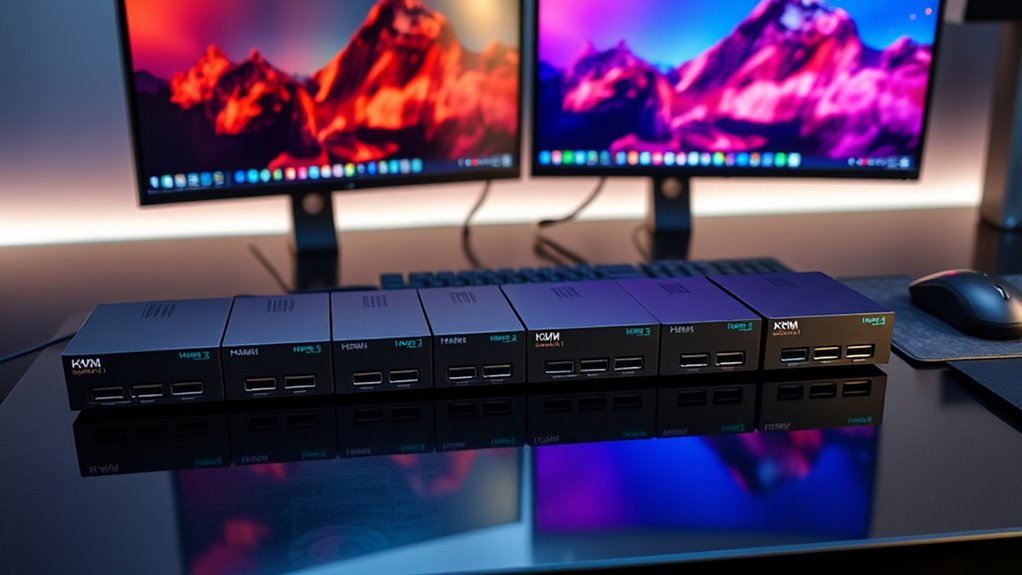

When searching for a KVM switch HDMI 2.1, you’re likely looking for a solution that supports the latest high-resolution standards, multi-monitor setups, and seamless switching. The UGREEN HDMI KVM Switch 2 Monitors 2 Computers 4K@60Hz stands out as the overall best for its reliability and affordability. For those needing ultra-high resolutions, the 8K@60Hz HDMI DisplayPort KVM Switch for 3 Monitors offers exceptional performance. Keep in mind, these switches often involve tradeoffs between resolution support, number of ports, and ease of use. Continue reading for a detailed breakdown of each option and what makes them suitable for different needs.

Get the latest gadgets delivered free with Prime
- Fast, free delivery on millions of items
- Prime Video, Amazon Music and more included
- Member-only deals all year
Complete the kit



Key Takeaways
- High-resolution support varies; 8K switches are more expensive but future-proof.
- Multi-monitor support is a key differentiator for professional or gaming setups.
- USB port availability impacts peripheral management and overall convenience.
- Hotkey and remote switching add convenience but may complicate setup for some users.
- Build quality and power supply options influence long-term reliability.
| UGREEN HDMI KVM Switch 2 Monitors 2 Computers 4K@60Hz with 4 USB 3.0 Ports |  | Best Overall | Number of Monitors: 2 | Number of Computers: 2 | Resolution Support: 4K@60Hz | VIEW ON AMAZON | See Our Full Breakdown |
| UGREEN 8K@60Hz HDMI DisplayPort KVM Switch for 3 Monitors and 2 Computers |  | Best for Ultra HD and Extended Displays | Number of Monitors: 3 | Number of Computers: 2 | DisplayPort Support: Yes, 2 ports | VIEW ON AMAZON | See Our Full Breakdown |
| 8K HDMI KVM Switch for 2 Monitors and 2 Computers, USB 3.0 Dual Monitor KVM |  | Best for High-Quality Visuals and Creative Work | Resolution Support: 8K@60Hz, 4K@120Hz | USB Ports: 4 USB 3.0 | Power Supply: 12V power adapter | VIEW ON AMAZON | See Our Full Breakdown |
| Hearvo HDMI DisplayPort KVM Switch 2 Monitors 2 Computers |  | Best for Versatile Connectivity and High Res | Resolution Support: Up to 8K@60Hz | Backward Compatibility: 4K@144Hz, 4K@120Hz, 1080P@240Hz | Interfaces: HDMI 2.1, DisplayPort 1.4 | VIEW ON AMAZON | See Our Full Breakdown |
| Hearvo USB 3.0 HDMI KVM Switch for 2 Computers 1 Monitor 4K@60Hz |  | Best for Compact, Budget-Friendly 4K Setup | Number of Computers: 2 | Monitor Support: 1 | Resolution: 4K@60Hz | VIEW ON AMAZON | See Our Full Breakdown |
| HDMI KVM Switch for 2 Monitors and 2 Computers with EDID Emulator, 4K 144Hz, Hotkey Switching, USB 3.0 |  | Best Overall for High-Resolution Gaming and Professional Use | Resolution Support: 8K@60Hz (with Dsc), 4K up to 240Hz, 1440P up to 165Hz | Number of Monitors: 2 | Number of Computers: 2 | VIEW ON AMAZON | See Our Full Breakdown |
| 4 Port HDMI DisplayPort KVM Switch for 4 Computers and 2 Monitors, 8K@60Hz/4K@144Hz, Dual Monitor Support, USB 3.0, Remote Control, Power Adapter |  | Best for Multi-Device Control with High-End Resolutions | Number of Computers: 4 | Number of Monitors: 2 | Resolution Support: 8K@60Hz/4K@144Hz | VIEW ON AMAZON | See Our Full Breakdown |
| 4K HDMI KVM Switch 2 Port, USB HDMI Switch for 2 Computers, Supports UHD 4K@60Hz, Includes Cables |  | Best for Simple, Reliable Dual-Computer Setup | Resolution: 4K@60Hz | Ports: 2 HDMI, 2 USB Cables | Compatibility: Windows, Mac OS, Linux, Chrome OS | VIEW ON AMAZON | See Our Full Breakdown |
| kvm switch hdmi 21 | USB Ports | Number of Computers | Resolution Support | Compatibility |
|---|---|---|---|---|
| UGREEN HDMI KVM Switch 2 Monit | 4 (3 USB-A + 1 USB-C) | 2 | 4K@60Hz | Windows, MacOS, Linux |
| UGREEN 8K@60Hz HDMI DisplayPor | — | 2 | — | — |
| 8K HDMI KVM Switch for 2 Monit | 4 USB 3.0 | — | 8K@60Hz, 4K@120Hz | Windows, Mac, Linux, Unix |
| Hearvo HDMI DisplayPort KVM Sw | 4 USB 3.0 | — | Up to 8K@60Hz | — |
| Hearvo USB 3.0 HDMI KVM Switch | 4 (3×USB-A + 1×USB-C) | 2 | — | Windows, Mac, Linux |
| HDMI KVM Switch for 2 Monitors | 1 x USB 3.0 hub | 2 | 8K@60Hz (with Dsc), 4K up to 240Hz, 1440P up to 165Hz | Windows, Linux, Mac, DVR, NVR |
| 4 Port HDMI DisplayPort KVM Sw | 4 USB 3.0 | 4 | 8K@60Hz/4K@144Hz | — |
| 4K HDMI KVM Switch 2 Port | — | — | — | Windows, Mac OS, Linux, Chrome OS |
More Details on Our Top Picks
UGREEN HDMI KVM Switch 2 Monitors 2 Computers 4K@60Hz with 4 USB 3.0 Ports
This UGREEN model stands out for its robust support of dual 4K@60Hz displays, making it ideal for users who need high-resolution multitasking across two computers. Compared with the Hearvo HDMI DisplayPort KVM, it offers broader compatibility and easier plug-and-play operation without requiring additional adapters or remote controls. Its four USB 3.0 ports facilitate fast data transfers, which is a significant advantage for professionals managing peripherals. However, the absence of keyboard hotkey switching and EDID emulation means less convenience for those who prefer quick, keyboard-based control or need precise display synchronization. The external power requirement can also be a drawback for minimal setups. This pick is perfect for professionals seeking reliable dual-monitor management with straightforward setup.
Pros:- Supports 4K@60Hz resolution for crisp, high-quality display
- Dual monitor and dual computer management with easy switching
- Includes four USB 3.0 ports for fast peripheral data transfer
Cons:- Does not support keyboard hotkeys for switching, reducing convenience
- Requires external power supply, adding cable clutter
Best for: Professionals or home office users who prioritize high-resolution dual displays and simple operation
Not ideal for: Gamers or power users who want hotkey switching or EDID emulation for seamless multi-device workflows
- Number of Monitors:2
- Number of Computers:2
- Resolution Support:4K@60Hz
- USB Ports:4 (3 USB-A + 1 USB-C)
- HDMI Version:HDMI 2.0
- HDR:Yes
- HDCP:HDCP2.2/1.4
- Switching Modes:Button and desktop controller
- Compatibility:Windows, MacOS, Linux
Our verdict“This model is well-suited for users seeking dependable dual-monitor control with high resolution and broad device compatibility.”
UGREEN 8K@60Hz HDMI DisplayPort KVM Switch for 3 Monitors and 2 Computers
This UGREEN switch addresses the need for ultra high-resolution multitasking, supporting three monitors and 8K@60Hz. Its capability to handle both HDMI and DisplayPort inputs makes it more flexible than the dual-monitor options like the Hearvo HDMI DisplayPort switch, which is limited to two displays. It is ideal for creative professionals or advanced users working with large, high-res setups. The requirement that both computers support triple-monitor outputs can limit compatibility, and the cable length restrictions for 8K resolution are a practical consideration. It also lacks EDID emulation, which could impact seamless display switching. Nonetheless, this device is a solid choice for users who need maximum resolution and multiple screen support across two systems.
Pros:- Supports 8K@60Hz for ultra-sharp visuals
- Enables three-monitor configurations for expanded workspace
- Includes power supply for stable operation
Cons:- Requires both computers to support triple-monitor output, limiting compatibility
- Limited cable length for 8K resolution could hinder setup flexibility
Best for: Power users with high-end workstations requiring three monitors and 8K resolution
Not ideal for: Casual users or those with limited space, due to its complexity and cable length constraints
- Number of Monitors:3
- Number of Computers:2
- DisplayPort Support:Yes, 2 ports
- HDMI Support:Yes
- Maximum Resolution:8K@60Hz
- Backward Compatibility:Yes, 8K@30Hz
- HDR Support:Yes
- HDCP Support:Yes, 2.3/1.4
- Switching Methods:Button and desktop controller
Our verdict“Best suited for advanced professionals needing extensive multi-monitor setups at ultra high resolutions.”
8K HDMI KVM Switch for 2 Monitors and 2 Computers, USB 3.0 Dual Monitor KVM
This dual-monitor HDMI KVM switch excels in delivering stunning visuals with support for 8K@60Hz and 4K@120Hz, making it ideal for creative professionals and gamers who demand the best display quality. Its compatibility with multiple operating systems and easy switching options via buttons or wired controller provide flexibility. Compared to the UGREEN HDMI KVM, it offers higher refresh rates at 4K and better support for ultra HD content. The requirement for dual HDMI outputs and dual graphics cards, however, makes it less practical for standard setups. Its reliance on dual graphics cards and specific hardware can be a barrier for some users. Still, this is the go-to choice for those prioritizing ultra-high resolution and high frame rates in a dual-monitor configuration.
Pros:- Supports 8K@60Hz and 4K@120Hz for premium visuals
- Multiple control options for seamless switching
- Fast USB 3.0 data transfer speeds
Cons:- Requires dual HDMI outputs and dual graphics cards, limiting compatibility
- Cannot support external USB devices like external drives without stable power
Best for: Creative professionals or gamers with dual graphics cards seeking maximum visual fidelity
Not ideal for: Average users or those with single GPU systems, due to hardware requirements
- Resolution Support:8K@60Hz, 4K@120Hz
- USB Ports:4 USB 3.0
- Power Supply:12V power adapter
- Compatibility:Windows, Mac, Linux, Unix
- Switching Modes:Button and wired controller
- Requires:Dual graphics cards with two HDMI outputs
Our verdict“Ideal for users with high-end GPU setups who need ultra-high resolution and speed in dual-monitor workflows.”
Hearvo HDMI DisplayPort KVM Switch 2 Monitors 2 Computers
This Hearvo KVM switch offers impressive flexibility with both HDMI 2.1 and DisplayPort 1.4 interfaces, supporting up to 8K@60Hz. Its ability to connect via different video standards makes it suitable for diverse setups, especially for professionals who work with multiple devices and need multiple connection options. It includes remote and button switching, adding convenience over models like the B0D5D4FK1H, which relies solely on physical controls. However, the lack of detailed audio support and potential complexity might pose challenges for less technical users. Its broad OS compatibility and high resolution support make it an appealing choice for power users who want maximum flexibility in display connections.
Pros:- Supports up to 8K@60Hz with HDMI 2.1 and DisplayPort 1.4
- Includes remote control for easy switching
- Compatible with multiple operating systems and device types
Cons:- No explicit mention of audio support, which could be a limitation
- Potential complexity for users unfamiliar with multi-interface setups
Best for: Professionals needing versatile multi-interface support with high-resolution output
Not ideal for: Casual users or those with simpler single-interface setups, due to complexity and feature set
- Resolution Support:Up to 8K@60Hz
- Backward Compatibility:4K@144Hz, 4K@120Hz, 1080P@240Hz
- Interfaces:HDMI 2.1, DisplayPort 1.4
- HDCP Version:2.3
- USB Ports:4 USB 3.0
- Switching Modes:Button and remote control
Our verdict“Best for users who need flexible, high-resolution connectivity across different video standards and remote switching options.”
Hearvo USB 3.0 HDMI KVM Switch for 2 Computers 1 Monitor 4K@60Hz
This Hearvo USB 3.0 HDMI KVM switch offers a straightforward solution for controlling two computers on a single 4K display, making it suitable for tight spaces or budget-conscious setups. Its support for 4K@60Hz ensures decent visual quality, comparable to the lower-end models like the B0DXF66SWR, but with a more compact design. The inclusion of both button and remote switching provides flexibility for different workflows. However, being limited to one monitor and lacking explicit audio support makes it less ideal for multi-display or multimedia-heavy environments. Its simplicity and affordability make it appealing for basic dual-PC control but less so for high-end professional or gaming setups requiring higher resolutions or more features.
Pros:- Supports 4K@60Hz for clear visuals
- Includes both button and remote control switching
- Compact and easy to set up
Cons:- Limited to controlling a single monitor, reducing multitasking capabilities
- No explicit mention of audio support, which could limit multimedia use
Best for: Users with limited space seeking a simple, affordable 4K solution for two computers
Not ideal for: Power users needing multi-monitor support or higher refresh rates for gaming or detailed creative work
- Number of Computers:2
- Monitor Support:1
- Resolution:4K@60Hz
- USB Ports:4 (3×USB-A + 1×USB-C)
- HDMI Version:HDCP 2.2
- Switching Methods:Button and Wired Remote
- Compatibility:Windows, Mac, Linux
Our verdict“Great for users needing a basic, space-efficient dual-PC control with 4K visuals on one monitor.”
HDMI KVM Switch for 2 Monitors and 2 Computers with EDID Emulator, 4K 144Hz, Hotkey Switching, USB 3.0
This KVM switch stands out for supporting resolutions up to 8K@60Hz with Dsc and refresh rates up to 240Hz, making it a top choice for gamers and professionals who demand peak performance. Compared with the 4 Port HDMI DisplayPort KVM Switch, it offers more versatile switching methods, including hotkeys and remote control, and a built-in USB 3.0 hub for peripherals. However, achieving optimal performance requires high-quality cables and a compatible graphics card, which could add to setup complexity. Its ability to handle multiple high-res displays and fast refresh rates makes it ideal for intensive tasks but might be overkill for casual users who only need basic switching.
Pros:- Supports resolutions up to 8K@60Hz and refresh rates up to 240Hz for demanding tasks
- Multiple switching options including hotkeys and remote control
- Includes USB 3.0 hub for sharing peripherals
Cons:- Requires high-quality cables and adapters for optimal performance
- Configuration can be complex for beginners
- Performance is dependent on graphics card and monitor capabilities
Best for: Power users who need ultra-high resolutions, fast refresh rates, and multiple switching options for gaming or professional workflows
Not ideal for: Casual users with basic needs, as setup complexity and cost may outweigh benefits
- Resolution Support:8K@60Hz (with Dsc), 4K up to 240Hz, 1440P up to 165Hz
- Number of Monitors:2
- Number of Computers:2
- Switching Methods:Hotkeys, mouse hotkeys, push button, wired remote
- USB Ports:1 x USB 3.0 hub
- Compatibility:Windows, Linux, Mac, DVR, NVR
Our verdict“This switch is best suited for users demanding top-tier resolution, refresh rates, and flexible control options, accepting setup complexity for high performance.”
4 Port HDMI DisplayPort KVM Switch for 4 Computers and 2 Monitors, 8K@60Hz/4K@144Hz, Dual Monitor Support, USB 3.0, Remote Control, Power Adapter
This KVM switch excels at managing four computers with dual monitors, supporting resolutions up to 8K@60Hz and 4K@144Hz. Unlike the HDMI KVM Switch for 2 Monitors and 2 Computers, it offers control over more devices without sacrificing high resolution and includes a wired remote for quick switching. Its multiple USB 3.0 ports facilitate peripheral sharing across four systems, perfect for multitasking environments. The main tradeoff is the need for multiple cables and the higher price point, which could be a barrier for some users. It’s an excellent choice where control and high resolution across several computers are critical, but not ideal for those with simpler setups or limited space.
Pros:- Supports up to 8K@60Hz and 4K@144Hz resolutions for high-quality displays
- Controls four computers with dual monitors simultaneously
- Includes wired remote for easy switching and multiple USB 3.0 ports for peripherals
Cons:- Setup involves multiple cables, increasing clutter and complexity
- Higher cost due to additional ports and features
- Final resolution and performance depend on connected hardware and cables
Best for: Workstations or media setups requiring control over multiple computers with dual high-resolution displays
Not ideal for: Users with fewer devices or tighter budgets who don’t need four-system control
- Number of Computers:4
- Number of Monitors:2
- Resolution Support:8K@60Hz/4K@144Hz
- USB Ports:4 USB 3.0
- Switching Method:On-device button and wired remote
- Power Supply:DC 12V
Our verdict“This switch offers extensive control and high-end resolutions for multi-computer environments, with complexity and cost as tradeoffs.”
4K HDMI KVM Switch 2 Port, USB HDMI Switch for 2 Computers, Supports UHD 4K@60Hz, Includes Cables
This 2-port switch provides a straightforward solution for controlling two computers with a single monitor, keyboard, and mouse. Compared to the HDMI KVM Switch for 2 Monitors and 2 Computers, it offers a more compact form factor and easier setup, with plug-and-play operation. Supporting 4K@60Hz, it delivers vibrant visuals suitable for everyday tasks and media consumption. Since it doesn’t require external power and features a single button to switch, it appeals to users who prioritize simplicity. The main limitation is its inability to handle more than two computers, which restricts flexibility for expanding setups or multiple device control, and it might not perform as well with lower-quality cables or hardware.
Pros:- Supports 4K@60Hz for sharp, clear images
- Simple, driver-free plug-and-play setup
- Includes all necessary cables for immediate use
Cons:- Limited to two computers, not suitable for larger setups
- No external power may limit performance with some hardware
- Basic switching controls may lack advanced features
Best for: Home users or small offices needing a quick and reliable dual-computer switch without fuss
Not ideal for: Power users or those with multi-device setups, as it only supports two computers and may have performance limits in demanding environments
- Resolution:4K@60Hz
- Ports:2 HDMI, 2 USB Cables
- Compatibility:Windows, Mac OS, Linux, Chrome OS
- Included Cables:2 HDMI cables, 2 USB cables
- Switching:Single button
- Power:No external power required
Our verdict“This switch offers a hassle-free, reliable solution for users with two computers seeking high-quality 4K visuals and easy operation, accepting fewer features for simplicity.”

How We Picked
Each KVM switch was evaluated based on performance, build quality, compatibility, and value. Support for HDMI 2.1 features like 8K@60Hz, variable refresh rates, and multi-monitor support were prioritized. Ease of setup and user interface, such as hotkey switching or remote control, also influenced rankings. Finally, price-to-feature ratio and customer feedback helped determine the overall suitability for different user needs. Products were ordered to reflect overall value, high-end performance, and niche features, ensuring diverse buyer profiles are addressed.| kvm switch hdmi 21 | Compatibility |
|---|---|
| UGREEN HDMI KVM Switch 2 Monit | Windows, MacOS, Linux |
| UGREEN 8K@60Hz HDMI DisplayPor | — |
| 8K HDMI KVM Switch for 2 Monit | Windows, Mac, Linux, Unix |
| Hearvo HDMI DisplayPort KVM Sw | — |
| Hearvo USB 3.0 HDMI KVM Switch | Windows, Mac, Linux |
| HDMI KVM Switch for 2 Monitors | Windows, Linux, Mac, DVR, NVR |
| 4 Port HDMI DisplayPort KVM Sw | — |
| 4K HDMI KVM Switch 2 Port | Windows, Mac OS, Linux, Chrome OS |
Factors to Consider When Choosing Kvm Switch Hdmi 21
Choosing the right KVM switch HDMI 2.1 involves balancing several key factors. While the core function is to enable seamless control over multiple computers and monitors, understanding the nuances can save money and frustration. Consider your resolution needs, monitor count, and peripheral management to find the best match for your setup. The following sections highlight the most important aspects to evaluate before making a purchase.Resolution and Refresh Rate Support
Support for high resolutions like 8K@60Hz or 4K@144Hz is essential if you’re working with demanding visual content or gaming. Be aware that not all HDMI 2.1 switches support the highest refresh rates at maximum resolutions, which can limit your display quality. If future-proofing matters, prioritize switches offering 8K support or at least 4K@144Hz, even if it means paying a premium. Remember, higher resolution support often correlates with higher prices and more complex setup requirements.
Number of Ports and Monitors
The number of inputs and outputs directly impacts your flexibility. Dual-monitor setups are common, but some users need support for three or four monitors. Be cautious—more ports typically mean a more expensive switch and potentially more complicated configuration. Assess your current and future needs carefully; overestimating can lead to unnecessary costs, while underestimating may require an additional switch later.
Peripheral Connectivity and USB Support
Many KVM switches include USB ports for peripherals like keyboards and mice. The number and type of USB ports matter, especially if you need to connect multiple devices or require fast transfer speeds. Some models support USB 3.0 or USB-C, which enhance performance. Failing to consider peripheral needs can result in bottlenecks or the need for extra hubs, reducing overall convenience.
Switching Method and User Interface
Switching between computers can be done via hotkeys, remote controls, or physical buttons. Hotkeys offer quick access but can conflict with other keyboard shortcuts. Remote controls add convenience but increase the device’s complexity and cost. Think about your typical workflow—if you switch often, a remote or hotkey system might be worth the investment. For occasional use, simpler physical buttons might suffice.
Build Quality and Power Options
Durability and stability are crucial for long-term use. Look for switches with solid construction, good shielding, and reliable power options—either via external adapters or USB power. Cheaper models may lack robustness, leading to connection issues or failure over time. Prioritize well-reviewed options if your setup demands consistent performance, especially in professional environments.
Frequently Asked Questions
Does HDMI 2.1 support high refresh rates at 4K?
Yes, HDMI 2.1 can support 4K at 120Hz or even 144Hz, providing smoother visuals for gaming or professional tasks. However, not all switches labeled HDMI 2.1 deliver this performance; verify the specifications carefully. Some models support 8K@60Hz but may cap at lower refresh rates at 4K, so check the detailed specs before purchasing for high-refresh-rate needs.
Can I connect more than two monitors with these switches?
While many HDMI KVM switches support dual monitors, only a few can handle three or more. Multi-monitor support depends on the number of HDMI or DisplayPort inputs and outputs, as well as the switch’s internal bandwidth. If you need three or four monitors, look specifically for models designed for this purpose, but be aware that they tend to be more expensive and complex to set up.
Is it possible to use a KVM switch without installing drivers?
Most HDMI KVM switches are plug-and-play and do not require drivers, especially if they support standard resolutions and USB peripherals. However, some advanced features or multi-monitor configurations might need additional drivers or software for full functionality. Always check the manufacturer’s instructions to ensure compatibility with your operating system and peripherals.
Will a KVM switch affect my display quality?
High-quality switches generally preserve image fidelity, especially models supporting 4K or 8K resolutions, and HDMI 2.1 features like HDR and high refresh rates. Cheaper or older switches might introduce latency, reduce color accuracy, or limit resolution. To maintain optimal display quality, choose a switch with verified support for your resolution and refresh rate, and avoid overly cheap options.
How do I choose between HDMI and DisplayPort KVM switches?
Both HDMI and DisplayPort are capable of supporting high resolutions and refresh rates, but DisplayPort often offers higher bandwidth and better multi-monitor support. HDMI is more common and compatible with most consumer devices. Your choice depends on your monitor inputs and desired resolution; if you need 8K or multi-monitor setups with high refresh rates, a DisplayPort switch might be more suitable. Ensure your monitors and graphics cards support the connection type you choose.
Conclusion
The best overall pick for most users is the UGREEN HDMI KVM Switch 2 Monitors 2 Computers 4K@60Hz, offering a solid balance of performance and affordability. Those seeking maximum resolution and future-proofing should consider the 8K@60Hz HDMI DisplayPort KVM Switch for 3 Monitors. Beginners or casual users will appreciate the simplicity of models with straightforward setups, while professionals requiring high refresh rates and multi-monitor support should look at more advanced options like the 4-Port 8K switch. Your ideal choice depends on your specific needs for resolution, monitor number, and peripheral management.
As an affiliate, we earn on qualifying purchases.Halloween Picks

Thuodo 8 FT Tall Halloween Inflatable Three-Headed Dragon with Built-in LEDs

15-Foot Halloween Pumpkin Inflatable with LED Lights and Air Blower

10ft Halloween Inflatable Archway – Pumpkin Skeleton Yard Décor