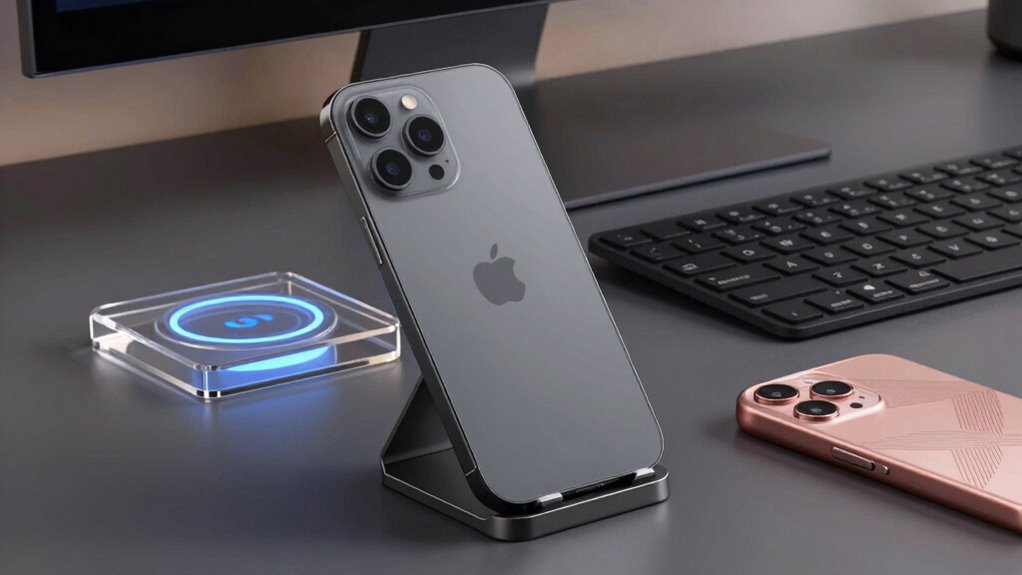

Setting up a productive and organized desk with your iPhone often requires more than just a single accessory. The right bundle can streamline charging, improve video quality, and enhance your workspace’s functionality. The Vlogging Kit for iPhone & Android stands out as the best overall choice thanks to its versatility, while the Anker MagGo 3-in-1 Wireless Charging Station is perfect for those prioritizing sleek charging solutions. Buyers face the tradeoff between bundled versatility and specialized devices, often sacrificing cost or convenience. Keep reading to see which options best match your needs and workspace setup.

Get the latest gadgets delivered free — and shop member deals
- Fast, free delivery on millions of items
- Access to Prime Big Deal Days deals on October 6–7
- Prime Video, Amazon Music and more included
Complete the kit



Key Takeaways
- Bundles with versatile tools like vlogging kits excel for content creators and remote workers who want all-in-one solutions.
- Wireless charging stands out for decluttering desks, but compatibility with MagSafe and device size impacts performance.
- Charging speed and cable quality are critical; cheaper bundles often cut corners here, slowing down workflow.
- Vlogging and filming kits add value for creators but may be overkill for purely productivity-focused setups.
- Considering future-proof features like MagSafe compatibility ensures your investment remains useful as iPhone models evolve.
| Vlogging Kit for iPhone & Android with Wireless Microphone, Flexible Tripod, LED Light, Phone Mount, Remote & Carry Case |  | Best for Content Creators Seeking All-in-One Versatility | Compatibility: iPhone & Android | Microphone: Dual wireless clip-on microphones with receiver | Tripod: 10-inch flexible tripod | VIEW ON AMAZON | See Our Full Breakdown |
| iHome Charge & Sync Bundle – Dual Port USB Charger with 20W Power Delivery and 6ft Lightning to USB-C Cable |  | Best for Fast, Reliable Charging for Desk Devices | Brand: iHome | Charger Type: Dual Port USB Wall Charger | USB-C Port Power: 20W Power Delivery | VIEW ON AMAZON | See Our Full Breakdown |
| Ventev 15W Qi2 Magnetic Wireless Charging Stand, 360° Rotating Desk Charger with USB-C Cable, Compatible with iPhone 15/14/13 and MagSafe Devices – Silver |  | Best for Flexible, High-Speed Wireless Charging with Rotation | Power Output: 15W | Charging Technology: Qi2 wireless | Rotation: 360° adjustable | VIEW ON AMAZON | See Our Full Breakdown |
| Anker MagGo 3-in-1 Wireless Charging Station (Qi2 Certified, 15W) for iPhone, Apple Watch & AirPods |  | Best for Multi-Device Apple Ecosystem Charging | Wattage: 15 watts | Wireless Charging Standard: Qi2 (MagSafe compatible) | Connector Type: USB Type C | VIEW ON AMAZON | See Our Full Breakdown |
| Acuvar Premium 9-Piece Vlogging Kit for iPhone, Android & Cameras |  | Best for Versatile Content Creation and Multiple Device Compatibility | Model Number: 5010 | Package Dimensions: 16.14 x 12.2 x 3.78 inches | Item Weight: 10 ounces | VIEW ON AMAZON | See Our Full Breakdown |
| Movo iVlogger Vlogging Kit for iPhone – Lightning Compatible YouTube Starter Kit with Phone Tripod, Phone Mount, LED Light and Shotgun Microphone |  | Best All-in-One Vlogging Kit for Content Creators | Compatibility: iPhone 14 and below (Lightning); USB-C adapter for iPhone 15 sold separately | Microphone: Shotgun microphone | Light: Rechargeable LED, 3 brightness levels | VIEW ON AMAZON | See Our Full Breakdown |
More Details on Our Top Picks
Vlogging Kit for iPhone & Android with Wireless Microphone, Flexible Tripod, LED Light, Phone Mount, Remote & Carry Case
This vlogging kit stands out for its comprehensive nature, combining a flexible tripod, dual wireless microphones, LED light, and remote, making it ideal for newcomers and seasoned creators who need a portable yet versatile setup. Compared to the Acuvar Premium 9-Piece Vlogging Kit, it offers more audio options but lacks professional-grade lighting, which might limit its use for high-quality productions. Its wireless microphones excel in interviews and dual-shoot scenarios, but their range can be inconsistent outside quiet environments. The flexible tripod’s adaptability allows for various shooting angles, unlike rigid stands, which might be less versatile. The kit’s portability and all-in-one design make it perfect for on-the-go content, but it requires a smartphone (not included), and the LED light might not suffice for professional lighting needs.
Pros:- All-in-one kit simplifies setup for new users
- Includes dual wireless microphones ideal for interviews
- Flexible tripod can wrap around surfaces or stand freely
- Portable design with remote control and carry case
Cons:- Smartphone not included, adding to overall cost
- LED light may not provide enough illumination for professional needs
- Wireless mic performance varies by environment
Best for: Beginner and intermediate content creators who want an easy-to-carry, multi-functional vlogging setup.
Not ideal for: Professional videographers or creators needing high-end lighting and sound quality for studio shoots.
- Compatibility:iPhone & Android
- Microphone:Dual wireless clip-on microphones with receiver
- Tripod:10-inch flexible tripod
- Light:LED video light
- Remote:Bluetooth remote
- Remote Range:Up to 30 ft
Our verdict“This kit is best suited for creators who want an affordable, portable solution with versatile audio and video tools for casual content.”
iHome Charge & Sync Bundle – Dual Port USB Charger with 20W Power Delivery and 6ft Lightning to USB-C Cable
This bundle appeals to users who prioritize quick and efficient power delivery, especially when managing multiple Apple devices at their desk. Compared with the Anker MagGo 3-in-1 Wireless Charging Station, it offers faster charging for Apple devices via its 20W Power Delivery port, but lacks the multi-device charging convenience of a stand. Its compact size makes it highly portable and suitable for travel or small desk spaces, but the Lightning cable’s compatibility is limited to Apple devices, excluding Android users. Charging speed is impressive when only one device is connected, yet it may slow down if both ports are used simultaneously. Overall, it’s an excellent choice for Apple-centric setups where speed and portability matter most.
Pros:- 20W Power Delivery charges compatible devices quickly
- Dual ports enable simultaneous charging of two devices
- Braided cable resists fraying and tangling
- Compact and lightweight, ideal for travel
Cons:- Limited to Apple devices due to Lightning cable
- Charging may be slower when both ports are active
- No integrated stand or holder for devices
Best for: Apple device users who need fast, dual-device charging at their desk or on the go.
Not ideal for: Android users or those seeking a multi-device stand with integrated charging features.
- Brand:iHome
- Charger Type:Dual Port USB Wall Charger
- USB-C Port Power:20W Power Delivery
- Ports:1x USB-C, 1x USB-A
- Included Cable:Lightning to USB-C
- Cable Length:6 ft
Our verdict“This bundle is perfect for Apple users who need a reliable, fast-charging solution without extra frills.”
Ventev 15W Qi2 Magnetic Wireless Charging Stand, 360° Rotating Desk Charger with USB-C Cable, Compatible with iPhone 15/14/13 and MagSafe Devices – Silver
This charger excels in providing fast wireless power, with 15W Qi2 charging that outpaces standard 5W options, making it ideal for those who want quick, cable-free power right on their desk. Unlike the Anker MagGo 3-in-1, which charges multiple devices simultaneously, this stand focuses solely on iPhones and MagSafe-compatible devices, with its magnetic hold preventing slips during charging. Its 360° rotation offers unmatched flexibility for viewing angles, but it’s limited to MagSafe-enabled phones and cases — non-magnetic cases will block charging. The sleek silver design and overheat protection add to its appeal, but it is priced higher than basic wireless chargers, which could be a concern for budget-conscious buyers.
Pros:- Supports fast 15W Qi2 charging, three times faster than standard
- 360° rotation for flexible viewing and positioning
- Strong magnetic alignment ensures consistent charging
- Includes USB-C cable and safety features like overheat protection
Cons:- Only compatible with MagSafe or magnetic cases
- Non-magnetic cases prevent charging
- Premium price may be a barrier for some
Best for: Apple users with MagSafe-compatible iPhones seeking a fast, adjustable stand for desk charging.
Not ideal for: Android users or those with non-magnetic cases who want a universal wireless charger.
- Power Output:15W
- Charging Technology:Qi2 wireless
- Rotation:360° adjustable
- Mount Type:Magnetic (MagSafe-compatible)
- Included Cable:USB-C to USB-C
- Safety Features:Overheat protection
Our verdict“Ideal for Apple enthusiasts who value quick, adjustable wireless charging with a sleek design.”
Anker MagGo 3-in-1 Wireless Charging Station (Qi2 Certified, 15W) for iPhone, Apple Watch & AirPods
This stand offers the convenience of charging three Apple devices simultaneously, making it a strong choice for users with multiple Apple gadgets. Its 15W Qi2 certification ensures fast wireless charging for iPhone, while the dedicated Apple Watch and AirPods chargers streamline desk clutter—something the Ventev stand lacks. The 40W USB-C power adapter included guarantees fast charging, but the device’s reliance on a power brick and corded design limits portability, unlike more straightforward mobile options. For those with an Apple ecosystem, this station provides a tidy, integrated solution, although it’s less flexible for non-Apple devices or travel use.
Pros:- Charges iPhone, Apple Watch, and AirPods simultaneously
- Qi2 certified 15W fast charging for iPhone
- Includes a 40W USB-C PD power brick for quick charging
- ActiveShield safety monitoring for devices
Cons:- Requires the included power adapter for optimal performance
- Limited to Apple devices, not compatible with Android
- Cords and bulky design reduce portability
Best for: Apple device users who want a single, all-in-one charging solution for their desk setup.
Not ideal for: Users with mixed device ecosystems or seeking a portable, standalone charger.
- Wattage:15 watts
- Wireless Charging Standard:Qi2 (MagSafe compatible)
- Connector Type:USB Type C
- Charging Devices:iPhone, Apple Watch, AirPods
- Input Voltage:240 V AC
- Cable Length:5 ft
Our verdict“Best suited for Apple users needing a sleek, comprehensive charging station at their desk with fast, multi-device charging capabilities.”
Acuvar Premium 9-Piece Vlogging Kit for iPhone, Android & Cameras
This kit appeals to creators looking for a broad set of tools, including microphones, lighting, and a sturdy tripod, suitable for both beginner and semi-professional video shoots. Unlike the Vlogging Kit for iPhone & Android, it offers noise reduction microphones and a larger ring light, making it more adaptable for varied content types. While its lightweight components favor portability, they may not withstand demanding professional use. Its compatibility across iPhone, Android, and cameras makes it more versatile, though the lightweight build might limit durability for frequent, rugged use. This kit makes sense for creators who want a comprehensive setup that can serve multiple platforms and environments.
Pros:- Complete kit with microphones, lighting, tripod, and remote
- Dual wireless microphones with noise reduction
- Adjustable 8-inch LED ring light with multiple modes
- Compatible with a wide range of devices including tablets
Cons:- Lightweight components may feel fragile under heavy use
- Tripod and light may not support professional-grade demands
- Compact design limits durability for intensive use
Best for: Beginners and hobbyists creating video content across multiple devices and platforms.
Not ideal for: Professional videographers needing heavy-duty, studio-grade equipment.
- Model Number:5010
- Package Dimensions:16.14 x 12.2 x 3.78 inches
- Item Weight:10 ounces
- Connectivity:Bluetooth
- Tripod Height:50 inches
- Ring Light Size:8 inches
- In the Box:Tripod, Ring Light, Microphones, Remote
Our verdict“This kit offers a well-rounded, versatile content creation package tailored for beginners and multi-device users seeking value and flexibility.”
Movo iVlogger Vlogging Kit for iPhone – Lightning Compatible YouTube Starter Kit with Phone Tripod, Phone Mount, LED Light and Shotgun Microphone
This kit stands out for turning an iPhone into a complete content creation setup, especially for beginners or casual vloggers. Unlike the Anker MagGo 3-in-1 Wireless Charging Station, which is more about charging convenience, the Movo iVlogger Kit offers dedicated audio, lighting, and mounting features that directly support video quality. The inclusion of a shotgun microphone and rechargeable LED light provides better control over sound and lighting, making it ideal for on-the-fly filming. However, the desktop tripod limits full-height shots and the Lightning compatibility means you’ll need a separate adapter for iPhone 15 users, which adds a small extra step. This kit makes the most sense for aspiring creators seeking an all-in-one starter, but not for those who want a sleek, minimalist setup or use iPhone 15 without additional accessories.
Pros:- All-in-one kit including microphone, light, tripod, and mount for streamlined setup
- MFi-certified Lightning adapter ensures reliable iPhone compatibility
- Rechargeable LED light with adjustable brightness enhances video quality
- Easy to set up, making it accessible for beginners
Cons:- Tripod is desktop-sized, limiting full-height or versatile shots
- Requires a separate USB-C adapter for iPhone 15 compatibility, which adds cost
- Microphone and light are primarily designed for close-up use, limiting flexibility
Best for: Beginner vloggers or social media content creators who want a portable, comprehensive setup without buying separate accessories
Not ideal for: Advanced videographers or iPhone 15 users who already own a USB-C adapter and need more versatile, full-height mounting options
- Compatibility:iPhone 14 and below (Lightning); USB-C adapter for iPhone 15 sold separately
- Microphone:Shotgun microphone
- Light:Rechargeable LED, 3 brightness levels
- Tripod:Adjustable desktop tripod with phone mount
- Mounting:Rail mount bracket for cold shoe or 1/4″ thread accessories
- Cables:3.5mm TRRS and Lightning
- Adapter Certification:MFi certified Lightning adapter
Our verdict“This kit is perfect for entry-level content creators seeking a straightforward, all-in-one vlogging setup, but not suited for those needing high versatility or full-height shots.”
How We Picked
This selection was based on evaluating each bundle’s performance, build quality, versatility, and ease of use. Priority was given to products that offer a combination of charging capability, content creation tools, and organization options, as these meet most desk setup needs. We also considered value for money, compatibility with current iPhone models, and user-friendly features. Rankings reflect how well each bundle balances these factors, with the best picks providing comprehensive solutions without unnecessary complexity or cost.Factors to Consider When Choosing Iphone Accessory Bundle For Desk Setup
When choosing an iPhone accessory bundle for your desk setup, it’s important to consider both your primary needs and potential future use. A well-rounded bundle can enhance productivity, simplify charging, and support content creation, but not all options fit every workspace or user. Understanding key factors such as compatibility, versatility, and budget can help you pick a bundle that truly elevates your desk environment.Compatibility and Device Support
Ensure the bundle includes accessories that match your iPhone model, especially if you have the latest iPhone 15 with MagSafe. Compatibility with other devices like AirPods, Apple Watch, or Android phones can add convenience but might increase cost. Consider whether the accessories will work with future iPhones or upgrades, and verify cable and charging port types to avoid frustration.
Versatility and Multi-Functionality
Look for bundles that combine multiple functions—charging, content creation, and organization—so you get more value. A kit with a wireless charger, stand, and vlogging accessories can serve multiple purposes, but beware of overly complex setups that might clutter your desk. Prioritize flexibility: a set that can adapt to different tasks will serve you longer.
Build Quality and Ease of Use
Quality matters for longevity and safety. Cheap materials or poorly designed mounts can lead to instability or damage your device. Ease of setup and intuitive operation are equally important—if accessories are cumbersome or require constant adjustment, they may diminish your workflow rather than enhance it. Read reviews to gauge real-world durability and user experience.
Charging Speed and Power Output
Fast charging can significantly cut down waiting times, especially if you use your iPhone during work hours. Bundles with higher wattage outputs or fast-charging cables will support this, but ensure your device supports fast charging to avoid disappointment. Also, consider whether the bundle includes quality cables, as cheap cables can limit performance and safety.
Budget and Long-Term Value
Balancing cost with features is key. While premium bundles offer more durable materials and advanced features, they come at a higher price. Conversely, budget options might save money upfront but require replacement sooner or lack essential features. Think about how often you’ll use the accessories and whether investing more upfront provides better longevity and performance.
Frequently Asked Questions
Can I use a vlogging kit for daily desk work?
Absolutely. A vlogging kit, especially with a good tripod, microphone, and lighting, can enhance video calls, recordings, or streaming directly from your desk. While primarily designed for content creation, these tools improve overall video quality and can make remote meetings more professional. Just ensure the setup is not overly bulky for your workspace and that it integrates well with your daily routine.
Are wireless charging stands safe for all iPhone models?
Most modern wireless chargers, especially those certified with Qi2 or MagSafe, are safe for all recent iPhone models. They include protections against overcharging, overheating, and electrical surges. However, compatibility with larger cases or non-MagSafe models can vary; some cases may interfere with charging efficiency. Always verify that your device and case are compatible with the specific stand you choose.
Is it better to buy a bundle or individual accessories?
Bundles often offer better value and convenience by providing a complete setup tailored for desk use, but they may include extras you don’t need. Choosing individual accessories allows for more precise customization based on your specific needs and budget. If you prefer a streamlined, all-in-one solution, a bundle makes sense, especially if it covers your main requirements without extra clutter.
How do I know if a charging station is fast enough for my needs?
Check the wattage output—15W or higher supports fast charging for most iPhones. Also, verify that the station is Qi2-certified or MagSafe-compatible if you want optimal performance. Keep in mind that using high-wattage chargers with older iPhones may not always result in faster charging; compatibility with your specific device model is key. Reading user reviews can also reveal real-world charging speeds and reliability.
Are vlogging kits suitable for non-content creators?
Yes, vlogging kits can benefit anyone who participates in video calls or streams from their desk. They improve audio and lighting, making your on-camera presence look more professional. However, if your primary goal is simple device charging and organization, investing in a dedicated charging station or stand might make more sense, as vlogging kits tend to be more feature-rich than necessary for basic desk setups.
Conclusion
For general desk users seeking an all-in-one solution, the Vlogging Kit for iPhone & Android offers unmatched versatility. Those prioritizing sleek charging and minimal clutter will find the Anker MagGo 3-in-1 Wireless Charging Station to be the best choice. Beginners or casual users should consider bundles with straightforward setup, while content creators can benefit from comprehensive vlogging kits. Budget-conscious buyers will want to weigh quality and features carefully, but investing in a well-rounded bundle can streamline your workspace and enhance daily productivity.Fall Picks
fall essentials
As an affiliate, we earn on qualifying purchases.