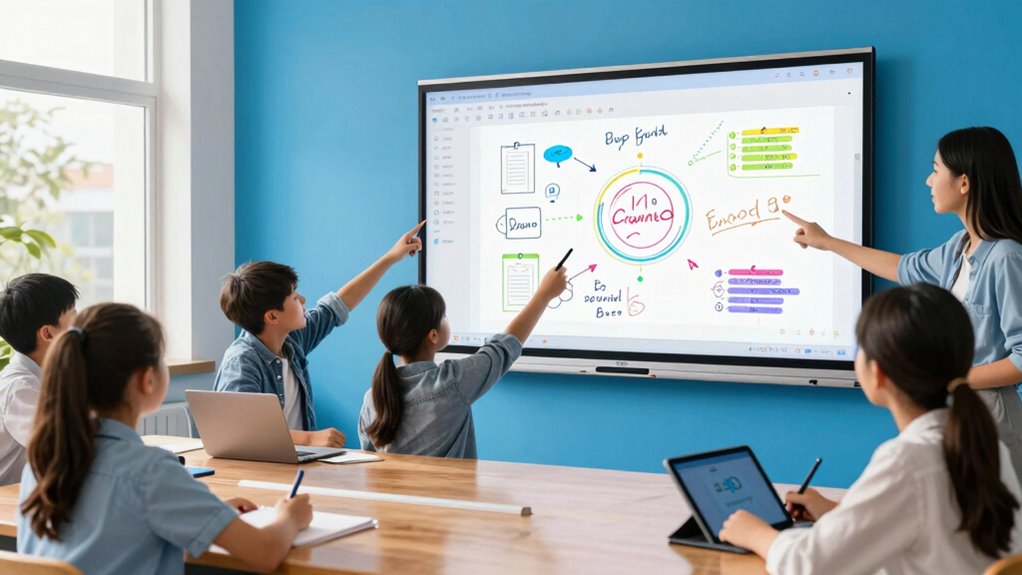
For most classrooms and meeting rooms, I’d start with the NEWORK NewBoard 75E: its 75-inch 4K display offers a practical balance of viewing area and collaborative workspace. The Promethean ActivPanel LE 86-Inch stands out when a large room needs a much bigger screen, while the JAV 49-Inch model with 128GB storage suits buyers who need a smaller rotating display and more onboard space. The main tradeoffs are screen size, software and device compatibility, room fit, and the setup effort involved. A larger panel can improve visibility but needs more wall space and careful installation; a compact board is easier to place but gives a group less room to work. Read on for how all 15 options compare and which one fits your use.

Get the latest gadgets delivered free with Prime
- Fast, free delivery on millions of items
- Prime Video, Amazon Music and more included
- Member-only deals all year
Complete the kit



Key Takeaways
- 75-inch models recur among the large-format picks: NEWORK, QIXZOCV, and NEWORK’s Google EDLA model offer a shared size class, so software support and intended deployment are useful differentiators beyond screen area.
- The two 49-inch JAV boards serve different needs: the 128GB model prioritizes onboard storage and a rotating screen, while the 4K Android 12 option lists 64GB of storage.
- Google EDLA certification is a meaningful shortlist filter: it distinguishes the JAV 65-inch and NEWORK 75-inch models for buyers seeking a certified Google experience, but buyers should still check their required apps and management policies.
- Not every option is a self-contained smart board: the electronic-pen system is designed around Windows, making host-device compatibility and setup a larger part of the buying decision than with an all-in-one display.
- Screen size does not settle the choice: the 55-inch EUNIVON and BIG VUE Plus may suit tighter rooms, while the 86-inch Promethean needs more viewing distance and installation planning.
| JAV 43-Inch Rotating Interactive Smart Board |  | Best Compact Smart Board | Screen size: 43 inches | Operating system: Android 14 | Memory and storage: 8GB RAM, 128GB storage | VIEW ON AMAZON | See Our Full Breakdown |
| 49-Inch 4K Android 12 Smart Board, 8GB RAM, 64GB Storage |  | Best for Wall-Mounted 4K Annotation | Screen size: 49 inches | Resolution: 4K UHD | Operating system: Android 12 | VIEW ON AMAZON | See Our Full Breakdown |
| NEWORK NewBoard 75E 75-Inch 4K Interactive Smart Board |  | Best for Large-Group Collaboration | Screen size: 75 inches | Resolution and refresh rate: 3840 × 2160 (4K) at 60 Hz | Operating system: Android 14 | VIEW ON AMAZON | See Our Full Breakdown |
| AG Neovo Meetboard 4 65-Inch 4K Interactive Smart Board |  | Best for Mid-Sized Meeting Rooms | Screen size: 65 inches | Resolution: 3840 × 2160 (4K UHD) | Operating system: Android 13 | VIEW ON AMAZON | See Our Full Breakdown |
| Interactive Whiteboard System with Electronic Pen for Windows |  | Best for Projector-Based Setups | Brand and model: Indesign IW001 | Maximum screen size: 90 inches | Maximum distance: 2.2 meters | VIEW ON AMAZON | See Our Full Breakdown |
| Promethean ActivPanel LE 86-Inch 4K UHD Interactive Display with Wall Mount |  | Best for Large Classrooms | Screen size: 86 inches | Resolution: 4K UHD, 3840 × 2160 | Operating system: Android | VIEW ON AMAZON | See Our Full Breakdown |
| COOLHOOD 65-Inch 4K UHD Interactive Smart Whiteboard |  | Best for Multi-User Collaboration | Screen size: 65 inches | Resolution: 3840 × 2160 (4K UHD) | Display: IPS LCD, matte finish | VIEW ON AMAZON | See Our Full Breakdown |
| EUNIVON 55-Inch 4K UHD Interactive Smart Whiteboard |  | Best for IT-Managed Rooms | Screen size: 55 inches | Resolution: 4K UHD | Operating system: Android 14 | VIEW ON AMAZON | See Our Full Breakdown |
| BIG VUE Plus 55-Inch 4K UHD Interactive Smart Board |  | Best for Built-In Meeting Hardware | Screen size: 55 inches | Resolution: 3840 × 2160 (4K UHD) | Operating system: Android 14 | VIEW ON AMAZON | See Our Full Breakdown |
| QIXZOCV 75-Inch 4K Interactive Smart Board with Android 14 |  | Best for Hybrid Meetings | Screen size: 75 inches | Resolution: 4K UHD | Operating system: Android 14 | VIEW ON AMAZON | See Our Full Breakdown |
| JAV 65-Inch Smart Board Pro, 4K UHD Interactive Whiteboard |  | Best for Secure, Flexible Collaboration | Screen size: 65 inches | Resolution: 4K UHD | Operating system: Android 14 | VIEW ON AMAZON | See Our Full Breakdown |
| JAV 49-Inch Interactive Smart Whiteboard, 8GB RAM, 128GB Storage, Rotating Touchscreen |  | Best for Flexible Room Layouts | Screen size: 49 inches | Display: QLED, over 90% NTSC color gamut | Operating system: Android 14 | VIEW ON AMAZON | See Our Full Breakdown |
| JAV 65-Inch 4K UHD Interactive Smart Whiteboard with Google EDLA Certification |  | Best for Multi-User Touch and Meetings | Screen size: 65 inches listed; description also references 55 inches | Resolution: 4K UHD | Operating system: Android 14 | VIEW ON AMAZON | See Our Full Breakdown |
| HORION 65-Inch 4K Digital Whiteboard |  | Best for Hands-On Group Whiteboarding | Display: 65-inch 4K | Touchscreen: Anti-glare, 50-point touch, under 30 ms latency | Operating system: Android 13 with Google EDLA certification | VIEW ON AMAZON | See Our Full Breakdown |
| NEWORK 75-Inch 4K Interactive Smart Whiteboard with Google EDLA |  | Best for Large Rooms | Screen size: 75 inches in title and specifications; description also states 65 inches | Resolution: 3840 × 2160 (4K UHD) | Operating system: Android 14 | VIEW ON AMAZON | See Our Full Breakdown |
| interactive whiteboard | Operating system | Screen size | Resolution |
|---|---|---|---|
| JAV 43-Inch Rotating Interacti | Android 14 | 43 inches | — |
| 49-Inch 4K Android 12 Smart Bo | Android 12 | 49 inches | 4K UHD |
| NEWORK NewBoard 75E 75-Inch 4K | Android 14 | 75 inches | — |
| AG Neovo Meetboard 4 65-Inch 4 | Android 13 | 65 inches | 3840 × 2160 (4K UHD) |
| Interactive Whiteboard System | — | — | — |
| Promethean ActivPanel LE 86-In | Android | 86 inches | 4K UHD, 3840 × 2160 |
| COOLHOOD 65-Inch 4K UHD Intera | Android 13 | 65 inches | 3840 × 2160 (4K UHD) |
| EUNIVON 55-Inch 4K UHD Interac | Android 14 | 55 inches | 4K UHD |
| BIG VUE Plus 55-Inch 4K UHD In | Android 14 | 55 inches | 3840 × 2160 (4K UHD) |
| QIXZOCV 75-Inch 4K Interactive | Android 14 | 75 inches | 4K UHD |
| JAV 65-Inch Smart Board Pro | Android 14 | 65 inches | 4K UHD |
| JAV 49-Inch Interactive Smart | Android 14 | 49 inches | — |
| JAV 65-Inch 4K UHD Interactive | Android 14 | 65 inches listed; description also references 55 inches | 4K UHD |
| HORION 65-Inch 4K Digital Whit | Android 13 with Google EDLA certification | — | — |
| NEWORK 75-Inch 4K Interactive | Android 14 | 75 inches in title and specifications; description also states 65 inches | 3840 × 2160 (4K UHD) |
More Details on Our Top Picks
JAV 43-Inch Rotating Interactive Smart Board
I’d choose the JAV 43-Inch when a larger classroom display would overwhelm the room or budgeted wall space. Its automatic rotation makes the screen more adaptable than the fixed-format AG Neovo Meetboard 4, while Google EDLA certification gives it access to Google apps and the Play Store. Four-way split-screen mirroring and 10-point touch can support small-group collaboration, and the anti-glare glass is a practical plus in bright rooms. The tradeoff is reach: at 43 inches, it offers much less shared writing and viewing area than the 65-inch AG Neovo or 75-inch NEWORK NewBoard 75E. Its 8GB RAM and 128GB storage are useful for an all-in-one setup, but this is a compact meeting or teaching screen, not a large-room centerpiece.
Pros:- Google EDLA certification provides access to Google apps and the Play Store.
- Automatic rotation supports both portrait and landscape content.
- Up to four mirrored split screens enable side-by-side sharing.
- Anti-glare glass and 10-point touch suit annotation in collaborative settings.
Cons:- The 43-inch screen has less shared viewing and writing space than the AG Neovo Meetboard 4 or NEWORK NewBoard 75E.
- The listed connectivity includes Wi-Fi 5 rather than the AG Neovo Meetboard 4’s Wi-Fi 6.
Best for: Small meeting rooms, tutoring spaces, and compact classrooms that need Google apps, screen rotation, and interactive annotation without a large display.
Not ideal for: Teachers presenting to a large class or teams that need several people writing together across a wide shared canvas.
- Screen size:43 inches
- Operating system:Android 14
- Memory and storage:8GB RAM, 128GB storage
- Touch:10-point touch annotation
- Wireless mirroring:Up to 4 split screens
- Display:QLED; over 90% NTSC color gamut
- Screen glass:AG anti-glare tempered glass
- Connectivity:Wi-Fi 5, HDMI, USB-C, USB 2.0, earphone interface
Our verdict“Choose this compact JAV for a small room that needs an Android-based interactive board with flexible screen orientation, not a large group canvas.”
49-Inch 4K Android 12 Smart Board, 8GB RAM, 64GB Storage
This 49-inch board makes the most sense when 4K detail and responsive annotation matter more than a built-in mobile setup. Its 6.5 ms response time, infrared touch, and finger-and-stylus input give presenters more ways to mark up content than the Indesign IW001, which depends on a separate projector and Windows computer. Wireless casting with phone reverse control also lets a presenter interact with a phone from the board. The RK3588 octa-core processor and 8GB RAM support presentations and multitasking, though its 64GB storage is half the JAV 43-Inch’s 128GB. The wall mount is included, but a mobile stand is not; buyers who need a movable board should factor in that separate setup. Android 12 is also older than the Android 14 systems in the JAV and NEWORK options.
Pros:- 4K UHD resolution provides detailed presentation and video playback.
- 6.5 ms response time and infrared input support responsive finger and stylus annotation.
- Wireless casting includes phone reverse control.
- Wall mount is included, with portrait or landscape installation supported.
Cons:- The mobile stand is sold separately, so a movable setup needs additional equipment.
- Android 12 is older than the Android 14 systems on the JAV 43-Inch and NEWORK NewBoard 75E.
- Its 64GB storage is less than the JAV 43-Inch’s 128GB.
Best for: Small offices and teaching rooms that want a wall-mounted 4K touchscreen for presentations, casting, and finger-or-stylus markup.
Not ideal for: Teams that need a ready-to-roll mobile board, newer listed Android software, or ample onboard storage for a large app and file library.
- Screen size:49 inches
- Resolution:4K UHD
- Operating system:Android 12
- Processor:RK3588 octa-core
- Memory and storage:8GB RAM, 64GB storage
- Touch input:Infrared touchscreen; finger and stylus
- Response time:6.5 ms
- Installation:Wall mount or mobile stand; stand sold separately
Our verdict“Pick this model for a fixed wall-mounted 4K presentation space where responsive annotation matters more than a supplied mobile stand or newer Android version.”
NEWORK NewBoard 75E 75-Inch 4K Interactive Smart Board
For a classroom or meeting room where several people need to contribute at once, the NEWORK NewBoard 75E has the clearest case in this group. Its 75-inch 4K screen supports 50-point touch for up to 10 users, far more simultaneous input than the 40-point AG Neovo Meetboard 4. Casting from up to 16 devices is another advantage for lessons or meetings with multiple presenters, and Android 14 with Google EDLA certification brings Google Play and Workspace access on the display. The wide 178-degree viewing angle helps people see the board from around the room. This scale brings practical compromises: the glossy finish may reflect lights, and the mobile cart is not included, unlike a fully supplied mobile setup. For smaller teams, the 65-inch AG Neovo is easier to fit.
Pros:- 50-point touch supports up to 10 simultaneous users.
- Wireless casting can connect up to 16 devices.
- Android 14 and Google EDLA certification provide Google Play and Workspace access.
- 75-inch 4K screen and 178-degree viewing angle suit group viewing.
Cons:- Glossy screen finish may reflect ambient light.
- Mobile cart is not listed among the included components.
- Its 75-inch size may be excessive for small classrooms and meeting rooms.
Best for: Schools and larger meeting rooms where multiple participants need to write on one screen and presenters may cast from many devices.
Not ideal for: Small rooms, buyers who need a mobile cart included, or spaces with strong light directly facing the glossy screen.
- Screen size:75 inches
- Resolution and refresh rate:3840 × 2160 (4K) at 60 Hz
- Operating system:Android 14
- Memory and storage:8GB RAM, 64GB ROM
- Touch and users:50 touch points; up to 10 simultaneous users
- Wireless casting:Up to 16 devices
- Viewing angle:178 degrees
- Brightness:450 cd/m²
- Mounting:Wall mount included; mobile cart not listed as included
Our verdict“Choose the NEWORK NewBoard 75E when broad group participation and multi-device casting matter more than a glare-resistant finish or included mobile cart.”
AG Neovo Meetboard 4 65-Inch 4K Interactive Smart Board
The AG Neovo Meetboard 4 is a balanced choice for teams that want a substantial interactive display without stepping up to the NEWORK NewBoard 75E’s larger group format. Its 65-inch 4K screen, 40-point multitouch, and built-in whiteboarding support shared annotation, while Wi-Fi 6 and Google Cast, AirPlay, and Miracast give people with different devices straightforward sharing routes. Google EDLA certification adds Google Play access, and the board can open and edit Word, Excel, and PowerPoint files—useful when a meeting needs more than presentation playback. Compared with the NEWORK, it supports fewer touch points and fewer simultaneous users, but its 65-inch size is better suited to the listed 6–8-person setting. The glossy screen can reflect room lighting, and wall mounting is the specified installation rather than a supplied mobile-cart setup.
Pros:- 40-point multitouch and built-in whiteboarding support group annotation.
- Wi-Fi 6 plus AirPlay, Miracast, and Google Cast supports varied devices.
- Google EDLA certification includes access to Google Play.
- Can open and edit Word, Excel, and PowerPoint files on the display.
Cons:- Glossy screen finish may reflect ambient room light.
- Its stated 6–8-person collaborative setting may not suit larger groups.
- Wall-mount installation is specified, with no mobile cart listed among the included items.
Best for: Teams of roughly 6–8 people that need an interactive meeting display with broad wireless sharing and Office file editing.
Not ideal for: Large classes or groups that need support for more than 40 touch points, or rooms where screen glare is difficult to control.
- Screen size:65 inches
- Resolution:3840 × 2160 (4K UHD)
- Operating system:Android 13
- Storage:128GB
- Touch points:40
- Connectivity:Wi-Fi 6, AirPlay, Miracast, Google Cast
- Brightness and contrast:400 cd/m²; 4000:1
- Response time:6.5 ms
- Warranty:3 years
Our verdict“Choose the AG Neovo for a mid-sized meeting room that needs flexible casting and Office editing, rather than the NEWORK’s larger multi-user canvas.”
Interactive Whiteboard System with Electronic Pen for Windows
The Indesign IW001 takes a different route from the all-in-one JAV, AG Neovo, and NEWORK boards: it turns an existing wall or projection screen into an interactive surface instead of supplying a display. That makes it the most flexible fit for a room that already has a projector and needs pen-based writing, drawing, or cursor control on screens up to 90 inches. Automatic calibration and a 360-degree adjustable device help with setup, while the included receiver, USB cable, and electronic pen keep the core system together. The tradeoff is dependence on other equipment: a Windows computer and projector are required and neither is included. Its listed compatibility ends at Windows 10, while the Android boards offer a self-contained app and display setup. It suits an existing projection room, not a buyer starting from scratch.
Pros:- Works with a wall or projection screen up to 90 inches.
- Automatic calibration can simplify setup.
- 360-degree adjustable device supports flexible positioning.
- Electronic pen handles writing, drawing, and computer cursor control.
Cons:- Requires a separate projector and Windows computer, neither of which is included.
- Listed operating system compatibility stops at Windows 10.
- Does not provide the integrated display and Android apps found on the JAV and AG Neovo boards.
Best for: Schools, trainers, and presenters who already own a Windows computer and projector and want to add pen interaction to a wall or projection screen.
Not ideal for: Buyers seeking a standalone smart display, macOS compatibility, or an interactive board that works without a separate projector and computer.
- Brand and model:Indesign IW001
- Maximum screen size:90 inches
- Maximum distance:2.2 meters
- Compatibility:Windows XP, Windows 7, Windows 8, Windows 10
- Included components:Electronic pen, receiver, USB cable
- Mounting type:Tabletop mount
- Required equipment:Windows computer and projector; not included
- Warranty:1 year
Our verdict“Pick the IW001 if you already have a Windows projection setup and want to add pen interaction without replacing it with an all-in-one display.”
Promethean ActivPanel LE 86-Inch 4K UHD Interactive Display with Wall Mount
The 86-inch 4K screen gives this Promethean the strongest case for large classrooms and training rooms where people need to read notes from across the space. Its Android system with EDLA certification provides access to Google apps alongside Promethean tools for annotation, whiteboarding, and screen sharing, making it a more education-oriented choice than the meeting-focused QIXZOCV 75-Inch. The included wall mount and three-year onsite support also make the setup more complete for institutions planning a fixed installation. The tradeoff is that demanding business apps such as Microsoft Teams may call for a separately recommended OPS-M device. I’d choose this over the smaller COOLHOOD 65-Inch when audience visibility matters more than a compact footprint, but skip it if the room cannot accommodate its size.
Pros:- 86-inch 4K UHD screen supports visibility across larger rooms
- EDLA-certified Android provides access to Google apps and services
- Includes tools for annotation, whiteboarding, and screen sharing
- Wall mount and three-year onsite support are included
Cons:- Large screen needs substantial wall space
- An OPS-M device is recommended for Microsoft Teams and other demanding business applications
Best for: Schools and training teams that need a large, wall-mounted screen with Google app access and interactive lesson tools.
Not ideal for: Small meeting rooms or organizations that need demanding Microsoft Teams workflows without adding an OPS-M device.
- Screen size:86 inches
- Resolution:4K UHD, 3840 × 2160
- Operating system:Android
- Certification:EDLA
- Included accessory:Wall mount
- Support:3-year onsite support
Our verdict“Choose the ActivPanel LE for a large classroom or training room where visibility, Google access, and onsite support outweigh the need for a compact display.”
COOLHOOD 65-Inch 4K UHD Interactive Smart Whiteboard
The COOLHOOD makes interactive work its main advantage: 20-point multi-touch lets several people annotate or manipulate content at once, while Android 13, wireless screen sharing, and QR code file sharing support a range of classroom and meeting workflows. Its 65-inch matte IPS display is a more manageable fit than the Promethean ActivPanel LE 86-Inch, though it gives up screen area for larger rooms. Compared with the EUNIVON 55-Inch, it offers more touch points and a specified 128GB of storage, making it better suited to in-room group work than a compact deployment. The wall mount is included, but the stand is sold separately, and the single HDMI port limits wired connections. I’d shortlist it when participants need to work together directly on screen, not when a flexible stand or multiple HDMI inputs are priorities.
Pros:- 20-point multi-touch supports simultaneous on-screen collaboration
- 4K UHD matte IPS display provides a spacious shared canvas
- Wireless sharing, annotation, and QR code file sharing support collaborative workflows
- Android 13 and 128GB of storage support standalone use
Cons:- Stand is sold separately
- Only one HDMI port is specified
Best for: Teachers and meeting facilitators who want several people to write or interact on a shared 65-inch screen.
Not ideal for: Teams that need multiple HDMI-connected devices or buyers who require a stand in the package.
- Screen size:65 inches
- Resolution:3840 × 2160 (4K UHD)
- Display:IPS LCD, matte finish
- Operating system:Android 13
- Storage:128GB
- Processor:Octa-core (4 A73 + 4 A53)
- Touch:20-point multi-touch
- HDMI ports:1
- Stand:Sold separately
Our verdict“Pick the COOLHOOD for group annotation and wireless sharing in a medium-sized room, provided you can supply a stand if needed.”
EUNIVON 55-Inch 4K UHD Interactive Smart Whiteboard
The EUNIVON’s strongest differentiator is not screen size but IT fleet management. That makes this 55-inch Android 14 board a practical fit for organizations deploying interactive displays across several rooms and wanting administrative controls alongside casting, annotation, and screenshot sharing. It accepts screen casting from Mac, Windows, iOS, and Android, so mixed-device groups are less tied to a particular platform. Compared with the BIG VUE Plus 55-Inch, it provides less specified built-in storage and fewer listed hardware details, but its newer Android version and fleet-management feature point toward centralized deployment. The compact screen is easier to fit than the Promethean ActivPanel LE 86-Inch, at the cost of visibility in larger spaces. The port list is limited to HDMI and casting, so I’d avoid it when detailed connection requirements must be confirmed before purchase.
Pros:- Fleet management features support administration across multiple displays
- Casting works with Mac, Windows, iOS, and Android devices
- On-screen annotation and screenshot sharing support collaborative sessions
- Android 14 and 8GB of RAM are specified
Cons:- 55-inch screen may be hard to read from the back of a larger room
- Detailed port information beyond HDMI is not provided
- Storage capacity is not specified
Best for: IT administrators equipping smaller classrooms or meeting rooms across an organization with mixed-device screen sharing.
Not ideal for: Large-room presenters or buyers who need a detailed port list and clearly stated memory or storage capacity.
- Screen size:55 inches
- Resolution:4K UHD
- Operating system:Android 14
- Processor:Cortex-A55, 8-core
- RAM:8GB
- Connectivity:Screen casting and HDMI
- Included accessory:Wall mount
- Management:IT fleet management features
Our verdict“Choose the EUNIVON for IT-managed, mixed-device rooms where fleet controls matter more than a large screen or extensive published port details.”
BIG VUE Plus 55-Inch 4K UHD Interactive Smart Board
The BIG VUE Plus packs meeting hardware into a 55-inch interactive display: a 48MP camera, microphone, two styluses, and 256GB of storage make it more self-contained than the EUNIVON 55-Inch, whose listing emphasizes casting and fleet management instead. Up to 60 touch points also give it a high ceiling for simultaneous interaction, though the supplied details do not explain how that capacity works across particular apps. Its Android 14 system and 8GB of RAM support standalone use, while an OPS slot leaves room to add a compatible computing module separately. That flexibility comes with an extra hardware decision, and its three-year onsite warranty and installation support are specified for India where available. I’d favor it over the larger QIXZOCV 75-Inch when built-in camera hardware and storage matter more than screen area.
Pros:- Built-in 48MP camera and microphone support video meetings
- 256GB storage and Android 14 support standalone use
- Up to 60 touch points accommodate extensive simultaneous interaction
- Includes two styluses and connection cables
Cons:- Compatible OPS computing module is sold separately
- Onsite warranty and installation support are specified for India, where available
- 55-inch screen is less suitable for larger rooms than the QIXZOCV 75-Inch
Best for: Small-room meeting teams that want a compact interactive board with a built-in camera, microphone, styluses, and substantial local storage.
Not ideal for: Buyers outside India who need confirmed onsite installation support, or groups that need a screen large enough for a wide audience.
- Screen size:55 inches
- Resolution:3840 × 2160 (4K UHD)
- Operating system:Android 14
- RAM and storage:8GB RAM, 256GB storage
- Touch points:Up to 60
- Camera:48MP
- Viewing angle:178°
- Mounting:Wall mount
- Warranty:3-year onsite warranty with installation support in India, where available
Our verdict“Pick the BIG VUE Plus for a smaller meeting room that benefits from built-in video hardware and generous storage, after checking regional support availability.”
QIXZOCV 75-Inch 4K Interactive Smart Board with Android 14
The QIXZOCV is the strongest fit here for hybrid meetings that need both a shared writing surface and built-in call hardware. Its 75-inch 4K display is paired with a 13MP autofocus camera, an eight-array microphone, and dual 20W speakers, reducing reliance on separate room equipment. Split-screen viewing for up to four sources also helps teams compare presentations or remote participants alongside shared content. Compared with the Promethean ActivPanel LE 86-Inch, it offers more explicitly specified video-conferencing hardware but less screen area; against the COOLHOOD 65-Inch, it adds a larger canvas and richer call setup. Android 14, 8GB RAM, and 128GB storage support onboard use. The wall mount is included, but the large panel needs ample wall space, and warranty details are limited.
Pros:- 75-inch 4K screen gives groups a large shared workspace
- 13MP autofocus camera, eight-array microphone, and dual 20W speakers support video calls
- Split-screen can show up to four sources
- Supports Miracast, AirPlay, wired sharing, WiFi, Bluetooth, HDMI, and USB-C
Cons:- Large display requires substantial wall space
- Warranty and support terms are not detailed in the product information
Best for: Hybrid meeting rooms that need a large collaborative display with integrated video calls and simultaneous viewing of several sources.
Not ideal for: Small rooms with limited wall space or organizations that require clearly documented warranty and support terms.
- Screen size:75 inches
- Resolution:4K UHD
- Operating system:Android 14
- RAM and storage:8GB RAM, 128GB storage
- Touch points:20
- Camera:13MP autofocus
- Microphone and speakers:8-array microphone; dual 20W speakers
- Screen sharing:Miracast, AirPlay, and wired connection
- Split-screen:Up to 4 sources
Our verdict“Choose the QIXZOCV for hybrid meeting rooms that need an integrated camera-and-audio setup and four-source viewing on a large interactive screen.”
JAV 65-Inch Smart Board Pro, 4K UHD Interactive Whiteboard
The JAV 65-Inch Smart Board Pro pairs a large 4K touch display with Android 14, Google EDLA access, and device mirroring, making it a capable hub for groups switching between in-room and remote work. Its 48MP camera adds conferencing without requiring a separate camera, while screen lock and USB password protection address a practical concern in shared classrooms and meeting rooms. Compared with the JAV 65-Inch model with 20-point touch, this listing gives clearer detail about its security features, but does not specify multi-touch capacity or microphone hardware. Anti-glare glass should help in brighter rooms, though a 65-inch display still needs wall space and suitable viewing distance. I’d choose it for shared spaces where access control matters; buyers who need verified multi-user touch or a documented audio array should compare those specifications before choosing.
Pros:- 4K touchscreen with anti-glare tempered glass
- Google EDLA certification and Android 14 support app access
- 48MP AI camera supports remote collaboration
- Screen lock and USB password protection help restrict access to shared content
Cons:- 65-inch screen requires substantial wall space and viewing distance
- Touch-point count and microphone specifications are not listed
- The included one-year warranty is shorter than the HORION’s stated 18-month coverage
Best for: Schools and offices that want a 65-inch Android whiteboard with built-in video calling and controls for shared content.
Not ideal for: Small rooms or buyers who need documented multi-user touch and microphone specifications; the display is large and those details are not provided here.
- Screen size:65 inches
- Resolution:4K UHD
- Operating system:Android 14
- Memory:8GB RAM
- Storage:128GB
- Camera:48MP AI camera
- Connectivity:Wi-Fi and Bluetooth
- Certification:Google EDLA
- Warranty:1 year
Our verdict“Choose this JAV when access controls and an integrated camera matter more than documented multi-user touch and audio specifications.”
JAV 49-Inch Interactive Smart Whiteboard, 8GB RAM, 128GB Storage, Rotating Touchscreen
Among these larger interactive boards, the 49-inch JAV rotating model is the pick for rooms where screen orientation needs to change with the activity. Auto-rotation lets teams move between a landscape presentation and portrait content without committing to one layout, while the 6 ms stylus response supports quick annotation. Android 14, Google EDLA-certified apps, and wireless sharing give it a broad collaboration setup; HDMI and USB-C also provide wired options when casting is inconvenient. Compared with the 65-inch JAV Smart Board Pro, this model takes up less wall area and adds rotation, but its display resolution is unspecified, unlike the clearly stated 4K panels elsewhere in the lineup. Its 49-inch footprint is still substantial for a compact room, so I’d skip it if precise image resolution or a small desktop-style board is the priority.
Pros:- Auto-rotation supports portrait and landscape workflows
- 6 ms stylus response is suited to responsive annotation
- Supports AirPlay, Miracast, and Chromecast screen mirroring
- HDMI, USB-C, and USB 2.0 provide wired connection choices
Cons:- Display resolution is not specified
- 49-inch screen may be too large for small rooms
- One-year warranty is shorter than the HORION’s stated 18-month warranty
Best for: Teachers and meeting facilitators who need a mid-sized wall display that can switch between portrait and landscape use.
Not ideal for: Buyers who require a confirmed 4K resolution or have limited wall space; the listing does not state resolution and the panel is still 49 inches.
- Screen size:49 inches
- Display:QLED, over 90% NTSC color gamut
- Operating system:Android 14
- Memory:8GB RAM
- Storage:128GB
- Stylus response time:6 ms
- Connectivity:Wi-Fi 5, HDMI, USB-C, USB 2.0, headphone jack
- Screen mirroring:AirPlay, Miracast, Chromecast
- Warranty:1 year
Our verdict“Pick this JAV for rotation and flexible sharing, but choose a listed 4K model if resolution certainty matters more.”
JAV 65-Inch 4K UHD Interactive Smart Whiteboard with Google EDLA Certification
The 20-point touch support gives this JAV a clearer role than the Smart Board Pro: it is better suited to several people writing or manipulating content at once. Its 4K panel, Android 14, and Google EDLA access to Google Play and Workspace form a familiar base for classrooms and office collaboration. A 48MP camera and eight-array microphones with a stated 180-degree pickup range also make it more meeting-focused than the 49-inch rotating JAV, which lists screen-sharing tools but no camera or microphone. The tradeoff is uncertainty in the supplied product information: it refers to both 65- and 55-inch sizes, and some details are truncated. I’d shortlist it when simultaneous touch and integrated conferencing matter, but verify the exact screen size and included hardware before planning installation.
Pros:- 20-point touch supports multiple simultaneous users
- 4K UHD display and Google EDLA access to Google Play and Workspace
- 48MP camera and eight-array microphones support video meetings
- Wireless screen sharing and annotation are included
Cons:- Product information gives conflicting 65-inch and 55-inch screen references
- Truncated description leaves some specifications and package details unclear
Best for: Classrooms and meeting rooms where several participants need to write on the board and remote attendees need built-in conferencing.
Not ideal for: Buyers who need fully consistent product specifications before purchase or cannot accommodate a large display; the listing conflicts on screen size.
- Screen size:65 inches listed; description also references 55 inches
- Resolution:4K UHD
- Operating system:Android 14
- Memory:8GB RAM
- Storage:128GB
- Touch control:20-point
- Camera:48MP AI camera
- Microphones:Eight-array, 180-degree pickup range
- Certification:Google EDLA
Our verdict“Choose this JAV over the Smart Board Pro when multi-user touch and a specified microphone array are priorities, after confirming its screen size.”
HORION 65-Inch 4K Digital Whiteboard
The HORION 65-Inch 4K Digital Whiteboard is the strongest fit here for busy sessions where several people need to write at the same time: its 50-point touch capacity exceeds the 20-point JAV and NEWORK boards. The under-30-ms latency, two included styluses, and anti-glare screen support active use, while Wi-Fi 6, Bluetooth 5.3, and USB-C with 60W charging offer useful connection options. Its camera, eight-microphone array, and three 20W speakers also make conferencing part of the package rather than an add-on. Compared with the JAV 65-inch 20-point model, HORION prioritizes group input and lists an 18-month warranty, but runs Android 13 instead of Android 14. Wall mounting is the intended setup, so it is less suitable for buyers who need a mobile or freestanding board.
Pros:- 50-point touch supports extensive simultaneous interaction
- Anti-glare 4K display with under-30-ms touch latency
- Includes a 48MP camera, eight-microphone array, and three 20W speakers
- Includes two styluses and an 18-month manufacturer warranty
Cons:- Wall-mounted design limits portability and placement flexibility
- Runs Android 13, while the JAV and NEWORK options listed here use Android 14
- 65-inch format needs a large wall and suitable room depth
Best for: Collaborative classrooms and workshop rooms where multiple participants need to write on a wall-mounted board at once.
Not ideal for: Teams needing a portable display or specifically requiring Android 14; this model is designed for wall mounting and runs Android 13.
- Display:65-inch 4K
- Touchscreen:Anti-glare, 50-point touch, under 30 ms latency
- Operating system:Android 13 with Google EDLA certification
- Memory:8GB RAM
- Storage:128GB
- Camera:48MP
- Audio:Eight-microphone array and three 20W speakers
- Connectivity:Wi-Fi 6, Bluetooth 5.3, wireless casting, USB-C with 60W charging
- Warranty:18 months
Our verdict“Choose the HORION for large-group writing and built-in conferencing if a fixed wall installation and Android 13 suit your room.”
NEWORK 75-Inch 4K Interactive Smart Whiteboard with Google EDLA
For a classroom or conference room where people need to read content from across the space, the NEWORK’s listed 75-inch 4K screen offers more viewing area than the 65-inch HORION and JAV boards. It combines Android 14 and Google EDLA access with a 48MP 4K camera, eight-microphone array, and 20-point touch, creating an all-in-one setup for instruction and hybrid meetings. The less-than-5-ms touch latency is especially appealing for fast annotation, while USB-C provides 65W charging and the listing includes three HDMI and eight USB ports. Capacity is the tradeoff: it has 64GB of storage, half the 128GB listed for the JAV and HORION alternatives. The product text also conflicts on screen size—75 inches in the title and specs, 65 inches in the description—and mentions a glossy finish despite anti-glare glass.
Pros:- Listed 75-inch 4K UHD screen suits larger viewing distances
- 20-point touch with less-than-5-ms latency supports responsive collaboration
- 48MP 4K camera and eight-microphone array support hybrid meetings
- Three HDMI ports, eight USB ports, and 65W USB-C charging
Cons:- Screen size conflicts across the listing: 75 inches in the title and specs, 65 inches in the description
- 64GB storage is lower than the 128GB offered by the JAV and HORION options
- Glossy finish may reflect room lights despite the stated anti-glare glass
Best for: Large classrooms and conference rooms that need a highly visible 4K board with built-in conferencing and extensive port options.
Not ideal for: Small rooms or buyers who need certainty on exact screen size and a large amount of internal storage; the description conflicts with the title and storage is 64GB.
- Screen size:75 inches in title and specifications; description also states 65 inches
- Resolution:3840 × 2160 (4K UHD)
- Operating system:Android 14
- Memory:8GB RAM
- Storage:64GB
- Touch:20-point multi-touch, less than 5 ms latency
- Camera and microphones:48MP 4K camera; eight-microphone array with pickup up to 12 m
- Brightness and refresh rate:450 cd/m²; 60Hz
- Ports:3 HDMI ports, 8 USB ports, USB-C with 65W charging
Our verdict“Pick the NEWORK for a large room and fast multi-user writing, provided you confirm the screen size and can work within 64GB of storage.”

How We Picked
I compared the 15 listed products through the needs that shape an interactive whiteboard purchase: usable screen size and resolution, stated operating system and storage, touch and pen workflow, compatibility clues, and practical fit for classrooms, meeting rooms, or smaller spaces. I gave weight to features that can change day-to-day use, such as a rotating display, a Windows-dependent design, or Google EDLA certification, rather than treating every 4K panel as interchangeable. I also looked at installation and space implications: a large wall-mounted display serves a different room than a compact rotating screen.
The ranking favors options with a clear use case and a useful balance of collaboration space, stated capabilities, and deployment fit. The NEWORK NewBoard 75E leads as a broadly practical large-format pick; the 86-inch Promethean is better for rooms that need extra viewing area, while compact JAV models earn attention for specific space and storage needs. Models with similar screen sizes are separated by their stated platform or certification, and the Windows pen system ranks as a more specialized choice because it depends on a compatible host. Product names and listed specifications alone cannot confirm software update policy, mounting hardware details, or real-world touch performance, so I’d verify those points with the seller before purchase.
| interactive whiteboard | Operating system |
|---|---|
| JAV 43-Inch Rotating Interacti | Android 14 |
| 49-Inch 4K Android 12 Smart Bo | Android 12 |
| NEWORK NewBoard 75E 75-Inch 4K | Android 14 |
| AG Neovo Meetboard 4 65-Inch 4 | Android 13 |
| Interactive Whiteboard System | — |
| Promethean ActivPanel LE 86-In | Android |
| COOLHOOD 65-Inch 4K UHD Intera | Android 13 |
| EUNIVON 55-Inch 4K UHD Interac | Android 14 |
| BIG VUE Plus 55-Inch 4K UHD In | Android 14 |
| QIXZOCV 75-Inch 4K Interactive | Android 14 |
| JAV 65-Inch Smart Board Pro | Android 14 |
| JAV 49-Inch Interactive Smart | Android 14 |
| JAV 65-Inch 4K UHD Interactive | Android 14 |
| HORION 65-Inch 4K Digital Whit | Android 13 with Google EDLA certification |
| NEWORK 75-Inch 4K Interactive | Android 14 |
Factors to Consider When Choosing Interactive Whiteboard
Picking an interactive whiteboard is less about choosing the biggest screen and more about matching the display to the room, devices, and way people will collaborate. I’d settle the room and software questions before comparing storage figures or headline resolution; those choices affect whether the board is comfortable to use and easy to deploy.
Match Screen Size to Room and Viewing Distance
Measure the wall and the farthest seat before choosing a diagonal size. A large display can help people at the back read shared content, but it can dominate a small room and make close-up interaction awkward. A 55-inch board may suit a compact classroom or meeting space, while 75- and 86-inch options call for more viewing distance and a suitable mounting position. Think about how many people will write at once, not only how many can see the screen. A common mistake is buying for the largest possible audience without checking doorways, wall structure, or sightlines. If the room layout changes often, a rotating or more compact option may be more useful than a fixed oversized panel.
Check the Software and Device Workflow
Start with the devices and apps people already use: school-managed laptops, meeting-room computers, tablets, or web-based tools. An Android smart board and a Windows-dependent electronic-pen system are not interchangeable; each sets a different starting point for launching apps, sharing content, and managing sessions. Google EDLA certification may matter when access to Google services is part of the organization’s workflow, but it does not answer every question about app availability or IT controls. Ask which apps are supported, how updates are delivered, and whether user accounts can be managed centrally. Confirm how guests connect before assuming everyone can share wirelessly. A board that fits existing policies can save more setup friction than a longer list of built-in features.
Treat Touch and Annotation as Core Features
Interactive work depends on more than a sharp image: users need to write, erase, select, and move between content without interrupting a lesson or meeting. Check the manufacturer’s details for touch-point count, pen support, palm rejection, and whether annotation works over the apps your group uses. These specifications are not provided consistently across this lineup, so I would request confirmation rather than infer performance from the word “interactive.” Consider who will use the board: young students, presenters standing at a distance, and teams annotating documents may have different needs. If precise handwriting matters, arrange a demonstration or confirm the return terms before committing. A bright 4K screen cannot compensate for an awkward writing experience.
Plan Mounting, Mobility, and Room Changes
Installation affects the total effort of owning a board, even when it is not reflected in the product’s feature list. Check the display’s weight, wall-mount compatibility, included hardware, required wall support, and access to power and network connections. A wall-mounted model keeps the floor clear but fixes the board in one place; a stand or rotating design may give more flexibility while taking up room. Confirm who will handle installation and whether the intended wall can support the display. For multi-use spaces, also consider cable routing and whether the board can be repositioned without disrupting the room. Don’t assume a listed wall mount covers every surface or setup requirement.
Compare Storage, Memory, and Connectivity to Real Tasks
More onboard storage can help when users save lessons, open files, or run apps directly on the display, but it may matter less if most work comes from a connected computer or cloud service. The JAV 49-inch models illustrate why storage and physical format should be read together: one lists 128GB and a rotating screen, while another lists 64GB. Memory and storage figures do not reveal how smoothly a board will handle a particular app, so check the full specification and intended workload. Review available ports, wireless casting options, network requirements, and compatibility with existing peripherals. Ask whether saved notes can be exported in a format your team can reuse. Avoid paying attention to a large storage figure while overlooking a missing connection your room depends on.
Budget for Support and Long-Term Use
Purchase planning should include more than the display: installation, training, accessories, software, and future support can all affect the ownership experience. Ask about warranty coverage, replacement parts, service availability, security updates, and how long the platform is expected to receive software support. These details are not established by screen size or certification alone, so request written answers from the seller. For a school or organization buying several boards, consistent management and support can be more valuable than choosing different models for small specification differences. For a single home or small-office display, ease of setup and the apps you need may deserve more weight. Paying for a larger or more certified panel makes sense only when its specific capabilities solve a real room or workflow need.
Frequently Asked Questions
Should I choose a 75-inch board or an 86-inch board for a classroom?
I’d base the choice on the room’s depth, seating layout, and wall space rather than assuming the larger panel is always better. An 86-inch display may help in a long room where viewers sit farther away, but it needs a suitable wall and enough distance for comfortable interaction. The 75-inch NEWORK and QIXZOCV options offer a large collaborative surface with a less imposing footprint. Measure the intended mounting height and check sightlines from the back row before ordering. Also confirm the display’s weight and installation requirements.
Does Google EDLA certification mean the board will work with every Google app I need?
No certification label should replace checking the exact apps and account setup your organization requires. The JAV 65-inch and NEWORK 75-inch EDLA models may be appealing when a certified Google experience is a priority, but app availability, updates, and administrative controls still need confirmation. Ask the seller for the supported app list and details about managed accounts. If your IT team restricts devices or requires specific security policies, have them review the model before purchase. Certification can narrow your shortlist, not answer every deployment question.
Is an Android smart board a better choice than a Windows-based pen system?
It depends on whether you want the display to run its own apps or plan to connect a Windows computer for the main workflow. Android models can suit users who want a self-contained smart display, while the electronic-pen system is more dependent on a compatible Windows host. Check whether your preferred teaching or presentation software runs on the board itself, on the connected computer, or both. Also verify how content sharing and saved annotations work across devices. If your organization standardizes on Windows, the host-based approach may fit existing habits, but it adds a compatibility and setup step.
How much onboard storage should I look for?
Choose storage based on where files and apps will live, not on the largest number in a listing. A board used to run apps locally and keep materials on the display may benefit from more space; a setup that streams from a laptop or cloud account may need less. The JAV 49-inch options show a concrete difference, with one listing 128GB and another 64GB, but neither figure alone establishes overall speed or app support. Ask whether storage can be expanded and how users export or clear saved work. For shared spaces, a reliable file-management process can matter more than extra capacity.
What should I verify before ordering an interactive whiteboard for a shared room?
Confirm the room can support the display’s size and weight, and check the mount, power access, network coverage, and cable path. Find out how guests connect and whether sessions can be cleared between users, especially in a school or meeting room with multiple groups. Ask about user permissions, software updates, warranty service, and the process for saving or exporting annotations. Verify touch and pen behavior with the devices your group already uses. These checks can reveal deployment problems that a product name or resolution specification will not show.
Conclusion
For a broadly useful large-format display, I’d choose the NEWORK NewBoard 75E as my best overall pick. The 49-inch JAV with 128GB storage and a rotating touchscreen is the better value-oriented fit for buyers who need a compact board with more onboard space, while the Promethean ActivPanel LE 86-Inch is my premium choice for rooms that genuinely need a larger viewing surface. Beginners who want a simpler shortlist can start with the 55-inch EUNIVON for a smaller room, then verify its software and connection options against their devices. For Google-focused deployments, compare the JAV 65-inch EDLA and NEWORK 75-inch EDLA; for a Windows-led setup, look closely at the electronic-pen system. I’d make the final choice only after confirming room fit, app support, installation needs, and the way users will connect.