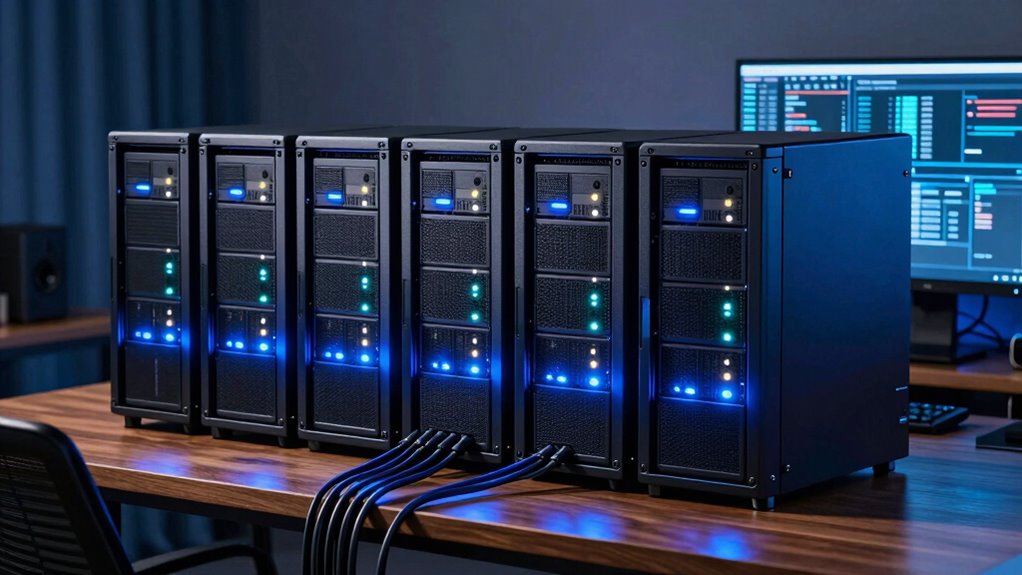
Setting up a home lab server allows tech enthusiasts and IT hobbyists to experiment with virtualization, network management, and data storage in a controlled environment. The best home lab servers combine power, expandability, and ease of setup, but they often involve tradeoffs between cost, complexity, and future-proofing. For example, high-end rackmounts offer incredible performance but can be overkill for beginners, while compact options prioritize simplicity but might lack scalability. Continue reading for a detailed breakdown of the top choices, helping you find the perfect fit for your needs and skill level.

Get the latest gadgets delivered free — and shop member deals
- Fast, free delivery on millions of items
- Access to Prime Big Deal Days deals on October 6–7
- Prime Video, Amazon Music and more included
Complete the kit



Key Takeaways
- The most versatile home lab servers balance performance and expandability without overwhelming beginners.
- Price varies widely; choosing a server with features you won’t use can lead to unnecessary expense.
- Rackmount servers deliver enterprise-grade capabilities but are less suitable for small spaces or newcomers.
- Prebuilt kits simplify setup, but DIY builds often offer better customization for specific use cases.
- Future-proofing is key—consider models with upgrade paths to avoid obsolescence in a rapidly evolving tech landscape.
| ZimaBoard 2 Home Server, Intel N150, Build Your First Real Server |  | Best Overall for Entry-Level Home Servers | Processor: Intel N150 quad-core up to 3.6GHz | Memory: 8GB DDR5 | Storage: 32GB eMMC | VIEW ON AMAZON | See Our Full Breakdown |
| PCSP R640 8 Bay SFF Pro Home & Business Virtualization Lab Server, 2X Platinum 8180 (56-Core/112-Thread), 2x 480GB Enterprise SSD, Win 2025 Eval |  | Best for High-Performance Virtualization and Business Use | Processor: 2x Platinum 8180 (56-Core/112-Thread) | Memory: Up to 384GB DDR4 | Storage: 2x 480GB Enterprise SSD | VIEW ON AMAZON | See Our Full Breakdown |
| ZimaBoard 2 1664 x86 Home Server, N150, 16GB LPDDR5, PCIe 3.0×4 Expansion | | Best for Advanced Home Lab and Self-Hosting | Processor: N150 quad-core up to 3.6GHz | Memory: 16GB LPDDR5 | Storage: 64GB eMMC | VIEW ON AMAZON | See Our Full Breakdown |
| UGREEN NAS DXP4800 Pro 4-Bay |  | Best for High-Performance NAS and Virtualization | Processor: Intel Core i3-1315U (6 Cores, 8 Threads) | RAM: 8GB DDR5 (expandable to 96GB) | Storage Capacity: 144TB (4x HDD + 2x M.2 SSD) | VIEW ON AMAZON | See Our Full Breakdown |
| HP ProLiant DL360p Gen8 1U Rackmount Server with Dual Xeon E5-2640, 64GB RAM, 8x300GB SAS HDD, P420i RAID, GigaBit NICs, Dual Power Supplies (Renewed) |  | Best for Enterprise-Grade Power in a Rackmount Form | Processor: 2×6-Core E5-2640 Xeon 2.5GHz | RAM: 64GB PC3-10600R | Hard Drives: 8×300GB 10K SAS HDD | VIEW ON AMAZON | See Our Full Breakdown |
| Dell PowerEdge R730xd Server 24B SFF 2U, 2x Intel Xeon E5-2690 v4 2.6GHz, 128GB DDR4 RAM, 4x 1.2TB 10K SAS HDD, H730P 2GB RAID, Dual Power Supplies, Dual 10GbE NIC |  | Best for High-Performance Enterprise-Grade Home Labs | Processor: 2x Intel Xeon E5-2690 v4 2.6GHz (14 cores each) | RAM: 128GB DDR4 | Storage: 4x 1.2TB 10K SAS HDD | VIEW ON AMAZON | See Our Full Breakdown |
| ZimaBlade 7700 x86 Home Server & 2-Bay NAS Kit, Intel Quad-Core, 16GB RAM |  | Best for DIY Home Media and Cloud Projects | Processor: Intel quad-core | RAM: 16GB | Drive Bays: 2 | VIEW ON AMAZON | See Our Full Breakdown |
| HP ProLiant DL360 G7 1U Rackmount Server – Dual Xeon X5675 3.06GHz, 72GB RAM, 4x900GB SAS HDD, P410i RAID, Dual GigaBit NIC, Redundant Power Supplies (Renewed) |  | Best for Small Business and Enterprise-Ready Home Labs | Processor: Dual Xeon X5675 6-Core 3.06GHz | Memory: 72GB DDR3 | Storage: 4x 900GB SAS HDD | VIEW ON AMAZON | See Our Full Breakdown |
| Dell PowerEdge R730XD Server, 2x E5-2670 v3, 128GB RAM, 12 Bays, Renewed |  | Best for Flexible Storage Expansion in a 2U Rack Form | Processor: 2x Intel Xeon E5-2670 v3 2.30GHz | RAM: 128GB DDR4 | Drive Bays: 12x 3.5 inch trays | VIEW ON AMAZON | See Our Full Breakdown |
| home lab server | Processor | Storage | RAM |
|---|---|---|---|
| ZimaBoard 2 Home Server | Intel N150 quad-core up to 3.6GHz | 32GB eMMC | — |
| PCSP R640 8 Bay SFF Pro Home & | 2x Platinum 8180 (56-Core/112-Thread) | 2x 480GB Enterprise SSD | — |
| ZimaBoard 2 1664 x86 Home Serv | N150 quad-core up to 3.6GHz | 64GB eMMC | — |
| UGREEN NAS DXP4800 Pro 4-Bay | Intel Core i3-1315U (6 Cores, 8 Threads) | — | 8GB DDR5 (expandable to 96GB) |
| HP ProLiant DL360p Gen8 1U Rac | 2×6-Core E5-2640 Xeon 2.5GHz | — | 64GB PC3-10600R |
| Dell PowerEdge R730xd Server 2 | 2x Intel Xeon E5-2690 v4 2.6GHz (14 cores each) | 4x 1.2TB 10K SAS HDD | 128GB DDR4 |
| ZimaBlade 7700 x86 Home Server | Intel quad-core | — | 16GB |
| HP ProLiant DL360 G7 1U Rackmo | Dual Xeon X5675 6-Core 3.06GHz | 4x 900GB SAS HDD | — |
| Dell PowerEdge R730XD Server | 2x Intel Xeon E5-2670 v3 2.30GHz | — | 128GB DDR4 |
More Details on Our Top Picks
ZimaBoard 2 Home Server, Intel N150, Build Your First Real Server
The ZimaBoard 2 stands out as an excellent starting point for those new to home labs. Its compact, fanless design makes it suitable for continuous operation without noise or overheating concerns. Compared to the ZimaBoard 2 1664, it offers a more affordable entry with similar expansion options, but with less RAM and storage capacity out of the box. Its versatility for NAS, routing, or lightweight virtualization makes it a strong all-in-one solution, especially for users comfortable with Linux-based OS setup. However, the limited 32GB eMMC storage may require additional external drives for larger data needs, and the setup process demands technical knowledge. This pick makes the most sense for hobbyists wanting a small, capable server that balances simplicity with expandability.
Pros:- Compact, fanless design suitable for 24/7 operation
- Supports PCIe expansion and dual 2.5GbE networking
- Preinstalled with ZimaOS and compatibility with multiple Linux distros
Cons:- Limited internal storage with only 32GB eMMC
- Requires some technical skills for setup and expansion
Best for: Beginners or hobbyists seeking a compact, all-in-one home server with good expandability and Linux support
Not ideal for: Power users or those needing extensive local storage straight out of the box, due to limited eMMC capacity
- Processor:Intel N150 quad-core up to 3.6GHz
- Memory:8GB DDR5
- Storage:32GB eMMC
- Expansion:PCIe 3.0 x4
- Networking:Dual 2.5GbE Ethernet
- Supported OS:TrueNAS, Proxmox, Debian, Ubuntu Server, pfSense, Linux containers
Our verdict“This is a flexible choice for newcomers wanting a small, capable server with room to grow.”
PCSP R640 8 Bay SFF Pro Home & Business Virtualization Lab Server, 2X Platinum 8180 (56-Core/112-Thread), 2x 480GB Enterprise SSD, Win 2025 Eval
The PCSP R640 caters to users who need serious processing power in a compact form, making it ideal for professional virtualization labs or demanding home setups. Its dual Platinum 8180 processors deliver 112 threads, far surpassing most home-oriented options like the ZimaBoard 2, which is more limited in processing. With up to 384GB of RAM, it can handle multiple VMs and intensive workloads simultaneously, but this flexibility comes with a significant cost and complexity. The inclusion of enterprise SSDs boosts storage performance, though the evaluation Windows 2025 OS limits long-term use without licensing. This server is best suited for IT professionals or serious homelab enthusiasts who need raw power and expandability, and are prepared for a higher investment and maintenance effort.
Pros:- Dual high-core-count Platinum 8180 processors with 112 threads
- Massive RAM capacity up to 384GB for demanding virtualization
- Enterprise SSD storage for high performance
Cons:- High cost and complexity make it unsuitable for beginners
- Limited information on expandability beyond RAM and SSD
Best for: IT professionals, virtualization enthusiasts, or advanced homelab users needing top-tier performance
Not ideal for: Casual users or those seeking a simple, plug-and-play server, due to its complexity and cost
- Processor:2x Platinum 8180 (56-Core/112-Thread)
- Memory:Up to 384GB DDR4
- Storage:2x 480GB Enterprise SSD
- Power Supply:2x 750W
- Operating System:Windows 2025 Eval
- Form Factor:8-bay SFF
Our verdict“This server is perfect for users requiring extreme processing power and virtualization capacity, willing to handle setup complexity.”
ZimaBoard 2 1664 x86 Home Server, N150, 16GB LPDDR5, PCIe 3.0×4 Expansion
The ZimaBoard 2 1664 offers a step up in performance and memory with 16GB LPDDR5, making it suitable for more demanding self-hosted applications or small-scale virtualizations. Its PCIe 3.0 x4 slot provides expansion potential, rivaling larger servers like the Ugreen NAS DXP4800 in flexibility, but with a smaller form factor tailored for tech-savvy home users. Compared to the ZimaBoard 2, it provides more RAM and faster memory, though at a higher price point and with increased setup complexity. The device’s versatility for NAS, homelabs, and services makes it appealing for those comfortable with Linux and hardware customization. However, out-of-the-box storage is limited to 64GB eMMC, so external storage is often required.
Pros:- High expandability with PCIe slot and dual SATA ports
- Large 16GB LPDDR5 memory for multitasking and virtualization
- Supports a wide range of server OS options with preinstalled ZimaOS
Cons:- Requires technical skills for optimal configuration
- Limited internal storage (64GB eMMC) may necessitate external drives
Best for: Experienced homelab enthusiasts seeking a compact, expandable platform for self-hosting and small virtualization projects
Not ideal for: Beginners or casual users needing straightforward, ready-to-run solutions due to setup complexity
- Processor:N150 quad-core up to 3.6GHz
- Memory:16GB LPDDR5
- Storage:64GB eMMC
- Expansion:PCIe 3.0 x4
- Networking:Dual 2.5GbE Ethernet
- Storage Ports:Dual SATA
Our verdict“Ideal for experienced users who want a small yet powerful self-hosting and virtualization platform.”
UGREEN NAS DXP4800 Pro 4-Bay
The UGREEN NAS DXP4800 Pro is geared toward users who need robust storage and virtualization features in a 4-bay form factor. Its Intel Core i3 processor and 8GB RAM, expandable to 96GB, provide a solid foundation for running virtual machines, Docker containers, or AI-powered applications. The inclusion of 10GbE and 2.5GbE ports ensures fast network transfers, surpassing basic NAS devices like the Ugreen NAS DXP4800 in networking speed. Unlike the ZimaBoard 2, which is more basic, this model offers a broader feature set for demanding workflows. However, its setup can be complex, especially for those unfamiliar with RAID configurations or virtualization. The high price and capacity might be overkill for simple storage needs, making it better suited for power users and professionals.
Pros:- Powerful Intel Core i3 processor with support for virtualization
- Large storage capacity with RAID support up to 144TB
- Fast networking with 10GbE + dual 2.5GbE ports
Cons:- Setup and configuration require technical expertise
- High cost may not suit small-scale or casual users
Best for: IT professionals or power users needing a versatile, high-performance NAS and virtual machine host
Not ideal for: Casual users or those seeking an easy plug-and-play solution, due to setup complexity and cost
- Processor:Intel Core i3-1315U (6 Cores, 8 Threads)
- RAM:8GB DDR5 (expandable to 96GB)
- Storage Capacity:144TB (4x HDD + 2x M.2 SSD)
- Network Ports:10GbE + 2.5GbE dual ports
- RAID Support:0, 1, 5, 10
- Operating System:UGOS Pro
Our verdict“Best suited for professionals and power users seeking a high-performance NAS with virtualization capabilities.”
HP ProLiant DL360p Gen8 1U Rackmount Server with Dual Xeon E5-2640, 64GB RAM, 8x300GB SAS HDD, P420i RAID, GigaBit NICs, Dual Power Supplies (Renewed)
The HP ProLiant DL360p Gen8 offers a level of enterprise reliability and power in a 1U rackmount suitable for demanding workloads. Its dual Xeon E5-2640 processors and 64GB RAM provide solid multitasking capacity, making it a strong choice over smaller or less capable servers like the Ugreen NAS DXP4800 for data center or business continuity needs. The 8 SAS drives and P420i RAID controller deliver reliable, high-speed storage, while dual power supplies enhance uptime. Still, as a renewed unit, it may lack some modern features, and the absence of an included OS means additional setup time. This server is better suited for IT environments where rackmount form factors and high reliability are priorities, not casual or home use.
Pros:- Dual Xeon processors for intensive multitasking
- Large 64GB RAM capacity for virtualization and data tasks
- Multiple SAS drives with RAID for reliable storage
Cons:- Older hardware lacking some modern features
- Requires technical expertise for setup and maintenance
Best for: IT professionals or businesses needing reliable, high-capacity rackmount servers for demanding workloads
Not ideal for: Home users or hobbyists seeking simple, plug-and-play servers, due to complexity and rackmount design
- Processor:2×6-Core E5-2640 Xeon 2.5GHz
- RAM:64GB PC3-10600R
- Hard Drives:8×300GB 10K SAS HDD
- RAID:P420i RAID
- Network:4×Gigabit NIC
- Form Factor:1U Rackmount
Our verdict“This server is ideal for enterprise or serious homelab use where reliability and capacity outweigh ease of setup.”
Dell PowerEdge R730xd Server 24B SFF 2U, 2x Intel Xeon E5-2690 v4 2.6GHz, 128GB DDR4 RAM, 4x 1.2TB 10K SAS HDD, H730P 2GB RAID, Dual Power Supplies, Dual 10GbE NIC
The Dell PowerEdge R730xd stands out for its dual Xeon E5-2690 v4 processors, making it ideal for power users running multiple virtual machines or demanding applications. Compared to the ZimaBlade 7700, it offers significantly higher raw performance and expandability, but this comes with a larger footprint and higher power draw. Its 128GB DDR4 RAM ensures smooth multitasking, while dual 10GbE NICs provide robust network connectivity. The dual power supplies add reliability, making it suitable for continuous operation. However, this server’s bulk and cost may be overkill for small home labs or casual users. It’s best suited for those needing enterprise-class performance in a rack setup, accepting the tradeoff of complexity and size for top-tier capabilities.
Pros:- High-performance dual Xeon processors for demanding workloads
- Ample 128GB DDR4 RAM supports extensive multitasking
- Multiple high-speed network interfaces for connectivity
- Redundant power supplies increase reliability
Cons:- Bulky 2U rack form factor requires dedicated rack space
- Overkill for small-scale or simple projects
Best for: Advanced home lab enthusiasts needing enterprise-grade performance and expandability.
Not ideal for: Casual users or those with limited space who only need basic server functions.
- Processor:2x Intel Xeon E5-2690 v4 2.6GHz (14 cores each)
- RAM:128GB DDR4
- Storage:4x 1.2TB 10K SAS HDD
- RAID Controller:H730P 2GB
- Power Supplies:Dual 750W PSU
- Network Interfaces:2x 10Gb SFP+ + 2x 1Gb RJ45
Our verdict“This server excels for users who require robust, enterprise-level processing power in a rack-mount form, accepting the size and complexity tradeoffs.”
ZimaBlade 7700 x86 Home Server & 2-Bay NAS Kit, Intel Quad-Core, 16GB RAM
The ZimaBlade 7700 is a versatile, compact mini server tailored for building custom NAS or homelab systems. Unlike the larger Dell PowerEdge R730xd, it offers a quieter, fanless design, making it ideal for living spaces. Its Intel quad-core CPU and 16GB RAM support media streaming, basic virtualization, and home automation tasks with ease. The included 2-bay NAS kit simplifies setup for users comfortable with some assembly, and the PCIe expansion allows future upgrades. However, its limited drive capacity means it’s best for smaller data sets, and technical knowledge is needed for configuration. It’s perfect for DIYers wanting a sleek, silent server that balances flexibility with ease of use, accepting the tradeoff of lower storage capacity.
Pros:- Fanless, silent operation suitable for living rooms
- Supports 4K media streaming with Plex compatibility
- Complete kit with all necessary components included
- Expandable via PCIe for future upgrades
Cons:- Limited to 2 drive bays, restricting storage capacity
- Requires technical skills for assembly and software setup
Best for: Home tech enthusiasts seeking a quiet, customizable NAS or media server.
Not ideal for: Users needing large storage or enterprise-grade performance.
- Processor:Intel quad-core
- RAM:16GB
- Drive Bays:2
- Expansion Slot:PCIe
- Included:Power supply, metal drive cage, dual SATA cables
- Cooling:Fanless, passive
Our verdict“This pick is ideal for DIYers wanting a quiet, flexible server for media and home automation, with some capacity and upgrade limitations.”
HP ProLiant DL360 G7 1U Rackmount Server – Dual Xeon X5675 3.06GHz, 72GB RAM, 4x900GB SAS HDD, P410i RAID, Dual GigaBit NIC, Redundant Power Supplies (Renewed)
The HP ProLiant DL360 G7 offers a compact 1U form factor with dual Xeon X5675 processors, making it suitable for small business environments or serious home labs. It provides 72GB RAM, which is ample for virtualization or network services, and four 900GB SAS drives with RAID support for reliable storage. Compared with the Dell PowerEdge R730xd, it is more space-efficient but may lack some of the raw expansion options. Its GigaBit NICs and redundant power supplies enhance reliability, yet being a renewed unit, it may have limited longevity and requires careful setup. This server is best for users who want enterprise features in a smaller package, willing to handle some technical work and potential age-related concerns.
Pros:- Space-efficient 1U rackmount design
- Dual Xeon processors for multitasking
- Redundant power supplies enhance uptime
- Supports RAID for data reliability
Cons:- Renewed condition may impact lifespan
- Limited to GigaBit networking, less future-proof
Best for: Small business or advanced home lab users needing a compact, reliable server with enterprise features.
Not ideal for: Beginners or casual users who prefer plug-and-play solutions with warranty assurance.
- Processor:Dual Xeon X5675 6-Core 3.06GHz
- Memory:72GB DDR3
- Storage:4x 900GB SAS HDD
- RAID:HP Smart Array P410i
- Network:4x GigaBit NIC
- Power:Redundant Power Supplies
Our verdict“This server suits users seeking a compact, enterprise-level rackmount with reliability features, accepting some age and renewal risks.”
Dell PowerEdge R730XD Server, 2x E5-2670 v3, 128GB RAM, 12 Bays, Renewed
The Dell PowerEdge R730XD with 12 drive bays and dual E5-2670 v3 processors offers significant storage capacity, making it a strong choice for users needing scalable data solutions. Compared to the HP ProLiant DL360 G7, which is smaller and more compact, this R730XD provides more flexibility for expanding storage with fewer constraints. Its 128GB RAM supports virtualization and multitasking, though the absence of pre-installed drives means a user must invest time and money in drives. As a renewed product, it offers good value but may require upgrades for longevity. This model appeals to those prioritizing extensive storage in a familiar, server-class environment, with the tradeoff of setup complexity and potential aging hardware.
Pros:- Large 12-bay capacity for flexible storage expansion
- Powerful dual processor setup with 24 cores total
- Supports virtualization and multitasking with 128GB RAM
- Renewed product offering good value
Cons:- No included storage drives, requiring additional investment
- Requires technical knowledge for setup and configuration
Best for: Users needing a cost-effective, expandable storage server for home or small business use.
Not ideal for: Beginners or those seeking a ready-to-run server without assembly or upgrade needs.
- Processor:2x Intel Xeon E5-2670 v3 2.30GHz
- RAM:128GB DDR4
- Drive Bays:12x 3.5 inch trays
- Form Factor:2U Rack Server
- Operating System:Supports all Windows Server versions
- Condition:Renewed
Our verdict“This server fits users looking for extensive storage capacity with solid processing power, accepting the extra setup effort.”

How We Picked
Our evaluation focused on performance, expandability, build quality, ease of setup, and overall value. We prioritized servers that strike a balance between power and practicality, ensuring they can handle common home lab tasks like virtualization, storage, and network testing. Devices were rated based on hardware specs, user reviews, and potential for upgrades, with a bias toward models suited for various skill levels—from beginners to advanced users. The ranking reflects a mix of cost-effectiveness, reliability, and flexibility, aiming to help different types of hobbyists and IT professionals find their ideal home lab server.Factors to Consider When Choosing Home Lab Server
When choosing a home lab server, several factors can significantly influence your experience and long-term satisfaction. Understanding these key considerations can help you avoid costly mistakes and select a model that truly fits your current needs while allowing room for growth.Performance and Hardware Specifications
Assess your workload requirements—whether running virtual machines, managing storage, or testing networks. Higher CPU core counts, ample RAM, and fast storage options translate into smoother operation, especially under load. However, more powerful hardware often comes at a higher price and increased power consumption. Balance your immediate needs with future expansion plans to avoid overspending on unnecessary power or capacity.
Expandability and Upgrade Paths
Look for servers that support hardware upgrades, such as additional RAM slots, drive bays, or PCIe expansion. This flexibility extends the lifespan of your investment by accommodating new technology or increased demand. Conversely, some compact or prebuilt models may limit future growth, forcing costly replacements sooner than expected. Consider your long-term plans and choose a server that can evolve with your skills and projects.
Form Factor and Space Requirements
Decide whether a rackmount, tower, or mini server best suits your environment. Rackmounts are ideal for dedicated server rooms but require more space and infrastructure. Tower servers are more accessible and easier to set up in a home office or closet. Compact models save space but often have limitations in hardware capacity. Your available space and noise tolerance will influence this choice.
Ease of Setup and Maintenance
Simpler, preconfigured kits appeal to beginners, reducing setup time and complexity. However, DIY options typically offer greater customization and learning opportunities. Consider your technical comfort level and willingness to troubleshoot. Also, think about the availability of support and community resources, which can make maintenance easier in the long run.
Cost and Value
Prices for home lab servers range from budget-friendly to premium enterprise models. While investing in high-end hardware can provide outstanding performance, it may be unnecessary if your projects are modest. Conversely, opting for a cheaper, less capable server might limit future use. Aim for a model that offers a good balance of features and price, and remember that some features are worth paying extra for if they improve reliability or upgradeability.
Frequently Asked Questions
Can I repurpose an old server for my home lab?
Absolutely. Using an existing server can be a cost-effective way to build a home lab, especially if it has decent hardware specs. However, older servers might lack modern features like virtualization support or energy efficiency, and they could be noisy or less reliable. Before repurposing, verify hardware compatibility with your desired software and consider potential upgrades such as adding more RAM or replacing drives to improve performance.
Is it better to buy a prebuilt home lab server or build my own?
This depends on your experience and specific needs. Prebuilt servers offer simplicity, quick setup, and tested stability, making them ideal for beginners or those who want a plug-and-play solution. Building your own allows for tailored hardware, better upgrade options, and a deeper learning experience but requires more technical skill and time. Evaluate your comfort level and long-term goals before choosing between these options.
What is the ideal hardware for a beginner home lab server?
For newcomers, a compact, user-friendly server with adequate CPU, RAM, and storage, like the ZimaBoard or ZimaBlade, offers a manageable starting point. These models are straightforward to set up and maintain, and they provide enough power for basic virtualization and storage tasks. As your skills grow, you can explore more complex and expandable options, but initial simplicity helps prevent overwhelm.
How important is energy efficiency for a home lab server?
Energy efficiency matters because home lab servers often run continuously, impacting electricity bills and heat output. Choosing a model with low power consumption can save money over time and reduce noise levels. While high-performance servers may draw more power, they might be necessary for demanding workloads. Balance performance needs with energy considerations to find a sustainable setup.
Should I prioritize hardware specs or software support when choosing a server?
Both matter, but hardware specs often set the baseline for what your server can handle, especially for virtualization or storage. Software support, including compatibility with virtualization platforms and management tools, enhances usability and stability. Ensure the server you choose is compatible with your preferred software ecosystem to avoid frustration and ensure smooth operation over time.
Conclusion
For those just starting out or with modest needs, models like the ZimaBoard 2 or ZimaBlade 7700 offer straightforward setup and enough power for most hobbyist projects. If you require enterprise-grade performance and plan to run multiple VMs or large datasets, the PCSP R640 or Dell PowerEdge R730xd stand out as premium options, albeit at a higher cost. Budget-conscious buyers should consider refurbished or mid-range options, while advanced users will benefit from rackmount servers like the HP ProLiant or Dell R730xd for maximum scalability. Ultimately, choose the server that aligns with your technical comfort, space, and future plans, ensuring your home lab grows with your skills.
As an affiliate, we earn on qualifying purchases.Fall Picks
fall essentials