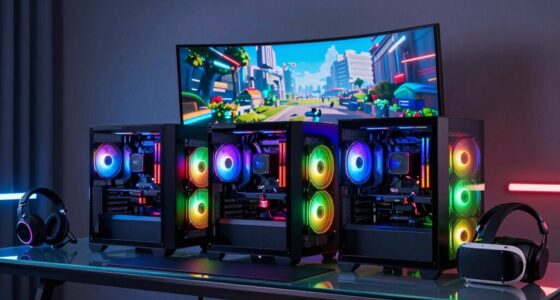
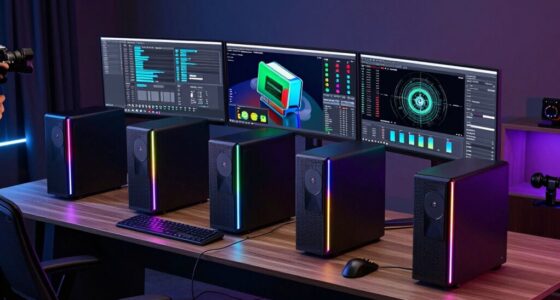
A high-performance desktop PC should match its processor and memory to the work you do, while providing enough graphics power for your games and creative tasks. My best overall pick for gaming is the Alienware Aurora with RTX 5070, which pairs a capable gaming GPU with an Intel Core Ultra 7 processor. The KOTIN with RTX 5070 and Ryzen 7 9700X is another strong gaming-focused option, while the Dell ECT1250 with RTX 4060 suits buyers who want discrete graphics alongside a modern processor. The main tradeoffs are graphics performance, memory and storage capacity, and whether the PC is built for gaming or office work. Read on for the full comparison and picks by buyer type.

Get the latest gadgets delivered free with Prime
- Fast, free delivery on millions of items
- Prime Video, Amazon Music and more included
- Member-only deals all year
Complete the kit



Key Takeaways
- The RTX 5070 systems lead this roundup for gaming: the Alienware Aurora and KOTIN are the clearest choices for buyers who prioritize graphics performance.
- A fast processor does not make a gaming PC on its own: several business towers have powerful CPUs and ample memory but no listed discrete graphics card.
- The Dell ECT1250 RTX 4060 models share a core gaming advantage: their discrete GPU makes them more suitable for gaming than the non-GPU office towers, while the Series 2 adds more memory and storage.
- The HP OmniDesk with Ryzen 7 8700G favors balanced everyday use: its Radeon 780M integrated graphics can handle lighter gaming without a separate graphics card, but it is not a substitute for the RTX 5070 options.
- Memory and storage vary even within similar desktop lines: compare the full configuration, since the Dell ECT1250 Series 2 has 64GB RAM and 2TB storage while its other listed configuration has 32GB and 1TB.
| HP OmniDesk M03 Business Desktop PC with 64GB RAM, 2TB SSD, 4K Support, Windows 11 Pro, Bundle |  | Best for Multi-Monitor Work | Processor: Intel Core Ultra 7 265, 20 cores, 20 threads, up to 5.3 GHz | Memory: 64GB DDR5 | Storage: 2TB SSD | VIEW ON AMAZON | See Our Full Breakdown |
| Acer Aspire High Performance Professional Desktop PC (Intel i5-14400, 16GB DDR5, 512GB PCIe SSD, Win 11 Pro) with Dockztorm Hub |  | Best for Everyday Business Use | Processor: Intel Core i5-14400, 10 cores, 16 threads, up to 4.7 GHz | Memory: 16GB DDR5 | Storage: 512GB PCIe NVMe SSD | VIEW ON AMAZON | See Our Full Breakdown |
| ASUS V500 Business Tower Desktop Computer with Intel Core i7-13620H, 32GB DDR5, 1TB SSD, Windows 11 |  | Best Ready-to-Use Workstation | Processor: Intel Core i7-13620H, 10 cores, 16 threads, up to 4.9 GHz | Memory: 32GB DDR5, configurable up to 64GB | Storage: 1TB SSD, supports up to 4TB | VIEW ON AMAZON | See Our Full Breakdown |
| Dell 2025 Slim Business Desktop – Intel Core i9-12900K, 64GB DDR5 RAM, 1TB PCIe SSD, Dual 4K Monitor Support, Windows 11 Pro |  | Best for CPU-Heavy Office Work | Processor: Intel Core i9-12900K, 20 cores, 24 threads, up to 5.0 GHz | Memory: Up to 64GB DDR5 | Storage: 1TB PCIe SSD, expandable up to 4TB | VIEW ON AMAZON | See Our Full Breakdown |
| ASUS V500 Home & Business Tower Desktop with Intel Core i7-13620H, 32GB DDR5, 1TB SSD, Bundle with 64GB USB Drive |  | Best Home and Office Bundle | Processor: Intel Core i7-13620H, 10 cores, 16 threads, up to 4.9 GHz | Memory: 32GB DDR5 | Storage: 1TB SSD | VIEW ON AMAZON | See Our Full Breakdown |
| Dell Tower ECT1250 Desktop Computer – Intel Core Ultra 7-265F, 32GB DDR5 RAM, 1TB NVMe SSD, NVIDIA GeForce RTX 4060, Windows 11 Pro |  | Best Balanced Work and Gaming Pick | Processor: Intel Core Ultra 7-265F, 20 cores, 2.4GHz | Memory: 32GB DDR5 | Storage: 1TB NVMe SSD | VIEW ON AMAZON | See Our Full Breakdown |
| YAWYORE Gaming Desktop PC with AMD Ryzen 7 5700X and GeForce RTX 5060 |  | Best Straightforward Gaming Pick | Processor: AMD Ryzen 7 5700X, 8 cores, 16 threads, up to 4.6GHz | Graphics: GeForce RTX 5060, 8GB GDDR7 | Memory: 32GB DDR4 3200MHz, 2 x 16GB | VIEW ON AMAZON | See Our Full Breakdown |
| Dell Tower ECT1250 Desktop Computer – Series 2 with Intel Core Ultra 7-265F, 64GB DDR5 RAM, 2TB NVMe SSD, NVIDIA GeForce RTX 4060 8GB, Windows 11 Pro | | Best for Heavy Multitasking | Processor: Intel Core Ultra 7-265F, 20 cores, 2.4GHz | Memory: 64GB DDR5 | Storage: 2TB NVMe SSD | VIEW ON AMAZON | See Our Full Breakdown |
| KOTIN Gaming Desktop with RTX 5070 and Ryzen 7 9700X |  | Best High-Performance Gaming Pick | Processor: AMD Ryzen 7 9700X, 8 cores | Graphics: NVIDIA GeForce RTX 5070, 12GB GDDR7 | Memory: 32GB DDR5 6000MHz | VIEW ON AMAZON | See Our Full Breakdown |
| Alienware Aurora Gaming Desktop with RTX 5070 and Intel Core Ultra 7 265F |  | Best Premium Gaming Experience | Processor: Intel Core Ultra 7 265F | Graphics: NVIDIA GeForce RTX 5070 | Finish: Matte basalt black | VIEW ON AMAZON | See Our Full Breakdown |
| Dell Tower Desktop with Intel Core Ultra 7-265, 32GB RAM, 1TB SSD, Windows 11 Home |  | Best for Productivity and Multitasking | Processor: Intel Core Ultra 7-265 | Memory: 32GB RAM | Storage: 1TB PCIe NVMe SSD | VIEW ON AMAZON | See Our Full Breakdown |
| HP OmniDesk Desktop Computer PC with AMD Ryzen 7 8700G, 32GB DDR5, 1TB NVMe SSD, Radeon 780M Graphics, Wi-Fi 6, Bluetooth 5.4, Keyboard & Mouse |  | Best Compact Desktop for Casual Gaming | Processor: AMD Ryzen 7 8700G, 4.2GHz | Memory: 32GB DDR5-5200 | Storage: 1TB PCIe Gen4 NVMe SSD | VIEW ON AMAZON | See Our Full Breakdown |
| HP Pavilion Desktop Tower with Intel Core i7-11700F, 32GB RAM, and 1TB SSD |  | Best for Everyday Multitasking | Processor: Intel Core i7-11700F, 8-core, 2.5GHz, 16MB cache | Memory: 32GB DDR4 RAM | Storage: 1TB PCIe SSD | VIEW ON AMAZON | See Our Full Breakdown |
| high performance desktop pc | Processor | Memory | Storage | Operating system |
|---|---|---|---|---|
| HP OmniDesk M03 Business Deskt | Intel Core Ultra 7 265, 20 cores, 20 threads, up to 5.3 GHz | 64GB DDR5 | 2TB SSD | Windows 11 Pro |
| Acer Aspire High Performance P | Intel Core i5-14400, 10 cores, 16 threads, up to 4.7 GHz | 16GB DDR5 | 512GB PCIe NVMe SSD | Windows 11 Pro 64-bit |
| ASUS V500 Business Tower Deskt | Intel Core i7-13620H, 10 cores, 16 threads, up to 4.9 GHz | 32GB DDR5, configurable up to 64GB | 1TB SSD, supports up to 4TB | Windows 11 Home 64-bit |
| Dell 2025 Slim Business Deskto | Intel Core i9-12900K, 20 cores, 24 threads, up to 5.0 GHz | Up to 64GB DDR5 | 1TB PCIe SSD, expandable up to 4TB | Windows 11 Pro |
| ASUS V500 Home & Business Towe | Intel Core i7-13620H, 10 cores, 16 threads, up to 4.9 GHz | 32GB DDR5 | 1TB SSD | Windows 11 Pro |
| Dell Tower ECT1250 Desktop Com | Intel Core Ultra 7-265F, 20 cores, 2.4GHz | 32GB DDR5 | 1TB NVMe SSD | Windows 11 Pro |
| YAWYORE Gaming Desktop PC with | AMD Ryzen 7 5700X, 8 cores, 16 threads, up to 4.6GHz | 32GB DDR4 3200MHz, 2 x 16GB | 1TB M.2 NVMe PCIe SSD | Windows 11 |
| Dell Tower ECT1250 Desktop Com | Intel Core Ultra 7-265F, 20 cores, 2.4GHz | 64GB DDR5 | 2TB NVMe SSD | Windows 11 Pro |
| KOTIN Gaming Desktop with RTX | AMD Ryzen 7 9700X, 8 cores | 32GB DDR5 6000MHz | 1TB PCIe 4.0 NVMe SSD | Windows 11 Home |
| Alienware Aurora Gaming Deskto | Intel Core Ultra 7 265F | — | — | — |
| Dell Tower Desktop with Intel | Intel Core Ultra 7-265 | 32GB RAM | 1TB PCIe NVMe SSD | Windows 11 Home |
| HP OmniDesk Desktop Computer P | AMD Ryzen 7 8700G, 4.2GHz | 32GB DDR5-5200 | 1TB PCIe Gen4 NVMe SSD | Windows 11 Home, 64-bit |
| HP Pavilion Desktop Tower with | Intel Core i7-11700F, 8-core, 2.5GHz, 16MB cache | 32GB DDR4 RAM | 1TB PCIe SSD | Windows 11 Home |
More Details on Our Top Picks
HP OmniDesk M03 Business Desktop PC with 64GB RAM, 2TB SSD, 4K Support, Windows 11 Pro, Bundle
The HP OmniDesk M03 is the strongest fit here for heavy office multitasking: its 20-core Core Ultra 7, 64GB of DDR5, and 2TB SSD leave room for demanding workloads and large local files. Support for four 4K monitors also suits users who need a broad workspace. Compared with the Dell Tower ECT1250 with RTX 4060, though, this HP has no dedicated graphics card listed, so the Dell is the more convincing choice for gaming and GPU-heavy creative work. That distinction matters for a high-performance desktop: the M03 prioritizes memory, storage, and display connectivity over graphics performance. Its open-box upgrade status may give some buyers pause, and the bundled USB drive is a minor extra rather than a reason to choose it.
Pros:- 20-core Intel Core Ultra 7 265 processor
- 64GB DDR5 and a 2TB SSD suit demanding multitasking and large projects
- Supports up to four 4K monitors
- Windows 11 Pro, Wi-Fi 6, and broad wired connectivity
Cons:- No dedicated graphics card is listed, limiting its appeal for demanding gaming
- Open-box upgrade status may concern buyers seeking an untouched system
- The product data does not specify graphics performance or upgrade details
Best for: Professionals running memory-heavy applications across several 4K displays who need Windows 11 Pro and substantial local storage.
Not ideal for: PC gamers and GPU-focused creators who need a dedicated graphics card for demanding games or rendering.
- Processor:Intel Core Ultra 7 265, 20 cores, 20 threads, up to 5.3 GHz
- Memory:64GB DDR5
- Storage:2TB SSD
- Display support:Up to four 4K monitors
- Operating system:Windows 11 Pro
- Connectivity:Wi-Fi 6, Ethernet, USB, HDMI, and DisplayPort
- Bundle:64GB USB flash drive
Our verdict“Choose the HP OmniDesk M03 for memory-heavy professional work across multiple 4K monitors, but pick an RTX-equipped desktop for gaming.”
Acer Aspire High Performance Professional Desktop PC (Intel i5-14400, 16GB DDR5, 512GB PCIe SSD, Win 11 Pro) with Dockztorm Hub
The Acer Aspire is the straightforward office pick in this group: its 10-core Core i5-14400, 16GB of DDR5, and 512GB NVMe SSD cover common work tasks without the larger memory and storage footprint of the HP OmniDesk M03. Wi-Fi 6E, Bluetooth 5.3, Windows 11 Pro, and a USB hub add practical connectivity for a work setup. For gaming, however, its integrated Intel UHD 730 graphics are a major limitation; even the ASUS V500 systems lack a listed dedicated card, while RTX-equipped desktops in the roundup are better suited to gaming. The 300W power supply and compact chassis may also narrow future upgrade choices. Choose the Acer for general productivity and skip it if gaming performance is a priority.
Pros:- 10-core Intel Core i5-14400 for everyday productivity
- 16GB DDR5 and a PCIe NVMe SSD
- Wi-Fi 6E and Bluetooth 5.3
- Includes a Dockztorm USB hub and offers HDMI and USB-C ports
Cons:- Integrated Intel UHD 730 graphics are a poor fit for demanding games
- 512GB SSD offers less room than the 1TB and 2TB options in the lineup
- 300W power supply and compact design may constrain upgrades
Best for: Office users who want a current Core i5 system with Windows 11 Pro, modern wireless connectivity, and a compact tower.
Not ideal for: Buyers seeking a gaming computer or planning major hardware upgrades, given the integrated graphics and 300W power supply.
- Processor:Intel Core i5-14400, 10 cores, 16 threads, up to 4.7 GHz
- Memory:16GB DDR5
- Storage:512GB PCIe NVMe SSD
- Graphics:Intel UHD 730 integrated graphics
- Operating system:Windows 11 Pro 64-bit
- Wireless:Wi-Fi 6E and Bluetooth 5.3
- Power supply:300W
- Dimensions:13.9 x 6.7 x 13.45 inches
Our verdict“Pick the Acer Aspire for connected office work on Windows 11 Pro, not for gaming or graphics-heavy workloads.”
ASUS V500 Business Tower Desktop Computer with Intel Core i7-13620H, 32GB DDR5, 1TB SSD, Windows 11
With 32GB DDR5, a 1TB SSD, and a wired keyboard and mouse included, the ASUS V500 is a ready-to-use productivity tower for buyers who want more headroom than the Acer Aspire’s 16GB configuration. Its 10-core Core i7-13620H and seven USB ports suit multitasking and a desk full of accessories. The HP OmniDesk M03 offers twice the memory and storage plus support for four 4K monitors, so it is the stronger choice for especially demanding office setups. The V500’s listed Windows 11 Home also makes it less tailored to business environments than Pro-equipped alternatives. No dedicated graphics card is specified, so this is a work-focused option rather than a compelling gaming computer. Its memory and storage are configurable according to the product data, offering some room to adapt.
Pros:- 32GB DDR5 and 1TB SSD provide more capacity than the Acer Aspire
- 10-core Intel Core i7 processor supports multitasking
- Seven USB ports plus HDMI, DisplayPort, and Ethernet
- Includes a wired keyboard and mouse
Cons:- No dedicated graphics card is listed for demanding games
- Windows 11 Home may not meet business environment requirements
- The product data describes a mobile-class Core i7 processor in a tower
Best for: Home-office buyers who want 32GB of memory, a 1TB SSD, and basic keyboard and mouse included for productivity work.
Not ideal for: Gamers and business users who require a dedicated GPU or Windows 11 Pro.
- Processor:Intel Core i7-13620H, 10 cores, 16 threads, up to 4.9 GHz
- Memory:32GB DDR5, configurable up to 64GB
- Storage:1TB SSD, supports up to 4TB
- Operating system:Windows 11 Home 64-bit
- Wireless:Wi-Fi 6 and Bluetooth 5.4
- Ports:Seven USB ports, HDMI, DisplayPort, and RJ-45 Ethernet
- Included accessories:Wired keyboard and mouse
Our verdict“Choose the ASUS V500 for a well-equipped productivity desk with keyboard and mouse included, but look to an RTX desktop for gaming.”
Dell 2025 Slim Business Desktop – Intel Core i9-12900K, 64GB DDR5 RAM, 1TB PCIe SSD, Dual 4K Monitor Support, Windows 11 Pro
The Dell pairs a 20-core Intel Core i9-12900K with up to 64GB of DDR5, making it the CPU-focused choice for intensive multitasking and demanding professional applications. Windows 11 Pro, security features, dual 4K support, and included wireless keyboard and mouse round out a work-ready setup. Compared with the HP OmniDesk M03, it supports two rather than four 4K monitors and lists half the SSD capacity, but the i9 makes it an appealing alternative for processor-intensive work. Neither desktop lists a dedicated graphics card, so buyers choosing a gaming computer should look instead at the roundup’s RTX models. The slim design may suit some desks, though the product data gives little detail on upgradeability. Treat the listed graphics support as display connectivity, not evidence of gaming capability.
Pros:- 20-core Intel Core i9-12900K processor
- Up to 64GB DDR5 memory
- Windows 11 Pro with TPM and lock slot
- Dual 4K support and wireless keyboard and mouse included
Cons:- No dedicated graphics card is listed for demanding gaming
- 1TB SSD is smaller than the HP OmniDesk M03’s 2TB drive
- Upgradeability details are limited in the product data
Best for: Professionals running processor-intensive applications who need Windows 11 Pro, dual 4K display output, and included desk peripherals.
Not ideal for: Gamers, users who need four 4K displays, or buyers who prioritize clearly documented upgrade options.
- Processor:Intel Core i9-12900K, 20 cores, 24 threads, up to 5.0 GHz
- Memory:Up to 64GB DDR5
- Storage:1TB PCIe SSD, expandable up to 4TB
- Display support:Dual 4K monitors
- Operating system:Windows 11 Pro
- Security:Hardware TPM and lock slot
- Connectivity:Wi-Fi 6, Bluetooth, USB-C, HDMI, DisplayPort, and Ethernet
- Included accessories:Wireless US English keyboard and mouse
Our verdict“Choose the Dell for CPU-heavy office workloads and dual 4K displays, but choose a dedicated-GPU system for gaming.”
ASUS V500 Home & Business Tower Desktop with Intel Core i7-13620H, 32GB DDR5, 1TB SSD, Bundle with 64GB USB Drive
This ASUS V500 combines a 10-core Core i7, 32GB of DDR5, and a 1TB SSD in a balanced home-and-office configuration, with a 64GB USB drive bundled for moving files. Its core specifications match the other ASUS V500 in this batch, which includes a keyboard and mouse instead; buyers should compare the included extras and operating system before choosing between them. Unlike the HP OmniDesk M03, this model lists Windows 11 Pro, but it has half the memory and storage and no stated four-monitor 4K capability. The main limitation for a high-performance desktop roundup is that no dedicated graphics card is listed, so it is a weak fit for demanding gaming. Its opened seal for upgrades may also matter to buyers who prefer factory-sealed systems.
Pros:- 10-core Intel Core i7 processor and 32GB DDR5
- 1TB SSD for applications and local files
- Windows 11 Pro
- Includes an ADATA 64GB USB flash drive
Cons:- No dedicated graphics card is listed for demanding games
- Original seal has been opened for upgrades
- The other ASUS V500 listing includes a keyboard and mouse instead of the USB drive
Best for: Home-office users who need Windows 11 Pro, 32GB memory, and a portable USB drive for transferring work files.
Not ideal for: Buyers seeking a gaming computer, a factory-sealed system, or the expanded memory and storage of the HP OmniDesk M03.
- Processor:Intel Core i7-13620H, 10 cores, 16 threads, up to 4.9 GHz
- Memory:32GB DDR5
- Storage:1TB SSD
- Operating system:Windows 11 Pro
- Graphics outputs:DisplayPort and HDMI
- Included accessory:ADATA 64GB USB flash drive
- Warranty:One year on RAM and SSD; one year manufacturer warranty on other components
Our verdict“Choose this ASUS V500 for home and office work with Windows 11 Pro and a file-transfer drive, but skip it for GPU-heavy gaming.”
Dell Tower ECT1250 Desktop Computer – Intel Core Ultra 7-265F, 32GB DDR5 RAM, 1TB NVMe SSD, NVIDIA GeForce RTX 4060, Windows 11 Pro
The Dell Tower ECT1250 pairs a 20-core Core Ultra 7-265F with an RTX 4060, giving it a more even work-and-play profile than the gaming-focused YAWYORE Ryzen 7 5700X desktop. Its 32GB of DDR5 and 1TB NVMe SSD leave room for demanding multitasking, games, and creative projects, while Windows 11 Pro and Wi-Fi 6 suit a home office as well as a gaming setup. The RTX 4060 is the limiting choice beside the KOTIN RTX 5070 when graphics-heavy games are the priority, so this Dell is better matched to mainstream gaming and mixed workloads than to chasing the highest frame rates. Eight USB ports and PCIe expansion add flexibility, though the listing gives no audio or bundled-peripheral details.
Pros:- 20-core processor and 32GB DDR5 support heavy multitasking
- RTX 4060 provides dedicated graphics for gaming and content creation
- 1TB NVMe SSD offers fast storage for games and active projects
- Windows 11 Pro, Wi-Fi 6, and eight USB ports suit mixed-use setups
Cons:- RTX 4060 is a step below the RTX 5070 in the KOTIN and Alienware gaming desktops
- No audio or included-peripheral details are provided
- Power consumption may be higher than less graphics-focused office desktops
Best for: PC gamers who also run demanding office or creative workloads and want Windows 11 Pro with broad connectivity.
Not ideal for: Buyers prioritizing the strongest gaming graphics in this group; the KOTIN RTX 5070 offers a higher-tier GPU.
- Processor:Intel Core Ultra 7-265F, 20 cores, 2.4GHz
- Memory:32GB DDR5
- Storage:1TB NVMe SSD
- Graphics:NVIDIA GeForce RTX 4060, 8GB GDDR6
- Operating system:Windows 11 Pro
- Connectivity:Wi-Fi 6; 8 USB ports, including 4 front-facing
- Expansion:PCIe expansion slots
Our verdict“Choose this Dell for a capable gaming computer that also handles demanding productivity, provided an RTX 4060 meets your graphics needs.”
YAWYORE Gaming Desktop PC with AMD Ryzen 7 5700X and GeForce RTX 5060
The YAWYORE puts its emphasis on a dedicated RTX 5060 and a Ryzen 7 5700X, with 32GB of memory and a 1TB NVMe SSD ready for a game library and everyday multitasking. Its listed 1080p maximum resolution points toward a straightforward Full HD gaming setup, while Wi-Fi and Bluetooth reduce the need for separate wireless adapters. Compared with the Dell Tower ECT1250, it has a newer named graphics tier but an older DDR4 platform and a processor with fewer cores; the KOTIN is the clearer step up for buyers seeking stronger graphics and DDR5. There is some uncertainty in the listing: the graphics card brand may vary, and the cooling description mentions both air and liquid cooling. Check the supplied configuration if those details matter to your build.
Pros:- RTX 5060 with 8GB GDDR7 is dedicated gaming graphics
- Ryzen 7 5700X has 8 cores and 16 threads
- 32GB RAM and 1TB NVMe storage support a substantial game library
- Wi-Fi and Bluetooth are built in
Cons:- Memory is DDR4 rather than the DDR5 used by the Dell ECT1250 and KOTIN
- Graphics card brand may vary
- Cooling details conflict between air cooling and a listed liquid cooler
Best for: 1080p PC gamers who want a ready-made system with 32GB RAM, wireless connectivity, and a dedicated GPU.
Not ideal for: Buyers who need consistent component-brand and cooling specifications, or who want DDR5 and a higher-tier GPU.
- Processor:AMD Ryzen 7 5700X, 8 cores, 16 threads, up to 4.6GHz
- Graphics:GeForce RTX 5060, 8GB GDDR7
- Memory:32GB DDR4 3200MHz, 2 x 16GB
- Storage:1TB M.2 NVMe PCIe SSD
- Motherboard:MSI B550M-A PRO
- Power supply:650W, 80 Plus Bronze
- Operating system:Windows 11
- Connectivity:Wi-Fi and Bluetooth
- Maximum listed resolution:1920 x 1080
Our verdict“Pick the YAWYORE for a 1080p gaming computer with ample memory, if you are comfortable confirming the graphics and cooling configuration.”
Dell Tower ECT1250 Desktop Computer – Series 2 with Intel Core Ultra 7-265F, 64GB DDR5 RAM, 2TB NVMe SSD, NVIDIA GeForce RTX 4060 8GB, Windows 11 Pro
This ECT1250 configuration keeps the same Core Ultra 7-265F and RTX 4060 pairing as the 32GB Dell, but doubles memory to 64GB and storage to 2TB. That makes it the more accommodating choice for users who keep large projects, many applications, or a broad collection of games on the machine. For gaming frame rates, though, the extra RAM and SSD capacity do not change the graphics card: the KOTIN RTX 5070 is a stronger fit when GPU performance comes first. Compared with the standard Dell ECT1250, this model trades a lighter configuration for more headroom and fewer immediate storage constraints. Windows 11 Pro, Wi-Fi 6, eight USB ports, and PCIe slots add practical workstation flexibility, while its tower form and higher component demands call for desk space and power planning.
Pros:- 64GB DDR5 supports memory-intensive multitasking
- 2TB NVMe SSD provides room for large projects and game libraries
- 20-core Core Ultra 7-265F suits demanding mixed workloads
- Windows 11 Pro, Wi-Fi 6, eight USB ports, and PCIe expansion
Cons:- RTX 4060 trails the RTX 5070 in the KOTIN and Alienware gaming desktops
- Larger memory and storage may be unnecessary for typical gaming use
- Tower size and power needs may challenge compact or low-power setups
Best for: Creators and power users who keep large active projects and many applications open alongside gaming.
Not ideal for: Gamers mainly seeking stronger graphics performance; the added RAM and storage do not upgrade the RTX 4060.
- Processor:Intel Core Ultra 7-265F, 20 cores, 2.4GHz
- Memory:64GB DDR5
- Storage:2TB NVMe SSD
- Graphics:NVIDIA GeForce RTX 4060, 8GB GDDR6
- Operating system:Windows 11 Pro
- Connectivity:Wi-Fi 6; 8 USB ports, including 4 front-facing
- Expansion:PCIe expansion slots
Our verdict“Choose this Dell if large workloads and storage needs justify 64GB RAM and 2TB, rather than buying primarily for GPU performance.”
KOTIN Gaming Desktop with RTX 5070 and Ryzen 7 9700X
The KOTIN is the clearest gaming-first choice here: its RTX 5070 with 12GB GDDR7 is a higher graphics tier than the RTX 4060 in either Dell ECT1250, while the Ryzen 7 9700X and 32GB DDR5 make a balanced base for games and creative work. A 360mm liquid cooler and 850W Gold power supply are listed alongside Wi-Fi 7, and the small 11.3-inch system display adds a distinctive status screen. The Alienware Aurora also pairs an RTX 5070 with a Core Ultra 7, but its listing omits memory and storage details; KOTIN specifies both, so the core configuration is easier to judge. Its Windows 11 Home edition and lack of integrated speakers may matter in an office or shared setup, and VGA or DVI monitors need an adapter.
Pros:- RTX 5070 with 12GB GDDR7 targets demanding gaming and graphics workloads
- Ryzen 7 9700X and 32GB DDR5 6000MHz provide a strong processing base
- 360mm liquid cooler and 850W 80 Plus Gold power supply are specified
- Wi-Fi 7 and an 11.3-inch system display add useful extras
Cons:- Windows 11 Home lacks the Pro edition included with the Dell ECT1250 models
- VGA or DVI monitors require an HDMI or DisplayPort adapter
- Integrated speakers are not included
Best for: Gamers and creators seeking an explicitly specified RTX 5070 system with DDR5, liquid cooling, and a modern wireless connection.
Not ideal for: Buyers who need Windows 11 Pro, integrated speakers, or direct connection to an older VGA or DVI display.
- Processor:AMD Ryzen 7 9700X, 8 cores
- Graphics:NVIDIA GeForce RTX 5070, 12GB GDDR7
- Memory:32GB DDR5 6000MHz
- Storage:1TB PCIe 4.0 NVMe SSD
- Cooling:360mm liquid cooler
- Power supply:850W, 80 Plus Gold
- Operating system:Windows 11 Home
- Connectivity:Wi-Fi 7, Bluetooth, Ethernet, HDMI, USB
- Secondary display:11.3-inch LED screen
Our verdict“Choose the KOTIN for a high-performance gaming computer with a specified RTX 5070, DDR5, and cooling setup.”
Alienware Aurora Gaming Desktop with RTX 5070 and Intel Core Ultra 7 265F
The Alienware Aurora combines an RTX 5070 with an Intel Core Ultra 7 265F, making it a gaming-focused alternative to the KOTIN Ryzen 7 9700X system. Alienware Command Center and customizable AlienFX lighting give this pick a more developed software and chassis identity than the KOTIN’s listed system display, while one year of onsite service adds a defined support feature. Both models name an RTX 5070, but the Alienware listing leaves out memory, storage, and power supply specifications. Those omissions make it harder to judge readiness for a demanding gaming computer than with the KOTIN, which spells out 32GB DDR5 and a 1TB SSD. This Aurora makes most sense for buyers who value its lighting, profiles, and service coverage and can confirm the missing core configuration before choosing.
Pros:- RTX 5070 graphics are suited to demanding gaming and creative workloads
- Core Ultra 7 265F provides a modern processor pairing
- Alienware Command Center manages performance modes, profiles, and lighting
- One year of onsite service is included
Cons:- Memory capacity and type are not specified
- Storage capacity and type are not specified
- Power supply details are missing, limiting configuration comparison
Best for: Gamers who value AlienFX lighting, centralized performance profiles, and onsite service, and can verify memory and storage before purchase.
Not ideal for: Buyers who want a fully specified ready-to-compare build; the KOTIN listing provides memory, storage, cooling, and power details.
- Processor:Intel Core Ultra 7 265F
- Graphics:NVIDIA GeForce RTX 5070
- Finish:Matte basalt black
- Lighting:Customizable AlienFX lighting zones, including stadium lighting
- Software:Alienware Command Center
- Service:1 year onsite service
Our verdict“Consider the Aurora for its Alienware lighting, controls, and onsite service, after confirming its memory, storage, and power supply configuration.”
Dell Tower Desktop with Intel Core Ultra 7-265, 32GB RAM, 1TB SSD, Windows 11 Home
The Intel Core Ultra 7-265 and 32GB RAM make this Dell a strong fit for busy work setups running multiple apps and monitors. Its 1TB NVMe SSD helps keep launches and file access responsive, while tool-less upgrades give owners room to adapt the tower later. Compared with the Dell Tower ECT1250 with RTX 4060, this model lacks dedicated graphics, so it is a weaker choice for demanding games and graphics work. Intel UHD Graphics suit everyday display tasks, but buyers seeking a gaming computer should look to a system with a discrete GPU. I would choose this Dell for productivity, not gaming: its multi-monitor support and TPM security are useful, while the graphics ceiling limits its high-performance range.
Pros:- Core Ultra 7 processor suits demanding multitasking
- 32GB RAM supports many open applications
- 1TB PCIe NVMe SSD provides fast storage access
- Tool-less upgrades, multi-monitor support, and hardware TPM
Cons:- Intel UHD Graphics are not suited to demanding gaming or graphics workloads
- Windows 11 Home lacks the Pro edition included with some business-focused alternatives
Best for: Office and home users who run many applications across multiple monitors and want room for simple upgrades
Not ideal for: PC gamers and graphics professionals who need dedicated GPU performance
- Processor:Intel Core Ultra 7-265
- Memory:32GB RAM
- Storage:1TB PCIe NVMe SSD
- Graphics:Intel UHD Graphics
- Operating system:Windows 11 Home
- Wireless:Wi-Fi 6 and Bluetooth
- Included accessories:Wired keyboard and mouse
- Security and upgrades:Hardware TPM, lock slot, and tool-less upgrades
Our verdict“Choose this Dell for a responsive, upgradeable productivity tower; choose the Dell Tower ECT1250 with RTX 4060 for gaming and GPU-heavy work.”
HP OmniDesk Desktop Computer PC with AMD Ryzen 7 8700G, 32GB DDR5, 1TB NVMe SSD, Radeon 780M Graphics, Wi-Fi 6, Bluetooth 5.4, Keyboard & Mouse
The Radeon 780M integrated graphics give this compact OmniDesk a useful advantage over the Dell Tower Desktop with Core Ultra 7-265 for lighter gaming: it can handle more than basic display output, though it is not a substitute for a gaming tower with a dedicated GPU. The Ryzen 7 8700G, 32GB of DDR5 memory, and 1TB Gen4 SSD also make it a capable everyday work and entertainment system. Its 12.40-by-6.10-by-13.27-inch footprint takes less room than a full tower, and the included wireless keyboard and mouse simplify setup. The tradeoff is upgrade flexibility: the product details do not specify expansion options, and its compact chassis may leave less room to grow. I would pick it for casual gaming and mixed use, not demanding modern games.
Pros:- Radeon 780M is more suited to casual gaming than basic integrated graphics
- Ryzen 7 8700G and 32GB DDR5 support multitasking
- 1TB PCIe Gen4 NVMe SSD supports quick loading and file access
- Compact dimensions and wireless keyboard and mouse simplify a small-space setup
Cons:- Integrated graphics fall short of the dedicated RTX GPUs in the gaming desktops in this roundup
- Compact chassis may limit future upgrades
- Product details do not specify additional ports or expansion options
Best for: Home users with limited desk space who want a capable work PC that can also handle casual gaming
Not ideal for: Gamers who want high settings in demanding titles or buyers planning substantial hardware upgrades
- Processor:AMD Ryzen 7 8700G, 4.2GHz
- Memory:32GB DDR5-5200
- Storage:1TB PCIe Gen4 NVMe SSD
- Graphics:AMD Radeon 780M
- Operating system:Windows 11 Home, 64-bit
- Wireless:Wi-Fi 6 and Bluetooth 5.4
- Wired network:Integrated Gigabit Ethernet
- Dimensions:12.40 × 6.10 × 13.27 inches
- Included accessories:Wireless keyboard and mouse
Our verdict“Choose this OmniDesk for a space-conscious home setup and casual gaming; step up to a dedicated-GPU desktop for demanding games.”
HP Pavilion Desktop Tower with Intel Core i7-11700F, 32GB RAM, and 1TB SSD
This Pavilion pairs an 8-core Core i7-11700F with 32GB RAM and a 1TB PCIe SSD, a practical combination for office work, browsing, and keeping several applications open. Its GeForce GT 610 provides basic graphics support, but it is far behind the Radeon 780M in the HP OmniDesk Ryzen 7 8700G for gaming, and it is not a high-performance gaming card. The eight USB ports, Wi-Fi 6, Bluetooth, and included keyboard and mouse make it straightforward to use as a general-purpose desktop. Buyers should also note that the listed processor is an older generation and the memory is DDR4, while several alternatives in this roundup use newer platforms. I would shortlist it for everyday multitasking, but skip it for demanding games or graphics work.
Pros:- Eight-core processor and 32GB RAM support everyday multitasking
- 1TB PCIe SSD provides fast access to applications and files
- Eight USB ports accommodate a range of wired peripherals
- Includes Windows 11 Home, keyboard, and mouse
Cons:- GeForce GT 610 is suited to basic graphics, not demanding gaming
- Older Core i7-11700F platform and DDR4 memory trail newer alternatives
- Graphics capability is weaker for casual gaming than the HP OmniDesk’s Radeon 780M
Best for: Budget-conscious home or office users who need a ready-to-use desktop for everyday multitasking and peripherals
Not ideal for: PC gamers and creative users who need modern dedicated graphics or a newer processor platform
- Processor:Intel Core i7-11700F, 8-core, 2.5GHz, 16MB cache
- Memory:32GB DDR4 RAM
- Storage:1TB PCIe SSD
- Graphics:GeForce GT 610, 2GB
- Operating system:Windows 11 Home
- Wireless:Wi-Fi 6 and Bluetooth
- Ports:HDMI, RJ-45 Ethernet, 4 USB 2.0, and 4 USB 3.0
- Included accessories:USB keyboard and mouse
Our verdict“Choose the Pavilion for general productivity and plentiful USB connectivity, but select the HP OmniDesk for better casual gaming capability.”

How We Picked
I compared the listed configurations by how well their parts fit the demands of a high-performance desktop: processor capability, memory, storage, and—especially for gaming—whether a discrete graphics card is included. A named GPU gives a clearer gaming signal than a high CPU tier alone, so the RTX 5070 systems lead for graphics-heavy play, followed by the RTX 4060 desktops. Integrated graphics and systems with no listed GPU can still suit office work, multitasking, and lighter games, but I rank them below discrete-GPU options for gaming.
I also considered configuration differences that affect daily use, such as RAM and SSD capacity, along with the intended role suggested by each product listing. A large memory or storage configuration can help with heavy multitasking and sizable files, but it does not compensate for missing gaming graphics. The order favors the best fit for demanding gaming first, then capable mixed-use systems, then office and general-purpose desktops. Where the listing leaves details unclear—such as upgrade access, cooling, or exact graphics configuration—I avoid treating those details as established advantages.
| high performance desktop pc | Operating system |
|---|---|
| HP OmniDesk M03 Business Deskt | Windows 11 Pro |
| Acer Aspire High Performance P | Windows 11 Pro 64-bit |
| ASUS V500 Business Tower Deskt | Windows 11 Home 64-bit |
| Dell 2025 Slim Business Deskto | Windows 11 Pro |
| ASUS V500 Home & Business Towe | Windows 11 Pro |
| Dell Tower ECT1250 Desktop Com | Windows 11 Pro |
| YAWYORE Gaming Desktop PC with | Windows 11 |
| Dell Tower ECT1250 Desktop Com | Windows 11 Pro |
| KOTIN Gaming Desktop with RTX | Windows 11 Home |
| Alienware Aurora Gaming Deskto | — |
| Dell Tower Desktop with Intel | Windows 11 Home |
| HP OmniDesk Desktop Computer P | Windows 11 Home, 64-bit |
| HP Pavilion Desktop Tower with | Windows 11 Home |
Factors to Consider When Choosing High Performance Desktop Pc
Before choosing a high-performance desktop, decide which component will set the pace for your actual workload. These broader checks can help prevent spending on capacity you will not use or choosing a system whose strongest part does not match your needs.
Match the graphics card to your games
For modern games, the graphics card often matters more than a small step up in processor tier. Check for a named discrete GPU and compare its class with the resolution and visual settings you want to use. Integrated graphics can be sensible for casual games, older titles, and a work PC that only sees occasional play. A desktop with no listed GPU may still be quick for office tasks, but its processor specification alone cannot confirm strong gaming performance. Also check whether the listing specifies the GPU memory, since that affects how comfortably some games handle higher-resolution textures. If gaming is central, favor a clearly specified discrete-GPU configuration and verify the exact model before ordering.
Buy processor performance for the work you run
More CPU cores and newer processor generations can help with compiling code, rendering, and running many demanding tasks at once. Everyday browsing and office applications often gain less from a premium processor than from adequate memory and a responsive SSD. Think about whether your workload uses many cores or depends more on quick response in a few active applications. A gaming build also needs balance: an expensive CPU paired with weak graphics can leave game performance limited. For mixed use, look for a processor and GPU that are both suited to your heaviest recurring task. Treat processor names as a starting point, then compare the complete system configuration.
Choose memory for your real multitasking load
Memory capacity affects how many large applications and browser tabs can stay open without slowdowns. For general home and office use, a moderate capacity may be enough; professional creative projects, virtual machines, and extensive multitasking can benefit from more. Extra RAM does not automatically speed up every task, so avoid choosing a large number just because it looks impressive in a listing. Check whether the PC has open memory slots and whether its current modules can be upgraded, since that can change the value of a smaller configuration. Listings sometimes bundle similar machines with different RAM amounts, so verify the exact version. Keep graphics memory in mind too, because integrated graphics share system memory.
Size storage around files, games, and future growth
An NVMe SSD can make startup and application loading feel responsive, while its capacity determines how much can stay installed. Large game libraries and video projects can fill a drive sooner than office documents, so estimate your current space needs and likely additions. A bigger included SSD reduces immediate housekeeping, but a smaller drive may still work if the tower has room for another drive and the upgrade is practical. Confirm the number and type of available storage connections rather than assuming every desktop can take an easy expansion. Keep a separate backup plan for important files; a second internal drive is not a substitute for a backup. Verify whether the configuration lists SSD type and capacity clearly.
Check the tower, cooling, and upgrade path
A desktop tower can be easier to expand than a compact system, but the case shape alone does not tell you what fits inside. Before buying, look for details on free drive bays, memory slots, power supply capacity, and graphics card clearance. Powerful components need suitable cooling, so restricted airflow can affect sustained performance and fan noise. Product listings often omit these details, making the manufacturer’s configuration sheet useful when upgrades matter to you. A closed or proprietary design can make later changes harder or limit replacement parts. If you plan to keep the PC for years, prioritize documented upgrade access over assumptions based on the brand or product name.
Prioritize the right extras for work and home
For office use, Windows edition, display connections, wireless support, and included peripherals can matter more than gaming benchmarks. Check the number and type of monitor outputs against your displays, especially if you need multiple 4K screens. A bundled keyboard, mouse, or hub may save setup effort, but confirm that it provides the ports and ergonomics you need. For a shared family desktop, straightforward setup and familiar software may be more useful than surplus processing power. Business-focused configurations may include Windows 11 Pro, while home versions can be adequate for personal use. Compare the full connection and operating system details instead of inferring them from a “business” or “home” label.
Frequently Asked Questions
Which desktop in this roundup is the strongest fit for gaming?
The Alienware Aurora RTX 5070 and KOTIN RTX 5070 are the most gaming-focused picks because their listings name a discrete RTX 5070 GPU. The Alienware pairs it with an Intel Core Ultra 7 265F, while the KOTIN uses a Ryzen 7 9700X. The better fit depends on the full configuration, case, cooling, and upgrade details you can confirm for each model. The Dell ECT1250 RTX 4060 systems are a step toward a more modest graphics configuration. If game performance is your priority, compare exact GPU specifications before choosing between similarly named variants.
Can a desktop with integrated graphics handle gaming?
Yes, integrated graphics can handle lighter gaming, older titles, and less demanding settings, depending on the game and resolution. The HP OmniDesk with Ryzen 7 8700G and Radeon 780M is the clearest integrated-graphics option in this lineup. It avoids a separate graphics card, which can suit a general-purpose PC with occasional play. It is a different class of choice from the RTX 4060 and RTX 5070 desktops, whose discrete GPUs are aimed at more demanding games. Check game requirements and independent benchmarks for the titles you play before relying on integrated graphics.
Should I pick 64GB RAM or a stronger graphics card?
For gaming, a stronger graphics card usually has a more direct effect on frame rates than moving from 32GB to 64GB of system memory. The 64GB Dell ECT1250 Series 2 still has an RTX 4060, while the RTX 5070 systems list a higher GPU class with different memory configurations. For large creative projects, virtual machines, or heavy multitasking, extra RAM may be more useful than a GPU upgrade. Identify the task that currently slows you down, then prioritize the component tied to that workload. Avoid treating RAM capacity as a general substitute for graphics performance.
Are business desktops a good choice for gaming?
They can be, if the configuration includes a suitable discrete graphics card and the case and power supply support it. Many business-oriented models in this roundup emphasize processors, memory, storage, and Windows 11 Pro, but do not list a dedicated GPU. Those systems can be quick for office work and multitasking while remaining a weaker match for graphics-heavy games. The Dell ECT1250 configuration with RTX 4060 is a more direct gaming fit than the office towers without a named discrete GPU. Confirm the exact graphics hardware rather than relying on a business or performance label.
What should I verify when two versions of a desktop have similar names?
Compare the exact processor, graphics card, RAM, SSD capacity, operating system, and included accessories for each version. The Dell ECT1250 listings show why: one configuration has 32GB RAM and a 1TB SSD, while Series 2 lists 64GB and 2TB, with both naming an RTX 4060. Similar branding does not mean identical hardware or upgrade options. Check the manufacturer’s model number and configuration sheet for ports, wireless support, and available expansion. This step helps prevent choosing a variant that lacks the capacity or graphics hardware you expected.
Conclusion
For a gaming-first desktop, my best overall pick is the Alienware Aurora with RTX 5070, with the KOTIN RTX 5070 and Ryzen 7 9700X as a strong alternative for buyers comparing a different processor platform. The Dell ECT1250 RTX 4060 is my value-oriented gaming choice among the listed discrete-GPU systems; choose the Series 2 if its added 64GB RAM and 2TB SSD suit your workload. For a beginner who wants one PC for home, office, and lighter games, the HP OmniDesk with Ryzen 7 8700G offers an approachable integrated-graphics setup. For business work, the HP OmniDesk M03 or a Dell business configuration makes more sense when memory, storage, and Windows Pro matter more than gaming graphics. Pick by your main workload first, then confirm the exact configuration and upgrade options.
Halloween Picks
halloween
As an affiliate, we earn on qualifying purchases.