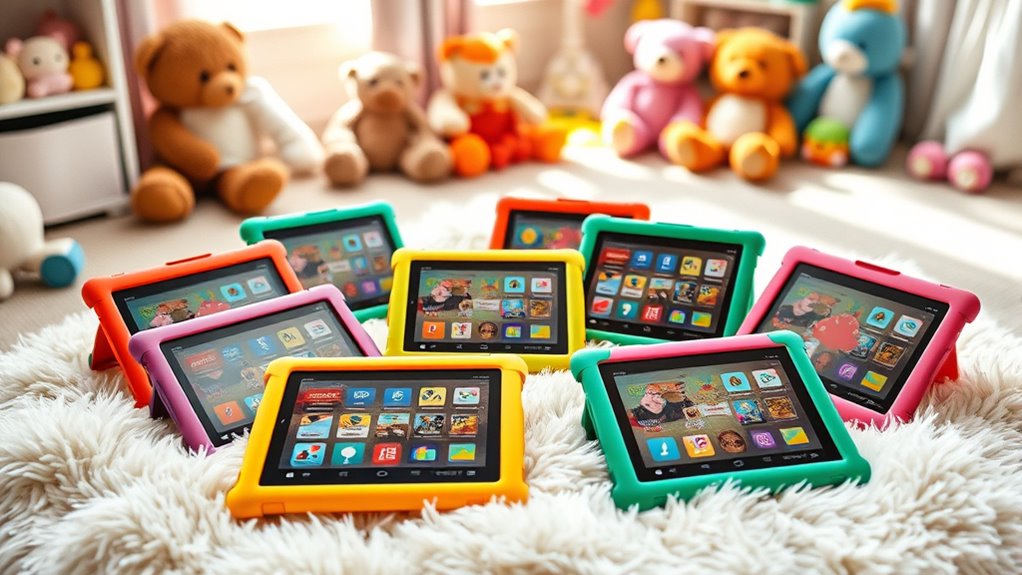

For most families, I’d start with the Amazon Fire HD 8 Kids Tablet, 64GB: its 8-inch screen, child-focused setup, and roomier storage make it a strong all-around fit. The Fire HD 10 Kids Tablet is a better match for shared viewing and larger-screen activities, while the Fire HD 8 Kids Pro suits older children who want a less childlike case and more independence. The main tradeoffs are screen size versus portability, storage capacity versus how much content you keep downloaded, and a child-specific bundle versus a standard tablet you configure yourself. The lineup also includes several near-identical models, so release year, memory, and included case matter more than color or character theme. Read on for my full comparison and help choosing the right Fire HD tablet for your child.

Get the latest gadgets delivered free with Prime
- Fast, free delivery on millions of items
- Prime Video, Amazon Music and more included
- Member-only deals all year
Complete the kit



Key Takeaways
- The 64GB Fire HD 8 Kids models are the strongest all-around starting point: they pair a manageable 8-inch size with more storage than the 32GB versions.
- Age-specific bundles change the fit: Kids editions target ages 3–7, while Kids Pro options are aimed at ages 6–12 and use a slimmer, more grown-up case.
- The Fire HD 10 earns its place through screen size: its 10.1-inch display is more comfortable for shared viewing, but the larger body is less convenient for small hands and travel.
- Fire 7 is the compact, simpler choice, not the strongest screen pick: its 7-inch display and 16GB capacity favor basic use over keeping lots of media available offline.
- Standard Fire HD 8 tablets require a different setup decision: they can suit families who want a general-purpose tablet, but they do not replace the kid-focused bundle and parental-control experience of Kids models.
| Amazon Fire HD 8 Kids Pro Tablet (Newest Model), 8-inch HD Screen, 64GB, Hello Teal |  | Best Overall for Older Kids | Display: 8-inch HD touchscreen, 1280 x 800 | Processor and RAM: Hexa-core 2.0 GHz; 3GB or 4GB RAM | Storage: 64GB internal; expandable up to 1TB with microSD | VIEW ON AMAZON | See Our Full Breakdown |
| Amazon Fire HD 8 Kids Pro tablet (newest model), ages 6-12, 32GB, Jungle Cat |  | Best for Older Kids on a Tighter Storage Need | Display: 8-inch HD touchscreen, 1280 x 800 | Processor and RAM: Hexa-core 2.0 GHz; 3GB RAM | Storage: 32GB internal (25GB available); expandable up to 1TB with microSD | VIEW ON AMAZON | See Our Full Breakdown |
| Amazon Fire HD 8 Tablet (Newest Model), 8-inch HD Display, 4GB RAM, 64GB Storage, Black |  | Best for Families Who Want to Set Up Their Own Kid Controls | Display: 8-inch HD touchscreen, 1280 x 800 | Processor and RAM: Hexa-core 2.0 GHz; 4GB RAM | Storage: 64GB internal; expandable up to 1TB with microSD | VIEW ON AMAZON | See Our Full Breakdown |
| Amazon Fire HD 10 Kids Tablet (Newest Model), ages 3-7, 32GB, Disney Princess |  | Best Big Screen for Younger Kids | Display: 10.1-inch 1080p, 1920 x 1200 | Processor and RAM: Octa-core processor; 3GB RAM | Storage: 32GB internal (24GB available); expandable up to 1TB with microSD | VIEW ON AMAZON | See Our Full Breakdown |
| Amazon Fire 7 Kids Tablet, 7-inch, 16GB, Blue |  | Best Compact Starter Tablet | Display: 7-inch touchscreen, 1024 x 600 | Processor and RAM: Quad-core 2.0 GHz; 2GB RAM | Storage: 16GB (9.5GB available); expandable up to 1TB with microSD | VIEW ON AMAZON | See Our Full Breakdown |
| Amazon Fire HD 10 Kids Tablet, 32 GB, Pink |  | Best for Bigger Screens | Display: 10.1-inch Full HD, 1920 × 1200, 224 ppi | Processor: Octa-core: 2× Arm Cortex-A76 up to 2.05 GHz and 6× Arm Cortex-A55 up to 2 GHz | Memory: 3 GB RAM | VIEW ON AMAZON | See Our Full Breakdown |
| Amazon Fire HD 8 Kids tablet, ages 3-7, 4GB memory, 64GB, Blue (2024 release) |  | Best for Multitasking and Storage | Display: 8-inch HD IPS touchscreen, 1280 × 800, 189 ppi | Processor: Hexa-core, 2.0 GHz | Memory: 4 GB RAM (as specified in the product title) | VIEW ON AMAZON | See Our Full Breakdown |
| Amazon Fire HD 8 Kids tablet (newest model), ages 3-7, 4GB memory, 64GB, Blue | | Best for a Longer Kids+ Trial | Display: 8-inch HD IPS touchscreen, 1280 × 800, 189 ppi | Processor: Hexa-core, 2.0 GHz | Memory: 4 GB RAM stated in product title; technical details list 3 GB or 4 GB configurations | VIEW ON AMAZON | See Our Full Breakdown |
| Amazon Fire 7 Kids Tablet (Newest Model) – 7-inch, 16 GB, Purple |  | Best Compact Starter Tablet | Display: 7-inch touchscreen, 1024 × 600 | Processor and memory: Quad-core, 2.0 GHz; 2 GB RAM | Storage: 16 GB (9.5 GB available); expandable by up to 1 TB via microSD | VIEW ON AMAZON | See Our Full Breakdown |
| Amazon Fire HD 8 Tablet, 8” HD Display, 32 GB, 2022 Release, Black |  | Best for Families Setting Up Their Own Kid Profile | Display: 8-inch HD touchscreen, 1280 × 800 | Processor: Hexa-core, 2.0 GHz | Memory: 2 GB RAM | VIEW ON AMAZON | See Our Full Breakdown |
| Amazon Fire HD 8 Tablet (Newest Model), 8” HD Display, 3GB RAM, 32GB, Black |  | Best for Shared Family Use | Display: 8-inch HD touchscreen, 1280 x 800 | Processor and memory: Hexa-core 2.0 GHz; 3GB RAM | Storage: 32GB internal; expandable by microSD up to 1TB | VIEW ON AMAZON | See Our Full Breakdown |
| Amazon Fire HD 8 Kids Tablet, 32GB, Disney Pixar Cars |  | Best for Young Cars Fans | Age range: 3–7 years | Display: 8-inch HD touchscreen, 1280 x 800, 189 ppi | Processor and memory: Hexa-core 2.0 GHz; 3GB RAM | VIEW ON AMAZON | See Our Full Breakdown |
| Amazon Fire HD 8 Kids Tablet (2024 Release), 8-inch HD Screen, 32GB, Blue | | Best for a Longer Kids+ Start | Age range: 3–7 years | Display: 8-inch HD touchscreen, 1280 x 800 | Processor and memory: Hexa-core 2.0 GHz; 3GB RAM | VIEW ON AMAZON | See Our Full Breakdown |
| Amazon Fire HD 8 Kids Pro Tablet (2024 Release) – 8″ HD Screen, 64GB, Hello Teal, Parental Controls, Ad-Free Content, 13-Hour Battery | | Best for Older Kids | Age range: 6–12 years | Display: 8-inch HD touchscreen, 1280 x 800 | Processor and memory: Hexa-core 2.0 GHz; 3GB or 4GB RAM | VIEW ON AMAZON | See Our Full Breakdown |
| fire hd tablets for kid | Display | Storage | Weight | Cameras |
|---|---|---|---|---|
| Amazon Fire HD 8 Kids Pro Tabl | 8-inch HD touchscreen, 1280 x 800 | 64GB internal; expandable up to 1TB with microSD | 17.9 ounces (509g) | 2MP front, 5MP rear |
| Amazon Fire HD 8 Kids Pro tabl | 8-inch HD touchscreen, 1280 x 800 | 32GB internal (25GB available); expandable up to 1TB with microSD | 17.9 ounces (509g) with case | 2MP front, 5MP rear; rear camera records 1080p video |
| Amazon Fire HD 8 Tablet | 8-inch HD touchscreen, 1280 x 800 | 64GB internal; expandable up to 1TB with microSD | 11.88 ounces (337g) | 2MP front, 5MP rear |
| Amazon Fire HD 10 Kids Tablet | 10.1-inch 1080p, 1920 x 1200 | 32GB internal (24GB available); expandable up to 1TB with microSD | 23.61 ounces (669.61g) with case | 5MP front and rear; 1080p video recording |
| Amazon Fire 7 Kids Tablet | 7-inch touchscreen, 1024 x 600 | 16GB (9.5GB available); expandable up to 1TB with microSD | 15.1 ounces | 2MP front and rear; 720p HD video |
| Amazon Fire HD 10 Kids Tablet | 10.1-inch Full HD, 1920 × 1200, 224 ppi | 32 GB internal; expandable by up to 1 TB via microSD | 23.61 oz (669.61 g) with kid-proof case | 5 MP front and rear; 1080p video recording |
| Amazon Fire HD 8 Kids tablet | 8-inch HD IPS touchscreen, 1280 × 800, 189 ppi | 64 GB; expandable by up to 1 TB via microSD | 18.3 oz (518 g) with case | 2 MP front and 5 MP rear; 1080p video recording |
| Amazon Fire HD 8 Kids tablet | 8-inch HD IPS touchscreen, 1280 × 800, 189 ppi | 64 GB; expandable by up to 1 TB via microSD | 18.3 oz (518 g) with case | 2 MP front and 5 MP rear; 1080p video recording |
| Amazon Fire 7 Kids Tablet | 7-inch touchscreen, 1024 × 600 | 16 GB (9.5 GB available); expandable by up to 1 TB via microSD | 15.1 oz (429 g) | 2 MP front and rear; 720p HD video |
| Amazon Fire HD 8 Tablet | 8-inch HD touchscreen, 1280 × 800 | 32 GB (25.2 GB available); expandable by up to 1 TB via microSD | 11.88 oz | 2 MP front and rear; 720p video |
| Amazon Fire HD 8 Tablet | 8-inch HD touchscreen, 1280 x 800 | 32GB internal; expandable by microSD up to 1TB | 11.88 ounces | 2MP front; 5MP rear with 1080p video |
| Amazon Fire HD 8 Kids Tablet | 8-inch HD touchscreen, 1280 x 800, 189 ppi | 32GB internal; microSD expansion up to 1TB | 18.3 ounces including case | 2MP front; 5MP rear with 1080p video |
| Amazon Fire HD 8 Kids Tablet | 8-inch HD touchscreen, 1280 x 800 | 32GB internal; expandable by microSD up to 1TB | 18.3 ounces | 2MP front; 5MP rear with 1080p video |
| Amazon Fire HD 8 Kids Pro Tabl | 8-inch HD touchscreen, 1280 x 800 | 64GB internal, 54GB available; expandable by microSD up to 1TB | 17.9 ounces | 2MP front; 5MP rear with HD video recording |
More Details on Our Top Picks
Amazon Fire HD 8 Kids Pro Tablet (Newest Model), 8-inch HD Screen, 64GB, Hello Teal
For ages 6–12, I’d put this Fire HD 8 Kids Pro first when the goal is a capable tablet with kid-specific safeguards, rather than simply the biggest screen. Its 64GB storage gives downloaded books, shows, and games more room than the 32GB Fire HD 8 Kids Pro, while the microSD slot adds capacity for families with a large offline library. The included case, parental controls, and up-to-13-hour battery make it well suited to everyday use and trips. Compared with the Fire HD 10 Kids, it is easier to carry, but its 8-inch screen is less spacious for shared viewing or younger children’s games. One caveat: the listed Wi-Fi 6 claim conflicts with the technical details, which say Wi-Fi 6 is not supported. I’d also factor in that expandable storage requires a separate card.
Pros:- 64GB internal storage provides more room than the 32GB Kids Pro configuration
- Included kid-friendly case and parental controls suit independent use
- Up to 13 hours of stated battery life supports longer outings
- microSD slot allows storage expansion up to 1TB
Cons:- MicroSD card for expanded storage is sold separately
- Wi-Fi 6 support is inconsistent across the supplied product information
- 8-inch display is smaller than the Fire HD 10 Kids screen
Best for: Families with children ages 6–12 who want a portable, kid-protected tablet with more built-in storage for downloads.
Not ideal for: Families prioritizing a large screen for shared video viewing, or buyers who want verified Wi-Fi 6 support.
- Display:8-inch HD touchscreen, 1280 x 800
- Processor and RAM:Hexa-core 2.0 GHz; 3GB or 4GB RAM
- Storage:64GB internal; expandable up to 1TB with microSD
- Battery life:Up to 13 hours
- Weight:17.9 ounces (509g)
- Cameras:2MP front, 5MP rear
- Ports:USB-C and microSD slot
- Included content:1-year Amazon Kids+ subscription
Our verdict“Choose this for an older child who needs a portable Kids Pro tablet with 64GB built in, not a larger display.”
Amazon Fire HD 8 Kids Pro tablet (newest model), ages 6-12, 32GB, Jungle Cat
This 32GB Fire HD 8 Kids Pro keeps the practical parts of the older-child setup: an 8-inch HD screen, a slim kid-friendly case, parental controls, and up to 13 hours of battery life. I’d choose it over the 64GB Hello Teal model when the child mostly streams at home or keeps only a few downloads on the tablet; both are listed with microSD expansion, so capacity can be added later. The bundle includes six months of Amazon Kids+ and a two-year worry-free guarantee, while the 64GB model’s supplied description includes a one-year subscription. The tradeoff is less usable internal space—25GB is listed for the user—so frequent travelers who download many videos may prefer the larger-capacity option. Its technical details also specify Wi-Fi 5 standards, not Wi-Fi 6.
Pros:- Slim kid-friendly case is designed for older children
- Parental controls let adults manage content and approve requests
- Up to 13 hours of stated battery life
- Two-year worry-free guarantee is included
Cons:- Only 25GB of the stated 32GB internal storage is available to the user
- Included Kids+ subscription is six months, rather than the one year listed for the 64GB model
- Wi-Fi 6 is not supported according to the technical details
Best for: Families with children ages 6–12 who want a slim-cased Kids Pro tablet for streaming and lighter downloads.
Not ideal for: Frequent travelers or children who keep many videos and games downloaded at once; the 32GB model has less usable internal space.
- Display:8-inch HD touchscreen, 1280 x 800
- Processor and RAM:Hexa-core 2.0 GHz; 3GB RAM
- Storage:32GB internal (25GB available); expandable up to 1TB with microSD
- Battery life:Up to 13 hours
- Weight:17.9 ounces (509g) with case
- Cameras:2MP front, 5MP rear; rear camera records 1080p video
- Connectivity:Dual-band Wi-Fi; Bluetooth 5.2
- Included content and coverage:Six months of Amazon Kids+; two-year worry-free guarantee
Our verdict“Pick this Kids Pro configuration for a school-age child who mainly streams and does not need the 64GB model’s extra built-in space.”
Amazon Fire HD 8 Tablet (Newest Model), 8-inch HD Display, 4GB RAM, 64GB Storage, Black
The standard Fire HD 8 makes more sense for a family that wants an 8-inch tablet without a bundled kid-proof case or Kids+ subscription. Its 4GB of RAM and 64GB storage give it a stronger listed memory and storage setup than the 32GB Kids Pro configuration, and the lighter 11.88-ounce tablet is easier for a child to hold than either Kids Pro model with its case. Parents can still set up child profiles and controls, but this is not the ready-made children’s bundle: families need to arrange the protective case and content access separately. Compared with the Fire HD 8 Kids Pro 64GB, this model is less convenient out of the box for younger or less careful users. The Fire app ecosystem also lacks Google Play Store support, which can limit access to particular apps.
Pros:- 4GB RAM and 64GB internal storage
- 11.88-ounce tablet is lighter than the Kids Pro models with cases
- Up to 13 hours of stated battery life
- microSD slot supports up to 1TB of additional storage
Cons:- Kid-proof case and Kids+ subscription are not listed as included
- Google Play Store is not supported, limiting app choice
- Supplied product information conflicts about Wi-Fi 6 support
Best for: Families with older, careful children who already have a protective case or want to choose their own apps and parental-control setup.
Not ideal for: Parents seeking a ready-to-use child bundle with an included rugged case, Kids+ subscription, and simplified kid-focused setup.
- Display:8-inch HD touchscreen, 1280 x 800
- Processor and RAM:Hexa-core 2.0 GHz; 4GB RAM
- Storage:64GB internal; expandable up to 1TB with microSD
- Battery life:Up to 13 hours
- Weight:11.88 ounces (337g)
- Dimensions:7.94 x 5.40 x 0.37 inches
- Cameras:2MP front, 5MP rear
- Connectivity and ports:Bluetooth 5.2; USB-C; microSD slot
Our verdict“Choose this standard Fire HD 8 if you want the lighter 64GB tablet and are prepared to provide your own kid-focused setup.”
Amazon Fire HD 10 Kids Tablet (Newest Model), ages 3-7, 32GB, Disney Princess
For a younger child who watches shows, reads picture books, or plays games with an adult nearby, the Fire HD 10 Kids stands out for its 10.1-inch, 1080p display. That larger, sharper screen offers more room than the 8-inch Fire HD 8 Kids Pro models, making video and illustrated content easier to share. The bundle is also tailored to ages 3–7, with a kid-proof case, parental controls, a one-year Kids+ subscription, and a two-year worry-free guarantee. The cost of the larger viewing area is portability: at 23.61 ounces with the case, it is heavier than the compact Fire 7 Kids tablet and the uncased standard Fire HD 8. Its 32GB storage leaves 24GB available to the user, so families who download lots of content may need a separate microSD card.
Pros:- 10.1-inch 1080p display provides more viewing area than the 8-inch models
- Kid-proof case, parental controls, and one-year Kids+ subscription are included
- Up to 13 hours of stated battery life
- Two-year worry-free guarantee is included
Cons:- 23.61-ounce weight with case makes it less portable than the Fire 7 Kids
- 32GB internal storage leaves 24GB available to the user
- Wi-Fi 6 is not supported
Best for: Parents of children ages 3–7 who want a larger screen, a protective case, and a bundled content library for home and travel.
Not ideal for: Families looking for a lightweight tablet for small hands, or older children who would benefit more from the slim Kids Pro design.
- Display:10.1-inch 1080p, 1920 x 1200
- Processor and RAM:Octa-core processor; 3GB RAM
- Storage:32GB internal (24GB available); expandable up to 1TB with microSD
- Battery life:Up to 13 hours
- Weight:23.61 ounces (669.61g) with case
- Cameras:5MP front and rear; 1080p video recording
- Connectivity:Dual-band Wi-Fi; Bluetooth 5.3
- Included content and coverage:One-year Amazon Kids+ subscription; two-year worry-free guarantee
Our verdict“Choose this for a younger child who will benefit from a big, clear screen and a complete kid-focused bundle more than a lighter carry.”
Amazon Fire 7 Kids Tablet, 7-inch, 16GB, Blue
The Fire 7 Kids is the most compact, entry-level choice here for children ages 3–7, with a kid-proof case, parental controls, and a one-year Kids+ subscription. Its 7-inch screen and 15.1-ounce listed weight make it easier to carry than the Fire HD 10 Kids, though that convenience comes with a visibly smaller, lower-resolution display. The 16GB configuration is the main limitation: only 9.5GB is listed as available, so a modest collection of apps and offline videos can fill it quickly. A microSD card can expand storage, but some apps may still need internal space. Battery life is listed at up to 10 hours, shorter than the 13 hours on the Fire HD 8 Kids Pro and Fire HD 10 Kids. I’d choose it for basic, portable use, not as the strongest option for long trips or heavy downloads.
Pros:- Compact 7-inch size is easier to carry than the Fire HD 10 Kids
- Kid-proof case and parental controls support child-focused use
- One-year Amazon Kids+ subscription is included
- microSD slot supports expansion up to 1TB
Cons:- Only 9.5GB of the 16GB internal storage is available to the user
- 1024 x 600 display is smaller and lower resolution than the HD 8 and HD 10 screens
- Up to 10 hours of battery life is less than the other listed kids tablets
Best for: Parents seeking a small first tablet for a young child who will use a limited selection of apps, books, and videos.
Not ideal for: Families who want a sharper, larger screen, longer battery life, or plenty of built-in room for offline downloads.
- Display:7-inch touchscreen, 1024 x 600
- Processor and RAM:Quad-core 2.0 GHz; 2GB RAM
- Storage:16GB (9.5GB available); expandable up to 1TB with microSD
- Battery life:Up to 10 hours
- Weight:15.1 ounces
- Charge time:Approximately 4 hours
- Cameras:2MP front and rear; 720p HD video
- Ports and connectivity:USB-C, microSD slot, dual-band Wi-Fi, Bluetooth
Our verdict“Pick the Fire 7 Kids as a compact first tablet for light use, but choose an HD 8 or HD 10 Kids model for longer sessions and more downloads.”
Amazon Fire HD 10 Kids Tablet, 32 GB, Pink
The Fire HD 10 Kids is my pick when a child’s tablet will be used for longer viewing sessions, shared reading, or games that benefit from more screen space. Its 10.1-inch Full HD display is larger and sharper than the 8-inch screen on the Fire HD 8 Kids, making text and video easier to see, though the bigger body is less convenient for small hands and travel.
For ages 3–7, the included kid-proof case, parental controls, one year of Kids+, and two-year replacement guarantee make it a well-rounded bundle. Storage can grow by microSD, and battery life is rated up to 13 hours. The tradeoffs are its weight with the case, no Wi-Fi 6, and a Kids+ subscription that renews after the included year unless canceled. Choose the Fire HD 8 Kids instead if portability matters more than display size.
Pros:- Large 10.1-inch Full HD display gives books, videos, and games more room.
- Parental controls include screen-time limits and content filters.
- Storage expands by microSD, with support for cards up to 1 TB.
- Includes a kid-proof case and two-year worry-free replacement guarantee.
Cons:- Heavier and less compact than the Fire HD 8 Kids.
- Does not support Wi-Fi 6.
- The included Kids+ subscription renews after the first year unless canceled.
Best for: Families with children ages 3–7 who mainly watch videos, read, or play at home and benefit from a larger, sharper screen.
Not ideal for: Parents seeking a light travel tablet for a young child to hold independently; the 10.1-inch model weighs 23.61 ounces with its case.
- Display:10.1-inch Full HD, 1920 × 1200, 224 ppi
- Processor:Octa-core: 2× Arm Cortex-A76 up to 2.05 GHz and 6× Arm Cortex-A55 up to 2 GHz
- Memory:3 GB RAM
- Storage:32 GB internal; expandable by up to 1 TB via microSD
- Battery life:Up to 13 hours
- Cameras:5 MP front and rear; 1080p video recording
- Connectivity:Dual-band Wi-Fi; Bluetooth 5.3
- Weight:23.61 oz (669.61 g) with kid-proof case
- Included:Kid-proof case, 1-year Amazon Kids+ subscription, 2-year worry-free guarantee
Our verdict“Choose this Fire HD 10 Kids model for a young child who will benefit from a roomy Full HD screen and can manage its larger, heavier case.”
Amazon Fire HD 8 Kids tablet, ages 3-7, 4GB memory, 64GB, Blue (2024 release)
Among these kid-focused options, the 2024 Fire HD 8 Kids with 4 GB RAM and 64 GB storage is the practical pick for families who want more room for downloads and smoother everyday use without moving up to the larger Fire HD 10 Kids. Its 8-inch HD display is easier for a young child to handle than the 10.1-inch Fire HD 10’s screen, although it is less sharp and spacious for reading or video.
The bundle pairs a protective case and two-year replacement guarantee with parental controls and a Kids+ subscription. The listing gives conflicting subscription durations: its headline says six months, while the description says one year, so I would verify the included term before buying. Up to 13 hours of battery life and microSD expansion help on trips, but Wi-Fi 6 is absent and charging can take under five hours with the included 5W adapter. Compared with the 2022 Fire HD 8 Kids, this version is presented with more memory and storage.
Pros:- Listed 64 GB storage leaves room for more downloaded content than 16 GB and 32 GB configurations.
- 4 GB RAM is specified for this configuration.
- Compact 8-inch size is more manageable for children than the Fire HD 10 Kids.
- Includes a kid-proof case and two-year worry-free guarantee.
Cons:- The listing conflicts on whether the included Kids+ subscription lasts six months or one year.
- The 1280 × 800 display is less sharp and spacious than the Fire HD 10 Kids screen.
- Wi-Fi 6 is not supported, and the included 5W adapter can take under five hours to charge fully.
Best for: Families with children ages 3–7 who download videos and games for travel and want the listed 64 GB configuration with 4 GB RAM.
Not ideal for: Buyers who need a clearly stated Kids+ subscription term or a more detailed screen for reading; the listing conflicts on subscription duration and the display is HD rather than Full HD.
- Display:8-inch HD IPS touchscreen, 1280 × 800, 189 ppi
- Processor:Hexa-core, 2.0 GHz
- Memory:4 GB RAM (as specified in the product title)
- Storage:64 GB; expandable by up to 1 TB via microSD
- Battery life:Up to 13 hours
- Cameras:2 MP front and 5 MP rear; 1080p video recording
- Connectivity:Dual-band Wi-Fi; Bluetooth 5.2
- Weight:18.3 oz (518 g) with case
- Included:Kid-proof case, USB-C cable, 5W power adapter, 2-year worry-free guarantee; Kids+ term is inconsistent in the listing
Our verdict“Pick this 2024 Fire HD 8 Kids configuration when storage and memory matter more than the Fire HD 10’s larger display, after confirming the Kids+ term.”
Amazon Fire HD 8 Kids tablet (newest model), ages 3-7, 4GB memory, 64GB, Blue
This Fire HD 8 Kids bundle stands out for including a stated one-year Amazon Kids+ subscription alongside its kid-proof case and two-year replacement guarantee. That makes it easier to start with a broad library of child-focused books, games, and videos than the 2024 Fire HD 8 Kids listing, which gives conflicting subscription durations. Its 8-inch, 64 GB configuration is a more portable choice than the Fire HD 10 Kids, though that larger model offers a sharper Full HD screen.
With up to 13 hours of battery life, parental controls, and room for microSD expansion, this is a useful travel and everyday tablet for ages 3–7. The 1280 × 800 screen is adequate for general viewing but not as detailed as the HD 10’s display, and the listing does not make the actual RAM configuration entirely clear beyond describing 4 GB in the title. There is no Wi-Fi 6, and Kids+ renews after the included year unless canceled.
Pros:- Includes a stated one-year Amazon Kids+ subscription.
- 64 GB storage plus microSD expansion supports substantial offline content.
- Smaller and lighter than the Fire HD 10 Kids while retaining up to 13 hours of battery life.
- Includes a kid-proof case and two-year worry-free guarantee.
Cons:- The 8-inch HD display is less sharp and spacious than the Fire HD 10 Kids display.
- The listing does not clearly reconcile the 4 GB RAM title with general technical details listing 3 GB or 4 GB configurations.
- Does not support Wi-Fi 6, and Kids+ renews after the included year unless canceled.
Best for: Parents of children ages 3–7 who want an 8-inch kid-proof tablet and a clearly stated one-year Kids+ inclusion for a new subscriber.
Not ideal for: Families prioritizing a large, high-resolution screen or buyers who want the product listing to clearly confirm every hardware configuration detail.
- Display:8-inch HD IPS touchscreen, 1280 × 800, 189 ppi
- Processor:Hexa-core, 2.0 GHz
- Memory:4 GB RAM stated in product title; technical details list 3 GB or 4 GB configurations
- Storage:64 GB; expandable by up to 1 TB via microSD
- Battery life:Up to 13 hours
- Cameras:2 MP front and 5 MP rear; 1080p video recording
- Connectivity:Dual-band Wi-Fi; Bluetooth 5.2
- Weight:18.3 oz (518 g) with case
- Included:Kid-proof case, 1-year Amazon Kids+ subscription, 2-year worry-free guarantee
Our verdict“Choose this Fire HD 8 Kids bundle if a portable size and a stated one-year Kids+ term matter more than the Fire HD 10 Kids’ larger display.”
Amazon Fire 7 Kids Tablet (Newest Model) – 7-inch, 16 GB, Purple
The Fire 7 Kids is the most compact option here, making it a sensible starter tablet for a young child who needs basic books, games, and downloaded shows rather than a roomy screen. Its 7-inch display and 15.1-ounce weight are easier to carry than either Fire HD 8 Kids model, but that portability comes with a 1024 × 600 display and a shorter, up-to-10-hour battery rating. For longer viewing or more storage, the Fire HD 8 Kids is the stronger step up.
This 16 GB version includes a kid-proof case, parental controls, one year of Kids+, and storage expansion by microSD. However, only 9.5 GB is listed as available internally, and some apps may need internal storage, so downloaded content can make space tight. Its lower-resolution 2 MP cameras and roughly four-hour charge time also suit simple use better than frequent video calls or all-day entertainment. It is a focused entry point, not the best choice for a child who will use a tablet heavily.
Pros:- Small 7-inch form is more portable than either Fire HD 8 Kids model.
- Kid-proof case and one-year Amazon Kids+ subscription are included.
- Storage can be expanded by microSD up to 1 TB.
- External volume controls and accessibility features are included.
Cons:- Only 9.5 GB of the 16 GB internal storage is available to the user.
- Lower-resolution display and cameras than the Fire HD 8 Kids models.
- Up to 10 hours of battery life and an approximately four-hour charge time are less suited to extended use.
Best for: Caregivers buying a first tablet for a child ages 3–7 who values a small, easy-to-carry device for basic content.
Not ideal for: Families expecting frequent video viewing, a large offline library, or longer sessions; the 7-inch display, 16 GB capacity, and up-to-10-hour battery are more limited than the Fire HD 8 Kids.
- Display:7-inch touchscreen, 1024 × 600
- Processor and memory:Quad-core, 2.0 GHz; 2 GB RAM
- Storage:16 GB (9.5 GB available); expandable by up to 1 TB via microSD
- Battery life:Up to 10 hours
- Charge time:Approximately 4 hours
- Cameras:2 MP front and rear; 720p HD video
- Connectivity:Dual-band Wi-Fi; Bluetooth
- Weight:15.1 oz (429 g)
- Included:Kid-proof case and 1-year Amazon Kids+ subscription
Our verdict“Choose the Fire 7 Kids for a small first tablet and basic use, but move to a Fire HD 8 Kids model if screen quality or storage matters more.”
Amazon Fire HD 8 Tablet, 8” HD Display, 32 GB, 2022 Release, Black
The standard Fire HD 8 (2022) can serve a child, but it is not the ready-made kids bundle in this lineup. It has an 8-inch HD screen, up to 13 hours of battery life, and expandable storage, while its 11.88-ounce bare-tablet weight is far lighter than the Fire HD 8 Kids models with their protective cases. The tradeoff is that the supplied product information does not list a kid-proof case, Kids+ subscription, or two-year worry-free guarantee, so parents should compare the complete setup rather than the tablet alone.
Parental controls are available, but families will need to configure the device and choose their own protection and child content. Against the Fire HD 8 Kids 2024 model, this older 2022 tablet has 2 GB RAM and a 720p camera specification, while the kids bundle adds a case and child-focused package. The standard model makes sense for a supervised household that already has a case or content plan; it is less convenient for a young child who needs a complete, drop-ready bundle.
Pros:- Lighter bare-tablet weight than the Fire HD 8 Kids models with cases.
- Up to 13 hours of battery life.
- Storage expands by microSD up to 1 TB.
- Parental controls are available for household setup.
Cons:- The supplied product data does not list a kid-proof case, Kids+ subscription, or two-year kids guarantee.
- 2 GB RAM and 720p cameras are less capable on paper than the listed 2024 Fire HD 8 Kids configuration.
- Amazon Appstore availability means Google Play Store apps are not supported.
Best for: Parents who already own a protective case and want to configure an 8-inch tablet with parental controls for supervised child use.
Not ideal for: Families seeking an out-of-box kids package for a child ages 3–7, including a kid-proof case, Kids+ subscription, and replacement guarantee.
- Display:8-inch HD touchscreen, 1280 × 800
- Processor:Hexa-core, 2.0 GHz
- Memory:2 GB RAM
- Storage:32 GB (25.2 GB available); expandable by up to 1 TB via microSD
- Battery life:Up to 13 hours
- Cameras:2 MP front and rear; 720p video
- Connectivity:Dual-band Wi-Fi; Bluetooth 5.2
- Weight:11.88 oz
- Ports and audio:USB-C, microSD slot, 3.5 mm stereo jack, built-in speakers
Our verdict“Choose this standard Fire HD 8 only if you are prepared to supply the child-focused case and content setup that comes with the Fire HD 8 Kids bundle.”
Amazon Fire HD 8 Tablet (Newest Model), 8” HD Display, 3GB RAM, 32GB, Black
The standard Fire HD 8 is the flexible pick for families who want an 8-inch tablet that adults can use too, rather than a device configured specifically for a young child. Its 11.88-ounce weight is lower than the kids models with protective cases, and the microSD slot lets a family keep downloaded shows or games on hand. Compared with the Fire HD 8 Kids Tablet, Disney Pixar Cars, though, this model lacks the included kid-proof case, child-focused parental controls package, and two-year worry-free guarantee described for that edition. Its 13-hour battery and video-call cameras suit shared entertainment, but the open-ended setup calls for parents to manage access themselves. The 32GB internal storage can also constrain app installs, and the Fire app selection is more limited than on tablets with Google Play.
Pros:- Lighter than the bundled kids editions, making it easier to carry between rooms or on trips
- Up to 13 hours of battery life supports extended travel and viewing
- MicroSD expansion up to 1TB gives families room for downloaded media
- Front and rear cameras support video calls as well as photos
Cons:- Does not include the kid-proof case or two-year worry-free guarantee found with the Kids model
- Parents must manage child access without the bundled kids-edition controls
- Some apps need internal storage, and the Fire app selection is limited without Google Play
Best for: Families who want one lightweight tablet for adult and child use and are comfortable setting up their own child-access restrictions.
Not ideal for: Parents buying for a preschooler who want a protective case, child-specific controls, and a replacement guarantee included.
- Display:8-inch HD touchscreen, 1280 x 800
- Processor and memory:Hexa-core 2.0 GHz; 3GB RAM
- Storage:32GB internal; expandable by microSD up to 1TB
- Battery:Up to 13 hours
- Weight:11.88 ounces
- Wireless:Dual-band Wi-Fi 6; Bluetooth 5.2
- Cameras:2MP front; 5MP rear with 1080p video
- Ports:USB-C and microSD slot
Our verdict“Choose this shared-use model if light weight and adult flexibility matter more than a ready-made child-safe setup.”
Amazon Fire HD 8 Kids Tablet, 32GB, Disney Pixar Cars
For a child aged 3–7 who is drawn to Cars, this edition pairs a familiar theme with the practical protections that matter more than a character design: a kid-proof case, parental controls, and a two-year worry-free guarantee. The 8-inch screen and 13-hour battery make it a sensible travel companion, while expandable storage helps with downloads. Compared with the Fire HD 8 Kids Tablet (2024 Release), Blue, this Cars version includes six months of Kids+ rather than the one-year subscription listed for the blue model, so parents should compare the included content period before choosing. It is also heavier than the standard Fire HD 8 because of its protective case, and Wi-Fi 6 is not supported. The subscription renews automatically unless canceled, so families should track that date.
Pros:- Kid-proof case and two-year worry-free guarantee add protection for younger users
- Parental controls include activity review and screen-time limits
- Up to 13 hours of battery life suits trips and long stretches away from a charger
- MicroSD expansion supports larger collections of offline content
Cons:- Kids+ subscription renews automatically after the included six-month period unless canceled
- At 18.3 ounces with the case, it is heavier than the standard Fire HD 8
- Does not support Wi-Fi 6, and faster charging accessories are sold separately
Best for: Parents of children ages 3–7 who want a protective, managed tablet and know their child will enjoy the Cars theme.
Not ideal for: Families seeking the longest included Kids+ period or a lighter tablet without a bulky protective case.
- Age range:3–7 years
- Display:8-inch HD touchscreen, 1280 x 800, 189 ppi
- Processor and memory:Hexa-core 2.0 GHz; 3GB RAM
- Storage:32GB internal; microSD expansion up to 1TB
- Battery:Up to 13 hours
- Weight:18.3 ounces including case
- Cameras:2MP front; 5MP rear with 1080p video
- Included:Kid-proof case, USB-C cable, power adapter, and six-month Amazon Kids+ subscription
- Guarantee:Two-year worry-free guarantee
Our verdict“Pick the Cars edition for a young fan who needs built-in protection and parental controls, not the longest included Kids+ term.”
Amazon Fire HD 8 Kids Tablet (2024 Release), 8-inch HD Screen, 32GB, Blue
This blue Fire HD 8 Kids is the stronger fit for parents who want a child-ready tablet and more included time with Amazon Kids+ than the Cars edition provides. It is aimed at ages 3–7, with a protective case, parental controls, and a two-year worry-free guarantee; the included one-year Kids+ subscription also gives families more time to explore its books, activities, and entertainment before renewal. Against the Fire HD 8 Kids Tablet, Disney Pixar Cars, the blue model’s main advantage is that longer subscription period, not a different screen or processor. It remains a bulky 18.3 ounces with its case, and its 32GB configuration leaves less built-in room than a 64GB version. Some apps also require internal storage, while faster charging adapters are separate purchases.
Pros:- One-year Amazon Kids+ subscription provides a longer included content period than the Cars edition
- Protective case and two-year worry-free guarantee suit younger children
- Parental controls help parents manage content and usage
- Up to 13 hours of battery life and microSD expansion support travel use
Cons:- The case brings total weight to 18.3 ounces
- Kids+ renews automatically after the included year unless canceled
- Some apps require internal storage, and faster charging adapters are sold separately
Best for: Parents of children ages 3–7 who want a protected tablet and a full year of included Kids+ content.
Not ideal for: Families who prefer a lighter shared-use tablet, need more built-in storage, or want to avoid a Kids+ renewal subscription.
- Age range:3–7 years
- Display:8-inch HD touchscreen, 1280 x 800
- Processor and memory:Hexa-core 2.0 GHz; 3GB RAM
- Storage:32GB internal; expandable by microSD up to 1TB
- Battery:Up to 13 hours
- Weight:18.3 ounces
- Wireless:Dual-band Wi-Fi; Wi-Fi 6 is not supported
- Cameras:2MP front; 5MP rear with 1080p video
- Included:Kid-proof case and one-year Amazon Kids+ subscription
Our verdict“Choose this version over the Cars edition when a year of Kids+ matters more than a character-themed case.”
Amazon Fire HD 8 Kids Pro Tablet (2024 Release) – 8″ HD Screen, 64GB, Hello Teal, Parental Controls, Ad-Free Content, 13-Hour Battery
The Fire HD 8 Kids Pro is aimed at ages 6–12, making it the clearest choice here for a school-age child who has outgrown the preschool focus of the standard Kids editions. Its 64GB storage gives more room for apps and downloads than the 32GB Fire HD 8 Kids models, while parental controls and a six-month Kids+ subscription keep the setup family-oriented. Compared with the Fire HD 8 Kids Tablet (2024 Release), Blue, the Pro trades the younger-child positioning and longer included Kids+ period for a format designed for older children. It still has an 8-inch display and a protective case, so it is not a larger-screen upgrade; the Fire HD 10 Kids models offer more viewing space. The six-month subscription renews automatically unless canceled, and some apps may need internal storage.
Pros:- 64GB internal storage offers more room than the 32GB Kids models in this group
- Designed for ages 6–12, matching the needs of older children better than preschool-focused editions
- Includes a kid-friendly case and parental controls
- Up to 13 hours of battery life and microSD expansion support offline use
Cons:- Six-month Kids+ subscription renews automatically unless canceled
- The 8-inch screen is smaller than the Fire HD 10 Kids tablets
- Some apps may require internal storage, limiting how much can be shifted to microSD
Best for: Families with children ages 6–12 who need more built-in storage and parental oversight in a kid-focused tablet.
Not ideal for: Parents of toddlers who want the younger-age Kids edition, or older children who would benefit more from a larger screen.
- Age range:6–12 years
- Display:8-inch HD touchscreen, 1280 x 800
- Processor and memory:Hexa-core 2.0 GHz; 3GB or 4GB RAM
- Storage:64GB internal, 54GB available; expandable by microSD up to 1TB
- Battery:Up to 13 hours
- Weight:17.9 ounces
- Wireless:Dual-band Wi-Fi; Bluetooth 5.2
- Cameras:2MP front; 5MP rear with HD video recording
- Included:Kid-friendly case and six-month Amazon Kids+ subscription
Our verdict“Choose the Kids Pro for a school-age child who needs 64GB of storage and parental controls in a compact tablet.”

How We Picked
I ranked these Fire HD tablets for kids by how well each one fits a child’s age, everyday handling, and family supervision needs—not by color or character design. I weighed screen size and portability against storage and memory, since those affect reading, video, games, and how much downloaded content a tablet can hold comfortably. I also separated Kids and Kids Pro bundles from standard Fire HD tablets: the bundled child-focused setup and case can simplify a parent’s job, while a standard model may suit families prepared to configure access themselves.
Within similar models, I gave more weight to practical differences such as 64GB versus 32GB, the 2024 or newest release, and the 10.1-inch versus 8-inch display. The highest positions go to options that cover the broadest range of children without an awkward size or storage compromise. More specialized picks follow: Fire HD 10 for a larger viewing area, Kids Pro for older children, and Fire 7 for families who prioritize a small tablet and basic use. I treat closely related colors and designs as variants rather than meaningful performance upgrades.
| fire hd tablets for kid | Battery life | Connectivity | Included |
|---|---|---|---|
| Amazon Fire HD 8 Kids Pro Tabl | Up to 13 hours | — | — |
| Amazon Fire HD 8 Kids Pro tabl | Up to 13 hours | Dual-band Wi-Fi; Bluetooth 5.2 | — |
| Amazon Fire HD 8 Tablet | Up to 13 hours | — | — |
| Amazon Fire HD 10 Kids Tablet | Up to 13 hours | Dual-band Wi-Fi; Bluetooth 5.3 | — |
| Amazon Fire 7 Kids Tablet | Up to 10 hours | — | — |
| Amazon Fire HD 10 Kids Tablet | Up to 13 hours | Dual-band Wi-Fi; Bluetooth 5.3 | Kid-proof case, 1-year Amazon Kids+ subscription, 2-year worry-free guarantee |
| Amazon Fire HD 8 Kids tablet | Up to 13 hours | Dual-band Wi-Fi; Bluetooth 5.2 | Kid-proof case, USB-C cable, 5W power adapter, 2-year worry-free guarantee; Kids+ term is inconsistent in the listing |
| Amazon Fire HD 8 Kids tablet | Up to 13 hours | Dual-band Wi-Fi; Bluetooth 5.2 | Kid-proof case, 1-year Amazon Kids+ subscription, 2-year worry-free guarantee |
| Amazon Fire 7 Kids Tablet | Up to 10 hours | Dual-band Wi-Fi; Bluetooth | Kid-proof case and 1-year Amazon Kids+ subscription |
| Amazon Fire HD 8 Tablet | Up to 13 hours | Dual-band Wi-Fi; Bluetooth 5.2 | — |
| Amazon Fire HD 8 Tablet | — | — | — |
| Amazon Fire HD 8 Kids Tablet | — | — | Kid-proof case, USB-C cable, power adapter, and six-month Amazon Kids+ subscription |
| Amazon Fire HD 8 Kids Tablet | — | — | Kid-proof case and one-year Amazon Kids+ subscription |
| Amazon Fire HD 8 Kids Pro Tabl | — | — | Kid-friendly case and six-month Amazon Kids+ subscription |
Factors to Consider When Choosing Fire Hd Tablets For Kids
Before choosing among these models, I’d match the tablet to how your child will use it and how much setup you want to handle. The differences that matter most are not the themed case options; they are age fit, portability, storage, and the balance between a bundled Kids experience and a standard tablet.
Choose the child-focused bundle or a standard tablet
A Kids tablet is the more straightforward path when you want a child-oriented case and parental controls packaged with the device. A standard Fire HD 8 can make sense if an adult will set up profiles, review available controls, and manage what the child can access. Do not assume that a standard model becomes identical to a Kids bundle just because you add a protective case. The bundle can reduce setup friction, while the standard tablet gives the household a more general-purpose device. Think about who will maintain settings and handle downloads after the initial setup. If you want the tablet ready to hand to a younger child, the Kids version is usually the simpler fit.
Treat age guidance as a starting point, not a size rule
The listed age ranges help distinguish the regular Kids models from Kids Pro, but children’s reading habits, independence, and hand size vary. The Kids models target ages 3–7, while Kids Pro targets ages 6–12 and uses a slimmer case for older children. A child at the overlap may be ready for Pro’s more mature styling but still benefit from a simpler supervised setup. Avoid choosing by age label alone; ask whether the child will mostly watch with an adult, read independently, or move between apps with less help. Also consider whether the case feels manageable for the child to carry. The best age fit is the one that matches both their habits and your supervision plan.
Pick screen size around where the tablet will be used
An 8-inch tablet is the middle ground in this group: easier to carry than the HD 10, with more room than the 7-inch Fire 7. The 10.1-inch screen can make videos and shared activities more comfortable, particularly when the tablet often stays at home. That larger display brings a bigger device, which may be less convenient for a small child to hold for long stretches or pack for a trip. A 7-inch model favors compactness, but the smaller viewing area may feel limiting for reading or watching together. Before buying, picture the main setting—car rides, a child’s room, or a family room—and choose for that routine rather than the largest screen available.
Match storage to downloads and household habits
Storage determines how much content can stay on the tablet when Wi-Fi is unavailable, so it matters for travel and households with unreliable connections. The lineup spans 16GB, 32GB, and 64GB models; the 64GB options leave more room for downloaded videos, apps, and books before parents need to manage space. A 16GB Fire 7 can be enough for lighter use, but families who expect a growing library should be cautious about choosing it simply because the device is compact. Consider whether you regularly remove old downloads or prefer content to remain available without upkeep. The memory figures also vary across standard HD 8 models, so compare the listed configuration rather than assuming every 8-inch tablet performs the same way.
Spend for a real use difference, not a color or theme
In this lineup, the meaningful upgrades are a larger display, more storage, a newer release, or a Kids Pro fit—not a different case color or character artwork. The Disney Princess, Cars, Jungle Cat, and Hello Teal options may help a child feel ownership, but the theme does not by itself change the tablet’s core role. Pay more attention to whether a model has the capacity and form factor your family will use over time. A larger screen is worthwhile when viewing comfort matters; additional storage is worthwhile when downloads are common. If neither solves a real household need, a similarly equipped version with a different design may be the more sensible choice.
Plan for supervision and upkeep after setup
Parental controls are useful only when they match the family’s rules and get revisited as a child grows. Before handing over a tablet, decide which apps, content, and usage routines are acceptable, then check the controls available on the specific model and current software. A Kids bundle can reduce initial setup work, but it does not remove the need for a parent to manage access and downloads. Families choosing a standard Fire HD should allow extra time to create an appropriate setup rather than treating it as ready for a child. Storage cleanup is another recurring task, especially on 16GB and 32GB models. A realistic plan for supervision can matter more than a small hardware difference.
Frequently Asked Questions
Is a Fire HD 8 Kids tablet or a Fire HD 8 Kids Pro better for a child around age six?
Both can suit a child around six, since the listed age ranges overlap. I’d favor the regular Kids model if a sturdier child-oriented case and a younger-child setup are the priority. Kids Pro is a better fit when the child is ready for a slimmer case and more independent use. Compare storage too: the listed Pro options include 32GB and 64GB versions, while several Kids HD 8 choices offer 64GB. The child’s handling habits and your supervision preferences should settle the choice more than the age label alone.
Should I choose the Fire HD 10 Kids tablet over the Fire HD 8 Kids tablet?
Choose the HD 10 when a larger viewing area matters more than easy carrying, such as for videos or activities shared at home. Its 10.1-inch display gives more room than the HD 8’s 8-inch screen, but the larger body may be harder for a younger child to hold comfortably. The HD 8 is a more balanced pick for travel, independent handling, and everyday portability. Both sizes appear in Kids bundles, so the decision is mainly about where and how the tablet will be used. If you are unsure, the smaller HD 8 is the less cumbersome general choice.
Is 16GB enough storage for a child’s Fire tablet?
It can be enough for basic use if your child uses a small set of apps and you are comfortable removing downloads periodically. It is a tighter fit for long trips, offline video collections, or a child who accumulates games and media. This roundup’s 32GB and 64GB options give families more breathing room, with 64GB being the most forgiving for downloads. Think about offline access rather than relying only on how many apps are installed today. A child’s library tends to grow, so a little extra capacity can reduce routine cleanup.
Would a standard Fire HD 8 work for a child instead of a Kids edition?
It can work if an adult is willing to set up the tablet, manage access, and provide a suitable protective case. The standard Fire HD 8 models in this group vary by release, memory, and storage, so check the exact configuration rather than treating them as interchangeable. A Kids edition is the simpler starting point for families who want child-focused features and a bundled case. The standard version is more appropriate when the device will also serve adults or when the household prefers to manage settings directly. Factor in that setup effort before comparing hardware alone.
Which Fire tablet makes the most sense for travel or offline entertainment?
For frequent travel, I’d lean toward an 8-inch Kids model with 64GB because it balances manageable size with room for more downloaded content. The Fire 7 is smaller, but its 16GB capacity gives less space for an expanding offline library. The HD 10 offers a larger viewing area, though its size may be less convenient in a packed bag or for a child holding it on the move. Download capacity and device handling are separate tradeoffs, so consider both. If your trips are short and downloads are limited, the compact Fire 7 may still meet your needs.
Conclusion
Best overall: I’d choose the Fire HD 8 Kids Tablet with 64GB for its useful middle size and storage headroom. Best value for basic use: the Fire 7 Kids Tablet suits families who want a compact device and do not expect a large offline library. Best premium fit: the Fire HD 10 Kids Tablet is the pick when a wider viewing area matters most. Best for beginners: a regular Fire HD 8 Kids bundle is the simpler child-focused starting point; choose Kids Pro for an older child who wants a slimmer, more mature-looking case. For specific needs, pick a standard Fire HD 8 only if you want to handle setup yourself, and choose a themed version when the design helps your child connect with the device. My final rule is simple: prioritize age fit and handling first, then choose screen size and storage around your family’s routine.
Halloween Picks

DomKom 6-Foot Halloween Inflatable Ghosts Roasting Marshmallows

8.5 Foot Halloween Inflatable Haunted House Castle with Skeleton, Ghost & Skulls

10 ft Halloween Inflatable Archway with Built-in LEDs
As an affiliate, we earn on qualifying purchases.