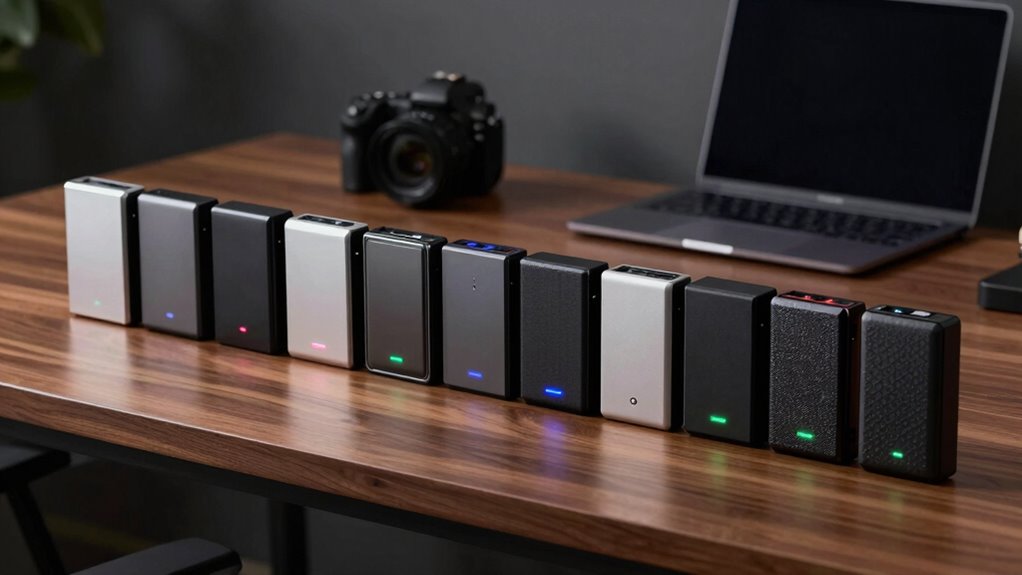

Choosing the right external hard drive for video editing involves balancing speed, capacity, durability, and cost. The LaCie d2 Professional 10TB stands out as the best overall for its combination of large capacity and reliable performance, while the Samsung T7 Portable SSD 1TB offers ultra-fast data transfer for editing on the go. However, many options require tradeoffs—larger drives may be slower or less portable, and faster SSDs tend to cost more. Continue reading for a detailed breakdown of these drives to match your workflow and budget.

Get the latest gadgets delivered free with Prime
- Fast, free delivery on millions of items
- Prime Video, Amazon Music and more included
- Member-only deals all year
Complete the kit



Key Takeaways
- Performance varies significantly between SSDs and HDDs, with SSDs providing faster transfer speeds ideal for 4K editing.
- Storage capacity should align with project sizes; larger drives like 16TB are better for ongoing, large-scale editing workflows.
- Durability features such as rugged casing or water resistance matter if you work in demanding environments.
- Price often correlates with speed and capacity, but some budget drives still deliver solid performance for less.
- Compatibility and connection types (USB-C, Thunderbolt) influence transfer speeds and future-proofing.
| LaCie Rugged USB-C 2TB External Hard Drive |  | Best for Rugged Portability and On-the-Go Use | Capacity: 2TB | Connectivity: USB-C, USB 3.0 | Protection: Drop, shock, dust, rain resistant | VIEW ON AMAZON | See Our Full Breakdown |
| Samsung T7 Portable SSD 1TB Titan Gray, USB 3.2 Gen 2, Up to 1,050MB/s |  | Best for Fast Data Transfer and Compact Design | Capacity: 1TB | Interface: USB 3.2 Gen 2 | Max Speed: 1050MB/s | VIEW ON AMAZON | See Our Full Breakdown |
| LaCie d2 Professional 10TB External Hard Drive |  | Best for Massive Storage and Desktop Use | Capacity: 10TB | Interface: USB-C, Thunderbolt 3 | Speed: up to 240MB/s | VIEW ON AMAZON | See Our Full Breakdown |
| SanDisk Professional 4TB PRO-G40 SSD – Thunderbolt 3 & USB-C, IP68 Dust/Water Resistance |  | Best for Rugged, Ultra-Fast Performance | Capacity: 4TB | Max read speed: 3000MB/s | Max write speed: 2500MB/s | VIEW ON AMAZON | See Our Full Breakdown |
| Seagate 2TB Portable Hard Drive USB 3.0 |  | Best for Budget-Friendly, Reliable Storage | Capacity: 2TB | Interface: USB 3.0 | Speed: 120 MB/s | VIEW ON AMAZON | See Our Full Breakdown |
| WD 6TB Elements Portable External Hard Drive for Windows, USB 3.2 Gen 1/USB 3.0 |  | Best Overall for Versatile Video Storage | Capacity: 6TB | Interface: USB 3.2 Gen 1 / USB 3.0 | Compatibility: Windows, Mac | VIEW ON AMAZON | See Our Full Breakdown |
| Western Digital 5TB Elements Portable External Hard Drive | | Best Value for Reliable Video Storage | Capacity: 5TB | Connectivity: USB 3.2 Gen 1 / USB 3.0 | Compatibility: Windows, Mac | VIEW ON AMAZON | See Our Full Breakdown |
| G-Technology 10TB G-DRIVE USB 3.0 Desktop External Hard Drive, Silver |  | Best Premium Desktop Storage for Professional Work | Capacity: 10TB | Connection: USB 3.0 | Form Factor: Desktop | VIEW ON AMAZON | See Our Full Breakdown |
| LaCie Rugged USB-C 4TB External Hard Drive |  | Best Rugged Portable Storage for On-the-Go Video Work | Capacity: 4TB | Connectivity: USB-C | Protection: Drop, Shock, Dust, Rain Resistant | VIEW ON AMAZON | See Our Full Breakdown |
| LaCie Rugged Thunderbolt USB 3.0 2TB External Hard Drive |  | Best Durable Compact Drive with Professional Software Bonus | Storage Capacity: 2TB | Transfer Speed: up to 130MB/s | Connectivity: Thunderbolt, USB 3.0 | VIEW ON AMAZON | See Our Full Breakdown |
| Glyph Blackbox PRO Desktop Drive 16TB |  | Best Overall for Large-Scale Video Storage and Reliability | Storage Capacity: 16TB | Interface: USB 3.1 Gen 2 | Transfer Speed: up to 260MB/s | VIEW ON AMAZON | See Our Full Breakdown |
| Avolusion PRO-G2 14TB USB 3.2 Gen 2 External Hard Drive for Windows/MacOS |  | Best Value for High Capacity with Cross-Platform Compatibility | Capacity: 14TB | Interface: USB 3.2 Gen 2 (10Gbps), USB-C | Compatibility: Windows, MacOS (requires re-format) | VIEW ON AMAZON | See Our Full Breakdown |
| SanDisk 2TB Extreme Portable SSD |  | Best for On-the-Go Speed and Rugged Durability | Capacity: 2TB | Read Speed: 1050MB/s | Write Speed: 1000MB/s | VIEW ON AMAZON | See Our Full Breakdown |
| LaCie d2 Professional 16TB External Hard Drive USB 3.1 Type-C |  | Best for Demanding Workflows and Large Data Sets | Capacity: 16TB | Transfer Speed: 260MB/s | Interface: USB 3.1 Type-C | VIEW ON AMAZON | See Our Full Breakdown |
| LaCie Rugged USB-C 5TB Portable External Hard Drive |  | Best for Rugged Portability and Environmental Resistance | Capacity: 5TB | Connectivity: USB-C, Thunderbolt 3 | Protection features: Drop, shock, dust, water resistant | VIEW ON AMAZON | See Our Full Breakdown |
More Details on Our Top Picks
LaCie Rugged USB-C 2TB External Hard Drive
The LaCie Rugged USB-C 2TB stands out for its durability, making it the ideal choice for video editors frequently working outdoors or on location. Its rugged design offers drop, shock, dust, and rain resistance, surpassing the more delicate SanDisk Extreme Portable SSD in protection. While it doesn’t match SSDs in speed, its compatibility with both Mac and PC, combined with a free Adobe Creative Cloud subscription, adds value. However, the 2TB capacity might limit users with larger projects, and the lack of built-in encryption or backup options means additional software may be necessary for secure workflows. This drive is best suited for professionals who need reliable, portable storage that can withstand tough environments, rather than those prioritizing raw speed or maximum capacity.
Pros:- Rugged design provides excellent protection for mobile use
- Compatible with both Mac and PC without additional setup
- Includes a free 1-month Adobe Creative Cloud subscription
- Versatile USB-C and USB 3.0 connectivity
Cons:- Limited to 2TB capacity, which may be insufficient for large video files
- Lacks integrated backup or encryption features
- No mention of included software for data management
Best for: Video editors who frequently work outdoors or travel and need rugged, portable storage
Not ideal for: Users requiring the fastest transfer speeds or larger capacity for extensive editing projects
- Capacity:2TB
- Connectivity:USB-C, USB 3.0
- Protection:Drop, shock, dust, rain resistant
- Compatibility:Mac and PC
- Included Software:1-month Adobe Creative Cloud
- Price:Not specified
Our verdict“This drive is perfect for mobile editors needing tough, portable storage rather than maximum speed or capacity.”
Samsung T7 Portable SSD 1TB Titan Gray, USB 3.2 Gen 2, Up to 1,050MB/s
The Samsung T7 Portable SSD excels in delivering blazing-fast transfer speeds up to 1,050 MB/s, making it an excellent choice for video editors working with large 4K or 8K footage. Compared to the LaCie Rugged, it sacrifices ruggedness for speed and sleekness, with its durable aluminum unibody providing shock resistance but less overall protection against environmental elements. Its compact size and compatibility with smartphones and tablets, including iPhone 15 Pro, broaden its usability. However, the limited capacity in this review (1TB) might be restrictive for extensive projects, and the absence of bundled accessories or encryption could be drawbacks for some. This SSD is best suited for editors who prioritize quick transfers and portability over rugged outdoor use or larger storage capacities.
Pros:- Exceptional transfer speeds up to 1,050 MB/s
- Sleek, compact, and durable aluminum design
- Compatible with multiple devices including smartphones
- Supports high-resolution video workflows
Cons:- Limited to 1TB capacity in this model, which can be restrictive
- Price may be higher compared to HDD options with similar capacity
- No included accessories or encryption features
Best for: Video professionals needing rapid transfers and portability for high-resolution footage
Not ideal for: Field workers requiring rugged protection or those with large storage needs beyond 1TB
- Capacity:1TB
- Interface:USB 3.2 Gen 2
- Max Speed:1050MB/s
- Material:Aluminum unibody
- Shock Resistance:Up to 6 feet
- Compatibility:PC, mobile phones, iPhone 15 Pro
Our verdict“This SSD is ideal for speed-critical editing on the move, but not for users needing large storage or rugged protection.”
LaCie d2 Professional 10TB External Hard Drive
The LaCie d2 Professional 10TB provides substantial storage capacity, making it a strong choice for large-scale video projects. Its high-speed transfer rate of up to 240MB/s, compared to SSDs like the SanDisk PRO-G40, is slower but sufficient for most editing workflows involving HDDs. Its USB-C and Thunderbolt 3 interfaces ensure broad compatibility with high-performance systems, and the durable aluminum enclosure helps reduce noise and vibration during operation. The tradeoff here is the reliance on HDD technology, which is noisier and less durable than SSDs, especially under continuous use. This drive is best suited for editors who need large storage space at a more affordable price point, rather than those needing the fastest data speeds or ultra-portable solutions.
Pros:- Massive 10TB capacity supports large projects
- Compatible with USB-C and Thunderbolt 3 systems
- Built with durable aluminum for quiet operation
- Cost-effective for high storage needs
Cons:- Slower transfer speed compared to SSDs, which can bottleneck editing workflows
- No noise insulation or rugged protection for portable use
- Potentially noisy during operation
Best for: Video editors managing large archives who need affordable, high-capacity storage
Not ideal for: Producers requiring ultra-fast transfer speeds or portable, rugged drives for field use
- Capacity:10TB
- Interface:USB-C, Thunderbolt 3
- Speed:up to 240MB/s
- Form Factor:Desktop
- Drive Type:HDD
- Warranty:5 years
Our verdict“This drive is best for budget-conscious editors with large storage needs who work primarily from a desktop environment.”
SanDisk Professional 4TB PRO-G40 SSD – Thunderbolt 3 & USB-C, IP68 Dust/Water Resistance
The SanDisk PRO-G40 SSD offers outstanding speed with up to 3000MB/s read and 2500MB/s write, making it the top choice for editors needing rapid data transfer. Its rugged build with IP68 dust and water resistance, crush resistance, and drop protection surpasses others like the LaCie Rugged, providing peace of mind in harsh environments. While its high price and weight might deter casual users, professionals working in demanding conditions will find its durability and speed worth the investment. Note that some features are optimized for Mac (APFS), which could require additional setup for Windows environments. This drive is best for high-end, mobile workflows requiring both speed and ruggedness in one package.
Pros:- Extreme transfer speeds up to 3000MB/s
- Rugged IP68 dust/water resistance and crush protection
- Dual Thunderbolt 3 and USB-C connectivity
- Designed for demanding environments
Cons:- Premium price point limits accessibility
- Heavy and bulky for portable use
- Mac-only features may complicate Windows workflows
Best for: Pro video editors in field environments or demanding outdoor shoots needing fastest speeds and rugged protection
Not ideal for: Budget-conscious users or those prioritizing maximum capacity over speed and durability
- Capacity:4TB
- Max read speed:3000MB/s
- Max write speed:2500MB/s
- Connectivity:Thunderbolt 3, USB-C
- Protection:IP68 dust/water, crush, drop resistant
- Drive Format:Mac ready (APFS)
Our verdict“This SSD is ideal for professionals needing ultra-fast, durable external storage in tough environments, at a higher cost.”
Seagate 2TB Portable Hard Drive USB 3.0
The Seagate 2TB Portable Hard Drive offers a straightforward, reliable solution for those needing extra storage without breaking the bank. Its 7200 RPM HDD delivers decent transfer speeds of around 120 MB/s, which is slower than SSD options but sufficient for backing up or transferring large files in a pinch. Its plug-and-play USB 3.0 interface makes setup simple, compatible with both Windows and Mac. However, the bulkier 3.5-inch form factor makes it less portable and more cumbersome to carry around. Lacking advanced features like encryption or bundled backup software, it’s a good choice for users who prioritize capacity and affordability over speed or ruggedness. This drive suits editors with moderate workflow demands and a tight budget.
Pros:- Reliable 2TB capacity for everyday storage needs
- Easy plug-and-play setup with USB 3.0
- Compatible with Windows and Mac systems
- Affordable price point
Cons:- Bulky 3.5-inch size reduces portability
- Slower transfer speeds compared to SSDs
- No built-in encryption or backup features
Best for: Budget-conscious editors needing dependable storage for backups and file transfers
Not ideal for: Field editors or those working with large files who need faster transfer speeds or rugged protection
- Capacity:2TB
- Interface:USB 3.0
- Speed:120 MB/s
- Form Factor:3.5 inches
- RPM:7200
- Compatible Devices:Laptop, PC, Mac
Our verdict“This drive offers dependable storage for budget-minded users but isn’t suited for fast-paced, mobile editing workflows.”
WD 6TB Elements Portable External Hard Drive for Windows, USB 3.2 Gen 1/USB 3.0
This 6TB drive from WD stands out for offering a large capacity with fast transfer speeds thanks to USB 3.2 Gen 1, making it a reliable choice for extensive video projects. Compared with the smaller-capacity LaCie Rugged USB-C 4TB, it provides more storage for bigger media libraries, though it lacks rugged features. Its plug-and-play design simplifies setup for both Windows and Mac users, but the basic design and absence of included backup options mean it’s more of a storage container than a comprehensive solution. The lack of advanced features like encryption or bundled software may be a drawback for security-conscious editors. This drive suits those seeking straightforward, high-capacity external storage without extra frills.
Pros:- Large 6TB capacity supports storing extensive video files
- Fast data transfer with USB 3.2 Gen 1
- Plug-and-play compatibility with Windows and Mac
Cons:- Basic design lacking additional features like encryption
- No included backup or security software
- Requires constant USB connection for power
Best for: Video editors needing large storage capacity and quick data transfer in a portable form factor.
Not ideal for: Users requiring rugged durability or built-in encryption, as this model offers neither.
- Capacity:6TB
- Interface:USB 3.2 Gen 1 / USB 3.0
- Compatibility:Windows, Mac
- Plug and Play:Yes
Our verdict“This drive makes the most sense for professionals who prioritize high capacity and speed over ruggedness or advanced security features.”
Western Digital 5TB Elements Portable External Hard Drive
Offering 5TB of storage and fast USB 3.2 Gen 1 transfer speeds, this WD drive provides solid performance at a competitive price point. Compared with the larger WD 6TB model, it offers slightly less capacity but still covers most editing needs while often coming at a lower cost. Its straightforward setup makes it ideal for editors who want quick, reliable storage without fuss, but it lacks the advanced features of drives like the LaCie Rugged USB-C 4TB, such as rugged protection or encryption. The absence of bundled software or security options is a consideration for users handling sensitive content. This model suits budget-conscious editors who need dependable storage for moderate projects.
Pros:- High storage capacity for large video files
- Simple plug-and-play setup
- Fast transfer speeds with USB 3.2 Gen 1
Cons:- No included security or backup software
- Limited to basic USB 3.2 Gen 1 speeds
- Lacks rugged or shockproof features
Best for: Video creators seeking a balance of capacity and affordability with easy portability.
Not ideal for: Field operators in rough environments who need ruggedized protection or encryption features.
- Capacity:5TB
- Connectivity:USB 3.2 Gen 1 / USB 3.0
- Compatibility:Windows, Mac
Our verdict“This drive is ideal for budget-minded editors who want reliable, portable storage for everyday use without extra features.”
G-Technology 10TB G-DRIVE USB 3.0 Desktop External Hard Drive, Silver
This 10TB desktop drive from G-Technology combines large capacity with a durable all-aluminum build, making it suitable for heavy-duty multimedia storage and backups. Compared with the portable LaCie Rugged USB-C 4TB, it is less portable but offers significantly more space, ideal for editing suites or backup hubs. Its USB 3.0 connection provides fast data transfer, and the all-metal casing ensures durability, especially for constant use. However, it’s less ideal for field use due to its size and lack of rugged features, and it doesn’t include encryption or bundled backup software. This model suits professionals needing high-capacity storage in a fixed workspace where durability and capacity are priorities.
Pros:- Massive 10TB capacity for extensive multimedia collections
- Durable all-metal construction
- Fast data transfer with USB 3.0
Cons:- Designed primarily for desktop use, not portable
- Lacks built-in security features
- No included backup software
Best for: Editors working in a studio environment who need massive storage and robust build quality.
Not ideal for: On-the-go video professionals who require portability and rugged protection.
- Capacity:10TB
- Connection:USB 3.0
- Form Factor:Desktop
- Material:All-aluminum
Our verdict“This drive is best suited for stationary editing setups and backup stations demanding high capacity and durability.”
LaCie Rugged USB-C 4TB External Hard Drive
The LaCie Rugged USB-C 4TB is designed for creators who work in unpredictable environments, combining rugged protection with decent storage capacity. Its shock, drop, dust, and water resistance make it stand out compared to typical portable drives like the WD 6TB Elements, which lack environmental durability. The USB-C interface ensures fast data transfer suitable for editing tasks, but its smaller capacity may require frequent offloading. The rugged features come with a higher price tag and added weight, which might be unnecessary for indoor or studio use. It also doesn’t include encryption or backup software, so security depends on user practices. This drive is perfect for outdoor shoots and field editing, where durability matters most.
Pros:- Rugged protection against drops, dust, and water
- Compact and portable design
- Fast USB-C data transfer speeds
Cons:- Limited to 4TB capacity, requiring more drives for larger projects
- Higher cost relative to non-rugged drives
- No included security or backup features
Best for: Videographers and field editors who need tough, portable storage that can withstand harsh conditions.
Not ideal for: Studio-based editors with high-capacity needs who prioritize large storage over ruggedness.
- Capacity:4TB
- Connectivity:USB-C
- Protection:Drop, Shock, Dust, Rain Resistant
Our verdict“This drive excels for outdoor and field use, combining portability with rugged durability for mobile video editing.”
LaCie Rugged Thunderbolt USB 3.0 2TB External Hard Drive
The LaCie Rugged Thunderbolt USB 3.0 2TB combines durability with high transfer speeds of up to 130MB/s, making it suitable for professional editors on the move. Its rugged design surpasses many portable drives like the WD 5TB Elements in environmental resistance, and the inclusion of a one-month Adobe Creative Cloud subscription adds value for creative workflows. Compared to larger drives, its smaller capacity may require more management of storage space, but it benefits from Thunderbolt connectivity for ultra-fast transfers if compatible devices are available. The higher price reflects its rugged features and added software, which may not appeal to casual users. This pick is ideal for demanding professionals needing quick, reliable, and resilient storage with software extras.
Pros:- Durable, drop, dust, and water resistant design
- Fast transfer speeds with Thunderbolt and USB 3.0
- Includes a one-month Adobe Creative Cloud subscription
Cons:- Limited to 2TB, requiring additional drives for larger projects
- Higher cost due to rugged features and software bundle
- Requires compatible Thunderbolt or USB 3.0 ports
Best for: Professional video editors and content creators requiring rapid data transfer and rugged durability on the go.
Not ideal for: Casual users or those with large storage needs who do not have Thunderbolt ports or need more than 2TB.
- Storage Capacity:2TB
- Transfer Speed:up to 130MB/s
- Connectivity:Thunderbolt, USB 3.0
- Protection:Drop, Dust, Water Resistant
- Included Software:One month Adobe Creative Cloud
- Warranty:3 years
Our verdict“This drive is best for professionals who need rugged, fast storage with added creative software benefits in a portable form.”
Glyph Blackbox PRO Desktop Drive 16TB
The Glyph Blackbox PRO excels as a comprehensive solution for professional video editors needing massive storage. Its 16TB capacity and 7200 RPM drive deliver reliable, high-speed performance—comparable to the LaCie d2 Professional but at a more accessible price point. The drive’s compact 3.5-inch form factor makes it easy to mount in creative setups, though it requires an external power source, adding some bulk. This model is ideal for editors working on large projects who prioritize consistent transfer speeds and capacity over portability or integrated encryption. While its speeds are impressive, it lacks advanced features like hardware encryption or bundled backup software, which might be a consideration for security-conscious users. Overall, this drive makes the most sense for those who need dependable, high-capacity storage in a desktop form factor without the frills of portable options.
Pros:- Massive 16TB storage capacity for large video files
- Fast transfer speeds up to 260MB/s
- Reliable performance with 7200 RPM drive
- Compact for a 3.5-inch desktop drive
Cons:- Requires external power supply, reducing portability
- Lacks built-in encryption or backup features
Best for: Professional video editors and media houses needing large, reliable desktop storage
Not ideal for: On-the-go editors or users needing portable drives due to its size and power requirements
- Storage Capacity:16TB
- Interface:USB 3.1 Gen 2
- Transfer Speed:up to 260MB/s
- Form Factor:3.5-inch
- RPM:7200 RPM
- Color:Black
Our verdict“This drive is best suited for stationary editing setups where capacity and reliability outweigh portability.”
Avolusion PRO-G2 14TB USB 3.2 Gen 2 External Hard Drive for Windows/MacOS
The Avolusion PRO-G2 offers an impressive 14TB of storage with fast USB 3.2 Gen 2 (10Gbps) speeds, making it a strong contender for budget-conscious professionals. Compared to the LaCie Rugged USB-C 5TB, it provides significantly more capacity at a similar price point, although it lacks rugged durability. Its aluminum chassis ensures quiet operation and good heat dissipation, ideal for long editing sessions. The need to re-format for MacOS is a minor inconvenience, but its compatibility with both Windows and MacOS without additional software makes it flexible. The reliance on USB power means no additional power supply is necessary, simplifying setup. This model is perfect for users who need large storage that balances speed, capacity, and cross-platform flexibility, but it’s not suited for environments where ruggedness or portability is the priority.
Pros:- Large 14TB storage capacity
- Fast USB 3.2 Gen 2 transfer speeds
- Durable aluminum chassis with quiet cooling
- Cross-platform compatibility (Windows & Mac)
Cons:- Requires re-formatting for Mac use
- No dedicated power supply; USB power only
- Slightly less usable capacity than 14TB once formatted
Best for: Creative professionals seeking high-capacity storage compatible with multiple operating systems
Not ideal for: On-location shooters needing rugged, portable drives for harsh environments
- Capacity:14TB
- Interface:USB 3.2 Gen 2 (10Gbps), USB-C
- Compatibility:Windows, MacOS (requires re-format)
Our verdict“Ideal for professionals who need high-capacity, versatile storage without rugged features, and can re-format for MacOS.”
SanDisk 2TB Extreme Portable SSD
The SanDisk Extreme Portable SSD stands out for its high-speed NVMe performance, reaching up to 1050MB/s read and 1000MB/s write speeds. This makes it ideal for quick transfers of large video files directly on location or in busy workflows. Its rugged construction, with IP65 water and dust resistance, plus drop protection from up to 3 meters, ensures it can withstand tough environments better than most portable drives like the LaCie Rugged USB-C 5TB. The inclusion of hardware encryption adds a layer of security, making it suitable for sensitive footage. The main tradeoff is performance variability depending on host device capabilities and the smaller 2TB capacity, which may not meet the needs of users requiring extensive storage. Nonetheless, this pick makes the most sense for on-the-move editors who prioritize speed and durability over raw capacity.
Pros:- High-speed NVMe performance up to 1050MB/s
- Rugged IP65 water and dust resistance
- Drop protection up to 3 meters
- Hardware encryption for data security
Cons:- Limited capacity at 2TB
- Performance depends on host device
- Older model—newer versions may offer improvements
Best for: Video editors needing fast, durable portable storage for fieldwork and secure transfers
Not ideal for: Users with large, stationary editing workflows who prefer high-capacity drives
- Capacity:2TB
- Read Speed:1050MB/s
- Write Speed:1000MB/s
- Water and Dust Resistance:IP65
- Drop Protection:Up to 3 meters
- Encryption:256-bit AES hardware encryption
Our verdict“Perfect for mobile professionals who need fast, durable storage with security features for on-the-go editing.”
LaCie d2 Professional 16TB External Hard Drive USB 3.1 Type-C
The LaCie d2 Professional provides a substantial 16TB of storage combined with fast transfer speeds of up to 260MB/s, making it a go-to choice for professional editors dealing with large files and complex projects. Its USB 3.1 Type-C interface offers broad compatibility, similar to the Glyph Blackbox PRO, but with added emphasis on cross-platform use thanks to its exFAT formatting. The durable aluminum enclosure helps with heat dissipation during extended editing sessions, though it adds weight and bulk. While it lacks advanced features like encryption or software bundles, its five-year warranty adds peace of mind. This drive is well-suited for those who need high capacity and reliable performance but do not require rugged portability or encryption features, making it ideal for stationary workflows.
Pros:- Large 16TB capacity for extensive projects
- Fast transfer speeds up to 260MB/s
- Cross-platform compatibility with exFAT
- Durable aluminum enclosure
Cons:- Heavy due to metal construction
- No encryption or advanced security features
- Requires USB-C port for optimal performance
Best for: Pro editors and studios handling large data sets in a fixed workspace
Not ideal for: Travelers or location shooters needing rugged, portable drives
- Capacity:16TB
- Transfer Speed:260MB/s
- Interface:USB 3.1 Type-C
- Rotation Speed:7200 rpm
- Format:exFAT
- Warranty:5 years
Our verdict“This drive is best for stationary professional environments where capacity and speed are priorities over portability.”
LaCie Rugged USB-C 5TB Portable External Hard Drive
The LaCie Rugged USB-C offers a 5TB capacity wrapped in a highly durable shell designed to withstand drops, shocks, dust, and water—making it ideal for fieldwork. Its rugged design surpasses many standard portable drives like the SanDisk Extreme SSD in environmental resistance, though it doesn’t match the speed of NVMe-based SSDs. Equipped with a USB-C cable and a one-month Adobe Creative Cloud subscription, it targets creative professionals who need a reliable, portable backup solution. The drive’s size and weight might be less appealing for ultra-light travel, and lacking included additional cables could be inconvenient for some users. Overall, it’s a solid choice for those prioritizing ruggedness and large capacity in mobile workflows, but not for high-speed editing on location.
Pros:- Rugged and resistant to drops, shocks, water, and dust
- High capacity at 5TB
- Compatible with Mac & PC
- Includes Adobe Creative Cloud subscription
Cons:- Size and weight may be bulky for some users
- Additional cables not included
- Limited transfer speed compared to SSD options
Best for: Creative professionals working outdoors or in challenging environments needing durable storage
Not ideal for: Fast-paced editing environments requiring high transfer speeds or ultra-light portability
- Capacity:5TB
- Connectivity:USB-C, Thunderbolt 3
- Protection features:Drop, shock, dust, water resistant
Our verdict“This drive is best for fieldwork scenarios where environmental resistance and capacity are more important than raw speed.”
How We Picked
These external hard drives were evaluated based on performance benchmarks, build quality, compatibility, and value for video editors. Drives with faster data transfer rates, especially SSDs, ranked higher due to the demands of editing high-resolution footage. Durability features and connection options were also key, as many editors need rugged drives for portable workflows. Size and price were balanced to recommend options for different budgets and project needs, with drives offering the best mix of speed, capacity, and reliability earning top spots.Factors to Consider When Choosing External Hard Drives For Video Editing
When selecting an external hard drive for video editing, it’s essential to consider several factors that directly impact your workflow. Beyond raw capacity, speed and connection type determine how smoothly you can transfer and work with large files. Durability and portability matter if you’re frequently on the move, while price can influence your overall investment. Understanding these elements helps you choose a drive that matches your editing style and future needs.Performance and Speed
Speed is a critical factor since editing high-resolution videos demands rapid data access. SSDs typically offer read/write speeds above 1,000MB/s, significantly reducing lag when working with 4K or 8K footage. HDDs, while cheaper and larger, tend to have slower transfer rates that can cause bottlenecks. Consider whether your editing involves real-time playback or rendering, which makes high-speed drives more essential.
Capacity and Scalability
Video projects can quickly consume storage, especially with RAW or 4K footage. Drives with at least 4TB are recommended for ongoing projects, but larger options like 10TB or 16TB provide room for multiple projects and backups. Think about your current needs versus future growth; investing in a slightly larger drive now can save you from upgrading too soon.
Durability and Portability
If you often work outside a studio, rugged drives with water and dust resistance, like the LaCie Rugged series, become valuable. Lightweight SSDs are easier to carry and less prone to damage but may cost more. Consider your typical environment—if you’re traveling or shooting on location, durability features justify higher prices.
Connectivity and Compatibility
Connection types matter; USB-C and Thunderbolt 3/4 offer faster data transfer and better compatibility with modern systems. Some drives support multiple interfaces, providing flexibility as your hardware evolves. Ensure your editing setup supports the drive’s connection type to maximize performance and avoid bottlenecks.
Price and Value
While SSDs deliver speed, they come at a premium, especially at higher capacities. HDDs provide larger storage at lower costs but trade off speed. Balance your budget against your workflow needs; for instance, investing in an SSD for active editing and a larger HDD for archive storage can be a cost-effective strategy.
Frequently Asked Questions
Should I choose an SSD or HDD for video editing?
SSDs are generally better for active editing because of their faster transfer speeds, reducing lag and rendering times. HDDs, on the other hand, offer larger capacities at a lower price, making them suitable for storing completed projects or archives. Your choice depends on whether speed or capacity is more critical for your workflow—many editors use a combination of both.
What connection type should I prioritize for my external drive?
For fast data transfer, prioritize drives with USB-C or Thunderbolt support, as these interfaces offer significantly higher speeds compared to older USB 3.0 or USB 2.0 options. Thunderbolt 3 or 4 provides the best performance for high-resolution editing, but ensure your computer supports these connections. USB-C is more common and versatile, suitable for most workflows.
How much storage do I need for 4K video editing?
Most 4K editing projects require at least 4-8TB of storage, especially if working with raw footage or multiple projects simultaneously. Larger drives like 10TB or 16TB give you more flexibility, reducing the need for frequent backups or transfers. Assess your typical project size and future expansion plans to choose the right capacity.
Are rugged external drives worth the extra cost?
Rugged drives offer durability in challenging environments, protecting against drops, dust, and water. If your workflow involves frequent travel, outdoor shoots, or working in environments where equipment damage is likely, these drives justify the higher price. For stationary editing setups, a standard drive may suffice, saving money without sacrificing performance.
How do I maintain my external hard drive for longevity?
Proper maintenance includes safely ejecting the drive, avoiding extreme temperatures, and keeping it away from physical shocks. Regularly backing up your data minimizes risk, and keeping firmware updated can improve performance. Using drives within their recommended specifications helps ensure they remain reliable over time.
Conclusion
For most users, the LaCie d2 Professional 10TB offers a balanced mix of capacity, speed, and durability, making it ideal for professional editors handling large projects. Beginners or those on a tighter budget will appreciate the Seagate 2TB Portable Hard Drive for its affordability, while content creators needing ultra-fast workflows should consider high-end SSD options like the SanDisk Professional 4TB PRO-G40 SSD. Power users and those with demanding storage needs will find the Glyph Blackbox PRO 16TB or LaCie d2 Professional 16TB perfect for ongoing large-scale editing. Matching your specific workflow and budget will help you select the best drive to support your creative process.