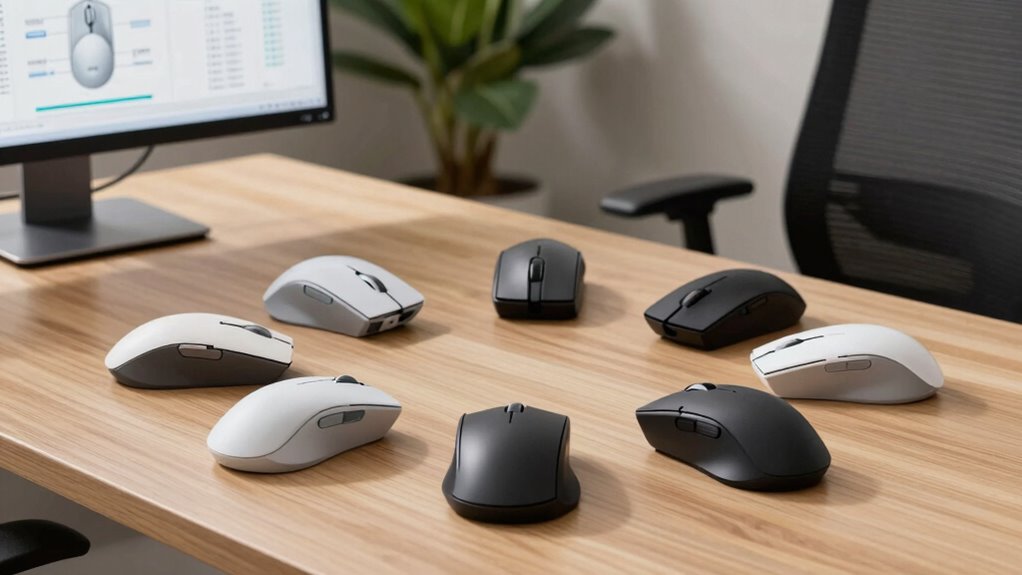
For long work sessions, the Logitech Lift is my best overall pick: its vertical shape and familiar pointer controls make it a balanced starting point for many users. The Logitech ERGO M575S stands out if you want to move the pointer without moving the mouse across your desk, while the ProtoArc EM11 NL offers a rechargeable vertical alternative with flexible connectivity. The main tradeoffs are how quickly you adapt to a new grip, whether you prefer a vertical mouse or a trackball, and how much you value wireless features over a simpler wired setup. Hand size and desk space matter as much as the ergonomic label. Read on for the full comparison and help matching each option to your work style.

Get the latest gadgets delivered free with Prime
- Fast, free delivery on millions of items
- Prime Video, Amazon Music and more included
- Member-only deals all year
Complete the kit



Key Takeaways
- The Logitech Lift is the most balanced choice in this lineup for readers seeking a vertical grip without giving up familiar mouse-style movement.
- The ERGO M575S is the distinct desk-space pick: its stationary trackball avoids repeated mouse movement, but it asks buyers to learn thumb-controlled cursor movement.
- The ProtoArc EM11 NL and TECKNET stand out for connectivity flexibility, useful for people switching between more than one device.
- The lineup’s wired Anker model offers a simpler setup, while its wireless counterpart removes cable drag; the choice comes down to desk convenience and charging tolerance.
- Vertical mice are not automatically comfortable for every hand. Fit, pointer control, and adaptation time separate a good long-session match from a frustrating one.
| ProtoArc EM11 NL Rechargeable Wireless Ergonomic Vertical Mouse |  | Best for Rechargeable Multi-Device Setups | Connectivity: Bluetooth and 2.4 GHz USB-A receiver | Device connections: Up to 3 | Hand orientation: Right-handed | VIEW ON AMAZON | See Our Full Breakdown |
| Logitech Lift Vertical Ergonomic Wireless Mouse (Graphite) |  | Best Overall for Long Workdays | Hand orientation: Right-handed | Dimensions: 108 × 70 × 71 mm | Weight: 125 g | VIEW ON AMAZON | See Our Full Breakdown |
| Logitech ERGO M575S Wireless Trackball Mouse, Graphite with Blue Ball |  | Best for Minimal Arm Movement | Movement detection: Thumb-operated trackball | Hand orientation: Right-handed | Connectivity: Bluetooth and USB receiver | VIEW ON AMAZON | See Our Full Breakdown |
| Lekvey Ergonomic Mouse, Rechargeable Vertical Wireless Mouse, Comfort Grip |  | Best for Simple Plug-and-Play Use | Connectivity: 2.4 GHz radio frequency via USB receiver | Hand orientation: Right-handed | Buttons: 6 | VIEW ON AMAZON | See Our Full Breakdown |
| TECKNET Ergonomic Wireless Vertical Mouse, 4800 DPI, Bluetooth and 2.4 GHz, 3-Device |  | Best for High-Resolution Multi-Device Control | Connectivity: Bluetooth 5.0/3.0 and 2.4 GHz USB-A | Device connections: Up to 3 | DPI levels: 800 / 1200 / 1600 / 2400 / 3200 / 4800 | VIEW ON AMAZON | See Our Full Breakdown |
| Anker Wired Vertical Ergonomic Optical Mouse |  | Best for a Simple, Battery-Free Desk Setup | Connectivity: Wired USB | Tracking: Optical | DPI: 1000 or 1600 | VIEW ON AMAZON | See Our Full Breakdown |
| Anker 2.4 GHz Wireless Vertical Ergonomic Mouse |  | Best Wireless Value for Right-Handed Users | Connectivity: 2.4 GHz wireless via USB receiver | Tracking: Optical | DPI: 800, 1200, or 1600 | VIEW ON AMAZON | See Our Full Breakdown |
| ergonomic mouse for long hour | Connectivity | Hand orientation | Buttons | Battery |
|---|---|---|---|---|
| ProtoArc EM11 NL Rechargeable | Bluetooth and 2.4 GHz USB-A receiver | Right-handed | 7 | 500 mAh lithium-ion, rechargeable via USB-C |
| Logitech Lift Vertical Ergonom | Bluetooth Low Energy or Logi Bolt USB receiver | Right-handed | — | 1 AA; stated life up to 24 months |
| Logitech ERGO M575S Wireless T | Bluetooth and USB receiver | Right-handed | — | 1 AA, included |
| Lekvey Ergonomic Mouse | 2.4 GHz radio frequency via USB receiver | Right-handed | 6 | — |
| TECKNET Ergonomic Wireless Ver | Bluetooth 5.0/3.0 and 2.4 GHz USB-A | Right-handed | 6 | 2 AAA batteries required; not included |
| Anker Wired Vertical Ergonomic | Wired USB | — | 5 | — |
| Anker 2.4 GHz Wireless Vertica | 2.4 GHz wireless via USB receiver | Right-handed | 5 | — |
More Details on Our Top Picks
ProtoArc EM11 NL Rechargeable Wireless Ergonomic Vertical Mouse
The ProtoArc EM11 NL earns its place for people who want a vertical shape plus easy switching among work devices, without relying on disposable batteries. It pairs with up to three devices over Bluetooth or its USB-A receiver, while USB-C charging keeps the battery topped up. Compared with the Logitech Lift, it adds rechargeable power and a listed 250 g weight, but the Lift is much lighter at 125 g and offers a longer stated battery interval. The ProtoArc’s fit is aimed at small to medium hands, and the unfamiliar grip may take a week or two to feel natural. Its quiet main clicks suit shared desks; Mac users should note that the back and forward buttons do not work there, and a USB-C receiver is not included.
Pros:- Pairs with up to three devices using Bluetooth or a USB-A receiver.
- Rechargeable 500 mAh battery charges via USB-C.
- Three DPI settings and back/forward buttons offer useful control.
- Quiet left and right clicks suit shared work areas.
Cons:- Designed for hands under 7.5 inches long.
- The vertical grip may take one to two weeks to get used to.
- Back and forward buttons are not compatible with Mac, and no USB-C receiver is included.
Best for: Right-handed users with small to medium hands who switch among several devices and prefer USB-C rechargeable power.
Not ideal for: Users with larger hands, Mac users who rely on side-button navigation, or anyone who wants a light mouse and no adjustment period.
- Connectivity:Bluetooth and 2.4 GHz USB-A receiver
- Device connections:Up to 3
- Hand orientation:Right-handed
- Recommended hand length:Under 7.5 in (19.05 cm)
- DPI:1000 / 1600 / 2400
- Battery:500 mAh lithium-ion, rechargeable via USB-C
- Buttons:7
- Weight:250 g
Our verdict“Choose the EM11 NL if you have a smaller right hand, want rechargeable power, and regularly move between up to three devices.”
Logitech Lift Vertical Ergonomic Wireless Mouse (Graphite)
The Logitech Lift is my strongest all-around choice here for a long workday if its small-to-medium, right-handed fit suits you. Its 57-degree angle supports a handshake-like grip, while the SmartWheel and customizable buttons add practical control beyond basic pointing. Compared with the rechargeable ProtoArc EM11 NL, the Lift is markedly lighter at 125 g and has a stated battery life of up to two years on one AA; the tradeoff is replacing a battery rather than charging by USB-C. It also connects to up to three devices through Bluetooth Low Energy or Logi Bolt. The vertical shape still asks for an adjustment period, and the right-hand-only design rules it out for left-handed users. I rank it first for its combination of comfort-oriented shape, low weight, scrolling control, and broad device support.
Pros:- 57-degree vertical angle encourages a handshake-like wrist position.
- SmartWheel and customizable buttons support controlled scrolling and shortcuts.
- Connects to up to three devices by Bluetooth Low Energy or Logi Bolt.
- One AA battery is rated for up to 24 months.
Cons:- The vertical grip may take time to get used to.
- Right-handed design does not suit left-handed users.
- Uses a replaceable AA battery rather than USB-C charging.
Best for: Right-handed users with small to medium hands who want a light vertical mouse, multi-device pairing, and a long interval between battery changes.
Not ideal for: Left-handed users, people who need a larger-hand fit, or buyers who specifically want a rechargeable built-in battery.
- Hand orientation:Right-handed
- Dimensions:108 × 70 × 71 mm
- Weight:125 g
- Tracking DPI:4000, adjustable
- Connectivity:Bluetooth Low Energy or Logi Bolt USB receiver
- Device pairing:Up to 3 devices
- Battery:1 AA; stated life up to 24 months
- Compatibility:Windows 10/11, macOS 10.15+, iPadOS 14+, Chrome OS, Linux, Android 8.0+
Our verdict“Pick the Lift for a lightweight, feature-rich vertical mouse and long battery life, provided its right-handed fit works for you.”
Logitech ERGO M575S Wireless Trackball Mouse, Graphite with Blue Ball
The Logitech ERGO M575S takes a different route to long-session comfort: its thumb-operated trackball moves the cursor while the mouse stays put. That makes it a useful fit for a cramped desk or for users who want to limit repeated arm travel. Unlike the vertical Logitech Lift, it does not ask you to sweep a mouse across the surface, but its control depends on thumb movement rather than a changed wrist angle. The sculpted right-handed shape supports the hand and forearm, and the included AA battery is rated for up to 18 months. Bluetooth and the included Logi Bolt receiver give it flexible connection options. The main compromise is the learning curve of trackball control, plus right-hand-only shaping; some button customization also requires Logi Options+.
Pros:- Thumb-operated trackball keeps the mouse stationary and reduces arm travel.
- Sculpted shape supports a comfortable hand and forearm posture.
- Connects by Bluetooth or included Logi Bolt USB receiver.
- One included AA battery is rated for up to 18 months.
Cons:- Right-handed design excludes left-handed users.
- Trackball control may feel unfamiliar to people used to moving a mouse.
- Some customization requires the Logi Options+ app.
Best for: Right-handed desk workers with limited mouse space or those who want to control the cursor with minimal arm movement.
Not ideal for: Left-handed users, people who prefer conventional mouse movement, or anyone who wants extensive customization without installing an app.
- Movement detection:Thumb-operated trackball
- Hand orientation:Right-handed
- Connectivity:Bluetooth and USB receiver
- Maximum sensitivity:2000 DPI
- Battery:1 AA, included
- Battery life:Up to 18 months
- Compatible devices:Computer and tablet
- Operating systems:Windows and macOS
Our verdict“Choose the M575S if saving desk space and reducing arm movement matter more to you than using a conventional moving mouse.”
Lekvey Ergonomic Mouse, Rechargeable Vertical Wireless Mouse, Comfort Grip
The Lekvey vertical mouse is the straightforward pick for someone who wants a rechargeable, right-handed vertical grip without Bluetooth or multi-device setup. Its 2.4 GHz receiver is plug-and-play, and the 150-hour stated battery life means charging should not be a daily task. Compared with the ProtoArc EM11 NL, it keeps the connection simpler but gives up switching among several devices and USB-C charging; compared with the Logitech Lift, it has fewer control features and uses a receiver-only connection. Three DPI settings cover basic cursor-speed changes, while forward and back buttons can help with page navigation on supported systems. Those buttons do not work on Mac, and the mouse offers no programmable shortcuts. Its vertical shape may also take several days to feel comfortable.
Pros:- Plug-and-play 2.4 GHz receiver avoids Bluetooth setup.
- Rechargeable battery is rated for up to 150 hours of use.
- Three DPI settings let users adjust cursor speed.
- Forward and back buttons aid navigation on supported systems.
Cons:- Forward and back buttons are not supported on Mac OS.
- No programmable buttons for custom shortcuts.
- Vertical shape may take a few days to get used to.
Best for: Right-handed users who want a basic rechargeable vertical mouse with a simple USB receiver connection and no Bluetooth pairing.
Not ideal for: Mac users who depend on side buttons, people seeking programmable shortcuts or multi-device switching, and left-handed users.
- Connectivity:2.4 GHz radio frequency via USB receiver
- Hand orientation:Right-handed
- Buttons:6
- DPI levels:800 / 1200 / 1600
- Battery life:Up to 150 hours
- Wireless range:10 m
- Dimensions:5 × 3 × 2.5 in
- Compatibility:Windows 2000/XP/Vista/7/8/10/11, Linux, Mac OS
Our verdict“Choose the Lekvey if you want an uncomplicated rechargeable vertical mouse and do not need Bluetooth, custom shortcuts, or Mac side-button support.”
TECKNET Ergonomic Wireless Vertical Mouse, 4800 DPI, Bluetooth and 2.4 GHz, 3-Device
The TECKNET vertical mouse suits people who want broad cursor-speed adjustment and multi-device pairing in a compact right-handed shape. Its six DPI levels up to 4800 offer finer speed choices than the ProtoArc EM11 NL’s three settings, while Bluetooth and a 2.4 GHz USB-A receiver support connections to as many as three devices. Quiet main clicks are useful in shared rooms. Unlike the rechargeable ProtoArc and Lekvey, however, the TECKNET runs on two AAA batteries, which are not included; that ongoing battery requirement may matter over long work sessions. The 4.74-inch length is shorter than the ProtoArc’s listed 5.43 inches, but hand fit remains individual. Side buttons do not work on macOS, and the right-handed shape rules out left-handed users.
Pros:- Connects to up to three devices using Bluetooth or a 2.4 GHz USB-A receiver.
- Six DPI settings reach up to 4800 for flexible cursor speed.
- Quiet left and right clicks suit shared workspaces.
- Compact listed length of 4.74 inches may suit users seeking a shorter mouse.
Cons:- Requires two AAA batteries, which are not included.
- Side buttons are not compatible with macOS.
- Right-handed shape does not suit left-handed users.
Best for: Right-handed users who switch among several computers and want more cursor-speed steps for varied screens or tasks.
Not ideal for: Mac users who rely on side buttons, left-handed users, or buyers who prefer a rechargeable mouse over replaceable batteries.
- Connectivity:Bluetooth 5.0/3.0 and 2.4 GHz USB-A
- Device connections:Up to 3
- DPI levels:800 / 1200 / 1600 / 2400 / 3200 / 4800
- Buttons:6
- Hand orientation:Right-handed
- Battery:2 AAA batteries required; not included
- Wireless range:33 ft
- Dimensions:4.74 × 2.49 in
Our verdict“Pick the TECKNET if you want three-device connectivity and six DPI choices, and are comfortable supplying replaceable AAA batteries.”
Anker Wired Vertical Ergonomic Optical Mouse
I’d choose this wired vertical mouse for a fixed workstation where a steady connection matters more than freedom to move. Its handshake-style shape is intended to keep the wrist in a more natural position during long sessions, while the 1000/1600 DPI settings let me choose between slower control and quicker cursor movement. Five buttons, including forward and back navigation, add useful shortcuts without a complicated feature set. Compared with the Anker 2.4 GHz Wireless Vertical Ergonomic Mouse, this model avoids batteries and a USB receiver, but its cable can restrict mouse placement. The stated ambidextrous orientation may also feel less tailored than the wireless model’s right-handed shape. I’d favor it for a straightforward desk setup, not for a highly customized fit or a clutter-free workspace.
Pros:- Vertical shape is designed to support a natural handshake wrist position
- Two DPI settings cover slower, controlled movement and faster cursor travel
- Five buttons include forward and back navigation
- USB connection requires no batteries or wireless receiver
Cons:- The 4.9-foot cable limits placement and movement compared with wireless options
- Ambidextrous orientation may not provide a tailored fit for either hand
- Only two DPI settings offer less adjustment than the wireless Anker model’s three
Best for: Desk-based users who want a vertical wrist position, predictable wired connectivity, and no batteries to replace.
Not ideal for: People who need unrestricted movement, a wireless desk, or a shape tailored specifically to a right or left hand.
- Connectivity:Wired USB
- Tracking:Optical
- DPI:1000 or 1600
- Buttons:5
- Cable length:4.9 ft (1.5 m)
- Dimensions:120 × 62.8 × 74.8 mm
- Weight:5.3 oz
- Compatibility:Linux, Windows 10
- Warranty:18 months
Our verdict“Choose this Anker if you want a simple, battery-free vertical mouse for a mostly stationary workstation and can live with its cable.”
Anker 2.4 GHz Wireless Vertical Ergonomic Mouse
For a right-handed user who wants a vertical shape without a cable crossing the desk, I’d put this Anker ahead of its wired sibling. The 2.4 GHz USB receiver provides wireless use within a stated five-meter range, and the three settings—800, 1200, and 1600 DPI—give more cursor-speed choice than the wired Anker’s two. Its five buttons include forward and back navigation, a practical addition for browsing through long work sessions. The tradeoffs are straightforward: it needs two AAA batteries, the receiver occupies a USB port, and it does not support Bluetooth. Compared with the Logitech Lift Vertical Ergonomic Wireless Mouse, this Anker offers a simpler connection and feature set rather than a more refined wireless experience. Its right-handed shape also rules it out for left-handed users, and its click sounds may bother quiet-office workers.
Pros:- Vertical shape is designed to support a neutral wrist and arm position
- Three DPI settings provide more tracking adjustment than the wired Anker model
- Wireless range is specified at 5.0 meters
- Forward and back buttons support quick webpage navigation
Cons:- Requires two AAA batteries, which are not included
- Uses a USB receiver rather than Bluetooth
- Click sounds are unavoidable and may distract in quiet shared spaces
Best for: Right-handed desk users seeking a cable-free vertical mouse with adjustable tracking and familiar USB receiver connectivity.
Not ideal for: Left-handed users, people who need Bluetooth or silent clicks, and workers who do not want to supply AAA batteries.
- Connectivity:2.4 GHz wireless via USB receiver
- Tracking:Optical
- DPI:800, 1200, or 1600
- Buttons:5
- Hand orientation:Right-handed
- Wireless range:5.0 meters
- Batteries:2 AAA batteries required; not included
- Power-saving mode:After 8 minutes of inactivity
- Warranty:18 months
Our verdict“Pick this model if you’re right-handed and want adjustable wireless vertical tracking through a USB receiver, but skip it if you need Bluetooth or quiet clicks.”

How We Picked
I ranked these seven options around the demands of extended daily use, rather than treating an ergonomic shape or a long feature list as proof of comfort. I weighed grip design and hand fit, how much mouse movement a model requires, connection and power convenience, and the learning curve for someone moving from a conventional mouse. I also considered whether each design’s advantages suit a particular desk or work pattern.
The Logitech Lift ranks first as the most balanced vertical option for a broad set of buyers; the M575S follows for people who specifically value a stationary pointer. The ProtoArc and TECKNET earn attention for flexible device connections, while the Lekvey and Anker models offer simpler alternatives with different compromises. These are feature-based editorial recommendations, not claims that any one shape will relieve pain or fit every hand. A mouse can support a more comfortable setup, but it cannot replace breaks, suitable desk positioning, or professional advice for persistent discomfort.
Factors to Consider When Choosing Ergonomic Mouse For Long Hours
Choosing a mouse for long hours is less about finding a universally correct shape and more about matching the design to your hand, movement habits, and workspace. These factors can help you avoid paying for features you will not use—or buying a shape that feels unfamiliar after the first few minutes.
Match the shape to your natural hand position
A vertical mouse changes the angle of your hand, while a conventional mouse keeps a more familiar palm position. That difference can feel substantial even when two models look similar on a desk. Think about where your wrist and forearm rest during ordinary work, rather than choosing by a product’s ergonomic label alone. Hand size matters too: a mouse that is too large or small may make you stretch or curl your fingers. If possible, check the manufacturer’s fit guidance and return terms before committing. Give a new grip time to feel familiar, but do not treat persistent pain or numbness as an adaptation problem.
Decide whether you want to move the mouse or the pointer control
Vertical mice still travel across the desk, so they suit people who want a different grip but prefer familiar hand movement. A trackball keeps its body in one place and can help when desk space is limited or repeated mouse travel is inconvenient. The tradeoff is that thumb-operated cursor control feels different from moving a whole mouse. Buyers often focus only on the wrist position and overlook which muscles and motions they will use to steer. Consider your typical tasks: precise pointer work, broad screen movement, and frequent repositioning can each favor a different style. If possible, try a trackball before making it your main work device.
Treat adjustment time as part of the decision
A new ergonomic shape can change cursor control, button reach, and how you lift or reposition the device. That learning curve matters if you rely on fast, precise movements for work. Avoid judging a mouse only by a brief first impression, but do not assume every unfamiliar sensation will disappear with time. A sensible approach is to introduce the new mouse gradually, keeping your familiar option available while you adjust. Pointer speed settings can help, though extreme sensitivity may make precision harder. Choose a design whose basic grip and controls feel manageable from the start.
Choose connectivity around your real device routine
Multi-device connectivity is useful when you regularly move between a work computer, personal computer, or tablet; it adds little if you use only one machine. Check that the connection method fits your devices and workplace, including whether Bluetooth is available or a USB receiver is more convenient. Wireless use clears a cable from the work area, while a wired mouse avoids battery charging and receiver management. A common mistake is to treat more connection options as automatically better. Count how often you switch devices and how easily you can keep track of a receiver. For a fixed desktop setup, straightforward reliability may matter more than flexibility.
Balance power convenience against cable simplicity
Rechargeable wireless models reduce the need for disposable batteries, but they still need charging at some point. A replaceable-battery design can be convenient if you prefer swapping power sources, while a wired model needs no charging routine at all. Think about whether a cable will snag or clutter your desk before ruling out wired options. Also check how the charging connection fits into your work habits; a mouse that must be set aside to charge can interrupt a busy day. Do not choose only by a claimed battery duration, since actual use and settings affect it. The right power setup is the one you are least likely to forget or resent.
Look beyond the mouse for long-session comfort
A different mouse cannot correct every cause of discomfort. Desk height, forearm support, keyboard position, and how often you pause all shape the way your hand and arm work through the day. A compact mouse may be easier to position on a crowded desk, but a cramped work area can still force awkward reach. Likewise, an ergonomic grip may not help if the mouse sits too far from your body. Before spending more for extra features, check that your pointing device sits close to your keyboard and that your arm can rest comfortably. For ongoing pain, numbness, or weakness, seek advice from a qualified health professional rather than relying on a mouse change alone.
Frequently Asked Questions
Should I choose a vertical mouse or a trackball for a full workday?
Choose a vertical mouse if you want a changed hand angle while keeping ordinary mouse movement. A trackball makes more sense if desk space is tight or you want to control the pointer without sliding the device around. The trackball has a more noticeable learning curve, especially for precise cursor work, while vertical models can also take time to feel natural. Neither design is a guaranteed fit for every hand or a treatment for pain. If you are unsure, consider which movement you want to reduce and try that style before replacing your only mouse.
Will a vertical ergonomic mouse feel comfortable right away?
Not always: changing the angle of your hand also changes how you steer, click, and reposition the mouse. Some people adapt quickly, while others need a gradual adjustment period. Start with ordinary tasks rather than demanding precision work, and keep your previous mouse available while you learn. A little unfamiliarity can be expected, but discomfort that persists or worsens is a reason to stop and reassess the fit. Hand size and desk posture can matter as much as the mouse’s advertised design.
Is a wireless mouse a better choice for long hours than a wired one?
Wireless is convenient if you want a clear desk, move between devices, or dislike cable drag. Wired is a practical choice if you want to avoid charging, batteries, or keeping track of a receiver. Neither connection type is inherently more comfortable for your hand; grip and fit have a greater direct effect. Consider whether the cable would get in your way and whether charging interruptions would bother you. For a fixed workstation, a simple wired setup may be easier to maintain than a feature-rich wireless one.
How can I tell whether a mouse will fit my hand before buying?
Check the manufacturer’s hand-size guidance and compare the mouse’s dimensions with a device you already hold comfortably. Pay attention to whether your fingers reach the buttons without stretching and whether your palm is supported in the intended grip. Product names such as “vertical” or “ergonomic” do not tell you whether the body suits your hand. Return policies can matter when fit is uncertain, since a short description cannot capture how a mouse feels during a full work session. If you already have discomfort, seek professional guidance instead of relying on measurements alone.
Can an ergonomic mouse on its own prevent wrist or hand pain?
No mouse can promise to prevent or resolve pain by itself. Comfort also depends on desk height, how close the mouse sits to your body, keyboard placement, how long you work without pauses, and your individual needs. A different grip or a stationary trackball may change the motions you make, but that does not mean it will suit everyone. Set up the mouse so your arm can rest comfortably and take regular breaks. If pain, numbness, or weakness continues, consult a qualified health professional.
Conclusion
For most buyers seeking a vertical design, I recommend the Logitech Lift as the best overall because it balances a changed grip with familiar mouse movement. The TECKNET is my value-oriented pick for people who want multi-device connection options, while the Logitech Lift is also the best beginner choice for someone who wants to try a vertical mouse without adopting trackball control. For a premium-leaning alternative with a different approach, choose the Logitech ERGO M575S if a stationary trackball suits your desk and you are ready to learn thumb control. The ProtoArc EM11 NL fits buyers who want a rechargeable vertical option with flexible connections; choose the wired Anker for a no-charging setup or the wireless Anker for cable-free simplicity. My final advice: prioritize hand fit and the movement you want to change, then choose features around that decision.
Halloween Picks
halloween
As an affiliate, we earn on qualifying purchases.