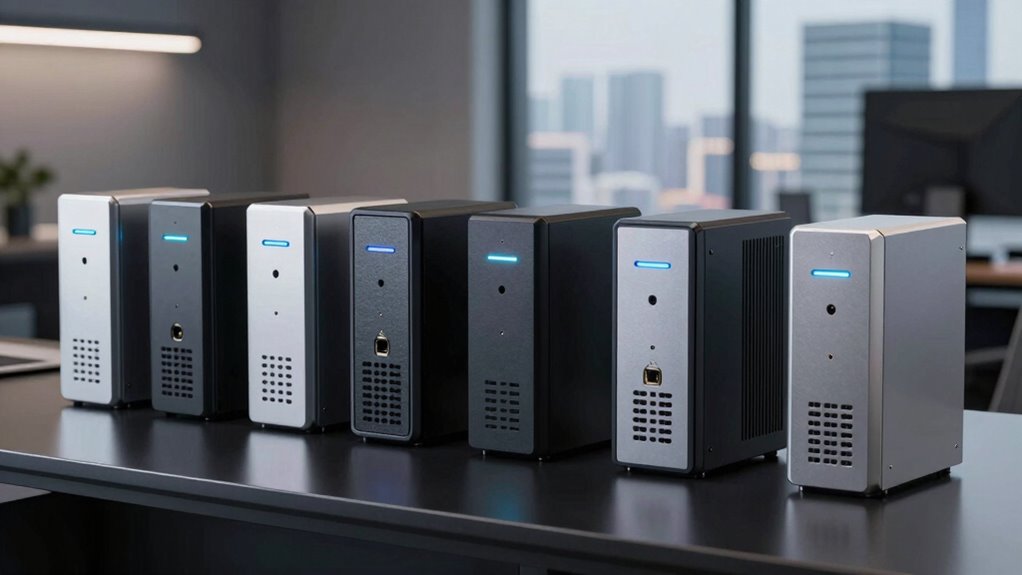

When selecting an enterprise VPN router, the goal is to find a device that balances high security, reliable performance, and scalability for growing networks. The TP-Link ER7206 stands out as the best overall for its versatile multi-WAN support and robust security features. The Omada ER8411 offers impressive 10G connectivity for high-demand environments, while the D-Link DSR-250V2 provides a cost-effective option for smaller setups. Each choice involves tradeoffs between cost, complexity, and feature set. Continue reading for a detailed breakdown of these options and what makes them suitable for different network needs.

Get the latest gadgets delivered free with Prime
- Fast, free delivery on millions of items
- Prime Video, Amazon Music and more included
- Member-only deals all year
Complete the kit



Key Takeaways
- The most critical factor for enterprise VPN routers is a combination of security features and throughput capacity.
- Multi-WAN support remains a key feature for ensuring network reliability during outages or high traffic periods.
- Higher-priced models generally offer better scalability and advanced security, but may be overkill for smaller organizations.
- User-friendly setup and management interfaces are often overlooked but crucial for maintaining security in large deployments.
- Tradeoffs between wired and wireless capabilities can influence overall network performance and flexibility.
| TP-Link ER7206 Multi-WAN Professional Wired Gigabit VPN Router |  | Best Overall for Enterprise Network Management | WAN Ports: 1 Gigabit SFP, 1 Gigabit WAN, 2 Gigabit WAN/LAN, 1 Gigabit LAN | Maximum Client Devices: 150,000 | Maximum Clients: 700 | VIEW ON AMAZON | See Our Full Breakdown |
| Omada ER8411 Enterprise Wired 10G Dual-Band VPN Router |  | Best for High-Speed, Large-Scale Deployments | Ports: 1 10G SFP+ WAN/LAN, 1 10G SFP+ WAN, 1 Gigabit SFP WAN/LAN, 8 Gigabit RJ45 WAN/LAN, 2 USB 3.0 | Maximum concurrent sessions: 2,300,000 | Maximum clients: 1000+ | VIEW ON AMAZON | See Our Full Breakdown |
| TP-Link Tri-Band WiFi 7 Router (Archer BE550) |  | Best for High-Speed Wireless Connectivity | WiFi Bands: Tri-Band | Max Speed: 5760 Mbps | 2.4 GHz Speed: 574 Mbps | VIEW ON AMAZON | See Our Full Breakdown |
| TP-Link ER605 V2 Wired Gigabit VPN Router |  | Best for Small-Scale Secure Wired Networks | Number of Gigabit Ports: 5 (1 WAN, 2 WAN/LAN, 2 LAN) | USB WAN Port: Yes | VPN Support: Up to 20 LAN-to-LAN IPsec, 16 OpenVPN, 16 L2TP, 16 PPTP | VIEW ON AMAZON | See Our Full Breakdown |
| Omada ER707-M2 Multi-Gigabit VPN Router |  | Best for Versatile, High-Performance Connectivity | WAN Ports: 2.5GbE WAN, 1 GbE WAN/LAN, 1 GbE WAN/LAN, 1 GbE SFP WAN/LAN, 1 USB 2.0 | Maximum Concurrent Sessions: 500,000 | Maximum Clients: 1000+ | VIEW ON AMAZON | See Our Full Breakdown |
| ASUS RT-AX1800S Dual Band WiFi 6 Extendable Router |  | Best for Home Office with Moderate VPN Needs | WiFi Standard: WiFi 6 (802.11ax) | Antenna: External x 4 | Processor: Dual-core | VIEW ON AMAZON | See Our Full Breakdown |
| D-Link Gigabit VPN Router DSR-250V2 |  | Best for Small Business with Enterprise-Grade Security Needs | Ports: 4 Gigabit Ethernet | WAN: 1×1Gbps WAN, 1×1Gbps configurable LAN/WAN | VPN Tunnels: up to 75 | VIEW ON AMAZON | See Our Full Breakdown |
| enterprise vpn router | Ports |
|---|---|
| TP-Link ER7206 Multi-WAN Profe | — |
| Omada ER8411 Enterprise Wired | 1 10G SFP+ WAN/LAN, 1 10G SFP+ WAN, 1 Gigabit SFP WAN/LAN, 8 Gigabit RJ45 WAN/LAN, 2 USB 3.0 |
| TP-Link Tri-Band WiFi 7 Router | 1 x 2.5G WAN, 4 x 2.5G LAN |
| TP-Link ER605 V2 Wired Gigabit | — |
| Omada ER707-M2 Multi-Gigabit V | — |
| ASUS RT-AX1800S Dual Band WiFi | 1 Gigabit WAN, 4 Gigabit LAN |
| D-Link Gigabit VPN Router DSR- | 4 Gigabit Ethernet |
More Details on Our Top Picks
TP-Link ER7206 Multi-WAN Professional Wired Gigabit VPN Router
This model stands out for its support of multiple WAN ports, enabling load balancing and redundancy, making it ideal for large, multi-site enterprises. Its integration with Omada SDN simplifies centralized control, a feature that surpasses the more basic capabilities of the TP-Link ER605 V2. However, its complex setup may challenge smaller IT teams without technical expertise, and SDN features require compatible hardware. The ER7206 excels in environments demanding high capacity and security, but the learning curve can be steep. Compared to the Omada ER8411, it offers more granular security options, though it doesn’t include 10G ports. This pick makes the most sense for organizations seeking robust, scalable, and manageable VPN routing with extensive client support.
Pros:- Supports multiple WAN ports for optimized bandwidth
- High network capacity with support for many clients
- Integrates with Omada SDN for centralized management
- Strong security features including advanced firewall and VPN support
Cons:- Complex setup may require technical knowledge
- SDN features require compatible hardware and controllers
Best for: Large enterprises needing multi-WAN support and centralized management
Not ideal for: Small businesses or home offices with simple networking needs
- WAN Ports:1 Gigabit SFP, 1 Gigabit WAN, 2 Gigabit WAN/LAN, 1 Gigabit LAN
- Maximum Client Devices:150,000
- Maximum Clients:700
- SDN Compatibility:Yes
- VPN Support:IPsec, OpenVPN, L2TP, PPTP
- Security Features:Firewall, DoS defense, IP/MAC/URL filtering
Our verdict“This router is best suited for large organizations that require flexible, secure, and manageable network infrastructure.”
Omada ER8411 Enterprise Wired 10G Dual-Band VPN Router
The Omada ER8411 is designed for demanding enterprise environments where high throughput is essential, thanks to its multiple 10G ports and load balancing. It outperforms the TP-Link ER7206 in raw speed capacity, making it suitable for data centers or cloud-connected branches. Its cloud management simplifies remote control across multiple sites, but this might be overkill for small or less complex networks. The ER8411’s advanced security features and support for extensive sessions make it ideal for large, data-intensive operations, though its setup complexity can be prohibitive for smaller teams. Compared with the Omada ER707-M2, it offers higher port speeds at the expense of increased cost and configuration complexity. This router suits organizations prioritizing speed and centralized control for multiple high-demand locations.
Pros:- Multiple 10G ports support fast data transfer
- Supports load balancing for optimized bandwidth
- Cloud management for remote, centralized control
- Robust security features to protect high-volume data
Cons:- Setup complexity may require specialized skills
- High cost and over-qualification for small networks
Best for: Enterprises with high-speed data transfer needs across multiple sites
Not ideal for: Small offices or environments with limited technical resources
- Ports:1 10G SFP+ WAN/LAN, 1 10G SFP+ WAN, 1 Gigabit SFP WAN/LAN, 8 Gigabit RJ45 WAN/LAN, 2 USB 3.0
- Maximum concurrent sessions:2,300,000
- Maximum clients:1000+
- Security features:Firewall, DoS defense, IP/MAC/URL filtering, IP-MAC binding
- Management:Cloud-based centralized control
Our verdict“This router is best for large-scale, speed-critical enterprise environments needing centralized management.”
TP-Link Tri-Band WiFi 7 Router (Archer BE550)
The TP-Link Archer BE550 shines in scenarios where fast, reliable WiFi coverage is needed, especially for streaming and gaming. Its tri-band WiFi 7 technology delivers speeds up to 5760 Mbps, surpassing many enterprise routers focused solely on wired connections, such as the TP-Link ER605 V2. While it excels in wireless performance, it’s not tailored for wired VPN routing or high-security enterprise deployments. Its simplicity and app-based setup make it accessible for tech-savvy users but potentially confusing for those unfamiliar with mesh systems. This router is ideal for businesses that require high-speed wireless access, but it doesn’t replace wired VPN routers for secure enterprise connectivity. Its price point and lack of Wi-Fi infrastructure support limit its use in large, complex networks.
Pros:- High-speed tri-band WiFi 7 delivers exceptional wireless performance
- EasyMesh support for seamless whole-home coverage
- Advanced security with WPA3 and HomeShield
- Simple setup via mobile app
Cons:- Requires a modem for internet connection
- Potentially complex setup for non-technical users
- Price not specified, which could be high for some
Best for: Businesses needing fast, reliable WiFi for high-bandwidth activities
Not ideal for: Organizations requiring enterprise-grade VPN security or wired network infrastructure
- WiFi Bands:Tri-Band
- Max Speed:5760 Mbps
- 2.4 GHz Speed:574 Mbps
- 5 GHz Speed:2880 Mbps
- 6 GHz Speed:5760 Mbps
- Ports:1 x 2.5G WAN, 4 x 2.5G LAN
Our verdict“This router is best for businesses prioritizing high-speed WiFi over wired enterprise VPN functions.”
TP-Link ER605 V2 Wired Gigabit VPN Router
The TP-Link ER605 V2 offers reliable wired VPN routing with multiple WAN ports, making it a solid choice for small offices or branch locations. Its USB port for mobile broadband backup provides added resilience, similar to the Omada ER707-M2. While it lacks WiFi, this simplifies deployment where wired connection suffices. Its extensive VPN support—up to 20 IPsec tunnels—caters to organizations needing secure remote access, but the setup can be intricate for less experienced IT teams. Compared with the TP-Link ER7206, it’s more straightforward but less scalable, suited for smaller networks with basic VPN needs. It’s a dependable, budget-friendly option for wired security-focused setups.
Pros:- Multiple WAN ports for bandwidth management
- Supports mobile broadband backup via USB
- Strong VPN support for secure remote connections
- Simple wired setup for straightforward deployment
Cons:- No WiFi capabilities, limiting flexibility
- Setup can be complex for non-technical users
Best for: Small businesses or remote offices needing secure wired VPN access
Not ideal for: Large enterprises or environments requiring wireless connectivity and high client capacity
- Number of Gigabit Ports:5 (1 WAN, 2 WAN/LAN, 2 LAN)
- USB WAN Port:Yes
- VPN Support:Up to 20 LAN-to-LAN IPsec, 16 OpenVPN, 16 L2TP, 16 PPTP
- Security Features:Firewall, DoS defense, IP/MAC/URL filtering
- Standards:IEEE 802.3, 802.3u, 802.3ab, 802.3x, 802.1q
Our verdict“This router is ideal for small, security-focused wired networks without wireless needs.”
Omada ER707-M2 Multi-Gigabit VPN Router
The Omada ER707-M2 offers a flexible mix of high-speed ports, including multi-gigabit options, and supports a large number of concurrent sessions, making it suitable for dynamic business environments. Its cloud management simplifies centralized control across multiple sites, similar to the Omada ER8411, but with a more versatile port configuration tailored for smaller to medium-sized deployments. While it supports a variety of VPN protocols, its setup can be complex, and some advanced security features are not explicitly detailed, unlike the comprehensive security suite in the ER8411. Compared to the ER7206, it emphasizes high performance and session capacity, at the cost of potentially higher complexity. This router fits well for businesses needing flexible, high-performance VPN solutions with easy remote management.
Pros:- Supports multiple high-speed ports including multi-gigabit Ethernet
- Extensive VPN protocol support for secure remote access
- Cloud management for centralized control
- High maximum concurrent sessions for demanding applications
Cons:- Setup may require technical expertise
- Limited details on advanced security features
Best for: Medium-sized businesses with high-performance VPN and multi-gigabit connectivity needs
Not ideal for: Small offices or users seeking a straightforward, plug-and-play solution
- WAN Ports:2.5GbE WAN, 1 GbE WAN/LAN, 1 GbE WAN/LAN, 1 GbE SFP WAN/LAN, 1 USB 2.0
- Maximum Concurrent Sessions:500,000
- Maximum Clients:1000+
- VPN Support:LAN-to-LAN IPsec, OpenVPN, L2TP, PPTP
- Warranty:5 years
Our verdict“This router is ideal for businesses requiring high-performance, versatile VPN connectivity with centralized management.”
ASUS RT-AX1800S Dual Band WiFi 6 Extendable Router
The ASUS RT-AX1800S stands out for integrating WiFi 6 technology, which ensures faster wireless speeds and better efficiency in busy network environments. Compared to the D-Link DSR-250V2, it offers a more user-friendly setup for those primarily focused on home or small office use rather than complex enterprise configurations. While it includes VPN and security features, its performance heavily depends on network conditions, and setup can be challenging for non-technical users. The extendable AiMesh support allows for broader coverage, making it ideal where WiFi stability matters. However, if your organization requires advanced routing protocols or enterprise-grade security, this router may fall short. Pros include WiFi 6 support, multiple gigabit ports, and parental controls; cons involve potential complexity during setup and variable real-world throughput. Verdict: Best suited for small teams or remote workers needing reliable WiFi with basic VPN security, not for large-scale enterprise deployments.
Pros:- Supports the latest WiFi 6 standard for faster wireless speeds
- Includes security features and parental controls for safer browsing
- Extendable with AiMesh for wider WiFi coverage
- Multiple gigabit ports for high-speed wired connections
Cons:- Performance heavily depends on network conditions and environment
- Setup may be complex for users without technical experience
Best for: Small business owners or remote professionals seeking a high-speed WiFi 6 router with basic VPN features.
Not ideal for: Large organizations requiring complex routing protocols or enterprise-grade security without extensive technical support.
- WiFi Standard:WiFi 6 (802.11ax)
- Antenna:External x 4
- Processor:Dual-core
- Ports:1 Gigabit WAN, 4 Gigabit LAN
- Security:AiProtection Classic, VPN
- Extendability:AiMesh compatible
Our verdict“This router is an excellent choice for small offices or advanced home setups needing fast WiFi and basic security, but limited for full enterprise-scale security needs.”
D-Link Gigabit VPN Router DSR-250V2
The D-Link DSR-250V2 is tailored for organizations that require robust security and reliable VPN connectivity. Unlike the ASUS RT-AX1800S, which is more suited for small offices or remote setups, this router offers comprehensive enterprise features such as support for up to 75 VPN tunnels and advanced routing protocols like OSPF and RIPv1/v2. Its dual WAN failover capability provides resilience against internet outages, making it a strong fit for small businesses with critical online operations. The tradeoff is that its setup process can be complex, often demanding technical expertise, and its user interface is less intuitive. While it offers high firewall throughput and session capacity, it is less flexible for casual or less technically skilled users. Pros include enterprise-grade security, dual WAN failover, and flexible deployment options; cons involve complex setup and limited user-friendly interface information. Verdict: Ideal for small organizations prioritizing security and connectivity resilience over simplicity of installation.
Pros:- Supports up to 75 VPN tunnels for secure remote access
- Provides enterprise-grade security and encryption
- Dual WAN failover ensures continuous internet connectivity
- Flexible deployment options for hardware or client VPN
Cons:- Setup complexity requires technical expertise
- Limited user interface clarity can hinder initial configuration
Best for: Small business IT managers or organizations needing secure, reliable VPN routing with failover capabilities.
Not ideal for: Small offices or remote workers seeking simple, plug-and-play solutions without advanced routing or security features.
- Ports:4 Gigabit Ethernet
- WAN:1×1Gbps WAN, 1×1Gbps configurable LAN/WAN
- VPN Tunnels:up to 75
- Firewall Throughput:950 Mbps
- Sessions:50,000
- VLANs:16
Our verdict“This router is best suited for organizations that need robust security, VPN capacity, and reliable connectivity but can handle a more technical setup process.”

How We Picked
Our evaluation focused on performance benchmarks, security capabilities, scalability options, ease of deployment, and value for cost. We prioritized devices with enterprise-grade features such as VPN throughput, multi-WAN support, advanced firewall settings, and ease of management. Products were ranked based on how well they balance these factors for different business sizes and needs, ensuring they are suitable for both large-scale deployments and smaller, growing networks. Devices that offered a combination of durability, feature set, and value earned higher positions in our list.Factors to Consider When Choosing Enterprise Vpn Router
Choosing the right enterprise VPN router requires understanding several key factors that influence network security, reliability, and scalability. It’s important to evaluate not just raw performance, but also how a device integrates into your existing infrastructure and future growth plans. Avoid common pitfalls such as overpaying for features you won’t need or selecting devices that lack sufficient security protocols. The following sections highlight the most critical considerations when selecting an enterprise VPN router, helping you make a confident decision.Performance and Throughput
Performance metrics like VPN throughput and concurrent connection limits directly impact how well your network handles heavy traffic and multiple remote connections. Opt for routers with high throughput ratings if your organization relies on data-heavy activities or has many remote users. Underestimating this can lead to bottlenecks, reducing productivity and risking security lapses during high traffic. Remember, a router’s advertised speed isn’t always reflective of real-world performance; look for devices with benchmarked results and scalable hardware options.
Security Features
Security should be the top priority, especially when dealing with sensitive enterprise data. Look for routers that support advanced VPN protocols like IPsec, SSL, and OpenVPN, along with integrated firewalls and intrusion detection systems. Not all devices offer enterprise-grade security; cheaper models might lack features such as multi-factor authentication or real-time threat monitoring. Investing in a device with comprehensive security features reduces the risk of breaches and data leaks, making it worth considering higher-end options for critical networks.
Scalability and Multi-WAN Support
As your organization grows, so will your networking demands. Routers with multi-WAN support enable load balancing and failover, ensuring continuous connectivity even during outages. This feature is essential for maintaining uptime in environments where downtime translates directly into financial loss. Be cautious of models that support only a single WAN port or limited connections, as they can limit your future expansion. Scalability also involves support for additional hardware modules or firmware upgrades to extend lifespan.
Ease of Management
An enterprise VPN router should be manageable at scale, with centralized control, user-friendly interfaces, and clear reporting tools. Complex setups can lead to configuration errors, security gaps, or increased maintenance costs. Devices with intuitive dashboards and automation features help streamline updates and policy enforcement. Avoid models with overly complicated management systems if your IT team lacks specialized training, as this can slow down deployment and troubleshooting.
Cost and Total Ownership
Price is a significant consideration, but it shouldn’t be the sole factor. Cheaper routers might save initial costs but often lack necessary security or scalability features, leading to higher expenses in the long run. Conversely, premium devices offer extensive support and future-proofing but may be unnecessary for smaller setups. Evaluate total ownership costs, including licensing, support, and maintenance, to determine the best value for your organization. Balancing upfront investment with long-term benefits ensures a sustainable network infrastructure.
Frequently Asked Questions
Can I upgrade my enterprise VPN router later if my network grows?
Yes, many enterprise routers are designed with scalability in mind, offering modular hardware options or firmware updates to add features over time. When selecting a device, verify it supports future expansion, such as additional VPN tunnels, higher throughput, or multi-WAN configurations. Planning for growth from the start can reduce costly hardware replacements later. However, ensure that the initial purchase aligns with your projected needs to avoid frequent upgrades or complex migrations.
Is wired connectivity still essential for enterprise VPN routers?
Wired connections remain vital for critical infrastructure due to their reliability and higher speeds compared to wireless options. Enterprise VPN routers often support both wired and wireless interfaces, but prioritizing wired connections for core operations minimizes latency and interference issues. Wireless is convenient for mobility, but for sensitive or high-bandwidth tasks, wired setups provide a more stable and secure foundation. Assess your organization’s specific needs to decide the right mix of connectivity options.
How do I balance security features with ease of management?
Security features are fundamental, but they can add complexity if not properly integrated. Look for routers with centralized management interfaces that simplify policy enforcement and monitoring. User-friendly dashboards and automation reduce the chance of misconfigurations, which can introduce vulnerabilities. Striking a balance involves choosing devices that offer robust security without overwhelming your IT team, often through intuitive software and comprehensive documentation. Proper training and support also help maintain this balance effectively.
What is the importance of VPN throughput in an enterprise router?
VPN throughput indicates how much encrypted data the router can handle simultaneously, affecting overall network speed and user experience. Higher throughput ensures remote workers and branch offices operate smoothly without noticeable delays. Underestimating this capability can cause slow connections or dropped sessions, especially as users increase or data loads grow. Always select a router with a VPN capacity that exceeds your current requirements, leaving room for future expansion and increased traffic.
Should I prioritize hardware features over software capabilities?
Both hardware and software features are essential for a reliable enterprise VPN router. High-quality hardware ensures durability and consistent performance, while advanced software provides security, management, and scalability. Ignoring software capabilities can leave vulnerabilities or limit your ability to adapt to new threats, while hardware limitations can bottleneck performance. A balanced approach—selecting a device with robust hardware and comprehensive software features—best supports a secure and flexible network environment.
Conclusion
For organizations seeking a dependable all-rounder, the TP-Link ER7206 offers excellent performance and security at a reasonable price, making it ideal for medium-sized businesses. Companies prioritizing high-speed connectivity and scalability should consider the Omada ER8411, especially in data-heavy environments. Smaller businesses or those new to enterprise networking might find the ASUS RT-AX1800S or D-Link DSR-250V2 more approachable and cost-effective. For premium, future-proof solutions, investing in higher-end models with modular options can support long-term growth. Ultimately, your choice depends on your network size, security needs, and budget constraints, but understanding these distinctions ensures a well-informed decision.