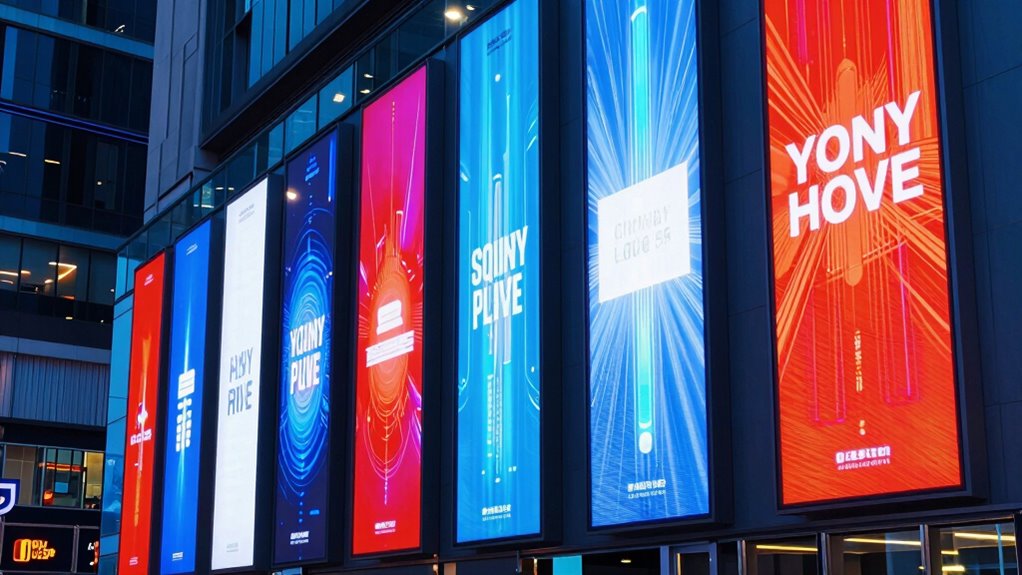
For most businesses, the MWE 43-Inch Mobile Digital Signage Display with Touchscreen is the best overall choice because its mobile format and touch interface suit changing layouts and interactive content. The 55-Inch 1000-Nit 4K Commercial Screen stands out for bright, detailed viewing, while the 32-Inch Portable Outdoor Display with Rechargeable Battery fits locations where a power outlet is not close by. Choosing a digital signage display means balancing screen size, brightness, portability, and touch capability against where and how long it will run. A larger floor-standing kiosk can command attention, but smaller displays are easier to place and move. Read on for the full comparison and guidance on matching a display to your setting.

Get the latest gadgets delivered free with Prime
- Fast, free delivery on millions of items
- Prime Video, Amazon Music and more included
- Member-only deals all year
Complete the kit



Key Takeaways
- The MWE 43-Inch Mobile Touchscreen is the most versatile all-rounder: it combines a substantial screen with mobility and interaction, unlike fixed floor-standing options.
- Brightness separates indoor signage from brighter environments: the 55-inch 1000-nit screen and Canlarriz 18.5-inch 700-nit display have clearer brightness claims than most models in this lineup.
- Large 65-inch displays suit attention-first installations: the MWE floor-standing display and YCKJNB kiosk offer scale, but need more floor space than the 32- and 43-inch choices.
- Portable does not mean interchangeable: the battery-powered 32-inch outdoor model answers power-access and placement needs that a standard indoor kiosk may not.
- Touch and Android features matter only when the content calls for interaction: passive advertising may be better served by a simpler display, while wayfinding or self-service benefits from touch.
| MWE 43-Inch Mobile Digital Signage Display with Touchscreen |  | Best for Flexible Indoor Placement | Screen size: 43 inches | Resolution: 1920 × 1080 | Display type: IPS LCD | VIEW ON AMAZON | See Our Full Breakdown |
| AYSTekMann 15.6-Inch Touchscreen Digital Signage Display |  | Best for Interactive Countertop Signage | Screen size: 15.6 inches | Resolution: 1920 × 1080 (FHD) | Touchscreen: 10-point capacitive | VIEW ON AMAZON | See Our Full Breakdown |
| 55″ Digital Signage Display 1000 Nit 4K UHD Commercial Screen |  | Best for Bright, High-Detail Commercial Installations | Screen size: 55 inches | Resolution: 3840 × 2160 (4K UHD) | Brightness: 1000 cd/m² | VIEW ON AMAZON | See Our Full Breakdown |
| MWE 65-Inch 4K Indoor Floor-Standing Digital Signage Display |  | Best for Large Floor-Standing Indoor Promotions | Screen size: 65 inches | Resolution: Listed as 4K in title; description states FHD | Display technology: IPS LCD | VIEW ON AMAZON | See Our Full Breakdown |
| 32-Inch Portable Outdoor Digital Signage Display with Rechargeable Battery |  | Best for Portable Outdoor Signage | Screen size: 32 inches | Resolution: 1920 × 1080 | Brightness: 2000 nits | VIEW ON AMAZON | See Our Full Breakdown |
| YCKJNB 65-Inch 4K Indoor Digital Signage Kiosk |  | Best for Large-Format 4K Impact | Screen size: 65 inches | Resolution: 3840 x 2160 (4K UHD) | Display technology: LCD, IPS | VIEW ON AMAZON | See Our Full Breakdown |
| 32-Inch Touchscreen Digital Signage Kiosk with Android, Wi-Fi, USB, and HDMI | 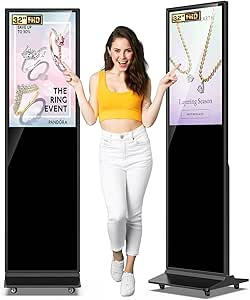 | Best for Interactive Indoor Signage | Screen size: 32 inches | Display technology: IPS LCD | Resolution: 1920 × 1200 native; 1920 × 1080 maximum | VIEW ON AMAZON | See Our Full Breakdown |
| MWE 32-Inch Indoor Digital Signage Display Kiosk |  | Best for Flexible Placement | Screen size: 32 inches | Resolution: 1920 x 1080 (FHD) | Viewing angle: 178 degrees | VIEW ON AMAZON | See Our Full Breakdown |
| Canlarriz 18.5-Inch Digital Signage Display, 700 Nits |  | Best Compact Display for Managed Content | Screen size: 18.5 inches | Resolution: 1366 × 768 | Brightness: 700 cd/m² | VIEW ON AMAZON | See Our Full Breakdown |
| MWE 43-Inch Indoor Floor-Standing Digital Signage Display |  | Best Mid-Size Floor-Standing Signage | Screen size: 43 inches | Display technology: LCD, IPS | Resolution: FHD | VIEW ON AMAZON | See Our Full Breakdown |
| 43-Inch Interactive Digital Signage Kiosk with Touchscreen, Android, Wi-Fi, USB, and HDMI |  | Best for Interactive Content | Screen size: 43 inches | Display: LCD, IPS | Resolution: 3840 × 2160 native; maximum also listed as 1920 × 1080 | VIEW ON AMAZON | See Our Full Breakdown |
| digital signage display | Screen size | Resolution | Connectivity | Brightness |
|---|---|---|---|---|
| MWE 43-Inch Mobile Digital Sig | 43 inches | 1920 × 1080 | HDMI, USB, Wi-Fi | 300 cd/m² |
| AYSTekMann 15.6-Inch Touchscre | 15.6 inches | 1920 × 1080 (FHD) | — | 250 nits |
| 55" Digital Signage Display 10 | 55 inches | 3840 × 2160 (4K UHD) | HDMI, USB Type-A, USB 2.0, USB 3.0, Bluetooth, Wi-Fi | 1000 cd/m² |
| MWE 65-Inch 4K Indoor Floor-St | 65 inches | Listed as 4K in title; description states FHD | HDMI, USB, Wi-Fi, network | — |
| 32-Inch Portable Outdoor Digit | 32 inches | 1920 × 1080 | Ethernet, HDMI, USB Type-A, Wi-Fi | 2000 nits |
| YCKJNB 65-Inch 4K Indoor Digit | 65 inches | 3840 x 2160 (4K UHD) | Wi-Fi, 2 HDMI ports, 2 USB ports | 500 cd/m² |
| 32-Inch Touchscreen Digital Si | 32 inches | 1920 × 1200 native; 1920 × 1080 maximum | Wi-Fi, USB, HDMI | 600 nits |
| MWE 32-Inch Indoor Digital Sig | 32 inches | 1920 x 1080 (FHD) | Wi-Fi | — |
| Canlarriz 18.5-Inch Digital Si | 18.5 inches | 1366 × 768 | HDMI, LAN, TF card, USB 2.0, USB 3.0, DC | 700 cd/m² |
| MWE 43-Inch Indoor Floor-Stand | 43 inches | FHD | Wi-Fi, network, HDMI | — |
| 43-Inch Interactive Digital Si | 43 inches | 3840 × 2160 native; maximum also listed as 1920 × 1080 | USB, HDMI, 5G Wi-Fi | 350 nits in product information; 600 nits in description |
More Details on Our Top Picks
MWE 43-Inch Mobile Digital Signage Display with Touchscreen
The MWE 43-Inch Mobile Digital Signage Display suits businesses that need a large screen they can reposition, rather than a fixed wall installation. Its wheeled stand and app-based scheduling make it practical for rotating promotions, event information, or photo-booth use, while Wi-Fi, HDMI, and USB give you several ways to bring in content. The IPS panel and Full HD resolution should work well for typical signage viewed around a room, but this is not the sharpest choice for close inspection: the 55-inch 1000 Nit 4K UHD Commercial Screen offers much more detail and brightness for demanding spaces. At about 40 kg, the MWE is movable, not light; plan on help when relocating it. Its 300 cd/m² brightness also points to indoor use, not sunlit windows.
Pros:- Wheeled stand supports repositioning without a permanent mount.
- App-based remote updates and scheduling simplify routine content changes.
- IPS Full HD panel suits general indoor promotional content.
- Wi-Fi, HDMI, USB, and built-in playback offer flexible content sources.
Cons:- At about 40 kg, moving it often or alone can be difficult.
- Full HD resolution is less detailed than the 4K 55-inch commercial display.
- 300 cd/m² brightness is a poor fit for direct sunlight or very bright storefronts.
Best for: Retailers, venues, and event teams that want a large indoor display they can roll between promotions or rooms.
Not ideal for: Buyers needing outdoor visibility, lightweight solo portability, or 4K detail for close viewing.
- Screen size:43 inches
- Resolution:1920 × 1080
- Display type:IPS LCD
- Brightness:300 cd/m²
- Refresh rate:60 Hz
- Connectivity:HDMI, USB, Wi-Fi
- Content management:LED Art app with remote updates and scheduling
- Stand:Adjustable mobile stand with wheels
- Weight:About 40 kg
Our verdict“Choose this MWE when you need a movable, app-managed indoor screen and can accommodate its weight and Full HD resolution.”
AYSTekMann 15.6-Inch Touchscreen Digital Signage Display
The AYSTekMann 15.6-inch display is the interactive, compact pick in this group: its 10-point capacitive touchscreen lets visitors browse menus, product details, or check-in information instead of only viewing a loop. Android, wireless mirroring, and Ethernet, HDMI, USB, and MicroSD connections give small businesses several deployment options. Its built-in battery adds flexibility for temporary setups, but four to six hours of stated runtime is not a substitute for all-day operation; the MWE 43-Inch Mobile Digital Signage Display is a better fit when the goal is a larger shared screen with app-managed scheduling. A further caveat is the listing’s conflicting Android version references, which makes software expectations less certain. Its 250-nit brightness and small panel also favor close indoor use over bright, long-distance signage.
Pros:- 10-point touchscreen supports interactive browsing and multiple touch inputs.
- Built-in battery enables short-term placement without a nearby outlet.
- Ethernet, HDMI, USB-A, MicroSD, Wi-Fi, and Bluetooth support varied setups.
- Android and wireless mirroring allow app-based or cast content.
Cons:- Stated battery runtime of four to six hours may not cover a full business day.
- The listing gives inconsistent Android version information.
- 250-nit brightness and 15.6-inch size limit visibility across a large or bright space.
Best for: Cafés, reception desks, and small retailers that want visitors to tap through content at a counter or temporary station.
Not ideal for: Businesses needing an all-day battery-powered display, a large audience-facing screen, or high visibility in bright spaces.
- Screen size:15.6 inches
- Resolution:1920 × 1080 (FHD)
- Touchscreen:10-point capacitive
- Brightness:250 nits
- Operating system:Android; listing references Android 11 and Android 13
- Memory and storage:2 GB RAM, 32 GB storage
- Battery:10,000 mAh; stated 4–6 hours of use
- Ports:RJ45, HDMI-in, 2 × USB-A, MicroSD, DC
Our verdict“Pick the AYSTekMann for close-range, touch-driven indoor signage where compact size matters more than long battery runtime or broad visibility.”
55″ Digital Signage Display 1000 Nit 4K UHD Commercial Screen
For signage that has to remain legible in bright interiors, this 55-inch 4K commercial screen is the strongest fit in the group. Its 1000-nit brightness is far above the 300 cd/m² MWE 43-Inch Mobile Digital Signage Display, giving content more visibility near bright windows, while 4K resolution gives fine text and imagery more detail. A slim profile and narrow bezel also make it a better candidate for wall mounting or tiled installations than a floor-standing display. Android 11, remote CMS management, and multi-zone playback support more complex schedules and layouts. That capability comes with installation demands: at 50.7 pounds, it needs a secure mount, and its listed 153 W power draw can add up during continuous operation. It is less flexible to relocate than a wheeled screen.
Pros:- 1000-nit brightness supports visibility in bright indoor environments.
- 4K resolution keeps fine text and detailed visuals crisp on a large screen.
- Narrow bezel and slim profile suit wall mounting and tiled installations.
- Android, remote CMS, and multi-zone playback support managed content layouts.
Cons:- At 50.7 pounds, mounting requires a suitable structure and careful handling.
- Listed 153 W power consumption may be a consideration for continuous use.
- Its fixed-installation design is less adaptable than a wheeled display.
Best for: Retail, corporate, and hospitality teams installing high-detail content in bright indoor spaces or planning multi-screen layouts.
Not ideal for: Buyers who need a portable floor display, low-power continuous operation, or a lightweight screen for simple signage.
- Screen size:55 inches
- Resolution:3840 × 2160 (4K UHD)
- Brightness:1000 cd/m²
- Viewing angle:178°
- Operating system:Android 11
- Memory and storage:4 GB RAM, 32 GB storage
- Connectivity:HDMI, USB Type-A, USB 2.0, USB 3.0, Bluetooth, Wi-Fi
- Weight:50.7 pounds
- Power consumption:153 W
Our verdict“Choose this 55-inch screen for bright, detail-heavy commercial installations where mounting and ongoing power use are acceptable.”
MWE 65-Inch 4K Indoor Floor-Standing Digital Signage Display
The MWE 65-inch floor-standing display is aimed at businesses that want a large, self-supporting screen for indoor advertising, announcements, or wayfinding. Its Android system, built-in media player, Wi-Fi, and USB playback make scheduled content easier to run without a separate player, while split-screen layouts can combine promotions and useful information. Compared with the 55-inch 1000 Nit 4K UHD Commercial Screen, this MWE gives you a larger floor-standing format rather than a slim wall-mounted panel, making it more suited to open lobby or retail-floor placement. The tradeoff is substantial: its dimensions call for dedicated floor space, and the resolution is unclear because the title says 4K while the description says FHD. I would confirm the delivered resolution before choosing it for fine text or close viewing.
Pros:- 65-inch floor-standing format provides a large shared viewing area.
- Android, built-in playback, Wi-Fi, USB, and HDMI support varied content workflows.
- Scheduling and automatic playback reduce routine manual starts.
- Split-screen layouts can present multiple content types at once.
Cons:- The listed resolution conflicts between 4K in the title and FHD in the description.
- Large floor-standing dimensions need a dedicated indoor footprint.
- Glossy screen finish may be less suitable where reflections are hard to control.
Best for: Retailers, hotels, and public venues seeking a large indoor floor display for scheduled promotions, announcements, or wayfinding.
Not ideal for: Buyers with limited floor space or projects where confirmed 4K resolution is required before purchase.
- Screen size:65 inches
- Resolution:Listed as 4K in title; description states FHD
- Display technology:IPS LCD
- Viewing angle:178°
- Refresh rate:60 Hz
- Connectivity:HDMI, USB, Wi-Fi, network
- Operating system:Android
- Dimensions:33.23 × 17.72 × 81.1 inches (D × W × H)
- Warranty:3 years for quality defects
Our verdict“Consider this MWE for spacious indoor venues that need a large scheduled floor display, but verify its resolution before buying.”
32-Inch Portable Outdoor Digital Signage Display with Rechargeable Battery
This 32-inch outdoor display is the specialist choice for signage that needs to work away from an outlet and face daylight. Its 2000-nit brightness and IP65 rating address the main obstacles the indoor MWE 65-Inch floor-standing display is not designed for: strong ambient light and exposure to the elements. The 720 Wh battery, Wi-Fi, Ethernet, HDMI, USB, CMS, and split-screen support make it adaptable for temporary events, outdoor queues, and changing promotions. That flexibility has limits. At 40 pounds, it is portable in the sense that it can be moved, not carried casually, and its Full HD resolution is less detailed than the 55-inch 4K commercial screen. Its 32-inch size also gives up the broad viewing area of the larger indoor models. Match the choice to outdoor visibility and placement needs, not maximum screen area.
Pros:- 2000-nit brightness is suited to outdoor and sunlit viewing conditions.
- IP65 rating supports use where dust and water exposure are concerns.
- 720 Wh rechargeable battery enables placement away from mains power.
- CMS, split-screen, Wi-Fi, Ethernet, HDMI, and USB provide flexible content options.
Cons:- At 40 pounds, relocation may require a cart or another person.
- 1920 × 1080 resolution provides less detail than the 55-inch 4K screen.
- Its 32-inch screen is smaller than the large indoor floor-standing options.
Best for: Event operators, outdoor retailers, and venue teams needing bright, weather-rated signage that can run on battery power.
Not ideal for: Buyers seeking a lightweight carry-around screen, maximum 4K detail, or a large fixed indoor display.
- Screen size:32 inches
- Resolution:1920 × 1080
- Brightness:2000 nits
- Weather protection:IP65
- Battery capacity:720 Wh
- Viewing angle:178°
- Connectivity:Ethernet, HDMI, USB Type-A, Wi-Fi
- Weight:40 pounds
- Refresh rate:60 Hz
Our verdict“Choose this model for bright, weather-rated outdoor signage that benefits from battery operation, rather than for lightweight portability or 4K detail.”
YCKJNB 65-Inch 4K Indoor Digital Signage Kiosk
The 65-inch 4K IPS screen gives this floor-standing kiosk an advantage when signage needs to carry detailed imagery or remain legible across a broad viewing area. Its 178-degree viewing angle helps people approaching from the side see the message, while Android, Wi-Fi, HDMI, USB, and split-screen playback provide several ways to run content. Compared with the MWE 43-Inch Indoor Floor-Standing Digital Signage Display, this YCKJNB offers a larger, higher-resolution canvas, but it takes up more room and weighs 60 kg. The specified 500 cd/m² brightness is suited to indoor environments, not bright outdoor placement. Buyers should also check which version they are ordering: touch is not standard across every configuration. The three-year warranty adds useful coverage for a substantial fixed installation.
Pros:- 65-inch 4K UHD IPS panel supports detailed, large-format signage
- 178-degree viewing angle keeps content visible from off-center positions
- Wi-Fi, HDMI, USB, and split-screen playback offer flexible content options
- Three-year after-sales warranty and built-in speakers are included
Cons:- At 60 kg, the floor-standing unit is difficult to move and reposition
- Touchscreen availability depends on the selected version
- 500 cd/m² brightness is intended for indoor use rather than sunlit locations
Best for: Retailers, hotels, and venues that need a large 4K indoor display for detailed promotions or wayfinding viewed from multiple angles.
Not ideal for: Small businesses with limited floor space, frequent repositioning needs, or a requirement for guaranteed touchscreen functionality.
- Screen size:65 inches
- Resolution:3840 x 2160 (4K UHD)
- Display technology:LCD, IPS
- Brightness:500 cd/m²
- Viewing angle:178 degrees
- Operating system:Android
- Connectivity:Wi-Fi, 2 HDMI ports, 2 USB ports
- Weight:60 kg
- Warranty:3 years
Our verdict“Choose this YCKJNB when a fixed indoor location calls for a large 4K screen, and skip it if space or mobility matters more.”
32-Inch Touchscreen Digital Signage Kiosk with Android, Wi-Fi, USB, and HDMI
This kiosk is the clearest fit for businesses that want visitors to interact with signage rather than only read it. Its 32-inch touchscreen, Android system, and split-screen mode can support menus, directories, or self-guided information, while 600-nit brightness and a 178-degree viewing angle help content remain visible in shared indoor spaces. Compared with the non-touch MWE 32-Inch Indoor Digital Signage Display Kiosk, this model puts interaction first, though the MWE’s foldable design and wheels are more appealing when mobility matters. The listed resolution needs a careful check: it gives 1920 × 1200 as native and 1920 × 1080 as maximum, an unusual mismatch for buyers planning detailed layouts. Its substantial floor-standing dimensions also call for a dedicated spot. A three-year warranty and lifetime technical support may suit operators who want ongoing assistance.
Pros:- Touchscreen supports interactive content and visitor self-service
- 600-nit brightness and 178-degree viewing angle suit shared indoor spaces
- Android, Wi-Fi, USB, HDMI, and split-screen mode support varied content setups
- Includes a three-year warranty and lifetime technical support
Cons:- Large freestanding dimensions require substantial floor space
- Native and maximum resolution figures differ in the specifications
- Glossy screen finish may reflect nearby lights
Best for: Businesses setting up an interactive directory, product-information station, or self-service display in a spacious indoor public area.
Not ideal for: Buyers who need a compact or mobile kiosk, or who require unambiguous resolution specifications before designing content.
- Screen size:32 inches
- Display technology:IPS LCD
- Resolution:1920 × 1200 native; 1920 × 1080 maximum
- Brightness:600 nits
- Contrast ratio:2000:1
- Viewing angle:178 degrees
- Operating system:Android
- Connectivity:Wi-Fi, USB, HDMI
- Technical support:Lifetime
Our verdict“Pick this kiosk when touch interaction and ongoing technical support matter more than compact size or straightforward display specifications.”
MWE 32-Inch Indoor Digital Signage Display Kiosk
The MWE’s strongest distinction is practical mobility: its foldable design and built-in wheels make it easier to move between indoor areas than the fixed, heavy YCKJNB 65-Inch 4K Indoor Digital Signage Kiosk. The 32-inch Full HD screen, 178-degree viewing angle, and automatic looping cover straightforward promotional playback, while Wi-Fi supports remote content updates after setup. Scheduled power settings and continuous-operation support are useful for businesses that want signage to run on a routine without daily manual starts. This is a non-touch, indoor-focused display, so it is better for rotating announcements or menus than visitor-operated directories. Its 21.55 kg weight is still substantial, and the provided details do not list brightness or a specific CMS platform. Compared with the interactive 32-inch touchscreen kiosk, it gives up touch in exchange for easier relocation.
Pros:- Foldable design and built-in wheels simplify indoor repositioning
- Full HD screen with a 178-degree viewing angle supports broad audience visibility
- Automatic looping and Wi-Fi remote updates help streamline playback
- Scheduled power settings and continuous-operation support suit regular signage schedules
Cons:- Indoor-only design is not intended for outdoor signage
- No touchscreen is specified for interactive use
- Brightness and specific content-management software are not listed
Best for: Retailers, event teams, and small venues that need to move a non-touch display between indoor locations and run looped content.
Not ideal for: Buyers seeking touchscreen interaction, outdoor placement, or a stated brightness level for challenging lighting.
- Screen size:32 inches
- Resolution:1920 x 1080 (FHD)
- Viewing angle:178 degrees
- Refresh rate:60 Hz
- Response time:5 ms
- Inputs:1 HDMI port, 2 USB ports
- Connectivity:Wi-Fi
- Weight:21.55 kg
- Warranty:3 years for quality defects
Our verdict“Choose the MWE when you need a movable indoor screen for scheduled, looped content rather than an interactive kiosk.”
Canlarriz 18.5-Inch Digital Signage Display, 700 Nits
The Canlarriz is the lineup’s compact, desk- or counter-friendly option, with a desktop stand that supports landscape or portrait orientation. Its 700 cd/m² brightness is higher than the 500 cd/m² listed for the YCKJNB 65-Inch 4K Indoor Digital Signage Kiosk, which can help this smaller screen hold attention in brighter indoor business settings. The cloud CMS adds value for operators managing playlists, schedules, or multiple displays remotely; USB plug-and-play offers a simpler fallback for local updates. In exchange for this compact footprint and management focus, it has a modest 1366 × 768 resolution, so it is not the right choice for fine detail or viewing from far away. Android 12, 32 GB storage, and a three-year warranty round out a practical commercial sign, but its smaller screen serves close-range messages best.
Pros:- Cloud CMS supports remote playlists, scheduling, and management of multiple displays
- 700 cd/m² brightness is useful for brighter indoor business settings
- Stand supports both landscape and portrait orientations
- USB plug-and-play updates, Android 12, and a three-year warranty are included
Cons:- 1366 × 768 resolution limits fine detail compared with Full HD and 4K options
- 18.5-inch screen is best for close-range viewing, not broad-area wayfinding
- Designed for commercial signage rather than general-purpose display use
Best for: Cafes, clinics, and retailers needing a compact counter display with remote playlist management and portrait-or-landscape placement.
Not ideal for: Venues needing large, distant-viewing signage or sharp presentation of detailed imagery and small text.
- Screen size:18.5 inches
- Resolution:1366 × 768
- Brightness:700 cd/m²
- Contrast ratio:1500:1
- Operating system:Android 12
- Memory and storage:2 GB RAM, 32 GB storage
- Connectivity:HDMI, LAN, TF card, USB 2.0, USB 3.0, DC
- Orientation:Landscape or portrait
- Warranty:3 years
Our verdict“Choose the Canlarriz for remotely managed counter signage where brightness and flexible orientation matter more than screen size or resolution.”
MWE 43-Inch Indoor Floor-Standing Digital Signage Display
At 43 inches, this MWE sits between the compact 32-inch kiosks and the much larger 65-inch YCKJNB, making it a sensible scale for indoor promotions, announcements, and wayfinding without committing to a 65-inch installation. Its FHD IPS screen and 178-degree viewing angle suit content people may encounter from different approaches, while Android, Wi-Fi, USB playback, HDMI, and a built-in media player allow several ways to present material. Scheduled power and remote content controls are useful for routine operation. Compared with the MWE 32-Inch Indoor Digital Signage Display Kiosk, this model offers a larger floor-standing viewing area but lacks the smaller model’s foldable, wheeled mobility. The listed FHD resolution is not stated as a pixel count, and its glossy finish may catch reflections. It is for fixed indoor placement, not outdoor use.
Pros:- 43-inch IPS display offers more viewing area than the 32-inch kiosks
- 178-degree viewing angle supports visibility from different approaches
- Android, Wi-Fi, USB, HDMI, and built-in media player provide flexible playback
- Remote content management and scheduled power support routine operation
Cons:- Indoor-only design does not suit outdoor installations
- Resolution is listed as FHD without a pixel count
- Glossy screen finish can reflect nearby lighting
Best for: Businesses that want a fixed, mid-size indoor display for advertising, announcements, or wayfinding without moving up to a 65-inch kiosk.
Not ideal for: Operators who need outdoor signage, frequent relocation, or detailed resolution information beyond the FHD designation.
- Screen size:43 inches
- Display technology:LCD, IPS
- Resolution:FHD
- Aspect ratio:16:9
- Viewing angle:178 degrees
- Contrast ratio:1200:1
- Operating system:Android
- Connectivity:Wi-Fi, network, HDMI
- Warranty:3 years for quality defects
Our verdict“Pick this MWE for fixed indoor signage when 43 inches is a better fit than a compact kiosk or a large 65-inch display.”
43-Inch Interactive Digital Signage Kiosk with Touchscreen, Android, Wi-Fi, USB, and HDMI
This freestanding kiosk is the clearest fit for venues where visitors should tap through information, rather than only watch a loop. Its 43-inch IPS touchscreen, Android operating system, and split-screen playback support interactive menus, directories, or mixed media without relying solely on an external player. Compared with the 32-Inch Touchscreen Digital Signage Kiosk, its larger screen gives shared displays more room for readable content, but takes up more floor space. The 16:9 panel and USB, HDMI, and Wi-Fi connections offer several ways to present content; the listed 3-year warranty and lifetime technical support may also appeal to organizations planning a longer deployment. I would be cautious about using it for bright storefronts: the listing conflicts on brightness, giving both 350 and 600 nits, and its resolution entries conflict too. That makes performance harder to judge than on a clearly specified screen.
Pros:- Touchscreen and Android support visitor interaction and on-device content presentation.
- Split-screen playback can show multiple content types at once.
- USB, HDMI, and Wi-Fi provide several content input options.
- Freestanding 43-inch format suits shared indoor spaces.
Cons:- Brightness is listed as both 350 and 600 nits, making suitability for bright locations uncertain.
- Resolution is described as both 3840 × 2160 native and 1920 × 1080 maximum.
- Its large freestanding footprint is less practical where floor space is limited.
Best for: Retailers, reception areas, and public venues that need a freestanding touchscreen for directories, menus, or visitor-led content.
Not ideal for: Buyers placing a screen in direct sunlight or requiring confirmed 4K playback, since the brightness and resolution specifications conflict.
- Screen size:43 inches
- Display:LCD, IPS
- Resolution:3840 × 2160 native; maximum also listed as 1920 × 1080
- Brightness:350 nits in product information; 600 nits in description
- Aspect ratio:16:9
- Operating system:Android
- Connectivity:USB, HDMI, 5G Wi-Fi
- Dimensions:17 × 71 × 100 inches (D × W × H)
- Support:3-year warranty; lifetime technical support
Our verdict“Choose this kiosk for interactive indoor signage and split-screen content, but skip it if verified brightness or resolution is a requirement.”

How We Picked
I ranked these displays by how well their stated formats and features match real signage jobs: advertising, wayfinding, customer interaction, and temporary or mobile placement. Screen size, stated brightness, resolution, touch capability, operating platform, connectivity, battery operation, and stand or kiosk design all shaped the comparison. I gave more weight to features that change where a display can work or what customers can do with it than to size alone.
The ranking favors flexible options that can serve several common business settings, followed by more specialized picks for high visibility, large-format impact, portability, or compact placement. Product details provided here do not establish long-term reliability, software support, weather ratings, or installation requirements, so I do not treat those as proven strengths. Buyers should verify those points with the seller before committing, particularly for outdoor or all-day installations.
| digital signage display | Operating system |
|---|---|
| MWE 43-Inch Mobile Digital Sig | — |
| AYSTekMann 15.6-Inch Touchscre | Android; listing references Android 11 and Android 13 |
| 55" Digital Signage Display 10 | Android 11 |
| MWE 65-Inch 4K Indoor Floor-St | Android |
| 32-Inch Portable Outdoor Digit | — |
| YCKJNB 65-Inch 4K Indoor Digit | Android |
| 32-Inch Touchscreen Digital Si | Android |
| MWE 32-Inch Indoor Digital Sig | — |
| Canlarriz 18.5-Inch Digital Si | Android 12 |
| MWE 43-Inch Indoor Floor-Stand | Android |
| 43-Inch Interactive Digital Si | Android |
Factors to Consider When Choosing Digital Signage Display
A display is only a good fit when its format, operating setup, and viewing conditions match the job. I would start with the installation site and the content people need to see or use, then narrow the choice by screen, brightness, and support requirements.
Match Screen Size to Viewing Distance and Content
A larger panel can make headlines and menus readable from farther away, but it can overwhelm a narrow corridor or small reception area. Estimate the farthest normal viewing point and check whether your content uses large, high-contrast text rather than relying on fine detail. A 65-inch kiosk makes more sense for open retail floors or lobbies than for a tight counter, where a compact screen may be easier to read up close. Avoid choosing by diagonal size alone: aspect ratio, orientation, mounting height, and the layout of your slides all affect readability. Leave room around the unit for foot traffic and accessible interaction, not just the screen itself.
Treat Brightness as a Site-Specific Requirement
Brightness needs depend on ambient light and reflections, not simply whether a product is labeled for indoor or outdoor use. A bright storefront window may wash out an ordinary indoor display even when it is technically inside. The stated 1000-nit and 700-nit figures in this group offer useful comparison points, but a brightness claim does not establish that a screen is sunlight-readable or weatherproof. Ask for guidance on direct sunlight, glare, operating temperature, and any required shade or enclosure. Paying for higher brightness can be worthwhile in a naturally bright space, while it may add little value in a controlled indoor setting.
Choose Touch Only When Visitors Have a Task
Touch can turn a sign into a directory, product finder, check-in station, or self-service interface, but it also changes the content and upkeep burden. Interactive displays need clear prompts, an easy route back to the home screen, and software that remains usable as information changes. For a simple loop of promotions, a non-interactive screen avoids unnecessary interface design and reduces the chance that visitors leave the display on an unintended page. Consider screen height and reach, especially if customers of different ages or mobility levels will use it. Before buying, confirm how the touchscreen works with your planned apps and whether the device supports the interaction you need.
Plan Power, Mobility, and Installation Together
A floor-standing kiosk is quick to place but occupies permanent floor space and may need a nearby outlet. A mobile display can make sense for events, changing promotions, or shared rooms, though wheels do not answer questions about cable management, locking, or safe movement. Battery operation can remove a major placement constraint, but ask how long the display runs at your intended brightness and what charging routine it requires. Check the unit’s weight, doorway clearance, footprint, and stability before choosing a large screen for a frequently rearranged space. The common mistake is to confirm that a display fits its designated spot without checking how it gets there and how it will be powered.
Check Content Management and Connectivity Before Purchase
Screen hardware does not tell you how easily staff can update the message on it. Confirm whether content is loaded by USB, controlled through an included system, or managed using software you must supply, and ask whether multiple screens can be updated from one place. Android, Wi-Fi, USB, and HDMI can broaden setup options, but they do not automatically mean the display includes signage software or ongoing support. Test the intended file formats, network access, and playback schedule against your actual workflow before ordering several units. For a single screen with occasional updates, a simple USB process may be enough; a multi-location rollout often needs centralized control and clear support terms.
Verify Duty Cycle, Environment, and Service Details
A sign that runs through a full business day has different demands from one switched on for a short event. Ask the seller for the supported operating schedule, warranty coverage, replacement process, and availability of repair parts rather than assuming a commercial label answers those questions. For outdoor placement, request explicit information about water and dust resistance, temperature limits, and protection from direct sun; a portable battery does not prove outdoor durability. Also check whether the stand can be secured and whether ventilation requirements affect placement. A lower-cost or less specialized setup may suit occasional use, while continuous operation can justify spending more on documented service and operating specifications.
Frequently Asked Questions
Can an indoor digital signage display be placed near a bright storefront window?
It can be, but the image may look washed out if daylight or reflections compete with the screen. Compare the display’s stated brightness with the conditions at the installation point, and ask the manufacturer whether it is rated for that level of ambient light. The 55-inch 1000-nit screen has a stronger stated brightness figure than most options here, but that alone does not confirm direct-sunlight readability. If possible, arrange a demonstration in similar lighting or use a shaded position. Do not assume an indoor model is suitable outdoors without separate environmental ratings.
Is a touchscreen worth choosing for a sign that mainly shows promotions?
Usually not if visitors only need to read a looping message. Touch adds value when people need to search, browse, check in, or select an option, but those tasks require a well-designed interface and someone responsible for maintaining it. A passive display can keep attention on the promotion and avoid accidental changes to the screen. If you expect both advertising and interaction, check whether the software can return to the promotional content after inactivity. Decide based on visitor tasks rather than treating touch as an automatic upgrade.
What should I confirm before relying on a battery-powered signage display?
Ask for runtime under the brightness and playback settings you plan to use, not just a general battery estimate. Confirm charging time, whether the display can operate while charging, and how staff can check battery status. A battery-powered unit helps when outlets are unavailable, but frequent charging can undermine the convenience for all-day use. Also verify the screen’s environmental ratings if it will be used outdoors; battery operation is not the same as weather resistance. For a permanent installation, a dependable wired power source may be simpler.
Do Android, Wi-Fi, USB, and HDMI mean I can manage several displays remotely?
Not by themselves. These features describe ways a display can connect or accept content, but remote management depends on compatible signage software, network setup, and any required service or subscription. Ask whether one account can update multiple screens, schedule different content, and report playback or connection problems. If you only need to update one display now and then, USB may be sufficient. For multiple locations, confirm the management workflow before purchase so the hardware does not leave you with manual updates at every site.
When should I choose a 65-inch kiosk over a 43-inch floor-standing display?
Choose the larger format when viewers need to read content from farther away or the screen must stand out in a wide, open space. A 43-inch unit is often easier to place in a reception area or shop aisle and takes up less visual and floor space. Check viewing distance, available footprint, transport access, and the size of the text in your content before deciding. A bigger panel will not fix cluttered layouts or small lettering. If visitors will interact with the screen, also compare touch response and screen height rather than focusing only on diagonal size.
Conclusion
For a flexible installation that may need both mobility and visitor interaction, I recommend the MWE 43-Inch Mobile Digital Signage Display with Touchscreen as the best overall pick. The best value depends on your setup: the 32-inch MWE indoor kiosk is a sensible starting point for straightforward indoor signage, while the battery-powered 32-inch model is a better fit when placement freedom matters. For best premium visibility, consider the 55-inch 1000-nit 4K screen, and choose the 65-inch MWE floor-standing display when large-format impact matters more than footprint. Beginners should start with a simple indoor kiosk and verify how content is loaded before buying; customers who need wayfinding or self-service should favor a touchscreen model. For brighter environments, compare the stated brightness of the 55-inch screen and Canlarriz 18.5-inch model, then confirm site suitability with the seller.
Fall Picks
fall essentials
As an affiliate, we earn on qualifying purchases.