
A desktop microphone arm kit can free up workspace and make it easier to position a mic for calls, streaming, or recording. My best overall pick is the FIFINE BM88 for its low-profile arm design, while the FDUCE SL40+ stands out for buyers who want a microphone and arm together, and the InnoGear set bundles useful mic accessories. The main tradeoffs are whether you need an arm alone or a complete kit, how much desk space the mount uses, and how much adjustability your setup requires. USB and XLR compatibility also shape which bundled microphone makes sense. Read on for the full breakdown of all seven options and guidance on matching an arm kit to your desk and recording habits.

Get the latest gadgets delivered free with Prime
- Fast, free delivery on millions of items
- Prime Video, Amazon Music and more included
- Member-only deals all year
Complete the kit

Key Takeaways
- The BM88’s low-profile layout gives it a distinct role: it suits desks where a conventional raised boom could block a monitor or camera view.
- The FDUCE SL40+ and TONOR TC310+ are microphone-first bundles: they reduce the need to source a mic separately, unlike standalone arms such as the CS1 and BM88.
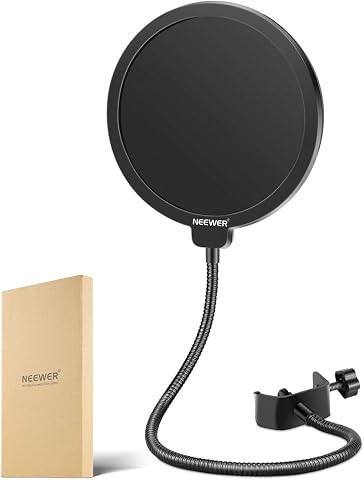
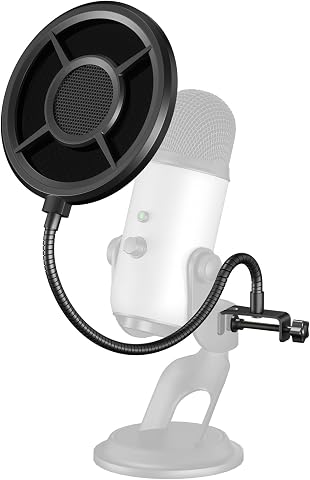
- The InnoGear kit prioritizes accessories: its included pop filter and shock mount may be more useful to buyers building a basic recording setup than to owners who already have those parts.
- The Aokeo DK-5 favors a compact desktop footprint: its desktop stand format offers a different fit from clamp-mounted boom arms, but gives up some reach and positioning flexibility.
- Mount style and workspace fit separate these picks more than a single feature: check your desk edge, monitor clearance, mic weight, and preferred reach before choosing by bundle contents alone.
| FIFINE CS1 Scissor Microphone Boom Arm Stand |  | Best Fold-Away Option | Material: Metal | Desk clamp capacity: Up to 2 inches thick | Adjustment: 180° up and down | VIEW ON AMAZON | See Our Full Breakdown |
| FIFINE BM88 Low-Profile Microphone Boom Arm |  | Best for Clear Monitor Sightlines | Material: All metal | Maximum extension: 29 inches | Vertical adjustment: 220 degrees | VIEW ON AMAZON | See Our Full Breakdown |
| Aokeo DK-5 Desktop Microphone Stand with 3/8-to-5/8-Inch Adapter |  | Best No-Clamp Desktop Stand | Material: Metal | Base type: Flat, weighted base | Maximum supported weight: 2.2 pounds (1 kg) | VIEW ON AMAZON | See Our Full Breakdown |
| TONOR TC310+ USB Gaming Microphone Set with Boom Arm | 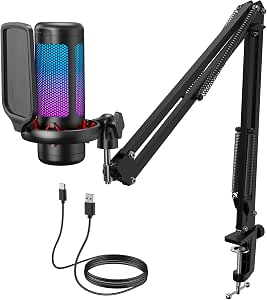 | Best Complete Gaming Kit | Connectivity: USB-A | Polar pattern: Unidirectional | Audio sensitivity: 10 dB | VIEW ON AMAZON | See Our Full Breakdown |
| Frgyee Adjustable Overhead Microphone Boom Arm with Extension Riser |  | Best for Tall or Thick Desks | Material: Metal | Maximum height: 31.5 inches (80 cm) | Maximum desk thickness: 4.2 inches (106 mm) | VIEW ON AMAZON | See Our Full Breakdown |
| FDUCE SL40+ USB/XLR Dynamic Podcast Microphone Kit with Boom Arm |  | Best All-in-One Audio Kit | Microphone type: Dynamic | Connectivity: USB and XLR | Polar pattern: Unidirectional (cardioid) | VIEW ON AMAZON | See Our Full Breakdown |
| InnoGear Adjustable Microphone Boom Arm Set with Pop Filter and Shock Mount |  | Best Accessory Bundle for Existing Mics | Model: MU059 | Microphone compatibility: Standard microphones including Blue Yeti, HyperX QuadCast, SoloCast, and Fifine AM8; included shock mount is not compatible with Blue Yeti | Mount adapter: 3/8-inch to 5/8-inch | VIEW ON AMAZON | See Our Full Breakdown |
| desktop microphone arm kit | Material |
|---|---|
| FIFINE CS1 Scissor Microphone | Metal |
| FIFINE BM88 Low-Profile Microp | All metal |
| Aokeo DK-5 Desktop Microphone | Metal |
| TONOR TC310+ USB Gaming Microp | — |
| Frgyee Adjustable Overhead Mic | Metal |
| FDUCE SL40+ USB/XLR Dynamic Po | — |
| InnoGear Adjustable Microphone | — |
More Details on Our Top Picks
FIFINE CS1 Scissor Microphone Boom Arm Stand
The FIFINE CS1 is a straightforward choice when you want a clamp-mounted arm that can fold out of the way between calls or recording sessions. Its metal construction and elastic springs offer a more conventional boom-arm setup than the Aokeo DK-5, which uses a weighted base and occupies desk surface instead. The CS1 moves through 180° vertically, while its anti-scratch clamp pad helps protect the desk during installation. It also comes with a 5/8-inch to 3/8-inch adapter for compatible microphones. The tradeoff is a narrower fit: the clamp only accommodates desks up to 2 inches thick, less than the FIFINE BM88’s 2.4-inch limit. The microphone is not included, so this is an arm-only purchase, not a complete recording kit.
Pros:- Folds away to free desk space when the microphone is not in use
- Metal construction with elastic springs
- Anti-scratch clamp pad and fixed knob
- Includes a 5/8-inch to 3/8-inch adapter
Cons:- Clamp fits desks only up to 2 inches thick
- Microphone is not included
Best for: Desk users with surfaces no thicker than 2 inches who want a foldable, clamp-mounted arm for a compatible microphone.
Not ideal for: Owners of thicker desks or buyers seeking a complete microphone-and-arm kit; the clamp has a strict thickness limit and no microphone is included.
- Material:Metal
- Desk clamp capacity:Up to 2 inches thick
- Adjustment:180° up and down
- Adapter:5/8-inch to 3/8-inch
- Color:Black
- Microphone included:No
Our verdict“Choose the CS1 if fold-away storage matters more than the wider desk fit and reach offered by the FIFINE BM88.”
FIFINE BM88 Low-Profile Microphone Boom Arm
The FIFINE BM88 earns its place for desk setups where a standard arm would cut across the monitor view. Its low-profile layout keeps the boom closer to the desk, while 29 inches of reach and broad horizontal rotation give you room to position a microphone beside or in front of your screen. Compared with the foldable FIFINE CS1, the BM88 offers a longer reach, a wider desk-thickness range, and hidden cable management; it is the more adaptable choice for a fixed workstation. It also includes adapters for 1/4-inch, 3/8-inch, and 5/8-inch threads. The main limitation is at the base: the section nearest the clamp cannot adjust vertically, which can constrain placement on some desk layouts. The microphone itself is sold separately.
Pros:- Low-profile design helps keep monitors unobstructed
- Extends up to 29 inches with 360° horizontal adjustment
- All-metal construction with hidden cable management
- Adapters support 1/4-inch, 3/8-inch, and 5/8-inch threads
Cons:- The section nearest the desk clamp cannot adjust vertically
- Microphone is not included
Best for: Streamers, remote workers, and podcasters who need a long-reach arm that stays below the monitor sightline.
Not ideal for: Buyers who need vertical movement right at the clamp or want a microphone included with the arm.
- Material:All metal
- Maximum extension:29 inches
- Vertical adjustment:220 degrees
- Horizontal adjustment:360 degrees
- Desk thickness compatibility:0.8 to 2.4 inches
- Compatible thread sizes:1/4 inch, 3/8 inch, and 5/8 inch
- Microphone included:No
Our verdict“Pick the BM88 over the FIFINE CS1 when monitor clearance, reach, and cable routing matter more than a fold-away design.”
Aokeo DK-5 Desktop Microphone Stand with 3/8-to-5/8-Inch Adapter
The Aokeo DK-5 takes a different approach from the clamp-mounted FIFINE CS1 and BM88: its weighted base sits directly on the desk, so installation does not depend on the desk edge or a clamp fitting around it. That makes it a useful alternative for delicate surfaces or desks where a clamp is impractical. Its arms adjust through 360°, and the hollow arm helps keep the microphone cable organized. The included adapter supports both 3/8-inch and 5/8-inch microphone threads. The tradeoff is a 2.2-pound maximum supported weight, which rules out some heavier microphone setups, and the base takes up desk space rather than lifting the arm off the surface. Compared with the TONOR TC310+, the DK-5 is a stand for a microphone you already own, not a complete USB recording set.
Pros:- Weighted base avoids clamping onto the desk
- 360° arm adjustment supports flexible microphone placement
- Hollow arm helps organize the microphone cable
- Adapter supports 3/8-inch and 5/8-inch microphone threads
Cons:- Maximum supported weight is 2.2 pounds
- Base uses desk surface that a clamp-mounted arm would leave open
Best for: People with clamp-incompatible desks who want a movable desktop stand for a microphone weighing no more than 2.2 pounds.
Not ideal for: Users with heavy microphones or crowded desktops; the weight limit is modest and the weighted base occupies workspace.
- Material:Metal
- Base type:Flat, weighted base
- Maximum supported weight:2.2 pounds (1 kg)
- Thread size:3/8 inch
- Included adapter:3/8 inch to 5/8 inch
- Arm adjustment:360 degrees
Our verdict“Choose the DK-5 if you cannot or do not want to clamp an arm to your desk and your microphone is within its weight limit.”
TONOR TC310+ USB Gaming Microphone Set with Boom Arm
Unlike the FIFINE BM88 and CS1, the TONOR TC310+ includes the microphone as well as the boom arm, making it a practical pick for someone building a desktop audio setup from scratch. The package adds a pop filter and shock mount, while one-tap mute and gain control put common adjustments within reach during a stream or call. Its unidirectional pickup pattern is aimed at sound from in front of the microphone, and RGB lighting with four modes gives it a gaming-focused look. That all-in-one convenience also narrows its appeal: this is a USB-A microphone set rather than a standalone arm for a microphone you already own, and it needs an available USB 2.0 or 3.0 port. The clamp fits desks up to 2.36 inches thick, so the Frgyee arm is a better fit for thicker desktops.
Pros:- Includes USB microphone, boom arm, pop filter, and shock mount
- One-tap mute and adjustable gain control
- Four RGB lighting modes with brightness adjustment
- Compatible with desktop computers, laptops, PS4, and PS5
Cons:- Requires an available USB 2.0 or 3.0 port
- Clamp fits desks no thicker than 2.36 inches
- Less suited to buyers who already own a microphone and only need an arm
Best for: New streamers and gamers who want a USB microphone, boom arm, pop filter, and shock mount in one setup.
Not ideal for: Owners of XLR microphones, people seeking only an arm, or users with desks thicker than 2.36 inches.
- Connectivity:USB-A
- Polar pattern:Unidirectional
- Audio sensitivity:10 dB
- Signal-to-noise ratio:78 dB
- Compatibility:Desktop computers, laptops, Mac OS, PS4, and PS5
- Desk clamp fit:Desks up to 2.36 inches thick
- Included components:Microphone, pop filter, mic stand, shock mount, USB cable, and manual
Our verdict“Choose the TC310+ over an arm-only option if you want a ready-to-connect USB gaming microphone setup with its mounting accessories included.”
Frgyee Adjustable Overhead Microphone Boom Arm with Extension Riser
The Frgyee overhead boom arm is the strongest fit here for desks that defeat shorter clamps or setups where the microphone needs to clear a large monitor. Its 80 cm extension riser reaches up to 31.5 inches, and the clamp accepts desktops up to 4.2 inches thick—a broader fit than the FIFINE BM88’s 2.4-inch maximum. Height and arm angle adjust without tools, and the kit includes thread adapters plus cable holders to help manage the setup. The tradeoff is its more substantial build: the arm weighs 3.9 pounds, and its 2.6-pound microphone weight recommendation still limits which microphones it can carry. Compared with the Aokeo DK-5, it saves desk surface with a clamp, but it requires a suitable desk edge and more space above the workstation.
Pros:- Extension riser provides up to 31.5 inches of height
- Clamp fits desks up to 4.2 inches thick
- Height and arm angle adjust without tools
- Includes adapters for 1/4-inch, 3/8-inch, and 5/8-inch threads
Cons:- Microphone weight recommendation is limited to 2.6 pounds
- At 3.9 pounds, the arm is heavier than a simple desktop stand
- Requires desk-edge space and room for its overhead riser
Best for: Users with thick desktops, tall monitors, or standing desks who need an elevated microphone position and a wide clamp fit.
Not ideal for: People with limited overhead clearance, no usable desk edge, or microphones heavier than the 2.6-pound recommendation.
- Material:Metal
- Maximum height:31.5 inches (80 cm)
- Maximum desk thickness:4.2 inches (106 mm)
- Maximum weight recommendation:2.6 pounds
- Item weight:3.9 pounds
- Thread sizes:1/4 inch, 3/8 inch, and 5/8 inch
- Warranty:2 years
Our verdict“Pick the Frgyee over the FIFINE BM88 if you need substantially more height or a clamp that fits a much thicker desk.”
FDUCE SL40+ USB/XLR Dynamic Podcast Microphone Kit with Boom Arm
The SL40+ suits buyers who want a microphone and boom arm in one kit, rather than a stand to pair with a mic they already own. Its USB and XLR outputs let a beginner connect directly to a computer and later move to an audio interface, while the cardioid pickup and digital processing are aimed at reducing unwanted room sound. Mute, gain, and headphone controls also keep common recording adjustments close at hand. Compared with the InnoGear MU059, this is the more complete choice for someone starting without a microphone; InnoGear is the more flexible arm-and-accessory option for an existing compatible mic. The tradeoff is that the SL40+ is a single-channel dynamic mic with a listed 50 Hz–14 kHz range, and its described volume-control switching function requires USB mode.
Pros:- USB and XLR connectivity supports both direct computer use and compatible audio-interface setups.
- Cardioid pickup and digital processing are designed to help limit background noise.
- Included adjustable stand, table clamp, and cable ties provide a ready-to-mount setup.
- Mute, gain, and headphone monitoring controls put useful adjustments within reach.
Cons:- The listed 50 Hz–14 kHz frequency range may not suit buyers seeking a broader specified range.
- The described volume-control switching function requires USB mode.
- A single-channel dynamic microphone kit is less useful to buyers who already have a mic and only need an arm.
Best for: New podcasters, streamers, and gamers who want a bundled dynamic microphone, adjustable arm, and direct USB connection with an XLR upgrade path.
Not ideal for: Owners of a preferred microphone who only need an arm, or users who need the described volume-control switching function while connected through XLR.
- Microphone type:Dynamic
- Connectivity:USB and XLR
- Polar pattern:Unidirectional (cardioid)
- Frequency range:50 Hz–14 kHz
- Impedance:600 ohm
- Signal-to-noise ratio:95 dB
- Construction:Metal
- Included accessories:Adjustable stand, 2 m USB audio cable, table mount clamp, and 4 cable ties
Our verdict“Choose the SL40+ if you want a bundled USB/XLR dynamic mic and boom stand, rather than the InnoGear MU059’s arm accessories for a microphone you already own.”
InnoGear Adjustable Microphone Boom Arm Set with Pop Filter and Shock Mount
The InnoGear MU059 is the arm-first pick here: it bundles a clamp-mounted boom with a shock mount, double-screen pop filter, adapter, and cable ties, but does not include a microphone. That makes it a better match than the FDUCE SL40+ for someone who already owns a compatible mic and wants help with placement, plosive control, and desk vibration. Its spring-loaded arm can make repositioning more manageable, while the clamp is specified for desks up to 2 inches thick. Compatibility needs a closer check than the broad mic list suggests: the shock mount does not fit the Blue Yeti, and fit depends on microphone dimensions and threading. Unlike the SL40+ kit, this set offers no microphone, USB connection, or built-in mute and gain controls, so it is a poor shortcut for someone starting from scratch.
Pros:- Includes a boom arm, table clamp, pop filter, shock mount, adapter, and five cable ties.
- Spring-loaded arm supports adjustable microphone placement and is designed to help reduce shaking and accidental drops.
- Double-screen pop filter provides an included option for reducing plosive sounds.
- Fits desks up to 2 inches thick and uses a 3/8-inch to 5/8-inch adapter.
Cons:- The included shock mount is not compatible with the Blue Yeti.
- Microphone fit depends on microphone size and standard threading.
- Does not include a microphone or the built-in mute, monitoring, and gain controls found on the FDUCE SL40+.
Best for: Streamers and home-recording users with a standard-thread microphone who want a clamp-mounted arm plus a pop filter and shock mount.
Not ideal for: Blue Yeti owners who need to use the included shock mount, buyers with desks thicker than 2 inches, or beginners seeking a bundled microphone and audio controls.
- Model:MU059
- Microphone compatibility:Standard microphones including Blue Yeti, HyperX QuadCast, SoloCast, and Fifine AM8; included shock mount is not compatible with Blue Yeti
- Mount adapter:3/8-inch to 5/8-inch
- Shock mount hole diameter:52 mm
- Maximum desk thickness:2 inches
- Finish:Powder coated
- Color:Black
- Included components:Microphone stand, table mounting clamp, screw adapter, pop filter, shock mount, and 5 cable ties
Our verdict“Pick the MU059 if you already own a compatible microphone and want bundled mounting accessories; choose the FDUCE SL40+ instead for a mic-and-arm kit.”

How We Picked
I compared these seven options as desktop microphone arm kits, weighing how each fits a real desk setup rather than treating them as interchangeable stands. The main criteria were mounting style and desk compatibility, usable reach and positioning, the practical value of included microphones or accessories, and how clearly each product serves a distinct buyer. I also considered setup complexity and whether a bundled mic reduces parts-buying or adds equipment a buyer may not need.
The ranking favors products with a clear advantage for a common use case and a sensible balance of flexibility and bundle value. The FIFINE BM88 leads for its low-profile arm approach; complete microphone bundles rank well for shoppers who want fewer separate purchases, while the Aokeo DK-5 serves those who prefer a desktop stand. No option is a universal fit: desk thickness, available clearance, microphone connection, and existing accessories can change which choice makes the most sense.
| desktop microphone arm kit | Material |
|---|---|
| FIFINE CS1 Scissor Microphone | Metal |
| FIFINE BM88 Low-Profile Microp | All metal |
| Aokeo DK-5 Desktop Microphone | Metal |
| TONOR TC310+ USB Gaming Microp | — |
| Frgyee Adjustable Overhead Mic | Metal |
| FDUCE SL40+ USB/XLR Dynamic Po | — |
| InnoGear Adjustable Microphone | — |
Factors to Consider When Choosing Desktop Microphone Arm Kit
Before choosing a kit, decide what problem the arm needs to solve: reclaiming desk space, holding a mic in a repeatable position, or supplying most of a recording setup at once. A bundled microphone may simplify setup, but an arm-only purchase can be the better fit if you already own a mic. These checks help avoid mismatches that product feature lists do not always make obvious.
Match the Mount to Your Desk
Start by checking whether the arm clamps to a desk edge or rests on the desktop, then measure the space where it would sit. A clamp needs an accessible edge and enough clearance underneath; a desktop stand needs a stable patch of surface and may occupy space that an arm would leave open. Thick lips, cable trays, and rounded desk edges can prevent a clamp from seating properly. Do not assume a clamp will fit because the desk looks standard—check the maker’s stated limits when available. If your desk cannot take a clamp, a weighted or freestanding style can be a practical alternative, though it may offer less reach. This check can rule out a poor fit before you compare microphone features.
Plan for Reach, Height, and Monitor Clearance
Measure from the proposed mount point to the place where the microphone needs to sit, including the height above your keyboard or tabletop. A longer arm can reach around a monitor, but it may also cross the screen or enter a camera frame when positioned poorly. Low-profile arms can keep hardware below the display line, while overhead designs suit setups where the mic needs to come from above. Think about where the arm will rest when not in use, not only where it sits during a call. Buyers often focus on maximum reach and overlook how much space the joints need to swing. Sketching the arm’s path on your desk can expose conflicts with lights, shelves, and monitor stands.
Check Microphone Weight and Mount Compatibility
An arm must support the microphone and any attached mount or accessory, not just the microphone body. Compare the complete load with the arm’s stated capacity when that information is supplied; a heavy mic can sag or make positioning frustrating if the arm is a poor match. Also check how the mic attaches: thread sizes, adapters, shock mounts, and included clips can determine whether the parts work together. The Aokeo DK-5 includes a 3/8-to-5/8-inch adapter, a useful detail for buyers matching different threaded hardware. Avoid assuming that every microphone in a bundle can later be swapped onto any arm without checking the connection. Compatibility checks matter most when reusing equipment or planning an upgrade.
Choose a Complete Kit Only If You Need Its Contents
A microphone-and-arm bundle can simplify purchasing, but its value depends on whether the included components fit your use. The TONOR TC310+ and FDUCE SL40+ include microphones, while the InnoGear set adds a pop filter and shock mount; each bundle solves a different setup gap. If you already own a suitable mic or accessories, an arm-only model may avoid duplicate gear. If you are starting from scratch, list the parts you still need before comparing kits so the bundle contents have a clear purpose. Extra accessories can also add setup steps and desk clutter. Choose the package that fills missing needs rather than the one with the longest contents list.
Match the Connection to Your Recording Setup
USB microphones connect directly to a computer and are often a simpler route for calls, streaming, and a single-mic setup. XLR microphones require compatible audio equipment, so the connection can add flexibility but also more components to arrange and configure. The FDUCE SL40+ is identified as a USB/XLR kit, making connection choice part of its appeal; check the exact included cables and required equipment before purchase. Do not treat USB and XLR as sound-quality labels by themselves—the right choice depends on your workflow and the gear you already own. If the mic is bundled, verify that its connection matches your computer or interface. A little planning can prevent a kit from arriving with a connection path you cannot use.
Decide How Much Adjustment You Actually Need
Frequent changes between speaking, typing, and storage call for easy repositioning and enough joints to move the mic without shifting the whole base. A fixed or compact stand may be more appealing if the microphone stays in one place and you value a simple footprint. More moving parts can expand positioning options, but they also create more potential points for wobble, cable snags, or unwanted movement. Think through your routine: will you push the arm aside after every session, or set it once and leave it there? Route cables along the arm only if the design supports a tidy path, and leave enough slack near moving joints. Prioritizing the adjustments you will use keeps a kit from being more elaborate than your desk requires.
Frequently Asked Questions
Should I buy a microphone arm by itself or choose a kit with a microphone?
Choose an arm-only model if you already own a microphone that fits the arm and you are happy with its connection. A bundle such as the TONOR TC310+ or FDUCE SL40+ can reduce separate purchasing when you need both a mic and support hardware. Compare the included components against your existing setup rather than assuming a bundle is automatically more useful. Buyers who already have a mic may get more from an arm plus relevant accessories, such as the InnoGear set’s pop filter and shock mount. Check compatibility and mounting details before deciding.
Will a clamp-style arm fit my desk?
It depends on the desk edge, thickness, underside clearance, and the clamp’s own size limits. A lip, frame, cable tray, or rounded edge can interfere even when the desktop itself is sturdy. Measure the intended mounting point and compare it with the product’s fit specifications before ordering. If you cannot find a suitable edge, a desktop stand such as the Aokeo DK-5 may avoid the clamp-fit problem, though it uses surface area and may not reach as freely. Include cable routing and nearby monitor stands in your measurements.
Is a low-profile arm better than an overhead boom?
Neither style is better for every desk; they solve different clearance problems. A low-profile design can keep the arm below a monitor’s sightline, while an overhead arm can approach the microphone from above when side space is limited. Check how the arm moves and where it parks, since either layout can obstruct a display or camera if its path crosses the wrong area. Also think about whether the mic should sit near your mouth, above the desk, or out of the way between sessions. Match the arm’s geometry to your room and screen layout rather than choosing by style alone.
Do I need an audio interface for a USB/XLR microphone kit?
You can use the USB connection with a computer that supports the microphone’s USB setup, but using XLR generally requires compatible audio equipment, such as an interface or mixer. The FDUCE SL40+ offers both connection types, which can suit buyers whose setup may change over time. Check which cables and accessories are included and what each connection mode requires. Do not buy an XLR-capable kit solely for the connector if you have no plan to add the supporting equipment. For a straightforward computer setup, USB may be the simpler path.
What should I check before mounting a heavier microphone?
Check the microphone’s weight together with its shock mount, adapter, and any other hardware attached to it. Compare that total with the arm’s published load capacity, and confirm the attachment thread or adapter matches your microphone. Weight alone does not settle the question: arm reach and joint position can affect how stable the mic feels at the end of the boom. If the specifications do not state a capacity or compatibility detail you need, seek confirmation before relying on the arm for a costly microphone. Keep the cable from pulling against the mic or arm as you reposition it.
Conclusion
For most buyers seeking a dedicated arm with a desk-conscious layout, I’d start with the FIFINE BM88 as the best overall. The FIFINE CS1 is my best value choice for shoppers who need a straightforward scissor-style arm and already own a mic, while the FDUCE SL40+ is the best premium-style bundle for buyers who want USB/XLR microphone flexibility alongside an arm. Beginners building a setup in fewer steps should compare the TONOR TC310+ with the FDUCE kit and choose by connection needs; the InnoGear set is a stronger match when pop-filter and shock-mount accessories are still missing. For a compact desktop stand and adapter-based hardware fit, consider the Aokeo DK-5; for an overhead reach configuration, look at the Frgyee riser arm. Your desk clearance and existing gear should decide the final pick.