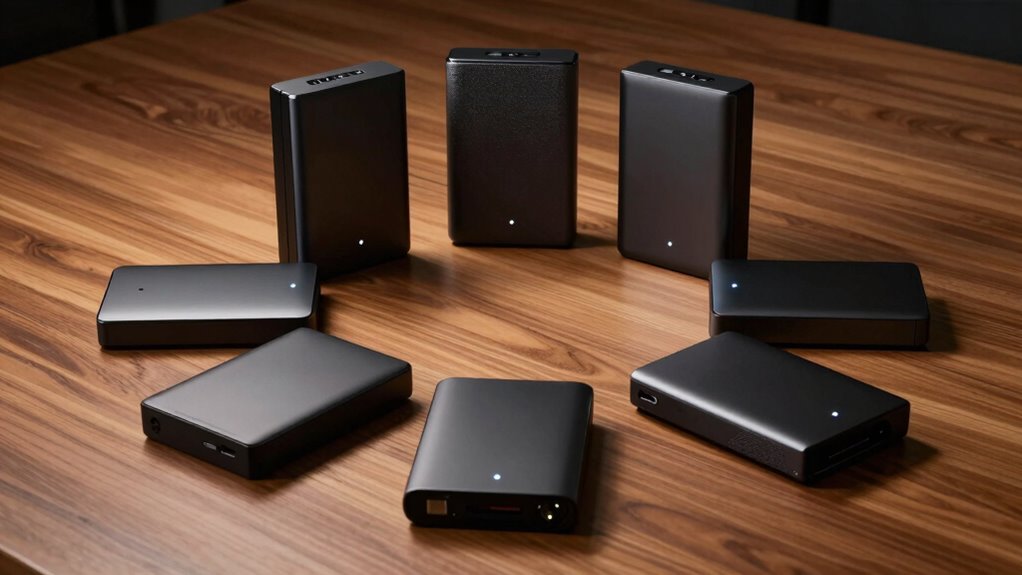

If you’re searching for a desktop external hard drive with 24TB of storage, you’re looking at a solution designed for extensive data needs—whether for creative projects, backups, or enterprise use. The Seagate Expansion 24TB HDD stands out for its affordability and reliable data recovery options, making it a solid overall choice. For users needing RAID configurations, the Western Digital My Book Duo offers flexible, scalable storage. Meanwhile, the SanDisk G-Drive Professional excels with Thunderbolt 3 for high-speed workflows. Keep reading to see how these options compare and find the best fit for your needs.

Get the latest gadgets delivered free with Prime
- Fast, free delivery on millions of items
- Prime Video, Amazon Music and more included
- Member-only deals all year
Complete the kit



Key Takeaways
- The top picks balance between raw capacity, speed, and ease of use, with some emphasizing performance over simplicity.
- RAID-enabled options like the WD My Book Duo provide scalability but add complexity for less tech-savvy users.
- Thunderbolt 3 models deliver faster data transfer rates, ideal for professional workflows, but tend to be pricier.
- Build quality and warranty vary significantly, with enterprise-class drives offering more durability and longer support periods.
- Price often reflects added features such as data recovery services, multiple connection options, or enterprise-grade durability.
| Seagate Expansion 24TB External Hard Drive HDD – USB 3.0 with Data Recovery Services |  | Best Overall for Massive Capacity and Simplicity | Digital Storage Capacity: 24 TB | Hard Disk Interface: USB 3.0 | Connectivity Technology: USB | VIEW ON AMAZON | See Our Full Breakdown |
| Western Digital 24TB My Book Duo Desktop RAID External Hard Drive |  | Best Value with RAID Security and Encryption | Capacity: 24TB | Connectivity: USB 3.1 Gen 1 / USB 3.0 | Encryption: 256-bit AES hardware encryption | VIEW ON AMAZON | See Our Full Breakdown |
| Seagate One Touch 24TB External Hard Drive Desktop HDD – USB-C Compatible with Windows and macOS |  | Best for Portability and Multi-Platform Use | Digital Storage Capacity: 24 TB | Hard Disk Interface: USB 3.0 | Connectivity Technology: USB | VIEW ON AMAZON | See Our Full Breakdown |
| SanDisk Professional 24TB G-Drive Project External Hard Drive with Thunderbolt 3 and USB |  | Best for Content Creators and Professional Workflows | Digital Storage Capacity: 24 TB | Hard Disk Interface: Thunderbolt | Connectivity Technology: Thunderbolt | VIEW ON AMAZON | See Our Full Breakdown |
| SanDisk Professional 24TB G-Drive Enterprise-Class External Desktop Hard Drive | 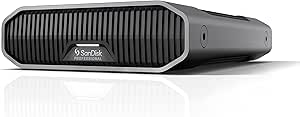 | Best for Enterprise-Grade Durability and Speed | Digital Storage Capacity: 24 TB | Hard Disk Interface: USB 3.0 | Connectivity Technology: USB | VIEW ON AMAZON | See Our Full Breakdown |
| Seagate Expansion 24TB External Hard Drive HDD | | Best for Easy Setup and Compatibility | Storage Capacity: 24TB | Connection: USB 3.0 | Compatibility: Windows and Mac (reformatting required for Mac) | VIEW ON AMAZON | See Our Full Breakdown |
| Western Digital 24TB Elements Desktop External Hard Drive |  | Best for Large Capacity and Ease of Use | Storage Capacity: 24TB | Connection: USB 3.2 Gen 1 / USB 3.0 | Plug-and-Play: Yes | VIEW ON AMAZON | See Our Full Breakdown |
| desktop external hard drive 24tb | Digital Storage Capacity | Hard Disk Interface | Connectivity Technology | Read Speed |
|---|---|---|---|---|
| Seagate Expansion 24TB Externa | 24 TB | USB 3.0 | USB | 140 MB/s |
| Western Digital 24TB My Book D | — | — | — | — |
| Seagate One Touch 24TB Externa | 24 TB | USB 3.0 | USB | 120 MB/s |
| SanDisk Professional 24TB G-Dr | 24 TB | Thunderbolt | Thunderbolt | 260 MB/s |
| SanDisk Professional 24TB G-Dr | 24 TB | USB 3.0 | USB | 280 MB/s |
| Seagate Expansion 24TB Externa | — | — | — | — |
| Western Digital 24TB Elements | — | — | — | — |
More Details on Our Top Picks
Seagate Expansion 24TB External Hard Drive HDD – USB 3.0 with Data Recovery Services
This Seagate Expansion stands out for its straightforward approach, offering a massive 24TB of storage with reliable USB 3.0 speeds, making it ideal for users who want large capacity without complexity. Compared with the SanDisk Professional G-Drive Enterprise, this model emphasizes ease of use over high-end speed, but it sacrifices some performance and advanced features. Its bulkier size and lack of bundled backup software may be drawbacks for those needing a sleek or integrated backup solution. The inclusion of Rescue Data Recovery Services adds confidence that data loss won’t be catastrophic, but reformatting is needed for Mac compatibility, which could be inconvenient for Mac users. This pick makes the most sense for those prioritizing capacity and plug-and-play simplicity over speed or advanced security.
Pros:- Massive 24TB storage capacity for extensive data needs
- Fast USB 3.0 transfer speeds up to 140 MB/s
- Simple plug-and-play setup for Windows and Mac
Cons:- Bulkier desktop form factor may take up significant space
- No included backup software or security features
Best for: Home users or small offices needing large, reliable storage with easy setup and data recovery options
Not ideal for: Power users or professionals requiring high-speed transfers or advanced security features
- Digital Storage Capacity:24 TB
- Hard Disk Interface:USB 3.0
- Connectivity Technology:USB
- Hard Disk Rotational Speed:7200 rpm
- Read Speed:140 MB/s
- Data Transfer Rate:5 Gbps
- Enclosure Material:Aluminum, Glass, Or Ceramic
- Warranty:Limited
Our verdict“Best for users who prioritize large storage and straightforward operation over speed and security.”
Western Digital 24TB My Book Duo Desktop RAID External Hard Drive
This WD My Book Duo provides a compelling balance of capacity and security, featuring RAID-0 support for performance and hardware encryption for data protection. Its dual USB 3.1 ports facilitate fast data transfer, making it suitable for users who want to optimize performance with RAID. Compared to the Seagate Expansion, it offers better security features but requires configuration, which may be intimidating for less technical users. The bulkier design is a downside for portable needs, and it lacks an included hardware RAID controller, meaning users must handle setup themselves. This model is ideal for those who need large, secure storage with the flexibility of RAID configurations but are willing to manage setup complexity.
Pros:- Massive 24TB capacity suitable for backups and large datasets
- Secure hardware encryption and password protection
- Fast data transfer via USB 3.1 compatibility
Cons:- Requires RAID configuration for optimal performance
- Bulkier, desktop-oriented design
Best for: Small businesses or power users needing large, secure storage with RAID flexibility
Not ideal for: Users seeking a simple, plug-and-play drive without RAID setup or security requirements
- Capacity:24TB
- Connectivity:USB 3.1 Gen 1 / USB 3.0
- Encryption:256-bit AES hardware encryption
- Features:RAID-0 support, Password protection
- Form Factor:Desktop
- Data Transfer Speed:Up to 260MB/s
- Warranty:Limited
Our verdict“Ideal for users who need flexible, secure storage and are comfortable with RAID setup complexities.”
Seagate One Touch 24TB External Hard Drive Desktop HDD – USB-C Compatible with Windows and macOS
The Seagate One Touch combines high capacity with USB-C connectivity, making it a versatile choice for users who need to back up files across different platforms. Its bus-powered design reduces clutter, but its slightly lower read speed of 120 MB/s can be a bottleneck for large transfers. Compared to the SanDisk Professional G-Drive, this model offers similar capacity but emphasizes portability and ease of use, at the cost of some performance. Its bulkier size and reliance on USB-C for optimal performance may require adapters for older machines, which adds some inconvenience. This drive is best suited for users who want a large-capacity, portable backup solution compatible with multiple OSes, and don’t need the fastest transfer speeds.
Pros:- High-capacity 24TB storage for large files and backups
- Bus-powered USB-C connection for convenience
- Multi-platform compatibility with Windows and macOS
Cons:- Bulkier size due to 3.5-inch form factor
- Lower read speeds compared to enterprise drives
Best for: Creative professionals or students needing portable, multi-platform storage with high capacity
Not ideal for: Power users needing high-speed data transfers or enterprise-grade security
- Digital Storage Capacity:24 TB
- Hard Disk Interface:USB 3.0
- Connectivity Technology:USB
- Hard Disk Rotational Speed:7200 rpm
- Read Speed:120 MB/s
- Form Factor:3.5 inches
- Warranty:Two-year limited
Our verdict“Best for portable storage needs where multi-platform compatibility and capacity matter most.”
SanDisk Professional 24TB G-Drive Project External Hard Drive with Thunderbolt 3 and USB
This G-Drive Project excels in fast transfer speeds, reaching 260MB/s with Thunderbolt 3 and USB, making it ideal for demanding content creation workflows. Its enterprise-grade 7200RPM drive ensures reliability for large project files, surpassing the speed offered by the Seagate One Touch. However, its reliance on Thunderbolt or USB-C ports limits compatibility to newer systems, and it lacks an included SSD upgrade, which could boost performance further. Its heavy, sturdy build is perfect for studio environments but less convenient for portable use. This model suits professionals who prioritize speed, durability, and large capacity for intensive editing and backup tasks.
Pros:- High-capacity 24TB storage suitable for large media files
- Fast transfer speeds up to 260MB/s with Thunderbolt 3
- Enterprise-grade 7200RPM drive inside for reliability
Cons:- Requires compatible Thunderbolt or USB-C ports
- Heavy and less portable for on-the-go use
Best for: Video editors, photographers, and content creators working on high-resolution projects
Not ideal for: Casual users or those with older computers lacking Thunderbolt or USB-C ports
- Digital Storage Capacity:24 TB
- Hard Disk Interface:Thunderbolt
- Connectivity Technology:Thunderbolt
- Hard Disk Rotational Speed:7200 rpm
- Read Speed:260 MB/s
- Media Speed:260 MB/s
- Form Factor:3.5 inches
- Warranty & Support:Amazon.com Return Policy
Our verdict“Designed for professionals needing fast, reliable storage for large media projects, with less emphasis on portability.”
SanDisk Professional 24TB G-Drive Enterprise-Class External Desktop Hard Drive
This G-Drive Enterprise-Class delivers top-tier speed with a maximum of 280MB/s, coupled with a robust aluminum enclosure that offers professional-grade durability. Its high speed exceeds the other picks, making it well-suited for large-scale backups and high-volume data access. However, its performance can depend heavily on the host system’s capabilities, and it is primarily targeted at enterprise or demanding professional environments, which may make it overkill or less user-friendly for casual users. Its sleek, sturdy design is a plus, but the absence of detailed power supply info could be a concern for some. This drive makes the most sense for users who require top performance, high durability, and are comfortable with professional-level hardware.
Pros:- Fast transfer speeds up to 280MB/s for quick backups
- Durable aluminum enclosure for professional environments
- High capacity suitable for enterprise and demanding workflows
Cons:- Performance can vary depending on host system
- Designed mainly for professional use, may be overkill for casual needs
Best for: Enterprise users or high-demand professionals needing fast, durable, large-capacity storage
Not ideal for: Casual or home users seeking simple, plug-and-play solutions
- Digital Storage Capacity:24 TB
- Hard Disk Interface:USB 3.0
- Connectivity Technology:USB
- Rotational Speed:7200 rpm
- Read Speed:280 MB/s
- Media Speed:280 MB/s
- Hard Disk Form Factor:3.5 inches
Our verdict“Best suited for enterprise or professional environments where speed and durability are critical.”
Seagate Expansion 24TB External Hard Drive HDD
The Seagate Expansion 24TB stands out for its straightforward, plug-and-play design, making it ideal for users who prioritize quick setup without fuss. Its USB 3.0 connection ensures fast data transfer, comparable to the Western Digital Elements, but with the added benefit of Rescue Data Recovery Services, which provide extra peace of mind. However, this drive requires reformatting for Mac users, which could be a deterrent for those on Apple systems. The limited warranty details also leave some uncertainty about long-term support. Compared to other options like the SanDisk G-Drive, it’s less portable but offers broader OS compatibility out of the box. This choice makes the most sense for Windows users or mixed environments who want large capacity and straightforward operation.
Pros:- Large 24TB storage capacity for extensive archives
- Fast data transfer with USB 3.0
- Easy plug-and-play setup
Cons:- Reformatting required for Mac compatibility
- Limited warranty details are unspecified, which may concern some users
Best for: Windows users or those with mixed OS setups who need reliable, large-capacity storage with simple setup
Not ideal for: Mac-only users who prefer seamless compatibility without reformatting or additional setup steps
- Storage Capacity:24TB
- Connection:USB 3.0
- Compatibility:Windows and Mac (reformatting required for Mac)
- Plug-and-Play:Yes
- Warranty:Limited (details unspecified)
- Data Recovery:Rescue Data Recovery Services
Our verdict“This drive is best suited for Windows users seeking large storage with quick, simple setup and recovery options.”
Western Digital 24TB Elements Desktop External Hard Drive
The Western Digital 24TB Elements offers a straightforward, high-capacity solution for users needing reliable storage for large files like videos and photos. Its USB 3.2 Gen 1 port delivers fast transfer speeds comparable to the Seagate Expansion but with slightly newer USB standards, which may future-proof the setup. Its plug-and-play design ensures easy setup for desktop users, yet its size and lack of portability make it less suitable for on-the-go needs—unlike SanDisk’s Thunderbolt-compatible options. Additionally, the capacity can sometimes be less apparent depending on the operating environment, which might affect users with certain OS configurations. Overall, this drive excels for those who need straightforward, high-capacity desktop storage without worrying about portability or advanced features.
Pros:- Massive 24TB storage capacity for extensive files
- Fast transfer speeds with USB 3.2 Gen 1
- Simple plug-and-play setup
Cons:- Limited portability due to size and design
- Capacity may vary slightly depending on OS and environment
Best for: Content creators or professionals needing large, reliable desktop storage for archives and backups
Not ideal for: Travelers or mobile users who require a compact or portable drive for on-the-go use
- Storage Capacity:24TB
- Connection:USB 3.2 Gen 1 / USB 3.0
- Plug-and-Play:Yes
- Size:Desktop form factor
- Compatibility:Windows, Mac (may vary depending on OS)
- Speed:Fast data transfer
Our verdict“This drive is ideal for users who prioritize high capacity and ease of setup over portability or advanced features.”

How We Picked
These products were evaluated based on capacity, connection interfaces, transfer speeds, build quality, and additional features such as data recovery or RAID support. We prioritized drives that are reliable and well-reviewed, considering both consumer and professional use cases. The ranking reflects a balance between performance, ease of use, and value, aiming to help different types of users find a suitable option for their 24TB storage needs. Each product’s role is defined by its core strengths and tradeoffs, ensuring a clear comparison for buyers with specific priorities.| desktop external hard drive 24tb | Hard Disk Interface | Connectivity Technology | Warranty |
|---|---|---|---|
| Seagate Expansion 24TB Externa | USB 3.0 | USB | Limited |
| Western Digital 24TB My Book D | — | — | Limited |
| Seagate One Touch 24TB Externa | USB 3.0 | USB | Two-year limited |
| SanDisk Professional 24TB G-Dr | Thunderbolt | Thunderbolt | — |
| SanDisk Professional 24TB G-Dr | USB 3.0 | USB | — |
| Seagate Expansion 24TB Externa | — | — | Limited (details unspecified) |
| Western Digital 24TB Elements | — | — | — |
Factors to Consider When Choosing Desktop External Hard Drive 24tb
Choosing the right 24TB external hard drive involves more than just capacity. Consider your workflow, interface compatibility, and future expansion needs to make a smart investment. Understanding these factors can prevent buyer’s remorse and ensure you select a device optimized for your tasks.Connection Interfaces and Compatibility
Look for drives that support your existing systems—USB 3.0, USB-C, or Thunderbolt 3—each offering different speeds and compatibility. Thunderbolt 3 drives deliver faster data transfer, ideal for video editing or large backups, but are more expensive and less common. USB-C models offer broad compatibility with modern computers, whereas older USB 3.0 drives may be less future-proof but more affordable. Confirm that the drive supports your operating system, especially if you use macOS or Linux, to avoid compatibility issues later.
Speed and Performance
Data transfer speeds directly impact your workflow, especially when handling large files regularly. Drives with SSD components or Thunderbolt interfaces will perform faster but often come at a premium. For most users, a high-quality HDD with USB 3.0 or USB-C is sufficient for backups and general storage. However, professionals working with video editing or large datasets should prioritize faster interfaces to reduce transfer times and improve productivity.
Build Quality and Durability
Since these drives sit on a desk, their build quality affects longevity. Enterprise-grade or ruggedized models tend to withstand physical shocks and environmental factors better, making them suitable for frequent transport or rough environments. Consumer models may be more prone to damage if moved often, but they typically cost less. Consider your environment and usage patterns when choosing a build that matches your durability needs.
Additional Features and Support
Features like hardware RAID support, data recovery services, or included backup software can add significant value. Enterprise options often come with extended warranties and better support, which is worth considering for critical data. On the other hand, drives with integrated data recovery can save time and money if data loss occurs. Balance these extras against your budget and technical comfort level to find the best fit.
Price and Long-term Value
While capacity is fixed at 24TB, prices vary based on features, build quality, and brand reputation. Spending more upfront on a reliable, feature-rich drive can reduce future costs related to downtime, data recovery, or replacement. Conversely, budget models may suffice for occasional backups or less critical data, but they might lack durability or speed needed for professional workflows. Consider the total cost of ownership, including warranty and support services, to gauge value.
Frequently Asked Questions
Can I use a 24TB external hard drive for Time Machine backups on Mac?
Yes, many 24TB external drives are compatible with Time Machine, especially those formatted with HFS+ or APFS. However, some drives come pre-formatted for Windows or require reformatting, which can be a simple process but involves data backup beforehand. Make sure the drive supports macOS if you plan to use it for Time Machine, and verify if the drive’s software or hardware features interfere with Mac backup processes. Using a drive optimized for Mac can streamline setup and improve reliability.
Is a RAID-enabled external drive necessary for my backup needs?
RAID-enabled drives offer redundancy, which can be a significant advantage for safeguarding large amounts of data. For example, RAID 1 mirrors data across two disks, so if one fails, the other remains intact. However, RAID setups can be more complex to configure and maintain. If your priority is simple backup storage or archiving, a single high-capacity drive might suffice. Choose RAID if you require higher data protection and are comfortable managing more complex setups.
How do I ensure my 24TB drive will stay fast over time?
Maintaining consistent performance involves avoiding full drives, as storage devices slow down when nearly full. Regularly defragmenting traditional HDDs and keeping firmware updated can also help. For sustained high speeds, consider drives with enterprise-grade components or SSD caches. Additionally, keeping the drive in a stable environment—away from excessive heat, dust, and vibrations—will preserve its performance over years of use.
Are there specific brands or models that are more reliable for long-term storage?
Brands like Western Digital and Seagate have longstanding reputations for durability and support, especially in their enterprise and professional lines. Enterprise-class drives tend to undergo stricter quality control and offer longer warranties, making them better suited for long-term storage. Reading reviews and checking warranty options can also provide insights into long-term reliability. Investing in a well-known, reputable brand often results in fewer surprises and better support if problems arise.
Should I prioritize speed or capacity when choosing a 24TB external drive?
The choice depends on your primary use case. If you frequently transfer large files like videos or datasets, speed should be a priority—look for Thunderbolt 3 or SSD caching options. For archiving or backups where transfer speed is less critical, capacity and durability take precedence. Balancing these factors according to your workflow will help you avoid overpaying for features you don’t need or settling for slow performance in demanding tasks.
Conclusion
For most users seeking a reliable, high-capacity external drive, the Seagate Expansion 24TB HDD offers a compelling combination of affordability and straightforward use, making it ideal as the best overall pick. Professionals needing faster workflows will benefit from the SanDisk G-Drive Professional with Thunderbolt 3, while those requiring flexible data management should consider the Western Digital My Book Duo for its RAID capabilities. Beginners or casual users should focus on drives with simple interfaces and strong warranties, whereas enterprise users will want to invest in rugged, enterprise-class solutions with extended support. Matching your needs with these options ensures you get the right balance of capacity, speed, and durability in 2026.
As an affiliate, we earn on qualifying purchases.Fall Picks
fall essentials